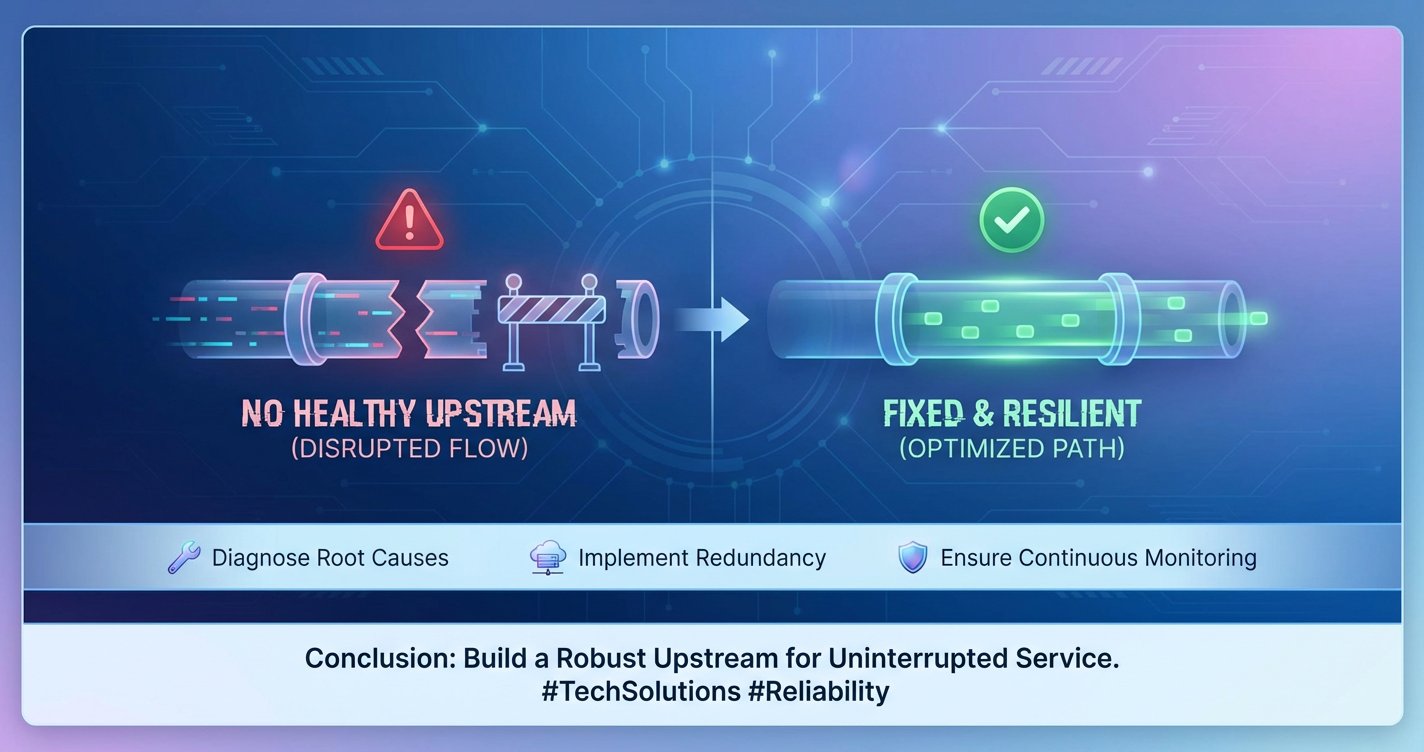
Why 'No Healthy Upstream' Happens & How to Fix It
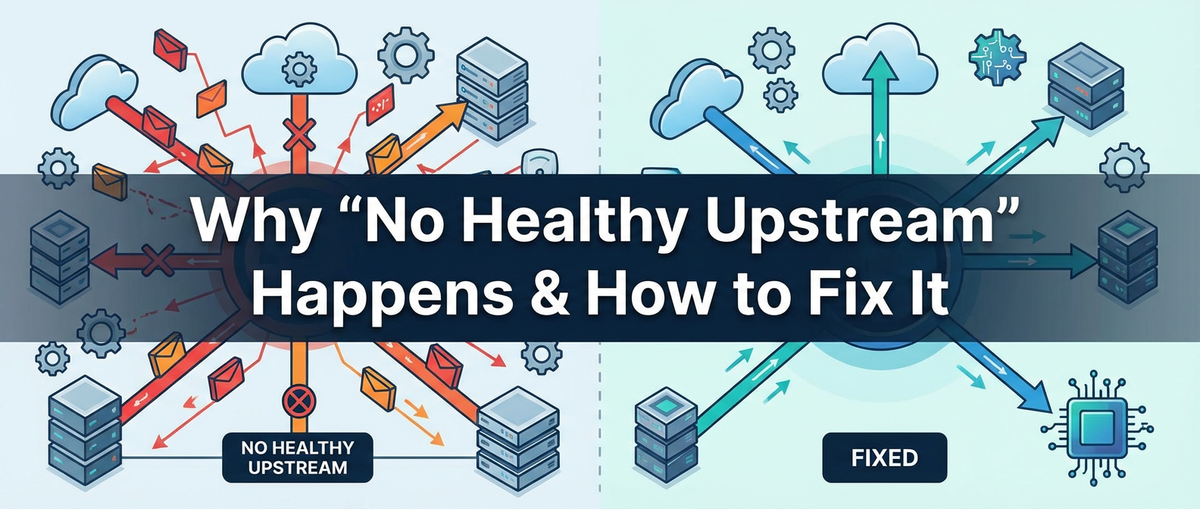


In the complex tapestry of modern distributed systems, the cryptic message "No Healthy Upstream" can be a developer's and operator's worst nightmare. It signifies a fundamental breakdown in communication, where the gateway or load balancer, acting as the system's front door, cannot find a viable backend service to route requests to. This isn't just a minor glitch; it's a critical alert that can bring services to a grinding halt, impacting user experience, business operations, and ultimately, an organization's bottom line. Understanding the multifaceted reasons behind this failure and developing robust strategies to prevent and mitigate it is paramount for anyone building or maintaining scalable and resilient applications.
This comprehensive guide will explore the intricacies of upstream health, unraveling the common culprits behind the dreaded "No Healthy Upstream" error, and furnishing a detailed playbook for its diagnosis and resolution. We will journey from the foundational principles of service discovery and health checks to advanced considerations in the realm of Artificial Intelligence and Large Language Models, illustrating how specialized tools and protocols, such as the Model Context Protocol and dedicated LLM Gateway solutions, are revolutionizing the way we ensure the reliability of AI services.
The Foundation: Understanding the Anatomy of an Upstream
Before we can effectively diagnose and fix issues, it's crucial to grasp what an "upstream" truly entails in the context of a distributed system. At its core, an upstream refers to a group of backend servers or services that are capable of fulfilling client requests. These upstream services are typically fronted by a proxy, load balancer, or API gateway, which acts as an intermediary, directing incoming traffic to one of the available healthy instances.
The reliability of this setup hinges on several critical components working in harmony:
- Service Discovery: This mechanism allows the proxy or gateway to dynamically discover the addresses (IPs and ports) of the backend service instances. In dynamic environments, services are constantly being scaled up or down, deployed, and retired. Service discovery solutions (like Consul, etcd, ZooKeeper, or Kubernetes' built-in mechanisms) ensure that the proxy always has an up-to-date list of potential upstream targets. Without accurate service discovery, the proxy might attempt to connect to non-existent or stale addresses.
- Health Checks: These are periodic tests performed by the proxy or gateway to ascertain the operational status and responsiveness of each upstream instance. Health checks can range from simple TCP port checks to more sophisticated HTTP endpoint validations that ensure the service is not only running but also capable of processing requests correctly. A robust health check mechanism is the primary determinant of whether an upstream instance is considered "healthy" or "unhealthy." If an instance consistently fails its health checks, it's typically removed from the pool of available servers until it recovers.
- Load Balancing Algorithms: Once a set of healthy upstream instances is identified, the load balancer employs specific algorithms (e.g., round-robin, least connections, IP hash) to distribute incoming requests among them. The goal is to maximize resource utilization, minimize response times, and prevent any single backend from becoming a bottleneck. An effective load balancing strategy ensures that traffic is only sent to instances that are deemed healthy and capable of handling additional load.
- Configuration: The proxy or gateway requires configuration that defines the upstream group itself – specifying the service discovery method, the health check parameters, the load balancing strategy, and any other relevant network or protocol settings. Any misstep in this configuration can render even perfectly healthy backend services inaccessible or mismanaged.
When a "No Healthy Upstream" error surfaces, it implies that one or more of these foundational elements have failed. Either no upstream instances were discovered, all discovered instances were deemed unhealthy by the health checks, or there's a fundamental configuration error preventing the proxy from identifying any valid targets. This situation effectively creates a dead-end for incoming requests, as the gateway has no viable path forward.
Unraveling the Causes: Why "No Healthy Upstream" Becomes a Reality
The path to "No Healthy Upstream" is rarely singular; it's often a confluence of factors, ranging from infrastructure woes to subtle software misconfigurations. A systematic approach to understanding these root causes is essential for effective troubleshooting and long-term prevention.
1. Network Connectivity Failures
At the most fundamental level, the proxy or gateway must be able to establish network communication with the upstream services. Failures here are often the most straightforward to diagnose but can be elusive if one isn't systematic.
- Firewall Rules and Security Groups: Misconfigured ingress or egress rules on firewalls, network ACLs, or cloud provider security groups (e.g., AWS Security Groups, Azure Network Security Groups) can block traffic between the gateway and its upstream targets. A common scenario involves a new service or gateway being deployed without updating the necessary network rules to permit communication on the required ports. This can occur at the host level, subnet level, or even across different virtual private clouds (VPCs). For instance, if an upstream service is listening on port 8080, but the gateway's security group doesn't allow outbound traffic to the upstream's IP range on 8080, or the upstream's security group doesn't allow inbound traffic from the gateway's IP range, communication will fail silently, leading to health check failures.
- DNS Resolution Issues: The gateway typically resolves the hostname of the upstream service to an IP address. If the DNS server is unavailable, returns incorrect records, or experiences latency, the gateway might fail to locate the upstream instances. This can happen if service discovery systems aren't properly integrated with DNS, or if there's a caching issue with the DNS resolver used by the gateway. Stale DNS caches, especially in environments where service IPs change frequently, are a notorious source of "No Healthy Upstream" errors.
- Routing Problems: Incorrect network routing tables can prevent packets from reaching their destination. This could be due to misconfigured routing policies within a VPC, issues with VPN connections, or errors in transit gateways connecting different network segments. While less common in simple setups, complex multi-region or hybrid cloud architectures are more susceptible to routing complexities.
- Physical or Virtual Network Failures: Although rare, underlying network infrastructure failures (e.g., switch malfunctions, cable cuts, virtual network component outages) can completely sever connectivity. These are typically broad outages affecting multiple services but can manifest as "No Healthy Upstream" for specific service groups.
2. Upstream Service Availability and Health
Even if network connectivity is perfect, the upstream service itself might not be operational or healthy enough to respond to requests.
- Service Crashes or Freezes: The backend application could have crashed due to a bug, an unhandled exception, or a memory leak, making it completely unresponsive. A service might also enter a "frozen" state, where its process is running but it's not actively processing requests or responding to health checks. This is often the most direct cause of an upstream becoming unhealthy.
- Resource Exhaustion: An upstream service might be running but struggling due to resource limitations.
- CPU Saturation: If the service is consistently maxing out its CPU, it might be too busy to process health check requests or application traffic in a timely manner, leading to timeouts.
- Memory Leaks: A service consuming all available memory can lead to system instability, out-of-memory errors, or frequent garbage collection pauses that render it unresponsive for periods.
- Disk I/O Bottlenecks: Services heavily relying on disk operations (e.g., logging, data storage) can become unresponsive if the underlying storage system is overloaded or performing poorly.
- Thread Pool Exhaustion: Web servers and application servers often use thread pools to handle concurrent requests. If all threads are busy or blocked, new requests (including health checks) will queue up or be rejected.
- Application-Level Errors: The service might be technically running, but its internal logic is flawed, causing it to return error responses (e.g., 500 Internal Server Error) to health checks. A well-designed health check should not only verify that a port is open but also that the application logic is functioning correctly, potentially by querying a critical internal component or database.
3. Misconfigured Health Checks
Health checks are the gatekeepers of upstream health. If they are configured incorrectly, they can falsely mark healthy services as unhealthy or, conversely, unhealthy services as healthy.
- Incorrect Health Check Endpoint: The configured health check URL or port might be wrong. The service might be perfectly healthy but listening on
/statuswhile the health check is hitting/healthz, which doesn't exist or returns an error. - Aggressive Timeouts or Intervals: If the health check timeout is too short (e.g., 1 second) or the interval between checks is too long, the gateway might prematurely declare a service unhealthy even if it's just experiencing a momentary spike in latency. Conversely, if checks are too infrequent, a truly unhealthy service might remain in the healthy pool for too long.
- Expected Status Code Mismatch: Health checks often expect a specific HTTP status code (e.g., 200 OK) to confirm health. If the service returns a different successful code (e.g., 204 No Content) or an unexpected error code, it will be marked unhealthy.
- Insufficient Retries: Health checks usually allow for a certain number of failed attempts before an instance is truly marked unhealthy. If this retry count is too low, transient network glitches or momentary service hiccups could lead to unnecessary upstream removal.
- Dependencies in Health Checks: A health check might be designed to check not only the service itself but also its critical dependencies (database, cache, message queue). If any of these dependencies are unhealthy, the health check will fail, even if the service's core logic is fine. While this is often desirable for true "readiness" checks, it can also propagate failures and make troubleshooting more complex.
4. Gateway/Load Balancer Misconfigurations
The intermediary itself can be the source of the problem, regardless of the upstream's actual state.
- Incorrect Upstream Definitions: The gateway's configuration might point to the wrong IP addresses, hostnames, or ports for the upstream services. This is especially common in manual configurations or when environment variables are incorrectly set.
- Service Discovery Errors: If the service discovery mechanism is faulty (e.g., invalid registration, stale records, unreachable discovery server), the gateway won't receive an accurate list of healthy upstream instances. This can lead to an empty upstream pool, even if services are running perfectly.
- SSL/TLS Handshake Failures: If the gateway is configured to communicate with upstream services over HTTPS, but there's a mismatch in certificates, cipher suites, or protocol versions, the secure connection will fail, preventing successful health checks and request forwarding. This is a common pitfall when integrating services with different security requirements or when certificates expire.
- Configuration Reload Issues: In some gateways, configuration changes require a graceful reload. If this process fails, the gateway might continue to operate with an outdated or corrupted configuration, potentially leading to "No Healthy Upstream" errors for newly deployed or updated services.
5. Resource Saturation and Throttling
Beyond individual service crashes, the entire system can become overwhelmed, leading to cascading failures.
- Upstream Overload: A sudden surge in traffic can overwhelm all upstream instances, causing them to become slow or unresponsive, failing health checks en masse. This is a capacity issue, where the aggregate demand exceeds the aggregate supply of the backend services.
- Rate Limiting/Throttling: Upstream services might have internal rate limits to protect themselves from abuse or overload. If the health check requests, combined with application traffic, exceed these limits, the service might start throttling or rejecting connections, leading to health check failures.
- Connection Pool Exhaustion: Databases, message queues, and other backend dependencies also have connection limits. If upstream services exhaust their connection pools trying to communicate with these dependencies, they might become unresponsive to incoming requests from the gateway.
6. Deployment and Scaling Anomalies
The dynamic nature of modern deployments can introduce its own set of challenges.
- New Instance Registration Delays: When new instances of a service are deployed, there might be a delay between them becoming ready to serve traffic and registering with the service discovery system, or between registration and being considered healthy by the gateway. During this window, the gateway might not recognize them.
- Old Instance Deregistration Failures: Conversely, if old instances are decommissioned but fail to de-register from service discovery, the gateway might continue to try to route requests to them, treating them as unhealthy. This is particularly problematic in environments without robust termination graceful shutdown procedures.
- Rolling Update Issues: During rolling deployments, if too many instances are updated or taken offline simultaneously, or if the new version has a critical bug, the available healthy upstream capacity can drop below a critical threshold, leading to a temporary or prolonged "No Healthy Upstream" state.
7. Software Bugs in the Upstream or Gateway
Sometimes, the issue isn't misconfiguration but an actual defect in the software itself.
- Application Bugs: A bug in the upstream service could cause it to intermittently crash, deadlock, or enter an unresponsive state, making it fail health checks.
- Gateway/Load Balancer Bugs: Less common, but bugs in the gateway software itself (e.g., a memory leak, a flaw in its health checking logic, or a routing bug) could lead to incorrect upstream health assessments or routing failures. Keeping gateway software updated to stable versions is crucial.
8. External Dependencies Failure
Modern applications rarely exist in isolation. They depend on numerous external services.
- Database Outages: If the upstream service cannot connect to its primary database, it often cannot function and will fail its health checks.
- Message Queue Issues: Services relying on message queues (e.g., Kafka, RabbitMQ) for inter-service communication or asynchronous processing can become unhealthy if the queue is unavailable.
- Caching Layer Problems: A failing cache (e.g., Redis, Memcached) might not bring down the entire service, but it can significantly degrade performance, potentially leading to timeouts and health check failures, especially if the health check relies on cache access.
- Third-Party API Outages: Services that are highly dependent on external third-party APIs might fail if those APIs experience an outage, and the internal service's health check reflects this dependency.
This comprehensive overview highlights that "No Healthy Upstream" is a symptom, not a cause. Its presence demands a thorough investigation across multiple layers of the system architecture.
The Cost of Silence: Impact of "No Healthy Upstream"
The implications of a "No Healthy Upstream" scenario extend far beyond a technical error message. For any service, particularly those critical to business operations, the consequences can be severe and rapidly escalate.
- Service Downtime and Unavailability: The most immediate and apparent impact is that users cannot access the service. Whether it's an e-commerce platform, a banking application, or an internal enterprise tool, downtime translates directly to lost productivity, missed opportunities, and a complete halt in functionality. For customer-facing applications, this leads to direct revenue loss.
- Negative User Experience and Reputation Damage: Users today expect instant and reliable service. Encountering error messages or slow loading times due to upstream issues erodes trust and can quickly drive users to competitors. Persistent outages can severely damage a brand's reputation, which is often difficult and costly to repair. Social media amplifies these issues, turning isolated incidents into public relations crises.
- Loss of Data or Data Corruption: In some critical write-heavy applications, requests that fail to reach a healthy upstream might be lost entirely, leading to incomplete transactions or data inconsistencies. While robust systems often implement retry mechanisms or dead-letter queues, prolonged upstream unhealthiness can overwhelm these safeguards, potentially leading to irretrievable data loss or the need for complex data recovery procedures.
- Operational Overhead and Burnout: When "No Healthy Upstream" errors occur, operations teams are plunged into crisis mode. The urgency to diagnose and resolve the issue can lead to long working hours, high-stress environments, and eventually, team burnout. The reactive nature of troubleshooting such critical incidents diverts valuable engineering resources from innovation and proactive development.
- Cascading Failures: In microservices architectures, one service's failure can easily trigger a domino effect. If a critical backend service goes unhealthy, all services that depend on it will also start failing. A "No Healthy Upstream" for a core authentication service, for example, could render an entire suite of applications unusable.
- Compliance and Regulatory Risks: For industries with strict regulatory requirements (e.g., finance, healthcare), sustained downtime or data issues can lead to non-compliance, resulting in hefty fines, legal repercussions, and increased scrutiny from regulatory bodies.
- Missed Business Opportunities and Revenue Loss: Every minute of downtime for a revenue-generating service translates directly into lost sales, subscription fees, or advertising revenue. For internal services, it means delayed projects, decreased employee efficiency, and a direct impact on the organization's ability to operate and grow.
Given these severe consequences, addressing the root causes of "No Healthy Upstream" and establishing robust mechanisms for prevention and rapid recovery is not merely a technical best practice but a fundamental business imperative.
APIPark is a high-performance AI gateway that allows you to securely access the most comprehensive LLM APIs globally on the APIPark platform, including OpenAI, Anthropic, Mistral, Llama2, Google Gemini, and more.Try APIPark now! 👇👇👇
The Playbook: Fixing "No Healthy Upstream" – Proactive Measures
Preventing "No Healthy Upstream" errors is always more efficient and less stressful than reacting to them. A comprehensive strategy involves implementing proactive measures that enhance observability, resilience, and automation across the system.
1. Robust Monitoring and Alerting
You cannot fix what you cannot see. Comprehensive monitoring is the cornerstone of proactive system health management.
- Gateway Metrics: Monitor the gateway/load balancer itself. Key metrics include:
- Upstream Health Status: A direct indicator of how many upstream instances are currently healthy versus unhealthy.
- Request Volume and Error Rates: Spikes in error rates (e.g., 5xx errors from the gateway) or sudden drops in successful requests can signal upstream issues.
- Latency: Increased latency at the gateway can indicate an upstream struggling to keep up.
- Connection Errors: Metrics on connection attempts and failures to upstream services.
- Upstream Service Metrics: Monitor the backend services directly:
- CPU, Memory, Disk, Network I/O Utilization: High resource usage can precede unhealthiness.
- Application Logs: Look for errors, exceptions, and warnings within the application logs.
- Application-Specific Metrics: Custom metrics related to the service's core functionality (e.g., number of active users, queue depth, database connection pool usage).
- Dependency Monitoring: Keep an eye on the health and performance of critical dependencies like databases, caches, and message queues.
- Alerting: Configure alerts for deviations from normal behavior.
- Threshold-based alerts: e.g., "If less than N healthy upstream instances for service X," "If error rate > Y% for Z minutes."
- Anomaly detection: Tools that learn baseline behavior and alert on significant deviations.
- Escalation policies: Ensure alerts reach the right people with appropriate urgency.
2. Automated and Intelligent Health Checks
Move beyond simple port checks. Health checks should be intelligent and reflective of true service readiness.
- Active vs. Passive Health Checks:
- Active Health Checks: Proactively send requests to upstream instances at regular intervals. These are essential for quickly detecting failures. Ensure these checks cover critical paths, not just a static
/healthendpoint that might always return 200 even if the service cannot process business logic. - Passive Health Checks: Monitor actual client traffic to infer upstream health. If an upstream consistently returns error responses to client requests, the gateway can temporarily mark it as unhealthy, even if active checks are still passing. This is crucial for detecting application-level issues that might not be caught by synthetic active checks.
- Active Health Checks: Proactively send requests to upstream instances at regular intervals. These are essential for quickly detecting failures. Ensure these checks cover critical paths, not just a static
- Graceful Degradation for Health Checks: Design health checks that consider the service's state. For example, during startup, a service might return a
503 Service Unavailableuntil all its dependencies are initialized, transitioning to200 OKwhen fully ready. The gateway should be configured to understand these transitional states. - Dependency-Aware Health Checks: For critical services, health checks should verify not just the service's process but also its ability to connect to and query its essential dependencies (e.g., database, cache). This ensures that the service is truly capable of fulfilling requests.
3. Circuit Breakers and Retry Mechanisms
These patterns are vital for preventing cascading failures and handling transient issues gracefully.
- Circuit Breakers: Implement circuit breakers at the gateway level and within services that make calls to other upstreams. A circuit breaker monitors calls to a service; if the error rate or latency exceeds a threshold, it "opens the circuit," preventing further calls to that service for a period. This gives the failing service time to recover and prevents the calling service from wasting resources on doomed requests.
- Retries with Backoff: Configure automatic retries for transient upstream failures.
- Idempotency: Ensure that retried operations are idempotent (can be safely executed multiple times without adverse effects).
- Exponential Backoff: Increase the delay between retries exponentially to avoid overwhelming a struggling upstream.
- Jitter: Add a small random delay to backoff to prevent a "thundering herd" problem where all retries hit the service at the same time.
4. Graceful Degradation and Fallback Strategies
When an upstream is unhealthy, the system shouldn't simply fail entirely.
- Partial Functionality: If a non-critical upstream fails, the application should ideally continue to operate with reduced functionality rather than completely failing. For example, if a recommendation engine is down, the product page can still display core product information.
- Fallback Caches or Default Responses: For read-heavy operations, if the primary upstream is unavailable, the gateway or application can serve stale data from a cache or provide a default, generic response. This ensures users still get something rather than an error page.
- Asynchronous Processing: For non-critical operations, consider queuing requests (e.g., to a message broker) if the immediate upstream is unavailable. The requests can then be processed once the upstream recovers.
5. Thorough Testing and Validation
Rigorous testing is a proactive defense against many "No Healthy Upstream" scenarios.
- Unit and Integration Tests: Ensure individual service components and their interactions are correctly implemented.
- Load and Stress Testing: Simulate high traffic loads to identify performance bottlenecks, resource exhaustion points, and how services behave under pressure. This can reveal when and why services might become unhealthy.
- Chaos Engineering: Deliberately inject failures into the system (e.g., kill an instance, simulate network latency, exhaust CPU) to observe how the system responds and identify weaknesses in resilience. This is the ultimate proactive test for understanding "No Healthy Upstream" scenarios.
6. Effective Service Discovery and Configuration Management
Streamline how services register and how the gateway consumes their information.
- Automated Service Registration: Integrate service deployment pipelines with service discovery systems so that new instances automatically register upon startup and de-register upon shutdown. This eliminates manual errors and ensures an up-to-date view of available services.
- Configuration as Code: Manage gateway and service configurations using version-controlled configuration files (e.g., YAML, JSON) that are deployed automatically. This ensures consistency and makes changes reviewable and traceable.
- Dynamic Configuration Updates: Ideally, the gateway should be able to dynamically update its upstream list from the service discovery system without requiring a full restart or manual intervention.
7. Immutable Infrastructure and Automated Deployments
Reduce the likelihood of configuration drift and human error.
- Immutable Infrastructure: Build new server images or containers for every deployment rather than patching existing ones. This ensures consistency across environments and reduces "works on my machine" issues.
- CI/CD Pipelines: Implement robust Continuous Integration/Continuous Deployment pipelines that automate testing, building, and deploying services. This minimizes manual steps where errors can be introduced. A well-designed pipeline includes health checks at various stages of deployment to ensure that only healthy code is promoted.
8. Capacity Planning and Auto-Scaling
Anticipate demand and scale resources accordingly.
- Baseline Performance Metrics: Understand the typical load, resource utilization, and performance characteristics of your services.
- Forecasting: Predict future traffic growth based on historical data and business forecasts.
- Auto-Scaling: Configure auto-scaling groups or Kubernetes Horizontal Pod Autoscalers (HPAs) to automatically adjust the number of upstream instances based on demand (e.g., CPU utilization, request queue length) to prevent overload.
9. Disaster Recovery and Business Continuity Planning
Prepare for the worst-case scenarios.
- Multi-Region/Multi-AZ Deployments: Distribute services across multiple availability zones or geographical regions to ensure that a failure in one location doesn't bring down the entire system.
- Backup and Restore Procedures: Regularly back up critical data and have well-tested procedures for restoring services in case of catastrophic failure.
- Runbooks: Document clear, step-by-step procedures for responding to common incidents, including "No Healthy Upstream" scenarios. This streamlines incident response and reduces cognitive load during high-stress situations.
By meticulously implementing these proactive measures, organizations can significantly reduce the frequency and impact of "No Healthy Upstream" errors, moving towards a more resilient and predictable operational state.
The Playbook: Fixing "No Healthy Upstream" – Reactive Troubleshooting
Despite the most diligent proactive efforts, issues will inevitably arise. When "No Healthy Upstream" hits, a systematic and calm approach to reactive troubleshooting is critical for rapid recovery.
1. Initiate Incident Response Protocol
- Confirm the Scope: Is it a single service, multiple services, or the entire application? Is it affecting all users or a specific segment? This helps narrow down the potential blast radius.
- Check Recent Changes: Has anything been deployed recently (code, configuration, infrastructure)? This is often the quickest path to a root cause.
- Engage the Right Teams: Alert relevant development, operations, and network teams.
2. Dive into Monitoring and Logs (Your First Line of Defense)
- Gateway/Load Balancer Logs: This is your starting point. Look for specific error messages related to upstream communication, health check failures, connection timeouts, or service discovery errors. For example, an Nginx error log might show
upstream timed out (110: Connection timed out)orno live upstreams. - Service Discovery Logs: If using a system like Consul or Kubernetes, check its logs for registration/deregistration failures, network issues, or internal errors that could explain why the gateway isn't getting correct upstream lists.
- Upstream Service Logs: Once you identify the likely culprit upstream, access its application logs. Look for:
- Errors/Exceptions: Unhandled exceptions, database connection errors, memory issues.
- High Latency Warnings: Messages indicating the service is slow to respond.
- Startup/Shutdown Messages: Confirm the service started successfully and didn't crash shortly after.
- System-Level Logs: Check
syslog,dmesg, or container orchestration logs (e.g.,kubectl logs,docker logs) for low-level issues like out-of-memory kills (OOMKilled), disk full errors, or network interface problems.
3. Verify Network Connectivity (From Gateway to Upstream)
- Ping/Traceroute: From the gateway host, attempt to ping the IP addresses of the upstream instances. If ping fails, check
tracerouteto identify where connectivity breaks down (firewall, router, etc.). - Port Check (telnet/netcat): Use
telnet <upstream_ip> <upstream_port>ornc -vz <upstream_ip> <upstream_port>from the gateway to the upstream. A successful connection indicates the port is open and reachable. If it hangs or refuses, it points to a network issue (firewall, routing) or the service not listening. - Firewall/Security Group Review: Double-check the network access control lists and security group rules on both the gateway and the upstream service instances to ensure they permit traffic on the required ports and protocols. Remember to check both ingress and egress rules.
- DNS Resolution: Use
digornslookupfrom the gateway host to confirm that the upstream service's hostname resolves to the correct IP addresses. Look for stale DNS entries or issues with the DNS server itself.
4. Inspect Upstream Service Status
- Process Status: On the upstream host, verify that the application process is actually running (e.g.,
ps aux | grep <your_service_name>,systemctl status <your_service>). - Health Check Endpoint Test: Directly hit the upstream service's health check endpoint from the upstream host itself (e.g.,
curl localhost:8080/healthz). If this fails, the problem is with the service, not the gateway. If it passes, the problem is likely network or gateway-related. - Resource Utilization: Check CPU, memory, disk I/O, and network usage on the upstream hosts. Tools like
top,htop,free -h,df -h,iostat,netstatcan provide immediate insights. High utilization often means the service is struggling and cannot respond to health checks in time. - Dependency Health: If the upstream service relies on a database, cache, or message queue, verify the health and connectivity to these dependencies from the upstream host.
5. Review Gateway/Load Balancer Configuration
- Upstream Definitions: Carefully examine the gateway's configuration for the specific upstream group in question.
- Are the hostnames/IPs and ports correct?
- Are there any typos?
- Is the load balancing algorithm appropriate?
- Is the service discovery mechanism correctly configured and pointing to the right place?
- Health Check Parameters:
- Is the health check path correct?
- Are the timeout and interval values reasonable?
- Is the expected HTTP status code correct?
- Are there enough retries before an upstream is marked unhealthy?
- SSL/TLS Settings: If using HTTPS for upstream communication, verify certificate paths, cipher suites, and protocol versions.
6. Consider AI/LLM Specific Challenges
When dealing with AI models and Large Language Models (LLMs), "No Healthy Upstream" can have unique dimensions.
- API Quotas and Rate Limits: LLM providers often impose strict rate limits and API quotas. An upstream service consuming an LLM API might appear unhealthy if it's hitting these limits, leading to
429 Too Many Requestsor similar errors. - Model Latency and Throughput: LLMs, especially for complex prompts, can have variable and sometimes high latency. Health checks might time out if not configured with generous enough parameters.
- Token Limits and Context Window Management: If the Model Context Protocol (MCP) isn't robustly handled, an LLM might reject requests due to exceeding context window limits, returning errors that can be interpreted as unhealthiness.
- Model Context Protocol (MCP): This is a critical concept for reliable LLM integration. An MCP defines a standardized way for applications to interact with LLMs, managing aspects like conversation history, state, and specific interaction patterns. Without a well-defined MCP, applications might send malformed requests, or LLMs might struggle to maintain context, leading to internal errors on the LLM side that manifest as "unhealthy" responses to the upstream service. For instance, if an upstream service relies on a specific sequence of messages to maintain context for Claude MCP, and that sequence is broken or mismanaged, Claude might return an error even if it's technically "up." A robust MCP ensures consistency in interaction, reducing these types of errors.
- LLM Gateway: The role of an LLM Gateway becomes paramount here. This specialized API gateway sits in front of one or more LLMs, abstracting away their individual complexities. An LLM Gateway performs several critical functions to prevent "No Healthy Upstream" for AI services:
- Unified API Interface: It provides a single, standardized API endpoint for various LLMs, so applications don't need to know the specifics of each model's API. This reduces configuration errors.
- Load Balancing and Failover: It can distribute requests across multiple LLM instances or even different LLM providers, providing resilience if one becomes unhealthy or exceeds rate limits.
- Health Checks for AI: It can implement sophisticated health checks that not only verify connectivity but also test the LLM's ability to process a simple prompt, ensuring functional health.
- Caching and Rate Limiting: It can cache common LLM responses and enforce rate limits to protect LLMs from overload, which can cause them to become unhealthy.
- Prompt Management and Optimization: An LLM Gateway can manage and optimize prompts, ensuring they adhere to the Model Context Protocol and fit within token limits, thereby reducing errors from the LLM.
Introducing APIPark: The Open Source AI Gateway & API Management Platform
In the realm of managing complex AI backends and preventing "No Healthy Upstream" scenarios for Large Language Models, a robust solution like APIPark becomes indispensable. APIPark is an open-source AI gateway and API developer portal that is specifically designed to streamline the management, integration, and deployment of AI and REST services.
APIPark directly addresses many of the challenges that lead to "No Healthy Upstream" in AI environments:
- Quick Integration of 100+ AI Models: APIPark provides a unified management system for integrating a vast array of AI models. This means that instead of managing individual connections and health checks for each model, developers can rely on APIPark to abstract this complexity, making it easier to ensure all integrated AI backends are accounted for and monitored. This greatly simplifies the upstream health management for diverse AI services.
- Unified API Format for AI Invocation: One of the most significant features is its ability to standardize the request data format across all AI models. This standardization ensures that changes in underlying AI models or prompts do not disrupt the application or microservices relying on them. By presenting a consistent interface, APIPark mitigates a common source of "No Healthy Upstream" – where a backend fails because it receives an unexpected request format. This consistency is crucial for adhering to a universal Model Context Protocol, allowing an application to interact with various LLMs reliably.
- Prompt Encapsulation into REST API: APIPark allows users to combine AI models with custom prompts to create new, specialized APIs (e.g., sentiment analysis, translation). This encapsulation means that upstream services can consume these tailored APIs as standard REST endpoints, rather than having to manage complex LLM-specific interactions directly. This simplification reduces the chances of errors and misconfigurations that can lead to an unhealthy upstream.
- End-to-End API Lifecycle Management: Beyond AI specifics, APIPark assists with the entire lifecycle of APIs, including design, publication, invocation, and decommission. This comprehensive management helps regulate API processes, traffic forwarding, load balancing, and versioning – all vital components for maintaining upstream health. By ensuring proper traffic routing and load distribution, APIPark actively works to prevent individual AI backends from becoming overwhelmed and thus unhealthy.
- Performance Rivaling Nginx: With high-performance capabilities, APIPark ensures that the gateway itself isn't a bottleneck. Achieving over 20,000 TPS with modest resources, and supporting cluster deployment, means that APIPark can handle large-scale traffic without becoming an unhealthy upstream to client applications.
- Detailed API Call Logging & Powerful Data Analysis: These features are invaluable for reactive troubleshooting. When an AI service goes unhealthy, APIPark's comprehensive logs record every detail, allowing for quick tracing and issue resolution. The powerful data analysis helps in displaying long-term trends and performance changes, enabling preventative maintenance before issues escalate into "No Healthy Upstream" events.
By leveraging an LLM Gateway like APIPark, organizations can establish a robust layer of abstraction and control over their AI deployments, significantly reducing the likelihood of "No Healthy Upstream" errors, and ensuring the continuous, reliable operation of their AI-powered applications.
Best Practices for Maintaining Upstream Health Long-Term
Sustaining a healthy upstream environment is an ongoing commitment. Adhering to best practices cultivates a culture of reliability and resilience.
- Treat Upstream Health as a First-Class Citizen: Integrate health checks, monitoring, and recovery mechanisms into the very design of your services and infrastructure. Don't treat them as afterthoughts.
- Automate Everything Possible: From deployment to scaling to health checks, automation reduces human error and accelerates recovery. Use Infrastructure as Code (IaC) principles for all configurations.
- Invest in Observability: Beyond just monitoring, truly understand how your system behaves. Use distributed tracing, comprehensive logging, and rich metrics to get a holistic view. This allows for proactive identification of subtle degradations before they escalate.
- Embrace Incremental Changes: Avoid large, monolithic deployments. Break down changes into small, manageable increments that can be rolled out and rolled back quickly. This minimizes the blast radius of any faulty deployment.
- Regularly Review and Refine Health Checks: As services evolve, so should their health checks. Ensure they remain relevant and accurately reflect the service's operational readiness.
- Practice Incident Response: Regularly run drills and simulations (e.g., game days, chaos engineering experiments) to test your incident response procedures. This builds muscle memory and helps identify gaps in your playbook.
- Document Everything: Maintain up-to-date documentation for your architecture, service dependencies, configurations, and troubleshooting runbooks. This is invaluable for new team members and during high-stress incidents.
- Feedback Loops: Establish clear feedback loops between development, operations, and SRE teams. Learn from every incident to improve systems and processes.
- Standardize Where Possible: Use consistent tools, configurations, and deployment patterns across your services. This reduces complexity and makes troubleshooting more predictable.
- Leverage Specialized Gateways for Niche Services: For complex domains like AI, a specialized LLM Gateway such as APIPark, which understands the nuances of Model Context Protocol and LLM interactions (e.g., Claude MCP specificities), can significantly enhance reliability and simplify management. These gateways provide an essential layer of abstraction and resilience, ensuring that diverse AI backends remain healthy and accessible.
Conclusion
The message "No Healthy Upstream" is more than just a fleeting error; it's a stark indicator of a fundamental fragility within a distributed system. From basic network connectivity and application health to the intricate dance of service discovery and health checks, numerous points of failure can lead to this critical state. The cost of such outages—in terms of lost revenue, damaged reputation, and operational strain—underscores the absolute necessity of a proactive and systematic approach to system reliability.
By deeply understanding the potential causes, meticulously implementing preventative measures like robust monitoring, intelligent health checks, and circuit breakers, and having a well-defined reactive troubleshooting playbook, organizations can significantly bolster the resilience of their services. Furthermore, as technology landscapes evolve, particularly with the proliferation of AI and Large Language Models, specialized solutions like the Model Context Protocol and dedicated LLM Gateway platforms, exemplified by APIPark, are becoming crucial for managing the unique complexities and ensuring the continuous, healthy operation of these advanced backends.
Ultimately, mitigating "No Healthy Upstream" is not just about fixing errors; it's about building inherently reliable systems, fostering a culture of resilience, and ensuring that your applications remain available, performant, and trustworthy in an ever-complex digital world.
Frequently Asked Questions (FAQ)
1. What exactly does "No Healthy Upstream" mean, and why is it critical? "No Healthy Upstream" means that the load balancer or API gateway, which receives incoming client requests, cannot find any available or operational backend servers (upstream services) to forward those requests to. This is critical because it leads to complete service unavailability, as requests hit a dead end, resulting in downtime, negative user experience, and potential revenue loss. It's a symptom that something fundamental has failed, either in the backend service itself, its network connectivity, or the health check mechanism.
2. What are the most common causes of "No Healthy Upstream" errors? The most common causes include: * Network Issues: Firewalls blocking traffic, incorrect DNS resolution, or routing problems between the gateway and upstream. * Upstream Service Failures: The backend application crashing, freezing, or suffering from resource exhaustion (CPU, memory, disk). * Misconfigured Health Checks: The health check endpoint, timeout, or expected status code being incorrect, causing healthy services to be marked unhealthy. * Gateway/Load Balancer Misconfigurations: Incorrect upstream definitions, SSL/TLS handshake failures, or service discovery issues within the gateway itself. * Resource Saturation: The upstream service being overwhelmed by traffic or exhausting its dependencies (database connections, etc.).
3. How can an LLM Gateway like APIPark help prevent "No Healthy Upstream" for AI services? An LLM Gateway like APIPark provides a crucial layer of abstraction and management for AI services. It helps by: * Standardizing AI Invocation: Providing a unified API format across diverse AI models, reducing configuration errors and ensuring consistent interaction. * Centralized Management: Integrating and managing numerous AI models from a single platform, simplifying health monitoring and troubleshooting. * Load Balancing & Failover: Distributing requests across multiple AI backends or providers, enhancing resilience if one becomes unhealthy. * Specialized Health Checks: Implementing health checks tailored to AI models, verifying not just connectivity but also their ability to process prompts. * Prompt Management: Ensuring prompts adhere to the Model Context Protocol and token limits, reducing errors from the LLM itself.
4. What role does the Model Context Protocol (MCP) play in maintaining upstream health for LLMs? The Model Context Protocol (MCP) is vital for ensuring the reliability and health of Large Language Models (LLMs) as upstream services. It defines a standardized way for applications to manage conversation history, state, and specific interaction patterns when communicating with LLMs. Without a robust MCP, applications might send malformed or out-of-context requests, leading to the LLM returning errors or becoming unresponsive to the upstream service. By ensuring consistent and correct interaction, an MCP helps prevent the LLM from entering an unhealthy state due to miscommunication, as exemplified by specific implementations like Claude MCP.
5. What are immediate steps to take when a "No Healthy Upstream" error occurs? When this error occurs, follow these reactive troubleshooting steps: 1. Check Monitoring & Logs: Review gateway, service discovery, and upstream application logs for error messages, status changes, or resource spikes. 2. Verify Network Connectivity: From the gateway, ping and telnet/netcat to the upstream IP and port to check for network blockages (firewalls, routing). 3. Inspect Upstream Service Status: Confirm the backend application process is running on its host, check its resource utilization (CPU, memory), and directly test its health check endpoint. 4. Review Gateway Configuration: Double-check the upstream definitions and health check parameters in the gateway's configuration for any misconfigurations or typos. 5. Look for Recent Changes: Identify any recent deployments, configuration updates, or infrastructure changes that might have introduced the issue.
🚀You can securely and efficiently call the OpenAI API on APIPark in just two steps:
Step 1: Deploy the APIPark AI gateway in 5 minutes.
APIPark is developed based on Golang, offering strong product performance and low development and maintenance costs. You can deploy APIPark with a single command line.
curl -sSO https://download.apipark.com/install/quick-start.sh; bash quick-start.sh

In my experience, you can see the successful deployment interface within 5 to 10 minutes. Then, you can log in to APIPark using your account.

Step 2: Call the OpenAI API.