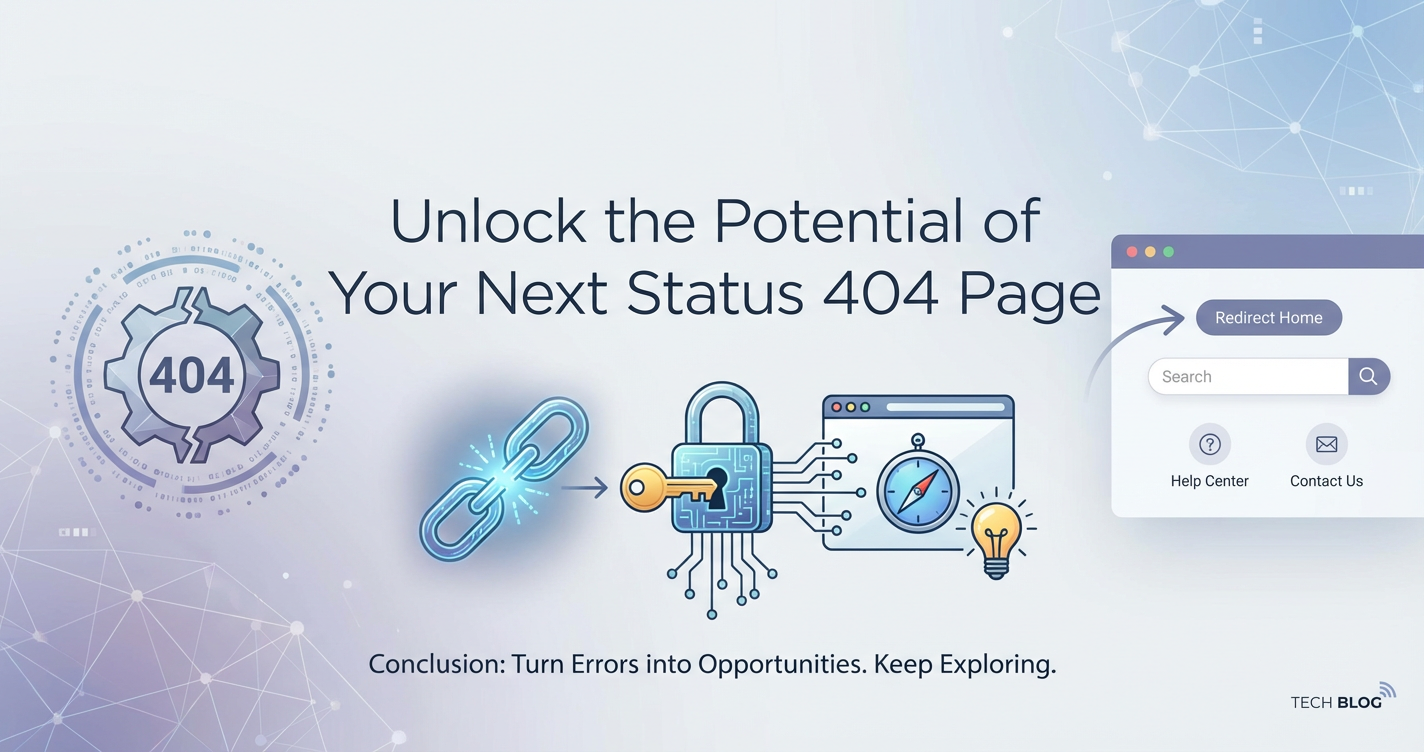
Unlock the Potential of Your Next Status 404 Page
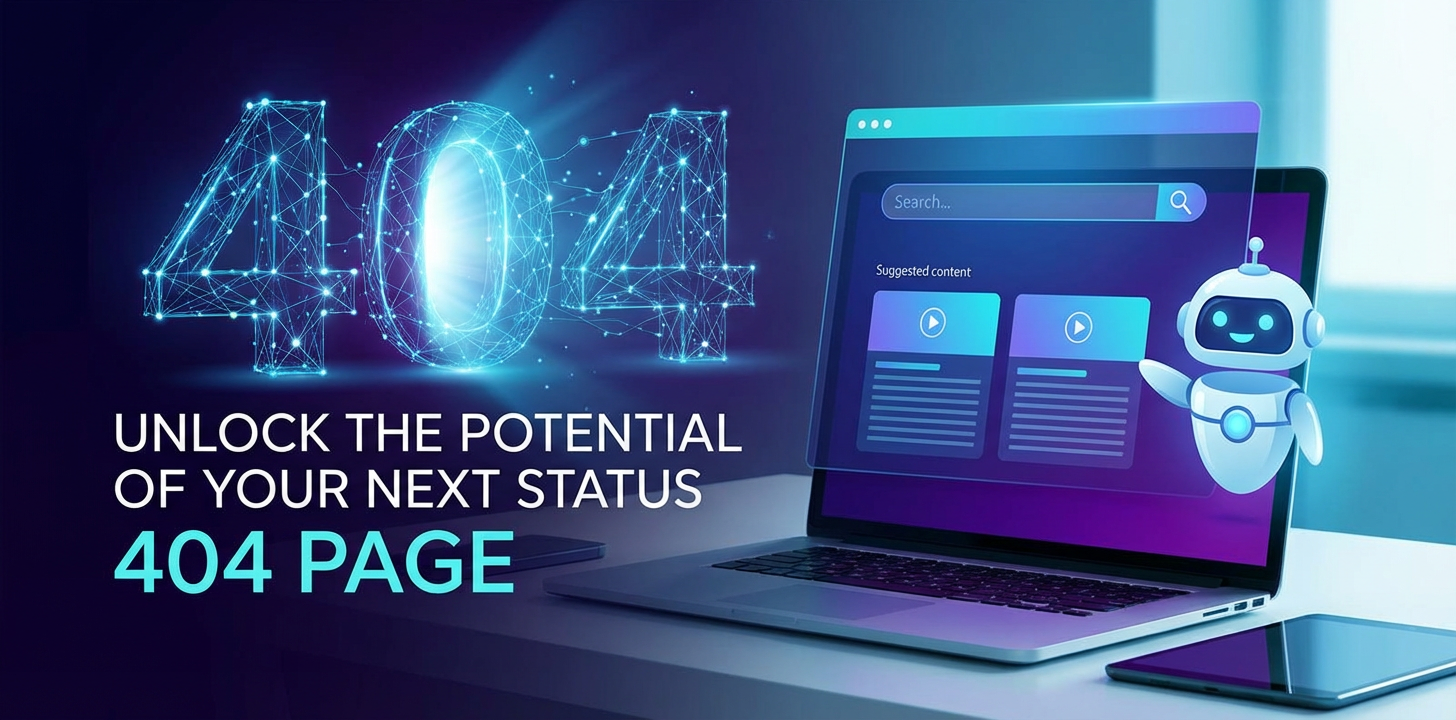


The dreaded "404 Not Found" error page. For many web users, it's a digital dead end, a frustrating brick wall indicating that the content they sought has vanished into the ether. For website owners, it's often viewed as an unavoidable nuisance, a simple technicality that signifies a broken link or a removed page. But what if we told you that this ubiquitous error, far from being a mere digital roadblock, actually represents a profound and often overlooked opportunity? What if your next 404 page could be transformed from a point of user frustration into a powerful tool for engagement, brand building, and even conversion?
In the vast and interconnected landscape of the internet, where users navigate through countless pages and services daily, encountering a 404 error is an almost inevitable part of the journey. Websites evolve, content shifts, URLs are updated, and sometimes, pages simply cease to exist. While technical solutions like proper redirects are crucial for mitigating the occurrence of 404s, they can never entirely eliminate them. Thus, the 404 page stands as an intrinsic element of the web experience. The critical distinction lies not in its existence, but in how it is designed and deployed. A standard, bare-bones 404 page — often just plain text stating "404 Not Found" — is a stark, unhelpful, and ultimately damaging experience. It abruptly severs the user's journey, leaving them feeling lost and abandoned, often leading to immediate site abandonment. This is not just a lost page view; it's a lost opportunity to connect, to inform, and to guide.
This comprehensive guide will delve deep into the art and science of transforming your 404 page from a digital cul-de-sac into a valuable asset. We will explore the psychological impact of well-designed error pages, the myriad benefits they offer for user experience (UX), branding, and even indirect search engine optimization (SEO). From crafting compelling copy and engaging visuals to implementing dynamic content and sophisticated tracking mechanisms, we will provide a blueprint for harnessing the full potential of this often-neglected corner of your website. Prepare to rethink everything you thought you knew about the 404 page and discover how to convert a moment of potential frustration into an opportunity for delight and recovery.
The Inevitable Encounter: Understanding the Anatomy of a 404 Error
Before we can unlock the potential of the 404 page, it's essential to understand its fundamental nature. What exactly is a 404 error, why does it occur, and what are its immediate implications for both users and your website's performance?
At its core, a "404 Not Found" error is an HTTP (Hypertext Transfer Protocol) status code. When a web browser requests a specific URL from a server, the server responds with a status code indicating the outcome of that request. A "200 OK" means everything is fine and the page is delivered. A "301 Moved Permanently" signifies a permanent redirect. And a "404 Not Found" code specifically tells the browser that the server could not locate the requested resource. This means the server successfully connected, but the specific page, file, or asset the user was looking for simply wasn't there at that address. It’s distinct from a "500 Internal Server Error," which would indicate a problem with the server itself, regardless of the page requested. The 404 is a precise signal: "I know where you are, but what you asked for isn't here."
The causes of 404 errors are varied and numerous, reflecting the dynamic nature of the web. One of the most common culprits is a simple typo in the URL, either by the user manually entering an address or by an incorrectly typed link on another website. Another frequent cause is a page being moved or deleted without a proper redirect being implemented. This happens often during website redesigns, content restructuring, or when products are discontinued. External websites linking to your content might have old, outdated links. Search engines might also cache old URLs, leading users to non-existent pages. Furthermore, problems with internal linking on your own site, perhaps due to a CMS glitch or human error during content creation, can generate 404s. Even issues with the domain name system (DNS) or server configuration, though less common for true 404s, can sometimes manifest in similar ways to the user.
The immediate impact of a standard 404 error is straightforward: user frustration and site abandonment. Imagine navigating to a website with a clear purpose, only to be met with a generic, unhelpful error message. This abrupt cessation of the user journey breaks trust, creates a sense of inefficiency, and typically results in the user bouncing off your site to seek their information or product elsewhere. From an SEO perspective, a single 404 page itself doesn't directly harm your rankings (Google explicitly states that 404s are a normal part of the web). However, a high volume of 404s can signal a poorly maintained site to search engines, and more importantly, it wastes "crawl budget" and prevents valuable link equity from flowing to live pages. When external sites link to a 404 page, that valuable "link juice" is essentially lost if not properly redirected, impacting your site's overall authority. Therefore, while not a direct penalty, a prevalence of 404s is a strong indicator of underlying issues that do negatively impact user experience and, consequently, your site's SEO performance and business objectives.
Why Customizing Your 404 Page is Not Just an Option, But a Necessity
Given the inevitability of 404 errors, the crucial question shifts from "how do we eliminate them?" to "how do we manage them effectively?" The answer lies in customization. Transforming your generic 404 page into a thoughtfully designed, user-centric experience is not merely an aesthetic choice; it's a strategic imperative that yields significant benefits across multiple facets of your digital presence.
Elevating the User Experience (UX): Guiding the Lost Back to Safety
At the heart of any effective website strategy lies the user experience. A well-designed 404 page acts as a compassionate guide for users who have veered off course. Instead of confronting them with a jarring error message, it acknowledges their predicament with empathy and immediately offers solutions. Imagine arriving at a crossroads in a foreign city, only to find a blank sign. Frustrating, right? Now imagine that sign clearly stating, "Oops, wrong turn! But don't worry, here's how to get back on track," providing directions to key landmarks and perhaps even a map. That's the difference a customized 404 page makes.
It reduces frustration by validating the user's confusion and providing a sense of control. Clear messaging like "We're sorry, the page you requested cannot be found" followed by actionable next steps instills confidence and reassures the user that they haven't encountered a dead end for good. By offering prominent links back to the homepage, primary navigation categories, or even a search bar, you empower users to self-correct their journey. This active guidance drastically lowers the likelihood of immediate site abandonment, keeping users engaged with your brand even when things go awry. A positive recovery experience can significantly impact a user's overall perception of your site's reliability and user-friendliness, turning a potentially negative encounter into a testament to your commitment to their satisfaction.
Reinforcing Branding & Marketing: A Canvas for Your Identity
Beyond mere functionality, your 404 page serves as an often-overlooked canvas for brand expression. A generic 404 page is a missed opportunity to reinforce your brand identity, voice, and visual aesthetics. Conversely, a customized page extends your brand experience into an unexpected corner of your website, demonstrating attention to detail and a consistent brand presence. This consistency builds trust and familiarity.
Consider the power of injecting personality into your error message. Depending on your brand's tone – be it humorous, sophisticated, quirky, or professional – your 404 page can reflect that. A playful illustration, a witty message, or a clever animation can transform a moment of potential annoyance into a memorable, even delightful, interaction. This not only humanizes your brand but also differentiates you from competitors who might still be using uninspired default error pages. For marketing teams, it’s an opportunity for a soft-sell. While not a primary landing page, it can subtly highlight unique selling propositions, showcase popular content, or even briefly promote a key product or service, all within the context of helping the user find what they need. It’s an unexpected touchpoint that can leave a lasting positive impression, potentially turning a lost visitor into a curious explorer of your brand's offerings.
Indirect SEO Benefits: Recovery and Guidance
While 404 pages themselves are not directly indexed for ranking purposes, their optimization carries significant indirect SEO benefits. The primary goal is to minimize the negative impact of 404s on user behavior and crawl efficiency.
Firstly, a well-designed 404 page significantly reduces bounce rates. When users land on a helpful 404 page that offers clear navigation options, they are far more likely to remain on your site and continue exploring rather than immediately returning to the search results. This improved user engagement signals positively to search engines, contributing to better overall site health metrics.
Secondly, a customized 404 page can serve as an internal linking hub. By prominently featuring links to your homepage, top categories, popular blog posts, or trending products, you create additional pathways for both users and search engine crawlers to discover valuable content. This helps to distribute "link juice" across your site, even from a page that technically doesn't exist. Furthermore, if you can identify common broken links leading to 404s, you can strategically place links on the 404 page that direct users to relevant, live content, thereby salvaging some of the value from external backlinks that might otherwise be lost. While proper 301 redirects remain the gold standard for permanent content removal, a smart 404 page acts as a robust safety net for all other instances.
Data & Analytics: A Window into User Missteps
Finally, a customized 404 page offers invaluable opportunities for data collection and analysis. By integrating analytics tools like Google Analytics, you can meticulously track when and how users encounter 404 errors. This data is a goldmine for understanding user behavior and identifying potential site issues.
Tracking the URLs that lead to 404s can reveal common typos, outdated external links pointing to your site, or internal linking errors that need immediate correction. It can highlight pages that were highly popular but have since been removed, suggesting opportunities for new content creation or the need for careful redirection. Analyzing the navigation paths users take after landing on a 404 page provides insights into what they were likely looking for and how effectively your suggested alternatives guide them. This continuous feedback loop allows for iterative improvements, not just to the 404 page itself, but to your overall website architecture and content strategy. Recognizing that every interaction, even an error, provides data, allows you to transform a negative event into a source of actionable intelligence for ongoing site optimization.
Key Elements of an Effective 404 Page: The Blueprint for Recovery
Crafting an outstanding 404 page requires a thoughtful combination of clear communication, brand consistency, helpful navigation, and often, a touch of creativity. Let's break down the essential components that turn a functional error page into a user-centric masterpiece.
Clear and Empathetic Messaging: Acknowledging the Blip
The very first impression a user gets on your 404 page sets the tone. A simple, direct, and empathetic message is paramount. Avoid jargon or technical slang that might confuse users further. Instead, aim for language that acknowledges the error, apologizes for the inconvenience, and immediately reassures them. Phrases like "Oops! Looks like you've taken a wrong turn," "We couldn't find that page," or "Sorry, the page you're looking for doesn't exist" are far more approachable than a stark "404 Not Found."
Crucially, the message should clearly state what the problem is, without assigning blame. It's about providing an explanation and a path forward, not making the user feel like they made a mistake. Maintain a tone consistent with your overall brand voice – if your brand is generally playful, a lighthearted message works; if it's professional, keep the tone respectful and helpful. The goal is to diffuse frustration and establish an immediate sense of helpfulness, converting a potential moment of irritation into one of understanding and guidance.
Brand Consistency: Visuals and Voice that Resonate
Your 404 page is an extension of your brand, and as such, it must visually and tonally align with the rest of your website. This means incorporating your brand's color palette, typography, logo, and overall design language. A sudden shift in aesthetics can be jarring and disorienting, further contributing to a user's sense of being lost.
Beyond just the visual elements, pay close attention to the tone of voice. If your website is typically witty and engaging, let your 404 page reflect that with a clever quip or an amusing illustration. If your brand is serious and authoritative, maintain that professionalism with a straightforward, reassuring message. Consistent branding reinforces familiarity and trust, reminding the user that even though they've hit a snag, they are still within the familiar and trusted environment of your digital presence. A carefully chosen image, illustration, or even a short animation can further enhance this consistency and make the page more memorable. It's a subtle yet powerful way to reinforce your identity even in an unexpected context.
Helpful Navigation Options: The Digital Compass
Once a user lands on a 404 page, their immediate need is to regain their footing and find relevant content. Providing prominent, intuitive navigation options is therefore critical. This isn't just about throwing links at them; it's about offering a curated set of pathways that anticipate their likely needs.
- Prominent Link to Homepage: This is non-negotiable. It's the ultimate "reset" button, allowing users to return to a known, stable starting point. Make it a clear, compelling call to action.
- Search Bar: For many users, finding a specific piece of information is the goal. An integrated, functional search bar empowers them to directly re-enter their query and hopefully locate the content they intended to find. Ensure the search functionality is robust and provides relevant results.
- Links to Popular/Related Content: Analyze your site's analytics to identify your most visited pages, popular products, or top-performing blog posts. Curate a small selection of these links directly on your 404 page. This not only offers valuable content but also highlights your site's strengths. For an e-commerce site, this might be "Our Best Sellers"; for a blog, "Trending Articles."
- Main Navigation Links: Consider including truncated versions of your primary site navigation categories. This allows users to easily jump to major sections of your site, guiding them toward broader content areas they might be interested in.
- Contact Information/Support: For users who are truly stuck or have a specific inquiry, providing a link to your contact page, a support form, or even a live chat option can be invaluable. This demonstrates a commitment to customer service and ensures that no user is left completely without recourse.
Creative & Engaging Content: Turning Frowns Upside Down
This is where your 404 page can truly shine and stand out. Moving beyond functional elements, incorporating creative and engaging content can transform a dull error page into a positive and memorable interaction.
- Humor: Depending on your brand, a dash of humor can be incredibly effective in defusing frustration. A witty pun, a self-deprecating joke about the broken link, or a funny illustration can bring a smile to a user's face and leave a positive impression.
- Interactive Elements: Consider simple interactive elements like a mini-game, a quick poll, or a delightful animation. These can momentarily distract the user from their error, creating a sense of playfulness and engagement. Think about simple CSS animations, a small JavaScript game, or even a GIF.
- Unique Illustrations or Animations: A custom illustration that ties into your brand story or a short, looping animation can be highly engaging. It visually signals that effort has been put into every corner of the site, even the error pages.
- Storytelling: Can you weave a mini-narrative around the "lost page" concept? Perhaps your brand's mascot is depicted searching for the page, or a brief, humorous story explains its disappearance.
The key is to use creativity judiciously and in alignment with your brand. The goal is not to distract indefinitely, but to momentarily delight and then efficiently guide the user back to valuable content.
Call to Action (CTA): Guiding the Next Step
Every effective web page, including your 404, should have a clear call to action (CTA). What do you want the user to do next? While navigation links offer options, a distinct CTA can provide a focal point. This could be "Return to Homepage," "Browse Our Products," "Explore Our Blog," or "Search Our Site."
The CTA should be visually prominent, use action-oriented language, and clearly indicate the outcome of clicking it. By offering a direct path forward, you reduce decision paralysis and gently nudge the user towards a desired action, helping them recover their journey on your site rather than abandoning it.
Analytics Integration: Measuring Success and Identifying Issues
Finally, no optimized web page is complete without robust analytics integration. Your 404 page should be meticulously tracked to understand its performance and identify underlying issues.
- Track Pageviews: How many times is your 404 page being accessed? A sudden spike could indicate a widespread broken link or a server issue.
- Referral Paths: Where are users coming from when they land on your 404 page? This is crucial for identifying external sites with outdated links or problematic internal linking within your own site.
- Exit Rate: How many users leave your site directly from the 404 page? A high exit rate suggests that your recovery mechanisms aren't effective enough.
- Clicks on Navigation Elements: Which links on your 404 page are users clicking? This helps you understand what content they're seeking and which suggestions are most helpful.
- Search Queries: If you include a search bar, log the queries users enter. This can reveal common misspellings or popular topics for which your site might lack content or have inaccessible pages.
By leveraging these insights, you can continuously refine your 404 page, address the root causes of errors, and optimize the recovery experience for your users.
Designing for User Recovery: Practical Strategies for a Seamless Return
The true power of an optimized 404 page lies in its ability to facilitate user recovery. It's not enough to simply acknowledge the error; you must actively assist users in finding what they need or redirecting them to valuable alternative content. This requires implementing smart, user-centric strategies that go beyond static links.
Smart Search Functionality: Empowering Self-Correction
A basic search bar is good, but a "smart" search bar is better. When a user lands on a 404 page, they likely had a specific query in mind. A sophisticated search function can anticipate their needs and offer immediate, helpful suggestions.
- Typo Correction: If a user makes a minor typo in the URL, can your search suggest the correct, existing page? Implementing fuzzy matching or "did you mean?" functionality can be incredibly powerful.
- Predictive Search: As users type into the search bar on your 404 page, can your system offer real-time suggestions based on popular queries or existing content titles? This guides them even before they hit enter.
- Semantic Search: Move beyond keyword matching to understanding the intent behind a search query. If a user was looking for "best hiking boots," the search should prioritize relevant product categories or review articles, even if the exact phrase isn't found. This sophisticated search capability is often powered by underlying APIs that connect to your product catalog, knowledge base, or content management system. These APIs handle the complex logic of parsing queries, fetching data, and ranking results, ensuring that the user receives the most relevant information possible.
Dynamic Content Suggestions: Tailoring the Path Forward
Static links to your homepage and a few popular articles are a good start, but dynamic content suggestions take the 404 experience to a new level of personalization and utility.
- Based on Likely Intent (Referrer Data): If you can capture the referrer URL (where the user came from), you might infer their intent. For example, if they came from a specific product category on an external site, your 404 page could suggest other products within that category or related accessories.
- Most Popular Articles/Products: Beyond a static list, dynamic suggestions can pull currently trending content. This keeps the 404 page fresh and ensures that users are guided to what's currently most relevant to your broader audience.
- Recently Viewed Items (if logged in): For authenticated users, leveraging their browsing history to suggest recently viewed products or articles on the 404 page can be incredibly helpful. This creates a highly personalized recovery experience.
- Related Content based on URL Keywords: Even if the exact URL doesn't exist, can you extract keywords from it and use an internal content
apito suggest articles or products that are semantically related? This requires a robust content management system capable of exposing its data through APIs. - Geographically Relevant Content: For multi-region sites, the 404 page could dynamically suggest content or stores relevant to the user's location, further personalizing the experience.
Implementing dynamic content often relies heavily on a robust API (Application Programming Interface) infrastructure. Your 404 page, though an error page, can function like any other dynamic page on your site, making calls to various internal services. For instance, an API might fetch trending blog posts, another might retrieve recommended products, and yet another could pull recently updated knowledge base articles.
Personalization: Beyond the Generic
True personalization moves beyond just dynamic content to tailor the entire 404 experience based on user data. This is more complex but can be incredibly impactful.
- User Segment-Specific Suggestions: If you know a user belongs to a specific segment (e.g., first-time visitor, returning customer, premium subscriber), you can tailor the content and CTAs on the 404 page to be more relevant to their journey. A first-time visitor might see a "Start Here" guide, while a returning customer might see links to their account dashboard.
- Language Localization: For global websites, ensure your 404 page is localized to the user's preferred language, maintaining brand consistency and reducing frustration for non-English speakers.
- Contextual Offers: In some cases, a highly personalized 404 page might even present a contextual offer (e.g., a discount on a related product) as a goodwill gesture, turning a negative into a potential conversion opportunity. This requires sophisticated integration with CRM and marketing automation platforms, often facilitated through APIs.
Interactive Elements: Engagement as a Diversion
While the primary goal is recovery, sometimes a brief, engaging distraction can make the user experience more positive.
- Mini-Games: Simple, short games (e.g., a quick puzzle, a memory game) can provide a moment of lightheartedness. This is particularly popular with brands aiming for a youthful or quirky image.
- Feedback Forms: An embedded, simple feedback form asking "Were you looking for something specific?" or "How can we help you?" can provide valuable direct insights and make the user feel heard.
- Chatbot Integration: For complex sites, a simple chatbot that pops up on the 404 page can offer immediate assistance, guiding users through common queries or connecting them to live support. The chatbot would naturally communicate with your internal systems via a conversational API.
Leveraging Social Media: Expanding the Connection
Your 404 page can also be an opportunity to reinforce your presence on social media.
- Links to Social Channels: Prominently display icons and links to your active social media profiles. Users might choose to connect with your brand there or discover updates.
- "Report This Error" with Social Sharing: Consider a small button that allows users to easily report the broken link (perhaps automatically including the URL) and, if they choose, share their experience (positively, ideally!) on social media, turning an error into a micro-engagement.
By combining these practical strategies, your 404 page moves beyond a simple error notification to become a dynamic, intelligent, and user-friendly guide, actively working to keep visitors engaged and prevent them from leaving your site.
APIPark is a high-performance AI gateway that allows you to securely access the most comprehensive LLM APIs globally on the APIPark platform, including OpenAI, Anthropic, Mistral, Llama2, Google Gemini, and more.Try APIPark now! 👇👇👇
Technical Implementation: Beyond the HTML File
Building a truly effective 404 page involves more than just design; it requires robust technical implementation to ensure it functions flawlessly across various server environments and integrates seamlessly with your website's backend. The modern web is a complex tapestry of services and data, and even an error page can leverage this architecture.
Server-Side Configuration: The Foundation
The very first step in implementing a custom 404 page is configuring your web server to display it when a resource is not found. This process varies depending on your server software.
- Apache (.htaccess): For Apache servers, you typically specify your custom 404 page in an
.htaccessfile located in your site's root directory. The directive isErrorDocument 404 /404.html(or.php, etc.). This tells the server to serve your specified page whenever a 404 error occurs. It’s crucial that the path/404.htmlis relative to your web root and that the file actually exists. - Nginx: Nginx users would configure this within their server block or
httpblock in the Nginx configuration file (e.g.,/etc/nginx/nginx.conf). The directive looks likeerror_page 404 /404.html;followed bylocation = /404.html { internal; }. Theinternaldirective is important for security, preventing direct access to the error page itself while allowing Nginx to serve it internally. - IIS (Internet Information Services): On Windows servers running IIS, you manage custom error pages through the IIS Manager. You can specify a custom page for the 404 status code in the "Error Pages" section for your website.
Regardless of the server, the goal is to ensure that your custom page is served with the correct HTTP status code (404 Not Found) to search engines and browsers. Serving a 200 OK status code for your 404 page, known as a "soft 404," is detrimental to SEO as it tells search engines the page is valid, leading to indexing of non-existent content.
CMS Integration: Streamlining Management
Most modern Content Management Systems (CMS) provide built-in ways to manage your 404 page, simplifying the process for non-technical users.
- WordPress: Themes often include a
404.phptemplate file. If not, you can create one in your theme's directory. Many plugins also offer advanced 404 management, allowing you to design the page using drag-and-drop builders and redirect common 404s. - Shopify: Shopify stores typically allow customization of the 404 page through the theme editor (
theme.liquidor specific sections/blocks). You can usually add custom content, images, and links. - Custom Platforms: For bespoke websites, the 404 page is usually a specific route or template within your application's framework (e.g., a
404.blade.phpin Laravel, a404.htmlin a static site generator, or a custom component in React/Angular applications). The application logic handles serving this component when a route doesn't match.
Integrating your 404 page within your CMS ensures that it benefits from the same content management, version control, and templating features as the rest of your site, making updates and consistency much easier to maintain.
JavaScript & Client-Side Enhancements: Bringing Dynamic Life
While the server delivers the initial 404 page, client-side JavaScript can add dynamic functionality and interactivity, making the page more engaging and intelligent.
- Dynamic Content Loading: JavaScript can fetch and display personalized product recommendations, trending articles, or live chat widgets after the page has loaded. This is typically done by making asynchronous requests (AJAX or Fetch API) to your backend services.
- Animations and Micro-interactions: CSS animations and JavaScript can bring your 404 page to life with subtle movements, interactive elements, or even small games. This makes the page more engaging and reduces the initial sting of the error.
- Advanced Search Functionality: Client-side JavaScript can power instant search suggestions, "did you mean" features, and filterable results, enhancing the user's ability to self-correct their path.
- User Feedback Collection: Simple JavaScript forms can capture user input directly on the 404 page, allowing you to gather immediate feedback about what they were looking for.
These enhancements rely heavily on your website's ability to expose data and functionality through well-defined APIs.
APIs and Microservices in the Backend: The Engine of Dynamic 404s
Modern web applications, especially large-scale platforms and those built on an open platform architecture, increasingly rely on a microservices approach. This means different parts of your website (e.g., product catalog, user profiles, content library, search engine) are separate, independent services that communicate with each other through APIs. Even a 404 page can tap into this rich ecosystem to provide a highly dynamic and helpful experience.
Imagine your 404 page needing to display "Recommended Products." Instead of hardcoding these, it makes an API call to your product recommendation service. If it needs to show "Trending Blog Posts," it queries your content API. If it offers a chatbot, that chatbot interacts with a conversational AI service via its API. This separation of concerns means your 404 page can remain lean while pulling in powerful, real-time data and functionality.
This is where a robust API gateway becomes an indispensable component. An API gateway acts as a single entry point for all API requests, both internal and external. It sits between your client-side applications (like your 404 page) and your backend microservices.
Here's how an API gateway, like APIPark, can be instrumental even for your 404 page:
- Unified Access and Security: The 404 page might need to access various backend services (e.g., content service, search service, recommendation engine). Instead of each service having its own direct endpoint, the API gateway centralizes access. It can handle authentication and authorization for all these
apicalls, ensuring that even dynamic content on your 404 page is fetched securely. - Traffic Management and Load Balancing: If your dynamic 404 page experiences a surge in traffic (e.g., due to a major broken link incident), the API gateway can intelligently distribute these API requests across multiple instances of your backend services, preventing any single service from becoming overloaded and failing.
- Performance Optimization: An API gateway can cache responses from backend services, reducing the load on your actual services and speeding up the delivery of dynamic content to your 404 page. It can also aggregate multiple API calls into a single request, improving client-side performance.
- Monitoring and Logging: The API gateway provides a central point for logging all API requests and responses. This is critical for troubleshooting, understanding which backend services are being hit, and identifying performance bottlenecks related to your 404 page's dynamic content.
- Simplified Development and Versioning: As your backend services evolve, the API gateway can abstract away these changes from the client. Your 404 page always calls the same gateway endpoint, and the gateway handles routing to the correct service version, simplifying maintenance.
- Rate Limiting and Throttling: To protect your backend services from abuse or accidental overload, the API gateway can enforce rate limits on API calls initiated by your 404 page (or any other client), ensuring stability.
In essence, while the 404 page itself is about handling errors, its ability to dynamically engage and recover users is powered by underlying APIs, meticulously managed by an API gateway. A platform like APIPark, designed as an open source AI gateway & API management platform, not only facilitates the quick integration of various AI models (which could power predictive search or chatbots on your 404 page) but also provides robust end-to-end API lifecycle management. This ensures that all the dynamic elements of your 404 page — from content suggestions to internal logging mechanisms — are deployed, monitored, and scaled efficiently and securely. Building on an open platform like APIPark gives you the flexibility and control to create a truly bespoke and powerful error recovery experience.
Performance Considerations: Speed Matters, Even for Errors
Even an error page needs to load quickly. Users are already frustrated, and a slow-loading 404 page will only exacerbate that.
- Minimize Assets: Keep the HTML, CSS, and JavaScript for your 404 page as lean as possible. Avoid large images, heavy scripts, or numerous external requests unless absolutely necessary for core functionality.
- Caching: Ensure your 404 page (and its assets) are properly cached by the server and, where appropriate, by Content Delivery Networks (CDNs) to reduce load times for repeat visitors.
- Asynchronous Loading: For dynamic content, use asynchronous loading (e.g.,
asyncordeferattributes for scripts) to prevent blocking the initial page render. - Server Performance: Ensure your web server and, crucially, your
api gateway(if using one for dynamic content) are optimized for performance. A high-performing API gateway like APIPark, which boasts performance rivaling Nginx, ensures that dynamic content fetches are swift, contributing to a fast-loading 404 page even under heavy traffic.
By considering these technical aspects, you can ensure that your custom 404 page is not only beautifully designed and user-centric but also robust, secure, and performs optimally, enhancing the overall user experience even in a moment of unexpected difficulty.
Advanced Strategies and Future Trends: Beyond the Basics
As the web continues to evolve, so too do the possibilities for optimizing your 404 page. Moving beyond the foundational elements, advanced strategies leverage cutting-edge technologies and deep analytics to transform your error page into a truly intelligent and proactive recovery tool.
AI and Machine Learning: The Future of Predictive Recovery
The integration of Artificial Intelligence (AI) and Machine Learning (ML) is perhaps the most exciting frontier for 404 page optimization. These technologies can move beyond simple keyword matching to genuinely understand user intent and predict their needs.
- Predictive Content Suggestions: Instead of merely showing popular posts, AI algorithms can analyze a user's browsing history (if available and consented), the referrer URL, and even common typos to predict what content they intended to find. This allows for hyper-personalized suggestions that are much more likely to lead to successful recovery. Imagine an AI learning that users who land on
/products/red-shirt-xyzwhen looking for/products/blue-shirt-abcoften end up buying the red shirt. The 404 page could then intelligently suggest "Blue Shirt ABC" or "Popular Red Shirts." - AI-Powered Chatbots: Sophisticated chatbots, driven by Large Language Models (LLMs), can be deployed directly on your 404 page. Users can type natural language questions ("Where can I find information about your return policy?") and receive immediate, contextually relevant answers, or be guided to the correct page or support channel. This offers a human-like assistance experience without requiring live agent intervention for common queries.
- Automated Redirect Suggestions: AI can analyze patterns of 404s and suggest potential 301 redirects to administrators, learning from historical user behavior and content changes. This moves from reactive fixes to proactive maintenance.
- Sentiment Analysis on Feedback: If your 404 page includes a feedback form, AI can perform sentiment analysis on user comments, quickly identifying widespread frustration points or emerging issues that require attention.
These AI capabilities often rely on powerful backend services accessible via APIs. An open platform like APIPark, specifically designed as an AI gateway, simplifies the integration of 100+ AI models. This means you can quickly connect your 404 page to advanced AI services for predictive suggestions, prompt-encapsulated chatbots, and intelligent search, all managed through a unified API format and a high-performance API gateway.
A/B Testing Your 404 Page: Continuous Optimization
Like any other critical page on your website, your 404 page should be subject to rigorous A/B testing. What works for one audience or brand might not work for another, and even small changes can have a significant impact on user recovery rates.
- Test Messaging and Tone: Experiment with different headlines, opening statements, and calls to action. Does a humorous tone perform better than a strictly professional one?
- Test Layout and Visuals: Compare different arrangements of navigation elements, the placement of the search bar, or the impact of various illustrations or animations.
- Test Content Suggestions: A/B test different sets of recommended articles or products. Do users respond better to "Most Popular" or "Recently Updated"?
- Test Interactive Elements: Does a mini-game increase engagement, or does it distract from the recovery goal? Does a chatbot lead to fewer bounces?
The insights gained from A/B testing provide concrete data to iteratively improve your 404 page, ensuring it is always performing at its peak to meet user needs and your business objectives.
Monitoring and Analytics Deep Dive: Proactive Problem Solving
Beyond basic pageview tracking, advanced analytics provide a granular understanding of 404 errors and their impact.
- Custom Event Tracking: Implement custom events to track specific interactions on your 404 page, such as clicks on the search bar, submissions of feedback forms, or engagements with interactive elements. This provides richer data than just page views.
- Funnel Analysis: Set up funnels in your analytics platform to see how users progress after landing on a 404 page. Do they go to the homepage, perform a search, or exit? This reveals bottlenecks in your recovery strategy.
- Server Log Analysis: Regularly review server logs for 404 errors. These logs often provide more detail about the requesting IP address, user agent, and referrer than client-side analytics alone. This can help identify malicious bots or widespread crawling issues.
- Webmaster Tools Integration: Google Search Console (and similar tools for other search engines) provides a "Crawl Errors" report that lists all 404s encountered by Googlebot. This is an invaluable resource for identifying and prioritizing broken links that affect your SEO.
- Real-time Monitoring: Implement real-time monitoring for your website that can alert you immediately if there's a sudden spike in 404 errors, indicating a potential site-wide issue or a broken deployment.
These deep dives enable a proactive approach, allowing you to identify the root causes of 404s and implement preventative measures rather than just reacting to them.
Accessibility Considerations: Inclusive Recovery
An often-overlooked aspect of 404 page design is accessibility. Ensuring your error page is usable by everyone, including those with disabilities, is not just good practice but often a legal requirement.
- Semantic HTML: Use proper HTML tags (e.g.,
<header>,<nav>,<main>,<button>) to structure your page so that screen readers can interpret its content logically. - ARIA Attributes: Employ ARIA (Accessible Rich Internet Applications) attributes where necessary, especially for dynamic or interactive elements, to provide additional context for assistive technologies.
- Keyboard Navigation: Ensure all interactive elements, such as the search bar and navigation links, are fully navigable using only a keyboard.
- Color Contrast: Maintain sufficient color contrast ratios for text and interactive elements to ensure readability for users with visual impairments.
- Descriptive Alt Text: Provide meaningful
alttext for all images and illustrations. - Clear Focus Indicators: Ensure that when a user tabs through the page, there are clear visual indicators (e.g., outlines) for focused elements.
By adhering to accessibility guidelines (such as WCAG), you ensure that your 404 page, even in a moment of error, remains an inclusive and user-friendly experience for all.
Case Studies / Examples of Great 404 Pages: Inspiration in Action
Sometimes, the best way to understand the potential of a well-crafted 404 page is to see it in action. Many brands have turned this digital dead end into an opportunity for creativity, engagement, and effective user recovery. Let's look at a few examples that illustrate different approaches.
1. Lego: Playful and On-Brand
Lego's 404 page is a masterclass in brand consistency and playful engagement. It typically features a scene of Lego characters looking lost or confused, often with a Lego brick structure that is incomplete or broken. The messaging is simple, empathetic ("Oops! The page you were looking for doesn't exist."), and immediately guides the user back to the main site. The visual alone evokes the brand's core value of creativity and problem-solving through building, turning a moment of frustration into a charming, memorable interaction. The strong visual identity, combined with clear calls to action (e.g., "Go to homepage," "Check out our products"), makes it highly effective.
2. GitHub: Humorous and Interactive
GitHub, a platform for developers, often features a 404 page with a Star Wars-esque animation that changes based on mouse movement. The background is a "field of stars," and as the user moves their mouse, a figure (often an Octocat, GitHub's mascot) appears, moving slightly in response. The message is simple and concise: "This is not the web page you are looking for." It's a clever nod to a popular cultural reference, immediately relatable to their tech-savvy audience, and the subtle interactivity provides a moment of amusement. It manages to be technically sophisticated yet light-hearted, perfectly aligning with their brand's appeal to developers.
3. HubSpot: Educational and Helpful
HubSpot, a leader in inbound marketing, takes a more educational and pragmatic approach. Their 404 page is clean, professional, and focuses heavily on providing value. While it still acknowledges the error, it immediately offers helpful resources. You'll often find a search bar, links to popular blog posts, guides, and even a prominent call to action to "Check out our free tools." This strategy aligns perfectly with their brand as an educational resource and problem-solver for businesses. It turns a potential dead end into an opportunity to showcase their expertise and guide users to valuable content that might solve their underlying need.
4. Pixar: Creative Storytelling
Pixar's 404 page often features a character from one of their beloved movies looking bewildered or sad, alongside a message like "Oops! This page has gone missing. Don't worry, even we get lost sometimes!" It leverages the emotional connection users have with their characters and storytelling. The visual instantly makes the page feel familiar and friendly, softening the blow of the error. They then provide simple navigation back to the main site, ensuring the user's journey can continue within their enchanting world. It’s a powerful example of how creative visuals and brand narrative can completely transform an otherwise negative experience.
5. Virgin Media: Problem-Solving and Support-Oriented
Virgin Media, a telecommunications company, takes a very direct, problem-solving approach. Their 404 page usually includes an empathetic apology and then immediately offers clear solutions: a search bar, links to their most popular support sections, information about how to contact them, and even a small explanation of why a 404 might occur. The design is clean and functional, prioritizing immediate help. This approach is highly effective for a service-oriented business where users might be seeking urgent support, demonstrating a strong commitment to customer service even in an error state.
These examples illustrate that there's no single "right" way to design a 404 page. The best approach always aligns with your brand's personality, your audience's needs, and your overall business objectives. Whether it's through humor, utility, or captivating visuals, the goal remains the same: to turn a moment of potential disappointment into an opportunity for connection and recovery.
Building a Robust 404 Strategy: A Step-by-Step Guide
Transforming your 404 page from a digital dead end into a valuable asset requires a structured, strategic approach. It's not a one-off task but an ongoing process of design, implementation, monitoring, and iteration. Here's a step-by-step guide to building a robust 404 strategy for your website:
Step 1: Identify and Understand Your 404s (The Audit)
Before you can fix or improve your 404 page, you need to understand the scope and nature of the problem.
- Audit Existing 404s: Use tools like Google Search Console's "Crawl Errors" report, screaming Frog SEO Spider, or your website analytics (e.g., Google Analytics behavior reports for pages that return 404) to identify all URLs currently generating a 404 error.
- Analyze Root Causes: For each significant 404, try to determine its cause. Is it a broken internal link? An outdated external link? A typo? A page that was moved or deleted without a redirect?
- Prioritize Fixes: Implement 301 redirects for any pages that have been permanently moved or replaced with new, relevant content. Fix internal broken links immediately. For persistent external links, you might consider reaching out to the linking website. This proactive step reduces the number of users who even encounter your 404 page.
Step 2: Define Your Goals and Brand Voice
What do you want your 404 page to achieve, and how should it sound and look?
- Primary Goal: Is it to reduce bounce rates, increase engagement, drive users to specific content, or provide support?
- Brand Alignment: How does your brand typically communicate? Is it formal, playful, witty, empathetic? Ensure your 404 page's tone of voice and visual style are consistent with your overall brand identity.
- Key Information: What are the absolute essential pieces of information or actions you want users to take on this page?
Step 3: Design the Content and Layout (The Creative Phase)
This is where you bring your 404 page to life, combining functionality with engaging design.
- Craft Empathetic Messaging: Write clear, concise, and helpful copy that acknowledges the error without being accusatory. Apologize for the inconvenience.
- Incorporate Brand Visuals: Use your logo, brand colors, typography, and potentially custom illustrations or animations that reflect your brand personality.
- Strategic Navigation:
- Prominent Homepage Link: Make it easy to find.
- Search Bar: Ensure it's highly visible and functional.
- Curated Content Suggestions: Choose 3-5 high-value links (popular products, trending articles, key service pages).
- Support Options: Link to your FAQ, contact page, or a support chat.
- Add Creative Elements: Consider humor, interactive elements, or a unique visual story if it aligns with your brand.
- Clear Call to Action: Guide the user with a distinct CTA, like "Explore Our Site" or "Find What You Need."
Step 4: Implement Technically (The Build Phase)
Translate your design into a functional web page.
- Create the Page: Build the HTML, CSS, and JavaScript for your custom 404 page. Ensure it's lightweight and loads quickly.
- Configure Your Server/CMS:
- For Apache, configure
.htaccess. - For Nginx, modify
nginx.conf. - For IIS, use IIS Manager.
- For CMS like WordPress or Shopify, use theme files or specific customization options.
- Crucially, ensure the page returns a true HTTP 404 status code.
- For Apache, configure
- Integrate Dynamic Content (APIs): If you plan to have dynamic content (e.g., personalized recommendations, trending articles), implement the JavaScript to make API calls to your backend services.
- Here's a natural integration for APIPark: If your dynamic 404 page needs to interact with various backend services or AI models for content suggestions, search, or chat functionalities, consider leveraging an API gateway like APIPark. APIPark, as an open source AI gateway & API management platform, can streamline the management of these APIs, ensuring secure authentication, efficient routing, and robust monitoring. It provides a unified open platform for quickly integrating diverse API services, making your dynamic 404 page more powerful and scalable.
- Add Analytics Tracking: Integrate your analytics code (e.g., Google Analytics) and set up custom event tracking for interactions on your 404 page.
Step 5: Test Thoroughly
Before going live, rigorously test your new 404 page.
- Functionality: Test all links, the search bar, and any interactive elements.
- Status Code: Use browser developer tools or online HTTP header checkers to confirm that your custom 404 page is correctly serving an HTTP 404 status code.
- Cross-Browser/Device Compatibility: Ensure the page looks and functions well across different browsers and on various devices (desktop, tablet, mobile).
- Accessibility: Perform basic accessibility checks or use accessibility testing tools.
- Performance: Check the page load speed.
Step 6: Monitor and Iterate (The Ongoing Optimization)
Your 404 strategy is not a "set it and forget it" task.
- Regularly Review Analytics: Keep a close eye on your 404 page's performance data. Look at page views, exit rates, bounce rates, and click-through rates on your recovery links.
- Analyze Search Queries: If you have a search bar, review the queries entered on the 404 page to understand user intent.
- Address New 404s: Continuously monitor Google Search Console and server logs for new 404 errors and implement redirects or fixes as needed.
- A/B Test Improvements: Based on your analytics, identify areas for improvement and conduct A/B tests to optimize your messaging, layout, or content suggestions.
- Stay Updated: Keep an eye on new web technologies, AI advancements, and best practices in UX design that could further enhance your 404 page.
By following this strategic roadmap, you can transform your 404 page from a neglected error message into a powerful, user-friendly tool that actively supports your website's goals and reinforces your brand's commitment to an exceptional user experience.
Conclusion: Turning Errors into Opportunities
The journey through the digital landscape is rarely perfectly smooth. Users will inevitably stumble, links will occasionally break, and pages will sometimes disappear. The presence of a "404 Not Found" error page is, therefore, an immutable reality of the web. For too long, this ubiquitous digital signpost has been treated as an unfortunate but unavoidable inconvenience, a technical necessity rather than a strategic asset. However, as we have explored in detail, this perspective represents a profound missed opportunity.
By approaching the 404 page with empathy, creativity, and a robust technical strategy, website owners can transform a moment of potential frustration into an experience of guided recovery, brand reinforcement, and even unexpected delight. From crafting clear, compassionate messages and designing visually consistent layouts to implementing dynamic content suggestions powered by sophisticated APIs and managed by powerful API gateways like APIPark, every element of an optimized 404 page works in concert to serve the user. Leveraging an open platform approach allows for the flexibility and innovation necessary to build truly intelligent error handling.
The benefits extend far beyond merely preventing users from leaving. A well-designed 404 page actively contributes to a superior user experience, builds stronger brand loyalty, indirectly supports SEO efforts by improving engagement and internal linking, and provides invaluable data for continuous website optimization. As technologies like AI and machine learning continue to advance, the future of the 404 page holds even greater promise, offering hyper-personalized content, intelligent chatbots, and predictive recovery mechanisms that anticipate user needs before they even articulate them.
In an increasingly competitive digital world, where every interaction counts, neglecting the 404 page is akin to leaving a crucial part of your customer service unattended. By embracing the strategies outlined in this guide – from meticulous design and technical implementation to continuous monitoring and iterative improvement – you not only mitigate the negative impact of errors but also elevate your entire digital presence. The 404 page is not a dead end; it is a crossroads, a moment of choice. Choose to turn it into a beacon, guiding your lost users back to valuable content, reaffirming your commitment to their experience, and unlocking an often-overlooked potential to solidify your brand's presence and achieve your business objectives. Embrace the 404, and watch as it transforms from a problem into one of your most surprising and effective assets.
Frequently Asked Questions (FAQs)
Here are 5 frequently asked questions about optimizing your 404 page:
1. What is a 404 error page, and why is it important to customize it? A 404 error page is an HTTP status code indicating that the web server could not find the requested resource. Customizing it is crucial because a generic 404 page is a dead end that frustrates users and often leads to site abandonment. A well-designed, custom 404 page can mitigate user frustration, guide lost users back to relevant content, reinforce your brand identity, provide opportunities for engagement, and indirectly contribute to better SEO by reducing bounce rates and offering internal linking pathways. It transforms a negative experience into an opportunity for positive interaction and recovery.
2. What are the essential elements every good 404 page should include? An effective 404 page should include: * Clear, empathetic messaging: Acknowledge the error without blaming the user and offer a brief apology. * Brand consistency: Maintain your website's visual design (logo, colors, fonts) and tone of voice. * Helpful navigation options: A prominent link to the homepage, a search bar, and links to popular or related content (e.g., best-selling products, top blog posts). * A clear Call to Action (CTA): Guide the user on what to do next (e.g., "Return to Homepage," "Browse Our Products"). * Analytics integration: To track performance, user behavior, and identify common broken links. Optional but beneficial elements include creative visuals, humor, interactive elements, or support contact information.
3. How do APIs and API Gateways relate to an optimized 404 page? Modern, dynamic 404 pages often rely on APIs (Application Programming Interfaces) to fetch and display real-time, personalized content. For example, an API might retrieve trending articles, product recommendations, or power an integrated chatbot directly on the 404 page. An API Gateway, like APIPark, acts as a central management layer for these APIs. It ensures secure access, handles traffic management, load balancing, performance caching, and provides unified monitoring and logging for all API calls the 404 page might make. This infrastructure is essential for building a highly functional, secure, and scalable dynamic 404 page within an open platform architecture.
4. Can a 404 page negatively impact my website's SEO? A well-configured 404 page with the correct HTTP 404 status code will generally not directly harm your SEO rankings, as search engines understand that 404s are a normal part of the web. However, a high volume of 404 errors, especially "soft 404s" (where the page looks like an error but returns a 200 OK status), can indirectly impact SEO. Soft 404s can confuse search engines, leading them to waste crawl budget on non-existent pages and potentially indexing them incorrectly. Furthermore, 404s lead to poor user experience, increased bounce rates, and a loss of valuable "link juice" from external backlinks, all of which negatively impact your site's overall perceived quality and authority. Optimizing your 404 page helps to mitigate these indirect negative effects.
5. What advanced strategies can I use to further enhance my 404 page? Beyond the basics, advanced strategies include: * AI and Machine Learning: Integrate AI-powered search for predictive content suggestions, implement LLM-driven chatbots for instant support, or use AI for sentiment analysis on feedback forms. * A/B Testing: Continuously test different messages, layouts, content suggestions, and CTAs to optimize user recovery and engagement based on data. * Deep Analytics: Go beyond basic page views to track custom events, funnel analysis, and server logs to gain granular insights into user behavior on the 404 page and identify underlying issues. * Personalization: Tailor content suggestions and messages based on user segments, browsing history, or geographic location for a highly relevant experience. * Accessibility: Ensure the 404 page is fully accessible to users with disabilities, adhering to WCAG guidelines.
🚀You can securely and efficiently call the OpenAI API on APIPark in just two steps:
Step 1: Deploy the APIPark AI gateway in 5 minutes.
APIPark is developed based on Golang, offering strong product performance and low development and maintenance costs. You can deploy APIPark with a single command line.
curl -sSO https://download.apipark.com/install/quick-start.sh; bash quick-start.sh

In my experience, you can see the successful deployment interface within 5 to 10 minutes. Then, you can log in to APIPark using your account.

Step 2: Call the OpenAI API.