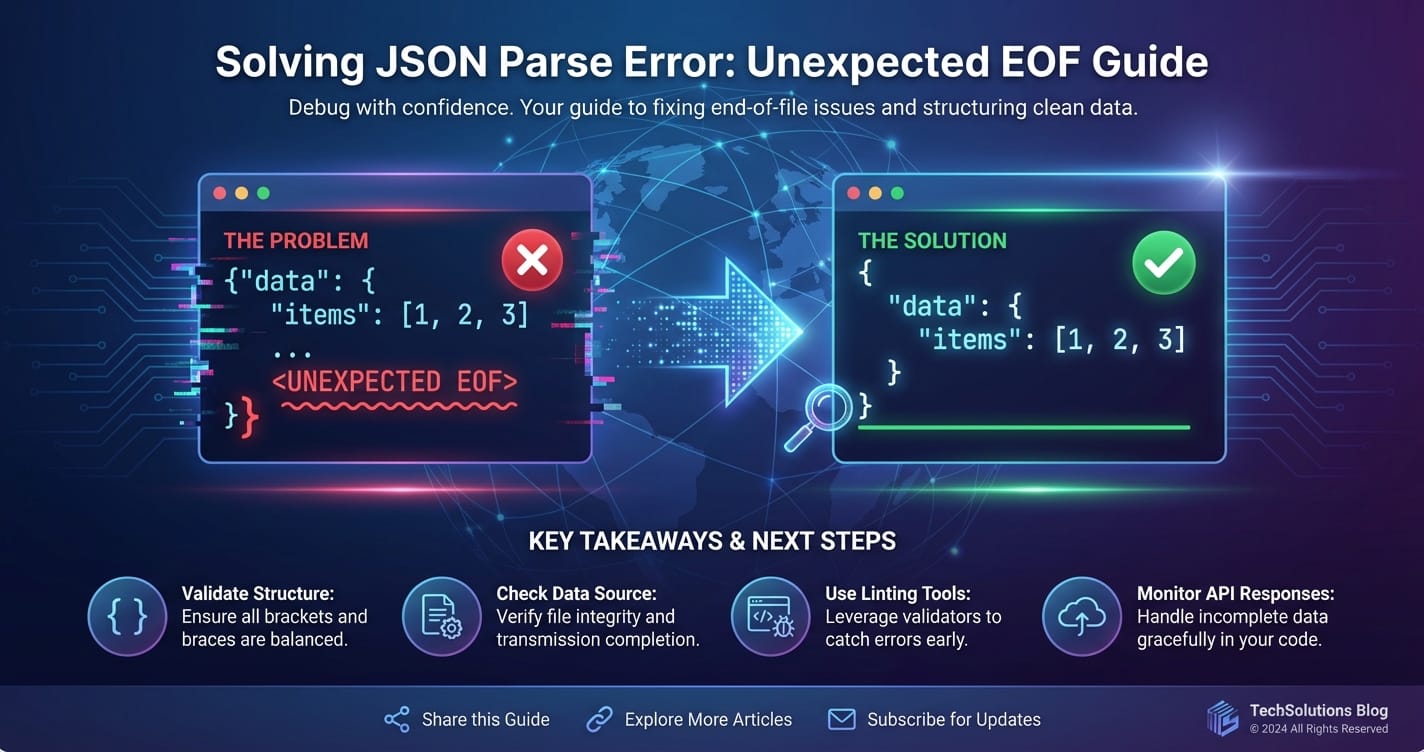
Solving JSON Parse Error: Unexpected EOF Guide



The digital realm thrives on seamless data exchange. At the heart of this intricate web of communication lies JSON (JavaScript Object Notation), a lightweight, human-readable format that has become the de facto standard for data interchange, especially in the context of web apis. From mobile applications fetching real-time updates to complex microservices architecture orchestrating diverse functionalities through an api gateway, JSON is the universal lingua franca. However, even the most ubiquitous technologies are not immune to glitches, and among the more perplexing errors developers frequently encounter is the dreaded "JSON Parse Error: Unexpected EOF" – End Of File. This error signals a fundamental disruption in data transmission, a premature cut-off that leaves parsers bewildered and applications paralyzed.
This comprehensive guide is meticulously crafted to demystify the "Unexpected EOF" error. We will embark on a journey from understanding the foundational principles of JSON and its parsing mechanisms to dissecting the myriad causes behind this specific error, whether they stem from the client-side, the server-side, or the intricate layers of network intermediaries like an api gateway. Beyond mere diagnosis, we will equip you with a robust arsenal of troubleshooting strategies, preventative measures, and best practices designed to not only resolve existing issues but also to fortify your systems against future occurrences. Our goal is to transform this common roadblock into an opportunity for deeper understanding and more resilient system design, ensuring your apis communicate fluently and your applications remain robust. Prepare to unravel the complexities of "Unexpected EOF" and emerge with the expertise to conquer it decisively.
Understanding JSON and its Indispensable Role
Before we delve into the intricacies of parsing errors, it's paramount to solidify our understanding of JSON itself and why it holds such a pivotal position in modern software development. JSON, as its name suggests, originated from JavaScript but has transcended its origins to become a language-independent data format. Its simplicity, combined with its human-readability and efficient parsability by machines, has cemented its status as the preferred choice for transmitting structured data across various systems.
At its core, JSON is built upon two fundamental structures:
- A collection of name/value pairs: This is typically represented as an object in many programming languages, taking the form of
{ "key": "value", "anotherKey": 123 }. Keys are strings, and values can be strings, numbers, booleans, null, objects, or arrays. - An ordered list of values: This corresponds to an array in most programming contexts, represented as
[ "item1", "item2", { "nested": true } ].
These simple constructs allow for the representation of complex, hierarchical data structures. Imagine a scenario where a user requests their profile information from an api. The server might respond with a JSON object like this:
{
  "userId": "usr_12345",
  "username": "johndoe",
  "email": "john.doe@example.com",
  "preferences": {
    "theme": "dark",
    "notifications": true
  },
  "roles": ["admin", "editor"],
  "lastLogin": "2023-10-27T10:30:00Z"
}
This structured format is not merely aesthetic; it's functionally critical. When a client application (be it a web browser, a mobile app, or another backend service) receives this data, it needs to interpret it accurately to display information, perform calculations, or trigger subsequent actions. This interpretation process is handled by a "JSON parser." The parser's job is to read the incoming stream of characters, validate its adherence to the JSON specification, and then convert it into a native data structure that the programming language can manipulate (e.g., a dictionary/object in Python, a JavaScript object, a Map in Java).
The ubiquitous adoption of JSON stems from several key advantages:
- Readability: Unlike binary formats, JSON is easily readable by humans, making debugging and development more intuitive.
- Lightweight: Its textual nature and concise syntax result in smaller payloads compared to XML, leading to faster data transmission.
- Language Agnostic: Parsers and generators for JSON exist in virtually every modern programming language, facilitating seamless interoperability between disparate systems.
- Hierarchical Structure: It naturally supports complex, nested data, mirroring the structure of objects in object-oriented programming.
- API Interoperability: It is the backbone of RESTful apis, enabling clients and servers to exchange information predictably and efficiently.
Given this context, any error during the JSON parsing process is not trivial. It indicates a fundamental failure in the agreed-upon communication protocol, essentially rendering the received data unusable. The "Unexpected EOF" error is precisely one such critical failure, signifying that the data stream ended abruptly before the parser could logically conclude its work.
Deconstructing "Unexpected EOF": The Premature End of a Promise
The "JSON Parse Error: Unexpected EOF" is a cryptic message that, at first glance, might seem abstract, but it carries a very specific and critical meaning in the world of data parsing. EOF stands for "End Of File," a concept that originated from file systems where it marks the absolute end of a data stream. In the context of network communication and JSON parsing, it signifies the point where the incoming stream of characters abruptly terminates. The "unexpected" part is the crux of the problem: the JSON parser was in the middle of processing a JSON structure—perhaps an object, an array, a string, or even a number—and expected more characters to complete that structure, but instead, it hit the end of the available data.
Imagine a JSON parser as a diligent librarian meticulously checking out a book. It expects a cover, pages, and a back cover to signify a complete, valid book. If, mid-way through checking the pages, the book suddenly ends without a back cover, the librarian would be surprised and unable to complete the checkout process. This is analogous to an "Unexpected EOF." The parser might have encountered an opening brace { or bracket [ and was waiting for its corresponding closing } or ] or perhaps it was in the middle of reading a string that started with " and expected another " to close it. When the data stream concludes before these expected closing tokens appear, the parser throws the "Unexpected EOF" error.
This error is a strong indicator of incomplete or malformed JSON data. It's not usually an issue of incorrect syntax (like a missing comma or a misplaced colon, which would typically result in a "Syntax Error" or "Invalid JSON" message) but rather a problem of data truncation. The data stopped arriving prematurely. This premature termination can occur for a multitude of reasons, spanning from network instability to server-side logic flaws, or even issues within intermediary layers like an api gateway. Understanding this fundamental distinction is the first step toward effective diagnosis and resolution. It tells us that the problem isn't necessarily what data was sent, but how much of it arrived, or rather, how little. The promise of a complete JSON payload was made, but not fully delivered.
Common Scenarios Leading to Unexpected EOF
The "Unexpected EOF" error is a symptom, not the root cause. Pinpointing the actual problem requires a thorough understanding of the various scenarios that can lead to data truncation. These scenarios can broadly be categorized into issues originating from the server, the client, or the network pathway, including the crucial role played by api gateways.
1. Truncated Responses Due to Network Issues
Network instability is a prime suspect when encountering "Unexpected EOF." The internet, while robust, is not infallible, and data packets can be lost or connections severed prematurely.
- Intermittent Connectivity: During an api call, if the client's network connection drops or experiences significant packet loss, the full response might not be received. Similarly, if the server's network link becomes unstable while streaming data, the transmission will halt mid-way.
- Proxy or Firewall Interruptions: Corporate firewalls, security proxies, or VPNs can sometimes abruptly terminate connections due to timeouts, suspicious activity detection, or configuration errors. These intermediaries might cut off the data stream before the backend server has finished sending its response, leading to an "Unexpected EOF" on the client side.
- Server Timeout on Client: While less common for EOF, if a client-side HTTP library has a very aggressive read timeout, it might stop waiting for data before the server has completed its response, thus interpreting the incomplete stream as an EOF.
2. Malformed JSON Generation on the Server-Side
The server's responsibility is to generate a perfectly valid JSON string. Any flaw in this process will inevitably lead to parsing errors on the client.
- Serialization Errors: This is a very common culprit. When an application attempts to serialize complex objects into JSON, an internal error might occur, causing the serialization process to terminate prematurely. For instance, an object might contain a circular reference that the serializer doesn't handle, or an unhandled exception might occur within a custom serialization method. Instead of a complete JSON string, only a partial string is emitted before the server encounters an error and closes the connection.
- Example: A database query fails mid-execution, and the application attempts to serialize an incomplete or error-ridden data structure, leading to a partial JSON output before an exception is thrown and the connection is closed.
- Uncaught Exceptions: If the server-side code responsible for generating the JSON response encounters an uncaught exception, it might abruptly terminate the request processing. Depending on how the server environment is configured, this could result in a partial response being sent before the connection is reset or closed, manifesting as an "Unexpected EOF" on the client.
- Improper
Content-LengthHeaders: TheContent-LengthHTTP header tells the client how many bytes to expect in the response body. If the server incorrectly calculates this value, or if an error occurs after the header has been sent but before the full body is transmitted, the client will stop reading at the specifiedContent-Lengthbut the JSON might still be incomplete according to its syntax rules. More often, an "Unexpected EOF" indicates the connection was just cut, rather than a miscalculatedContent-Length. - Streaming Issues: For very large JSON payloads that are streamed, if the streaming mechanism on the server fails (e.g., the underlying data source closes prematurely, or a buffer overflows), the stream might end before a complete JSON document is transmitted.
3. Incomplete Request Bodies from the Client
While "Unexpected EOF" is typically associated with response parsing, it can also occur on the server when parsing an incoming JSON request body from the client.
- Client-Side Upload/Send Errors: If a client application is sending a large JSON payload (e.g., a complex configuration or data object) and its network connection drops, or an internal error occurs during the transmission, the server will receive an incomplete JSON body. When the server-side api attempts to parse this partial JSON, it will encounter an "Unexpected EOF."
- Incorrect
Content-Lengthon Client Request: Similar to server responses, if the client sends aContent-Lengthheader that is greater than the actual payload it transmits, the server might wait for more data that never arrives, eventually timing out or interpreting the premature end of the stream as an "Unexpected EOF" during parsing.
4. HTTP/API Gateway Intermediaries and Their Impact
API gateways, load balancers, and reverse proxies are essential components in modern microservices architectures. They sit between the client and the backend services, handling routing, authentication, rate limiting, and more. However, they can also become a source of "Unexpected EOF" errors if not configured or managed properly.
- Gateway Timeouts: One of the most common issues is timeout configuration. An api gateway typically has its own set of timeouts (read timeout, connect timeout, proxy timeout). If the backend service takes longer to respond than the api gateway's configured timeout, the gateway might cut off the connection to the client and/or the backend, even if the backend is still processing or just about to send a response. The client then receives an incomplete response from the gateway, leading to an "Unexpected EOF." This is particularly prevalent when dealing with long-running api calls or slow database queries.
- Buffering Limits: Some gateways or proxies might have buffering limits for request or response bodies. If a JSON payload exceeds these limits, the gateway might truncate it.
- Max Body Size Limits: Many api gateways and web servers (like Nginx, which is often used as a gateway) have a configured
client_max_body_sizeor similar parameter. If an incoming client request (containing a JSON body) exceeds this size, the gateway will reject it, often before the full body is received, potentially causing a client-side "Unexpected EOF" on the upload, or a server-side "Unexpected EOF" if the partial data somehow makes it through before rejection. - Transformation Failures: If an api gateway is configured to transform the JSON response (e.g., for data sanitization, field projection, or versioning), and an error occurs during this transformation, it might output an incomplete or malformed JSON to the client.
- Health Checks and Service Instability: If a backend service behind an api gateway becomes unstable or crashes mid-response, the gateway might forward the partial response it received before detecting the backend failure, or it might close the connection to the client prematurely.
Platforms like APIPark, an open-source AI gateway and api management platform, offer robust features for managing the entire api lifecycle, including comprehensive logging and monitoring. These features are invaluable for diagnosing subtle issues like "Unexpected EOF" errors originating from network intermediaries or backend services. Its detailed api call logging can record every detail, enabling quick tracing and troubleshooting of such disruptions.
Understanding these varied causes is critical. The "Unexpected EOF" error doesn't just mean "bad JSON"; it means "JSON that didn't finish." The next step is to diagnose why it didn't finish, which often involves examining multiple points along the client-server communication path.
Deep Dive: Troubleshooting Strategies (Client-Side)
When an "Unexpected EOF" error rears its head, the initial point of investigation is often the client application. While the root cause might ultimately reside on the server or in the network, understanding the client's perspective is crucial for isolating the problem.
1. Inspect the Network Tab (Browser Developer Tools)
For web applications, the browser's developer tools are an indispensable resource. The "Network" tab provides a granular view of every HTTP request and response, offering the first line of defense in diagnosing api communication failures.
- Identify the Failing Request: Locate the specific api call that is generating the JSON parsing error. It will often show a red status code (e.g., 4xx or 5xx) or a pending status that eventually fails.
- Examine the Status Code:
200 OK(or2xxsuccess codes): If you receive a success status but still get an "Unexpected EOF," it strongly suggests that the server thought it sent a complete response, but the data was either truncated mid-transmission or was internally malformed by the server before sending. This points to server-side serialization issues or network interception.5xx Server Error: A server error (e.g.,500 Internal Server Error,502 Bad Gateway,504 Gateway Timeout) usually indicates a problem on the server or an api gateway. The response body, if any, might contain an error message, or it might be an empty/partial response, leading to the "Unexpected EOF."4xx Client Error: Less common for "Unexpected EOF" on response parsing, but could occur if the client sends an incomplete request body, and the server responds with a parsing error that itself is incomplete.
- Analyze the Raw Response Body: This is perhaps the most critical step. Switch to the "Response" or "Preview" tab within the network request details.
- Is it empty? An empty response body despite a successful status code from the server is a strong indicator of an issue at the api gateway or proxy level, or a server misconfiguration where it sends headers but no body.
- Is it incomplete JSON? Look for truncated structures: an opening brace
{without its closing}, an array[that ends abruptly, or a string"that is never closed. This directly confirms the "Unexpected EOF" problem. Copy the raw response into a JSON validator (likejsonlint.com) to confirm its invalidity. - Is it HTML/XML? Sometimes, an api call might unexpectedly return an HTML error page (e.g., from a web server or gateway trying to report an error) instead of JSON. The client-side JSON parser will naturally fail on this non-JSON content.
- Content-Length Header: Compare the
Content-Lengthheader in the response with the actual length of the received response body. Discrepancies here can point to network issues or incorrect server-side header generation. If theContent-Lengthis present and matches the (truncated) body, it suggests the server or an intermediary explicitly cut the data. IfContent-Lengthis missing or the received body is shorter, it indicates a connection termination.
- Review Timing Information: A request that takes an unusually long time before failing, or one that times out, can suggest server-side performance issues or api gateway timeouts.
2. Client-Side Code Inspection and Error Handling
Even with network insights, the client-side code needs scrutiny to ensure it's robustly handling api responses.
- Robust
try-catchfor Parsing: Always wrap JSON parsing operations intry-catchblocks. This prevents the application from crashing and allows you to gracefully handle the error, log it, and potentially display a user-friendly message.javascript async function fetchData() { try { const response = await fetch('/api/data'); if (!response.ok) { // Handle non-2xx HTTP responses const errorText = await response.text(); // Get raw response for debugging throw new Error(`HTTP error! Status: ${response.status}, Body: ${errorText.substring(0, 200)}...`); } // Attempt to parse JSON const data = await response.json(); // This is where "Unexpected EOF" typically occurs console.log(data); } catch (error) { if (error instanceof SyntaxError && error.message.includes('JSON')) { console.error("JSON Parse Error: Unexpected EOF or malformed JSON.", error); // Log the raw response if available for further debugging // (You might need to re-fetch as text if .json() failed) } else { console.error("An unexpected error occurred:", error); } // Display user-friendly message // Implement retry logic or fallbacks } } - Handling
response.okand Status Codes: Ensure your client distinguishes between successful HTTP responses (response.okis true, 2xx status) and error responses (4xx, 5xx). An "Unexpected EOF" on a200 OKresponse points to data corruption post-success, whereas on a5xxit points to a server issue. - Asynchronous Operations (
await): In asynchronous JavaScript, ensure you are properlyawaiting promises forfetchcalls andresponse.json(). Ifresponse.json()is called before the full response body has been received, it might lead to a premature attempt at parsing and an "Unexpected EOF." While modernfetchimplementations generally handle this, it's good to be aware. - Content-Type Header: Verify that your client (if sending a body) and the server are correctly setting the
Content-Typeheader (e.g.,application/json). While not directly causing EOF, incorrectContent-Typecan lead to the server misunderstanding the request or the client trying to parse non-JSON data as JSON.
3. Isolate with Manual API Testing (Postman/Insomnia/cURL)
To determine if the issue is truly client-specific or a broader api problem, bypass your application and test the api directly using tools like Postman, Insomnia, or cURL.
- Send the Exact Request: Replicate the failing request as precisely as possible: headers, body, method, URL.
- Observe Raw Response: These tools allow you to see the raw HTTP response, including headers and the body, without any client-side processing or formatting.
- Compare Results:
- If the error persists: This strongly indicates a problem with the server-side api or an intermediary like an api gateway. Your client-side code might just be reporting the underlying issue.
- If the error disappears (i.e., you get valid JSON): This points to an issue within your client application's code, its HTTP library configuration, or how it interacts with the network environment. Perhaps your application's specific HTTP client has different timeout settings or is affected by local proxy configurations.
By meticulously working through these client-side troubleshooting steps, you can effectively narrow down the scope of the problem and gather crucial evidence to either resolve the issue on the client or confidently shift your focus to the server and network layers.
Deep Dive: Troubleshooting Strategies (Server-Side)
If client-side investigations and direct api testing confirm that the "Unexpected EOF" error originates from the server or an intermediary, the next logical step is to dive into the server's environment. This involves examining logs, reviewing code, and scrutinizing server infrastructure.
1. Scrutinize Server Logs
Server logs are the digital breadcrumbs that often lead directly to the source of problems. They record events, errors, and application behavior, providing invaluable context for debugging.
- Application Logs:
- Error Messages: Look for specific error messages or stack traces that occurred around the time the "Unexpected EOF" was observed on the client. These might indicate database connection issues, file I/O errors, memory exhaustion, or unhandled exceptions within the code path responsible for generating the JSON response.
- Serialization Failures: Many JSON serialization libraries (e.g., Jackson in Java,
jsonmodule in Python,JSON.stringifyin Node.js) will log errors if they encounter issues like circular references, unserializable data types, or if an underlying data source becomes unavailable during serialization. - Partial Data Emission: Sometimes, an application might start emitting JSON but fail mid-way. Logs might show the point of failure, giving clues as to why the data stream was truncated.
- Resource Limits: Check for warnings or errors related to memory limits, CPU usage spikes, or file descriptor exhaustion, which can cause processes to crash or behave erratically, leading to incomplete responses.
- Web Server/Reverse Proxy Logs (Nginx, Apache, Caddy):
- These logs (e.g.,
error.log,access.log) provide insights into the HTTP requests and responses at the web server level, which often acts as the first point of contact before your application. - 5xx Errors: Look for
5xxstatus codes. A500 Internal Server Erroroften points to an application crash.502 Bad Gatewayor504 Gateway Timeouttypically indicates the web server/proxy could not get a timely or valid response from the backend application, strongly suggesting a server-side timeout or crash. - Connection Resets: Look for messages indicating connection resets or unexpected closure of connections from the backend.
- These logs (e.g.,
- API Gateway Logs: If your architecture includes an api gateway (like Nginx configured as a gateway, or a dedicated api gateway product), its logs are paramount.
- Request/Response Details: A robust api gateway will log details about each request it processes, including the response status code received from the backend, the response size, and any errors encountered during its own processing or forwarding.
- Timeout Errors: API gateway logs are often the clearest place to find evidence of timeout configurations being hit (e.g., "upstream timed out," "proxy timeout"). This is especially true if the backend service eventually finishes processing but the gateway has already cut off the client.
- Health Checks: If the gateway performs health checks on your backend services, check its logs for indications that a service went unhealthy around the time of the error. A flapping service can lead to intermittent "Unexpected EOF" errors as the gateway routes traffic to an unhealthy instance.
- Content Truncation: Some advanced gateways might even log if they truncated content due to size limits or internal processing failures.
2. Deep Dive into Server-Side Code Review
With log insights, you can often narrow down the problematic area in your code. A thorough code review is essential to identify the exact point of failure.
- Serialization Logic:
- Are all objects fully serializable? Check for complex data types, custom objects, or database entities that might not have proper serialization annotations or methods defined.
- Circular References: This is a classic cause of serialization errors. If Object A references Object B, and Object B references Object A, a naive serializer can fall into an infinite loop, eventually crashing or throwing an exception before emitting complete JSON. Solutions involve using annotations (e.g.,
@JsonIgnore,@JsonManagedReference/@JsonBackReferencein Jackson) or DTOs (Data Transfer Objects) to break the cycle. - Lazy Loading Issues: In ORMs (Object-Relational Mappers), lazy-loaded relationships might trigger queries when serialized, potentially causing database errors or performance issues that lead to timeouts or incomplete data.
- Error Handling within Serialization: Ensure that any custom serialization logic has robust
try-catchblocks to prevent uncaught exceptions that could prematurely terminate the response.
- Database Interactions:
- Query Failures: Is a database query failing or timing out before all necessary data is retrieved for the JSON response? An incomplete dataset passed to the serializer can lead to an "Unexpected EOF" if the serializer expects certain fields to always be present to complete its structure.
- Connection Exhaustion: Is the database connection pool being exhausted? This can lead to delays or errors when fetching data, which in turn might cause the server to time out before generating the full JSON.
- Resource Management:
- Memory Leaks: Long-running processes with memory leaks can eventually exhaust server memory, leading to application crashes or processes being killed by the operating system, often resulting in an "Unexpected EOF" for any active requests.
- File Descriptor Limits: If your application opens many files or network connections without properly closing them, it can hit the operating system's file descriptor limits, leading to
Too many open fileserrors, which can manifest as various I/O or networking failures, including incomplete responses.
- Asynchronous Operations and Concurrency:
- If your server-side code uses asynchronous patterns, ensure that all promises or callbacks are fully resolved before attempting to send the response. An early
res.send()orres.end()might send a partial response if background operations are still generating data. - Concurrency issues, like race conditions, could also lead to corrupted or incomplete data being serialized.
- If your server-side code uses asynchronous patterns, ensure that all promises or callbacks are fully resolved before attempting to send the response. An early
3. Server Environment and Infrastructure Checks
Beyond the application code, the surrounding infrastructure plays a critical role.
- Load Balancers/Reverse Proxies:
- Timeout Settings: Verify the timeout settings on any load balancers or reverse proxies (like Nginx) that sit in front of your application. These might have shorter timeouts than your application, cutting off connections prematurely. Common settings to check include
proxy_read_timeout,proxy_send_timeout,fastcgi_read_timeout, etc. - Max Body Size: Ensure
client_max_body_size(for Nginx) or equivalent settings on other proxies are sufficient for the expected JSON payload sizes.
- Timeout Settings: Verify the timeout settings on any load balancers or reverse proxies (like Nginx) that sit in front of your application. These might have shorter timeouts than your application, cutting off connections prematurely. Common settings to check include
- Firewalls and Security Groups:
- Confirm that no firewall rules are inadvertently terminating connections. While less common for "Unexpected EOF" compared to outright connection refusals, misconfigured stateful firewalls could interfere with long-lived connections.
- Container/Orchestration Platform (Docker, Kubernetes):
- Liveness/Readiness Probes: If your application is deployed in Kubernetes or similar, check the configuration of liveness and readiness probes. An overly aggressive liveness probe might kill a slow-starting or busy container before it can send a full response, leading to intermittent "Unexpected EOF" errors.
- Resource Requests/Limits: Verify that your containers have adequate CPU and memory requests/limits. OOMKills (Out Of Memory Kills) will abruptly terminate a container, causing any in-flight requests to fail with an "Unexpected EOF."
Troubleshooting server-side "Unexpected EOF" requires a systematic approach, starting with high-level log analysis and progressively drilling down into specific code paths and infrastructure configurations. The goal is to identify the precise moment and reason why the server stopped sending data or why the intermediary cut off the connection.
APIPark is a high-performance AI gateway that allows you to securely access the most comprehensive LLM APIs globally on the APIPark platform, including OpenAI, Anthropic, Mistral, Llama2, Google Gemini, and more.Try APIPark now! 👇👇👇
The Role of API Gateways and Proxies in JSON Handling
In modern distributed systems, particularly those employing microservices, an api gateway is an architectural keystone. It acts as a single entry point for all clients, routing requests to appropriate backend services, handling authentication, rate limiting, and often performing transformations. While indispensable for managing complex api landscapes, api gateways and other proxies (like Nginx, HAProxy, etc.) can also inadvertently become sources of "Unexpected EOF" errors, or, conversely, powerful tools for diagnosing them.
What is an API Gateway?
An api gateway is essentially a reverse proxy that sits in front of one or more api services. It abstracts the backend services, providing a unified and secure interface for client applications. Key functions of an api gateway typically include:
- Request Routing: Directing incoming requests to the correct backend service based on the URL path, headers, or other criteria.
- Authentication and Authorization: Verifying client identity and permissions before forwarding requests.
- Rate Limiting: Protecting backend services from overload by controlling the number of requests clients can make.
- Load Balancing: Distributing requests across multiple instances of a backend service to ensure high availability and performance.
- Logging and Monitoring: Centralizing the collection of api call data for operational insights and debugging.
- API Versioning: Managing different versions of apis.
- Request/Response Transformation: Modifying requests before sending them to backend services or responses before sending them to clients.
- Circuit Breaking: Preventing cascading failures in a microservices architecture.
How API Gateways Can Introduce "Unexpected EOF" Errors
Despite their benefits, api gateways can be a point of failure if not properly configured or if they encounter issues with backend services.
- Timeouts (The Most Common Culprit):
- Gateway-to-Backend Timeouts: Most api gateways have a configurable timeout for how long they will wait for a response from the backend service. If the backend is slow or encounters a delay (e.g., a long-running database query, heavy processing), the gateway might time out, close the connection to the backend, and then send an incomplete or error response (often a 504 Gateway Timeout or similar) to the client. The client, expecting a JSON response, will then parse this truncated/error content and throw an "Unexpected EOF."
- Client-to-Gateway Timeouts (Less Common for EOF, More for Connection Closed): While less likely to manifest as "Unexpected EOF" directly from the gateway itself, if a client has a shorter timeout than the gateway, the client might close the connection before receiving a full response from the gateway, thus internally generating an EOF.
- Read/Write Timeouts: Specific timeouts for reading from the backend or writing to the client can also be hit, leading to premature connection closure.
- Buffering Issues:
- Some api gateways or proxies buffer responses from backend services before sending them to the client. If the buffered response exceeds the gateway's configured buffer size, it might either fail the request or truncate the response. This is more common with very large JSON payloads.
- Max Body Size Limits:
- Just as web servers, api gateways often have limits on the maximum size of the request or response body they will handle. If a backend service attempts to send a JSON response larger than the gateway's configured limit, the gateway might cut off the response, leading to an "Unexpected EOF" on the client. Similarly, if a client sends an overly large JSON request, the gateway might terminate the connection before receiving the full body, causing an "Unexpected EOF" on the server when it tries to parse the incoming request.
- Transformation or Policy Execution Errors:
- If the api gateway is configured to modify the JSON response (e.g., adding headers, filtering fields, or enriching data), and an error occurs during this transformation process, it might output malformed or incomplete JSON to the client.
- Policy enforcement (e.g., security policies, data validation) that fails mid-response could also lead to truncation.
- Backend Service Instability/Crash:
- If a backend service behind the api gateway crashes or becomes unresponsive mid-way through sending its response, the gateway will detect this and close its connection to the backend. What it then sends to the client depends on its configuration: it might forward the partial data it received, or it might send an error page, or simply close the connection, all potentially leading to an "Unexpected EOF" for the client's parser.
How API Gateways Can Help Prevent and Diagnose "Unexpected EOF"
Paradoxically, while an api gateway can introduce these errors, a well-implemented one can also be your most potent ally in preventing and debugging them.
- Centralized Logging and Monitoring:
- This is where a robust api gateway truly shines. A good gateway should log every incoming request and outgoing response, including HTTP status codes, response sizes, latency, and any errors encountered.
- Detecting Truncation: By comparing the
Content-Lengthheader against the actual logged response body size, you can often detect when a response was truncated by the gateway or before it reached the **gateway. - Correlation IDs: Many gateways can inject correlation IDs, allowing you to trace a single request through the gateway to the backend services and back, making distributed debugging much easier.
- Detailed API call logging is a standout feature of platforms like APIPark. APIPark records every detail of each API call, from request headers and body to response status and duration. This comprehensive logging allows businesses to quickly trace and troubleshoot issues, including those leading to "Unexpected EOF" errors, by seeing exactly what data was sent and received at the gateway level, and whether any gateway-specific policies or timeouts were triggered.
- Unified Error Handling:
- Instead of backend services each returning their own idiosyncratic error formats, an api gateway can normalize error responses. If a backend fails or times out, the gateway can intercept that partial response or timeout event and return a consistent, well-formed JSON error object to the client, preventing an "Unexpected EOF" from malformed server errors.
- Rate Limiting and Circuit Breaking:
- By protecting backend services from being overloaded, api gateways indirectly prevent server-side issues (like resource exhaustion or crashes) that could lead to incomplete JSON responses. Circuit breakers can prevent calls to unhealthy services, ensuring clients don't even attempt requests that are likely to fail or time out.
- Traffic Management and Load Balancing:
- Distributing load evenly and routing traffic away from unhealthy instances reduces the likelihood of individual backend services failing or becoming slow, thus decreasing the chances of "Unexpected EOF" errors.
- Monitoring and Alerting:
- An api gateway can be configured to trigger alerts when a high number of
5xxerrors, timeouts, or unusually small response sizes are detected, allowing proactive intervention before widespread "Unexpected EOF" errors impact users. APIPark, for instance, offers powerful data analysis capabilities, analyzing historical call data to display long-term trends and performance changes, which can help in preventive maintenance.
- An api gateway can be configured to trigger alerts when a high number of
In summary, an api gateway is a powerful instrument in your api ecosystem. While its configuration needs careful attention, especially regarding timeouts and size limits, its centralized control, logging, and monitoring capabilities—exemplified by platforms like APIPark—are indispensable for maintaining the health and reliability of your apis and swiftly resolving issues like "Unexpected EOF."
Preventative Measures and Best Practices
Resolving an "Unexpected EOF" error once it occurs is crucial, but preventing its recurrence is the mark of a robust system. By implementing a series of best practices and proactive measures, you can significantly reduce the likelihood of encountering this frustrating parsing error.
1. Robust Error Handling Across the Stack
Comprehensive error handling is the bedrock of resilient applications.
- Server-Side Error Handling:
- Catch All Exceptions: Implement global exception handlers in your server-side application (e.g., middleware in Node.js,
ControllerAdvicein Spring Boot, custom exception handlers in Python frameworks). These handlers should gracefully catch unhandled exceptions, log them thoroughly, and return a consistent, well-formed JSON error response to the client (e.g.,{ "error": "Internal server error", "code": 500 }). This prevents the server from crashing mid-response and sending a partial, malformed JSON. - Specific Exception Handling: For known failure points (e.g., database connection issues, serialization errors), implement specific
try-catchblocks to provide more granular error messages in logs, helping pinpoint the exact issue quickly. - Serialization Error Handling: Ensure your JSON serialization library is configured to handle edge cases gracefully, such as null values, non-serializable types, or circular references. Many libraries allow you to customize behavior, such as ignoring nulls or failing explicitly rather than implicitly truncating.
- Catch All Exceptions: Implement global exception handlers in your server-side application (e.g., middleware in Node.js,
- Client-Side Error Handling:
- Always Use
try-catchfor JSON Parsing: As discussed, this is non-negotiable. It allows your application to gracefully react to malformed JSON, rather than crashing. - Check
response.okand Status Codes: Before attempting to parse a response, always check the HTTP status code. If it's a4xxor5xxerror, it might not be JSON, or it might be an error-specific JSON that needs different handling. Read the response as text first ifresponse.json()fails to get the raw content for debugging.
- Always Use
2. Standardized API Responses
Consistency in api responses is key, especially for errors.
- Consistent JSON Error Format: Define a standard JSON format for all error responses, regardless of whether they are
4xxor5xx. This allows client applications to predictably parse error messages, even if the backend service failed catastrophically. Example:json { "status": "error", "code": "API_GATEWAY_TIMEOUT", "message": "The backend service took too long to respond.", "timestamp": "2023-10-27T15:00:00Z", "details": { "service": "userService", "requestId": "req_abc123" } }An api gateway can be configured to enforce this standard, intercepting backend errors and transforming them into the defined format.
3. Accurate Content-Length Headers
The Content-Length HTTP header is a simple yet powerful mechanism to inform the client exactly how many bytes to expect.
- Server Responsibility: The server must accurately calculate and set this header for every response. If an error occurs after the
Content-Lengthis sent but before the full body is written, the client will stop reading at the expected length, but the JSON inside might still be incomplete. While an "Unexpected EOF" often implies the connection was just cut, an accurateContent-Lengthcan sometimes help a client determine if it received all expected bytes, even if the content itself is syntactically invalid. - Chunked Transfer Encoding: For responses where the
Content-Lengthcannot be known upfront (e.g., streaming large JSON files), useTransfer-Encoding: chunked. This tells the client to read until it encounters a specific "end-of-chunks" marker, ensuring the entire stream is consumed even if its length is dynamic.
4. Configure Appropriate Timeouts
Timeouts are double-edged swords: too short, and legitimate long-running requests fail; too long, and resources are tied up. The key is balance and consistency.
- Client-Side Timeouts: Configure reasonable timeouts in your client-side HTTP libraries. If the server is genuinely slow, it's better for the client to explicitly time out than to hang indefinitely.
- API Gateway/Proxy Timeouts: This is critical. Ensure your api gateway (e.g., Nginx
proxy_read_timeout, APIPark's internal timeouts) has sufficient time to receive a response from your backend services. If backend services occasionally take 30 seconds, your gateway timeout should be at least 35-45 seconds, not 10. - Backend Application Timeouts: Your backend application might also have internal timeouts for database queries or calls to external services. Align these with your gateway and client timeouts to provide a consistent experience.
- Keep-Alive Settings: Properly configure HTTP keep-alive settings on your web server and api gateway to reuse connections, which can reduce overhead but also needs careful timeout management.
5. Input Validation
While primarily for security and data integrity, robust input validation can indirectly prevent "Unexpected EOF" errors when the client sends a request body.
- Server-Side Request Body Validation: Before your server attempts to parse or process a client's JSON request body, validate its structure and content against an expected schema. If the incoming JSON is incomplete or malformed (causing an "Unexpected EOF" during server-side parsing), return an explicit
400 Bad Requestwith a clear error message, rather than letting the parser crash or return an ambiguous error.
6. Comprehensive Monitoring and Alerting
Proactive detection is key to preventing widespread impact.
- Log Aggregation: Centralize your logs (application, web server, api gateway) into a single logging system (e.g., ELK stack, Splunk, Datadog). This makes it easy to correlate events across different layers of your infrastructure.
- Error Rate Monitoring: Monitor the rate of
5xxerrors, specifically500,502,504errors from your api gateway or web server. Spikes can indicate backend issues leading to "Unexpected EOF." - Latency Monitoring: Track the latency of your api calls. Increases in latency could foreshadow timeout issues that result in truncated responses.
- Response Size Monitoring: For critical apis, monitor the average and minimum response sizes. An unusually small response size might indicate a partial response being sent.
- Alerting: Set up alerts for significant deviations in these metrics. Immediate notification allows your team to investigate and resolve issues before they escalate. Tools like APIPark offer powerful data analysis and detailed call logging, making it easier to monitor these trends and set up proactive alerts.
7. Automated Testing (Unit, Integration, End-to-End)
Automated tests are crucial for catching regressions and ensuring the stability of your apis.
- Unit Tests for Serialization: Write unit tests for your server-side serialization logic, particularly for complex objects or edge cases.
- Integration Tests for API Endpoints: Test your api endpoints with various valid and invalid inputs, including scenarios that might produce large responses or errors. Verify that responses are well-formed JSON and that error responses adhere to your defined standard.
- End-to-End Tests: Simulate real-user workflows from the client through the api gateway to the backend, ensuring that JSON is correctly transmitted and parsed at every step.
8. Use Reliable HTTP Clients and Libraries
Always use well-maintained and robust HTTP client libraries in your applications. These libraries are typically battle-tested to handle network nuances, connection management, and error scenarios more gracefully than custom-built solutions. Similarly, use mature and widely adopted JSON parsing and serialization libraries.
By diligently applying these preventative measures and best practices, you build a more resilient system less prone to the disruptive effects of "Unexpected EOF" errors, ultimately leading to a more stable and reliable user experience.
Example Scenarios and Code Snippets (Conceptual/Pseudocode)
To solidify our understanding, let's look at a few conceptual code snippets illustrating how "Unexpected EOF" might arise and how to approach handling it. These are simplified to highlight the core concepts.
Scenario 1: Server-Side Serialization Failure (Node.js)
Imagine a Node.js Express api endpoint that fetches user data from a database and attempts to serialize it. If the database query fails or returns corrupted data, JSON.stringify might throw an error.
Problematic Server Code:
// server.js (Problematic)
const express = require('express');
const app = express();
const bodyParser = require('body-parser');

app.use(bodyParser.json());

app.get('/api/users/:id', async (req, res) => {
    try {
        const userId = req.params.id;
        // Simulate fetching user from DB
        const user = await getUserFromDatabase(userId); // This might return incomplete data or throw an error

        // If 'user' object is corrupted or contains circular references
        // JSON.stringify could throw an error or implicitly fail before finishing.
        // For example, if getUserFromDatabase unexpectedly returns an object with a circular dependency.
        res.setHeader('Content-Type', 'application/json');
        res.send(JSON.stringify(user)); // If JSON.stringify fails here, a partial response might be sent.

    } catch (error) {
        console.error("Error fetching or serializing user:", error);
        // If an uncaught error happens before res.send, the connection might close abruptly.
        // For demonstration, let's say the connection just closes without sending a full error response.
        // This leads to client-side "Unexpected EOF".
        // A real app would send a 500 error here.
    }
});

async function getUserFromDatabase(id) {
    // Simulate database error or incomplete data
    if (id === 'broken') {
        // This object might have a circular reference or be incomplete,
        // causing JSON.stringify to fail or prematurely stop.
        // Or, more commonly, a real DB error would prevent a valid object from being constructed.
        const brokenUser = {};
        brokenUser.self = brokenUser; // A circular reference that naive JSON.stringify might struggle with
        return brokenUser;
    }
    if (id === 'slow') {
        await new Promise(resolve => setTimeout(resolve, 5000)); // Simulate slow DB query
        // This could lead to a gateway timeout if not handled
    }
    return { id: id, name: "Test User " + id, email: `test${id}@example.com` };
}

app.listen(3000, () => console.log('Server running on port 3000'));
Client-Side (JavaScript fetch):
// client.js
async function fetchUser(userId) {
    try {
        const response = await fetch(`http://localhost:3000/api/users/${userId}`);

        // Always check response.ok first
        if (!response.ok) {
            const errorText = await response.text(); // Get raw error for debugging
            console.error(`HTTP Error: ${response.status} - ${errorText}`);
            throw new Error(`Server responded with ${response.status}`);
        }

        // This is where the "Unexpected EOF" would likely occur if server sends incomplete JSON
        const data = await response.json();
        console.log("Fetched User:", data);
        return data;
    } catch (error) {
        if (error instanceof SyntaxError && error.message.includes('JSON')) {
            console.error("Client JSON Parse Error (Unexpected EOF likely):", error.message);
            // In a real scenario, you might try to fetch response.text() *again*
            // if response.json() failed, to get the raw truncated data.
            // For now, we rely on the initial fetch.
        } else {
            console.error("Network or other error:", error);
        }
    }
}

fetchUser('123'); // Should work
fetchUser('broken'); // This is likely to trigger the "Unexpected EOF"
fetchUser('slow'); // This could hit a timeout on a proxy/gateway
Scenario 2: API Gateway Timeout
An api gateway might have a shorter timeout than the backend service needs to process a request.
Conceptual API Gateway (e.g., Nginx acting as a proxy):
# nginx.conf (Simplified)
http {
    upstream backend_app {
        server 127.0.0.1:3000;
    }

    server {
        listen 80;
        location /api/ {
            # Gateway timeout set to 3 seconds
            proxy_connect_timeout 3s;
            proxy_send_timeout    3s;
            proxy_read_timeout    3s; # If backend takes longer than 3s, Nginx cuts connection

            proxy_pass http://backend_app;
            proxy_set_header Host $host;
            proxy_set_header X-Real-IP $remote_addr;
            proxy_set_header X-Forwarded-For $proxy_add_x_forwarded_for;
        }
    }
}
If the Node.js server from Scenario 1 receives a request for /api/users/slow (which takes 5 seconds to respond), the Nginx gateway will likely cut the connection after 3 seconds, returning a 504 Gateway Timeout or just a prematurely closed connection to the client. The client's fetch might then report a network error, or if it receives an incomplete 504 response body, it could still be an "Unexpected EOF" if it tries to parse what little arrived.
Client-Side Perspective (after gateway timeout):
The client would receive an incomplete response (potentially an HTML error page from Nginx, or just a closed connection). Its fetch call would either reject with a network error or response.json() would fail with "Unexpected EOF" if it received a partial body.
// client.js (when calling /api/users/slow with Nginx gateway)
fetchUser('slow'); // This will likely fail with a network error or "Unexpected EOF"
                   // because the Nginx gateway cuts the connection before the backend responds.
Scenario 3: Client-Side Request Body Truncation
The client sends an incomplete JSON request body to the server.
Problematic Client-Side (simplified for demonstration):
// client.js (sending incomplete JSON)
async function sendPartialData() {
    const incompleteJson = '{"name": "John"'; // Missing closing brace }

    try {
        const response = await fetch('http://localhost:3000/api/data', {
            method: 'POST',
            headers: {
                'Content-Type': 'application/json',
                'Content-Length': incompleteJson.length // Even if Content-Length is correct, content is invalid
            },
            body: incompleteJson
        });

        const result = await response.json();
        console.log("Server response:", result);
    } catch (error) {
        console.error("Client error sending or receiving:", error);
    }
}

sendPartialData();
Server-Side (Node.js Express with body-parser):
// server.js
app.post('/api/data', (req, res) => {
    // body-parser tries to parse the incoming request body as JSON
    // If 'req.body' is incomplete JSON, body-parser will throw a SyntaxError.
    // Express's default error handling middleware might catch this,
    // or if not caught, it could crash the app or send an incomplete error response.
    try {
        console.log("Received data:", req.body); // This might be undefined or parsing might fail
        // If body-parser already failed, req.body will be empty or an error.
        if (!req.body || Object.keys(req.body).length === 0) {
            // This check might catch it if body-parser failed silently or req.body is empty.
            return res.status(400).json({ error: "Empty or malformed JSON request body." });
        }
        res.status(200).json({ message: "Data received successfully", data: req.body });
    } catch (error) {
        console.error("Server-side JSON parsing error for POST request:", error);
        res.status(400).json({ error: "Server could not parse JSON request body.", details: error.message });
    }
});
In this scenario, body-parser (or any other server-side JSON parser) will encounter an "Unexpected EOF" when trying to parse the incompleteJson. A well-configured Express app with error handling middleware would catch this SyntaxError and return a 400 Bad Request with a proper JSON error message. Without proper handling, the server might crash or send an incomplete error response, potentially leading to a client-side "Unexpected EOF" when it tries to parse the server's error message.
These examples illustrate the journey of the "Unexpected EOF" error from its origin to its manifestation, emphasizing the need for thorough error handling and robust system design at every layer.
Advanced Debugging Tools and Techniques
While browser developer tools, server logs, and API testing clients are foundational, sometimes "Unexpected EOF" errors can be exceptionally elusive, especially in complex distributed environments. This is where advanced debugging tools and techniques become indispensable.
1. Network Traffic Analysis (Wireshark/tcpdump)
When the problem seems to be "on the wire" – i.e., data is being corrupted or truncated between systems – direct network packet inspection is the ultimate diagnostic.
- Wireshark: A free and open-source packet analyzer. You can capture network traffic on your client machine, server machine, or api gateway host.
- Capture Filter: Filter for traffic to/from the relevant IP addresses and ports (e.g.,
host 192.168.1.100 and port 8080). - Follow TCP Stream: Once you identify the HTTP request/response packets, right-click on one and select "Follow > TCP Stream." This will reconstruct the entire conversation between the client and server.
- Analyze the Raw Data: Look at the actual bytes transferred. You can often see exactly where the connection was closed prematurely, whether a
FINorRSTpacket was sent, and if the JSON payload was indeed truncated. This can distinguish between an application-level serialization error (where the application sent incomplete JSON) and a network-level issue (where the data was cut mid-transmission).
- Capture Filter: Filter for traffic to/from the relevant IP addresses and ports (e.g.,
- tcpdump: A command-line packet analyzer for Unix-like systems. Useful for capturing traffic directly on server or gateway machines where a GUI might not be available. The output can then be analyzed offline with Wireshark.
2. Profiling Tools for Server Performance
Performance bottlenecks on the server can lead to timeouts or resource exhaustion, resulting in "Unexpected EOF." Profiling tools help identify these hotspots.
- CPU Profilers: Tools like
perf(Linux), VisualVM (Java),pprof(Go), Node.js's built-in profiler, or language-specific profilers can show you which functions consume the most CPU time. A function that unexpectedly runs for a very long time might be the cause of a timeout. - Memory Profilers: Tools such as
valgrind(C/C++), JProfiler (Java),memory_profiler(Python), or Chrome DevTools' memory tab (for Node.js) can detect memory leaks or excessive memory usage. High memory consumption can lead toOutOfMemoryErrors, causing applications to crash and send incomplete responses. - Flame Graphs: These visualizations, often generated from CPU or memory profiles, provide a concise way to see the call stacks that consume the most resources, quickly pointing to performance sinks.
3. Distributed Tracing for Microservices Architectures
In a microservices environment, a single api call might traverse multiple services, databases, queues, and an api gateway. Pinpointing where the "Unexpected EOF" originated can be incredibly challenging without proper tracing.
- Tracing Systems: Tools like Jaeger, Zipkin, OpenTelemetry, or commercial APM (Application Performance Monitoring) solutions (e.g., DataDog, New Relic) provide distributed tracing.
- Spans and Traces: They record a "trace" for each request, composed of "spans" that represent operations within a service (e.g., database call, external api call, serialization).
- Visualizing Flow: A tracing system allows you to visualize the entire request flow across services. If a service takes an unexpectedly long time, or an error occurs in a specific span, it becomes immediately apparent. This can help identify which specific backend service behind the api gateway is causing the delay or generating incomplete JSON, leading to an upstream "Unexpected EOF."
- Error Correlation: Tracing helps correlate errors. If your api gateway logs an "Unexpected EOF," tracing can show you if that correlates with a timeout in an downstream service, a serialization error in another, or a network issue in between.
4. Load Testing and Stress Testing
Sometimes, "Unexpected EOF" errors only manifest under specific load conditions.
- Tools: Use tools like JMeter, K6, Locust, or Postman's collection runner for load testing.
- Identify Breaking Points: By gradually increasing the load (number of concurrent users, requests per second), you can identify at what point your system (server, database, api gateway) starts failing or exhibiting timeout issues. This can reveal resource contention, deadlocks, or scalability bottlenecks that lead to incomplete responses.
5. Docker/Kubernetes Logs and Events
If your application is containerized, the orchestration platform's logs provide critical system-level information.
kubectl logs/docker logs: Check the logs of individual containers involved in the request path. Look for container crashes,OOMKills(Out Of Memory Kills), or unhandled exceptions.kubectl describe pod/kubectl get events: Review Kubernetes events for pods. Messages about failing probes (liveness, readiness), restarts, or scheduling issues can indicate container instability that leads to intermittent "Unexpected EOF" errors.
By combining these advanced techniques with the foundational troubleshooting steps, you can tackle even the most stubborn "Unexpected EOF" errors, transforming them from mystifying glitches into solvable engineering challenges. The key is to gather as much data as possible from every layer of your infrastructure and use the right tools to interpret it effectively.
Conclusion: Mastering the Art of JSON Reliability
The "JSON Parse Error: Unexpected EOF" is more than just a syntax error; it is a critical signal of a broken promise in data transmission, a premature end to an expected communication. Throughout this extensive guide, we have dissected this ubiquitous error from multiple perspectives, moving from its fundamental definition to its varied manifestations across client, server, and intermediary api gateway layers. We've explored how network instability, subtle server-side serialization bugs, misconfigured proxies, and even client-side transmission failures can all conspire to produce this frustrating error.
We’ve equipped you with a robust framework for troubleshooting, starting with the invaluable insights from browser developer tools and progressing to the deep visibility offered by server logs and specialized api testing clients. We emphasized the critical role of platforms like APIPark, an open-source AI gateway and api management platform, whose comprehensive logging, monitoring, and robust gateway features are indispensable for diagnosing and preventing such complex api communication breakdowns.
Beyond mere reactive troubleshooting, we delved into a comprehensive suite of preventative measures and best practices. From implementing stringent error handling and standardized api responses to meticulously configuring timeouts across your entire stack, and embracing automated testing, the goal is to build systems that inherently resist such failures. Furthermore, we touched upon advanced debugging tools like Wireshark for network packet analysis, profiling tools for performance bottlenecks, and distributed tracing for untangling the complexities of microservices, all designed to empower you in conquering even the most elusive "Unexpected EOF" incidents.
In the intricate dance of modern software, where apis serve as the very sinews of connectivity, ensuring the reliability of JSON data exchange is paramount. Mastering the art of diagnosing, resolving, and preventing "Unexpected EOF" errors is not just about fixing a bug; it's about fostering confidence in your apis, bolstering the resilience of your applications, and ultimately delivering a seamless, dependable experience for your users. Approach these challenges with a systematic mindset, leverage the right tools, and commit to continuous improvement, and you will undoubtedly forge a path toward unparalleled JSON reliability.
Frequently Asked Questions (FAQ)
1. What exactly does "JSON Parse Error: Unexpected EOF" mean?
"JSON Parse Error: Unexpected EOF" means that a JSON parser encountered the end of the input data stream (End Of File) before it expected to. In simpler terms, the JSON string it was trying to read was incomplete or abruptly cut off. The parser was in the middle of reading a JSON structure (like an object or array) and expected to find more characters to complete it (e.g., a closing brace } or bracket ]), but instead, it hit the end of the data. This indicates data truncation, not necessarily incorrect syntax within the received data.
2. What are the most common causes of this error?
The most common causes include: * Network Issues: Intermittent connectivity, packet loss, or network timeouts that sever the connection mid-response. * Server-Side Serialization Errors: The server's application code fails while generating the JSON response, sending only a partial string before the connection is closed. This often happens due to uncaught exceptions, circular references in data structures, or database errors. * API Gateway/Proxy Timeouts: An api gateway or reverse proxy (like Nginx) might have a shorter timeout than the backend service needs. If the backend is slow, the gateway cuts the connection, sending an incomplete response to the client. * Incomplete Request Bodies: If a client sends an incomplete JSON payload in its request body (e.g., due to client-side network issues), the server's parser will encounter an "Unexpected EOF" when trying to process it.
3. How can I quickly diagnose if the problem is client-side, server-side, or network-related?
Start with client-side inspection: 1. Browser Developer Tools (Network Tab): Check the raw response body and HTTP status code. If the response is incomplete or a 5xx error, it points to server/network. 2. API Testing Tools (Postman/Insomnia/cURL): Replicate the api call directly. * If the error persists: The problem is likely server-side or with an intermediary like an api gateway. * If the error disappears (valid JSON is received): The problem is likely specific to your client application's code or its environment. If the problem points to the server or network, move to server-side logs (application logs, web server logs, api gateway logs) to find error messages, timeouts, or unusual activity.
4. How can API Gateways help in solving or preventing "Unexpected EOF" errors?
An api gateway, like APIPark, can be both a cause and a solution: * Cause: Misconfigured timeouts or size limits on the gateway can cut off responses from backend services. * Solution: * Centralized Logging: Provides comprehensive logs of all api calls, including response sizes and errors, helping to pinpoint where truncation occurred. APIPark's detailed api call logging is particularly useful here. * Unified Error Handling: Can intercept partial or malformed errors from backend services and transform them into consistent, well-formed JSON error responses for clients, preventing the "Unexpected EOF" on the client side. * Monitoring & Alerting: Helps detect patterns of 5xx errors or truncated responses, allowing proactive intervention.
5. What are the most important preventative measures I should implement?
- Robust Error Handling: Implement comprehensive
try-catchblocks and global exception handlers on both client and server to gracefully manage errors and prevent partial responses. - Appropriate Timeouts: Configure realistic and consistent timeouts across your client applications, api gateways, and backend services to avoid premature connection closures.
- Accurate
Content-LengthHeaders: Ensure your server accurately sets theContent-Lengthheader for all responses, or usesTransfer-Encoding: chunkedfor streaming data. - Automated Testing: Use unit, integration, and end-to-end tests to validate api responses and serialization logic, catching issues before they reach production.
- Comprehensive Monitoring & Logging: Centralize logs and monitor key metrics (error rates, latency, response sizes) to proactively detect and alert on potential issues.
🚀You can securely and efficiently call the OpenAI API on APIPark in just two steps:
Step 1: Deploy the APIPark AI gateway in 5 minutes.
APIPark is developed based on Golang, offering strong product performance and low development and maintenance costs. You can deploy APIPark with a single command line.
curl -sSO https://download.apipark.com/install/quick-start.sh; bash quick-start.sh

In my experience, you can see the successful deployment interface within 5 to 10 minutes. Then, you can log in to APIPark using your account.

Step 2: Call the OpenAI API.