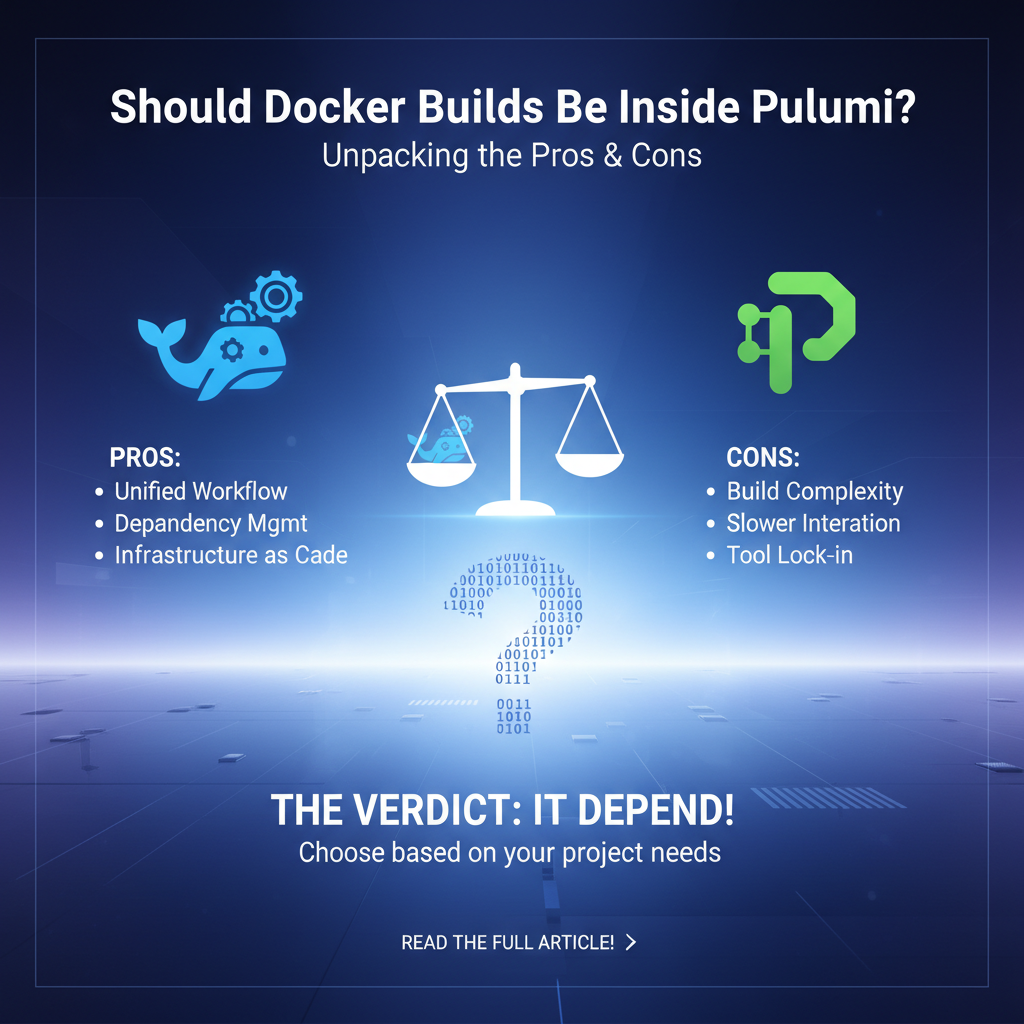
Should Docker Builds Be Inside Pulumi? Unpacking the Pros & Cons


The landscape of modern software development is ever-evolving, driven by innovations in containerization and infrastructure as code (IaC). At the forefront of these paradigms stand Docker and Pulumi, two powerful tools that have independently revolutionized how applications are packaged and deployed. Docker, with its robust containerization technology, allows developers to encapsulate applications and their dependencies into portable, consistent units. Pulumi, on the other hand, empowers engineers to define, deploy, and manage cloud infrastructure using familiar programming languages, moving beyond traditional declarative YAML or JSON configurations. The synergy between these two is undeniable; Pulumi is frequently used to provision the infrastructure where Docker containers will run, or to manage container registries themselves.
However, a more nuanced and often debated question arises when considering the entire software delivery pipeline: should the process of building Docker images be an integral part of a Pulumi deployment workflow, or should these concerns remain strictly separated? This question delves deep into the principles of software engineering, touching upon aspects of separation of concerns, CI/CD pipeline design, developer experience, and operational efficiency. The answer is rarely a simple "yes" or "no," but rather hinges on a complex interplay of project requirements, team maturity, existing tooling, and strategic architectural decisions. Unpacking the advantages and disadvantages of integrating Docker builds directly within Pulumi deployments requires a thorough examination of various technical and organizational factors, revealing a spectrum of approaches, each with its own set of trade-offs that teams must meticulously weigh to achieve optimal results.
Understanding the Fundamentals: Docker and Pulumi in Harmony
Before diving into the intricacies of integrating Docker builds, it is essential to establish a foundational understanding of Docker and Pulumi individually and how they typically interact in a cloud-native environment. Their respective strengths, when combined, form the backbone of many contemporary deployment strategies, but understanding their core tenets helps illuminate the subsequent discussion about build integration.
Docker: The Engine of Containerization
Docker has become synonymous with containerization, offering a standardized way to package an application and all its dependencies into a single, isolated unit – the Docker image. These images are then instantiated as containers, which run consistently across different environments, from a developer's local machine to production servers in the cloud. The key benefits of Docker are profound:
- Portability: Docker containers can run virtually anywhere, eliminating the "it works on my machine" problem. This portability extends across various operating systems and cloud providers, ensuring consistency from development to production.
- Isolation: Each container runs in isolation from others and from the host system, providing a clean and predictable environment for the application. This isolation prevents dependency conflicts and enhances security.
- Efficiency: Containers are lightweight and share the host OS kernel, making them more efficient than traditional virtual machines. They start quickly and consume fewer resources, leading to faster development cycles and lower infrastructure costs.
- Reproducibility: Dockerfiles, which define how an image is built, act as a blueprint, ensuring that every build of the image is identical. This deterministic nature is crucial for reliable deployments and debugging.
- Scalability: The lightweight nature of containers makes them ideal for microservices architectures, enabling individual components of an application to be scaled independently based on demand. Orchestration platforms like Kubernetes thrive on Docker containers for their deployment units.
The process of creating a Docker image typically involves writing a Dockerfile, which is a text file containing instructions for building the image. These instructions range from specifying a base image, copying application code, installing dependencies, to exposing ports and defining the command to run when the container starts. The docker build command then executes these instructions, producing a runnable image that can be tagged and pushed to a container registry.
Pulumi: Infrastructure as Code with Programming Languages
Pulumi represents a significant evolution in the Infrastructure as Code (IaC) space. Unlike traditional IaC tools that often rely on domain-specific languages (DSLs) like HCL (Terraform) or YAML (CloudFormation), Pulumi allows developers to define and manage infrastructure using general-purpose programming languages such as Python, TypeScript, Go, C#, and Java. This approach brings several powerful advantages:
- Familiarity and Productivity: Engineers can leverage their existing programming skills, IDEs, testing frameworks, and package managers, significantly lowering the learning curve and boosting productivity. Complex logic, loops, conditionals, and abstractions are naturally supported.
- Strong Typing and Error Checking: Using strongly typed languages enables compile-time error checking and better IDE support, catching issues earlier in the development cycle.
- Reusability and Abstraction: Programming languages facilitate the creation of reusable components and modules, promoting consistency and reducing boilerplate code across projects. Complex infrastructure patterns can be encapsulated into simple, consumable constructs.
- Cross-Cloud and On-Premises Support: Pulumi provides providers for major cloud platforms (AWS, Azure, GCP), Kubernetes, and various SaaS services, allowing for multi-cloud and hybrid cloud strategies from a single codebase.
- State Management: Pulumi manages the state of deployed infrastructure, tracking resources and enabling safe updates and deletions. It performs a "diff" before applying changes, showing exactly what will be modified.
In the context of Docker, Pulumi is commonly used to provision the underlying infrastructure required to run containerized applications. This includes creating virtual networks, deploying Kubernetes clusters, configuring Elastic Container Registries (ECR) in AWS, Azure Container Registries (ACR), or Google Container Registry (GCR), setting up load balancers, and defining various cloud resources that interact with the deployed containers. Pulumi can also directly deploy Docker images from a registry to a Kubernetes cluster or a serverless container service.
The Natural Intersection: Pulumi Deploying Dockerized Applications
The typical workflow where Docker and Pulumi intersect involves a clear separation of concerns:
- Docker Build: Application code is built into a Docker image, usually as part of a Continuous Integration (CI) pipeline (e.g., Jenkins, GitLab CI, GitHub Actions).
- Image Push: The built Docker image is then pushed to a container registry (e.g., Docker Hub, ECR, ACR, GCR). The image is often tagged with a unique identifier, such as a Git commit SHA or a build number, to ensure traceability.
- Pulumi Deployment: A Pulumi program is responsible for provisioning the necessary cloud infrastructure and deploying the Docker image from the registry onto that infrastructure. This might involve updating a Kubernetes deployment to reference the new image tag, or updating a task definition in AWS ECS.
This conventional approach has proven effective for countless organizations, offering a robust and scalable method for deploying containerized applications. However, the question of whether to integrate the Docker build step directly into the Pulumi deployment has emerged as a compelling alternative, driven by desires for workflow simplification and tighter integration.
The Core Question: Should Docker Builds Be Inside Pulumi?
The crux of the discussion lies in challenging this conventional separation. When we talk about "Docker builds inside Pulumi," we are specifically referring to the act of defining the Docker image build process directly within the Pulumi program itself. This often involves using Pulumi's Docker provider or custom logic to invoke Docker commands, rather than relying on an external CI/CD system to perform the build and push steps. This decision carries significant implications for development velocity, pipeline complexity, and operational robustness.
Arguments for "Yes": Integrating Docker Builds within Pulumi
There are several compelling reasons why a development team might choose to integrate Docker image builds directly into their Pulumi infrastructure as code (IaC) deployments. This approach can streamline workflows, enhance consistency, and offer a more unified perspective on application and infrastructure lifecycle management.
1. Simplified Workflow and Single Source of Truth
Integrating Docker builds into Pulumi can significantly simplify the overall deployment workflow. Instead of orchestrating separate CI jobs for building images and then separate Pulumi deployments for infrastructure, a single pulumi up command can encompass both. This means that when a developer wants to deploy a new version of their application, they interact with just one tool and one codebase. The Pulumi program becomes the single source of truth not only for the infrastructure configuration but also for the specific Docker image that will be deployed onto that infrastructure. This reduces cognitive load for developers who no longer need to jump between different build systems and deployment scripts, promoting a more cohesive and less error-prone process. A developer can modify application code, update the Dockerfile, and deploy the entire stack with a single, unified action.
2. Enhanced Consistency and Reproducibility
By defining the Docker build process within the Pulumi program, you inherently tie the application image to the infrastructure it runs on. This tight coupling ensures that whenever infrastructure is deployed or updated via Pulumi, the exact version of the Docker image specified or built by that Pulumi program is used. This can lead to superior consistency and reproducibility. Imagine a scenario where a specific infrastructure configuration (e.g., a certain type of compute instance or network setup) works best with a particular version of an application's Docker image. If the build is external, there's a risk of deploying an incompatible image. With an integrated build, the Pulumi stack implicitly guarantees that the correct image, built under the same controlled conditions as the infrastructure definition, is always deployed. This deterministic behavior is invaluable for debugging and for maintaining stable environments over time.
3. Reduced Context Switching for Developers
Developers often grapple with the overhead of context switching between different tools and environments. When Docker builds are external, a developer might use their local machine to build an image, push it, and then switch to a CI/CD dashboard to monitor the build, or to a separate Pulumi script to deploy. Integrating the build into Pulumi allows developers to stay within the familiar environment of their programming language and Pulumi CLI for the entire end-to-end process. This not only makes the development experience smoother but also reduces the potential for errors that can arise from manual steps or misconfigurations across disparate systems. The entire "deploy my app" flow becomes a single, coherent command executed from their development machine or within a unified CI runner.
4. Dynamic Image Tagging and Version Control Alignment
Pulumi's programmatic nature allows for dynamic generation of Docker image tags, which can be directly derived from the Pulumi stack's version control information, such as the Git commit SHA or branch name. For instance, a Pulumi program can fetch the current Git commit hash and use it as the tag for the Docker image it builds. This creates an incredibly strong link between the deployed infrastructure, the application code, and the Git repository state. When inspecting a running service, one can immediately trace back to the exact commit that produced both the infrastructure and the application image. This level of traceability is extremely beneficial for auditing, rollback procedures, and understanding the provenance of deployments. It ensures that the image tag is always consistent with the infrastructure definition it accompanies, eliminating potential discrepancies.
5. Local Development and Testing Parity
For developers working locally, integrating Docker builds into Pulumi can significantly improve the parity between their local development environment and the deployed cloud environment. A developer can run pulumi up locally to build their Docker image and deploy it to a local Kubernetes cluster (like minikube or k3s) or even a local Docker daemon. This exact same Pulumi code, with minor configuration changes, can then be used to deploy to a staging or production cloud environment. This consistency reduces the chances of "works on my machine but not in production" issues, as the build process itself is consistently defined and executed, regardless of the target environment. It empowers developers to test their full application and infrastructure stack locally before committing changes.
6. Simplified Access to Secrets and Configuration
Docker builds often require access to sensitive information, such as API keys, private repository credentials, or environment-specific configurations. When builds are external, managing these secrets securely across different CI/CD platforms and then passing them to the Pulumi deployment can add complexity. With an integrated approach, Pulumi's robust secret management capabilities can be leveraged directly for the Docker build process. Secrets can be stored securely in Pulumi's backend or integrated with cloud-native secret stores (e.g., AWS Secrets Manager, Azure Key Vault), and then safely injected into the Docker build context or as build arguments, simplifying the overall security posture and reducing the surface area for exposure. This unification reduces the number of places where secrets need to be managed and configured.
7. Greater Control Over the Build Environment
By controlling the Docker build process within Pulumi, teams gain fine-grained control over the build environment. This could mean specifying a particular Docker daemon, setting specific build arguments, defining network configurations for the build, or even leveraging custom build plugins, all defined programmatically. This level of control ensures that the build process is executed exactly as desired, without relying on the potentially varying configurations of external CI agents. It allows for more complex and custom build logic to be directly incorporated into the IaC definition, providing a higher degree of customization and adaptability to unique project requirements. This also helps in ensuring that specific versions of build tools or dependencies are consistently used during the image creation phase.
8. Cost Optimization for Seldom-Changing Applications
For applications that are updated infrequently, or for smaller projects with limited CI/CD infrastructure, building Docker images directly with Pulumi can be a cost-effective solution. If an application's infrastructure and code are rarely updated, maintaining a constantly running or frequently triggered CI pipeline specifically for Docker builds might be overkill. In such scenarios, integrating the build into the Pulumi deployment means that the build resources are only provisioned and consumed when an actual deployment is triggered, leading to potential cost savings on CI/CD runner usage and compute time. This "on-demand" build approach can be particularly appealing for internal tools, prototypes, or less critical services where rapid, frequent deployments are not the primary concern.
| Feature/Consideration | Argument for Integrated Build (Yes) | Argument Against Integrated Build (No) |
|---|---|---|
| Workflow | Unified pulumi up for build & deploy; reduced context switching. |
Separation of concerns; dedicated CI/CD pipelines for optimal build. |
| Consistency | Strong coupling of image to IaC; deterministic deployments. | Builds are independent and tested; IaC is declarative, not transactional. |
| Reproducibility | Image tag tied to Pulumi stack & Git commit; full traceability. | Builds optimized for caching & speed; independent build artifacts. |
| Tooling | Leverage Pulumi's programming model for build logic. | Specialized CI/CD tools excel at build orchestration. |
| Performance | Build time added to Pulumi deploy time; potentially slower. | Builds run in optimized, parallel CI environments; faster overall. |
| Scalability | Pulumi might not be designed for highly parallel, large-scale builds. | CI/CD systems are built to scale for complex, concurrent builds. |
| Debugging | pulumi up logs show build and deploy issues in one place. |
Dedicated build logs in CI are often more comprehensive and accessible. |
| Security | Pulumi secret management for build credentials; fewer systems to secure. | CI/CD platforms have mature secret management; tighter access control. |
| Cost | On-demand build resource consumption; good for infrequent updates. | Dedicated build infrastructure might be more efficient for frequent builds. |
| Operational Overhead | Less complexity in pipeline orchestration. | More moving parts; requires expertise in both IaC and CI/CD. |
| Team Structure | Favors full-stack or DevOps teams with broad responsibilities. | Favors specialized teams (e.g., developers for app, SRE for IaC). |
| Idempotency | Builds might re-run even if image hasn't changed, impacting idempotency. | IaC solely focuses on desired state; builds are pre-requisite. |
Arguments for "No": Keeping Docker Builds Outside Pulumi
Despite the perceived benefits of integrating Docker builds into Pulumi, there are equally, if not more, compelling arguments for maintaining a strict separation of concerns, leveraging dedicated CI/CD pipelines for image creation. This approach often leads to more robust, scalable, and operationally efficient systems.
1. Separation of Concerns: Build vs. Deploy
The most fundamental argument for keeping Docker builds separate is the principle of separation of concerns. Building an application artifact (a Docker image) is a distinct process from provisioning and deploying infrastructure (managing resources with Pulumi). Blurring these lines can lead to a less modular and harder-to-reason-about system. A CI pipeline's primary role is to compile code, run tests, and produce deployable artifacts. An IaC tool's primary role is to define and manage infrastructure states. When these two roles are conflated, debugging becomes more complex, and responsibilities can become ambiguous. Each process has its own set of optimal practices, tooling, and failure modes, and it is often best to address them independently. This clarity in roles simplifies troubleshooting and reinforces the modularity of the overall system.
2. Specialized Tooling and CI/CD Optimization
Modern Continuous Integration (CI) platforms (e.g., Jenkins, GitLab CI, GitHub Actions, CircleCI, Azure DevOps) are purpose-built and highly optimized for software build processes. They offer advanced features like:
- Caching: Efficient layer caching for Docker builds, speeding up subsequent builds.
- Parallelization: The ability to run multiple build jobs concurrently, significantly reducing overall build times for large codebases or monorepos.
- Artifact Management: Dedicated capabilities for storing, versioning, and distributing build artifacts.
- Rich Reporting and Monitoring: Comprehensive dashboards, logs, and notifications tailored for build failures, test results, and performance metrics.
- Scalability: CI runners can be scaled horizontally to handle high build loads, ensuring that build queues are minimized.
Pulumi, while powerful for IaC, is not designed as a build orchestration engine. It primarily focuses on managing cloud resources and their states. While it can invoke a Docker build, it often lacks the sophisticated caching, parallelization, and reporting features inherent to dedicated CI/CD systems. Trying to replicate these within Pulumi can lead to inefficient builds and a suboptimal developer experience.
3. Performance Considerations and Build Times
Docker image builds can be time-consuming, especially for large applications with many dependencies. When integrated into Pulumi, the entire build time is added to the Pulumi deployment time. This means that every pulumi up command, even for minor infrastructure changes that don't involve application code modifications, would still potentially trigger a Docker build. This dramatically slows down infrastructure deployments and can be a major productivity bottleneck. A core tenet of IaC is to quickly and reliably provision infrastructure. Introducing a potentially long-running build step compromises this efficiency. External CI systems, on the other hand, can run builds asynchronously and in parallel, decoupling build duration from deployment speed.
4. Idempotency and Declarative Nature of IaC
Pulumi, as an IaC tool, strives for idempotency and a declarative model. This means you define the desired state of your infrastructure, and Pulumi ensures that state is achieved, making subsequent runs have no side effects if the desired state is already met. Docker builds, however, are inherently imperative and often produce new artifacts on each run, even if the underlying code hasn't changed. Integrating a build directly into Pulumi can conflict with this declarative ideal. A pulumi up might re-run a build step, even if the resulting Docker image would be identical, because the build process itself isn't perfectly idempotent from Pulumi's perspective. This can lead to unnecessary resource consumption, longer deployment times, and a less predictable state management process. The ideal IaC pipeline consumes existing artifacts rather than generating them.
5. Scalability of Build Processes
For large organizations with many services and frequent updates, the sheer volume of Docker builds can be immense. Dedicated CI/CD systems are built to scale horizontally, running many build agents concurrently to handle this load efficiently. Trying to manage and scale Docker builds purely through Pulumi, especially if using a local Docker daemon for each Pulumi run, quickly becomes unmanageable. Cloud-based CI/CD services offer elastic scaling of build agents, ensuring that build capacity matches demand without significant operational overhead for the development team. This scalability is critical for maintaining rapid feedback loops and deployment velocity in a high-throughput environment.
6. Debugging and Observability Challenges
When a Docker build fails within a Pulumi program, debugging can be more challenging. The logs are often intertwined with the infrastructure deployment logs, making it harder to isolate build-specific issues. Dedicated CI/CD platforms typically offer rich, structured build logs, separate phases for compilation, testing, and packaging, and integration with artifact repositories and error reporting tools. This specialized observability makes it much easier to pinpoint the exact cause of a build failure. Furthermore, CI/CD systems often provide historical build logs, allowing developers to easily compare successful and failed builds, which is a critical aspect of efficient troubleshooting. Pulumi's logging, while excellent for infrastructure changes, is not optimized for the granular details of a software build.
7. Security Implications and Supply Chain Concerns
While Pulumi offers secret management, integrating builds means that the Pulumi execution environment needs elevated permissions to perform Docker builds (e.g., access to a Docker daemon, potentially root access). This can expand the security blast radius of the Pulumi execution. More importantly, maintaining a secure software supply chain often involves scanning Docker images for vulnerabilities, signing them, and ensuring their provenance. These steps are typically integrated into advanced CI/CD pipelines after the build but before the push to a registry. Pulling these concerns into Pulumi can complicate the security posture and dilute the focus on infrastructure security. A mature CI/CD pipeline ensures that only scanned and approved images reach the registry, providing a critical gate in the supply chain.
8. Existing Organizational Structure and Expertise
Many organizations have established DevOps practices where dedicated teams or roles are responsible for CI/CD pipeline development and maintenance. These teams often possess deep expertise in build optimization, security, and scalability. Disrupting this established structure by moving Docker builds into Pulumi might require significant retraining, process re-engineering, and can lead to resistance. Leveraging existing expertise and tooling often proves to be more efficient than trying to reinvent the wheel or centralize all responsibilities under a single tool. It allows teams to focus on their respective domains of expertise, leading to higher quality outcomes in both application development and infrastructure management.
9. Cost of Cloud-Based Builds within Pulumi
If Pulumi is used to trigger cloud-based Docker builds (e.g., AWS CodeBuild, Azure Container Registry Tasks, Google Cloud Build), it essentially means Pulumi is orchestrating another cloud service to perform the build. While this avoids local build issues, it doesn't necessarily offer efficiency gains over a direct CI/CD integration. In fact, it can introduce additional layers of indirection and potential costs if not managed carefully. CI/CD platforms are often integrated with cost optimization features for builds, which might be harder to leverage when orchestrated solely via IaC.
The core of the argument against integration boils down to leveraging the right tool for the right job. Pulumi excels at managing the desired state of infrastructure, while CI/CD systems excel at orchestrating complex, performant, and observable build processes.
APIPark is a high-performance AI gateway that allows you to securely access the most comprehensive LLM APIs globally on the APIPark platform, including OpenAI, Anthropic, Mistral, Llama2, Google Gemini, and more.Try APIPark now! 👇👇👇
Hybrid Approaches and Best Practices
Given the strong arguments on both sides, it becomes clear that there isn't a universally "correct" answer. Instead, the optimal solution often lies in adopting hybrid approaches and following best practices that balance the desire for workflow simplification with the need for robustness, scalability, and maintainability. The decision should be driven by a thoughtful assessment of specific project needs, team capabilities, and existing ecosystem.
1. Leverage CI/CD for Builds, Pulumi for Deployment (Recommended Default)
For most medium to large-scale projects, and especially for microservices architectures, the recommended best practice is to keep Docker image builds within a dedicated CI/CD pipeline and use Pulumi exclusively for infrastructure provisioning and application deployment (by referencing pre-built images).
This approach offers the best of both worlds:
- CI/CD's Strengths: Capitalizes on the sophisticated caching, parallelization, and reporting capabilities of CI/CD platforms for efficient and reliable builds. It ensures that builds are fast, observable, and independently verifiable.
- Pulumi's Strengths: Pulumi focuses solely on its core competency: defining and managing the desired state of infrastructure. It consumes the artifacts produced by CI/CD, providing a clean, declarative way to deploy applications.
- Clear Separation of Concerns: Developers can focus on application code and Dockerfiles, while operations or DevOps teams manage the Pulumi stacks. This clarity improves maintainability and debugging.
- Scalability: CI/CD systems can scale builds independently of deployments.
- Security: Image scanning, signing, and vulnerability checks can be seamlessly integrated into the CI/CD pipeline before images are pushed to a registry.
In this model, the CI pipeline would: 1. Trigger on code changes (e.g., Git push). 2. Build the Docker image. 3. Run unit and integration tests. 4. Scan the image for vulnerabilities. 5. Tag the image with a unique identifier (e.g., Git SHA, build number, semantic version). 6. Push the tagged image to a secure container registry (e.g., ECR, ACR, GCR).
The Pulumi program would then: 1. Be triggered separately (e.g., by a GitOps webhook, a manual pulumi up from an approved branch, or a separate CD pipeline stage). 2. Reference the already built and pushed Docker image by its tag. 3. Deploy or update the infrastructure (e.g., Kubernetes Deployment, ECS Task Definition) to use this new image tag.
This model ensures that Pulumi is always working with a stable, tested, and available artifact, promoting a highly reliable deployment process.
2. When to Consider Integrated Builds (Smaller Projects or Specific Use Cases)
While generally not recommended for complex systems, integrating Docker builds within Pulumi can be viable and even beneficial in specific scenarios:
- Small, Simple Projects: For single-service applications, internal tools, or prototypes where development velocity and minimal setup overhead are paramount, and the build time is negligible.
- Proof-of-Concepts (POCs) and Rapid Iteration: When quickly experimenting with an idea, having a single command to build and deploy can accelerate feedback loops.
- Infrastructure-Centric Images: If the Docker image itself is highly coupled to the infrastructure it runs on (e.g., a custom AMI builder image that needs specific Pulumi-provisioned resources), an integrated approach might simplify orchestration.
- Local Development Parity: For local development environments where spinning up a full CI pipeline is cumbersome, Pulumi can be used to emulate the build and deploy process.
Even in these cases, it's crucial to acknowledge the trade-offs regarding performance, scalability, and long-term maintainability. As a project grows, migrating to a decoupled CI/CD model for builds is often a necessary evolution.
3. Leveraging Cloud-Native Build Services via Pulumi
A hybrid approach that can mitigate some of the performance and scalability issues of local Pulumi builds involves using Pulumi to orchestrate cloud-native build services. For example:
- AWS ECR and CodeBuild: Pulumi can define an AWS CodeBuild project that builds Docker images and pushes them to AWS ECR. The Pulumi program then references these images for deployment.
- Azure Container Registry Tasks: Pulumi can define and trigger ACR Tasks to build and push images.
- Google Cloud Build: Pulumi can configure and trigger Google Cloud Build pipelines.
In this scenario, Pulumi acts as the orchestrator of the build service, not the builder itself. This reintroduces some separation of concerns, as the actual build execution happens on a specialized cloud service, leveraging its optimizations. However, it still means the pulumi up command will wait for the build to complete, potentially extending deployment times. This is often an acceptable middle ground for teams deeply invested in a particular cloud ecosystem and desiring a single IaC language for everything.
4. The Role of Container Registries
Regardless of the build strategy, container registries are a critical component. They act as the central repository for Docker images, providing versioning, security scanning, and access control. Pulumi is often used to provision and manage these registries (e.g., creating ECR repositories, managing permissions).
- Best Practice: Always push built images to a dedicated, secure container registry. Never rely on local images for production deployments. Tag images consistently and immutably (e.g., using content hashes or Git SHAs) to ensure traceability and prevent ambiguity.
5. GitOps and Immutability
The discussion around Docker builds and Pulumi ties strongly into GitOps principles. GitOps advocates for using Git as the single source of truth for declarative infrastructure and applications. Changes to infrastructure or applications are made via Git pull requests, which then trigger automated pipelines.
- Decoupled Builds in GitOps: In a pure GitOps model, the CI pipeline builds and pushes an immutable Docker image to a registry. The Pulumi configuration (stored in Git) then references this immutable image tag. When the Pulumi configuration is updated in Git, a GitOps agent (like Argo CD or Flux CD) observes the change and triggers a
pulumi upto apply the new image version. This maintains a clear audit trail and ensures that the infrastructure state always reflects the Git repository. - Integrated Builds in GitOps (Less Ideal): While technically possible, integrating builds directly within Pulumi in a GitOps context can complicate the immutability principle. Every
pulumi uptriggered by a GitOps agent might re-run a build, potentially leading to non-idempotent behavior or introducing new build artifacts during the deployment phase, which might not be desirable for strict GitOps compliance.
6. The Broader Ecosystem: APIs, Gateways, and Open Platforms
As applications become increasingly distributed, often deployed as microservices using Docker and managed by Pulumi, the importance of robust API management and secure gateways cannot be overstated. Each service deployed, whether it's a simple CRUD application or a sophisticated AI model, typically exposes an api for communication. Managing the lifecycle of these APIs, from design to deprecation, becomes a critical operational concern.
An Open Platform approach for cloud-native development emphasizes flexibility, interoperability, and the ability to integrate best-of-breed tools. This philosophy extends to how services communicate and how their interfaces are exposed. An api gateway is a fundamental component in such an architecture, serving as a single entry point for all API requests. It handles tasks like routing, load balancing, authentication, authorization, rate limiting, and monitoring, offloading these concerns from individual microservices.
For organizations dealing with a myriad of services, particularly those leveraging AI capabilities, an advanced API management solution becomes crucial. This is where platforms like APIPark - Open Source AI Gateway & API Management Platform (ApiPark) can provide significant value. APIPark helps developers and enterprises manage, integrate, and deploy AI and REST services with ease, ensuring a unified API format for AI invocation and end-to-end API lifecycle management, a critical consideration for any modern cloud-native deployment strategy orchestrated by tools like Pulumi. By providing features such as quick integration of 100+ AI models, prompt encapsulation into REST API, and independent API and access permissions for each tenant, APIPark addresses the complex needs of API governance in a distributed environment, ensuring security, efficiency, and scalability for the APIs exposed by applications deployed using Docker and Pulumi. This comprehensive approach to API management ensures that the applications you meticulously build and deploy are not only running reliably but also interacting securely and efficiently within your ecosystem.
Ultimately, the decision to integrate Docker builds into Pulumi should be made with a clear understanding of its implications on the broader development and operational ecosystem, including how APIs are managed and how the entire platform operates.
Practical Implementation Examples (Conceptual)
To illustrate the concepts, let's look at conceptual code snippets for both integrated and decoupled approaches using Pulumi and Docker. These examples are simplified but convey the core idea.
Scenario 1: Integrated Docker Build within Pulumi (TypeScript)
This approach uses Pulumi's Docker provider to build an image and push it to a registry, then deploy it to Kubernetes, all within one Pulumi program.
import * as pulumi from "@pulumi/pulumi";
import * as docker from "@pulumi/docker";
import * as kubernetes from "@pulumi/kubernetes";
import * as aws from "@pulumi/aws";

// 1. Configuration for our Docker image and registry
const config = new pulumi.Config();
const appName = "my-app";
const appPath = "./app"; // Path to your Dockerfile and application code
const imageTag = config.require("imageTag"); // e.g., "v1.0.0" or "git-sha"

// 2. Provision an AWS ECR repository (or any other container registry)
const repo = new aws.ecr.Repository(appName, {
    name: appName,
    imageScanningConfiguration: {
        scanOnPush: true, // Enable vulnerability scanning on push
    },
    imageTagMutability: "MUTABLE", // Or IMMUTABLE if desired, but often MUTABLE for dev/staging
});

// 3. Get ECR login credentials
const registryInfo = repo.registryId.apply(id =>
    aws.ecr.getCredentials({ registryId: id }).then(credentials => {
        const decoded = Buffer.from(credentials.authorizationToken, "base64").toString();
        const parts = decoded.split(":");
        return {
            server: credentials.proxyEndpoint,
            username: parts[0],
            password: parts[1],
        };
    })
);

// 4. Build and push the Docker image to ECR
const appImage = new docker.Image(`${appName}-image`, {
    imageName: pulumi.interpolate`${repo.repositoryUrl}:${imageTag}`,
    build: {
        context: appPath, // Path to Dockerfile
        args: { // Optional build arguments
            NODE_ENV: config.get("nodeEnv") || "production",
        },
        platform: "linux/amd64", // Specify build platform
    },
    registry: registryInfo,
    // Add additional build options like cacheFrom, etc.
}, {
    // If you want to force a rebuild even if context hasn't changed,
    // you might need to use a custom resource or a trigger.
    // However, Pulumi's Docker provider will generally detect context changes.
});

// 5. Assume we have a Kubernetes cluster provisioned elsewhere or by another Pulumi stack
// For this example, let's assume `k8sProvider` is available.
const k8sProvider = new kubernetes.Provider("k8s-provider", {
    kubeconfig: config.requireSecret("kubeconfig"),
});

// 6. Deploy the Docker image to Kubernetes
const appLabels = { app: appName };
const appDeployment = new kubernetes.apps.v1.Deployment(`${appName}-dep`, {
    metadata: { labels: appLabels },
    spec: {
        selector: { matchLabels: appLabels },
        replicas: config.getNumber("replicas") || 1,
        template: {
            metadata: { labels: appLabels },
            spec: {
                containers: [{
                    name: appName,
                    image: appImage.imageName, // Use the image built by Pulumi
                    ports: [{ containerPort: 8080 }],
                    // Add other container specs: environment variables, resources, probes etc.
                }],
            },
        },
    },
}, { provider: k8sProvider });

// 7. Expose the deployment with a Service
const appService = new kubernetes.core.v1.Service(`${appName}-svc`, {
    metadata: { labels: appLabels },
    spec: {
        type: "LoadBalancer",
        ports: [{ port: 80, targetPort: 8080 }],
        selector: appLabels,
    },
}, { provider: k8sProvider });

// Export the URL of the service
export const appUrl = appService.status.loadBalancer.ingress[0].hostname.apply(hostname => `http://${hostname}`);
export const repositoryUrl = repo.repositoryUrl;
export const builtImage = appImage.imageName;
Explanation: This code snippet demonstrates how Pulumi can define an ECR repository, then use the docker.Image resource to build a Docker image from a local appPath and push it to that ECR. Finally, it uses the built image's name to create a Kubernetes Deployment and Service. The entire process, from repository creation to application deployment, can be executed with a single pulumi up. This is concise but couples build time with deploy time.
Scenario 2: Decoupled Docker Build (CI/CD) and Pulumi Deployment (TypeScript)
This is the recommended approach. A CI/CD pipeline builds the image, and Pulumi then deploys it.
Part A: CI/CD Pipeline (e.g., GitHub Actions YAML)
This part would live in .github/workflows/build-and-push.yml in your application repository.
name: Build and Push Docker Image

on:
  push:
    branches:
      - main
      - feature/*

jobs:
  build-and-push:
    runs-on: ubuntu-latest
    steps:
    - name: Checkout code
      uses: actions/checkout@v3

    - name: Set up Docker Buildx
      uses: docker/setup-buildx-action@v2

    - name: Configure AWS credentials
      uses: aws-actions/configure-aws-credentials@v1
      with:
        aws-access-key-id: ${{ secrets.AWS_ACCESS_KEY_ID }}
        aws-secret-access-key: ${{ secrets.AWS_SECRET_ACCESS_KEY }}
        aws-region: us-east-1 # Your AWS region

    - name: Login to Amazon ECR
      id: login-ecr
      uses: aws-actions/amazon-ecr-login@v1

    - name: Build and push Docker image
      env:
        ECR_REGISTRY: ${{ steps.login-ecr.outputs.registry }}
        ECR_REPOSITORY: my-app
        IMAGE_TAG: ${{ github.sha }} # Use Git SHA as immutable tag
      run: |
        docker build -t $ECR_REGISTRY/$ECR_REPOSITORY:$IMAGE_TAG -f ./app/Dockerfile ./app
        docker push $ECR_REGISTRY/$ECR_REPOSITORY:$IMAGE_TAG

    # Optional: Trigger Pulumi deployment (e.g., via webhook or another action)
    - name: Trigger Pulumi Deployment
      # This step could invoke a webhook to a GitOps system or a Pulumi automation API endpoint
      # that then triggers a Pulumi update.
      # For simplicity, this example just demonstrates the build/push part.
      run: |
        echo "Docker image pushed. Pulumi deployment would be triggered here."
        # Example: curl -X POST -H "Authorization: Bearer ${{ secrets.PULUMI_AUTOMATION_TOKEN }}" \
        # "https://api.pulumi.com/api/stacks/your-org/your-project/your-stack/updates" \
        # -d '{ "version": "${{ github.sha }}" }'
Explanation: This GitHub Actions workflow defines a CI pipeline that triggers on code pushes. It checks out the code, logs into AWS ECR using provided credentials, builds the Docker image from the app directory, tags it with the Git commit SHA, and pushes it to ECR. This process is entirely separate from Pulumi.
Part B: Pulumi Deployment (TypeScript)
This Pulumi program (potentially in a separate infrastructure repository or a different Pulumi stack) references the already built image from ECR.
import * as pulumi from "@pulumi/pulumi";
import * as kubernetes from "@pulumi/kubernetes";
import * as aws from "@pulumi/aws";

// 1. Configuration for our application and image
const config = new pulumi.Config();
const appName = "my-app";
// The imageTag is now provided as input to the Pulumi program,
// often from the CI/CD pipeline or a GitOps configuration.
const imageTag = config.require("imageTag"); // e.g., "git-sha-from-ci"

// 2. Reference the existing ECR repository
const repo = aws.ecr.getRepository({ name: appName });

// Construct the full image name
const fullImageName = pulumi.all([repo.then(r => r.repositoryUrl), imageTag])
    .apply(([url, tag]) => `${url}:${tag}`);

// 3. Assume we have a Kubernetes cluster provisioned elsewhere
const k8sProvider = new kubernetes.Provider("k8s-provider", {
    kubeconfig: config.requireSecret("kubeconfig"),
});

// 4. Deploy the Docker image to Kubernetes
const appLabels = { app: appName };
const appDeployment = new kubernetes.apps.v1.Deployment(`${appName}-dep`, {
    metadata: { labels: appLabels },
    spec: {
        selector: { matchLabels: appLabels },
        replicas: config.getNumber("replicas") || 1,
        template: {
            metadata: { labels: appLabels },
            spec: {
                containers: [{
                    name: appName,
                    image: fullImageName, // Reference the pre-built image
                    ports: [{ containerPort: 8080 }],
                    // Add other container specs: environment variables, resources, probes etc.
                }],
            },
        },
    },
}, { provider: k8sProvider });

// 5. Expose the deployment with a Service
const appService = new kubernetes.core.v1.Service(`${appName}-svc`, {
    metadata: { labels: appLabels },
    spec: {
        type: "LoadBalancer",
        ports: [{ port: 80, targetPort: 8080 }],
        selector: appLabels,
    },
}, { provider: k8sProvider });

// Export the URL of the service
export const appUrl = appService.status.loadBalancer.ingress[0].hostname.apply(hostname => `http://${hostname}`);
export const deployedImage = fullImageName;
Explanation: This Pulumi program is much cleaner. It simply references the existing ECR repository and then consumes an imageTag (which would be the output of the CI/CD pipeline). It then constructs the full image name and uses it to deploy to Kubernetes. The pulumi up command for this stack will be much faster, as it doesn't involve building a Docker image. It just updates the infrastructure based on a pre-existing artifact.
These examples clearly delineate the responsibilities. While the integrated approach is compact, the decoupled one prioritizes performance, scalability, and the specialized capabilities of CI/CD systems, which is generally preferred for production-grade deployments.
Conclusion: The Evolving Landscape of DevOps Orchestration
The question of whether Docker builds should be performed inside Pulumi is a microcosm of the larger, ongoing evolution in DevOps orchestration. It encapsulates the tension between workflow simplification and the adherence to established engineering principles like separation of concerns. While the allure of a single, unified command to build and deploy everything is strong, particularly for smaller projects or rapid prototyping, the practical realities of managing complex, scalable, and secure applications often dictate a more decoupled approach.
For the vast majority of production-grade systems, especially those adopting microservices architectures or operating at scale, the strategy of leveraging dedicated CI/CD pipelines for Docker image builds and utilizing Pulumi solely for the declarative deployment of infrastructure and pre-built artifacts remains the gold standard. This approach capitalizes on the strengths of each tool: CI/CD systems excel at orchestrating complex, performant, and observable build processes with sophisticated caching and parallelization, while Pulumi shines in defining and managing the desired state of cloud infrastructure using familiar programming languages. The result is a more resilient, maintainable, and efficient software delivery pipeline, where build failures are isolated from deployment issues, and each stage benefits from specialized tooling and expertise.
However, the discussion is not entirely black and white. Hybrid models, such as using Pulumi to orchestrate cloud-native build services, offer a viable middle ground, mitigating some of the performance concerns while retaining programmatic control over the build initiation. Furthermore, for specific scenarios like local development parity or very small, infrequently updated projects, an integrated build within Pulumi can indeed offer a streamlined developer experience. The key is to consciously evaluate the trade-offs based on project size, team structure, performance requirements, security considerations, and the desired level of operational complexity.
As the cloud-native ecosystem continues to mature, and as organizations increasingly rely on distributed architectures with numerous services exposing their functionalities via APIs, the tools and practices around managing the entire lifecycle become ever more critical. Robust API management platforms, such as APIPark - Open Source AI Gateway & API Management Platform (ApiPark), play a vital role in ensuring that the applications diligently containerized with Docker and infrastructurally defined by Pulumi can interact securely and efficiently. By providing a unified approach to API governance, from integration to monitoring, APIPark complements the efforts of Docker and Pulumi, ensuring that the services brought to life by these tools are not only deployed effectively but also managed optimally throughout their operational lifespan.
Ultimately, the choice comes down to intentional architectural design. Teams must weigh the benefits of simplicity against the demands of scalability, reliability, and maintainability, choosing the approach that best aligns with their strategic objectives and fosters a productive yet robust DevOps culture. The ability to adapt and evolve this decision as projects grow and requirements change is perhaps the most crucial "best practice" of all in this dynamic domain.
FAQ
1. What is the fundamental difference between Docker's and Pulumi's roles in deployment?
Docker's fundamental role is containerization: packaging an application and its dependencies into a consistent, isolated, and portable unit called a Docker image, which can then be run as a container. Pulumi's fundamental role is Infrastructure as Code (IaC): defining, provisioning, and managing cloud infrastructure resources (like Kubernetes clusters, databases, networks, and even deploying container images) using general-purpose programming languages. In essence, Docker creates the application package, while Pulumi provisions the environment for that package to run in and manages its deployment.
2. Why might a team choose to integrate Docker builds directly into their Pulumi programs?
Teams might choose to integrate Docker builds into Pulumi for workflow simplification, aiming for a "single command" deployment. This can reduce developer context switching, enhance consistency by tightly coupling image builds with infrastructure definitions, and simplify dynamic image tagging based on Pulumi stack or Git commit information. For small projects or rapid prototyping, this unified approach can accelerate development velocity and reduce initial setup overhead, making the entire process feel more cohesive.
3. What are the main disadvantages of building Docker images inside Pulumi deployments?
The main disadvantages include performance degradation (build times added to deployment times), reduced scalability (Pulumi is not optimized for parallel, large-scale builds like CI/CD systems), and a violation of the separation of concerns. It can also complicate debugging, compromise idempotency (as builds might re-run unnecessarily), and bypass the specialized features of dedicated CI/CD tools such as advanced caching, robust reporting, and comprehensive security scanning, which are crucial for a mature software supply chain.
4. What is the recommended best practice for Docker builds and Pulumi deployments for larger projects?
For most medium to large-scale projects, the recommended best practice is to separate Docker image builds from Pulumi deployments. Use a dedicated Continuous Integration (CI) pipeline (e.g., GitHub Actions, GitLab CI) to build, test, scan, and push Docker images to a container registry. Pulumi is then used as a Continuous Delivery (CD) tool to provision the infrastructure and deploy these pre-built, tested, and pushed Docker images by referencing their immutable tags from the registry. This maximizes efficiency, scalability, and maintainability by leveraging each tool for its core strengths.
5. How does APIPark fit into an ecosystem using Docker and Pulumi for deployment?
Once applications are containerized with Docker and infrastructure provisioned by Pulumi, these applications often expose APIs. APIPark, as an open-source AI gateway and API management platform, becomes crucial for managing these exposed APIs, especially in microservices architectures or when integrating AI models. It acts as a central api gateway to manage the entire API lifecycle—design, publication, authentication, traffic management, and monitoring. APIPark complements Docker and Pulumi by ensuring that the services deployed are not only running reliably but are also securely and efficiently exposed and consumed across the organization and beyond, aligning with an Open Platform philosophy for comprehensive service management.
🚀You can securely and efficiently call the OpenAI API on APIPark in just two steps:
Step 1: Deploy the APIPark AI gateway in 5 minutes.
APIPark is developed based on Golang, offering strong product performance and low development and maintenance costs. You can deploy APIPark with a single command line.
curl -sSO https://download.apipark.com/install/quick-start.sh; bash quick-start.sh

In my experience, you can see the successful deployment interface within 5 to 10 minutes. Then, you can log in to APIPark using your account.

Step 2: Call the OpenAI API.