Secure AWS Integration with Grafana Agent Request Signing
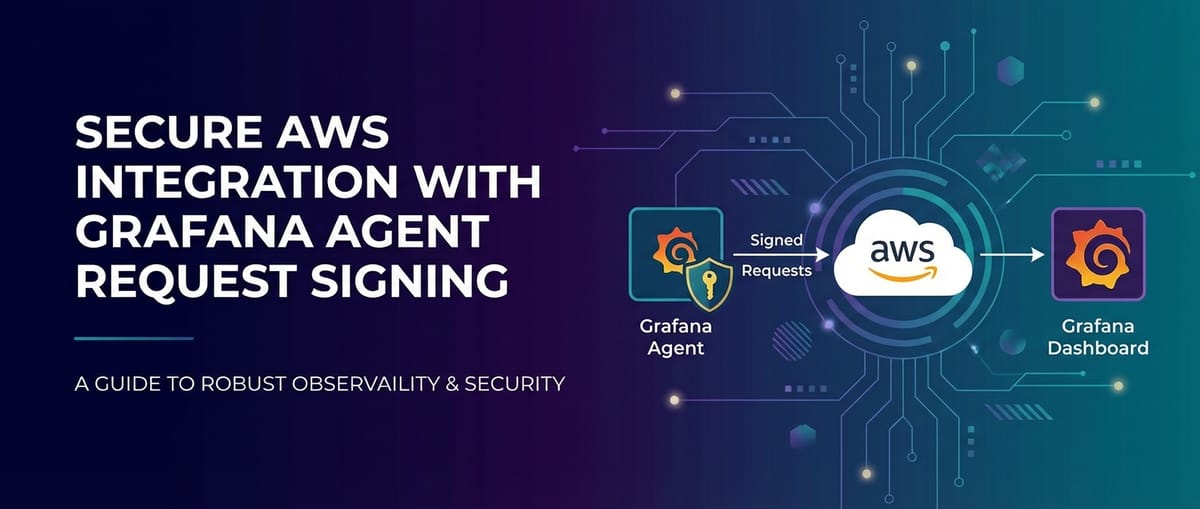


In the sprawling and dynamic landscape of cloud computing, particularly within Amazon Web Services (AWS), the ability to accurately monitor and observe the performance and health of applications and infrastructure is not merely a desirable feature but a fundamental necessity. Enterprises are increasingly leveraging sophisticated observability stacks to gain real-time insights, optimize resource utilization, troubleshoot issues proactively, and ensure robust security postures. At the heart of many modern observability pipelines lies Grafana, a powerful open-source platform for data visualization and analytics, complemented by the Grafana Agent – a lightweight data collector designed to efficiently forward metrics, logs, and traces to various observability backends.
However, the sheer volume and sensitivity of data flowing from diverse AWS services to observability platforms necessitate an unwavering commitment to security. Transmitting operational data, even seemingly innocuous metrics, across network boundaries and into third-party services, demands rigorous authentication and authorization mechanisms. This article embarks on a comprehensive exploration of how Grafana Agent achieves secure integration with AWS services through request signing, specifically leveraging AWS Signature Version 4 (SigV4). We will delve into the underlying principles of SigV4, demonstrate practical configurations, discuss best practices, and examine the broader context of secure API interactions, including the role of an API Gateway in managing the flow of data and services within complex ecosystems. Our aim is to provide an exhaustive guide for architects, DevOps engineers, and security professionals seeking to fortify their AWS observability pipelines, ensuring data integrity, confidentiality, and compliance in every interaction.
Understanding the Landscape: AWS and Observability's Imperative
The Amazon Web Services (AWS) ecosystem represents an unparalleled suite of cloud services, ranging from fundamental compute (EC2, Lambda) and storage (S3, EBS) offerings to highly specialized tools for machine learning, analytics, and Internet of Things (IoT). Organizations of all sizes adopt AWS to accelerate innovation, enhance scalability, and reduce operational overhead. Yet, this very flexibility and breadth introduce significant complexity, particularly when it comes to maintaining a clear, holistic view of an entire cloud deployment. A single application might span dozens of AWS services, each generating its own stream of metrics, logs, and trace data. Without effective observability, navigating this complexity becomes akin to flying blind, making it impossible to diagnose performance bottlenecks, identify security threats, or predict resource exhaustion before it impacts users.
Observability, distinct from mere monitoring, focuses on understanding the internal state of a system by examining its external outputs. It's about asking arbitrary questions about your system without needing to ship new code. For AWS environments, this translates into collecting and analyzing a triumvirate of data types:
- Metrics: Quantifiable measurements that describe the state of a system over time. Examples include CPU utilization, network I/O, database connection counts, and request latency. AWS services inherently emit metrics to Amazon CloudWatch, but custom application metrics are equally crucial.
- Logs: Timestamped records of discrete events that occur within applications and infrastructure. Logs provide granular detail about actions, errors, and system states, invaluable for debugging and security auditing. Services like CloudWatch Logs, S3, and Kinesis Data Firehose are common destinations for logs.
- Traces: Represent the end-to-end journey of a request as it flows through a distributed system. Traces link individual operations across multiple services, helping to identify latency bottlenecks and pinpoint failures in microservices architectures. AWS X-Ray is a dedicated service for distributed tracing.
Grafana has emerged as a de facto standard for visualizing and analyzing this diverse data. Its ability to integrate with a myriad of data sources, from Prometheus and Loki to CloudWatch and Splunk, allows users to consolidate their observability data into intuitive, interactive dashboards. However, Grafana itself is a visualization layer; it relies on agents or connectors to collect the raw data from its source. This is where the Grafana Agent steps in.
The Grafana Agent is a lightweight, single-binary data collector optimized for sending metrics, logs, and traces to Grafana Cloud and other compatible backends. Designed to be highly efficient, it can run on virtually any infrastructure – EC2 instances, Kubernetes clusters, on-premises servers – and is capable of collecting data in various modes: * Metrics Mode: Scrapes Prometheus-compatible metrics endpoints. * Logs Mode: Collects logs from files, systemd journals, or other sources, often forwarding them to Loki. * Traces Mode: Collects OpenTelemetry or Jaeger traces, typically sending them to Tempo or AWS X-Ray.
The agent's push-based model simplifies deployment and management, allowing it to forward data directly to designated endpoints. While remarkably versatile, its operation within a secure AWS environment presents a critical challenge: how does the Grafana Agent, residing potentially anywhere within an AWS account or even outside it, securely authenticate and authorize its requests to AWS services? This question leads us directly to the foundational security mechanisms required for robust cloud-native observability.
The Challenge of Secure Data Ingestion to AWS
Security in the cloud is a shared responsibility, with AWS securing the underlying infrastructure and customers responsible for securing their applications, data, and configurations within the cloud. When it comes to data ingestion, particularly from agents like Grafana Agent, the security implications are profound and multifaceted. Any compromise in the data collection pipeline can lead to severe consequences, including:
- Data Breaches: Sensitive operational data, if intercepted or routed incorrectly, could expose proprietary information, customer data, or internal system configurations.
- Unauthorized Access/Manipulation: A malicious actor gaining control of an agent's credentials could potentially write arbitrary data to AWS services, disrupt existing metrics, or even trigger other actions within the AWS environment.
- Compliance Violations: Industry regulations (e.g., GDPR, HIPAA, PCI DSS) often mandate specific security controls for data in transit and at rest. Failure to implement these controls can result in hefty fines and reputational damage.
- Operational Disruptions: Compromised agents or misconfigured security policies can lead to data loss, service outages, or denial-of-service attacks on observability backends.
AWS provides a robust suite of security primitives designed to address these challenges: * AWS Identity and Access Management (IAM): The cornerstone of AWS security, IAM allows you to manage access to AWS services and resources securely. It enables you to create and manage AWS users, groups, and roles, and to use permissions to allow and deny their access to AWS resources. * Security Groups and Network ACLs (NACLs): Act as virtual firewalls to control inbound and outbound traffic at the instance and subnet levels, respectively. * Virtual Private Cloud (VPC): Provides a logically isolated section of the AWS Cloud where you can launch AWS resources in a virtual network that you define. * AWS Key Management Service (KMS): Helps create and control encryption keys used to encrypt your data.
While these primitives form the bedrock, the specific challenge for data collectors like Grafana Agent lies in authentication and authorization for API requests. When Grafana Agent sends metrics to CloudWatch, logs to CloudWatch Logs, or traces to AWS X-Ray, it is essentially making API calls to these AWS services. Each such call must be properly authenticated to prove the agent's identity and authorized to ensure it has the necessary permissions to perform the requested action.
Traditional Authentication Methods and Their Limitations:
Historically, applications might have relied on simpler, less secure methods to interact with services: * Static API Keys: Using long-lived access key IDs and secret access keys directly embedded in configuration files or environment variables. While functional, this approach poses significant security risks. If these keys are compromised, they grant permanent access, requiring manual rotation and distribution, which is error-prone and operationally burdensome. * Basic Authentication (User/Password): Generally unsuitable for fine-grained authorization against complex cloud services and often transmitted in ways that can be intercepted without additional encryption.
For AWS services, these methods are either deprecated, discouraged, or simply insufficient for the stringent security requirements of cloud-native applications. AWS's preferred and most secure method for authenticating programmatic requests is through AWS Signature Version 4 (SigV4). Without a robust mechanism like SigV4, any agent attempting to send data to AWS services would either be denied access or, worse, operate with dangerously over-privileged static credentials, creating a gaping security vulnerability. This underscores why SigV4 is not just a feature but an essential requirement for secure, compliant, and operationally sound AWS integration.
Deep Dive into AWS Signature Version 4 (SigV4)
AWS Signature Version 4 (SigV4) is the sophisticated protocol that AWS uses to authenticate and authorize every programmatic request made to its services. It's a cryptographic process that verifies the identity of the requester and ensures the integrity of the request, making it the bedrock of secure API interactions across the AWS ecosystem. Understanding SigV4 is crucial for anyone building or operating applications that interact with AWS, including data collectors like Grafana Agent.
What is SigV4?
In essence, SigV4 is a signing process applied to AWS API requests. When you make an API call to an AWS service (e.g., s3.GetObject, cloudwatch.PutMetricData), your request isn't just sent as plain text. Instead, it undergoes a cryptographic transformation that includes a unique signature. This signature is calculated using your AWS credentials (access key ID and secret access key, or temporary security credentials from an assumed role) and specific details of the request itself. When the request reaches the AWS service, AWS performs the same signature calculation on its end. If the signatures match, AWS trusts that the request originated from a legitimate source with valid credentials and that the request has not been tampered with in transit.
How it Works (Simplified Flow):
The SigV4 process involves several steps to construct the final signature, ensuring that each request is uniquely identified and secured:
- Canonical Request Creation: All essential components of the HTTP request are standardized and ordered into a specific format called a "canonical request." This includes:
- HTTP method (GET, POST, PUT, DELETE, etc.)
- Canonical URI (the path component of the URL)
- Canonical Query String (all query parameters, sorted and encoded)
- Canonical Headers (specific headers like
Host,Content-Type,X-Amz-Date, and anyX-Amz-*headers, sorted alphabetically and lowercased) - Signed Headers List (a list of the headers included in the canonical headers)
- Hashed Payload (a SHA256 hash of the request body, even if empty)
- String to Sign Creation: A "string to sign" is then created by concatenating:
- The algorithm (e.g.,
AWS4-HMAC-SHA256) - The request date and time
- The credential scope (date, AWS region, AWS service,
aws4_request) - The SHA256 hash of the canonical request
- The algorithm (e.g.,
- Signing Key Calculation: A signing key is derived from your AWS secret access key, the request date, the AWS region, and the AWS service. This is a hierarchical derivation process that ensures the signing key is specific to the day, region, and service, adding an extra layer of security. The intermediate keys generated during this process are never transmitted.
- Signature Calculation: Finally, the signing key is used with an HMAC-SHA256 algorithm to hash the "string to sign." The resulting cryptographic hash is the signature.
- Adding Signature to Request: This signature, along with the access key ID, the credential scope, and the list of signed headers, is typically added to the HTTP
Authorizationheader of the request.
Components of a SigV4 Signature:
A typical SigV4 Authorization header looks complex, containing several critical pieces of information:
Authorization: AWS4-HMAC-SHA256 Credential=AKIAIOSFODNN7EXAMPLE/20230801/us-east-1/s3/aws4_request, SignedHeaders=host;x-amz-date, Signature=fe5f80f77d5fa3ecc...
Credential: Identifies the access key (AKIAIOSFODNN7EXAMPLE) and the scope of the signing key (20230801/us-east-1/s3/aws4_request), which indicates the date, region, and service for which the key was derived.SignedHeaders: Lists the HTTP headers that were included in the canonical request and used in the signature calculation. This ensures that if any of these headers are tampered with, the signature will no longer be valid.Signature: The actual cryptographic hash generated by the process.
Benefits of SigV4:
- Authentication and Identity Verification: Guarantees that the request originates from a legitimate source possessing valid AWS credentials.
- Request Integrity: Ensures that the request (including headers, query parameters, and payload) has not been altered in transit. Any modification would invalidate the signature.
- Defense Against Replay Attacks: Each signature is tied to a specific date and time, and a specific request. AWS services typically enforce a small window of validity for signatures, making it difficult for an attacker to "replay" a captured request later.
- Non-Repudiation: Because the signature is unique to the requester and the request, it provides strong evidence of who initiated a particular API call.
- Temporal and Scoped Security: The use of temporary, service-specific, and region-specific signing keys enhances security by limiting the blast radius of a compromised key.
Service-Specific Signing:
While the core SigV4 process is standardized, specific AWS services might have nuances. For instance, signing requests for Amazon S3 might differ slightly in header requirements compared to signing requests for Amazon Kinesis or CloudWatch. However, most AWS SDKs and well-designed agents (like Grafana Agent) abstract away these complexities, providing a unified interface for secure AWS interactions. The underlying mechanism, nonetheless, remains SigV4, making it indispensable for any secure data flow into AWS.
Grafana Agent and AWS Integration Capabilities
The Grafana Agent is engineered with a deep understanding of cloud environments, particularly AWS, offering robust capabilities for collecting and forwarding observability data. Its design inherently supports secure communication with various AWS services, abstracting away much of the complexity associated with AWS Signature Version 4 (SigV4). This section explores how Grafana Agent's architecture facilitates seamless and secure data ingestion into AWS.
Grafana Agent's Architecture for AWS Interactions:
At its core, Grafana Agent is a highly configurable Go application. Go's strong networking capabilities and built-in cryptographic libraries make it an excellent choice for developing secure cloud-native agents. When configured to send data to AWS services, the agent leverages AWS SDKs (or equivalent logic) to handle the intricacies of SigV4 signing automatically. This means that instead of developers needing to manually implement the canonical request, string-to-sign, and signature generation steps discussed earlier, they simply need to provide the appropriate AWS credentials and configuration parameters. The agent takes care of the rest, ensuring that every outbound API request to an AWS endpoint is correctly signed before transmission.
The agent's configuration is typically defined in a YAML file, where different server blocks specify how various types of data (metrics, logs, traces) are collected and where they are sent. For AWS integrations, these configuration blocks often include specific aws_auth sub-sections or parameters that dictate how authentication and authorization should be handled.
Configuration for AWS Services:
Grafana Agent can be configured to send data to a variety of AWS services, each serving a distinct purpose in an observability pipeline:
- Metrics to Amazon Managed Service for Prometheus (AMP) or CloudWatch:
- AMP: For Prometheus metrics, Grafana Agent can act as a
remote_writeclient, pushing scraped metrics to AMP. This leverages the Prometheusremote_writeprotocol, with the underlying HTTP requests to AMP being signed with SigV4. - CloudWatch: While less common for direct Prometheus-style metrics, custom metrics can be pushed to CloudWatch via the AWS API. Grafana Agent can be configured to forward specific metrics to CloudWatch, utilizing the
PutMetricDataAPI call.
- AMP: For Prometheus metrics, Grafana Agent can act as a
- Logs to CloudWatch Logs:
- For logs, Grafana Agent (when running in Loki mode or with
loki_config) can be configured to send collected log streams to CloudWatch Logs. This typically involves makingCreateLogStream,PutLogEvents, andCreateLogGroupAPI calls. The agent handles the necessary SigV4 signing for these requests.
- For logs, Grafana Agent (when running in Loki mode or with
- Traces to AWS X-Ray:
- In Tempo mode, Grafana Agent can collect OpenTelemetry or Jaeger traces and forward them to a Tempo backend. However, for direct AWS integration, it can also send traces directly to AWS X-Ray, which is AWS's native distributed tracing service. This involves using the
PutTraceSegmentsAPI, again requiring SigV4 authentication.
- In Tempo mode, Grafana Agent can collect OpenTelemetry or Jaeger traces and forward them to a Tempo backend. However, for direct AWS integration, it can also send traces directly to AWS X-Ray, which is AWS's native distributed tracing service. This involves using the
- Data to Kinesis Data Firehose/Kinesis Data Streams:
- For advanced scenarios where data needs to be further processed or routed to multiple destinations, Grafana Agent can be configured to send raw data (metrics, logs, or other custom payloads) to Kinesis Data Firehose or Kinesis Data Streams. These services act as ingestion layers, forwarding data to S3, Redshift, Elasticsearch Service, or custom HTTP endpoints. All interactions with Kinesis services are also protected by SigV4.
Credential Management Options:
The cornerstone of secure AWS integration is how Grafana Agent obtains its AWS credentials. Grafana Agent supports various methods for credential provision, each with its own security implications and suitability for different deployment environments:
- IAM Roles for EC2 Instances: This is the most recommended and secure method when Grafana Agent is running on an EC2 instance. An IAM role is associated with the EC2 instance, and the agent automatically inherits temporary security credentials from the instance metadata service. This eliminates the need to store static credentials on the instance, dramatically reducing the risk of credential compromise. The permissions granted to the role dictate what AWS services the agent can interact with.
- IAM Roles for Service Accounts (IRSA) on EKS: For Grafana Agent deployments within Amazon Elastic Kubernetes Service (EKS), IRSA is the preferred method. IRSA allows you to associate an IAM role with a Kubernetes service account. Pods configured to use that service account will then assume the associated IAM role and receive temporary credentials. This provides fine-grained, least-privilege permissions to individual pods, enhancing security in containerized environments.
- AWS Access Keys (Access Key ID and Secret Access Key): While supported, directly providing static access key IDs and secret access keys in the agent's configuration file or environment variables is generally discouraged for production environments. This method introduces the risk of these long-lived credentials being leaked or compromised. If used, strict access controls and regular rotation are paramount.
- Environment Variables: AWS credentials can be supplied via
AWS_ACCESS_KEY_ID,AWS_SECRET_ACCESS_KEY, andAWS_SESSION_TOKENenvironment variables. This is a common method for local development or CI/CD pipelines but, like static keys in config files, should be used with caution in production systems where environment variables might be exposed. - Shared Credential Files: Grafana Agent can read credentials from the standard
~/.aws/credentialsfile, following the format used by the AWS CLI and SDKs. This allows for profile-based credential management, useful for multi-account setups or environments where a centralized credential store is managed.
Grafana Agent's native support for these credential management mechanisms, coupled with its transparent handling of SigV4, makes it a powerful and secure tool for funneling critical observability data into AWS services. The next step is to examine concrete configuration examples for implementing this secure integration.
Implementing Secure Request Signing with Grafana Agent
Implementing secure request signing with Grafana Agent involves carefully configuring its YAML file to specify the target AWS service, the region, and, most importantly, the method for obtaining AWS credentials. Grafana Agent's flexibility in credential management, combined with its native SigV4 capabilities, makes this process robust yet straightforward.
Let's explore practical configuration examples for common AWS integration scenarios.
General Configuration Block for AWS Authentication:
Many Grafana Agent components that interact with AWS will include an aws_auth block or similar parameters. Key parameters you'll typically encounter include:
region: The AWS region where the target service resides (e.g.,us-east-1,eu-west-2).profile: (Optional) The AWS credential profile name from~/.aws/credentialsto use.role_arn: (Optional) The Amazon Resource Name (ARN) of an IAM role to assume. This is crucial for cross-account access or when running outside an EC2 instance profile but needing specific role permissions.access_key_id: (Optional, generally discouraged for production) Static AWS access key ID.secret_access_key: (Optional, generally discouraged for production) Static AWS secret access key.session_token: (Optional) Temporary session token if using temporary credentials.
Grafana Agent prioritizes credential sources. It typically checks in the following order: environment variables, shared credential file, EC2 instance metadata service, and finally, explicitly configured access_key_id and secret_access_key. This implicit chaining makes IAM roles for EC2 or IRSA the most convenient and secure methods.
Example Scenarios:
Scenario 1: Sending Prometheus Metrics to Amazon Managed Service for Prometheus (AMP) from an EC2 Instance
This is a common setup where Grafana Agent runs on an EC2 instance and forwards metrics to AMP. The most secure way to provide credentials is via an IAM instance profile.
Step 1: Create an IAM Role for the EC2 Instance
Create an IAM role (e.g., GrafanaAgentAMPWriterRole) with the following policy permissions, granting it the ability to write to AMP:
{
    "Version": "2012-10-17",
    "Statement": [
        {
            "Effect": "Allow",
            "Action": [
                "aps:RemoteWrite",
                "aps:QueryMetrics",
                "aps:GetSeries",
                "aps:GetLabels",
                "aps:GetMetricMetadata"
            ],
            "Resource": "arn:aws:aps:YOUR_AWS_REGION:YOUR_AWS_ACCOUNT_ID:workspace/YOUR_AMP_WORKSPACE_ID"
        }
    ]
}
Attach this role to your EC2 instance.
Step 2: Configure Grafana Agent
The Grafana Agent configuration will leverage the EC2 instance's role automatically. You only need to specify the AMP remote write URL and the AWS region.
metrics:
  configs:
    - name: default
      host_filter: false
      scrape_configs:
        - job_name: 'node_exporter'
          static_configs:
            - targets: ['localhost:9100'] # Example: scraping node_exporter
      remote_write:
        - url: https://aps-workspaces.YOUR_AWS_REGION.amazonaws.com/workspaces/YOUR_AMP_WORKSPACE_ID/api/v1/remote_write
          # Grafana Agent will automatically pick up credentials from the EC2 instance metadata
          # and sign the requests with SigV4 based on the configured region.
          # No explicit aws_auth block needed here if relying on instance profile.
          aws_auth:
            region: YOUR_AWS_REGION
            # If you needed to assume a different role (e.g., cross-account), you would add:
            # role_arn: arn:aws:iam::ANOTHER_ACCOUNT_ID:role/AnotherRole
In this setup, Grafana Agent transparently obtains temporary credentials from the EC2 instance metadata service, uses them to derive the SigV4 signing key, and signs all remote_write requests to AMP. This is highly secure as no static credentials are stored.
Scenario 2: Sending Logs to CloudWatch Logs from an EKS Cluster with IRSA
When Grafana Agent runs as a Kubernetes pod in an EKS cluster, IAM Roles for Service Accounts (IRSA) provide a secure way to grant specific permissions to pods.
Step 1: Create an IAM Role and Associate with a Kubernetes Service Account
- Create an IAM role (e.g.,
GrafanaAgentLokiWriterRole) with permissions to write to CloudWatch Logs:json { "Version": "2012-10-17", "Statement": [ { "Effect": "Allow", "Action": [ "logs:CreateLogGroup", "logs:CreateLogStream", "logs:PutLogEvents" ], "Resource": "arn:aws:logs:YOUR_AWS_REGION:YOUR_AWS_ACCOUNT_ID:log-group:/aws/containerinsights/*" # Adjust resource as needed } ] } - Annotate a Kubernetes service account (e.g.,
grafana-agent) with the ARN of this IAM role. This is typically done viaeksctlor manually:bash eksctl create iamserviceaccount \ --name grafana-agent \ --namespace monitoring \ --cluster your-eks-cluster-name \ --attach-policy-arn arn:aws:iam::YOUR_AWS_ACCOUNT_ID:policy/GrafanaAgentLokiWriterPolicy \ --approve \ --override-existing-serviceaccounts(You'd first need to create theGrafanaAgentLokiWriterPolicyfrom the JSON above, oreksctlcan create a policy from a file).
Step 2: Configure Grafana Agent for Loki and CloudWatch Logs
In your Grafana Agent manifest (e.g., Deployment or DaemonSet), ensure the serviceAccountName is set to grafana-agent. The loki_config section will specify the CloudWatch Logs target:
logs:
  configs:
    - name: default
      target_config:
        sync_period: 10s
      scrape_configs:
        - job_name: kubernetes-pods
          kubernetes_sd_configs:
            - role: pod
          relabel_configs:
            # ... standard relabeling to extract labels ...
      clients:
        - url: cwlogs://YOUR_AWS_REGION/your-log-group-prefix # Custom scheme for CloudWatch Logs
          # This client will use IRSA credentials automatically if the pod's service account is configured.
          aws_auth:
            region: YOUR_AWS_REGION
            # No need for access_key_id/secret_access_key or role_arn here if IRSA is correctly set up
            # because the agent's SDK will detect the credentials from the pod's assumed role.
The cwlogs:// scheme here is a conceptual representation, as Grafana Agent typically sends to a Loki endpoint, and Loki itself might be configured to store logs in CloudWatch Logs, or Grafana Agent would directly send via a dedicated aws_cloudwatch_logs exporter which has its own configuration block for aws_auth. For direct integration, the actual configuration might look like this for a specific CloudWatch Logs client:
logs:
  configs:
    - name: default
      scrape_configs:
        # ... your scrape jobs ...
      wal_config:
        dir: /tmp/wal
      targets:
        - client_id: cloudwatch_logs_client
          loki_push_api:
            # Grafana Agent will use its internal mechanisms to send to CWL
            # The URL parameter here is conceptual and depends on the specific Grafana Agent version and its AWS log shipping support.
            # Usually, you'd define a client type, not a URL like this for direct CWL.
            # A more realistic setup might involve the agent pushing to a Loki instance that then pushes to CWL or a dedicated CWL exporter.
            # For simplicity, assume Grafana Agent has a 'cloudwatch_logs' client.
            cloudwatch_logs:
              region: YOUR_AWS_REGION
              log_group_name: /eks/your-cluster/pods
              log_stream_name_prefix: grafana-agent
              # The aws_auth block ensures SigV4
              aws_auth:
                region: YOUR_AWS_REGION
The aws_auth block within the cloudwatch_logs client ensures that all requests to CloudWatch Logs are signed using SigV4, relying on the temporary credentials provided by IRSA.
Scenario 3: Cross-Account Access with role_arn
Sometimes, Grafana Agent might run in one AWS account (e.g., a "logging account") but needs to scrape metrics or logs from resources in another AWS account (e.g., an "application account"). This requires assuming a role in the target account.
Step 1: Create an IAM Role in the Target Account
In ANOTHER_AWS_ACCOUNT_ID, create an IAM role (e.g., GrafanaAgentCrossAccountReadRole) with appropriate read permissions (e.g., cloudwatch:GetMetricData). The trust policy for this role must allow the IAM role from the Grafana Agent's account (YOUR_AWS_ACCOUNT_ID) to assume it:
{
  "Version": "2012-10-17",
  "Statement": [
    {
      "Effect": "Allow",
      "Principal": {
        "AWS": "arn:aws:iam::YOUR_AWS_ACCOUNT_ID:role/GrafanaAgentAMPWriterRole" # Role from Grafana Agent's account
      },
      "Action": "sts:AssumeRole",
      "Condition": {}
    }
  ]
}
Step 2: Configure Grafana Agent
The Grafana Agent configuration in YOUR_AWS_ACCOUNT_ID will use the role_arn parameter within the aws_auth block to assume the cross-account role:
metrics:
  configs:
    - name: cross-account-metrics
      remote_write:
        - url: https://aps-workspaces.TARGET_AWS_REGION.amazonaws.com/workspaces/TARGET_AMP_WORKSPACE_ID/api/v1/remote_write
          aws_auth:
            region: TARGET_AWS_REGION
            role_arn: arn:aws:iam::ANOTHER_AWS_ACCOUNT_ID:role/GrafanaAgentCrossAccountReadRole
            # Grafana Agent will first use its primary credentials (e.g., from EC2 instance profile)
            # to call STS:AssumeRole, get temporary credentials for the cross-account role,
            # and then use *those* temporary credentials to sign requests to AMP.
This configuration ensures that Grafana Agent securely assumes a role in the target account, gaining temporary, least-privileged access to send data, with all requests being SigV4 signed using the assumed role's credentials.
By diligently configuring these aws_auth blocks and adhering to best practices for IAM, enterprises can ensure that Grafana Agent's interactions with AWS services are not only functional but also meet the highest standards of cloud security. The built-in SigV4 support significantly simplifies this crucial aspect, allowing engineers to focus on observability rather than complex cryptographic implementations.
APIPark is a high-performance AI gateway that allows you to securely access the most comprehensive LLM APIs globally on the APIPark platform, including OpenAI, Anthropic, Mistral, Llama2, Google Gemini, and more.Try APIPark now! 👇👇👇
Best Practices for Secure AWS Integration with Grafana Agent
Achieving robust security for AWS integration with Grafana Agent extends beyond merely enabling SigV4. It encompasses a holistic approach involving careful IAM planning, network segmentation, continuous monitoring, and adherence to security principles throughout the deployment lifecycle. Embracing these best practices will significantly reduce attack surfaces, enhance data protection, and ensure compliance.
- Principle of Least Privilege (PoLP): This is the golden rule of security. Grant Grafana Agent's IAM role (or associated service account) only the specific permissions necessary to perform its designated tasks. For example:
- If sending metrics to AMP, grant
aps:RemoteWrite. Do not grantaps:*oriam:FullAccess. - If sending logs to CloudWatch Logs, grant
logs:CreateLogGroup,logs:CreateLogStream, andlogs:PutLogEvents. Do not grantlogs:*. - Regularly review and audit IAM policies to ensure they remain minimal and relevant. Over-privileged roles are a common attack vector.
- If sending metrics to AMP, grant
- Utilize IAM Roles for Credentials: Always prefer IAM roles (EC2 instance profiles or IRSA for EKS) over static AWS access keys. IAM roles provide temporary, frequently rotated credentials that are automatically managed by AWS and injected into the instance/pod metadata. This eliminates the need to store sensitive
access_key_idandsecret_access_keypairs in configuration files, environment variables, or version control systems, drastically reducing the risk of compromise.- For EC2: Assign an IAM role to the EC2 instance where Grafana Agent runs.
- For EKS/ECS: Use IAM Roles for Service Accounts (IRSA) for fine-grained permissions at the pod level.
- Avoid Hardcoding Credentials: Under no circumstances should AWS
access_key_idandsecret_access_keybe hardcoded directly into Grafana Agent's configuration file or any application code. If IAM roles are not an option (e.g., running Grafana Agent on-premises but sending to AWS), consider using a secure secrets manager like AWS Secrets Manager or HashiCorp Vault to retrieve credentials at runtime, but always with the understanding that this introduces another dependency and potential attack surface. - Rotate Credentials Regularly (If Using Static Keys): If, due to specific constraints, static AWS access keys must be used, implement a strict and automated rotation policy. Regularly generate new keys and revoke old ones. This minimizes the window of opportunity for an attacker if a key is compromised. However, reiterate that this is a fallback, not a best practice.
- VPC Endpoints for Private Connectivity: Whenever possible, configure VPC Endpoints for AWS services that Grafana Agent interacts with (e.g., Amazon S3, CloudWatch, Kinesis, AMP). VPC Endpoints allow resources in your VPC to privately access AWS services without traversing the public internet. This enhances security by reducing exposure to external threats, simplifies network configurations, and can sometimes reduce data transfer costs. For example, a Grafana Agent on an EC2 instance in a private subnet can send metrics to AMP entirely within the AWS network.
- Network Security with Security Groups and NACLs: Strictly control network access for Grafana Agent:
- Outbound Traffic: Configure Security Groups and Network ACLs to allow outbound HTTPS (port 443) traffic only to the specific AWS service endpoints it needs to communicate with. Restrict outbound access to the absolute minimum.
- Inbound Traffic: If Grafana Agent exposes any internal API (e.g., for Prometheus scraping targets or /metrics endpoint), ensure that inbound access is tightly controlled, ideally limited to internal monitoring systems or other trusted services within your VPC.
- TLS/SSL Encryption in Transit: Always ensure that communication between Grafana Agent and AWS services uses Transport Layer Security (TLS/SSL). AWS service endpoints inherently enforce HTTPS, which provides encryption in transit. While SigV4 authenticates and verifies the integrity of the request, TLS encrypts the entire communication channel, protecting the data payload from eavesdropping. Grafana Agent's HTTP clients should be configured to verify TLS certificates.
- Monitoring and Alerting: Implement comprehensive monitoring and alerting for Grafana Agent and its interactions with AWS services:
- Grafana Agent Logs: Monitor agent logs for errors, credential failures, or signs of abnormal behavior.
- AWS CloudTrail: CloudTrail logs all AWS API calls. Monitor CloudTrail for
sts:AssumeRolecalls related to your Grafana Agent's roles, failed authorization attempts, or unexpected activity. - AWS Security Hub / GuardDuty: Leverage these services for automated security checks and threat detection across your AWS accounts.
- Performance Metrics: Monitor the performance of your observability pipeline (e.g., data ingestion rates, latency) to detect potential issues early.
- Configuration Management and Infrastructure as Code (IaC): Manage Grafana Agent deployments, IAM roles, policies, and network configurations using IaC tools like AWS CloudFormation, Terraform, or Pulumi. This ensures consistency, repeatability, and allows for version control and peer review of security-critical configurations. Automated deployments reduce human error and facilitate rapid recovery.
- Regular Security Audits and Vulnerability Scanning: Periodically conduct security audits of your Grafana Agent deployments and associated AWS resources. Use vulnerability scanning tools on the underlying compute instances or container images to identify and remediate known vulnerabilities. Stay updated with security advisories from Grafana Labs and AWS.
By diligently applying these best practices, organizations can build a highly secure and resilient observability pipeline with Grafana Agent, safeguarding their critical operational data and maintaining confidence in their cloud environment.
Advanced Scenarios and Considerations
While the core functionality of secure data ingestion with Grafana Agent is well-defined, real-world deployments often present more complex challenges and opportunities for optimization. Exploring these advanced scenarios and considerations can further enhance the robustness, scalability, cost-effectiveness, and versatility of your observability solution.
High-Volume Data Ingestion
For large-scale environments, a single Grafana Agent instance might not suffice to handle the sheer volume of metrics, logs, and traces. Strategies for scaling and optimizing high-volume ingestion include:
- Multiple Agents with Load Balancing: Deploy multiple Grafana Agent instances across your infrastructure, potentially using an auto-scaling group for EC2 instances or a Horizontal Pod Autoscaler for Kubernetes deployments. Distribute scraping targets among these agents. For
remote_writeendpoints, if the backend supports it (like AMP), multiple agents can write concurrently. - Batching and Compression: Grafana Agent inherently supports batching and compression for
remote_writerequests (e.g., Snappy compression for Prometheus metrics). Ensure these features are enabled to reduce network overhead and improve efficiency, especially when sending data across networks or to services with per-request costs. - Throttling and Retries: Grafana Agent has built-in mechanisms for handling transient network issues and API rate limits. It typically employs exponential backoff and retries. Understand and monitor these behaviors to ensure data isn't lost during temporary outages or service degradation. Configure appropriate queue sizes and retry limits to balance data freshness with resource utilization.
- Sharding: For extremely high cardinalities or volumes, consider sharding your observability data across multiple backends or namespaces within a backend. For instance, in AMP, you might have multiple workspaces, and agents could be configured to write to specific workspaces based on labels or service names.
Customization and Extensibility
Grafana Agent is highly configurable, allowing for significant customization to fit diverse needs:
- Service Discovery: Beyond static configurations, Grafana Agent supports various
service_discoverymechanisms (e.g.,kubernetes_sd_config,ec2_sd_config,consul_sd_config). These allow the agent to dynamically discover targets to scrape or collect logs from, making it ideal for ephemeral cloud environments where instances come and go. - Relabeling: Powerful
relabel_configsallow you to modify, add, or drop labels on metrics and logs before they are sent. This is crucial for normalizing data, enhancing queryability, and managing cardinality, which directly impacts storage costs and query performance in observability backends. - Processors/Pipelines: For logs, Grafana Agent (via its Loki components) can incorporate processing pipelines to parse, enrich, and filter log lines. This allows for structuring unstructured logs, extracting valuable fields, and dropping noisy entries before ingestion into CloudWatch Logs or Loki.
Integration with Other AWS Services
Grafana Agent's output can be channeled into a broader AWS data processing ecosystem:
- AWS X-Ray: As mentioned, Grafana Agent in Tempo mode can send traces to AWS X-Ray for distributed tracing. This provides a unified view of application performance across services, leveraging X-Ray's native integration with other AWS services.
- Amazon Kinesis Data Firehose / Kinesis Data Streams: For advanced data ingestion and routing, Grafana Agent can push raw or pre-processed data into Kinesis streams. From there, data can be automatically delivered to destinations like Amazon S3 (for archival), Amazon Redshift (for analytics), Amazon OpenSearch Service (for search and analytics), or custom HTTP endpoints for further processing by AWS Lambda or other services. This offers immense flexibility for building complex data pipelines.
- Amazon EventBridge: While not a direct ingestion target for Grafana Agent, EventBridge can be used to trigger actions based on CloudWatch events (e.g., alerts from metrics collected by Grafana Agent), creating automated response workflows.
Cost Optimization
Observability data can be voluminous and thus expensive. Strategic cost optimization is vital:
- Cardinality Management: High cardinality (too many unique label combinations) is the primary driver of cost and performance issues in metric systems like Prometheus/AMP. Use
relabel_configsto drop unnecessary labels and strictly control label proliferation. - Sampling: For traces, implement intelligent sampling strategies (e.g., head-based or tail-based sampling) to reduce the volume of traces ingested while still capturing a representative sample of requests. AWS X-Ray and OpenTelemetry both support various sampling configurations.
- Filtering Logs: Before sending logs, filter out low-value or redundant log entries using Grafana Agent's processing pipelines. Only send logs that are truly necessary for debugging, auditing, or alerting.
- Data Retention Policies: Configure appropriate data retention policies in your AWS observability backends (e.g., CloudWatch, AMP, S3) to automatically expire old data that is no longer needed, optimizing storage costs.
- VPC Endpoints: As discussed, using VPC Endpoints can reduce data transfer costs by keeping traffic within the AWS network, especially for cross-AZ or cross-Region data flows if applicable.
Hybrid Cloud and On-Premises Integration
Grafana Agent's capabilities extend beyond native AWS deployments. It can also function as a bridge for hybrid cloud and on-premises environments:
- On-Premises to AWS Observability: Grafana Agent can be deployed on-premises to scrape metrics from local servers, collect logs from applications, or gather traces, and then securely forward this data to AWS observability services (e.g., AMP, CloudWatch Logs, X-Ray) using SigV4. This allows for a unified observability plane even for hybrid infrastructures.
- Network Connectivity: For on-premises deployments, ensure robust and secure network connectivity to AWS, typically via AWS Direct Connect or Site-to-Site VPN, to ensure reliable data transfer and minimize latency. The SigV4 signing remains essential for authenticating these external requests.
This discussion of advanced scenarios highlights the adaptability and power of Grafana Agent within the broader AWS ecosystem. By leveraging its advanced features and integrating it thoughtfully with other AWS services, organizations can construct highly efficient, cost-effective, and comprehensive observability solutions that span the full spectrum of their infrastructure.
The Broader Context: API Management and Secure Interactions with APIPark
While Grafana Agent focuses on the critical task of securely ingesting observability data into AWS, the modern digital landscape often involves a far broader array of API interactions, particularly in microservices architectures, hybrid cloud deployments, and with the rapidly evolving integration of Artificial Intelligence (AI) models. Managing these diverse APIs – from design and publication to security and performance – presents its own set of significant challenges. This is where the concept of an API Gateway becomes indispensable, acting as a central point for managing, securing, and routing API requests, thereby standardizing interactions and offloading common concerns from individual services.
An API Gateway sits between clients and a collection of backend services. It acts as a single entry point for all API calls, offering a crucial layer for:
- Authentication and Authorization: Centralizing security policies, handling token validation, and integrating with identity providers.
- Traffic Management: Routing requests to appropriate backend services, load balancing, rate limiting, and throttling.
- Policy Enforcement: Applying cross-cutting concerns like caching, logging, monitoring, and request/response transformation.
- API Versioning: Managing different versions of APIs without impacting client applications.
- Developer Portal: Providing documentation, testing tools, and subscription mechanisms for API consumers.
In this context, where securing every API interaction is paramount, solutions that streamline API management while upholding stringent security standards are invaluable. This is precisely where APIPark steps in, offering a compelling open-source AI gateway and API management platform designed to simplify, secure, and accelerate the deployment and integration of both AI and REST services.
APIPark provides a comprehensive approach to API governance, addressing challenges that go beyond just data ingestion. It ensures that the APIs themselves, which often generate the very data Grafana Agent collects, are managed with enterprise-grade security and efficiency. Let's delve into APIPark's key features and how it complements the secure data transfer narrative we've established:
- Quick Integration of 100+ AI Models: The burgeoning use of AI introduces a new layer of API complexity. APIPark centralizes the integration of a vast array of AI models, providing a unified management system for authentication and cost tracking. This means that whether your applications use OpenAI, Hugging Face, or custom-trained models, APIPark can act as the secure gateway for all invocations, simplifying client-side integration and consolidating management overhead.
- Unified API Format for AI Invocation: A critical challenge with AI models is their diverse API interfaces. APIPark standardizes the request data format across all AI models. This abstraction ensures that changes in underlying AI models or prompts do not ripple through and affect the application or microservices consuming these APIs, thereby significantly simplifying AI usage and reducing maintenance costs. This consistent API format is essential for any observability agent to predictably interact with and collect data about these AI service calls.
- Prompt Encapsulation into REST API: APIPark empowers users to quickly combine AI models with custom prompts to create new, specialized APIs, such as sentiment analysis, translation, or data analysis APIs. This feature transforms complex AI logic into consumable RESTful APIs, making advanced AI capabilities accessible to a broader range of developers and applications.
- End-to-End API Lifecycle Management: Managing an API from conception to deprecation is a complex undertaking. APIPark assists with the entire lifecycle, including design, publication, invocation, and decommissioning. It helps regulate API management processes, manage traffic forwarding, load balancing, and versioning of published APIs, ensuring consistency and reliability across your service landscape.
- API Service Sharing within Teams: In large organizations, discovering and reusing existing APIs can be a bottleneck. APIPark provides a centralized display of all API services, making it easy for different departments and teams to find and use the required API services, fostering collaboration and reducing redundant development efforts.
- Independent API and Access Permissions for Each Tenant: For multi-tenant environments or large enterprises with multiple internal teams, APIPark enables the creation of multiple tenants, each with independent applications, data, user configurations, and security policies. This segmentation ensures strong isolation while sharing underlying applications and infrastructure, improving resource utilization and reducing operational costs.
- API Resource Access Requires Approval: A crucial security feature, APIPark allows for the activation of subscription approval. This ensures that callers must subscribe to an API and await administrator approval before they can invoke it. This prevents unauthorized API calls and potential data breaches, providing a robust governance layer similar to how IAM roles secure access to AWS services.
- Performance Rivaling Nginx: Performance is paramount for an API gateway. APIPark is designed for high throughput, capable of achieving over 20,000 TPS with modest hardware (8-core CPU, 8GB memory) and supporting cluster deployment for large-scale traffic. This ensures that the gateway itself doesn't become a bottleneck for your high-performance applications.
- Detailed API Call Logging: Just as Grafana Agent collects logs, APIPark provides comprehensive logging capabilities for every API call passing through the gateway. This feature records every detail, allowing businesses to quickly trace and troubleshoot issues in API calls, ensuring system stability and data security – a perfect data source for Grafana Agent to then collect and forward to AWS.
- Powerful Data Analysis: Leveraging its detailed call logs, APIPark analyzes historical call data to display long-term trends and performance changes. This helps businesses with preventive maintenance, anticipating issues before they impact users, complementing the reactive and proactive insights provided by an observability stack.
Deployment: APIPark's ease of deployment is another significant advantage, requiring just a single command line to get started in minutes. This agility allows organizations to quickly establish a robust API gateway layer.
Commercial Support: While its open-source version serves many basic needs, APIPark also offers a commercial version with advanced features and professional technical support, catering to the evolving requirements of leading enterprises.
In summary, while Grafana Agent diligently secures the communication of observability data to AWS using sophisticated mechanisms like SigV4, APIPark addresses the broader and equally critical challenge of managing and securing the APIs that power modern applications, especially those leveraging AI. By offering a unified gateway, robust lifecycle management, and stringent security controls, APIPark ensures that all API interactions, whether internal or external, are efficient, secure, and well-governed. Together, these tools form powerful layers of a comprehensive security and observability strategy, each playing a vital role in maintaining the integrity and performance of enterprise-grade cloud environments.
Conclusion
The journey through securing AWS integration with Grafana Agent Request Signing reveals a landscape where meticulous attention to detail and adherence to robust security protocols are non-negotiable. We have traversed from understanding the fundamental necessity of observability in the vast AWS ecosystem to dissecting the intricate workings of AWS Signature Version 4 (SigV4), the cryptographic cornerstone that authenticates every programmatic request to AWS services.
Grafana Agent, as a lightweight yet powerful data collector, stands out for its native and seamless support for SigV4, abstracting away the underlying cryptographic complexities. This enables it to securely send critical metrics, logs, and traces to various AWS observability services such as Amazon Managed Service for Prometheus (AMP), CloudWatch Logs, and AWS X-Ray. We've explored practical implementation scenarios, highlighting the paramount importance of IAM roles – whether EC2 instance profiles or IAM Roles for Service Accounts (IRSA) for EKS – as the most secure and recommended methods for credential management, effectively eliminating the risks associated with static access keys.
Beyond configuration, we delved into a comprehensive set of best practices, emphasizing the principle of least privilege, the strategic use of VPC Endpoints for private connectivity, stringent network security controls, and the pervasive use of TLS/SSL encryption. The discussion extended to advanced considerations like high-volume data ingestion, customizability through relabeling and service discovery, integration with other AWS services like Kinesis, and crucial cost optimization strategies.
Finally, we broadened our perspective to the wider realm of API management, acknowledging that while Grafana Agent secures the flow of observability data, the APIs generating that data also require sophisticated governance. This led us to APIPark, an open-source AI gateway and API management platform. APIPark complements the secure data ingestion narrative by providing an essential layer for managing, integrating, and deploying AI and REST services with ease, ensuring unified API formats, end-to-end lifecycle management, stringent access controls, and detailed logging for all API interactions. Its robust features underscore the importance of securing not just data in transit, but the very APIs that serve as interfaces to an organization's critical functionalities.
In an era where cloud-native architectures are the norm and data is the lifeblood of decision-making, the secure integration of observability tools like Grafana Agent with AWS, underpinned by the power of SigV4, is not just a technical requirement but a strategic imperative. By adopting these strategies and leveraging comprehensive API management solutions like APIPark, organizations can build highly resilient, compliant, and insightful cloud environments, fostering innovation without compromising security. The continuous evolution of cloud security demands perpetual vigilance and a commitment to best practices, ensuring that our digital foundations remain robust and trustworthy.
Appendix: Comparison of AWS Credential Management Methods for Grafana Agent
Here's a comparison of common AWS credential management methods when configuring Grafana Agent for secure AWS integration, highlighting their security implications, ease of use, and recommended scenarios.
| Feature / Method | IAM Roles for EC2 Instances (Instance Profile) | IAM Roles for Service Accounts (IRSA - EKS) | AWS Access Keys (Environment Variables) | AWS Access Keys (Configuration File) | Shared Credential Files (~/.aws/credentials) |
|---|---|---|---|---|---|
| Security | Excellent | Excellent | Fair (if managed carefully) | Poor (high risk) | Good (if file secured) |
| Temporary Credentials | Yes, automatically rotated | Yes, automatically rotated | No (static unless manually managed) | No (static unless manually managed) | No (static unless manually managed) |
| Exposure Risk | Minimal (no hardcoded keys) | Minimal (no hardcoded keys) | Moderate (can be leaked if not careful) | High (direct exposure in config) | Moderate (file must be tightly secured) |
| Principle of Least Privilege | Yes, easily enforced via role policies | Yes, fine-grained at pod level | Possible, but prone to over-privileging | Possible, but prone to over-privileging | Possible, but prone to over-privileging |
| Ease of Use | Very High (auto-detection by agent) | High (requires EKS/Kubernetes setup) | Moderate (manual variable setting) | Low (manual config, insecure) | Moderate (requires file setup) |
| Configuration Complexity | Minimal (agent auto-detects) | Moderate (Kubernetes manifests, eksctl) |
Low (simple variable export) | Low (direct entry) | Moderate (profile management) |
| Maintenance Overhead | Low (AWS manages rotation) | Low (AWS/Kubernetes manages rotation) | High (manual rotation needed) | High (manual rotation needed) | High (manual rotation needed) |
| Recommended Scenario | Grafana Agent on EC2 instances | Grafana Agent in EKS/ECS containers | Local development, CI/CD, isolated short-lived tasks | Avoid for Production | Multi-account local development, non-EC2/EKS production with tight file security |
| SigV4 Support | Automatic by Grafana Agent | Automatic by Grafana Agent | Automatic by Grafana Agent | Automatic by Grafana Agent | Automatic by Grafana Agent |
5 Frequently Asked Questions (FAQs)
1. What is AWS Signature Version 4 (SigV4) and why is it crucial for Grafana Agent's AWS integration? AWS Signature Version 4 (SigV4) is a cryptographic protocol used by AWS to authenticate every programmatic request to its services. It verifies the identity of the requester and ensures the integrity of the request, meaning the request hasn't been tampered with. It's crucial for Grafana Agent because when the agent sends metrics, logs, or traces to AWS services (like CloudWatch, AMP, or X-Ray), it's making API calls. SigV4 ensures these calls are securely authenticated and authorized, preventing unauthorized data ingestion, data breaches, and maintaining compliance with security standards. Grafana Agent's native support for SigV4 abstracts this complex process, allowing for secure and compliant data transmission.
2. What is the most secure way to provide AWS credentials to Grafana Agent, especially in production? The most secure way to provide AWS credentials to Grafana Agent in production environments is by leveraging IAM Roles. * For EC2 instances: Use IAM Instance Profiles. Attach an IAM role with the least privilege permissions to the EC2 instance where Grafana Agent runs. The agent will automatically obtain temporary, frequently rotated credentials from the instance metadata service, eliminating the need to hardcode static credentials. * For Kubernetes (EKS/ECS): Use IAM Roles for Service Accounts (IRSA). Associate an IAM role with a Kubernetes service account, allowing pods running Grafana Agent to assume this role and obtain temporary, fine-grained credentials. This provides strong isolation and security at the pod level.
3. Can Grafana Agent send observability data to AWS from on-premises environments, and how is security handled in such cases? Yes, Grafana Agent can absolutely send observability data to AWS from on-premises environments. It can be deployed on local servers, scrape metrics, collect logs, or gather traces, and then forward this data to AWS observability services like Amazon Managed Service for Prometheus (AMP) or CloudWatch Logs. Security is handled primarily through AWS Signature Version 4 (SigV4). In this scenario, you would typically configure Grafana Agent with access_key_id and secret_access_key (preferably temporary ones obtained via sts:AssumeRole if possible) or shared credential files, along with the region parameter in its aws_auth configuration. Robust network connectivity (e.g., AWS Direct Connect or Site-to-Site VPN) and strict outbound firewall rules are also essential for secure and reliable data transfer.
4. What role does an API Gateway play in the broader context of secure API interactions, and how does APIPark fit into this? An API Gateway acts as a central entry point for all API calls, sitting between clients and backend services. It's crucial for managing, securing, and routing API requests, offloading common concerns like authentication, authorization, traffic management, and policy enforcement from individual services. This standardization enhances security and simplifies development. APIPark is an open-source AI gateway and API management platform that fits into this context by providing a comprehensive solution for governing diverse API interactions, particularly for AI services and complex microservices architectures. It offers features like unified API formats for AI models, end-to-end API lifecycle management, strict access approval workflows, and detailed logging, ensuring that the APIs themselves (which generate data for agents like Grafana Agent to collect) are managed with high security, efficiency, and scalability.
5. How can I ensure least privilege for the IAM role assigned to Grafana Agent, and what are common pitfalls to avoid? To ensure least privilege, carefully define your IAM policies to grant only the specific Actions and Resources that Grafana Agent absolutely needs. * Example for AMP: Grant aps:RemoteWrite for the specific AMP workspace ARN. Do not grant aps:*. * Example for CloudWatch Logs: Grant logs:CreateLogGroup, logs:CreateLogStream, and logs:PutLogEvents for the specific log group ARNs. Common pitfalls to avoid include: 1. Granting wildcard permissions (*): This is a major security vulnerability. 2. Using Resource: "*": Always specify the exact resource ARN where possible. 3. Not scoping Condition keys: If using conditions, ensure they are tight. 4. Reusing roles: Create dedicated roles for specific services or agents. Regularly audit your IAM policies using AWS IAM Access Analyzer or similar tools to identify and rectify over-privileged permissions, ensuring the agent's access remains minimal and necessary.
🚀You can securely and efficiently call the OpenAI API on APIPark in just two steps:
Step 1: Deploy the APIPark AI gateway in 5 minutes.
APIPark is developed based on Golang, offering strong product performance and low development and maintenance costs. You can deploy APIPark with a single command line.
curl -sSO https://download.apipark.com/install/quick-start.sh; bash quick-start.sh

In my experience, you can see the successful deployment interface within 5 to 10 minutes. Then, you can log in to APIPark using your account.

Step 2: Call the OpenAI API.