Optimize App Mesh GatewayRoute for K8s Traffic Management


In the rapidly evolving landscape of cloud-native applications, Kubernetes (K8s) has emerged as the de facto standard for orchestrating containerized workloads. Its robust capabilities for deployment, scaling, and managing containerized applications have revolutionized how enterprises build and operate software. However, as microservice architectures become more prevalent, the complexity of managing traffic, ensuring service resilience, and maintaining observability within and across these distributed systems escalates dramatically. This is where service meshes, and specifically AWS App Mesh, step in to provide a much-needed layer of control and insight. For applications running on Kubernetes, the effective management of inbound traffic – often referred to as north-south traffic – is paramount. This intricate task is largely handled by the App Mesh GatewayRoute, a critical component that serves as the intelligent entry point into your service mesh.
This article delves into the strategic optimization of App Mesh GatewayRoute for Kubernetes traffic management. We will explore its foundational role, dissect its configuration parameters, and uncover advanced techniques to enhance performance, bolster reliability, and streamline the operational burden of your microservices infrastructure. By mastering GatewayRoute, engineers can unlock significant advantages in deploying features with confidence, mitigating risks, and delivering a superior end-user experience, transforming a complex traffic flow into a highly manageable and performant conduit for your valuable APIs and services. Understanding the nuances of this gateway component is not just about routing requests; it's about building a resilient, observable, and agile system that can adapt to the dynamic demands of modern applications.
1. Understanding the Landscape – Kubernetes, Microservices, and Service Meshes
The journey to optimizing App Mesh GatewayRoute begins with a foundational understanding of the environment it operates within: Kubernetes and microservices. Kubernetes, often referred to as the operating system for the cloud, provides a powerful platform for automating the deployment, scaling, and management of containerized applications. It abstracts away the underlying infrastructure, allowing developers to focus on application logic rather than infrastructure concerns. This abstraction has propelled the adoption of microservices, an architectural style where a complex application is composed of small, independent services, each running in its own process and communicating with other services, often via lightweight mechanisms like HTTP APIs.
While microservices offer compelling benefits such as increased agility, independent deployability, and technological diversity, they introduce a new set of challenges that traditional monolithic architectures did not encounter. These challenges primarily revolve around service-to-service communication, including issues like distributed tracing, robust load balancing, fine-grained traffic control, resilient error handling (e.g., retries, circuit breaking), and consistent security policies (e.g., mutual TLS). As the number of microservices grows, the network becomes a critical part of the application itself, yet managing this network communication manually across potentially hundreds or thousands of service instances becomes an insurmountable task.
This is precisely where the concept of a "service mesh" enters the picture. A service mesh is a dedicated infrastructure layer for handling service-to-service communication, making it fast, reliable, and secure. It essentially moves the responsibility for these operational concerns out of individual application code and into a proxy that runs alongside each service instance, typically as a sidecar container in a Kubernetes Pod. This sidecar proxy intercepts all inbound and outbound network traffic for the service, applying policies and collecting telemetry without requiring any modifications to the application code itself. The control plane of the service mesh manages and configures these proxies, providing a unified platform for enforcing policies and gathering insights. Popular service meshes include Linkerd, Istio, and AWS App Mesh, each offering distinct advantages and integration paths within various cloud environments. Their primary goal is to provide intelligent traffic control, enhanced observability, and robust security for inter-service communication, transforming a chaotic network of disparate services into a well-governed and transparent system.
Within this architecture, the concept of a gateway plays a pivotal role. While service meshes primarily focus on "east-west" traffic (service-to-service communication within the mesh), there is also a critical need to manage "north-south" traffic (incoming requests from outside the mesh to services within the mesh). This ingress traffic requires its own sophisticated routing, policy enforcement, and security measures. This is where components like App Mesh's Virtual Gateway and GatewayRoute become indispensable, acting as the intelligent entry points to your distributed applications running on Kubernetes, ensuring that external requests are directed efficiently and securely to the correct internal service.
2. AWS App Mesh – An Overview
AWS App Mesh is a managed service mesh that makes it easy to monitor and control microservices applications running on AWS. It provides consistent visibility and network traffic controls for your microservices, regardless of the computing platform they run on (Amazon ECS, Amazon EKS, AWS Fargate, or even EC2 instances). As a managed service, App Mesh abstracts away much of the operational complexity typically associated with self-hosting a service mesh, allowing developers and operators to focus more on application logic and less on the underlying infrastructure of the mesh itself. This integration with the broader AWS ecosystem provides a seamless experience, leveraging existing AWS services like AWS Identity and Access Management (IAM), Amazon CloudWatch, and AWS X-Ray for comprehensive security, monitoring, and observability.
At its core, App Mesh operates by deploying a lightweight proxy, based on Envoy, as a sidecar alongside each of your application containers. This Envoy proxy intercepts all incoming and outgoing network calls for the application container. The behavior of these proxies is dictated by a set of logical configurations defined within the App Mesh control plane. Understanding these core components is fundamental to effectively utilizing and optimizing App Mesh GatewayRoute:
- Mesh: The logical boundary for your service mesh. All other App Mesh resources (virtual services, virtual nodes, virtual routers, virtual gateways, and gateway routes) are associated with a specific mesh. It represents the domain within which your services interact and are managed.
- Virtual Node: Represents a logical pointer to a particular instance of a microservice. It maps to your actual application workload running on Kubernetes (e.g., a Pod). Virtual nodes contain configuration for inbound (listeners) and outbound (backends) connections for the service instance they represent. They define how the Envoy proxy routes traffic to and from the actual application container.
- Virtual Service: An abstraction that represents a logical service within the mesh. Instead of directly calling a specific virtual node, clients call a virtual service. This abstraction decouples the service caller from the actual service implementation, allowing for seamless changes to the underlying virtual nodes (e.g., during deployments, A/B testing, or canary releases) without affecting the clients. A virtual service can be backed by one or more virtual nodes or virtual routers.
- Virtual Router: Manages traffic for one or more virtual services. It contains a collection of routes that define how requests to a virtual service are distributed among different virtual nodes or other virtual services. Virtual routers are crucial for implementing traffic shifting strategies, such as weighted routing for canary deployments, allowing for sophisticated control over east-west traffic within the mesh.
- Virtual Gateway: This is the
gatewaycomponent for ingress traffic. A Virtual Gateway acts as an entry point for traffic coming from outside the service mesh into a virtual service within the mesh. It represents a proxy endpoint that serves as a single ingress point for services within your mesh. Unlike Virtual Routers, which handle internal mesh traffic (east-west), Virtual Gateways handle external traffic (north-south). They typically expose an endpoint that external clients or load balancers can connect to, and then they forward these requests into the mesh based on defined GatewayRoutes. The Virtual Gateway resource configures the listeners (e.g., HTTP, HTTP2, gRPC) and the access logs for this ingress proxy. - GatewayRoute: The focus of our deep dive, a GatewayRoute is a routing rule associated with a Virtual Gateway. It defines how incoming requests to the Virtual Gateway are matched and then routed to a specific virtual service within the mesh. GatewayRoutes are analogous to routes within a Virtual Router but operate at the mesh edge, making decisions for external traffic. They are indispensable for directing external API calls and user requests to the correct backend microservice within your Kubernetes cluster.
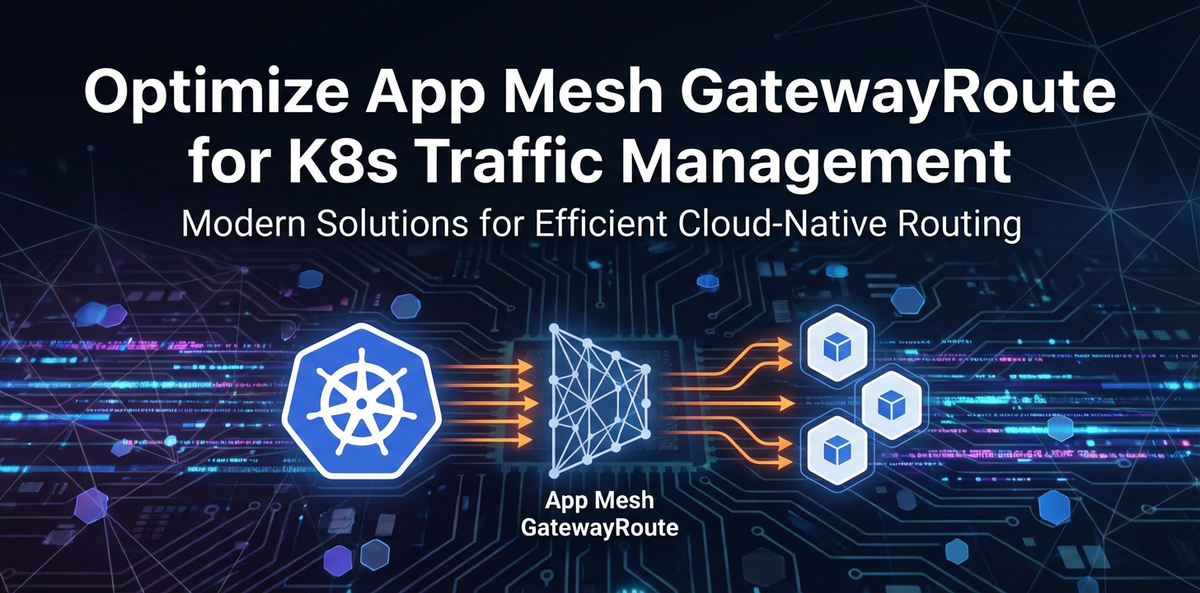
The interplay of these components creates a powerful framework for managing microservices. For instance, when an external client wants to access an API exposed by a microservice, the request first hits an external load balancer (like an AWS ALB or NLB), which then forwards it to the App Mesh Virtual Gateway. The Virtual Gateway, using its configured GatewayRoutes, inspects the request (e.g., based on host header, path, or HTTP method) and directs it to the appropriate Virtual Service. The Virtual Service, in turn, might be backed by a Virtual Router, which then distributes the request to specific instances (Virtual Nodes) of the target microservice. This layered approach provides granular control and high flexibility, making App Mesh a robust solution for Kubernetes traffic management.
3. The Critical Role of GatewayRoute
Within the sophisticated architecture of AWS App Mesh, the GatewayRoute stands as a pivotal component, acting as the intelligent dispatcher for all inbound traffic entering your service mesh from the outside world. Often referred to as "north-south" traffic, these are the requests originating from clients, web browsers, mobile applications, or other external systems that need to access the services residing within your Kubernetes cluster, managed by App Mesh. To truly optimize traffic management, it's essential to grasp the precise function of GatewayRoute and its differentiation from other routing mechanisms within the mesh.
A GatewayRoute is intrinsically linked to a Virtual Gateway, which itself represents an ingress point to your service mesh. Think of the Virtual Gateway as the physical or logical perimeter wall of your mesh, and the GatewayRoute as the guard at the gate, equipped with a precise set of instructions on where to send visitors based on their credentials and stated destination. Without a GatewayRoute, the Virtual Gateway would merely be a passive entry point, unable to intelligently direct incoming requests to the myriad of services available inside. Its primary function is to translate external request attributes (like host headers, URI paths, and HTTP methods) into directives that map to specific Virtual Services within the mesh. This translation layer is fundamental for decoupling external API consumers from the internal topology of your microservices.
Distinguishing GatewayRoute from Virtual Router routes is crucial for a clear understanding. While both define how traffic is routed, they operate at different conceptual layers and handle different types of traffic:
- GatewayRoute: Primarily concerned with north-south traffic. It processes requests originating outside the mesh and directs them to a Virtual Service inside the mesh. It essentially defines the ingress routing logic.
- Virtual Router Route: Primarily concerned with east-west traffic. It processes requests originating inside the mesh (from one Virtual Node to another Virtual Service) and distributes them among different Virtual Nodes or Virtual Services within the mesh. It defines the internal service-to-service routing logic.
The reason a dedicated gateway like the Virtual Gateway with its associated GatewayRoutes is essential for north-south traffic is multifaceted. First, external traffic often comes with different requirements and patterns compared to internal traffic. External clients might require public-facing API endpoints, specific hostnames, or particular security postures that are distinct from internal service-to-service communication. Second, it provides a centralized point of control for all ingress traffic, simplifying the application of policies such as authentication, authorization, and rate limiting (though the latter two are often handled by external api gateway solutions in conjunction with App Mesh). By consolidating ingress routing logic, operational teams can gain a clearer picture of external access patterns and enforce consistent rules.
Furthermore, GatewayRoute plays a critical role in facilitating several advanced traffic management strategies that are vital for modern application deployment:
- API Exposure: It allows specific
apiendpoints to be exposed to external consumers while keeping internal services isolated. For example,api.example.com/v1/userscan be routed to auser-service-v1virtual service, whileapi.example.com/v2/userscan go touser-service-v2. - Traffic Shifting: During deployments, GatewayRoute can be configured to gradually shift traffic from an older version of a service to a newer one, enabling canary releases or blue/green deployments with minimal risk. This is achieved by assigning weights to different Virtual Services backing a single logical
APIendpoint. - A/B Testing: By matching requests based on specific HTTP headers (e.g.,
x-user-segment: premium), GatewayRoute can direct different segments of users to different versions of a service, allowing for A/B testing of new features. - Multi-tenancy: In multi-tenant applications, GatewayRoute can use host headers to direct traffic for different tenants (
tenantA.example.com,tenantB.example.com) to their respective service instances or virtual services, even if they share the same underlying infrastructure.
In essence, the GatewayRoute acts as the intelligent api gateway for your App Mesh, managing the complex dance between the outside world and your meticulously crafted microservices within Kubernetes. It ensures that every incoming request finds its intended destination efficiently, securely, and in a manner that supports dynamic deployment strategies and resilient operations. The ability to precisely configure these routes is a cornerstone of building a high-performing and adaptable microservices platform.
4. Deep Dive into GatewayRoute Configuration
To effectively harness the power of App Mesh GatewayRoute, a thorough understanding of its configuration structure and parameters is indispensable. GatewayRoutes are typically defined as custom resources (CRDs) within Kubernetes, allowing them to be managed declaratively alongside your other K8s resources using YAML. This section breaks down the essential components of a GatewayRoute definition and explains how each parameter contributes to the overall traffic management strategy.
A typical GatewayRoute definition in YAML, when applied to a Kubernetes cluster with the App Mesh controller, would look something like this:
apiVersion: appmesh.k8s.aws/v1beta2
kind: GatewayRoute
metadata:
  name: my-app-gateway-route
  namespace: my-app-namespace
spec:
  meshRef:
    name: my-app-mesh
  virtualGatewayRef:
    name: my-app-virtual-gateway
  httpRoute:
    match:
      prefix: /serviceA
      headers:
        - name: x-user-type
          match:
            exact: premium
      hostname:
        exact: api.example.com
    action:
      target:
        virtualServiceRef:
          name: my-app-service-A.my-app-namespace
        port: 8080
    retryPolicy:
      maxRetries: 3
      perRetryTimeout:
        unit: s
        value: 2
      httpRetryEvents:
        - server-error
        - gateway-error
    timeout:
      idle:
        unit: s
        value: 30
      perRequest:
        unit: s
        value: 15
Let's dissect each key parameter within this structure:
apiVersion,kind,metadata: These are standard Kubernetes resource fields.apiVersionspecifies the API version,kindidentifies the resource type (GatewayRoute), andmetadatacontains the resource'snameandnamespace. Thenameshould be unique within its namespace, and it's good practice to make it descriptive, indicating its purpose (e.g.,my-app-gateway-route).spec: This is the core specification block for the GatewayRoute, defining its behavior.meshRef: This section links the GatewayRoute to a specific App Mesh.name: The name of theMeshresource this GatewayRoute belongs to. All App Mesh resources must be part of amesh.
virtualGatewayRef: This links the GatewayRoute to a specific Virtual Gateway.name: The name of theVirtualGatewayresource that this GatewayRoute will use to receive and process incoming traffic. A Virtual Gateway can have multiple GatewayRoutes associated with it.
httpRoute,http2Route,grpcRoute,tcpRoute: These fields define the protocol-specific routing rules. You typically configure one of these, depending on the protocol your external clients use to communicate with your services.httpRoute(orhttp2Route,grpcRoute): These blocks are used for HTTP/1.1, HTTP/2, and gRPC traffic respectively. Each containsmatch,action,retryPolicy, andtimeoutfields.tcpRoute: This block is simpler, containing onlyaction, as TCP routing is less about application-level matching and more about port-based forwarding.
match(withinhttpRoute/http2Route/grpcRoute): This is where you define the criteria that an incoming request must meet for this GatewayRoute to be applied. The Envoy proxy examines incoming requests against these rules.prefix: A string that must match the beginning of the URI path of the incoming request. For example,/serviceAwould match/serviceA,/serviceA/users, but not/admin. Using/as a prefix is a common catch-all.headers: Allows matching based on specific HTTP headers.name: The name of the HTTP header (e.g.,x-user-type,User-Agent).match: Defines how the header's value should be matched.exact: The header value must be an exact match.prefix: The header value must start with the specified string.regex: The header value must match a given regular expression.range: For numeric headers, defines a range (e.g.,start: 100, end: 199).suffix: The header value must end with the specified string.
invert: (Boolean, optional) Iftrue, the match is successful if the header does not meet the specified criteria.
hostname: Matches theHostheader of the incoming request.exact: The hostname must be an exact match (e.g.,api.example.com).suffix: The hostname must end with the specified string (e.g.,example.comwould matchapi.example.com,shop.example.com).
method: (HTTP/HTTP2 only) Matches the HTTP request method (e.g.,GET,POST,PUT,DELETE).port: (Optional) Matches the port on which the request was received by the Virtual Gateway. Useful if your Virtual Gateway listens on multiple ports.
action: Specifies what to do with the request if allmatchconditions are met.target: Defines the destination for the matched request.virtualServiceRef: This is the primary target. Requests are routed to the specified Virtual Service within the mesh.name: The name of theVirtualServiceresource (e.g.,my-app-service-A.my-app-namespace). Note that App Mesh services often follow aservice-name.namespaceconvention.
port: (Optional) Specifies the port of the Virtual Service to which the traffic should be directed. If not specified, the Virtual Service's default listener port is used.
retryPolicy(withinhttpRoute/http2Route/grpcRoute): Configures how the Envoy proxy should handle transient failures when forwarding requests.maxRetries: The maximum number of times to retry a failed request.perRetryTimeout: The maximum duration to wait for a response from the target service for each retry attempt. This prevents retries from hanging indefinitely.httpRetryEvents,tcpRetryEvents,grpcRetryEvents: Specific events that trigger a retry.httpRetryEvents: Common values includeserver-error(5xx status codes),gateway-error(502, 503, 504),client-error(4xx, if idempotent),stream-reset,timeout.tcpRetryEvents:connection-error.grpcRetryEvents:cancelled,deadline-exceeded,resource-exhausted, etc.
timeout(withinhttpRoute/http2Route/grpcRoute): Defines various timeout settings for the request lifecycle.idle: The maximum time a connection can remain idle without any data transfer. After this, the connection is closed.perRequest: The maximum time allowed for the entire request-response cycle. If the target service does not respond within this duration, the request is timed out. This includes any retries configured in theretryPolicy.startFromRequest: (Optional, gRPC only) The maximum time from the start of the request for the request to be complete.
Understanding these parameters is the first step towards granular control over your ingress traffic. By strategically combining match conditions, action targets, and robust retryPolicy and timeout settings, engineers can craft GatewayRoutes that are not only efficient but also resilient and highly adaptive to various operational scenarios within their Kubernetes-powered microservices ecosystem. This level of detail in configuration ensures that the gateway functions precisely as intended, serving as a reliable entry point for all your external API consumers.
APIPark is a high-performance AI gateway that allows you to securely access the most comprehensive LLM APIs globally on the APIPark platform, including OpenAI, Anthropic, Mistral, Llama2, Google Gemini, and more.Try APIPark now! 👇👇👇
5. Optimizing GatewayRoute for Performance and Reliability
Optimizing App Mesh GatewayRoute is about more than just getting traffic from point A to point B; it’s about ensuring that this journey is efficient, fault-tolerant, and supports agile development practices. By meticulously configuring GatewayRoutes, engineers can significantly enhance the overall performance, reliability, and deployability of their microservices running on Kubernetes. This section explores key optimization strategies, ranging from intelligent traffic shifting to robust resiliency patterns and critical security considerations.
5.1. Traffic Shifting & Canary Deployments
One of the most powerful capabilities of GatewayRoute, in conjunction with Virtual Services, is its ability to facilitate advanced traffic shifting. This is crucial for implementing modern deployment strategies like blue/green deployments and canary releases, which minimize risk and downtime during updates.
- Weighted Routing for Gradual Rollouts: GatewayRoute allows you to specify a
targetthat points to a Virtual Service, which in turn can be backed by multiple Virtual Routers or Virtual Nodes with assigned weights. While the GatewayRoute itself doesn't directly assign weights to different versions of a service, it directs traffic to a Virtual Service. The Virtual Service's underlying Virtual Router then uses weighted routing to distribute traffic among different Virtual Nodes (representing different versions of your service).- Scenario: Imagine you have
my-app-service-AVirtual Service. Initially, it directs 100% of traffic tomy-app-service-A-v1Virtual Node. To deployv2, you createmy-app-service-A-v2Virtual Node and update the Virtual Router configuration to send, say, 10% of traffic tov2and 90% tov1. The GatewayRoute continues to send all incoming requests tomy-app-service-AVirtual Service, oblivious to the internal traffic split. This allows for controlled exposure of new versions to a small subset of users, monitoring performance and errors, and then gradually increasing the traffic tov2until it receives 100%. This progressive rollout dramatically reduces the blast radius of potential issues. - Benefits: Minimizes downtime, allows for real-time monitoring of new versions, quick rollback capabilities, and fosters confidence in continuous deployment pipelines.
- Scenario: Imagine you have
5.2. Intelligent Request Routing
Beyond simple path-based routing, GatewayRoute's match capabilities enable highly intelligent routing decisions based on various request attributes. This is invaluable for A/B testing, personalized user experiences, and multi-tenancy.
- Header-based Routing for A/B Testing or Feature Flagging:
- By defining
headersin thematchblock, GatewayRoute can route requests based on the presence or value of specific HTTP headers. - Example: You could have a
GatewayRoutethat directs requests withx-feature-variant: new-uitomy-app-service-new-uiVirtual Service, while all other requests go tomy-app-service-old-ui. This enables precise A/B testing for specific user groups or internal testing of new features before a full release. This also enables robust feature flagging mechanisms without modifying core application logic.
- By defining
- Path-based Routing for Different Service Versions or Functionalities:
- The
prefixmatch is fundamental for routing specificAPIpaths to corresponding microservices. - Example: A GatewayRoute could send requests to
/api/v1/usersto auser-service-v1and/api/v2/usersto auser-service-v2. This allows for API versioning and independent evolution of different versions of a service. Similarly,/api/productscould go to a product service, and/api/ordersto an order service.
- The
- Hostname-based Routing for Multi-Tenancy:
- The
hostnamematch allows routing based on theHostheader, which is particularly useful for multi-tenant applications or exposing multiple applications through a singlegatewayendpoint. - Example: Requests to
tenantA.api.example.comcould be routed toservice-for-tenantAVirtual Service, whiletenantB.api.example.comgoes toservice-for-tenantB. This simplifies infrastructure management for distinct tenants while maintaining logical separation.
- The
5.3. Resiliency Patterns
Resilience is paramount in distributed systems. GatewayRoute provides critical mechanisms to handle transient network issues and service instabilities gracefully, preventing cascading failures.
- Retry Policies: The
retryPolicyin GatewayRoute defines how thegatewayshould reattempt failed requests. This is incredibly important for improving the perceived reliability of your services.- Configuration: You define
maxRetries,perRetryTimeout(how long to wait for each attempt), andhttpRetryEvents(which HTTP status codes or events should trigger a retry). - Best Practices: Only retry
idempotentoperations (e.g., GET requests or PUT requests that are safe to re-execute). Avoid retrying onclient-error(4xx) unless explicitly required and understood. Always implement exponential backoff with jitter in the retry mechanism (Envoy, which App Mesh uses, handles this automatically). Careful selection ofhttpRetryEvents(e.g.,server-error,gateway-error,timeout) ensures retries only occur for transient, recoverable issues, not persistent application errors.
- Configuration: You define
- Timeouts: Properly configured timeouts are vital to prevent requests from hanging indefinitely, consuming resources, and impacting user experience.
idletimeout: Closes connections that have been inactive for too long. This helps reclaim resources and prevent stale connections.perRequesttimeout: Sets an upper bound on the total time allowed for a request-response cycle, including all retries. If the service doesn't respond within this limit, the request is aborted. This is critical for maintaining responsiveness and preventing upstream services from waiting indefinitely for slow or failed downstream dependencies. Setting sensibleperRequesttimeouts aligned with your service-level agreements (SLAs) is crucial.
- Circuit Breaking: While not directly configured on GatewayRoute, circuit breaking is a core resiliency pattern provided by App Mesh at the Virtual Node level. When GatewayRoute routes traffic to a Virtual Service, and that service's underlying Virtual Nodes experience failures (as detected by their Envoy proxies), the mesh will automatically "open" a circuit to that failing service instance, preventing further requests from being sent to it. This complements GatewayRoute's retry and timeout mechanisms by preventing overwhelming a struggling service and allowing it time to recover.
5.4. Security Considerations
Securing the ingress point to your service mesh is non-negotiable. GatewayRoute and Virtual Gateway play a significant role in establishing a secure perimeter.
- TLS Termination: The Virtual Gateway, which GatewayRoutes operate on, can be configured to perform TLS termination. This means external clients can communicate with the
gatewayover HTTPS, and thegatewaydecrypts the traffic before forwarding it into the mesh. This is a standard practice for securing public-facingAPIendpoints. Certificates can be managed through AWS Certificate Manager (ACM) for seamless integration. - Mutual TLS (mTLS) within the Mesh: While GatewayRoute handles the ingress, App Mesh enforces mTLS between services within the mesh. After the Virtual Gateway terminates external TLS, it forwards the request into the mesh, where mTLS ensures that all service-to-service communication is encrypted and authenticated. This "defense-in-depth" approach enhances the overall security posture.
- Rate Limiting and Access Control: While App Mesh provides some foundational access control via IAM policies on the Virtual Gateway, advanced rate limiting and fine-grained access policies (e.g., OAuth2 scopes,
APIkeys) are typically handled by a more comprehensiveAPI gatewaysolution that sits in front of the App Mesh Virtual Gateway. This layering allows App Mesh to focus on internal traffic management and resilience, while a dedicatedAPI gatewayhandles the broader concerns ofAPIproductization, monetization, and advanced security policies.
Optimizing GatewayRoute is an ongoing process that involves a deep understanding of your application's traffic patterns, resilience requirements, and deployment strategies. By carefully leveraging its features for traffic shifting, intelligent routing, and robust error handling, alongside foundational security practices, engineers can construct a highly performant, reliable, and secure entry point for their Kubernetes-based microservices.
6. Integrating GatewayRoute with Kubernetes Deployments
The true power of App Mesh GatewayRoute is realized when it's seamlessly integrated into your Kubernetes deployment workflows. Managing App Mesh resources, including GatewayRoutes, as Kubernetes Custom Resources (CRDs) allows for declarative configuration management, automated deployment, and robust observability, aligning perfectly with the GitOps philosophy.
6.1. Deploying App Mesh Resources using Kubernetes CRDs
AWS provides the App Mesh Controller for Kubernetes, which extends the Kubernetes API with App Mesh resource types. This means you can define your Mesh, VirtualGateway, GatewayRoute, VirtualService, VirtualNode, and VirtualRouter using standard Kubernetes YAML manifests.
- Declarative Configuration: Instead of using the AWS CLI or Console, you define your desired App Mesh state in YAML files. For example, a
GatewayRoutewould be defined as shown in Section 4. kubectl apply: Once defined, these YAML files can be applied to your Kubernetes cluster usingkubectl apply -f your-gatewayroute.yaml. The App Mesh controller, running within your cluster, watches for these custom resources. When it detects a new or updated App Mesh CRD, it translates that into corresponding AWS App Mesh API calls to provision or update the actual App Mesh resources in your AWS account. This bridges the gap between your Kubernetes cluster and the AWS App Mesh control plane.- Version Control: Storing these YAML definitions in a Git repository allows you to version control your App Mesh configurations alongside your application code. This provides a single source of truth, an auditable history of changes, and facilitates collaboration among development teams.
6.2. Automating Deployment with GitOps
The declarative nature of App Mesh CRDs makes them ideal for GitOps workflows. GitOps is an operational framework that takes DevOps best practices used for application development, like version control, collaboration, and CI/CD, and applies them to infrastructure automation.
- Git as the Single Source of Truth: With GitOps, your Git repository contains the declarative description of your production environment, including all Kubernetes manifests and App Mesh CRDs. Any change to the system must be reflected in Git.
- Automated Synchronization: Tools like Argo CD or Flux CD continuously monitor your Git repository for changes. When a change is detected (e.g., an updated
GatewayRoutedefinition), these tools automatically synchronize the state of your Kubernetes cluster to match the state defined in Git. This means deploying a newGatewayRouteor modifying an existing one simply involves pushing a YAML file to your Git repository; the GitOps operator handles the rest. - Benefits: This approach ensures consistency, reduces manual errors, provides a clear audit trail, and enables faster, more reliable deployments of traffic management policies.
6.3. Service Discovery for App Mesh: AWS Cloud Map Integration
App Mesh heavily relies on service discovery to resolve the backend endpoints for Virtual Nodes. While Kubernetes' internal DNS handles service discovery within the cluster, App Mesh often integrates with AWS Cloud Map for a more robust and flexible solution, especially for services that might span different compute environments (e.g., EKS, ECS, EC2).
- Cloud Map as a Service Registry: AWS Cloud Map is a cloud resource discovery service. When you create a Virtual Node, you can specify a Cloud Map service namespace and service name. The Envoy proxy associated with the Virtual Node registers its instances with Cloud Map.
- Dynamic Resolution: When a
GatewayRoutedirects traffic to a Virtual Service, and that Virtual Service eventually routes to a Virtual Node, the Envoy proxy uses Cloud Map to discover the healthy endpoints (IP addresses and ports) for the target application instances. This dynamic discovery mechanism ensures that traffic is always routed to available and healthy backend services, even as Pods are scaled up or down, or replaced during deployments. - Integration with Kubernetes: The App Mesh controller can automatically register Kubernetes Services or Pods as instances in AWS Cloud Map, simplifying the integration between your K8s deployments and App Mesh's service discovery.
6.4. Monitoring and Observability for GatewayRoutes
Effective traffic management requires deep visibility into how requests are being processed by your GatewayRoutes. App Mesh integrates with various AWS services to provide comprehensive observability.
- Amazon CloudWatch: App Mesh automatically publishes metrics to CloudWatch, providing insights into the performance and health of your Virtual Gateways and the routes they handle. Key metrics for GatewayRoutes include:
RequestCount: Total number of requests processed.Latency: The time taken for requests.HTTP_4xx/HTTP_5xx: Counts of client and server errors.RetryCount: Number of retries performed.- You can set up CloudWatch Alarms on these metrics to detect anomalies and trigger notifications.
- AWS X-Ray: For distributed tracing, App Mesh automatically integrates with AWS X-Ray. When requests pass through the Virtual Gateway and are routed by a GatewayRoute, X-Ray traces can be generated. These traces visualize the entire journey of a request through your microservices, helping you identify latency bottlenecks, errors, and pinpoint the exact service causing issues. This is invaluable for debugging complex distributed applications.
- Access Logs: Virtual Gateways can be configured to send access logs to Amazon CloudWatch Logs or Amazon Kinesis Firehose. These logs contain detailed information about each request processed by the
gateway, including source IP, destination, request headers, response status, and latency. Analyzing these logs provides granular insights for security audits, troubleshooting, and understanding traffic patterns. - Prometheus and Grafana: For organizations that prefer open-source monitoring solutions, Envoy proxies can expose a Prometheus-compatible metrics endpoint. You can scrape these metrics and visualize them in Grafana dashboards, creating custom views for your GatewayRoute and Virtual Gateway performance.
By integrating GatewayRoute into your Kubernetes deployment pipeline with GitOps, leveraging dynamic service discovery with Cloud Map, and ensuring robust monitoring and observability, you create a powerful, automated, and transparent system for managing inbound traffic to your microservices. This holistic approach ensures that your traffic management layer is not just functional but also resilient, easy to operate, and fully auditable.
7. Advanced Use Cases and Best Practices
Moving beyond basic configuration, optimizing App Mesh GatewayRoute involves adopting advanced use cases and adhering to best practices that elevate your traffic management capabilities. These strategies address complex scenarios, enhance maintainability, and ensure your api gateway layer is robust and future-proof.
7.1. External Traffic Management Handover
While App Mesh's Virtual Gateway and GatewayRoute serve as the ingress point into the mesh, they typically don't directly face the public internet. Instead, they operate behind an AWS load balancer, such as an Application Load Balancer (ALB) or Network Load Balancer (NLB).
- ALB as the Edge Gateway: An ALB is often deployed as the primary external
gateway, handling TLS termination (if not done at Virtual Gateway), WAF integration for security, and initial path-based routing before forwarding traffic to the App Mesh Virtual Gateway. The ALB listener typically targets the Kubernetes service that exposes the Virtual Gateway. - NLB for Performance/Direct IP Routing: For extremely high-performance scenarios or when direct IP routing is preferred (e.g., for TCP/UDP services that don't need HTTP-specific features), an NLB can sit in front of the Virtual Gateway.
- GatewayRoute's Role in the Chain: In this layered architecture, the GatewayRoute's role is to receive traffic from the ALB/NLB and then make the final intelligent routing decision to the appropriate Virtual Service within the mesh. This separation of concerns allows each component to excel at its specific function: the ALB for global traffic management and security, and the Virtual Gateway/GatewayRoute for precise, mesh-aware internal routing and resilience. This ensures that the external
apiendpoint remains stable while internal services can be dynamically managed.
7.2. API Management with a Dedicated API Gateway Platform
It's important to distinguish between App Mesh's ingress capabilities and the broader domain of API management. While App Mesh's Virtual Gateway and GatewayRoute provide robust traffic management into the service mesh, they are not full-featured API gateway products designed for API productization, monetization, developer portals, or advanced security features like API key management and comprehensive throttling policies beyond basic rate limiting.
For organizations seeking comprehensive solutions for AI and REST service management, an open-source platform like APIPark offers robust features that complement App Mesh. APIPark provides a dedicated API gateway and developer portal solution that can sit in front of your App Mesh Virtual Gateway. It allows businesses to:
- Quickly integrate 100+ AI models: Standardizing the invocation and management of diverse AI services.
- Unify API formats for AI invocation: Simplifying the developer experience and reducing maintenance overhead for AI-powered applications.
- Prompt encapsulation into REST API: Easily transforming AI prompts into reusable
APIendpoints. - End-to-end API lifecycle management: From design and publication to invocation and decommissioning, ensuring robust governance of all
APIs. - API service sharing within teams: Centralized display and discovery of
APIs for seamless collaboration. - Independent API and access permissions for each tenant: Offering multi-tenancy capabilities with isolated configurations and security policies.
- API resource access requires approval: Enhancing security by ensuring controlled
APIsubscriptions. - Performance rivaling Nginx: Demonstrating high throughput for handling large-scale traffic.
- Detailed API call logging and powerful data analysis: Providing deep insights into
APIusage and performance trends.
APIPark complements service meshes by providing higher-level controls for API productization, security, and developer experience. The architecture might involve external clients hitting APIPark, which then forwards authorized and throttled requests to an AWS ALB, then to the App Mesh Virtual Gateway, and finally, via a GatewayRoute, to the target microservice within Kubernetes. This layering creates a powerful and flexible api governance solution.
| Feature Area | AWS App Mesh (GatewayRoute/Virtual Gateway) | Dedicated API Gateway (e.g., APIPark) |
|---|---|---|
| Primary Focus | Ingress routing into service mesh, internal traffic management & resilience | External API productization, monetization, developer experience, advanced security |
| Traffic Handled | North-South (external to mesh), East-West (within mesh) | North-South (external clients to external APIs) |
| Key Capabilities | Traffic shifting, retries, timeouts, service discovery, mTLS | API keys, rate limiting, quotas, monetization, developer portal, API versioning, transformation, AI model integration |
| Deployment Model | Managed service integrated with K8s via CRDs | Self-hosted, managed service, or open-source solutions |
| Typical Position | Behind an external load balancer/API Gateway | Often the very first point of contact for external clients |
| AI Integration | Indirect (routing to AI-backed services) | Direct integration, prompt encapsulation, unified AI formats |
This table highlights that while App Mesh is excellent for robust internal service communication and intelligent ingress routing, a dedicated API gateway like APIPark addresses a broader set of concerns related to the lifecycle and exposure of APIs to external consumers and internal teams, especially in the context of AI services.
7.3. Naming Conventions for Maintainability
Adopting clear and consistent naming conventions for your App Mesh resources, especially GatewayRoutes, is a best practice that significantly improves maintainability and operability.
- Descriptive Names: Use names that clearly indicate the purpose of the resource. For example,
my-app-gateway-route-users-v1is more informative thangr-1. - Consistency: Follow a pattern across all your App Mesh resources. A common pattern might include
application-service-type-version(e.g.,ecommerce-product-api-v2-gateway-route). - Namespace Awareness: When managing resources across multiple Kubernetes namespaces, ensure your naming strategy accounts for this, potentially including the namespace in the name for clarity if not implicitly handled by the context.
7.4. Granularity vs. Simplicity
Deciding on the right level of granularity for your GatewayRoutes is a critical design choice.
- Finer-grained Routes: Having many specific GatewayRoutes (e.g., one for each
APIpath or version) offers maximum control and flexibility. This is beneficial for complex applications with many distinctAPIs or for environments requiring frequent, isolated deployments. - Simpler, Broader Routes: Fewer, broader GatewayRoutes (e.g., a single
/apiprefix route) simplify management and reduce the number of resources. This might be suitable for simpler applications or where the primary routing is handled at an upstreamapi gatewayor load balancer. - Balancing Act: The optimal approach often involves a balance. Use broader
prefixmatches where possible to reduce complexity, but introduce more granular header or path matches for specific requirements like A/B testing or versioning. Over-engineering with too many GatewayRoutes can introduce unnecessary management overhead, while too few might limit your agility.
7.5. Multi-Cluster Traffic Management (Conceptual)
While App Mesh primarily operates within a single AWS region and often a single Kubernetes cluster (or multiple clusters if their control planes are linked conceptually to the same mesh within a region), the broader context of multi-cluster or multi-region traffic management can be considered.
- Global Load Balancing: For multi-region deployments, a global load balancer (like AWS Global Accelerator or Route 53 with latency-based routing) would sit in front of regional ALBs. Each regional ALB would then direct traffic to the local Virtual Gateway/GatewayRoute setup.
- Limitations of App Mesh for Global Mesh: App Mesh, by itself, does not inherently provide a global mesh spanning multiple regions or disparate Kubernetes clusters in a unified control plane manner (like some other service meshes might with federation). Each region or cluster typically hosts its own App Mesh instance.
- GatewayRoute's Local Role: Within this larger distributed system, the GatewayRoute's role remains localized: to intelligently route traffic into the specific mesh it belongs to. Global routing decisions are made at higher layers of the network stack.
By leveraging these advanced use cases and adhering to best practices, you can transform your App Mesh GatewayRoute configuration from a functional necessity into a powerful strategic asset for managing your Kubernetes microservices traffic. This proactive approach ensures scalability, resilience, and operational efficiency for your entire application landscape.
8. Troubleshooting Common GatewayRoute Issues
Even with careful planning and configuration, issues can arise with App Mesh GatewayRoutes. Effective troubleshooting requires a systematic approach, leveraging the observability tools integrated with App Mesh. Understanding common pitfalls and their diagnostic methods can significantly reduce downtime and operational frustration.
8.1. Misconfigured match Rules
One of the most frequent causes of routing problems is incorrect or overly restrictive match conditions in a GatewayRoute.
- Symptoms: Requests fail with 404 (Not Found) or 503 (Service Unavailable), or they are routed to the wrong service.
- Diagnosis:
- Review GatewayRoute YAML: Carefully inspect the
matchblock. Are theprefix,headers,hostname, andmethodvalues exactly as expected for incoming requests? - Order of Routes: GatewayRoutes are evaluated in a specific order (though App Mesh doesn't explicitly guarantee ordering, a more specific route should ideally be defined before a more general one if you want the specific one to take precedence, this typically happens based on creation order or internal ID, but generally, the most specific match should be configured carefully). Ensure a broad
prefix: /route isn't inadvertently catching traffic meant for a more specific path. - Case Sensitivity: HTTP headers and path prefixes are often case-sensitive. Verify exact casing.
- Header Presence: If you match on a header, ensure that header is actually present in the incoming request from the client or upstream load balancer. Sometimes, a load balancer might strip or modify headers.
- Access Logs: Examine the Virtual Gateway's access logs (in CloudWatch Logs) to see the exact incoming request details (path, headers, host). This is invaluable for comparing against your
matchrules. If the request doesn't even hit the GatewayRoute, the problem might be upstream (e.g., ALB configuration).
- Review GatewayRoute YAML: Carefully inspect the
8.2. Incorrect action (Target Virtual Service)
Once a request matches a GatewayRoute, it needs to be directed to the correct Virtual Service. Errors here can lead to requests disappearing or hitting unintended destinations.
- Symptoms: Requests are routed, but they end up at the wrong service, or the service returns unexpected errors because it didn't receive the expected
APIcall. - Diagnosis:
- Verify
virtualServiceRef.name: Ensure the name of theVirtualServicein theactionblock is precisely correct and includes the Kubernetes namespace if applicable (e.g.,my-app-service.my-namespace). Typographical errors are common. - Virtual Service Existence and Health: Confirm that the target
VirtualServiceexists within the same App Mesh and is correctly configured to point to healthyVirtualNodes orVirtualRouters. If the Virtual Service itself is misconfigured or its backends are unhealthy, GatewayRoute will successfully route, but the end service will fail. - Port Mismatch: If you specified a
portin theactionblock, ensure it matches a listener port on the targetVirtualService's underlyingVirtualNodes.
- Verify
8.3. IAM Permissions Issues
App Mesh resources require appropriate IAM permissions for the App Mesh controller to create and manage them in your AWS account. If the Kubernetes service account running the App Mesh controller lacks permissions, resources might fail to provision or update.
- Symptoms: App Mesh CRDs show an error status in
kubectl describe, or the corresponding AWS App Mesh resources are not created/updated. - Diagnosis:
- App Mesh Controller Logs: Check the logs of the App Mesh controller Pods in your Kubernetes cluster. They will often contain explicit IAM access denied messages.
- IAM Role Review: Verify that the IAM role associated with your Kubernetes cluster (or the App Mesh controller's service account, if using IRSA) has the necessary permissions for
appmesh:*,ec2:*(for security groups),cloudmap:*(for service discovery), andiam:*(for role creation/modification). - Resource Tags: Ensure any required resource tags are correctly applied and match IAM policy conditions if present.
8.4. DNS Resolution Issues
App Mesh relies on DNS for service discovery, especially when integrating with AWS Cloud Map. Problems with DNS resolution can prevent GatewayRoutes from finding their ultimate backend services.
- Symptoms: Requests fail with
connection refused,name resolution failed, orservice unavailableerrors, despite the Virtual Service and Virtual Nodes appearing healthy. - Diagnosis:
- Cloud Map Configuration: Verify that the
VirtualNodes backing yourVirtualServiceare correctly registered in AWS Cloud Map and that their instance information (IPs, ports) is accurate. - Envoy DNS: The Envoy proxies are responsible for DNS resolution. Check the Envoy proxy logs (accessible from the
envoysidecar container in your application Pods) for DNS resolution failures. - Kubernetes DNS: Ensure your Kubernetes cluster's DNS (CoreDNS) is functioning correctly and can resolve both internal Kubernetes services and external (e.g., Cloud Map) DNS entries if applicable.
- Cloud Map Configuration: Verify that the
8.5. Virtual Gateway Listener Issues
The GatewayRoute is useless if the Virtual Gateway itself isn't listening for traffic correctly.
- Symptoms: External requests never even reach the GatewayRoute, indicating a problem at the Virtual Gateway or the upstream load balancer.
- Diagnosis:
- Virtual Gateway Configuration: Check the
VirtualGatewayresource YAML. Ensure itslistenersare configured for the correctportandprotocol(e.g.,http,http2,grpc,tcp) that your external traffic is using. - Upstream Load Balancer: Verify that your AWS ALB or NLB is correctly configured to forward traffic to the Kubernetes Service exposing the Virtual Gateway. Check the target group health and security group rules.
- Security Groups/Network ACLs: Ensure that network security groups or network ACLs allow inbound traffic on the Virtual Gateway's listener port from your load balancer.
- Virtual Gateway Configuration: Check the
8.6. Observability Tools for Diagnosis
When troubleshooting, always refer to the integrated observability tools:
- CloudWatch Metrics: Monitor
RequestCount,Latency,HTTP_4xx,HTTP_5xxfor your Virtual Gateway to identify if traffic is reaching thegatewayand if it's encountering errors. - AWS X-Ray Traces: If tracing is enabled, X-Ray can visualize the entire request path, showing where latency is introduced or where failures occur across multiple services, including the Virtual Gateway and its routes.
- Envoy Proxy Logs: For deep dives, access the logs of the Envoy sidecar proxy in the
VirtualGatewayPod. These logs provide granular details about request processing, routing decisions, and upstream communication.
Troubleshooting App Mesh GatewayRoutes effectively involves a combination of understanding its configuration, knowing where to look for errors in the App Mesh control plane, Kubernetes, and AWS services, and systematically eliminating potential causes. A well-instrumented system with proactive monitoring greatly simplifies this process, allowing you to quickly identify and resolve issues that impact your Kubernetes traffic management.
Conclusion
The journey through optimizing App Mesh GatewayRoute for Kubernetes traffic management reveals a critical component that underpins the reliability, agility, and performance of modern microservices architectures. In a world where applications are increasingly distributed and dynamic, the ability to intelligently manage inbound traffic is not merely a technical requirement but a strategic imperative. GatewayRoute, as the intelligent entry point to your App Mesh, offers granular control over how external requests are matched, routed, and handled within your Kubernetes-powered environment.
We’ve explored the foundational landscape of Kubernetes and microservices, appreciating the challenges that service meshes like AWS App Mesh are designed to address. The deep dive into App Mesh's core components underscored the GatewayRoute's unique role in managing north-south traffic, distinguishing it from internal service-to-service communication. Dissecting its configuration parameters provided a blueprint for building sophisticated routing logic, while the discussion on optimization strategies illuminated how GatewayRoute facilitates advanced deployment patterns like canary releases, enables intelligent routing based on diverse request attributes, and bolsters resilience through robust retry policies and sensible timeouts.
Furthermore, integrating GatewayRoute seamlessly into Kubernetes deployment workflows via CRDs and GitOps ensures declarative, automated, and auditable traffic management. Coupled with comprehensive observability through AWS CloudWatch, X-Ray, and detailed access logs, operators gain unparalleled insights into their ingress traffic patterns. Finally, recognizing the complementary role of dedicated API gateway platforms like APIPark for broader API management needs, alongside best practices for naming conventions and balancing granularity, paints a complete picture of an optimized gateway strategy.
Mastering App Mesh GatewayRoute empowers engineering teams to deploy with confidence, mitigate risks associated with new feature rollouts, and ultimately deliver a superior, highly available, and performant user experience. As the cloud-native ecosystem continues to evolve, the principles of intelligent, resilient, and observable traffic management provided by components like GatewayRoute will remain central to building successful and sustainable distributed applications. By embracing these optimizations, organizations can transform their complex Kubernetes traffic flows into well-governed, efficient conduits, paving the way for innovation and continuous improvement in their digital services.
FAQs
1. What is the primary difference between an App Mesh GatewayRoute and a Virtual Router Route?
A GatewayRoute manages "north-south" traffic, meaning requests originating from outside the service mesh (e.g., from external clients, web browsers, or load balancers) into a Virtual Service inside the mesh. It defines ingress routing rules. A Virtual Router Route, on the other hand, manages "east-west" traffic, which is service-to-service communication within the mesh, distributing requests from one Virtual Service to its underlying Virtual Nodes.
2. How does App Mesh GatewayRoute support advanced deployment strategies like canary releases?
GatewayRoute routes incoming traffic to a Virtual Service. The Virtual Service is then typically backed by a Virtual Router, which is configured with multiple routes pointing to different versions of a service (Virtual Nodes) with assigned weights. By gradually adjusting these weights (e.g., 10% to new version, 90% to old), traffic can be progressively shifted, enabling canary releases without the GatewayRoute itself needing to be directly aware of the version split.
3. Can App Mesh GatewayRoute perform API key validation or advanced rate limiting?
No, App Mesh GatewayRoute primarily focuses on intelligent traffic routing, resilience (retries, timeouts), and basic path/header matching for ingress into the mesh. While it can enforce some network-level policies via the Virtual Gateway (like TLS), it does not natively provide advanced API management features such as API key validation, granular rate limiting, monetization, or developer portals. These functionalities are typically handled by a dedicated API gateway solution positioned upstream of the App Mesh Virtual Gateway.
4. How can I troubleshoot if my GatewayRoute is not routing traffic as expected?
Begin by checking the Virtual Gateway's access logs (usually streamed to Amazon CloudWatch Logs) to confirm if requests are reaching the gateway and what their attributes (path, headers, host) are. Then, inspect your GatewayRoute's YAML configuration for match rule accuracy, especially prefixes, headers, and hostnames. Verify the action points to the correct Virtual Service and that the target Virtual Service is healthy and properly configured. Finally, check App Mesh Controller logs in Kubernetes and Virtual Gateway metrics in CloudWatch for any errors or anomalies.
5. What is the role of an external load balancer (like AWS ALB) when using App Mesh GatewayRoute?
An external load balancer like AWS ALB typically sits in front of the App Mesh Virtual Gateway. It acts as the public-facing entry point, handling initial traffic distribution, TLS termination, WAF integration, and sometimes preliminary path-based routing. The ALB then forwards requests to the Kubernetes Service that exposes the App Mesh Virtual Gateway. The Virtual Gateway, with its associated GatewayRoutes, then takes over to perform the final intelligent routing decisions into the service mesh, directing traffic to the appropriate Virtual Services. This creates a layered, robust ingress architecture.
🚀You can securely and efficiently call the OpenAI API on APIPark in just two steps:
Step 1: Deploy the APIPark AI gateway in 5 minutes.
APIPark is developed based on Golang, offering strong product performance and low development and maintenance costs. You can deploy APIPark with a single command line.
curl -sSO https://download.apipark.com/install/quick-start.sh; bash quick-start.sh

In my experience, you can see the successful deployment interface within 5 to 10 minutes. Then, you can log in to APIPark using your account.

Step 2: Call the OpenAI API.