Okta Dashboard: Your Guide to Secure Access
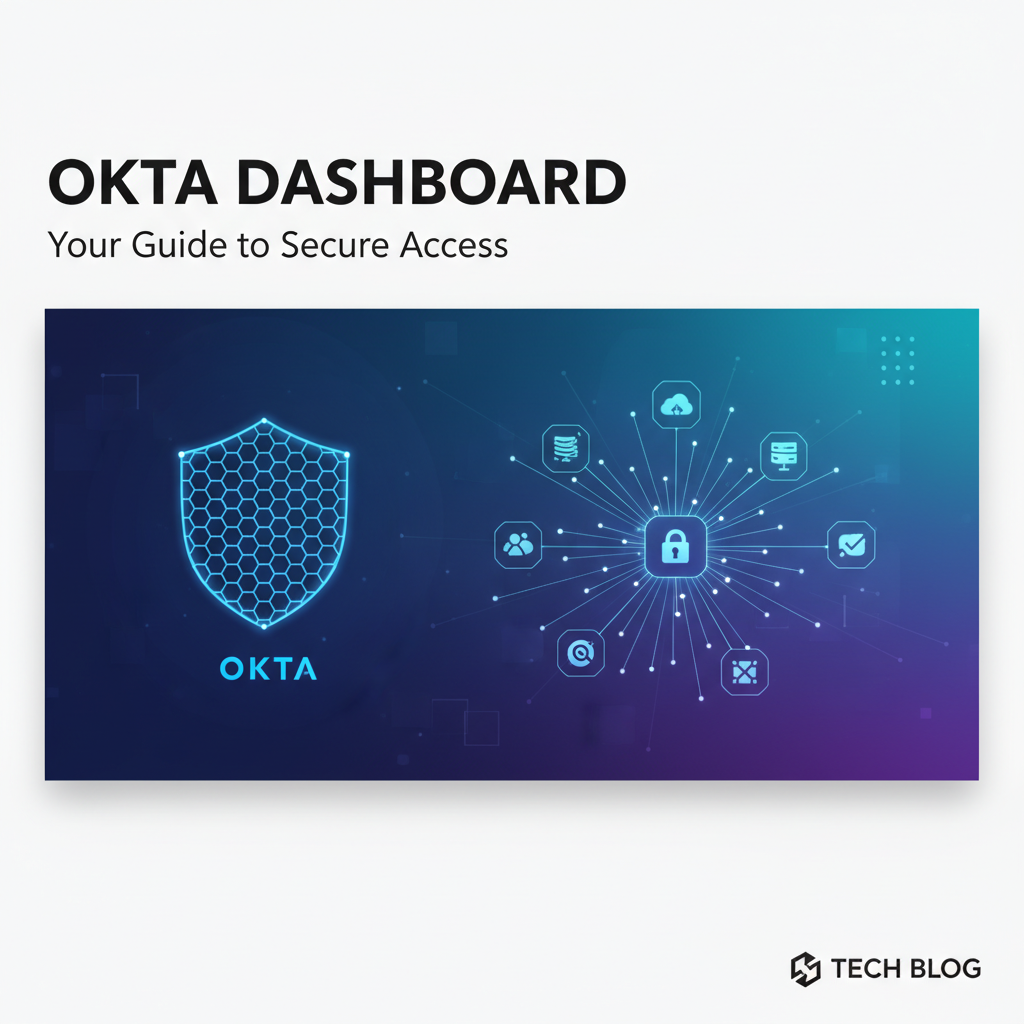


In an increasingly interconnected and threat-laden digital landscape, the assurance of secure access is no longer a mere feature but the bedrock upon which trust, productivity, and innovation are built. As organizations grapple with an expanding array of cloud applications, diverse user populations, and sophisticated cyber threats, the traditional perimeter-based security models have become woefully inadequate. The modern enterprise demands an identity-centric approach, one that places user identity at the forefront of security decisions, irrespective of device, location, or application. This paradigm shift necessitates a robust, adaptable, and intuitive identity and access management (IAM) solution. Enter the Okta Dashboard – a powerful, comprehensive gateway to secure access that empowers both end-users and administrators alike, serving as the central nervous system for digital identities across an organization's entire technological footprint.
This extensive guide aims to demystify the Okta Dashboard, delving deep into its functionalities, philosophical underpinnings, and practical applications. We will explore how Okta acts not just as an authentication mechanism but as a strategic open platform for identity, enabling seamless integration, stringent security, and unparalleled user experience. From the everyday simplicity of single sign-on for end-users to the intricate policy configurations and API integrations managed by administrators, we will uncover how Okta orchestrates secure interactions across countless digital touchpoints. By the end of this journey, you will possess a profound understanding of how to leverage the Okta Dashboard to fortify your organization's digital defenses, streamline operations, and embrace the future of secure, identity-driven access.
Part 1: The Foundation – Understanding Okta and its Core Principles
To truly appreciate the power of the Okta Dashboard, one must first grasp the foundational principles that define Okta itself and its pivotal role in modern identity and access management. Okta emerged as a visionary response to the seismic shift brought about by cloud computing and mobile workforces. Historically, enterprise security revolved around an on-premise perimeter, where users and applications resided within a controlled network boundary. Authentication was often fragmented, involving disparate username-password combinations for each application, leading to "password fatigue" for users and a nightmare of management and security vulnerabilities for IT.
The Evolution of Identity and Access Management
The journey of IAM has been one of continuous adaptation. It began with basic user directories and local authentication. As more applications moved to the cloud, the need for single sign-on (SSO) became paramount. SSO allowed users to log in once and gain access to multiple independent software systems, significantly improving user experience and reducing the attack surface by minimizing password proliferation. Okta took this concept further, evolving beyond simple SSO to encompass a comprehensive suite of identity services, including multi-factor authentication (MFA), lifecycle management, universal directory, and advanced security policies. This holistic approach recognized that identity is not just about who a user is, but what they can access, under what conditions, and how their access is managed throughout their tenure with an organization.
Okta's Vision: Identity-First Security
At its core, Okta champions an "identity-first" security posture. This philosophy posits that a user's identity is the new security perimeter. Instead of focusing solely on network boundaries, Okta shifts the emphasis to verifying the identity of every user and device attempting to access any resource, regardless of where that user, device, or resource is located. This is critical in a world where employees work from anywhere, using a variety of devices, and accessing applications hosted in various clouds. Okta’s identity cloud provides a unified identity gateway that sits between users and their applications, ensuring that every access attempt is authenticated, authorized, and continuously monitored. This centralized control not only strengthens security but also simplifies the complex web of user provisioning, deprovisioning, and access adjustments that define the modern IT landscape. It's a fundamental rethinking of how security is enforced, moving from a static, network-centric model to a dynamic, identity-centric one that adapts to the fluid nature of modern work.
The Concept of a Centralized Identity Gateway
Imagine a grand, heavily fortified entrance to an entire digital city. This entrance doesn't just check your ID; it knows your role, your usual routes, the equipment you carry, and even the time of day you typically enter. This is precisely how Okta functions as a centralized identity gateway. Every user, whether an employee, partner, or customer, passes through this gateway to access their designated applications and resources. Instead of each application having its own separate guard, Okta provides a single, trusted point of entry and enforcement. This consolidation brings immense benefits: * Enhanced Security: All authentication attempts are routed through a single, highly secured service, allowing for consistent application of security policies like strong MFA, adaptive access based on context (location, device posture, IP risk), and behavioral analytics to detect anomalies. This significantly reduces the risk of unauthorized access stemming from weak passwords or compromised credentials across isolated systems. * Improved User Experience: For end-users, the gateway means a seamless SSO experience. They log in once to Okta, and subsequently gain access to all their assigned applications without needing to re-authenticate or remember multiple passwords. This eliminates password fatigue, reduces help desk calls, and boosts productivity. * Simplified Management: For IT administrators, the Okta Dashboard acts as a central control plane for managing user identities, application assignments, and security policies across the entire digital estate. This eliminates the need to configure and maintain identity services in each individual application, vastly simplifying management overhead and ensuring policy consistency. * Audit and Compliance: All access attempts and identity-related actions are logged and auditable through the Okta gateway, providing a comprehensive trail for compliance reporting, forensic investigations, and security analysis. This granular visibility is crucial for meeting regulatory requirements and understanding the security posture of the organization.
The centralized identity gateway provided by Okta is therefore not just a convenience; it is a critical architectural component that underpins a modern, secure, and efficient digital environment, unifying disparate systems under a single, intelligent identity authority.
Part 2: Navigating the Okta Dashboard – A User's Perspective
While Okta's sophistication lies deep within its administrative capabilities, its most immediate and impactful contribution for the vast majority of users is the simplicity and security offered through the end-user Okta Dashboard, often referred to as the "My Apps" portal. This intuitive interface is where everyday interactions with enterprise applications begin, transforming a potentially fragmented and frustrating login experience into a streamlined, secure, and productive journey.
Overview of the End-User Dashboard (My Apps Portal)
For the typical employee, the Okta Dashboard is the digital launchpad for their workday. Upon successful authentication, they are greeted by a personalized page displaying all the applications they have been provisioned to access. This isn't just a list; it's a dynamic, organized portal designed for efficiency. Applications can be arranged into custom groups, favorite-marked for quick access, and even searched for, mirroring the personalized experience of a smartphone home screen. Each application tile on the dashboard represents a direct link, secured by Okta's underlying identity gateway, ready to launch the user directly into the desired service without further authentication prompts. This user-centric design dramatically reduces the cognitive load associated with navigating numerous business applications, allowing individuals to focus on their core tasks rather than struggling with login credentials. The dashboard often features real-time notifications, such as prompts for MFA enrollment or password expiry warnings, guiding users proactively to maintain their security posture.
SSO Experience: Seamless Access
The cornerstone of the end-user Okta Dashboard experience is Single Sign-On (SSO). Imagine a scenario where, instead of logging into your email, CRM, project management tool, and HR system separately, each with a unique username and password, you simply log in once to Okta. From that moment, every application you click on within your My Apps portal launches instantly, as if you were already logged in. This magical convenience is the essence of SSO. Okta achieves this by acting as the identity provider (IdP) for all your service providers (the applications). When you authenticate with Okta, it establishes a secure session. Then, when you click an application icon, Okta sends an assertion (a digitally signed XML or JSON message containing your identity information) to the application, which trusts Okta and grants you access without requiring you to enter credentials again. This process typically leverages industry standards like SAML (Security Assertion Markup Language) or OIDC (OpenID Connect), ensuring interoperability and robust security. The seamlessness of SSO is not just a convenience; it's a productivity enhancer, saving precious minutes throughout the day that would otherwise be spent on repetitive login procedures, and drastically reducing the likelihood of users resorting to insecure practices like reusing simple passwords or writing them down.
Password Management and Self-Service
Beyond SSO, the Okta Dashboard empowers users with critical self-service capabilities, particularly in the realm of password management. The days of calling the IT help desk for a simple password reset are largely over, thanks to Okta's self-service options. Users can initiate a password reset directly from their login page or within the My Apps portal. Okta leverages secure verification methods, often involving a registered secondary factor like an SMS code, email, or security questions, to confirm the user's identity before allowing a password change. This not only empowers users to resolve common issues independently but also significantly reduces the workload on IT support teams, freeing them to focus on more complex strategic initiatives. Furthermore, Okta's integrated Universal Directory can enforce strong password policies – minimum length, complexity requirements, and rotation schedules – ensuring that even self-service password changes adhere to organizational security standards. The dashboard also often provides a clear indication of password expiry, prompting users to change their passwords before they become locked out, thus maintaining uninterrupted access and proactive security hygiene.
MFA Enrollment and Management
Multi-factor authentication (MFA) is perhaps the most critical security layer an organization can implement, and the Okta Dashboard makes its adoption and management remarkably user-friendly. For end-users, the dashboard serves as the central hub for enrolling their MFA factors – whether it's the Okta Verify mobile app, a hardware security key (like YubiKey), a biometrics option, or even an SMS code. During initial setup or when prompted by security policies, users are guided through a clear, step-by-step process to link these factors to their Okta identity. Once enrolled, the dashboard also allows users to manage their enrolled factors – for example, adding a new device, removing an old one, or temporarily disabling a factor if a device is lost (though typically this requires administrative intervention for security). This accessibility ensures that users can easily adopt and maintain their MFA setup, which is often the strongest deterrent against credential theft and unauthorized access. By simplifying the user experience for MFA, Okta dramatically increases the likelihood of widespread adoption, transforming what could be a security burden into an intuitive and empowering part of the daily workflow.
Importance of User Empowerment
The collective impact of these end-user features within the Okta Dashboard boils down to one fundamental principle: user empowerment. By providing a personalized, intuitive, and self-service-rich environment, Okta shifts the security burden from being solely an IT responsibility to a shared one, where users are active participants in maintaining their own security posture. This empowerment translates into several tangible benefits: * Increased Productivity: Fewer interruptions for login, fewer calls to IT, and quicker access to applications means more time spent on productive work. * Enhanced Security Adoption: When security measures like MFA are easy to use and manage, users are far more likely to embrace them consistently, rather than finding workarounds. * Reduced IT Overhead: Self-service capabilities significantly cut down on the volume of routine IT support requests, allowing IT staff to focus on higher-value tasks. * Greater User Satisfaction: A smooth, predictable, and secure digital experience leads to happier and more engaged employees, partners, and customers.
In essence, the end-user Okta Dashboard is not just a portal; it's a carefully designed bridge that connects users to their digital tools securely and effortlessly, proving that robust security doesn't have to come at the expense of user experience.
Part 3: The Administrator's Command Center – Deep Dive into the Okta Admin Dashboard
While the end-user dashboard focuses on access, the Okta Administrator Dashboard is where the true power of identity gateway management, security orchestration, and platform configuration resides. This is the sophisticated control panel through which IT professionals, security architects, and identity specialists define, manage, and enforce the entire spectrum of identity and access policies for an organization. It's a complex, feature-rich environment designed to provide granular control, comprehensive visibility, and extensive automation capabilities over thousands of users, hundreds of applications, and a myriad of security conditions.
Dashboard Overview: Initial Insights and System Status
Upon logging into the Okta Admin Dashboard, administrators are immediately presented with a high-level overview of their Okta environment. This initial screen often provides critical at-a-glance information, acting as a command center for the identity landscape. Key metrics typically include: * System Health: Status of Okta services, potential outages, or service disruptions. * User Activity: Recent logins, password resets, and suspicious activity alerts. * Application Usage: Top applications accessed, license usage, and adoption rates. * Security Alerts: Notifications regarding policy violations, potential threats, or account lockouts. * Tasks and Recommendations: Pending lifecycle management tasks, suggested security improvements, or new feature announcements.
This overview is more than just a summary; it's a proactive tool designed to help administrators identify potential issues, monitor system performance, and maintain a vigilant watch over the organization's identity security posture. It enables quick triage and decision-making, ensuring that the identity gateway remains robust and operational at all times.
Applications: Adding, Configuring, and Securing Access
One of the primary functions of the Okta Admin Dashboard revolves around managing applications – the digital destinations that users need to access. Okta supports thousands of pre-built integrations, making it incredibly straightforward to add new applications. * Adding and Configuring Applications: Administrators can search a vast Okta Integration Network (OIN) catalog for popular SaaS applications (e.g., Salesforce, Microsoft 365, Google Workspace). For each application, Okta guides the administrator through a streamlined configuration process. This typically involves selecting the appropriate integration method: * SAML (Security Assertion Markup Language): An XML-based standard for exchanging authentication and authorization data between an identity provider (Okta) and a service provider (the application). SAML is widely used for enterprise SSO. * OIDC (OpenID Connect): An identity layer on top of the OAuth 2.0 protocol, allowing clients to verify the identity of the end-user based on authentication performed by an authorization server (Okta), as well as to obtain basic profile information about the end-user. OIDC is popular for modern web and mobile applications. * SWA (Secure Web Authentication): For legacy applications that do not support SAML or OIDC, SWA allows Okta to securely "replay" stored credentials to automatically log users into the application. While less secure than SAML/OIDC, it provides SSO for applications that would otherwise be isolated. The configuration involves exchanging metadata, certificates, and URLs between Okta and the application, ensuring a trusted connection. * App Assignments and Provisioning: Once an application is configured, administrators can assign it to individual users or, more commonly, to groups. This is a crucial aspect of access control. Okta also offers advanced provisioning features, allowing for automated account creation, updates, and deactivation in target applications. For example, when a new employee joins and is added to an Okta group, Okta can automatically create their account in Salesforce, Slack, and other necessary applications. Conversely, when an employee leaves, Okta can automatically deprovision their accounts across all integrated applications, significantly reducing offboarding risks and manual overhead. * The Role of Applications in Secure Access: Each application integration reinforces Okta's role as the central gateway. By consolidating access management for all applications, administrators gain a unified view and control over who can access what, simplifying audits and ensuring consistent security policies are applied across the entire application portfolio.
Directory: User and Group Management with Identity APIs
The Directory section of the Okta Admin Dashboard is the nerve center for managing identities themselves. It houses the Universal Directory (UD), Okta's flexible cloud-based user store. * User and Group Management: Administrators can create, edit, and delete user profiles, manage group memberships, and view user activity. Okta's UD is highly customizable, allowing for the creation of custom user attributes that can be mapped to various applications or used in policy decisions. Groups are fundamental for applying policies and assigning applications efficiently, based on roles, departments, or project teams. * Integrating with Existing Directories (AD, LDAP): Many organizations already have existing identity stores like Active Directory (AD) or LDAP (Lightweight Directory Access Protocol). Okta seamlessly integrates with these on-premise directories through the Okta AD Agent or LDAP Agent. This allows organizations to leverage their existing identity infrastructure while extending it to the cloud with Okta. Users can be mastered in AD/LDAP and then synchronized to Okta, or Okta can serve as the master for identities that exist only in the cloud. This hybrid approach ensures flexibility and continuity during cloud migration. * APIs for Directory Synchronization and Management: Crucially, Okta's Universal Directory and its management capabilities are exposed via a comprehensive set of APIs. These APIs are invaluable for organizations that need to automate identity lifecycle management, integrate Okta with custom HR systems, or build bespoke identity workflows. For instance, an HR system could use Okta's Users API to automatically create new employee accounts in Okta when a new hire is onboarded, triggering downstream provisioning to applications. Similarly, custom scripts or applications can use these APIs to query user data, update profiles, or manage group memberships programmatically, extending the reach and automation potential of the Okta platform far beyond the confines of the administrative UI. This robust API layer underscores Okta's commitment to being an open platform, allowing for deep integration and customization.
Security: Orchestrating Access Policies and Threat Defense
The Security section is arguably the most critical area within the Okta Admin Dashboard, as it defines how access is granted, verified, and protected. It's where administrators implement the adaptive and context-aware security policies that are central to identity-first security. * Authentication Policies: These policies dictate the rules for how users authenticate into Okta and, by extension, into their applications. Administrators can configure: * MFA Policies: Mandating specific MFA factors (e.g., Okta Verify Push, Biometrics) based on user groups, application sensitivity, or network location. For example, access to the HR system might always require MFA, while access to a public-facing intranet might not. * Password Policies: Enforcing password complexity, length, history, and expiration rules, either globally or for specific user populations. * Sign-on Policies: Defining a set of conditions that must be met for a user to successfully sign in, such as requiring MFA for all users signing in from an untrusted network, or denying access from specific geographic locations. * Adaptive Access and Context-Aware Security: This is where Okta truly shines. Adaptive access goes beyond simple MFA by introducing real-time risk assessment. Okta evaluates various contextual signals during a login attempt: * User Location: Is the user logging in from an unusual country or IP address? * Device Posture: Is the device managed by the organization? Is it up-to-date with security patches? * Network Zone: Is the user on the corporate network (trusted zone) or an external network? * Behavioral Anomalies: Is the user exhibiting unusual login patterns (e.g., logging in at 3 AM from a new location)? Based on these signals, Okta can dynamically adjust the level of authentication required. A low-risk login might only require a password, while a medium-risk login might prompt for MFA, and a high-risk login might be denied altogether or trigger an alert. This intelligent, context-aware approach means security is always proportional to the risk, enhancing both security and user experience. * Threat Detection and Identity Protection: Okta incorporates advanced threat detection capabilities, often leveraging machine learning to identify suspicious user behavior, potential credential stuffing attacks, and compromised accounts. Features like Okta ThreatInsight analyze IP addresses associated with known attacks and can automatically block or challenge sign-in attempts from these sources. Administrators can configure alerts and automated responses to various security incidents, such as locking out accounts after multiple failed login attempts or notifying security teams of unusual activity. This proactive threat intelligence helps protect the identity gateway from sophisticated adversaries.
Workflow & Automation: Extending Capabilities via APIs
The modern enterprise demands automation, and Okta delivers this through its Workflows feature and its extensive API ecosystem. * Okta Workflows: This low-code/no-code automation platform allows administrators to build complex identity-centric workflows without writing custom code. Workflows can automate tasks like: * Onboarding: Automatically creating accounts in various systems when a new hire is detected in HR. * Offboarding: Deactivating accounts and revoking access across all applications when an employee leaves. * Access Requests: Automating the approval process for access to sensitive applications. * Remediation: Automatically taking action based on security alerts, such as resetting a user's password if suspicious activity is detected. Workflows connect Okta to a vast array of third-party applications and services, enabling a highly integrated and automated identity lifecycle management strategy. * Extending Capabilities via APIs: For scenarios requiring even deeper customization or integration with unique internal systems, Okta provides a comprehensive suite of APIs. These APIs allow developers to programmatically interact with nearly every aspect of the Okta platform, from managing users and groups to configuring applications and retrieving audit logs. This robust API layer means that Okta can be deeply embedded into an organization's existing IT infrastructure and custom applications, transforming it into a truly extensible open platform. Developers can build custom portals, automate complex provisioning logic, integrate with specialized security tools, or even create their own identity-driven applications using Okta as the backend identity provider. The power of these APIs enables organizations to tailor Okta to their precise needs, ensuring maximum flexibility and control over their identity ecosystem.
Reporting & Monitoring: Audit Logs and Data Analysis
Visibility is paramount in security, and the Okta Admin Dashboard provides powerful reporting and monitoring capabilities to give administrators a clear picture of their identity environment. * Audit Logs for Compliance and Security Forensics: Every significant event within Okta – every login attempt, every password change, every policy update, every application assignment – is meticulously recorded in the audit logs. These logs are a goldmine for security teams and compliance auditors. Administrators can filter, search, and export these logs to: * Investigate Security Incidents: Trace the sequence of events leading up to a security breach or unauthorized access. * Ensure Compliance: Demonstrate adherence to regulatory requirements (e.g., GDPR, HIPAA, PCI DSS) by providing detailed records of access. * Troubleshoot Issues: Diagnose login problems or application access failures by reviewing the exact steps and outcomes of user interactions. The granularity and immutability of these logs are crucial for maintaining a strong security posture and meeting stringent audit demands. * Usage Reports and Security Reports: Beyond raw audit logs, Okta provides various pre-built and customizable reports that summarize key metrics and trends. These reports can cover: * Application Usage: Which applications are most popular? Who is using them? * MFA Adoption: What percentage of users have MFA enabled? Which factors are most common? * Security Health: Overview of policy adherence, potential vulnerabilities, and threat insights. These reports help administrators understand user behavior, measure the effectiveness of security policies, identify areas for improvement, and communicate the value of Okta to stakeholders. The ability to monitor trends and analyze historical data is vital for proactive security and continuous improvement of the identity gateway.
APIPark is a high-performance AI gateway that allows you to securely access the most comprehensive LLM APIs globally on the APIPark platform, including OpenAI, Anthropic, Mistral, Llama2, Google Gemini, and more.Try APIPark now! 👇👇👇
Part 4: Okta as an Open Platform and its API Ecosystem
The concept of an open platform is central to Okta's philosophy and its ability to serve as a comprehensive identity solution for diverse and evolving enterprise environments. An open platform, in the context of Okta, signifies a system that is designed for interoperability, extensibility, and integration with a vast ecosystem of applications and services, driven by industry standards and a robust API architecture. This openness is what allows Okta to be far more than just a single sign-on provider; it transforms it into the digital identity fabric that weaves together an organization's entire technological landscape.
The Open Platform Advantage: Integration, Standards, and Flexibility
Okta's commitment to being an open platform manifests in several critical ways: * Vast Integration Network: Okta boasts the industry's largest and most comprehensive Integration Network (OIN), featuring thousands of pre-built integrations with popular cloud applications, on-premise systems, and infrastructure components. This extensive network means that organizations can quickly and easily connect virtually any application to Okta, leveraging its identity gateway for secure access and lifecycle management. This "connect anything" approach minimizes custom development efforts and accelerates cloud adoption, making Okta a central hub for all digital resources. * Leveraging Open Standards: Okta is built upon and actively champions widely adopted open standards for identity and access management. These include: * SAML (Security Assertion Markup Language): The cornerstone for enterprise SSO, enabling secure exchange of authentication and authorization data. * OAuth 2.0 (Open Authorization): An industry-standard protocol for authorization, allowing applications to obtain limited access to user accounts on an HTTP service. * OIDC (OpenID Connect): An identity layer on top of OAuth 2.0, providing identity verification and basic profile information. * SCIM (System for Cross-domain Identity Management): A standard for automating user provisioning and deprovisioning, simplifying identity lifecycle management. By adhering to these open platform standards, Okta ensures seamless interoperability with a broad range of applications and services, preventing vendor lock-in and promoting a truly connected enterprise ecosystem. This standards-based approach also simplifies the integration process for developers and IT administrators, as they work with familiar and well-documented protocols. * Flexibility and Extensibility: The open platform nature of Okta provides unparalleled flexibility. Organizations are not confined to a rigid, one-size-fits-all solution. Instead, they can customize Okta to fit their unique identity requirements, security policies, and workflow processes. This extensibility is primarily driven by Okta's comprehensive API set, which allows developers to build custom integrations, automate complex tasks, and embed Okta's identity capabilities directly into their own applications. Whether it's integrating with an existing HR system for automated onboarding, building a custom customer-facing portal with Okta as the identity backend, or connecting to specialized security tools, the platform's openness provides the tools to achieve deep customization.
The Power of Okta APIs: Automation, Integration, and Developer Experience
The APIs are the true engine behind Okta's open platform capabilities, offering programmatic access to nearly every facet of the identity cloud. For developers and IT teams, these APIs unlock a world of possibilities for automation, custom integration, and enhancing the overall developer experience.
- Automating Administrative Tasks: Okta's administrative APIs allow organizations to automate routine identity management tasks that would otherwise require manual intervention in the dashboard. This includes:
- User and Group Management: Programmatically creating, updating, deleting users, managing group memberships, and querying user profiles. This is particularly valuable for integrating Okta with custom HRIS (Human Resources Information Systems) or other master data sources to automate the entire identity lifecycle.
- Application Configuration: Scripting the setup of new applications, assigning users or groups, and configuring provisioning settings. This can accelerate onboarding new services or deploying identical application configurations across multiple tenants.
- Policy Management: Automating the creation or modification of authentication, authorization, and security policies based on changing business requirements or threat landscapes. By leveraging these APIs, organizations can reduce operational overhead, minimize human error, and ensure consistent application of identity policies at scale.
- Custom Integrations and Developer Experience: For developers, Okta's APIs provide the building blocks to integrate identity capabilities directly into their custom applications, services, and workflows. This means:
- Embedding Authentication: Easily integrating Okta's robust authentication flows (including MFA and adaptive access) into custom web or mobile applications, providing a secure and consistent login experience for users.
- Custom Identity Workflows: Building bespoke identity processes that leverage Okta's identity data and policy engine. For instance, creating a custom self-service portal that interacts with Okta to allow users to update specific profile attributes not available in the standard My Apps portal.
- Securing API-Driven Applications: Okta can issue and validate OAuth 2.0 tokens to secure access to an organization's own custom APIs. When a user or application attempts to call a protected API, Okta can act as the authorization server, issuing an access token that the API can then validate, ensuring only authorized requests are processed. This is crucial for microservices architectures and securing server-to-server communication.
- The Broader API Landscape and API Management: While Okta provides robust APIs to manage identities and access within its own ecosystem, the modern digital landscape is also heavily reliant on APIs for inter-service communication, data exchange, and integrating specialized functionalities, especially with the rise of AI and complex microservices. Managing and securing these application-level APIs is a distinct but equally critical challenge. Organizations expose internal and external APIs for various purposes, from accessing customer data to invoking machine learning models. These APIs need their own layer of governance, security, and performance management.Platforms like APIPark, an open platform AI gateway and API management platform, step in to address this by offering comprehensive solutions for integrating, managing, and securing a vast array of APIs, including advanced AI models. It acts as a dedicated gateway for your application APIs, providing an essential layer of control and visibility, much like Okta does for user identities accessing applications. APIPark streamlines the integration of 100+ AI models, unifies API formats for AI invocation, and allows prompt encapsulation into REST APIs. Furthermore, it offers end-to-end API lifecycle management, enables API service sharing within teams, and ensures independent API and access permissions for each tenant. With its powerful performance and detailed API call logging, APIPark ensures that all your API interactions are not only efficient but also securely governed. This dual approach – robust IAM for user access provided by Okta, and sophisticated API management for service-to-service communication and AI APIs offered by APIPark – forms the bedrock of a truly secure and efficient open platform strategy in today's interconnected world, enabling organizations to secure both human and programmatic access to their digital resources.
Part 5: Best Practices for Maximizing Secure Access with Okta Dashboard
Leveraging the full potential of the Okta Dashboard for secure access extends beyond simply configuring features; it involves adopting strategic best practices that ensure continuous security, operational efficiency, and a positive user experience. These practices embody a proactive approach to identity management, transforming Okta from a mere tool into a strategic asset for organizational resilience.
Implementing Multi-Factor Authentication (MFA) Universally
The single most impactful security measure an organization can implement today is Multi-Factor Authentication (MFA). While passwords remain a common authentication factor, they are inherently vulnerable to phishing, brute-force attacks, and credential stuffing. MFA adds one or more additional verification steps – something the user has (e.g., a phone, a security key) or something the user is (e.g., a fingerprint, facial recognition) – drastically reducing the risk of unauthorized access even if a password is compromised. * Best Practice: Implement MFA universally across all user populations and for access to all applications, not just the most sensitive ones. Phishing attacks often target less critical applications as an entry point. Use Okta's adaptive MFA policies to make the experience intelligent and user-friendly, prompting for MFA only when necessary (e.g., from an unknown device or network) while maintaining a seamless experience for trusted contexts. Prioritize strong, phishing-resistant factors like Okta Verify with Push, FIDO2 security keys, or biometrics over SMS-based MFA, which can be susceptible to SIM-swapping attacks. * Why it Matters: Universal MFA raises the bar for attackers exponentially. It transforms identity from a single point of failure (a password) into a robust, multi-layered defense, making it incredibly difficult for adversaries to gain unauthorized entry even with stolen credentials. This is fundamental to safeguarding the identity gateway.
Leveraging Adaptive Access Policies
Traditional access control is often static: if you have the right credentials, you get in. Adaptive access, however, introduces dynamic, context-aware decision-making, significantly enhancing security without unduly burdening users. Okta's Adaptive MFA and Sign-On Policies allow administrators to define rules that assess real-time risk factors during a login attempt and adjust the authentication requirements accordingly. * Best Practice: Configure adaptive access policies that take into account device posture (e.g., managed vs. unmanaged device, up-to-date OS), network location (e.g., trusted corporate network vs. public Wi-Fi), geographic location (e.g., unusual country of origin), and behavioral anomalies. For instance, require MFA if a user logs in from an unmanaged device outside the corporate network, or deny access if a login originates from a country where the organization has no business presence. Leverage Okta ThreatInsight to block known malicious IP addresses automatically. * Why it Matters: Adaptive access provides intelligent, risk-based security. It prevents over-prompting users with MFA in low-risk scenarios, preserving a good user experience, while simultaneously enforcing stronger authentication challenges precisely when the risk is elevated. This dynamic approach makes the identity gateway smarter and more resilient against evolving threats.
Regularly Reviewing Audit Logs and Reports
The Okta Dashboard's robust audit logs and reporting features are invaluable assets for maintaining a strong security posture and ensuring compliance. These logs provide a detailed, immutable record of every identity-related event. * Best Practice: Establish a routine for regularly reviewing Okta's audit logs and security reports. This includes daily checks for critical alerts (e.g., multiple failed login attempts, account lockouts, suspicious activity flagged by Okta ThreatInsight) and weekly or monthly reviews of broader trends (e.g., MFA adoption rates, application usage patterns, policy changes). Integrate Okta logs with a Security Information and Event Management (SIEM) system for centralized logging, correlation with other security data, and automated alerting. Develop specific dashboards or custom reports to track key security indicators relevant to your organization. * Why it Matters: Proactive log review allows organizations to detect and respond to security incidents quickly, often before they escalate into major breaches. It also provides the necessary evidence for compliance audits and helps to identify configuration weaknesses or policy gaps. Comprehensive logging transforms the identity gateway into a transparent and auditable control point.
Principle of Least Privilege (PoLP)
The Principle of Least Privilege dictates that users, applications, and services should only be granted the minimum necessary permissions to perform their required tasks, and no more. This security best practice is fundamental to minimizing the potential damage from a compromised account or insider threat. * Best Practice: Apply PoLP rigorously when assigning applications and roles within Okta. Avoid granting broad "super-admin" or "all-access" privileges unless absolutely necessary. Instead, use Okta groups to assign granular access to specific applications or roles. Regularly review user and group assignments to ensure they still align with current job functions and revoke access that is no longer needed (e.g., when an employee changes roles). Leverage just-in-time access or access request workflows for highly sensitive resources, ensuring that elevated privileges are only granted for a limited time and with appropriate approvals. * Why it Matters: Limiting privileges significantly reduces the attack surface. If a low-privileged account is compromised, an attacker's ability to move laterally, access sensitive data, or cause widespread damage is severely curtailed. PoLP strengthens the integrity of the identity gateway by ensuring only authorized users can traverse specific paths.
Educating End-Users
Technology alone is insufficient for robust security; human awareness and behavior are equally critical. End-users are often the first line of defense, and also the most common target for social engineering and phishing attacks. * Best Practice: Conduct regular, engaging security awareness training that specifically covers Okta-related best practices. Educate users on the importance of MFA, how to identify phishing attempts (especially those targeting login pages), how to use self-service password reset securely, and how to report suspicious activity. Emphasize that IT will never ask for their password or MFA code. Clearly communicate the benefits of Okta for their productivity and security, fostering a sense of shared responsibility. Provide clear, easy-to-understand instructions for using the Okta My Apps portal and enrolling MFA factors. * Why it Matters: A well-informed user base is a powerful deterrent against a wide range of cyber threats. By empowering users with knowledge, organizations can turn them into active participants in their security posture, complementing the technical controls provided by the Okta identity gateway. Educated users are less likely to fall victim to common attacks, thereby strengthening the human element of your security defenses.
Staying Updated with Okta's Features and Security Advisories
The cybersecurity landscape is constantly evolving, and so too are the capabilities of platforms like Okta. New features, security enhancements, and threat intelligence are continuously released. * Best Practice: Regularly review Okta's release notes, product updates, and security advisories. Participate in Okta community forums and webinars to stay abreast of new functionalities and recommended security configurations. Test new features in a sandbox environment before deploying them to production. Ensure that Okta agents (e.g., AD Agent, IWA Agent) are always running the latest stable versions to benefit from security patches and performance improvements. * Why it Matters: Staying current ensures that your organization benefits from the latest security innovations and remains protected against emerging threats. Proactive adoption of new features can enhance both security and efficiency, ensuring that your Okta identity gateway continues to provide optimal protection and value. This continuous improvement mindset is essential in maintaining a resilient and adaptive security posture in the face of dynamic cyber risks.
Conclusion
The Okta Dashboard stands as an indispensable gateway for secure access in the modern enterprise, transforming the daunting complexity of identity management into an elegant, efficient, and highly secure system. We have journeyed through its myriad features, from the seamless SSO experience it offers to end-users, to the intricate policy orchestration and automation capabilities it provides to administrators. Okta is not merely a login screen; it is a sophisticated open platform built on robust APIs and industry standards, designed to integrate with virtually every application and service an organization utilizes. It acts as the central nervous system for digital identities, ensuring that every interaction, whether by a human user or a programmatic API call, is authenticated, authorized, and continuously protected.
By embracing an identity-first security posture, Okta empowers organizations to navigate the complexities of a hybrid work environment, multi-cloud architectures, and escalating cyber threats with confidence. Its adaptive access policies dynamically adjust to risk, multi-factor authentication fortifies defenses against credential theft, and comprehensive audit logs provide the transparency necessary for compliance and rapid incident response. Moreover, its extensible API framework and powerful Workflows allow for unparalleled automation and integration, making identity management a strategic enabler rather than an operational burden.
As digital transformation accelerates and the landscape of threats continues to evolve, the principles of centralized identity, context-aware security, and user empowerment championed by Okta will only grow in importance. By diligently implementing the best practices outlined in this guide – universal MFA, adaptive policies, continuous monitoring, and user education – organizations can maximize their investment in the Okta Dashboard, thereby fortifying their digital perimeters, streamlining operations, and fostering an environment where secure access is synonymous with seamless productivity. The future of secure access is intrinsically linked to intelligent identity management, and the Okta Dashboard unequivocally leads the charge in this critical domain, securing the essential gateway to the digital world.
Okta Dashboard: Feature Comparison for Different Roles
| Feature Category | End-User Dashboard (My Apps) | Administrator Dashboard |
|---|---|---|
| Primary Goal | Seamless access to applications, self-service identity management | Comprehensive identity, access, and security management |
| Application Access | One-click access to assigned applications (SSO) | Configure, assign, and provision applications (SAML, OIDC, SWA) |
| Identity Management | Self-service password reset, MFA enrollment, profile updates | User and group management, directory integration (AD/LDAP), custom attributes |
| Security Control | MFA factor management | Define authentication policies (MFA, password), adaptive access, threat detection |
| Automation & Integration | N/A (consumes automated services) | Okta Workflows, extensive API access for custom development and automation |
| Visibility & Reporting | View own login history | Audit logs, security reports, application usage analytics |
| Core Interaction | Intuitive graphical interface for daily tasks | Detailed configuration panels, policy editors, monitoring dashboards |
| Key Benefit | Enhanced productivity, reduced password fatigue, self-sufficiency | Centralized control, strong security enforcement, operational efficiency, compliance |
Frequently Asked Questions (FAQs)
- What is the core function of the Okta Dashboard for an organization? The Okta Dashboard serves as the central identity gateway for an organization, providing a unified platform for managing user identities, securing access to applications, and enforcing robust security policies across the entire digital infrastructure. For end-users, it's a personalized portal for single sign-on (SSO) to all their applications, while for administrators, it's a comprehensive command center for provisioning users, configuring applications, and orchestrating advanced security measures like multi-factor authentication (MFA) and adaptive access.
- How does Okta facilitate secure access, especially for remote workforces? Okta facilitates secure access for remote workforces by enforcing identity-first security. It acts as an identity gateway that verifies every user and device trying to access resources, regardless of their location. This includes robust MFA, adaptive access policies that challenge users based on real-time risk factors (like unknown devices or locations), and secure SSO, ensuring that only authorized individuals can access corporate applications and data from anywhere in the world, on any device, while maintaining a seamless user experience.
- In what ways does Okta function as an "open platform"? Okta functions as an open platform in several key ways. Firstly, it supports a vast integration network with thousands of pre-built connections to cloud and on-premise applications. Secondly, it is built on and supports open standards like SAML, OAuth 2.0, OIDC, and SCIM, ensuring broad interoperability. Thirdly, and most importantly, Okta provides a comprehensive set of APIs that allow developers to automate identity tasks, build custom integrations, and embed Okta's identity capabilities directly into their own applications and workflows, offering immense flexibility and extensibility.
- How can organizations leverage Okta's API capabilities for automation and integration? Organizations can leverage Okta's API capabilities to automate virtually any identity management task. This includes automating user provisioning and deprovisioning by integrating with HR systems, scripting the configuration of applications, programmatically managing user groups and attributes, and integrating with custom security tools. Developers can use Okta's APIs to build custom identity-driven applications, embed secure authentication into existing applications, and secure access to their own APIs using Okta as an authorization server, thereby streamlining operations and enhancing the developer experience.
- What are the key best practices for maximizing secure access using the Okta Dashboard? To maximize secure access with the Okta Dashboard, organizations should prioritize several key best practices: implement Multi-Factor Authentication (MFA) universally across all users and applications; leverage adaptive access policies to enforce dynamic, risk-based security; regularly review audit logs and security reports for proactive threat detection; adhere to the Principle of Least Privilege when assigning access; educate end-users on security awareness and Okta best practices; and stay updated with Okta's latest features and security advisories to maintain a robust and adaptive security posture.
🚀You can securely and efficiently call the OpenAI API on APIPark in just two steps:
Step 1: Deploy the APIPark AI gateway in 5 minutes.
APIPark is developed based on Golang, offering strong product performance and low development and maintenance costs. You can deploy APIPark with a single command line.
curl -sSO https://download.apipark.com/install/quick-start.sh; bash quick-start.sh

In my experience, you can see the successful deployment interface within 5 to 10 minutes. Then, you can log in to APIPark using your account.

Step 2: Call the OpenAI API.