Mastering Python HTTP Requests for Long Polling


In the dynamic landscape of modern web applications, the ability to deliver real-time or near real-time updates to users is no longer a luxury but a fundamental expectation. From instant messaging platforms and live sports scoreboards to financial trading applications and collaborative documents, the demand for immediate data synchronization is pervasive. However, the foundational protocol of the web, HTTP, is inherently stateless and designed for a request-response model, which doesn't natively support the server-initiated push of information that real-time applications often require. This fundamental asymmetry between the web's architecture and the need for immediacy has led to the development of various ingenious techniques, one of the most elegant and widely adopted being long polling.
This comprehensive guide delves deep into the world of long polling, focusing on its implementation and mastery using Python's robust HTTP client libraries. We will dissect the mechanics of HTTP requests, explore the nuances of synchronous and asynchronous communication, and equip you with the knowledge to build efficient, responsive, and reliable long polling clients. From the basic requests library to the asynchronous capabilities of httpx and asyncio, we will cover the entire spectrum, providing detailed explanations, practical code examples, and best practices essential for any developer looking to elevate their understanding of real-time web communication. Whether you are building a notification service, a dashboard that requires live updates, or simply aiming to understand the underlying principles of responsive web interactions, mastering long polling in Python will prove to be an invaluable skill.
1. The Dance of Data: Bridging the Gap to Real-Time
The internet, as we know it, operates predominantly on the Hypertext Transfer Protocol (HTTP). At its core, HTTP is a client-server protocol where the client sends a request to the server, and the server responds. This interaction is typically stateless, meaning each request-response pair is independent, and the server generally doesn't retain information about previous requests from the same client. This simplicity and statelessness are what made HTTP incredibly scalable and resilient for serving documents and basic web pages.
However, as web applications evolved beyond static content to dynamic, interactive experiences, this foundational request-response model presented a challenge: how does a client know when new data is available on the server without constantly asking? Imagine a chat application where you only see new messages after manually refreshing the page, or a stock ticker that updates once every minute. Such delays are unacceptable in today's fast-paced digital world. The quest for immediate updates, the desire for a "live" feel, necessitated techniques that could circumvent the inherent limitations of standard HTTP.
Early attempts often involved the client repeatedly querying the server at short, fixed intervals – a technique known as short polling. While straightforward to implement, short polling quickly reveals its inefficiencies, generating a flood of redundant requests and consuming both client and server resources unnecessarily. This inefficiency paved the way for more sophisticated approaches, leading us to long polling, a method that strikes a balance between simplicity and responsiveness, providing a compelling solution for many real-time update scenarios without venturing into the complexities of full-duplex communication protocols like WebSockets. This article will be your definitive guide to understanding and implementing this crucial technique using Python, a language renowned for its clarity and powerful libraries.
2. Fundamentals of HTTP Requests in Python with requests
Before diving into the intricacies of long polling, it's paramount to have a solid grasp of how to make and manage basic HTTP requests in Python. The requests library is the unofficial standard for making HTTP requests in Python, lauded for its user-friendliness, elegance, and robust feature set. It abstracts away much of the complexity of raw HTTP connections, allowing developers to interact with web services as easily as writing a few lines of code.
2.1. The requests Library: Your Gateway to the Web
The requests library dramatically simplifies the process of sending HTTP requests. Its API is designed to be intuitive and Pythonic, making it a joy to work with compared to the lower-level http.client module in Python's standard library.
Installation: If you haven't already, install requests using pip:
pip install requests
Basic Usage: Once installed, importing and using requests is straightforward.
import requests

# Make a simple GET request
response = requests.get('https://www.example.com')

# Print the HTTP status code
print(f"Status Code: {response.status_code}")

# Print the response content (HTML, JSON, etc.)
print("Response Content (first 500 chars):\n", response.text[:500])
2.2. Anatomy of an HTTP Request
Every HTTP request is composed of several key parts that dictate its purpose and how the server should interpret it:
- Method: This specifies the action to be performed on the resource. Common methods include:
GET: Retrieve data from the server. (e.g., fetching a webpage, getting user data)POST: Send data to the server to create a new resource. (e.g., submitting a form, uploading a file)PUT: Send data to the server to update an existing resource. (e.g., modifying user profile)DELETE: Remove a resource from the server. (e.g., deleting an account)HEAD: Similar to GET, but requests only the headers, not the body. Useful for checking resource existence or metadata.OPTIONS: Describes the communication options for the target resource.PATCH: Apply partial modifications to a resource.
- URL (Uniform Resource Locator): The address of the resource on the web. It specifies the protocol (
http,https), the domain, and the path to the specific resource. - Headers: Key-value pairs that carry metadata about the request or response. They can include information like the client's type (
User-Agent), accepted content types (Accept), authentication tokens (Authorization), or content length (Content-Length). - Parameters (Query String): Data appended to the URL after a
?, used to filter or modify the resource being requested (e.g.,/search?q=python). - Body (Payload): The actual data being sent to the server, typically used with
POST,PUT, andPATCHrequests. This could be JSON, form data, XML, or file content.
2.3. Making Basic GET and POST Requests
Let's illustrate with practical examples.
GET Request with Parameters: To send query parameters, requests allows passing them as a dictionary to the params argument.
import requests

# Example: Searching for "Python HTTP" on Google (simplified, Google's API requires more)
# For actual API interaction, you'd use a specific API endpoint.
search_url = 'https://httpbin.org/get' # A simple service for testing HTTP requests
parameters = {'q': 'Python HTTP', 'language': 'en'}

response = requests.get(search_url, params=parameters)

print(f"GET Request URL: {response.url}")
print("Response JSON:\n", response.json())
In this example, httpbin.org/get echoes back the request details, clearly showing how q and language were passed as URL parameters. This is crucial for interacting with many RESTful APIs (Application Programming Interfaces).
POST Request with JSON Data: POST requests are commonly used to send data to create or update resources. requests makes sending JSON data particularly simple using the json argument.
import requests
import json

post_url = 'https://httpbin.org/post'
data_to_send = {'name': 'Alice', 'age': 30, 'city': 'New York'}

# Send JSON data
response = requests.post(post_url, json=data_to_send)

print(f"POST Request Status Code: {response.status_code}")
print("Response JSON:\n", response.json())

# You can also send form-encoded data using the 'data' argument:
# response_form = requests.post(post_url, data={'key1': 'value1', 'key2': 'value2'})
# print("Form-encoded response:\n", response_form.json())
The json argument automatically sets the Content-Type header to application/json, which is a common requirement for many modern web APIs.
2.4. Handling Responses
After sending a request, the response object returned by requests provides access to all aspects of the server's reply:
response.status_code: The HTTP status code (e.g., 200 OK, 404 Not Found, 500 Internal Server Error).response.text: The content of the response, decoded as a string (useful for HTML, plain text).response.content: The raw content of the response as bytes (useful for binary data like images).response.json(): If the response contains JSON data, this method parses it into a Python dictionary or list. Raises aJSONDecodeErrorif content is not valid JSON.response.headers: A dictionary-like object of response headers.response.url: The final URL of the response (useful if redirects occurred).response.raise_for_status(): A convenient method to raise anHTTPErrorfor bad responses (4xx or 5xx status codes). This is highly recommended for error checking.
import requests

try:
    response = requests.get('https://www.google.com/nonexistent-page')
    response.raise_for_status() # This will raise an HTTPError for 404
    print("Request successful!")
except requests.exceptions.HTTPError as err:
    print(f"HTTP Error: {err}")
except requests.exceptions.ConnectionError as err:
    print(f"Connection Error: {err}")
except requests.exceptions.Timeout as err:
    print(f"Timeout Error: {err}")
except requests.exceptions.RequestException as err:
    print(f"An unexpected error occurred: {err}")
This error handling block is crucial for building robust applications that interact with external services and APIs.
2.5. Advanced requests Features for Robustness
Beyond basic requests, requests offers a suite of advanced features vital for creating production-ready HTTP clients, especially when dealing with network unreliability or continuous operations like long polling.
2.5.1. Timeouts
Network operations are inherently prone to delays. A request might hang indefinitely if the server is slow or unreachable. Timeouts prevent your application from freezing by setting a limit on how long it will wait for a response.
import requests

try:
    # Tuple (connect_timeout, read_timeout)
    # connect_timeout: how long to wait for the server to establish a connection
    # read_timeout: how long to wait for the server to send a response *after* connecting
    response = requests.get('https://httpbin.org/delay/5', timeout=(2, 5)) # Connect timeout 2s, Read timeout 5s
    print(f"Response from delayed endpoint: {response.text}")
except requests.exceptions.Timeout:
    print("The request timed out!")
except requests.exceptions.RequestException as e:
    print(f"An error occurred: {e}")
For long polling, the read timeout is particularly important, as the server is expected to intentionally delay its response. However, we'll configure it to catch genuine network issues, not the expected long poll wait.
2.5.2. Sessions: Maintaining State Across Requests
HTTP is stateless, but many interactions require maintaining state, such as cookies, authentication tokens, or specific headers, across multiple requests. requests.Session() objects provide this capability by persisting parameters across requests made from the same session instance. More importantly for performance, sessions also reuse the underlying TCP connection, reducing overhead for subsequent requests to the same host. This is a critical optimization for long polling, where many consecutive requests are made to the same server.
import requests

# Create a session object
s = requests.Session()

# Add a default header for all requests in this session
s.headers.update({'x-my-custom-header': 'Python-Client-V1'})

# Make a request using the session - this will include the custom header
response1 = s.get('https://httpbin.org/headers')
print("Response 1 Headers:\n", response1.json()['headers'])

# Make another request - cookies from response1 (if any) would be sent automatically
response2 = s.get('https://httpbin.org/cookies/set/sessioncookie/12345')
response3 = s.get('https://httpbin.org/cookies')
print("Response 3 Cookies:\n", response3.json()['cookies'])

# Close the session to release resources
s.close()
For long polling, using a session is highly recommended because it keeps the TCP connection alive (if the server supports HTTP persistent connections) and reuses it for subsequent long-polling requests, drastically improving efficiency.
2.5.3. Retries: Handling Transient Network Issues
Network connections can be flaky. Requests might fail due to temporary server overload, dropped packets, or brief connectivity issues. Implementing a retry mechanism, often with exponential backoff (waiting longer after each consecutive failure), makes your client much more resilient. requests doesn't have built-in retry logic out of the box, but it integrates seamlessly with urllib3's Retry class via HTTPAdapter.
import requests
from requests.adapters import HTTPAdapter
from urllib3.util.retry import Retry
import time

def requests_retry_session(
    retries=3,
    backoff_factor=0.3,
    status_forcelist=(500, 502, 503, 504),
    session=None,
):
    session = session or requests.Session()
    retry = Retry(
        total=retries,
        read=retries,
        connect=retries,
        backoff_factor=backoff_factor,
        status_forcelist=status_forcelist,
        # A list of HTTP status codes that we should force a retry on.
        # urllib3 will not retry on specified status codes by default.
    )
    adapter = HTTPAdapter(max_retries=retry)
    session.mount('http://', adapter)
    session.mount('https://', adapter)
    return session

# Example usage
s = requests_retry_session()
try:
    # This URL simulates a 500 error, then a 200 after 2 retries
    response = s.get('https://httpbin.org/status/500,500,200', timeout=5)
    response.raise_for_status()
    print("Request succeeded after retries.")
    print(f"Final status code: {response.status_code}")
except requests.exceptions.RequestException as e:
    print(f"Request failed after all retries: {e}")
This retry logic is crucial for long polling, as it helps gracefully recover from network blips that might otherwise terminate your continuous polling loop.
2.5.4. Authentication
Many APIs require authentication. requests supports various authentication schemes:
- Basic Authentication: Simplest, uses username and password.
python requests.get('https://api.example.com/data', auth=('user', 'pass')) - Digest Authentication: More secure than Basic, but less common.
python from requests.auth import HTTPDigestAuth requests.get('https://api.example.com/data', auth=HTTPDigestAuth('user', 'pass')) - Token-based Authentication (e.g., Bearer tokens): Most common for modern REST APIs.
python headers = {'Authorization': 'Bearer YOUR_ACCESS_TOKEN'} requests.get('https://api.example.com/data', headers=headers)Choosing the correct authentication method for your target API is essential for secure communication.
2.5.5. Proxies
If your application needs to route requests through a proxy server (e.g., for security, logging, or accessing restricted networks), requests allows you to configure this easily.
proxies = {
    'http': 'http://10.10.1.10:3128',
    'https': 'http://10.10.1.10:1080',
}
requests.get('http://example.com', proxies=proxies)
This capability is more relevant for enterprise environments or specific network configurations.
By mastering these fundamental and advanced features of requests, you lay a solid foundation for implementing sophisticated HTTP communication patterns, including the efficient long polling mechanism we'll explore next.
3. Understanding Polling Mechanisms: Short Polling vs. Long Polling
The core challenge for real-time updates over HTTP stems from its unidirectional nature: the client initiates communication, and the server responds. The server cannot spontaneously push data to the client. To overcome this, clients must actively inquire about new information. This inquiry process is broadly termed "polling," and it comes in different flavors, each with its own trade-offs.
3.1. The Basic Problem: How to Get Updates?
Imagine a scenario where a user is waiting for a background task to complete or for a message from another user. The client-side application needs to know when this event occurs. Since the server can't just send a notification, the client must ask. The questions then become: How often should it ask? And how should the server respond when there's no new information? The answers to these questions define the various polling strategies.
3.2. Short Polling: The Brute-Force Approach
Short polling is the simplest and most intuitive way for a client to get updates. The client repeatedly sends a request to the server at fixed, short intervals (e.g., every 1-5 seconds). The server responds immediately, either with new data if available or with an empty response/status indicating no new data.
How it works: 1. Client sends a GET request to a specific API endpoint (e.g., /check_updates). 2. Server immediately processes the request, checks for new data, and sends a response (either the data or an "no updates" message). 3. Client receives the response, processes any data, and after a short pause (e.g., time.sleep(interval)), sends another request. 4. This cycle repeats indefinitely.
Pros: * Simple to Implement: Both on the client and server side, it requires minimal special handling beyond standard HTTP requests. * Standard HTTP: Uses regular HTTP requests, compatible with all browsers and proxies.
Cons: * Inefficient (Wasted Requests): Most requests will likely return no new data, leading to unnecessary network traffic and server processing. If updates are infrequent, this waste is significant. * High Latency (if interval is long): To reduce wasted requests, you might increase the polling interval. However, this directly increases the delay between an event occurring on the server and the client receiving it. * High Server Load: Even with empty responses, the server must process each request, open and close connections, and potentially query a database repeatedly. This can be a substantial burden on server resources, especially with many concurrent clients. * Battery Drain: For mobile clients, constant short polling can significantly drain battery life.
Python Example (Conceptual Short Polling Client):
import requests
import time
import json

def short_poll_for_updates(api_url, interval_seconds=3):
    print(f"Starting short polling for updates from {api_url} every {interval_seconds} seconds...")
    try:
        while True:
            response = requests.get(api_url, timeout=5) # Short timeout for quick response
            response.raise_for_status() # Raise an exception for bad status codes

            data = response.json()
            if data and data.get('updates'): # Assuming the server sends a list of updates
                print(f"[{time.strftime('%H:%M:%S')}] New updates received: {data['updates']}")
            else:
                print(f"[{time.strftime('%H:%M:%S')}] No new updates.")

            time.sleep(interval_seconds)

    except requests.exceptions.RequestException as e:
        print(f"Error during polling: {e}")
    except KeyboardInterrupt:
        print("Short polling stopped by user.")

# Example usage (replace with your actual API endpoint)
# For demonstration, httpbin.org doesn't simulate updates, so this will always show 'No new updates.'
# A real scenario would involve a server that actually provides updates.
# For example, if you had a Flask server with an endpoint '/updates' that sometimes returns new data.
# short_poll_for_updates('http://localhost:5000/updates') # If you have a local server
# For testing the mechanism itself:
# short_poll_for_updates('https://httpbin.org/get') # Will always show no new updates as it just returns request info

print("This is a conceptual example. For a real test, you'd need a server that provides updates.")
This example illustrates the core mechanism: a loop, a request, a pause. It's simple but quickly becomes inefficient if updates are infrequent or client count is high.
3.3. Long Polling: The Patient Listener
Long polling is a more sophisticated polling technique designed to mitigate the inefficiencies of short polling by making the server actively participate in the waiting process. Instead of immediately responding with "no updates," the server holds the connection open until new data becomes available or a predefined timeout period elapses.
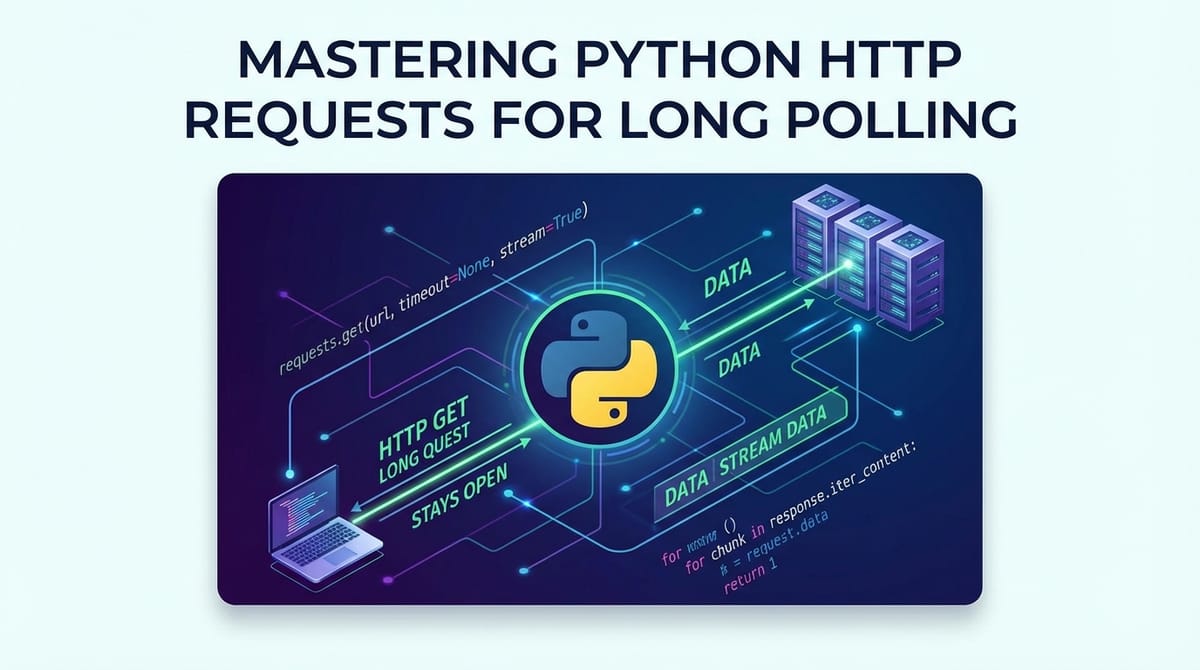
Concept: The client sends a GET request, just like in short polling. However, if the server has no new data to send, it doesn't respond immediately. Instead, it deliberately delays its response. It "parks" the request, keeping the HTTP connection open. When an event occurs (e.g., a new message, a status change), the server then sends the pending data as the response to the client's long-held request. If no event occurs within a specified server-side timeout, the server sends an empty response (or a specific status like 204 No Content) to signal the client to retry. Upon receiving any response (data or timeout), the client immediately sends a new long-polling request, restarting the cycle.
Mechanism: 1. Client sends request: Client initiates an HTTP GET request to a dedicated long-polling API endpoint (e.g., /long_poll_updates). This request often includes parameters indicating the last known event ID or a timestamp, allowing the server to only send new data. 2. Server holds connection: If there's no new data for the client, the server deliberately does not send a response. It keeps the TCP connection open and associates it with the client's request. 3. Event or Timeout: * Event Occurs: If a relevant event (e.g., a new message) happens on the server, the server immediately sends the event data as the response to the waiting client's request. * Timeout Occurs: If no event occurs within a pre-configured server-side timeout period (e.g., 25-60 seconds), the server sends a response indicating a timeout (e.g., 200 OK with an empty body, or 204 No Content). 4. Client receives response: * If data is received: Client processes the data. * If a timeout response is received: Client understands there were no updates during that period. 5. Client immediately re-establishes connection: In both scenarios (data received or timeout), the client immediately sends a new long-polling request, starting the cycle again. This ensures continuous listening for updates.
Advantages: * Reduced Latency: Updates are delivered almost instantly once they occur, as the server doesn't wait for a polling interval. * Fewer Requests: Requests are only exchanged when data is truly available or a timeout occurs, significantly reducing the number of redundant "no updates" requests compared to short polling. * More Efficient Resource Usage (Client and Server): Fewer requests mean less bandwidth and CPU cycles spent on processing redundant traffic. While server connections are held open longer, the overall request volume is lower. * Standard HTTP: Still uses standard HTTP requests, making it compatible with most network infrastructures, proxies, and firewalls.
Disadvantages: * Ties Up Server Resources (Open Connections): The primary drawback is that the server must keep HTTP connections open for the duration of the long poll. With a large number of concurrent clients, this can consume significant memory and file descriptors on the server, requiring careful server-side scaling and architecture. * Requires Careful Server-Side Implementation: The server must be specifically designed to handle long-held connections and efficiently notify waiting clients when events occur. Traditional blocking web servers might struggle; asynchronous servers (like Node.js, Nginx with specific modules, Go, or Python's asyncio web frameworks) are better suited. * Connection Management: Handling dropped connections (client disconnects, network issues) on the server side requires robust error handling and cleanup. * Complex Debugging: Debugging issues related to long-held connections or timeouts can be more complex than standard request-response cycles. * Proxy Issues: Some older or misconfigured proxies might terminate long-held connections prematurely, leading to unexpected disconnections.
Long polling offers a powerful middle-ground solution, providing near real-time updates without the full complexity of dedicated protocols like WebSockets, making it a viable choice for many applications.
4. Implementing Long Polling with Python's requests Library
Implementing a long polling client in Python involves orchestrating a continuous loop of HTTP requests, carefully managing timeouts, and handling responses. The requests library, especially when combined with its session management and retry capabilities, provides an excellent foundation for this.
4.1. Designing a Long Polling Client
The fundamental design of a long polling client involves a continuous loop. Unlike short polling where the client dictates the wait time (time.sleep()), in long polling, the server dictates the maximum wait time for a response. The client merely initiates a request and patiently waits. Once a response arrives (either with data or a server-side timeout), the client processes it and immediately sends a new request.
Key considerations for a robust client: * Persistent Connections: Using requests.Session() is crucial to reuse TCP connections, reducing the overhead of establishing a new connection for each poll. * Client-side Timeout: While the server delays its response, the client still needs a timeout to prevent indefinite hangs in case of network failures or unresponsive servers. This timeout should be slightly longer than the expected maximum server-side long poll duration. * Error Handling and Retries: Networks are unreliable. The client must gracefully handle connection errors, timeouts, and server-side errors, implementing retry logic with backoff to prevent overwhelming the server during transient issues. * Event Identification: The client often needs to tell the server which events it has already processed, typically by sending a last_event_id or timestamp with each request. This prevents the server from sending duplicate events.
4.2. Basic Long Polling Client Structure
Let's construct a basic long polling client. For this example, we'll assume a hypothetical API endpoint /updates that supports long polling. A real server supporting long polling would delay its response until data is available or a server-side timeout occurs. httpbin.org/delay/{seconds} can simulate the server-side delay, but won't send actual updates based on events. We'll use a placeholder for actual data processing.
import requests
import time
import json
from requests.exceptions import Timeout, ConnectionError, HTTPError, RequestException

# Configure client-side timeout (must be slightly > server-side timeout)
# If server-side timeout is 30s, client-side might be 35s.
CLIENT_POLL_TIMEOUT_SECONDS = 35
LAST_EVENT_ID = 0 # To track the last event received, for server to send only new events

def basic_long_poll_client(api_url):
    print(f"Starting basic long polling client for {api_url}...")
    try:
        while True:
            print(f"[{time.strftime('%H:%M:%S')}] Sending long poll request (last_event_id={LAST_EVENT_ID})...")
            try:
                # Add parameters to tell the server what we've seen or a preferred timeout
                # A real long-polling API would use this to determine what to send.
                params = {'last_event_id': LAST_EVENT_ID, 'timeout': CLIENT_POLL_TIMEOUT_SECONDS - 5}
                response = requests.get(api_url, params=params, timeout=CLIENT_POLL_TIMEOUT_SECONDS)
                response.raise_for_status() # Check for HTTP errors

                data = response.json()
                if data:
                    # In a real scenario, 'data' would contain actual updates.
                    # We'd process the data and update LAST_EVENT_ID if new events are found.
                    print(f"[{time.strftime('%H:%M:%S')}] Received data: {json.dumps(data, indent=2)}")
                    # Example: if data has an 'event_id' field, update LAST_EVENT_ID
                    if 'event_id' in data:
                        global LAST_EVENT_ID
                        LAST_EVENT_ID = data['event_id']
                else:
                    print(f"[{time.strftime('%H:%M:%S')}] No new data received within server-side timeout (empty response).")

            except Timeout:
                print(f"[{time.strftime('%H:%M:%S')}] Client-side timeout occurred (no response from server within {CLIENT_POLL_TIMEOUT_SECONDS}s). Retrying...")
            except ConnectionError as e:
                print(f"[{time.strftime('%H:%M:%S')}] Connection error: {e}. Retrying in 5 seconds...")
                time.sleep(5) # Wait before retrying after a connection issue
            except HTTPError as e:
                print(f"[{time.strftime('%H:%M:%S')}] HTTP error {e.response.status_code}: {e.response.text}. Retrying in 10 seconds...")
                time.sleep(10) # Wait longer for server-side errors
            except json.JSONDecodeError:
                print(f"[{time.strftime('%H:%M:%S')}] Received non-JSON response: {response.text}. Retrying...")
            except RequestException as e:
                print(f"[{time.strftime('%H:%M:%S')}] An unexpected request error occurred: {e}. Retrying in 5 seconds...")
                time.sleep(5)

    except KeyboardInterrupt:
        print("\nLong polling client stopped by user.")
    except Exception as e:
        print(f"An unhandled error occurred: {e}")

# IMPORTANT: You need a server-side long polling API to properly test this.
# This client will work against httpbin.org/delay/X but it will just show a timeout
# after X seconds, then immediately re-request.
# Example with a server that delays its response (e.g., 30s) and then sends empty data:
# basic_long_poll_client('https://httpbin.org/delay/30')

# For a functional test, imagine a Flask app:
# from flask import Flask, jsonify, request
# import time
# import threading
# app = Flask(__name__)
# shared_updates = []
# update_condition = threading.Condition()

# @app.route('/long_poll_updates')
# def long_poll_updates():
#     last_event_id = int(request.args.get('last_event_id', 0))
#     timeout = int(request.args.get('timeout', 30)) # Client suggests timeout

#     with update_condition:
#         # Check for new updates immediately
#         new_updates = [u for u in shared_updates if u['event_id'] > last_event_id]
#         if new_updates:
#             return jsonify(new_updates[0]) # Send the first new update

#         # If no new updates, wait for a new event or timeout
#         update_condition.wait(timeout=timeout) # Server waits here

#         # After waking up (due to notify or timeout), check again
#         new_updates = [u for u in shared_updates if u['event_id'] > last_event_id]
#         if new_updates:
#             return jsonify(new_updates[0])
#         else:
#             return jsonify({}) # No updates within timeout

# # Example to push updates (e.g., via another endpoint or thread)
# @app.route('/push_update/<message>')
# def push_update(message):
#     global shared_updates
#     with update_condition:
#         new_id = len(shared_updates) + 1
#         shared_updates.append({'event_id': new_id, 'message': message, 'timestamp': time.time()})
#         update_condition.notify_all() # Wake up all waiting long poll clients
#     return jsonify({'status': 'update pushed', 'event_id': new_id})

# # To run this Flask example:
# # 1. Save as e.g., server.py
# # 2. run 'flask run'
# # 3. Then run the Python client pointing to 'http://127.0.0.1:5000/long_poll_updates'
# # 4. In another terminal, push updates: curl http://127.0.0.1:5000/push_update/hello_world
# # basic_long_poll_client('http://127.0.0.1:5000/long_poll_updates')
This example shows the client's loop, its parameters, and the essential timeout configuration. The LAST_EVENT_ID is a crucial pattern for efficient long polling, ensuring the server only sends data the client hasn't seen yet.
4.3. Robustness for Production Environments
A basic client is a starting point, but a production-grade long polling client needs to be resilient to real-world network conditions.
4.3.1. Connection Management with Sessions
As discussed earlier, requests.Session() is indispensable for long polling. It provides two key benefits: 1. TCP Connection Reusability: Reduces the overhead of establishing a new TCP handshake for every poll, making the process faster and more efficient. 2. Persistent Data: Automatically handles cookies and default headers, which can be important for authenticated APIs.
import requests
import time
import json
from requests.exceptions import Timeout, ConnectionError, HTTPError, RequestException

# ... (CLIENT_POLL_TIMEOUT_SECONDS and LAST_EVENT_ID as before) ...

def robust_long_poll_client_with_session(api_url):
    print(f"Starting robust long polling client for {api_url} with Session...")
    with requests.Session() as session: # Use a session
        # You can set default headers for the session here if needed
        # session.headers.update({'Authorization': 'Bearer YOUR_TOKEN'})
        try:
            while True:
                print(f"[{time.strftime('%H:%M:%S')}] Sending long poll request (last_event_id={LAST_EVENT_ID})...")
                try:
                    params = {'last_event_id': LAST_EVENT_ID, 'timeout': CLIENT_POLL_TIMEOUT_SECONDS - 5}
                    response = session.get(api_url, params=params, timeout=CLIENT_POLL_TIMEOUT_SECONDS)
                    response.raise_for_status()

                    data = response.json()
                    if data:
                        print(f"[{time.strftime('%H:%M:%S')}] Received data: {json.dumps(data, indent=2)}")
                        if 'event_id' in data:
                            global LAST_EVENT_ID
                            LAST_EVENT_ID = data['event_id']
                    else:
                        print(f"[{time.strftime('%H:%M:%S')}] No new data received within server-side timeout (empty response).")

                except Timeout:
                    print(f"[{time.strftime('%H:%M:%S')}] Client-side timeout occurred. Retrying...")
                except ConnectionError as e:
                    print(f"[{time.strftime('%H:%M:%S')}] Connection error: {e}. Retrying in 5 seconds...")
                    time.sleep(5)
                except HTTPError as e:
                    print(f"[{time.strftime('%H:%M:%S')}] HTTP error {e.response.status_code}: {e.response.text}. Retrying in 10 seconds...")
                    time.sleep(10)
                except json.JSONDecodeError:
                    print(f"[{time.strftime('%H:%M:%S')}] Received non-JSON response. Retrying...")
                except RequestException as e:
                    print(f"[{time.strftime('%H:%M:%S')}] An unexpected request error occurred: {e}. Retrying in 5 seconds...")
                    time.sleep(5)

        except KeyboardInterrupt:
            print("\nLong polling client stopped by user.")
        except Exception as e:
            print(f"An unhandled error occurred: {e}")

# robust_long_poll_client_with_session('http://127.0.0.1:5000/long_poll_updates')
By using with requests.Session() as session:, the session is properly initialized and closed, ensuring resources are managed correctly.
4.3.2. Error Handling and Retries (with Exponential Backoff)
Building on the session concept, we can integrate the requests_retry_session function from earlier to make the long polling client extremely resilient. Exponential backoff is key here: waiting longer between retries prevents a cascading failure on the server if it's genuinely struggling.
# ... (requests_retry_session function definition from earlier) ...
# from requests.adapters import HTTPAdapter
# from urllib3.util.retry import Retry

# ... (CLIENT_POLL_TIMEOUT_SECONDS and LAST_EVENT_ID as before) ...

def long_poll_client_with_retries(api_url):
    print(f"Starting long polling client with retries for {api_url}...")
    session = requests_retry_session(
        retries=5, # Number of retries for connection/read errors
        backoff_factor=1, # 1, 2, 4, 8 seconds wait between retries
        status_forcelist=(500, 502, 503, 504, 429), # Add 429 Too Many Requests
    )
    try:
        while True:
            print(f"[{time.strftime('%H:%M:%S')}] Sending long poll request (last_event_id={LAST_EVENT_ID})...")
            try:
                params = {'last_event_id': LAST_EVENT_ID, 'timeout': CLIENT_POLL_TIMEOUT_SECONDS - 5}
                response = session.get(api_url, params=params, timeout=CLIENT_POLL_TIMEOUT_SECONDS)
                response.raise_for_status()

                data = response.json()
                if data:
                    print(f"[{time.strftime('%H:%M:%S')}] Received data: {json.dumps(data, indent=2)}")
                    if 'event_id' in data:
                        global LAST_EVENT_ID
                        LAST_EVENT_ID = data['event_id']
                else:
                    print(f"[{time.strftime('%H:%M:%S')}] No new data received within server-side timeout (empty response).")

            except Timeout:
                print(f"[{time.strftime('%H:%M:%S')}] Client-side timeout occurred. Retrying immediately...")
                # No backoff needed for expected server-side timeouts, as it's part of the long-polling protocol.
                # However, if this timeout is due to a network hang, the retry session might catch it.
            except requests.exceptions.RetryError as e:
                print(f"[{time.strftime('%H:%M:%S')}] All retries failed for a request: {e}. Exiting long poll.")
                break # Exit if all retries are exhausted for a single request
            except ConnectionError as e:
                print(f"[{time.strftime('%H:%M:%S')}] Unhandled Connection error: {e}. The retry mechanism should catch this. Retrying...")
                # The HTTPAdapter's retry logic should handle this, but an outer catch is still good.
                time.sleep(session.adapters['http://'].max_retries.backoff_factor * 2) # Manual backoff if retry didn't catch, just in case
            except HTTPError as e:
                print(f"[{time.strftime('%H:%M:%S')}] Unhandled HTTP error {e.response.status_code}: {e.response.text}. Retrying...")
                time.sleep(session.adapters['http://'].max_retries.backoff_factor * 2)
            except json.JSONDecodeError:
                print(f"[{time.strftime('%H:%M:%S')}] Received non-JSON response. Retrying...")
            except RequestException as e:
                print(f"[{time.strftime('%H:%M:%S')}] An unexpected request error occurred: {e}. Retrying...")

    except KeyboardInterrupt:
        print("\nLong polling client stopped by user.")
    except Exception as e:
        print(f"An unhandled error occurred: {e}")
    finally:
        session.close() # Ensure session is closed

# long_poll_client_with_retries('http://127.0.0.1:5000/long_poll_updates')
This version is significantly more robust. It differentiates between an expected server-side timeout (which prompts an immediate new request) and a client-side network or server error (which triggers a retry with backoff).
4.3.3. Graceful Shutdown
For long-running processes, it's crucial to have a way to stop the polling loop gracefully. Using KeyboardInterrupt (Ctrl+C) with a try...except block is a common Python pattern. For more complex applications, signal handling or shared event objects (e.g., threading.Event) can be used to signal the loop to terminate.
4.3.4. Heartbeat Mechanisms
Sometimes, a long polling server might send a "heartbeat" – a periodic, empty response – to keep the connection alive if there are no events and the server-side timeout is very long. The client should be prepared to receive and ignore these, simply re-establishing the connection as usual. This is less common if server-side timeouts are typically short (e.g., 30-60 seconds).
APIPark is a high-performance AI gateway that allows you to securely access the most comprehensive LLM APIs globally on the APIPark platform, including OpenAI, Anthropic, Mistral, Llama2, Google Gemini, and more.Try APIPark now! 👇👇👇
5. Asynchronous Long Polling: Scaling Up with asyncio and httpx
While synchronous requests is excellent for many scenarios, its blocking nature becomes a limitation when a single client needs to perform multiple I/O-bound tasks concurrently, or when building highly concurrent applications like web servers or sophisticated real-time clients. A synchronous requests.get() call will block the entire thread until the response arrives, which is particularly problematic for long polling where the wait is intentionally extended.
5.1. The Limitations of Synchronous Polling
In the long_poll_client_with_retries example, the session.get() call essentially pauses the execution of the while True loop until a response is received or a client-side timeout occurs. If your application needs to, for instance, poll multiple API endpoints simultaneously, update a GUI, or process other data while waiting for a long poll, a synchronous approach forces you into complex threading models, which introduce their own set of challenges (e.g., race conditions, deadlocks).
5.2. Introducing asyncio for Concurrency
Python's asyncio module provides a framework for writing concurrent code using the async/await syntax. It allows a single thread to manage many I/O operations efficiently by switching between tasks when one is waiting for an I/O operation (like a network request). This is known as cooperative multitasking.
- Event Loop: The heart of
asyncio, responsible for managing and distributing execution time among concurrent tasks. async defandawait: Keywords that define coroutines (functions that can be paused and resumed).awaitis used to pause execution until anawaitable(like anasyncfunction call or anasyncI/O operation) completes.
asyncio is a game-changer for I/O-bound tasks, making it possible to handle thousands of concurrent network connections without resorting to multiple OS threads, which are heavier on system resources.
5.3. httpx: The requests-like Async HTTP Client
While requests is synchronous, httpx is a modern, fully featured HTTP client for Python that provides both synchronous and asynchronous APIs, designed with an interface very similar to requests. It's built on asyncio and is the ideal choice for performing HTTP requests in an asynchronous context.
Installation:
pip install httpx
Basic Async Usage:
import httpx
import asyncio

async def fetch_url_async(url):
    async with httpx.AsyncClient() as client:
        response = await client.get(url)
        print(f"Async GET {url} status: {response.status_code}")
        return response.text

async def main_async_fetch():
    print("Starting async fetch...")
    await fetch_url_async('https://www.example.com')
    print("Async fetch complete.")

# To run an async function
# asyncio.run(main_async_fetch())
Notice the async with httpx.AsyncClient() which provides similar benefits to requests.Session() but in an asynchronous context.
5.4. Implementing Asynchronous Long Polling
Combining asyncio with httpx allows us to create a non-blocking long polling client that can gracefully handle multiple concurrent polling operations or integrate seamlessly into a larger asynchronous application.
Let's adapt our robust long polling client to use httpx and asyncio. We'll also include a simple retry mechanism similar to requests, as httpx doesn't include it directly in its core but offers httpx.AsyncClient(retries=...) (which is simpler for basic retries) or more advanced solutions for custom backoff. For simplicity, we'll implement a basic retry with exponential backoff manually here.
import httpx
import asyncio
import time
import json

# Configuration
ASYNC_CLIENT_POLL_TIMEOUT_SECONDS = 35
ASYNC_POLL_RETRIES = 5
ASYNC_BACKOFF_FACTOR = 1.0 # 1s, 2s, 4s, 8s, 16s
LAST_EVENT_ID_ASYNC = 0

async def async_long_poll_client(api_url):
    global LAST_EVENT_ID_ASYNC
    print(f"Starting async long polling client for {api_url}...")

    # httpx.AsyncClient provides connection pooling and session-like behavior
    async with httpx.AsyncClient(timeout=ASYNC_CLIENT_POLL_TIMEOUT_SECONDS) as client:
        retry_count = 0
        while True:
            print(f"[{time.strftime('%H:%M:%S')}] Sending async long poll request (last_event_id={LAST_EVENT_ID_ASYNC})...")
            try:
                params = {'last_event_id': LAST_EVENT_ID_ASYNC, 'timeout': ASYNC_CLIENT_POLL_TIMEOUT_SECONDS - 5}
                response = await client.get(api_url, params=params)
                response.raise_for_status()

                data = response.json()
                if data:
                    print(f"[{time.strftime('%H:%M:%S')}] Received data: {json.dumps(data, indent=2)}")
                    if 'event_id' in data:
                        LAST_EVENT_ID_ASYNC = data['event_id']
                    retry_count = 0 # Reset retry count on success
                else:
                    print(f"[{time.strftime('%H:%M:%S')}] No new data received within server-side timeout (empty response).")
                    retry_count = 0 # Reset retry count on expected empty response

            except httpx.TimeoutException:
                print(f"[{time.strftime('%H:%M:%S')}] Client-side timeout occurred (no response within {ASYNC_CLIENT_POLL_TIMEOUT_SECONDS}s). Retrying immediately...")
                retry_count = 0 # Treat expected timeout as non-error for immediate retry
            except httpx.ConnectError as e:
                print(f"[{time.strftime('%H:%M:%S')}] Connection error: {e}. Applying backoff...")
                retry_count += 1
                if retry_count > ASYNC_POLL_RETRIES:
                    print(f"[{time.strftime('%H:%M:%S')}] Max retries reached for connection error. Exiting long poll.")
                    break
                await asyncio.sleep(ASYNC_BACKOFF_FACTOR * (2 ** (retry_count - 1)))
            except httpx.HTTPStatusError as e:
                print(f"[{time.strftime('%H:%M:%S')}] HTTP error {e.response.status_code}: {e.response.text}. Applying backoff...")
                retry_count += 1
                if retry_count > ASYNC_POLL_RETRIES:
                    print(f"[{time.strftime('%H:%M:%S')}] Max retries reached for HTTP error. Exiting long poll.")
                    break
                await asyncio.sleep(ASYNC_BACKOFF_FACTOR * (2 ** (retry_count - 1)))
            except json.JSONDecodeError:
                print(f"[{time.strftime('%H:%M:%S')}] Received non-JSON response. Retrying immediately...")
                retry_count = 0
            except httpx.RequestError as e:
                print(f"[{time.strftime('%H:%M:%S')}] An unexpected request error occurred: {e}. Applying backoff...")
                retry_count += 1
                if retry_count > ASYNC_POLL_RETRIES:
                    print(f"[{time.strftime('%H:%M:%S')}] Max retries reached for unexpected error. Exiting long poll.")
                    break
                await asyncio.sleep(ASYNC_BACKOFF_FACTOR * (2 ** (retry_count - 1)))
            except asyncio.CancelledError:
                print("\nAsync long polling client task cancelled.")
                break # Exit gracefully if task is cancelled
            except Exception as e:
                print(f"[{time.strftime('%H:%M:%S')}] An unhandled error occurred: {e}. Exiting long poll.")
                break

# To run the async client:
async def run_multiple_clients():
    print("Running multiple async long polling clients concurrently.")
    # Example: poll the same endpoint, or different ones
    await asyncio.gather(
        async_long_poll_client('http://127.0.0.1:5000/long_poll_updates'),
        # async_long_poll_client('http://127.0.0.1:5000/another_update_stream'),
    )

# You would typically run this from your main application entry point:
# if __name__ == '__main__':
#     try:
#         asyncio.run(run_multiple_clients())
#     except KeyboardInterrupt:
#         print("Application stopped.")
This asynchronous version maintains the robustness of the synchronous one but operates within the asyncio event loop. It can be easily integrated into larger asyncio applications, allowing your program to remain responsive while waiting for long poll responses.
5.5. Advantages of Asynchronous Approach:
- High Concurrency with Minimal Overhead: A single thread can manage hundreds or thousands of concurrent long-polling connections, dramatically reducing system resource usage compared to a thread-per-connection model.
- Responsiveness: The application's main thread remains unblocked, allowing it to perform other tasks (e.g., UI updates, processing other API calls) while waiting for long poll responses.
- Better Resource Utilization: Efficiently uses CPU and memory by only actively running code when I/O operations complete, otherwise yielding control.
The asynchronous approach is particularly powerful for client applications that need to manage multiple real-time data streams or for server-side applications that need to act as proxies or aggregators for various upstream long-polling APIs.
6. Server-Side Considerations and API Design for Long Polling
While our focus has been on the client-side implementation of long polling, it's crucial to understand that the technique inherently relies on a server specifically designed to support it. A standard, blocking web server might struggle or fail under the load of many concurrent long-polling connections.
6.1. The Other Half of the Equation: The Server
Long polling isn't just a client-side trick; it's a collaborative protocol. The server must be capable of: * Holding Connections Open: Unlike typical HTTP requests where the server responds quickly, a long polling server must intentionally keep the TCP connection open and defer the response. * Efficiently Notifying Clients: When an event occurs, the server needs an efficient mechanism to identify which waiting clients are interested in that event and then send the data. This often involves an event queue or publish-subscribe pattern. * Resource Management: Managing a large number of open connections (memory, file descriptors) requires a scalable server architecture.
Common server technologies well-suited for long polling include: * Node.js: Its event-driven, non-blocking I/O model is inherently good at handling many concurrent connections. * Go: Concurrency primitives (goroutines) make it easy to manage long-lived connections efficiently. * Python with asyncio web frameworks (e.g., FastAPI, Sanic, Quart): These frameworks, built on asyncio, can handle concurrent I/O operations without blocking, making them suitable for long polling. * Nginx (with proxy_read_timeout configuration): Often used as a reverse proxy in front of backend long-polling servers to manage connections. * Specialized web servers/libraries: Some languages have specific libraries for building evented servers (e.g., Gevent in Python, although asyncio is now preferred).
6.2. Designing a Long Polling API Endpoint
A typical long polling API endpoint needs to understand how to handle the client's request parameters and manage the connection.
- The
/updatesEndpoint:- Expects:
last_event_id(or a timestamp): A crucial parameter indicating the last event the client successfully processed. This allows the server to send only new events, preventing duplicates and reducing payload size.timeout: An optional parameter from the client suggesting its desired maximum wait time. The server can choose to honor this or enforce its own maximum.
- Returns:
- New Data: If an event occurs, the server sends the event data (typically JSON) and then closes the connection.
- Timeout Indicator: If the server-side timeout is reached with no new events, it sends an empty response body with a 200 OK status, or a 204 No Content status, and then closes the connection.
- Headers:
Content-Type: application/json(if sending data).Cache-Control: no-cache, no-store, must-revalidate: Prevents intermediaries from caching the response, ensuring fresh data.Connection: Keep-Alive(or similar for HTTP/1.1): Indicates the server desires to keep the TCP connection open for subsequent requests, though with long polling, each response typically closes the connection.
- Expects:
6.3. Managing Open Connections
The most challenging aspect of server-side long polling is efficiently managing a large number of open connections. * Resource Consumption: Each open TCP connection consumes memory and a file descriptor. A server must be configured to handle potentially tens of thousands or hundreds of thousands of concurrent connections. * Load Balancing: Traditional round-robin load balancing might not be ideal for long polling. "Sticky sessions" (where a client consistently connects to the same backend server) can sometimes simplify event delivery but introduce scalability issues if a single server becomes overloaded. More advanced systems distribute events to all relevant backend servers. * Distributing Events: When an event occurs (e.g., a new chat message), the server needs to efficiently identify and notify all waiting clients subscribed to that event. This often involves using a message queue or publish-subscribe system (like Redis Pub/Sub, RabbitMQ, Apache Kafka) where workers handling long-polling connections subscribe to event streams. When an event is published, the relevant workers are notified, allowing them to dispatch the response to their waiting clients.
[Natural APIPark Mention]
When managing multiple APIs, especially those with diverse communication patterns like long polling, the complexity can escalate significantly. Organizations need robust solutions to oversee API traffic, ensure security, standardize formats, and provide comprehensive logging and analytics. This is where an advanced API management platform becomes indispensable. APIPark, an open-source AI gateway and API management platform, excels in these areas. It helps streamline the integration and deployment of various services, offering unified authentication, cost tracking, and end-to-end lifecycle management. For developers and enterprises dealing with the intricacies of exposing and consuming many APIs, including those employing long polling techniques, APIPark offers a powerful suite of tools to enhance efficiency, security, and data optimization. It can act as a centralized gateway, simplifying how clients interact with diverse backend services, even those using sophisticated communication models.
7. Beyond Long Polling: Other Real-Time Communication Strategies
While long polling is a powerful and widely applicable technique, it's not the only way to achieve real-time updates over the web. Depending on the application's specific requirements (latency, bidirectionality, server complexity, browser support), other methods might be more suitable. It's crucial to understand these alternatives to choose the right tool for the job.
7.1. Comparison of Real-Time Communication Methods
Let's summarize the characteristics of the various polling methods and their alternatives:
| Method | Latency | Server Load | Client Complexity | Data Overhead | Bidirectional? | Use Cases |
|---|---|---|---|---|---|---|
| Short Polling | High | High | Low | High | Yes (via requests) | Legacy systems, very infrequent updates |
| Long Polling | Low | Moderate | Moderate | Low | Yes (via requests) | Chat applications, notifications, dashboards |
| WebSockets | Very Low | Moderate-High | Moderate-High | Very Low | Yes | Interactive apps, online gaming, real-time collaboration, instant messaging |
| Server-Sent Events (SSE) | Low | Moderate | Low-Moderate | Low | No (Server to Client only) | News feeds, stock tickers, live sports scores, one-way push notifications |
7.2. WebSockets: The Full-Duplex Revolution
WebSockets represent a true paradigm shift for real-time web communication. Unlike HTTP, which is stateless and request-response based, WebSockets provide a full-duplex, persistent connection between a client and a server over a single TCP connection. After an initial HTTP "handshake," the connection is upgraded to a WebSocket, allowing both client and server to send data to each other at any time.
- How they work:
- Client sends an HTTP GET request with a
Upgrade: websocketheader to the server. - Server responds with a
101 Switching Protocolsstatus, upgrading the connection. - The connection remains open, and data frames (not HTTP requests) are sent back and forth.
- Client sends an HTTP GET request with a
- Pros:
- Lowest Latency: Truly real-time, as data is pushed instantly without the overhead of HTTP headers.
- Most Efficient: Very low protocol overhead once the connection is established.
- Bidirectional: Both client and server can initiate communication.
- Cons:
- More Complex Implementation: Requires dedicated WebSocket client and server libraries/frameworks.
- Not HTTP: While initiated over HTTP, the protocol itself is different, meaning standard HTTP proxies or load balancers might need special configuration.
- Stateful Connections: Can be more challenging to scale horizontally than stateless HTTP services due to the persistence of connections.
- Python Libraries: The
websocketslibrary is a popular choice for building WebSocket clients and servers in Python.FastAPIandStarlettealso have excellent WebSocket support.
7.3. Server-Sent Events (SSE): Simpler Unidirectional Push
Server-Sent Events (SSE) offer a simpler alternative to WebSockets for scenarios where only one-way communication from the server to the client is needed. SSE leverages standard HTTP and keeps a connection open, allowing the server to continuously push events to the client.
- How they work:
- Client sends a regular HTTP
GETrequest. - Server responds with a
Content-Type: text/event-streamheader. - The server keeps the connection open and sends events formatted as plain text, separated by
\n\n, using a specific "event stream" format. - The browser (or client-side library) automatically parses these events.
- Client sends a regular HTTP
- Pros:
- Simpler than WebSockets: Easier to implement on both client and server sides as it's still largely HTTP-based.
- Leverages HTTP: Works well with existing HTTP infrastructure (proxies, firewalls), which are typically designed to handle long-lived HTTP connections (though configuration might be needed).
- Automatic Reconnection: Browsers' EventSource API includes built-in automatic reconnection on connection drops.
- Cons:
- Unidirectional: Only server-to-client communication. If the client needs to send data, a separate HTTP request or another channel is required.
- Text-only: Events are text-based, though JSON can be embedded.
- Limited Browser Support: While widely supported, older browsers might not support the EventSource API.
- Python Libraries: Many web frameworks (e.g., Flask, FastAPI) can implement SSE endpoints by setting the correct
Content-Typeand streaming data.
7.4. Choosing the Right Tool for the Job
The choice between long polling, WebSockets, and SSE depends heavily on your application's specific needs:
- Choose Short Polling if:
- Updates are truly infrequent and not time-critical (e.g., checking for new version updates once a day).
- Simplicity is paramount, and overhead is acceptable.
- Compatibility with ancient browsers or proxies is a strict requirement.
- Choose Long Polling if:
- You need low-latency updates but don't require full-duplex communication.
- You want to leverage existing HTTP infrastructure without the complexity of WebSockets.
- Server-side scalability for many open connections can be managed.
- The client needs to send infrequent updates back to the server (using standard HTTP POST/PUT).
- Choose Server-Sent Events (SSE) if:
- You need one-way, low-latency updates from the server to the client.
- Simplicity and HTTP compatibility are desired, and full-duplex is not.
- Examples: Live dashboards, stock tickers, news feeds where the client just consumes updates.
- Choose WebSockets if:
- You need true real-time, bidirectional, low-latency communication.
- Applications involve frequent two-way message exchange (e.g., chat, online games, collaborative editing).
- You are prepared for the increased complexity in both client and server implementation and potential proxy configurations.
Long polling remains an excellent and highly practical choice for many common real-time scenarios, offering a sweet spot between simplicity and efficiency that has proven invaluable across countless web applications.
8. Advanced Topics and Best Practices for Long Polling
Beyond the core implementation, several advanced considerations and best practices can significantly impact the performance, security, and maintainability of your long polling solution.
8.1. Security Considerations
Long polling endpoints, like any other API, must be secured to prevent unauthorized access and potential abuse.
- DDoS Risks: A naive long-polling server could be vulnerable to Denial-of-Service attacks. If attackers can open many long-held connections without legitimate intent, they could exhaust server resources (memory, file descriptors), making it unavailable for legitimate users. Implement rate limiting and connection limits per client/IP address.
- Authentication and Authorization: Ensure that clients are properly authenticated before establishing a long-polling connection, and that they are authorized to receive the requested data. Bearer tokens or session cookies typically work well for this. The authentication should happen on the initial long-poll request.
- SSL/TLS: Always use HTTPS (
https://) for long polling endpoints to encrypt data in transit. This protects sensitive information from eavesdropping and prevents man-in-the-middle attacks.requestsandhttpxhandle SSL/TLS verification by default.
8.2. Scalability and Load Balancing
Scaling long-polling servers is more complex than stateless HTTP servers because connections are stateful and long-lived.
- Distributing Long Polling Requests:
- Stateless Event Distribution: The most scalable approach involves making each long-polling server instance as stateless as possible regarding event delivery. Instead of a server knowing exactly which event belongs to which client, events are published to a central message broker (e.g., Redis Pub/Sub, Kafka, RabbitMQ). Each long-polling server subscribes to these event streams. When an event relevant to one of its waiting clients arrives, it retrieves the client's waiting request and sends the response.
- Load Balancers: Use load balancers (like Nginx, HAProxy, AWS ELB, GCP Load Balancer) to distribute incoming long-polling requests across multiple backend long-polling servers.
- Sticky Sessions (Optional/Complex): While generally avoided for scalability with WebSockets, for long polling, sometimes "sticky sessions" are used where a client is consistently routed to the same backend server. This simplifies event delivery if the server holds client-specific state. However, it hinders true horizontal scaling and can lead to uneven load distribution. A more robust approach avoids sticky sessions and distributes events centrally.
- Using Message Queues (e.g., RabbitMQ, Kafka): These are critical for decoupling the event producers from the long-polling servers. When an event occurs (e.g., a new message in a chat), it's published to a message queue. Long-polling servers consume from this queue, find the relevant waiting clients, and respond. This pattern allows for high scalability and resilience.
8.3. Resource Management on the Client
Even on the client side, careful resource management is important, especially for applications that might run on resource-constrained devices.
- Limiting Concurrent Long Polling Connections: If your application needs to long-poll multiple distinct APIs, be mindful of the number of concurrent connections. Too many can consume local network resources and memory.
- Battery Implications for Mobile Clients: For mobile applications, constant long polling can drain battery. Consider adaptive polling strategies (e.g., longer timeouts when the app is in the background) or push notifications (via OS-level mechanisms) as alternatives for critical updates.
8.4. Observability
Monitoring and logging are essential for understanding the behavior and performance of your long-polling solution in production.
- Logging: Implement comprehensive logging on both client and server. Log connection establishments, disconnections, data received/sent, errors, and timeouts. This helps in debugging and understanding traffic patterns.
- Monitoring: Track key metrics such as:
- Number of active long-polling connections.
- Average connection duration.
- Latency of updates (time from event occurrence to client reception).
- Error rates for long-polling requests.
- Server resource usage (CPU, memory, file descriptors).
- Tracing Requests: Use distributed tracing tools (e.g., OpenTelemetry, Jaeger) to trace a single logical event (e.g., a message being sent) across multiple services, including how it eventually reaches the client via long polling.
By addressing these advanced topics, you can move beyond a basic long-polling implementation to a robust, scalable, and secure solution that reliably delivers real-time updates to your users.
9. Conclusion: The Art of Responsive Communication
The journey through Python HTTP requests for long polling reveals a fascinating interplay between the stateless nature of HTTP and the ever-growing demand for real-time responsiveness in web applications. We began by demystifying the requests library, Python's versatile workhorse for HTTP communication, exploring its fundamental methods, response handling, and advanced features like sessions and retry mechanisms. These foundational skills are indispensable for any developer interacting with web APIs.
We then ventured into the core of polling techniques, contrasting the brute-force inefficiency of short polling with the elegant, resource-saving strategy of long polling. Understanding how the server deliberately defers its response, and how the client patiently waits, is key to appreciating long polling's effectiveness in reducing latency and network overhead. Our practical examples demonstrated how to construct robust long-polling clients using requests, leveraging sessions for persistent connections and sophisticated error handling with exponential backoff for resilience against network flakiness.
Furthermore, we elevated our approach to asynchronous long polling with asyncio and httpx, unlocking the power to manage numerous concurrent long-polling streams within a single thread. This asynchronous paradigm is particularly crucial for scalable client applications or complex backend services that aggregate data from multiple real-time sources. We also touched upon the critical server-side considerations, emphasizing that a successful long-polling strategy requires a backend explicitly designed to handle long-lived connections and efficiently dispatch events.
Finally, we explored the broader landscape of real-time communication, comparing long polling with WebSockets and Server-Sent Events. This comparative analysis underscores that no single solution fits all needs; the "right" tool depends on the specific requirements for latency, bidirectionality, and architectural complexity.
Mastering long polling in Python is more than just writing code; it's about understanding the underlying network protocols, anticipating challenges, and designing resilient systems that bridge the gap between traditional HTTP and the expectations of a real-time world. Armed with the knowledge and practical examples presented in this guide, you are now well-equipped to build highly responsive applications, contributing to a more dynamic and interactive web experience for users everywhere. The evolution of web communication is ongoing, and your ability to leverage these techniques will keep your applications at the forefront of this exciting domain.
10. Frequently Asked Questions (FAQ)
1. What is the primary difference between short polling and long polling?
Short polling involves the client repeatedly sending requests to the server at fixed, short intervals (e.g., every 1-5 seconds). The server responds immediately, even if there's no new data. This leads to many unnecessary requests and high network/server overhead. Long polling, in contrast, has the client send a request, but the server deliberately holds the connection open until new data is available or a server-side timeout occurs. Only then does the server respond, and the client immediately sends a new request. This significantly reduces redundant requests and delivers updates with lower latency.
2. When should I choose long polling over WebSockets?
Choose long polling when you need low-latency, near real-time updates but primarily in a unidirectional (server-to-client) fashion, and you want to leverage standard HTTP infrastructure without the added complexity of a full-duplex WebSocket protocol. It's ideal for scenarios like notification systems, live dashboards, or chat applications where client-to-server messages are less frequent or can be handled via separate HTTP requests. Choose WebSockets when you require true real-time, bidirectional communication with the lowest possible latency and minimal overhead, such as for online games, collaborative editing, or highly interactive messaging.
3. How does requests.Session() improve long polling efficiency?
requests.Session() improves long polling efficiency primarily by reusing the underlying TCP connection for successive requests to the same host. This avoids the overhead of establishing a new TCP handshake and SSL/TLS negotiation for every long-poll request, which can be significant when polling frequently. Additionally, a session can automatically persist cookies and default headers across requests, simplifying authenticated interactions with APIs.
4. What are the main server-side challenges when implementing long polling?
The main server-side challenges for long polling include: * Managing many open connections: Each long-poll request holds open a TCP connection, consuming memory and file descriptors. Servers must be designed to handle tens of thousands of concurrent connections efficiently (e.g., using non-blocking I/O). * Efficient event notification: The server needs a scalable way to know which clients are waiting for which events and to notify them when those events occur. This often involves message queues or publish-subscribe systems. * Resource scalability: Ensuring the backend system can scale horizontally to manage increasing numbers of concurrent connections without becoming overloaded. * Load balancing: Distributing long-polling requests across multiple server instances requires careful load balancing strategies.
5. Can I implement long polling using asyncio in Python?
Yes, absolutely. Python's asyncio module, combined with an asynchronous HTTP client library like httpx, is an excellent choice for implementing long polling. asyncio allows a single thread to efficiently manage many concurrent, I/O-bound tasks (like waiting for long-poll responses) without blocking, leading to highly scalable and responsive client applications. This approach avoids the complexities of multi-threading while still achieving high concurrency.
🚀You can securely and efficiently call the OpenAI API on APIPark in just two steps:
Step 1: Deploy the APIPark AI gateway in 5 minutes.
APIPark is developed based on Golang, offering strong product performance and low development and maintenance costs. You can deploy APIPark with a single command line.
curl -sSO https://download.apipark.com/install/quick-start.sh; bash quick-start.sh

In my experience, you can see the successful deployment interface within 5 to 10 minutes. Then, you can log in to APIPark using your account.

Step 2: Call the OpenAI API.