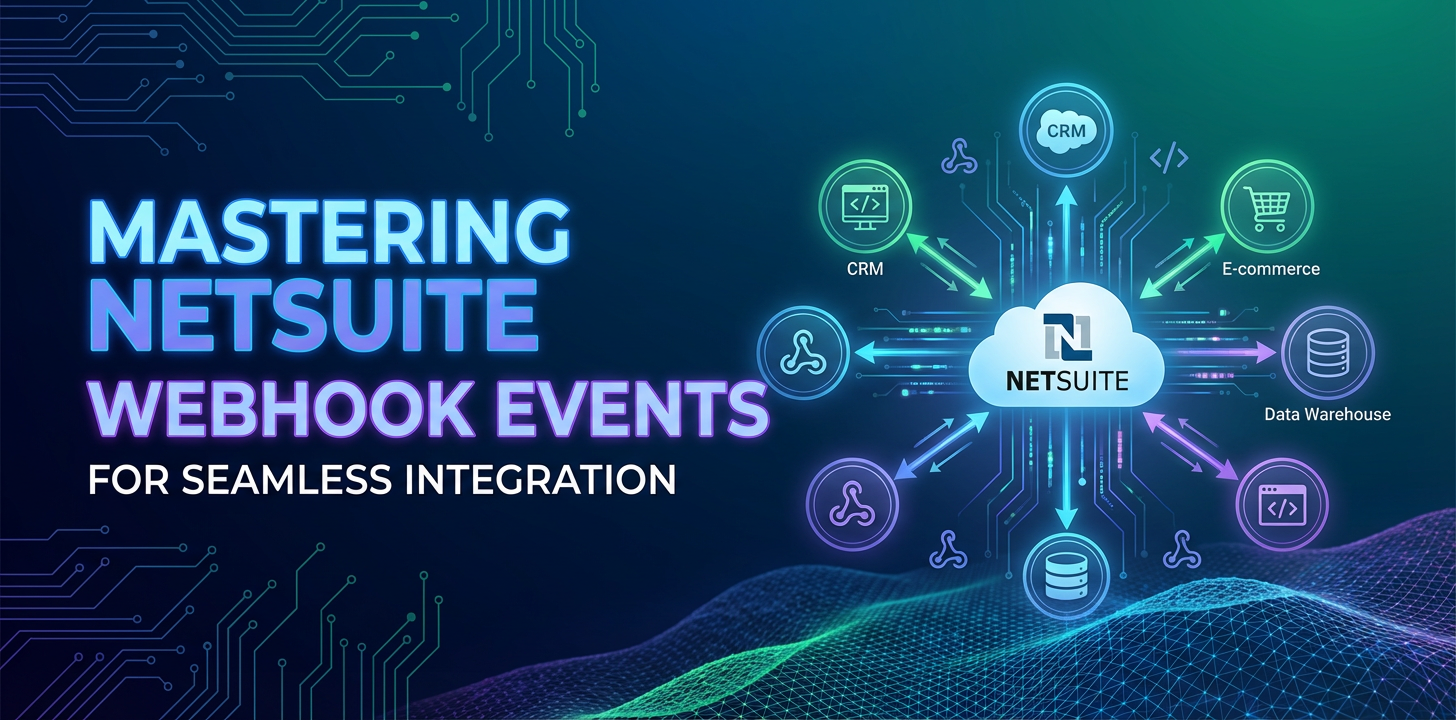
Mastering NetSuite Webhook Events for Seamless Integration


In the rapidly evolving landscape of enterprise resource planning (ERP) and business process automation, the ability to synchronize data across disparate systems in real-time is no longer a luxury but a fundamental necessity. Enterprises are constantly striving for agility, efficiency, and a unified view of their operations, which demands robust and intelligent integration strategies. At the heart of many such strategies lies NetSuite, a comprehensive, cloud-based ERP solution that serves as the operational backbone for thousands of organizations worldwide. While NetSuite offers a plethora of powerful features, its true potential is often unlocked through seamless integration with other critical applications, be it CRM systems, e-commerce platforms, logistics providers, or custom solutions.
Traditional integration methodologies, often reliant on scheduled batch processes, periodic API polling, or complex scripting, frequently introduce latency and create data silos, hindering the swift flow of information crucial for informed decision-making. These methods, while functional, inherently lack the immediacy and responsiveness required in a modern, dynamic business environment where events unfold in milliseconds. Imagine an e-commerce order placed that takes hours to reflect in inventory, or a customer update in a CRM that doesn't propagate to NetSuite until the end of the day. Such delays can lead to stockouts, customer dissatisfaction, and operational inefficiencies that chip away at competitive advantage.
This is where webhook events emerge as a transformative paradigm. Unlike the "pull" mechanism of traditional API polling, where one system repeatedly asks another for updates, webhooks operate on a "push" model. They represent a fundamental shift towards event-driven architectures, where a source system proactively notifies a destination system about significant occurrences as they happen. For NetSuite users, harnessing webhook events means transcending the limitations of synchronous api calls and scheduled jobs, paving the way for truly real-time data synchronization and instantaneous workflow automation. This comprehensive guide delves into the intricacies of NetSuite webhook events, offering a deep dive into their architecture, implementation, security, and best practices, empowering you to build highly efficient and resilient integrations that keep your business operations fluid and responsive. We will explore how these powerful mechanisms can revolutionize the way NetSuite interacts with your broader technological ecosystem, ensuring that every critical business event triggers an immediate and intelligent response.
1. Understanding NetSuite and Its Integration Landscape
NetSuite stands as a monolithic yet highly flexible cloud ERP platform, providing a unified suite of business management applications that encompass financial management, CRM, e-commerce, and professional services automation. Its comprehensive nature means it often sits at the core of an organization's operational processes, acting as the authoritative source for critical business data. Given its central role, the ability to integrate NetSuite with other specialized applications is paramount for many businesses seeking to leverage best-of-breed solutions while maintaining data consistency across their enterprise.
Historically, NetSuite has offered a robust set of tools for integration, each designed to address different integration scenarios and technical requirements. The most prominent among these is SuiteTalk, NetSuite's official api offering, which provides both SOAP web services and, more recently, REST web services. SuiteTalk allows external applications to programmatically interact with NetSuite, enabling operations such as creating, reading, updating, and deleting records (CRUD operations). Developers can use SuiteTalk to build custom integrations that pull data from NetSuite into external reporting tools or push data from a custom front-end application into NetSuite for order processing. While powerful, SuiteTalk typically operates on a request-response model, meaning the external system must initiate the communication, often through polling NetSuite at regular intervals to check for new or updated records. This polling, if not carefully managed, can be resource-intensive for both systems and introduces inherent delays, preventing truly real-time data flow.
Beyond SuiteTalk, NetSuite also provides CSV imports for bulk data uploads, which are useful for initial data migration or periodic mass updates but entirely unsuitable for real-time scenarios. Furthermore, SuiteScript, NetSuite's robust JavaScript-based customization platform, allows for extensive in-application scripting. Developers can write client-side scripts, user event scripts, scheduled scripts, and RESTlets, which can expose custom NetSuite logic as a RESTful api. SuiteScript has traditionally been leveraged for various integration patterns, including creating scheduled scripts that run at predefined intervals to query NetSuite for changes and then push those changes to an external system, or using RESTlets to expose specific NetSuite data or logic to an external application that initiates a call.
However, while these methods are undeniably effective for many use cases, they often fall short when true immediacy is required. Scheduled scripts inherently introduce latency, as data is only synchronized when the script runs. Polling through SuiteTalk can be inefficient, placing an unnecessary load on NetSuite's servers and the integrating application, especially when changes are infrequent. Each poll consumes resources, even if no new data is found. RESTlets, while offering a powerful way to expose NetSuite functionality, still rely on an external system to initiate the request, thus maintaining a "pull" rather than a "push" paradigm. In a world increasingly driven by instantaneous actions and reactions, these traditional "request-response" or "batch processing" models can become bottlenecks, delaying critical business processes and impacting the overall agility of an organization. This growing need for event-driven, real-time data synchronization directly paves the way for the critical importance of webhooks in the NetSuite integration strategy.
2. The Core Concept of Webhooks
To truly appreciate the power of NetSuite webhook events, it's essential to grasp the fundamental concept of webhooks themselves. In essence, a webhook is an automated message sent from an application when a specific event occurs. It's often referred to as a "reverse api" or "HTTP callback" because, instead of the external system continuously checking NetSuite for updates (polling), NetSuite actively pushes information to a predefined URL endpoint when something significant happens internally. Think of it as NetSuite placing a direct phone call to another application the moment an event takes place, rather than the other application repeatedly calling NetSuite to ask "Is anything new?".
The mechanism is elegantly simple yet incredibly powerful. When an event of interest occurs within the source application (in our case, NetSuite), the application compiles a packet of data related to that event – known as the payload – and sends it as an HTTP POST request to a pre-configured URL. This URL is the "webhook listener" or "endpoint" residing on an external system, which is specifically designed to receive and process these incoming notifications. The payload typically contains structured data, most commonly in JSON format, detailing the event that transpired. For instance, if a new customer record is created in NetSuite, the webhook payload might include all the relevant details of that new customer: their name, contact information, address, and NetSuite internal ID.
The distinction between webhooks and traditional api polling is crucial. With polling, the integrating application must periodically send requests to NetSuite (e.g., "Give me all new orders since my last check"). This approach consumes resources on both ends, potentially leading to rate limit issues on NetSuite and unnecessary processing overhead if no new data is available. More importantly, it introduces inherent latency; the external system will only know about an event at its next polling interval, which could be minutes or even hours. In contrast, webhooks offer immediate notification. The moment a customer record is saved, or an order status changes in NetSuite, a webhook is triggered, and the notification is sent instantaneously. This real-time capability is what makes webhooks indispensable for modern, responsive integrations.
The benefits of adopting webhooks are multifaceted and significant. Firstly, they enable real-time updates, ensuring that data across connected systems is consistently synchronized without delay. This immediacy is critical for maintaining data integrity and supporting time-sensitive business processes, such as inventory management, order fulfillment, and customer service. Secondly, webhooks reduce server load and resource consumption. The external system no longer needs to make frequent, potentially empty, api calls to NetSuite. Instead, it only receives data when an actual event warrants it, leading to more efficient resource utilization for both NetSuite and the listening application. Thirdly, webhooks foster event-driven architectures, promoting a loosely coupled design where systems interact by reacting to events rather than tightly coordinating through synchronous calls. This enhances the scalability and resilience of the overall integration solution. Finally, the efficiency gained from eliminating constant polling translates directly into operational savings and improved performance, allowing businesses to react faster to changes and automate workflows more effectively. Understanding these core principles lays the groundwork for effectively leveraging NetSuite's specific webhook capabilities to build truly seamless and intelligent integrations.
3. NetSuite Webhook Events: A Deep Dive
NetSuite, recognizing the growing demand for real-time integration, has continuously enhanced its platform to support event-driven paradigms. While NetSuite doesn't offer a simple "turn on webhook" checkbox for every record type in the same way some other cloud platforms might, its powerful SuiteScript platform provides the necessary tools to construct and manage custom webhook events tailored to precise business needs. This approach offers unparalleled flexibility, allowing developers to define exactly when an event should trigger a webhook, what data should be included in the payload, and where that payload should be sent.
At the core of NetSuite's webhook capabilities lies SuiteScript 2.x. Specifically, User Event Scripts are the primary vehicle for triggering webhooks. These scripts execute at specific points in the life cycle of a record, such as before a record is loaded (beforeLoad), before a record is submitted (beforeSubmit), or, most importantly for webhooks, after a record has been submitted and saved to the database (afterSubmit). The afterSubmit event is crucial because it ensures that the record has been successfully committed to NetSuite, providing the most reliable state for triggering external notifications.
NetSuite webhook events can be triggered by a vast array of changes within the system: * Standard Record Events: Any operation on standard NetSuite records can initiate a webhook. This includes the creation of a new customer, the update of an item's inventory level, the deletion of a vendor record, or the modification of a sales order. The afterSubmit user event script can be deployed on virtually any standard record type. * Transaction Events: Significant financial or operational transactions, such as a new sales order being entered, an invoice being generated, a payment being applied, or a purchase order being approved, are prime candidates for webhook notifications. These transactions often signify critical junctures in business processes that require immediate action in external systems. * Custom Record Events: NetSuite's flexibility extends to custom record types, which are user-defined data structures. Webhooks can be configured to fire whenever a custom record is created, updated, or deleted, allowing for real-time integration of highly specialized business data with external applications. * Custom Logic Events: Beyond simple CRUD operations, SuiteScript enables developers to define webhooks based on complex business logic. For example, a webhook could be triggered only when an order's total exceeds a certain threshold, or when a specific field on a customer record changes from "Pending" to "Approved." This allows for highly granular and intelligent event filtering.
The structure of a NetSuite webhook payload is entirely within the developer's control, though typically, it's a JSON object. When creating a SuiteScript to dispatch a webhook, developers construct this JSON payload, populating it with relevant data from the event that triggered it. This might include the record's internal ID, external ID, type, and values of specific fields that have changed or are critical for the receiving system. For instance, an afterSubmit script on a sales order might retrieve the order ID, customer ID, line item details, and total amount, package them into a JSON object, and then send it via an N/https module POST request to the webhook URL. It's crucial to include enough context in the payload for the receiving system to accurately process the event without needing to make subsequent api calls back to NetSuite, which would negate some of the efficiency gains of webhooks.
Security considerations are paramount when implementing NetSuite webhooks, as you are essentially opening a communication channel from your ERP to external endpoints. * Authentication: The receiving endpoint (your webhook listener) should always require some form of authentication. This could be a static api key sent in a custom HTTP header, or more robustly, a shared secret used to generate an HMAC (Hash-based Message Authentication Code) signature. * HMAC Signatures: This is a highly recommended security measure. NetSuite, through SuiteScript, can generate an HMAC signature using a shared secret key and the webhook payload. This signature is then sent as a header with the webhook request. The receiving system, possessing the same shared secret, can regenerate the signature from the received payload and compare it to the one sent by NetSuite. If they match, it verifies both the authenticity of the sender (that it truly came from your NetSuite instance) and the integrity of the payload (that it hasn't been tampered with in transit). This is a critical defense against spoofing and data manipulation. * IP Whitelisting: If your webhook receiver has a static IP address, you can configure NetSuite's N/https module to send requests only to specific IP addresses, or conversely, configure your external api gateway or server to only accept webhook requests originating from NetSuite's known IP ranges (which can change and require careful management). This adds another layer of network-level security. * TLS/SSL: Always ensure that your webhook endpoint uses HTTPS. This encrypts the data in transit, protecting sensitive information from eavesdropping. NetSuite's N/https module will inherently use TLS when making requests to an HTTPS endpoint.
Error handling and retry mechanisms are vital for robust webhook integrations. What happens if the external system is down or returns an error? * Retry Logic: Within your SuiteScript, you can implement basic retry logic, though for complex scenarios, it's often better to send the event to a message queue first (e.g., SuiteQueue, or an external queue like AWS SQS) rather than directly to the external system. This decouples the event dispatch from the external processing. * Logging: Comprehensive logging within NetSuite's script execution logs is essential to track successful dispatches, failures, and error messages returned by the external system. This allows for quick diagnosis of integration issues. * External Monitoring: The receiving api gateway or application should also implement robust logging and monitoring to catch incoming webhook failures and alert administrators.
By carefully designing and implementing user event scripts, configuring secure communication channels, and establishing robust error handling, developers can transform NetSuite into a highly responsive, event-driven hub, pushing critical business data to connected systems in real-time and enabling truly seamless, intelligent integrations.
4. Implementing NetSuite Webhook Listeners and Endpoints
Once NetSuite is configured to dispatch webhook events, the next crucial step is to build and deploy a robust "listener" or "endpoint" that can receive, process, and act upon these incoming notifications. This receiving application is the other half of the webhook equation, responsible for transforming the raw event data into meaningful actions within your external systems. The choice of platform and the architecture of this listener are critical for reliability, scalability, and security.
Choosing a Platform for Your Webhook Listener
The beauty of webhooks is their platform-agnostic nature. Since they are essentially HTTP POST requests, almost any modern programming language and framework capable of running an HTTP server can serve as a webhook listener. Common choices include: * Node.js (Express.js, NestJS): Excellent for high-concurrency, non-blocking I/O operations, making it suitable for handling a large volume of incoming webhooks. JavaScript's ubiquity also means many developers are familiar with it. * Python (Flask, Django, FastAPI): A popular choice for its readability, extensive libraries, and rapid development capabilities. FastAPI, in particular, is gaining traction for its performance and built-in data validation features. * Java (Spring Boot): A robust, enterprise-grade solution known for its stability, scalability, and comprehensive ecosystem, ideal for mission-critical integrations. * .NET (ASP.NET Core): Microsoft's cross-platform framework offers high performance and a strong developer experience for building web APIs. * Serverless Functions (AWS Lambda, Azure Functions, Google Cloud Functions): A highly scalable and cost-effective option, particularly for sporadic or bursty webhook traffic. You pay only for the compute time consumed, and the underlying infrastructure scales automatically. These functions can be triggered directly by HTTP requests, making them ideal webhook endpoints.
The choice often depends on your team's existing skill set, infrastructure preferences, and the expected volume and complexity of the webhook events.
Setting Up an HTTP Server to Receive POST Requests
Regardless of the chosen platform, the core functionality of a webhook listener involves setting up an HTTP server that listens for incoming POST requests on a specific URL path. For example, if your NetSuite webhook is configured to send data to https://your-domain.com/webhooks/netsuite/orders, your listener application must expose an endpoint at that path that specifically handles HTTP POST requests.
Here's a conceptual outline of the steps involved in a typical web server setup: 1. Define a Route/Endpoint: Map a specific URL path (e.g., /webhooks/netsuite/orders) to a handler function within your application. 2. Listen for POST Requests: Ensure the endpoint is configured to accept HTTP POST methods, as webhooks almost exclusively use POST to send their payloads. 3. Parse the Webhook Payload: When a POST request arrives, the body of the request will contain the webhook payload (typically JSON). Your application must parse this body into a usable data structure (e.g., a JavaScript object, Python dictionary, or Java POJO). It's crucial to correctly set the Content-Type header when sending the webhook from NetSuite (e.g., application/json) and for the receiving server to correctly interpret it. 4. Acknowledge Receipt (HTTP 200 OK): Immediately after receiving and successfully parsing the payload, your webhook listener should send back an HTTP 200 OK status code to NetSuite. This is critically important. A non-200 response (e.g., 4xx, 5xx) signals to NetSuite that the webhook delivery failed, which might trigger NetSuite's internal retry mechanisms (if configured) or lead to logging an error. Even if there's complex processing to do with the payload, the acknowledgment of receipt should happen quickly to prevent NetSuite from considering the delivery a failure. 5. Handle Different Event Types: The payload might contain an eventType field or similar identifier. Your application logic should inspect this field to determine the nature of the event (e.g., "customer_created," "order_updated," "item_inventory_changed") and dispatch the payload to the appropriate internal processing function.
Best Practices for Robust Webhook Receivers
Building a reliable webhook receiver goes beyond simply accepting POST requests. Several best practices are essential to ensure data integrity, system stability, and efficient processing:
- Idempotency: Webhooks can sometimes be delivered multiple times due to network issues, retries, or even accidental re-sends. Your webhook listener must be idempotent, meaning that processing the same webhook payload multiple times has the same effect as processing it once. This is typically achieved by using a unique identifier from the payload (e.g., NetSuite record ID, a unique transaction ID included in your custom payload) and checking if that event has already been processed before taking action. If it has, simply acknowledge it without reprocessing.
- Asynchronous Processing: As mentioned, the goal is to acknowledge receipt quickly. This often means offloading the actual business logic processing to a background task. Instead of immediately updating a database or calling another external api directly within the webhook handler, the handler should swiftly extract the essential information, store it in a message queue (like RabbitMQ, Kafka, AWS SQS, Azure Service Bus) or a temporary data store, and then send the 200 OK response. A separate worker process or consumer then picks up messages from the queue and performs the heavy lifting. This prevents timeouts from NetSuite and makes your webhook listener highly resilient to processing delays.
- Logging and Monitoring: Comprehensive logging of every incoming webhook request is non-negotiable. Log the full payload (with sensitive data masked), headers, timestamp, and the outcome of initial processing (e.g., "successfully received," "signature invalid," "queued for processing"). Integrate with monitoring tools (e.g., Prometheus, Grafana, Datadog) to track metrics like webhook volume, processing times, error rates, and queue lengths. Alerts should be configured for critical issues.
- Security Validation: Before processing any payload, rigorously validate its authenticity and integrity. This primarily involves:
- HMAC Signature Verification: If NetSuite is sending an HMAC signature, this is your first line of defense. Always verify the signature against the payload using your shared secret. If the signature doesn't match, reject the request (e.g., with a 401 Unauthorized or 403 Forbidden status) and log the incident.
- IP Whitelisting (Optional but Recommended): If feasible, configure your server or
api gatewayto only accept incoming requests from NetSuite's known IP ranges. This adds a network-level filter. - Input Validation: Even after authentication, validate the structure and content of the payload to ensure it conforms to expected schemas and does not contain malicious data.
Integrating with an API Gateway like APIPark
When dealing with a complex ecosystem of integrations, managing multiple webhook endpoints, ensuring robust security, and gaining visibility into api traffic can become challenging. This is where an api gateway truly shines. An api gateway acts as a single entry point for all incoming api calls, including webhooks, providing a layer of abstraction, security, and management before requests reach your backend services.
Consider a scenario where NetSuite webhooks are just one of many event sources, and you have multiple microservices or external systems that need to consume these events. Instead of exposing each individual service directly, you can route all incoming NetSuite webhooks through a central api gateway. This gateway can handle critical concerns such as: * Authentication and Authorization: The gateway can verify HMAC signatures, validate api keys, and enforce access control policies before forwarding the webhook to your internal services. This offloads security logic from your individual microservices. * Rate Limiting: Protect your backend services from being overwhelmed by a sudden surge of webhooks by applying rate limits at the gateway level. * Traffic Management: The gateway can route webhooks to different backend services based on rules, headers, or payload content, facilitating canary deployments, A/B testing, and intelligent traffic distribution. * Monitoring and Logging: A central gateway provides a unified point for logging all incoming webhook events and their metadata, offering comprehensive visibility and simplifying troubleshooting across your entire integration landscape. * Transformation: In some cases, the gateway can transform the webhook payload structure to match the expectations of your internal services, decoupling NetSuite's output format from your consumers' input requirements.
This is where a product like APIPark can play a pivotal role. APIPark is an open-source AI gateway and api management platform designed to manage, integrate, and deploy AI and REST services. It offers features highly relevant to robust webhook integration: * End-to-End API Lifecycle Management: APIPark can manage the entire lifecycle of your webhook receiving APIs, from design to publication, invocation, and decommissioning. This means your webhook endpoints are treated as first-class APIs within a structured management framework. * API Resource Access Requires Approval: You can activate subscription approval features, ensuring that only authorized external systems (or internal components if you expose the webhook externally through APIPark) can interact with your webhook gateway. * Performance Rivaling Nginx: APIPark's high-performance capabilities ensure it can handle large-scale webhook traffic without becoming a bottleneck. * Detailed API Call Logging: APIPark provides comprehensive logging, recording every detail of each api call, including webhook events. This is invaluable for tracing, troubleshooting, and auditing your NetSuite integrations. * Powerful Data Analysis: By analyzing historical call data, APIPark can display trends and performance changes, helping you proactively identify potential issues with your webhook integrations before they impact operations.
By deploying APIPark as your primary api gateway for NetSuite webhooks, you centralize control, enhance security, improve visibility, and streamline the management of your event-driven architecture. It acts as a resilient and intelligent front door for all your incoming NetSuite events, ensuring they are properly secured, routed, and monitored before reaching their final destination. This sophisticated approach elevates your NetSuite integrations from simple point-to-point connections to a scalable, enterprise-grade event processing system.
APIPark is a high-performance AI gateway that allows you to securely access the most comprehensive LLM APIs globally on the APIPark platform, including OpenAI, Anthropic, Mistral, Llama2, Google Gemini, and more.Try APIPark now! 👇👇👇
5. Practical Use Cases for NetSuite Webhooks
The real power of NetSuite webhook events lies in their ability to enable instantaneous data flow, which in turn unlocks a myriad of practical use cases across various business functions. By ensuring that critical events within NetSuite are immediately communicated to external systems, organizations can achieve a level of operational responsiveness and automation that is impossible with batch processing or polling. Here are several compelling scenarios where NetSuite webhooks prove invaluable:
1. Synchronizing Customer Data with a CRM System
One of the most common and impactful integration challenges for businesses is maintaining consistent customer data across their ERP (NetSuite) and Customer Relationship Management (CRM) platforms (e.g., Salesforce, HubSpot, Dynamics 365). When a new customer is created in NetSuite, or an existing customer's contact information, billing address, or status is updated, it's crucial for the CRM system to reflect these changes without delay.
Webhook Application: A user event script in NetSuite, deployed on the Customer record type (e.g., afterSubmit), can be configured to trigger a webhook whenever a new customer is created or an existing customer record is modified. The webhook payload would contain all the relevant customer details. The CRM integration application, acting as the webhook listener, would receive this notification, parse the customer data, and immediately update or create the corresponding customer record in the CRM. This ensures sales, marketing, and service teams always have access to the most current customer information, improving customer experience and preventing data discrepancies. For example, a sales representative checking a customer's credit terms in the CRM would see the most up-to-date information directly from NetSuite.
2. Updating Inventory Levels in an E-commerce Platform
For businesses operating online stores, accurate and real-time inventory management is paramount to prevent overselling or underselling. NetSuite often serves as the system of record for inventory, but an e-commerce platform needs to reflect these quantities accurately to provide customers with reliable product availability information.
Webhook Application: A SuiteScript on NetSuite's Inventory Item record (or related inventory adjustment records) can be configured to send a webhook whenever the quantity available or quantity on hand for an item changes. This could be due to a new purchase order receipt, a sales order fulfillment, an inventory adjustment, or a transfer. The webhook payload would include the item ID, SKU, and the new inventory quantity. The e-commerce platform's webhook listener would immediately receive this update and synchronize its inventory levels. This real-time synchronization dramatically reduces the risk of stockouts or processing orders for out-of-stock items, leading to higher customer satisfaction and streamlined order fulfillment processes. Imagine a flash sale where inventory moves rapidly; webhooks ensure your website is always showing the most accurate stock count.
3. Triggering Fulfillment Processes in a 3PL or Shipping Carrier System
When a sales order in NetSuite transitions to a "Pending Fulfillment" or "Fulfilled" status, it often needs to trigger immediate actions in external systems, such as a Third-Party Logistics (3PL) provider or a direct integration with a shipping carrier. Delays here can directly impact shipping times and customer expectations.
Webhook Application: An afterSubmit user event script on the Sales Order record can trigger a webhook when the order's status changes to Pending Fulfillment. The payload would include the entire order detail: customer information, shipping address, line items, and any special instructions. The 3PL's system or the shipping integration's webhook listener would receive this event, create a shipment request, generate labels, and initiate the fulfillment process without any manual intervention or polling delays. Similarly, when a shipment is completed and tracking information becomes available, the 3PL could potentially send a webhook back to NetSuite (or a NetSuite RESTlet) to update the sales order with tracking details. This creates a highly automated and efficient order-to-delivery workflow.
4. Notifying External Systems of New Orders or Invoices
Beyond fulfillment, the creation of new sales orders or invoices in NetSuite often needs to be communicated to various other systems for reporting, analytics, financial reconciliation, or marketing automation.
Webhook Application: Upon the creation of a new Sales Order or Invoice record in NetSuite, an afterSubmit script can dispatch a webhook containing the relevant transaction details. This event can notify: * Data Warehouses/Business Intelligence (BI) tools: To update dashboards and reports in near real-time, providing immediate insights into sales performance and financial health. * Marketing Automation Platforms: To trigger follow-up campaigns for new customers or to segment customers based on their purchase history. * Custom Reporting Applications: For specialized internal reports that need immediate access to new transaction data. This ensures that all stakeholders have access to the latest financial and sales data without waiting for nightly batch processes.
5. Real-time Reporting and Analytics Updates
Traditional BI dashboards often rely on daily or weekly data refreshes. With webhooks, key performance indicators (KPIs) and operational metrics can be updated much more frequently, providing a more current snapshot of business health.
Webhook Application: Whenever critical data points change in NetSuite – new sales, updated costs, inventory movements, customer status changes – specific webhooks can be fired. These webhooks, containing just the necessary delta, can feed directly into a real-time analytics engine or a stream processing platform. This enables businesses to build dynamic dashboards that reflect the state of operations with minimal latency, allowing for faster identification of trends, anomalies, and opportunities. For example, a dashboard showing "Sales Today" could update instantly with every new completed order, rather than waiting for an overnight data load.
By embracing NetSuite webhooks, organizations move towards a truly event-driven architecture, eliminating data lag and unlocking unprecedented levels of automation and responsiveness across their entire operational footprint. Each of these use cases illustrates how moving from a "pull" to a "push" model fundamentally transforms the efficiency and capability of enterprise integrations.
6. Advanced Topics and Best Practices
While the fundamental concepts of NetSuite webhooks are straightforward, building truly robust, scalable, and secure event-driven integrations requires attention to several advanced topics and adherence to best practices. Ignoring these aspects can lead to unreliable data flow, security vulnerabilities, and significant operational headaches as your integration ecosystem grows.
Scalability: Handling High Volumes of Events
As your business grows or as more NetSuite events are configured to trigger webhooks, the volume of incoming requests to your webhook listener can increase significantly. A simple, synchronously processing HTTP server may quickly become a bottleneck, leading to timeouts, dropped events, and performance degradation. * Asynchronous Processing with Message Queues: This is the cornerstone of scalable webhook architectures. As discussed, the primary webhook handler should do minimal work: receive, authenticate, validate, and then immediately place the raw (or lightly processed) payload onto a message queue (e.g., Apache Kafka, RabbitMQ, AWS SQS, Azure Service Bus, Google Cloud Pub/Sub). This decouples the act of receiving the webhook from its processing. The webhook handler can then quickly return a 200 OK to NetSuite, preventing timeouts. * Worker Processes/Consumers: Dedicated worker processes (consumers) then continuously pull messages from the queue and perform the actual business logic, such as updating databases, calling other APIs, or triggering workflows. You can scale these workers independently based on the message backlog in the queue, distributing the processing load. * Load Balancing: If your webhook listener is deployed on multiple instances, use a load balancer (e.g., Nginx, AWS ELB, Azure Application Gateway) to distribute incoming webhook requests evenly across your instances.
Reliability: Ensuring Delivery and Data Integrity
Even with asynchronous processing, guaranteeing that every webhook event is processed exactly once, and that data integrity is maintained, requires careful design. * Retry Mechanisms (NetSuite side): While SuiteScript itself might not have sophisticated built-in retry logic for HTTP requests, an external integration platform or an api gateway receiving the initial NetSuite request (if you're using one) can implement more advanced retry policies with exponential backoff. If NetSuite sends directly to your endpoint and receives a non-200 status, it might retry based on internal configuration or if you explicitly handle N/https failures in your SuiteScript. * Dead-Letter Queues (DLQ): Messages that fail repeated processing attempts by your workers (e.g., due to malformed data, external service unavailability) should be moved to a Dead-Letter Queue. This prevents poison pills from clogging the main queue and allows for manual inspection and reprocessing of failed messages, ensuring no event is permanently lost. * Idempotency (Revisited): This concept is critical for reliability. Even with retries and queues, duplicate messages can occur. Your worker processes must be designed to handle identical messages gracefully, using a unique identifier within the payload to check for prior processing.
Security: Protecting Your Data and Systems
Security for webhooks is not a one-time setup; it's an ongoing commitment. * HMAC Verification (Mandatory): Reiterate the importance of HMAC verification. This cryptographically assures that the webhook originated from your NetSuite instance and that its payload has not been tampered with. If an incoming webhook lacks a valid HMAC signature, it must be rejected immediately. * TLS (HTTPS): All webhook communication must occur over HTTPS. This encrypts the data in transit, protecting sensitive business information from interception. * IP Whitelisting: Wherever possible, restrict incoming webhook traffic to a list of known, trusted IP addresses. For NetSuite, this would be the IP ranges used by NetSuite's data centers. Conversely, ensure your SuiteScript is configured to send webhooks only to your trusted endpoint IPs. * Authentication for the Receiving Gateway/Endpoint: Implement strong authentication mechanisms for your webhook receiver. This could be an api key included in a custom header (used by your api gateway for initial validation) or leveraging client certificates if your gateway supports it. The api gateway should be the first line of defense, validating identity before forwarding requests. * Least Privilege: Ensure that the NetSuite user running the SuiteScript has only the minimum necessary permissions to access the data it needs for the webhook payload. Similarly, your external worker processes should have only the minimum permissions required to perform their tasks in external systems.
Monitoring and Alerting: Gaining Visibility
You can't fix what you can't see. Comprehensive monitoring is essential for webhook integrations. * End-to-End Latency: Monitor the time it takes from an event occurring in NetSuite to its final processing in the external system. This helps identify bottlenecks. * Webhook Volume: Track the number of webhooks sent by NetSuite and received by your listener. Sudden drops or spikes can indicate issues. * Error Rates: Monitor the percentage of failed webhook deliveries and processing errors. Set up alerts for any unusual increases. * Queue Lengths: For asynchronous systems, monitor the length of your message queues. A growing queue indicates that your workers are falling behind, signaling a need to scale them up. * System Health: Monitor the health and resource utilization (CPU, memory, network) of your webhook listener and worker instances. * Alerting: Configure automated alerts for critical failures, high error rates, or prolonged processing delays, notifying relevant teams via email, Slack, PagerDuty, etc.
Version Control and Rollbacks: Managing Changes
As your integrations evolve, managing changes to both the NetSuite SuiteScript and the external webhook listener becomes crucial. * Source Control: Both your NetSuite SuiteScript code and your webhook listener application code should be managed in a version control system (e.g., Git). * CI/CD Pipelines: Implement Continuous Integration/Continuous Deployment (CI/CD) pipelines to automate the testing and deployment of changes. This ensures consistency and reduces manual errors. * Backward Compatibility: When making changes to webhook payloads or endpoint logic, always strive for backward compatibility. If a breaking change is necessary, implement a versioning strategy (e.g., /v2/webhooks/netsuite/orders) and carefully coordinate the rollout across NetSuite and your external system. * Rollback Strategy: Have a clear plan for rolling back changes if issues arise after deployment.
APIPark and Advanced Integration Management
As highlighted earlier, managing these advanced aspects manually for numerous integrations can quickly become overwhelming. This is precisely where platforms like APIPark prove invaluable, serving as a dedicated api gateway and api management platform. When webhook events leave NetSuite, they can be directed to APIPark, which then acts as a sophisticated intermediary before forwarding them to your internal services or message queues.
APIPark's features inherently address many of these advanced considerations: * Unified API Format for AI Invocation & Prompt Encapsulation into REST API: While primarily focused on AI APIs, this capability underscores APIPark's strength in standardizing and encapsulating complex logic behind a simple REST interface. For webhooks, this means NetSuite's payload can be normalized or enriched by APIPark before reaching your internal consumers, simplifying downstream processing and centralizing transformation logic. * End-to-End API Lifecycle Management: APIPark provides a structured framework for managing your webhook endpoints as formal APIs, ensuring they adhere to governance policies, versioning, and documentation standards. This facilitates orderly evolution and maintenance. * API Service Sharing within Teams & Independent API and Access Permissions for Each Tenant: If different internal teams or even external partners consume various NetSuite webhooks, APIPark allows you to manage these consumers with independent access permissions and isolate their configurations, ensuring secure and controlled access to event streams. * API Resource Access Requires Approval: This feature is crucial for ensuring that only authorized applications or services can interact with your webhook gateway. Each consumer might need to subscribe and be approved, adding a robust layer of access control. * Detailed API Call Logging & Powerful Data Analysis: These are cornerstones of effective monitoring. APIPark captures every detail of incoming webhook requests, providing rich data for troubleshooting, performance analysis, and security audits. Its analytical capabilities help you spot trends, identify anomalies, and preemptively address issues before they escalate, offering a comprehensive view of your webhook traffic and processing health.
By integrating APIPark into your NetSuite webhook architecture, you elevate your integration strategy from ad-hoc scripting to an enterprise-grade, fully managed event-driven system. It provides the necessary infrastructure to manage scalability, reliability, and security concerns centrally, freeing your development teams to focus on the core business logic of consuming and acting upon NetSuite events.
7. Troubleshooting Common NetSuite Webhook Issues
Despite careful planning and implementation, integration issues are an inevitable part of complex IT environments. NetSuite webhooks, while powerful, are no exception. Understanding common problems and having a systematic approach to troubleshooting can significantly reduce downtime and frustration. Here's a breakdown of frequently encountered issues and strategies for diagnosing them:
1. Webhooks Not Firing or Delayed Deliveries
Symptoms: Your external system isn't receiving webhooks, or they are arriving with significant delays.
Possible Causes & Solutions: * SuiteScript Deployment Issues: * Not Deployed or Incorrectly Deployed: Verify that the User Event script responsible for sending the webhook is correctly deployed to the target record type (e.g., Customer, Sales Order) and that its "Applies To" field is set to the correct context (e.g., "Create," "Edit"). Check the script deployment record in NetSuite. * Incorrect Event Trigger: Ensure the script is deployed to the appropriate afterSubmit event. If it's on beforeSubmit or beforeLoad, the data might not be committed yet or the event context is incorrect. * Inactive Script: Confirm the script deployment is "Active." * SuiteScript Logic Errors: * Conditional Logic: If your SuiteScript has conditional logic (e.g., if (context.type == 'create')), ensure the conditions are being met. Test the script with different scenarios. * Runtime Errors: Check NetSuite's Script Execution Logs (Nav: Customization > Scripting > Script Log) for your User Event script. Look for unhandled exceptions or N/https module errors. These logs are critical for debugging. * Governance Limits: Complex scripts might hit NetSuite's governance limits (e.g., CPU usage, script execution time, N/https calls per script). If your script is performing heavy data retrieval or multiple external calls, it might be terminated prematurely. Consider optimizing the script or offloading some logic. * Network Connectivity Issues: * Firewall/Security Group on Listener: Ensure your webhook listener's server or api gateway (like APIPark) has its firewall or security groups configured to allow incoming HTTP/HTTPS traffic from NetSuite's IP ranges. NetSuite provides lists of its data center IP addresses that need to be whitelisted. * DNS Resolution: Verify that NetSuite can resolve the domain name of your webhook endpoint. * SSL/TLS Certificate Issues: If your webhook endpoint uses HTTPS, ensure its SSL/TLS certificate is valid, not expired, and issued by a trusted Certificate Authority. NetSuite scripts will fail to connect to endpoints with invalid certificates. * Webhook Listener Down or Unreachable: * Endpoint Status: Is your webhook listener application running? Is its server healthy? Can you ping the server or access the endpoint URL from an external browser (though it won't be a POST request)? * Load Balancer Issues: If using a load balancer, ensure it's healthy and correctly routing traffic to your listener instances. * Webhook Destination Misconfiguration in NetSuite: * Incorrect URL: Double-check the exact URL configured in your SuiteScript's N/https.post() call. A typo can prevent delivery.
2. Payload Parsing Errors
Symptoms: Webhooks are received, but your listener application cannot correctly extract data from the payload, or the data is incomplete/malformed.
Possible Causes & Solutions: * Incorrect Content-Type Header: Ensure your SuiteScript explicitly sets the Content-Type header to application/json (or application/xml if using XML) when sending the POST request. Your listener expects this header to correctly parse the body. javascript https.post({ url: webhookUrl, headers: { 'Content-Type': 'application/json' }, body: JSON.stringify(payloadObject) }); * Mismatched Payload Structure: The JSON (or XML) structure you're creating in NetSuite's SuiteScript must exactly match what your external listener expects. Even minor discrepancies in field names, nesting, or data types can cause parsing failures. * Debugging: Log the exact raw payload received by your listener. Compare it meticulously with the expected structure. Use tools like console.log() in SuiteScript and detailed api gateway or application logs on the listener side. * Incorrect Data Encoding: Ensure consistent UTF-8 encoding across both NetSuite and your listener to avoid character corruption. * Missing Data in Payload: If the payload is missing critical fields, it might be due to issues in your SuiteScript's data retrieval logic (e.g., a field ID is incorrect, or a field is unexpectedly null). Check record field IDs in NetSuite's Record Browser.
3. Security Validation Failures
Symptoms: Webhooks are received, but your listener rejects them with authentication or authorization errors (e.g., 401, 403 status codes).
Possible Causes & Solutions: * HMAC Signature Mismatch: * Incorrect Shared Secret: The shared secret used to generate the HMAC in NetSuite's SuiteScript must be identical to the secret used by your listener to verify it. Any mismatch, including whitespace or casing, will cause failure. * Payload Discrepancy: The HMAC is generated over the entire payload. If the payload is altered in transit (highly unlikely if HTTPS is used but possible in case of bugs), or if your listener tries to verify against a modified version of the payload, the signature will not match. Ensure your listener verifies against the raw incoming payload body. * Incorrect Algorithm: Ensure both sides are using the same HMAC algorithm (e.g., HMAC-SHA256). * API Key Mismatch: If you're using a static api key in a custom header for authentication (e.g., X-API-Key), ensure the key sent by NetSuite matches the one expected by your api gateway or listener. * IP Whitelisting Misconfiguration: If your listener (or APIPark) has IP whitelisting enabled, verify that NetSuite's current outgoing IP addresses are included in the allowed list. NetSuite's IP addresses can change, so it's good practice to periodically review or use flexible range rules.
4. NetSuite Script Execution Limits
Symptoms: Webhooks stop firing after a certain number of records or during periods of high activity, and script logs show "governance limit exceeded" errors.
Possible Causes & Solutions: * CPU Time Limits: If your SuiteScript performs complex calculations or multiple external calls, it might exceed the CPU time limit (typically 1000ms for afterSubmit scripts). * Solution: Optimize your script for efficiency. Reduce unnecessary data lookups. If calling external services, consider offloading the webhook dispatch itself to a scheduled script or leveraging a queue. * N/https Call Limits: There are limits on the number of N/https calls per script execution. For example, a single afterSubmit script can often only make a limited number of external https requests. * Solution: If you need to send multiple webhooks or make other external calls within the same event, consider: * Batching: Combine multiple related events into a single webhook payload if possible, though this loses some real-time granularity. * Message Queues (internal or external): Instead of making the N/https call directly, write the event data to a custom record acting as an internal queue, or push to an external message queue like AWS SQS. A separate scheduled script (which has higher governance limits) can then process these queued events and dispatch the actual webhooks. This decouples the immediate webhook dispatch from the afterSubmit event.
By methodically checking these common areas, leveraging NetSuite's robust logging tools, and implementing solid monitoring on your external api gateway and listener, you can effectively diagnose and resolve most NetSuite webhook integration challenges, ensuring your event-driven architecture remains reliable and performs optimally.
Conclusion
The journey through mastering NetSuite webhook events reveals a powerful and indispensable mechanism for modern enterprise integration. In an era where real-time data and instantaneous responsiveness are critical competitive differentiators, traditional batch processing and frequent api polling methods are increasingly proving inadequate. Webhooks offer a paradigm shift, enabling an event-driven architecture where NetSuite proactively pushes information to external systems the moment a significant business event occurs, fostering unparalleled agility and data consistency across your entire technology stack.
We've delved into the intricacies of NetSuite's integration landscape, understanding how SuiteScript, particularly user event scripts, forms the backbone of custom webhook dispatch. We explored the core concept of webhooks as HTTP callbacks, contrasting them with conventional api interactions and highlighting their profound benefits in terms of efficiency, reduced load, and immediacy. A deep dive into NetSuite's webhook capabilities emphasized the flexibility in defining event triggers, crafting precise payloads, and securing the communication channel through measures like HMAC signatures and TLS encryption.
The implementation of robust webhook listeners was then examined, covering platform choices, the mechanics of receiving and acknowledging POST requests, and the crucial best practices for building resilient receivers: idempotency, asynchronous processing, comprehensive logging, and rigorous security validation. Furthermore, we demonstrated how these real-time notifications translate into tangible business value through practical use cases, from synchronizing customer and inventory data to triggering automated fulfillment processes and powering real-time analytics.
Finally, we explored advanced topics vital for enterprise-grade integrations, including strategies for scalability using message queues, ensuring reliability with dead-letter queues, and maintaining an unwavering focus on security through multi-layered authentication and authorization. The importance of proactive monitoring and a structured approach to version control and troubleshooting were also highlighted as cornerstones of a stable event-driven ecosystem.
Throughout this extensive discussion, the role of a sophisticated api gateway and api management platform like APIPark emerged as a critical component. By centralizing the management of incoming webhooks, APIPark provides invaluable capabilities for security, routing, logging, and performance analysis. It acts as the intelligent front-door for your event-driven architecture, ensuring that NetSuite's valuable event data is handled securely, efficiently, and with full visibility, transforming raw events into actionable intelligence for your integrated business processes.
Embracing NetSuite webhook events is not merely about adopting a new integration technique; it's about fundamentally reshaping your organization's ability to react, automate, and innovate in a data-rich, fast-paced environment. By leveraging these powerful tools responsibly and strategically, businesses can unlock the full potential of their NetSuite investment, creating a seamless, interconnected operational tapestry that drives efficiency, enhances customer experience, and fuels sustained growth. The future of enterprise integration is event-driven, and NetSuite webhooks are your key to unlocking it.
Frequently Asked Questions (FAQs)
1. What is the fundamental difference between NetSuite webhooks and traditional NetSuite API (SuiteTalk) polling?
The fundamental difference lies in the communication model. Traditional NetSuite API (SuiteTalk) polling operates on a "pull" model, where an external system repeatedly initiates requests to NetSuite (e.g., every 5 minutes) to check for new or updated data. This can be inefficient, consume resources, and introduce latency. In contrast, NetSuite webhooks operate on a "push" model. NetSuite actively "pushes" an automated notification (an HTTP POST request with a data payload) to a pre-configured URL endpoint in an external system the moment a specific event occurs within NetSuite. This provides real-time updates, reduces resource consumption on both ends, and enables more responsive, event-driven integrations.
2. How are NetSuite webhooks implemented, and what NetSuite tools are involved?
NetSuite webhooks are primarily implemented using SuiteScript 2.x, specifically User Event Scripts. These scripts are attached to specific record types (e.g., Customer, Sales Order) and execute at defined points in a record's lifecycle, such as afterSubmit (after a record has been saved). Within the afterSubmit script, developers use NetSuite's N/https module to construct an HTTP POST request, embed the relevant event data into a JSON payload, and send it to the external webhook listener URL. This approach allows for highly customized event triggers and payload content.
3. What are the key security considerations when setting up NetSuite webhooks?
Security is paramount for NetSuite webhooks, as they involve sending data from your ERP to external systems. Key considerations include: * HMAC Signature Verification: Implement HMAC (Hash-based Message Authentication Code) signatures, where NetSuite generates a unique signature from the payload using a shared secret, which the receiving system then verifies. This confirms the webhook's authenticity and data integrity. * HTTPS (TLS/SSL): Always use HTTPS for your webhook endpoint to encrypt data in transit, protecting sensitive information from eavesdropping. * IP Whitelisting: Configure your external webhook listener or api gateway to only accept incoming requests from NetSuite's known IP address ranges. Conversely, ensure your SuiteScript only sends webhooks to your trusted endpoint's IP. * Authentication/Authorization: Beyond HMAC, consider api keys or other forms of authentication for your webhook endpoint (e.g., through an api gateway like APIPark) to control who can send requests.
4. How can I ensure the reliability and scalability of my NetSuite webhook integrations?
To ensure reliability and scalability, especially for high volumes of events: * Asynchronous Processing: Design your webhook listener to quickly acknowledge receipt (return 200 OK) and then offload the actual business logic processing to background workers via a message queue (e.g., Kafka, SQS). This prevents timeouts and allows for independent scaling of processing. * Idempotency: Implement idempotency in your webhook handler, meaning processing the same webhook payload multiple times yields the same result as processing it once. Use a unique identifier from the payload to check for prior processing. * Error Handling and Retries: NetSuite's N/https module can handle basic errors, but your external system should have robust retry logic (with exponential backoff) and potentially a dead-letter queue (DLQ) for messages that fail repeated processing, preventing data loss. * Monitoring and Alerting: Implement comprehensive monitoring for webhook volume, processing times, error rates, and queue lengths. Set up automated alerts for critical issues.
5. Can a platform like APIPark assist with NetSuite webhook management, and how?
Yes, an api management platform and api gateway like APIPark can significantly enhance NetSuite webhook management. APIPark can act as a central, secure entry point for all incoming NetSuite webhooks, providing a layer of abstraction and control. It can assist by: * Centralized Security: Handling HMAC verification, api key validation, and IP whitelisting before forwarding webhooks to your internal services, offloading security concerns from your backend. * Traffic Management: Routing webhooks to appropriate backend services or message queues, applying rate limits, and ensuring high performance. * Enhanced Monitoring and Logging: Providing detailed logs of every incoming webhook request and powerful data analysis tools to track performance, identify trends, and troubleshoot issues. * API Lifecycle Management: Treating your webhook endpoints as managed APIs, facilitating versioning, documentation, and governance. * Access Control: Managing access permissions for different consumers or teams to specific webhook event streams.
🚀You can securely and efficiently call the OpenAI API on APIPark in just two steps:
Step 1: Deploy the APIPark AI gateway in 5 minutes.
APIPark is developed based on Golang, offering strong product performance and low development and maintenance costs. You can deploy APIPark with a single command line.
curl -sSO https://download.apipark.com/install/quick-start.sh; bash quick-start.sh

In my experience, you can see the successful deployment interface within 5 to 10 minutes. Then, you can log in to APIPark using your account.

Step 2: Call the OpenAI API.