Mastering kubectl port-forward: Your Essential Guide
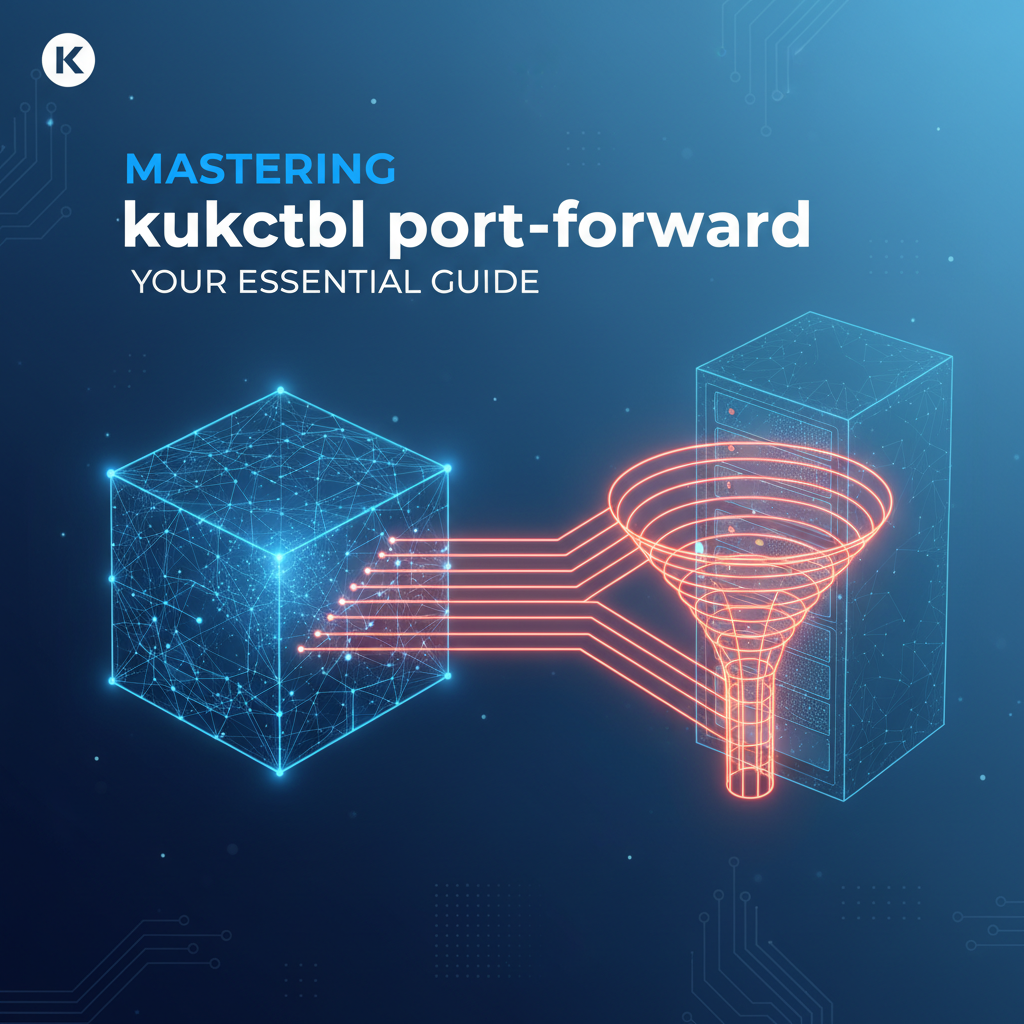


In the complex tapestry of modern cloud-native development, Kubernetes stands as the undisputed orchestrator of containerized applications. Yet, for all its power in managing deployments, scaling, and self-healing, interacting with individual components within a Kubernetes cluster can sometimes feel like peering into a black box. This is where the unassuming but incredibly powerful kubectl port-forward command enters the scene. It acts as a crucial bridge, enabling developers, operators, and SREs to establish a secure, direct connection from their local workstations to specific pods, services, or deployments running deep within the cluster's network fabric. Far from being a mere convenience, mastering kubectl port-forward is an indispensable skill, unlocking a world of possibilities for local development, meticulous debugging, and comprehensive troubleshooting without the overhead of public exposure.
This comprehensive guide delves into every facet of kubectl port-forward, moving beyond basic syntax to explore its underlying mechanisms, diverse applications, best practices, and crucial security considerations. We will unravel the intricacies of Kubernetes networking that necessitate such a tool, examine its various permutations and flags, and illustrate how it seamlessly integrates into advanced development workflows. Whether you're a seasoned Kubernetes veteran or just beginning your journey into container orchestration, understanding and proficiently wielding kubectl port-forward will undoubtedly elevate your productivity and deepen your command over your cloud-native environments. Join us as we unlock the full potential of this essential Kubernetes utility, ensuring you can connect to and interact with your applications with unprecedented ease and precision.
Understanding Kubernetes Networking Fundamentals: Why port-forward is Indispensable
Before we dive into the mechanics of kubectl port-forward, it's crucial to grasp the fundamental networking model that underpins Kubernetes. This understanding provides the context for why port-forward exists and why it's such a vital tool in a developer's arsenal. Kubernetes is designed to isolate application components, known as Pods, providing each with its own IP address. This IP address, however, is internal to the cluster's network. While Pods can communicate with each other directly using their internal IPs, and they can be exposed through higher-level abstractions like Services (ClusterIP, NodePort, LoadBalancer) or Ingress, direct, ad-hoc access from an external machine to a specific Pod's internal port is not natively straightforward.
The Kubernetes network model dictates that:
- Every Pod gets its own IP address: This IP is unique within the cluster's flat network space. Pods can communicate with all other Pods on any node without NAT. This design simplifies application architecture, as containers within a Pod can share a network namespace, and different Pods can be treated as distinct hosts.
- IP addresses are ephemeral: Pod IPs are not static. When a Pod is rescheduled, scaled, or crashes and restarts, it often gets a new IP address. This dynamic nature is a cornerstone of Kubernetes' resilience and scalability but poses a challenge for direct, stable external access.
- Services provide stable network endpoints: To overcome the ephemeral nature of Pod IPs, Kubernetes introduces the concept of a Service. A Service is a persistent abstract way to expose a group of Pods as a network service.
- ClusterIP: The default Service type, exposing the Service on an internal IP in the cluster. This IP is only reachable from within the cluster.
- NodePort: Exposes the Service on a static port on each Node's IP. This makes the Service accessible from outside the cluster using
<NodeIP>:<NodePort>. - LoadBalancer: Available only in cloud providers, it provisions an external load balancer to expose the Service.
- ExternalName: Maps the Service to the contents of the
externalNamefield (e.g., a DNS name), returning a CNAME record.
While Services are excellent for managing stable communication within the cluster and for exposing applications externally in a controlled, scalable manner, they don't always cater to the granular needs of a developer. For instance, if you're developing a new feature for a specific microservice and need to test it against a database running in the cluster, or if you're debugging an issue in a particular Pod, you don't necessarily want to expose that Pod or database broadly via a NodePort or LoadBalancer. Such an approach can be cumbersome to set up, introduce unnecessary security risks, and doesn't provide the direct, peer-to-peer feeling often desired in a development context. This is precisely the gap that kubectl port-forward fills. It provides a temporary, secure, and direct tunnel, allowing your local machine to connect to a specific port on a specific Pod or Service, bypassing the public exposure mechanisms and enabling intimate interaction with your cluster's internal components.
The Core Concept: What is kubectl port-forward?
At its heart, kubectl port-forward is a utility that establishes a secure, temporary network connection (a "tunnel") from your local machine to a specific port on a Pod, Service, or Deployment within your Kubernetes cluster. Imagine needing to physically reach into a secure, locked data center to interact with a specific server, but you only have a remote access key. kubectl port-forward acts like that remote access key, creating a private, encrypted conduit that transports network traffic from a port on your local machine directly to a designated port on a target resource inside the Kubernetes cluster. This eliminates the need to expose the application or service publicly, making it an ideal tool for development, debugging, and testing in isolated or sensitive environments.
The way it works is deceptively simple yet incredibly powerful. When you execute the kubectl port-forward command, kubectl first communicates with the Kubernetes API server. The API server, acting as the control plane's front end, authenticates your request and then relays it to the kubelet running on the node where your target Pod resides. The kubelet then initiates a secure HTTP tunnel back to the kubectl client on your local machine. From this point onwards, any traffic sent to the specified local port is forwarded through this tunnel directly to the designated port of the target container within the Pod, and vice versa. It’s a direct, point-to-point connection that bypasses the complex layers of Kubernetes networking that typically govern external access, such as Ingress controllers or LoadBalancer services.
The key benefits derived from this tunneling capability are manifold:
- Local Development Integration: Developers can run parts of their application stack locally (e.g., a frontend application or a new microservice) and seamlessly connect it to backend services, databases, or message queues that are already deployed within the Kubernetes cluster. This dramatically speeds up development cycles, allowing for rapid iteration without full redeployments.
- Granular Debugging: When an application isn't behaving as expected,
port-forwardallows a developer to directly interact with an individual Pod's process. You can attach a local debugger to a remote process, send test requests to anAPIendpoint, or inspect the state of a database, all from the comfort of your local IDE and tools. This direct access is invaluable for diagnosing intricate bugs that might be hard to reproduce locally. - Accessing Internal Services without Public Exposure: Many services within a Kubernetes cluster are designed solely for internal consumption (e.g., internal
APIs, metrics endpoints, database administrative interfaces).port-forwardprovides a safe, temporary mechanism to access these services from your workstation without exposing them to the wider internet, thus maintaining a strong security posture. This is especially useful forapi gatewaycomponents or other infrastructure services that manage sensitive traffic. - Testing
APIs and Webhooks: You can useport-forwardto quickly test the functionality of anAPIexposed by a Pod, ensuring that its endpoints respond correctly before it's integrated into a broader service mesh or exposed through anAPI gateway. Similarly, if your application needs to receive webhooks from an external service,port-forwardcan temporarily expose a local endpoint to receive those requests, facilitating local testing of webhook handlers. - Bypassing Complex Network Setup: For quick tests or urgent debugging, setting up an Ingress rule, a NodePort, or a LoadBalancer can be overkill and time-consuming.
port-forwardoffers an immediate, on-demand solution that requires minimal configuration and no changes to your cluster's deployment manifests.
It's crucial to distinguish kubectl port-forward from other Kubernetes exposure mechanisms. While kubectl expose and Ingress controllers are designed for robust, scalable, and typically public-facing access to applications, port-forward is inherently a developer and debugging tool. It creates a personal, transient tunnel for one-off or short-duration access. It's not meant for production traffic or for providing high-availability access to services. Its strength lies in its simplicity, immediacy, and the direct, private channel it provides, making it an indispensable part of the Kubernetes developer's toolkit for navigating the intricate internal landscape of their deployed applications.
Syntax and Basic Usage: Your First Steps into Kubernetes Connectivity
The power of kubectl port-forward begins with its straightforward syntax. Understanding the basic command structure and its various targets is the foundation for effectively leveraging this tool. The general form of the command is:
kubectl port-forward <resource-type>/<resource-name> <local-port>:<remote-port>
Let's break down each component and explore how to use it with different resource types.
Resource Types
kubectl port-forward is versatile and can target several Kubernetes resource types, each offering slightly different benefits:
- Pod: This is the most common and direct target. When you forward a port to a Pod,
kubectlcreates a tunnel specifically to that Pod's IP address and the designated port within one of its containers. This is ideal when you need to interact with a very specific instance of your application for debugging or testing. - Service: When you forward a port to a Service,
kubectlessentially finds a healthy Pod associated with that Service and forwards traffic to that Pod. If the Pod it initially connected to dies,kubectlwill automatically try to reconnect to another healthy Pod backing the Service. This provides a more stable target when you don't care about a specific Pod instance but rather any available instance of a service. This is particularly useful for stateful services orapis that have multiple replicas. - Deployment/ReplicaSet: For convenience, you can also specify a Deployment or ReplicaSet. In this case,
kubectlwill automatically select one of the healthy Pods managed by that Deployment or ReplicaSet and establish the tunnel to it. This simplifies the command as you don't need to look up a specific Pod name.
Examples with Pods
Accessing a specific Pod is the most common use case. You first need the name of your Pod. You can get this by running kubectl get pods.
Scenario 1: Forwarding a Web Server Imagine you have a Pod named my-web-app-7c8f9d5b4-abcde running a web server on port 80. You want to access it from your local machine on port 8080.
kubectl port-forward pod/my-web-app-7c8f9d5b4-abcde 8080:80
After running this, you can open your web browser and navigate to http://localhost:8080. All requests to localhost:8080 will be tunneled to port 80 of the my-web-app Pod. The command will continue to run in your terminal until you stop it (e.g., by pressing Ctrl+C).
Scenario 2: Forwarding a Database Suppose you have a PostgreSQL Pod named postgres-db-f8e7d6c5b-xyz12 with its database api listening on the standard port 5432. You want to connect your local SQL client to it on port 5432.
kubectl port-forward pod/postgres-db-f8e7d6c5b-xyz12 5432:5432
Now, you can configure your local PostgreSQL client to connect to localhost:5432, and it will reach the database inside your Kubernetes cluster.
Specifying a Namespace: If your Pod is not in the default namespace, you must specify the namespace using the -n or --namespace flag.
kubectl port-forward pod/my-web-app-7c8f9d5b4-abcde 8080:80 -n development
This command forwards the port for a Pod located in the development namespace.
Examples with Services
Forwarding to a Service offers more stability, as it abstracts away the individual Pods.
Scenario: Forwarding a ClusterIP Service Consider you have a Service named my-backend-service that exposes an api on port 80 within the cluster (a ClusterIP Service). You want to access this api locally on port 3000.
kubectl port-forward service/my-backend-service 3000:80
Now, any request to http://localhost:3000 will be forwarded to the my-backend-service in the cluster, which in turn will load balance the request to one of its healthy backend Pods. If the initial Pod that kubectl connected to goes down, kubectl will automatically pick another Pod backing the my-backend-service and re-establish the tunnel, providing a seamless experience. This is particularly useful when you're developing against an api gateway or a microservice that needs to remain available even if individual Pods are cycling.
Examples with Deployments
Using a Deployment as a target is a convenience feature. kubectl will automatically pick one healthy Pod managed by the Deployment.
Scenario: Forwarding to a Deployment If you have a Deployment named my-app-deployment and you want to forward port 80 from one of its Pods to your local port 8080.
kubectl port-forward deployment/my-app-deployment 8080:80
This command will find an available Pod managed by my-app-deployment and forward the port. This avoids the need to fetch a specific Pod name, which can be verbose.
Key Flags and Options
Beyond the basic structure, kubectl port-forward offers several useful flags:
-n <namespace>or--namespace <namespace>: Specifies the Kubernetes namespace of the target resource. This is crucial for working in multi-tenant or organized clusters.bash kubectl port-forward service/my-service 8080:80 -n production--address <ip>: By default,kubectl port-forwardbinds the local port to127.0.0.1(localhost). You can specify a different local IP address to bind to, for instance,0.0.0.0to make it accessible from other machines on your local network (be cautious with this for security reasons).bash kubectl port-forward pod/my-pod 8080:80 --address 0.0.0.0--disable-http2: In some rare cases, especially with older clients or services that don't fully support HTTP/2, disabling it can resolve connectivity issues.--pod-running-timeout <duration>: Specifies how longkubectlshould wait for a Pod to be running before attempting to establish the port-forward. Default is 1 minute.--config <kubeconfig-path>: If you have multiplekubeconfigfiles, you can specify which one to use.bash kubectl port-forward pod/my-pod 8080:80 --config ~/.kube/custom_config
Mastering these basic commands and understanding how to target different resource types will empower you to efficiently connect to your Kubernetes applications. As you progress, you'll find yourself reaching for kubectl port-forward constantly for quick checks, local development, and focused debugging within your cluster.
Advanced Use Cases and Scenarios: Unleashing the Full Potential
While the basic usage of kubectl port-forward is powerful, its true versatility shines in more advanced scenarios. It integrates deeply into developer workflows, turning complex Kubernetes environments into extensions of your local machine. From intricate debugging sessions to seamless local development with remote dependencies, port-forward is a cornerstone tool for efficient cloud-native engineering.
Debugging Application Issues
One of the most common and impactful uses of kubectl port-forward is during application debugging. When an application misbehaves in a Kubernetes environment, developers often need direct access to its runtime state.
- Attaching a Remote Debugger: Many programming languages and IDEs (like Java with IntelliJ, Python with VS Code, Node.js with Chrome DevTools) support remote debugging. You can configure your application in the Pod to listen for debugger connections on a specific port. Then, use
kubectl port-forwardto tunnel that port to your local machine.bash # Assuming your Java app listens for remote debugger on port 5005 kubectl port-forward pod/my-java-app-pod 5005:5005Now, from your IDE, you can connect tolocalhost:5005as if the application were running locally, setting breakpoints, inspecting variables, and stepping through code. This is invaluable for diagnosing issues that only manifest within the cluster environment, allowing you to bypass a complexapi gatewayor external ingress setup just to debug internal logic. - Accessing Internal Metrics and Admin Interfaces: Many applications expose
/metricsendpoints for Prometheus or administrative web UIs that are not meant for public exposure.port-forwardprovides a secure way to access these.bash # Accessing Prometheus metrics endpoint on port 9090 kubectl port-forward service/prometheus-server 9090:9090 -n monitoringThis allows you to view internal metrics or perform administrative tasks directly from your browser orcurlcommand without altering the service's public exposure. - Inspecting Application State Directly: Sometimes, simply looking at logs isn't enough. You might need to make a direct
APIcall to an internal endpoint to check a specific state or trigger an action.port-forwardfacilitates this by making the Pod's internalAPIaccessible locally.
Local Development with Remote Services
Modern microservice architectures often involve a myriad of interconnected services, databases, and message queues. Developing a new microservice locally while relying on these remote dependencies is a very common scenario where port-forward shines.
- Frontend/Backend Separation: Develop your frontend application locally (e.g., a React or Angular app) and connect it to your backend
APIservices deployed in Kubernetes.bash # Forwarding backend API on port 80 to local port 3001 kubectl port-forward service/my-backend-api 3001:80Your local frontend can then makeAPIcalls tohttp://localhost:3001, which seamlessly route to the Kubernetes backend. This significantly streamlines the development process, as you avoid continuous deployments for every frontend change. - Developing a New Microservice Against Existing Dependencies: When building a new microservice that needs to interact with an existing database, a Kafka cluster, or another internal
api gatewayservice already running in Kubernetes,port-forwardis your best friend.bash # Forwarding Kafka broker port 9092 kubectl port-forward service/kafka-broker 9092:9092 -n kafka # Forwarding Redis cache on port 6379 kubectl port-forward service/redis-master 6379:6379 -n cachingYour locally running microservice can then connect tolocalhost:9092for Kafka orlocalhost:6379for Redis, making the development experience feel as if these services were running on your local machine.
Accessing Internal Databases/Message Queues
Connecting local tools to cluster-internal data stores is another prime use case.
- Database Clients: Use your favorite local database client (DBeaver, DataGrip, pgAdmin, MySQL Workbench) to connect to a PostgreSQL, MySQL, MongoDB, or other database instance running inside your cluster.
bash # PostgreSQL kubectl port-forward service/my-postgres-db 5432:5432 # MongoDB kubectl port-forward service/my-mongo-db 27017:27017This allows for direct querying, schema inspection, and data manipulation without the need for public database exposure or VPNs, which can be cumbersome for quick administrative tasks or data validation. - Message Queue Clients: Connect local Kafka producers/consumers, RabbitMQ clients, or other message queue tools to their respective clusters within Kubernetes.
bash # Kafka broker kubectl port-forward service/kafka-broker 9092:9092This enables you to send and receive messages, inspect topics, and test message processing pipelines directly from your development environment.
Testing APIs and Webhooks
port-forward simplifies the testing of APIs and the integration of webhooks.
- Quick
APITesting: Before anAPIis fully exposed through anAPI gatewayor Ingress, you can test its functionality directly usingport-forward.bash kubectl port-forward deployment/my-new-api 8080:8080Then, usecurlor Postman againsthttp://localhost:8080/my-endpointto verify its responses. This provides rapid feedback during theAPIdevelopment cycle. - Simulating Webhook Receivers: If your local application needs to receive webhooks from an external service (e.g., GitHub, Stripe, Twilio),
port-forwardcan expose your local server to the internet through a tool likengrok(which itself might be forwarding tolocalhost:port-forward-port). Whileport-forwardby itself only exposes locally, when combined with other tools, it completes the loop for end-to-end webhook testing.
Interacting with Helm Charts
Helm, the package manager for Kubernetes, often deploys complex applications with many services. port-forward is invaluable for inspecting individual components of a Helm release. After deploying a Helm chart, you might need to access a specific database Pod or an internal configuration UI that's part of the release. You can use kubectl get pods -l app.kubernetes.io/instance=<helm-release-name> to find the Pods and then port-forward to them.
Security Considerations for Advanced Use
While port-forward is incredibly useful, its power also means it comes with security implications, especially in advanced usage:
- Permissions:
port-forwardrequires specific RBAC permissions (pods/portforward). Users should only be granted these permissions for resources they are authorized to access. Never give broadport-forwardpermissions to untrusted users. - Local Exposure: By default,
port-forwardbinds to127.0.0.1. If you use--address 0.0.0.0or another non-localhost IP, you are exposing that port on your local network. Be extremely cautious with this, especially if you're forwarding to sensitive services like databases or internalapi gatewaycomponents. - Temporary Nature: Remember that
port-forwardcreates a temporary tunnel. It's not a persistent exposure mechanism and should not be relied upon for production traffic or long-term integrations. For stable external access, always use Kubernetes Services (NodePort, LoadBalancer) or Ingress.
By thoughtfully applying kubectl port-forward in these advanced scenarios, developers can significantly enhance their productivity, reduce debugging cycles, and maintain a high level of control over their Kubernetes-deployed applications, ensuring a smoother and more efficient cloud-native development experience.
APIPark is a high-performance AI gateway that allows you to securely access the most comprehensive LLM APIs globally on the APIPark platform, including OpenAI, Anthropic, Mistral, Llama2, Google Gemini, and more.Try APIPark now! 👇👇👇
Best Practices and Tips: Maximizing Your port-forward Efficiency
Mastering kubectl port-forward isn't just about knowing the syntax; it's about understanding its nuances and adopting best practices that make your development and debugging workflows significantly more efficient. Here are some key tips and considerations to get the most out of this indispensable tool.
Understand its Ephemeral Nature
The most fundamental best practice is to always remember that kubectl port-forward creates a temporary connection. It's designed for ad-hoc access, debugging, and local development. It is not a substitute for persistent external exposure mechanisms like Kubernetes Services (NodePort, LoadBalancer) or Ingress controllers, which are built for reliability, scalability, and security in production environments. Do not build applications that rely on port-forward for inter-service communication or user access in production. Its transient nature means that when your local kubectl process terminates, the tunnel collapses.
Choose the Right Resource Target: Pod vs. Service
While you can target a Pod, Service, or Deployment, making the correct choice can impact your workflow:
- Target a Pod for Specific Debugging: If you're debugging a very specific instance of an application (e.g., a Pod that's exhibiting a particular bug), target the Pod directly. This ensures you're interacting with that exact container.
- Target a Service for Stability: If you need to connect to any healthy instance of a replicated service (e.g., a backend
API, a database cluster), target the Service.kubectlwill automatically pick a healthy Pod and, more importantly, attempt to reconnect to another healthy Pod if the initially chosen Pod dies. This provides a more resilient connection for local development where the specific Pod instance isn't critical. This is especially useful when interacting with an internalapi gatewayservice where you just need to reach one of the available instances. - Target a Deployment for Convenience: For quick ad-hoc access where you don't care about a specific Pod or the resilience of a Service, targeting a Deployment saves you from looking up a Pod name.
Manage Local Port Conflicts
It's common to run into issues where the local port you want to use is already in use by another application on your machine.
- Check Port Availability: Before running
port-forward, you can check if a port is in use:- Linux/macOS:
lsof -i :<port>ornetstat -tulnp | grep :<port> - Windows:
netstat -ano | findstr :<port>
- Linux/macOS:
- Choose Alternative Local Ports: Simply pick a different local port if the desired one is taken.
bash # Local port 8080 taken, try 8081 kubectl port-forward pod/my-web-app 8081:80 - Let
kubectlPick a Free Port: If you omit the local port and only specify the remote port,kubectlcan automatically select a random free local port for you. This is convenient for quick tests.bash # Forward remote port 80 to a random local port kubectl port-forward pod/my-web-app :80 # kubectl will output the chosen local port, e.g., "Forwarding from 127.0.0.1:49152 -> 80"
Automating and Backgrounding the Process
Running port-forward in the foreground means your terminal is tied up. For continuous development, you'll want to run it in the background.
- Using
&for Backgrounding (Unix/Linux/macOS):bash kubectl port-forward service/my-backend 8000:80 &This detaches the process, allowing you to continue using your terminal. Remember to note the process ID (PID) if you need to kill it later (kill <PID>). - Using
nohupfor Persistence (Unix/Linux/macOS):nohupprevents the process from being killed when the terminal closes.bash nohup kubectl port-forward service/my-backend 8000:80 > /dev/null 2>&1 &This is useful for longer-running background forwards. - Scripting: For complex setups where you need to forward multiple ports or start
port-forwardas part of a larger script, wrap the commands in a shell script.bash #!/bin/bash kubectl port-forward service/my-backend-api 3001:80 & kubectl port-forward service/my-database 5432:5432 & echo "Port forwards started. Access API at localhost:3001, DB at localhost:5432" wait # waits for background jobs to finishRemember to include cleanup logic (e.g.,kill $(jobs -p)) when the script exits.
Monitoring and Troubleshooting Common Issues
When port-forward doesn't work as expected, a systematic approach to troubleshooting is essential.
- "Unable to connect" or "Error forwarding port":
- Check Pod Status: Is the target Pod actually
Running?kubectl get pods -n <namespace> - Check Container Readiness: Is the container within the Pod ready and listening on the remote port? Look at the Pod's events (
kubectl describe pod <pod-name> -n <namespace>) and logs (kubectl logs <pod-name> -n <namespace>). The application inside the container must be bound to0.0.0.0or its Pod IP, not127.0.0.1, forport-forwardto connect. - Verify Port Number: Double-check that the remote port you specified (
<remote-port>) matches the port the application is listening on inside the container. - Namespace: Ensure you've specified the correct namespace with
-n. - Permissions: Confirm your
kubeconfigand RBAC permissions allowport-forwardto the target resource. - Local Port Conflict: As mentioned, verify your local port isn't already in use.
- Check Pod Status: Is the target Pod actually
- Connection Dropping: If your
port-forwardconnection frequently drops, check:- Pod Restarts/Failures: The target Pod might be crashing or restarting, causing
port-forwardto lose its connection. Usekubectl get events -n <namespace>orkubectl logs -f <pod-name>to investigate. - Network Instability: Less common, but underlying network issues between your machine and the Kubernetes API server can cause instability.
- Targeting a Service: If targeting a Pod, and that Pod is unstable, switching to target the Service instead can improve resilience as
kubectlwill attempt to reconnect to another healthy Pod.
- Pod Restarts/Failures: The target Pod might be crashing or restarting, causing
Alternatives for Production Access
While port-forward is indispensable for development and debugging, it's critical to understand its limitations for production:
- Ingress Controllers: For HTTP/HTTPS traffic to web applications and
APIs, Ingress controllers (like NGINX Ingress, Traefik, Istio Gateway) provide robust, scalable, and configurable routing, TLS termination, load balancing, and security policies. They are the standard for exposing HTTP/HTTPS services externally. - Load Balancers: For non-HTTP/HTTPS services or simpler TCP/UDP exposure in cloud environments, a Service of type
LoadBalancerprovisions an external load balancer. - NodePort Services: Suitable for testing or small-scale deployments where you can directly access a Kubernetes node's IP and a specific port.
- Service Mesh: Solutions like Istio or Linkerd provide advanced traffic management, observability, and security features for inter-service communication within the cluster, complementing external
gatewaysolutions. - VPN/Bastion Hosts: For secure remote access to internal cluster resources for operations teams, a VPN or a bastion host (jump server) within the cluster network is often employed, providing a more controlled and auditable access point than individual
port-forwardsessions for multiple users.
By incorporating these best practices, you can transform kubectl port-forward from a simple command into a highly efficient and reliable component of your Kubernetes development and operational toolkit, ensuring smoother debugging, faster iteration, and a more streamlined experience.
Integrating with API Gateway and API Management: Complementary Tools for a Complete Lifecycle
In the broader context of cloud-native development, kubectl port-forward primarily serves as a powerful developer-centric tool for direct, temporary access to internal services. However, when these services mature and are ready to be consumed by other applications, internal teams, or external partners, they transition into the domain of API gateways and API management platforms. Far from being mutually exclusive, port-forward and an API gateway are complementary, addressing different stages and needs within the API lifecycle.
The Role of API Gateways
An API gateway sits at the edge of your microservice architecture, acting as a single entry point for all client requests. Its responsibilities are vast and critical for any robust API ecosystem:
- Request Routing: Directing incoming requests to the appropriate backend service.
- Load Balancing: Distributing traffic across multiple instances of a service.
- Authentication and Authorization: Securing
APIs by verifying client identities and permissions. - Rate Limiting and Throttling: Protecting backend services from abuse and ensuring fair usage.
- Caching: Improving performance by storing and serving frequently requested responses.
- Monitoring and Analytics: Providing insights into
APIusage, performance, and errors. - Transformation and Protocol Translation: Adapting requests and responses to suit various backend services or client needs.
APIVersioning: Managing different versions of yourAPIs gracefully.
These capabilities are essential for exposing stable, secure, and performant APIs to a wider audience, whether it's an internal api to be shared across departments or a public api gateway for external consumption.
Complementary Tools in the Development Lifecycle
Consider a typical development flow for a new microservice that exposes an API:
- Local Development and Initial Testing (Leveraging
port-forward): A developer is building a new microservice. They write code, define endpoints, and need to test its functionality. At this stage, the microservice is likely not yet ready for broad exposure through anAPI gateway. The developer useskubectl port-forwardto expose the microservice'sAPIendpoint locally. This allows them to use local tools (Postman,curl, a local frontend) to directly interact with theAPIfor rapid iteration, debugging, and verifying core logic. They might alsoport-forwardto other internal dependencies (like a database or message queue) that the microservice relies on, ensuring seamless local development against a remote, controlled environment. This direct access bypasses all theAPI gatewaymachinery, allowing for pure, unadulterated testing of the service's internalAPIlogic. - Integration Testing and Staging (Transition to
API Gateway): Once the microservice is stable and itsAPIis well-defined, it's deployed to a staging or integration environment within Kubernetes. Here, it will likely be registered with anAPI gateway. TheAPI gatewaywill then manage access to this newAPI, applying policies for authentication, rate limiting, and routing. Now, other internal services or frontend applications will access thisAPIthrough thegateway, testing how it behaves under real-world conditions with security and traffic management applied.port-forwardmight still be used here by developers or QA engineers for targeted debugging of the service behind thegatewayif issues arise that are notgateway-related. - Production Deployment (
API Gatewayas the Front Door): In production, theAPI gatewaybecomes the definitive front door for all client interactions with the microservice. It handles the fullAPIlifecycle, ensuring security, scalability, and observability. Any consumer of theAPI(whether an internal team or an external application) will interact with theAPI gateway's public endpoint, never directly with the underlying microservice Pods.
Where APIPark Shines
For managing these external-facing APIs, especially in complex microservice architectures or when integrating AI models, platforms like APIPark become indispensable. APIPark serves as an open-source AI gateway and API management platform, streamlining the integration and deployment of both AI and REST services. It ensures unified API formats, prompt encapsulation, and robust lifecycle management for your APIs, complementing tools like kubectl port-forward by handling the public-facing aspects of your services once they're ready for broader consumption.
While kubectl port-forward empowers developers to interact directly with internal service APIs for development and debugging, APIPark steps in to manage, secure, and expose those APIs (including AI models wrapped as APIs) to consumers. It centralizes concerns like authentication, traffic management, versioning, and detailed logging, which are critical for an enterprise API strategy. This distinction highlights that kubectl port-forward facilitates the creation and immediate testing of an API, while an API gateway like APIPark facilitates the governance, publication, and consumption of that API at scale. Together, they form a comprehensive toolkit for managing the entire API lifecycle from inception to consumption.
Security and Performance Considerations: A Balanced Perspective
While kubectl port-forward is undeniably powerful, it's crucial to approach its usage with a clear understanding of its inherent security implications and performance characteristics. Treating it as an all-purpose solution for connectivity or overlooking its limitations can introduce risks or inefficiencies.
Security Considerations
The security of kubectl port-forward is primarily rooted in the Kubernetes authentication and authorization (AuthN/AuthZ) mechanisms:
- RBAC Permissions:
port-forwardoperations are governed by Kubernetes Role-Based Access Control (RBAC). A user or service account must have thepods/portforwardpermission (orservices/portforwardfor service targets) in the relevant namespace to establish a tunnel. This is the primary security gate. If a user doesn't have permissions toport-forwardto a specific Pod, they simply cannot do so. This means that access is tied directly to yourkubeconfigcredentials and the roles assigned to your identity within the cluster.- Best Practice: Follow the principle of least privilege. Grant
port-forwardpermissions only to necessary users and for the specific Pods or Services they need to access. Avoid broad, cluster-wideport-forwardpermissions for developers unless absolutely required.
- Best Practice: Follow the principle of least privilege. Grant
- Authenticated Tunnel: The tunnel established by
kubectl port-forwardis authenticated and encrypted via the Kubernetes API server. This means the communication between your localkubectlclient and the kubelet on the node (where the Pod resides) is secure. It's not an open, unencrypted connection. - Local Exposure: By default,
kubectl port-forwardbinds the specified local port to127.0.0.1(localhost). This means only processes running on your local machine can access the forwarded port. This is generally secure.- Caution with
--address 0.0.0.0: If you use the--address 0.0.0.0flag, the local port will be bound to all network interfaces on your machine. This makes the forwarded service accessible from other machines on your local network. While useful for specific collaboration or testing scenarios, it significantly broadens the attack surface. Exercise extreme caution and ensure your local machine's firewall is properly configured if you use this flag, especially when forwarding to sensitive services like databases or internalapis. Never expose sensitive internal services this way on an untrusted network.
- Caution with
- Ephemeral Access:
port-forwardcreates a temporary, session-bound tunnel. When thekubectlprocess is terminated (e.g.,Ctrl+Cor closing the terminal), the tunnel is immediately torn down. This inherent ephemerality reduces the window of exposure compared to persistent public exposure mechanisms. kubeconfigSecurity: The security of yourport-forwardsessions is ultimately dependent on the security of yourkubeconfigfile. If yourkubeconfigis compromised, an attacker could potentially use your credentials to establishport-forwardtunnels to services within your cluster, assuming your credentials have the necessary RBAC permissions. Always protect yourkubeconfigfile with strong file permissions and avoid sharing it.
In summary, kubectl port-forward is a secure tool when used responsibly and within the confines of proper RBAC. Its risks primarily stem from misconfiguration (like broad --address usage) or compromised kubeconfig credentials.
Performance Considerations
kubectl port-forward is not designed for high-throughput, low-latency production traffic. It's built for convenience and direct access during development and debugging.
- Overhead of Tunneling: Every packet sent through
port-forwardtravels from your local machine, through thekubectlclient, to the Kubernetes API server, then to the kubelet on the target node, and finally to the Pod's container. The reverse path is taken for responses. This tunneling mechanism introduces network latency and some processing overhead compared to direct network connections or highly optimizedAPI gatewaysolutions. - Single Point of Failure: A
port-forwardsession is tied to your localkubectlprocess. If your local machine goes offline, or thekubectlprocess crashes, the connection is lost. There's no inherent high availability or load balancing built intoport-forwarditself (though targeting a Service can helpkubectlreconnect to a different Pod if the initial one fails). - Not for Production Scale: For production-grade external access, Kubernetes provides Services of type
LoadBalancerorNodePort, and Ingress controllers. These mechanisms are designed for scalability, load balancing, high availability, and integration with robust network policies and firewalls. AnAPI gatewayplatform, for instance, is engineered for extreme performance and resilience, capable of handling thousands of transactions per second (TPS) while applying complex routing and security policies.port-forwardcannot and should not be expected to provide this level of performance or reliability. - Suitable for Development and Debugging Load: For its intended use cases – debugging, local development, and ad-hoc access –
port-forwardperforms perfectly adequately. The typical traffic patterns for these activities (e.g., a fewAPIcalls, a debugger session, occasional database queries) are well within its performance capabilities.
In essence, kubectl port-forward offers an excellent trade-off between ease of use, security for internal access, and adequate performance for development workflows. Understanding its limitations and using it judiciously, alongside other Kubernetes networking primitives and API gateway solutions for production, ensures a secure and efficient cloud-native environment.
Comparing kubectl port-forward with Other Exposure Methods
To fully appreciate the specific role of kubectl port-forward, it's helpful to compare it against other common methods Kubernetes offers for exposing applications. This table highlights their primary purposes, accessibility, and management characteristics, solidifying port-forward's unique niche.
| Feature / Method | kubectl port-forward |
Service (ClusterIP) |
Service (NodePort) |
Service (LoadBalancer) |
Ingress |
|---|---|---|---|---|---|
| Purpose | Local Debugging, Dev Access | Internal Service Discovery | Node-level External Access | Cloud Load Balancer Provision | HTTP/S Routing & Load Balancing |
| Accessibility | Local Machine Only | Cluster Internal (Pods, Nodes) | Cluster External (Node IP:Port) | Cloud External IP | HTTP/S External URL/Hostname |
| Persistence | Temporary (per session) | Permanent (Service Object) | Permanent (Service Object) | Permanent (Service Object) | Permanent (Ingress Object) |
| Target Audience | Developers, Debuggers | Internal Microservices | Limited External Consumers, Testing | Public/External Consumers | Public/External Consumers |
| Security | Kubeconfig/RBAC Auth | Internal Network (Network Policies) | Network Policies, Host Firewalls | Cloud Security Groups | WAF, ACLs, Authentication (via Controller) |
| Traffic Type | TCP/UDP | TCP/UDP | TCP/UDP | TCP/UDP | HTTP/HTTPS |
| Load Balancing | None (direct to selected Pod) | Basic (Round Robin/IP Hash) | Basic (Round Robin/IP Hash) | Advanced (Cloud LB) | Advanced (Ingress Controller) |
| TLS/SSL Termination | No | No | No | Sometimes (Cloud LB) | Yes (Ingress Controller) |
| Management Overhead | Low (CLI command) | Low (YAML definition) | Medium (YAML, Node Configuration) | Medium (YAML, Cloud Provider Integration) | High (YAML, Ingress Controller Deployment & Config) |
| Typical Use Case | Attaching debugger, local frontend to remote backend API, accessing database |
Inter-service communication, stable internal endpoint | Testing external access, on-prem deployments without external LB | Publicly exposing APIs/apps in cloud envs |
Routing multiple domains/paths to services, API gateway for HTTP/S |
This table clearly illustrates that kubectl port-forward occupies a distinct and vital position within the Kubernetes ecosystem. While other methods focus on managed, scalable, and often public exposure of services, port-forward provides an agile, private, and temporary channel for direct interaction. It's not a replacement for an API gateway or a public Service but rather a complementary tool that empowers developers to work efficiently with services before they reach the stage of broader, managed exposure.
Conclusion: Mastering the Direct Link to Your Cluster
Throughout this comprehensive guide, we've journeyed deep into the capabilities of kubectl port-forward, revealing it not just as a simple command but as an indispensable tool in the arsenal of every Kubernetes professional. From its fundamental role in bridging the gap between your local workstation and the intricate network of your cluster, to its advanced applications in debugging, local development, and API testing, port-forward empowers a level of direct interaction that is unparalleled in its simplicity and effectiveness. We've explored its syntax, delved into nuanced scenarios, and highlighted the best practices that transform a basic utility into a highly efficient workflow enhancer.
We've understood that port-forward is a developer's secret weapon for immediate, secure access, allowing for rapid iteration and meticulous troubleshooting without the overhead or security implications of persistent public exposure. It enables a local frontend to converse with a remote backend API, a local debugger to attach to a distant Pod, and a local database client to query a cluster-internal data store, all with minimal friction. This direct link vastly accelerates development cycles and deepens the understanding of application behavior within the Kubernetes runtime.
Crucially, we've also positioned kubectl port-forward within the broader landscape of Kubernetes networking, differentiating it from more robust, production-oriented solutions like Ingress controllers, LoadBalancer Services, and particularly, API gateway platforms. While port-forward facilitates the creation and immediate private testing of an API, a platform like APIPark steps in to manage, secure, and govern those APIs (including complex AI models) for public or enterprise-wide consumption. These tools are not rivals but partners, each playing a critical, distinct role in the full API lifecycle, from initial development to scalable, secure deployment and management.
Mastering kubectl port-forward is more than just knowing a command; it's about embracing a mindset of efficient, targeted interaction with your cloud-native applications. It's about empowering developers to move faster, debug smarter, and maintain a high degree of control over their Kubernetes environments. By integrating these insights into your daily workflow, you will undoubtedly unlock new levels of productivity and confidently navigate the complexities of modern container orchestration.
Frequently Asked Questions (FAQs)
Q1: What's the main difference between kubectl port-forward and a Kubernetes Service (e.g., ClusterIP, NodePort, LoadBalancer)?
A1: The fundamental difference lies in their purpose and scope. kubectl port-forward creates a temporary, personal, and secure tunnel from your local machine to a specific Pod or Service for development and debugging purposes. It's not designed for persistent, scalable, or external access for general consumers. A Kubernetes Service, on the other hand, provides a stable, persistent network endpoint for a set of Pods. Service types like NodePort or LoadBalancer are designed for external and production-grade exposure, offering features like load balancing, scalability, and integration with cluster networking, making them suitable for other applications or end-users to consume the service. port-forward is like a private walkie-talkie to a specific person, while a Service is like a public phone number to a call center.
Q2: Can I use kubectl port-forward for production traffic or exposing my application to the internet?
A2: No, absolutely not. kubectl port-forward is explicitly not designed for production traffic or for exposing applications to the internet. It lacks the critical features required for production, such as high availability, robust load balancing, scalability, security policies (like WAF or fine-grained authorization beyond RBAC), and stable uptime guarantees. Its temporary nature and single point of failure make it unsuitable. For production, you should always rely on Kubernetes Services (NodePort, LoadBalancer) or Ingress controllers, potentially augmented by an API gateway for advanced traffic management and security features.
Q3: How do I access multiple ports from a single Pod using kubectl port-forward?
A3: You can forward multiple ports from the same Pod (or Service/Deployment) in a single kubectl port-forward command by specifying them as a space-separated list of local-port:remote-port pairs. For example, to forward remote port 80 to local 8080 and remote port 443 to local 8443 for a Pod:
kubectl port-forward pod/my-web-app 8080:80 8443:443
This will establish two separate tunnels within the same kubectl process, allowing you to access both forwarded ports simultaneously.
Q4: What should I do if kubectl port-forward fails to connect or the connection drops frequently?
A4: If kubectl port-forward is failing, follow these troubleshooting steps: 1. Check Pod Status: Ensure the target Pod is Running and healthy (kubectl get pods <pod-name> -n <namespace>). 2. Verify Remote Port: Confirm the remote port (<remote-port>) matches the port your application is actually listening on inside the container. Check Pod logs for binding errors (kubectl logs <pod-name> -n <namespace>). 3. Local Port Conflict: Check if your local port (<local-port>) is already in use on your machine. 4. Namespace: Make sure you've specified the correct namespace with -n <namespace>. 5. RBAC Permissions: Ensure your kubeconfig user has the necessary pods/portforward permissions for the target resource. 6. Application Binding: The application inside the Pod must be configured to listen on 0.0.0.0 or its Pod IP, not 127.0.0.1, for port-forward to function correctly. If the connection drops frequently, investigate if the target Pod is restarting or crashing (kubectl describe pod <pod-name> -n <namespace>), or if there are underlying network issues in your cluster. Targeting a Service instead of a specific Pod might offer more resilience if Pods are unstable.
Q5: Is kubectl port-forward secure for accessing sensitive internal services?
A5: Yes, kubectl port-forward is generally considered secure for accessing sensitive internal services when used correctly. The connection is authenticated via your kubeconfig credentials and Kubernetes RBAC, and the tunnel itself is encrypted by the Kubernetes API server. By default, the local port binds to 127.0.0.1 (localhost), meaning only your local machine can access it. However, security risks can arise if: * Your kubeconfig credentials are compromised. * You use the --address 0.0.0.0 flag, which exposes the forwarded port on all your local network interfaces, making it accessible to other machines on your local network. This should be done with extreme caution and only on trusted networks with proper firewall rules. Always adhere to the principle of least privilege for RBAC permissions and protect your kubeconfig file.
🚀You can securely and efficiently call the OpenAI API on APIPark in just two steps:
Step 1: Deploy the APIPark AI gateway in 5 minutes.
APIPark is developed based on Golang, offering strong product performance and low development and maintenance costs. You can deploy APIPark with a single command line.
curl -sSO https://download.apipark.com/install/quick-start.sh; bash quick-start.sh

In my experience, you can see the successful deployment interface within 5 to 10 minutes. Then, you can log in to APIPark using your account.

Step 2: Call the OpenAI API.