Mastering Kubectl Port Forward: An Essential Guide


In the vast and intricate landscape of Kubernetes, where applications live in containers orchestrated across a cluster, accessing specific services or debugging issues often presents a unique challenge. While external exposure through Ingresses, NodePorts, or LoadBalancers is standard for production workloads, developers and operations teams frequently require a more direct, temporary, and localized pathway to interact with services running inside the cluster. This is precisely where kubectl port-forward emerges as an indispensable tool, serving as a developer's Swiss Army knife for gaining ad-hoc access to pods, deployments, services, and even stateful sets.
This comprehensive guide delves deep into the capabilities of kubectl port-forward, demystifying its mechanisms, exploring its myriad use cases, and arming you with the knowledge to master this powerful command. We will traverse from its fundamental syntax to advanced techniques, security considerations, and common troubleshooting scenarios, ensuring that by the end of this journey, you possess a profound understanding of how to leverage port-forward effectively in your Kubernetes endeavors.
The Foundation: Understanding kubectl port-forward
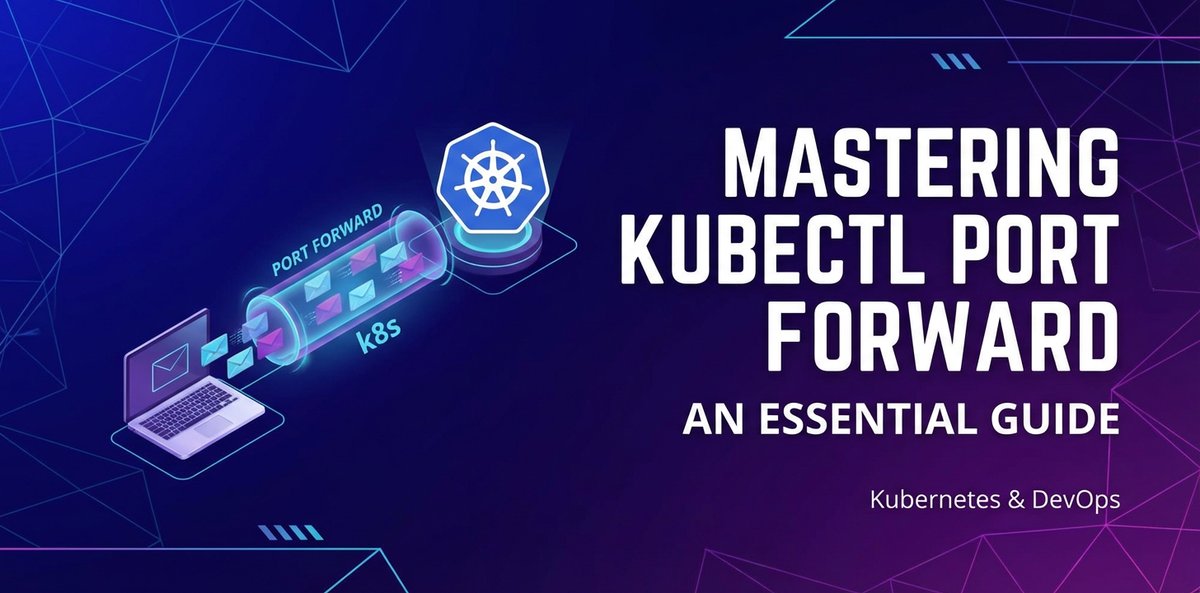
At its core, kubectl port-forward establishes a secure, bidirectional connection from your local machine to a specified port on a pod, deployment, service, or stateful set within your Kubernetes cluster. It effectively creates a tunnel, allowing you to access a service running inside the cluster as if it were running on localhost. This capability is paramount for numerous development and debugging workflows, enabling direct interaction with internal services without the overhead or security implications of exposing them externally.
The primary objective of port-forward is to bypass the complexities of Kubernetes networking for temporary access. When you initiate a port-forward command, kubectl communicates with the Kubernetes API server, which in turn instructs the kubelet agent on the node hosting the target pod to establish a secure, authenticated stream. This stream then forwards traffic from a specified local port to a specified port on the container within the target pod. This direct tunneling mechanism ensures that your local machine can interact with the internal service without needing to configure complex network rules or expose the service to the wider internet.
Consider a scenario where you've deployed a microservice within a Kubernetes cluster, perhaps a backend API or a database instance. During development or debugging, you might need to send requests directly to this microservice from your local development environment, or inspect the database state using a local client. Without port-forward, this would require either exposing the service via an Ingress or NodePort (which might be undesirable for security or configuration reasons during development) or intricate network configurations. port-forward cuts through this complexity, offering an elegant and secure solution for temporary local access.
Its simplicity and effectiveness make it a cornerstone tool for anyone working with Kubernetes. From testing new features locally against a remote cluster to inspecting the health of internal components, port-forward bridges the gap between your local development environment and the distributed nature of Kubernetes.
Prerequisites for Mastery
Before embarking on the journey to master kubectl port-forward, ensure you have the following prerequisites in place:
- A Running Kubernetes Cluster: This can be a local cluster (e.g., Minikube, Kind, Docker Desktop's Kubernetes) or a remote cloud-hosted cluster (e.g., GKE, EKS, AKS, OpenShift). The principles discussed herein apply uniformly regardless of your cluster's deployment model.
kubectlInstalled and Configured: You need thekubectlcommand-line tool installed on your local machine and configured to communicate with your target Kubernetes cluster. This typically involves having akubeconfigfile in~/.kube/configthat contains the necessary credentials and cluster context information. You can verify yourkubectlconfiguration by runningkubectl cluster-infoorkubectl get nodes. If these commands execute successfully and show information about your cluster, you're good to go.- Basic Understanding of Kubernetes Concepts: Familiarity with fundamental Kubernetes resources like Pods, Deployments, Services, and Namespaces will be highly beneficial, as
port-forwardoften targets these resources. Understanding how these resources are interconnected and how they function within the cluster will enhance your ability to effectively utilizeport-forward.
These prerequisites form the bedrock upon which you can confidently experiment with and implement kubectl port-forward in various scenarios. Without a properly configured kubectl and a reachable cluster, the port-forward command will not be able to establish its crucial connection.
The Basic Syntax: Your First Port Forward
The most common and fundamental usage of kubectl port-forward involves targeting a specific pod. The basic syntax is straightforward:
kubectl port-forward POD_NAME LOCAL_PORT:REMOTE_PORT
Let's break down each component:
POD_NAME: This is the exact name of the pod you wish to connect to. Pod names are unique within a namespace and typically include a unique identifier generated by Kubernetes (e.g.,my-app-deployment-5f6b9c7d4-abcde). You can find pod names usingkubectl get pods.LOCAL_PORT: This is the port on your local machine thatkubectlwill listen on. When you accesslocalhost:LOCAL_PORTin your browser or through a client, the traffic will be forwarded to the cluster. Choose an unused port on your local machine.REMOTE_PORT: This is the port on the container within the target pod that the service is listening on. This is often thecontainerPortdefined in your pod's manifest. If you omitREMOTE_PORT,kubectlwill assumeLOCAL_PORTandREMOTE_PORTare the same. However, it's a good practice to explicitly define both for clarity and to handle cases where they differ.
Example Scenario: Imagine you have a Nginx deployment, and you want to access its web server directly from your local machine.
First, let's deploy a simple Nginx application:
# nginx-deployment.yaml
apiVersion: apps/v1
kind: Deployment
metadata:
  name: nginx-deployment
spec:
  replicas: 1
  selector:
    matchLabels:
      app: nginx
  template:
    metadata:
      labels:
        app: nginx
    spec:
      containers:
      - name: nginx
        image: nginx:latest
        ports:
        - containerPort: 80
Apply this deployment:
kubectl apply -f nginx-deployment.yaml
Now, identify the running Nginx pod:
kubectl get pods -l app=nginx
You might see output similar to:
NAME                                READY   STATUS    RESTARTS   AGE
nginx-deployment-78f997676f-abcde   1/1     Running   0          2m
Let's say the pod name is nginx-deployment-78f997676f-abcde. The Nginx container inside this pod is listening on port 80. To forward local port 8080 to the pod's port 80, you would run:
kubectl port-forward nginx-deployment-78f997676f-abcde 8080:80
Upon successful execution, you will see output indicating that the forwarding is active:
Forwarding from 127.0.0.1:8080 -> 80
Forwarding from [::1]:8080 -> 80
Now, open your web browser or use curl to access http://localhost:8080. You should see the default Nginx welcome page, demonstrating that you are successfully connected to the Nginx server running inside your Kubernetes pod. To stop the port-forward process, simply press Ctrl+C in your terminal.
This basic example illustrates the power and simplicity of kubectl port-forward. It provides a direct, unhindered pathway to your internal cluster services, significantly streamlining development and debugging workflows.
Advanced Scenarios: Beyond Basic Pod Forwarding
While targeting individual pods is the most straightforward application of port-forward, its utility extends far beyond. You can leverage it to forward ports from Deployments, Services, and StatefulSets, abstracting away the need to identify specific pod names.
Forwarding to a Deployment
When you forward to a Deployment, kubectl automatically selects one of the healthy pods managed by that Deployment to establish the connection. This is particularly useful when you have multiple replicas of an application and don't care which specific pod you connect to, just that you connect to an instance of your application.
kubectl port-forward deployment/nginx-deployment 8080:80
This command achieves the same result as forwarding to a specific Nginx pod, but it's more robust as it doesn't require knowing the specific pod name and will automatically connect to a healthy replica.
Forwarding to a Service
Forwarding to a Service is another powerful feature, especially when dealing with applications that are exposed via a Service object. When you port-forward to a Service, kubectl uses the Service's selector to find a healthy pod and then forwards traffic to that pod. This is highly recommended as it mirrors how your application would typically be accessed internally within the cluster.
# First, create a Service for our Nginx deployment
kubectl expose deployment nginx-deployment --port=80 --type=ClusterIP

# Now, forward to the Service
kubectl port-forward service/nginx-deployment 8080:80
This command will forward localhost:8080 to port 80 of one of the pods backing the nginx-deployment service. This method is often preferred because it respects the load-balancing and service discovery mechanisms inherent to Kubernetes, ensuring you connect to an available and healthy instance.
Forwarding to a StatefulSet
Similar to Deployments, you can also forward to StatefulSets. kubectl will select one of the pods managed by the StatefulSet.
# Assuming you have a StatefulSet named 'my-database'
kubectl port-forward statefulset/my-database 5432:5432
This is particularly useful for debugging stateful applications, like databases, where you might need to inspect the data directly using a local client.
Handling Multiple Ports
Sometimes, an application might expose multiple ports (e.g., an HTTP port and a metrics port). kubectl port-forward supports forwarding multiple ports in a single command.
kubectl port-forward POD_NAME 8080:80 9090:9000
This would forward localhost:8080 to the pod's port 80 and localhost:9090 to the pod's port 9000 simultaneously. This is a convenient way to access different aspects of a multi-port service without running multiple port-forward commands.
Backgrounding the Process
By default, kubectl port-forward runs in the foreground, tying up your terminal. For continuous access while you work on other tasks, you'll often want to run it in the background.
There are a few ways to achieve this:
- Using
&(Ampersand): The simplest method on Unix-like systems is to append&to the command:bash kubectl port-forward deployment/nginx-deployment 8080:80 &This immediately puts the process in the background, returning control to your terminal. Note the job ID and process ID displayed, which you can use for management. - Using
Ctrl+Zandbg: If you've already startedport-forwardin the foreground:- Press
Ctrl+Zto suspend the process. - Type
bgand press Enter to resume it in the background. This gives you more control if you decide to background an already running process.
- Press
- Using
nohup(No Hang Up): For more robust backgrounding, especially if you plan to close your terminal,nohupcombined with&is a good option:bash nohup kubectl port-forward deployment/nginx-deployment 8080:80 > /dev/null 2>&1 &This command runsport-forwardin the background, detaches it from the terminal, and redirects its output to/dev/null(you can specify a log file instead). This ensures the process continues even if your terminal session ends.
To manage backgrounded processes, you can use jobs to list them and fg %JOB_ID to bring one back to the foreground. To terminate a background process, use kill %JOB_ID or kill PROCESS_ID.
Specifying a Namespace
By default, kubectl operates within the currently configured namespace. If your target resource (pod, deployment, service) resides in a different namespace, you must explicitly specify it using the -n or --namespace flag:
kubectl port-forward -n my-namespace deployment/my-app 8080:80
This ensures that kubectl looks for the my-app deployment within the my-namespace namespace, preventing "resource not found" errors. Always be mindful of the namespace your resources are deployed in.
Targeting Specific IP Addresses
While less common, kubectl port-forward can also forward to specific IP addresses within the cluster. This might be useful in advanced networking scenarios or when debugging services that don't have a formal Kubernetes Service object.
kubectl port-forward POD_IP 8080:80
To find a pod's IP, use kubectl get pod <pod-name> -o wide.
Specifying Local Host Address
By default, kubectl port-forward binds to 127.0.0.1 (localhost). This means only applications on your local machine can access the forwarded port. For security reasons, this is generally the desired behavior. However, if you need to access the forwarded port from other machines on your local network (e.g., a VM running on your host, or another physical machine on your LAN), you can specify the address to bind to:
kubectl port-forward --address 0.0.0.0 POD_NAME 8080:80
Binding to 0.0.0.0 makes the forwarded port accessible from all network interfaces on your local machine. Exercise extreme caution when doing this, as it effectively exposes the internal cluster service to your local network. Only do this if you understand the security implications and have appropriate network controls in place. For production-grade exposure, robust solutions like Ingress controllers and dedicated API gateways are designed for secure and managed external access, rather than a temporary port-forward.
Troubleshooting Common Issues
Despite its apparent simplicity, kubectl port-forward can sometimes be temperamental. Here's a rundown of common issues and their resolutions:
- "error: unable to listen on any of the listeners: [::1]:8080: listen tcp6 [::1]:8080: bind: address already in use"
- Cause: The
LOCAL_PORTyou specified is already in use by another process on your local machine. - Resolution: Choose a different
LOCAL_PORTthat is free. You can check which processes are using ports on your machine using commands likelsof -i :8080(macOS/Linux) ornetstat -ano | findstr :8080(Windows).
- Cause: The
- "error: Pod not found" or "error: deployment "my-app" not found"
- Cause: The
POD_NAME,deployment/NAME,service/NAME, orstatefulset/NAMEyou provided is incorrect, or it resides in a different namespace. - Resolution:
- Double-check the spelling of the resource name.
- Verify the resource exists using
kubectl get pods,kubectl get deployments, etc. - Ensure you are in the correct namespace or specify it with
-n NAMESPACE.
- Cause: The
- No traffic reaching the pod, connection times out.
- Cause:
- The
REMOTE_PORTspecified does not match the port the application inside the container is listening on. - The application inside the container is not running or is unhealthy.
- Network connectivity issues between your machine and the cluster's API server, or between the API server and the
kubeleton the node. - Firewall rules on your local machine blocking outgoing connections to the Kubernetes API server or incoming connections to the local forwarded port.
- The
- Resolution:
- Verify the
containerPortin the pod's manifest or check the application's configuration within the container to ensureREMOTE_PORTis correct. - Check the pod's status (
kubectl get pod POD_NAME) and logs (kubectl logs POD_NAME) to ensure the application is running as expected. - Check your local firewall settings.
- Try
kubectl describe pod POD_NAMEto look for networking events or issues.
- Verify the
- Cause:
- "error: Unable to connect to the server: x509: certificate has expired or is not yet valid"
- Cause: Your
kubeconfigfile has outdated or invalid credentials, or there's a time skew between your local machine and the cluster's control plane. - Resolution:
- Update your
kubeconfig(often done by re-authenticating with your cloud provider's CLI, e.g.,gcloud container clusters get-credentials,aws eks update-kubeconfig). - Ensure your local machine's system clock is accurate.
- Update your
- Cause: Your
port-forwardstarts, but when trying to connect, nothing happens.- Cause:
- The application inside the container might be listening on an internal IP (e.g.,
127.0.0.1) instead of0.0.0.0. If an application explicitly binds to127.0.0.1inside the container,port-forwardwon't be able to reach it from outside the container's localhost. - The application might be slow to start or has crashed after
port-forwardestablished the tunnel.
- The application inside the container might be listening on an internal IP (e.g.,
- Resolution:
- Check application logs (
kubectl logs POD_NAME) to ensure it's actively listening on the expected port and binding to0.0.0.0or a non-localhost address. - Wait a bit longer for the application to initialize.
- Check application logs (
- Cause:
port-forwardhangs or is slow.- Cause: Network latency between your local machine and the Kubernetes API server, or between the API server and the
kubelet. This is common for remote clusters with high latency connections. - Resolution: While not always resolvable, ensure your internet connection is stable. For very remote clusters, expect some overhead.
- Cause: Network latency between your local machine and the Kubernetes API server, or between the API server and the
By systematically going through these troubleshooting steps, you can diagnose and resolve most kubectl port-forward issues encountered during development and debugging.
Security Considerations
While kubectl port-forward is incredibly convenient, it's vital to be aware of its security implications.
localhostBinding (Default): By default,port-forwardbinds to127.0.0.1on your local machine. This means only processes running on your local machine can access the forwarded port. This is a crucial security feature, as it prevents accidental exposure of internal cluster services to your wider network or the internet. Always adhere to this default unless there's a very specific, controlled reason not to.- Exposing to
0.0.0.0: As mentioned earlier, using--address 0.0.0.0will make the forwarded port accessible from any device on your local network that can reach your machine. This can be a significant security risk, especially if the internal service being exposed contains sensitive data or administrative interfaces. Avoid this in uncontrolled environments. If you absolutely must expose a service to others on your local network for collaboration, ensure that:- Your local network is secure and trusted.
- The service itself has robust authentication and authorization mechanisms.
- It's a temporary measure, and the
port-forwardis terminated immediately after use.
- Privilege Escalation:
kubectl port-forwardleverages yourkubeconfigcredentials to establish the connection via the API server. If yourkubeconfiggrants you high privileges (e.g., cluster-admin), anyport-forwardyou establish implicitly carries those privileges in terms of what services you can access. Be mindful of the principle of least privilege: only grantkubectlthe permissions necessary for your tasks. - Temporary Nature:
port-forwardis designed for temporary, ad-hoc access. It is not a production-grade solution for exposing services. For robust, secure, and scalable exposure of services, especially those offering anAPIto external consumers, you should utilize Kubernetes Ingresses, NodePorts, LoadBalancers, or specializedAPI gatewaysolutions. These options provide features like TLS termination, authentication, authorization, rate limiting, and traffic management, whichport-forwardcompletely lacks.
APIPark is a high-performance AI gateway that allows you to securely access the most comprehensive LLM APIs globally on the APIPark platform, including OpenAI, Anthropic, Mistral, Llama2, Google Gemini, and more.Try APIPark now! 👇👇👇
Alternatives to kubectl port-forward
While kubectl port-forward is excellent for local development and debugging, it has limitations, particularly for production environments or scenarios requiring broader access. Here are common alternatives and when to use them:
1. Ingress
- Purpose: Exposes HTTP and HTTPS routes from outside the cluster to services within the cluster.
- Mechanism: An Ingress resource defines rules for routing external traffic, which is then implemented by an Ingress controller (e.g., Nginx Ingress, Traefik, GKE Ingress). It provides features like host-based and path-based routing, TLS termination, and load balancing.
- When to use: For exposing web applications and HTTP
APIs to the internet with advanced routing, virtual hosts, and SSL management. This is a standard production solution.
2. NodePort
- Purpose: Exposes a service on a specific port on every Node in the cluster.
- Mechanism: Kubernetes allocates a static port on each Node (within a configurable range, typically 30000-32767). External traffic to
<NodeIP>:<NodePort>is then routed to the service. - When to use: Simple external access, often suitable for testing or small-scale applications where you can reliably access a Node's IP. Less scalable and flexible than Ingress or LoadBalancer.
3. LoadBalancer
- Purpose: Exposes a service externally using a cloud provider's load balancer.
- Mechanism: When you create a Service of type
LoadBalancer, Kubernetes automatically provisions an external load balancer (e.g., AWS ELB, GCP L7 Load Balancer) that directs traffic to your service. - When to use: For exposing services that require a dedicated external IP address and robust load balancing, especially for non-HTTP services or when deeper integration with cloud provider networking is desired. This is a common production solution for various types of applications.
4. VPN (Virtual Private Network)
- Purpose: Provides secure, direct network access to the cluster's internal network.
- Mechanism: A VPN client on your local machine connects to a VPN server that has access to the cluster's private network. Once connected, your local machine becomes part of the cluster's network, allowing direct access to ClusterIP services.
- When to use: For providing secure network access to a broader range of internal services, not just specific ports. It's more heavyweight than
port-forwardbut offers full network access. Often used by developers or administrators who need to interact with many internal services regularly.
5. Service Mesh (e.g., Istio, Linkerd)
- Purpose: Adds a programmable network layer to manage inter-service communication within the cluster, including traffic management, security, and observability.
- Mechanism: Introduces sidecar proxies (e.g., Envoy) alongside application containers, intercepting all network traffic.
- When to use: For complex microservices architectures requiring advanced traffic routing (e.g., A/B testing, canary deployments), fine-grained access control, mutual TLS, and detailed telemetry. While not directly an "exposure" mechanism in the same way, a service mesh enhances the security and manageability of how services are accessed both internally and externally (often in conjunction with an Ingress gateway).
6. Dedicated API Gateway
For organizations building and consuming many APIs, especially modern AI APIs or microservices, a specialized API gateway and API management platform is a strategic necessity. While kubectl port-forward provides immediate local access for debugging, and Ingresses handle general HTTP routing, a dedicated gateway offers a suite of advanced features for the entire API lifecycle.
This is where a product like APIPark shines. APIPark is an open-source AI gateway and API management platform designed to streamline the management, integration, and deployment of both AI and REST services. Unlike the temporary nature of kubectl port-forward or the more general routing of an Ingress, APIPark provides:
- Unified API Management: It centralizes the control of numerous AI models and REST services, offering features like authentication, cost tracking, and standardized API formats for invocation.
- Lifecycle Management: From design and publication to invocation and decommissioning, APIPark assists in regulating API processes, managing traffic forwarding, load balancing, and versioning, which are all critical for production
APIs that are part of anopen platform. - Security & Access Control: It supports subscription approval features, preventing unauthorized
APIcalls and enhancing data security, a far cry from the unauthenticated access provided byport-forward. - Performance & Scalability: Designed to handle large-scale traffic with high TPS, it can be deployed in clusters, offering the robustness needed for enterprise-level
APIexposure.
For any organization serious about managing its api assets, particularly when evolving into an open platform that leverages AI and microservices, an API gateway like APIPark transitions from a mere convenience to a fundamental piece of infrastructure. It addresses the gaps that kubectl port-forward or generic Kubernetes networking solutions cannot, providing a secure, scalable, and manageable layer for all your API needs.
Use Cases for kubectl port-forward
Despite its limitations for production, kubectl port-forward excels in specific development and debugging scenarios:
- Local Development and Testing:
- Backend API Development: Test a new local frontend feature against a backend
APIrunning in the cluster without deploying the frontend to the cluster. - Database Inspection: Connect your local SQL client (e.g., DBeaver, psql) to a database pod (PostgreSQL, MySQL, MongoDB) running inside the cluster to inspect data, run queries, or debug migrations.
- Cache Access: Connect to an in-memory cache (e.g., Redis, Memcached) to verify cached data.
- Backend API Development: Test a new local frontend feature against a backend
- Debugging and Troubleshooting:
- Direct Service Interaction: If a service isn't behaving as expected,
port-forwardallows you to bypass higher-level routing (Ingress, Service) and directly interact with a specific pod's instance to isolate problems. - Metrics Scraping: Temporarily expose a
metricsendpoint of a pod to your local machine to scrape metrics with Prometheus or similar tools, facilitating real-time monitoring insights without full external exposure. - Health Checks: Manually hit a pod's health check endpoints (liveness/readiness probes) to understand its status directly.
- Service Mesh Sidecar Debugging: Interact directly with the Envoy proxy of a service mesh sidecar for debugging traffic routing or policy enforcement issues.
- Direct Service Interaction: If a service isn't behaving as expected,
- Temporary Administrative Access:
- Admin Panels: Access an administrative web interface (e.g., Kubernetes Dashboard, application-specific admin console) that is only exposed within the cluster.
- Remote Shell Access (via an intermediate service): While
kubectl execis for direct shell access,port-forwardcan sometimes be part of a chain to access services that then allow further administrative actions.
- Proof-of-Concept and Demos:
- Quickly demonstrate an application running in Kubernetes to stakeholders without configuring full external exposure.
- Accessing Internal Monitoring Tools:
- Temporarily access internal Prometheus, Grafana, or other monitoring dashboards that are intentionally kept internal to the cluster for security.
These diverse use cases underscore the versatility and importance of kubectl port-forward in the daily life of a Kubernetes practitioner.
How kubectl port-forward Works Under the Hood: A Technical Deep Dive
Understanding the underlying mechanics of kubectl port-forward provides invaluable insight into its reliability and limitations. The process is not a simple direct TCP connection but involves a sophisticated tunnel established through the Kubernetes API server.
Here's a step-by-step breakdown of the technical flow:
kubectlInitiates the Request: When you executekubectl port-forward <resource> <local-port>:<remote-port>, yourkubectlclient sends an authenticated request to the Kubernetes API server. This request is an HTTPPOSTto the/api/v1/namespaces/{namespace}/pods/{name}/portforwardendpoint, or a similar endpoint for services/deployments. The request uses thekubeconfigcredentials for authentication and authorization.- API Server Authentication and Authorization: The API server first validates your identity (authentication) and then checks if your user or service account has the necessary permissions (authorization) to perform
port-forwardoperations on the specified resource within its namespace. This requirespods/portforwardpermission. If successful, the API server accepts the request. - API Server Contacting
kubelet: The API server doesn't directly connect to the pod. Instead, it acts as an intermediary. It identifies the node where the target pod is running and forwards theport-forwardrequest to thekubeletagent running on that node. This communication typically occurs over HTTPS, with mutual TLS authentication between the API server and thekubelet. kubeletEstablishes the Stream: Upon receiving the request, thekubeleton the target node is responsible for establishing the actual connection to the container within the pod. Thekubeletuses theexecAPI of the container runtime (e.g., containerd, CRI-O, Docker) to set up a network stream. It then uses this stream to tunnel data between thekubeletand the container's specified port.- SPDY/HTTP/2 Tunnel: The connection between
kubectl(your local machine), the API server, and thekubeletis not a raw TCP connection for the data plane. Instead, it's typically multiplexed over a single HTTP/2 or SPDY stream (an older protocol, but conceptually similar). This meanskubectlestablishes an HTTP/2 connection to the API server, which then multiplexes this into another HTTP/2 connection to thekubelet. Thekubeletthen handles the final hop to the container's network namespace. This multiplexing allowskubectlto manage multipleport-forwardsessions or otherexeccommands over a single connection to the API server. - Data Flow:
- When your local application sends data to
localhost:LOCAL_PORT,kubectlcaptures this data. - It then sends this data over the secure HTTP/2 tunnel to the Kubernetes API server.
- The API server forwards the data over its HTTP/2 tunnel to the
kubeleton the appropriate node. - The
kubeletthen injects this data into the container's network namespace, directing it toREMOTE_PORT. - Responses from the container follow the reverse path back to your local machine.
- When your local application sends data to
This intricate process ensures security, as all communications are authenticated and encrypted, and leverages existing Kubernetes control plane components. The kubelet acts as a crucial bridge, allowing kubectl to reach into the isolated network environment of a pod's container without direct network routing.
Best Practices for kubectl port-forward
To maximize the efficiency and safety of kubectl port-forward, consider these best practices:
- Specify Namespace: Always use
-n NAMESPACEto explicitly define the target namespace, preventing accidental connections to resources in the wrong namespace. - Choose Unique Local Ports: Avoid port conflicts by selecting a
LOCAL_PORTthat is unlikely to be used by other applications on your system. - Be Specific with Target: While forwarding to Deployments/Services is convenient, if you are debugging a specific pod instance, target the pod directly. This prevents
kubectlfrom potentially picking a different pod if the original one restarts. - Terminate When Done:
port-forwardsessions should be temporary. Always terminate them (Ctrl+Corkill) when they are no longer needed to free up local ports and prevent unnecessary resource usage. - Use Backgrounding Wisely: For longer sessions, background the
port-forwardprocess, but remember to monitor and terminate it later. - Limit Privileges: Ensure the
kubeconfigused bykubectlhas only the necessary permissions to performport-forwardand other required operations. Follow the principle of least privilege. - Document and Share: If
port-forwardis part of a common debugging or development workflow for your team, document the commands and expected behavior to ensure consistency. - Avoid in Scripts for Production: Never use
kubectl port-forwardas part of automated scripts or for production traffic routing. It's a manual, temporary tool. For automation and production, rely on proper Kubernetes service exposure mechanisms andAPI gatewaysolutions. - Monitor Pod Health: Before and during
port-forward, keep an eye on the target pod's health and logs (kubectl get pod <pod-name>,kubectl logs <pod-name>) to ensure the application inside is running correctly.
By adhering to these best practices, you can leverage kubectl port-forward as a powerful, yet controlled, tool in your Kubernetes toolkit.
Integration with Development Workflows
kubectl port-forward seamlessly integrates into various development workflows, empowering developers to maintain high productivity while working with Kubernetes-hosted applications.
1. Frontend Development Against Backend Services
Consider a typical full-stack application where a frontend application communicates with a backend API. During frontend development, developers usually run the frontend locally for rapid iteration. Instead of running a local instance of the backend API or deploying the frontend to the cluster for every change, port-forward provides an elegant solution.
A developer can port-forward the backend API service from the cluster to localhost:8080. The local frontend application, configured to communicate with http://localhost:8080, can then interact with the actual backend running in the Kubernetes cluster. This setup ensures that the frontend is always tested against the most current backend deployed in a realistic environment, catching integration issues early.
2. Microservices Development and Testing
In a microservices architecture, a developer might be working on a single microservice (Service A) that depends on another microservice (Service B). When testing Service A locally, they might need Service B to be available. Instead of deploying both services locally or mimicking Service B, port-forward allows the developer to forward Service B from the cluster to a local port. Service A can then be configured to access Service B via localhost:PORT_B, facilitating local testing in a multi-service context without full cluster deployment overhead.
3. Debugging with IDEs and Debuggers
Many modern IDEs and debuggers can connect to applications running on specific local ports. By using kubectl port-forward to expose an application's debug port (e.g., Java's JDWP port, Node.js inspector port) from within a pod to a local port, developers can attach their local debugger directly to the remote application instance running in the cluster. This enables step-through debugging, breakpoint setting, and variable inspection as if the application were running locally, significantly enhancing the debugging experience for complex, distributed systems.
4. Database Schema Migrations and Data Inspection
When working with database-backed applications, developers often need to run schema migrations or inspect database content directly. port-forward allows local database clients (e.g., psql, mysql, mongo) to connect to a database pod in the cluster. This facilitates running migration scripts, checking data integrity, or executing ad-hoc queries against the actual database instance, which is crucial for development and data validation.
5. Integration with CI/CD Pipelines (Limited but Specific Cases)
While port-forward is generally a manual tool, there are niche scenarios within CI/CD where it might be used temporarily. For instance, a pre-deployment smoke test running in a CI job might use port-forward to establish a quick connection to a newly deployed pod to verify its basic functionality before proceeding with further deployment stages. However, this is rare and typically supplanted by more robust in-cluster testing and health check mechanisms.
These integrations highlight kubectl port-forward's role as a bridge between the local development environment and the remote Kubernetes cluster, enabling a fluid and efficient workflow for developers.
The Future of port-forward and Kubernetes Networking
As Kubernetes continues to evolve, so too do its networking capabilities and the tools that interact with them. While kubectl port-forward remains a foundational tool, ongoing developments might influence its usage patterns and alternatives:
- Enhanced Service Mesh Capabilities: Service meshes are continually improving, offering increasingly sophisticated ways to manage and observe traffic within and across clusters. Future iterations might provide even more user-friendly ways to expose specific services for debugging, potentially reducing the reliance on manual
port-forwardfor certain scenarios. - Improved Local Development Environments: Tools like Skaffold, Telepresence, and Garden are designed to create seamless local development experiences with Kubernetes. They often encapsulate or abstract away
port-forwardlogic, allowing developers to treat remote services as if they were local, thereby simplifying the underlying commands. These tools focus on making the developer experience fluid, perhaps by creating network proxies or tunnels more dynamically. - Web-Based Kubernetes Dashboards: Modern web-based Kubernetes dashboards and IDE extensions are beginning to incorporate
port-forwardfunctionality directly into their graphical interfaces, offering a click-to-forward experience. This lowers the barrier to entry for less CLI-savvy users and integrates access directly into visual management tools. - Security Innovations: As security remains a paramount concern, future Kubernetes versions and related tools might introduce more granular access controls or auditing features specifically for
port-forwardoperations, ensuring that temporary access remains tightly governed. This could include stricter integration with Identity and Access Management (IAM) systems. - Edge Computing and IoT: In environments with highly distributed and often disconnected clusters (like edge computing),
port-forwardmight face challenges due to network latency and intermittent connectivity. Specialized tooling or network overlays might emerge to address these specific use cases, offering more resilient temporary access solutions.
Despite these advancements, the core utility of kubectl port-forward – its directness, simplicity, and reliance on existing kubectl authentication – ensures its enduring relevance. It will likely continue to be the go-to tool for quick, ad-hoc, and secure local access to Kubernetes-hosted services for the foreseeable future. Its low overhead and direct interaction with the Kubernetes API make it a robust primitive upon which other, more complex tools can be built or integrated.
Conclusion
kubectl port-forward stands as a testament to the power and flexibility of the Kubernetes command-line interface. From its basic syntax for gaining temporary local access to a pod, to its advanced capabilities for targeting deployments, services, and StatefulSets, and handling multiple ports, it is an indispensable utility for developers and operators alike. We've explored its inner workings, delved into common troubleshooting techniques, and underscored critical security considerations, emphasizing its role as a debugging and development tool, not a production exposure mechanism.
While alternatives like Ingress, LoadBalancers, and dedicated API gateway solutions like APIPark are essential for robust, secure, and scalable API management in production, kubectl port-forward remains unparalleled for quick, secure, and direct local interaction with internal cluster services. Mastering this command empowers you to debug applications more effectively, streamline your local development workflows, and navigate the complex network landscape of Kubernetes with confidence. By understanding its nuances, adhering to best practices, and recognizing its place within the broader Kubernetes ecosystem, you can truly harness the full potential of kubectl port-forward to enhance your productivity and deepen your understanding of your containerized applications.
Frequently Asked Questions (FAQ)
1. What is the primary purpose of kubectl port-forward?
The primary purpose of kubectl port-forward is to establish a secure, temporary, and bidirectional connection from your local machine to a specific port on a pod, deployment, or service running inside your Kubernetes cluster. This allows you to access internal cluster services as if they were running on localhost, facilitating local development, debugging, and ad-hoc access without exposing the service externally.
2. Is kubectl port-forward suitable for exposing services in a production environment?
No, kubectl port-forward is not suitable for exposing services in a production environment. It is designed for temporary, ad-hoc access during development and debugging. Production environments require robust, scalable, and secure exposure mechanisms like Kubernetes Ingress, NodePort, LoadBalancer services, or specialized API gateway solutions (such as APIPark) that offer features like authentication, authorization, TLS termination, load balancing, and traffic management.
3. How does kubectl port-forward handle security?
By default, kubectl port-forward binds the local port to 127.0.0.1 (localhost), meaning only applications on your local machine can access the forwarded port, which is a strong security feature. The connection itself is authenticated and encrypted via the Kubernetes API server using your kubeconfig credentials. However, exposing the local port to 0.0.0.0 (all network interfaces) via the --address flag can create a significant security risk by making the internal cluster service accessible from your local network.
4. Can I port-forward to a Kubernetes Service instead of just a Pod?
Yes, you can port-forward to a Kubernetes Service. When you do this (e.g., kubectl port-forward service/my-service 8080:80), kubectl automatically uses the Service's selector to find a healthy pod backing that Service and establishes the tunnel to one of its instances. This method is often preferred as it respects the service discovery and load-balancing mechanisms of Kubernetes, ensuring you connect to an available and healthy instance of your application.
5. What should I do if my kubectl port-forward command fails with "address already in use"?
This error indicates that the LOCAL_PORT you specified for port-forward is already being used by another process on your local machine. To resolve this, you should choose a different, unused LOCAL_PORT (e.g., try 8081:80 instead of 8080:80). You can also use commands like lsof -i :<PORT> (on macOS/Linux) or netstat -ano | findstr :<PORT> (on Windows) to identify which process is currently using the port.
🚀You can securely and efficiently call the OpenAI API on APIPark in just two steps:
Step 1: Deploy the APIPark AI gateway in 5 minutes.
APIPark is developed based on Golang, offering strong product performance and low development and maintenance costs. You can deploy APIPark with a single command line.
curl -sSO https://download.apipark.com/install/quick-start.sh; bash quick-start.sh

In my experience, you can see the successful deployment interface within 5 to 10 minutes. Then, you can log in to APIPark using your account.

Step 2: Call the OpenAI API.