Mastering GraphQL Input Type Field of Object
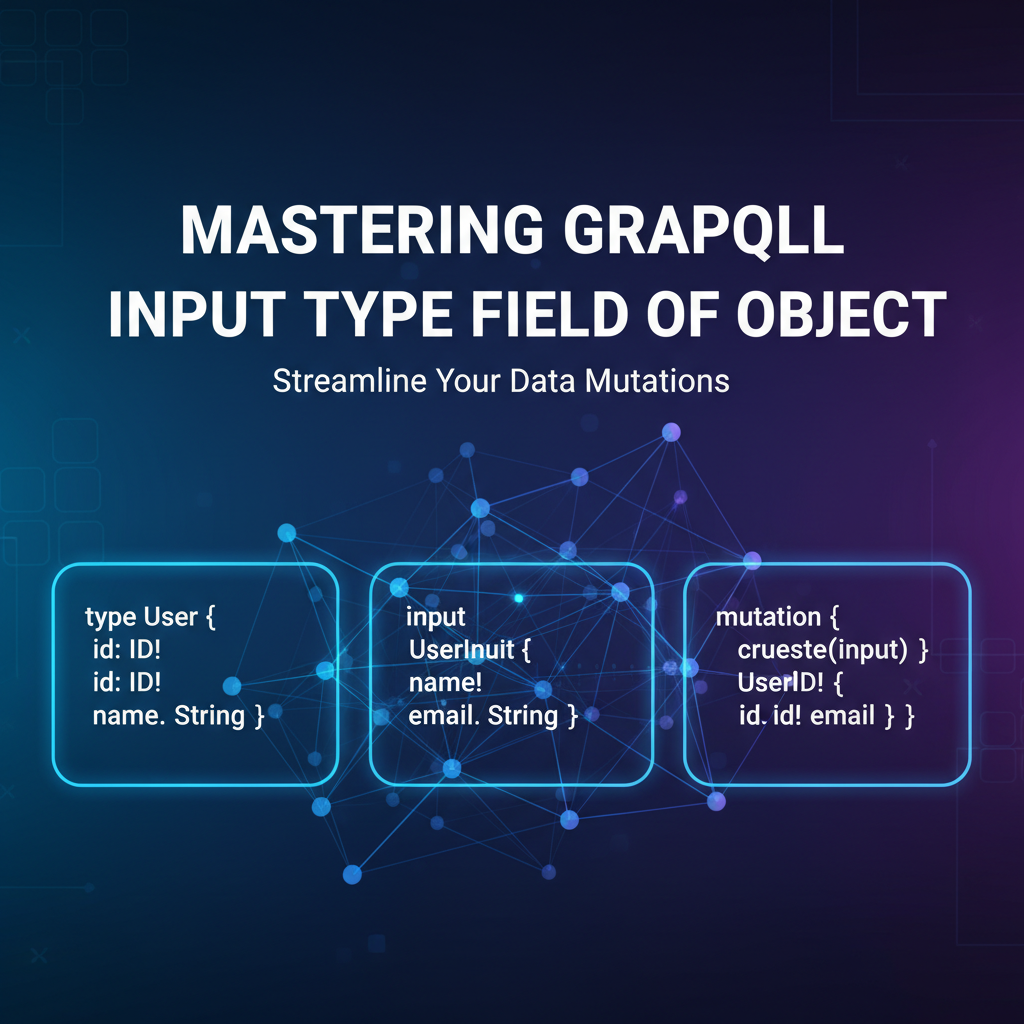


In the rapidly evolving landscape of modern software development, efficient and flexible data exchange is paramount. GraphQL has emerged as a formidable alternative and complement to traditional RESTful architectures, providing developers with a powerful query language for their APIs. Its ability to enable clients to request precisely the data they need, no more and no less, has revolutionized how applications interact with backend services. However, GraphQL's power extends far beyond just querying data; it also offers sophisticated mechanisms for data modification, a critical aspect of any interactive application. At the heart of these modification capabilities lies the concept of GraphQL Input Types, specifically the precise definition of "Input Type Field of Object."
This extensive guide embarks on a deep exploration of GraphQL Input Types, dissecting their structure, purpose, and best practices. While GraphQL's querying capabilities often grab the spotlight, the art of defining robust input structures is equally crucial for building maintainable, secure, and user-friendly APIs. We will delve into the nuances of how these specialized types allow developers to submit complex, hierarchical data for mutations and even advanced query arguments, ensuring that your GraphQL API is not only expressive but also highly intuitive for consumers. Mastering this specific area is essential for any developer looking to unlock the full potential of GraphQL, transform their data manipulation strategies, and build APIs that stand the test of time and evolving application requirements.
I. Introduction: The Bedrock of Data Manipulation in GraphQL
The advent of GraphQL marked a significant paradigm shift in how applications consume and interact with data. Moving beyond the rigid endpoints of traditional RESTful APIs, GraphQL empowers clients with the ability to define the shape and structure of the data they desire, leading to more efficient network utilization, reduced over-fetching and under-fetching of data, and a superior developer experience. This client-driven approach, primarily showcased through its powerful query language, has propelled GraphQL into a leading position for modern API design.
A. The GraphQL Paradigm Shift: Beyond REST
Before GraphQL, RESTful APIs dominated the landscape, characterized by their resource-oriented architecture and reliance on standard HTTP methods. While REST brought much-needed standardization, it often led to inefficiencies. Clients frequently had to make multiple requests to different endpoints to gather all necessary data, or they received more data than required, both scenarios leading to performance bottlenecks and increased client-side parsing logic. GraphQL addressed these issues head-on by providing a single, flexible endpoint where clients could specify their exact data requirements using a declarative query language. This not only streamlined data fetching but also accelerated front-end development by reducing the boilerplate code often associated with data aggregation.
B. Why Precision in Data Input Matters: The Challenge
While the ability to precisely query data is a cornerstone of GraphQL's appeal, the equally vital counterpart is the ability to precisely input or modify data. Applications are not merely consumers; they are also creators and manipulators of information. Whether it's registering a new user, updating a product's details, submitting an order with multiple items, or filtering a complex dataset, the backend API needs a structured, predictable, and robust mechanism to receive this information from the client. Without such a mechanism, the elegance of GraphQL's querying capabilities would be undermined by convoluted or insecure data input processes. The challenge lies in defining input structures that are both flexible enough to handle varied data shapes and strict enough to enforce data integrity and business rules.
C. Introducing GraphQL Input Types: The Solution for Structured Data Arguments
To address the challenge of structured data input, GraphQL introduced "Input Types." These are special object types used exclusively as arguments to fields. Unlike regular Object Types that define the output shape of data from the API, Input Types define the input shape of data expected by the API. They allow developers to bundle multiple scalar or nested input values into a single, cohesive object, making mutation arguments cleaner, more organized, and easier to validate. For instance, instead of passing individual arguments for firstName, lastName, email, and password to a createUser mutation, an Input Type allows bundling these into a single CreateUserInput object. This significantly enhances the clarity and maintainability of the API's schema.
D. Scope of This Article: A Deep Dive into Input Type Fields of Object
This article will meticulously dissect GraphQL Input Types, with a particular focus on their constituent elements: the "Input Type Field of Object." We will explore how these fields are defined, what types of data they can hold, and crucially, how they differ from fields within regular Object Types. We will journey from the basic syntax of defining an Input Type to advanced patterns like nested input structures, nullability rules, and default values. Through detailed examples and discussions of best practices, you will gain a profound understanding of how to design and implement Input Types that are not only powerful and flexible but also contribute to a truly intuitive and resilient GraphQL API experience for both developers and end-users.
II. GraphQL Fundamentals: A Prerequisite Refresher
Before diving deep into the specifics of Input Types, it's beneficial to briefly recap some foundational GraphQL concepts. A solid understanding of the Schema Definition Language (SDL), the core type system, and the distinction between queries and mutations will provide the necessary context for appreciating the role and importance of Input Types.
A. Schema Definition Language (SDL): The Blueprint of Your API
The GraphQL Schema Definition Language (SDL) is the cornerstone of any GraphQL API. It's a powerful, human-readable language used to define the entire structure and capabilities of your API. Essentially, the SDL acts as a contract between the client and the server, specifying what data can be queried, what mutations can be performed, and what types of data are involved. Every GraphQL service must define a schema that dictates its capabilities. This schema is typically composed of various type definitions, including scalar types, object types, enum types, interface types, union types, and critically, input types. The SDL provides a declarative way to describe these types and their relationships, making the API self-documenting and easy to explore. Tools like GraphQL Playground or GraphiQL leverage this schema to provide auto-completion and validation, significantly enhancing the developer experience.
B. Core Type System Revisited: Scalars, Enums, Object Types, Interfaces, Unions
GraphQL's type system is rich and expressive, allowing for precise data modeling:
- Scalar Types: These are the primitive values of GraphQL, representing atomic pieces of data that cannot be broken down further. GraphQL comes with built-in scalars like
String,Int,Float,Boolean, andID(a unique identifier often serialized as a String). Developers can also define custom scalar types (e.g.,Date,JSON) to handle specific data formats. - Enum Types: Enumerations are special scalar types that restrict a field to a specific set of allowed values. They provide a clear and self-documenting way to define fixed choices, improving data integrity and clarity (e.g.,
enum UserStatus { ACTIVE, PENDING, INACTIVE }). - Object Types: These are the most fundamental building blocks for defining the shape of data that your API can return. An Object Type has a name and a collection of fields, each of which can have a type. For example, a
Usertype might have fields likeid(ID),name(String), andemail(String). Object types are crucial for defining the output of queries and mutations. - Interfaces: Interfaces in GraphQL allow you to define a set of fields that multiple Object Types must implement. This is useful for achieving polymorphism, where different types can share common characteristics (e.g., a
Nodeinterface might define anidfield that all data types in your system implement). - Union Types: Union types allow an object field to return one of several distinct Object Types, but not necessarily sharing any common fields (unlike interfaces). For example, a
SearchResultunion might return either aBookor anAuthortype.
Understanding these core types is foundational, as Input Types leverage many of these same concepts but apply them in a unique context for incoming data.
C. Queries vs. Mutations: Understanding Data Retrieval vs. Data Modification
GraphQL operations are primarily categorized into two types:
- Queries: These are used to fetch data from the server. Queries are generally read-only operations and should not cause any side effects on the server. When you send a GraphQL query, you're asking the server for specific pieces of information, and the server responds with data that matches your requested shape.
- Mutations: These are used to modify data on the server. Mutations are write operations that typically involve creating new data, updating existing data, or deleting data. Unlike queries, mutations are executed sequentially and are designed to have side effects. Since mutations alter data, they require a precise way to receive the data to be acted upon, and this is where Input Types play their most prominent role. While queries can also accept arguments, mutations almost always rely on structured input to manage the complexity of data changes.
D. The Necessity of Arguments: Passing Data to Operations
Both queries and mutations often require arguments to specify their behavior or to provide the data they need to operate on. For instance, a user(id: ID!) query requires an id argument to specify which user to fetch. Similarly, a createUser(name: String!, email: String!) mutation requires name and email arguments to create a new user. As the complexity of these arguments grows, especially for mutations that involve multiple related pieces of information (e.g., creating an order with various line items, addresses, and payment details), simply listing individual arguments becomes cumbersome and hard to manage. This is precisely the problem that GraphQL Input Types are designed to solve, by allowing developers to encapsulate multiple related arguments into a single, well-defined object.
III. Deconstructing GraphQL Input Types: The Anatomy of Modifiable Data
Having reviewed the fundamentals, we can now embark on a detailed exploration of GraphQL Input Types. These specialized types are critical for structuring the data that clients send to your GraphQL API, primarily for mutations, but also for complex query arguments.
A. What Exactly is an Input Type?
An Input Type in GraphQL is a special kind of object type, defined using the input keyword in SDL, whose fields can only represent input values. They are designed to aggregate multiple scalar or other Input Type values into a single, cohesive argument for a field, typically a mutation field. Think of an Input Type as a structured container for all the data points a server needs to perform a specific operation.
1. Distinction from Regular Object Types: input vs. type
This distinction is perhaps the most crucial aspect to grasp when working with Input Types.
type(Object Type): Defined using thetypekeyword, these types represent the output shape of data that your GraphQL API can return to clients. Their fields can point to other Object Types, Interfaces, Unions, or Scalars. They are designed for data representation and consumption. For example:graphql type User { id: ID! name: String! email: String posts: [Post!]! }Here,Useris an Object Type, andpostsrefers to another Object TypePost.input(Input Type): Defined using theinputkeyword, these types represent the input shape of data that your GraphQL API expects from clients. Their fields, however, are restricted. They can only point to scalar types, enum types, lists of scalars/enums, or other Input Types. Critically, Input Type fields cannot point to Object Types, Interfaces, or Union Types. This restriction ensures that Input Types are purely for data ingress, preventing cyclical dependencies or complex output structures from being confused with input structures.
The fundamental difference lies in their directionality: Object Types are for output, and Input Types are for input.
2. The "Input" Convention: Why It Exists
The convention of explicitly separating input types from type types is a core design decision in GraphQL. It serves several vital purposes:
- Clarity and Intent: It clearly delineates which types are used for sending data to the server and which are used for receiving data from the server. This explicit separation makes the schema easier to understand and reduces ambiguity for developers consuming the API.
- Prevents Cycles: If Input Types could refer to Object Types, it would be possible to create cycles in the type definition (e.g.,
input UserInput { user: User }andtype User { input: UserInput }). This would make introspection and schema validation incredibly complex. - Enforces Directionality: GraphQL is fundamentally about a directed flow of data. Input Types reinforce this by ensuring that the structure for data submission is distinct from the structure for data retrieval.
- Tooling and Validation: GraphQL tools and API gateways can leverage this distinction for better schema validation, code generation, and documentation.
3. When and Where Input Types Are Used (Arguments for Queries/Mutations)
Input Types are primarily used in two scenarios:
- Mutation Arguments: This is their most common and powerful application. When you need to create, update, or delete complex data structures, an Input Type allows you to pass all the necessary fields as a single, well-structured object. This keeps the mutation signature clean and readable. For example, instead of
createUser(firstName: String!, lastName: String!, email: String!), you can havecreateUser(input: CreateUserInput!). - Query Arguments: While less frequent than with mutations, Input Types can also be used for complex query arguments, especially for filtering or sorting. For instance, a
filterProducts(criteria: ProductFilterInput)query could useProductFilterInputto specify multiple filtering conditions (e.g., price range, category, availability status).
B. Defining an Input Type in SDL: Syntax and Structure
Defining an Input Type in GraphQL's Schema Definition Language (SDL) is straightforward once you understand its purpose and restrictions.
1. Basic Syntax: input MyInputType { ... }
The syntax begins with the input keyword, followed by the name of the Input Type, and then a block of fields enclosed in curly braces.
input CreateUserInput {
    firstName: String!
    lastName: String
    email: String!
    password: String!
    dateOfBirth: String # Could use a custom Scalar like Date
}
In this example, CreateUserInput is an Input Type designed to gather the necessary information to create a new user. It contains several fields, each with a specified scalar type and nullability (e.g., firstName is a required String).
2. Naming Conventions: CreateUserInput, UpdateProductInput, FilterItemsInput
While not strictly enforced by the GraphQL specification, strong naming conventions are crucial for maintaining a clear and intuitive API. A common and highly recommended practice is to suffix Input Type names with Input. Furthermore, prefixing them with the operation they facilitate (e.g., Create, Update, Delete, Filter, Order) provides immediate context:
CreateUserInput: For creating a new user.UpdateProductInput: For updating an existing product.DeleteCommentInput: For deleting a specific comment.ProductFilterInput: For applying various filters to a product list.SortOrderInput: For specifying sorting criteria.
These conventions significantly improve the readability and predictability of your schema, making it easier for client developers to understand how to interact with your API.
C. The Heart of the Matter: Input Type Fields of Object
The "fields of object" within an Input Type are where the actual data structure is defined. Understanding what types are allowed for these fields is paramount to effective Input Type design.
1. Understanding the "Field": Properties within an Input Type
Each field within an Input Type represents a specific piece of data that the client is expected to provide. Just like fields in an Object Type, they have a name and a type. For instance, in CreateUserInput, firstName, lastName, email, password, and dateOfBirth are all fields. The types assigned to these fields dictate the kind of data they can hold.
2. Allowed Field Types: Scalars, Enums, Lists of Scalars/Enums, Other Input Types
This is the critical rule for Input Type fields:
- Scalar Types: You can use any built-in scalar type (
String,Int,Float,Boolean,ID) or custom scalar types you've defined (e.g.,Date,JSON).graphql input ItemQuantityInput { itemId: ID! quantity: Int! } - Enum Types: Input fields can be of an
enumtype, restricting the input to a predefined set of string values. ```graphql enum OrderStatus { PENDING PROCESSING SHIPPED DELIVERED CANCELLED }input UpdateOrderInput { orderId: ID! status: OrderStatus }* **Lists of Scalars/Enums**: You can also define fields that accept lists of scalar or enum values.graphql input AddTagsInput { entityId: ID! tags: [String!]! # A list of non-null strings }* ***Other Input Types***: This is where the "Field of Object" aspect truly shines. An Input Type field can itself be *another* Input Type. This allows for the creation of complex, nested input structures, mirroring the hierarchical nature of real-world data.graphql input AddressInput { street: String! city: String! state: String! zipCode: String! }input CreateCustomerInput { firstName: String! lastName: String! billingAddress: AddressInput # billingAddress is a field of type AddressInput shippingAddress: AddressInput }`` In this example,billingAddressandshippingAddressare fields withinCreateCustomerInput, and their type isAddressInput`, which is itself an Input Type. This demonstrates the power of composition for building deeply structured input payloads.
3. Prohibited Field Types: Object Types, Interfaces, Unions (Why these are disallowed)
As previously mentioned, Input Type fields cannot be of Object Type, Interface, or Union types. The reasons for this restriction are fundamental to GraphQL's design principles:
- Directionality Enforcement: Object Types are for output, Input Types for input. Allowing an Input Type to contain an Object Type would blur this crucial distinction and create ambiguity.
- Preventing Cycles: If an
inputtype could reference atypetype, and thattypetype could in turn reference aninputtype, it would create an impossible circular dependency for schema validation and introspection. - Input vs. Output Schema: GraphQL maintains distinct schemas for input and output. This separation simplifies the GraphQL specification and its implementation, making the system more robust and easier to reason about. Clients should never be sending back parts of the output schema as input.
D. Practical Application: Using Input Types in Mutations
The primary utility of Input Types comes to life when defining mutations. They make mutation signatures clean, expressive, and easy to consume.
1. Example: Creating a User with CreateUserInput
Consider a scenario where you need to register a new user with several pieces of information.
Without Input Types (less desirable):
type Mutation {
    createUser(
        firstName: String!,
        lastName: String,
        email: String!,
        password: String!
    ): User!
}
As the number of fields grows, this approach quickly becomes unwieldy.
With Input Types (recommended):
First, define the Input Type:
input CreateUserInput {
    firstName: String!
    lastName: String
    email: String!
    password: String!
    dateOfBirth: String # For simplicity, using String, but a custom Date scalar would be better
}

type User {
    id: ID!
    firstName: String!
    lastName: String
    email: String!
    createdAt: String!
}

type Mutation {
    createUser(input: CreateUserInput!): User!
}
Now, a client can execute the mutation like this:
mutation RegisterUser($userData: CreateUserInput!) {
    createUser(input: $userData) {
        id
        firstName
        email
        createdAt
    }
}
And the variables would look like:
{
    "userData": {
        "firstName": "Jane",
        "lastName": "Doe",
        "email": "jane.doe@example.com",
        "password": "securepassword123"
    }
}
This approach bundles all user-related data into a single input argument, making the mutation signature much cleaner and more modular.
2. Example: Updating a Product with UpdateProductInput
Updating data often involves sending a subset of fields. Input Types handle this gracefully.
input UpdateProductInput {
    id: ID!
    name: String
    description: String
    price: Float
    imageUrl: String
    # Note: fields for update are often nullable, allowing partial updates
}

type Product {
    id: ID!
    name: String!
    description: String
    price: Float!
    imageUrl: String
    updatedAt: String!
}

type Mutation {
    updateProduct(input: UpdateProductInput!): Product!
}
A client might update only the price and description:
mutation ChangeProductDetails($productUpdate: UpdateProductInput!) {
    updateProduct(input: $productUpdate) {
        id
        name
        price
        updatedAt
    }
}
Variables:
{
    "productUpdate": {
        "id": "prod_123",
        "price": 29.99,
        "description": "An updated, high-quality gadget."
    }
}
The server-side resolver for updateProduct would then process only the fields provided in productUpdate, leaving other fields of the existing product unchanged. This pattern is fundamental for building flexible update APIs.
IV. Advanced Concepts in Input Type Field Definition
Once comfortable with the basics, exploring advanced features of Input Type field definitions allows for the construction of even more sophisticated and resilient GraphQL APIs. These concepts address complex data structures, data integrity, and client-side convenience.
A. Nested Input Types: Handling Hierarchical Data Structures
The ability of an Input Type field to be another Input Type is one of GraphQL's most powerful features for data input. It enables the creation of deeply nested, hierarchical data structures that precisely mirror the complexity of real-world objects.
1. The Power of Composition: Building Complex Inputs
Just as Object Types can compose other Object Types to represent complex data models, Input Types can compose other Input Types. This compositional approach allows for a modular and organized way to define intricate data payloads. Instead of flattening complex data into a long list of primitive fields, nested Input Types let you group related data logically. This improves schema readability, reduces redundancy, and makes it easier to reason about the data required for a specific operation.
2. Use Cases: Order Items with Details, Address with Street/City/Zip
Consider common scenarios where nested data is inherent:
- E-commerce Order Creation: An order isn't just a single item; it typically consists of multiple line items, each with a product ID, quantity, and perhaps specific options. It also needs shipping and billing addresses, which themselves are composed of street, city, state, and zip code.
- User Profile Update: A user might update their primary address, which is a nested structure. They might also update preferences, which could be another nested object.
- Configuration Settings: When saving application settings, these settings are often grouped logically (e.g.,
notificationSettings { emailEnabled, smsEnabled }).
3. Deep Nesting Considerations: Complexity vs. Maintainability
While powerful, deeply nested Input Types can introduce complexity. Excessive nesting might make the input payload verbose and harder for clients to construct, especially if many nested fields are optional. Developers should strive for a balance between accurate data representation and practical usability. If a nested structure becomes too deep or unwieldy, consider if some parts of the input could be broken down into separate, smaller mutations or if a flatter structure is more appropriate for certain contexts. The goal is to model the data truthfully but always with an eye on the developer experience for API consumers.
4. Example: CreateOrderInput with OrderItemInput
Let's illustrate with an order creation example, building upon the AddressInput we defined earlier:
# First, define the fundamental nested types
input AddressInput {
    street: String!
    city: String!
    state: String!
    zipCode: String!
    country: String!
}

input OrderItemInput {
    productId: ID!
    quantity: Int!
    # Additional fields for item options, e.g., size, color
    options: [String!] # Using a simple list of strings for options
}

# Now, compose these into the main input type
input CreateOrderInput {
    customerId: ID!
    items: [OrderItemInput!]! # A list of non-null OrderItemInput objects
    shippingAddress: AddressInput!
    billingAddress: AddressInput
    notes: String
}

type Order {
    id: ID!
    customer: User!
    items: [OrderItem!]!
    totalAmount: Float!
    status: OrderStatus!
    createdAt: String!
}

type OrderItem {
    id: ID!
    product: Product!
    quantity: Int!
    options: [String!]
}

type Mutation {
    createOrder(input: CreateOrderInput!): Order!
}
A client could then send a mutation like this:
mutation PlaceNewOrder($orderData: CreateOrderInput!) {
    createOrder(input: $orderData) {
        id
        totalAmount
        status
        items {
            product { name }
            quantity
            options
        }
    }
}
With variables:
{
    "orderData": {
        "customerId": "cust_456",
        "items": [
            {
                "productId": "prod_101",
                "quantity": 2,
                "options": ["Red", "Large"]
            },
            {
                "productId": "prod_105",
                "quantity": 1
            }
        ],
        "shippingAddress": {
            "street": "123 Main St",
            "city": "Anytown",
            "state": "CA",
            "zipCode": "90210",
            "country": "USA"
        },
        "billingAddress": { # Optional, if different from shipping
            "street": "456 Oak Ave",
            "city": "Someville",
            "state": "CA",
            "zipCode": "90210",
            "country": "USA"
        },
        "notes": "Gift wrap required for product_101"
    }
}
This example clearly demonstrates how nested Input Types allow for the coherent and structured submission of a complex order payload, encompassing customer, multiple items, and addresses, all within a single input object.
B. Nullability and Required Fields in Input Types
Just like fields in Object Types, Input Type fields can be marked as required (non-nullable) or optional (nullable). This is crucial for defining the minimum data necessary for an operation and guiding client developers.
1. Default Behavior: All Fields are Nullable
By default, any field defined within an Input Type is nullable. This means if a client omits a field in their input, its value will be null on the server. This default is often desirable for update operations where only a subset of fields might be provided.
input UpdateProfileInput {
    username: String # Nullable by default
    bio: String      # Nullable by default
    avatarUrl: String # Nullable by default
}
In this UpdateProfileInput, a client could provide just username, and bio and avatarUrl would be null.
2. Making Fields Required: fieldName: Type!
To indicate that a field must be provided by the client, you append an exclamation mark (!) to its type. If a client omits a required field or sends null for it, the GraphQL server will typically throw a validation error before the resolver is even called, providing immediate feedback about missing data.
input CreatePostInput {
    title: String!      # Required
    content: String!    # Required
    authorId: ID!       # Required
    tags: [String!]     # Nullable list of non-null strings
}
In this CreatePostInput, title, content, and authorId are mandatory. The tags field is optional, but if provided, it must be an array where each element is a non-null string.
3. Implications for Client-Side Validation and Server-Side Logic
Properly defining nullability in Input Types has significant implications:
- Client-Side Guidance: The schema, through its nullability declarations, acts as a clear contract for client developers. They immediately know which fields are mandatory for an operation. This informs their client-side validation logic, preventing them from sending incomplete requests.
- Server-Side Simplification: By delegating basic validation (presence of required fields) to the GraphQL runtime, the server-side resolvers can focus purely on business logic. They don't need to write boilerplate code to check for the existence of every required field, as the GraphQL engine handles that upfront. This leads to cleaner, more focused server code.
C. Default Values for Input Type Fields
GraphQL allows you to specify default values for fields within Input Types. If a client omits an optional field that has a default value, the server will automatically use that default instead of null.
1. Defining Defaults in SDL: fieldName: Type = defaultValue
Default values are defined using the equals sign (=) followed by the literal value in the SDL.
input CreateTaskInput {
    title: String!
    description: String
    dueDate: String # (could be Date scalar)
    status: TaskStatus = PENDING # Default status if not provided
    priority: Int = 1 # Default priority if not provided
}

enum TaskStatus {
    PENDING
    IN_PROGRESS
    COMPLETED
    CANCELLED
}
In CreateTaskInput, if status or priority are omitted by the client, they will default to PENDING and 1 respectively, rather than null.
2. How Default Values Simplify Client Requests
Default values are particularly useful for:
- Reducing Client Boilerplate: Clients don't need to explicitly send values for fields that are commonly set to a default, simplifying their payload and reducing the chance of errors.
- Backward Compatibility: When adding new optional fields to an existing Input Type, providing a sensible default can ensure that older clients (who won't send the new field) still behave correctly without breaking their existing functionality.
- Standardizing Behavior: They enforce a consistent default state for certain data points unless explicitly overridden by the client.
3. Best Practices for Using Defaults
- Sensible Defaults: Choose default values that make logical sense and represent the most common scenario.
- Avoid Overuse: Don't use defaults to hide truly optional fields that might have meaningful
nullstates. Defaults are best for values that almost always have a starting state. - Document Defaults: Clearly document in your API explorer that fields have default values so clients are aware.
D. Lists as Input Type Fields
Input Types can effectively handle collections of data through list fields. This is invaluable for operations that involve multiple similar items, like adding tags, processing batch updates, or defining collections within a nested structure.
1. Passing Collections of Data: field: [Type] or field: [Type!]!
When defining a list field in an Input Type, you use square brackets []. The nullability modifiers can be applied to both the list itself and the elements within the list.
field: [Type]: The list itself is nullable, and its elements are nullable.- Client can send
nullfor the entire list. - Client can send
[](an empty list). - Client can send
[value1, null, value3].
- Client can send
field: [Type!]: The list itself is nullable, but its elements must be non-null.- Client can send
nullfor the entire list. - Client can send
[]. - Client cannot send
[value1, null, value3].
- Client can send
field: [Type]!: The list itself is required (non-null), but its elements are nullable.- Client must send a list (cannot be
null). - Client can send
[]. - Client can send
[value1, null, value3].
- Client must send a list (cannot be
field: [Type!]!: The list itself is required, and its elements must be non-null. This is often the most common and strict requirement for collections.- Client must send a list (cannot be
null). - Client can send
[]. - Client cannot send
[value1, null, value3].
- Client must send a list (cannot be
2. Use Cases: Adding Multiple Tags, Batch Operations
- Adding Tags: An
AddTagsToResourceInputmight have atags: [String!]!field to add multiple tags. - Batch Operations: A
BatchUpdateUserInputcould have ausers: [UpdateUserInput!]!field, allowing a single mutation to update multiple user profiles. - Defining Filters: A
ProductFilterInputcould have acategories: [String!]field to filter products by multiple categories.
3. Example: AddTagsInput with tags: [String!]
input AddTagsToArticleInput {
    articleId: ID!
    tags: [String!]! # A list of non-null strings, and the list itself is required
}

type Article {
    id: ID!
    title: String!
    content: String!
    tags: [String!]!
}

type Mutation {
    addTagsToArticle(input: AddTagsToArticleInput!): Article!
}
Client usage:
mutation AddArticleTags($tagData: AddTagsToArticleInput!) {
    addTagsToArticle(input: $tagData) {
        id
        title
        tags
    }
}
Variables:
{
    "tagData": {
        "articleId": "art_123",
        "tags": ["GraphQL", "Backend", "API Management"]
    }
}
This enables a concise way to pass a collection of related values for a single operation.
E. Enums within Input Type Fields
Enums provide a powerful way to restrict input values to a predefined set of options, ensuring data consistency and improving the self-documenting nature of your API.
1. Constraining Input to Predefined Values: status: StatusEnum
When a field in an Input Type needs to accept one of a limited set of discrete values, an Enum Type is the ideal solution. This prevents clients from sending arbitrary strings and enforces business rules directly within the schema.
enum AccessLevel {
    GUEST
    MEMBER
    ADMIN
    SUPER_ADMIN
}

input UpdateUserPermissionsInput {
    userId: ID!
    newAccessLevel: AccessLevel! # newAccessLevel must be one of the AccessLevel enum values
}
Here, newAccessLevel is constrained to GUEST, MEMBER, ADMIN, or SUPER_ADMIN. Any other value sent by the client will result in a GraphQL validation error.
2. Benefits: Data Integrity, Self-Documenting API
- Data Integrity: Enums enforce that only valid, known values are accepted for specific fields, preventing malformed or unexpected data from entering your system.
- Self-Documenting API: The possible values for an enum are explicitly listed in the schema, making it incredibly easy for client developers to understand what options are available without needing external documentation. This enhances the discoverability and usability of your API.
- Improved Tooling: GraphQL clients and API explorers can leverage enum definitions to provide auto-completion and dropdowns for valid input values, further enhancing the developer experience.
3. Example: UpdateTaskInput with status: TaskStatus
Revisiting our task example:
enum TaskStatus {
    PENDING
    IN_PROGRESS
    COMPLETED
    CANCELLED
}

input UpdateTaskInput {
    taskId: ID!
    title: String
    description: String
    status: TaskStatus # This field is optional, but if provided, must be a valid TaskStatus
    dueDate: String
}

type Task {
    id: ID!
    title: String!
    status: TaskStatus!
    # ... other fields
}

type Mutation {
    updateTask(input: UpdateTaskInput!): Task!
}
Client usage to update a task's status:
mutation ChangeTaskStatus($taskUpdate: UpdateTaskInput!) {
    updateTask(input: $taskUpdate) {
        id
        title
        status
    }
}
Variables:
{
    "taskUpdate": {
        "taskId": "task_789",
        "status": "COMPLETED"
    }
}
This precisely controls the state transitions for tasks, making the API more predictable and robust.
APIPark is a high-performance AI gateway that allows you to securely access the most comprehensive LLM APIs globally on the APIPark platform, including OpenAI, Anthropic, Mistral, Llama2, Google Gemini, and more.Try APIPark now! 👇👇👇
V. Designing Effective Input Types: Strategies and Best Practices
Crafting effective Input Types goes beyond mere syntax; it involves thoughtful design decisions that impact the maintainability, scalability, and usability of your GraphQL API. Adhering to certain strategies and best practices ensures your Input Types are robust and intuitive.
A. Granularity vs. Cohesion: Finding the Right Balance
A key design challenge is determining the appropriate level of granularity for your Input Types. Should you have one large Input Type for a complex operation, or multiple smaller ones?
1. Specific vs. Generic Input Types
- Specific Input Types: Generally preferred. These are tailored for a particular operation (e.g.,
CreateUserInput,UpdateProductPriceInput). They contain only the fields relevant to that specific action.- Advantages: Clear intent, better validation, easier to understand for clients, less prone to accidental data exposure.
- Disadvantages: Can lead to more Input Types in the schema if operations are very numerous and distinct.
- Generic Input Types: Less common for mutations, but sometimes used for complex query filters (e.g.,
GenericFilterInput). They try to encompass a wide range of fields for various operations.- Advantages: Fewer Input Types.
- Disadvantages: Can be ambiguous, harder to validate (as many fields might be optional or mutually exclusive), potentially insecure if not carefully managed.
2. Separation of Concerns for Create, Update, Delete Operations
It is a widely adopted best practice to create distinct Input Types for create and update operations, and often for delete if it requires specific context beyond just an ID.
CreateUserInput: All fields that are mandatory for creating a new entity should be!(non-nullable). This ensures a valid entity is always instantiated.UpdateUserInput: Most fields in an update Input Type should be nullable. This allows clients to perform partial updates, sending only the fields they wish to change. Theidof the entity being updated is typically a required field within this Input Type.DeleteUserInput: Often,deleteoperations only require theIDof the entity. In such cases, a simple scalar argument or a very minimalDeleteUserInput { id: ID! }is sufficient.
Example Table: Comparison of Create vs. Update Input Types
| Feature/Field | CreateProductInput |
UpdateProductInput |
Notes |
|---|---|---|---|
id |
Not present (generated by server) | ID! (Required to identify the product) |
Critical difference: id is an input for updates, an output for creates. |
name |
String! (Required for new product) |
String (Optional for update) |
Name might be mandatory for creation, but optional for update if not changing. |
description |
String (Optional for new product) |
String (Optional for update) |
Descriptions are often optional from the start. |
price |
Float! (Required for new product) |
Float (Optional for update) |
Price is crucial for a product, but can be updated independently. |
categoryId |
ID! (Required to link to category) |
ID (Optional if category is not changing) |
Category linkage is vital for creation, optional for updates. |
status (Enum) |
ProductStatus = DRAFT (Default, often) |
ProductStatus (Optional, allows status change) |
Status often has a default upon creation. |
tags (List of String) |
[String!] (Optional list for new product) |
[String!] (Optional for update, replaces existing tags) |
Lists are usually optional, allowing for clear replacement or addition logic. |
| Purpose | Define all fields to create a new valid entity. | Define fields to modify an existing entity. | Clear separation prevents misuse and simplifies validation. |
| Nullability | Many fields are ! (non-nullable) |
Most fields are nullable (except id) |
Create requires full data; update allows partial data. |
This table highlights the fundamental differences in design philosophy between create and update Input Types.
B. Versioning Input Types: Adapting to Change Gracefully
GraphQL prides itself on being backward compatible, largely due to its explicit schema and client-driven queries. This extends to Input Types as well.
1. Additive Changes: Adding new nullable fields
The easiest way to evolve an Input Type is by adding new, optional (nullable) fields. This is a non-breaking change because existing clients are not required to send these new fields, and their current payloads will still be valid.
# Original
input CreatePostInput {
    title: String!
    content: String!
}

# Evolution: Adding a new nullable field
input CreatePostInput {
    title: String!
    content: String!
    category: String # New, nullable field
}
Existing clients will continue to work, and new clients can leverage the category field.
2. Non-Additive Changes: When to create new Input Types (e.g., UpdateProductV2Input)
Breaking changes, such as removing a field, changing a field's type, or making a nullable field non-nullable, should be avoided. When such changes are necessary, the best practice is to create a new Input Type, often suffixed with a version number or a more descriptive name.
# Original
input UpdateProductInput {
    id: ID!
    price: Float
    currency: String # Let's say we want to change this to an Enum
}

# New version for breaking change
enum CurrencyCode {
    USD
    EUR
    GBP
}

input UpdateProductInputV2 { # Or UpdateProductWithCurrencyInput
    id: ID!
    price: Float
    currency: CurrencyCode # Changed from String to Enum - breaking change for 'currency'
}
You would then introduce a new mutation using UpdateProductInputV2 (e.g., updateProductV2), while keeping the original updateProduct mutation and UpdateProductInput available for older clients, marking the old mutation as @deprecated if desired. This strategy allows for graceful API evolution without forcing all clients to update simultaneously.
C. Handling Partial Updates: The "Patch" Analogy
As seen in the UpdateProductInput example, a common requirement for update operations is the ability to perform "partial" updates, where only a subset of an object's fields are modified.
1. Why distinct Create and Update Input Types are often preferred
CreateInput Types usually have many required fields (!) because a new entity needs a complete set of initial data to be valid.UpdateInput Types, by contrast, should have most of their fields as nullable, reflecting that any single field might or might not be changed during an update.
Attempting to use a single Input Type for both create and update operations leads to compromises: * If all fields are nullable (for update flexibility), creation becomes ambiguous about what's truly required. * If many fields are required (for creation validity), updates become overly verbose as clients must send all required fields even if they aren't changing.
Thus, separate Input Types for create and update (and delete) operations are almost always the cleaner and more maintainable approach.
2. Strategies for Optional Fields in Updates
- Nullable Fields: The primary strategy is to make most fields in an
UpdateInput Type nullable. This signals to the client that they only need to provide the fields they intend to modify. - Server-Side Logic: The resolver for the update mutation is responsible for checking which fields were actually provided in the
inputobject (i.e., notnullor undefined) and applying only those changes to the database. Fields that were not provided should be ignored and remain unchanged.
D. Input Validation Considerations (Client-side vs. Server-side)
While Input Types provide structural validation, comprehensive data validation involves multiple layers.
1. How Input Type Definitions Inform Client-Side Validation
The GraphQL schema, including Input Type definitions and their nullability rules, is highly introspectable. Client-side tools and libraries can (and should) leverage this information to: * Basic Field Presence: Automatically determine which fields are required (!) and prompt the user or prevent submission if they are missing. * Type Matching: Ensure the data type sent by the client (e.g., String, Int) matches the expected type in the schema. * Enum Constraints: Provide dropdowns or autocomplete for enum fields, guiding the user to valid choices.
This schema-driven client-side validation significantly improves the user experience by catching errors early, before a network request is even made.
2. The Role of Resolvers in Enforcing Business Rules
While Input Types handle structural and basic type validation, complex business logic and domain-specific validation must occur in your server-side resolvers (or services called by resolvers).
- Semantic Validation: Checking if a
startDateis before anendDate. - Cross-Field Dependencies: Ensuring
discountPercentageis not applied ifitemStatusisON_SALE. - Database Constraints: Checking for uniqueness, foreign key existence, etc.
- Authorization: Verifying that the authenticated user has permission to perform the requested operation on the specific data.
The GraphQL runtime will validate the Input Type's structure before the resolver is invoked. The resolver then performs the deeper, contextual validation, throwing GraphQL errors (e.g., using ApolloError or custom error types) if business rules are violated. This layered approach ensures robust data integrity.
E. Documentation and Self-Describing APIs
One of GraphQL's greatest strengths is its self-documenting nature, and Input Types are a crucial part of this.
1. Using Descriptions in SDL
Every type, field, and argument in GraphQL SDL can have a description string (using """ or "). It is highly recommended to provide clear and concise descriptions for all your Input Types and their fields.
"""
Input to create a new user account.
"""
input CreateUserInput {
    """The user's first name."""
    firstName: String!
    """The user's last name (optional)."""
    lastName: String
    """A unique email address for the user."""
    email: String!
    """The password for the new user account."""
    password: String!
}
These descriptions are exposed via introspection and are rendered beautifully in tools like GraphiQL or GraphQL Playground, providing immediate context to developers using your API.
2. Impact on Developer Experience
Well-documented Input Types drastically improve the developer experience: * Reduced Friction: Developers can understand how to use your API without constantly referring to external documentation. * Faster Onboarding: New team members or external partners can quickly grasp the API's capabilities. * Increased Confidence: Clear documentation leads to fewer errors and more confident API usage.
In essence, a well-designed and documented Input Type is a miniature API specification in itself, clearly outlining what data is expected and how it should be structured.
VI. Common Pitfalls and How to Avoid Them
Even with a solid understanding, certain mistakes in designing and implementing GraphQL Input Types are common. Recognizing these pitfalls and knowing how to avoid them is crucial for building a resilient and developer-friendly API.
A. Confusing input with type: A Fundamental Misunderstanding
This is arguably the most common error for developers new to GraphQL Input Types.
1. Key Differences in Usage and Structure
type(Object Type): Used for output. Can have fields of scalar, enum, interface, union, or other object types. Represents data you receive.input(Input Type): Used for input. Can only have fields of scalar, enum, or other input types. Represents data you send.
Attempting to use an Object Type as an argument will result in a schema validation error. Similarly, trying to return an Input Type from a field (which doesn't make logical sense, as Input Types are not queryable output) will also fail.
2. Runtime Implications
If a schema is incorrectly defined, the GraphQL server will typically fail to start or will reject queries/mutations containing invalid type usages. Even if it somehow passes initial validation (e.g., in a lax development environment), it will lead to unpredictable behavior and difficult-to-debug issues at runtime, as the GraphQL engine expects a clear distinction for type processing. Always double-check your input vs. type keywords and their allowed field types.
B. Over-Generalizing Input Types: The AnyInput Anti-Pattern
A temptation for some developers is to create very generic Input Types, perhaps to reduce the number of types in their schema or to try and create a "universal" input.
1. Loss of Type Safety and Introspection Benefits
Consider an AnyInput that looks something like:
# ANTI-PATTERN
input AnyInput {
    field1: String
    field2: Int
    field3: Boolean
    # ... many other generic fields
}

type Mutation {
    performAction(input: AnyInput!): Result!
}
This approach immediately loses many of GraphQL's core benefits: * Type Safety: The server now needs complex runtime logic to determine which fields are relevant for performAction and what their actual types should be. * Introspection: Client tools cannot provide intelligent autocomplete or validation because AnyInput doesn't convey specific meaning for performAction. * Clarity: It becomes impossible for a client developer to know what field1, field2, etc., actually represent in the context of performAction.
2. Increased Complexity for Clients
Clients would be forced to guess which fields to send for a given operation and how those fields should be interpreted. This completely undermines the self-documenting nature of GraphQL and places an undue burden on client-side developers, making the API difficult and error-prone to consume. Always design Input Types that are specific to the operation they support, even if it means having more of them.
C. Under-Specifying Input Types: Missing Required Fields or Constraints
Failing to properly define required fields or use enums for constrained values can lead to a fragile API that accepts invalid data.
1. Leading to runtime errors and poor UX
If a field is conceptually required for an operation (e.g., a title for a CreatePostInput), but it's not marked ! in the SDL, clients might omit it. The GraphQL runtime won't catch this error, and the server-side resolver will receive null. This can lead to: * Runtime Errors: The resolver trying to operate on a null value where a string or other type is expected. * Invalid Data: Creating entities with missing crucial information, leading to data inconsistencies in your database. * Poor User Experience: Errors are discovered late in the process, making debugging harder.
2. The importance of ! and well-defined enums
!(Non-Null): Always use the!modifier for any field that is absolutely essential for the successful completion of an operation. This provides immediate schema-level validation.- Enums: For fields that have a fixed set of possible values (e.g.,
OrderStatus,UserRole), always use enums instead ofString. This provides strict type checking and self-documentation, preventing clients from sending invalid or misspelled arbitrary strings.
D. Deeply Nested Input Types: Performance and Usability Concerns
While nested Input Types are powerful, excessive or overly deep nesting can introduce its own set of problems.
1. Impact on Payload Size and Parsing
Very deeply nested Input Types can result in large JSON payloads, especially if arrays are involved at multiple levels. While GraphQL is efficient, large payloads can still impact network performance and the time it takes for the server to parse and validate the incoming request, especially for high-traffic APIs.
2. Strategies for Flattening or Simplifying
- Modular Design: Break down very complex nested structures into multiple, smaller Input Types that can be reused or combined more strategically.
- Dedicated Mutations: If a deeply nested structure represents multiple distinct conceptual changes, consider whether it would be clearer and more efficient to have several smaller mutations instead of one monolithic mutation with a vast input. For example, instead of a single
UpdateUserProfileInputthat nestsaddress,preferences, andcontactDetails, you might haveupdateUserAddress,updateUserPreferences, andupdateUserContactDetailsmutations, each with simpler Input Types. IDReferences: Instead of nesting entire related objects (e.g., nesting a fullProductInputinsideOrderItemInput), often you only need anIDto reference an existing entity (e.g.,productId: ID!). This keeps inputs lean and relies on the server to fetch the full related object.
E. Security Vulnerabilities: Trusting Client Input Implicitly
GraphQL's structured input does not inherently make your API secure. A common pitfall is to trust client-provided data without proper server-side scrutiny.
1. Always Validate on the Server Side
Even though GraphQL performs schema-level validation (type, nullability), this is not sufficient for robust security. Your resolvers must perform: * Business Logic Validation: As discussed, semantic checks that go beyond schema definition. * Authorization Checks: Verify that the authenticated user has the necessary permissions to perform the requested operation on the specific data. For instance, a user should not be able to update another user's profile unless they are an admin. * Rate Limiting: Protect your API from abuse by limiting the number of requests a client can make within a certain timeframe.
2. Sanitization and Authorization within Resolvers
- Data Sanitization: While Input Types enforce data types, they don't prevent malicious content. For instance,
Stringfields could contain HTML, SQL injection attempts, or harmful script. Input data should always be sanitized before being used in database queries or rendered on a front-end. - Principle of Least Privilege: Ensure that only the necessary fields are updated and that the user modifying the data has the appropriate role or ownership. For example, if an
UpdateUserInputhas anisAdmin: Booleanfield, a regular user should not be able to set this totrueeven if they send it in their payload. Your resolver must explicitly filter or ignore such privileged fields based on the user's roles.
By combining the structural integrity provided by GraphQL Input Types with rigorous server-side validation, authorization, and sanitization, you can build truly secure and resilient APIs.
VII. Input Types in the Broader API Ecosystem: A Holistic View
While mastering GraphQL Input Type fields is a specific technical skill, it's crucial to understand how this fits into the broader API ecosystem. GraphQL APIs rarely exist in isolation; they often complement or integrate with other API styles and require robust management solutions.
A. GraphQL's Role in Modern API Architectures: Complementing REST
GraphQL is not a silver bullet that replaces all other API approaches. Instead, it often coexists and complements RESTful APIs. * Front-End Flexibility: GraphQL shines for client-facing APIs where diverse data requirements and rapid iteration are common, offering unparalleled flexibility. * Internal Microservices: REST or gRPC might still be preferred for internal, service-to-service communication due to their simplicity for fixed contracts or performance for high-throughput, low-latency scenarios. * Hybrid Architectures: Many organizations adopt a hybrid approach, using GraphQL as an API gateway or a "BFF" (Backend For Frontend) layer that aggregates data from various internal REST or gRPC services. In such a setup, well-defined GraphQL Input Types become the elegant interface for clients to interact with the underlying complex services.
B. How Well-Defined Input Types Enhance API Interoperability
Regardless of the overall API architecture, well-defined Input Types significantly enhance interoperability and ease of integration: * Clear Contracts: They provide an unambiguous contract for how clients should send data, reducing integration errors. * Schema as Documentation: The introspection capabilities, powered by clearly defined Input Types, provide comprehensive, up-to-date documentation for any client developer. * Reduced Integration Time: Clients spend less time guessing how to format their requests, leading to faster integration cycles. * Standardization: Input Types bring a level of standardization to data submission, making it easier for various client applications (web, mobile, third-party) to interact consistently with the API.
C. The Importance of API Management in Complex Environments
As APIs become the backbone of modern applications, their sheer number and diversity can quickly become overwhelming. This is particularly true in complex environments involving multiple API styles (GraphQL, REST, gRPC) and specialized services like AI models. Effective API management becomes not just a convenience but a necessity.
1. Managing diverse APIs: GraphQL, REST, AI services
Organizations often operate a mosaic of APIs: * Traditional REST APIs for legacy systems or specific microservices. * GraphQL APIs for modern frontends. * Specialized APIs for AI/ML models (e.g., for natural language processing, image recognition).
Managing these disparate APIs with varying protocols, authentication mechanisms, and lifecycle stages presents significant challenges. A unified approach is needed to provide a single pane of glass for monitoring, securing, and scaling these diverse services.
2. Standardization and Unification
Without proper management, each API might have its own authentication scheme, rate limiting, and documentation style. This creates fragmentation, increases developer friction, and introduces security risks. An API management platform can provide a layer of standardization, unifying diverse APIs under a common governance framework. This includes standardizing authentication, rate limits, logging, and even data formats, regardless of the underlying API technology. For instance, a well-defined GraphQL Input Type for an AI service could simplify how clients send prompts, even if the underlying AI model expects a different format.
3. Lifecycle Management and Security
APIs have a lifecycle: design, development, testing, deployment, versioning, deprecation, and eventual retirement. A robust API management solution helps govern this entire process. Crucially, it provides critical security features such as authentication, authorization, threat protection, and access control. It also offers insights through monitoring and analytics, allowing API providers to understand usage patterns, troubleshoot issues, and ensure system stability.
D. Introducing APIPark: An Ally for Your API Journey
In light of the complexities of managing a diverse API landscape, platforms like APIPark become indispensable. APIPark serves as an open-source AI gateway and API management platform designed to streamline the management, integration, and deployment of both AI and REST services, acting as a powerful ally in your API journey.
APIPark addresses the challenges of fragmented API ecosystems by offering a unified approach. Imagine a scenario where you have a sophisticated GraphQL API leveraging precise Input Types for e-commerce operations, alongside various AI models for personalized recommendations or content generation. Managing the authentication, authorization, and performance of these diverse services individually can be a nightmare. APIPark steps in to simplify this, providing end-to-end API lifecycle management for all your services. From the initial design of your GraphQL schema (including those intricate Input Types) to its publication and ongoing maintenance, APIPark helps regulate processes, manage traffic forwarding, load balancing, and versioning of published APIs.
One of APIPark's standout features is its capability for quick integration of 100+ AI models, coupled with a unified API format for AI invocation. This means that even if your GraphQL API is a single entry point for complex data operations, you can seamlessly integrate and manage various AI services behind it, standardizing how your applications interact with these powerful models. For instance, if you're using a GraphQL mutation that takes an AnalyzeTextInput Input Type to send user-generated content for sentiment analysis, APIPark can ensure that this input is correctly routed and transformed for the specific LLM (Large Language Model) you're using, unifying your AI interactions. This standardization ensures that changes in underlying AI models or prompts do not affect your application or microservices, significantly simplifying AI usage and maintenance costs. Furthermore, APIPark allows for prompt encapsulation into REST API, enabling users to quickly combine AI models with custom prompts to create new, specialized APIs, such as sentiment analysis or data extraction APIs, that can be easily consumed by any application, including those powered by your GraphQL endpoints.
For teams, APIPark facilitates API service sharing within teams, centralizing the display of all API services, making it easy for different departments to find and use the required services. Security is paramount, and APIPark addresses this with features like independent API and access permissions for each tenant and API resource access requires approval, preventing unauthorized API calls. Performance is also a core strength; APIPark is engineered to be highly performant, with capabilities rivaling Nginx, achieving over 20,000 TPS with modest resources, and supporting cluster deployment for large-scale traffic. Finally, comprehensive detailed API call logging and powerful data analysis features ensure you have full visibility into your API usage, helping with troubleshooting and proactive maintenance.
By leveraging APIPark alongside a well-architected GraphQL API that makes effective use of Input Types, developers and enterprises can achieve a powerful synergy: structured, intuitive client interactions through GraphQL, backed by a robust, unified, and secure management platform for all their APIs, including complex AI services. APIPark is an open-source solution, accessible to all, and you can learn more and get started quickly by visiting their official website: ApiPark. Its deployment is remarkably simple, enabling you to get started in just 5 minutes with a single command line, making it an accessible yet powerful tool for any organization's API strategy.
VIII. Conclusion: Mastering the Art of Data Input for Powerful GraphQL APIs
The journey through GraphQL Input Types, particularly the intricate nature of Input Type fields of object, reveals a sophisticated mechanism that underpins the robustness and usability of any well-designed GraphQL API. While GraphQL is often lauded for its ability to allow clients to precisely define what data they receive, its equally vital counterpart is the ability to precisely define what data clients send. This duality is fundamental to creating APIs that are not only flexible and efficient for data retrieval but also intuitive, secure, and resilient for data modification.
A. Recap of Key Principles
We began by contrasting Input Types (input) with Object Types (type), highlighting their distinct roles in managing data flow – Input Types for data ingestion, Object Types for data egress. The core insight is that fields within an Input Type can only reference scalar types, enum types, lists of scalars/enums, or other Input Types, strictly enforcing a clear directionality and preventing structural ambiguities. We then delved into the practicalities of defining these fields: making them required with !, providing sensible defaultValues, and leveraging lists and enums for constrained and structured inputs. The power of nested Input Types to model complex, hierarchical data was emphasized through examples, demonstrating how compositions like CreateOrderInput with OrderItemInput drastically simplify complex mutation arguments.
Furthermore, we explored crucial design strategies, advocating for specific Create and Update Input Types to handle varying nullability requirements, and discussing graceful API evolution through additive changes or new versioned Input Types. Critical pitfalls like confusing input and type, over-generalizing inputs, and under-specifying requirements were identified, along with actionable advice to avoid them. Finally, the paramount importance of server-side validation and authorization was underscored, reminding us that schema-level validation is merely the first line of defense in building secure APIs.
B. The Impact on Developer Experience and API Robustness
Mastering GraphQL Input Type fields of object translates directly into tangible benefits for both API providers and consumers: * Enhanced Developer Experience: Clear, self-documenting Input Types, often facilitated by robust API management platforms, reduce the learning curve for client developers. They can quickly understand what data is needed and how to structure it, leading to faster development cycles and fewer integration errors. * Increased API Robustness: By enforcing strict data structures and validation rules at the schema level, Input Types act as an early warning system, preventing malformed requests from reaching business logic. This contributes to more stable server operations and more consistent data integrity within your applications. * Maintainability and Scalability: Well-designed Input Types are modular and reusable, simplifying schema maintenance as your API evolves. Their structured nature also aids in scaling as the clarity helps multiple teams or services interact without ambiguity.
In essence, Input Types are not just a syntactic feature of GraphQL; they are a design philosophy for structured input that fosters better communication, reduces complexity, and builds a more reliable foundation for your APIs.
C. Future Trends in GraphQL Input Handling
The GraphQL ecosystem continues to evolve, and while the core concepts of Input Types remain stable, future developments may bring even more sophisticated ways to handle input. This could include richer support for custom scalar types (e.g., dedicated Date, UUID types with built-in validation), more advanced directives for input validation directly in the SDL, or even further integration with schema stitching and federation to manage complex input across distributed GraphQL graphs. As APIs become increasingly specialized, especially with the rise of AI services, the clarity and structure provided by GraphQL Input Types will become even more critical, ensuring seamless data flow from diverse clients to intelligent backend systems.
By diligently applying the principles and practices discussed in this comprehensive guide, you are not just learning a GraphQL feature; you are mastering a critical aspect of modern API design that will empower you to build powerful, intuitive, and future-proof GraphQL APIs capable of handling the most complex data manipulation challenges.
IX. Frequently Asked Questions (FAQ)
1. What is the fundamental difference between a GraphQL type (Object Type) and an input (Input Type)? The fundamental difference lies in their purpose and directionality. A type (Object Type) is used to define the output shape of data that your GraphQL API returns to clients, and its fields can include other Object Types, interfaces, and unions. An input (Input Type) is used to define the input shape of data that your GraphQL API expects from clients (primarily for mutations or complex query arguments), and its fields can only include scalars, enums, lists of scalars/enums, or other Input Types. Input Types cannot contain Object Types, interfaces, or unions to prevent circular dependencies and enforce clear data flow.
2. Why can't I use an Object Type directly as an argument for a mutation instead of an Input Type? You cannot use an Object Type directly as an argument because GraphQL maintains a strict separation between input and output types. Object Types are designed for data representation and output, meaning they define the structure of data you fetch. Input Types, on the other hand, are specifically designed for data input and define the structure of data you send. Allowing Object Types as input would blur this distinction, complicate schema validation and introspection, and could lead to issues like cyclical dependencies or ambiguous interpretation for API consumers and tooling.
3. When should I create separate Input Types for create and update operations, like CreateUserInput and UpdateUserInput? It is highly recommended to create separate Input Types for create and update operations. Create Input Types typically have many fields marked as required (!) because a new entity needs a complete set of initial data to be valid. In contrast, Update Input Types usually have most of their fields as nullable, allowing clients to perform partial updates by only sending the fields they intend to modify. Using a single Input Type for both would compromise either the strictness needed for creation or the flexibility desired for updates, leading to a less intuitive and more error-prone API.
4. How do Input Types contribute to the security of a GraphQL API? While Input Types provide structural and basic type validation at the schema level, they are not a complete security solution on their own. They contribute to security by: * Enforcing Schema Contract: They ensure clients send data in the expected format, preventing malformed requests. * Guiding Validation: Their nullability and type constraints guide server-side resolvers to expect certain data, allowing resolvers to focus on deeper business logic and authorization checks. However, crucial security measures like authorization (checking user permissions), semantic validation (e.g., date ranges, unique constraints), and data sanitization must still be implemented within your server-side resolvers to prevent malicious input or unauthorized actions.
5. Can Input Types be nested? If so, what are the benefits and potential drawbacks? Yes, Input Types can be nested, meaning a field within an Input Type can itself be another Input Type. This is a powerful feature for modeling complex, hierarchical data structures (e.g., an OrderInput containing OrderItemInput objects, and AddressInput for shipping details). * Benefits: * Clarity and Organization: Logically groups related data, making the input structure easier to understand and manage. * Modularity and Reuse: Smaller, nested Input Types can be reused across different mutations. * Reduced Arguments: Bundles many individual arguments into a single, cohesive input object for mutations. * Potential Drawbacks: * Complexity: Very deep nesting can make the input payload verbose and harder for clients to construct. * Performance: Extremely large and deeply nested payloads might have a minor impact on network or parsing performance for very high-traffic APIs. It's essential to strike a balance between accurate data modeling and practical usability, ensuring nesting doesn't become overly cumbersome for API consumers.
🚀You can securely and efficiently call the OpenAI API on APIPark in just two steps:
Step 1: Deploy the APIPark AI gateway in 5 minutes.
APIPark is developed based on Golang, offering strong product performance and low development and maintenance costs. You can deploy APIPark with a single command line.
curl -sSO https://download.apipark.com/install/quick-start.sh; bash quick-start.sh

In my experience, you can see the successful deployment interface within 5 to 10 minutes. Then, you can log in to APIPark using your account.

Step 2: Call the OpenAI API.