Mastering GraphQL Input Type Field of Object
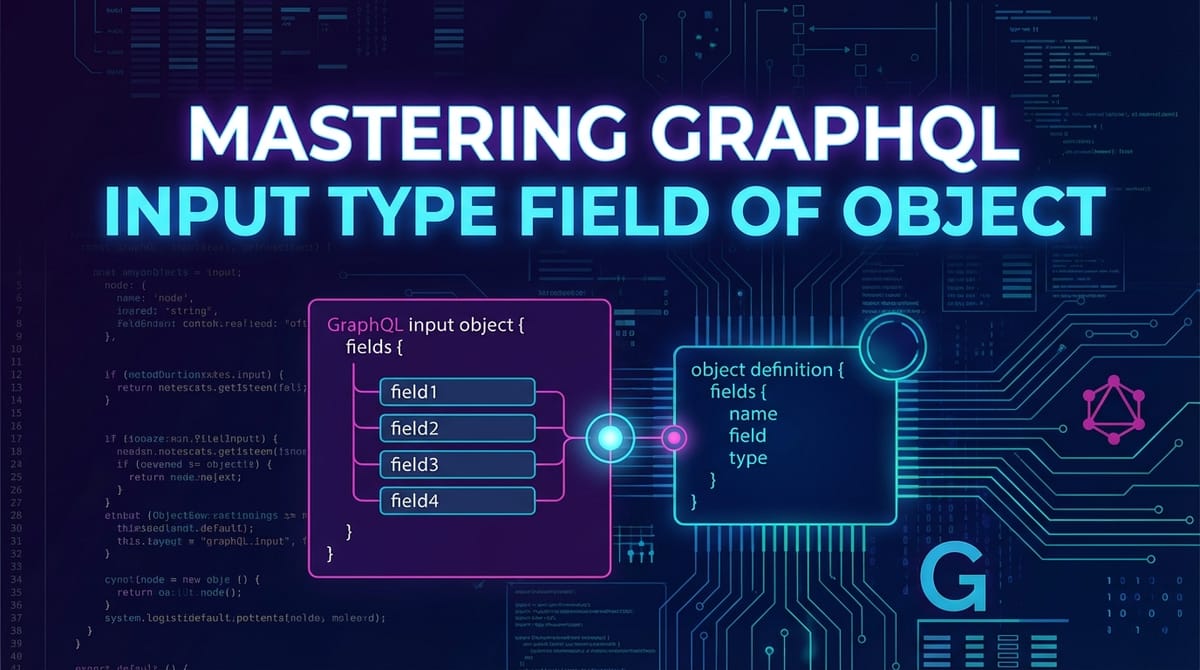


In the rapidly evolving landscape of web development, data exchange stands as a cornerstone of virtually every application. For years, RESTful APIs dominated this domain, offering a standardized approach to resource management. However, as applications grew in complexity and data requirements became more nuanced, the limitations of REST—such as over-fetching, under-fetching, and the need for multiple round trips—became increasingly apparent. Enter GraphQL, a powerful query language for your API, and a server-side runtime for executing queries by using a type system you define for your data. GraphQL revolutionized how clients interact with servers, empowering them to request precisely the data they need, nothing more, nothing less.
While GraphQL's primary claim to fame often revolves around its flexible querying capabilities, its true power extends far beyond simply fetching data. A critical, yet often underestimated, aspect of building sophisticated GraphQL APIs lies in effectively managing data input—that is, sending complex data structures from the client to the server for creation, update, or even complex filtering operations. This is where the concept of GraphQL Input Type Field of Object becomes indispensable.
Mastering input types is not merely about understanding a syntax; it's about designing elegant, type-safe, and resilient APIs that can handle intricate data submissions with grace. It's about empowering developers to construct mutations and arguments that are as expressive and precise as GraphQL queries themselves. Without a deep understanding of input types, even the most meticulously designed GraphQL schema will falter when faced with the demands of real-world data manipulation. This comprehensive guide will take you on an in-depth journey through the world of GraphQL Input Types, from their fundamental definitions to advanced patterns, implementation strategies, and best practices, ensuring you can build truly robust and scalable api solutions.
1. The Foundation: Understanding GraphQL Types
Before delving specifically into input types, it's crucial to solidify our understanding of GraphQL's fundamental type system. The strength of GraphQL lies in its schema, which acts as a contract between the client and the server, meticulously defining every piece of data and every operation available. This schema is written using the GraphQL Schema Definition Language (SDL).
At its core, the GraphQL type system is composed of several categories, each serving a distinct purpose:
- Scalar Types: These are the leaves of your GraphQL type system. They represent atomic data values that cannot be broken down further. GraphQL provides a set of built-in scalars:
Int: A signed 32-bit integer.Float: A signed double-precision floating-point value.String: A UTF-8 character sequence.Boolean:trueorfalse.ID: A unique identifier, often serialized as a String. It's treated as a string when passed to the client but acts as an identifier within the system. You can also define custom scalar types (e.g.,Date,EmailAddress,JSON) to enforce specific formats or semantics, which can be immensely useful for server-side validation and clearapidocumentation.
- Object Types (Output Types): These are the most common type of GraphQL type. They represent a collection of fields, where each field has a name and a type. Object types are primarily used to define the shape of the data that clients can query. For example, a
Userobject might have fields likeid(ID!),name(String!),email(String), andposts([Post!]). The!denotes that a field is non-nullable. When a client requests aUser, the server returns an instance of thisUserobject, populated with the requested fields. Each field in an object type can resolve to a scalar, another object type, an enum, an interface, or a union. This recursive nature allows for fetching deeply nested and interconnected data graphs in a single request. - Enum Types: Enumeration types are special scalars that are restricted to a particular set of allowed values. They are useful for defining a finite set of options, making your
apimore self-documenting and preventing invalid inputs. For instance,enum UserRole { ADMIN, EDITOR, VIEWER }clearly communicates the permissible roles a user can have. - Interface Types: Interfaces are abstract types that define a common set of fields that multiple object types can implement. They are incredibly powerful for achieving polymorphism in your GraphQL schema. If
ArticleandVideoobjects both implement aContentinterface, clients can query forContentand expect fields liketitleandpublishedAtto be present on both. - Union Types: Union types are another form of abstract type, but instead of specifying a common set of fields, they indicate that a field can return one of several possible object types. For example, if a
searchquery could return eitherProductorServiceobjects, you might defineunion SearchResult = Product | Service. Clients then use inline fragments to specify which fields they want from each possible type. - List Types: Any type can be wrapped in
[]to denote a list of that type. For example,[String!]means a list of non-nullable strings, and[String!]!means a non-nullable list of non-nullable strings.
The Crucial Distinction: Output vs. Input Types
While all the types mentioned above contribute to the overall schema, a fundamental dichotomy exists between output types and input types.
Output Types, such as User or Post, are designed to represent data returned by the API. They define what the client can query and receive. Their fields can resolve to other complex output types, allowing clients to traverse the data graph.
Input Types, on the other hand, are specifically designed to represent data sent to the API. They define the structure of arguments for mutations and sometimes complex queries. The critical constraint for input types is that their fields can only resolve to scalars, enums, other input types, or lists of these. They cannot contain fields that resolve to output object types, interfaces, or unions. This restriction ensures that input types are always concrete and can be serialized into a single, unambiguous value before processing on the server. This clear separation is a cornerstone of GraphQL's type safety and predictability, making it far easier to manage complex data submissions compared to the often loosely defined JSON payloads in traditional REST api calls.
2. Deep Dive into GraphQL Input Types
With the foundational understanding of GraphQL types established, we can now zero in on the star of our discussion: GraphQL Input Types. These specialized object-like structures are the key to unlocking the full power of GraphQL for data manipulation.
What are Input Types?
In essence, an input type is a composite type used as an argument to fields, primarily for mutations but also occasionally for complex query arguments. Think of them as strongly typed payloads for sending data to your GraphQL server. Instead of passing a multitude of scalar arguments to a mutation, you can encapsulate related data into a single, well-defined input object.
The most defining characteristic of an input type, as touched upon earlier, is that all of its fields must themselves be input types. This means a field within an input type can be: * A scalar (e.g., String, Int, ID). * An enum (e.g., UserRole). * Another input type (e.g., CreateUserInput could contain an AddressInput). * A list of any of the above (e.g., [String!], [AddressInput!]).
What it cannot contain are output object types, interfaces, or unions. This strict rule prevents cyclical dependencies where an input type might indirectly refer back to an output type, which would make serialization and deserialization ambiguous. This constraint simplifies the server's job of parsing the incoming data and ensures that the client is sending a well-formed, self-contained data payload.
Syntax and Structure
Defining an input type in GraphQL SDL is straightforward and mirrors the syntax for defining an object type, with the crucial difference of using the input keyword:
input CreateUserInput {
  firstName: String!
  lastName: String
  email: String!
  age: Int
  address: AddressInput
  roles: [UserRole!] = [VIEWER] # Example with a list and default value
}

input AddressInput {
  street: String!
  city: String!
  state: String!
  zipCode: String!
  country: String!
}

enum UserRole {
  ADMIN
  EDITOR
  VIEWER
}
Let's break down the key elements:
input CreateUserInput { ... }: This declares a new input type namedCreateUserInput.firstName: String!: Defines a field namedfirstNameof typeString. The!denotes that this field is non-nullable, meaning it must be provided by the client when this input type is used, and its value cannot benull.lastName: String: Defines an optional fieldlastName. If this field is not provided by the client, its value will benullon the server.address: AddressInput: Demonstrates how input types can be nested.CreateUserInputincludes anaddressfield which is itself anAddressInputtype. This allows for complex, hierarchical data structures to be sent in a singleapicall.roles: [UserRole!] = [VIEWER]: Shows a field that is a list of enum types. The!inside the list[UserRole!]means each element in the list must be a non-nullUserRole. The outer absence of!(i.e.,[UserRole!]) means the list itself can be null or empty. Additionally, this example includes a default value (= [VIEWER]). If the client does not provide a value forroles, the server will automatically use[VIEWER]. Default values enhance flexibility, allowing clients to omit optional fields that have sensible defaults.
Use Cases for Input Types
Input types shine brightest in scenarios where clients need to send structured, complex data to the server. Their primary use cases include:
- Creating New Resources (Mutations): This is perhaps the most common application. When a client wants to create a new record in the database, instead of passing individual arguments like
createProduct(name: String!, price: Float!, description: String), it's far cleaner and more scalable to use an input type: ```graphql type Mutation { createProduct(input: CreateProductInput!): Product! }input CreateProductInput { name: String! description: String price: Float! category: String tags: [String!] }`` This approach encapsulates all product creation details into a singleinput` object, making the mutation signature concise and the schema more organized. - Updating Existing Resources (Mutations): Similar to creation, updates often involve numerous fields. Input types provide an elegant way to specify which fields of an existing resource need modification. A common pattern is to make all fields in an
UpdateInputtype nullable, allowing clients to send only the fields they wish to change (partial updates, also known as PATCH semantics). ```graphql type Mutation { updateUser(id: ID!, input: UpdateUserInput!): User! }input UpdateUserInput { firstName: String lastName: String email: String age: Int address: AddressInput # Update nested fields }`` Here, the client specifies theidof the user to update and providesUpdateUserInput` with only the fields that need modification. - Complex Filtering or Search Arguments (Queries, less common but powerful): While mutations are the primary domain, input types can also be used for advanced query arguments, especially when dealing with complex filtering logic. For instance, instead of
products(minPrice: Float, maxPrice: Float, category: String), you might have: ```graphql type Query { products(filter: ProductFilterInput): [Product!]! }input ProductFilterInput { minPrice: Float maxPrice: Float category: String inStock: Boolean searchKeyword: String }`` This consolidates multiple filter parameters into a singleProductFilterInput, making the query signature cleaner and easier to extend. This approach can also enable more sophisticated query patterns, such as combining multiple conditions withAND/OR` logic, though this often requires more advanced server-side parsing of the input.
By leveraging input types, you transform your GraphQL api from a mere data retrieval mechanism into a full-fledged, type-safe data manipulation powerhouse.
3. Designing Effective Input Type Fields
Designing effective input types is an art that balances flexibility, clarity, and maintainability. A well-designed input type schema leads to a more intuitive and robust api for both client and server developers.
Granularity and Reusability
One of the first decisions you'll face is whether to create a new input type or use scalar arguments directly. * When to use scalar arguments: For mutations or queries that require only one or two simple parameters (e.g., deleteUser(id: ID!) or toggleFeature(featureName: String!)), scalar arguments are perfectly adequate and can even be clearer due to their brevity. * When to create a new input type: As soon as you have three or more related arguments, or if those arguments logically form a cohesive unit that might be reused elsewhere, it's a strong indicator that an input type is warranted. * Cohesion: If firstName, lastName, and email always go together when creating or updating a user, they belong in a UserInput type. * Reusability: If an AddressInput structure is needed for both CreateUserInput and UpdateCompanyInput, defining it once as a separate input type promotes consistency and reduces redundancy.
Example of Composition:
input CreateOrderInput {
  customerId: ID!
  orderDate: String! # Or a custom Date scalar
  items: [OrderItemInput!]!
  shippingAddress: AddressInput!
  billingAddress: AddressInput
  paymentInfo: PaymentInput!
}

input OrderItemInput {
  productId: ID!
  quantity: Int!
  priceAtOrder: Float!
}

input PaymentInput {
  method: PaymentMethod!
  cardNumber: String!
  expiryMonth: Int!
  expiryYear: Int!
  cvv: String!
}

enum PaymentMethod {
  CREDIT_CARD
  PAYPAL
  BANK_TRANSFER
}

# AddressInput (as defined previously)
This example shows how complex api calls can be constructed by composing smaller, focused input types, each encapsulating a specific piece of functionality or data. This modularity not only makes the schema easier to understand but also simplifies the implementation of resolvers, as each input component can be processed by dedicated logic.
Naming Conventions
Consistent and descriptive naming is paramount for a self-documenting api. For input types, generally adhere to these guidelines: * Suffix Input: Append Input to the name of input types (e.g., CreateUserInput, UpdateProductInput, AddressInput). This immediately clarifies its purpose and distinguishes it from output object types (e.g., User, Product, Address). * Action-Oriented for Mutations: For mutation-specific input types, prefix with the action they facilitate (e.g., Create, Update, Delete, Register, Login). This makes it clear what the input is intended for. * Descriptive Field Names: Field names within input types should be clear and concise, mirroring the corresponding fields in output types where applicable (e.g., firstName, email, isActive).
Versioning and Evolution
APIs are living entities; they evolve over time. Managing changes to input types, particularly in a strongly typed system like GraphQL, requires careful consideration to avoid breaking existing clients.
- Non-Breaking Changes:
- Adding new optional fields: This is generally safe. Existing clients that don't send the new field will simply not provide a value for it, and the server should handle
nullgracefully or use a default value if specified. - Making a required field optional: Changing
field: Type!tofield: Typeis also non-breaking. Clients sending the field will continue to do so; clients not sending it will now have validnullbehavior. - Adding a new input type: Completely non-breaking.
- Adding new optional fields: This is generally safe. Existing clients that don't send the new field will simply not provide a value for it, and the server should handle
- Breaking Changes: These should be avoided or introduced with a clear migration strategy.
- Removing a field: Any client sending that field will break.
- Changing a field's type: E.g.,
InttoString. Clients sending the old type will break. - Making an optional field required: Changing
field: Typetofield: Type!. Existing clients that don't send this field will now receive validation errors. - Renaming a field or input type: Equivalent to removing the old and adding a new, which is a breaking change.
Strategies for Handling Breaking Changes: 1. Introduce a new input type: Instead of modifying UpdateUserInput in a breaking way, create UpdateUserInputV2. This requires clients to migrate to the new type but allows old clients to continue functioning with UpdateUserInput. 2. Schema Stitching/Federation: In a federated GraphQL architecture (which often involves an api gateway), you might version entire subgraphs or use mechanisms like @deprecated directive to signal upcoming changes. An api gateway like APIPark can be invaluable here. It provides end-to-end API lifecycle management, including versioning of published APIs. This means you can manage different versions of your GraphQL schema, directing traffic appropriately and ensuring backward compatibility or smooth transitions for your client applications. This centralized api management prevents unexpected service disruptions. 3. Graceful deprecation: Use the @deprecated directive on fields or input types that are slated for removal, providing a reason and a recommended alternative. Communicate these changes clearly in your api documentation.
Validation
Validation is a critical aspect of api robustness, especially for data inputs. GraphQL provides several layers of validation:
- Schema-Level Validation:
- Type checks: The GraphQL server automatically validates that the incoming data conforms to the defined input type's structure and field types. For instance, if
ageisInt, sending a string foragewill result in a validation error before your resolver even runs. - Non-nullability: The
!operator enforces that required fields must be present and non-null. If a client omits a required field or sendsnullfor it, the GraphQL server will reject the request.
- Type checks: The GraphQL server automatically validates that the incoming data conforms to the defined input type's structure and field types. For instance, if
- Server-Side Business Logic Validation: While schema-level validation catches structural and type errors, it cannot enforce complex business rules. This is where your server-side resolvers come in.
- Example: For
CreateProductInput, the schema might enforceprice: Float!. But your business logic needs to ensurepriceis positive. Or foremail: String!, you might need to validate the email format and uniqueness. - Implementation: Within your mutation resolver, after receiving the input object, you'll perform these additional checks. If validation fails, you should return meaningful GraphQL errors (e.g., using extensions to provide specific error codes or details).
- Example: For
- Client-Side Validation: For a better user experience, clients should ideally perform some level of validation before sending data to the server. This provides immediate feedback to the user and reduces unnecessary network requests. However, client-side validation should never replace server-side validation, as client-side checks can be bypassed.
- Custom Scalar Types for Enhanced Validation: For specific data formats like email addresses, URLs, or dates, you can define custom scalar types. ```graphql scalar EmailAddress scalar URL scalar DateTimeinput CreateUserInput { email: EmailAddress! website: URL } ``` On the server, you would implement custom serialization, parsing, and validation logic for these scalars. This moves some validation concerns directly into the type system, making your schema more expressive and consolidating validation logic. This is a powerful pattern for creating self-documenting and highly validated input types.
By diligently applying these design principles, you can craft input types that are not only functional but also intuitive, scalable, and resilient against common api pitfalls.
APIPark is a high-performance AI gateway that allows you to securely access the most comprehensive LLM APIs globally on the APIPark platform, including OpenAI, Anthropic, Mistral, Llama2, Google Gemini, and more.Try APIPark now! 👇👇👇
4. Implementing Input Types in Practice
The theoretical understanding of GraphQL Input Types gains practical significance only when applied in a real-world development environment. Let's explore how input types are implemented on both the server and client sides, and how an api gateway fits into this ecosystem.
Server-Side Implementation
The server-side implementation involves defining the input types in your GraphQL schema and then writing resolvers that correctly process these inputs for mutations or queries. The specifics might vary slightly depending on your chosen GraphQL server framework (e.g., Node.js with Apollo Server, Python with Graphene, Java with GraphQL-Java), but the core principles remain consistent.
Let's use a conceptual example with SDL and pseudo-code for a Node.js/Apollo Server environment to illustrate.
1. Define the Input Types in SDL:
Your schema.graphql file (or similar schema definition) would contain:
# schema.graphql

type User {
  id: ID!
  firstName: String!
  lastName: String
  email: String!
  age: Int
  address: Address
}

type Address {
  street: String!
  city: String!
  state: String!
  zipCode: String!
  country: String!
}

type Mutation {
  createUser(input: CreateUserInput!): User!
  updateUser(id: ID!, input: UpdateUserInput!): User!
}

input CreateUserInput {
  firstName: String!
  lastName: String
  email: String!
  age: Int
  address: AddressInput
}

input UpdateUserInput {
  firstName: String
  lastName: String
  email: String
  age: Int
  address: AddressInput
}

input AddressInput {
  street: String!
  city: String!
  state: String!
  zipCode: String!
  country: String!
}
2. Implement Resolvers:
In your server-side code, you'll have resolvers that correspond to your Mutation fields. These resolvers will receive the input object as an argument.
// resolvers.js (conceptual Node.js/Apollo Server)

const users = []; // In-memory database for demonstration

const resolvers = {
  Mutation: {
    createUser: async (_, { input }) => {
      // 'input' here is the CreateUserInput object sent by the client

      // 1. Perform server-side business logic validation (beyond schema validation)
      if (!input.email.includes('@')) {
        throw new Error('Invalid email format.');
      }
      const existingUser = users.find(u => u.email === input.email);
      if (existingUser) {
        throw new Error('User with this email already exists.');
      }
      if (input.age !== undefined && input.age < 0) {
        throw new Error('Age cannot be negative.');
      }
      // ... more validation for address, etc.

      // 2. Process the input and save to database
      const newUser = {
        id: String(users.length + 1), // Generate a unique ID
        firstName: input.firstName,
        lastName: input.lastName || null, // Handle optional fields
        email: input.email,
        age: input.age || null,
        address: input.address ? { ...input.address } : null, // Deep copy nested input
      };
      users.push(newUser);

      // 3. Return the newly created resource
      return newUser;
    },

    updateUser: async (_, { id, input }) => {
      // 'id' is the ID of the user to update
      // 'input' is the UpdateUserInput object

      const userIndex = users.findIndex(u => u.id === id);
      if (userIndex === -1) {
        throw new Error(`User with ID ${id} not found.`);
      }

      let userToUpdate = users[userIndex];

      // Perform updates only for fields provided in the input
      if (input.firstName !== undefined) userToUpdate.firstName = input.firstName;
      if (input.lastName !== undefined) userToUpdate.lastName = input.lastName;
      if (input.email !== undefined) {
          // Perform email uniqueness validation if changed
          const existingUserWithEmail = users.find(u => u.email === input.email && u.id !== id);
          if (existingUserWithEmail) {
              throw new Error('Another user with this email already exists.');
          }
          userToUpdate.email = input.email;
      }
      if (input.age !== undefined) {
          if (input.age < 0) throw new Error('Age cannot be negative.');
          userToUpdate.age = input.age;
      }
      if (input.address !== undefined) {
        userToUpdate.address = {
            ...userToUpdate.address, // Merge existing address fields
            ...input.address // Apply updates from input
        };
      }

      // Update in storage (e.g., database call here)
      users[userIndex] = userToUpdate;

      return userToUpdate;
    },
  },

  // ... other resolvers for Query, User, Address types
};
This example illustrates: * How the input object is received directly by the resolver. * The importance of performing additional business logic validation within the resolver. * How to handle optional fields (lastName in CreateUserInput) and partial updates (UpdateUserInput) by checking if fields are undefined (or null if the client explicitly sets them to null). * The necessity of deep-merging for nested input types like address in an update mutation.
Client-Side Consumption
Clients interact with GraphQL APIs by constructing queries and mutations as strings and sending them to the GraphQL endpoint, typically via HTTP POST requests. When using input types, the client formulates the mutation with a variable, passing the complex input object as a variable payload.
Let's consider a client-side example using a hypothetical JavaScript/React setup with Apollo Client.
1. Define the GraphQL Mutation on the Client:
// client-side code (e.g., in a React component or service file)

import { gql } from '@apollo/client';

const CREATE_USER_MUTATION = gql`
  mutation CreateNewUser($input: CreateUserInput!) {
    createUser(input: $input) {
      id
      firstName
      lastName
      email
      age
      address {
        street
        city
        state
        zipCode
        country
      }
    }
  }
`;

const UPDATE_USER_MUTATION = gql`
  mutation UpdateExistingUser($id: ID!, $input: UpdateUserInput!) {
    updateUser(id: $id, input: $input) {
      id
      firstName
      lastName
      email
      age
      address {
        street
        city
        state
        zipCode
        country
      }
    }
  }
`;
Here, $input: CreateUserInput! declares a variable named input that must conform to the CreateUserInput type and be non-null. The mutation then uses this variable.
2. Execute the Mutation with Variables:
When the user submits a form, the client constructs a JavaScript object matching the CreateUserInput structure and passes it as variables to the mutation.
// client-side execution example (e.g., in a React component)

import { useMutation } from '@apollo/client';
// ... other imports

function UserForm() {
  const [createUser, { loading, error, data }] = useMutation(CREATE_USER_MUTATION);
  const [updateUser] = useMutation(UPDATE_USER_MUTATION);

  const handleSubmitCreate = async (event) => {
    event.preventDefault();
    const formData = {
      firstName: event.target.firstName.value,
      lastName: event.target.lastName.value,
      email: event.target.email.value,
      age: parseInt(event.target.age.value, 10),
      address: {
        street: event.target.street.value,
        city: event.target.city.value,
        state: event.target.state.value,
        zipCode: event.target.zipCode.value,
        country: event.target.country.value,
      },
    };

    try {
      const { data } = await createUser({ variables: { input: formData } });
      console.log('User created:', data.createUser);
      // Handle success (e.g., clear form, navigate)
    } catch (err) {
      console.error('Error creating user:', err);
      // Handle error (e.g., display error message to user)
    }
  };

  const handleSubmitUpdate = async (event) => {
    event.preventDefault();
    const userId = '1'; // Assuming we're updating user with ID 1
    const formData = {
      firstName: event.target.firstName.value || undefined, // Only send if value exists
      email: event.target.email.value || undefined,
      // For partial updates, only include fields that were actually changed
      // If a field is empty in the form and should not be sent, pass undefined or null based on schema.
      // E.g., if you want to explicitly nullify lastName, pass lastName: null
    };

    // Filter out undefined values for partial updates if your server expects it
    const updateInput = Object.fromEntries(
        Object.entries(formData).filter(([, value]) => value !== undefined)
    );

    try {
        const { data } = await updateUser({ variables: { id: userId, input: updateInput } });
        console.log('User updated:', data.updateUser);
    } catch (err) {
        console.error('Error updating user:', err);
    }
  };

  // ... render form
}
This client-side code demonstrates how to prepare the input data as a JavaScript object and pass it to the GraphQL mutation. For update mutations, careful handling of undefined (to omit fields from the payload) versus null (to explicitly set a field to null) is crucial for correct partial update behavior.
The Role of API Gateway in Managing GraphQL APIs
While GraphQL offers robust type safety and flexible querying, deploying and managing production-grade GraphQL APIs, especially at scale, involves more than just the GraphQL server itself. This is where an api gateway becomes an indispensable component in your infrastructure. An api gateway acts as a single entry point for all client requests, abstracting away the complexities of your backend services and providing a centralized point for critical api management functions.
For GraphQL APIs with their distinct query and mutation patterns, an api gateway can provide:
- Unified Entry Point: Consolidate multiple GraphQL services (e.g., microservices, federated subgraphs) or even mixed GraphQL/REST
apis behind a singlegateway. This simplifies client integration, as they only need to know one endpoint. - Authentication and Authorization: Enforce security policies centrally. The
gatewaycan authenticate incoming requests, verify tokens (JWTs), and apply authorization rules before requests even reach your GraphQL server. This offloads security concerns from your individual services. - Rate Limiting and Throttling: Protect your GraphQL server from abuse or overload by limiting the number of requests clients can make within a given time frame. This is crucial for mutations that might trigger expensive operations.
- Caching: Implement caching strategies at the
gatewaylevel to reduce the load on your GraphQL server for frequently requested data, improving performance. - Request/Response Transformation: Although GraphQL's self-describing nature often reduces the need for extensive transformation, a
gatewaycan still be used for minor adjustments or to enforce specificapicontract adherence. - Logging and Monitoring: Centralize
apirequest logs and metrics, providing a comprehensive view ofapiusage, performance, and errors. This is vital for troubleshooting and operational insights. - Schema Stitching or Federation: For large, complex GraphQL schemas distributed across multiple backend services, an
api gatewaycan act as the "supergraph" orchestrator, combining schemas from various subgraphs into a unified schema for clients. This enables a modular approach to building GraphQL APIs without exposing the internal service architecture to clients. - API Lifecycle Management: A robust
api gatewaysupports the entire lifecycle of your APIs—from design and publication to invocation, versioning, and decommissioning. This ensures that your GraphQL APIs, with their carefully designed input types and complex mutations, are managed professionally, consistently, and securely throughout their operational lifespan.
Introducing APIPark: Your AI Gateway and API Management Solution
When considering a powerful api gateway that can handle the intricacies of modern APIs, including GraphQL, and even integrate with AI models, platforms like APIPark stand out. APIPark is an open-source AI gateway and API management platform designed to help developers and enterprises manage, integrate, and deploy AI and REST services with ease.
For GraphQL APIs, APIPark can provide significant value by: * Centralized Management: Managing your GraphQL endpoints alongside your other REST APIs from a single dashboard. * Robust Security: Applying authentication, authorization, and subscription approval features to your GraphQL mutations, ensuring that access to your data manipulation capabilities is tightly controlled. * Performance: Delivering high performance rivaling Nginx, capable of handling large-scale traffic for your GraphQL API. * Detailed Analytics: Providing comprehensive logging and powerful data analysis of every GraphQL API call, which is crucial for understanding usage patterns, troubleshooting issues with input types, and proactively addressing performance bottlenecks. * Unified Ecosystem: Even if your GraphQL API is one component of a larger ecosystem that includes AI services, APIPark offers quick integration of 100+ AI models and a unified API format for AI invocation. This makes it an ideal api gateway for organizations building hybrid applications that leverage both traditional data APIs and advanced AI capabilities.
Integrating an api gateway like APIPark into your architecture ensures that your diligently crafted GraphQL input types are not only functional within your application but also part of a secure, performant, and well-managed api ecosystem. This is a crucial step towards operational excellence and scalability for any enterprise-grade api landscape.
5. Advanced Patterns and Considerations
As you delve deeper into building sophisticated GraphQL APIs, you'll encounter more complex scenarios where advanced patterns for input types become essential.
Partial Updates (Patch Mutations)
The UpdateUserInput example earlier demonstrated a basic approach to partial updates by making all fields nullable. However, this raises a subtle but important distinction: * field: String (null): The client explicitly sends null for field. This means "set field to null." * field: String (omitted): The client does not send field at all. This means "do not change field."
While the schema handles both, the resolver logic must correctly interpret this. For example, if lastName is nullable in your database, sending lastName: null in UpdateUserInput should clear the lastName, whereas omitting lastName should leave the existing value untouched.
Challenge: How to distinguish between "set to null" and "don't change" if your UpdateInput field is nullable and you also want to support null as a valid update value?
Strategies:
- Omitting
undefinedvalues (as shown in client example): The most common approach. Clients simply don't send fields they don't want to change. Ifnullis a valid value, they sendfield: null. The server then only processes fields present in theinputobject. - Using
Optionalwrapper types (less common in SDL but conceptually): Some GraphQL frameworks allow for wrapping input fields with anOptionaltype, which explicitly distinguishes betweenabsent,present(value), andpresent(null). This is more of an implementation detail in the server framework rather than a pure SDL construct.
Explicit SetNull sentinel value/type: A more explicit, but potentially verbose, pattern. ```graphql scalar SetNull # A custom scalar that always resolves to nullinput UpdateUserInput { firstName: String lastName: StringOrSetNull # A custom union or scalar wrapper email: String # ... }
On the server, StringOrSetNull would require custom scalar/union handling.
Alternatively, you could use a separate boolean flag for each field:
input UpdateUserInput { firstName: String setLastNameToNull: Boolean email: String # ... } ``` This adds complexity but provides explicit control. For most cases, relying on omitting fields (strategy 1) is sufficient and cleaner.
Nested Input Types for Related Object Operations
One of GraphQL's strengths is its ability to handle relationships between objects. Input types extend this to mutations, allowing you to create or update related objects within a single mutation.
Example: Creating an Order with Line Items
input CreateOrderInput {
  customerId: ID!
  orderDate: String!
  items: [OrderItemInput!]! # List of order items
  # ... other fields
}

input OrderItemInput {
  productId: ID!
  quantity: Int!
  unitPrice: Float!
}

type Mutation {
  createOrder(input: CreateOrderInput!): Order!
}
In the createOrder mutation, the input contains a list of OrderItemInput objects. The server-side resolver for createOrder would then: 1. Create the Order record. 2. Iterate through input.items. 3. For each OrderItemInput, create a new OrderItem record, linking it to the newly created Order.
This pattern reduces the number of network requests from the client and ensures transactional consistency for related operations.
Input Types for Filtering (Advanced Query Arguments)
While input types are primarily used for mutations, they can also be powerful for constructing complex query arguments, especially when dealing with intricate filtering, sorting, or pagination logic.
Example: Advanced User Search
type Query {
  findUsers(options: UserQueryOptions): [User!]!
}

input UserQueryOptions {
  filter: UserFilterInput
  sortBy: UserSortInput
  pagination: PaginationInput
}

input UserFilterInput {
  emailContains: String
  minAge: Int
  maxAge: Int
  status: UserStatus
  address: AddressFilterInput
}

input AddressFilterInput {
  city: String
  state: String
  zipCodePrefix: String
}

input UserSortInput {
  field: UserSortField!
  direction: SortDirection!
}

enum UserSortField {
  EMAIL
  AGE
  CREATED_AT
}

enum SortDirection {
  ASC
  DESC
}

input PaginationInput {
  limit: Int = 10
  offset: Int = 0
}
This example showcases how a findUsers query can accept a single UserQueryOptions input type, which then encapsulates several other input types for filter, sortBy, and pagination.
Considerations for Query Input Types: * Complexity: While powerful, excessively complex query input types can make queries harder to construct for clients. Balance flexibility with simplicity. * Performance: Server-side resolvers for such queries need to efficiently translate the input criteria into database queries (e.g., SQL WHERE clauses, Elasticsearch queries), ensuring optimal performance with appropriate indexing. * Security: Ensure that filter arguments don't expose sensitive data or allow for denial-of-service attacks through overly broad or expensive queries.
Security Implications
The robustness of your api hinges on its security, and input types play a direct role in this:
- Input Validation (Revisited):
- Preventing Malicious Data: Beyond type checking, server-side validation must guard against SQL injection, cross-site scripting (XSS), and other common vulnerabilities by sanitizing and validating all incoming input. Even though GraphQL generally protects against direct injection, fields used in database queries must be properly parameterized.
- Data Integrity: Ensure that numerical fields are within valid ranges, strings adhere to length limits, and references (like
IDs) correspond to existing entities.
- Authorization:
- Field-Level Authorization: Just because a client sends data in
CreateUserInputdoesn't mean they have permission to create that data or set every field. Your resolvers must implement authorization checks (e.g., "only admins can setUserRoletoADMIN"). - Operation-Level Authorization: An
api gatewayor your GraphQL server should prevent unauthorized users from even calling certain mutations (e.g., "only authenticated users cancreateProduct"). This is where anapi gatewaylike APIPark, with its independentapiand access permissions for each tenant, and its approval features for API resource access, becomes crucial for enterprise-grade security.
- Field-Level Authorization: Just because a client sends data in
- Rate Limiting on Mutations:
- Mutations, especially those involving resource creation or updates, can be expensive operations. Implementing rate limiting (often at the
api gatewaylevel) prevents a single client from overwhelming your server with too many mutation requests, which could lead to a denial-of-service.
- Mutations, especially those involving resource creation or updates, can be expensive operations. Implementing rate limiting (often at the
Table: Comparison of GraphQL Output Types vs. Input Types
| Feature | GraphQL Output Type (type) |
GraphQL Input Type (input) |
|---|---|---|
| Primary Use | Defining data clients can query and receive | Defining structured data clients can send to the API |
| Fields Resolve To | Scalars, Enums, other Object Types, Interfaces, Unions, Lists | Scalars, Enums, other Input Types, Lists |
| Can be Nested | Yes, recursively with Object Types | Yes, recursively with other Input Types |
! (Non-Nullable) |
Denotes a field that will always have a value (never null) |
Denotes a field that must be provided by the client |
| Default Values | Not applicable for output fields | Yes, can be specified for optional fields (field: Type = defaultValue) |
| Directives | Can use directives like @deprecated, @include, @skip |
Can use directives (e.g., @deprecated) but less common |
| Example | type User { id: ID!, name: String! } |
input CreateUserInput { name: String! } |
6. Comparison and Best Practices
Having explored the nuances of GraphQL Input Types, it's beneficial to reflect on their advantages and consolidate the best practices for their effective use.
GraphQL Input Types vs. REST Body Payloads
While both serve the purpose of sending data to an api, GraphQL Input Types offer significant advantages over the often loosely defined JSON payloads in REST:
- Strong Typing and Schema Validation:
- GraphQL: Every input type and its fields are strictly defined in the schema. The GraphQL server automatically validates incoming data against this schema before your resolvers even execute. This catches structural errors (missing required fields, incorrect types) early, reducing boilerplate validation code on the server and ensuring data integrity.
- REST: JSON payloads are typically schema-less. Validation often falls entirely on the server-side, requiring manual parsing and validation logic in each endpoint. Errors are often caught later in the request lifecycle.
- Discoverability and Documentation:
- GraphQL: The entire
apischema, including all input types, is self-documenting. Tools like GraphiQL or Apollo Studio can browse inputs, their fields, types, and non-nullability constraints, providing an immediate understanding of what data is expected. - REST: Documentation for request bodies usually relies on external tools (e.g., Swagger/OpenAPI) or manual efforts, which can easily become out of sync with the actual
apiimplementation.
- GraphQL: The entire
- Consistency and Reusability:
- GraphQL: Input types promote consistency. An
AddressInputcan be reused acrossCreateUserInput,UpdateCompanyInput, orShippingDetailsInput, enforcing a uniform data structure wherever addresses are needed. - REST: Similar JSON structures might be duplicated across different endpoints, leading to potential inconsistencies and maintenance overhead.
- GraphQL: Input types promote consistency. An
- Client-Side Benefits:
- GraphQL: Client-side GraphQL libraries (like Apollo Client, Relay) can leverage the schema to generate type-safe code for mutations, making it harder for clients to send malformed data and improving developer experience.
- REST: Clients often deal with generic
anyorobjecttypes for JSON payloads, requiring more manual type assertions or schema validation on the client side.
Key Best Practices for Input Types
- Design for Cohesion and Reusability: Group related fields into a single input type. Extract common structures (like
AddressInput) into their own input types for reuse across your schema. - Use Descriptive and Consistent Naming: Follow conventions like
CreateEntityInput,UpdateEntityInput, andFilterEntityInput. Clear names make your schema intuitive. - Leverage Non-Nullability (
!) Judiciously: Mark fields as non-nullable (!) only if they are absolutely required for the operation to succeed. This enforces strong contracts and guides clients. - Provide Default Values for Optional Fields: For optional fields that have a sensible default, specify it in the SDL (
field: Type = defaultValue). This simplifies client interactions. - Separate Creation from Update Inputs: Generally,
CreateInputs should have all non-nullable fields that are required for a new entity.UpdateInputs typically have all nullable fields, allowing for partial updates. - Implement Robust Server-Side Validation: While GraphQL handles schema validation, implement comprehensive business logic validation in your resolvers. Return clear, informative errors using GraphQL's error extensions.
- Consider Custom Scalars for Semantic Validation: For data like
EmailAddressorDateTime, custom scalars can enforce specific formats and centralize validation logic, making your schema more precise. - Strategically Manage Breaking Changes: Plan for
apievolution. Introduce new versions of input types, use@deprecateddirectives, and leverage anapi gatewayfor version management and graceful transitions. - Utilize Input Types for Complex Query Arguments: Don't limit input types to just mutations. They are excellent for consolidating complex filter, sort, and pagination options into a single, structured argument for queries.
- Secure Your Inputs: Always assume client input is malicious. Combine schema validation, server-side business logic validation, and
api gatewayfeatures (like authentication, authorization, and rate limiting provided by a platform like APIPark) to protect your backend services.
7. Conclusion
Mastering GraphQL Input Type Field of Object is a fundamental step towards building truly robust, maintainable, and developer-friendly GraphQL APIs. They are the structured vessels through which complex data payloads flow into your system, enabling powerful mutations and expressive query arguments. By embracing the principles of strong typing, cohesion, reusability, and diligent validation, you empower your api to handle intricate data submissions with elegance and resilience.
The journey from understanding basic scalar types to designing nested, versioned, and securely validated input types transforms your GraphQL api from a mere data-fetching tool into a complete, type-safe data manipulation platform. The clear separation between input and output types, coupled with GraphQL's inherent introspection capabilities, provides an unparalleled developer experience, reducing ambiguity and fostering confidence in api interactions.
Furthermore, integrating a sophisticated api gateway such as APIPark into your GraphQL architecture elevates your api management capabilities. By centralizing security, performance, monitoring, and lifecycle management, an api gateway ensures that your meticulously crafted GraphQL input types are not only functional but also operate within a secure, scalable, and highly observable environment. This synergy between GraphQL's powerful type system and an enterprise-grade api gateway lays the groundwork for building the next generation of intelligent, interconnected applications. As the digital landscape continues to evolve, the ability to precisely define, validate, and manage data inputs will remain a cornerstone of successful api development.
Frequently Asked Questions (FAQs)
1. What is the primary difference between a GraphQL type (Object Type) and an input type? The primary difference lies in their purpose and structure. A type (Object Type) is used to define the shape of data that the GraphQL API returns to the client (i.e., for queries). Its fields can resolve to scalars, enums, interfaces, unions, or other object types. An input type, on the other hand, is specifically designed to define the shape of structured data that the client sends to the API (primarily for mutations, but also complex query arguments). Crucially, an input type's fields can only resolve to scalars, enums, other input types, or lists of these, never output object types, interfaces, or unions.
2. Why can't GraphQL input types contain fields that resolve to output object types? This restriction is in place to ensure that input types are always concrete, self-contained, and easily serializable/deserializable. If an input type could contain an output object type, it would create ambiguity during serialization (how would the server know how to interpret a complex object type as an input?) and could lead to circular dependencies or an inability to represent the input as a simple, static data structure. This design choice maintains the clarity and predictability of the GraphQL type system for data submission.
3. How do I handle partial updates (like HTTP PATCH requests) with GraphQL Input Types? For partial updates, the best practice is to design your UpdateInput types with all fields as nullable (i.e., without the !). On the client side, when calling the mutation, only include the fields that actually need to be updated in the input variable object. Fields that are undefined (not sent by the client) will be ignored by the server, preserving their current values. If you want to explicitly set a field's value to null (and the field is nullable in your database), the client should send fieldName: null.
4. Can I use GraphQL Input Types for filtering or advanced query arguments? Yes, while input types are predominantly used for mutations, they are perfectly valid and often beneficial for complex query arguments. For instance, instead of passing many individual scalar arguments for filtering, you can define a FilterInput type that encapsulates all filtering criteria. This makes your query signatures cleaner, more organized, and easier to extend with additional filtering options in the future.
5. How does an API Gateway like APIPark help manage GraphQL APIs with input types? An api gateway like APIPark provides a crucial layer of management and security for your GraphQL APIs. It acts as a single entry point, allowing you to centralize critical functions such as authentication, authorization, rate limiting, and API versioning. For GraphQL, this means you can secure your mutations (which rely heavily on input types) by controlling who can call them and how often. APIPark also offers end-to-end API lifecycle management, detailed logging, and data analysis, providing comprehensive oversight over how your GraphQL APIs are invoked and how their input types are being utilized, thereby enhancing overall system stability and data security.
🚀You can securely and efficiently call the OpenAI API on APIPark in just two steps:
Step 1: Deploy the APIPark AI gateway in 5 minutes.
APIPark is developed based on Golang, offering strong product performance and low development and maintenance costs. You can deploy APIPark with a single command line.
curl -sSO https://download.apipark.com/install/quick-start.sh; bash quick-start.sh

In my experience, you can see the successful deployment interface within 5 to 10 minutes. Then, you can log in to APIPark using your account.

Step 2: Call the OpenAI API.