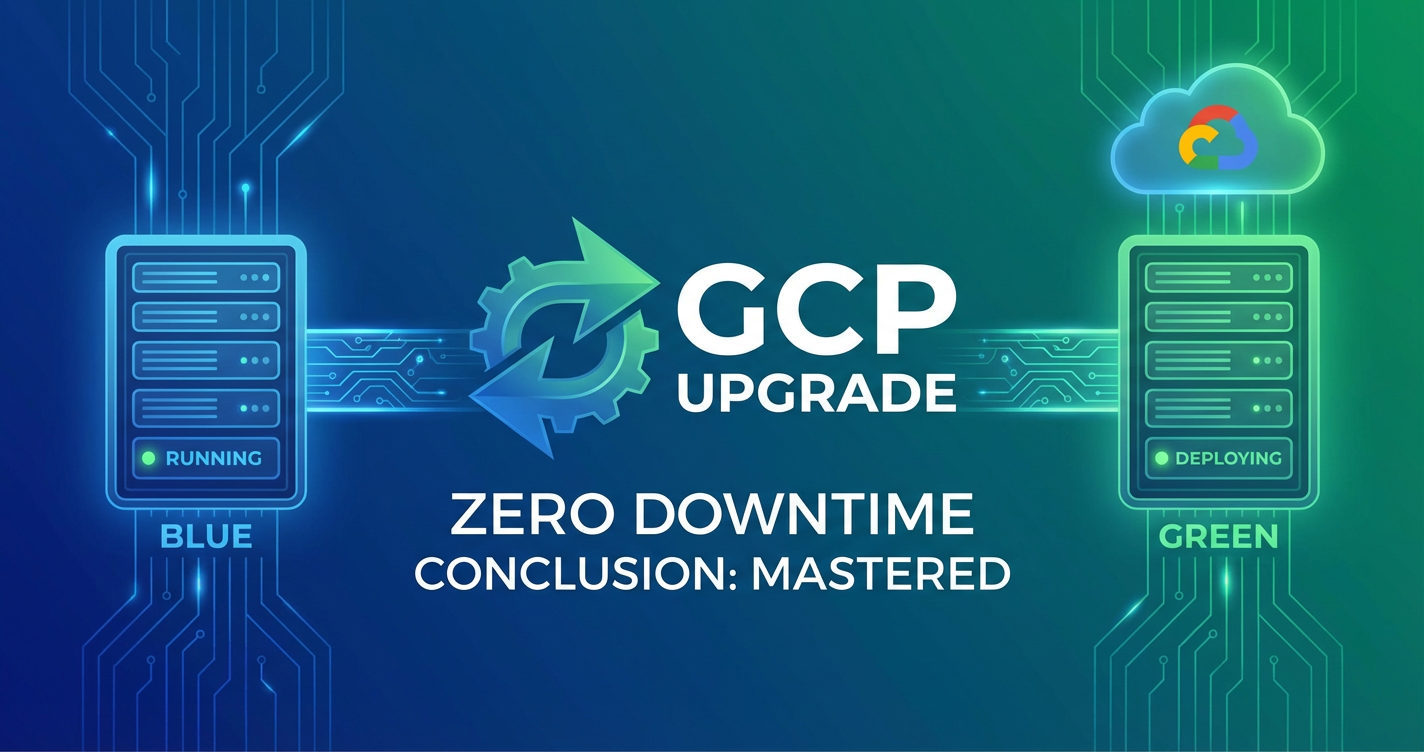
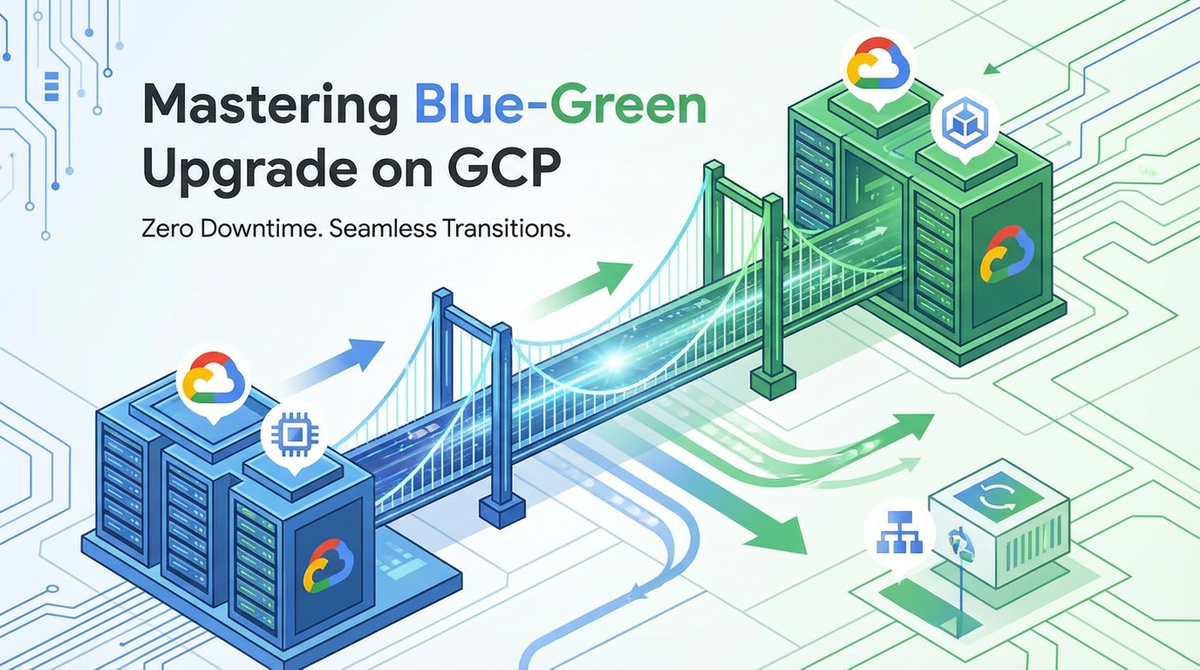
Mastering Blue-Green Upgrade on GCP for Zero Downtime


In the relentless march of digital transformation, the expectation of seamless, uninterrupted service delivery has evolved from a luxury to an absolute prerequisite for any successful enterprise. Users, whether internal or external, demand applications that are always available, always responsive, and always performing optimally. This heightened expectation places immense pressure on development and operations teams to deploy new features, bug fixes, and infrastructure updates without causing any perceptible downtime. Traditional deployment methodologies, often involving scheduled maintenance windows and disruptive outages, are no longer viable in this always-on world. They lead to lost revenue, diminished customer trust, and significant operational overhead. The pursuit of zero-downtime deployments has thus become a cornerstone of modern cloud architecture and DevOps practices.
Google Cloud Platform (GCP), with its vast array of robust, scalable, and highly available services, provides an ideal environment for achieving these ambitious goals. Among the various advanced deployment strategies available, Blue-Green Deployment stands out as a particularly effective and widely adopted method for minimizing risk and eliminating downtime during application upgrades. It represents a paradigm shift from cautious, fear-driven deployments to confident, rapid releases that enhance business agility and resilience. This comprehensive guide will meticulously deconstruct the principles and practicalities of Blue-Green Deployment, specifically within the rich ecosystem of GCP, empowering readers to master this critical technique and unlock the full potential of their cloud-native applications. We will delve into the core concepts, explore the specific GCP services that facilitate its implementation, walk through a detailed step-by-step process, examine advanced scenarios, discuss common pitfalls, and ultimately demonstrate how this strategic approach can transform your deployment pipeline into a bastion of reliability and efficiency.
Deconstructing Blue-Green Deployment: Principles and Mechanics
At its core, Blue-Green Deployment is a technique that reduces downtime and risk by running two identical production environments, aptly named "Blue" and "Green." Only one of these environments is active at any given time, serving live production traffic. When a new version of the application or infrastructure needs to be deployed, it is provisioned and deployed to the inactive environment (let's say "Blue" if "Green" is currently active). Once the new version on the "Blue" environment has been thoroughly tested and validated, traffic is seamlessly switched from the "Green" (old version) to the "Blue" (new version) environment. If any issues arise after the cutover, traffic can be instantly routed back to the "Green" environment, effectively performing an immediate rollback with minimal impact to users. This fundamental concept underpins the strategy's power and elegance, transforming what used to be a high-stakes operation into a routine, low-risk affair.
The mechanics of this approach involve several key components and a well-defined workflow. First and foremost, the prerequisite is the ability to provision and manage two truly identical environments. This goes beyond just application code; it encompasses the entire stack, including compute resources, networking configurations, databases, storage, and any external services or integrations. Maintaining environment parity is crucial to ensure that what works in one environment will work identically in the other. Second, a robust traffic routing mechanism is essential. This component is responsible for directing incoming requests to either the Blue or Green environment. On GCP, this is typically handled by load balancers, DNS services, or service meshes, which offer granular control over traffic distribution. Third, a rigorous testing and validation phase is critical. Before traffic is shifted, the new application in the inactive environment must undergo comprehensive functional, performance, security, and user acceptance testing to ensure its stability and correctness. This phase minimizes the chance of deploying faulty code to production. Fourth, the cutover strategy defines how traffic is migrated. This could be an instantaneous flip-switch, or a gradual canary deployment where a small percentage of traffic is first routed to the new environment to observe its behavior under real-world load before a full transition. Finally, a clear and well-rehearsed rollback capability is paramount. The beauty of Blue-Green is the instant rollback; if the new version exhibits unexpected behavior, the traffic can be immediately reverted to the old, stable environment, minimizing the duration of any potential service degradation.
The advantages of Blue-Green Deployment over traditional deployment methods are manifold and compelling. The most significant benefit is the assurance of zero downtime. Because the old environment remains live and operational until the new one is fully validated and ready, there is no service interruption during the deployment process itself. This drastically reduces the business impact of updates and maintains continuous availability. Secondly, it significantly reduces the risk of failed deployments. By providing a safe staging ground for the new version, teams can thoroughly test it in a production-like environment before exposing it to live users. Any issues discovered can be fixed or the deployment can be aborted without affecting the current production system. Thirdly, rollbacks become dramatically simplified and faster. Instead of attempting to revert code or database changes, which can be complex and time-consuming, a rollback merely involves switching traffic back to the previously stable "Green" environment. This reduces the mean time to recovery (MTTR) from minutes or hours to mere seconds. Lastly, Blue-Green deployments enhance testing opportunities. It allows for advanced testing scenarios, such as A/B testing or dark launches, where the new version can be tested with real production data or a small subset of users without impacting the main user base. This capability provides invaluable feedback and confidence before a full rollout.
However, like any powerful strategy, Blue-Green Deployment also comes with its own set of disadvantages and considerations. The primary concern is resource duplication and the associated cost. Running two identical production-grade environments simultaneously can effectively double your infrastructure costs, even if one environment is mostly idle. While this cost can often be justified by the benefits of zero downtime and reduced risk, it's a factor that needs careful financial planning, especially for large-scale applications. Secondly, state management challenges can be significant, particularly with databases. If the new version requires schema changes or data migrations, ensuring data consistency and integrity across both environments, especially during a potential rollback, becomes a complex problem. Strategies like backward compatibility for schemas, or database replication and synchronization, must be carefully designed and implemented. Finally, the complexity introduced by managing two parallel environments and the traffic routing logic requires a higher level of operational maturity and automation. Without robust CI/CD pipelines and infrastructure as code, the overhead of managing Blue-Green deployments can quickly negate its benefits. These challenges underscore the need for a well-thought-out strategy and robust tooling, which GCP is uniquely positioned to provide.
The GCP Ecosystem for Blue-Green Implementation
Google Cloud Platform offers a rich and diverse portfolio of services that are perfectly suited for building and managing Blue-Green deployment pipelines. The platform's native scalability, global infrastructure, and advanced networking capabilities provide a solid foundation for achieving zero-downtime upgrades. Understanding how these services interact and can be orchestrated is key to mastering Blue-Green on GCP.
Let's explore the most relevant GCP services:
- Compute Engine (VMs, Instance Groups): For traditional virtual machine-based deployments, Compute Engine provides the backbone. Managed instance groups (MIGs) are particularly useful as they allow for auto-scaling, auto-healing, and rolling updates. For Blue-Green, you would typically have two separate MIGs, one for "Blue" and one for "Green," behind a load balancer.
- Kubernetes Engine (GKE) for Containerized Workloads: GKE is arguably one of the most powerful platforms for implementing Blue-Green deployments, especially for microservices architectures. Kubernetes native objects like Deployments, Services, and Ingress controllers (or a Service Mesh like Anthos Service Mesh / Istio) provide sophisticated mechanisms for traffic shifting and version management. You can easily deploy two different versions of a containerized application (Blue and Green) within the same cluster and route traffic between them using service selectors or ingress rules.
- Cloud Run for Serverless Containers: For serverless applications packaged as containers, Cloud Run offers an extremely simplified path to Blue-Green. It inherently supports revisions, allowing multiple versions of your service to exist simultaneously. You can allocate traffic percentages to different revisions directly from the Cloud Run console or via
gcloudcommands, making gradual rollouts and instant rollbacks almost trivial to implement. - App Engine for Platform-as-a-Service: App Engine (Standard and Flexible environments) also has built-in support for versioning. You can deploy multiple versions of your application and split traffic between them. This feature is directly designed to facilitate Blue-Green and canary deployments with minimal configuration overhead, especially for web applications.
- Load Balancing (HTTP(S) Load Balancer, Internal Load Balancer): GCP's global load balancers are central to Blue-Green strategies. The HTTP(S) Load Balancer, for instance, can route traffic based on URL paths, hostnames, or request headers, and can direct traffic to different backend services (which could represent your Blue and Green environments). Weighted routing allows for gradual traffic shifts, essential for canary deployments. Internal Load Balancers serve a similar function for internal microservice communication.
- Cloud DNS: While typically used for domain name resolution, Cloud DNS can play a role in Blue-Green deployments, especially if your cutover strategy involves updating DNS records to point to a new load balancer IP or CNAME. However, DNS propagation delays make it less ideal for immediate rollbacks compared to load balancer-based routing.
- Cloud CDN (Content Delivery Network): While not directly involved in the Blue-Green traffic switch, Cloud CDN ensures that cached content is delivered quickly from the edge, regardless of which backend environment is serving traffic. It's an important consideration for maintaining performance consistency during and after deployments.
- Cloud Storage & Databases (Cloud SQL, Cloud Spanner, Firestore): Managing data in a Blue-Green context, especially for stateful applications, requires careful planning. Cloud SQL (managed relational databases), Cloud Spanner (horizontally scalable relational database), and Firestore (NoSQL document database) offer various replication and backup strategies that can be leveraged. The key challenge often lies in ensuring database schema backward compatibility and graceful data migration paths.
- Cloud Monitoring & Logging (Operations Suite): Critical for observing the health and performance of both environments during and after deployment. Cloud Monitoring provides dashboards, metrics, and alerting capabilities, while Cloud Logging aggregates logs from all your GCP resources, enabling rapid issue identification and troubleshooting. These tools are indispensable for making informed decisions about traffic cutovers and rollbacks.
- Cloud Deployment Manager / Terraform for Infrastructure as Code: To ensure that your "Blue" and "Green" environments are truly identical and to automate their provisioning and de-provisioning, Infrastructure as Code (IaC) is non-negotiable. Google Cloud Deployment Manager is GCP's native IaC service, allowing you to define resources using YAML or Python templates. Alternatively, Terraform, an open-source IaC tool, is widely used across GCP for its declarative syntax and multi-cloud capabilities, making it an excellent choice for managing Blue-Green infrastructure.
Architectural Patterns on GCP
Different GCP services lend themselves to specific Blue-Green architectural patterns:
- VM-Based Blue-Green: Two distinct Compute Engine Managed Instance Groups, each running a different version of the application, are placed behind an HTTP(S) Load Balancer. The load balancer's URL maps or backend services are updated to switch traffic.
- GKE-Based Blue-Green: Within a GKE cluster, you can use Kubernetes Deployments to manage different versions of your application. An Ingress controller or a Service Mesh (like Istio/Anthos Service Mesh) handles traffic routing to Kubernetes Services, which in turn target specific deployments (Blue or Green pods) using labels and selectors. This provides extremely fine-grained control over traffic, including advanced canary release strategies. For example, using an API Gateway as an ingress point for your microservices, you could direct different API calls to specific blue or green backend services based on rules defined within the gateway itself. This allows for controlled exposure of new API versions.
- Cloud Run Revisions for Effortless Blue-Green: Cloud Run automatically manages revisions. You simply deploy a new revision, and then use the built-in traffic management features to split traffic (e.g., 90% to old, 10% to new, then 0% to old, 100% to new) or instantly switch 100% of traffic to the new revision. This is perhaps the simplest Blue-Green implementation on GCP.
- App Engine Versions: Similar to Cloud Run, App Engine supports deploying multiple versions of an application. Traffic can be split or migrated completely between these versions using the App Engine console or
gcloudcommands, making it another straightforward option for Blue-Green deployments for web applications.
By strategically combining these GCP services, organizations can construct robust, automated Blue-Green deployment pipelines that meet the stringent demands of modern zero-downtime operations. The choice of specific services will depend on the application architecture, scalability requirements, and operational preferences, but GCP provides a comprehensive toolkit for any scenario.
Step-by-Step Guide to Implementing Blue-Green on GCP
Implementing Blue-Green deployment on GCP is a systematic process that requires careful planning, automation, and rigorous testing. This section will walk through the typical phases, detailing the actions and considerations at each step.
Phase 1: Preparation and Environment Setup
Before any deployment, thorough preparation is crucial. This phase lays the groundwork for a successful Blue-Green strategy.
- Defining Your Application Architecture: Begin by clearly mapping out your application's components, dependencies, and external integrations. Understand which parts are stateless and which are stateful (e.g., databases). For microservices architectures, identify all the individual services, their APIs, and their interaction patterns. This understanding will inform how you design your Blue-Green environments and manage data. If your application acts as an API Gateway or relies heavily on external APIs, consider how these endpoints will be managed across blue and green environments.
- Infrastructure as Code (IaC): This is non-negotiable for Blue-Green. Use Terraform or Google Cloud Deployment Manager to define your infrastructure declaratively. This includes compute instances, managed instance groups, Kubernetes clusters, load balancers, networking rules, storage buckets, and database instances. IaC ensures that your "Blue" and "Green" environments are provisioned identically, eliminating configuration drift and manual errors. Maintain your IaC code in a version control system (e.g., Git) to track changes and facilitate collaboration. For example, you would define two identical load balancer configurations and two sets of backend services/instance groups, one for each environment.
- Setting Up CI/CD Pipelines: Automate the entire deployment process using CI/CD tools. Google Cloud Build, Jenkins X, or other platforms like GitLab CI/CD or GitHub Actions can be integrated with GCP. Your pipeline should automate:
- Building application artifacts (e.g., Docker images).
- Pushing artifacts to Container Registry or Artifact Registry.
- Provisioning or updating the "Blue" environment using IaC.
- Deploying the new application version to the "Blue" environment.
- Running automated tests against the "Blue" environment.
- Initiating the traffic cutover.
- Post-deployment health checks and monitoring.
- Establishing Monitoring and Alerting: Before deployment, configure comprehensive monitoring using Google Cloud Monitoring (part of Operations Suite). Set up dashboards to visualize key metrics (CPU utilization, memory usage, request latency, error rates) for both your "Blue" and "Green" environments. Configure alerts that trigger when predefined thresholds are breached, ensuring that any issues during or after cutover are immediately flagged. Integrate Cloud Logging to centralize and analyze application and infrastructure logs, providing deep insights for troubleshooting.
- Data Migration and Database Strategy for Blue-Green: This is often the most complex aspect. For stateful applications, plan how database schema changes and data migrations will be handled.
- Backward Compatibility: Design database schemas to be backward compatible. The new application version ("Blue") should be able to read data from the old schema, and the old application version ("Green") should be able to read data from the new schema (if a rollback is needed).
- Replication: Use database replication (e.g., Cloud SQL read replicas or Cloud Spanner multi-region instances) to ensure data availability.
- Migration Tools: Leverage schema migration tools (e.g., Flyway, Liquibase) to manage database changes in a controlled, versioned manner.
- Dual Writes: In advanced scenarios, for a brief period, both "Blue" and "Green" versions might write to the database (or separate databases that are later merged) if data consistency is paramount and a rollback needs fresh data. This is intricate and requires robust synchronization.
Phase 2: Deploying the "Blue" Environment
With the preparation complete, the next step is to bring up the new environment.
- Provisioning Identical Infrastructure: Using your IaC scripts, provision a completely new, identical environment for your "Blue" deployment. This could involve creating a new Compute Engine MIG, a new Kubernetes Deployment and Service within your GKE cluster, or a new revision on Cloud Run/App Engine. Crucially, this environment should be isolated from live traffic at this stage.
- Deploying the New Application Version: Deploy your new application code or container images to the provisioned "Blue" infrastructure. This process should be fully automated by your CI/CD pipeline, pulling artifacts from your chosen registry. Ensure all necessary configurations, environment variables, and secrets are correctly applied to the "Blue" environment.
- Initial Smoke Tests and Health Checks: Immediately after deployment, execute a set of automated smoke tests against the "Blue" environment. These are quick, high-level tests designed to verify that the application starts up correctly, basic functionalities are operational, and all essential services are reachable. Utilize health check endpoints exposed by your application to confirm its readiness. If your application interacts with other services via APIs, ensure those API calls are functioning as expected in the new environment. For an application that manages or exposes multiple APIs, like an API Gateway, ensuring all API routes are correctly configured and responsive in the new "blue" environment is crucial. APIPark, for instance, offers robust API management capabilities that would be critical to test at this stage, verifying that all integrated AI models and REST services function correctly.
Phase 3: Thorough Testing and Validation
This is the most critical phase for ensuring the new version is production-ready. Do not rush this step.
- Functional Testing: Execute your full suite of automated functional tests against the "Blue" environment. This includes unit tests, integration tests, and end-to-end tests to verify that all new features work as expected and existing functionalities are not broken.
- Performance Testing: Conduct load and stress tests on the "Blue" environment to ensure it can handle expected (and peak) production traffic volumes without degradation in performance. Compare metrics against the "Green" environment to identify any performance regressions. Tools like Apache JMeter, Locust, or Google Cloud Load Testing can be used.
- Security Scans: Run automated security scans (e.g., vulnerability scanning, penetration testing) against the "Blue" environment to identify any new vulnerabilities introduced by the code or configuration changes.
- User Acceptance Testing (UAT) with Staging Traffic: If possible, route a small, internal group of users or QA testers to the "Blue" environment. This "dark launch" or internal canary testing allows for real-world validation without impacting the main user base. This is particularly valuable for identifying user experience issues.
- Synthetic Monitoring: Deploy synthetic transactions and uptime monitors that continuously test critical application paths in the "Blue" environment. This provides an independent verification of application health and responsiveness before the full cutover.
Phase 4: Traffic Cutover Strategies
Once the "Blue" environment is fully validated, it's time to shift live traffic. This is where the traffic routing mechanisms of GCP come into play.
- Full Cutover (Flip Switch): The simplest strategy. All traffic is immediately switched from "Green" to "Blue." This is suitable for applications where the risk of unforeseen issues is low, or for smaller deployments where quick decision-making is feasible. On GCP, this typically involves changing the backend service configuration of an HTTP(S) Load Balancer to point solely to the "Blue" Managed Instance Group or Kubernetes Service, or by updating the traffic split on Cloud Run/App Engine to 100% for the new revision.
- Canary Deployments (Gradual Traffic Shifting): A more cautious approach where a small percentage of live traffic (e.g., 5-10%) is initially routed to the "Blue" environment. Teams monitor the performance and error rates of the "Blue" environment under real production load. If all looks good, the percentage is gradually increased (e.g., 25%, 50%, 100%). If issues arise, traffic can be immediately reverted to "Green." This method provides an excellent balance between speed and risk mitigation. GCP load balancers, GKE Ingress controllers (especially with Istio/Anthos Service Mesh), and Cloud Run/App Engine traffic splitting features are perfect for implementing canary releases.
- Weighted Routing with Load Balancers/Ingress: GCP's HTTP(S) Load Balancer allows you to configure weighted backend services, distributing traffic based on predefined percentages. Similarly, in GKE, a service mesh like Istio provides highly granular control over traffic routing based on weights, headers, or other request attributes, enabling advanced canary and A/B testing scenarios. This is critical for managing API traffic flows. If your application uses an API Gateway, this gateway would be configured to manage the routing logic, directing API requests to the appropriate "Blue" or "Green" backend services.
- DNS-Based Routing (Caveats): While possible by updating DNS records to point to a new IP address or CNAME, this method is generally discouraged for critical Blue-Green cutovers due to DNS propagation delays. These delays can lead to an inconsistent user experience where some users see the old version and some see the new, and immediate rollbacks are not truly immediate. It's more suitable for less critical applications or as a final step after a load balancer-based cutover.
Phase 5: Post-Cutover Monitoring and Rollback Readiness
The deployment isn't over once traffic is shifted. Continuous vigilance is essential.
- Real-time Performance Monitoring: Keep a close eye on your Cloud Monitoring dashboards and alerts. Monitor key metrics from both the "Blue" (now live) and "Green" (now inactive, but ready for rollback) environments. Look for any spikes in error rates, increased latency, resource exhaustion, or other anomalous behavior.
- Log Analysis: Utilize Cloud Logging to analyze application and infrastructure logs in real-time. Look for unexpected errors, warnings, or new log patterns that might indicate issues in the new version.
- Establishing Clear Rollback Triggers: Define unambiguous criteria that would trigger an immediate rollback. These might include: a certain percentage of 5xx errors, critical alerts from monitoring, significant performance degradation, or user reports of broken functionality.
- The Rollback Procedure: If a rollback is necessary, execute it immediately. The beauty of Blue-Green is the simplicity: simply switch traffic back to the "Green" environment, which is still running the old, stable version. This can be done by reverting the load balancer configuration, adjusting traffic splits in Cloud Run/App Engine, or updating GKE ingress rules. Once traffic is safely routed back to "Green," you can analyze the issues in the "Blue" environment offline, fix them, and prepare for a new deployment cycle. The "Green" environment, once proven stable again, can then be gracefully decommissioned or kept as the standby for the next deployment.
This structured, phased approach, heavily reliant on GCP's robust services and automation, significantly de-risks the deployment process, making zero-downtime upgrades a practical reality.
Advanced Blue-Green Scenarios and Best Practices
While the basic principles of Blue-Green deployment are straightforward, real-world applications often present complex challenges. Mastering these advanced scenarios and adhering to best practices can further enhance the effectiveness and efficiency of your zero-downtime strategy on GCP.
Handling Stateful Applications and Databases
The primary complexity in Blue-Green deployments often arises with stateful applications, particularly databases. Data consistency and integrity across blue and green environments, especially during schema changes or a rollback, demand meticulous planning.
- Database Replication Strategies: For relational databases like Cloud SQL, use master-replica replication. During a Blue-Green deployment involving schema changes, ensure the new schema is backward compatible. This means the old "Green" application version can still read and write to the database after the "Blue" application has updated the schema or data. If a rollback occurs, the "Green" application must continue functioning with the potentially modified schema. Strategies often involve adding columns before removing them, making new columns nullable initially, or performing phased migrations.
- Schema Migration Considerations: Implement a robust schema migration process that is part of your CI/CD pipeline. Use tools like Flyway or Liquibase. For complex migrations, consider a "double-write" pattern during the cutover: both old and new applications write data to both old and new schema structures for a period, allowing for a safe switch and rollback. For large datasets, consider a "shadow database" approach where the new schema is populated in a replica and then swapped.
- Event Sourcing and Immutable Logs: For highly critical data consistency, consider architectural patterns like Event Sourcing. All changes to application state are stored as a sequence of immutable events. This makes it easier to reconstruct state at any point in time and can simplify database changes across versions, as the application logic interprets these events, rather than relying solely on a mutable schema. Cloud Pub/Sub can be instrumental in implementing event-driven architectures.
- Shared vs. Separate Databases: Deciding whether Blue and Green environments share a database or have their own replicas is critical. Sharing a database simplifies data consistency but complicates schema changes and rollbacks. Separate databases offer isolation but introduce data synchronization challenges if both need to be "live" at different points.
Microservices Architecture and Blue-Green
Microservices naturally lend themselves to Blue-Green strategies, as individual services can be deployed independently. However, the complexity of inter-service communication requires thoughtful design.
- Service Mesh (Istio) for Granular Traffic Control: In a GKE environment, a service mesh like Istio (available as Anthos Service Mesh on GCP) provides unparalleled control over network traffic between microservices. It allows for highly sophisticated traffic routing rules (e.g., directing traffic from specific clients or with certain headers to the "Blue" version of a service), fine-grained canary releases, fault injection, and robust observability. This enables "per-service" Blue-Green deployments within a larger application.
- Independent Service Upgrades: With microservices, you don't need to Blue-Green the entire application stack. You can upgrade individual services in a Blue-Green fashion. This reduces the scope of each deployment and accelerates release cycles.
- API Versioning during Upgrades: When microservices communicate via APIs, evolving these APIs requires careful management. Use API versioning (e.g.,
/v1/users,/v2/users) to ensure that older services can still interact with new versions, and vice-versa, during a transition period. An API Gateway, like APIPark, is instrumental here. It can manage multiple API versions, route requests based on version headers or paths, and even perform request/response transformations to bridge compatibility gaps between different service versions during the Blue-Green cutover. This centralized control ensures external clients only see a stable interface while internal services are gracefully upgraded.
Hybrid and Multi-Cloud Blue-Green
For organizations with hybrid cloud or multi-cloud strategies, Blue-Green deployments can span across environments, increasing complexity but also resilience. GCP's interconnectivity options (Cloud Interconnect, VPN) and management tools (Anthos) can facilitate this. The challenge lies in consistent environment provisioning and synchronized traffic routing across disparate platforms.
Cost Optimization Strategies for Duplicated Environments
The cost of running two identical production environments can be substantial. Strategies to mitigate this include:
- Scale-down "Green": Once "Blue" is stable and deemed the new production, scale down the old "Green" environment to minimal resources (or even shut it down entirely) after a defined cool-off period, keeping it ready for a quick rebuild or rollback.
- Leverage Serverless and PaaS: Services like Cloud Run and App Engine are billed based on usage, which naturally optimizes costs for the inactive environment, as they scale to zero when idle.
- Rightsizing: Ensure that both environments are appropriately sized and not over-provisioned. Use GCP's monitoring tools to identify actual resource needs.
- Automated Teardown: Automate the complete de-provisioning of the old environment using IaC after a successful cutover and soak period, to avoid resource sprawl.
Automation is Key: CI/CD Pipelines for Blue-Green
Manual Blue-Green deployments are error-prone and time-consuming. Full automation through robust CI/CD pipelines is crucial.
- Cloud Build Integration: Leverage Cloud Build to orchestrate the entire Blue-Green workflow, from code commit to environment provisioning, deployment, testing, and traffic cutover.
- Terraform/Deployment Manager Integration: Embed IaC execution within your pipelines to ensure repeatable and consistent environment provisioning.
- Automated Verification: Integrate comprehensive automated tests (unit, integration, performance, security) into the pipeline to automatically validate the "Blue" environment before cutover.
- Automated Rollback: Design your pipeline to automatically trigger a rollback (revert traffic to "Green") if critical monitoring alerts are fired post-cutover, or if an automated health check fails.
Security Considerations in Blue-Green Deployments
Security must be baked into every stage of the Blue-Green process.
- Identical Security Controls: Ensure that security policies, network configurations, firewall rules, IAM roles, and secret management practices are identical across both "Blue" and "Green" environments. Use IaC to enforce this.
- Vulnerability Scanning: Integrate container image scanning (e.g., Container Analysis in Artifact Registry) and application security scanning (e.g., Cloud Security Scanner) into your CI/CD pipeline for both environments.
- Least Privilege: Apply the principle of least privilege to all service accounts and user roles interacting with the Blue-Green environments.
- Auditing and Logging: Ensure comprehensive logging and auditing are enabled for all actions taken within both environments, particularly during traffic shifts, to maintain a strong security posture and aid forensic analysis if needed.
The Role of an API Gateway in Managing Traffic During Blue-Green Transitions
In complex, distributed applications, an API Gateway serves as a critical entry point and traffic orchestrator. Its role is amplified during Blue-Green transitions. The terms gateway, api, and api gateway are fundamental to modern cloud architectures, and their strategic placement is pivotal for successful zero-downtime upgrades.
- Centralized Traffic Management: An API Gateway centralizes all incoming
APIrequests. During a Blue-Green deployment, thisgatewaycan be configured to dynamically route traffic to either the "Blue" or "Green" backend services. This provides a single point of control for managing the cutover, rather than adjusting multiple load balancers or DNS entries. - Request Routing and Transformation: The API Gateway can route requests based on various criteria, such as headers, paths, query parameters, or even user identity. This enables sophisticated canary releases where specific user groups or requests (e.g., from internal testers) are routed to the "Blue" environment, while the majority of traffic continues to hit "Green." Furthermore, if there are minor API compatibility issues between the old and new versions, the gateway can perform request/response transformations to ensure seamless interaction for clients.
- Security Policies and Rate Limiting: As the front-door for your
APIs, the gateway enforces security policies, authentication, authorization, and rate limiting. These policies remain consistent across Blue-Green deployments, providing a stable security perimeter regardless of the backend version serving the request. - Monitoring and Analytics for APIs: A robust API Gateway provides detailed logs and metrics on
APIusage, performance, and errors. During a Blue-Green transition, these analytics are invaluable for real-time monitoring of the health and behavior of the new "Blue" environment'sAPIs under live traffic, enabling quick detection of issues and informed rollback decisions. Products like APIPark, designed as an open-source AI Gateway andAPIManagement Platform, can offer these capabilities, providing a unified system for managing diverseAPIs and ensuring their smooth operation during complex deployments.
Emphasizing the gateway component in cloud architectures and its relevance to blue-green.
The gateway is not just a routing mechanism; it's a strategic control point. Whether it's an Ingress controller in Kubernetes, a managed service like GCP's API Gateway (different from a full API Management Platform), or a specialized product like APIPark, the gateway abstracts the complexity of backend services and their versions from the client. This abstraction is fundamental to Blue-Green because it allows the underlying infrastructure to change (switching from Green to Blue) without requiring any changes on the client side. It decouples the client from the specifics of deployment, thereby enabling true zero-downtime upgrades and providing a robust layer for managing API lifecycle.
By meticulously planning for these advanced scenarios and integrating these best practices, organizations can elevate their Blue-Green deployment capabilities on GCP, turning complex deployments into smooth, low-risk operations.
APIPark is a high-performance AI gateway that allows you to securely access the most comprehensive LLM APIs globally on the APIPark platform, including OpenAI, Anthropic, Mistral, Llama2, Google Gemini, and more.Try APIPark now! 👇👇👇
Case Studies and Real-World Applications (Illustrative Examples)
To further illustrate the practical power of Blue-Green deployment on GCP, let's consider a few hypothetical, yet representative, real-world scenarios. These examples highlight how different GCP services can be combined to achieve zero-downtime upgrades for various application types.
A. E-commerce Platform on GKE
Consider a fast-growing e-commerce platform that needs to deploy new features daily without disrupting customer shopping experiences, especially during peak sales periods. The platform is built on a microservices architecture, heavily relying on Kubernetes Engine (GKE) for orchestration.
Current Setup (Green Environment): * Compute: GKE cluster running multiple microservices (e.g., product catalog, shopping cart, order processing, user authentication). * Networking: Google Cloud HTTP(S) Load Balancer serving as the Ingress, routing traffic to various Kubernetes Services within the GKE cluster. An Istio service mesh is used for inter-service communication and traffic control. * Database: Cloud SQL for product catalog and user data, Cloud Spanner for order transactions. * APIs: External APIs from payment gateways and shipping providers are consumed, and internal APIs are exposed through an API gateway layer built on GKE.
Blue-Green Deployment Process:
- Preparation: New features (e.g., a personalized recommendation engine, a new payment option) are developed and containerized. Terraform scripts manage the GKE cluster configuration and Istio resources.
- Blue Environment Creation: Instead of a full cluster duplication (which would be very costly), the "Blue" environment is created within the same GKE cluster. This involves:
- Deploying new Kubernetes Deployments for the updated microservices (e.g.,
recommendation-v2,payment-service-v2), tagged with aversion: bluelabel. - Creating new Kubernetes Services (e.g.,
recommendation-blue-svc,payment-blue-svc) that point to these new "Blue" deployments. - Configuring Istio Virtual Services and Destination Rules to define the new routing paths, but initially setting their weights to 0% for external traffic.
- Deploying new Kubernetes Deployments for the updated microservices (e.g.,
- Deployment & Testing: The CI/CD pipeline (e.g., Cloud Build) automatically deploys the new images to the "Blue" deployments. Automated functional tests, performance tests, and security scans are run against the "Blue" services, bypassing the production Ingress for isolated testing. Internal teams might use a specific header or path to access the "Blue" version for UAT.
- Traffic Cutover (Canary Release):
- The operations team, through Istio's traffic management, gradually shifts traffic to the "Blue" services. For instance, 5% of traffic is directed to
recommendation-v2andpayment-service-v2. - Cloud Monitoring dashboards are closely watched for any increase in latency, error rates, or resource consumption for the "Blue" services.
- After a successful observation period (e.g., 30 minutes), traffic is incrementally increased (25%, 50%, 100%).
- The external API Gateway, which fronts all microservices, is updated to reflect the new routing weights, gracefully directing API requests to the correct version of the backend services. For instance, if the platform used APIPark, its routing rules would be updated to reflect the canary split.
- The operations team, through Istio's traffic management, gradually shifts traffic to the "Blue" services. For instance, 5% of traffic is directed to
- Rollback: If performance degrades or errors spike, the Istio Virtual Service weights are immediately reverted to 100% for the "Green" services, effectively rolling back the deployment in seconds.
- Decommission: Once the "Blue" services have been stable for a defined soak period (e.g., 24-48 hours), the old "Green" Kubernetes Deployments and Services can be scaled down or removed, and the associated images cleaned up from Container Registry.
B. Data Analytics Backend on Compute Engine
Imagine a data analytics platform that processes large datasets daily, serving reports and dashboards to internal stakeholders. Updates to the processing logic or reporting engine must not interrupt daily report generation. The backend runs on Compute Engine VMs.
Current Setup (Green Environment): * Compute: A Managed Instance Group (MIG) of Compute Engine VMs, running custom Python/Java data processing applications and a reporting engine. * Networking: An Internal HTTP(S) Load Balancer distributing internal API requests to the MIG. External access is through an external load balancer. * Database/Storage: Cloud Storage for raw data, BigQuery for analytical queries, Cloud SQL for metadata. * APIs: Exposes internal APIs for dashboard clients and data ingestion.
Blue-Green Deployment Process:
- Preparation: New data processing algorithms or reporting features are developed. Infrastructure as Code (Terraform) defines the MIGs, load balancers, and network configurations.
- Blue Environment Creation: A new, separate MIG is provisioned using Terraform. This "Blue" MIG is configured identically to the "Green" MIG, but it initially has no traffic routed to it from the main load balancer.
- Deployment & Testing: The new application version is deployed to the instances in the "Blue" MIG. Automated tests, including data validation against sample datasets, are performed. Internal testers access the "Blue" environment directly (e.g., via a separate DNS entry or internal load balancer) to verify reports and dashboards.
- Traffic Cutover (Full Switch): Due to the nature of batch processing and the need for consistent output, a full switch might be preferred over a canary.
- The HTTP(S) Load Balancer's backend service configuration is updated to point entirely to the "Blue" MIG.
- The switch is executed during a low-traffic window.
- For the internal APIs, if there's a central gateway managing access, that gateway configuration is updated to direct all relevant API calls to the new "Blue" backend.
- Rollback: If any critical issues are detected post-cutover (e.g., incorrect report generation, performance bottlenecks), the load balancer is immediately reverted to point back to the "Green" MIG.
- Decommission: After ensuring stability, the "Green" MIG is de-provisioned via Terraform to save costs.
C. Serverless API on Cloud Run
Consider a modern single-page application (SPA) that relies on a serverless backend for its APIs, handling user profiles, settings, and other dynamic content. Zero downtime is crucial for providing a fluid user experience.
Current Setup (Green Environment): * Compute: A Cloud Run service handling various API endpoints. * Networking: Cloud Load Balancing (optional, Cloud Run handles load balancing intrinsically) or direct access via Cloud Run URL. * Database: Firestore for flexible, scalable data storage. * APIs: Exposed as RESTful API endpoints via the Cloud Run service.
Blue-Green Deployment Process:
- Preparation: New API endpoints or updates to existing API logic are developed. The application is packaged as a Docker container.
- Blue Environment Creation: A new revision of the Cloud Run service is deployed. Cloud Run automatically creates this new "Blue" revision alongside the existing "Green" revision. By default, it receives no traffic.
- Deployment & Testing: The new revision automatically undergoes internal health checks. Automated
APItests are run against the specific URL of the new "Blue" revision provided by Cloud Run. - Traffic Cutover (Gradual Rollout):
- The operations team navigates to the Cloud Run service in the GCP Console and selects the "Manage traffic" option.
- They allocate 10% of traffic to the new "Blue" revision and 90% to the "Green" revision.
- Metrics in Cloud Monitoring are observed for any errors or performance degradation related to the new revision.
- If stable, the traffic allocation is gradually increased (e.g., 25%, 50%, 100%) until all traffic is on the "Blue" revision.
- Rollback: If issues arise at any stage of the gradual rollout, the traffic allocation is immediately reverted to 100% for the "Green" revision, with a simple adjustment in the Cloud Run traffic settings.
- Decommission: Once the "Blue" revision has been stable, the old "Green" revision can be decommissioned (removed) from Cloud Run to keep the revision list clean.
These examples demonstrate the versatility of Blue-Green deployment on GCP, adaptable to different architectures and service models, always with the core objective of achieving zero-downtime application upgrades. The underlying principle remains the same: isolate the new version, test thoroughly, and switch traffic only when confident, with an instant rollback option always available.
Challenges, Pitfalls, and How to Overcome Them
While Blue-Green deployment is a powerful strategy for achieving zero-downtime releases, its implementation is not without its challenges. Awareness of these potential pitfalls and planning mitigation strategies upfront is crucial for success.
A. Data Synchronization Complexities
Challenge: This is arguably the most significant hurdle for stateful applications. If the "Blue" version requires a database schema change or data migration that is not backward compatible with the "Green" version, or if data is written to the "Blue" environment during testing, ensuring consistency and seamless rollback becomes incredibly complex. A direct switch could lead to data loss or corruption if the old "Green" environment tries to access data formatted for the "Blue" version, or if the "Blue" environment writes data in a way the "Green" cannot read.
Overcoming: * Backward Compatibility: Prioritize designing database schema changes to be backward compatible. Always add columns first, then migrate data, then update applications to use new columns, and only then remove old columns in a subsequent deployment. * Dual-Write Patterns: For critical data, consider a dual-write approach during the transition period. Both "Blue" and "Green" applications (for a short time) write data in both old and new formats (or to separate tables/databases that are later merged/synchronized). This is complex and requires robust orchestration. * Database Replication & Migration Tools: Leverage GCP's database replication capabilities (e.g., Cloud SQL read replicas) and robust schema migration tools (e.g., Flyway, Liquibase) to manage changes systematically. * Immutable Data & Event Sourcing: For new architectures, consider event-sourcing patterns, where data changes are represented as an immutable stream of events. This can significantly simplify schema evolution as the application interprets the events, making different versions more resilient to underlying data structure changes.
B. Resource Sprawl and Cost Overruns
Challenge: Running two production-grade environments simultaneously inherently means doubling your infrastructure resources for a period. If not managed carefully, this can lead to significant cost overruns, especially for large-scale deployments. Teams might forget to decommission old environments, leading to "ghost" resources consuming budget.
Overcoming: * Automated Teardown: Integrate the automated de-provisioning of the old "Green" environment into your CI/CD pipeline, after a successful cutover and a defined "soak" period (e.g., 24-48 hours) where the "Blue" environment proves stable. * Leverage Serverless/PaaS: Utilize GCP services like Cloud Run or App Engine Standard, which scale to zero when idle and are billed by usage. This naturally optimizes costs for the inactive environment. * Rightsizing: Regularly review and rightsize your instances and services. Use GCP's recommendations to ensure you're not over-provisioning resources for either environment. * Cost Monitoring & Alerting: Set up Cloud Billing alerts to notify teams of unexpected cost spikes. Implement cost reporting dashboards to track resource usage effectively.
C. Configuration Drift
Challenge: If "Blue" and "Green" environments are manually configured, or if IaC templates are not rigorously maintained, differences can creep in over time. This "configuration drift" means the environments are no longer truly identical, negating the reliability benefits of Blue-Green and potentially leading to unexpected bugs when traffic is switched.
Overcoming: * Infrastructure as Code (IaC): Make IaC (Terraform, Cloud Deployment Manager) mandatory for provisioning and managing all infrastructure components. Store IaC templates in version control. * Automated Audits: Implement automated tools (e.g., GCP Config Connector, custom scripts) to periodically compare the actual state of your environments against your IaC definitions and report any deviations. * Immutable Infrastructure: Embrace immutable infrastructure principles. Instead of updating existing servers, always provision new ones with the desired configuration. This reduces the chance of configuration drift.
D. Testing Exhaustiveness
Challenge: Blue-Green relies heavily on thorough testing of the "Blue" environment before cutover. If tests are insufficient, bugs can still slip into production, leading to rollbacks. Creating comprehensive test suites for complex applications can be time-consuming and difficult.
Overcoming: * Layered Testing Strategy: Implement a robust testing pyramid: extensive unit tests, comprehensive integration tests (including API tests), end-to-end tests, performance tests, and security scans. * Automated Test Integration: Integrate all automated tests into your CI/CD pipeline, making test execution a mandatory step before any deployment or traffic shift. * Synthetic Monitoring: Use synthetic transactions and uptime monitoring against the "Blue" environment to continuously verify critical paths. * Shadow Traffic/Dark Launches: If feasible, consider "shadowing" production traffic to the "Blue" environment for a period (copying live requests but not affecting live responses) to stress-test it with real-world patterns without impacting users. * User Acceptance Testing (UAT): Involve key users or QA teams to perform UAT on the "Blue" environment using a staged URL or specific traffic routing rules before a full public release.
E. Human Error in Manual Cutover
Challenge: Even with a well-designed Blue-Green strategy, manual intervention during the cutover process (e.g., manually switching load balancer settings, adjusting traffic splits) introduces the risk of human error, leading to accidental outages or incorrect routing.
Overcoming: * Full Automation: Automate the entire cutover process as part of your CI/CD pipeline. This means the decision to cut over, and the execution of that decision, should be programmatic, triggered by successful automated tests and monitoring checks. * Clear Runbooks: For any remaining manual steps, create detailed, step-by-step runbooks that are regularly reviewed and rehearsed. * Access Control: Implement strict IAM policies on GCP to limit who can make changes to production networking and compute resources, reducing the surface area for unauthorized or erroneous manual interventions. * Rollback Rehearsals: Regularly practice the rollback procedure in a non-production environment to ensure the team is proficient and confident in executing it quickly and correctly if needed.
By proactively addressing these challenges, organizations can build more resilient, efficient, and cost-effective Blue-Green deployment pipelines on Google Cloud Platform, ultimately leading to greater business agility and uninterrupted service delivery.
The Future of Zero-Downtime Deployments on GCP
The landscape of cloud computing and software delivery is constantly evolving, and with it, the methods for achieving zero-downtime deployments. Google Cloud Platform is at the forefront of these innovations, continuously introducing new services and features that further simplify and enhance deployment strategies. The future promises even more streamlined, intelligent, and autonomous deployment capabilities.
A. Evolving GCP Services
GCP's commitment to developer productivity and operational excellence means that existing services are continually refined, and new ones emerge to address complex deployment challenges.
- Further Abstraction in Serverless: Services like Cloud Run are likely to evolve with even more sophisticated, built-in traffic management capabilities, potentially offering AI-driven insights for optimal traffic splitting and risk assessment during deployments. We might see further integrations with other services that make managing stateful components in a serverless Blue-Green context even easier.
- Advanced GKE Features: Kubernetes is a dynamic ecosystem. Future GKE features, potentially including tighter integration with service meshes, more native multi-cluster traffic management, and AI-powered resource optimization, will further empower GKE users to implement highly resilient and automated deployment strategies. The
gatewayrole will become even more pronounced in managing complex microservices interactions. - Enhanced IaC and Configuration Management: GCP will likely continue to invest in tools like Config Connector, which allows Kubernetes to manage GCP resources natively, and Deployment Manager, to provide more intelligent, policy-driven infrastructure provisioning that inherently understands deployment patterns like Blue-Green. This will help prevent configuration drift and ensure environment parity with greater ease.
- Integrated Observability and AIOps: The Operations Suite (Cloud Monitoring, Logging, Trace, Error Reporting) will continue to deepen its integration with deployment pipelines. We can expect more sophisticated AIOps capabilities, where machine learning algorithms automatically detect anomalies during deployments, predict potential failures, and even suggest (or automatically initiate) rollbacks based on real-time data analysis.
B. AI/ML in Deployment Automation
The integration of Artificial Intelligence and Machine Learning into deployment automation is a transformative trend. AI can move beyond simply monitoring for anomalies to actively participating in deployment decisions and actions.
- Intelligent Canary Analysis: AI can analyze vast amounts of monitoring data during a canary release, identifying subtle performance regressions or error patterns that human operators might miss. It can then recommend optimal traffic increments or automatically trigger a rollback if confidence levels drop below a certain threshold.
- Predictive Rollbacks: By correlating current deployment metrics with historical data and known failure patterns, AI models could predict the likelihood of a deployment failure and initiate a proactive rollback even before critical thresholds are breached, drastically reducing MTTR.
- Self-Healing Deployments: In the long term, AI could enable self-healing deployment pipelines that not only detect and rollback but also diagnose the root cause of issues in the "Blue" environment and automatically attempt fixes, re-deploy, and re-test before re-initiating traffic cutover.
- Automated Resource Optimization: AI can help optimize the cost of Blue-Green deployments by intelligently scaling down the inactive environment to the absolute minimum required for a rapid rollback, based on usage patterns and cost policies.
The concept of an API Gateway will also evolve in this AI/ML-driven future. An intelligent API Gateway could use AI to dynamically route API requests based on real-time service health, performance, or even user behavior patterns, further optimizing traffic distribution during Blue-Green transitions. For instance, APIPark, as an AI Gateway, is already positioned to integrate such intelligent capabilities, particularly in managing interactions with diverse AI models, ensuring that the most performant or cost-effective model is chosen in real-time, even across different deployment versions. This dynamic capability would extend to how the gateway directs traffic to different "Blue" or "Green" API backends.
C. The Continuous Delivery Imperative
The ultimate goal of zero-downtime deployments, facilitated by strategies like Blue-Green, is to enable true continuous delivery (CD). CD isn't just about deploying frequently; it's about deploying with confidence, security, and stability.
- Smaller, Faster Releases: Blue-Green encourages smaller, more frequent releases, as the risk associated with each deployment is minimized. This allows organizations to iterate faster, gather feedback quickly, and adapt to market changes with unparalleled agility.
- Enhanced Business Agility: With reliable, automated deployment pipelines, businesses can respond rapidly to new opportunities, launch new products or features quickly, and stay ahead of the competition.
- Stronger Operational Resilience: By treating every deployment as a low-risk event with an instant rollback option, operational resilience is significantly boosted. Outages become rare, and recovery from issues becomes nearly instantaneous.
The future of zero-downtime deployments on GCP points towards an increasingly intelligent, automated, and resilient ecosystem. As organizations continue to embrace cloud-native principles and leverage GCP's advanced capabilities, Blue-Green deployments will remain a fundamental technique, evolving alongside the platform to deliver unparalleled uptime and business value. The constant evolution of the api and gateway technologies will be central to this continuous refinement.
Conclusion: The Strategic Imperative of Blue-Green on GCP
In the demanding digital landscape of today, where user expectations for uninterrupted service are paramount, the mastery of zero-downtime deployment strategies is no longer optional but a strategic imperative. Blue-Green Deployment, with its elegant simplicity and profound impact on operational resilience, stands out as a leading methodology to meet this challenge head-on. By maintaining two identical production environments—one live ("Green") and one staging for the new version ("Blue")—and orchestrating a controlled traffic switch, organizations can eliminate downtime, drastically reduce deployment risk, and ensure an instant rollback capability.
Google Cloud Platform provides an exceptionally fertile ground for implementing Blue-Green deployments. Its extensive suite of services, from the robust container orchestration of Kubernetes Engine (GKE) and the inherent versioning capabilities of Cloud Run and App Engine, to the sophisticated traffic management of HTTP(S) Load Balancers and the foundational automation provided by Terraform and Cloud Build, forms a comprehensive toolkit. These services, when artfully combined, empower enterprises to construct highly automated, reliable, and cost-effective pipelines for continuous delivery. The strategic placement and configuration of a robust gateway, specifically an API Gateway, is a pivotal element in these architectures, providing centralized control over API traffic during critical transitions and ensuring seamless communication between services and clients. Products like APIPark exemplify how such an API management layer can simplify these complexities.
While challenges such as data synchronization, resource costs, configuration drift, and the need for exhaustive testing exist, they are surmountable with careful planning, disciplined automation, and a deep understanding of GCP's capabilities. By embracing Infrastructure as Code, integrating comprehensive CI/CD pipelines, establishing vigilant monitoring, and designing for backward compatibility, these hurdles can be transformed into opportunities for architectural refinement and operational excellence.
Ultimately, mastering Blue-Green deployment on GCP is about more than just avoiding outages; it's about fostering a culture of confidence, agility, and continuous innovation. It empowers development teams to release features faster, knowing that a safe fallback is always available. It assures business stakeholders that their critical applications will remain available and performant, irrespective of ongoing updates. It represents a commitment to superior user experience and a robust foundation for future growth and evolution. As cloud technologies continue to advance, driven by AI/ML and the pursuit of even greater automation, Blue-Green will remain a cornerstone, continually adapting and enhancing its promise of uninterrupted service delivery in an ever-connected world. Embracing this modern deployment practice is not just a technical choice; it is a strategic decision that underpins business agility and long-term success.
FAQ
Here are 5 frequently asked questions about Blue-Green Upgrade on GCP for Zero Downtime:
Q1: What is the primary benefit of using Blue-Green Deployment on GCP compared to traditional deployment methods? A1: The primary benefit is achieving near-zero downtime during application upgrades. Traditional methods often require planned maintenance windows, leading to service interruptions. Blue-Green allows the new version ("Blue") to be deployed and thoroughly tested in a separate, identical environment before seamlessly switching live traffic from the old version ("Green"). If issues arise, an instant rollback to the "Green" environment is possible, minimizing user impact and providing superior operational resilience and business continuity.
Q2: What are the key GCP services crucial for implementing a Blue-Green deployment strategy? A2: Several GCP services are critical. For compute, Google Kubernetes Engine (GKE) for containerized workloads, Cloud Run for serverless containers, or Compute Engine for VM-based applications are fundamental. For traffic management, HTTP(S) Load Balancers are essential for routing and splitting traffic between Blue and Green environments, especially for gradual rollouts. Cloud Monitoring and Logging (part of Operations Suite) are indispensable for observing environment health, and Terraform or Cloud Deployment Manager (for Infrastructure as Code) ensure environment parity. For microservices, a service mesh like Istio (Anthos Service Mesh) and potentially an API Gateway like APIPark become vital for granular traffic control and API management.
Q3: How do you handle database schema changes in a Blue-Green deployment scenario to ensure data consistency and enable rollbacks? A3: Handling database changes is often the most complex aspect. The best practice is to design schema changes for backward compatibility, meaning the old application version ("Green") can still function with the new schema, and vice-versa if a rollback is needed. Strategies include adding new columns as nullable first, then updating the application, and finally removing old columns in a subsequent deployment. Database replication (e.g., Cloud SQL read replicas) and robust schema migration tools are crucial. In advanced cases, dual-write patterns or event-sourcing can provide higher data integrity but add significant complexity.
Q4: Does Blue-Green deployment always double my infrastructure costs on GCP? How can I optimize costs? A4: Not always, but it can significantly increase costs as it often involves running two production-grade environments concurrently. However, costs can be optimized. Strategies include: * Automated Teardown: Automatically de-provision the old "Green" environment (or scale it down significantly) after the "Blue" environment has proven stable for a defined soak period. * Leverage Serverless/PaaS: Services like Cloud Run and App Engine scale to zero when idle, minimizing costs for the inactive environment. * Rightsizing: Ensure both environments are correctly sized to actual needs, avoiding over-provisioning. * Resource Sharing: In GKE, Blue and Green versions of services can often share the same underlying cluster resources, reducing the need to duplicate entire clusters.
Q5: What is the role of an API Gateway in a Blue-Green deployment, especially when dealing with microservices? A5: An API Gateway is a critical control point. It centralizes incoming API traffic and can dynamically route requests to either the "Blue" or "Green" backend services based on defined rules (e.g., weighted routing, header-based routing). This allows for granular control over traffic shifting during cutovers, enabling sophisticated canary releases or A/B testing. It also ensures consistent security policies, rate limiting, and API versioning across both environments, abstracting backend deployment changes from clients. Products like APIPark, acting as an AI Gateway and API Management Platform, would manage these routes and policies, ensuring that API consumers always experience a stable and consistent interface regardless of the underlying Blue-Green transition.
🚀You can securely and efficiently call the OpenAI API on APIPark in just two steps:
Step 1: Deploy the APIPark AI gateway in 5 minutes.
APIPark is developed based on Golang, offering strong product performance and low development and maintenance costs. You can deploy APIPark with a single command line.
curl -sSO https://download.apipark.com/install/quick-start.sh; bash quick-start.sh

In my experience, you can see the successful deployment interface within 5 to 10 minutes. Then, you can log in to APIPark using your account.

Step 2: Call the OpenAI API.