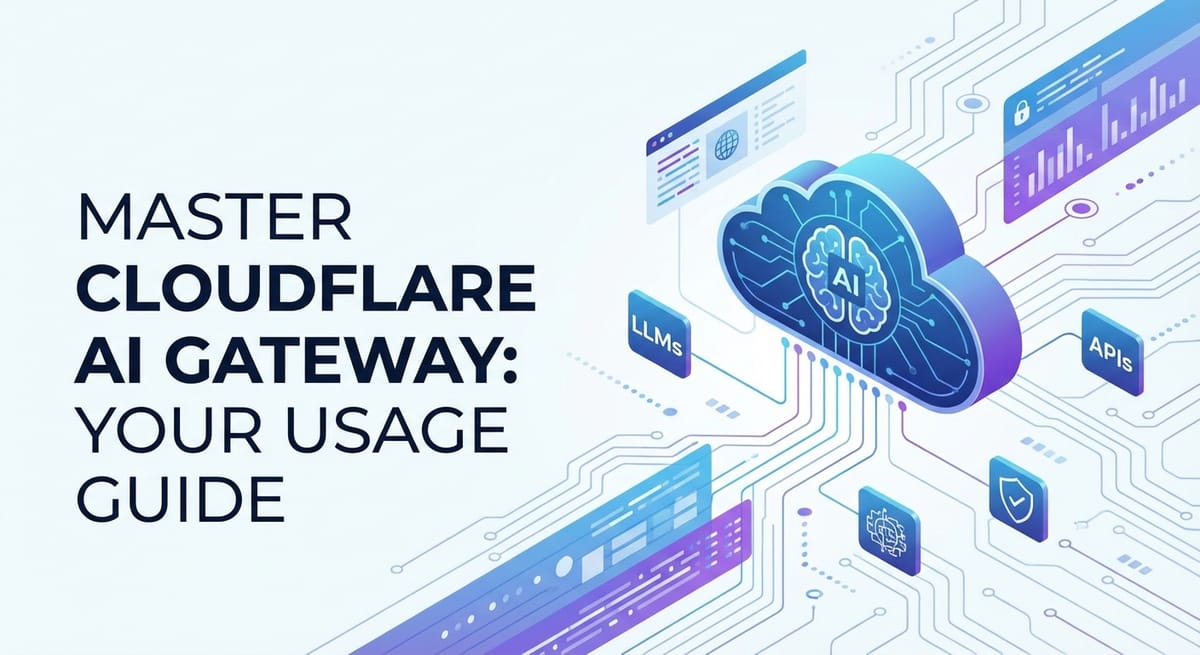
Master Cloudflare AI Gateway: Your Usage Guide


The rapid proliferation of artificial intelligence, particularly Large Language Models (LLMs), has irrevocably transformed the digital landscape, ushering in an era where intelligent capabilities are no longer a luxury but an expectation. From sophisticated chatbots and advanced content generation platforms to intricate data analysis tools, AI is at the core of innovation across virtually every industry. However, the seamless integration, secure management, and efficient operation of these powerful AI models present a unique set of challenges. Developers and enterprises are constantly grappling with issues ranging from ensuring consistent performance and managing spiraling costs to maintaining robust security and achieving observability across a multitude of AI service providers. This complex environment necessitates a specialized approach to API management, one that goes beyond traditional api gateway functionalities to address the unique demands of AI workloads.
Enter the AI Gateway. This architectural component has emerged as a critical enabler, providing a centralized control plane for all AI API interactions. It acts as an intelligent intermediary, sitting between your applications and the various AI services, abstracting away much of the underlying complexity and offering a suite of powerful features designed specifically for AI. Among the vanguard of these solutions is the Cloudflare AI Gateway, a robust, globally distributed platform designed to empower developers to deploy, manage, and optimize their AI applications with unparalleled ease and efficiency. This comprehensive guide will delve deep into the intricacies of mastering the Cloudflare AI Gateway, offering practical insights, detailed usage instructions, and advanced strategies to help you harness its full potential, ensuring your AI initiatives are not only powerful but also secure, cost-effective, and highly performant. We will explore everything from fundamental setup to sophisticated optimization techniques, ensuring you gain a holistic understanding of how this pivotal technology can elevate your AI infrastructure.
Part 1: Understanding the AI Gateway Landscape
In the burgeoning ecosystem of artificial intelligence, particularly with the explosive growth of Large Language Models (LLMs), the way applications interact with these sophisticated services has become a critical consideration. Traditional api gateway solutions, while highly effective for managing typical RESTful APIs, often fall short when confronted with the unique demands of AI workloads. This is precisely where the concept of an AI Gateway, often synonymous with an LLM Gateway, takes center stage, offering specialized capabilities tailored to the nuances of AI interactions. Understanding this landscape is the foundational step toward effectively leveraging tools like Cloudflare's offering.
What is an AI Gateway and Why Do We Need It?
At its core, an AI Gateway serves as a unified entry point and control plane for all AI-related API calls. It acts as an intelligent proxy situated between your client applications (whether they are web UIs, mobile apps, or backend microservices) and the diverse array of AI models and services you consume. Unlike a generic api gateway which focuses on routing, authentication, and basic traffic management for any type of API, an AI Gateway is purpose-built to understand, interpret, and optimize the specific characteristics of AI model interactions. This specialized focus becomes crucial given the unique operational and economic profiles of AI services.
The necessity for a dedicated AI Gateway stems from several key challenges inherent in consuming AI models. Firstly, there's the issue of model proliferation and fragmentation. Developers often need to integrate with multiple AI providers (e.g., OpenAI, Anthropic, Hugging Face, custom-trained models) to leverage their respective strengths or mitigate vendor lock-in. Each provider might have different API specifications, authentication mechanisms, rate limits, and pricing structures. An AI Gateway abstracts this complexity, presenting a unified interface to your applications, allowing you to swap models or providers in the backend without necessitating changes in your application code. This abstraction is paramount for agility and future-proofing your AI investments.
Secondly, cost management is a significant concern. LLMs, in particular, can be expensive, with pricing often tied to token usage or computational resources. Unoptimized calls, redundant requests, or inefficient prompt engineering can quickly lead to exorbitant bills. An LLM Gateway introduces powerful caching mechanisms, intelligent request routing, and detailed cost analytics, enabling organizations to gain granular control over their spending and identify areas for optimization. Imagine being able to cache common responses or frequently used prompts, drastically reducing the number of costly actual model invocations. This capability alone can yield substantial financial savings over time, transforming a potentially runaway expense into a manageable operational cost.
Thirdly, performance and reliability are critical. AI models can introduce significant latency due to complex computations, network hops, or provider-side load. An AI Gateway can mitigate these issues through smart routing to the fastest available endpoint, response caching to serve immediate answers, and retry mechanisms to enhance resilience against transient failures. Furthermore, by distributing traffic and enforcing rate limits, it prevents individual applications from overwhelming AI services, ensuring consistent performance for all consumers. The ability to monitor the health and responsiveness of various AI endpoints in real-time allows the gateway to make informed decisions about where to route requests, thereby enhancing the overall user experience by ensuring quick and reliable AI interactions.
Finally, security and governance cannot be overstated. AI APIs handle sensitive data, both in prompts and responses, and are prime targets for abuse, prompt injection attacks, or unauthorized access. An AI Gateway centralizes security policies, offering robust authentication, authorization, input validation, and data masking capabilities. It provides a crucial layer of defense, shielding your AI models from direct exposure and enforcing corporate governance policies across all AI interactions. This centralized security posture simplifies compliance efforts and significantly reduces the attack surface, a critical factor for any enterprise dealing with proprietary data or regulated industries.
Evolution from Traditional API Gateways
To fully appreciate the specialized role of an AI Gateway, it's helpful to understand its evolution from the more traditional api gateway. A conventional api gateway has long been a cornerstone of modern microservices architectures, serving as the single entry point for client requests to a multitude of backend services. Its core functions typically include:
- Request Routing: Directing incoming requests to the appropriate backend service.
- Authentication and Authorization: Verifying client identity and permissions.
- Rate Limiting: Controlling the number of requests a client can make within a given timeframe.
- Load Balancing: Distributing traffic across multiple instances of a service.
- Caching: Storing responses for frequently accessed data to reduce backend load.
- Monitoring and Logging: Collecting metrics and logs for operational insights.
- Protocol Translation: Converting client protocols (e.g., HTTP) to internal service protocols.
While these functionalities are undeniably valuable, they often operate at a generic HTTP request/response level, without specific intelligence about the content or purpose of the API calls. For instance, a traditional api gateway might cache an HTTP GET response for a database query, but it wouldn't inherently understand the semantic meaning of an LLM prompt or the implications of caching a dynamically generated AI response.
The leap to an AI Gateway involves extending these foundational api gateway capabilities with AI-specific intelligence. This intelligence manifests in several ways:
- Content-Aware Processing: An
AI Gatewaycan understand the structure of AI requests (e.g., identifying the model being called, extracting the prompt, recognizing parameters like temperature or token limits). This deep understanding enables more intelligent caching strategies, where responses are cached not just based on the URL but on the specific prompt and model parameters. It can also facilitate advanced features like prompt versioning and transformation. - LLM-Specific Caching: For
LLM Gatewayfunctionalities, caching becomes highly nuanced. Semantic caching, where responses to semantically similar but not identical prompts are served, is a powerful advancement. This requires embedding techniques and similarity searches, capabilities rarely found in generic API gateways. The gateway might also distinguish between deterministic and non-deterministic LLM calls, applying caching strategies accordingly. - Cost and Token Management: AI models often charge per token. An
AI Gatewaycan monitor token usage per request, apply token limits, and even optimize prompts on the fly to reduce token count without losing meaning, directly impacting operational costs. This granular visibility into resource consumption is a game-changer for budget management. - Model Abstraction and Orchestration: Beyond simple routing, an
AI Gatewaycan orchestrate complex interactions. It can allow for dynamic model selection based on request characteristics, user tiers, or even real-time model performance metrics. It can also manage the entire lifecycle of prompts, from versioning and A/B testing to fallback mechanisms if a primary model fails. - Enhanced Security for AI: Beyond typical API security, an
AI Gatewaycan implement AI-specific security measures such as prompt injection detection, sensitive data filtering from prompts and responses, and adversarial attack detection. This specialized threat intelligence is crucial for safeguarding AI systems.
The table below summarizes some key differentiators between a traditional API Gateway and an AI Gateway/LLM Gateway:
| Feature | Traditional API Gateway | AI Gateway / LLM Gateway |
|---|---|---|
| Primary Focus | General API traffic management and security | Specialized management of AI model interactions |
| Request Awareness | HTTP method, path, headers, query parameters | Deep understanding of AI payload (model, prompt, params) |
| Caching | HTTP-level (URL, headers) response caching | Semantic caching, prompt-based caching, deterministic vs. non-deterministic |
| Cost Management | General rate limiting, basic analytics | Token usage tracking, cost optimization, prompt engineering for cost reduction |
| Security | AuthN/AuthZ, WAF, DDoS protection | Prompt injection defense, sensitive data masking, AI-specific threat detection |
| Model Abstraction | Routes to different service versions | Abstract multiple AI providers/models, dynamic model switching, prompt versioning |
| Observability | Request/response logs, latency, error rates | Token usage, model performance metrics, prompt effectiveness, cost attribution |
| Vendor Dependency | Minimal, typically service-agnostic | Abstracts away specific AI model APIs, reducing vendor lock-in |
| Complexity | Handles diverse microservices APIs | Manages complex, often stateful or resource-intensive AI models |
| Deployment Scenarios | Any API-driven application, microservices | AI-powered applications, chatbots, data analysis, content generation |
In essence, an AI Gateway represents the next generation of API management, purpose-built to navigate the unique complexities and maximize the value of artificial intelligence services. As AI continues to embed itself deeper into our digital infrastructure, the role of a sophisticated LLM Gateway will only grow in importance, becoming an indispensable component for any organization committed to building scalable, secure, and cost-effective AI solutions.
Part 2: Introducing Cloudflare AI Gateway
Against the backdrop of a rapidly evolving AI landscape and the specialized requirements of an AI Gateway, Cloudflare presents its own formidable solution, designed to integrate seamlessly within its vast global network infrastructure. The Cloudflare AI Gateway is not merely another api gateway; it's a deeply integrated offering that leverages Cloudflare's core strengths – its unparalleled global edge network, its highly programmable Workers platform, and its robust security features – to provide a comprehensive and highly performant solution for managing AI API traffic. This section will introduce the Cloudflare AI Gateway, detailing its unique value proposition, architectural underpinnings, and the core capabilities that make it a leading choice for developers.
What is Cloudflare AI Gateway? Its Specific Features and Value Proposition
The Cloudflare AI Gateway is a managed service that acts as an intelligent proxy for your AI model requests. It’s built on Cloudflare Workers, a serverless execution environment that runs code at the edge of the network, closest to your users. This architectural choice is fundamental to its value proposition, distinguishing it significantly from traditional centralized api gateway deployments or even self-hosted LLM Gateway solutions. By processing AI requests at the edge, Cloudflare dramatically reduces latency, improves responsiveness, and enhances the overall user experience for AI-powered applications.
The primary goal of the Cloudflare AI Gateway is to simplify the consumption of AI models while simultaneously enhancing their performance, security, and cost-efficiency. It provides a control plane that allows developers to:
- Abstract AI Providers: Integrate with multiple LLM providers (e.g., OpenAI, Hugging Face Inference API, Gemini, Llama 2) through a unified interface. This eliminates the need for your application to manage different API keys, endpoints, or request formats, promoting greater flexibility and reducing vendor lock-in.
- Implement Caching at the Edge: Leverage Cloudflare's global cache to store and serve responses for common AI queries. This drastically reduces the number of requests sent to expensive upstream LLM providers, leading to significant cost savings and lower latency for repeat queries. The caching logic can be customized within Workers to be context-aware, understanding the nuances of AI prompts.
- Enforce Rate Limiting and Security Policies: Protect your AI endpoints from abuse, credential stuffing, and denial-of-service attacks. The
AI Gatewayallows for granular rate limiting, ensuring fair usage and preventing unexpected cost spikes. Furthermore, it benefits from Cloudflare's inherent WAF (Web Application Firewall) and DDoS protection, adding layers of security without additional configuration. - Gain Observability and Analytics: Provide detailed logs and analytics on AI usage, performance, and costs. Developers can monitor request patterns, identify bottlenecks, track token usage, and gain insights into the effectiveness of their caching strategies, all from a centralized dashboard. This data is invaluable for optimization and strategic decision-making.
- Transform Requests and Responses: Use Workers to modify prompts, inject system instructions, normalize outputs, or apply content filters before requests reach the AI model or responses return to the client. This programmatic flexibility allows for sophisticated prompt engineering and ensures consistency across different models or application versions.
The core value proposition of the Cloudflare AI Gateway lies in its ability to centralize and optimize AI interactions at a global scale. It removes the operational burden of managing complex AI integrations, allowing developers to focus on building innovative AI applications rather than on the underlying infrastructure challenges. Its edge-native architecture ensures that AI interactions are not just secure and manageable, but also exceptionally fast and reliable, critical factors for a positive user experience.
How It Fits into the Cloudflare Ecosystem (Edge, Workers, etc.)
To truly appreciate the Cloudflare AI Gateway, it's essential to understand how it leverages and integrates with the broader Cloudflare ecosystem. This integration is not merely incidental; it is fundamental to the gateway's performance, scalability, and security characteristics.
- Cloudflare's Global Edge Network: Cloudflare operates one of the largest and most interconnected networks in the world, with data centers in over 300 cities globally. When an application interacts with the Cloudflare
AI Gateway, the request is routed to the nearest Cloudflare data center. This means that AI model calls, which can sometimes be geographically distant from the model provider, are processed as close as possible to the user. This proximity dramatically reduces network latency, a critical factor for interactive AI applications like chatbots or real-time recommendation engines. The concept of "zero-trust edge" is also deeply embedded, ensuring that security policies are enforced at the very perimeter of the network, protecting AI endpoints before traffic ever reaches them. - Cloudflare Workers: At the heart of the
AI Gatewayis Cloudflare Workers. Workers are serverless functions that run directly on Cloudflare's edge network, offering unparalleled performance and scalability. For theAI Gateway, Workers enable developers to write custom logic that intercepts, processes, and modifies AI requests and responses. This programmatic control is what allows for:- Custom Caching Logic: Beyond simple HTTP caching, Workers can implement intelligent, context-aware caching based on prompt content, model parameters, or even semantic similarity.
- Dynamic Routing: Workers can decide which AI model or provider to use based on various factors, such as user location, request load, cost considerations, or specific application logic. This is key for building resilient and cost-optimized multi-model AI applications.
- Request/Response Transformation: Before forwarding a request to an LLM, a Worker script can preprocess the prompt (e.g., add system instructions, sanitize input, translate formats). Similarly, it can post-process responses (e.g., filter content, reformat output, perform sentiment analysis on the response itself).
- Authentication and Authorization: Workers can enforce custom authentication schemes, validate API keys, or integrate with existing identity providers to secure access to AI models.
- Observability and Logging: Workers can log detailed information about each AI request and response, including token usage, latency, and any errors encountered, providing a rich dataset for analytics.
- Cloudflare R2 Storage: For advanced caching needs or storing intermediate AI outputs, Cloudflare R2 provides object storage compatible with S3 API, but without egress fees. This can be integrated with Workers to enable sophisticated caching strategies where cached responses are stored persistently and retrieved efficiently from the edge.
- Cloudflare Analytics and Logs: The
AI Gatewayintegrates directly with Cloudflare's robust analytics and logging infrastructure. This means that all traffic flowing through the gateway is automatically captured, providing developers with detailed insights into usage patterns, performance metrics, and security events. This centralized observability simplifies troubleshooting, cost attribution, and performance tuning. - Security Services (WAF, DDoS Protection, Bot Management): As part of the Cloudflare network, the
AI Gatewayinherently benefits from Cloudflare's industry-leading security suite. This includes advanced DDoS protection that can absorb even the largest attacks, a highly configurable Web Application Firewall (WAF) to block common web exploits and API abuse, and sophisticated bot management to differentiate between legitimate and malicious automated traffic. These security layers operate transparently, providing an unparalleled defense posture for your AI endpoints without requiring additional setup.
In summary, the Cloudflare AI Gateway is much more than a standalone product; it is a synergistic integration of Cloudflare's powerful edge computing, serverless, storage, and security technologies. This holistic approach ensures that developers gain not only a specialized LLM Gateway but also a complete, globally distributed platform for building, securing, and optimizing their AI-driven applications. The ability to deploy custom logic at the edge, combined with inherent security and performance benefits, positions Cloudflare's offering as a truly master-level tool for anyone serious about managing their AI infrastructure.
Part 3: Setting Up Your Cloudflare AI Gateway (Step-by-Step)
Embarking on the journey to master the Cloudflare AI Gateway begins with its practical implementation. Setting up the gateway involves a series of logical steps, leveraging Cloudflare Workers to create the intelligent intermediary that will manage your AI model interactions. This section provides a detailed, step-by-step guide to configure your AI Gateway, offering practical examples and code snippets to ensure a smooth and effective deployment. We will cover the prerequisites, the core configuration within Workers, and how to connect to various LLMs, transforming a theoretical concept into a tangible, working solution.
Prerequisites
Before you can begin configuring your Cloudflare AI Gateway, you'll need to ensure you have a few fundamental components in place:
- Cloudflare Account: This is the absolute necessity. If you don't already have one, you can sign up for free on the Cloudflare website. While many features are available on the free tier, certain advanced capabilities or higher usage limits might require a paid plan. Ensure your account is active and you can log into the Cloudflare dashboard.
- Cloudflare Workers Enabled: Cloudflare Workers are the backbone of the
AI Gateway. You'll need to navigate to the "Workers & Pages" section in your Cloudflare dashboard and ensure that the Workers service is enabled for your account. This typically involves accepting terms of service or a simple setup if it's your first time using Workers. - Upstream AI Model API Keys: You'll need valid API keys or credentials for the Large Language Models you intend to use. For example, if you plan to use OpenAI's models, you'll need your OpenAI API key. Similarly, for Hugging Face, you'll need an API token. These keys are crucial for authenticating your requests to the actual AI providers. It's best practice to store these securely, ideally as Worker Secrets, which we'll cover later.
- Basic Understanding of JavaScript/TypeScript: Cloudflare Workers are written in JavaScript or TypeScript. While this guide will provide examples, a basic familiarity with these languages will be beneficial for customizing your
AI Gateway's logic. - Wrangler CLI (Optional but Recommended): For local development, testing, and deployment of Workers, the
wranglercommand-line interface is incredibly powerful. You can install it via npm:npm install -g wrangler. While you can use the Cloudflare dashboard editor for simple scripts,wrangleroffers a more robust development workflow.
Configuring the AI Gateway in Cloudflare
The core of your AI Gateway will be a Cloudflare Worker script. This script will act as the intelligent intermediary, receiving requests from your applications, applying logic (like caching, rate limiting, or prompt modifications), and then forwarding them to the appropriate upstream AI model.
Step 1: Create a New Worker
- From the Cloudflare Dashboard:
- Log in to your Cloudflare account.
- Navigate to "Workers & Pages" from the left-hand sidebar.
- Click on "Create application".
- Choose "Create Worker".
- Give your Worker a descriptive name (e.g.,
ai-gateway-proxy). The Worker will be deployed toai-gateway-proxy.<YOUR_SUBDOMAIN>.workers.dev. - Select the "HTTP handler" template or start with a blank Worker if you prefer.
- Click "Deploy". You'll then be taken to the Worker's overview page.
- Click "Edit code" to open the built-in editor.
- Using Wrangler CLI (Advanced):
- Open your terminal.
- Run
wrangler generate ai-gateway-proxy --type basic. This creates a new project directoryai-gateway-proxywith a basic Worker template. - Navigate into the directory:
cd ai-gateway-proxy. - Open the
src/index.ts(or.js) file in your preferred code editor.
Step 2: Add Upstream API Keys as Worker Secrets
Storing API keys directly in your Worker script is a security risk. Cloudflare Workers allow you to store sensitive information as "Secrets," which are encrypted environment variables only accessible by your Worker.
- From the Cloudflare Dashboard:
- On your Worker's overview page, go to the "Settings" tab.
- Select "Variables" on the left.
- Under "Secrets (encrypted)", click "Add variable".
- For
OPENAI_API_KEY, enter your OpenAI API key as the value. - For
HF_API_TOKEN, enter your Hugging Face API token. - Add any other API keys you might need.
- Using Wrangler CLI:
- Run
wrangler secret put OPENAI_API_KEY. It will prompt you to enter the key. - Run
wrangler secret put HF_API_TOKEN. Enter your Hugging Face API token. - These secrets will be securely available to your Worker when deployed.
- Run
Step 3: Write the Core Worker Script
Now, let's write the JavaScript/TypeScript code for your AI Gateway. This script will handle incoming requests, determine the target AI model, modify requests if necessary, forward them, and return the response.
We'll start with a basic LLM Gateway that can proxy requests to OpenAI and Hugging Face.
// src/index.js or src/index.ts
// Make sure to add your API keys as Worker Secrets in the Cloudflare dashboard or via Wrangler CLI.
// Environment variables: OPENAI_API_KEY, HF_API_TOKEN

export default {
  async fetch(request, env, ctx) {
    const url = new URL(request.url);
    const path = url.pathname;

    // Define your target AI service endpoints
    const OPENAI_ENDPOINT = "https://api.openai.com/v1/chat/completions";
    const HUGGINGFACE_ENDPOINT = "https://api-inference.huggingface.co/models/"; // Append model ID

    let targetUrl;
    let headers = new Headers(request.headers);
    let requestBody;

    // Check if the request body is present and not empty
    if (request.method === 'POST' || request.method === 'PUT') {
      try {
        requestBody = await request.json();
      } catch (e) {
        return new Response('Invalid JSON in request body', { status: 400 });
      }
    }

    // Example routing logic:
    // Route 1: OpenAI API calls
    if (path.startsWith("/openai/chat/completions")) {
      targetUrl = OPENAI_ENDPOINT;
      headers.set("Authorization", `Bearer ${env.OPENAI_API_KEY}`);
      headers.set("Content-Type", "application/json");

      // Optional: Request transformation for OpenAI
      if (requestBody && requestBody.messages) {
        // Example: Inject a system message if not present
        const hasSystemMessage = requestBody.messages.some(msg => msg.role === 'system');
        if (!hasSystemMessage) {
          requestBody.messages.unshift({
            role: "system",
            content: "You are a helpful assistant deployed via Cloudflare AI Gateway."
          });
        }
      }
    }
    // Route 2: Hugging Face Inference API calls
    else if (path.startsWith("/huggingface/")) {
      // Expecting path like /huggingface/MODEL_ID
      const modelId = path.substring("/huggingface/".length);
      if (!modelId) {
        return new Response("Missing Hugging Face model ID in path.", { status: 400 });
      }
      targetUrl = `${HUGGINGFACE_ENDPOINT}${modelId}`;
      headers.set("Authorization", `Bearer ${env.HF_API_TOKEN}`);
      headers.set("Content-Type", "application/json");

      // Optional: Request transformation for Hugging Face
      if (requestBody && requestBody.inputs) {
        // Example: Add a specific parameter for Hugging Face
        if (!requestBody.parameters) {
          requestBody.parameters = {};
        }
        if (!requestBody.parameters.wait_for_model) {
          requestBody.parameters.wait_for_model = true;
        }
      }
    }
    // Fallback for unrecognized paths
    else {
      return new Response("Unsupported AI Gateway route. Please use /openai/chat/completions or /huggingface/MODEL_ID.", { status: 404 });
    }

    // Reconstruct the request with the new target URL, headers, and body
    const modifiedRequest = new Request(targetUrl, {
      method: request.method,
      headers: headers,
      body: requestBody ? JSON.stringify(requestBody) : null,
      redirect: "follow", // Handle redirects from upstream if any
      cf: { // Cloudflare-specific settings, e.g., for caching
        cacheEverything: true,
        cacheTtl: 60 * 60, // Cache for 1 hour (customize as needed)
        // Ensure POST requests are also cached if appropriate
        // If caching POST, be careful about request body variations
        // For LLMs, consider custom cache keys based on prompt
      }
    });

    try {
      const response = await fetch(modifiedRequest);

      // Optional: Response transformation (e.g., adding custom headers, filtering output)
      const modifiedResponse = new Response(response.body, response);
      modifiedResponse.headers.set("X-AI-Gateway-Powered-By", "Cloudflare Workers");

      return modifiedResponse;
    } catch (error) {
      console.error("Error fetching from AI provider:", error);
      return new Response(`Failed to communicate with AI provider: ${error.message}`, { status: 500 });
    }
  },
};
Step 4: Deploy Your Worker
- From the Cloudflare Dashboard:
- In the "Edit code" interface, click "Save and Deploy". Your Worker will be live at
ai-gateway-proxy.<YOUR_SUBDOMAIN>.workers.dev.
- In the "Edit code" interface, click "Save and Deploy". Your Worker will be live at
- Using Wrangler CLI:
- Ensure you are in your worker project directory (
cd ai-gateway-proxy). - Run
wrangler deploy. Wrangler will prompt you to log in if you haven't already and then deploy your Worker.
- Ensure you are in your worker project directory (
Connecting to Various LLMs
With your Cloudflare Worker deployed, your AI Gateway is now operational. You can direct your client applications to interact with your Worker's URL, and the Worker will handle the proxying to the respective LLMs.
Example 1: Interacting with OpenAI via your AI Gateway
Instead of calling https://api.openai.com/v1/chat/completions directly, your application will now call your AI Gateway's URL:
Client Request (e.g., using curl):
curl -X POST "https://ai-gateway-proxy.<YOUR_SUBDOMAIN>.workers.dev/openai/chat/completions" \
-H "Content-Type: application/json" \
-H "Authorization: Bearer <YOUR_API_KEY_FOR_GATEWAY>" \ # Optional: If you implement API key validation in your Worker
-d '{
    "model": "gpt-3.5-turbo",
    "messages": [
        {"role": "user", "content": "Tell me a short story about a brave knight."}
    ]
}'
The Worker will receive this request, inject the system message (as per our script), add the OPENAI_API_KEY from its secrets, and forward it to OpenAI. The response will then be routed back to your client.
Example 2: Interacting with Hugging Face via your AI Gateway
For a Hugging Face model, the client request would look like this:
Client Request (e.g., using curl):
curl -X POST "https://ai-gateway-proxy.<YOUR_SUBDOMAIN>.workers.dev/huggingface/distilbert-base-uncased-finetuned-sst-2-english" \
-H "Content-Type: application/json" \
-H "Authorization: Bearer <YOUR_API_KEY_FOR_GATEWAY>" \ # Optional
-d '{
    "inputs": "I love this movie, it\'s fantastic!",
    "parameters": {
        "wait_for_model": true
    }
}'
Here, /huggingface/distilbert-base-uncased-finetuned-sst-2-english specifies the Hugging Face model ID. The Worker extracts this, appends it to the Hugging Face endpoint, adds the HF_API_TOKEN from secrets, and forwards the request. Note that the script also adds wait_for_model: true if not already present.
Enhancing Your Gateway with Custom Domains
For a more professional and user-friendly endpoint, you can link your Worker to a custom domain.
- In the Cloudflare Dashboard:
- Go to your Worker's overview page.
- Navigate to the "Triggers" tab.
- Under "Custom Domains", click "Add Custom Domain".
- Enter your desired subdomain (e.g.,
ai.yourdomain.com). - Cloudflare will guide you through setting up the necessary DNS records (typically a CNAME record pointing to your
workers.devURL).
Once configured, your applications can interact with https://ai.yourdomain.com/openai/chat/completions or https://ai.yourdomain.com/huggingface/..., providing a cleaner and branded interface to your AI Gateway.
By following these steps, you will have successfully deployed a functional Cloudflare AI Gateway. This foundational setup is just the beginning; the true power lies in customizing the Worker script to implement advanced features like sophisticated caching, dynamic routing, and robust security measures, which we will explore in the subsequent sections. The flexibility of Workers allows you to craft an LLM Gateway that perfectly aligns with your specific operational requirements and strategic objectives.
APIPark is a high-performance AI gateway that allows you to securely access the most comprehensive LLM APIs globally on the APIPark platform, including OpenAI, Anthropic, Mistral, Llama2, Google Gemini, and more.Try APIPark now! 👇👇👇
Part 4: Advanced Features and Optimization with Cloudflare AI Gateway
Having established the foundational Cloudflare AI Gateway, the next step is to unlock its full potential by implementing advanced features and optimization strategies. The true mastery of an AI Gateway lies not just in proxying requests, but in intelligently managing, securing, and optimizing every interaction with your AI models. Cloudflare Workers provide an incredibly flexible environment for this, allowing you to tailor the LLM Gateway to your precise needs, addressing concerns around cost, latency, reliability, and security. This section delves into these advanced capabilities, offering detailed guidance on how to leverage them effectively.
Caching Strategies: Optimizing Performance and Cost
One of the most impactful features an AI Gateway can offer is intelligent caching. For LLMs, where each token processed incurs a cost and contributes to latency, effective caching can lead to significant cost reductions and performance improvements. However, caching LLM responses is more complex than caching static web content due to the dynamic and often non-deterministic nature of AI outputs.
Why Cache LLM Responses?
- Cost Reduction: The most direct benefit. If a common prompt is frequently queried, caching its response prevents repeated, expensive calls to the upstream LLM provider. This is particularly crucial for applications with high query volumes.
- Latency Improvement: Serving a response from the cache is orders of magnitude faster than waiting for an LLM to process a new request. This improves the perceived responsiveness of your AI-powered applications, leading to a better user experience.
- Rate Limit Management: Caching reduces the load on upstream LLM providers, helping you stay within their API rate limits and avoid throttling.
- Consistency (for deterministic use cases): For certain types of prompts where the desired response is largely static or highly deterministic, caching ensures consistent answers without unnecessary re-computation.
Implementing Caching with Cloudflare Workers
Cloudflare Workers can leverage the Cache API to store and retrieve responses. The key challenge for LLMs is defining what constitutes a "cacheable" request and how to generate an effective cache key.
// Example: Enhanced Caching Logic within your Worker's fetch handler
async function handleRequest(request, env, ctx) {
    const url = new URL(request.url);
    const path = url.pathname;

    let targetUrl;
    let headers = new Headers(request.headers);
    let requestBody;

    if (request.method === 'POST') {
        try {
            requestBody = await request.json();
        } catch (e) {
            return new Response('Invalid JSON in request body', { status: 400 });
        }
    }

    // Determine target AI model and apply basic transformations (similar to Part 3)
    if (path.startsWith("/openai/chat/completions")) {
        targetUrl = "https://api.openai.com/v1/chat/completions";
        headers.set("Authorization", `Bearer ${env.OPENAI_API_KEY}`);
        headers.set("Content-Type", "application/json");
        // Apply prompt modifications here if needed (e.g., injecting system messages)
        // Ensure that any prompt modifications are consistent for caching purposes
    } else {
        return new Response("Unsupported AI Gateway route.", { status: 404 });
    }

    // --- Caching Logic ---
    const cacheUrl = new URL(request.url); // Use the incoming request URL for the cache key base
    let cacheKey;

    // For POST requests, the cache key must also incorporate the request body.
    // Hash the request body to create a consistent cache key for the prompt.
    if (request.method === 'POST' && requestBody) {
        // Normalize the request body (e.g., sort keys) for consistent hashing
        const normalizedBody = JSON.stringify(requestBody, Object.keys(requestBody).sort());
        const hashBuffer = await crypto.subtle.digest('SHA-256', new TextEncoder().encode(normalizedBody));
        const hashArray = Array.from(new Uint8Array(hashBuffer));
        const hashHex = hashArray.map(b => b.toString(16).padStart(2, '0')).join('');
        cacheKey = new Request(cacheUrl.toString() + '?body_hash=' + hashHex, {
            headers: request.headers,
            method: 'GET' // Treat the cache lookup as a GET request for the cache API
        });
    } else {
        // For GET requests, the URL is sufficient for the cache key
        cacheKey = request;
    }

    const cache = caches.default; // Cloudflare's default cache

    // 1. Check if response is in cache
    let response = await cache.match(cacheKey);

    if (response) {
        // If found in cache, add a header to indicate cache hit
        console.log("Cache HIT for:", cacheUrl.toString());
        response = new Response(response.body, response);
        response.headers.set("X-AI-Gateway-Cache", "HIT");
        return response;
    }

    console.log("Cache MISS for:", cacheUrl.toString());

    // 2. If not in cache, fetch from upstream AI provider
    const modifiedRequest = new Request(targetUrl, {
        method: request.method,
        headers: headers,
        body: requestBody ? JSON.stringify(requestBody) : null,
        redirect: "follow"
    });

    try {
        response = await fetch(modifiedRequest);

        // 3. Store response in cache (only for successful responses)
        if (response.ok && response.status === 200) {
            // Clone the response because it can only be read once
            const responseToCache = response.clone();
            // Set cache control headers for the cached response
            const cacheControl = "public, max-age=3600"; // Cache for 1 hour
            responseToCache.headers.set("Cache-Control", cacheControl);
            await cache.put(cacheKey, responseToCache);
            response.headers.set("X-AI-Gateway-Cache", "MISS");
            response.headers.set("Cache-Control", cacheControl); // Also set for the client response
        }

        return response;

    } catch (error) {
        console.error("Error fetching from AI provider:", error);
        return new Response(`Failed to communicate with AI provider: ${error.message}`, { status: 500 });
    }
}

export default {
    async fetch(request, env, ctx) {
        return handleRequest(request, env, ctx);
    }
}
Considerations for LLM Caching:
- Cache Key Generation: For POST requests (common with LLMs), the request body (especially the prompt) is crucial for the cache key. Hashing the normalized JSON body is a robust approach. Ensure normalization is consistent (e.g., sorting keys in the JSON object) to produce identical hashes for semantically identical requests.
- Time-to-Live (TTL): How long should responses be cached? This depends on the volatility of the AI model's output and your application's tolerance for stale data. For creative generation, a shorter TTL might be appropriate, while for factual lookups, a longer TTL could work.
- Determinism: Some LLM calls are more deterministic than others. A request to summarize a specific document might yield a consistent output, making it highly cacheable. A request for a "creative story," with parameters like temperature set high, might produce varied outputs, making it less suitable for caching unless the goal is to consistently return one of those creative outputs for a given prompt.
- Invalidation: How do you invalidate cached responses when the underlying AI model changes, or if you need to force a fresh response? Cloudflare's Cache API allows programmatic invalidation. For specific scenarios, you might add a query parameter (e.g.,
?nocache=true) that bypasses the cache. - Semantic Caching (Advanced): This is where caching gets truly sophisticated. Instead of exact prompt matching, semantic caching would identify prompts that are similar in meaning and serve a cached response if one exists for a sufficiently similar previous prompt. This requires embedding the prompts, comparing their vector representations, and setting a similarity threshold. While more complex, it offers much greater cache hit ratios. This could be implemented by sending prompts to an embedding model (perhaps another Cloudflare Worker or R2-backed vector database) to generate embeddings, then using these embeddings as part of the cache key or for lookups.
Rate Limiting and Abuse Prevention
Protecting your AI Gateway and the upstream LLM providers from excessive requests, whether accidental or malicious, is paramount. Rate limiting prevents abuse, ensures fair access, and controls costs.
Cloudflare offers robust platform-level rate limiting, but you can also implement custom, more granular rate limiting within your Workers script.
// Example: Basic Rate Limiting within Cloudflare Worker
// (Requires a Durable Object or KV Store for persistence, or relies on Cloudflare's built-in Rate Limiting product)

// For demonstration, let's assume you're using Cloudflare's Rate Limiting product
// which is configured outside the Worker. The Worker's role here is mostly to apply headers.

// If you want *custom* rate limiting within the Worker:
// You'd need to store state. Cloudflare Durable Objects are perfect for this.
// For simplicity, let's sketch how it would look using a hypothetical `RateLimiter` Durable Object.

/*
// In your wrangler.toml:
[[durable_objects.bindings]]
name = "RATE_LIMITER"
class_name = "RateLimiter"

// In src/RateLimiter.js (separate file for Durable Object):
export class RateLimiter {
    constructor(state, env) {
        this.state = state;
        this.env = env;
        this.lastAccess = 0;
        this.count = 0;
        this.limit = 10; // Max requests per minute
        this.window = 60 * 1000; // 1 minute
    }

    async fetch(request) {
        const now = Date.now();
        if (now - this.lastAccess > this.window) {
            this.count = 0;
            this.lastAccess = now;
        }

        if (this.count >= this.limit) {
            return new Response("Too Many Requests", { status: 429 });
        }

        this.count++;
        return new Response("OK", { status: 200 }); // Placeholder response for internal check
    }
}
*/

// In src/index.js (main Worker):
async function handleRequestWithRateLimiting(request, env, ctx) {
    // ... (previous setup for targetUrl, headers, requestBody) ...

    // Identify user/client for rate limiting. Use IP, API Key, or Session ID.
    const clientIdentifier = request.headers.get("CF-Connecting-IP") || request.headers.get("X-API-Key") || "anonymous";

    // Call a Durable Object instance for this clientIdentifier
    // This is a simplified example. A real Durable Object implementation
    // would manage the rate limiting state for each client.
    // const id = env.RATE_LIMITER.idFromName(clientIdentifier);
    // const obj = env.RATE_LIMITER.get(id);
    // const rateLimitResponse = await obj.fetch(new Request("https://do.internal/check"));

    // if (rateLimitResponse.status === 429) {
    //     return new Response("Rate Limit Exceeded. Try again later.", { status: 429 });
    // }

    // --- Proceed with AI Gateway logic (caching, fetching, etc.) ---
    // For now, without a DO, rely on Cloudflare's built-in Rate Limiting product.
    // The Worker might just add headers like X-RateLimit-Limit, X-RateLimit-Remaining.

    // If implementing rate limiting via Cloudflare's built-in product (recommended for most):
    // Configure it directly in the Cloudflare dashboard under your domain's "Security" -> "Rate Limiting" section.
    // You can define rules based on URL path, HTTP method, client IP, etc.
    // The Worker here acts as a proxy, and Cloudflare's edge will block requests before they even hit the Worker if rate-limited.

    // The rest of the caching/fetching logic goes here.
    // ...
}
Strategies for Rate Limiting:
- Cloudflare Rate Limiting Product: For most use cases, configuring Cloudflare's native Rate Limiting product in the dashboard is the simplest and most effective approach. It operates at the edge, blocking malicious traffic before it consumes Worker resources. You can define rules based on IP address, URI path, HTTP methods, headers, or even response codes.
- Worker-based Rate Limiting (Durable Objects/KV Store): For highly customized or per-user rate limits that require maintaining state across requests, Durable Objects are the ideal solution. Each user or API key could have a dedicated Durable Object instance that tracks their request count within a rolling window. Cloudflare KV is another option, though with different consistency guarantees and pricing models.
- Burst Limiting: Allow for short bursts of high traffic while maintaining an overall lower average rate limit. This provides a better user experience without compromising protection.
- Gradual Degradation: Instead of hard blocking, consider returning a slightly less detailed or slower response for rate-limited users, or queueing requests with exponential backoff suggestions.
Observability and Analytics
Understanding how your AI Gateway and the underlying LLMs are performing is crucial for optimization and troubleshooting. Cloudflare provides powerful tools for observability.
- Cloudflare Logs: Every request that hits your Worker generates a log entry. These logs provide rich details, including request headers, response status, latency, and any custom
console.logmessages you add in your Worker script. Integrating with a SIEM (Security Information and Event Management) or logging aggregation service (e.g., Logpush to S3, Splunk, DataDog) is essential for large-scale analysis. - Worker Analytics: The Cloudflare dashboard provides built-in analytics for your Workers, showing request counts, CPU time, errors, and average duration. This gives you an at-a-glance view of your
AI Gateway's operational health. - Custom Metrics (Workers Trace Events): You can emit custom metrics from your Worker using
ctx.waitUntil(fetch('https://log-endpoint', {body: JSON.stringify(metric)}))or integrate with third-party observability platforms. ForLLM Gatewayspecifically, tracking token usage per request, cache hit/miss ratio, and upstream LLM latency are invaluable metrics. - Cost Tracking Insights: By logging token counts (which you can parse from LLM responses or estimate based on prompt length), your
AI Gatewaycan provide granular data for cost attribution. This allows you to understand which applications, users, or prompts are driving the highest LLM expenses, enabling informed budgeting and optimization decisions.
// Example: Adding custom logging for observability
async function handleRequestWithLogging(request, env, ctx) {
    const startTime = Date.now();
    // ... (AI Gateway logic) ...

    try {
        const response = await fetch(modifiedRequest);
        const endTime = Date.now();
        const duration = endTime - startTime;

        // Clone response to read body without affecting the original stream
        const responseClone = response.clone();
        let responseBody = await responseClone.json().catch(() => ({})); // Handle non-JSON responses gracefully

        // Example: Log details including estimated token usage
        const inputTokens = calculateTokens(requestBody.messages || requestBody.inputs); // Custom function
        const outputTokens = calculateTokens(responseBody.choices ? responseBody.choices[0].message.content : responseBody.generated_text); // Custom function

        console.log(JSON.stringify({
            timestamp: new Date().toISOString(),
            clientIP: request.headers.get("CF-Connecting-IP"),
            path: url.pathname,
            method: request.method,
            status: response.status,
            durationMs: duration,
            cacheStatus: response.headers.get("X-AI-Gateway-Cache") || "NONE",
            inputTokens: inputTokens,
            outputTokens: outputTokens,
            modelUsed: requestBody.model || "unknown",
            // Add other relevant details
        }));

        return response;
    } catch (error) {
        console.error("Error in AI Gateway:", error);
        // ... error handling ...
    }
}

// Dummy token calculation function (implement real tokenizers for accuracy)
function calculateTokens(textOrMessages) {
    if (!textOrMessages) return 0;
    if (Array.isArray(textOrMessages)) {
        return textOrMessages.reduce((sum, msg) => sum + (msg.content ? msg.content.length / 4 : 0), 0);
    }
    if (typeof textOrMessages === 'string') {
        return textOrMessages.length / 4; // Very rough estimate: 1 token ~ 4 characters
    }
    return 0;
}
Security Best Practices
Security is paramount for any api gateway, and even more so for an AI Gateway that handles potentially sensitive prompts and generated content. Cloudflare's ecosystem provides a robust security foundation.
- Authentication and Authorization:
- API Keys: Implement an API key system. Your Worker can validate
X-API-Keyheaders against a list of valid keys stored in Workers KV or a database. - OAuth/JWT: For more complex scenarios, integrate with an OAuth 2.0 provider or validate JWTs. Your Worker can inspect the JWT, verify its signature, and extract user roles/permissions to enforce granular access control to different LLMs or functionalities.
- Worker Secrets: Always store upstream AI provider API keys as Worker Secrets, never hardcode them or expose them in client-side code.
- API Keys: Implement an API key system. Your Worker can validate
- Input/Output Sanitization and Validation:
- Prompt Injection Prevention: While not fully preventable at the gateway level, Workers can implement basic checks for suspicious keywords or patterns in prompts before forwarding them to the LLM. More advanced solutions might involve a secondary, smaller model to classify prompt intent.
- Data Masking/Filtering: Identify and redact sensitive information (PII, credit card numbers) from prompts before they reach the LLM, and from responses before they reach the client. This is crucial for data privacy and compliance.
- Content Filtering: Post-process LLM responses to ensure they adhere to content safety guidelines, filtering out undesirable or harmful outputs before they are delivered to your users.
- DDoS Protection & WAF (Inherited from Cloudflare): Your
AI Gatewayautomatically benefits from Cloudflare's industry-leading DDoS protection and Web Application Firewall. These services operate at the edge, mitigating threats before they can impact your Worker or upstream LLMs, providing a formidable defense layer against a wide range of cyberattacks.
Prompt Engineering and Model Abstraction
One of the most powerful capabilities of an LLM Gateway built on Workers is its ability to centralize and manage prompt engineering.
- Unified API Format for AI Invocation: A key benefit, as mentioned in the APIPark product description, is standardizing the request data format across all AI models. Your Worker can accept a single, generalized prompt format from your application, then translate it into the specific format required by OpenAI, Hugging Face, or other LLMs. This means your application doesn't need to change if you switch models or providers.
- Prompt Encapsulation into REST API: Imagine you have a complex prompt for sentiment analysis that works best with a specific LLM and a set of few-shot examples. Your Worker can encapsulate this entire prompt, along with the model selection, into a simple REST API endpoint (e.g.,
/analyze-sentiment). Your application just sends text to this endpoint, and the Worker handles all the underlying prompt construction, model invocation, and response parsing. This turns complex AI capabilities into easily consumable microservices. - Dynamic Prompt Modification: Workers can dynamically prepend system instructions, append context, or modify user prompts based on user roles, session history, or A/B testing configurations. This ensures consistency and enables centralized control over prompt strategies.
- Model Fallbacks and Routing: Implement logic to automatically fall back to a cheaper or less performant model if the primary model is unavailable or exceeding rate limits. Or, route requests to different models based on the complexity of the prompt or the expected response length. This ensures resilience and cost-efficiency.
Cost Management and Optimization
Beyond just caching, the AI Gateway plays a pivotal role in comprehensive cost management for LLM usage.
- Leveraging Caching and Rate Limiting for Cost Savings: These are your primary tools. Caching directly reduces token usage, while rate limiting prevents accidental overspending from runaway applications or malicious attacks.
- Analyzing Usage Data: The detailed logs and analytics derived from your Worker (as discussed in Observability) are essential for understanding cost drivers. Pinpoint which models, applications, or users are consuming the most tokens, and then apply targeted optimization strategies.
- Tiered Access: Use the
AI Gatewayto implement tiered access, where premium users get access to more powerful (and expensive) models, while free-tier users are routed to cheaper, perhaps slightly less capable, alternatives. - Prompt Cost Optimization: Workers can preprocess prompts to remove unnecessary words or context, thereby reducing the input token count without sacrificing quality. This micro-optimization can lead to substantial savings at scale.
- Response Truncation: For scenarios where full LLM responses are not always needed, the Worker can truncate outputs to a specified maximum length, further saving on output token costs.
Mastering these advanced features transforms your Cloudflare AI Gateway from a simple proxy into a sophisticated, intelligent control center for all your AI interactions. It empowers you to build highly performant, secure, cost-effective, and adaptable AI-powered applications, crucial for navigating the complexities of the modern AI landscape. The flexibility and global scale of Cloudflare Workers make this level of control not just possible, but highly efficient and scalable.
Part 5: Real-World Use Cases and Best Practices
The theoretical advantages and advanced functionalities of the Cloudflare AI Gateway truly come to life when applied to real-world scenarios. Understanding how this powerful LLM Gateway can solve concrete business problems and enhance existing architectures is crucial for leveraging its full potential. This section will explore various practical use cases and outline essential best practices to ensure successful deployment and operation of your AI Gateway.
Building a Multi-Model AI Application
One of the most compelling use cases for an AI Gateway is the orchestration of multi-model AI applications. In today's diverse AI landscape, no single model is perfect for all tasks. Different LLMs excel at different types of queries, offer varying cost structures, or specialize in specific domains or languages. A multi-model strategy allows applications to dynamically choose the best model for a given task, optimizing for performance, accuracy, and cost.
Scenario: A content generation platform needs to generate creative stories, summarize long articles, and translate text into multiple languages.
How Cloudflare AI Gateway helps:
- Unified API: The
AI Gatewaypresents a single API endpoint to the content platform. The platform sends a request with atask_typeparameter (e.g., "story_generation", "summarization", "translation") and the relevant input. - Dynamic Model Routing: The Worker script within the
AI Gatewayinspects thetask_type.- For "story_generation," it routes to a highly creative model like Anthropic's Claude or a fine-tuned open-source model running on Hugging Face.
- For "summarization," it might choose a cost-effective, high-throughput model like
gpt-3.5-turbofrom OpenAI. - For "translation," it could direct to a specialized translation LLM or even a traditional translation API if integrated.
- Prompt Abstraction: Each model might require different prompt formats. The Worker translates the generic input into the specific prompt structure and instructions for the chosen model, ensuring consistent output semantics for the application.
- Caching: Common summary requests or frequently translated phrases can be cached at the edge, reducing latency and cost.
- Observability: The gateway logs which model was used for each request, its latency, and token consumption, providing valuable data to analyze model effectiveness and cost distribution across different tasks.
- Fallbacks: If the primary model for a task becomes unavailable or hits its rate limit, the Worker can automatically fail over to a secondary, less performant, but available model, ensuring service continuity.
This approach provides flexibility, resilience, and cost-efficiency, allowing the content platform to leverage the strengths of various AI models without complex integrations on the application side.
Integrating AI into Existing Microservices Architectures
Modern applications are often built as a collection of microservices. Integrating AI capabilities into these architectures can be challenging due to differing communication patterns, scaling requirements, and security concerns. The AI Gateway acts as a perfect fit, mediating between your microservices and external AI providers.
Scenario: An e-commerce backend has microservices for product catalog, customer support, and order processing. They want to add AI features like product description generation, automated customer response, and anomaly detection in orders.
How Cloudflare AI Gateway helps:
- Centralized AI Access: Instead of each microservice managing its own API keys and connections to various LLMs, they all interact with the
AI Gateway. This centralizes security, rate limiting, and cost management. - Standardized API: The
AI Gatewaycan expose simple, well-defined REST endpoints (e.g.,/ai/generate-description,/ai/customer-support-response,/ai/detect-fraud) to internal microservices. This means microservices don't need to know the intricacies ofLLM Gatewaycalls; they just call a standard internal API. - Authentication/Authorization: The gateway can enforce internal API keys or JWTs for microservice-to-gateway communication, ensuring only authorized services can trigger AI requests.
- Performance Isolation: Rate limiting on the gateway prevents one chatty microservice from exhausting the upstream LLM provider's capacity, thus affecting other services.
- Auditability: All AI interactions are logged centrally at the gateway, providing a comprehensive audit trail for compliance and debugging.
The AI Gateway thus becomes a dedicated AI utility service within the microservices architecture, streamlining integration and providing critical governance over AI consumption.
Developing Secure AI Chatbots
Chatbots and conversational AI systems are highly interactive and often handle sensitive user information. Security, performance, and reliability are paramount.
Scenario: A financial institution develops an AI-powered customer support chatbot that answers queries about account balances, transaction history, and loan applications.
How Cloudflare AI Gateway helps:
- Security Baseline: The chatbot client (web, mobile app) communicates with the
AI Gatewayinstead of directly with the LLM. This puts Cloudflare's WAF and DDoS protection directly in front of the AI endpoint, protecting against common web attacks. - Data Masking/PII Redaction: The Worker script can automatically detect and mask sensitive customer information (e.g., account numbers, social security numbers) in user prompts before they are sent to the LLM. Similarly, it can scan LLM responses to ensure no sensitive data is inadvertently exposed.
- Prompt Injection Defense: Basic defenses against prompt injection attacks can be implemented at the gateway, detecting attempts to manipulate the LLM's behavior.
- Rate Limiting per User: Implement per-user or per-session rate limits to prevent individual users from abusing the chatbot or incurring excessive costs.
- Response Caching: Frequently asked questions and their standard answers can be cached, significantly reducing response times and operational costs.
- Content Moderation: Post-processing LLM responses through the gateway can filter out any inappropriate or unhelpful content generated by the AI before it reaches the customer.
By centralizing these critical functions, the AI Gateway creates a secure and performant environment for sensitive conversational AI applications.
Handling Sensitive Data with AI Models
Many AI applications involve processing data that is confidential, proprietary, or regulated (e.g., healthcare records, legal documents). Ensuring the privacy and security of this data while leveraging AI models is a major concern.
Scenario: A legal tech company uses LLMs to review large volumes of contracts and identify key clauses, but the contracts contain highly confidential client information.
How Cloudflare AI Gateway helps:
- Data Segregation: The gateway can ensure that specific types of sensitive data are only routed to LLMs that meet stringent data privacy and security certifications (e.g., models designed for HIPAA compliance, or models running in a private cloud/on-premise via an isolated API endpoint).
- Anonymization/Pseudonymization: Before sending data to a general-purpose LLM, the
AI GatewayWorker can apply advanced anonymization techniques, replacing names, addresses, and other identifiers with pseudonyms or generic tokens, while maintaining the contextual integrity required for the AI task. - Encryption at Rest and in Transit: While Cloudflare inherently provides TLS for data in transit, the gateway can enforce client-side encryption for prompts and decrypt responses if necessary, ensuring that sensitive data is never exposed in plain text to intermediate systems or logs.
- Access Control: Only authorized users or services with specific roles (e.g., "contract_reviewer") are permitted by the gateway to interact with the LLMs processing sensitive data.
- Detailed Auditing: Every interaction involving sensitive data through the gateway is meticulously logged, including user ID, timestamp, prompt ID (after anonymization), and model used. This provides a comprehensive audit trail for compliance with regulations like GDPR, HIPAA, or CCPA.
The AI Gateway becomes a critical compliance and security enforcement point, enabling organizations to responsibly utilize AI with sensitive data.
Best Practices for Deploying and Managing Cloudflare AI Gateway
To ensure optimal performance, security, and maintainability of your Cloudflare AI Gateway, adhere to these best practices:
- Modular Worker Code: As your
AI Gatewaygrows in complexity, split your Worker script into multiple, manageable modules (e.g., one for routing, one for caching, one for security policies). Use ES Modules imports/exports. - Version Control: Store your Worker code in a Git repository (e.g., GitHub, GitLab). Use
wranglerCLI for deployment, integrating it into your CI/CD pipeline for automated testing and deployment. - Environment Variables & Secrets: Never hardcode sensitive information. Use Workers Environment Variables for configuration and Workers Secrets for API keys and credentials.
- Comprehensive Logging: Implement detailed logging within your Worker. Log request metadata, cache status, model used, estimated token counts, and any errors. Use
console.logfor debugging and leverage Cloudflare's Logpush for persistent storage and analysis. - Monitor Performance and Cost: Regularly review Worker analytics, custom metrics, and upstream LLM provider bills. Use the data to refine caching strategies, optimize prompts, and adjust routing logic for cost-efficiency.
- Implement Robust Error Handling: Gracefully handle errors from upstream LLMs (e.g., rate limits, model unavailability). Implement retry mechanisms with exponential backoff and provide informative error messages to clients.
- Test Thoroughly: Test your
AI Gatewayextensively for various scenarios: valid requests, invalid inputs, rate limit hits, cache hits/misses, and upstream model failures. Use tools likewrangler devfor local testing. - Security by Design: Always assume your
AI Gatewaywill be targeted. Apply least privilege principles, ensure strong authentication, validate all inputs, and filter sensitive outputs. Regularly review your security configurations. - Clear Documentation: Document your
AI Gateway's API, its routing logic, caching policies, and security measures. This is crucial for onboarding new developers and for long-term maintenance. - Start Simple, Iterate: Begin with a basic proxy, then gradually add complexity (caching, rate limiting, advanced routing, prompt engineering). This iterative approach helps manage complexity and ensures each feature is well-integrated and tested.
By adopting these best practices, you can build a resilient, secure, and highly optimized Cloudflare AI Gateway that serves as a cornerstone of your AI strategy, enabling powerful and responsible AI integration across your applications and services.
Part 6: Exploring Alternatives and Complementary Tools
While Cloudflare's AI Gateway offers a robust, globally distributed, and highly integrated solution for managing your AI API traffic, the broader ecosystem of AI Gateway and api gateway technologies is rich and varied. Organizations often have diverse needs, ranging from a preference for open-source flexibility to requirements for on-premises deployment or highly specialized feature sets. Understanding these alternatives and complementary tools is vital for making informed architectural decisions and appreciating the full spectrum of options available.
Many businesses, especially those with stringent control requirements, specific infrastructure preferences, or a desire to avoid vendor lock-in, look for open-source solutions that can be self-hosted and extensively customized. This is where platforms like ApiPark emerge as compelling alternatives or complementary components in an organization's AI and API management strategy.
APIPark is an all-in-one AI Gateway and API developer portal that is open-sourced under the Apache 2.0 license. It's designed to help developers and enterprises manage, integrate, and deploy AI and REST services with remarkable ease. For organizations seeking a self-hosted, highly configurable solution, APIPark offers a powerful suite of features that directly address many of the challenges discussed throughout this guide regarding AI and api gateway management:
- Quick Integration of 100+ AI Models: Similar to the goals of Cloudflare's
AI Gateway, APIPark provides the capability to integrate a vast variety of AI models. This unified management system extends to authentication and cost tracking, streamlining the process of working with multiple AI providers. This feature directly aligns with the need for model abstraction and simplified consumption, a core theme for any effectiveLLM Gateway. - Unified API Format for AI Invocation: A standout feature of APIPark is its standardization of the request data format across all integrated AI models. This means that changes in underlying AI models or prompts do not necessitate alterations in your application or microservices, significantly simplifying AI usage and reducing maintenance costs. This mirrors the
LLM Gateway's objective of providing a consistent interface to applications, protecting them from the volatility of AI provider APIs. - Prompt Encapsulation into REST API: APIPark empowers users to quickly combine AI models with custom prompts to create new, specialized APIs. Whether it's a sentiment analysis API, a translation service, or a data analysis API, this feature allows developers to turn complex AI tasks into simple, consumable REST endpoints. This is a direct parallel to the prompt engineering and model abstraction capabilities discussed for the Cloudflare
AI Gateway, offering developers the tools to encapsulate AI logic behind a clean API. - End-to-End API Lifecycle Management: Beyond just AI, APIPark excels as a comprehensive
api gatewayand management platform. It assists with managing the entire lifecycle of APIs, from design and publication to invocation and decommissioning. This robust capability helps regulate API management processes, manage traffic forwarding, load balancing, and versioning of published APIs, a foundation that any enterprise-grade gateway, including anAI Gateway, must possess. - API Service Sharing within Teams & Independent API and Access Permissions for Each Tenant: APIPark facilitates centralized display and sharing of API services within teams and allows for multi-tenancy, each with independent applications, data, and security policies. This organizational feature ensures that different departments can easily discover and utilize AI and REST services while maintaining necessary isolation and control, a critical aspect of enterprise API governance.
- Performance Rivaling Nginx: For organizations concerned with raw throughput and latency, APIPark boasts impressive performance, capable of achieving over 20,000 TPS with modest hardware, and supporting cluster deployment for large-scale traffic. This performance benchmark is crucial for high-traffic AI applications where responsiveness is key, reinforcing its capability as a high-performance
LLM Gateway. - Detailed API Call Logging & Powerful Data Analysis: APIPark provides comprehensive logging for every API call, essential for tracing, troubleshooting, and ensuring system stability. Furthermore, it offers powerful data analysis capabilities, analyzing historical call data to display long-term trends and performance changes. This level of observability is vital for proactive maintenance and strategic optimization, aligning with the detailed analytics requirements of an
AI Gateway.
While Cloudflare offers a fully managed, edge-native service that's ideal for leveraging their global network, APIPark provides an open-source, self-hostable alternative that offers deep customization and control over your AI Gateway and api gateway infrastructure. For enterprises with specific compliance needs, existing on-premises infrastructure, or a strong preference for open-source solutions, APIPark presents a powerful and flexible choice. Its ability to unify AI model integration, standardize API formats, encapsulate prompts, and provide robust lifecycle management makes it a strong contender for organizations looking to build their own scalable and secure AI API fabric. The quick deployment with a single command line makes it accessible for developers to get started quickly and evaluate its capabilities.
In conclusion, the decision between a managed AI Gateway like Cloudflare's and an open-source, self-hostable solution like APIPark depends heavily on an organization's specific requirements, existing infrastructure, budget, and philosophy towards vendor dependency. Cloudflare excels in providing a global, low-latency, secure edge solution with minimal operational overhead, while APIPark offers unparalleled control, customization, and the transparency of an open-source platform, making it highly attractive for those who prioritize self-management and deep integration within their own environments. Both represent significant advancements in managing the complexities of AI and general API services in the modern digital economy, ultimately empowering developers to build the next generation of intelligent applications.
Conclusion
The journey through mastering the Cloudflare AI Gateway reveals a sophisticated and indispensable tool for navigating the complex, rapidly evolving landscape of artificial intelligence. As LLMs continue to redefine what's possible, the challenges associated with their integration, management, security, and cost-effectiveness have only intensified. Traditional api gateway solutions, while foundational, simply lack the specialized intelligence required to optimally handle AI-specific workloads. This is precisely where the Cloudflare AI Gateway, an advanced LLM Gateway, steps in, transforming potential hurdles into streamlined operational advantages.
We have explored how the Cloudflare AI Gateway leverages its globally distributed edge network and the programmable power of Cloudflare Workers to deliver an unparalleled solution. From basic setup and dynamic model routing to advanced caching strategies, robust rate limiting, and meticulous observability, the capabilities offered are designed to centralize control, enhance performance, and significantly reduce the operational complexities and costs associated with consuming AI models. The ability to abstract away differing AI provider APIs, encapsulate complex prompt logic into simple REST endpoints, and implement granular security policies at the edge provides developers with the agility and confidence to build the next generation of AI-powered applications. Whether it’s orchestrating multi-model AI applications, securely integrating AI into existing microservices, or handling sensitive data with utmost care, the AI Gateway proves to be a critical architectural component.
Furthermore, by examining the broader ecosystem, we recognize that while managed solutions like Cloudflare's offer convenience and global scale, open-source alternatives like ApiPark present powerful options for those seeking deeper control, customization, and self-hosted deployments. Each approach caters to different organizational needs and strategic preferences, emphasizing the richness and innovation within the API management space.
Ultimately, mastering your AI API strategy means embracing tools that not only simplify current challenges but also future-proof your infrastructure against the continuous evolution of AI technology. The Cloudflare AI Gateway provides a powerful foundation for achieving this, empowering developers to build faster, more secure, and more cost-efficient AI applications. By diligently applying the principles and practices outlined in this guide, organizations can confidently harness the full transformative power of artificial intelligence, turning cutting-edge innovation into tangible business value. The future of AI integration is at the edge, and with a well-configured AI Gateway, you are perfectly positioned to lead the charge.
Frequently Asked Questions (FAQs)
1. What is the fundamental difference between a traditional API Gateway and an AI Gateway? A traditional API Gateway primarily focuses on general API traffic management, routing, authentication, and basic rate limiting for any type of RESTful or SOAP API. An AI Gateway (or LLM Gateway) extends these capabilities with AI-specific intelligence. It understands the content of AI requests (like prompts and model parameters), enabling features like semantic caching, token usage tracking, dynamic model routing, prompt engineering, and specialized AI security (e.g., prompt injection defense) that are crucial for managing costly and complex AI model interactions.
2. How does Cloudflare AI Gateway help in reducing costs for LLM usage? Cloudflare AI Gateway reduces costs primarily through intelligent caching at the edge. By storing responses for frequently asked or semantically similar prompts, it significantly reduces the number of requests sent to expensive upstream LLM providers. Additionally, it enables granular rate limiting to prevent accidental overspending, and with custom Workers, you can implement prompt optimization (reducing token count) and dynamic model routing to cheaper alternatives based on request type or user tier.
3. Is the Cloudflare AI Gateway suitable for sensitive data handling with AI models? Yes, Cloudflare AI Gateway can be configured for sensitive data handling. Leveraging Cloudflare Workers, you can implement robust security measures such as input validation, sensitive data masking or redaction (PII filtering) before prompts reach the LLM, and content filtering of responses. It also inherently benefits from Cloudflare's WAF and DDoS protection, and Worker Secrets ensure your upstream API keys are securely stored, providing a critical layer of defense for data privacy and compliance.
4. Can I use the Cloudflare AI Gateway with open-source LLMs hosted on platforms like Hugging Face or even self-hosted models? Absolutely. The Cloudflare AI Gateway is designed for flexibility. Your Worker script can be configured to proxy requests to virtually any HTTP-accessible AI model, including those hosted on Hugging Face Inference API, privately deployed models, or other custom endpoints. You define the target URL and authentication mechanism within your Worker, making it a versatile LLM Gateway for diverse AI ecosystems.
5. How does the AI Gateway integrate into a CI/CD pipeline for development and deployment? The Cloudflare AI Gateway is built on Cloudflare Workers, which are well-suited for CI/CD integration. You can use the wrangler CLI (command-line interface) to develop, test, and deploy your Worker scripts. By storing your Worker code in a Git repository, you can automate deployments via your CI/CD pipeline, ensuring version control, consistent environments, automated testing (e.g., unit tests for your Worker logic), and seamless rollouts of updates to your AI Gateway's logic. This enables continuous improvement and rapid iteration of your AI infrastructure.
🚀You can securely and efficiently call the OpenAI API on APIPark in just two steps:
Step 1: Deploy the APIPark AI gateway in 5 minutes.
APIPark is developed based on Golang, offering strong product performance and low development and maintenance costs. You can deploy APIPark with a single command line.
curl -sSO https://download.apipark.com/install/quick-start.sh; bash quick-start.sh

In my experience, you can see the successful deployment interface within 5 to 10 minutes. Then, you can log in to APIPark using your account.

Step 2: Call the OpenAI API.