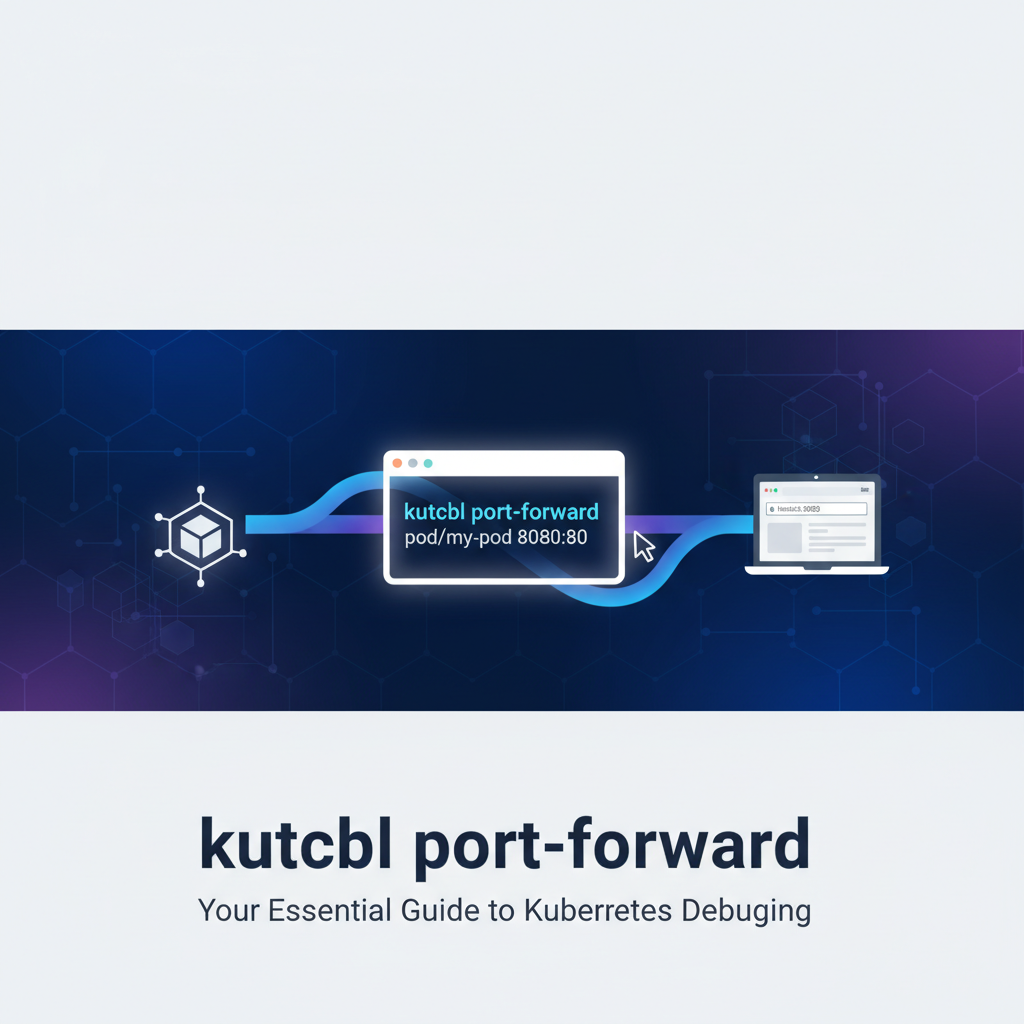
kubectl port-forward: Your Essential Guide to Kubernetes Debugging


In the sprawling, dynamic landscapes of cloud-native computing, Kubernetes has emerged as the undisputed orchestrator, bringing unparalleled agility and resilience to modern applications. Yet, with great power comes inherent complexity, particularly when applications encounter issues. Debugging in a distributed environment, where services are ephemeral, IP addresses are dynamic, and network policies strictly enforced, presents a formidable challenge that traditional methods often fail to address. Developers frequently find themselves staring into a black box, struggling to peer into the inner workings of their containerized workloads. This is precisely where a seemingly unassuming but profoundly powerful command, kubectl port-forward, steps onto the stage as an indispensable ally.
At its core, kubectl port-forward is more than just a simple utility; it is a developer's lifeline, a diagnostic lens, and a bridge to the otherwise isolated confines of a Kubernetes pod or service. It carves out a secure, temporary tunnel from your local machine directly into a specific port of a running pod or service within your cluster, effectively making a remote resource appear as if it's running locally. This capability drastically simplifies a multitude of debugging and development scenarios, transforming arduous troubleshooting sessions into streamlined investigations. This comprehensive guide will delve deep into the mechanics, practical applications, advanced techniques, and best practices surrounding kubectl port-forward, equipping you with the knowledge to wield this command with mastery and confidence, ultimately enhancing your ability to navigate the intricacies of Kubernetes debugging.
Unraveling the Kubernetes Networking Tapestry: A Primer
Before we fully appreciate the power of kubectl port-forward, it’s crucial to understand the intricate networking model that underpins Kubernetes. This distributed system is designed with specific networking primitives that enable communication between pods, services, and external clients, while simultaneously ensuring isolation and security.
At the lowest level, Kubernetes assigns each pod a unique IP address within a flat network space. This means pods can communicate with each other directly, without the need for network address translation (NAT). However, pods are ephemeral; they can be created, destroyed, and rescheduled on different nodes at any time, leading to changing IP addresses. This transient nature makes direct IP-based communication unreliable for client applications or other pods that need to consistently access a particular logical service.
To address this, Kubernetes introduces the concept of Services. A Service is an abstract way to expose an application running on a set of pods as a network service. It defines a logical set of pods and a policy for accessing them. Crucially, a Service provides a stable IP address and DNS name, acting as a load balancer that distributes network traffic to the healthy pods it targets. There are several types of Services:
- ClusterIP: Exposes the Service on an internal IP in the cluster. This type makes the Service only reachable from within the cluster. It's the default type and is perfect for internal communication between different microservices.
- NodePort: Exposes the Service on a static port on each Node's IP. This allows external traffic to reach the Service by accessing
<NodeIP>:<NodePort>. While simple, it often means exposing Services on high, random-looking ports, and managing multiple NodePorts can become cumbersome. - LoadBalancer: Exposes the Service externally using a cloud provider's load balancer. This type is only available with cloud providers that support external load balancers (e.g., AWS, GCP, Azure). It provisions an external IP address that acts as the entry point for outside traffic, distributing it across the cluster's nodes and ultimately to the pods.
- ExternalName: Maps the Service to the contents of the
externalNamefield (e.g.,foo.bar.example.com), by returning aCNAMErecord. No proxying is involved.
Beyond Services, Ingress objects provide a way to expose HTTP and HTTPS routes from outside the cluster to Services within the cluster. Ingress can provide load balancing, SSL termination, and name-based virtual hosting. It acts as an API gateway for HTTP/S traffic, allowing a single entry point to manage routing for multiple Services based on hostname or path.
The net effect of this architecture is a powerful, flexible, but inherently isolated environment. While this isolation is paramount for security and stability in production, it often becomes a significant barrier during development and debugging. Imagine a scenario where you have a database running inside a pod, accessible only via a ClusterIP Service. Your local database client, such as DBeaver or PgAdmin, has no direct path to this internal IP. Similarly, if you're developing a local frontend application that needs to communicate with a backend microservice running in Kubernetes, without port-forward, you'd typically need to expose that backend via a public LoadBalancer or Ingress, which is both inconvenient and potentially insecure for development purposes. kubectl port-forward elegantly cuts through this isolation, creating a temporary, direct conduit that simplifies these complex debugging workflows.
What Exactly is kubectl port-forward?
In its simplest terms, kubectl port-forward establishes a direct, secure, bi-directional tunnel between a local port on your machine and a port on a specific pod or service within your Kubernetes cluster. It effectively tricks your local applications into believing they are talking to a service running on localhost, when in reality, the traffic is being securely routed through the kubectl command, the Kubernetes API server, and finally to the designated target within the cluster.
Think of it like this: your Kubernetes cluster is a secure fortress, with thick walls and complex internal pathways. kubectl port-forward is like a secret, temporary rope bridge that you can throw over the wall, landing precisely at a window of a specific room (a pod or service). Only you know about this bridge, and you can walk across it to interact with what's inside that room, without needing to open the main gates or build permanent roads.
How Does It Work Under the Hood?
When you execute a kubectl port-forward command, the following sequence of events typically unfolds:
- Client-Side Initiation: Your
kubectlclient, running on your local machine, initiates a request to the Kubernetes API server. This request specifies the target (pod or service name), the local port you wish to use, and the remote port within the target. - API Server Proxying: The Kubernetes API server receives this request. Instead of directly handling the port forwarding itself, the API server acts as a secure intermediary. It establishes a secure WebSocket connection with the
kubeletagent running on the node where the target pod resides. For services, the API server first resolves the service to an active pod and then targets that pod'skubelet. - Kubelet's Role: The
kubeleton the node is responsible for managing the pods on that node. Upon receiving instructions from the API server, thekubeletthen establishes the actual port forwarding mechanism from the node's network namespace into the target pod's network namespace. It essentially binds to the specified port within the pod and pipes traffic back and forth through the WebSocket connection established with the API server, which in turn relays it to your localkubectlprocess. - Local Connection: Your
kubectlprocess then binds to the specified local port on your machine. Any traffic directed tolocalhost:<local-port>on your machine is then forwarded through thekubectlprocess, up to the API server, across to thekubelet, and finally into the target pod/service port. Responses follow the reverse path.
This entire process happens securely and dynamically, bypassing the need for complex network configurations, firewall rules, or persistent external exposure. It's a temporary, on-demand connection that ceases to exist the moment you terminate the kubectl port-forward command.
Key Use Cases of kubectl port-forward
The versatility of kubectl port-forward makes it invaluable in numerous scenarios:
- Debugging Applications Inside Pods: This is arguably its most common use. If your application running in a pod isn't behaving as expected,
port-forwardallows you to directly access its exposed endpoints (like an internal web server, a metrics endpoint, or a debugging port) from your local machine, using tools likecurl, your web browser, or an IDE debugger. - Accessing Internal Databases or Message Queues: Need to inspect data in a PostgreSQL, Redis, or Kafka instance running within a Kubernetes pod?
port-forwardenables your local database clients (e.g., PgAdmin, DBeaver, RedisInsight) to connect directly to these instances, without exposing them to the entire internet. - Developing Against Remote Services: You might have a local frontend application that needs to interact with a backend microservice deployed in Kubernetes. Instead of deploying the backend locally or exposing it externally,
port-forwardlets your local frontend seamlessly communicate with the remote backend as if it were running onlocalhost. - Bypassing Ingress/Service Complexities for Development: In a complex microservices architecture, setting up Ingress rules or LoadBalancers for every temporary development iteration can be overkill.
port-forwardprovides an instant, no-fuss way to reach a specific service or pod directly, allowing developers to iterate quickly. This is particularly useful when developing or testing new API endpoints that are part of a larger API gateway configuration, where you want to isolate and test a single service before integrating it into the full gateway setup. - Testing Webhooks or Callback URLs: If a service inside your cluster needs to send data to a webhook running on your local machine,
port-forwardcan create a reverse tunnel (though this is more complex and usually handled by other tools like ngrok). However, for testing local applications that consume webhooks from a Kubernetes service,port-forwardcan bring the Kubernetes service locally for interaction.
Understanding these fundamentals sets the stage for mastering the practical commands and advanced techniques that follow.
Getting Started: Basic kubectl port-forward Commands
The syntax for kubectl port-forward is straightforward, yet flexible, allowing you to target pods or services with ease. Let's break down the essential commands and their common variations.
Forwarding to a Pod
This is the most direct way to establish a tunnel. You target a specific pod by its name.
Basic Syntax:
kubectl port-forward <pod-name> <local-port>:<pod-port>
<pod-name>: The exact name of the pod you want to connect to. Pod names often include unique identifiers (e.g.,my-app-deployment-78f9cd567d-abcd1).<local-port>: The port number on your local machine thatkubectlwill bind to. Your local applications will connect to this port.<pod-port>: The port number that the application inside the target pod is listening on. This is the container port defined in your pod's manifest.
Example 1: Accessing a Nginx web server in a pod
Let's say you have an Nginx pod named nginx-deployment-5b8f674977-abcd1 that serves web traffic on port 80. You want to access it from your local browser on localhost:8080.
First, find your pod name:
kubectl get pods
Output might look like:
NAME                               READY   STATUS    RESTARTS   AGE
nginx-deployment-5b8f674977-abcd1   1/1     Running   0          5m
Then, execute the port-forward command:
kubectl port-forward nginx-deployment-5b8f674977-abcd1 8080:80
Once executed, kubectl will display a message like:
Forwarding from 127.0.0.1:8080 -> 80
This indicates the tunnel is active. Now, you can open your web browser and navigate to http://localhost:8080, and you will see the Nginx welcome page served directly from your Kubernetes pod.
Important Notes: * The kubectl port-forward command will run in the foreground, blocking your terminal. To stop the forwarding, simply press Ctrl+C. * If 8080 is already in use on your local machine, kubectl will report an error. You'll need to choose a different local port (e.g., 8081:80). * You can omit the <local-port> and kubectl will automatically select a random available local port, which it will then print out. For example, kubectl port-forward nginx-deployment-5b8f674977-abcd1 :80 might forward to localhost:34567:80. This is useful if you don't care about the specific local port.
Specifying Namespace: If your pod is not in the default namespace, you must specify the namespace using the -n or --namespace flag.
kubectl port-forward -n my-namespace my-app-pod-xyz 8080:80
Forwarding to a Service
While forwarding to a pod is specific, forwarding to a Service provides an additional layer of abstraction and resilience. When you forward to a Service, kubectl will resolve the Service to one of its backing pods and establish the tunnel to that pod. If the targeted pod fails or is rescheduled, kubectl might attempt to re-establish the connection to a new, healthy pod backing that Service, though this behavior can sometimes be inconsistent and is often more stable when targeting a specific pod in rapidly changing environments. The primary benefit is that you don't need to know the specific pod name, just the stable Service name.
Basic Syntax:
kubectl port-forward service/<service-name> <local-port>:<service-port>
service/<service-name>: The name of the Kubernetes Service. Note theservice/prefix, which is essential to tellkubectlyou're targeting a Service, not a pod.<local-port>: Your local machine's port.<service-port>: The port that the Service itself exposes (this is typically theportdefined in the Service manifest, not necessarily thetargetPortof the pods it forwards to, though they are often the same if not explicitly set differently).
Example 2: Accessing a backend service via its ClusterIP Service
Suppose you have a my-backend-service that exposes your backend application on port 8080 internally within the cluster. You want to access it from your local machine on port 9090.
First, ensure your Service exists:
kubectl get services
Output might show:
NAME                 TYPE        CLUSTER-IP       EXTERNAL-IP   PORT(S)          AGE
my-backend-service   ClusterIP   10.96.123.45     <none>        8080/TCP         10m
Then, forward to the Service:
kubectl port-forward service/my-backend-service 9090:8080
kubectl will then forward traffic from localhost:9090 to port 8080 of one of the pods backing my-backend-service. This is particularly useful in microservices architectures where individual services might expose API endpoints. By forwarding to the service, you can test your local client against the live remote API, bypassing the need for a full API gateway setup during early development phases.
Troubleshooting Basic Commands
- "Error: unable to listen on any of the listeners: [::]:8080: bind: address already in use": This means the local port
8080is already being used by another process on your machine. Choose a different local port (e.g.,8081). You can check which process is using a port withnetstat -tulnp | grep 8080(Linux) orlsof -i :8080(macOS). - "Error from server (NotFound): pods "non-existent-pod" not found": Double-check the pod or service name. Kubernetes object names are case-sensitive and must be exact. Also, ensure you are in the correct namespace or have specified it with
-n. - "Forwarding from 127.0.0.1:XXXX -> YYYY": This is an informational message, not an error. It tells you which local address and port your tunnel is listening on and which remote port it's forwarding to. By default,
kubectlbinds to127.0.0.1(localhost), meaning only applications on your machine can access it. To allow other devices on your local network to access it (useful for testing on other devices on the same Wi-Fi), you can specify0.0.0.0as the local address:bash kubectl port-forward --address 0.0.0.0 <pod-name> 8080:80Be cautious with0.0.0.0as it exposes the port to your entire local network.
Mastering these basic commands forms the foundation for more advanced debugging scenarios. The ability to quickly and securely access internal Kubernetes resources is a game-changer for developer productivity and efficiency.
The Mechanics Behind the Magic: How port-forward Operates
To truly appreciate and effectively troubleshoot kubectl port-forward, it's beneficial to understand its internal workings in greater detail. The apparent simplicity of the command hides a sophisticated orchestration of components within the Kubernetes ecosystem.
Client-Side (Your kubectl Process)
When you type kubectl port-forward ... into your terminal, your kubectl client initiates the entire process. It first connects to the Kubernetes API server, authenticating itself using your kubeconfig credentials. This connection is typically over HTTPS, ensuring secure communication from the outset.
The kubectl client then sends a specific request to the API server, which includes: * The identity of the target resource (pod or service name, and its namespace). * The local port on your machine that kubectl should bind to. * The target port within the pod or service that you want to forward traffic to.
Upon receiving confirmation from the API server that the tunnel has been established, kubectl proceeds to bind to the specified local port on your machine. This local binding is critical; it creates the local endpoint for your applications to connect to. kubectl then enters a loop, continuously reading data from this local port and relaying it to the API server, and simultaneously reading data from the API server and writing it back to your local port.
API Server Interaction: The Secure Gateway
The Kubernetes API server acts as the central control plane component and, in the context of port-forward, a secure proxy and router. It does not directly handle the network traffic itself, but rather orchestrates the establishment of the connection and then proxies the data stream.
When the API server receives the port-forward request from your kubectl client, it verifies your permissions (via RBAC – Role-Based Access Control) to perform this operation on the specified pod or service. If you lack the necessary permissions, the request will be denied.
If authorized, the API server identifies the target pod's location, specifically the node where it's running. It then establishes a secure WebSocket connection with the kubelet process running on that node. This WebSocket connection is crucial; it allows for a persistent, bi-directional, and multiplexed communication channel between the API server and the kubelet. All data flowing through the port-forward tunnel, both inbound and outbound, is encapsulated and sent over this secure WebSocket. This means that your application's traffic (e.g., HTTP requests, database queries) is effectively tunneled within the HTTPS/WebSocket connection, inheriting its security properties.
For Service-level port-forward requests, the API server first performs an internal lookup to resolve the Service name to an actual pod (or one of several pods) that the Service targets. It then proceeds to establish the connection with the kubelet of the chosen pod, just as if you had specified the pod directly.
Kubelet's Role: The On-Node Agent
The kubelet is the agent that runs on each node in your Kubernetes cluster. Its primary responsibility is to ensure that containers are running in a pod, managing their lifecycle, and reporting their status back to the API server. For port-forward, the kubelet plays a pivotal role in bridging the gap between the cluster's network and the isolated network namespace of an individual pod.
Upon receiving the WebSocket connection and port-forward instructions from the API server, the kubelet does the following:
- Container Identification: It identifies the specific container within the target pod that is listening on the requested port. A pod can have multiple containers, each potentially exposing different ports. The
kubeletensures the traffic is directed to the correct one. - Port Binding within Pod's Network Namespace: The
kubeletinitiates a process that binds to the specified port within the network namespace of the target pod. This is a crucial distinction. The port is not opened on the host node itself, but rather inside the pod's isolated network environment. This maintains the pod's network isolation. - Data Relaying: Once the internal binding is established, the
kubeletcontinuously reads data from the WebSocket connection (coming from the API server and, ultimately, your localkubectl) and writes it to the bound port within the pod. Conversely, any data received on that port from the application inside the pod is read by thekubeletand sent back over the WebSocket to the API server, which then forwards it to your localkubectl.
This entire process for TCP traffic (which is what port-forward primarily handles) is efficient and transparent. From your local application's perspective, it's just making a local TCP connection. From the pod's perspective, it's receiving a connection on its specified port. The intermediate kubectl, API server, and kubelet components abstract away the complexity of the distributed network.
TCP vs. UDP Considerations
It's important to note that kubectl port-forward primarily works for TCP connections. While Kubernetes networking can support UDP, kubectl port-forward itself does not natively support forwarding UDP traffic. This is a common limitation developers encounter when trying to debug services that rely on UDP (e.g., DNS queries, some streaming protocols). For UDP debugging, alternative approaches like kubectl exec into the pod and using command-line tools (e.g., netcat) or more advanced service mesh debugging tools are usually required. The reason for this TCP-centric design lies in the connection-oriented nature of the WebSocket protocol used for the underlying tunnel.
Understanding these internal mechanisms not only demystifies kubectl port-forward but also provides valuable insights when troubleshooting connection issues or when considering its security implications. The journey of a packet through this tunnel is a testament to Kubernetes' flexible and powerful architecture.
Advanced kubectl port-forward Techniques and Scenarios
Beyond the basic usage, kubectl port-forward offers several advanced features and considerations that can significantly enhance your debugging prowess. Mastering these techniques will allow you to handle more complex scenarios with greater efficiency.
Backgrounding the Process
Running kubectl port-forward in the foreground blocks your terminal. For continuous debugging sessions or when you need to run multiple port-forward commands simultaneously, you'll want to send the process to the background.
On Linux/macOS: The simplest way is to append an ampersand (&) to the command:
kubectl port-forward my-app-pod 8080:80 &
This will immediately return control to your terminal, and the port-forward will continue running in the background. You'll see a job ID (e.g., [1] 12345).
To bring it back to the foreground, use fg:
fg
To stop a background job, first bring it to the foreground with fg, then press Ctrl+C. Alternatively, you can use kill %<job-id> or kill <pid> where pid is the process ID. You can find active jobs with jobs.
Windows (PowerShell/CMD): Windows command prompts do not support the & operator for backgrounding in the same way. A common workaround is to use Start-Process in PowerShell or start in CMD, or more reliably, open a new terminal window for each port-forward command.
Start-Process kubectl -ArgumentList "port-forward my-app-pod 8080:80"
Or, for a more robust backgrounding with output redirection, you might need third-party tools or more complex scripting. For simplicity, opening a new terminal tab/window is often the most practical approach on Windows.
Handling Multiple Port Forwards
It's common to need to access several services simultaneously. For example, a frontend, a backend, and a database. You can run multiple port-forward commands, each in its own terminal window or as a background process.
Example: Debugging a microservices application Suppose you have: * frontend-pod exposing port 3000 * backend-service exposing port 8080 * postgres-service exposing port 5432
You could set up three separate tunnels:
# Frontend
kubectl port-forward frontend-pod 3000:3000 &
# Backend
kubectl port-forward service/backend-service 8080:8080 &
# PostgreSQL
kubectl port-forward service/postgres-service 5432:5432 &
Now, your local frontend can talk to localhost:3000, which tunnels to the remote frontend. Your local development tools or another local service can talk to localhost:8080 for the backend, and your local PgAdmin client can connect to localhost:5432 for the database. This creates a powerful local debugging environment integrated with remote components.
Stopping Port Forwards
- Foreground process:
Ctrl+C. - Background process (Linux/macOS):
- Find the job ID:
jobs - Kill the job:
kill %<job-id>(e.g.,kill %1) - Alternatively, find the PID:
ps aux | grep 'kubectl port-forward' - Kill by PID:
kill <pid>
- Find the job ID:
Choosing Local Ports Strategically
While kubectl port-forward can auto-assign a local port if you specify :pod-port, explicitly choosing a local port provides consistency and predictability. It's often best practice to use the same local port as the remote port (e.g., 8080:8080) if it's available, as this simplifies configuration in your local applications. However, if multiple remote services listen on the same port (e.g., two different microservices both expose internal REST APIs on 8080), you'll need to map them to different local ports (e.g., 8080:8080 for service A, 8081:8080 for service B).
Troubleshooting Common port-forward Issues
- "Forwarding from 127.0.0.1:XXXX -> YYYY" vs. no local connection: Remember that by default,
kubectl port-forwardbinds to127.0.0.1. If your local application is configured to connect to a specific local network interface or0.0.0.0, it might not find theport-forwardlistener. Explicitly use--address 0.0.0.0if you need broader local network access. - "Error: unable to connect to the server: dial tcp...": This typically means your
kubectlclient cannot reach the Kubernetes API server. Check your kubeconfig file, network connectivity, and ensure the cluster is running. - "Connection refused" when connecting to localhost:port:
- Is the
kubectl port-forwardcommand still running? It stops if you close the terminal or if the target pod/service becomes unavailable. - Is your local application trying to connect to the correct local port?
- Is the application inside the pod actually listening on the specified
<pod-port>? You can verify this by usingkubectl exec <pod-name> -- netstat -tulnp(ifnetstatis installed in the container image) to check listening ports inside the pod. - Could a network policy be blocking internal pod communication? While
port-forwardbypasses many network rules by virtue of its privileged tunnel, overly restrictive network policies could sometimes interfere with thekubelet's ability to bind to the pod's port.
- Is the
- Pod Restarting/Recreating: If you're forwarding to a specific pod and that pod crashes, is evicted, or gets scaled down and replaced by a new pod, your
port-forwardconnection will break. You'll need to re-run the command, targeting the new pod (or preferably, target the Service if pod churn is frequent). - High Latency/Slow Performance: While
port-forwardis secure and convenient, it's not designed for high-throughput, low-latency production traffic. The data path involves multiple hops (local client ->kubectl-> API Server ->kubelet-> pod application). For sustained performance testing or heavy data transfer, a dedicated LoadBalancer, Ingress, or VPN might be more appropriate.
Specific Use Cases in Detail
Accessing a Database from Local GUI
This is a classic use case. Suppose you have a PostgreSQL database running in a pod called my-postgres-db-5ccb899778-jkhq6 and it's listening on the standard port 5432.
kubectl port-forward my-postgres-db-5ccb899778-jkhq6 5432:5432
Now, you can open your local PgAdmin, DBeaver, or command-line psql client and connect to localhost:5432 with the appropriate credentials. This allows for powerful local introspection and management of your remote database, ideal for development and debugging.
Debugging a Web Application's Backend
Imagine a Java Spring Boot application running in a pod my-java-backend-7b8c9d0e1f-ghij2 that serves REST APIs on port 8080.
kubectl port-forward my-java-backend-7b8c9d0e1f-ghij2 8080:8080
You can now use curl http://localhost:8080/api/users, Postman, Insomnia, or even your web browser to interact directly with your backend's API endpoints. This is incredibly useful for testing individual API calls, validating responses, and quickly identifying issues without needing a full frontend or public exposure. For managing a collection of such backend APIs more formally, especially when they belong to different microservices or AI models, an API gateway like APIPark becomes essential for unified authentication, rate limiting, and traffic management in production environments.
Testing Webhooks Locally
While kubectl port-forward is typically for forwarding from remote to local, if you have a local application that needs to send a webhook request to a service inside your cluster, and you want to debug the receiving service, port-forward is perfect. You start port-forward to your receiving service, and then configure your local application to send the webhook to localhost:<local-port>.
Example: A local payment processing service needs to send a status update webhook to a payment-status-updater-service in Kubernetes on port 8080.
kubectl port-forward service/payment-status-updater-service 8080:8080
Your local payment service can then post to http://localhost:8080/webhook/payment-update, and the traffic will be tunneled directly to the Kubernetes service for processing.
These advanced techniques and specific scenarios highlight the versatility of kubectl port-forward as a cornerstone tool for any developer working with Kubernetes.
APIPark is a high-performance AI gateway that allows you to securely access the most comprehensive LLM APIs globally on the APIPark platform, including OpenAI, Anthropic, Mistral, Llama2, Google Gemini, and more.Try APIPark now! 👇👇👇
kubectl port-forward in Your Development Workflow
Integrating kubectl port-forward seamlessly into your daily development workflow can dramatically improve efficiency and reduce friction when working with Kubernetes. It bridges the gap between your local development environment and the remote cluster, offering a balance of local iteration speed and remote realism.
Local Development with Remote Kubernetes
One of the most powerful paradigms port-forward enables is the ability to develop locally against a remote Kubernetes cluster. Instead of running a full Kubernetes cluster (like Minikube or Docker Desktop's Kubernetes) on your machine, which can be resource-intensive, you can run your application's components locally (e.g., a frontend, a specific microservice you're actively working on) and use port-forward to connect to other, less frequently changed, or more complex services that are already deployed in a remote development Kubernetes cluster.
For instance, if you're building a new feature for a user-profile-service in a microservices architecture: 1. You can run your user-profile-service locally in your IDE for hot-reloading and direct debugging. 2. You use kubectl port-forward to connect your local user-profile-service to a remote authentication-service (e.g., localhost:8081 mapping to remote authentication-service:8080). 3. You also port-forward the remote database-service (e.g., localhost:5432 mapping to remote database-service:5432).
This hybrid approach allows you to leverage the full power of your local development tools (debuggers, profilers, IDE features) for the component you're actively developing, while relying on the deployed services in the cluster for dependencies. This mimics the production environment more closely than a fully local setup, without the overhead.
Testing Specific Microservices in Isolation
In a complex microservices landscape, isolating an issue to a single service can be challenging. kubectl port-forward allows you to target and interact with one specific service directly, bypassing layers like Ingress, external LoadBalancers, or even other services that might be acting as API gateways. This focused access is invaluable for:
- Endpoint Validation: Directly hitting an API endpoint of a specific microservice to verify its response, status codes, and error handling in isolation.
- Performance Sanity Checks: Making direct requests to measure the raw response time of a service without network overhead introduced by external proxies.
- Integration Testing (Micro-Level): Testing how a local client (or another
port-forwardedservice) interacts with a single remote microservice's API.
Integrating with IDEs and Debugging Tools
Many modern Integrated Development Environments (IDEs) and debugging tools can be configured to connect to remote processes via TCP ports. kubectl port-forward makes this possible even for processes running inside Kubernetes pods.
Example: VS Code Remote Debugging If you're developing a Node.js or Python application in a pod, and your debugger supports remote TCP connections: 1. You configure your application in the pod to listen for debug connections on a specific port (e.g., 9229 for Node.js Inspector). 2. You port-forward that debug port: kubectl port-forward my-nodejs-app-pod 9229:9229. 3. In VS Code, you create a launch configuration that connects to localhost:9229. Now, you can set breakpoints in your local code, step through execution, inspect variables, and perform all your familiar debugging tasks, even though the actual application code is running inside a Kubernetes pod miles away.
Comparison with Other Access Methods
It's helpful to understand where kubectl port-forward fits in relation to other common Kubernetes access and debugging methods. Each tool has its strengths and weaknesses:
| Feature/Method | kubectl port-forward |
kubectl exec |
NodePort Service | LoadBalancer Service | Ingress | Telepresence/Mirrord |
|---|---|---|---|---|---|---|
| Purpose | Temporary, secure local access for dev/debug | Shell access/command execution inside a pod | Expose service on a static port of each Node | Expose service with an external, cloud-managed IP | HTTP/HTTPS routing for multiple services | Local development against remote cluster |
| Scope | Single pod/service | Single pod/container | All nodes in the cluster | Cluster-wide, external IP | Cluster-wide, external HTTP/S endpoint | Pod-level, network redirection |
| Security | Secure (via API server), local-only by default, temporary. Requires RBAC to port-forward. |
Secure (via API server), direct access to container shell. Requires RBAC to exec. |
Less secure for production (exposes all nodes), typically high ports. | Secure (cloud-managed), public exposure. | Secure (can terminate SSL), public exposure. Managed routing. | Secure, isolates local app from external exposure. |
| Traffic Type | TCP (primary) | N/A (command execution) | TCP/UDP | TCP/UDP | HTTP/HTTPS (L7) | TCP/UDP |
| Complexity | Low | Low | Moderate | Moderate (cloud-dependent) | High (requires Ingress Controller, rules, DNS) | Moderate (client tool installation) |
| Use Case | Debugging apps, accessing databases, local dev against remote backend. | Interactive debugging, running diagnostics, checking file systems. | Internal testing, exposing simple services where LoadBalancer is not an option. | Public web apps, API gateway endpoints requiring external access. | Routing multiple web services, hostname/path-based routing, SSL termination. For formal API exposure. | Replacing a remote pod with local dev environment for seamless testing. |
| Persistence | Temporary (lasts as long as command runs) | Temporary (lasts as long as command runs) | Persistent (until service removed) | Persistent (until service removed) | Persistent (until Ingress removed) | Temporary (lasts as long as client tool runs) |
| Recommended For | Developer-centric, ad-hoc debugging & testing | Quick checks, interactive troubleshooting, environment inspection | Specific internal/restricted external access needs | Public-facing, robust, cloud-integrated services | Production-grade API gateway for complex HTTP/S traffic routing and management | Seamless local development experience interacting with remote Kubernetes dependencies. |
As the table illustrates, kubectl port-forward excels in its simplicity, security (for ad-hoc debugging), and directness for internal resources. It's the immediate, surgical tool for a developer, whereas methods like LoadBalancer and Ingress are typically for formal, persistent, and often public exposure of applications and APIs, forming the core of an API gateway infrastructure.
Natural APIPark Integration
When discussing the management of APIs, especially in a microservices environment, the conversation naturally extends beyond individual debugging tools like kubectl port-forward. While port-forward is indispensable for direct, temporary access to individual services for debugging and development, real-world applications require robust API management and API gateway solutions for production and formal testing.
Consider a scenario where you've used kubectl port-forward to debug a newly developed microservice that exposes a set of AI-powered APIs. You've ensured the APIs work correctly in isolation. Now, these APIs need to be integrated into a larger system, potentially exposed to external consumers, secured, monitored, and scaled. This is where a comprehensive platform like APIPark becomes essential.
APIPark is an open-source AI gateway and API management platform. It offers features like quick integration of over 100 AI models, unified API formats for AI invocation, prompt encapsulation into REST APIs, and end-to-end API lifecycle management. While kubectl port-forward allows you to test your individual AI API endpoint (e.g., a sentiment analysis model running in a pod) by connecting to localhost:8080, APIPark provides the framework to manage this API formally. It can publish your AI API, apply authentication and authorization policies, perform traffic forwarding and load balancing, manage versions, and provide detailed call logging and data analysis—all critical functionalities that port-forward is not designed for.
So, while kubectl port-forward is your "surgical tool" for directly interacting with a specific Kubernetes resource during debugging or local development, APIPark serves as the "control tower" for managing all your APIs, especially AI APIs, providing the essential API gateway and management features for secure, scalable, and observable operations. The two tools serve different, yet complementary, stages of the development and deployment lifecycle for services that expose APIs.
By thoughtfully integrating kubectl port-forward into your workflow, you can maintain high velocity in development and debugging, ensuring that your applications are robust and performant before they reach the more formal management layers provided by platforms like APIPark.
Security Considerations and Best Practices
While kubectl port-forward is an incredibly useful tool, it's crucial to understand its security implications and adopt best practices to prevent unintended vulnerabilities. Because it creates a direct tunnel into your cluster, improper use can expose internal services that are not meant for external consumption.
port-forward for Development/Debugging, Not Production Access
The primary rule of thumb is that kubectl port-forward is a developer and operator utility for debugging and temporary local development integration. It is not designed, nor should it be used, for exposing services to production traffic or for any form of persistent external access. For production scenarios, you should always rely on Kubernetes Services (LoadBalancer, NodePort, or Ingress) combined with appropriate network policies, firewalls, and authentication mechanisms (such as those offered by an API gateway like APIPark) to securely expose your applications.
Risk of Exposing Internal Services
When you port-forward a service, you are effectively creating a temporary, direct pathway from your local machine into that service within the cluster. If you use --address 0.0.0.0 or if your local machine is compromised, that forwarded port could potentially be accessed by other machines on your local network. This could expose sensitive internal services (like databases, message queues, or internal APIs) that are designed to be isolated.
Best Practice: * Always use the default 127.0.0.1 binding unless there's a specific, controlled reason not to. * Be mindful of what you're forwarding. Avoid forwarding highly sensitive administrative interfaces or unauthenticated databases unless absolutely necessary and for a very short duration. * Terminate port-forward connections as soon as they are no longer needed (Ctrl+C or kill). Don't leave them running indefinitely in the background.
Role-Based Access Control (RBAC)
Kubernetes' RBAC mechanism is critical for controlling who can do what within a cluster. The ability to execute kubectl port-forward is governed by specific RBAC permissions. Users or service accounts need permissions to:
getpodscreatepods/portforwardportforwardon pods
A typical ClusterRole that grants port-forward access might include:
rules:
- apiGroups: [""]
  resources: ["pods/portforward"]
  verbs: ["create"]
- apiGroups: [""]
  resources: ["pods"]
  verbs: ["get"]
Best Practice: * Implement the principle of least privilege. Grant port-forward permissions only to users or groups who genuinely need it for their development and debugging tasks. * Regularly review RBAC policies to ensure they align with current roles and responsibilities.
Network Policies
While kubectl port-forward operates at a lower level by directly tunneling through the API server and kubelet, network policies can still play a role in the overall security posture. Network policies define how pods are allowed to communicate with each other and with external endpoints.
Even if you successfully port-forward to a pod, if that pod itself is restricted by a network policy from communicating with other internal services (e.g., a database), your forwarded connection might not be able to fully interact with the broader application components. This is usually a desired security feature rather than an issue with port-forward itself, forcing you to consider the network context.
Best Practice: * Understand the network policies in effect for the pods and namespaces you are debugging. This helps in diagnosing connectivity issues even after a port-forward is established. * Ensure that network policies do not inadvertently block legitimate debugging traffic within the pod's network namespace, if your debugging setup requires it.
Auditing port-forward Usage
In environments with strict compliance requirements, auditing is essential. All interactions with the Kubernetes API server, including port-forward requests, are typically logged by the API server's audit logs. These logs record who initiated the request, when, and to which resource.
Best Practice: * Enable and regularly review Kubernetes audit logs. This helps track who is accessing resources via port-forward and can be crucial for security investigations. * Integrate audit logs with your security information and event management (SIEM) system for centralized monitoring and alerting.
By adhering to these security considerations and best practices, you can leverage the immense power of kubectl port-forward for efficient debugging without inadvertently compromising the security of your Kubernetes cluster. It is a powerful tool, and like any powerful tool, it demands respect and responsible usage.
Alternatives and Complementary Tools
While kubectl port-forward is an excellent tool, it's part of a larger ecosystem of utilities designed to interact with and debug Kubernetes. Understanding its alternatives and complementary tools helps you choose the right approach for any given scenario.
kubectl exec: For Shell Access and Command Execution
What it is: kubectl exec allows you to run a command directly inside a container within a pod, or to get an interactive shell (like bash or sh).
When to use it: * You need to inspect files, view logs directly from the container's filesystem. * You want to run diagnostic commands (e.g., ping, curl, netstat, ps) from within the pod's network and process namespace. * You need to modify configuration files temporarily or perform quick fixes inside a running container. * You need to use command-line tools that are available in the container image to interact with services (e.g., psql client inside a database pod).
Example:
kubectl exec -it my-app-pod -- /bin/bash # Get a shell
kubectl exec my-app-pod -- cat /var/log/app.log # View a log file
Relationship to port-forward: exec is about internal interaction and execution, while port-forward is about external network access. They often complement each other: you might exec into a pod to check why its internal port isn't listening, and then port-forward to test the external connectivity once the issue is resolved.
kubectl cp: For File Transfer
What it is: kubectl cp enables you to copy files and directories to and from containers in Kubernetes pods.
When to use it: * You need to get a specific log file or data dump from a pod to your local machine. * You need to inject a configuration file, a script, or a test data set into a running pod for debugging purposes.
Example:
kubectl cp my-app-pod:/app/config.yaml ./local-config.yaml # Copy from pod to local
kubectl cp ./local-data.json my-app-pod:/tmp/data.json # Copy from local to pod
Relationship to port-forward: cp focuses on file system interaction, port-forward on network interaction. Both are valuable for diagnostic tasks.
Service Mesh (Istio, Linkerd) and Their Debugging Features
What it is: Service meshes like Istio or Linkerd provide a dedicated infrastructure layer for managing service-to-service communication. They offer features like traffic management, policy enforcement, security (mTLS), and crucially, observability.
When to use it: * In complex microservices architectures, for advanced traffic routing, fault injection, and detailed telemetry. * For advanced debugging scenarios where you need to trace requests across multiple services, understand latency, or visualize network topology.
Debugging features: Service meshes often come with dashboards (e.g., Kiali for Istio) that allow you to visualize service graphs, trace individual requests, and inspect metrics for API calls between services. This provides a high-level view of application health that port-forward cannot.
Relationship to port-forward: A service mesh provides a robust, production-grade API gateway and management layer. port-forward is a low-level, ad-hoc debugging tool. While a service mesh offers advanced observability for the entire system, port-forward gives you surgical access to a single component for deep-dive investigation. They operate at different levels of abstraction.
Telepresence/Mirrord: For Full Local Development Experience
What it is: Tools like Telepresence (from Ambassador Labs) and Mirrord (from Metalbear) aim to provide a truly seamless local development experience by allowing you to run a single service locally while it connects to the dependencies (databases, other microservices) running in a remote Kubernetes cluster, as if it were running inside the cluster itself. They achieve this by transparently intercepting network traffic and routing it between your local machine and the remote cluster.
When to use it: * When you want to replace a deployed service in Kubernetes with your local version of the code, so that other services in the cluster interact with your locally running instance. * When you need full local debugging capabilities (hot-reloading, breakpoints) for one service, while still integrating with the remote cluster's environment. * When port-forward becomes cumbersome due to a large number of dependencies.
Relationship to port-forward: Telepresence and Mirrord can be seen as supercharged versions of port-forward. Instead of just tunneling a port, they virtually place your local service into the cluster's network, intercepting specific traffic and redirecting it to your local machine. This offers a more comprehensive "local-first" debugging experience than port-forward can provide. For instance, if your service receives requests on a particular API endpoint that is part of a larger API gateway system, Telepresence can ensure that those requests are routed to your local development instance for debugging, even though the API gateway configuration still points to the in-cluster service.
Ingress/LoadBalancer: For Formal External Exposure
What it is: These are standard Kubernetes Service types used to expose applications publicly. LoadBalancers provide an external IP (often provisioned by a cloud provider), while Ingress provides HTTP/HTTPS routing based on hostname or path.
When to use it: * For production deployments where services need to be reliably accessible from outside the cluster. * When you need robust traffic management, SSL termination, and host-based routing for your APIs and web applications. * For exposing API gateway endpoints that consolidate access to multiple backend services.
Relationship to port-forward: These are distinct from port-forward. Ingress and LoadBalancer are about persistent, public, and scalable exposure of services, typically for production environments or formal testing. port-forward is a temporary, private, and developer-focused debugging tool. You might port-forward to test an API endpoint locally before configuring it for public access via Ingress/LoadBalancer, or to debug an issue with the service that is behind the Ingress/LoadBalancer. For managing these publicly exposed APIs, an API gateway platform like APIPark offers a complete solution for their lifecycle management, security, and performance monitoring.
In summary, kubectl port-forward is one vital tool in a developer's Kubernetes toolkit. While it offers unique advantages for ad-hoc debugging and local development integration, understanding its place among other powerful tools allows for a more strategic and efficient approach to managing and troubleshooting your cloud-native applications.
Case Study: Debugging a Multi-Service Application with kubectl port-forward
To solidify our understanding and demonstrate the practical power of kubectl port-forward, let's walk through a common, real-world debugging scenario involving a simple multi-service application. Imagine you have a basic e-commerce application composed of three microservices:
frontend-service: A Node.js application serving a web UI, deployed as a pod. It communicates with theproduct-catalog-service.product-catalog-service: A Python Flask API service that provides product information, deployed as a pod. It fetches data from a PostgreSQL database.postgres-db-service: A PostgreSQL database running in a pod, accessible only within the cluster.
All services are running in the default namespace.
The Problem: Users are reporting that the product listings page on the frontend is occasionally showing "No products available," even though new products have been added to the database. You suspect an issue with the product-catalog-service's ability to fetch data from PostgreSQL or an issue with its API endpoint.
Debugging Strategy with kubectl port-forward:
Our goal is to isolate the problem. We'll use port-forward to: 1. Directly access the product-catalog-service's API to check its raw output. 2. Connect to the postgres-db-service from a local database client to inspect the database contents. 3. Optionally, access the frontend-service directly to ensure it's correctly displaying data from product-catalog-service.
Step 1: Inspecting the product-catalog-service
First, let's get the names of our pods and services.
kubectl get pods
kubectl get services
Let's assume the output gives us: * Pods: frontend-app-xyz12, product-catalog-abc34, postgres-db-def56 * Services: frontend-service, product-catalog-service, postgres-db-service
The product-catalog-service is a Python Flask application that exposes a REST API on port 5000 (within the pod and service). Let's forward this to our local machine on port 8000:
kubectl port-forward service/product-catalog-service 8000:5000 &
You should see: Forwarding from 127.0.0.1:8000 -> 5000
Now, from another terminal, or using a tool like Postman/Insomnia, we can directly query its API endpoint, e.g., for /products:
curl http://localhost:8000/products
Scenario A: curl returns an empty array [] or an error. This immediately tells us the problem lies within the product-catalog-service itself, or its connection to the database. The frontend is likely fine, as it's correctly reporting "No products" based on the backend's response.
Scenario B: curl returns the correct product data. This suggests the product-catalog-service is working as expected. The problem might be with the frontend-service's consumption of this API, or its own logic.
Step 2: Debugging product-catalog-service's Database Connection (if Scenario A)
If the product-catalog-service is returning an empty array or an error, we need to check its database connection. The postgres-db-service listens on port 5432. Let's forward it to our local machine on port 5432 so we can use a local database client.
kubectl port-forward service/postgres-db-service 5432:5432 &
You should see: Forwarding from 127.0.0.1:5432 -> 5432
Now, open your local database client (e.g., DBeaver, PgAdmin, psql command line) and connect to: * Host: localhost * Port: 5432 * User/Password: (as configured in your PostgreSQL deployment) * Database: (as configured)
Once connected, you can run SQL queries to inspect the products table:
SELECT * FROM products;
Observations: * Database is empty: If the table is empty, the problem is with the data ingestion into PostgreSQL. * Database has data: If the data is present, but product-catalog-service still returns empty or errors, the issue is likely in the product-catalog-service's code (e.g., incorrect SQL query, ORM misconfiguration, or a bug in how it processes results).
At this point, you've pinpointed the issue: either data isn't in the DB, or the backend isn't reading it correctly. You can now use kubectl exec into the product-catalog-service pod to inspect logs, environment variables, or even run database connection tests from within the pod's context.
Step 3: Debugging frontend-service (if Scenario B)
If the product-catalog-service was returning correct data via localhost:8000, but the frontend still shows "No products," then the problem likely lies with the frontend-service. The frontend-service serves its web UI on port 3000.
Let's forward the frontend-service to our local machine on port 3000:
kubectl port-forward service/frontend-service 3000:3000 &
You should see: Forwarding from 127.0.0.1:3000 -> 3000
Now, open your web browser and navigate to http://localhost:3000. This will directly load the frontend application running in the Kubernetes cluster.
Observations: * Frontend still shows "No products": This indicates an issue with the frontend's logic for fetching data from the backend. You can open your browser's developer console to check network requests (is it trying to reach localhost:8000? Is it making the correct call to the backend API? Are there any JavaScript errors?). * Frontend now shows products: This is a crucial finding! It implies that there might be an issue with how the frontend-service usually gets external traffic (e.g., through an Ingress or LoadBalancer), or how it's configured to reach the product-catalog-service within the cluster when not directly forwarded. Perhaps a Service definition is wrong, or an environment variable pointing to the backend API is misconfigured.
Conclusion of Case Study:
Through this systematic approach using kubectl port-forward, we've effectively isolated the problem within a distributed application: * We used port-forward to directly test the product-catalog-service's API without interference. * We used port-forward to verify the state of the database from our local machine. * We used port-forward to test the frontend-service's interaction with the backend and its own rendering logic.
This ability to surgically target and interact with individual components, bypassing layers of network configuration, is precisely what makes kubectl port-forward an essential guide and an invaluable debugging tool in the complex world of Kubernetes. It allows developers to quickly narrow down the scope of a problem, leading to faster diagnosis and resolution.
Conclusion
The journey through the intricacies of kubectl port-forward reveals it to be far more than a simple command; it is a fundamental pillar in the Kubernetes debugging toolkit. In an environment defined by ephemeral pods, dynamic networking, and stringent isolation, port-forward provides a critical, secure, and intuitive bridge between your local development machine and the inner workings of your distributed applications. It empowers developers and operators to peer into the black box of Kubernetes, turning opaque network interactions into transparent, manageable connections.
From accessing an internal database with a local client to surgically inspecting a microservice's API endpoint, from testing a new feature against remote dependencies to setting up advanced remote debugging sessions with an IDE, port-forward streamlines a multitude of tasks that would otherwise be cumbersome and time-consuming. We've explored its core mechanics, understanding how kubectl, the API server, and kubelet orchestrate a secure tunnel, and delved into advanced techniques for managing multiple forwards and troubleshooting common pitfalls.
Crucially, we've positioned kubectl port-forward within the broader landscape of Kubernetes access and debugging tools. While it excels at providing temporary, direct access for development and troubleshooting, it complements, rather than replaces, more robust solutions like NodePorts, LoadBalancers, and Ingress for formal external exposure. Furthermore, in the context of managing a plethora of APIs, particularly in complex microservices or AI-driven architectures, dedicated API gateway and management platforms like APIPark become indispensable for ensuring security, scalability, and comprehensive lifecycle governance. Port-forward helps you perfect the individual APIs, while APIPark helps you manage the entire API ecosystem.
Mastering kubectl port-forward is not merely about memorizing commands; it's about adopting a mindset of empowered debugging. It's about knowing that you can reach any internal service, inspect any port, and test any interaction, securely and on demand. As the Kubernetes ecosystem continues to evolve, the demand for efficient and effective debugging strategies will only grow. By integrating kubectl port-forward deeply into your workflow, you equip yourself with an essential guide to navigate the complexities, diagnose issues with precision, and ultimately, build and maintain more resilient and performant cloud-native applications. Embrace its power, practice its nuances, and let kubectl port-forward be your unwavering companion in the Kubernetes journey.
Frequently Asked Questions (FAQs)
1. What is the primary purpose of kubectl port-forward?
kubectl port-forward's primary purpose is to establish a secure, temporary, and bi-directional tunnel between a local port on your machine and a specific port on a Kubernetes pod or service. This allows local applications or debugging tools to interact with remote services running inside the cluster as if they were running on localhost, effectively bypassing complex Kubernetes networking and providing direct access for development and debugging. It's a key tool for developers to test applications, access internal databases, or debug specific microservices in an isolated manner.
2. Is kubectl port-forward secure for production use?
No, kubectl port-forward is explicitly not recommended for production use. It is designed as a developer and operator utility for temporary debugging and local development integration. For exposing services to production traffic, you should use official Kubernetes Service types like LoadBalancer or Ingress, combined with robust security measures such as network policies, firewalls, and an API gateway (like APIPark) for authentication, authorization, and traffic management. Using port-forward for production could expose internal services unnecessarily and lacks the resilience and scalability required for production workloads.
3. Can I port-forward to multiple services or pods simultaneously?
Yes, you can port-forward to multiple services or pods concurrently. To do this, you typically run each kubectl port-forward command in a separate terminal window, or you can send them to the background using & (on Linux/macOS). Each command will establish its own unique tunnel, mapping a distinct local port to a specific remote pod or service port. This is extremely useful for debugging multi-service applications where you might need to access a frontend, a backend API, and a database all at once from your local development environment.
4. What happens if the pod I am port-forwarding to restarts or gets deleted?
If the specific pod you are forwarding to (kubectl port-forward <pod-name> ...) restarts, crashes, or is deleted and replaced by a new pod, your port-forward connection will be broken. The kubectl command will typically terminate or report an error, as its target no longer exists. You would then need to re-run the port-forward command, targeting the new pod's name. To mitigate this in environments with frequent pod churn, it's often more robust to port-forward to a Service (kubectl port-forward service/<service-name> ...). In this case, kubectl will resolve the Service to one of its backing pods, and if that pod disappears, kubectl might attempt to re-establish the connection to a different healthy pod managed by that Service, providing a more stable connection in some scenarios.
5. kubectl port-forward is giving me a "bind: address already in use" error. What should I do?
This error means that the local port you specified (e.g., 8080 in 8080:5000) is already being used by another application or process on your local machine. To resolve this, simply choose a different, available local port for your port-forward command. For example, if 8080 is in use, try 8081:5000 or any other unused port. You can find which process is using a specific port on your system using commands like netstat -tulnp | grep <port> (Linux) or lsof -i :<port> (macOS). Alternatively, you can omit the local port (kubectl port-forward <target> :<pod-port>), and kubectl will automatically pick a random available local port for you.
🚀You can securely and efficiently call the OpenAI API on APIPark in just two steps:
Step 1: Deploy the APIPark AI gateway in 5 minutes.
APIPark is developed based on Golang, offering strong product performance and low development and maintenance costs. You can deploy APIPark with a single command line.
curl -sSO https://download.apipark.com/install/quick-start.sh; bash quick-start.sh

In my experience, you can see the successful deployment interface within 5 to 10 minutes. Then, you can log in to APIPark using your account.

Step 2: Call the OpenAI API.