kubectl port-forward: Master Local Kubernetes Access


The sprawling landscapes of modern software development are increasingly characterized by distributed systems, microservices architectures, and the omnipresent orchestrator: Kubernetes. While Kubernetes offers unparalleled power in deploying, scaling, and managing containerized applications, it also introduces a significant paradigm shift, particularly concerning local development and debugging workflows. Developers accustomed to directly accessing services running on a local machine or a monolithic server often find themselves grappling with the inherent network isolation of Kubernetes pods and services. The challenge lies in bridging the gap between a developer’s local workstation and the intricate network fabric of a remote Kubernetes cluster. How does one seamlessly interact with a database, a message queue, a specific microservice's API, or even an entire API Gateway deployed deep within the cluster, without resorting to complex VPN setups or exposing internal services publicly?
This is precisely where kubectl port-forward emerges as an indispensable tool, a veritable lifeline for developers navigating the complexities of Kubernetes. It carves out a secure, temporary tunnel, allowing local applications and tools to communicate directly with services running inside Kubernetes pods, or even entire Kubernetes Services, as if they were running locally. Far from being a mere convenience, port-forward is a fundamental enabler for agile development, rapid debugging, and iterative testing within a Kubernetes-native ecosystem. This comprehensive guide will delve deep into the mechanics, applications, and best practices of kubectl port-forward, illuminating its pivotal role in mastering local Kubernetes access, understanding its interactions with APIs and API Gateways, and ultimately empowering developers to operate with unparalleled efficiency in a containerized world.
Chapter 1: The Labyrinth of Kubernetes Networking – Unraveling the Isolation
Before we can fully appreciate the elegance and utility of kubectl port-forward, it is essential to first comprehend the intricate networking model that underpins Kubernetes. Unlike traditional virtual machines or bare-metal servers where services might be directly accessible via their IP addresses on a shared network, Kubernetes architects a sophisticated, layered network environment designed for isolation, scalability, and resilience. This architecture, while robust, inherently creates barriers between the external world (your local machine) and the internal components of a cluster.
At its core, Kubernetes assigns each Pod its own unique IP address. This Pod IP is routable within the cluster but is typically not exposed directly to the outside world. Think of Pods existing in their own private network segment, where communication between them is facilitated by CNI (Container Network Interface) plugins, which manage the underlying network fabric. While Pods can communicate with each other, and with the Kubernetes API server, directly accessing a specific Pod's IP from your local development machine is generally not possible without additional layers of networking configuration, such as VPNs or complex firewall rules. This isolation is a fundamental security and operational principle, preventing unauthorized access and simplifying network management within the cluster.
To provide a stable and discoverable interface for applications, Kubernetes introduces the concept of Services. A Service acts as an abstract layer over a set of Pods, providing a consistent IP address and DNS name. When a Pod restarts or scales, its IP address might change, but the Service IP and DNS name remain constant. Services come in various types: * ClusterIP: The default type, exposing the Service only within the cluster. * NodePort: Exposes the Service on a static port on each Node's IP, making it accessible from outside the cluster via NodeIP:NodePort. * LoadBalancer: Integrates with cloud provider load balancers to expose the Service externally. * ExternalName: Maps a Service to an arbitrary external DNS name.
While NodePort and LoadBalancer Services offer external accessibility, they are often intended for production-grade, public-facing applications. For a developer working locally, exposing every internal service via a NodePort might be impractical, insecure, or simply overkill. Moreover, direct exposure via NodePort can tie up valuable ports on cluster nodes and might not be suitable for services that are not meant for public consumption.
Further complicating the picture are Ingress controllers, which provide HTTP/S routing to services within the cluster based on hostnames or URL paths, typically acting as the entry point for external web traffic. While Ingress is powerful for managing public access, it’s not designed for the ad-hoc, internal access required during local development or debugging of a specific internal component.
This layered networking, with its Pod IPs, Service IPs, internal DNS, and various exposure mechanisms, creates a significant challenge for developers who need to interact directly with a specific backend service, a database, or an internal monitoring tool running within the cluster. The goal of kubectl port-forward is to cut through this complexity, offering a direct, secure, and temporary tunnel that bypasses the complexities of external exposure mechanisms, making internal cluster resources feel like local ones. It’s a surgical tool, providing precise access without altering the cluster's external-facing configuration or exposing internal components more broadly than necessary.
Chapter 2: Unveiling kubectl port-forward – The Concept and Mechanics
Having navigated the intricate pathways of Kubernetes networking, we now arrive at the elegant solution provided by kubectl port-forward. This command is not merely a utility; it is a fundamental bridge, a secure conduit that connects your local machine directly to a specific resource within your Kubernetes cluster. Its power lies in its simplicity and effectiveness, offering a method to bypass the default network isolation and establish a temporary, point-to-point connection.
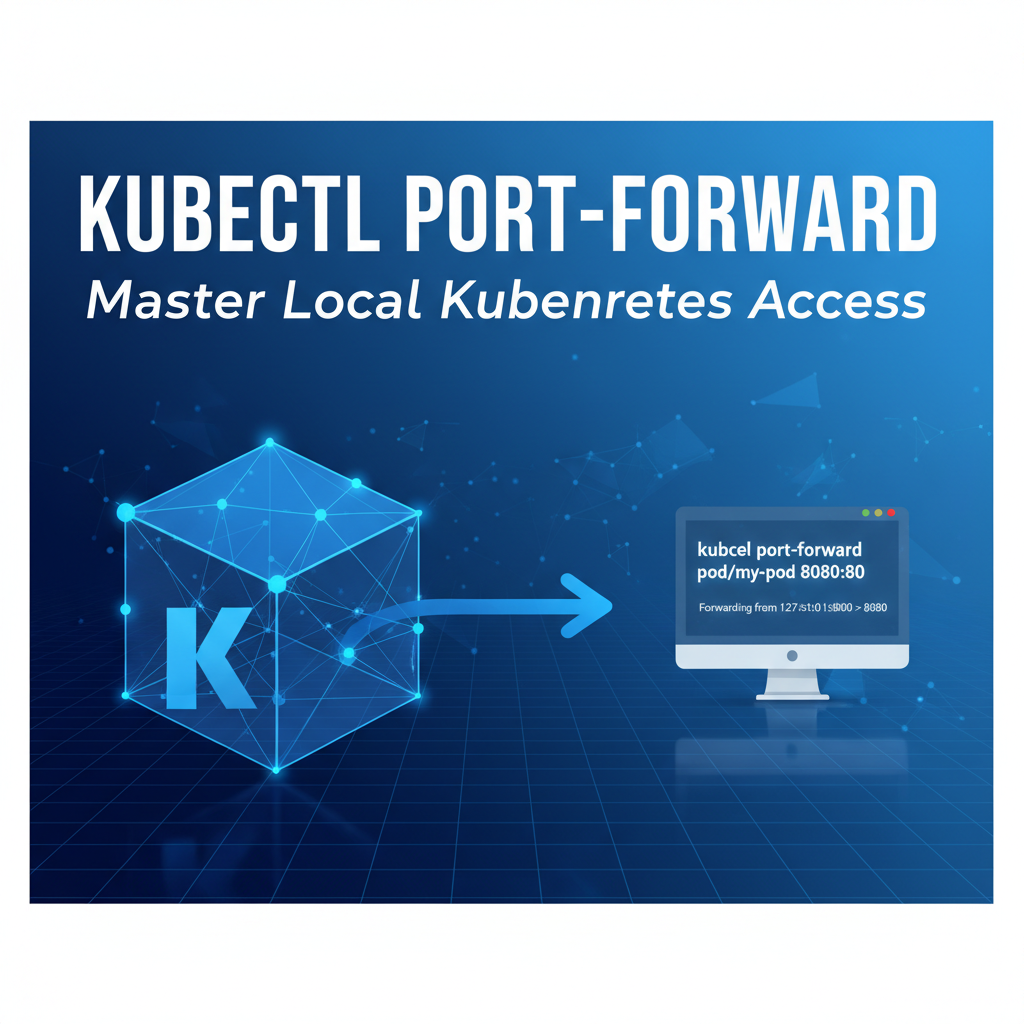
At its core, kubectl port-forward creates a bidirectional network tunnel. When you execute the command, it instructs your local kubectl client to open a port on your local machine and listen for incoming connections. Simultaneously, it communicates with the Kubernetes API server, requesting that a connection be established to a specified port on a target resource (either a Pod or a Service) within the cluster. The Kubernetes API server then leverages the Kubelet agent running on the node hosting the target Pod to facilitate this connection. For Pod-level forwarding, Kubelet essentially acts as an intermediary, forwarding traffic between the API server and the Pod's specific port. For Service-level forwarding, the API server handles the resolution of the Service to its backing Pods and then uses Kubelet on one of those Pods. This entire process is encapsulated and secured by the TLS encryption inherent in kubectl's communication with the API server, ensuring that the traffic traversing this tunnel remains protected.
The operation can be visualized as a secure pipeline: your local application sends data to a specified local port, kubectl captures this data, encrypts it, sends it through the established tunnel via the Kubernetes API server to the Kubelet, which then decrypts and injects it into the target Pod's network stack on the designated remote port. Responses follow the inverse path. This mechanism means that any application on your local machine can connect to localhost:<local-port> and effectively be communicating with remote-host:<remote-port> inside the Kubernetes cluster. It’s a transparent proxy, making a remote service appear local to your workstation.
The target of a port-forward can be either a specific Pod or a Kubernetes Service. * Pod-level forwarding: When forwarding to a Pod, kubectl establishes a connection directly to that specific Pod. This is useful for debugging individual Pod instances, especially if you need to bypass a Service's load balancing or want to inspect a particular Pod's behavior. However, if the Pod restarts or gets rescheduled, the port-forward connection will break, as the Pod's IP address might change. * Service-level forwarding: Forwarding to a Service offers greater stability. Instead of targeting a specific Pod, kubectl targets the Service. Kubernetes then handles the routing to one of the healthy backing Pods of that Service. This means that even if a Pod restarts, as long as the Service remains available and has healthy endpoints, your port-forward connection will gracefully continue, potentially switching to a different backing Pod without interruption. This is generally the preferred method for long-lived development sessions or when accessing a dynamically changing set of backend instances.
The authentication for port-forward is handled entirely by your existing kubectl context. If you have the necessary permissions to access the target Pod or Service within the specified namespace, port-forward will succeed. This security model leverages Kubernetes' Role-Based Access Control (RBAC), ensuring that only authorized users can establish these tunnels. There's no separate credential exchange for the tunnel itself; it simply reuses the authentication established for kubectl commands. This integration with the Kubernetes security model is a critical aspect, preventing unauthorized external access while providing controlled, developer-centric connectivity. The temporary nature of these tunnels further enhances security, as they are typically torn down once the kubectl process is terminated, leaving no persistent exposure.
Chapter 3: Syntax and Basic Usage – Your First Tunnel
Embarking on your journey with kubectl port-forward begins with understanding its straightforward syntax. Despite its powerful capabilities, the command structure is remarkably intuitive, designed for quick and efficient establishment of connections. This chapter will walk you through the fundamental ways to create tunnels, addressing both Pod-centric and Service-centric forwarding, and will highlight essential flags and common troubleshooting steps.
Forwarding to a Pod
The most granular form of port-forwarding involves directly targeting a specific Pod. This is particularly useful when you need to inspect the state or behavior of an individual instance, bypassing any load balancing that a Service might introduce.
The basic syntax for forwarding to a Pod is:
kubectl port-forward <pod-name> <local-port>:<remote-port> -n <namespace>
Let's break down the components: * <pod-name>: The exact name of the Pod you wish to connect to. You can find this by running kubectl get pods. * <local-port>: The port on your local machine that you want to use. You can choose any available port. * <remote-port>: The port on the Pod that the service is listening on. This is crucial; you need to know which port your application within the Pod exposes. * -n <namespace>: (Optional, but highly recommended) Specifies the namespace where the Pod resides. If omitted, kubectl uses your current context's default namespace.
Example: Forwarding to a Nginx Pod
Imagine you have an Nginx Pod named nginx-deployment-85885c9676-abcde running in the default namespace, and it's serving traffic on port 80. To access it locally on port 8080:
kubectl port-forward nginx-deployment-85885c9676-abcde 8080:80
Once executed, kubectl will display a message indicating that it's forwarding traffic:
Forwarding from 127.0.0.1:8080 -> 80
Handling connection for 8080
Now, you can open your web browser and navigate to http://localhost:8080, and you will see the Nginx welcome page, directly served from your Kubernetes Pod. This local access demonstrates the power of the tunnel.
Selecting Pods with Labels: Sometimes, you might not want to hardcode a Pod name, especially if Pods are ephemeral. You can select a Pod using labels. For instance, if your Nginx deployment has a label app=nginx, you can find a Pod and forward to it:
kubectl get pods -l app=nginx -o jsonpath='{.items[0].metadata.name}' | xargs -I {} kubectl port-forward {} 8080:80
While this command looks more complex, it programmatically retrieves the name of one of the nginx pods and then uses xargs to pipe it to port-forward. This approach offers more flexibility, especially in scripts.
Forwarding to a Service
For most development and debugging scenarios, forwarding to a Kubernetes Service is the preferred method due to its inherent stability and resilience. When you forward to a Service, Kubernetes takes care of routing your local traffic to one of the healthy backing Pods, making your connection robust against Pod restarts or scaling events.
The basic syntax for forwarding to a Service is:
kubectl port-forward service/<service-name> <local-port>:<remote-port> -n <namespace>
service/<service-name>: You must explicitly prefix the Service name withservice/.- The
<local-port>,<remote-port>, and-n <namespace>parameters function identically to Pod forwarding. The<remote-port>here refers to the target port defined in the Service'sportsspecification.
Example: Forwarding to a Nginx Service
If your Nginx deployment is exposed via a ClusterIP Service named nginx-service that routes to Pod port 80, you can forward to it on local port 8080:
kubectl port-forward service/nginx-service 8080:80
Again, once the command is running, you can access http://localhost:8080 to interact with your Nginx service. If the underlying Nginx Pod were to crash and be replaced by a new one, your port-forward connection would likely remain active, transparently routing to the new healthy Pod, provided the Service remains operational.
Common Flags and Options
--address <ip>: By default,kubectl port-forwardbinds to127.0.0.1(localhost). If you need to expose the local forwarded port to other machines on your local network, you can specify an IP address or0.0.0.0(to bind to all network interfaces). Use this with caution, as it exposes the forwarded port beyond your local machine, potentially creating a security risk.bash kubectl port-forward service/my-app 8000:80 --address 0.0.0.0--pod-running-timeout <duration>: Specifies the maximum time to wait for a Pod to be running and ready before aborting the command. Defaults to1m0s.
Troubleshooting Common Errors
error: unable to listen on any of the requested ports: [8080]: This usually means that local port8080is already in use by another application on your machine. You can either choose a different local port or stop the conflicting application.error: pod '<pod-name>' not foundorerror: services '<service-name>' not found: Double-check the spelling of your Pod or Service name and ensure you're in the correct namespace (-n).error: cannot connect to the Docker daemon at unix:///var/run/docker.sock. Is the docker daemon running?: This indicates an issue with your Docker or container runtime, whichkubectlindirectly relies on for some operations. Ensure your local Docker daemon is running.error: dial tcp 10.x.x.x:80: connect: connection refused: This often means theremote-portyou specified is incorrect, or the application inside the Pod is not actually listening on that port, or the Pod itself is not healthy. Verify the container's exposed ports and the application's configuration. You can often usekubectl describe pod <pod-name>orkubectl logs <pod-name>to get more information about the Pod's state.
Mastering these basic syntaxes and troubleshooting techniques forms the bedrock of effectively utilizing kubectl port-forward, allowing you to swiftly establish local access to your Kubernetes resources and greatly enhance your development workflow.
Chapter 4: Advanced Scenarios and Best Practices
While the basic usage of kubectl port-forward provides immediate utility, its true power unfolds in advanced scenarios and when integrated into sophisticated development workflows. This chapter explores how to leverage port-forward for more complex debugging, local application integration, and interaction with various backend services, alongside crucial best practices for security and efficiency.
Multiple Forwards: Orchestrating Complex Local Environments
It's common for modern applications to depend on several backend services—a database, a message queue, a caching layer, and perhaps multiple microservices. kubectl port-forward doesn't restrict you to a single tunnel. You can run multiple port-forward commands concurrently, each in a separate terminal window, to establish simultaneous connections to different services within your Kubernetes cluster.
For instance, if your local application needs to connect to: * A PostgreSQL database Service (postgres-service) on remote port 5432, locally mapped to 5432. * A Redis cache Service (redis-service) on remote port 6379, locally mapped to 6379. * A specific backend api Service (my-backend-api) on remote port 8080, locally mapped to 8000.
You would simply open three separate terminal tabs or windows and execute:
# Terminal 1: PostgreSQL
kubectl port-forward service/postgres-service 5432:5432 -n my-app-namespace

# Terminal 2: Redis
kubectl port-forward service/redis-service 6379:6379 -n my-app-namespace

# Terminal 3: My Backend API
kubectl port-forward service/my-backend-api 8000:8080 -n my-app-namespace
Your local application can then connect to localhost:5432, localhost:6379, and localhost:8000 as if these services were running directly on your machine, greatly simplifying local development against a remote cluster.
Backgrounding port-forward: Seamless Integration
Running port-forward in the foreground means your terminal session is blocked. For a more integrated workflow, especially when running multiple tunnels or automating scripts, you'll want to background the process.
- Using
&(Ampersand): The simplest way to runport-forwardin the background is by appending&to the command:bash kubectl port-forward service/my-app 8000:80 &This detaches the process from your current shell, allowing you to continue using the terminal. However, the process is still tied to the shell session. If you close the terminal, theport-forwardprocess will terminate. - Using
nohup(No Hang Up): For more persistent backgrounding that survives terminal closures,nohupcombined with&is a good option:bash nohup kubectl port-forward service/my-app 8000:80 > /dev/null 2>&1 &This command runsport-forwardin the background, redirects its output to/dev/null(to preventnohup.outfiles), and ensures it continues running even if your terminal session ends. - Process Management: Keep track of your backgrounded
port-forwardprocesses usingps -ef | grep 'kubectl port-forward'and terminate them usingkill <pid>when no longer needed. For numerous forwards, consider scripting a cleanup routine.
Local Application Development and Debugging
port-forward is an absolute game-changer for local application development against Kubernetes. * IDE Integration: Connect your IDE's debugger directly to a service running in Kubernetes. If you have a local frontend application that needs to talk to a backend api deployed in the cluster, you can port-forward to the backend service. Your local frontend then points to localhost:<local-port>, making development seamless. * Database Access: Connect your local database management tools (e.g., DBeaver, DataGrip, pgAdmin, MySQL Workbench) directly to a database Pod or Service inside Kubernetes. This is invaluable for running migrations, inspecting data, or ad-hoc queries without exposing the database publicly. * Message Queues/Caches: Access internal Redis instances, Kafka brokers, or RabbitMQ queues from your local machine to publish or consume messages, inspect queue states, or test cache interactions. * Monitoring and Debugging Tools: Attach local profilers, network sniffers, or custom monitoring scripts to services running in Kubernetes. For example, if you have a custom metrics endpoint on your service, you can port-forward to it and scrape metrics locally.
Security Considerations for Advanced Usage
While immensely powerful, port-forward must be used with an understanding of its security implications: * Limited Scope: port-forward is designed for development and debugging, not for production-grade public exposure. It creates a temporary, authenticated tunnel for a single user. * Local Network Exposure: If you use --address 0.0.0.0, your forwarded port becomes accessible to any device on your local network. This dramatically increases the attack surface, especially if you're on an untrusted network. Only use 0.0.0.0 when explicitly required and with strong awareness of the risks. * Ephemeral Tunnels: Always remember that port-forward tunnels are ephemeral. They cease to exist when the kubectl process terminates. This is generally a good security feature, as it limits exposure duration. However, for continuous access, you'll need to re-establish the connection. * RBAC Permissions: Ensure that the user initiating port-forward has only the necessary RBAC permissions. Granting broad get, list, watch, create, delete permissions on Pods and Services across all namespaces for port-forward can inadvertently lead to privilege escalation if an attacker gains access to a user's kubeconfig. Best practice dictates granting port-forward capability (via verbs: ["get"] on pods/portforward resource) specifically, and only to the required namespaces.
Performance Implications
For most development and debugging tasks, the performance overhead of kubectl port-forward is negligible. The tunnel is efficient, and for typical api calls or database queries, you won't notice significant latency. However, it's not designed for high-throughput, sustained data transfer, or acting as a permanent ingress. For production traffic, dedicated solutions like Ingress controllers, Load Balancers, or specialized API Gateways are mandatory. port-forward is a developer's precision tool, not a scalable infrastructure component.
By understanding these advanced applications and diligently following best practices, developers can transform kubectl port-forward into an indispensable part of their Kubernetes toolkit, unlocking new levels of productivity and control over their distributed applications.
APIPark is a high-performance AI gateway that allows you to securely access the most comprehensive LLM APIs globally on the APIPark platform, including OpenAI, Anthropic, Mistral, Llama2, Google Gemini, and more.Try APIPark now! 👇👇👇
Chapter 5: port-forward in the Context of APIs and API Gateways
The modern application landscape is built upon the foundation of Application Programming Interfaces (APIs). Microservices communicate via APIs, frontend applications consume backend APIs, and external partners integrate through carefully crafted API specifications. In a Kubernetes environment, where services are isolated and dynamically managed, accessing and debugging these APIs—whether internal microservice APIs or those managed by an API Gateway—presents a unique challenge. This is precisely where kubectl port-forward shines, providing a direct and invaluable conduit for API interaction and API Gateway testing.
Debugging Microservice APIs
Consider a complex microservices architecture deployed in Kubernetes. A developer might be working on a specific frontend feature that interacts with a particular backend microservice. Or, they might be developing a new version of a microservice and need to test its api endpoints in isolation, without affecting other parts of the system or relying on potentially unstable ingress configurations. In these scenarios, kubectl port-forward becomes an essential companion.
Developers can use port-forward to establish a direct connection to a specific microservice's api endpoint. For example, if a user-service deployed in Kubernetes exposes an api on port 8080, you can forward that port to your local machine:
kubectl port-forward service/user-service 9000:8080 -n my-app-namespace
Now, from your local machine, you can use curl, Postman, Insomnia, or any API testing tool to make requests to http://localhost:9000/users or http://localhost:9000/users/{id}. This allows for: * Direct Endpoint Testing: Verify that specific api endpoints are behaving as expected, returning the correct data formats and status codes. * Data Verification: Directly query the api to inspect the data it returns, crucial for debugging data transformation issues or database interactions. * Local UI Integration: If you're building a local frontend, it can now directly communicate with the backend api running in Kubernetes, facilitating rapid iteration and testing without full cluster deployment for the frontend. * Simulating External API Calls: Test how your microservice responds to various api requests, simulating scenarios that would normally come from other services or external clients.
This direct access vastly accelerates the debugging cycle. Instead of deploying changes to a staging environment and waiting for ingress to propagate, developers can test their api logic in near real-time, receiving immediate feedback.
Interacting with Internal Kubernetes APIs
Beyond application-specific apis, port-forward is also useful for interacting with various internal services that expose apis for operational or monitoring purposes. This could include: * Metrics Endpoints: Accessing Prometheus exporters (/metrics endpoints) from a service to verify the exposed metrics or troubleshoot why metrics aren't being scraped correctly. * Health Checks: Directly hitting health or readiness api endpoints (/healthz, /ready) to check the status of a specific Pod or application. * Custom Control Plane APIs: If you have custom operators or controllers that expose their own api for status reporting or custom actions, port-forward can provide local access.
These uses are critical for diagnosing system health, verifying observability setups, and ensuring the robust operation of your cluster's internal components.
Testing API Gateways Locally
An API Gateway acts as the single entry point for all client requests, routing them to the appropriate microservice, enforcing security policies, handling rate limiting, and often performing api transformations. When an API Gateway is deployed within Kubernetes, testing its configuration, routing rules, and policy enforcement locally is a critical development step. kubectl port-forward provides the perfect mechanism for this.
Imagine you have an api gateway service, perhaps named my-api-gateway-service, deployed in your Kubernetes cluster, listening on port 80. You can establish a port-forward tunnel directly to this api gateway:
kubectl port-forward service/my-api-gateway-service 8080:80 -n gateway-namespace
Now, from your local machine, any request made to http://localhost:8080 will be routed through your api gateway instance in Kubernetes. This allows you to: * Validate Routing: Test if your gateway's routing rules correctly direct traffic to the intended backend microservices. * Verify Authentication/Authorization: Test api keys, JWT validation, or other security policies enforced by the gateway. * Check Rate Limiting: Simulate high traffic to see if the gateway's rate-limiting policies are working as expected. * Debug API Transformations: If the gateway performs api request or response transformations, you can verify their correctness locally. * Test New Gateway Configurations: Rapidly iterate on gateway configurations (e.g., adding new routes, updating policies) and test them through port-forward before deploying them more broadly.
This capability is invaluable for developing and maintaining a robust API Gateway. It empowers developers to ensure the gateway's configuration is correct and secure, forming a reliable api façade for their applications.
For robust API management and AI integration, platforms like APIPark offer comprehensive solutions, often deployed within Kubernetes. APIPark serves as an open-source AI gateway and API management platform, designed to simplify the integration, management, and deployment of both AI and REST services. It unifies API formats, encapsulates prompts into REST APIs, and provides end-to-end API lifecycle management. When developing or debugging applications that interact with an APIPark instance deployed in your cluster, kubectl port-forward becomes an invaluable tool. For example, if you're experimenting with APIPark's capability to integrate over 100 AI models with a unified management system, you can use port-forward to locally test the invocation of these AI APIs through APIPark. This allows you to verify the standardized request data format across different AI models, ensuring that changes in AI models or prompts do not affect your local application or microservices. Furthermore, when utilizing APIPark's feature to encapsulate custom prompts into new REST APIs (e such as sentiment analysis or translation apis), port-forward enables you to test these newly created apis from your local development environment before exposing them through an Ingress or a LoadBalancer. This direct access facilitates fine-tuning of API configurations, prompt designs, and security policies, ensuring seamless interaction and optimal performance for the API Gateway and the AI services it manages. APIPark's comprehensive API lifecycle management, including traffic forwarding, load balancing, and versioning, can all be locally validated via port-forward during the development phase, contributing to a more efficient and secure API ecosystem. It is also instrumental for testing the independent APIs and access permissions for each tenant or validating the subscription approval features, guaranteeing that callers must subscribe and await approval before they can invoke a particular API.
The symbiotic relationship between kubectl port-forward and APIs/API Gateways is clear. port-forward transforms the abstract, isolated APIs of a Kubernetes cluster into locally accessible endpoints, dramatically accelerating the development, testing, and debugging of distributed applications and their critical API interfaces. It's a foundational tool for any developer working within a Kubernetes-centric, API-driven world.
Chapter 6: Alternatives and When to Use port-forward
While kubectl port-forward is an exceptionally versatile tool for local Kubernetes access, it's not the only option, nor is it always the best one for every scenario. Understanding its place among other networking and debugging utilities is crucial for making informed decisions. This chapter will explore various alternatives and outline the specific contexts in which port-forward truly shines.
kubectl proxy: Accessing the Kubernetes API Server
kubectl proxy serves a very different purpose than port-forward. It creates a proxy server on your local machine that allows you to directly interact with the Kubernetes API server itself, not with individual application services within your cluster.
- How it works:
kubectl proxylistens on a local port (default8001) and forwards requests to the KubernetesAPIserver. It handles authentication and authorization transparently using yourkubeconfig. - Use Cases:
- Developing custom Kubernetes client applications (e.g., custom controllers, dashboards) that need to query the
APIserver. - Exploring the Kubernetes
APIresources directly from a browser (e.g.,http://localhost:8001/api/v1/namespaces/default/pods). - Accessing raw
APIdata for debugging Kubernetes internal operations.
- Developing custom Kubernetes client applications (e.g., custom controllers, dashboards) that need to query the
- When not to use it: To access your application's
apiendpoints (e.g., a microservice's RESTapi). For that,port-forwardis the correct tool.kubectl proxyis about interacting with Kubernetes itself, not your deployed applications.
Ingress Controllers and Load Balancers: Public Exposure
Ingress controllers and cloud provider Load Balancers are the standard mechanisms for exposing HTTP/S services to the public internet or an external network.
- How they work:
- Ingress: Provides layer 7 (HTTP/S) routing based on hostnames and paths, allowing multiple services to share a single public IP. An Ingress Controller (like Nginx Ingress, Traefik, Istio Gateway) manages these rules.
- Load Balancers: (e.g., AWS ELB, GCP L7 LB, Azure LB) provide external, often highly available, network access to Kubernetes Services, typically NodePort or LoadBalancer type.
- Use Cases:
- Exposing production-grade web applications to external users.
- Implementing domain-based routing, SSL termination, and advanced traffic management.
- When not to use them for local dev:
- Overkill for temporary local debugging of internal services.
- Requires public DNS records, certificates, and often takes time to provision.
- Not suitable for directly accessing services that should never be public.
- Adds complexity for granular debugging of a single component.
VPNs: Network-Level Cluster Access
A Virtual Private Network (VPN) creates a secure network connection between your local machine and the cluster's private network.
- How it works: Once connected to the VPN, your local machine effectively becomes part of the cluster's internal network, allowing you to access Pod IPs or Service IPs directly (if routing is configured).
- Use Cases:
- When you need broad, network-level access to all resources within the cluster, not just a single service.
- For administrators or operations teams requiring comprehensive network access for troubleshooting or maintenance.
- Integrating on-premise tools directly with cluster resources.
- When not to use it:
- Can be complex to set up and manage.
- Might require specific network configurations (e.g., peering, routing tables).
- Often provides more access than is necessary for a single development task, potentially increasing security risk.
port-forwardis simpler and more targeted for single-service access.
Service Mesh Sidecars: Intra-Cluster Communication
Service meshes (like Istio, Linkerd, Consul Connect) inject sidecar proxies into Pods to manage inter-service communication within the cluster.
- How they work: Sidecars intercept all network traffic to and from application containers, enabling features like traffic management, security policies (mTLS), observability, and resiliency for intra-cluster communication.
- Use Cases:
- Managing and securing communication between microservices within the cluster.
- Advanced traffic routing (canary deployments, A/B testing).
- Collecting detailed telemetry for service interactions.
- When it complements
port-forward:- While a service mesh governs internal communication,
port-forwardprovides the bridge for external (local machine) to internal cluster access. You mightport-forwardto a service that is part of a service mesh, and the sidecar will transparently handle the mesh policies for that service.
- While a service mesh governs internal communication,
kubectl exec and kubectl cp: Shell Access and File Transfer
These commands are complementary and offer different forms of direct interaction with Pods.
kubectl exec: Allows you to execute commands directly inside a running container within a Pod. Great for inspecting processes, file systems, or running diagnostic tools from within the container's context.kubectl cp: Enables copying files and directories between your local machine and a Pod's container. Useful for deploying small configuration files or retrieving logs.- When
port-forwardis better: For network communication (e.g., connecting a local database client to a remote database, or a local browser to a web application),port-forwardis superior.execandcpare for command-line and file operations.
Sophisticated Local Development Tools: Telepresence, Skaffold, Garden
More advanced tools have emerged to streamline the entire local development experience with Kubernetes. These often build upon or integrate concepts similar to port-forward.
- Telepresence: Allows you to swap out a running service in your remote Kubernetes cluster with a version running locally. It intercepts traffic destined for the remote service and redirects it to your local machine, and vice-versa. This is like a very smart, dynamic
port-forwardthat enables local debugging of a microservice in context of the entire cluster. - Skaffold: Automates the build, push, and deploy workflow for Kubernetes applications, providing
devmode features like file synchronization and hot-reloading, which can incorporateport-forwardingto make services accessible. - Garden: A tool that builds and deploys applications to Kubernetes, offering sophisticated local development features, including local
hot-reloadandport-forwarding. - When to use them: For a comprehensive, integrated local development experience, especially for larger microservices projects. They offer more than just port forwarding, encompassing build, deploy, and debugging loops.
- When
port-forwardis sufficient: For quick, ad-hoc access to a single service, or when you don't need the full suite of features offered by these heavier tools.port-forwardis the lightweight, fundamental building block.
Summary Comparison Table
To summarize the utility of kubectl port-forward versus its alternatives, consider the following table:
| Feature/Tool | Primary Use Case | Granularity | Complexity | Ideal For |
|---|---|---|---|---|
port-forward |
Local access to specific K8s Service/Pod | Single Service/Pod | Low | Local dev/debugging, API testing, temporary access |
kubectl proxy |
Accessing Kubernetes API server | K8s API | Low | K8s API interaction, custom dashboards |
| Ingress/LB | Public external exposure | Cluster-wide | Medium-High | Production web apps, public APIs |
| VPN | Network-level cluster access | Full Network | Medium | Admin/Ops, broad network integration |
| Service Mesh | Intra-cluster traffic management | Intra-cluster | High | Microservices communication, observability |
kubectl exec |
Shell access inside Pod | Single Container | Low | Container debugging, file inspection |
kubectl cp |
File transfer to/from Pod | Single Container | Low | Config updates, log retrieval |
| Telepresence | Local dev w/ remote context | Single Service | Medium | Local debugging of microservices within cluster context |
| Skaffold/Garden | Automated local dev workflow | Full Application | Medium-High | CI/CD for local dev, hot-reloading |
In essence, kubectl port-forward excels when you need surgical, temporary, and secure local access to a specific service or Pod within your Kubernetes cluster for development and debugging purposes. It strikes a perfect balance between power and simplicity, making it an indispensable tool that complements, rather than replaces, other Kubernetes networking and development solutions.
Chapter 7: Real-World Scenarios and Advanced Tips
Beyond its fundamental applications, kubectl port-forward truly shines in specific real-world scenarios, transforming complex debugging tasks into manageable local operations. This chapter dives into practical examples and offers advanced tips to maximize your efficiency with this essential command.
Debugging a UI Application with a Kubernetes Backend
One of the most common and impactful uses of port-forward is facilitating the development of a local User Interface (UI) application that interacts with a backend service running in Kubernetes.
Scenario: You are developing a React or Angular frontend application locally. This frontend needs to fetch data from a Java Spring Boot backend microservice, which is deployed within your Kubernetes cluster as my-backend-service listening on port 8080.
Solution: 1. Start your local frontend development server (e.g., npm start or ng serve). 2. In a separate terminal, port-forward to your backend service: bash kubectl port-forward service/my-backend-service 8080:8080 -n my-app-namespace This makes your Kubernetes backend available at http://localhost:8080. 3. Configure your local frontend application to make API calls to http://localhost:8080.
Now, your frontend can run entirely locally, providing instant UI feedback and faster iteration cycles, while seamlessly communicating with the actual backend deployed in your cluster. This avoids the need to deploy your frontend to Kubernetes for every small change, or to mock API responses extensively.
Running Local Database Migration Scripts Against a Remote Database
Managing database schema changes is a crucial part of application development. Often, you might need to run migration scripts (e.g., Flyway, Liquibase, Alembic) from your local development environment against a database instance running in Kubernetes.
Scenario: You have a PostgreSQL database deployed as a Service (postgres-db) in your cluster on port 5432. You need to apply a new schema migration from your local machine.
Solution: 1. port-forward to your database service: bash kubectl port-forward service/postgres-db 5432:5432 -n my-db-namespace 2. Configure your local migration tool or script to connect to localhost:5432 with the appropriate credentials. 3. Execute your migration script locally.
This approach provides a direct, secure channel for schema management, ensuring your local migrations are tested against the actual database instance in your cluster without exposing it publicly.
Accessing a Metrics Dashboard (e.g., Grafana, Kibana) Deployed in the Cluster
Monitoring tools like Grafana, Prometheus dashboards, or Kibana are frequently deployed within Kubernetes for internal cluster observability. Accessing these dashboards from your local machine, especially in non-production environments, is a perfect use case for port-forward.
Scenario: You have a Grafana deployment exposed via a ClusterIP Service named grafana-service on port 3000 in the monitoring namespace.
Solution: 1. port-forward to the Grafana service: bash kubectl port-forward service/grafana-service 3000:3000 -n monitoring 2. Open your web browser and navigate to http://localhost:3000. You will now have full access to your Grafana dashboard.
This is much simpler and more secure than setting up an Ingress or NodePort for internal dashboards that aren't meant for public consumption.
Using port-forward with Helm Charts for Local Testing
Helm is the de facto package manager for Kubernetes. When developing or testing Helm charts, you often need to verify that the deployed services are accessible and functioning correctly.
Scenario: You've deployed an application using a Helm chart, and it includes a Service called my-helm-app-service on port 80.
Solution: 1. After deploying your Helm chart (helm install my-release my-chart), get the service name: bash kubectl get svc -l app.kubernetes.io/instance=my-release -n <namespace> (Replace -l with the appropriate labels from your Helm chart, or find the service name manually). 2. port-forward to the identified service: bash kubectl port-forward service/my-helm-app-service 8080:80 -n <namespace> 3. Test your application via http://localhost:8080.
This allows for rapid testing of Helm chart deployments, ensuring that the services exposed by the chart are correctly configured and accessible.
Scripting port-forward for Automated Setup and Cleanup
For complex local development environments involving multiple port-forward tunnels, scripting can automate the setup and teardown process.
Example Bash Script (start-dev-tunnels.sh):
#!/bin/bash

NAMESPACE="my-app-namespace"

echo "Starting port-forward for PostgreSQL..."
kubectl port-forward service/postgres-db 5432:5432 -n $NAMESPACE > /tmp/postgres-forward.log 2>&1 &
POSTGRES_PID=$!
echo "PostgreSQL forward PID: $POSTGRES_PID"

echo "Starting port-forward for Redis..."
kubectl port-forward service/redis-service 6379:6379 -n $NAMESPACE > /tmp/redis-forward.log 2>&1 &
REDIS_PID=$!
echo "Redis forward PID: $REDIS_PID"

echo "Starting port-forward for My Backend API..."
kubectl port-forward service/my-backend-service 8000:8080 -n $NAMESPACE > /tmp/backend-forward.log 2>&1 &
BACKEND_PID=$!
echo "Backend API forward PID: $BACKEND_PID"

echo "All tunnels started. Access them via localhost:5432, localhost:6379, localhost:8000"
echo "To stop, run: kill $POSTGRES_PID $REDIS_PID $BACKEND_PID"

# Store PIDs for easy cleanup
echo "$POSTGRES_PID $REDIS_PID $BACKEND_PID" > /tmp/dev_tunnels_pids.txt

# Keep the script running to keep the tunnels active
# If you exit the script, the nohup processes (if used) will continue,
# but for simple '&' backgrounding, the script should ideally run in a new terminal
# or be started with nohup itself. For demonstration, we just list PIDs.
wait
And a corresponding cleanup script (stop-dev-tunnels.sh):
#!/bin/bash

if [ -f /tmp/dev_tunnels_pids.txt ]; then
    PIDS=$(cat /tmp/dev_tunnels_pids.txt)
    echo "Stopping port-forward processes: $PIDS"
    kill $PIDS
    rm /tmp/dev_tunnels_pids.txt
    echo "Tunnels stopped."
else
    echo "No active tunnel PIDs found in /tmp/dev_tunnels_pids.txt."
fi
This scripting capability enhances developer experience significantly, reducing manual setup and potential errors.
Dealing with Ephemeral Pods and Dynamic IP Addresses
As highlighted earlier, Pods in Kubernetes are ephemeral. They can restart, be rescheduled, or scale up/down, leading to changes in their IP addresses. * Best Practice: Always prefer kubectl port-forward service/<service-name> over kubectl port-forward <pod-name>. Service forwarding automatically handles routing to the currently active and healthy Pods, making your local connection resilient to Pod lifecycle events. If you absolutely need to forward to a specific Pod (e.g., for very specific debugging), be aware that the connection might break if the Pod dies.
These real-world applications and advanced tips demonstrate that kubectl port-forward is far more than a basic networking utility. It is a strategic tool that, when mastered, can dramatically improve developer productivity, streamline debugging processes, and bridge the local environment with the complex realities of a Kubernetes cluster, making the development of distributed systems feel as intuitive as working on a monolith.
Chapter 8: Security Best Practices and Pitfalls
While kubectl port-forward is an indispensable tool for developers, its power also necessitates a keen understanding of its security implications. Misuse or negligence can inadvertently create vulnerabilities, exposing internal cluster resources or even your local machine to undue risk. Adhering to security best practices and being aware of common pitfalls is paramount.
Principle of Least Privilege: Only Forward Necessary Ports
The cornerstone of security is the principle of least privilege. When using port-forward, this translates to: * Forward only what you need: Avoid forwarding an entire range of ports or ports for services you don't actively need to access. Each open port is a potential entry point. * Forward to specific ports: Be precise with the <remote-port> you specify. Do not guess or use common ports without verifying the target service is listening on that port. Connecting to a wrong port might not be immediately obvious and could lead to unexpected behavior or data exposure. * Limit scope by Service: Whenever possible, forward to a Kubernetes Service rather than directly to a Pod. Services are typically designed to expose only specific application ports, whereas a Pod might have multiple containers running on various internal ports, some of which are not meant for external interaction.
Avoid Forwarding to Sensitive Services Unless Absolutely Necessary
Certain services within your Kubernetes cluster contain highly sensitive data or control critical operations. * Kube-APIServer (Port 6443), etcd (Port 2379), Kubelet (Port 10250/10255): These are core Kubernetes components. Direct port-forwarding to them is rarely required for application development and should be done with extreme caution, typically only by experienced administrators for very specific diagnostic purposes. Exposing these, even locally, can be a severe security risk if your local machine is compromised. * Unauthenticated Databases/Services: Be especially wary of forwarding to database services or internal APIs that lack strong authentication mechanisms. Even if the tunnel is secure, an attacker gaining access to your local machine could then potentially access an unauthenticated backend through your port-forward tunnel.
Be Mindful of Local Network Exposure (--address 0.0.0.0)
By default, kubectl port-forward binds the local port to 127.0.0.1 (localhost). This means only applications running on your local machine can connect to it. This is generally the safest default.
However, the --address 0.0.0.0 flag, as discussed, allows port-forward to bind to all network interfaces, making the forwarded port accessible from other devices on your local network. * The Risk: If you're on an unsecured Wi-Fi network (e.g., a coffee shop, public library) or a corporate network where other devices might be compromised, using --address 0.0.0.0 effectively turns your machine into a gateway to your internal Kubernetes cluster resources. Anyone on the same network could potentially access your forwarded services. * Recommendation: Avoid using --address 0.0.0.0 unless you explicitly understand and accept the risks, and only when on a trusted, isolated network. For collaboration, consider secure screen sharing or dedicated remote access solutions.
Clean Up Forwarded Ports
port-forward tunnels are temporary, but they don't always clean up themselves automatically, especially if kubectl is force-killed or the terminal session is abruptly terminated. * Zombie Processes: Backgrounded port-forward processes might become "zombie" processes, silently consuming resources or holding onto ports. * Port Conflicts: Leaving old port-forward processes running can lead to "port already in use" errors when you try to establish a new tunnel on the same local port. * Best Practice: * Always terminate port-forward processes when you are finished with them. If run in the foreground, simply pressing Ctrl+C will close the tunnel. * If run in the background, identify and kill the process using ps -ef | grep 'kubectl port-forward' and kill <PID>. * For scripted setups, ensure a robust cleanup mechanism is in place (as shown in Chapter 7).
port-forward is a Developer Tool, Not a Production Ingress
It is critical to reiterate that kubectl port-forward is designed for development and debugging purposes. It is explicitly not a solution for exposing services in production environments. * Lack of Scalability/High Availability: port-forward provides a single-point tunnel. It has no built-in load balancing, high availability, or traffic management capabilities. * Limited Traffic Management: It doesn't offer features like rate limiting, API authentication (beyond kubectl's context), or sophisticated routing rules. * Reliance on kubectl: Its operation depends on the kubectl client remaining active, making it fragile for continuous service exposure. * Production Alternatives: For production, always use Kubernetes Ingress controllers, Load Balancers, or dedicated API Gateway solutions (like APIPark) that are built for enterprise-grade performance, security, and scalability.
RBAC Permissions for port-forward
The ability to port-forward to a Pod or Service is governed by Kubernetes' Role-Based Access Control (RBAC). * Required Permissions: To use port-forward, a user needs get permission on the pods resource in the target namespace. Specifically, for pods/portforward subresource, the create verb is required. * Least Privilege RBAC: When configuring RBAC for developers, grant port-forward permissions only for the namespaces and resources they genuinely need access to. Avoid granting cluster-wide get pods if not necessary. For example, a Role for port-forward might look like:
apiVersion: rbac.authorization.k8s.io/v1
kind: Role
metadata:
  name: pod-portforwarder
  namespace: my-dev-namespace
rules:
- apiGroups: [""]
  resources: ["pods", "services"] # To find pod/service name
  verbs: ["get", "list"]
- apiGroups: [""]
  resources: ["pods/portforward"]
  verbs: ["create"]
This ensures that developers can only establish tunnels to resources they are authorized to view and interact with, mitigating broader security risks.
By consciously adopting these security best practices, developers can leverage the immense utility of kubectl port-forward without inadvertently introducing vulnerabilities into their development workflow or their Kubernetes environments. It transforms from a simple command into a powerful, yet responsible, development accelerator.
Conclusion
In the intricate, often opaque world of Kubernetes, where applications are meticulously containerized and services operate within isolated network cocoons, kubectl port-forward stands out as a beacon of clarity and efficiency. It is the quintessential developer's bridge, a secure, temporary conduit that collapses the physical distance between your local workstation and the deeply embedded resources within your cluster. From the foundational challenge of Kubernetes networking isolation to the nuanced interactions with microservice APIs and sophisticated API Gateways, port-forward provides an unparalleled level of direct access, fundamentally reshaping how developers interact with their distributed applications.
We've journeyed through its core mechanics, understanding how kubectl deftly negotiates with the Kubernetes API server and Kubelet to establish transparent, bidirectional tunnels. We explored its versatility, from basic Pod and Service forwarding to advanced scenarios involving multiple tunnels, background processes, and seamless integration with local development environments. Crucially, we delved into its pivotal role in debugging specific microservice APIs, ensuring their correct functionality, and in thoroughly testing API Gateway configurations, validating routing, security policies, and transformations before broader deployment. Platforms like APIPark, an open-source AI gateway and API management platform, further highlight this synergy, demonstrating how port-forward becomes indispensable for locally testing AI model integrations, unified API formats, and prompt encapsulations provided by such comprehensive solutions within Kubernetes.
While acknowledging the existence of other powerful tools like Ingress controllers, VPNs, and advanced local development suites, we've firmly established kubectl port-forward as the go-to utility for surgical, ad-hoc, and secure local access. Its simplicity, speed, and precision make it irreplaceable for rapid iteration, granular debugging, and interactive testing of individual components or services. However, this power comes with responsibility. We emphasized critical security best practices, advocating for the principle of least privilege, careful consideration of local network exposure, diligent cleanup of tunnels, and a firm distinction between a development tool and a production-grade ingress solution.
Mastering kubectl port-forward is not merely about memorizing a command; it's about internalizing a philosophy of efficient interaction with complex distributed systems. It empowers developers to cut through networking complexities, accelerate debugging cycles, and maintain a fluid, responsive development workflow. As Kubernetes continues to evolve and become the bedrock of modern infrastructure, tools like kubectl port-forward will remain foundational, enabling practitioners to navigate its depths with confidence and precision, ensuring that the promise of agile, cloud-native development is fully realized. Embrace this command, integrate it into your daily toolkit, and unlock a new realm of productivity in your Kubernetes journey.
Frequently Asked Questions (FAQs)
1. What is the primary purpose of kubectl port-forward?
The primary purpose of kubectl port-forward is to create a secure, temporary network tunnel between your local machine and a specific Pod or Service within a Kubernetes cluster. This allows you to access services running inside the cluster from your local environment as if they were running locally, bypassing the cluster's internal networking isolation and external exposure mechanisms like Ingress or Load Balancers. It's mainly used for local development, debugging, and testing.
2. What's the difference between forwarding to a Pod and forwarding to a Service? Which one should I use?
When you forward to a Pod (kubectl port-forward <pod-name> ...), you create a direct tunnel to a specific, single Pod instance. If that Pod restarts or is rescheduled, your connection will break. When you forward to a Service (kubectl port-forward service/<service-name> ...), Kubernetes handles the routing to one of the healthy Pods backing that Service. This means your connection is more resilient; if a Pod restarts, the Service will transparently route to another available Pod, often maintaining your connection. For most development and debugging scenarios, forwarding to a Service is recommended due to its stability and resilience to Pod lifecycle events.
3. Is kubectl port-forward secure enough for production use?
No, kubectl port-forward is not designed for production use. It is a developer and debugging tool. While the tunnel itself is secured by kubectl's authentication and TLS, it lacks critical production-grade features such as scalability, high availability, load balancing, advanced traffic management, and robust security policies beyond basic RBAC. For exposing services in production, always use Kubernetes Ingress controllers, Load Balancers, or dedicated API Gateway solutions (like APIPark) that are built for enterprise performance, security, and reliability.
4. Can I use kubectl port-forward to access a database or API Gateway inside my cluster?
Absolutely, and these are some of its most powerful applications. You can port-forward to a database Service (e.g., PostgreSQL, MySQL) to connect your local database client or migration tools. Similarly, you can port-forward directly to an API Gateway service (such as APIPark) deployed within your cluster to test its routing rules, API configurations, authentication policies, or to debug AI integrations locally before exposing it to external traffic. This capability greatly accelerates development and testing cycles for both backend services and the critical API infrastructure.
5. What are the common security considerations when using kubectl port-forward?
The main security considerations include: * Principle of Least Privilege: Only forward the specific ports you need and to resources you are authorized to access. * Local Network Exposure: Be extremely cautious with the --address 0.0.0.0 flag, as it makes your forwarded port accessible from other machines on your local network, potentially exposing internal cluster resources if your local machine or network is compromised. Use 127.0.0.1 (the default) unless absolutely necessary. * Clean Up: Always terminate port-forward processes when you're done with them to prevent zombie processes or unintended prolonged access. * RBAC Permissions: Ensure that the Kubernetes user initiating the port-forward has only the minimal necessary RBAC permissions (e.g., get on pods/services, create on pods/portforward).
🚀You can securely and efficiently call the OpenAI API on APIPark in just two steps:
Step 1: Deploy the APIPark AI gateway in 5 minutes.
APIPark is developed based on Golang, offering strong product performance and low development and maintenance costs. You can deploy APIPark with a single command line.
curl -sSO https://download.apipark.com/install/quick-start.sh; bash quick-start.sh

In my experience, you can see the successful deployment interface within 5 to 10 minutes. Then, you can log in to APIPark using your account.

Step 2: Call the OpenAI API.