kubectl port forward Explained: Access Services Locally
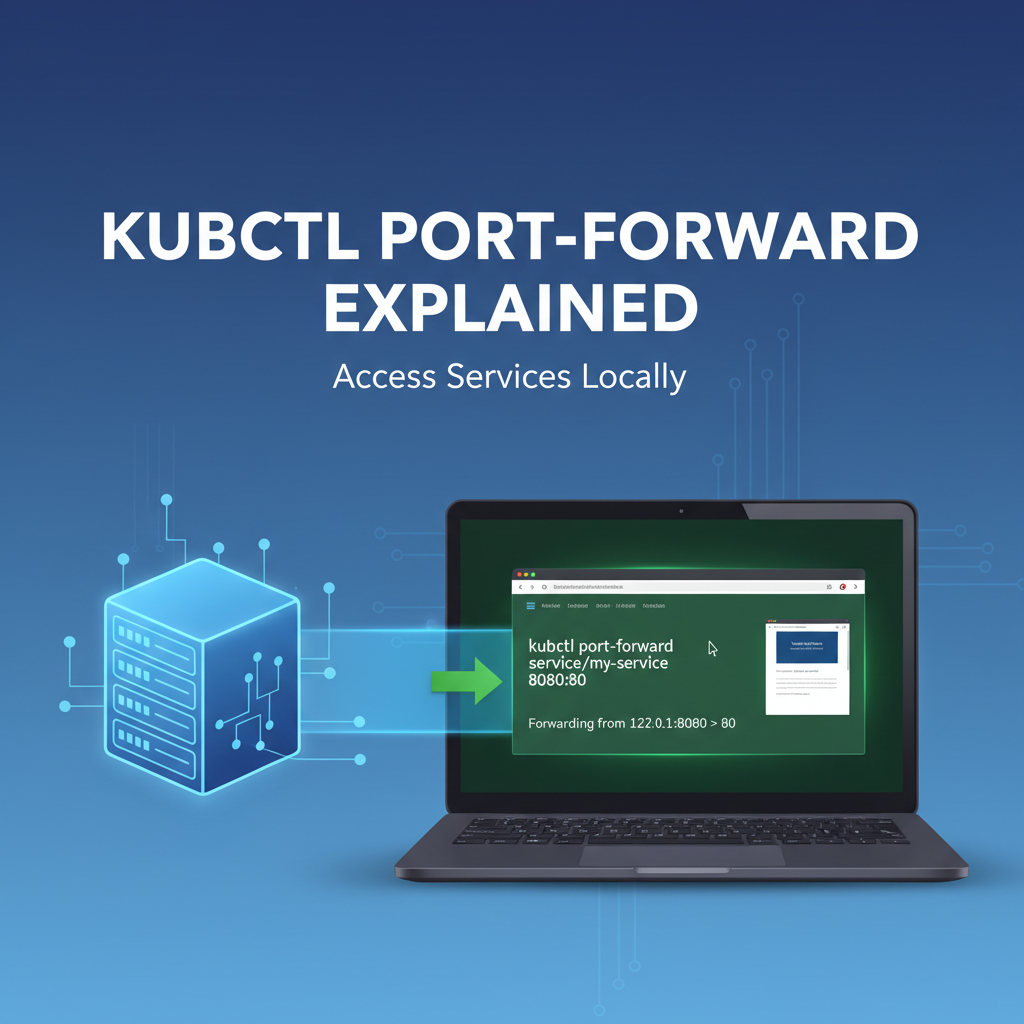


In the vast and often intricate world of Kubernetes, deploying applications and services is just one part of the puzzle. A equally crucial, if not more frequent, challenge faced by developers and operators alike is accessing these services for development, testing, and debugging purposes. While Kubernetes provides sophisticated mechanisms for exposing services externally—such as NodePorts, LoadBalancers, and Ingress controllers—these methods are primarily designed for production-grade public access and can often be overkill or inappropriate for the iterative, localized workflows inherent in development. This is where kubectl port-forward emerges as an indispensable, elegant, and surprisingly powerful tool, acting as a direct lifeline from your local machine into the heart of your Kubernetes cluster.
Imagine a scenario where you've just deployed a new microservice or an internal database within your Kubernetes cluster. You need to test its api endpoints, debug a specific function, or integrate it with a local frontend application. Configuring an Ingress or a LoadBalancer for temporary, personal access would be cumbersome, time-consuming, and potentially insecure. kubectl port-forward sidesteps these complexities by creating a secure, direct tunnel from a port on your local machine to a specific port on a pod or service within the cluster. It’s like having a direct extension cord plugged straight into your application, allowing you to interact with it as if it were running on localhost. This capability dramatically streamlines the development and debugging process, offering unparalleled agility and control over your containerized applications without altering network configurations or exposing services broadly.
This comprehensive guide will meticulously unravel the intricacies of kubectl port-forward. We will begin by establishing a foundational understanding of the Kubernetes network model, elucidating why such a tool is necessary. We'll then dive deep into its fundamental syntax and basic usage, providing practical examples for various resource types. The article will explore a myriad of real-world use cases, from local development and rigorous debugging to accessing internal dashboards, highlighting its versatility. Furthermore, we will delve into advanced options, peek under the hood to understand its operational mechanics, discuss its inherent limitations and crucial security considerations, and finally, distill a set of best practices to maximize its utility. By the end of this journey, you will possess a profound understanding of kubectl port-forward and its pivotal role in navigating the Kubernetes landscape, making you a more efficient and empowered developer or operator in the cloud-native ecosystem.
Understanding the Kubernetes Network Model: Why port-forward is Essential
Before we dissect kubectl port-forward, it's vital to grasp the fundamental networking principles that govern a Kubernetes cluster. Kubernetes provides a flattened network space, meaning all pods can communicate with each other without NAT, and nodes can communicate with all pods. While this simplifies inter-service communication within the cluster, it simultaneously introduces a challenge: how do you access these internal services from outside the cluster, particularly from your local development machine?
At the core of Kubernetes networking are Pods. Each Pod is assigned its own unique IP address within the cluster's network. Applications running inside containers within that Pod listen on specific ports. However, Pods are ephemeral; they can be created, destroyed, and rescheduled on different nodes at any moment, leading to fluctuating IP addresses. Directly targeting a Pod's IP address from outside the cluster is not only impractical but also unreliable.
To address the ephemerality of Pods and provide a stable interface, Kubernetes introduces Services. A Service is an abstract way to expose an application running on a set of Pods as a network service. When you create a Service, it gets a stable IP address (ClusterIP) and DNS name within the cluster. Other Pods can use this stable IP or DNS name to communicate with the application, even if the underlying Pods change. Services act as internal load balancers, distributing traffic among the Pods they select based on labels.
While Services solve the problem of stable internal communication, they typically do not, by default, expose your application to the outside world. A Service of type: ClusterIP is only reachable from within the cluster. To expose an application externally, Kubernetes offers several mechanisms:
- NodePort: This type of Service exposes the Service on a static port on each Node's IP address. Any traffic sent to that port on any Node will be routed to the Service. While simple, NodePorts consume a port on every Node and are not ideal for production due to potential port collisions and the need for a separate load balancer.
- LoadBalancer: This Service type is typically used in cloud environments (like AWS, GCP, Azure). It provisions an external cloud load balancer, which then routes external traffic to the Service. This provides a single, stable external IP address and often integrates with cloud provider features like SSL termination. However, it incurs cloud costs and is specific to cloud providers.
- Ingress: Ingress is not a Service type but rather an
apiobject that manages external access to the services in a cluster, typically HTTP and HTTPS. Ingress can provide load balancing, SSL termination, and name-based virtual hosting. It requires an Ingress Controller (like NGINX Ingress Controller, Traefik, or Istio) to be running in the cluster to fulfill the Ingress rules. Ingress offers a more sophisticated and flexible way to expose multiple services under a single entry point, often leveraging a single external LoadBalancer IP.
While these external exposure mechanisms are indispensable for production environments, they come with a certain level of configuration overhead and are designed for public, sustained access. For a developer who simply needs to reach a specific api endpoint of a new backend service for a few minutes, or to connect a local debugger to a running application instance, setting up and tearing down an Ingress or a LoadBalancer is inefficient and disruptive. Furthermore, these methods often introduce layers of abstraction (like an api gateway) and network policies that might obscure the direct interaction needed for debugging.
This is precisely where kubectl port-forward shines. It offers a direct, ephemeral, and secure tunnel, bypassing the complex external exposure mechanisms. Instead of configuring a public endpoint, you create a private connection from your localhost to a specific Pod or Service within the cluster. This allows you to interact with your application as if it were running natively on your machine, without the overhead, security implications, or resource consumption of public exposure. It's a developer's secret weapon for immediate, direct, and isolated access to services, making it an utterly essential tool in the Kubernetes toolkit.
kubectl port-forward Fundamentals: Syntax and Basic Usage
At its core, kubectl port-forward is elegantly simple, yet its flexibility makes it incredibly powerful. It establishes a secure, bi-directional tunnel between a local port on your machine and a port on a specific resource within your Kubernetes cluster. This section will break down its fundamental syntax and illustrate its basic usage with practical examples targeting different Kubernetes resource types.
The most common and straightforward syntax for kubectl port-forward is:
kubectl port-forward <resource_type>/<resource_name> <local_port>:<remote_port>
Let's dissect each component of this command:
kubectl: This is your command-line interface for running commands against Kubernetes clusters.port-forward: The subcommand that initiates the port-forwarding operation.<resource_type>: Specifies the type of Kubernetes resource you want to forward to. The most common resource types supported arepod,service,deployment, andreplicaset.<resource_name>: The specific name of the resource you are targeting. This could be a pod's name, a service's name, a deployment's name, or a replicaset's name.<local_port>: The port number on your local machine that you want to use to access the remote service. When you send traffic to this local port,kubectlwill tunnel it to the cluster.<remote_port>: The port number on the remote Pod or Service within the cluster that your application is listening on. This is the destination port inside the container.
Crucially, the port-forward command will block your terminal session as long as the connection is active. To run it in the background, you can append & to the command (on Linux/macOS) or open a new terminal window.
Forwarding to a Pod
This is the most direct form of port-forwarding, targeting a specific Pod by its name. This is particularly useful when you need to interact with a particular instance of an application, perhaps for specific debugging purposes.
Example Scenario: You have a Pod named my-app-pod-12345-abcde running a web server that listens on port 8080. You want to access it from your local machine on port 9000.
Command:
kubectl port-forward pod/my-app-pod-12345-abcde 9000:8080
Once executed, you'll see output similar to:
Forwarding from 127.0.0.1:9000 -> 8080
Forwarding from [::1]:9000 -> 8080
Now, any requests made to http://localhost:9000 (or http://127.0.0.1:9000) on your local machine will be securely forwarded to port 8080 on the my-app-pod-12345-abcde Pod within your Kubernetes cluster. This allows you to use curl, your web browser, or any other local tool to interact directly with that specific Pod.
Important Note: When forwarding to a Pod, kubectl connects directly to that individual Pod. If the Pod restarts, crashes, or is rescheduled, your port-forward connection will break, and you'll need to re-establish it, potentially to a new Pod name if a Deployment manages it.
Forwarding to a Service
While forwarding to a Pod is granular, forwarding to a Service offers more resilience. When you port-forward to a Service, kubectl intelligently finds a healthy Pod associated with that Service and establishes the tunnel to it. If the targeted Pod goes down, kubectl will automatically attempt to reconnect to another available Pod behind that Service, making it more robust for general development and testing.
Example Scenario: You have a Service named my-app-service that routes traffic to Pods running your web application, which listens on port 80. You want to access this Service from your local machine on port 8080.
Command:
kubectl port-forward service/my-app-service 8080:80
In this case, kubectl will identify a Pod that my-app-service is load balancing to, and forward local traffic on port 8080 to port 80 on that selected Pod. If that Pod becomes unavailable, kubectl will seamlessly switch to another healthy Pod, maintaining the connection as long as there's at least one available Pod behind the Service.
This method is generally preferred for testing and development because it abstracts away the transient nature of individual Pods, providing a more stable target.
Forwarding to a Deployment or ReplicaSet
You can also specify a deployment or replicaset as the target for kubectl port-forward. When you do this, kubectl will automatically select one of the Pods managed by that Deployment or ReplicaSet and establish the tunnel to it. This is convenient if you don't want to bother finding the specific Pod name or Service name, and just want to connect to any instance of your application.
Example Scenario: You have a Deployment named my-app-deployment that manages your application. The Pods created by this Deployment listen on port 5000. You want to access one of these Pods from your local machine on port 5001.
Command:
kubectl port-forward deployment/my-app-deployment 5001:5000
kubectl will pick one of the healthy Pods associated with my-app-deployment and set up the forward. Similar to forwarding to a Service, if the chosen Pod fails, kubectl will attempt to connect to another Pod. However, it's worth noting that forwarding to a Service provides a slightly more robust abstraction in terms of connection stability if the underlying Pods are frequently changing.
In summary, kubectl port-forward provides an incredibly flexible and essential mechanism for interacting with services within your Kubernetes cluster. Understanding the nuances of targeting Pods, Services, or Deployments allows you to choose the most appropriate method for your specific development, testing, or debugging needs, laying the groundwork for more advanced use cases we'll explore next.
Deep Dive into Use Cases
The true power of kubectl port-forward is unleashed through its diverse applications across various stages of the development and operational lifecycle. It's not merely a utility; it's a paradigm shift in how developers interact with their cloud-native applications, offering direct access that bypasses complex network configurations. Let's explore some of its most impactful use cases in detail.
Local Development and Testing
For developers, the ability to rapidly iterate and test changes is paramount. kubectl port-forward accelerates this process by bridging the gap between local development tools and remote services running in Kubernetes.
1. Integrating Local Frontend with Cluster Backend Services
Consider a common development pattern: you're building a new feature on a frontend application running locally (e.g., a React, Angular, or Vue app on localhost:3000). This frontend needs to consume api endpoints from backend microservices deployed in your Kubernetes cluster. Instead of deploying your frontend to the cluster for every minor change or configuring a complex Ingress to expose the backend publicly, kubectl port-forward offers an elegant solution.
You can port-forward your backend api service to a local port:
kubectl port-forward service/my-backend-api-service 8080:80
Now, your local frontend application can make api requests to http://localhost:8080/api/v1/data as if the backend were running directly on your machine. This significantly speeds up development cycles, allowing real-time interaction without the latency and overhead of continuous deployments or elaborate network setups. It ensures that the frontend is tested against the actual api provided by the cluster's services, preventing integration surprises later.
2. Accessing a Development Database
Running a full-fledged database (like PostgreSQL, MongoDB, Redis) locally for every project can be resource-intensive and lead to "dependency hell." Often, it's preferable to have a dedicated development database instance running within your Kubernetes cluster. kubectl port-forward allows your local api services, scripts, or database clients to connect to this remote database as if it were local.
For example, to connect to a PostgreSQL database Pod:
kubectl port-forward pod/my-postgres-pod-abcd 5432:5432
Now, your local application or a tool like pgAdmin can connect to localhost:5432 using the database credentials, giving you full access to the development database inside the cluster. This isolates your local environment, simplifies dependency management, and ensures consistency across team members using the same cluster-based development database.
3. Testing New Microservices Before External Exposure
When you deploy a brand-new microservice or a significant update, you might want to test its api extensively before exposing it through an Ingress or api gateway. This allows for isolated validation without affecting other services or creating premature public endpoints.
kubectl port-forward service/new-feature-service 8000:80
You can then use curl or Postman on localhost:8000 to hit its api endpoints directly, verifying functionality, response codes, and data structures. This early, direct testing is invaluable for catching bugs and ensuring the service behaves as expected in the Kubernetes environment before it integrates with the broader system.
Debugging and Troubleshooting
When things go wrong in a distributed system, isolating the problem is half the battle. kubectl port-forward provides a direct lens into your applications, offering powerful debugging capabilities that bypass layers of network abstraction.
1. Connecting a Local Debugger to a Remote Application
Many modern IDEs (like IntelliJ IDEA, VS Code) support remote debugging. If your application within a Pod exposes a debugger port (e.g., Java applications often use port 5005 for JDWP), you can port-forward to it and attach your local debugger.
Suppose your Java application Pod is named java-app-pod-xyz and exposes JDWP on 5005:
kubectl port-forward pod/java-app-pod-xyz 5005:5005
Now, you can configure your IDE's remote debugger to connect to localhost:5005. This allows you to set breakpoints, inspect variables, and step through code execution directly in the Pod, providing an unparalleled debugging experience for complex issues.
2. Accessing Internal Metrics or Health Endpoints
Observability is crucial for understanding application health and performance. Applications often expose metrics (e.g., Prometheus /metrics endpoint) or health checks (/healthz) on internal ports. While these are usually consumed by monitoring systems within the cluster, kubectl port-forward allows you to inspect them manually.
If your application exposes metrics on port 9090:
kubectl port-forward service/my-app-service 9090:9090
You can then browse to http://localhost:9090/metrics to see the raw metrics data, helping you diagnose performance bottlenecks or verify that your application is reporting expected metrics. This is invaluable during incident response or when validating new monitoring configurations.
3. Debugging Services Behind an API Gateway
Many organizations use an api gateway to centralize api management, routing, security, and traffic control. While an api gateway simplifies external consumption, it can sometimes make debugging individual backend services challenging if the gateway itself is misconfigured or if you suspect an issue upstream of the gateway.
kubectl port-forward allows you to bypass the api gateway entirely and connect directly to the backend service. For example, if your api gateway routes requests to my-backend-service, but you suspect an issue in my-backend-service itself, not the api gateway:
kubectl port-forward service/my-backend-service 8080:80
Now, you can send requests directly to http://localhost:8080 and observe the service's behavior in isolation, without the api gateway interfering. This helps to pinpoint whether the problem lies in the api gateway configuration, network policies, or the backend service logic itself. Furthermore, you might even use kubectl port-forward to debug the api gateway if it's running as a service within your cluster and not exposing its admin api externally. This level of direct access is crucial for diagnosing complex inter-service communication failures or api contract mismatches.
While kubectl port-forward is invaluable for direct debugging of individual services or even an api gateway running within Kubernetes, managing a complex ecosystem of APIs, especially those involving AI models, requires a more robust and centralized solution. Platforms like APIPark provide an open-source api gateway and API management platform designed to streamline the integration, deployment, and lifecycle management of both AI and REST services. It offers a unified API format, prompt encapsulation into REST APIs, and end-to-end API lifecycle management, offering a comprehensive solution that complements the granular access provided by kubectl port-forward during development and testing phases. APIPark excels in managing the broad landscape of api exposure and governance, while kubectl port-forward remains the precision tool for deep, localized debugging.
Accessing UI/Dashboards
Many Kubernetes ecosystem tools and custom applications provide web-based user interfaces for monitoring, configuration, or management. These UIs are often deployed within the cluster and are not meant for public exposure. kubectl port-forward offers a secure and convenient way to access them.
1. Kubernetes Dashboards (Grafana, Prometheus UI, Kiali)
Tools like Grafana (for visualizing metrics), Prometheus UI (for querying metrics), or Kiali (for Istio service mesh visualization) are frequently deployed in Kubernetes. While you could configure an Ingress for them, port-forward is much quicker for ad-hoc access.
To access a Grafana dashboard running in your cluster (assuming it's a service named grafana listening on port 3000):
kubectl port-forward service/grafana 8080:3000 -n monitoring # Assuming Grafana is in 'monitoring' namespace
You can then open your web browser to http://localhost:8080 and access the Grafana interface. This provides immediate access to critical monitoring and observability tools without the need for persistent external routes or complex authentication setups.
2. Custom Application Administration UIs
If your application has an internal administration UI or a configuration panel that should only be accessible to authorized personnel, port-forward is an ideal way to connect to it securely. For instance, an internal message queue dashboard or a feature flag management interface.
kubectl port-forward service/internal-admin-ui 9000:80
This allows administrators to manage application settings or monitor internal states from their local machines without exposing sensitive interfaces to the wider internet.
In essence, kubectl port-forward transforms your local machine into a temporary gateway into your Kubernetes cluster, making internal services and apis directly accessible. This significantly enhances developer productivity, simplifies debugging, and provides secure access to internal tools, cementing its status as an indispensable command for anyone working with Kubernetes.
Advanced Features and Options
While the basic usage of kubectl port-forward is straightforward, the command offers several advanced features and options that can significantly enhance its utility, enabling more precise control and catering to specific scenarios. Understanding these options allows for greater flexibility and efficiency in your Kubernetes workflows.
1. Selecting Specific Pods with --selector
When you port-forward to a deployment, replicaset, or service, kubectl automatically selects one healthy Pod. However, there might be situations where you need to target a specific Pod identified by its labels, rather than just any Pod belonging to a service or deployment. The --selector (or -l) flag allows you to achieve this granular control.
Example Scenario: You have multiple Pods for my-app, but you want to forward to the Pod with the label version=canary because you're debugging a new release that only exists in those canary Pods.
First, identify the labels of your Pods (e.g., kubectl get pods -l app=my-app --show-labels). Then, you can use the selector:
kubectl port-forward -l app=my-app,version=canary 8080:80
In this command, kubectl will find any Pod that matches both app=my-app and version=canary labels, and then establish the port-forward to one of them. This is particularly useful in blue/green or canary deployment scenarios where different versions of an application might be running simultaneously. If no Pod matches the selector, or if all matching Pods are unhealthy, the command will fail.
2. Listening on a Specific Address: --address
By default, kubectl port-forward listens on 127.0.0.1 (localhost) and [::1] (IPv6 localhost). This means only processes running on your local machine can access the forwarded port. However, there are scenarios where you might want to expose the forwarded port to other machines on your local network (e.g., to allow a colleague to access it, or to connect from a VM running on your machine). The --address flag allows you to specify the IP addresses to bind to.
Example Scenario: You want to share access to a Kubernetes service with a colleague on the same local network, or access it from a different virtual machine on your host.
kubectl port-forward service/my-app-service --address 0.0.0.0 8080:80
By specifying --address 0.0.0.0, kubectl will bind the local port 8080 to all available network interfaces on your machine. Now, other machines on your local network can access the service using your machine's IP address (e.g., http://<your-machine-ip>:8080).
Security Implication: Be extremely cautious when using --address 0.0.0.0 as it effectively makes your forwarded port accessible to anyone on your network. This bypasses any Kubernetes network policies at the cluster edge, so ensure your local machine's firewall is configured appropriately and only use this option in trusted, isolated environments.
3. Backgrounding the Process
As mentioned earlier, kubectl port-forward is a blocking command. For continuous development or debugging, you often want it to run in the background without tying up your terminal.
On Linux/macOS: You can simply append an ampersand (&) to the command.
kubectl port-forward service/my-app-service 8080:80 &
This will run the command in the background, allowing you to continue using your terminal. You can later bring it back to the foreground using fg or kill it using kill %<job_number>.
For more robust backgrounding (cross-platform or for scripting): Consider using tools like nohup or screen/tmux for session management, especially in scripting contexts or when you need the process to persist even if your terminal session closes.
nohup kubectl port-forward service/my-app-service 8080:80 > /dev/null 2>&1 &
This ensures the command runs in the background and its output is redirected, making it truly detached.
4. Handling Multiple Port Forwards
It's common to need to access multiple services simultaneously. You can simply run multiple kubectl port-forward commands in separate terminal windows or in the background.
Example: Accessing a backend api and a database simultaneously.
Terminal 1:
kubectl port-forward service/my-backend-api 8080:80
Terminal 2:
kubectl port-forward service/my-database 5432:5432
Each command establishes an independent tunnel. Just ensure that the local ports (8080, 5432 in this example) do not conflict with each other or with other applications running on your local machine.
5. --pod-running-timeout
When scripting kubectl port-forward, you might encounter scenarios where the targeted Pod isn't immediately running or healthy. The --pod-running-timeout flag allows you to specify how long kubectl should wait for a Pod to be in a running state before attempting the port-forward.
Example: Wait up to 60 seconds for a Pod to become running.
kubectl port-forward deployment/my-app-deployment 8080:80 --pod-running-timeout=60s
This is particularly useful in automation scripts where you might port-forward immediately after deploying an application, giving the Pod some time to initialize.
6. --kubeconfig and --context: Managing Multiple Clusters
For those working with multiple Kubernetes clusters (e.g., dev, staging, production, or multiple client clusters), managing context is critical. kubectl port-forward respects your current kubectl context. However, you can explicitly specify the kubeconfig file and the context to use with these flags.
Example: Forwarding to a service in a specific context.
kubectl port-forward service/my-app -n default 8080:80 --kubeconfig /path/to/my-other-kubeconfig --context dev-cluster
This ensures that your port-forward command targets the correct cluster and context, preventing accidental interactions with the wrong environment.
These advanced options transform kubectl port-forward from a simple access tool into a versatile utility, providing developers and operators with precise control over their interactions with Kubernetes services. By mastering these features, you can streamline complex debugging scenarios, enhance collaborative development, and bolster the security posture of your local access patterns.
APIPark is a high-performance AI gateway that allows you to securely access the most comprehensive LLM APIs globally on the APIPark platform, including OpenAI, Anthropic, Mistral, Llama2, Google Gemini, and more.Try APIPark now! 👇👇👇
Under the Hood: How kubectl port-forward Works
Understanding the mechanics behind kubectl port-forward reveals its elegance and robustness. It's not magic, but a carefully orchestrated sequence of operations involving several Kubernetes components. Let's peel back the layers to see how this crucial tool establishes a secure tunnel from your localhost to a Pod or Service within the cluster.
The entire process begins with your kubectl client, which initiates the port-forward command on your local machine. From there, the request traverses through a series of secure connections within the Kubernetes architecture.
kubectlCommunicates with the Kubernetes API Server: Thekubectlclient doesn't directly connect to the Pod. Instead, it makes a specialapirequest to the Kubernetes API Server. This request is an HTTP upgrade request, typically over a WebSocket connection, indicating the desire to establish a stream for port forwarding. The API Server authenticates and authorizes this request, ensuring that you have the necessary permissions to access the specified Pod or Service. This initial connection uses the standard Kubernetesapicommunication channels, which are typically secured with TLS (Transport Layer Security).- API Server Delegates to the Kubelet: Once the API Server validates the
port-forwardrequest, it identifies which Node the target Pod is running on. The API Server then acts as an intermediary, relaying the request to thekubeletagent running on that specific Node. The communication between the API Server and thekubeletis also secured with TLS. Thekubeletis the primary agent that runs on each Node in the cluster and is responsible for managing Pods and their containers, including handling network-related tasks for them. - Kubelet Establishes Connection to the Pod's Port: Upon receiving the
port-forwardinstruction from the API Server, thekubeleton the target Node takes over. It identifies the target Pod and then executes a command similar tosocatornsenter(or directly manipulates network namespaces) to create a tunnel from the Node's network interface directly into the network namespace of the target Pod. More specifically, thekubeletinvokes the container runtime (e.g., containerd, CRI-O, or even Docker daemon for older setups) to establish a stream to the specified port within the target container.This stream is then multiplexed back through thekubelet's connection to the API Server. Essentially, thekubeletopens a TCP connection to the specified port inside the Pod and pipes the data from that connection back to the API Server. - Data Flow Through the Tunnel:
- Local to Cluster: When you make a request to
localhost:<local_port>on your machine,kubectlintercepts this traffic. It encrypts and sends this data over the established WebSocket connection to the API Server. - API Server to Kubelet: The API Server receives the data and forwards it securely to the
kubeleton the appropriate Node. - Kubelet to Pod: The
kubeletthen pushes this data directly into the TCP connection it established with the target port inside the Pod's container. - Pod to Kubelet (Response): The application in the Pod processes the request and sends its response back through the TCP connection to the
kubelet. - Kubelet to API Server (Response): The
kubeletpipes this response back to the API Server. - API Server to
kubectl(Response): The API Server relays the response back to your localkubectlclient over the WebSocket. kubectlto Local Client: Finally,kubectldecrypts and delivers the response to your local client (e.g., web browser,curl) that originally made the request tolocalhost:<local_port>.
- Local to Cluster: When you make a request to
This entire process creates an encrypted, secure, and ephemeral tunnel that bypasses the complexities of cluster networking, LoadBalancers, and Ingress controllers. It essentially creates a private, temporary network path that respects the cluster's internal security but allows direct, point-to-point communication from your localhost.
Security Implications
The "under the hood" understanding highlights important security considerations:
- Authentication and Authorization: The initial connection to the API Server ensures that only authorized users can initiate a
port-forward. If your Kubernetes credentials don't grant you access to the target Pod or Service, theport-forwardcommand will fail. - TLS Encryption: All communication between
kubectl, API Server, andkubeletis typically secured with TLS, meaning the data flowing through the tunnel is encrypted in transit. - Bypassing External Network Policies: While
port-forwardrespects internal Pod-level network policies (e.g., if a Pod explicitly denies connections from certain IPs, theport-forwardmight still be blocked), it does bypass any external-facing network rules, firewalls,api gateways, or WAFs that would normally protect the service when exposed via Ingress or LoadBalancer. This is why using--address 0.0.0.0should be done with extreme caution, as it potentially exposes an internal service to your local network without the usual layers of protection.
In essence, kubectl port-forward establishes a privileged, direct conduit. Its power lies in its simplicity and directness, making it an indispensable tool for development and debugging, but always with an awareness of the underlying mechanisms and their security implications.
Limitations and Considerations
While kubectl port-forward is an incredibly powerful and versatile tool, it's essential to understand its inherent limitations and when it might not be the most appropriate solution. Recognizing these considerations helps in making informed decisions about its usage and preventing potential pitfalls.
1. Single-Pod Focus and Ephemeral Nature
When you port-forward to a specific Pod, your connection is tied to that individual Pod instance. If that Pod restarts, crashes, is evicted, or gets scaled down, your port-forward session will break. You'll need to re-establish the connection, potentially targeting a new Pod with a different name.
Even when forwarding to a Service, kubectl still picks a single backing Pod to tunnel to. While it offers some resilience by attempting to reconnect to another healthy Pod if the initial one fails, it's not a truly load-balanced solution like an Ingress or LoadBalancer. It's designed for single-client, direct access, not for distributing high volumes of production traffic.
Consideration: For sustained, multi-client, or production access, port-forward is unsuitable. It's a temporary, developer-centric tool.
2. Not a Permanent Solution for External Exposure
kubectl port-forward creates a temporary, local tunnel. It's not a mechanism for permanently exposing a service to external clients or integrating it into a broader network architecture. The connection exists only as long as the kubectl command is running on your machine. If your machine goes offline, your terminal session closes, or the kubectl process is terminated, the tunnel vanishes.
Consideration: Never rely on port-forward to provide public or production access to your applications. For persistent external access, always use NodePort, LoadBalancer, or Ingress controllers.
3. Security Implications and Bypassing Network Controls
As discussed in the "Under the Hood" section, port-forward bypasses many layers of network security that are typically implemented at the cluster's edge, such as firewalls, Web Application Firewalls (WAFs), api gateways, and external network policies. While it respects internal Pod-level network policies, it essentially creates a direct, privileged pathway.
- Authentication: The only authentication involved is your
kubectlclient's authentication against the Kubernetes API Server. Once authenticated, if you have permissions toport-forwardto a Pod, you get direct access to its exposed ports. There's no additionalapikey validation, token checking, or IP whitelisting that anapi gatewayor Ingress might provide. - Exposure: Using
--address 0.0.0.0can inadvertently expose internal cluster services to your entire local network, potentially creating a security vulnerability if not properly managed with local firewall rules.
Consideration: Use port-forward only for development, debugging, and administrative access from trusted environments. Never use it in production for general client access. Be mindful of the --address flag and its implications.
4. Performance Limitations
The port-forward mechanism involves tunneling data through the kubectl client, the API Server, and the kubelet. While generally efficient for development traffic, this multi-hop path is not optimized for high throughput or low latency, nor is it designed for serving a large number of concurrent connections. It introduces a certain amount of overhead compared to direct network routing.
Consideration: For performance-critical applications or services expecting high traffic volumes, port-forward is not suitable. Its purpose is interactive access, not performance benchmarking or production serving.
5. Client-Side Dependency
kubectl port-forward requires the kubectl binary to be installed and correctly configured on the client machine. This means that any machine needing direct access to a cluster service via this method must have a functional kubectl setup and valid credentials. This is generally not an issue for developers and operators, but it limits its use for broader audiences or automated systems that might not have kubectl installed.
Consideration: If you need to grant access to users who are not Kubernetes experts or should not have kubectl installed, alternative exposure methods are required.
6. Resource Conflicts
When performing multiple port-forward operations, or when trying to forward to a local port already in use by another application, you will encounter address already in use errors. Managing local port assignments can become cumbersome, especially when working on multiple projects or with many services.
Consideration: Be organized with your local port assignments. Use tools like lsof -i :<port> to check if a port is in use before attempting a port-forward.
In summary, kubectl port-forward is a powerful, flexible, and essential tool for direct, temporary, and localized interaction with Kubernetes services. However, it is not a silver bullet for all access patterns. Understanding its purpose as a development and debugging utility, and being aware of its limitations regarding persistence, security, and performance, is crucial for leveraging it effectively and safely within your Kubernetes ecosystem.
Best Practices and Tips
To maximize the efficiency and security of kubectl port-forward, adopting a set of best practices is crucial. These guidelines will help you use the tool more effectively, avoid common pitfalls, and integrate it smoothly into your daily Kubernetes workflows.
1. Always Specify the Remote Port Explicitly
While kubectl can sometimes infer the remote port, it's a good practice to always specify both the local and remote ports (e.g., 8080:80). This avoids ambiguity, especially when a Pod might expose multiple ports or when a Service targets a different port name. It makes your commands clearer and less prone to unexpected behavior.
# Good practice: Explicitly define both ports
kubectl port-forward service/my-app 8080:80

# Less clear, can lead to issues if multiple ports are exposed or default changes
# kubectl port-forward service/my-app 8080
2. Use --namespace for Clarity and Safety
Always specify the namespace (-n or --namespace) of the resource you're targeting, even if it's the default namespace. This reduces the risk of accidentally port-forwarding to a resource with the same name in a different namespace, especially in complex clusters.
kubectl port-forward service/my-backend-service -n dev-environment 8080:80
This explicit declaration enhances clarity and prevents potential misconfigurations, which can be critical in multi-tenant or shared development clusters.
3. Carefully Choose the Resource Type (service vs. pod)
- For general development and testing, prefer
service/<service-name>: This provides more resilience. If the Pod backing the service is rescheduled or crashes,kubectlwill automatically attempt to reconnect to another healthy Pod, providing a more stable target for your local application. - For specific debugging, use
pod/<pod-name>: If you need to connect to a very specific Pod instance (e.g., one that has a particular issue, or one running a specific version not yet behind a service), targeting the Pod directly is necessary. Be aware that this connection is more fragile.
# Resilient for general testing
kubectl port-forward service/my-app-api 8080:80

# Specific for targeted debugging
kubectl port-forward pod/my-app-api-xyz12 8080:80
4. Leverage Aliases or Shell Functions for Frequent Forwards
If you frequently port-forward to the same services, create shell aliases or functions in your .bashrc, .zshrc, or .profile. This saves typing, reduces errors, and makes your workflow more efficient.
# Example alias
alias pf-backend='kubectl port-forward service/my-backend-service -n dev 8080:80'
alias pf-db='kubectl port-forward service/my-postgres -n dev 5432:5432'

# Example shell function (more flexible for dynamic pod names)
kpf_pod() {
  pod_name=$(kubectl get pods -n "$1" -l app="$2" -o jsonpath='{.items[0].metadata.name}')
  if [ -z "$pod_name" ]; then
    echo "No pod found for app '$2' in namespace '$1'"
    return 1
  fi
  echo "Forwarding to pod $pod_name in namespace $1"
  kubectl port-forward pod/"$pod_name" -n "$1" "$3":"$4"
}
# Usage: kpf_pod my-namespace my-app-label 8080 80
5. Be Mindful of --address 0.0.0.0
While useful for specific scenarios, using --address 0.0.0.0 to bind to all network interfaces carries security risks. Only use it in trusted, isolated network environments, and ensure your local machine's firewall is configured to restrict access to the forwarded port from unintended sources. For most development, 127.0.0.1 (the default) is sufficient and safer.
6. Use Backgrounding Strategically
For long-running port-forward sessions or when you need to run multiple in parallel, backgrounding the process with & or using nohup (on Linux/macOS) is practical. However, remember to keep track of these background processes (jobs command or ps -ef | grep port-forward) so you can terminate them when no longer needed, preventing resource leaks or port conflicts.
7. Consider Alternatives for Permanent or Production Access
kubectl port-forward is fundamentally a temporary, interactive tool. For persistent, production-grade external access, always configure appropriate Kubernetes exposure mechanisms:
- Ingress: For HTTP/HTTPS access, especially for multiple services behind a single domain or IP, with features like SSL termination and path-based routing.
- LoadBalancer: For TCP/UDP services that need a stable external IP and automatic load balancing across cloud providers.
- NodePort: For simple, direct exposure on each Node's IP, suitable for testing or internal tools with specific firewall rules.
api gateway(like APIPark): For comprehensiveapimanagement, security, traffic control, and integration with complex backends, especially in a microservices architecture or when dealing with AI modelapis.
Understanding when port-forward is the right tool versus when to invest in more robust exposure methods is key to effective Kubernetes management.
8. Integrate with Development Scripts
Embed kubectl port-forward commands within your local development scripts (e.g., shell scripts, Makefiles). This can automate the setup of your local development environment, ensuring that all necessary backend services are accessible when you start your local frontend or api service. Remember to include cleanup steps (e.g., kill the backgrounded port-forward process) when the script finishes.
#!/bin/bash

# Start backend service port-forward in background
kubectl port-forward service/my-backend -n dev 8080:80 &
BACKEND_PID=$!
echo "Backend port-forward running on PID $BACKEND_PID"

# Start frontend service port-forward in background
kubectl port-forward service/my-frontend -n dev 3000:3000 &
FRONTEND_PID=$!
echo "Frontend port-forward running on PID $FRONTEND_PID"

# Wait for a bit for the forwards to establish
sleep 5

echo "Access backend at http://localhost:8080, frontend at http://localhost:3000"

# Keep the script running, or start your local dev server
read -p "Press enter to stop port-forwards..."

echo "Stopping port-forwards..."
kill $BACKEND_PID
kill $FRONTEND_PID
By adhering to these best practices, you can transform kubectl port-forward from a simple command into a powerful, reliable, and secure component of your Kubernetes development and operational toolkit. It empowers you to interact with your cloud-native applications directly and efficiently, accelerating development and simplifying debugging in an increasingly complex ecosystem.
Comparison of Service Exposure Methods
Understanding kubectl port-forward in context requires a clear distinction from other Kubernetes service exposure mechanisms. While all aim to make services accessible, their purposes, operational models, and typical use cases differ significantly. The following table provides a comprehensive comparison to highlight these differences.
| Feature / Method | kubectl port-forward |
NodePort | LoadBalancer | Ingress |
|---|---|---|---|---|
| Purpose | Temporary, local access for dev/debug | Expose service on all Nodes' IPs | Expose service with an external cloud load balancer | HTTP/HTTPS routing, SSL termination, name-based virtual hosting |
| Exposure Scope | Local machine only (or local network with --address 0.0.0.0) |
Within the cluster network, accessible externally via Node IP:NodePort | External (public internet or specific networks) | External (public internet or specific networks) |
| Persistence | Ephemeral (lasts as long as kubectl runs) |
Persistent (part of Service definition) | Persistent (part of Service definition) | Persistent (part of Ingress definition) |
| Traffic Handling | Single-client, direct tunnel, not load-balanced | Basic load balancing across Pods by kube-proxy |
Robust external load balancing by cloud provider | Application-level load balancing by Ingress Controller |
| Security | Requires kubectl authentication; bypasses edge security; --address 0.0.0.0 risky |
Relies on network firewalls; all Node IPs exposed on NodePort | Cloud provider security groups, WAFs | Ingress Controller security features, WAFs |
| Complexity | Low (single command) | Low (Service type change) | Medium (Service type change, cloud resource provisioning) | High (Requires Ingress Controller, Ingress rules, TLS config) |
| Cost | Free (uses local machine resources) | Free (uses cluster resources) | Cloud provider charges for Load Balancer | Potentially free (if Ingress Controller free), cloud charges for external LB |
| Typical Use Cases | - Local development & testing of APIs | - Exposing internal tools to a restricted network | - Production services requiring public, stable IP | - Production web applications, APIs with custom domains, microservice API gateway |
| - Debugging services behind an API Gateway | - Quick testing on specific Nodes | - Services requiring high availability & scalability | - Centralized entry point for multiple services | |
| - Accessing internal dashboards (Grafana, Prometheus) | - Demo environments | - Exposing critical APIs | - Implementing an API gateway for public APIs | |
| Dependency | kubectl client, Kubernetes API Server, Kubelet |
kube-proxy on Nodes |
Cloud provider integration (cloud-controller-manager) |
Ingress Controller deployed in cluster |
| IP Address Stability | Localhost/machine IP (temporary) | Node IP(s) + NodePort (stable but can change with Node) | Stable external IP provided by cloud Load Balancer | Stable external IP of Ingress Controller (can be dynamic if behind cloud LB) |
| DNS Resolution | None (uses localhost or local IP) |
None (uses Node IP) | Configurable with external DNS (e.g., Route 53) | Configurable with external DNS (e.g., Route 53) |
| TLS/SSL | None (local tunnel) | None (handled by client or upstream) | Often handled by cloud Load Balancer | Handled by Ingress Controller |
This table vividly illustrates that kubectl port-forward fills a unique niche, primarily serving the interactive, direct access needs of developers and operators. It is not a substitute for the robust, scalable, and secure external exposure mechanisms like Ingress or LoadBalancer, which are designed for production traffic and broader client access. Instead, it complements these tools by providing an invaluable, agile method for internal interaction, debugging, and development.
Conclusion
The journey through the capabilities of kubectl port-forward underscores its profound importance in the Kubernetes ecosystem. From its fundamental syntax to its intricate operational mechanics and diverse use cases, it stands out as an indispensable tool for anyone navigating the complexities of cloud-native development and operations. We've explored how this command acts as a secure, ephemeral bridge, allowing developers to bypass the often-cumbersome layers of external exposure and directly interact with services residing deep within their Kubernetes clusters.
Whether it's for integrating a local frontend with a remote backend api, meticulously debugging a microservice, inspecting internal dashboards, or even understanding the behavior of an api gateway by accessing its components directly, kubectl port-forward empowers users with unparalleled agility. It simplifies the development loop, dramatically speeds up debugging processes, and provides a level of direct access that is crucial for diagnosing issues in complex distributed systems. While it is not designed for production-grade external exposure—a role gracefully handled by Ingress, LoadBalancers, or specialized api gateway platforms like APIPark—its value in the development and troubleshooting phases cannot be overstated.
Understanding its underlying mechanism, involving a secure WebSocket tunnel through the Kubernetes API Server and Kubelet, demystifies its magic and highlights the inherent security considerations. Best practices, such as explicit port and namespace definitions, strategic choice between Pod and Service targets, and cautious use of network binding options, further enhance its utility and safety. By recognizing its limitations—primarily its temporary nature, single-client focus, and performance characteristics—users can judiciously apply port-forward where it excels, complementing rather than replacing persistent external exposure strategies.
In an ever-evolving landscape of microservices and containerized applications, kubectl port-forward remains a steadfast and reliable lifeline. It is a testament to the power of a simple command to unlock complex possibilities, solidifying its place as a fundamental skill for every Kubernetes professional. Mastering this tool is not merely about executing a command; it's about gaining a deeper understanding of your applications' internal workings and streamlining your path to effective, efficient cloud-native development.
5 FAQs about kubectl port-forward
1. What is kubectl port-forward and why is it useful? kubectl port-forward is a Kubernetes command-line utility that creates a secure, temporary, and bi-directional tunnel from a port on your local machine to a specified port on a Pod or Service within your Kubernetes cluster. It's incredibly useful for local development, debugging, and testing, as it allows you to access internal cluster services (like an api endpoint, a database, or an internal dashboard) as if they were running on localhost, bypassing the need to configure external exposure mechanisms like Ingress or LoadBalancers.
2. Can I use kubectl port-forward to expose my application to the public internet? No, kubectl port-forward is explicitly not designed for public or production exposure. It creates a temporary connection that relies on the kubectl client running on your local machine. If the kubectl process is terminated, your machine goes offline, or the Pod it's connected to restarts, the connection breaks. For persistent, scalable, and secure public access, you should use Kubernetes Service types like NodePort or LoadBalancer, or deploy an Ingress controller, which are designed for production traffic and offer features like load balancing, SSL termination, and advanced routing (often managed through an api gateway solution for comprehensive api management).
3. What's the difference between forwarding to a Pod and forwarding to a Service? When you port-forward to a Pod, you are connecting directly to a specific instance of a Pod by its name. If that specific Pod goes down or is rescheduled, your connection will break, and you'll need to re-establish it, potentially to a new Pod name. When you port-forward to a Service, kubectl intelligently selects an available and healthy Pod behind that Service and establishes the tunnel to it. If the selected Pod becomes unhealthy, kubectl will automatically attempt to reconnect to another healthy Pod backing the Service, providing a more resilient and stable connection for general development and testing. Generally, forwarding to a Service is preferred for most use cases unless you need to target a very specific Pod instance for debugging.
4. Is kubectl port-forward secure? Are there any security risks? kubectl port-forward uses secure, TLS-encrypted communication channels between your kubectl client, the Kubernetes API Server, and the Kubelet. It also respects the authentication and authorization policies of your Kubernetes cluster, meaning you must have permissions to access the target resource. However, it does create a direct tunnel that bypasses many external network security layers (firewalls, WAFs, external api gateways). A primary security risk arises when using the --address 0.0.0.0 flag, which binds the local forwarded port to all network interfaces on your machine. This can make the internal cluster service accessible to other machines on your local network, potentially exposing it to unauthorized access if not properly secured with local firewall rules. It should be used with extreme caution and only in trusted, isolated environments.
5. Can I run multiple kubectl port-forward commands simultaneously? Yes, you can run multiple kubectl port-forward commands at the same time. Each command will establish an independent tunnel. You typically run them in separate terminal windows or in the background (using & on Linux/macOS or nohup). The main consideration is to ensure that the local ports you specify for each port-forward command are unique and not already in use by other applications on your machine, to avoid port conflicts.
🚀You can securely and efficiently call the OpenAI API on APIPark in just two steps:
Step 1: Deploy the APIPark AI gateway in 5 minutes.
APIPark is developed based on Golang, offering strong product performance and low development and maintenance costs. You can deploy APIPark with a single command line.
curl -sSO https://download.apipark.com/install/quick-start.sh; bash quick-start.sh

In my experience, you can see the successful deployment interface within 5 to 10 minutes. Then, you can log in to APIPark using your account.

Step 2: Call the OpenAI API.