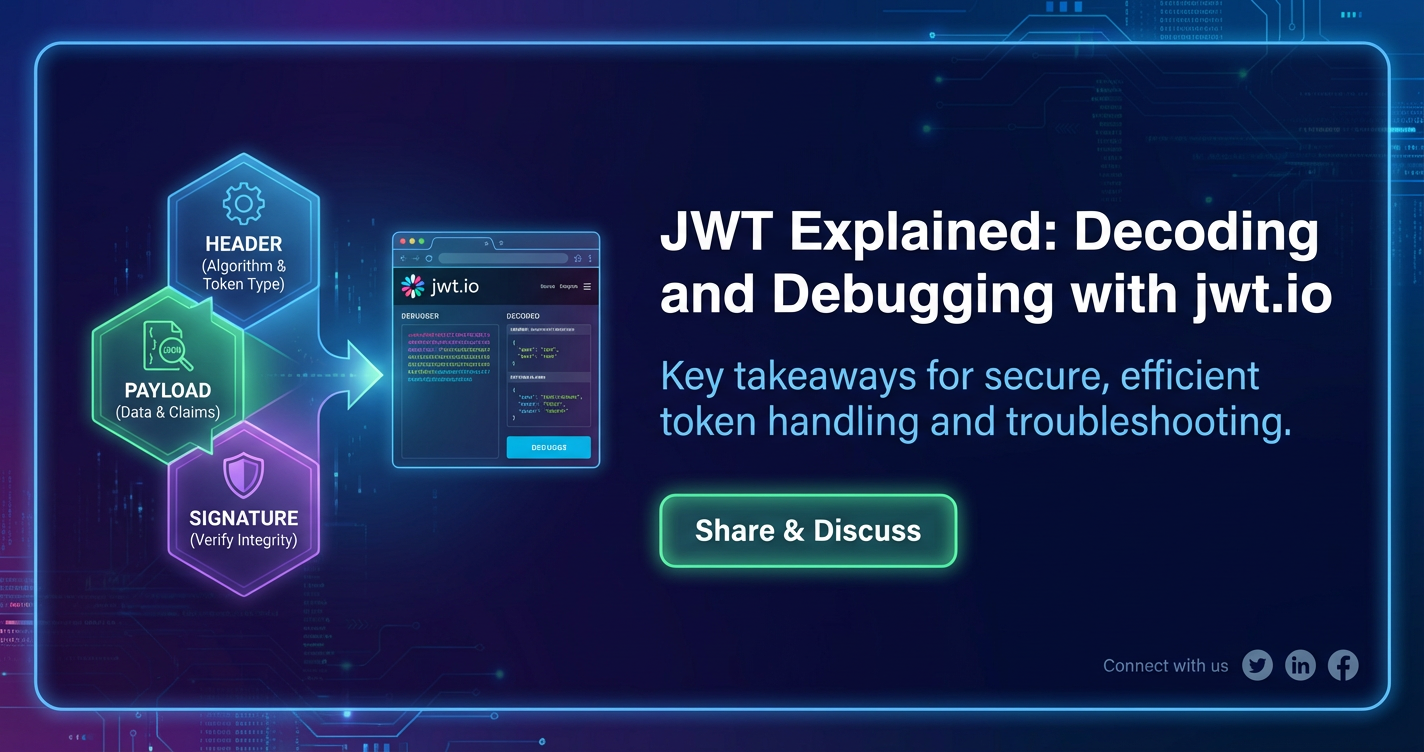
JWT Explained: Decoding and Debugging with jwt.io



In the intricate and interconnected landscape of modern web applications and microservices, the seamless and secure exchange of information between disparate systems is not merely a convenience but an absolute necessity. At the heart of this secure communication lies a powerful and widely adopted standard: JSON Web Tokens, or JWTs. These compact, URL-safe tokens are not just arbitrary strings of characters; they are meticulously structured claims that assert information about an entity, designed to be verified and trusted. From authenticating users across multiple services to authorizing access to specific resources, JWTs have become an indispensable tool for developers building robust and scalable apis.
Yet, despite their widespread adoption, the elegance and efficiency of JWTs can sometimes mask their underlying complexity. For developers, understanding how to properly decode, inspect, and, crucially, debug these tokens is paramount. A malformed token, an expired timestamp, an incorrect signature, or a misconfigured claim can lead to frustrating debugging sessions, security vulnerabilities, or simply broken functionality. This is where tools like jwt.io become invaluable. Serving as an interactive playground and a powerful diagnostic utility, jwt.io demystifies the structure and content of JWTs, allowing developers to quickly understand what’s inside, verify its integrity, and pinpoint issues with remarkable ease.
This comprehensive guide will delve deep into the world of JWTs. We will dissect their anatomy, explore their critical role in the modern api ecosystem, and walk through the practicalities of decoding and debugging them using jwt.io. Furthermore, we will explore advanced use cases, security best practices, and the pivotal role that an api gateway plays in managing these tokens, ensuring that you are equipped with the knowledge to wield JWTs effectively and securely in any application you build.
What is a JSON Web Token (JWT)?
A JSON Web Token (JWT, pronounced "jot") is an open standard (RFC 7519) that defines a compact and self-contained way for securely transmitting information between parties as a JSON object. This information can be verified and trusted because it is digitally signed. JWTs are primarily used for authorization and authentication, particularly in stateless client-server architectures common in modern web development. They allow a server to verify the authenticity of a client's request without needing to repeatedly query a database or session store, making interactions faster and more scalable.
The "self-contained" nature of a JWT is one of its most compelling attributes. Unlike traditional session-based authentication where the server stores session data and provides a session ID to the client, a JWT carries all necessary user information (or "claims") directly within the token itself. This means that once a server issues a JWT, it doesn't need to retain any state about the client's session. Any subsequent request from the client that includes this JWT can be authenticated and authorized solely by inspecting the token's contents and verifying its signature. This statelessness is a cornerstone of RESTful api design, enabling distributed systems and microservices to operate more independently and efficiently.
Consider a scenario where a user logs into an application. Upon successful login, the authentication server generates a JWT containing information about the user (e.g., user ID, roles, permissions) and signs it with a secret key. This JWT is then sent back to the client. For every subsequent request the client makes to access protected resources, it includes this JWT, typically in the Authorization header as a Bearer token. The resource server, upon receiving the request, validates the JWT's signature using the same secret key (or a public key if asymmetric encryption is used). If the signature is valid and the token hasn't expired, the server trusts the claims within the token and grants access accordingly. This entire process occurs without the server having to consult a centralized session store, significantly reducing overhead and enhancing scalability, especially in environments with multiple backend services.
Core Principles of JWTs:
- Compactness: Due to their small size, JWTs can be sent through URL parameters, POST body, or inside an HTTP header. This makes them fast to transmit.
- Self-contained: They carry all the necessary information about the user or entity, eliminating the need for the server to store session state. This is crucial for stateless apis and microservices architectures.
- Verifiable: The signature part of the JWT ensures its authenticity. Once a token is signed with a secret key, only someone with that secret key (or the corresponding public key) can verify its integrity. Any tampering with the header or payload would invalidate the signature, making the token untrustworthy.
- Standardized: Being an open standard, JWTs ensure interoperability across different programming languages and platforms, fostering a consistent approach to authentication and authorization.
While JWTs offer significant advantages, it's also important to understand their limitations and potential pitfalls. For instance, the information within the payload is only encoded, not encrypted. This means sensitive data should never be placed directly in the JWT payload unless it is also encrypted, or the security model accounts for its public visibility. The signature only verifies integrity and authenticity, not confidentiality. Proper handling of secret keys, robust expiration policies, and secure storage on the client side are all critical aspects that demand careful attention to leverage JWTs effectively and securely.
The Anatomy of a JWT: Header, Payload, and Signature
A JWT is composed of three distinct parts, separated by dots (.): the Header, the Payload, and the Signature. Visually, a JWT looks something like this:
xxxxxxxxxxxxxx.yyyyyyyyyyyyyyyy.zzzzzzzzzzzzzz
Each segment is Base64Url-encoded, making the token URL-safe and compact. Let's break down each component in detail.
1. The Header
The header typically consists of two parts: the type of the token, which is JWT, and the signing algorithm being used, such as HMAC SHA256 (HS256) or RSA (RS256).
A typical header looks like this (before Base64Url encoding):
{
  "alg": "HS256",
  "typ": "JWT"
}
alg(Algorithm): This claim specifies the cryptographic algorithm used to sign the JWT. Common algorithms includeHS256(HMAC with SHA-256),RS256(RSA Signature with SHA-256), andES256(ECDSA with P-256 and SHA-256). The choice of algorithm dictates whether a symmetric key (shared secret) or an asymmetric key pair (public/private key) is used for signing and verification.HS256is the simplest and most common, requiring a shared secret between the issuer and the verifier.RS256andES256provide stronger security in scenarios where the private key needs to be kept strictly separate from the verifier, typically with the issuer holding the private key and verifiers using the public key.typ(Type): This claim is optional but is often set toJWTto indicate that the token is a JSON Web Token. This helps consumers of the token identify its type, especially when multiple token types might be in use within a system.
After constructing the JSON header, it is then Base64Url-encoded to form the first part of the JWT. For example, the header shown above would be encoded into something like eyJhbGciOiJIUzI1NiIsInR5cCI6IkpXVCJ9. This encoding is not encryption; it's merely a way to represent binary data in an ASCII string format that is safe to use in URLs.
2. The Payload (Claims)
The payload contains the "claims" – statements about an entity (typically, the user) and additional data. Claims are key-value pairs that provide information. There are three types of claims: registered, public, and private claims.
A typical payload looks like this (before Base64Url encoding):
{
  "sub": "1234567890",
  "name": "John Doe",
  "admin": true,
  "iat": 1516239022,
  "exp": 1516242622,
  "iss": "your-app.com"
}
Let's examine the different types of claims:
- Registered Claims: These are a set of predefined claims that are not mandatory but are recommended to provide a set of useful, interoperable claims.
iss(Issuer): Identifies the principal that issued the JWT. This is often the domain name of the service that generated the token (e.g.,your-app.com).sub(Subject): Identifies the principal that is the subject of the JWT. This is typically a unique identifier for the user or entity (e.g., a user ID).aud(Audience): Identifies the recipients that the JWT is intended for. Each recipient must identify itself with a value in theaudclaim. If the application processing the token is not listed in theaudclaim, it should reject the token. This prevents tokens from being used by unintended services.exp(Expiration Time): Identifies the expiration time on or after which the JWT MUST NOT be accepted for processing. The value is a NumericDate (seconds since Unix epoch). This is a crucial security feature to limit the lifespan of a token and mitigate the impact of token theft.nbf(Not Before): Identifies the time before which the JWT MUST NOT be accepted for processing. Also a NumericDate. Useful for preventing tokens from being used prematurely.iat(Issued At): Identifies the time at which the JWT was issued. Also a NumericDate. This can be used to determine the age of the JWT.jti(JWT ID): Provides a unique identifier for the JWT. Can be used to prevent the token from being replayed. This is particularly useful for implementing token revocation.
- Public Claims: These are claims defined by those who use JWTs, but to avoid collisions, they should be defined in the IANA JSON Web Token Claims Registry or be defined as a URI that contains a collision-resistant namespace. Essentially, they are custom claims that developers wish to make public and well-understood.
- Private Claims: These are custom claims created to share information between parties that agree on their use. They are neither registered nor public claims. For example,
admin: truein the example above is a private claim. While they offer flexibility, care must be taken to ensure both parties understand their meaning, and that they don't clash with registered or public claims.
Like the header, the JSON payload is then Base64Url-encoded to form the second part of the JWT. For example, the payload shown above would become something like eyJzdWIiOiIxMjM0NTY3ODkwIiwibmFtZSI6IkpvaG4gRG9lIiwiYWRtaW4iOnRydWUsImlhdCI6MTUxNjIzOTAyMiwiZXhwIjoxNTE2MjQyNjIyLCJpc3MiOiJ5b3VyLWFwcC5jb20ifQ.
3. The Signature
The signature is created by taking the Base64Url-encoded header, the Base64Url-encoded payload, a secret key, and the algorithm specified in the header, and then signing them.
The signature is computed as follows:
HMACSHA256( base64UrlEncode(header) + "." + base64UrlEncode(payload), secret )
- Base64Url-encoded Header: The first part of the JWT.
- Base64Url-encoded Payload: The second part of the JWT.
- Secret: A string or key that is known only to the issuer and the verifier. This secret is crucial for the security of the JWT. If the secret is compromised, an attacker can forge valid JWTs.
- Algorithm: The cryptographic algorithm specified in the header (e.g., HS256).
The signature's primary purpose is to verify that the sender of the JWT is who it claims to be and to ensure that the message hasn't been tampered with along the way. If the header or the payload is altered even by a single character, the signature verification will fail, and the token will be deemed invalid. This provides the integrity and authenticity guarantees that make JWTs so valuable.
For example, a signed JWT might have a signature segment like P0-Kx4z8G0t....
Putting It All Together
The three Base64Url-encoded parts are concatenated with dots to form the final JWT:
Base64Url(Header).Base64Url(Payload).Base64Url(Signature)
This structure ensures that the token is compact, readable, and verifiable, making it an excellent choice for modern api architectures. The ability to quickly decode these components is crucial for developers, not just for understanding, but for efficient debugging.
Why JWTs are Crucial in Modern APIs
The paradigm shift towards microservices, serverless architectures, and single-page applications has profoundly influenced how apis are designed and consumed. In this evolving landscape, JWTs have emerged as a cornerstone technology, addressing several critical challenges inherent to distributed systems and enhancing the overall efficiency and security of api interactions. Their stateless nature and cryptographic integrity provide significant advantages over traditional session-based authentication methods.
Statelessness in RESTful APIs
One of the foundational principles of REST (Representational State Transfer) is statelessness. Each request from a client to a server must contain all the information necessary to understand the request, and no session state should be stored on the server. Traditional authentication systems often rely on server-side sessions, where the server maintains a record of logged-in users. This approach introduces complexities, particularly when scaling applications horizontally or deploying them across multiple servers, as session data must be replicated or shared, which can be inefficient and error-prone.
JWTs solve this by carrying all necessary authentication and authorization information directly within the token itself. Once a user authenticates, the server issues a JWT. Subsequent requests include this JWT, allowing any server instance to validate it independently without needing to query a central session store. This significantly simplifies load balancing, improves scalability, and reduces the operational overhead associated with managing session state across a distributed environment. This is especially vital for backend apis that serve numerous frontend clients or other microservices.
Cross-Domain Authentication and Single Sign-On (SSO)
In today's web, users often interact with multiple applications or services that belong to the same ecosystem (e.g., a suite of products from one company). JWTs are exceptionally well-suited for enabling seamless cross-domain authentication and Single Sign-On (SSO). When a user logs into one service, an authentication provider (an Identity Provider, or IdP) can issue a JWT. This token, bearing claims about the user's identity and permissions, can then be used to access other affiliated services without requiring the user to re-authenticate.
Each service can independently verify the JWT's signature and trust the claims within it, provided they share the same secret key (for HS256) or have access to the IdP's public key (for RS256/ES256). This provides a streamlined user experience and reduces the friction associated with navigating complex application ecosystems. The aud (audience) claim in a JWT becomes particularly important here, ensuring that a token issued for one service is not mistakenly accepted by another unrelated service, bolstering security.
Microservices Architecture
Microservices architecture, characterized by small, independent services communicating with each other, thrives on decoupled components. Managing authentication and authorization across dozens or hundreds of microservices can be a monumental challenge with traditional methods. JWTs offer an elegant solution.
Instead of each microservice having to connect to a central authentication service for every request, a JWT can be issued by an authentication service and then passed along with requests between microservices. Each downstream microservice can validate the JWT's signature and inspect its claims to make authorization decisions locally. This reduces network latency, minimizes dependencies, and allows microservices to operate with greater autonomy. An api gateway, often deployed at the edge of a microservices architecture, plays a pivotal role here by performing initial JWT validation and often passing the decoded claims or the original token to upstream services, centralizing security enforcement.
Enhanced Security Through Cryptographic Signing
The digital signature component of a JWT provides robust security guarantees. It ensures:
- Integrity: Any attempt to tamper with the header or payload of a JWT will invalidate its signature, making the modification detectable. This means that a server can trust that the information contained within the token has not been altered since it was issued.
- Authenticity: By verifying the signature using a shared secret or a public key, the recipient can confirm that the token was indeed issued by the legitimate issuer. This prevents unauthorized entities from forging tokens.
While JWTs provide integrity and authenticity, it's crucial to remember they do not inherently provide confidentiality. The payload is only encoded, not encrypted. Therefore, sensitive data that should not be visible to the client or any intermediary should not be stored directly in the JWT payload unless additional encryption is applied.
Simplified Authorization
Beyond simple authentication (who the user is), JWTs also facilitate fine-grained authorization (what the user can do). By embedding claims such as user roles, permissions, or resource IDs directly into the token's payload, backend services can make immediate authorization decisions without needing to query a database for user privileges. For example, a claim like "roles": ["admin", "editor"] or "permissions": ["read:products", "write:products"] can empower a service to grant or deny access to specific operations. This simplifies authorization logic, making it more efficient and distributed.
In summary, JWTs are more than just tokens; they are a fundamental building block for secure, scalable, and efficient apis in the modern development landscape. Their stateless nature, combined with robust cryptographic guarantees, makes them an ideal choice for complex, distributed systems, and understanding their mechanics is critical for any developer working with apis today.
Decoding JWTs: The First Step to Understanding
The power of a JWT lies in its structured and verifiable nature, but its encoded format can initially seem opaque. For anyone working with JWTs, whether during development, testing, or debugging, the ability to quickly and accurately decode them is an essential skill. Decoding reveals the header, the payload (with its crucial claims), and provides insights into the signature, forming the foundational step toward understanding and troubleshooting any token-related issues.
Manual Decoding (Base64Url) – An Illustrative Exercise
While impractical for regular use, understanding how to manually decode a JWT segment using Base64Url helps demystify its structure. Each segment of a JWT (Header, Payload) is a Base64Url-encoded JSON string.
Let's take a simplified example of a Base64Url string: eyJzdWIiOiIxMjM0NTY3ODkwIn0
To decode this manually (conceptually): 1. Replace URL-safe characters: Base64Url uses - instead of + and _ instead of /, and omits padding (=). If present, these need to be reversed for standard Base64 decoding, but many tools handle this automatically. 2. Decode from Base64: Use a Base64 decoder. For the example string, it would decode to: {"sub":"1234567890"}. 3. Parse JSON: The result is a JSON string, which can then be parsed into a structured object.
This manual process quickly demonstrates the encoding, not encryption, of JWT segments. While illuminating, it's cumbersome for practical development. This is where dedicated tools become indispensable.
The Need for Dedicated Tools
Manually decoding Base64Url strings for complex JWTs, then parsing the JSON, is tedious, error-prone, and time-consuming. Developers need a rapid, reliable, and interactive way to:
- Visually inspect: See the header and payload in a human-readable JSON format immediately.
- Verify signatures: Check if a token is valid given a secret or public key.
- Identify malformed tokens: Quickly spot if a token is incorrectly structured.
- Experiment: Test different signing algorithms or modify claims to observe their impact.
- Understand expiration: Clearly see the
iat,nbf, andexptimestamps in a readable format.
These requirements lead us directly to the most popular and effective tool for JWT inspection: jwt.io.
Introduction to jwt.io – Your JWT Playground
jwt.io is a free, open-source web application that serves as an interactive debugger for JSON Web Tokens. It's an essential resource for anyone working with JWTs, providing a user-friendly interface to perform a multitude of operations, from simple decoding to complex signature verification. Its primary function is to break down a JWT into its constituent parts, display them clearly, and allow for active manipulation and testing.
The jwt.io interface is typically divided into three main panels:
- Encoded: The left panel where you paste your JWT.
- Decoded: The middle panel that displays the decoded header and payload as JSON.
- Verify Signature: The right panel where you can input the secret (or public key) to verify the token's authenticity.
Step-by-Step Guide on Using jwt.io for Decoding
Let's walk through the process of using jwt.io for decoding and basic inspection:
- Access jwt.io: Open your web browser and navigate to https://jwt.io/. You'll be greeted with an interface that usually has a pre-populated example JWT.
- Paste Your JWT: In the "Encoded" panel (the large text area on the left), replace the example token with the JWT you wish to decode. As you type or paste the token, jwt.io will automatically begin processing it.
- Observe the Decoded Header: The "Decoded" panel (typically in the middle) will instantly display the JSON representation of the JWT's header. You'll see claims like
alg(algorithm) andtyp(type). This provides immediate insight into how the token was signed.Example Decoded Header:json { "alg": "HS256", "typ": "JWT" } - Inspect the Decoded Payload (Claims): Below the header in the "Decoded" panel, you will see the JSON representation of the JWT's payload. This is where all the crucial claims about the user or entity reside. This section is often the most important for debugging, as it reveals the identity, roles, permissions, and expiration information associated with the token.Example Decoded Payload:
json { "sub": "user123", "name": "Alice Wonderland", "roles": ["user", "beta"], "iat": 1678886400, // Issued At (Unix timestamp) "exp": 1678890000 // Expiration Time (Unix timestamp) }jwt.io is particularly helpful here because it often displays human-readable dates foriat,exp, andnbfclaims, converting the Unix timestamps for easier understanding. It might show "Issued At: Mar 15, 2023 12:00:00 PM GMT+0000" instead of just the raw number. - Check for Malformed Tokens: If you paste an invalid or incomplete JWT (e.g., missing a segment, incorrect Base64Url encoding), jwt.io will clearly indicate an error, often by highlighting the problematic segment in red or displaying an "Invalid Token" message. This immediate feedback is invaluable for catching basic token structure issues.
- Signature Verification (Preliminary): While full signature verification requires the secret, jwt.io will typically indicate "Signature Verified" or "Invalid Signature" based on the provided secret. Even without a secret, it will show you the algorithm used and the structure of the signature.
By following these steps, you can rapidly gain a comprehensive understanding of any JWT's content and initial validity. This foundational decoding capability is the gateway to more advanced debugging techniques.
APIPark is a high-performance AI gateway that allows you to securely access the most comprehensive LLM APIs globally on the APIPark platform, including OpenAI, Anthropic, Mistral, Llama2, Google Gemini, and more.Try APIPark now! 👇👇👇
Debugging JWTs: Common Issues and Solutions
Even with a strong understanding of JWT anatomy, issues inevitably arise during development and production. From expired tokens to invalid signatures, debugging JWT-related problems can be time-consuming without the right tools and systematic approach. jwt.io shines brightest as a debugging assistant, providing immediate feedback that helps pinpoint the root cause of many common JWT failures. Let's explore these issues and how jwt.io aids in their resolution.
1. Invalid Signature
Description: This is arguably the most critical and common error. An "Invalid Signature" means that the digital signature accompanying the JWT does not match the computed signature based on the token's header, payload, and the secret key. This is a severe security alert, as it indicates either: * The token has been tampered with. * The secret key used for verification is different from the one used for signing. * The signing algorithm used by the issuer differs from the one expected by the verifier. * The token itself is malformed in a subtle way, causing signature computation to fail.
How jwt.io Helps: * Direct Verification: In the "Verify Signature" panel (right side of jwt.io), you can input the shared secret key (for HS256) or the public key (for RS256/ES256). * Visual Feedback: If the signature matches, jwt.io will display "Signature Verified" (often with a green checkmark). If it doesn't match, it will prominently show "Invalid Signature" (often with a red X). * Algorithm Mismatch: jwt.io clearly displays the alg (algorithm) from the decoded header. Ensure this matches the algorithm you expect and that your secret/key is compatible with that algorithm. If you input a secret for an RS256 token, it will fail. * Secret Mismatch: The most common cause for "Invalid Signature." Double-check the secret key. Are there leading/trailing spaces? Is it the exact same string? For base64-encoded secrets, ensure it's decoded correctly before providing it to the verifier (or if jwt.io expects raw, provide raw).
Troubleshooting Steps: * Verify the secret key/public key used for signing and verification are absolutely identical. Copy-paste errors are frequent. * Confirm that the alg in the JWT header matches the algorithm expected by your verification logic. * Ensure the token itself is not corrupted before it reaches your verification logic (e.g., no extra characters from HTTP request parsing).
2. Expired Token (exp claim)
Description: The exp (expiration time) claim specifies a timestamp after which the JWT must no longer be accepted. When a server receives a token whose exp time has passed, it should reject the token. This is a fundamental security measure to limit the window of opportunity for token misuse if it were to be compromised.
How jwt.io Helps: * Human-Readable Expiration: jwt.io automatically converts the exp (and iat, nbf) Unix timestamp claims into human-readable dates and times in your local timezone. * "Token Expired!" Message: If the current time is past the exp time, jwt.io will often display a warning or a clear "Token Expired!" message directly in the decoded payload section, making it immediately obvious. * Time Difference: It might even show "expires in X seconds" or "expired X seconds ago," providing precise information.
Troubleshooting Steps: * If a token is legitimately expired, the client needs to obtain a new one, typically via a refresh token flow if implemented. * Check for clock skew between the server issuing the token and the server verifying it. If the verifying server's clock is significantly ahead of the issuing server's, tokens might appear to expire prematurely. Ensure all servers are synchronized using NTP. * Review your token's exp duration. Is it too short, causing legitimate users to be logged out frequently? Or too long, increasing security risk? Adjust the lifespan as appropriate for your application's security requirements and user experience goals.
3. Invalid Audience (aud claim)
Description: The aud (audience) claim identifies the intended recipients of the JWT. A token should only be accepted by services listed in its aud claim. If a service receives a token and its own identifier is not present in the aud claim, it should reject the token. This prevents tokens from being used by unintended applications or services.
How jwt.io Helps: * Payload Inspection: The aud claim is clearly visible in the decoded payload. * Verification Against Expected Value: While jwt.io doesn't automatically "know" your expected audience, it allows you to easily compare the value in the token against what your application expects.
Troubleshooting Steps: * Verify that the aud claim in the issued token precisely matches the aud value configured in the consuming api or service. Case sensitivity, spelling errors, or slight variations (e.g., api.example.com vs example.com/api) can cause mismatches. * If a token is intended for multiple audiences, ensure all relevant values are present in the aud array in the token.
4. Incorrect Issuer (iss claim)
Description: The iss (issuer) claim identifies the principal that issued the JWT. In multi-provider or federated identity systems, verifying the issuer is crucial to ensure that the token originated from a trusted source. If the iss claim doesn't match a known and trusted issuer, the token should be rejected.
How jwt.io Helps: * Payload Inspection: The iss claim is readily available in the decoded payload.
Troubleshooting Steps: * Confirm that the iss claim in the JWT matches the expected issuer configured in your service. * Ensure that your application's authentication logic correctly validates the iss claim against a whitelist of trusted issuers.
5. Malformed Token
Description: A malformed token is one that does not adhere to the basic JWT structure (three Base64Url-encoded segments separated by dots) or where one of the segments is not valid Base64Url encoding. This is often due to truncation, corruption during transmission, or incorrect generation.
How jwt.io Helps: * Immediate Error Feedback: jwt.io is highly sensitive to malformed tokens. If you paste something that isn't a valid JWT structure, it will immediately display an "Invalid Token" error and often highlight the problematic parts in red. It might also show specific errors like "Invalid Base64Url encoding" or "Token has an invalid number of segments."
Troubleshooting Steps: * Check how the token is being transmitted from the client to the server. Is it being truncated? Are special characters being incorrectly escaped/unescaped? * Examine the code that generates the JWT. Are all parts being correctly Base64Url-encoded and concatenated? * Ensure there are no extraneous characters (e.g., spaces, newlines) accidentally included in the token string.
6. Missing or Incorrect Claims (Private/Custom)
Description: Beyond the registered claims, applications often rely on private claims within the JWT payload to convey specific user attributes, permissions, or other application-specific data. If these claims are missing, have incorrect values, or are of an unexpected data type, it can lead to authorization failures or incorrect application behavior.
How jwt.io Helps: * Detailed Payload View: jwt.io presents the entire payload as a clear JSON object, making it easy to spot if a custom claim is absent or has an unexpected value.
Troubleshooting Steps: * Compare the decoded token's claims against your application's expected claims. * Debug the token generation process to ensure all required claims are being correctly added to the payload. * Check for potential typos in claim names, or data type mismatches (e.g., expecting a boolean but getting a string).
7. Time Synchronization Issues (iat, nbf, exp)
Description: Claims like iat (issued at), nbf (not before), and exp (expiration time) rely on consistent timekeeping between the token issuer and the token verifier. If there's a significant clock skew (where one server's clock is out of sync with another), a token might appear to be validly issued but not yet valid (nbf in the future), or expired prematurely (exp in the past).
How jwt.io Helps: * Local Time Conversion: jwt.io converts iat, nbf, and exp timestamps to your local human-readable time, allowing you to quickly compare them with the current time on your machine. This helps in diagnosing if a token is valid now.
Troubleshooting Steps: * Ensure that all servers involved in JWT issuance and verification (including the api gateway) are synchronized with a reliable Network Time Protocol (NTP) server. * Implement a small "leeway" or "clock tolerance" in your JWT verification logic (e.g., 60 seconds) to account for minor clock discrepancies, especially for nbf and exp checks. This is a common practice in many JWT libraries.
By systematically using jwt.io to examine each part of a problematic JWT, compare its contents against expectations, and verify its signature, developers can dramatically reduce the time and effort spent on diagnosing authentication and authorization issues in their apis. It transforms a cryptic string into transparent, actionable information, making debugging a far more manageable task.
Advanced JWT Use Cases and Best Practices
While the core principles of JWTs are straightforward, their effective and secure implementation in real-world applications often involves several advanced considerations and adherence to best practices. These go beyond mere decoding and debugging, delving into architectural decisions, security hardening, and performance optimization within a broader api ecosystem.
Token Revocation
One common challenge with JWTs, particularly long-lived ones, is revocation. Since JWTs are stateless, they are typically self-contained and don't require server-side storage after issuance. This is a benefit for scalability but a drawback for immediate revocation. If a user logs out, changes their password, or a token is compromised, ideally, it should be immediately invalidated.
Solutions for Revocation: * Short-lived Tokens with Refresh Tokens: This is the most widely adopted pattern. JWT access tokens are given a very short lifespan (e.g., 5-15 minutes). When an access token expires, the client uses a longer-lived refresh token (which is typically single-use and stored securely on the server or in a database for easy revocation) to request a new access token. If the refresh token is revoked, all associated access tokens become unrenewable. * Blacklisting/Denylisting: For critical security incidents, individual JWTs can be added to a server-side blacklist. Before processing any JWT, the server checks if it's on this list. This introduces state, but only for revoked tokens, making it more scalable than traditional session stores. The jti (JWT ID) claim is crucial here, providing a unique identifier for each token to be blacklisted. * Changing the Secret Key: In severe compromise scenarios, changing the secret key used for signing can invalidate all previously issued tokens signed with the old key. This is a drastic measure, often requiring users to re-authenticate.
Short-Lived Tokens and Refresh Tokens
As mentioned, this is a best practice for managing JWT lifecycles. * Access Token: Short-lived, sent with every request to access protected resources. If stolen, its utility is limited by its short expiry. * Refresh Token: Long-lived, used only to obtain new access tokens when the current one expires. Refresh tokens should be stored securely (e.g., HTTP-only cookies, not localStorage), and ideally, be single-use and checked against a database for validity and revocation.
This dual-token strategy balances user experience (less frequent logins) with enhanced security (limiting exposure of active access tokens).
Storing Tokens Securely
Where a JWT is stored on the client side profoundly impacts its security. * HTTP-Only Cookies: This is generally recommended for storing refresh tokens. An HTTP-only cookie cannot be accessed via client-side JavaScript, significantly mitigating cross-site scripting (XSS) attacks where malicious scripts might try to steal tokens. They are automatically sent with every request to the domain they were issued for. * localStorage / sessionStorage: Access tokens are often stored here. While convenient for client-side JavaScript to retrieve for Authorization headers, they are vulnerable to XSS attacks. If an attacker injects malicious JavaScript, they can easily read tokens from localStorage. Mitigation strategies include robust XSS protection and ensuring access tokens are short-lived. * Memory: Storing tokens only in memory for the duration of the user's session provides the highest level of protection against persistent storage vulnerabilities but means the user must re-authenticate on page refresh. This is rarely practical for typical web applications.
The choice of storage depends on the token's sensitivity and lifespan, balancing security with usability.
Limiting Payload Size
While JWTs are compact, there's a practical limit to how much data should be embedded in the payload. Larger payloads increase the size of HTTP request headers, potentially leading to: * Performance overhead: More data to transmit over the network on every authenticated request. * Gateway/Proxy Limits: Some api gateways, load balancers, or web servers have limits on header sizes, which could cause requests with large JWTs to be rejected.
Best practice dictates including only essential, non-sensitive information in the payload necessary for authentication and authorization decisions. If more data is needed, consider storing it server-side and retrieving it based on a user ID claim from the JWT.
Choosing the Right Algorithm (HS256 vs. RS256)
The alg claim defines the signing algorithm, and the choice between symmetric (HS256) and asymmetric (RS256, ES256) algorithms has significant implications:
- HS256 (HMAC with SHA-256): Uses a single, shared secret key for both signing and verification. Simpler to implement. Suitable when the issuer and verifier are the same entity (e.g., a single backend server issuing and verifying tokens for its own api). Security risk: If the secret is compromised, an attacker can both sign and verify tokens.
- RS256 (RSA Signature with SHA-256) / ES256 (ECDSA with P-256 and SHA-256): Uses an asymmetric key pair. The issuer signs the token with a private key, and anyone can verify it using the corresponding public key. Advantage: The verifier (e.g., resource server) only needs the public key, which can be openly distributed. The private key remains secure with the issuer. This is ideal for microservices architectures or SSO scenarios where multiple services need to verify tokens issued by a central Identity Provider without having access to the issuer's private signing key.
For complex, distributed systems or scenarios involving multiple apis from different domains, RS256 or ES256 often provides a more secure and flexible model by decoupling the signing and verification keys.
Securing the Secret Key
The secret key (for symmetric algorithms like HS256) or the private key (for asymmetric algorithms) is the cornerstone of JWT security. * Never hardcode: Secrets should never be hardcoded directly into source code. * Environment Variables/Configuration Management: Store secrets as environment variables or use a secure configuration management system (e.g., HashiCorp Vault, AWS Secrets Manager). * Strong Entropy: Secrets should be long, random, and complex strings, not easily guessable phrases. * Rotation: Regularly rotate your signing keys, especially in high-security environments.
A compromised secret key renders all tokens signed with it vulnerable to forgery, allowing an attacker to create valid-looking tokens.
Integration with OAuth 2.0
JWTs are often used as the access tokens within an OAuth 2.0 flow. OAuth 2.0 is an authorization framework that allows third-party applications to obtain limited access to an HTTP service, either on behalf of a resource owner or by allowing the third-party application to obtain access on its own behalf. * OAuth 2.0 provides the "how" to obtain a token. * JWT defines the "what" the token contains and how it's structured/signed.
When an OAuth 2.0 client successfully obtains an access token, that token is frequently a JWT. The claims within that JWT (e.g., sub, scope, custom claims) then inform the resource server about the authorized permissions. This combination provides a robust and flexible security architecture.
The Critical Role of an API Gateway in JWT Validation and Transformation
In any sophisticated api architecture, especially one leveraging microservices, an api gateway plays an indispensable role, acting as the single entry point for all client requests. This strategic position makes it an ideal place to centralize and enforce critical cross-cutting concerns, including JWT validation and transformation.
Centralized Authentication and Authorization: An api gateway can offload authentication from individual microservices. Instead of each service having to implement JWT validation logic, the gateway performs this once at the edge. It verifies the token's signature, checks its expiration, audience, issuer, and other critical claims. If the JWT is invalid, the request is rejected immediately, preventing malicious or malformed requests from reaching backend services. This significantly reduces boilerplate code in microservices and ensures consistent security policies across the entire api landscape.
Policy Enforcement Based on JWT Claims: Beyond basic validation, an api gateway can use the claims within a decoded JWT to enforce sophisticated policies. For instance: * Rate Limiting: Control the number of requests a user can make per second based on a user_tier or client_id claim in the JWT. * Traffic Routing: Route requests to specific microservice versions or instances based on roles or group memberships (roles claim). * Access Control: Grant or deny access to specific api endpoints based on permissions or scope claims. * Data Transformation: Inject decoded JWT claims into HTTP headers for downstream microservices, simplifying their internal logic. Microservices no longer need to decode the token themselves; they just read trusted headers from the gateway.
Seamless Integration with Identity Providers: An api gateway often integrates seamlessly with various Identity Providers (IdPs) like Auth0, Okta, Keycloak, or even custom authentication services. It can be configured to redirect unauthenticated requests to the IdP, handle the OAuth/OIDC flow, and then issue or validate the resulting JWTs before forwarding requests to the backend. This centralizes the identity management aspect of the application.
Enhancing Security and Operational Efficiency: By centralizing JWT handling, the gateway enhances overall security by providing a single point of enforcement and audit. It also improves operational efficiency by standardizing authentication across diverse services, reducing the potential for misconfigurations and making debugging easier.
For organizations building complex api ecosystems, particularly those incorporating AI models and diverse REST services, a robust api gateway is not just an option, but a necessity. Platforms designed to manage the entire lifecycle of apis, from design to deployment, and to handle authentication, traffic management, and policy enforcement, are critical.
One such comprehensive solution is APIPark. As an open-source AI gateway and API Management Platform, APIPark excels in unifying the management, integration, and deployment of AI and REST services. It is particularly adept at handling sophisticated authentication mechanisms like JWT validation at the edge. By centralizing JWT processing, APIPark ensures that all incoming requests are properly authenticated and authorized before reaching your backend services or AI models, effectively securing your entire api infrastructure. Its capabilities extend to managing traffic forwarding, load balancing, and versioning, making it an ideal choice for robust JWT integration and comprehensive api governance. You can learn more about this powerful platform at ApiPark.
The strategic deployment of an api gateway like APIPark simplifies the adoption of JWTs, ensuring they are used securely and efficiently across a distributed system, ultimately contributing to a more resilient and manageable api landscape.
Practical Examples with jwt.io
To solidify our understanding, let's walk through some hands-on examples using jwt.io. These scenarios demonstrate how to generate tokens, modify them, and use the platform's verification features.
Scenario 1: Creating a Sample JWT
Let's say you want to quickly generate a token to test a new api endpoint that expects a JWT with specific user roles.
- Go to jwt.io: Open https://jwt.io/.
- Configure Header: In the "Decoded" panel, modify the "Header" JSON. Let's stick with
HS256for simplicity.json { "alg": "HS256", "typ": "JWT" } - Configure Payload: Modify the "Payload" JSON to include your desired claims, such as a user ID, name, and specific roles.
json { "sub": "testuser_123", "name": "Test User", "email": "test@example.com", "roles": ["developer", "tester"], "iat": 1678886400, // Issued At: March 15, 2023 12:00:00 PM GMT "exp": 1678890000 // Expires At: March 15, 2023 01:00:00 PM GMT } - Set Secret: In the "Verify Signature" panel, enter a secret key (e.g.,
my_super_secret_key). - Observe Encoded Token: The "Encoded" panel will instantly update with your newly generated JWT. You can copy this token and use it to test your api.
- Tip: jwt.io also converts
iatandexpinto human-readable dates, which is very helpful for quickly understanding the token's lifespan.
- Tip: jwt.io also converts
Scenario 2: Modifying Claims and Observing Signature Changes
This demonstrates the integrity feature of JWTs.
- Start with a Valid Token: Use the token generated in Scenario 1, or any valid JWT. Ensure the correct secret is entered in the "Verify Signature" panel, showing "Signature Verified."
- Modify a Claim: In the "Decoded" (Payload) panel, change a value, for instance, change
"name": "Test User"to"name": "Malicious User". - Observe Signature Status: Immediately, the "Verify Signature" panel will change from "Signature Verified" to "Invalid Signature" (red cross).
- Explanation: Even a single character change in the payload causes the re-computation of the signature to yield a different result than the original signature embedded in the token. Since the secret key used for verification remains the original one, the mismatch is detected, confirming the token's integrity has been compromised. This highlights why the signature is so vital for security.
Scenario 3: Simulating an Expired Token
- Generate a Token with a Past
exp: In the "Decoded" (Payload) panel, manually set theexpclaim to a Unix timestamp that is in the past relative to the current time. For instance, if today is March 15, 2023, setexpto1672531200(January 1, 2023). - Observe Expiration Warning: jwt.io will clearly indicate that the token is expired, often with a message like "Token Expired!" or by showing the
exptime in red and stating "expired X days ago." This simulates what your backend api would do if it received such a token.
Scenario 4: Simulating an Incorrect Secret
- Start with a Valid Token: Ensure you have a valid token in the "Encoded" panel and the correct secret in the "Verify Signature" panel, resulting in "Signature Verified."
- Change the Secret: In the "Verify Signature" panel, subtly change the secret (e.g., add an extra character, remove one, or just type a completely different string).
- Observe Signature Error: The status will instantly switch to "Invalid Signature."
- Explanation: This confirms that the secret key used for verification must exactly match the secret key used for signing. Any discrepancy, however minor, will lead to signature validation failure. This is a common debugging point if your application is consistently rejecting tokens.
Scenario 5: Inspecting an RS256 Token
If you are working with tokens signed with asymmetric keys (e.g., RS256), jwt.io can also help.
- Paste an RS256 Token: Copy an RS256-signed JWT (e.g., from an OAuth provider). Paste it into the "Encoded" panel. The "Decoded" header will show
"alg": "RS256". - Provide Public Key for Verification: In the "Verify Signature" section, you won't input a "secret." Instead, you'll see a text area labeled "Public Key." Paste the corresponding public key (e.g., in PEM format) that was used to verify tokens from the issuer.
- Verify Signature: If the public key is correct, jwt.io will show "Signature Verified." If the public key is incorrect or incomplete, it will show "Invalid Signature."
These practical examples illustrate the power and simplicity of jwt.io as a debugging tool. It provides immediate, visual feedback, turning what could be hours of trial-and-error into minutes of clear diagnosis.
Beyond jwt.io: Programmatic JWT Handling
While jwt.io is an indispensable tool for interactive debugging and understanding, real-world applications require programmatic handling of JWTs. This involves generating tokens, sending them in requests, and, most critically, securely validating them on the server-side. Fortunately, robust libraries exist across virtually every major programming language to facilitate this.
Libraries in Different Languages
The JWT standard is widely supported, leading to a rich ecosystem of libraries that handle the complexities of encoding, signing, decoding, and verifying tokens. Here are examples for popular languages:
- Node.js:
jsonwebtoken(often used withexpress-jwtfor middleware). ```javascript const jwt = require('jsonwebtoken'); const secret = 'your_jwt_secret'; // Should be from environment variable// Sign a token const token = jwt.sign({ userId: '123', roles: ['user'] }, secret, { expiresIn: '1h' }); console.log(token);// Verify a token try { const decoded = jwt.verify(token, secret); console.log(decoded); // { userId: '123', roles: ['user'], iat: ..., exp: ... } } catch (err) { console.error('Invalid token:', err.message); } ```
Go: github.com/golang-jwt/jwt ```go package mainimport ( "fmt" "time"
"github.com/golang-jwt/jwt/v5"
)func main() { secret := []byte("your_jwt_secret") // Should be from environment variable
// Create a new token object
token := jwt.NewWithClaims(jwt.SigningMethodHS256, jwt.MapClaims{
    "userId": "123",
    "roles":  "user",
    "exp":    time.Now().Add(time.Hour * 1).Unix(),
})

// Sign the token to get the complete encoded token as a string
tokenString, err := token.SignedString(secret)
if err != nil {
    fmt.Println(err)
}
fmt.Println(tokenString)

// Parse and validate the token
parsedToken, err := jwt.Parse(tokenString, func(token *jwt.Token) (interface{}, error) {
    if _, ok := token.Method.(*jwt.SigningMethodHMAC); !ok {
        return nil, fmt.Errorf("unexpected signing method: %v", token.Header["alg"])
    }
    return secret, nil
})

if err != nil {
    fmt.Println("Error parsing token:", err)
} else if claims, ok := parsedToken.Claims.(jwt.MapClaims); ok && parsedToken.Valid {
    fmt.Println("Decoded claims:", claims)
} else {
    fmt.Println("Invalid token")
}
} ```
Java: java-jwt (from Auth0) ```java import com.auth0.jwt.JWT; import com.auth0.jwt.algorithms.Algorithm; import com.auth0.jwt.exceptions.JWTVerificationException; import com.auth0.jwt.interfaces.DecodedJWT; import java.util.Date; import java.time.Instant;public class JwtExample { public static void main(String[] args) { String secret = "your_jwt_secret"; // Should be from environment variable Algorithm algorithm = Algorithm.HMAC256(secret);
    // Create a token
    String token = JWT.create()
            .withIssuer("auth0")
            .withSubject("123")
            .withClaim("roles", "user")
            .withExpiresAt(Date.from(Instant.now().plusSeconds(3600))) // 1 hour expiration
            .sign(algorithm);
    System.out.println(token);

    // Verify a token
    try {
        DecodedJWT jwt = JWT.require(algorithm)
                .withIssuer("auth0")
                .build()
                .verify(token);
        System.out.println("Decoded Payload: " + jwt.getClaims());
    } catch (JWTVerificationException exception){
        System.err.println("Invalid Token: " + exception.getMessage());
    }
}
} ```
Python: PyJWT ```python import jwt import datetime import timesecret = 'your_jwt_secret' # Should be from environment variable
Encode a token
payload = { 'userId': '123', 'roles': ['user'], 'exp': datetime.datetime.utcnow() + datetime.timedelta(hours=1) } encoded_jwt = jwt.encode(payload, secret, algorithm='HS256') print(encoded_jwt)
Decode/Verify a token
try: decoded_jwt = jwt.decode(encoded_jwt, secret, algorithms=['HS256']) print(decoded_jwt) except jwt.ExpiredSignatureError: print("Token has expired!") except jwt.InvalidTokenError: print("Invalid token!") ```
These examples demonstrate the common pattern: sign for creating tokens and verify (or decode with verification) for processing them. Most libraries automatically handle the Base64Url encoding/decoding and timestamp validation.
Importance of Server-Side Validation
While client-side decoding (e.g., for display purposes or simple logic) can be useful, all security-critical JWT validation MUST occur on the server-side. Never trust a JWT that has only been validated client-side. The client-side is inherently insecure and susceptible to tampering.
Server-side validation ensures:
- Signature Integrity: The token hasn't been tampered with. This is the most crucial check.
- Expiration: The token is still within its valid time window (
exp,nbf). - Audience and Issuer: The token is intended for this specific service and was issued by a trusted entity.
- Claim Validity: Any application-specific claims (e.g., user roles, permissions) are present and have expected values.
- Revocation (if implemented): The token hasn't been blacklisted.
Most JWT libraries provide comprehensive verification functions that perform these checks automatically. Developers should always utilize these built-in verification features and avoid manually re-implementing complex security logic.
By combining the interactive power of jwt.io for quick checks and debugging with robust, secure programmatic libraries for server-side processing, developers can effectively integrate and manage JWTs in their applications, building secure and scalable apis.
Conclusion
JSON Web Tokens have undeniably transformed the landscape of modern api security, offering a powerful, standardized, and stateless mechanism for authentication and authorization. Their compact, self-contained nature and cryptographic integrity make them an ideal choice for the distributed, microservices-driven architectures that dominate today's web. From enabling seamless Single Sign-On across multiple applications to streamlining authorization decisions in complex backend systems, JWTs are a cornerstone technology for developers striving to build scalable and secure apis.
However, the elegance of JWTs doesn't negate the need for a deep understanding of their structure and lifecycle. As we've explored, effectively working with these tokens requires not only knowing what they are but also how to dissect, validate, and troubleshoot them. This is precisely where tools like jwt.io become indispensable. By providing an intuitive, interactive environment, jwt.io demystifies the opaque encoded strings, revealing their header, payload, and the crucial details of their signature. It empowers developers to quickly decode tokens, verify their integrity, identify common pitfalls like expired timestamps or invalid secrets, and ultimately accelerate the debugging process.
Beyond individual token inspection, the broader api ecosystem relies on strategic architectural choices to manage JWTs securely and efficiently. The role of an api gateway is paramount in this context, centralizing authentication, enforcing granular policies based on token claims, and safeguarding backend services from unauthorized access. Solutions like APIPark, as an open-source AI gateway and API Management Platform, demonstrate how modern platforms can streamline the entire api lifecycle, including robust JWT handling, traffic management, and security enforcement, making it easier for developers and enterprises to build, deploy, and secure their diverse range of services, be they traditional RESTful apis or advanced AI models.
In mastering JWTs, developers gain not just a technical skill but a fundamental understanding of modern api security principles. By leveraging both interactive tools for rapid insight and robust programmatic libraries for server-side enforcement, you can confidently navigate the complexities of token-based authentication, build more resilient systems, and ensure the secure flow of information across your applications. The journey from decoding a cryptic string to deploying a secure, scalable api is paved with knowledge, and understanding JWTs is a vital step on that path.
Frequently Asked Questions (FAQs)
Here are five frequently asked questions about JWTs, decoding, and debugging:
Q1: What is the main difference between JWTs and traditional session-based authentication?
A1: The primary difference lies in statefulness. Traditional session-based authentication typically requires the server to store session information (state) for each authenticated user, usually tied to a session ID stored in a cookie. This can become complex to scale horizontally. JWTs, on the other hand, are stateless. All necessary user information and claims are self-contained within the token itself. Once issued, the server doesn't need to store any session state; it simply verifies the JWT's signature and expiration on each request. This statelessness makes JWTs highly scalable and suitable for distributed systems and microservices, though it introduces challenges like immediate token revocation.
Q2: Is the JWT payload encrypted? How secure is the information inside it?
A2: No, the JWT payload is only Base64Url-encoded, not encrypted. This means anyone with the token can easily decode its header and payload to read its contents. The security of JWTs comes from their digital signature, which ensures the token's integrity and authenticity (that it hasn't been tampered with and was issued by a trusted source). Therefore, you should never place sensitive information that needs to remain confidential directly into the JWT payload. If confidentiality is required for specific data, that data should be encrypted separately before being included in the payload, or preferably, stored on the server and referenced by a non-sensitive identifier in the JWT.
Q3: What are HS256 and RS256 in JWTs, and when should I use each?
A3: HS256 and RS256 refer to the signing algorithms used for JWTs, specified in the alg header claim: * HS256 (HMAC with SHA-256): This is a symmetric algorithm, meaning it uses a single, shared secret key for both signing and verifying the token. It's simpler to implement and suitable when the party issuing the token is also the primary party verifying it (e.g., a single backend api). The security relies entirely on keeping the secret key confidential. * RS256 (RSA Signature with SHA-256): This is an asymmetric algorithm, using a private key for signing and a corresponding public key for verification. It's more complex but provides stronger security in distributed systems. It's ideal for scenarios where an Identity Provider (IdP) issues tokens with its private key, and multiple different services (resource servers) need to verify these tokens using the IdP's public key without having access to the sensitive private key.
Choose HS256 for simpler, monolithic applications or trusted internal services, and RS256 for distributed microservices, multi-tenant apis, or when integrating with external Identity Providers.
Q4: How does an API Gateway help with JWTs in a microservices architecture?
A4: An api gateway acts as a central entry point for all client requests in a microservices architecture, making it an ideal place to manage JWTs. Its key functions regarding JWTs include: * Centralized Validation: The gateway can perform initial JWT validation (signature, expiration, audience, issuer) for all incoming requests, preventing invalid tokens from reaching backend microservices. * Policy Enforcement: It can enforce authorization policies based on claims extracted from the JWT (e.g., rate limiting by user role, routing by permissions). * Claim Transformation: It can extract claims from the JWT and inject them into standard HTTP headers before forwarding the request to downstream microservices, simplifying the microservices' logic (they no longer need to parse the JWT themselves). * Security Perimeter: It provides a strong security perimeter, protecting internal services from direct exposure and ensuring consistent authentication across the entire api landscape.
Q5: What should I do if my JWT keeps showing "Invalid Signature" on jwt.io or in my application?
A5: An "Invalid Signature" error indicates a mismatch between the token's embedded signature and the signature re-computed by the verifier. Here's a troubleshooting checklist: 1. Secret Key Mismatch: This is the most common cause. Double-check that the secret key (for HS256) or the public key (for RS256/ES256) used for verification is exactly the same as the one used for signing. Pay attention to leading/trailing spaces, character casing, and ensure it's not truncated. If using a base64-encoded secret, ensure it's handled correctly by your library/tool. 2. Algorithm Mismatch: Verify that the alg claim in the JWT header (e.g., HS256, RS256) matches the algorithm configured in your verification logic. Trying to verify an RS256 token with an HS256 secret will fail. 3. Token Tampering: Ensure the token hasn't been accidentally or maliciously altered during transmission. 4. Malformed Token: Check if the token string itself is malformed or corrupted (e.g., missing segments, invalid Base64Url characters). jwt.io will usually flag this with a structural error before even attempting signature verification. 5. Key Format: For asymmetric keys, ensure the public key is in the correct format (e.g., PEM format with headers/footers) expected by your library or jwt.io.
🚀You can securely and efficiently call the OpenAI API on APIPark in just two steps:
Step 1: Deploy the APIPark AI gateway in 5 minutes.
APIPark is developed based on Golang, offering strong product performance and low development and maintenance costs. You can deploy APIPark with a single command line.
curl -sSO https://download.apipark.com/install/quick-start.sh; bash quick-start.sh

In my experience, you can see the successful deployment interface within 5 to 10 minutes. Then, you can log in to APIPark using your account.

Step 2: Call the OpenAI API.