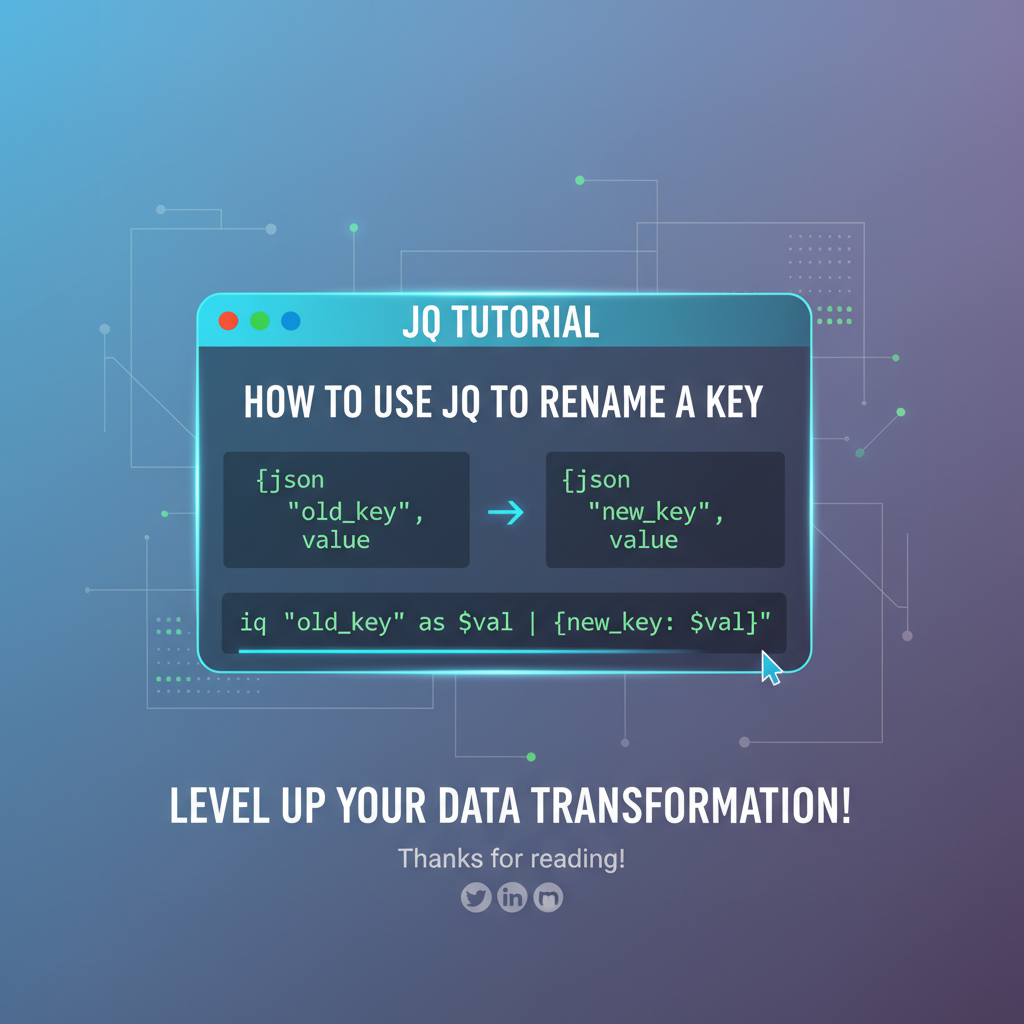
JQ Tutorial: How to Use JQ to Rename a Key



In the vast and interconnected landscape of modern software development, data reigns supreme. And when it comes to structured data exchange, JSON (JavaScript Object Notation) has emerged as the lingua franca. From web APIs delivering real-time updates to configuration files orchestrating complex systems, JSON is everywhere. Yet, for all its simplicity and ubiquity, raw JSON data isn't always perfectly tailored for every application or system. Often, developers find themselves needing to transform, filter, or manipulate JSON structures to fit specific requirements. This is where jq enters the scene—a lightweight and flexible command-line JSON processor that is nothing short of a Swiss Army knife for JSON data.
This comprehensive tutorial delves deep into one of the most common and practical JSON transformation tasks: renaming keys. Whether you're dealing with inconsistent API responses, adapting legacy data formats, or simply aiming for cleaner, more descriptive key names, mastering key renaming with jq is an invaluable skill. We'll embark on a journey from foundational concepts to advanced techniques, ensuring that by the end, you'll be equipped to confidently tackle any key renaming challenge jq throws your way. Prepare to unlock the full potential of jq and elevate your data manipulation prowess.
1. Unveiling JQ: Your Command-Line JSON Companion
Before we dive into the intricacies of renaming keys, let's briefly re-acquaint ourselves with jq. At its core, jq is a command-line utility that allows you to slice, filter, map, and transform structured data with ease. It's like sed or awk for JSON, but specifically designed to understand the nested and hierarchical nature of JSON objects and arrays.
Why is jq so indispensable? * Efficiency: It processes large JSON files quickly, making it ideal for scripting and automation. * Flexibility: Its rich set of filters and functions allows for incredibly precise and complex transformations. * Ubiquity: It's available on almost all Unix-like systems and easily installable, making it a universal tool for developers and system administrators alike. * Readability: Once you grasp its syntax, jq expressions can be surprisingly concise and expressive.
For anyone who frequently interacts with APIs, logs, or configuration files that output JSON, jq quickly becomes an indispensable part of their daily toolkit. It saves countless hours of manual parsing, string manipulation, or writing custom scripts in other languages.
1.1. Setting Up Your JQ Environment
If you don't already have jq installed, getting started is straightforward.
On macOS (using Homebrew):
brew install jq
On Debian/Ubuntu:
sudo apt-get update
sudo apt-get install jq
On CentOS/RHEL:
sudo yum install jq
On Windows: You can download the executable from the official jq website (https://stedolan.github.io/jq/download/) and add it to your system's PATH. Alternatively, if you use WSL (Windows Subsystem for Linux), you can use the Linux installation methods.
Once installed, you can verify it by running:
jq --version
This should output the installed jq version, confirming that it's ready for action.
2. The Foundation: Understanding JSON Objects and JQ's Basics
To effectively rename keys, we must first have a solid understanding of how jq perceives JSON structures, particularly objects.
A JSON object is an unordered set of key/value pairs. Each key must be a string (enclosed in double quotes), and each value can be a string, number, boolean, array, object, or null.
Example JSON object:
{
  "firstName": "John",
  "lastName": "Doe",
  "age": 30,
  "isStudent": false,
  "address": {
    "street": "123 Main St",
    "city": "Anytown"
  },
  "courses": [
    {"title": "History 101", "credits": 3},
    {"title": "Math 201", "credits": 4}
  ]
}
2.1. Basic JQ Filters for Object Access
jq operates by applying "filters" to its input. A filter is essentially a transformation that takes a JSON value as input and produces a JSON value as output.
- Identity filter (
.): Passes the input through unchanged.bash echo '{"name": "Alice"}' | jq '.' # Output: {"name": "Alice"} - Key selection (
.key_name): Extracts the value associated with a specific key.bash echo '{"name": "Alice", "age": 30}' | jq '.name' # Output: "Alice"If the key contains special characters or spaces, you can use quoted key access:."key name with spaces". - Multiple key selection (
.key1, .key2): Selects multiple values.bash echo '{"name": "Alice", "age": 30}' | jq '.name, .age' # Output: # "Alice" # 30Note that this produces multiple output values, not a single object. To create a new object, you'd use object construction:{.name, .age}. - Object construction (
{key1: .value1, key2: .value2}): Creates a new object.bash echo '{"firstName": "John", "lastName": "Doe"}' | jq '{fullName: (.firstName + " " + .lastName), initials: (.firstName[0:1] + .lastName[0:1])}' # Output: # { # "fullName": "John Doe", # "initials": "JD" # }This fundamental concept of object construction will be crucial for many key renaming strategies. del(path): Deletes a key from an object. This is not renaming, but it's relevant because some renaming strategies involve deleting the old key after creating a new one.bash echo '{"name": "Alice", "age": 30}' | jq 'del(.age)' # Output: # { # "name": "Alice" # }
With these basic building blocks, we're ready to explore the art of renaming keys.
3. The Core Problem: Why Rename Keys?
Before we dive into how to rename keys, let's consider the why. Understanding the common motivations can help you choose the most appropriate jq strategy.
- API Inconsistencies: You might consume data from multiple APIs where the same conceptual piece of information is represented by different key names (e.g.,
user_id,userId,id). Renaming them to a consistentidwithin your system simplifies downstream processing. - Readability and Clarity: Sometimes, an API provides terse or overly technical key names that aren't intuitive for your application's internal data models or for human readers debugging logs. Renaming
usr_nmtousernameimproves clarity. - Framework/Library Compatibility: Many front-end frameworks or ORMs expect data with specific key naming conventions (e.g.,
camelCasefor JavaScript,snake_casefor Python/Ruby). Transforming keys to match these conventions avoids compatibility issues. - Data Model Harmonization: In complex microservices architectures, data often flows through several services. Standardizing key names at various integration points helps maintain a coherent data model across the ecosystem.
- Avoiding Naming Conflicts: When merging data from different sources, you might encounter identical key names that represent different concepts. Renaming one to differentiate it prevents data corruption or misinterpretation.
- Schema Evolution: Over time, your data schema might evolve. Instead of rewriting all consumers, you can use
jqas a translation layer to adapt old key names to new ones. - Security/Privacy: In some cases, a key name itself might subtly reveal information that you wish to obscure or rephrase for public consumption, even if the value remains the same.
The need to rename keys is a fundamental data transformation requirement, and jq offers robust solutions for a wide array of scenarios.
4. Method 1: The as Operator with Object Construction (Simple, Fixed Key Renaming)
This is perhaps the most straightforward and often the first method developers reach for when they need to rename a fixed, known key. It leverages jq's object construction syntax combined with the as operator for variable assignment.
4.1. Basic Renaming of a Single Top-Level Key
Let's say you have an object with a key oldName and you want to rename it to newName.
Example JSON:
{
  "productCode": "P-123",
  "description": "Premium Widget",
  "price": 29.99
}
Goal: Rename productCode to sku.
JQ Filter:
echo '{ "productCode": "P-123", "description": "Premium Widget", "price": 29.99 }' | \
jq '.productCode as $code | {sku: $code, description: .description, price: .price}'
Explanation: 1. .productCode as $code: This part extracts the value of the productCode key and assigns it to a variable named $code. The as operator is incredibly useful for temporary storage within a filter. 2. |: The pipe (|) operator chains filters. The output of the left-hand side becomes the input of the right-hand side. Here, the entire original object is passed to the right-hand side, but with $code now bound to the productCode's value. 3. {sku: $code, description: .description, price: .price}: This is an object constructor. We're building a new object. * sku: $code: Creates a new key sku and assigns it the value stored in $code (which was the original productCode). * description: .description: Copies the description key and its value from the original input object. * price: .price: Copies the price key and its value from the original input object.
Output:
{
  "sku": "P-123",
  "description": "Premium Widget",
  "price": 29.99
}
4.2. Renaming Multiple Known Top-Level Keys
You can extend this method to rename several keys simultaneously.
Example JSON:
{
  "u_id": 123,
  "u_name": "Alice",
  "email_addr": "alice@example.com"
}
Goal: Rename u_id to userId, u_name to username, and email_addr to email.
JQ Filter:
echo '{ "u_id": 123, "u_name": "Alice", "email_addr": "alice@example.com" }' | \
jq '.u_id as $id | .u_name as $name | .email_addr as $email | {userId: $id, username: $name, email: $email}'
Explanation: We chain multiple as assignments to store the values of the old keys, then construct a new object with the desired new key names. Note that this filter only includes the specified keys; other keys in the original object would be omitted unless explicitly included in the new object construction. If you want to keep all other keys, you would need a different approach (like del combined with adding new keys, or with_entries which we'll cover later).
Output:
{
  "userId": 123,
  "username": "Alice",
  "email": "alice@example.com"
}
4.3. Renaming Keys and Keeping Unchanged Keys
A common requirement is to rename some keys while retaining all other keys as they are. This involves constructing a new object by merging the original object with the explicitly renamed keys.
Example JSON:
{
  "oldKey1": "value1",
  "unchangedKey1": "uValue1",
  "oldKey2": "value2",
  "unchangedKey2": "uValue2"
}
Goal: Rename oldKey1 to newKey1 and oldKey2 to newKey2, keeping unchangedKey1 and unchangedKey2.
JQ Filter:
echo '{ "oldKey1": "value1", "unchangedKey1": "uValue1", "oldKey2": "value2", "unchangedKey2": "uValue2" }' | \
jq '(.oldKey1 as $val1 | .oldKey2 as $val2 | . | del(.oldKey1, .oldKey2)) + {newKey1: $val1, newKey2: $val2}'
Explanation: 1. (.oldKey1 as $val1 | .oldKey2 as $val2 | . | del(.oldKey1, .oldKey2)): * First, we capture the values of oldKey1 and oldKey2 into $val1 and $val2 respectively. * Then, we use . to pass the original object to the del filter. * del(.oldKey1, .oldKey2) removes the original keys from the object. This leaves us with an object containing only unchangedKey1 and unchangedKey2. 2. + {newKey1: $val1, newKey2: $val2}: The + operator merges objects. We merge the modified object (without the old keys) with a new object containing the renamed keys and their captured values. If there were duplicate keys, the right-hand side would overwrite the left.
Output:
{
  "unchangedKey1": "uValue1",
  "unchangedKey2": "uValue2",
  "newKey1": "value1",
  "newKey2": "value2"
}
This method is powerful for known, fixed key renames where you need precise control over the output structure. Its readability is high for simple cases, but it can become verbose for a large number of renames, especially if you need to retain all other keys.
5. Method 2: Dynamic Renaming with with_entries (Elegant for Multiple/Conditional Renames)
The with_entries filter is an incredibly versatile and elegant way to manipulate keys and values within an object, particularly when you need to rename multiple keys dynamically or conditionally. It transforms an object into an array of {"key": ..., "value": ...} pairs, allows you to transform these pairs, and then converts them back into an object.
5.1. Understanding with_entries
The with_entries filter works in three steps: 1. Object to Array: It takes an object and converts it into an array where each element is an object like {"key": "original_key_name", "value": "original_value"}. 2. Map Transformation: It then applies a filter to each of these {"key": ..., "value": ...} objects. This is where you perform your renaming logic. 3. Array to Object: Finally, it converts the modified array of {"key": ..., "value": ...} objects back into a single JSON object.
5.2. Basic Renaming of a Single Key with with_entries
Let's revisit our product example.
Example JSON:
{
  "productCode": "P-123",
  "description": "Premium Widget",
  "price": 29.99
}
Goal: Rename productCode to sku.
JQ Filter:
echo '{ "productCode": "P-123", "description": "Premium Widget", "price": 29.99 }' | \
jq 'with_entries(if .key == "productCode" then .key = "sku" else . end)'
Explanation: 1. with_entries(...): The core filter. 2. if .key == "productCode" then .key = "sku" else . end: This is the filter applied to each {"key": ..., "value": ...} pair. * .key == "productCode": Checks if the current pair's key is "productCode". * then .key = "sku": If it is, it modifies the key field of that specific pair to "sku". The value field remains unchanged. * else . end: If the key is not "productCode", the pair is passed through unchanged (.).
Output:
{
  "sku": "P-123",
  "description": "Premium Widget",
  "price": 29.99
}
This is elegant because it automatically handles keeping all other keys as they are, which was a more complex step with the as operator.
5.3. Renaming Multiple Keys with with_entries
You can extend the if/then/else structure or use match for more complex renaming patterns.
Example JSON:
{
  "u_id": 123,
  "u_name": "Alice",
  "email_addr": "alice@example.com",
  "status": "active"
}
Goal: Rename u_id to userId, u_name to username, email_addr to email.
JQ Filter (using if/elif/else):
echo '{ "u_id": 123, "u_name": "Alice", "email_addr": "alice@example.com", "status": "active" }' | \
jq 'with_entries(
  if   .key == "u_id"     then .key = "userId"
  elif .key == "u_name"   then .key = "username"
  elif .key == "email_addr" then .key = "email"
  else .
  end
)'
Output:
{
  "userId": 123,
  "username": "Alice",
  "email": "alice@example.com",
  "status": "active"
}
5.4. Conditional Renaming Based on Value or Other Criteria
The power of with_entries shines when renaming keys not just based on their name, but also on their value or other contextual information.
Example JSON:
{
  "id": "abc-123",
  "status": "pending",
  "data_hash": "xyz789",
  "is_admin": true
}
Goal: If a key's value is a boolean, rename its key to start with has_. (e.g., is_admin becomes has_admin).
JQ Filter:
echo '{ "id": "abc-123", "status": "pending", "data_hash": "xyz789", "is_admin": true, "is_active": false }' | \
jq 'with_entries(
  if (.key | startswith("is_")) and (.value | type == "boolean") then
    .key |= sub("is_"; "has_")
  else
    .
  end
)'
Explanation: 1. .key | startswith("is_"): Checks if the key string begins with "is_". 2. .value | type == "boolean": Checks if the associated value is of boolean type. 3. then .key |= sub("is_"; "has_"): If both conditions are true, it uses the sub function to replace "is_" with "has_" in the key string. The |= operator is a shorthand for . = (. | ...), meaning "update the current item with the result of this filter".
Output:
{
  "id": "abc-123",
  "status": "pending",
  "data_hash": "xyz789",
  "has_admin": true,
  "has_active": false
}
This demonstrates the immense flexibility of with_entries combined with jq's string manipulation functions (startswith, endswith, contains, sub, gsub) and type checks (type).
5.5. Renaming Keys Using a Mapping Object
For a large number of renames, hardcoding if/elif statements can become unwieldy. A more maintainable approach is to define a mapping object that dictates the old-to-new key relationships.
Example JSON:
{
  "fname": "Jane",
  "lname": "Doe",
  "birth_date": "1990-01-01",
  "city": "New York"
}
Goal: Rename fname to firstName, lname to lastName, birth_date to dateOfBirth.
JQ Filter (using a mapping object):
mapping='{"fname": "firstName", "lname": "lastName", "birth_date": "dateOfBirth"}'

echo '{ "fname": "Jane", "lname": "Doe", "birth_date": "1990-01-01", "city": "New York" }' | \
jq --argjson MAP "$mapping" '
  with_entries(
    if $MAP[.key] then
      .key = $MAP[.key]
    else
      .
    end
  )'
Explanation: 1. mapping='{"fname": "firstName", ...}': We define our key mapping as a string. 2. jq --argjson MAP "$mapping": We pass this JSON string as a jq variable named $MAP. The --argjson flag ensures it's parsed as JSON, not a plain string. 3. if $MAP[.key] then .key = $MAP[.key] else . end: Inside with_entries: * $MAP[.key]: This attempts to look up the current key (.key) in our $MAP object. If fname is the current key, $MAP[.key] would resolve to "firstName". * If $MAP[.key] exists and is not null or false (i.e., it's a truthy value, which a string like "firstName" is), the then branch executes. * .key = $MAP[.key]: The key is updated with the corresponding value from our $MAP. * else . end: If the current key is not found in $MAP, the pair is passed through unchanged.
Output:
{
  "firstName": "Jane",
  "lastName": "Doe",
  "dateOfBirth": "1990-01-01",
  "city": "New York"
}
This mapping approach is highly scalable and maintainable, especially when dealing with data schemas that evolve or require frequent key adjustments. It separates the renaming logic from the jq filter itself, making it easier to manage large sets of transformations.
5.6. The Power of with_entries vs. Manual Construction
The with_entries filter is exceptionally powerful because it provides a unified context (.key and .value) for transformation, and it correctly reconstructs the object afterwards. This avoids the manual effort of creating new objects and selectively copying or deleting old keys.
Let's illustrate the differences and appropriate use cases in a table:
| Feature/Scenario | Manual Object Construction (.field as $f | { new_field: $f }) |
with_entries(if ... then .key=... else . end) |
|---|---|---|
| Primary Use Case | Creating new objects, projecting specific fields, or simple fixed key renames. | Renaming/modifying keys/values within an existing object, especially when key names are dynamic, many, or conditional. |
| Keeping Other Keys | Requires explicit handling (e.g., del and + for merging) or listing all keys. |
Automatic; keys not matching the condition are passed through. |
| Renaming Dynamic Keys | Not suitable; requires knowing key names beforehand. | Excellent; can use .key for pattern matching, string manipulation. |
| Conditional Renaming | Possible, but can become cumbersome with nested if statements or complex logic. |
Very effective; .key and .value are directly available for conditions. |
| Bulk Renaming | Becomes very verbose with many key assignments. | Concise and scalable, especially with if/elif/else or a mapping object. |
| Readability (Simple) | Very clear for single, fixed key renames. | Slightly more verbose for a single key, but consistent. |
| Readability (Complex) | Can become messy with many as assignments and object merges. |
Clearer structure for complex logic, especially with a mapping object. |
| Performance | Generally efficient for specific field selection. | Efficient for object-wide transformations. Minimal overhead compared to benefits. |
| Example Use | { newId: .id, newName: .name } |
with_entries(if .key=="id" then .key="userId" else . end) |
with_entries is generally the preferred method for any non-trivial key renaming task due to its elegance, flexibility, and automatic handling of unaffected keys.
APIPark is a high-performance AI gateway that allows you to securely access the most comprehensive LLM APIs globally on the APIPark platform, including OpenAI, Anthropic, Mistral, Llama2, Google Gemini, and more.Try APIPark now! 👇👇👇
6. Method 3: Renaming Keys in Arrays of Objects
JSON data often comes as an array of objects. When you need to rename keys within each object of such an array, the map filter is your best friend. The map(filter) function applies filter to each element of an array and returns a new array with the transformed elements.
6.1. Basic Renaming in an Array of Objects
Example JSON:
[
  {
    "f_name": "Alice",
    "l_name": "Smith"
  },
  {
    "f_name": "Bob",
    "l_name": "Johnson"
  }
]
Goal: Rename f_name to firstName and l_name to lastName in each object.
JQ Filter:
echo '[{"f_name": "Alice", "l_name": "Smith"}, {"f_name": "Bob", "l_name": "Johnson"}]' | \
jq 'map(
  .f_name as $fn | .l_name as $ln | {firstName: $fn, lastName: $ln}
)'
Explanation: 1. map(...): This indicates that the filter inside the parentheses should be applied to each element of the input array. 2. .f_name as $fn | .l_name as $ln | {firstName: $fn, lastName: $ln}: This is the filter applied to each individual object in the array. It's the same as operator with object construction method we discussed earlier for a single object.
Output:
[
  {
    "firstName": "Alice",
    "lastName": "Smith"
  },
  {
    "firstName": "Bob",
    "lastName": "Johnson"
  }
]
6.2. Using with_entries within map for Array Renaming
Combining map with with_entries offers the most robust solution for renaming keys in an array of objects, especially when dealing with multiple keys or conditional renaming.
Example JSON (same as above):
[
  {
    "f_name": "Alice",
    "l_name": "Smith",
    "status_code": "A"
  },
  {
    "f_name": "Bob",
    "l_name": "Johnson",
    "status_code": "B"
  }
]
Goal: Rename f_name to firstName, l_name to lastName, and status_code to status in each object, keeping other keys.
JQ Filter:
echo '[{"f_name": "Alice", "l_name": "Smith", "status_code": "A"}, {"f_name": "Bob", "l_name": "Johnson", "status_code": "B"}]' | \
jq 'map(
  with_entries(
    if   .key == "f_name"      then .key = "firstName"
    elif .key == "l_name"      then .key = "lastName"
    elif .key == "status_code" then .key = "status"
    else .
    end
  )
)'
Explanation: The map filter iterates over the array, and for each object, the with_entries filter is applied to perform the key renaming. This combines the best of both worlds: array iteration and flexible key transformation.
Output:
[
  {
    "firstName": "Alice",
    "lastName": "Smith",
    "status": "A"
  },
  {
    "firstName": "Bob",
    "lastName": "Johnson",
    "status": "B"
  }
]
This pattern is extremely common and powerful for normalizing API responses or datasets.
7. Method 4: Renaming Nested Keys
JSON's hierarchical nature means keys can be nested deep within objects or arrays. Renaming these nested keys requires traversing the structure. The walk filter is jq's answer to recursive traversal and transformation.
7.1. Understanding walk(f)
The walk(f) filter applies a filter f to every value in the input, recursively. It works bottom-up, meaning it processes leaf nodes first, then their parents, and so on. This makes it perfect for transformations that need to potentially affect any part of a nested structure.
7.2. Renaming a Specific Nested Key
Let's say you have an object with a nested details object, and within details, there's a key user_id that you want to rename to userId.
Example JSON:
{
  "orderId": "ORD-001",
  "customer": {
    "name": "Charlie",
    "details": {
      "user_id": "C-101",
      "pref_contact": "email"
    }
  },
  "items": []
}
Goal: Rename user_id to userId only when it's found within a details object.
JQ Filter:
echo '{ "orderId": "ORD-001", "customer": { "name": "Charlie", "details": { "user_id": "C-101", "pref_contact": "email" } }, "items": [] }' | \
jq 'walk(
  if type == "object" and has("user_id") and .user_id != null then
    .user_id as $uid | (. | del(.user_id)) + {userId: $uid}
  else
    .
  end
)'
Explanation: 1. walk(...): Applies the inner filter recursively to all values. 2. if type == "object" and has("user_id") and .user_id != null then ... else . end: This conditional logic is applied to every value during the walk. * type == "object": Ensures we are only attempting to modify objects. * has("user_id"): Checks if the current object specifically has a user_id key. * .user_id != null: Ensures the key exists and its value is not null (optional, but good for defensive programming). * .user_id as $uid | (. | del(.user_id)) + {userId: $uid}: If the conditions are met, this renames the key. It's the as operator + del + object merge technique from Method 1, tailored for this specific key within the current object being processed by walk.
Output:
{
  "orderId": "ORD-001",
  "customer": {
    "name": "Charlie",
    "details": {
      "pref_contact": "email",
      "userId": "C-101"
    }
  },
  "items": []
}
This walk method is highly powerful for global or semi-global transformations across complex, deeply nested JSON structures. Be mindful that walk applies the filter to every node, so your conditions must be precise to avoid unintended modifications.
7.3. Generalizing Nested Key Renaming with walk and with_entries
A more robust and often preferred way to handle nested key renaming, especially when you need to apply the same renaming logic regardless of depth, is to combine walk with with_entries.
Example JSON:
{
  "data_id": "root-1",
  "meta": {
    "data_id": "meta-2",
    "timestamp": "...",
    "sub_data": {
      "data_id": "sub-3",
      "val_field": 123
    }
  },
  "items": [
    { "item_id": "A", "data_id": "item-A" },
    { "item_id": "B", "data_id": "item-B" }
  ]
}
Goal: Rename all occurrences of data_id to objectId throughout the entire structure.
JQ Filter:
echo '{ "data_id": "root-1", "meta": { "data_id": "meta-2", "timestamp": "...", "sub_data": { "data_id": "sub-3", "val_field": 123 } }, "items": [ { "item_id": "A", "data_id": "item-A" }, { "item_id": "B", "data_id": "item-B" } ] }' | \
jq 'walk(
  if type == "object" then
    with_entries(
      if .key == "data_id" then
        .key = "objectId"
      else
        .
      end
    )
  else
    .
  end
)'
Explanation: 1. walk(...): Iterates through all values. 2. if type == "object" then ... else . end: This condition ensures that the inner with_entries filter is only applied to JSON objects. Arrays and scalar values are passed through unchanged (unless they contain objects, in which case walk will eventually process those objects). 3. with_entries(if .key == "data_id" then .key = "objectId" else . end): This is our standard with_entries renaming logic, applied to each object encountered by walk.
Output:
{
  "objectId": "root-1",
  "meta": {
    "objectId": "meta-2",
    "timestamp": "...",
    "sub_data": {
      "objectId": "sub-3",
      "val_field": 123
    }
  },
  "items": [
    {
      "item_id": "A",
      "objectId": "item-A"
    },
    {
      "item_id": "B",
      "objectId": "item-B"
    }
  ]
}
This combination is incredibly powerful for applying consistent key renaming rules across complex, heterogeneous JSON documents. It's often the most robust solution for schema migration or data normalization tasks.
8. Method 5: Renaming Keys with Regular Expressions
For situations where key names follow a pattern, but are not strictly fixed (e.g., _id, _name, _status all need to lose the leading underscore), jq's regular expression functions become invaluable. This is typically done within the with_entries filter.
8.1. Stripping Prefixes/Suffixes
Example JSON:
{
  "usr_id": "u1",
  "usr_name": "Dave",
  "usr_email": "dave@example.com",
  "product_code": "P-456"
}
Goal: Remove usr_ prefix from all relevant keys.
JQ Filter:
echo '{ "usr_id": "u1", "usr_name": "Dave", "usr_email": "dave@example.com", "product_code": "P-456" }' | \
jq 'with_entries(
  if .key | startswith("usr_") then
    .key |= sub("usr_"; "")
  else
    .
  end
)'
Explanation: 1. .key | startswith("usr_"): Checks if the key string begins with "usr_". This acts as a guard to only apply the sub function to relevant keys. 2. .key |= sub("usr_"; ""): If the condition is true, it replaces the first occurrence of "usr_" with an empty string, effectively removing the prefix.
Output:
{
  "id": "u1",
  "name": "Dave",
  "email": "dave@example.com",
  "product_code": "P-456"
}
8.2. Converting Snake_Case to CamelCase
A very common transformation is converting key names from snake_case (e.g., user_name) to camelCase (e.g., userName). This requires a more advanced regular expression and gsub (global substitute).
Example JSON:
{
  "first_name": "Ella",
  "last_name": "Miller",
  "date_of_birth": "1992-05-15",
  "user_id": "E123"
}
Goal: Convert all snake_case keys to camelCase.
JQ Filter:
echo '{ "first_name": "Ella", "last_name": "Miller", "date_of_birth": "1992-05-15", "user_id": "E123" }' | \
jq 'with_entries(
  .key |= gsub("_[a-z]"; (.[1:2] | ascii_upcase))
)'
Explanation: 1. .key |= gsub("_[a-z]"; (.[1:2] | ascii_upcase)): This is the core of the transformation. * gsub("_[a-z]"; ...): The gsub (global substitute) function finds all occurrences of the pattern _[a-z] (an underscore followed by a lowercase letter). * (.[1:2] | ascii_upcase): This is the replacement part. For each match, . refers to the matched substring (e.g., _n, _o). We take the character at index 1 (n, o) using .[1:2] and convert it to uppercase using ascii_upcase. * The gsub function effectively removes the underscore and capitalizes the letter that followed it, achieving camelCase.
Output:
{
  "firstName": "Ella",
  "lastName": "Miller",
  "dateOfBirth": "1992-05-15",
  "userId": "E123"
}
This regex-based approach is incredibly powerful for systematic key transformations based on patterns rather than exact matches, especially useful for integrating data from different naming convention standards.
9. Method 6: Dealing with Special Characters in Keys
Sometimes, JSON keys might contain characters that are not valid identifiers in jq's unquoted syntax (e.g., field-with-hyphen, key with space). jq handles these gracefully using quoted key access.
9.1. Accessing and Renaming Keys with Special Characters
Example JSON:
{
  "device-id": "D-999",
  "user name": "Frank",
  "system@config": {
    "version": "1.0"
  }
}
Goal: Rename device-id to deviceId and user name to userName.
JQ Filter:
echo '{ "device-id": "D-999", "user name": "Frank", "system@config": { "version": "1.0" } }' | \
jq 'with_entries(
  if   .key == "device-id"   then .key = "deviceId"
  elif .key == "user name"   then .key = "userName"
  else .
  end
)'
Explanation: The with_entries method works perfectly here because .key refers to the string value of the key, regardless of whether it contains special characters. Comparisons like .key == "device-id" directly use the string.
Output:
{
  "deviceId": "D-999",
  "userName": "Frank",
  "system@config": {
    "version": "1.0"
  }
}
If you were to use the as operator for manual construction, you would similarly use quoted key access:
echo '{ "device-id": "D-999" }' | jq '."device-id" as $devid | {deviceId: $devid}'
This demonstrates that jq is robust enough to handle challenging key names, provided you consistently use the quoted string access.
10. Advanced Scenarios, Performance, and Best Practices
Having explored various techniques, let's consider some broader aspects that enhance your jq key renaming mastery.
10.1. Chaining Renaming Operations
You can chain multiple renaming operations using the pipe (|) operator. This is useful when you have several distinct sets of renaming rules or need to apply transformations sequentially.
Example JSON:
{
  "usr_id": "U-555",
  "product_code": "PC-ABC",
  "old_date": "2023-01-01"
}
Goal: 1. Rename usr_id to userId. 2. Rename product_code to sku. 3. Rename old_date to eventDate.
JQ Filter:
echo '{ "usr_id": "U-555", "product_code": "PC-ABC", "old_date": "2023-01-01" }' | \
jq '
  with_entries(
    if .key == "usr_id" then .key = "userId" else . end
  ) |
  with_entries(
    if .key == "product_code" then .key = "sku" else . end
  ) |
  with_entries(
    if .key == "old_date" then .key = "eventDate" else . end
  )
'
While this works, for simple, fixed renames, a single with_entries with if/elif is often more concise. However, if your renaming rules are complex, mutually exclusive, or need to happen in a specific order (e.g., regex-based renaming followed by a specific override), chaining can be very effective.
10.2. Performance Considerations for Large Files
For very large JSON files (gigabytes), the choice of jq filter can impact performance. * walk: While powerful for recursion, it can be slower than targeted transformations because it touches every node. Use it when true recursion is needed. * with_entries: Generally efficient for object-level transformations. * Targeted .key access: For known, top-level keys, (.key as $v | del(.key)) + {newKey: $v} is often fastest as it avoids iterating over all entries or recursing.
Always test your jq command on a representative sample of your data, especially for performance-critical batch processing.
10.3. Error Handling and Defensive JQ
What happens if a key you're trying to rename doesn't exist? * .key as $var: If key doesn't exist, $var will be null. The new object will have newKey: null. * del(.key): If key doesn't exist, del simply does nothing, which is usually desired. * with_entries: If if .key == "nonExistentKey" ... is used, the then branch simply won't be triggered, and the entry passes through unchanged, which is also generally robust.
For robust scripts, consider using has("key") or (.key | not) to check for existence before operating on a key. Using ?? (the "alternative" operator) can also provide default values: (.key ?? "default_value").
10.4. Integrating JQ into Your Workflows
jq is most powerful when integrated into scripts and automation pipelines. * Shell Scripts: Easily pipe data from other commands (curl, cat, kubectl, aws cli) into jq for transformation, and then pipe jq's output to other tools or files. * API Data Processing: When consuming data from APIs, jq can be used to normalize responses before they are ingested by your application. This is particularly relevant when interacting with various API services, where data formats might differ subtly. For instance, if you're managing a suite of AI models or REST services through an open-source AI gateway like APIPark, you might encounter diverse JSON output structures from different models or endpoints. jq can act as a crucial intermediary, transforming these varied outputs into a unified format that your applications expect, simplifying the integration process. APIPark itself streamlines API management and integration, and jq complements this by providing granular control over the JSON payloads flowing through or originating from these managed APIs. * Configuration Management: Transform templated JSON configuration files on the fly. * Log Analysis: Filter and reshape JSON logs for easier parsing and analysis.
# Example: Fetch data from an API and rename keys before saving
curl -s "https://api.example.com/users" | \
jq 'map(
  with_entries(
    if .key == "usr_id" then .key = "userId"
    elif .key == "email_address" then .key = "email"
    else .
    end
  )
)' > processed_users.json
This seamless integration makes jq a vital component in modern DevOps and data engineering pipelines.
11. Conclusion: The Art of JSON Transformation with JQ
We've embarked on a comprehensive exploration of using jq to rename keys, moving from simple, fixed renames to complex, conditional, and recursive transformations. We've dissected various methods: * Object Construction with as and del: Ideal for known, top-level keys where you need precise control. * with_entries: The workhorse for dynamic, conditional, and bulk renaming within a single object, automatically preserving other keys. * map with with_entries: The standard for applying renaming logic across arrays of objects. * walk with with_entries: The ultimate tool for recursive, deep transformations across nested structures, applying rules universally. * Regular Expressions (sub, gsub): For pattern-based key renaming, like converting snake_case to camelCase.
Each method has its strengths, and choosing the right one depends on the specificity, scope, and complexity of your renaming task. By understanding these techniques and jq's powerful filter chaining, you are now well-equipped to tackle virtually any JSON data transformation challenge involving key renaming.
jq is more than just a command-line tool; it's a paradigm for interacting with structured data. Its functional approach encourages clear, composable transformations, making your data manipulation tasks efficient, repeatable, and robust. Whether you're a developer, system administrator, data engineer, or anyone who regularly processes JSON, mastering jq will undoubtedly make your life easier and your workflows more powerful. Embrace the jq way, and transform your data with confidence and precision.
Frequently Asked Questions (FAQs)
1. What is the most common jq filter used for renaming keys?
The with_entries filter is generally the most common and versatile filter for renaming keys. It allows you to convert an object into an array of {"key": ..., "value": ...} pairs, modify the key field of these pairs based on conditions, and then convert them back into an object. This approach is highly flexible for single, multiple, or conditional renames, and automatically preserves other keys in the object.
2. How do I rename keys that are deeply nested within a JSON structure?
To rename deeply nested keys, you should use the walk(filter) filter. walk recursively traverses all values in the JSON document, allowing you to apply your renaming logic (often using with_entries inside walk) to objects at any level of nesting. This ensures consistent application of renaming rules throughout complex hierarchical data.
3. Can jq rename keys based on regular expressions or patterns?
Yes, jq can rename keys using regular expressions. This is typically achieved by combining with_entries with jq's string manipulation functions like sub(regex; string) (substitute first match) or gsub(regex; string) (global substitute all matches). For example, you can use gsub("_[a-z]"; (.[1:2] | ascii_upcase)) within with_entries to convert snake_case key names to camelCase.
4. What is the difference between renaming a key and creating a new key with a different name?
When you rename a key in jq, you are effectively creating a new key with the desired name and the original key's value, and then usually deleting the original key. For example, jq '{ newKey: .oldKey } | del(.oldKey)'. jq doesn't have a direct "rename" operator in the sense of an in-place modification. The with_entries method encapsulates this pattern by transforming the key field within the temporary {"key":..., "value":...} objects, which results in the same effect when the object is reconstructed.
5. Is it possible to rename keys in an array of objects?
Absolutely. To rename keys within each object of an array, you would use the map(filter) filter. map applies a given filter to each element of an array. You can then use any of the object-level key renaming techniques (like with_entries) as the filter inside map, for example: jq 'map(with_entries(if .key == "oldName" then .key = "newName" else . end))'. This will apply the key renaming logic to every object in the input array.
🚀You can securely and efficiently call the OpenAI API on APIPark in just two steps:
Step 1: Deploy the APIPark AI gateway in 5 minutes.
APIPark is developed based on Golang, offering strong product performance and low development and maintenance costs. You can deploy APIPark with a single command line.
curl -sSO https://download.apipark.com/install/quick-start.sh; bash quick-start.sh

In my experience, you can see the successful deployment interface within 5 to 10 minutes. Then, you can log in to APIPark using your account.

Step 2: Call the OpenAI API.