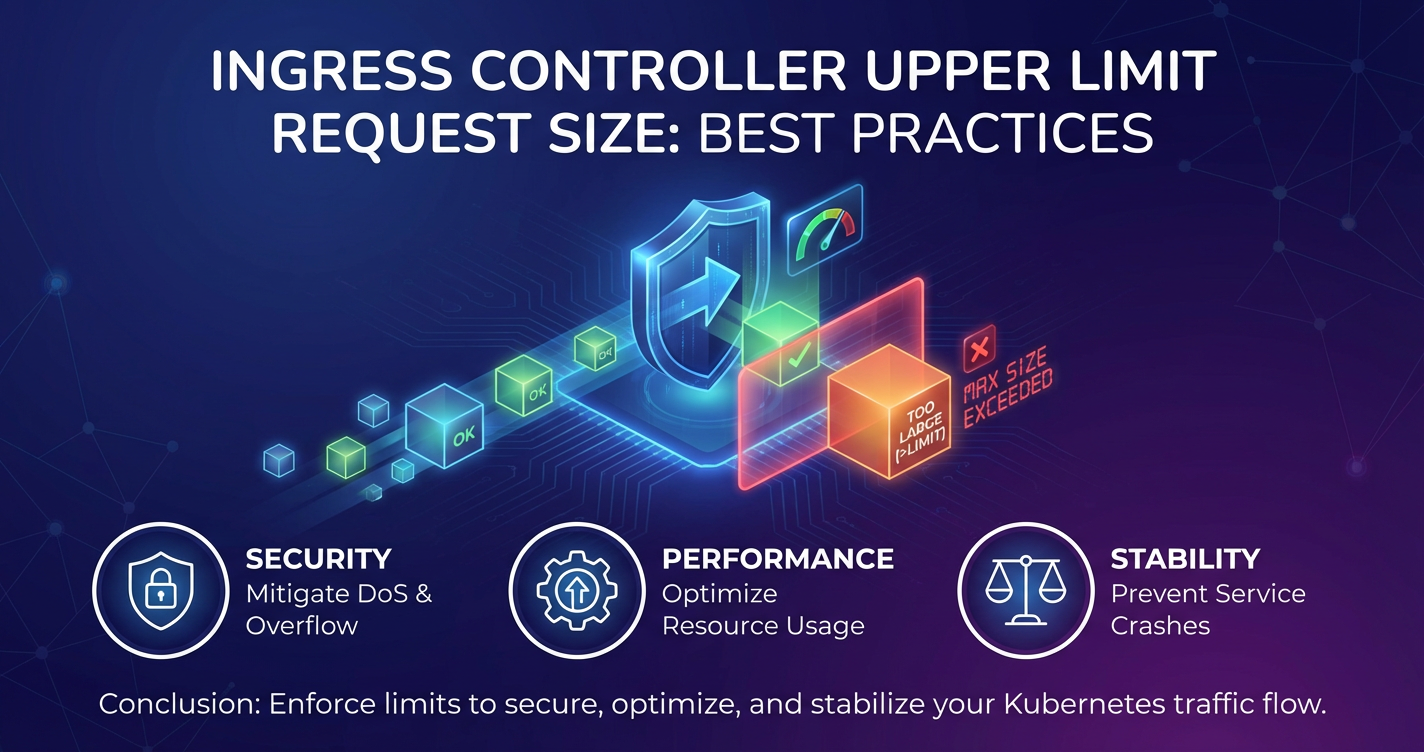
Ingress Controller Upper Limit Request Size: Best Practices


In the intricate landscape of modern cloud-native architectures, particularly within Kubernetes environments, the Ingress Controller stands as a pivotal component. It acts as the primary gateway for external traffic, directing requests from the outside world to the appropriate services running inside the cluster. While its role in routing and load balancing is widely understood, one crucial aspect that often gets overlooked, yet holds significant implications for system stability, security, and performance, is the management of upper limit request sizes. Misconfigured or underestimated request size limits can lead to perplexing issues, ranging from seemingly random HTTP 413 "Payload Too Large" errors to severe denial-of-service vulnerabilities and resource exhaustion. This comprehensive guide delves into the nuances of Ingress Controller request size limits, offering a deep dive into best practices, configuration specifics across various controllers, and the broader context of api gateway solutions for robust api management.
The Foundation: Understanding Ingress Controllers and Their Role
Before delving into the specifics of request size limits, it's essential to firmly grasp what an Ingress Controller is and where it fits into the Kubernetes ecosystem. Kubernetes, by design, isolates services within its cluster. While services can communicate internally, exposing them to external users or applications requires a mechanism to manage incoming network traffic. This is where Ingress comes into play.
An Ingress resource in Kubernetes is an API object that defines rules for external access to services within the cluster. These rules cover routing HTTP and HTTPS traffic, providing URL-based routing, name-based virtual hosting, SSL/TLS termination, and more. However, an Ingress resource merely defines these rules; it doesn't implement them. That's the job of the Ingress Controller.
An Ingress Controller is a specialized load balancer that runs within the Kubernetes cluster. It continuously watches the Kubernetes API server for new or updated Ingress resources and configures itself dynamically to satisfy the ingress rules. Essentially, it acts as an intelligent HTTP/S reverse proxy and load balancer, channeling external requests to the correct internal service pods based on the defined Ingress rules. Popular Ingress Controllers include Nginx Ingress Controller, Traefik, HAProxy Ingress, and Contour (based on Envoy). Each of these brings its own set of features, performance characteristics, and, crucially for our discussion, configuration paradigms for managing request attributes, including the maximum allowable body size.
The Ingress Controller is often the first significant point of contact for an incoming API request from outside the cluster. As such, it bears a substantial responsibility in filtering, routing, and, importantly, regulating the characteristics of these requests before they even reach the backend services. This position makes it an ideal place to enforce foundational policies, such as maximum request body size, to protect downstream services and optimize overall system health.
The Criticality of Request Size Limits: Why They Matter So Much
The seemingly innocuous setting of a maximum request body size holds profound implications for the operational stability, security posture, and performance characteristics of any application or api stack deployed within Kubernetes. Ignoring or carelessly configuring this limit can lead to a litany of problems that are often difficult to diagnose without a solid understanding of this underlying mechanism.
1. Preventing Resource Exhaustion and Denial of Service (DoS) Attacks
One of the most immediate and critical reasons to implement request size limits is to prevent resource exhaustion. Without a limit, a malicious actor (or even a poorly designed client application) could send an arbitrarily large request body to your Ingress Controller. Processing such an enormous payload consumes significant resources on the Ingress Controller itself—memory to buffer the request, CPU cycles to parse it, and network bandwidth to receive it. If multiple such large requests arrive concurrently, the Ingress Controller, which is the gateway for all traffic, can quickly become overwhelmed.
This scenario is a classic form of a Denial of Service (DoS) attack. By monopolizing the Ingress Controller's resources, legitimate requests would be starved, leading to service unavailability. Even if the Ingress Controller manages to forward the gargantuan request, the backend service would then face the same resource exhaustion issues, potentially crashing or becoming unresponsive. A well-placed request size limit acts as a crucial first line of defense, efficiently rejecting oversized payloads at the earliest possible point, thereby conserving resources for valid traffic.
2. Optimizing Performance and Latency
Large request bodies, even if legitimate, can introduce performance bottlenecks. Transferring several megabytes or even gigabytes of data over the network takes time, increasing latency for that specific request. More importantly, while one large request is being processed, it can tie up network connections, buffer memory, and CPU resources that could otherwise be used for smaller, more urgent requests. This "head-of-line blocking" effect can degrade the overall performance of the api gateway and the entire application.
By setting appropriate limits, you encourage clients to send only necessary data or to use more efficient methods for transferring large assets (e.g., direct-to-storage uploads with presigned URLs for large files). This helps maintain consistent performance, reduces the load on your network and servers, and ensures that your api remains responsive for typical interactions.
3. Enforcing Application Logic and Data Integrity
Many applications have implicit or explicit limits on the amount of data they expect to receive in a single request. For instance, an API endpoint designed to accept user profile updates might reasonably expect a JSON payload of a few kilobytes. If it receives a 50MB payload, it's not only inefficient but also likely indicates an error in the client application or a malicious attempt.
By enforcing request size limits at the Ingress Controller level, you can proactively filter out requests that violate these fundamental application expectations. This ensures that only well-formed and appropriately sized requests reach your backend services, simplifying application logic, reducing error handling complexity, and contributing to overall data integrity. It's a form of early validation that protects your application from unexpected inputs.
4. Mitigating Specific Attack Vectors
Beyond generic DoS, oversized requests can sometimes be exploited for more sophisticated attacks. For example, if a backend service has a vulnerability related to parsing large, complex data structures, an attacker might craft an oversized request to trigger that vulnerability. While a robust application should ideally handle all inputs securely, layered security is a fundamental principle. Rejecting excessively large requests at the Ingress Controller adds another layer of defense, reducing the attack surface for such exploits. Furthermore, large requests can sometimes conceal malicious payloads, making them harder for intrusion detection systems or web application firewalls (WAFs) to scan effectively. An initial size limit can help simplify the analysis of legitimate traffic.
5. Managing Network and Infrastructure Costs
In cloud environments, network egress and ingress often incur costs. While request size limits primarily focus on the body of the request (client-to-server), limiting excessively large requests that your services don't actually need to process can indirectly help manage network bandwidth usage. More directly, by preventing resource exhaustion, you reduce the likelihood of needing to scale up your cluster (adding more nodes, more Ingress Controller instances) purely to handle large, unnecessary traffic, thus managing infrastructure costs more effectively.
In summary, configuring an appropriate request size limit for your Ingress Controller is not merely a technical detail; it's a strategic decision that underpins the reliability, security, and cost-effectiveness of your Kubernetes-deployed applications and apis. It ensures that your gateway remains robust, your services remain protected, and your users experience consistent, high-quality performance.
Common Issues Arising from Misconfigured Limits
When request size limits are misconfigured, the consequences can range from perplexing client-side errors to severe operational disruptions. Understanding these common issues is the first step towards effective troubleshooting and prevention.
1. HTTP 413 "Payload Too Large" Errors
This is by far the most common and direct symptom of an undersized request limit. When a client sends a request whose body size exceeds the limit configured on the Ingress Controller, the controller will immediately terminate the connection and return an HTTP 413 status code. The client will receive this error, indicating that the server (in this case, the Ingress Controller acting as the gateway) is unwilling to process the request because the entity-body is larger than the server is willing or able to process.
While seemingly straightforward, diagnosing 413 errors can sometimes be tricky: * Client-Side Misinterpretation: The client application might not gracefully handle a 413, leading to generic "server error" messages or unexpected application behavior. * Multiple Layers of Limits: If there are other proxies, load balancers, or api gateways in front of the Kubernetes Ingress Controller, any one of these could also be enforcing a limit, making it difficult to pinpoint which component is actually rejecting the request. * Partial Uploads: For large file uploads, a 413 error might occur after a significant portion of the file has already been transmitted, wasting client bandwidth and time.
2. Performance Degradation and Increased Latency
Even if requests don't exceed the configured limit, if the limit is set too high without careful consideration, it can still lead to performance issues. Processing larger (though still permitted) requests consumes more CPU, memory, and network I/O on the Ingress Controller. If your controller receives many concurrent requests that are close to the upper limit, its resources can become strained, leading to: * Increased Latency: Requests spend more time traversing the Ingress Controller, waiting for resources. * Reduced Throughput: The controller's capacity to handle new requests drops. * Resource Contention: Other, smaller requests might experience delays due to larger requests monopolizing resources.
This often manifests as a gradual slowdown rather than an outright error, making it harder to link directly to request size limits without detailed performance monitoring.
3. Ingress Controller Instability and Crashes
In extreme cases, particularly with very high concurrent traffic and an overly generous (or non-existent) request size limit, the Ingress Controller itself can become unstable. Excessive memory usage caused by buffering numerous large requests can lead to: * Out-of-Memory (OOM) errors: The Ingress Controller process might be killed by the operating system or Kubernetes OOM killer, causing temporary service outages. * Degraded Performance: The system might start swapping to disk, significantly slowing down all operations. * Cascading Failures: An unstable Ingress Controller can lead to failures across multiple services, as it's the central gateway.
While modern Ingress Controllers are robust, they are not immune to being overwhelmed if misconfigured to accept unbounded data streams.
4. Security Vulnerabilities
As discussed earlier, an overly permissive request size limit can open doors for various attack vectors: * Resource Exhaustion Attacks: A common DoS technique where an attacker repeatedly sends large requests to exhaust the server's resources. * Slowloris-like Attacks: While not strictly about request size, a large allowed body size combined with slow transmission could exacerbate certain slow-post attack vectors, keeping connections open and consuming resources. * Exploitation of Backend Vulnerabilities: Larger payloads provide more surface area to embed malicious data that might trigger bugs or vulnerabilities in backend parsing logic, especially if the backend application is not designed to handle such volumes.
5. Increased Operational Costs
From an operational perspective, misconfigured limits can indirectly lead to higher costs. If performance degrades due to processing unnecessarily large requests, you might be forced to scale up your Kubernetes cluster (more nodes, more powerful Ingress Controller instances) prematurely. This means higher cloud compute, memory, and networking bills, all stemming from a lack of proper request governance at the gateway layer.
Identifying and rectifying these issues requires a systematic approach, often involving detailed logging, monitoring, and a deep understanding of how each layer of your network stack, from the client to the backend API, handles request body sizes.
Factors Influencing Optimal Limit Determination
Determining the "right" upper limit for request sizes is not a one-size-fits-all endeavor. It's a nuanced process that requires careful consideration of various factors specific to your applications, infrastructure, and security requirements. A thoughtful approach ensures that you balance performance, security, and functionality.
1. Application Requirements and Use Cases
The most significant factor is understanding what your applications actually need to receive. * File Uploads: Applications that allow users to upload files (images, documents, videos) will naturally require much larger limits. You need to know the maximum expected file size. For example, a profile picture upload might need 5-10MB, whereas a video sharing platform might need hundreds of megabytes or even gigabytes. * API Data Exchange: Most RESTful APIs exchange JSON or XML payloads. For typical CRUD operations, these payloads are usually in kilobytes. A POST request to create a complex object might be a few hundred KB, but rarely megabytes unless embedding binary data. * Batch Operations: Some APIs support batch processing, where a single request contains multiple individual operations. While larger than single-item requests, these should still have a reasonable upper bound based on the number of items and their individual sizes. * Streaming Data: For applications that deal with continuous data streams (e.g., real-time analytics, WebSockets), traditional request body size limits might be less relevant or handled differently (e.g., WebSocket frames). However, the initial HTTP upgrade request might still be subject to limits.
Actionable Insight: Conduct an inventory of all API endpoints exposed via Ingress. For each, determine the maximum legitimate payload size it expects. This often involves collaborating with application development teams.
2. Typical Payload Sizes and Traffic Patterns
Even if an application can handle a certain size, what's the average or typical size? * Historical Data: Analyze existing access logs from your Ingress Controller or api gateway to understand the distribution of request body sizes. Tools like awk, grep, jq, or dedicated log analysis platforms can help extract this information. This data provides an empirical basis for setting limits. * Peak vs. Average: Consider both average traffic and peak traffic scenarios. A limit that works for average load might become a bottleneck during peak usage if many requests are close to the limit.
Actionable Insight: Collect metrics on request body sizes for a representative period. Identify the 95th or 99th percentile of legitimate request sizes to inform your initial limit.
3. Network Infrastructure and Bandwidth
The underlying network infrastructure also plays a role. * Bandwidth Constraints: While less common in modern cloud environments with high-bandwidth inter-node communication, if your network has limited capacity, excessively large requests can saturate it. * Latency Impact: Large requests take longer to transmit over any network. If your application or users are highly sensitive to latency, setting stricter limits can help maintain a snappier user experience by preventing large payloads from slowing things down.
Actionable Insight: While Ingress Controller limits are primarily about server-side processing, being mindful of network bottlenecks can influence decisions, especially for extremely large file transfers where alternative mechanisms (like direct uploads to object storage) might be more appropriate.
4. Security Posture and Risk Tolerance
Your organization's security policies and risk tolerance should heavily influence these limits. * DoS Mitigation: A stricter limit provides a more robust defense against resource exhaustion attacks. * Vulnerability Exposure: Lowering the limit reduces the "attack surface" for potential vulnerabilities related to processing large or malformed data. * Compliance Requirements: Certain compliance standards might implicitly or explicitly recommend limits on data payload sizes or provide guidelines for DoS protection.
Actionable Insight: Consult with your security team. Understand the threat model for your applications and how request size limits can contribute to your overall defense-in-depth strategy. Consider a baseline "safe" limit for all generic APIs, and only increase it for specific, well-justified use cases.
5. Backend Service Capabilities and Resource Availability
Finally, consider the services behind the Ingress Controller. * Backend Limits: Many web servers (like Nginx, Apache) or application frameworks (Node.js, Python Flask/Django, Java Spring) also have their own request body size limits. The Ingress Controller's limit should generally be less than or equal to the backend's limit to prevent the backend from being overwhelmed by requests that the Ingress Controller should have filtered. * Backend Processing: How quickly can your backend service process a large request? Does it stream the body, or does it buffer it entirely in memory? If it buffers, a large request can consume significant memory on the backend pod, potentially leading to OOMs or performance issues for that pod. * Pod Resource Limits: Ensure your Kubernetes requests and limits for CPU and memory on your Ingress Controller pods and backend service pods are sufficient to handle the expected load, including the maximum allowed request sizes. An Ingress Controller needs more memory if it's configured to buffer large requests.
Actionable Insight: Align Ingress Controller limits with backend application limits. If your backend service is memory-constrained, set a stricter limit on the Ingress Controller to protect it.
By meticulously evaluating these factors, you can arrive at a well-reasoned and optimal request size limit configuration for your Ingress Controller, safeguarding your services and enhancing the reliability of your api gateway functionality.
Implementing Request Size Limits in Popular Ingress Controllers
The method for configuring request size limits varies depending on the specific Ingress Controller you are using. While the underlying concept remains the same (rejecting requests above a certain body size), the syntax and approach can differ significantly. Below, we explore how to implement these limits in some of the most widely adopted Ingress Controllers.
1. Nginx Ingress Controller
The Nginx Ingress Controller is one of the most popular choices due to its performance, feature set, and the ubiquitous nature of Nginx itself. It leverages Nginx's client_max_body_size directive to enforce request limits. This is typically configured via annotations on the Ingress resource.
Configuration: The primary annotation used is nginx.ingress.kubernetes.io/proxy-body-size. The value should be a string representing the size, e.g., "1m" for 1 megabyte, "100k" for 100 kilobytes, or "0" for unlimited (though "0" is generally discouraged for security and stability reasons).
Example:
apiVersion: networking.k8s.io/v1
kind: Ingress
metadata:
  name: my-app-ingress
  annotations:
    nginx.ingress.kubernetes.io/proxy-body-size: "50m" # Sets max body size to 50MB
    nginx.ingress.kubernetes.io/rewrite-target: /
spec:
  ingressClassName: nginx
  rules:
  - host: myapp.example.com
    http:
      paths:
      - path: /
        pathType: Prefix
        backend:
          service:
            name: my-app-service
            port:
              number: 80
In this example, any request to myapp.example.com with a body larger than 50MB would be rejected by the Nginx Ingress Controller with an HTTP 413 error.
Nuances: * Global Configuration: You can also set a global default client_max_body_size for all Ingresses managed by a specific Nginx Ingress Controller instance by modifying its ConfigMap. This is useful for establishing a baseline, but annotations override global settings for specific Ingresses. * controller.yaml or helm values: For the Nginx Ingress Controller, the client-max-body-size can also be specified in the configMap key within the controller's deployment or via Helm chart values. This sets the default for all ingresses. * Custom Snippets: For very advanced scenarios, nginx.ingress.kubernetes.io/server-snippet or nginx.ingress.kubernetes.io/configuration-snippet can be used to inject raw Nginx configuration, but this should be avoided for simple client_max_body_size as the dedicated annotation is cleaner.
2. HAProxy Ingress Controller
The HAProxy Ingress Controller, also a robust option, uses HAProxy's configuration directives. Similar to Nginx, it typically relies on annotations or a ConfigMap.
Configuration: The annotation haproxy.router.kubernetes.io/max-request-size is used to control the maximum request body size. The value can be specified in bytes or with k, m, g suffixes.
Example:
apiVersion: networking.k8s.io/v1
kind: Ingress
metadata:
  name: my-app-haproxy-ingress
  annotations:
    haproxy.router.kubernetes.io/max-request-size: "20m" # Sets max body size to 20MB
spec:
  ingressClassName: haproxy
  rules:
  - host: myapp-haproxy.example.com
    http:
      paths:
      - path: /
        pathType: Prefix
        backend:
          service:
            name: my-app-service
            port:
              number: 80
Nuances: * HAProxy's http-request deny rules or option http-buffer-request can also be relevant for specific large request handling, but max-request-size is the direct equivalent for body size limits. * Global configuration can be set in the HAProxy Ingress Controller's ConfigMap under the max-request-size key, affecting all Ingresses unless overridden by specific Ingress annotations.
3. Traefik Ingress Controller
Traefik is a modern HTTP reverse proxy and load balancer that can also function as an Ingress Controller. Its approach to configuration is often through custom resources or middleware.
Configuration: For Traefik, this is typically handled via a Middleware resource, specifically using the bodySize option.
Example (using Traefik's Middleware CRD):
First, define a Middleware:
apiVersion: traefik.containo.us/v1alpha1
kind: Middleware
metadata:
  name: limit-body-size
  namespace: default
spec:
  compress: {} # This is just to enable the middleware.
  # If you specifically want to limit body size, you would use a plugin or more advanced config
  # For Traefik v2.x, direct body size limits are often managed at the entrypoint level or via plugins.
  # Let's use a more direct representation via an IngressRoute (which is common for Traefik v2)
  # For basic Ingress, this isn't a direct annotation like Nginx.
  # It's better to show an IngressRoute example as it's more idiomatic for Traefik users.
---
# Correct approach using Traefik v2.x IngressRoute with a custom middleware or entrypoint config.
# For simplicity and direct analogy to Ingress, we can mention entrypoint configuration.
# Or, if we stick to Ingress, the limit is often set at the Traefik deployment/entrypoint level.
# Let's adjust to be more accurate for an Ingress-like setup in Traefik 2.x which might involve a CRD or a global setting.

# Global setting for entrypoint (e.g., in traefik.yaml or Helm values):
# [entryPoints.web.http.middlewares.my-middleware.bodySize]
#   maxBytes = 20000000 # 20MB

# Or via a more recent feature if available, using a Middleware:
# This would be an example for limiting via a dedicated middleware in Traefik 2.x.
# For direct HTTPBodySize equivalent to Nginx/HAProxy, Traefik uses a `buf` option often at entrypoint or service side.
# Simpler for the article: Traefik's request body limits are often configured globally on entrypoints,
# or through custom plugins for more fine-grained control if not directly exposed via standard Ingress annotations.
# Let's provide a generic illustration of where it might be, acknowledging it's less direct.
Given Traefik's evolution and various ways to configure it (CLI, ConfigMap, CRDs, plugins), a direct Ingress annotation for client_max_body_size isn't as universal as with Nginx or HAProxy. Often, it's set at the entryPoint level in Traefik's static configuration or through custom Middleware if a plugin is used, or in some cases, IngressRoute annotations.
Simplified Explanation for Traefik (focus on global/entrypoint): For Traefik v2.x, the maximum request body size is typically configured at the entryPoint level in its static configuration (e.g., traefik.yaml or via Helm values). This setting applies globally to all traffic entering that specific entry point. Alternatively, a custom Middleware could be developed or utilized if specific plugins are available for dynamic per-route size limits. A direct annotation on a Kubernetes Ingress resource for this purpose is less common in Traefik compared to Nginx or HAProxy.
Example for Traefik (conceptual via Helm values for entrypoint config):
# In your Traefik Helm values.yaml
# ...
providers:
  kubernetesIngress:
    enabled: true
entryPoints:
  web:
    address: ":80"
    http:
      middlewares:
        - name: "max-body-size" # This would be an example if a middleware directly handled it.
          # The more common approach is setting a buffer size which indirectly affects limits
          # Or defining a max read timeout.
          # For Traefik, directly mirroring `client_max_body_size` is less straightforward via Ingress annotations.
          # It's often handled at the HTTP server level for Traefik, or through specific middleware if available.
Correction for Traefik: The most direct way to control body size for Traefik is often by configuring buffer sizes or maxRequestBodyBytes on the entrypoint or service definition (via helm values or traefik.yaml), which impacts how Traefik handles large requests. For a standard Kubernetes Ingress resource, Traefik doesn't provide a direct, universally recognized annotation for this in the same way Nginx does. If very specific per-Ingress limits are needed, it might involve custom configurations or IngressRoute definitions with specific middlewares.
4. Envoy-based Ingress Controllers (e.g., Contour, Istio Gateway)
Envoy Proxy is a high-performance open-source edge and service proxy that powers many modern service meshes and Ingress Controllers, including Contour and Istio's Ingress Gateway.
Configuration: Envoy-based systems often expose configuration options through their custom resource definitions (CRDs).
For Contour (using HTTPProxy): Contour uses an HTTPProxy Custom Resource Definition instead of the native Kubernetes Ingress. It offers a maxRequestBytes field within the route or virtualhost definition.
Example:
apiVersion: projectcontour.io/v1
kind: HTTPProxy
metadata:
  name: my-app-httpproxy
  namespace: default
spec:
  virtualhost:
    fqdn: myapp-contour.example.com
  routes:
  - conditions:
    - prefix: /
    services:
    - name: my-app-service
      port: 80
    # maxRequestBytes applies to the route
    # This limits the total size of the request (headers + body)
    maxRequestBytes: 30000000 # 30MB
Here, maxRequestBytes is specified in bytes.
For Istio Gateway (using Gateway and VirtualService): Istio uses Gateway and VirtualService resources. While the Gateway defines the entry point, the actual routing and policies are often in the VirtualService. Envoy, the data plane for Istio, has a max_request_bytes filter. This is usually configured via EnvoyFilter or by setting relevant fields in VirtualService if exposed.
Example (simplified, often requires EnvoyFilter for direct body size): Directly setting max_request_bytes on a VirtualService is not a standard field. Typically, for this level of control in Istio, you'd use an EnvoyFilter to inject custom Envoy configuration.
apiVersion: networking.istio.io/v1beta1
kind: EnvoyFilter
metadata:
  name: request-size-limit-filter
  namespace: istio-system # Or the namespace where your gateway is
spec:
  workloadSelector:
    labels:
      istio: ingressgateway # Selects the Istio Ingress Gateway
  configPatches:
  - applyTo: HTTP_FILTER
    match:
      context: GATEWAY
      listener:
        portNumber: 80 # Or 443 for HTTPS
        filterChain:
          filter:
            name: "envoy.filters.network.http_connection_manager"
    patch:
      operation: MERGE
      value:
        typedConfig:
          "@type": "type.googleapis.com/envoy.extensions.filters.network.http_connection_manager.v3.HttpConnectionManager"
          commonHttpProtocolOptions:
            maxStreamDuration:
              maxStreamDuration: 0s # no stream duration limit
          # This is the actual limit you are looking for
          maxRequestBytes: 15728640 # 15MB (in bytes)
          # Note: maxRequestBytes in Envoy is total request size (headers + body).
Table: Request Size Limit Configuration Overview
| Ingress Controller | Configuration Method | Example (50MB Limit) | Notes |
|---|---|---|---|
| Nginx Ingress | Annotation | nginx.ingress.kubernetes.io/proxy-body-size: "50m" |
Can be overridden by ConfigMap. |
| HAProxy Ingress | Annotation | haproxy.router.kubernetes.io/max-request-size: "50m" |
Can be overridden by ConfigMap. |
| Traefik Ingress | EntryPoint Config (via helm values or traefik.yaml) |
entryPoints.web.maxRequestBodyBytes: 52428800 (for 50MB) |
Less direct via Ingress annotations. Often global per entrypoint. |
| Contour (HTTPProxy CRD) | HTTPProxy resource field |
maxRequestBytes: 52428800 (for 50MB) |
Applies to total request size (headers + body), in bytes. |
| Istio Gateway (EnvoyFilter) | EnvoyFilter CRD |
maxRequestBytes: 52428800 (for 50MB) |
Requires an EnvoyFilter to patch the gateway's HTTP Connection Manager. Total request size. |
It's crucial to consult the official documentation for your specific Ingress Controller and its version, as configuration options and annotations can evolve. Understanding these distinct methods is key to effectively implementing request size limits across diverse Kubernetes environments.
APIPark is a high-performance AI gateway that allows you to securely access the most comprehensive LLM APIs globally on the APIPark platform, including OpenAI, Anthropic, Mistral, Llama2, Google Gemini, and more.Try APIPark now! 👇👇👇
Best Practices for Setting Request Size Limits
Configuring request size limits is more than just picking a number; it's an ongoing process that requires thoughtful planning, monitoring, and iterative adjustments. Adhering to best practices ensures that your limits are effective, maintain system stability, and don't inadvertently hinder legitimate application functionality.
1. Start with a Reasonable Default, Then Iterate
Resist the temptation to set an arbitrary high limit (or no limit at all) "just in case." Instead, adopt a conservative approach: * Establish a Baseline: For generic API endpoints that primarily exchange JSON/XML data, a limit of 1-5MB is often a good starting point. This protects against common DoS vectors and unexpected large payloads. * Identify Exceptions: For specific services known to handle large uploads (e.g., a file storage service, a video transcoder), identify these upfront. * Monitor for 413s: Once your default is in place, actively monitor your Ingress Controller logs for HTTP 413 "Payload Too Large" errors. These indicate legitimate requests being rejected. * Engage with Developers: When a 413 error occurs for a legitimate use case, collaborate with the application development team to understand the necessity of the large payload. Is the client sending too much data? Can the data be chunked or streamed? Or is a higher limit genuinely required? * Increase Incrementally: If a higher limit is justified, increase it incrementally (e.g., from 5MB to 10MB, then 20MB) rather than jumping to an extremely high number. This allows you to observe the impact on performance and resource consumption.
2. Monitor and Analyze Traffic Patterns Continuously
Setting a limit once is not enough. The nature of your application's traffic can evolve. * Log Analysis: Regularly analyze Ingress Controller access logs to understand the distribution of request body sizes. Look for outliers, sudden increases in average size, or a high frequency of requests approaching the limit. * Metrics Collection: Utilize Prometheus/Grafana or similar monitoring tools to collect metrics related to request body size (e.g., average, median, 95th/99th percentile size) and the occurrence of 413 errors. This provides a quantitative view of your traffic. * Alerting: Set up alerts for a sustained high rate of 413 errors. This is a strong signal that your limits might be too strict for current application needs or that an attack is underway.
3. Implement Granular Control Where Possible
Many Ingress Controllers allow for more granular control than a single global limit: * Per-Ingress/Per-Host: Apply different limits to different Ingress resources or hosts. For example, your /api endpoints might have a 5MB limit, while /uploads might have a 200MB limit. * Per-Path/Per-Method: Some advanced Ingress Controllers or api gateway solutions allow even finer-grained control, where a POST to /api/users has one limit, but a POST to /api/reports/batch has another. This requires leveraging specific annotations or custom resource definitions (CRDs) of your chosen controller. * Annotation Overrides: Use annotations on individual Ingress resources to override global defaults set in the Ingress Controller's ConfigMap. This provides flexibility without needing to redeploy the entire controller.
4. Employ a Layered Security Approach (Defense in Depth)
Request size limits at the Ingress Controller are a critical first layer, but they should not be the only layer. * Application-Level Validation: Backend services should always perform their own validation of input, including size checks. The Ingress Controller acts as a crude filter, but the application knows best what it needs. * Web Application Firewalls (WAFs): If a WAF is deployed in front of your Ingress Controller or as part of a broader api gateway solution, it will also have its own request size limits and validation rules. Ensure these are synchronized and consistent. * API Gateway Features: Dedicated api gateways offer advanced features for rate limiting, quota management, and schema validation that go beyond simple body size limits, providing a more comprehensive security posture for your apis.
5. Document and Communicate Policies
Clarity and communication are vital, especially in larger teams. * Document Limits: Clearly document the request size limits for different APIs and services. Include the rationale behind these limits. * Inform Developers: Ensure application developers are aware of these limits during the design and development phase. This helps them design clients that respect these boundaries and avoid unexpected errors in production. * Provide Troubleshooting Guides: Create internal documentation on how to diagnose 413 errors and which limits to check.
6. Automate Testing and Validation
Integrate limit testing into your CI/CD pipeline. * Unit/Integration Tests: Write tests that attempt to send requests exceeding the defined limits and assert that a 413 error is returned. This verifies that your configuration is correct. * Load Testing: During performance testing, include scenarios with requests approaching the maximum allowed size to ensure the Ingress Controller and backend services behave as expected under stress.
7. Regularly Review and Adjust
The landscape of your applications, data, and threats is constantly changing. * Periodic Reviews: Schedule periodic reviews (e.g., quarterly, semi-annually) of your request size limits. Check if the initial assumptions still hold true. * Respond to Changes: If new application features introduce larger data payloads, or if new security threats emerge, be prepared to adjust your limits accordingly.
By meticulously following these best practices, organizations can establish a robust and adaptive strategy for managing request size limits at the Ingress Controller level, leading to more stable, secure, and performant Kubernetes deployments. This proactive approach not only prevents common pitfalls but also lays the groundwork for efficient api management within a dynamic cloud-native environment.
Advanced Scenarios and Nuances
While the core concept of a request body size limit seems straightforward, real-world applications often present more complex scenarios. Understanding these nuances is crucial for developing a truly robust and flexible api gateway strategy.
1. Streaming APIs vs. Monolithic Requests
Most of our discussion has centered on requests where the entire body is sent as a single unit (monolithic). However, some APIs are designed for streaming: * Chunked Transfer Encoding: HTTP allows for "chunked transfer encoding," where the client sends the request body in a series of chunks. In this case, the Content-Length header might not be present, or it might indicate the size of the first chunk. Most Ingress Controllers (like Nginx) will still respect client_max_body_size by accumulating the chunks until the limit is reached or the request is fully received. However, it's important to verify how your specific Ingress Controller handles this to prevent partial uploads that still consume resources. * Server-Sent Events (SSE) and WebSockets: These protocols establish long-lived connections for real-time, bidirectional communication. They typically involve an initial HTTP handshake request, which is subject to standard HTTP request size limits (primarily headers and initial body if any). Once the connection is upgraded to WebSocket or SSE, the subsequent data frames/messages are generally not subject to the client_max_body_size limit of the HTTP layer. Instead, WebSocket implementations often have their own frame size limits. When dealing with real-time data, ensure your initial HTTP upgrade request meets the Ingress Controller's size constraints.
2. Handling Large File Uploads
Directly uploading multi-gigabyte files through an Ingress Controller and then to a backend service within Kubernetes is often inefficient and problematic: * Resource Consumption: Large files tie up Ingress Controller and backend service resources for extended periods. * Network Timeouts: Long uploads are prone to network interruptions and timeouts. * Scalability Challenges: Horizontal scaling becomes less effective if individual pods are busy with single, long-running large file uploads.
Best Practice for Large Files: Instead of proxying large files through the Ingress Controller and backend API, consider a more specialized approach: * Presigned URLs to Object Storage: For truly large files (tens of MBs to GBs), the recommended pattern is to use presigned URLs. The client makes a small API request to your backend service, which authenticates the user and then generates a temporary, time-limited presigned URL directly to an object storage service (like AWS S3, Google Cloud Storage, Azure Blob Storage). The client then uploads the file directly to the object storage, bypassing your Ingress Controller and backend application entirely for the data transfer. * Multipart Form Data: For moderately large files (e.g., up to 50-100MB), multipart/form-data uploads are common. Ensure your Ingress Controller and backend service are configured to handle these, respecting the client_max_body_size for the total request, which includes form fields and file data.
3. Interaction with Other Network Components
In many enterprise environments, the Kubernetes Ingress Controller is not the absolute first point of contact for external traffic. There might be other layers involved: * Cloud Load Balancers: (e.g., AWS ELB/ALB, Google Cloud Load Balancer, Azure Load Balancer) often sit in front of the Kubernetes cluster. These load balancers may have their own default or configurable request size limits and timeouts. * Web Application Firewalls (WAFs): WAFs (whether cloud-managed or self-hosted) also inspect traffic and enforce policies, including body size limits. * Edge Routers / Dedicated API Gateways: For organizations with complex API ecosystems, a dedicated api gateway (like Apigee, Kong, ApiPark, etc.) might be deployed before the Kubernetes Ingress Controller.
Key Consideration: When multiple layers exist, the lowest limit in the chain will be the effective limit. It's crucial to ensure that limits are consistent or intentionally layered. For example, your cloud load balancer might have a 1GB default limit, your WAF might enforce a 100MB limit, and your Ingress Controller might have a 50MB limit. In this scenario, 50MB is the effective ceiling. Discrepancies can lead to confusing error messages, where a 413 from the WAF might appear, even if the Ingress Controller would have allowed the request. It's best practice to have the most specific limit closest to the actual processing service, with progressively higher or more permissive limits at outer layers, or strictly synchronized limits across all components.
4. Head-of-Line Blocking and Buffer Management
When an Ingress Controller receives a large request, it typically buffers the entire request body (or a significant portion) before sending it to the backend service. * Resource Impact: Buffering requires memory. If many large requests arrive concurrently, the Ingress Controller's memory usage can spike, potentially leading to performance degradation or OOM errors. * Nginx proxy_request_buffering: Nginx, for instance, has a proxy_request_buffering directive (which the Ingress Controller might expose via annotations). If set to off, Nginx will stream the request body directly to the backend without buffering the entire body on the Ingress Controller. While this can reduce memory usage on the Ingress Controller, it means the Ingress Controller will hold the connection open to the client for the entire duration of the backend response, which can tie up resources. It also means the backend service must be able to handle partially received requests if the connection drops. Generally, buffering is preferred for stability unless you have specific streaming requirements.
These advanced considerations highlight that managing request size limits is intertwined with broader architectural decisions about data transfer, network topology, and resource management. A holistic view, rather than focusing solely on the Ingress Controller, is essential for building resilient and efficient systems.
Monitoring and Alerting for Request Size Limits
Effective management of Ingress Controller request size limits doesn't end with configuration; it requires continuous vigilance through robust monitoring and alerting. These practices enable you to proactively identify issues, validate the effectiveness of your limits, and respond swiftly to problems.
1. Monitoring 413 "Payload Too Large" Errors
The most direct indicator of an undersized limit or a large payload issue is the HTTP 413 status code. * Log Aggregation: Ensure your Ingress Controller logs are aggregated into a centralized logging system (e.g., ELK Stack, Splunk, Loki/Grafana). This allows for easy searching and analysis. * Metric Extraction: Configure your monitoring system (e.g., Prometheus) to scrape metrics from the Ingress Controller. Most Ingress Controllers expose metrics that include HTTP status code counts. You should specifically monitor the count of http_requests_total{status="413"} or similar metrics. * Grafana Dashboards: Create dashboards that display trends of 413 errors over time. This helps visualize spikes or consistent occurrences.
2. Tracking Request Body Sizes
Beyond just errors, understanding the actual distribution of request body sizes provides valuable insights. * Log Parsers: Enhance your log parsers to extract the Content-Length header from incoming requests (or the actual bytes transferred if available). * Custom Metrics: If your Ingress Controller doesn't expose this directly, you might need to use a sidecar or a custom log exporter to capture metrics on request body sizes (e.g., average, median, 95th, 99th percentile). This could be done by parsing access logs and pushing relevant data to a metrics store. * Histograms/Summaries: In Prometheus, use histograms or summaries to track the distribution of request body sizes. This allows you to identify if requests are regularly approaching your configured limit, even if they aren't exceeding it.
3. Resource Utilization of the Ingress Controller
Large requests consume more resources. Monitor the Ingress Controller pods themselves. * CPU and Memory Usage: Track the CPU and memory utilization of your Ingress Controller pods. Spikes in memory usage, especially during periods of high traffic or large requests, could indicate buffering issues or that the limits are straining the controller. * Network I/O: Monitor network ingress and egress rates for the Ingress Controller pods. This helps you understand the overall traffic volume and identify if large requests are saturating network interfaces. * Concurrent Connections: Track the number of active and concurrent connections to the Ingress Controller. Many open, long-lived connections (especially for large uploads) can lead to resource exhaustion.
4. Alerting Strategies
Translate your monitoring data into actionable alerts. * High Rate of 413 Errors: Set an alert if the rate of 413 errors exceeds a predefined threshold (e.g., 5 errors per minute, or 1% of total requests) over a certain period (e.g., 5-10 minutes). This indicates a problem that requires immediate investigation. * Approaching Resource Limits: Alert if Ingress Controller CPU or memory usage consistently breaches a certain utilization threshold (e.g., 70-80% of allocated resources). This could be a precursor to performance degradation or crashes. * Unusual Request Size Trends: While harder to set up, an advanced alert could notify you if the 99th percentile of request body sizes suddenly jumps significantly, indicating a change in client behavior or a potential attack.
5. Integration with Observability Platforms
Leverage comprehensive observability platforms that combine logs, metrics, and traces. * Contextual Information: When an alert fires, being able to quickly drill down from a metric spike to specific log entries (e.g., for 413 errors) and associated traces (if using a service mesh like Istio) provides crucial context for faster troubleshooting. * Dashboards for Troubleshooting: Create dedicated dashboards that bring together all relevant metrics for the Ingress Controller and potentially affected backend services. This "single pane of glass" view streamlines incident response.
By implementing these monitoring and alerting practices, you transform request size limit configuration from a static setting into a dynamic, observable part of your operational strategy. This ensures that your gateway remains resilient and your apis perform optimally, even as traffic patterns and application requirements evolve.
Troubleshooting Common 413 Payload Too Large Errors
When a client receives an HTTP 413 "Payload Too Large" error, it signifies that the request body sent was too large for a server to process. While the message itself is clear, pinpointing which server is rejecting the request and why requires a systematic troubleshooting approach. This section outlines common steps to diagnose and resolve 413 errors related to Ingress Controllers.
1. Identify the Source of the 413 Error
The first crucial step is to determine which component in your request path is sending the 413. This can be challenging because there might be multiple layers: * Client Directly to Ingress Controller: Simplest case. * Client -> Cloud Load Balancer -> Ingress Controller: Common in cloud environments. * Client -> WAF -> Ingress Controller: For added security. * Client -> API Gateway -> Ingress Controller: For complex API management. * Client -> Ingress Controller -> Backend Service: The backend service itself might have its own limits.
How to Identify: * Browser Developer Tools: Check the network tab. The "Server" header in the 413 response can sometimes give a clue (e.g., "nginx," "HAProxy," or specific cloud load balancer names). * curl -v: Use curl -v to send a problematic request. The verbose output will show the full response headers, including the Server header and potentially custom headers added by intermediaries. * Look at all logs: Check logs for all potential components in the path (cloud load balancer, WAF, api gateway, Ingress Controller, backend service). The component that logs the 413 first is usually the source.
2. Check Ingress Controller Configuration
Once you suspect the Ingress Controller is the culprit, verify its configuration: * Ingress Resource Annotations: * For Nginx Ingress Controller: nginx.ingress.kubernetes.io/proxy-body-size * For HAProxy Ingress Controller: haproxy.router.kubernetes.io/max-request-size * For Contour (HTTPProxy): maxRequestBytes in the HTTPProxy resource. * Check for typos, incorrect units (e.g., "MB" instead of "m"), or missing annotations. * Ingress Controller ConfigMap/Deployment: If a global default is set in the Ingress Controller's ConfigMap (e.g., client-max-body-size for Nginx), ensure it's appropriate. Remember that annotations on the Ingress resource typically override global ConfigMap settings. * kubectl describe ingress <ingress-name>: This command can show applied annotations and rules. * kubectl logs -f <ingress-controller-pod>: Watch the Ingress Controller logs in real-time while replaying the problematic request. You should see entries indicating the 413 error and the source IP.
3. Examine Backend Service Configuration
If the Ingress Controller is configured correctly (i.e., its limit is higher than the request size), the backend service might be the issue. * Web Server Limits: If your backend service uses its own web server (e.g., Nginx, Apache HTTPD, Caddy) as a reverse proxy or for serving static files, check its client_max_body_size or equivalent setting. * Application Framework Limits: Many application frameworks (e.g., Node.js Express body-parser, Python Flask, Java Spring Boot) have default or configurable limits on the size of JSON/form data they will accept. * kubectl logs -f <backend-service-pod>: Check the logs of the specific pod(s) that the Ingress Controller forwards traffic to. They might show errors related to payload size, parsing issues, or simply not receiving the full request.
4. Review External Load Balancers and WAFs
If the 413 error is not coming from your Ingress Controller or backend: * Cloud Provider Load Balancers: * AWS ALB/ELB: Check the client_max_body_size equivalent in the load balancer configuration. ALBs have a default limit of 1MB for headers and 1MB for body in HTTP/1.1 (or up to 10GB for HTTP/2 for stream data with specific config). * GCP Load Balancer: GCP LBs have default maximum request sizes (e.g., 32MB for HTTP/HTTPS, 5GB for TCP proxy with specific configuration). * Azure Load Balancer: Azure LBs are layer 4, so they typically don't inspect HTTP body sizes directly. However, App Gateway and Front Door (L7) do have such limits. * WAFs/API Gateways: Check the configuration of any Web Application Firewalls or dedicated api gateways deployed in front of your Kubernetes cluster. They will almost certainly have a configurable request body size limit.
5. Check Client-Side Behavior
Sometimes, the client itself might be sending a malformed or unexpectedly large request. * Content-Length Header: Verify the Content-Length header sent by the client matches the actual body size. Discrepancies can lead to parsing errors or truncated requests. * Client Application Logic: Ensure the client application isn't inadvertently sending duplicate data, excessively large data, or binary data where text is expected.
Troubleshooting Checklist
| Step | Action | Target Component(s) |
|---|---|---|
| 1. Identify Error Source | curl -v / Browser Dev Tools to check Server header; Review all network component logs for 413s. |
All layers (LB, WAF, Gateway, Ingress, Backend) |
| 2. Verify Ingress Controller Config | Check Ingress resource annotations (proxy-body-size, max-request-size); Review Ingress Controller ConfigMap/Deployment. |
Ingress Controller |
| 3. Inspect Backend Service Config | Check web server limits (e.g., Nginx client_max_body_size), application framework limits. |
Backend Service/Application |
| 4. Check External Network Layers | Review Cloud Load Balancer (AWS ALB, GCP LB, Azure App Gateway) and WAF configurations. | Cloud LB, WAF, External API Gateway |
| 5. Analyze Client Request | Verify Content-Length matches body size; Examine client application's data sending logic. |
Client Application |
| 6. Review Resource Utilization | Monitor CPU/Memory of Ingress Controller pods during requests. | Ingress Controller pods |
By systematically working through this checklist, you can effectively diagnose and resolve 413 Payload Too Large errors, ensuring that your apis and services remain accessible and performant. Remember to adjust limits incrementally and monitor changes closely after any modification.
The Broader Landscape: Ingress Controllers vs. API Gateways and APIPark
While Ingress Controllers are indispensable for routing external traffic into a Kubernetes cluster, they primarily focus on basic Layer 7 routing, SSL termination, and fundamental traffic management. They act as a foundational gateway for HTTP/S traffic. However, for organizations with evolving API strategies, complex security requirements, diverse API ecosystems, or specific needs like AI model integration, a dedicated api gateway solution offers capabilities that extend far beyond what a typical Ingress Controller provides.
Ingress Controllers: The Foundational Gateway
Pros: * Native Kubernetes Integration: Seamlessly integrates with Kubernetes Ingress resources. * Cost-Effective for Basic Routing: Excellent for simple HTTP/S routing and load balancing within a cluster. * Performance: Highly optimized for traffic forwarding. * Open Source: Many robust open-source options available.
Cons: * Limited API Management Features: Lacks advanced features like rate limiting, quota management, request/response transformation, developer portals, API versioning, analytics, and robust authentication/authorization beyond basic TLS. * Security Basic: Provides essential traffic filtering but not comprehensive API security (e.g., detailed threat protection, schema validation). * Not API-Centric: Designed for routing traffic to services, not specifically for managing the lifecycle of API*s.
Dedicated API Gateways: The Advanced API Management Layer
An api gateway is a specialized server that acts as a single entry point for all clients consuming APIs. It handles common API management tasks on behalf of all API services, freeing them to focus on business logic. These often sit in front of or in conjunction with Ingress Controllers.
Pros: * Comprehensive API Lifecycle Management: Design, publish, version, secure, and monitor APIs from a single platform. * Advanced Security: OAuth2/OpenID Connect integration, JWT validation, detailed access control, request schema validation, WAF-like capabilities. * Traffic Management: Sophisticated rate limiting, throttling, caching, circuit breakers, load balancing (L7), canary deployments. * Developer Portal: Self-service portal for developers to discover, subscribe to, and test APIs. * Analytics and Monitoring: Detailed dashboards for API usage, performance, and error rates. * Policy Enforcement: Apply policies globally or per-API (e.g., transformation, routing, authentication). * Service Mesh Integration: Can complement a service mesh (like Istio) by handling north-south traffic (external to cluster), while the service mesh handles east-west traffic (internal within cluster).
Cons: * Added Complexity: Introducing another layer requires more configuration and management overhead. * Resource Consumption: Dedicated api gateway instances consume their own compute and memory resources. * Cost: Commercial api gateway solutions can be expensive.
Introducing APIPark: Bridging the Gap for AI and REST API Management
For organizations looking to elevate their API strategy beyond basic ingress, especially when dealing with a multitude of services, complex security requirements, or integrating AI models, a dedicated api gateway like ApiPark becomes an indispensable tool. It provides a robust, all-in-one AI gateway and API developer portal, open-sourced under the Apache 2.0 license, designed to streamline the management, integration, and deployment of both AI and REST services.
APIPark offers a compelling blend of enterprise-grade API management features with a specific focus on the unique challenges of AI APIs. While your Ingress Controller effectively routes the initial incoming requests and enforces basic limits like body size, APIPark can pick up where it leaves off, adding significant value:
- Quick Integration of 100+ AI Models: Imagine having an Ingress Controller route traffic to various AI inference services. APIPark takes this a step further by providing a unified management system for these diverse AI models, handling authentication and cost tracking across them, simplifying the work of the developers.
- Unified API Format for AI Invocation: A standard Ingress Controller simply forwards bytes. APIPark, as an intelligent api gateway, normalizes the request data format across different AI models. This means changes in an underlying AI model or prompt won't break your applications or microservices that call it through APIPark, significantly reducing maintenance costs.
- Prompt Encapsulation into REST API: Beyond just forwarding, APIPark allows users to combine AI models with custom prompts, creating new, purpose-built REST APIs (e.g., a sentiment analysis api, a translation api). This transforms raw AI model access into consumable, managed APIs, which is a capability far beyond an Ingress Controller.
- End-to-End API Lifecycle Management: While an Ingress Controller routes, APIPark provides full lifecycle management—from design and publication to invocation and decommissioning. It helps manage traffic forwarding, load balancing, and versioning for all your published APIs, ensuring a structured approach to API governance that complements the Ingress Controller's routing.
- API Service Sharing within Teams & Multi-Tenancy: APIPark facilitates the centralized display and sharing of API services across different departments and teams, enhancing discovery and reuse. Furthermore, its support for independent APIs and access permissions for each tenant (team) improves resource utilization and reduces operational costs, a feature not handled by basic Ingress.
- API Resource Access Requires Approval: For sensitive APIs, APIPark allows activating subscription approval features, adding a crucial layer of authorization that prevents unauthorized API calls and enhances data security.
- Performance Rivaling Nginx: Despite its rich feature set, APIPark is built for high performance, capable of achieving over 20,000 TPS on an 8-core CPU and 8GB of memory, supporting cluster deployment for large-scale traffic. This performance ensures that it can efficiently manage your API traffic without becoming a bottleneck, working in harmony with your Ingress Controller.
- Detailed API Call Logging and Powerful Data Analysis: While Ingress Controllers provide access logs, APIPark offers comprehensive logging, recording every detail of each API call, invaluable for troubleshooting and security audits. Its powerful data analysis capabilities provide insights into long-term trends and performance, enabling proactive maintenance—features an Ingress Controller typically lacks.
In essence, an Ingress Controller is your cluster's efficient traffic cop, ensuring requests get to the right service and basic rules like body size are enforced. A dedicated api gateway like APIPark, however, acts as the sophisticated airport control tower, managing the entire journey of your APIs, providing advanced security, analytics, and specialized handling for complex scenarios, especially in the rapidly evolving world of AI. Together, they form a robust and comprehensive solution for managing modern cloud-native applications and APIs.
Conclusion
The diligent management of Ingress Controller upper limit request size is a cornerstone of building resilient, secure, and high-performing cloud-native applications within Kubernetes environments. Far from being a mere configuration detail, this setting acts as a crucial first line of defense at your cluster's gateway, directly impacting resource utilization, vulnerability to denial-of-service attacks, and the overall reliability of your apis.
We have traversed the fundamental concepts of Ingress Controllers, illuminated the critical importance of setting appropriate request size limits, and explored the common pitfalls of misconfiguration. From the HTTP 413 "Payload Too Large" errors to more subtle performance degradations and security exposures, the consequences of overlooking this aspect can be substantial. Understanding the diverse factors influencing optimal limit determination—including application requirements, traffic patterns, network constraints, and security postures—empowers administrators to make informed decisions.
Furthermore, we delved into the specific configuration methods for popular Ingress Controllers such as Nginx, HAProxy, Traefik, Contour, and Istio, demonstrating that while the goal is universal, the implementation varies significantly. The adoption of best practices, encompassing iterative refinement, continuous monitoring, granular control, layered security, clear documentation, and regular reviews, is paramount for maintaining an adaptive and robust system. Even in advanced scenarios involving streaming apis, large file uploads, or complex network topologies, a thoughtful approach to request size limits remains essential.
Finally, we positioned Ingress Controllers within the broader context of api gateway solutions, highlighting that while Ingress provides foundational routing, dedicated platforms like ApiPark extend capabilities into comprehensive api lifecycle management, advanced security, multi-tenancy, and specialized handling for AI apis. These sophisticated api gateways complement the Ingress Controller's role, providing the depth and breadth of features required for enterprise-grade api ecosystems.
In summary, treating the Ingress Controller's request size limit as a dynamic, critical configuration, backed by robust monitoring and integrated into a broader API management strategy, is indispensable for safeguarding your services and ensuring optimal performance in the ever-evolving world of Kubernetes and cloud-native development.
5 FAQs on Ingress Controller Upper Limit Request Size
1. What is an Ingress Controller's upper limit request size, and why is it important? The upper limit request size in an Ingress Controller defines the maximum size of the HTTP request body that the controller will accept and process. This limit is crucial for several reasons: it prevents Denial of Service (DoS) attacks by rejecting overly large requests that could exhaust the Ingress Controller's (or backend service's) resources (CPU, memory, bandwidth); it optimizes performance by preventing large payloads from slowing down other requests; it enforces application logic by filtering out excessively sized data; and it enhances overall security by reducing the attack surface for vulnerabilities related to processing large or malformed data. It acts as a primary gateway for incoming api traffic, enforcing foundational rules before requests reach your services.
2. What happens if a client sends a request larger than the configured limit? If a client sends a request with a body size exceeding the Ingress Controller's configured limit, the Ingress Controller will typically terminate the connection immediately and return an HTTP 413 "Payload Too Large" status code to the client. This error indicates that the server (the Ingress Controller in this case) is unwilling to process the request because the body is too large. The event is usually logged by the Ingress Controller, which helps in identifying and troubleshooting such occurrences.
3. How do I configure request size limits for different Ingress Controllers? The configuration method varies by Ingress Controller: * Nginx Ingress Controller: Use the nginx.ingress.kubernetes.io/proxy-body-size annotation on your Ingress resource (e.g., "50m" for 50 megabytes). * HAProxy Ingress Controller: Use the haproxy.router.kubernetes.io/max-request-size annotation (e.g., "20m" for 20 megabytes). * Traefik Ingress Controller: Often configured at the entryPoint level in its static configuration (e.g., traefik.yaml or Helm values) using maxRequestBodyBytes or similar buffer settings, rather than a direct Ingress annotation. * Envoy-based (e.g., Contour, Istio Gateway): Configured via their Custom Resource Definitions (CRDs). For Contour, it's maxRequestBytes in an HTTPProxy resource. For Istio, it might involve an EnvoyFilter to patch the gateway's HTTP Connection Manager. Always consult the specific Ingress Controller's official documentation for precise syntax and version-specific details.
4. Should the Ingress Controller's limit be the same as my backend service's limit? Generally, the Ingress Controller's request size limit should be less than or equal to the backend service's limit. It's often recommended to set the Ingress Controller's limit slightly lower or at the same level as the most restrictive limit of your backend services that it serves. This ensures that the Ingress Controller, acting as the initial gateway, filters out oversized requests at the earliest possible point, preventing them from consuming resources on your backend application pods. If the Ingress Controller allows a larger request than the backend, the backend will still reject it, but precious Ingress Controller and network resources would have been wasted forwarding it.
5. How does APIPark relate to Ingress Controllers and request size limits? An Ingress Controller primarily handles basic Layer 7 routing and enforces foundational traffic rules like request body size limits. ApiPark, an open-source AI gateway and API management platform, operates at a higher level of abstraction, providing comprehensive API lifecycle management, advanced security, analytics, and specialized capabilities for AI apis. While your Ingress Controller can be configured to forward traffic to APIPark, APIPark then takes over the more sophisticated API management tasks. APIPark would handle further API-specific rate limiting, authentication, request transformation, and detailed logging for your apis, including those integrating AI models, going far beyond the basic request size checks performed by an Ingress Controller. In essence, the Ingress Controller handles the foundational "door to the cluster," while APIPark manages the "reception desk and services" for your apis within.
🚀You can securely and efficiently call the OpenAI API on APIPark in just two steps:
Step 1: Deploy the APIPark AI gateway in 5 minutes.
APIPark is developed based on Golang, offering strong product performance and low development and maintenance costs. You can deploy APIPark with a single command line.
curl -sSO https://download.apipark.com/install/quick-start.sh; bash quick-start.sh

In my experience, you can see the successful deployment interface within 5 to 10 minutes. Then, you can log in to APIPark using your account.

Step 2: Call the OpenAI API.