Implementing Long Polling with Python HTTP Requests


In the perpetually evolving landscape of web development, the demand for real-time interactivity has become not just a luxury but a fundamental expectation. Users today anticipate instant updates, live notifications, and seamlessly synchronized data across myriad applications, from chat platforms and financial dashboards to collaborative document editors. This relentless pursuit of immediacy has pushed the boundaries of traditional web communication, which historically relied on a stateless, request-response model that was ill-suited for the dynamic, push-based interactions commonplace in modern applications. While technologies like WebSockets and Server-Sent Events (SSE) have emerged as powerful contenders for true real-time communication, providing persistent, full-duplex or unidirectional connections, they often introduce their own complexities concerning implementation, infrastructure, and browser compatibility.
Amidst these advanced paradigms, a more venerable, yet remarkably effective, technique known as long polling continues to hold its ground, offering a compelling middle ground between the brute-force inefficiency of short polling and the architectural intricacies of WebSockets. Long polling leverages the existing HTTP infrastructure in an ingenious way, allowing servers to "hold" a client's request open until new data is available or a specified timeout elapses, effectively simulating a server-push mechanism without necessitating a persistent, stateful connection beyond the duration of a single request. This article will embark on a comprehensive journey into the world of long polling, meticulously dissecting its underlying principles, illuminating its advantages and disadvantages, and, most crucially, providing an in-depth, practical guide to its implementation using Python's robust HTTP client library, requests, for the client side, and a lightweight web framework like Flask for the server. We will explore not only the core mechanics but also delve into advanced considerations such as error handling, concurrency, and scalability, examining how long polling fits into a broader api ecosystem and how tools like an api gateway can complement its deployment.
The objective is to equip developers with a thorough understanding and the practical skills necessary to integrate long polling effectively into their Python-based applications, enabling them to build more responsive and interactive user experiences while navigating the nuances of real-time communication over standard HTTP. By the end of this exploration, readers will possess a clear roadmap for designing, implementing, and optimizing long-polling systems, ready to address the real-time demands of contemporary web applications with confidence and efficiency.
Understanding HTTP Requests and the Quest for Real-time Communication
Before we dive deep into the mechanics of long polling, it's essential to establish a foundational understanding of how HTTP works and why traditional HTTP is not inherently designed for the demands of real-time communication. This context will illuminate the cleverness of long polling and its place among other real-time strategies.
The Fundamental Nature of HTTP: Request-Response and Statelessness
HTTP, or Hypertext Transfer Protocol, is the bedrock of data communication for the World Wide Web. At its core, HTTP operates on a simple request-response model: a client (e.g., a web browser or a Python script) sends a request to a server, and the server processes that request and sends back a response. This interaction is fundamentally stateless, meaning each request from a client to the server is treated as an independent transaction. The server doesn't inherently remember past requests from the same client. While cookies and session management exist to introduce statefulness at the application layer, the underlying protocol remains stateless.
This design, born in an era of static web pages, is incredibly robust and scalable for retrieving documents or performing discrete operations. However, it presents significant challenges when the application needs to push updates from the server to the client without the client explicitly asking for them. Consider a chat application where messages need to appear instantly as they are sent, or a stock ticker that updates prices in real time. The traditional HTTP model, where the client must initiate every interaction, makes such scenarios difficult to achieve efficiently.
Challenges of Real-time with Traditional HTTP
The request-response cycle and statelessness of HTTP create several hurdles for real-time applications:
- Client-Initiated Only: The server cannot spontaneously push data to the client. The client must always make the first move, issuing a request.
- Connection Overhead: Each request typically involves establishing a new TCP connection (or reusing an existing one via keep-alive), sending data, receiving data, and then potentially closing the connection. For frequent updates, this constant connection setup and teardown can introduce significant latency and consume excessive resources on both the client and server.
- Inefficiency for Infrequent Updates: If updates are sparse, a client constantly polling for new data will often receive empty responses, wasting bandwidth and processing power. Conversely, waiting too long between polls means delayed updates.
These challenges led to the development of various techniques to circumvent the limitations of traditional HTTP and deliver a more dynamic, real-time experience on the web.
Overview of Real-time Techniques
Before delving into long polling, it's beneficial to briefly review the landscape of real-time communication methods, as each offers a different trade-off between complexity, efficiency, and capability.
1. Short Polling
Short polling is the most straightforward, albeit often the least efficient, approach to simulating real-time updates. The client repeatedly sends requests to the server at fixed intervals (e.g., every 5 seconds) to check for new data. If new data is available, the server sends it back; otherwise, it sends an empty response.
- Explanation: The client acts like a persistent interrogator, asking "Do you have anything new for me?" repeatedly.
- Pros: Extremely simple to implement on both client and server, uses standard HTTP, highly compatible across browsers and networks.
- Cons: Highly inefficient. Even when there's no new data, requests are sent, consuming network bandwidth and server resources. This can lead to high latency if polling intervals are too long, or excessive resource usage if intervals are too short. It's akin to checking your mailbox every minute, even if mail only arrives once a day.
2. WebSockets
WebSockets represent a fundamental shift from HTTP's request-response model. After an initial HTTP handshake, a WebSocket connection upgrades to a full-duplex, persistent connection over a single TCP socket. This allows for true two-way, low-latency communication between the client and server, without the overhead of HTTP headers for each message.
- Explanation: Imagine an open phone line between the client and server, where either party can speak at any time without having to hang up and redial for each message.
- Pros: True real-time, low latency, efficient (minimal overhead after initial handshake), bidirectional communication. Ideal for highly interactive applications like online gaming, collaborative editing, and advanced chat.
- Cons: More complex to implement and manage (stateful connections), requires dedicated server infrastructure (WebSocket servers), potential issues with proxies and firewalls that aren't configured to handle WebSocket traffic.
3. Server-Sent Events (SSE)
SSE is a simpler alternative to WebSockets when only unidirectional communication (server to client) is required. It establishes a persistent HTTP connection over which the server can push a stream of events to the client. Unlike WebSockets, SSE is built entirely on top of HTTP and uses the text/event-stream MIME type.
- Explanation: The server opens a stream and continuously sends messages to the client, much like a radio broadcast. The client listens for these messages.
- Pros: Simpler to implement than WebSockets for server-to-client push, uses standard HTTP, automatically handles re-connection after network interruptions, built-in eventing model.
- Cons: Unidirectional only (no client-to-server push over the same connection), less flexible than WebSockets for complex interactive scenarios, browser support can vary (though generally good for modern browsers).
Introducing Long Polling: The "Middle Ground"
Long polling emerges as a pragmatic solution that attempts to bridge the gap between the simplicity of short polling and the efficiency of persistent connections, without fully abandoning the HTTP request-response paradigm. It leverages standard HTTP but intelligently modifies the server's response behavior to achieve a near real-time experience. By understanding its position in this spectrum of technologies, we can better appreciate its utility and the specific scenarios where it shines.
Deep Dive into Long Polling
Long polling is an elegant solution that cleverly re-purposes the standard HTTP request-response cycle to achieve a push-like communication model. It significantly reduces the inefficiencies associated with short polling while avoiding the complexities of persistent, stateful connections like WebSockets. To truly grasp its power and limitations, we must dissect its operational mechanics, its inherent benefits, and its potential drawbacks.
How Long Polling Works: The Core Mechanism
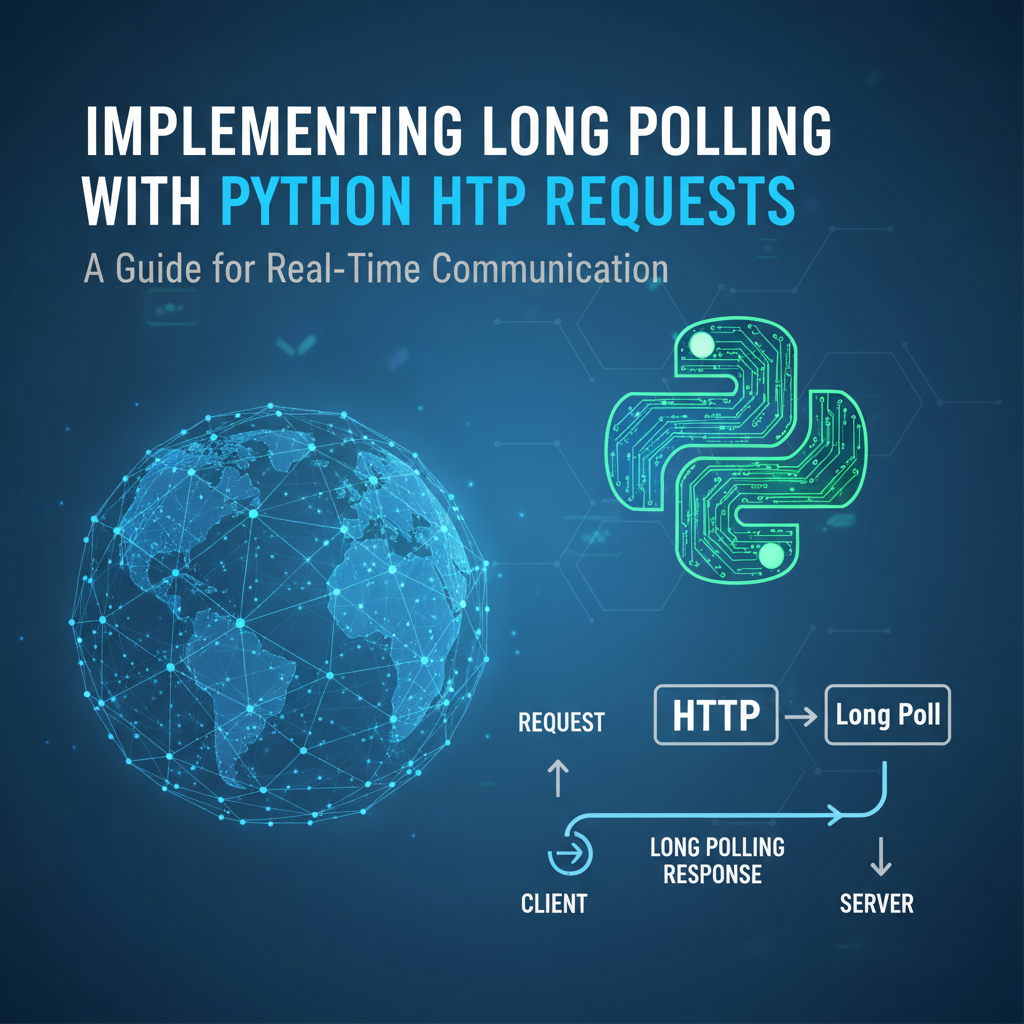
At its heart, long polling operates on a simple yet effective principle: instead of sending an immediate empty response when no new data is available, the server holds the client's HTTP request open until new information becomes available or a predefined timeout period elapses. Once data is ready or the timeout is reached, the server sends a response, containing the new data (or an empty payload if it timed out), and closes the connection. Crucially, upon receiving any response, the client immediately initiates a new long-polling request, perpetuating the cycle.
Let's break down this sequence of events step-by-step:
- Client Initiates Request: The client sends a standard HTTP GET request to a specific api endpoint on the server, typically designed for long polling. This request might include identifiers for the client or the data it's interested in.
- Server Holds Connection: If the server does not have any new data for that client at that exact moment, instead of responding immediately with an empty payload, it deliberately keeps the HTTP connection open. The server effectively tells the client, "I don't have new data right now, but I'll let you know as soon as I do, or if I don't hear anything for a while."
- Data Becomes Available OR Timeout Occurs:
- Data Available: When an event occurs on the server (e.g., a new message arrives, a status changes, a background task completes), and this event is relevant to the waiting client, the server processes this new data.
- Timeout: If no relevant data arrives within a pre-configured timeout period (e.g., 30 seconds, 60 seconds), the server will eventually respond without data. This timeout is crucial to prevent connections from hanging indefinitely and to allow for resource cleanup.
- Server Responds and Closes Connection:
- If new data was available, the server constructs an HTTP response containing that data (e.g., JSON payload).
- If a timeout occurred without new data, the server sends an empty response (often with a 200 OK status code, but with an empty body, or perhaps a specific status like 204 No Content, though 200 with empty body is common).
- In either case, after sending the response, the server closes the HTTP connection.
- Client Receives Response and Re-initiates: The client, upon receiving any response (data or timeout), immediately processes the received data (if any) and then sends a new long-polling request to the server, restarting the entire cycle. This rapid re-initiation is what maintains the illusion of a persistent, near real-time connection.
This "hold-then-respond-and-reconnect" pattern ensures that the client only receives responses when there's actual data to deliver, or when a reasonable time has passed, significantly reducing the redundant traffic and processing power associated with short polling.
Advantages of Long Polling
Long polling offers a suite of compelling benefits, making it an attractive choice for many applications:
- Reduced Latency Compared to Short Polling: By holding the connection open, the server can push updates as soon as they are available, virtually eliminating the delay introduced by fixed polling intervals in short polling. This results in a much more responsive user experience.
- More Efficient Use of Server Resources (Compared to Short Polling): While the server still keeps connections open, it does so only when there's a potential for data. It avoids constantly processing and responding to requests that yield no new information, thus saving CPU cycles and bandwidth. The reduction in the number of "empty" responses makes the network usage more efficient.
- Easier to Implement Than WebSockets: Long polling relies entirely on standard HTTP methods (GET, POST), headers, and status codes. This means it can be implemented with common web frameworks and libraries without requiring specialized WebSocket server software or complex protocol handling. Developers are already familiar with the HTTP model, lowering the learning curve.
- Better Firewall and Proxy Compatibility: Because it uses standard HTTP, long polling typically passes through firewalls, proxies, and load balancers without issues, unlike WebSockets, which sometimes require specific configurations or may be blocked in restrictive network environments. This makes deployment and troubleshooting simpler in enterprise settings.
- HTTP's Built-in Features: It benefits from all standard HTTP features, such as caching (though less relevant for real-time data), compression, and existing authentication and authorization mechanisms. This seamless integration into existing web infrastructure is a significant advantage.
Disadvantages of Long Polling
Despite its advantages, long polling is not a silver bullet and comes with its own set of challenges and trade-offs:
- Still Requires New Connections for Each Event: Unlike WebSockets, which use a single, persistent connection, long polling necessitates closing and re-opening a connection for each event or timeout. This re-establishment incurs a small but cumulative overhead (TCP handshake, SSL handshake) that can become significant under very high traffic or for very frequent, small updates.
- Server Resources Tied Up Holding Connections: While more efficient than short polling, a server implementing long polling must keep many HTTP connections open simultaneously. Each open connection consumes memory and file descriptors on the server. If the number of clients is extremely large (tens or hundreds of thousands), this can become a scalability bottleneck, potentially leading to resource exhaustion. The server-side needs efficient concurrency models to manage these waiting connections.
- Potential for Connection Timeouts: If the server or any intermediary network device (proxy, load balancer) has a shorter timeout configured than the long-polling timeout, the connection might be prematurely closed. This requires robust client-side reconnection logic and careful configuration of the entire network path.
- Complexity in Server-Side State Management: The server needs a mechanism to keep track of which clients are waiting for data and what data they are interested in. It also needs an efficient way to notify these waiting requests when data becomes available. This often involves using event queues, shared memory, or message brokers, adding complexity to the server architecture.
- "Head-of-Line Blocking": If one client's connection is held open for a very long time, it can potentially block other connections or exhaust the available connection pool on the server, impacting the responsiveness for other clients. This is particularly true for synchronous server implementations.
- Not Truly Bidirectional: While it simulates server-to-client push effectively, the client still needs to send a new HTTP request to communicate back to the server. For truly interactive, real-time bidirectional communication, WebSockets are a more natural fit.
Understanding these trade-offs is crucial for making an informed decision about when and where to employ long polling. For many applications requiring near real-time updates without the full complexity of WebSockets, long polling remains a highly viable and practical solution.
Setting the Stage: Python for HTTP Requests
Python, with its elegant syntax and rich ecosystem of libraries, stands out as an excellent choice for implementing both the client and server components of a long-polling system. Its readability accelerates development, while its powerful libraries simplify complex network interactions.
Why Python?
Python's popularity in web development, data science, and automation stems from several key strengths that make it particularly suitable for this task:
- Simplicity and Readability: Python's clean syntax allows developers to write less code and achieve more, which is invaluable when dealing with network logic that can sometimes become intricate. This reduces development time and makes code easier to maintain and debug.
- Extensive Libraries: The Python Package Index (PyPI) boasts a vast collection of libraries that simplify almost any programming task. For HTTP requests, the
requestslibrary is an industry standard, renowned for its user-friendliness. For building web servers, frameworks like Flask, Django, and FastAPI provide robust foundations. - Versatility: Python can handle various aspects of an application, from backend api development to client-side scripting and data processing, offering a unified language environment for different components.
- Community and Resources: A large and active community means abundant documentation, tutorials, and support, making it easier to troubleshoot problems and find solutions.
Key Libraries for Long Polling
To implement long polling in Python, we'll primarily focus on two sets of libraries: one for the client and one for the server.
1. For the Client: requests
The requests library is the de facto standard for making HTTP requests in Python. It provides a simple, yet powerful, api for interacting with web services. Unlike Python's built-in urllib module, requests simplifies common tasks like handling parameters, authentication, and especially, timeouts, which are crucial for long polling.
- Installation:
pip install requests - Key Features for Long Polling:
- Simple GET/POST: Effortlessly sends HTTP requests.
timeoutparameter: This is critical. It allows the client to specify how long it will wait for the server to send a response. If the server doesn't respond within this duration,requestswill raise arequests.exceptions.Timeouterror, enabling the client to re-initiate the long-polling cycle.- Error Handling: Provides clear exception types for various network issues, allowing for robust client-side retry logic.
- Headers and Authentication: Easily attach custom headers or implement various authentication schemes (basic, bearer token, etc.), essential for interacting with secured api endpoints, especially those protected by an api gateway.
2. For the Server: Flask (or Django, FastAPI)
While you could use Python's built-in http.server module, a web framework is generally preferred for building robust and maintainable server-side apis. Flask is an excellent choice for long polling due to its lightweight nature and flexibility, making it easy to integrate custom logic for managing open connections.
- Flask Installation:
pip install Flask - Key Features for Long Polling (with supporting libraries):
- Routing: Easily define api endpoints that clients will hit.
- Request/Response Handling: Simple access to incoming request data and straightforward methods for constructing HTTP responses.
- Concurrency Management: While Flask itself is synchronous, it can be combined with Python's
threadingmodule,asyncio(if using an ASGI server likegunicornwithuvicorn), or external message queues to manage multiple concurrent long-polling requests effectively. - Python's
threading.Eventorasyncio.Event: These are essential for pausing a server-side request until an event occurs or a timeout is reached. They allow a thread or coroutine to block until signaled by another part of the application. collections.dequeorqueue.Queue: These data structures are useful for storing events or messages that need to be delivered to waiting clients.
Brief Setup for Client and Server Environment
To get started, ensure you have Python installed (version 3.7+ is recommended). Then, install the necessary libraries:
pip install requests Flask
With these libraries in place, we are ready to build both the client and server components, demonstrating how Python can elegantly handle the intricacies of long polling. The following sections will provide detailed code examples and explanations, guiding you through the practical implementation.
Implementing a Long Polling Client with Python requests
The client-side implementation of long polling in Python is primarily concerned with sending HTTP requests, patiently waiting for a response, processing any received data, and then immediately re-establishing a new connection to maintain the real-time stream. The requests library makes this process remarkably intuitive.
Basic requests.get(): How it Works
At its core, interacting with a long-polling api endpoint involves making a standard HTTP GET request. The requests.get() function is your primary tool.
import requests

# The URL of your long-polling server endpoint
LONG_POLLING_URL = "http://localhost:5000/poll"

try:
    response = requests.get(LONG_POLLING_URL)
    if response.status_code == 200:
        print(f"Received data: {response.json()}")
    else:
        print(f"Error: {response.status_code} - {response.text}")
except requests.exceptions.RequestException as e:
    print(f"Request failed: {e}")
This simple snippet demonstrates fetching data. For long polling, however, we need to introduce the concept of waiting and handling timeouts.
Setting a Timeout: The Crucial timeout Parameter
The timeout parameter in requests.get() is absolutely vital for long polling clients. It dictates how long the client is willing to wait for the server to send any part of a response. If this duration is exceeded, requests will raise a requests.exceptions.Timeout exception. This allows the client to gracefully handle the scenario where the server sends an empty response after its own internal timeout, or if network issues prevent a response.
A typical long-polling client will set a timeout slightly longer than the server's expected long-polling timeout. This ensures the client usually waits for the server's designed timeout to occur before timing out itself, avoiding premature re-connections. For example, if the server's timeout is 60 seconds, the client might set its timeout to 65 seconds.
import requests
import time

LONG_POLLING_URL = "http://localhost:5000/poll"
CLIENT_TIMEOUT_SECONDS = 65  # Slightly longer than server's expected timeout

try:
    print(f"[{time.time():.2f}] Sending long poll request...")
    response = requests.get(LONG_POLLING_URL, timeout=CLIENT_TIMEOUT_SECONDS)
    if response.status_code == 200:
        print(f"[{time.time():.2f}] Received data: {response.json()}")
    else:
        print(f"[{time.time():.2f}] Error: {response.status_code} - {response.text}")
except requests.exceptions.Timeout:
    print(f"[{time.time():.2f}] Long poll timed out on client side. No new data yet.")
except requests.exceptions.RequestException as e:
    print(f"[{time.time():.2f}] Request failed: {e}")
Handling Server Responses: Success, Timeout, Errors
A robust client must differentiate between various response scenarios:
- Successful Data Reception (HTTP 200 OK with content): The server had data, sent it, and the client processes it.
- Server-Side Timeout (HTTP 200 OK with empty content, or 204 No Content): The server waited for its maximum duration, found no data, and responded with an empty body to close the connection. The client should treat this as "no new data" and immediately re-poll.
- Client-Side Timeout (
requests.exceptions.Timeout): The server took too long to respond, even exceeding the client's timeout. This could indicate a network issue or an overloaded server. The client should retry. - Other HTTP Errors (e.g., 4xx, 5xx): Indicates a problem with the request or the server itself. The client should handle these appropriately, perhaps with retries and exponential backoff.
- Network Errors (
requests.exceptions.ConnectionError, etc.): Indicates that the client couldn't even establish a connection to the server. Requires retry logic.
Re-establishing the Connection: The Looping Structure
The essence of the long-polling client is a continuous loop that sends requests, processes responses, and sends new requests.
import requests
import time
import json # For safer JSON parsing

LONG_POLLING_URL = "http://localhost:5000/poll"
CLIENT_TIMEOUT_SECONDS = 65  # Client timeout slightly longer than server (e.g., 60s server timeout)
RETRY_DELAY_SECONDS = 5
MAX_RETRIES = 5

def long_poll_client(url, client_timeout, retry_delay, max_retries):
    retries = 0
    while True:
        try:
            print(f"[{time.strftime('%H:%M:%S')}] Sending long poll request to {url}...")
            # Use `stream=True` and `iter_content` if responses are very large,
            # but for typical API responses, `response.json()` is fine.
            response = requests.get(url, timeout=client_timeout, headers={"Accept": "application/json"})
            response.raise_for_status() # Raise an exception for HTTP errors (4xx or 5xx)

            if response.status_code == 200:
                if response.text.strip(): # Check if the response body is not empty
                    try:
                        data = response.json()
                        print(f"[{time.strftime('%H:%M:%S')}] Received new data: {data}")
                        # Process your data here
                        retries = 0 # Reset retries on successful data reception
                    except json.JSONDecodeError:
                        print(f"[{time.strftime('%H:%M:%S')}] Received non-JSON response: {response.text}")
                else:
                    print(f"[{time.strftime('%H:%M:%S')}] Server timeout (empty response). Re-polling.")
                    retries = 0 # Reset retries on an expected server timeout (empty 200 OK)
            else:
                # Should be caught by raise_for_status, but as a fallback
                print(f"[{time.strftime('%H:%M:%S')}] Unexpected status code: {response.status_code}. Response: {response.text}")

        except requests.exceptions.Timeout:
            print(f"[{time.strftime('%H:%M:%S')}] Client-side timeout. No data received within {client_timeout}s. Re-polling.")
            retries = 0 # Consider client timeout as a "no data" event, not an error that needs backoff

        except requests.exceptions.ConnectionError as e:
            retries += 1
            print(f"[{time.strftime('%H:%M:%S')}] Connection error: {e}. Attempt {retries}/{max_retries}.")
            if retries >= max_retries:
                print(f"[{time.strftime('%H:%M:%S')}] Max retries reached for connection error. Exiting.")
                break
            # Implement exponential backoff for connection errors
            time.sleep(retry_delay * (2 ** (retries - 1)))
            continue # Skip sleep at the end of loop, directly re-poll

        except requests.exceptions.HTTPError as e:
            retries += 1
            print(f"[{time.strftime('%H:%M:%S')}] HTTP error {e.response.status_code}: {e.response.text}. Attempt {retries}/{max_retries}.")
            if retries >= max_retries:
                print(f"[{time.strftime('%H:%M:%S')}] Max retries reached for HTTP error. Exiting.")
                break
            time.sleep(retry_delay * (2 ** (retries - 1)))
            continue

        except requests.exceptions.RequestException as e:
            retries += 1
            print(f"[{time.strftime('%H:%M:%S')}] An unexpected request error occurred: {e}. Attempt {retries}/{max_retries}.")
            if retries >= max_retries:
                print(f"[{time.strftime('%H:%M:%S')}] Max retries reached for unexpected request error. Exiting.")
                break
            time.sleep(retry_delay * (2 ** (retries - 1)))
            continue

        except Exception as e:
            print(f"[{time.strftime('%H:%M:%S')}] An unhandled error occurred: {e}. Exiting.")
            break

        # Short delay before next poll, primarily to avoid hammering server if immediate re-poll causes issues
        # or if the server response is consistently empty due to no events.
        # This delay might be adjusted based on desired responsiveness vs. server load.
        if retries == 0: # Only add delay if no recent errors required backoff
            time.sleep(1) # A very short pause

if __name__ == "__main__":
    long_poll_client(LONG_POLLING_URL, CLIENT_TIMEOUT_SECONDS, RETRY_DELAY_SECONDS, MAX_RETRIES)
Error Handling and Retries: Best Practices for Robust Clients
The provided client code demonstrates several critical error handling and retry mechanisms:
response.raise_for_status(): This is a convenientrequestsmethod that automatically raises anHTTPErrorfor 4xx or 5xx status codes, simplifying error checks.try...exceptBlocks: Comprehensive error handling forrequests.exceptions.Timeout,requests.exceptions.ConnectionError,requests.exceptions.HTTPError, and a generalrequests.exceptions.RequestExceptionto catch otherrequests-related issues.json.JSONDecodeError: Crucial for gracefully handling cases where the server sends a 200 OK but the body isn't valid JSON, preventing client crashes.- Exponential Backoff: For transient network or server errors (
ConnectionError,HTTPError), it's unwise to immediately retry. Exponential backoff increases the delay between retries (retry_delay * (2 ** (retries - 1))), preventing the client from overwhelming a struggling server and allowing time for recovery. - Maximum Retries: A limit (
MAX_RETRIES) prevents the client from retrying indefinitely in cases of persistent errors, leading to eventual graceful shutdown or reporting. - Resetting Retries: Upon a successful response (even an empty server timeout), the
retriescounter is reset, assuming the connection and server are healthy again.
This robust client-side logic ensures that your application remains resilient to network glitches, server restarts, and temporary service unavailability, providing a smoother user experience.
Headers and Authentication: Securing Your Long-Polling API
Just like any other api endpoint, a long-polling endpoint may require authentication and send custom headers. This is especially true when your service is exposed publicly or managed via an api gateway.
- Authentication:
- API Keys: Send a custom header (e.g.,
X-API-Key) with the client's API key. - Bearer Tokens (OAuth2/JWT): Send an
Authorizationheader with a bearer token. - Basic Authentication:
requestsprovides a simpleauthparameter:requests.get(url, auth=('user', 'pass')). - Example with Bearer Token:
python headers = { "Authorization": "Bearer your_jwt_token_here", "Content-Type": "application/json", "Accept": "application/json" } response = requests.get(url, timeout=client_timeout, headers=headers)
- API Keys: Send a custom header (e.g.,
- Custom Headers: You might need to send specific headers for content negotiation (
Accept), user agent, or custom application-specific metadata.
These headers are fundamental for proper routing, security, and logging, particularly when interacting with an api gateway. The api gateway would typically intercept these headers, validate authentication, apply rate limits, and then forward the request to your long-polling backend.
APIPark is a high-performance AI gateway that allows you to securely access the most comprehensive LLM APIs globally on the APIPark platform, including OpenAI, Anthropic, Mistral, Llama2, Google Gemini, and more.Try APIPark now! 👇👇👇
Implementing a Long Polling Server with Python (e.g., Flask)
Building a long-polling server in Python involves managing concurrent requests, holding connections open, and notifying clients when new data is available. We'll use Flask for its simplicity, augmented by Python's threading module for concurrency.
Core Concepts for a Long-Polling Server
- Holding Requests: The server must not immediately respond if there's no data. Instead, it must pause the request's execution until an event occurs or a timeout is met.
- Event Queues or Shared State: The server needs a mechanism to store pending events (new messages, status updates) and to allow different parts of the application to "publish" these events.
- Notifying Clients: When an event is published, the server needs an efficient way to signal the relevant waiting requests to wake up and send their data.
Basic Flask App Setup
First, let's set up a minimal Flask application.
# app.py
from flask import Flask, jsonify, request
import time
import threading
import collections

app = Flask(__name__)

# A simple in-memory store for events. In a real app, this would be a message queue (Redis Pub/Sub, Kafka, etc.)
event_queue = collections.deque()
# A dictionary to hold threading.Event objects for each active client,
# keyed by a client_id (or a session ID).
# This allows us to signal specific clients to wake up.
waiting_clients = {}
# A lock to protect access to shared data structures like waiting_clients
clients_lock = threading.Lock()

# Global counter for simulation purposes
message_id = 0

@app.route("/")
def index():
    return "Long Polling Server is Running!"

# Endpoint to publish a new message/event (for demonstration purposes)
@app.route("/publish", methods=["POST"])
def publish_message():
    global message_id
    message_id += 1
    new_message = {"id": message_id, "content": f"New message at {time.time()}"}

    with clients_lock:
        # Add the event to a global queue for clients to retrieve
        event_queue.append(new_message)
        print(f"[{time.strftime('%H:%M:%S')}] Published: {new_message}")

        # Notify all waiting clients
        for client_id, event in waiting_clients.items():
            event.set() # Signal the client's event to unblock
            print(f"[{time.strftime('%H:%M:%S')}] Notified client: {client_id}")

    return jsonify({"status": "published", "message": new_message}), 200

if __name__ == "__main__":
    # In production, use a WSGI server like Gunicorn: gunicorn -w 4 app:app
    app.run(debug=True, port=5000)
To publish messages, you can use curl or a Python script: curl -X POST http://localhost:5000/publish
The threading.Event Approach for Blocking
The core of long polling on the server side is making the request handler wait for an event. Python's threading.Event is perfect for this.
threading.Event(): Creates an event object.event.wait(timeout=...): This method blocks the calling thread until the event is set or the optionaltimeoutexpires. It returnsTrueif the event was set,Falseif it timed out.event.set(): Signals the event, unblocking any threads waiting on it.event.clear(): Resets the event, so it can be waited on again.
Let's integrate this into our long-polling api endpoint. We'll simulate a client by having the client send a unique client_id.
# app.py (continuation)
# ... previous imports and setup ...

# Timeout for the server to hold a long-polling connection
SERVER_LONG_POLLING_TIMEOUT = 60 # seconds

@app.route("/poll", methods=["GET"])
def poll_for_updates():
    client_id = request.args.get("client_id", "anonymous")

    with clients_lock:
        # First, check if there's any pending message in the global queue
        # In a real system, you'd check a client-specific queue or a state relevant to this client.
        if event_queue:
            # If there's data, respond immediately and clear the queue for this client
            # For simplicity, we'll just return the first item and pop it.
            # A real system would have a more sophisticated way to ensure each client gets its relevant message.
            data = event_queue.popleft()
            print(f"[{time.strftime('%H:%M:%S')}] {client_id}: Responding immediately with existing data: {data}")
            return jsonify(data), 200

        # If no data, prepare to wait
        client_event = threading.Event()
        waiting_clients[client_id] = client_event
        print(f"[{time.strftime('%H:%M:%S')}] {client_id}: Started long poll. Waiting...")

    # Wait for an event to be set or for the timeout to expire
    # This call blocks the current thread (the one handling the request)
    event_was_set = client_event.wait(timeout=SERVER_LONG_POLLING_TIMEOUT)

    with clients_lock:
        # Clean up: remove client from waiting_clients list
        waiting_clients.pop(client_id, None)
        # Clear the event for future reuse if needed, though usually a new Event is created per request
        client_event.clear()

    if event_was_set:
        # An event occurred, try to retrieve the new data
        # In a real system, the `publish_message` would place the message directly into a client-specific queue
        # or a globally accessible place that this poll_for_updates can retrieve reliably.
        # For this simplified example, we'll just check the shared queue again.
        if event_queue:
            data = event_queue.popleft()
            print(f"[{time.strftime('%H:%M:%S')}] {client_id}: Event set, responding with new data: {data}")
            return jsonify(data), 200
        else:
            # This can happen if multiple clients are waiting, and one event notifies all,
            # but only the first one to wake up gets the data. Others might find queue empty.
            # Or if the event was cleared before data could be retrieved.
            print(f"[{time.strftime('%H:%M:%S')}] {client_id}: Event set but no data found. Server might have timed out for others. Sending empty.")
            return jsonify({}), 200 # Or 204 No Content

    else:
        # Timeout occurred, no event was set
        print(f"[{time.strftime('%H:%M:%S')}] {client_id}: Long poll timed out after {SERVER_LONG_POLLING_TIMEOUT}s. No new data.")
        return jsonify({}), 200 # An empty JSON object indicates a server timeout, prompting client to re-poll

# Add a simple endpoint to clear all events for testing
@app.route("/clear_events", methods=["POST"])
def clear_events():
    global event_queue, message_id
    with clients_lock:
        event_queue.clear()
        message_id = 0
        for client_id, event in waiting_clients.items():
            event.set() # Wake up any waiting clients to get empty responses
        waiting_clients.clear() # Clear waiting clients
    print(f"[{time.strftime('%H:%M:%S')}] All events and waiting clients cleared.")
    return jsonify({"status": "cleared"}), 200

if __name__ == "__main__":
    app.run(debug=True, port=5000, threaded=True) # `threaded=True` for Flask's development server for multiple clients
Explanation of the Server Code:
event_queue(Simplified Event Storage): In a real-world scenario, you'd use a more robust message queue (like Redis Pub/Sub, Kafka, RabbitMQ) for storing and delivering events. For this demonstration,collections.dequeacts as a simple FIFO queue for messages.waiting_clients: A dictionary where keys are uniqueclient_ids (obtained from the request query parameters) and values arethreading.Eventobjects. This allows the server to specifically signal individual clients.clients_lock: Athreading.Lockis crucial to protectwaiting_clientsandevent_queuefrom race conditions when multiple threads (each handling a request) try to modify them simultaneously./pollEndpoint:- It first checks
event_queue. If there's an existing message, it responds immediately. This handles cases where a client re-polls just after a message was published but before it started waiting. - If no immediate data, it creates a
threading.Eventfor the current client and adds it towaiting_clients. client_event.wait(timeout=SERVER_LONG_POLLING_TIMEOUT): This is where the magic happens. The Flask request handling thread blocks here. It will stay blocked untilclient_event.set()is called by another thread (e.g., from the/publishendpoint) or theSERVER_LONG_POLLING_TIMEOUTexpires.- After
wait()returns, the client is removed fromwaiting_clientsto clean up resources. - If
event_was_setisTrue, it means data should be available (or was published). The server attempts to retrieve and send it. IfFalse, it means a timeout occurred, and an empty response is sent.
- It first checks
/publishEndpoint:- When a new message is published, it's added to
event_queue. - Crucially, it then iterates through all
waiting_clientsand callsevent.set()on eachthreading.Eventobject. This unblocks the threads that are currently waiting in the/pollendpoint, allowing them to proceed and send their response.
- When a new message is published, it's added to
app.run(debug=True, port=5000, threaded=True): For the Flask development server,threaded=Trueis essential to allow it to handle multiple concurrent requests, including multiple long-polling clients simultaneously. In a production environment, you would use a proper WSGI server like Gunicorn configured with multiple worker processes or threads.
This server implementation, though simplified, illustrates the fundamental principles of managing long-polling requests and delivering events.
Scaling Considerations
The Flask server with threaded=True is suitable for development and small-scale scenarios. However, for production, scaling long-polling servers requires careful consideration:
- Asynchronous Frameworks: For high concurrency, asynchronous Python web frameworks like
FastAPI(built onStarlette) combined with an ASGI server likeUvicornare far more efficient. They allow handling thousands of concurrent connections with minimal threads/processes by usingasync/awaitand non-blocking I/O. Anasyncio.Eventwould be used instead ofthreading.Event. - External Message Queues: Relying on in-memory
event_queueandwaiting_clientsseverely limits scalability. For multiple server instances, you need a centralized, persistent message broker (e.g., Redis Pub/Sub, Kafka, RabbitMQMQ). When an event occurs, it's published to the broker. Server instances then subscribe to topics in the broker, and when a message arrives, they find the relevantthreading.Event(orasyncio.Event) for their waiting client and signal it. - Load Balancing: A robust load balancer is crucial to distribute client connections across multiple long-polling server instances. Sticky sessions might be required if client state is kept on a specific server, though a well-designed long-polling system minimizes server-side client state to allow any server instance to handle a re-polling client.
- Resource Management: Carefully monitor memory and file descriptor usage. Each open connection consumes resources. Tune OS limits (e.g.,
ulimiton Linux) to allow for a large number of open sockets.
Introducing APIPark: Enhancing Your API Ecosystem
When designing a system that incorporates long polling, especially one that might expose these real-time capabilities to external consumers or integrate with other services, the role of an api gateway becomes paramount. An api gateway acts as a single entry point for all client requests, routing them to the appropriate backend service. For instance, a robust platform like ApiPark, an open-source AI gateway and API management platform, could sit in front of your long-polling backend. It wouldn't directly manage the long-polling mechanism itself, as that's an application-level concern for your Flask server, but it would provide critical features like authentication, authorization, rate limiting, and traffic management for the entire api ecosystem.
Think of it this way: your Python long-polling server is a specialized backend service delivering real-time updates. The clients (your Python script, web browsers, mobile apps) don't directly hit your Flask server's /poll endpoint. Instead, they send their requests to the api gateway's exposed api endpoint, perhaps api.yourdomain.com/v1/updates. The api gateway then intercepts this request. Before forwarding it to your Flask server, ApiPark can perform a multitude of essential tasks:
- Authentication and Authorization: It can validate API keys, JWT tokens, or other credentials. This offloads security concerns from your backend, allowing your Flask server to focus purely on the long-polling logic.
- Rate Limiting: Prevents abuse and ensures fair usage by limiting the number of requests a client can make within a certain timeframe. This is especially important for long-polling endpoints where frequent re-polling could be mistaken for a DDoS attack without proper controls.
- Traffic Management: It can route requests, perform load balancing across multiple instances of your Flask long-polling server, and manage API versioning.
- Monitoring and Analytics: ApiPark can log every api call, providing detailed metrics on performance, errors, and usage patterns. This visibility is invaluable for troubleshooting and understanding how your real-time api is being consumed.
- Unified API Format: Even though long polling is a specific transport, ApiPark can help standardize how clients interact with all your backend services, providing a consistent
apiexperience across different protocols or data formats. - Developer Portal: If your long-polling
apiis meant for third-party developers, ApiPark can host a developer portal where they can discover, subscribe to, and manage access to your real-time data streams.
This setup allows the backend service to focus purely on the long-polling logic, while the api gateway handles the cross-cutting concerns that are essential for any production-ready api. It also standardizes how clients interact with your services, regardless of the underlying real-time implementation, offering a consistent api experience. By placing an api gateway like ApiPark in front of your long-polling endpoints, you not only enhance the security and scalability of your real-time infrastructure but also streamline its management within a larger api ecosystem.
Advanced Topics and Best Practices
Implementing long polling effectively goes beyond basic client-server communication. A robust and scalable solution requires careful consideration of various advanced topics and adherence to best practices.
Timeout Strategies
Precise timeout management is critical for the health of a long-polling system.
- Client Timeout (
CLIENT_TIMEOUT_SECONDS): This should generally be slightly longer (e.g., 5-10 seconds longer) than the server's long-polling timeout. This ensures that the client typically receives a server-initiated empty response (indicating a server timeout) rather than its own connection timing out, which might be treated as a more severe network error. - Server Timeout (
SERVER_LONG_POLLING_TIMEOUT): This defines the maximum duration the server will hold a client's request. Choosing an appropriate value is key:- Too Short: Leads to frequent re-polls, increasing connection overhead.
- Too Long: Ties up server resources (memory, file descriptors) for extended periods, potentially reducing overall capacity. It also increases the risk of intermediate proxies/load balancers timing out the connection before the server does.
- Intermediate Proxies/Load Balancers: Be acutely aware of any proxy, api gateway, or load balancer in front of your server. These often have their own default timeouts (e.g., Nginx, Apache, cloud load balancers). Ensure their timeouts are configured to be longer than your
SERVER_LONG_POLLING_TIMEOUT, otherwise, they will prematurely close connections, leading to client-side errors. - Jitter: When implementing retry logic for errors or even just the re-polling loop, introduce a small, random "jitter" to the delay. Instead of
time.sleep(1), usetime.sleep(1 + random.uniform(0, 0.5)). This prevents a "thundering herd" problem where many clients simultaneously try to reconnect after a shared event (like a server restart or network glitch), potentially overwhelming the server.
Concurrency and Asynchronicity
The synchronous nature of our Flask example (using threading.Event) can be a bottleneck under high load. Each client_event.wait() call blocks a thread.
- Asynchronous Frameworks (e.g., FastAPI with
asyncio): For real production scale, preferasynciobased frameworks.- Server-side:
FastAPI(or Starlette) allows handling thousands of concurrent connections with a small pool of worker processes. Instead ofthreading.Event, you'd useasyncio.Event. The long-polling endpoint would be anasync deffunction, andawait client_event.wait(timeout=...)would pause the coroutine without blocking the underlying event loop, allowing other requests to be processed. - Client-side: The
httpxlibrary is an excellentrequests-like client that supportsasync/await, allowing you to run multiple long-polling clients concurrently within a singleasyncioevent loop.
- Server-side:
# FastAPI server snippet (conceptual)
from fastapi import FastAPI, Request
import asyncio

app = FastAPI()
waiting_clients = {} # Store asyncio.Event objects

@app.get("/poll_async")
async def poll_for_updates_async(request: Request, client_id: str = "anonymous"):
    # ... logic to check for immediate data ...

    event = asyncio.Event()
    waiting_clients[client_id] = event

    try:
        await asyncio.wait_for(event.wait(), timeout=SERVER_LONG_POLLING_TIMEOUT)
        # Event was set, retrieve data
    except asyncio.TimeoutError:
        # Timeout occurred
        pass
    finally:
        waiting_clients.pop(client_id, None)

    return {"message": "data or timeout"}

# httpx client snippet (conceptual)
import httpx
import asyncio

async def async_long_poll_client(url, timeout):
    async with httpx.AsyncClient() as client:
        while True:
            try:
                response = await client.get(url, timeout=timeout)
                # Process response
            except httpx.TimeoutException:
                # Handle timeout
            except httpx.RequestError:
                # Handle network error
            await asyncio.sleep(1) # Small delay
Error Handling and Resilience
Beyond basic exceptions, consider a comprehensive resilience strategy:
- Exponential Backoff with Jitter: As discussed, crucial for retries.
- Circuit Breaker Pattern: Prevents a client from continuously hitting a failing server. If a service experiences a high rate of failures, the client "breaks the circuit" and stops sending requests for a period, allowing the service to recover. After the period, it sends a single test request to see if the service is healthy again. Libraries like
pybreakercan implement this. - Idempotency: Design your apis such that repeated long-polling requests (due to client retries) don't cause unintended side effects on the server. Although long polling is primarily for data retrieval, it's a good general api design principle.
- Graceful Shutdown: Ensure your server can gracefully shut down, signaling any waiting long-polling clients to disconnect and clean up resources. This typically involves catching termination signals (e.g.,
SIGTERM) and then using a mechanism toset()allthreading.Events with a specific "server shutting down" message.
Security Considerations
Security is paramount for any exposed api.
- Authentication/Authorization:
- API Keys / JWTs: Use an api gateway like ApiPark to enforce authentication at the perimeter. The gateway validates tokens or API keys before forwarding requests to your long-polling service.
- Session Management: For browser-based clients, use secure HTTP-only cookies for session management.
- DDoS Prevention:
- Rate Limiting: Crucial for long-polling endpoints. An api gateway (like ApiPark) is ideal for implementing rate limits based on IP address, client ID, or authenticated user. This prevents clients from opening too many concurrent connections or re-polling excessively quickly.
- Connection Limits: Configure your server and operating system to limit the total number of open connections to prevent resource exhaustion.
- Data Encryption (HTTPS/TLS): Always use HTTPS for all communication between client and server. This encrypts data in transit, protecting against eavesdropping and tampering. ApiPark would handle TLS termination, securing the communication path to your clients.
- Input Validation: Sanitize and validate all input from clients to prevent injection attacks and other vulnerabilities.
Resource Management
Efficiently managing server resources is key to scalability.
- Connection Cleanup: Ensure that
threading.Eventobjects and client entries inwaiting_clientsare always removed, even if the client disconnects abruptly or an error occurs.try...finallyblocks are excellent for this. - Monitoring: Implement robust monitoring for server metrics (CPU, memory, open file descriptors, network I/O, latency, error rates) to identify bottlenecks and resource leaks.
- Load Testing: Before deployment, perform load testing to understand your server's capacity and identify breaking points under heavy long-polling traffic.
When Not to Use Long Polling
While effective, long polling isn't always the best solution.
- True Bidirectional Communication: If your application requires frequent, low-latency, two-way communication (e.g., collaborative editing, real-time gaming, complex chat applications with typing indicators), WebSockets are superior. The overhead of re-establishing connections in long polling becomes prohibitive.
- Very High Frequency, Small Updates: For systems that push tiny updates extremely frequently (e.g., thousands of stock price updates per second), the HTTP overhead per message in long polling can be too high. Server-Sent Events (SSE) might be a better fit if updates are only server-to-client, or WebSockets for bidirectional.
- Massive Scale Persistent Connections: While long polling avoids truly persistent connections, managing tens of thousands or hundreds of thousands of held HTTP connections still consumes significant server resources. If you need millions of concurrent "live" clients, a technology specifically designed for persistent connections (like WebSockets with highly optimized servers) might be necessary.
Choosing the right real-time technology is about understanding the specific needs of your application and the trade-offs of each approach. Long polling excels in scenarios where near real-time updates are needed, the communication is primarily unidirectional (server to client), and the overhead of WebSockets is deemed unnecessary or too complex for the existing infrastructure.
Real-world Use Cases and Scenarios
Long polling, despite being an older technique, remains highly relevant and effective for a wide array of real-world applications where near real-time updates are desired without the full architectural commitment of WebSockets. Its reliance on standard HTTP makes it a robust and compatible choice for many scenarios.
1. Chat Applications (Simpler Versions)
One of the most classic applications of long polling is in chat systems. While advanced chat applications with typing indicators, read receipts, and complex presence features often gravitate towards WebSockets, simpler chat apis and web chats can be effectively built with long polling.
- Scenario: A user sends a message. The server stores it. All other users in the same chat room are actively long-polling the server. When a new message arrives, the server responds to their waiting requests with the new message. Upon receiving the message, their clients immediately send a new long-polling request, ready for the next update.
- Why Long Polling Fits: Messages are not typically extremely frequent in most casual chat rooms, and the delay introduced by connection re-establishment is usually negligible. It's easier to implement than WebSockets across various client platforms (web, mobile native apps that easily make HTTP requests).
- Example: Imagine a small internal team chat tool or customer support chat widget. The Python Flask server would hold client connections, and when a message is sent to
/send_message, that endpoint would publish the message andset()thethreading.Eventfor all clients in the relevant chat room.
2. Notification Systems
From social media alerts to system notifications, long polling is an excellent fit for delivering timely, unobtrusive updates to users.
- Scenario: A user logs into a web application. Their browser initiates a long-polling request to an endpoint like
/notifications/poll. When a new notification arrives for that user (e.g., a friend request, a system alert, a new comment on their post), the server responds to their waiting request with the notification payload. The client then displays the notification and immediately re-polls for subsequent alerts. - Why Long Polling Fits: Notifications are typically sporadic events. Users don't need a constant open channel, but they do need to be informed quickly when something happens. Long polling provides this immediacy without the constant overhead of short polling or the heavier infrastructure of WebSockets for what is primarily a server-to-client push.
- Example: A backend service processes a long-running task. When the task completes, it publishes an event (e.g., to Redis Pub/Sub). The Flask long-polling server, which is listening to Redis, receives this event, finds the
threading.Eventassociated with the user who initiated the task, and wakes up their/notifications/pollrequest to send the "task completed" message.
3. Real-time Dashboards (When SSE/WebSockets are Overkill)
Many dashboards require periodic, near real-time updates of metrics, charts, or status indicators. For simpler dashboards that don't need extremely high data refresh rates or complex interactivity, long polling can be a straightforward solution.
- Scenario: A dashboard displaying server health metrics (CPU usage, memory, disk space) needs to update every few seconds or when critical thresholds are crossed. Clients poll an api endpoint,
/dashboard/metrics. When new metrics are available (e.g., published by a monitoring agent or computed by a background task), the server sends them to the waiting clients. - Why Long Polling Fits: The update frequency might be moderate (e.g., every 5-10 seconds), and often the data is aggregated or only changes when certain conditions are met. Long polling avoids unnecessary network traffic when data is static while ensuring quick updates when changes occur. SSE could also be a good fit here if updates are strictly unidirectional.
- Example: A simple api gateway dashboard that shows the number of active API calls. When
ApiParkreports new metrics, the long-polling backend updates its internal state and triggers the pending client requests to refresh their displays.
4. Monitoring Systems
Monitoring tools often need to receive alerts or status changes from various services as soon as they happen. Long polling can be used by monitoring dashboards or agents to listen for these critical events.
- Scenario: A client application (e.g., a desktop monitoring tool or a specialized web interface) needs to know when a specific service goes down or a critical log event occurs. It long-polls an endpoint like
/system/alerts. When an alert is triggered in the backend (e.g., detected by a health check, parsed from logs), the server immediately pushes this alert to the waiting client. - Why Long Polling Fits: Alerts are inherently infrequent but require immediate attention. Long polling ensures that the alert reaches the client promptly without constantly consuming resources by short polling.
- Example: A system where IoT devices report their status. A central long-polling server acts as a hub. When a device reports a critical status (e.g., low battery, sensor malfunction), the server immediately notifies registered clients (e.g., a technician's dashboard) through their long-polling connections.
5. Game Updates (Turn-Based or Infrequent Events)
For turn-based games or games with infrequent but critical state changes (e.g., an opponent made a move, an item spawned), long polling can be a viable alternative to WebSockets, especially for simplicity.
- Scenario: In a turn-based board game, after Player A makes a move, Player B's client needs to be updated. Player B's client long-polls
/game/{game_id}/updates. When Player A's move is processed, the server pushes this update to Player B's waiting request. - Why Long Polling Fits: The frequency of updates is tied to game turns or specific events, not continuous streaming. The latency of connection re-establishment is acceptable between turns.
- Example: A multiplayer trivia game. When a new question is revealed or a player answers, the server updates the game state and notifies all long-polling clients in that game room.
In each of these scenarios, long polling provides a pragmatic balance between technical complexity and real-time responsiveness, making it a valuable tool in a developer's arsenal for building dynamic web applications using Python and standard HTTP.
Comparison Table: Real-time Communication Methods
To summarize the various techniques discussed for achieving real-time communication, the following table provides a concise comparison, highlighting their pros, cons, typical use cases, and relevant Python library examples. This overview aids in making informed decisions about which technology best suits specific application requirements.
| Method | Pros | Cons | Use Cases | Python Library Examples |
|---|---|---|---|---|
| Short Polling | Extremely simple to implement (client/server), uses standard HTTP, high compatibility. | Highly inefficient (many empty responses), high latency if intervals are long, high resource consumption. | Very simple apps, infrequent updates where latency isn't critical (e.g., weather updates every hour). | requests (client), Flask/Django (app.route) (server) |
| Long Polling | Lower latency than short polling, more efficient than short polling, uses standard HTTP, good firewall compatibility. | Server resources tied up holding connections, still connection overhead per event, state management complexity. | Notifications, simpler chat, real-time dashboards (moderate updates), monitoring systems, turn-based games. | requests (client), Flask/FastAPI with threading.Event/asyncio.Event (server) |
| SSE (Server-Sent Events) | Unidirectional (server-to-client) push, simpler than WebSockets, built-in re-connection logic, uses standard HTTP. | Unidirectional only (no client-to-server push), less flexible than WebSockets, browser support variations. | News feeds, stock tickers, live sports scores, streaming logs, continuous data updates. | requests (client, to consume stream), Flask/FastAPI (Response(mimetype='text/event-stream')) (server) |
| WebSockets | True real-time, low latency, bidirectional communication, efficient (minimal overhead after handshake). | More complex to implement/manage, requires dedicated server infrastructure, potential firewall/proxy issues. | Online gaming, collaborative editing, advanced chat, real-time dashboards (high frequency/interactivity). | websocket-client (client), websockets (server), Socket.IO-client/Flask-SocketIO (higher-level) |
This table underscores that no single solution fits all scenarios. The optimal choice depends on the specific real-time requirements, the desired level of interactivity, existing infrastructure, and the acceptable trade-offs in complexity and resource utilization. Long polling remains a powerful and practical option for many applications seeking to enhance user experience with timely updates.
Conclusion
The journey through the intricacies of long polling, from its foundational HTTP principles to its practical implementation with Python's requests library and Flask, reveals a versatile and highly effective technique for building near real-time web applications. We've seen how long polling cleverly re-purposes the standard request-response model to minimize latency and improve efficiency compared to its simpler cousin, short polling, all while circumventing many of the architectural complexities associated with full-fledged WebSockets.
Long polling finds its sweet spot in scenarios where a primarily server-to-client push is required, updates are infrequent to moderate, and the desire for immediate notification outweighs the minor overhead of connection re-establishment. Its compatibility with existing HTTP infrastructure, including load balancers, proxies, and security mechanisms often managed by an api gateway like ApiPark, makes it a robust and easily deployable solution in various enterprise and consumer-facing applications. By placing a powerful api gateway in front of your long-polling endpoints, you not only enhance security, rate limiting, and traffic management but also integrate your real-time services seamlessly into a broader api ecosystem, offering a consistent and manageable interface to your clients.
However, as with any technology, understanding its limitations is as crucial as appreciating its strengths. Long polling is not a panacea for all real-time challenges. For applications demanding true bidirectional, low-latency communication with extremely high data rates or a massive number of persistent connections, WebSockets remain the superior choice. Similarly, if your updates are strictly unidirectional and continuous, Server-Sent Events might offer a simpler, more streamlined approach.
Ultimately, the choice of real-time communication strategy is a nuanced decision, influenced by application requirements, scalability needs, and development resources. Python, with its rich set of libraries and framework options, empowers developers to implement any of these techniques with elegance and efficiency. By mastering long polling, developers gain a valuable tool in their arsenal, enabling them to build more responsive and engaging user experiences, striking a pragmatic balance between simplicity, performance, and the ever-present demand for instantaneity in the modern digital landscape. As the web continues to evolve, techniques like long polling, deeply rooted in the fundamental protocols, continue to demonstrate their enduring relevance and adaptability.
Frequently Asked Questions (FAQs)
1. What is the main difference between Long Polling and Short Polling?
The main difference lies in how the server handles a request when no new data is available. In Short Polling, the client sends requests at fixed intervals, and the server responds immediately, often with an empty payload if no new data exists. This leads to many unnecessary requests. In Long Polling, the client also sends requests, but if no new data is immediately available, the server holds the connection open until data becomes available or a server-defined timeout occurs. Only then does the server respond, and the client immediately re-polls. This significantly reduces the number of requests and wasted bandwidth compared to short polling.
2. Is Long Polling a substitute for WebSockets?
No, long polling is generally not a direct substitute for WebSockets, though it can achieve similar "push" effects in certain scenarios. WebSockets provide a true full-duplex, persistent connection, allowing for real-time, bidirectional communication with minimal overhead after the initial handshake. Long polling, on the other hand, still relies on the traditional HTTP request-response cycle, requiring a new connection to be established for each event or timeout. WebSockets are ideal for applications demanding very low latency and frequent two-way interaction (e.g., online gaming, collaborative editing), whereas long polling is often preferred for scenarios where server-to-client updates are primary, and the overhead of WebSockets is considered too high or unnecessary.
3. What are the main drawbacks of implementing Long Polling?
The primary drawbacks of long polling include: 1. Server Resource Consumption: Holding many HTTP connections open simultaneously can consume significant server memory and file descriptors, potentially impacting scalability under very high client loads. 2. Connection Overhead: While less than short polling, re-establishing a new HTTP connection for each event or timeout still incurs some overhead (TCP handshake, SSL handshake), which can add up for very frequent, small updates. 3. Complexity in Server-Side State: The server needs robust mechanisms to manage waiting clients, store events, and efficiently notify the correct clients, which adds complexity to the backend architecture. 4. Intermediate Proxy/Load Balancer Timeouts: Long-held connections can be prematurely terminated by misconfigured proxies or load balancers along the network path, requiring careful infrastructure configuration.
4. How can an API Gateway like APIPark help with a Long Polling implementation?
An api gateway such as ApiPark does not directly implement the long-polling mechanism itself, as that's handled by your backend service. However, it significantly enhances the robustness, security, and manageability of long-polling services by acting as an intelligent intermediary. ApiPark can provide: * Authentication & Authorization: Validating client credentials (API keys, JWTs) before requests reach your backend. * Rate Limiting: Protecting your long-polling endpoints from abuse or accidental overload by limiting client requests. * Traffic Management: Routing requests, load balancing across multiple backend instances, and managing API versions. * Monitoring & Analytics: Logging all API calls for performance tracking and troubleshooting. * Unified API Management: Offering a single entry point and consistent management experience for all your APIs, regardless of their underlying real-time implementation. This offloads crucial cross-cutting concerns from your long-polling backend.
5. When should I choose Long Polling over Server-Sent Events (SSE)?
Both long polling and SSE are excellent for server-to-client push mechanisms over standard HTTP. You might choose Long Polling when: * You need to support older browsers or environments that may not fully support SSE. * The connection sometimes needs to be closed and re-opened for other reasons (e.g., client sends a new parameter with each poll). * You need slightly more control over the HTTP request/response cycle for each event. You might choose SSE when: * Your communication is strictly unidirectional (server pushing to client). * You require a continuous stream of events (like a live feed) rather than discrete, infrequent updates. * You want built-in client-side reconnection logic and event formatting. SSE is generally simpler for continuous, unidirectional streaming, while long polling offers more flexibility when the "stream" is broken into discrete request-response cycles.
🚀You can securely and efficiently call the OpenAI API on APIPark in just two steps:
Step 1: Deploy the APIPark AI gateway in 5 minutes.
APIPark is developed based on Golang, offering strong product performance and low development and maintenance costs. You can deploy APIPark with a single command line.
curl -sSO https://download.apipark.com/install/quick-start.sh; bash quick-start.sh

In my experience, you can see the successful deployment interface within 5 to 10 minutes. Then, you can log in to APIPark using your account.

Step 2: Call the OpenAI API.