How to Securely Route Container Through VPN
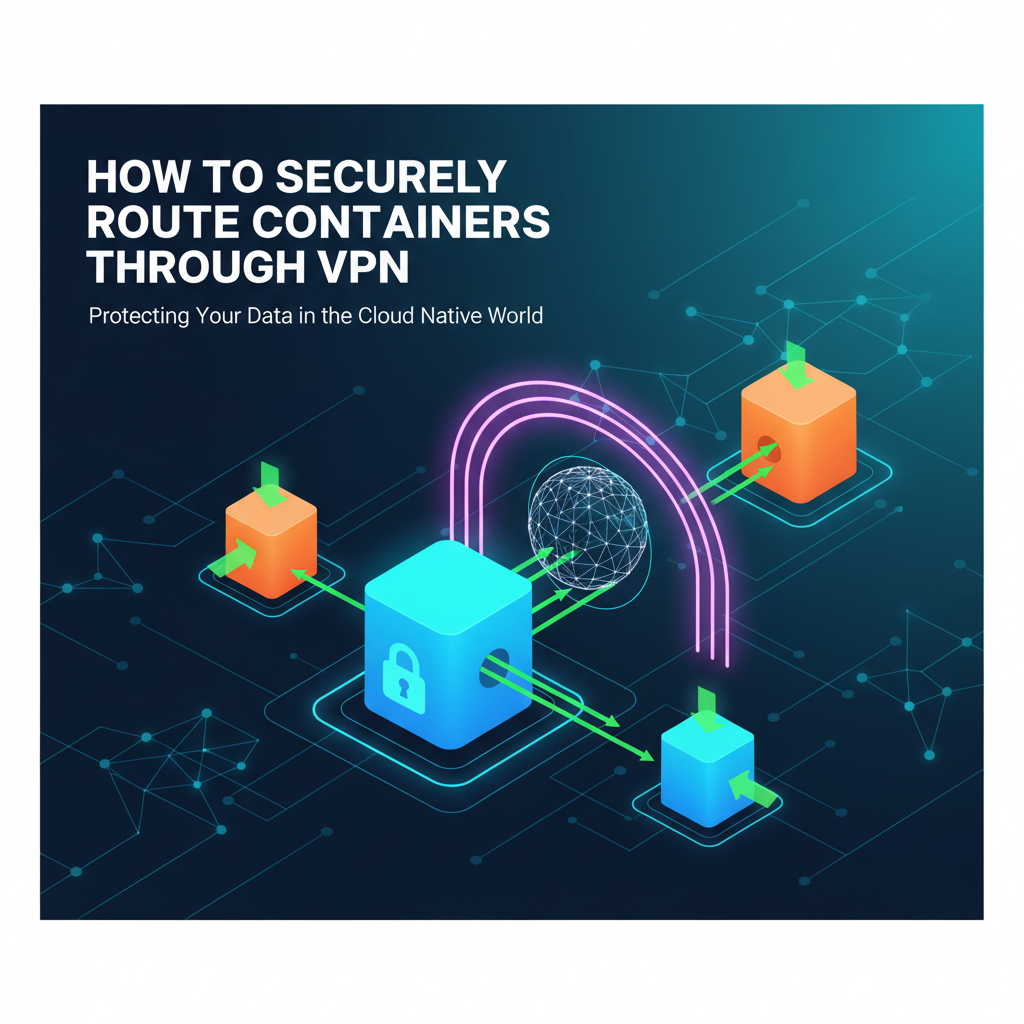


In the contemporary landscape of cloud-native computing, containers have emerged as a pivotal technology for packaging and deploying applications. Their lightweight, portable, and isolated nature offers unparalleled efficiency and scalability. However, this inherent isolation, while beneficial for application stability, introduces complexities when these containers need to communicate securely with external networks or internal resources located in different private network segments. The challenge intensifies when these communications must traverse untrusted networks, necessitating robust security measures. This is precisely where Virtual Private Networks (VPNs) become indispensable, acting as secure conduits that encapsulate and encrypt traffic, effectively extending a private network over a public infrastructure. The convergence of containers and VPNs presents a powerful paradigm for building secure, distributed systems, yet orchestrating this synergy demands a deep understanding of networking, containerization, and security best practices.
This comprehensive guide delves into the intricate mechanisms of securely routing container traffic through a VPN. We will explore the fundamental principles of VPNs, the nuances of container networking, and various strategies for integrating these technologies effectively. From host-level configurations to advanced sidecar patterns and network namespace isolation, we will dissect each approach, highlighting its advantages, challenges, and optimal use cases. The objective is to equip developers, DevOps engineers, and system administrators with the knowledge to design and implement robust, secure networking solutions for their containerized applications, ensuring data integrity, confidentiality, and controlled access across diverse operational environments. We will also touch upon the broader context of API security and management, recognizing that many containerized services expose APIs, and how a dedicated API gateway can complement the network-level security provided by a VPN to offer a holistic security posture.
The Imperative for Secure Container Routing
The rapid adoption of containerization technologies like Docker and Kubernetes has revolutionized software development and deployment. Microservices architectures, often deployed as collections of containers, communicate extensively, both internally within a cluster and externally with other services or users. In an ideal scenario, all these communications would occur within a perfectly secure, isolated network. However, reality often dictates that containers need to interact with:
- External Legacy Systems: Databases, message queues, or older monolithic applications residing in private data centers, accessible only via a VPN.
- Third-Party Services: APIs hosted by external providers, where strict egress filtering is required to prevent data exfiltration or enforce policy.
- Remote Development Environments: Developers needing secure access to containerized services running on cloud instances or internal test environments.
- Multi-Cloud/Hybrid Cloud Deployments: Containers spanning across different cloud providers or on-premises infrastructure, requiring secure interconnectivity.
- Compliance and Regulatory Requirements: Industries subject to strict regulations (e.g., GDPR, HIPAA) often mandate end-to-end encryption and secure network segmentation for all data in transit, making VPNs a critical component.
Without a secure routing mechanism, container traffic, particularly when traversing public internet links, is vulnerable to a multitude of threats. Eavesdropping, data tampering, man-in-the-middle attacks, and unauthorized access become significant risks. A VPN establishes an encrypted tunnel, effectively cloaking the container's traffic and making it appear as if it originates from within the secure private network, thus mitigating these risks. It's not merely about encrypting data; it's about establishing a trusted communication channel, a secure gateway through which sensitive information can flow without exposure to the public eye. For services exposing an API, this secure channel is paramount, as API endpoints are often the primary interaction points for external clients and internal microservices alike.
Demystifying Virtual Private Networks (VPNs)
At its core, a VPN is a technology that creates a secure, encrypted connection over a less secure network, such as the internet. It works by establishing a virtual point-to-point connection through the use of dedicated connections, encryption, or a combination of both. When you connect to a VPN, your device's internet traffic is routed through the VPN server, which acts as a secure intermediary. This process involves several key components and protocols:
Core VPN Concepts:
- Tunneling: This is the process of encapsulating entire network packets within another packet. The outer packet is then encrypted, making the original packet's contents (and even its source/destination) unreadable to anyone intercepting the traffic. This creates a "tunnel" through which data flows securely.
- Encryption: Cryptographic algorithms are used to scramble the data, rendering it unintelligible to unauthorized parties. Common encryption standards include AES (Advanced Encryption Standard).
- Authentication: Before a secure tunnel can be established, both the client and the server must authenticate each other. This typically involves credentials (username/password), digital certificates, or pre-shared keys to verify identity and prevent unauthorized access to the VPN.
- Protocols: Various protocols facilitate VPN connections, each with its own characteristics regarding security, performance, and compatibility.
- OpenVPN: An open-source, highly configurable, and robust VPN protocol that uses SSL/TLS for key exchange and encryption. It's known for its flexibility and strong security.
- IPsec (Internet Protocol Security): A suite of protocols used to secure IP communications by authenticating and encrypting each IP packet of a communication session. Often used for site-to-site VPNs.
- WireGuard: A newer, simpler, and faster VPN protocol designed for modern kernels. It aims for a significantly smaller attack surface compared to OpenVPN or IPsec while offering strong cryptography.
- L2TP/IPsec (Layer 2 Tunneling Protocol with IPsec): L2TP provides the tunneling, and IPsec provides the encryption and security.
- SSTP (Secure Socket Tunneling Protocol): A Microsoft-developed protocol that uses SSL v3 over TCP port 443, making it effective at bypassing firewalls.
Types of VPNs:
- Remote Access VPN: Allows individual users to connect securely to a private network (e.g., a corporate network) from a remote location. This is what most people think of when they hear "VPN."
- Site-to-Site VPN: Connects two or more distinct networks (e.g., two branch offices of a company) over a public network, making them appear as a single, contiguous network. This is often used for interconnecting data centers or cloud VPCs.
For container routing, we are primarily concerned with ensuring that individual container traffic, or groups of container traffic, correctly use a VPN tunnel. This can involve either remote access VPN principles (for individual containers or hosts acting as clients) or site-to-site VPN principles (for connecting entire container orchestration clusters to a remote network).
The VPN effectively establishes a trusted gateway for all traffic, allowing containers to securely send and receive data as if they were natively within the private network, shielding their interactions, including any exposed API endpoints, from public scrutiny.
Understanding Container Networking Fundamentals
Before we dive into routing containers through VPNs, it's crucial to grasp how containers typically handle networking. Containers are designed to be isolated, and this isolation extends to their network stack.
Key Container Networking Concepts:
- Network Namespaces: Linux containers leverage network namespaces, which provide a dedicated and isolated network stack for each container. This means each container has its own network interfaces, IP addresses, routing tables, and firewall rules, completely separate from the host system and other containers.
- Virtual Ethernet Pairs (veth): To allow communication between a container's network namespace and the host, Docker (and other container runtimes) uses
vethpairs. One end of thevethpair resides inside the container's namespace (e.g.,eth0), and the other end is attached to a bridge on the host (e.g.,docker0). - Bridge Networks: By default, Docker containers on a single host connect to a virtual bridge interface (typically
docker0). This bridge acts as a switch, allowing containers on the same host to communicate with each other. It also provides NAT (Network Address Translation) for outgoing traffic, allowing containers to reach the internet via the host's IP address. - Overlay Networks: In multi-host container orchestration platforms like Kubernetes, basic bridge networks are insufficient. Overlay networks (e.g., Flannel, Calico, Weave Net) are used to create a virtual network fabric spanning across multiple hosts. These networks encapsulate container traffic and route it between hosts, making it appear as if all containers are on the same flat network, regardless of their physical host.
- Port Mapping (Port Forwarding): To expose a containerized service (like an API endpoint) to the outside world, Docker allows mapping a port on the host to a port inside the container. For example,
docker run -p 8080:80 my-web-appmaps host port 8080 to container port 80. - DNS Resolution: Containers need to resolve domain names. Docker typically provides an internal DNS server, and containers can also be configured to use external DNS servers.
The challenge when introducing a VPN is to ensure that the container's traffic, which by default egresses through its host's network stack, is correctly redirected into the VPN tunnel, rather than bypassing it. This requires careful manipulation of routing tables and network interfaces, transforming the VPN connection into the container's default gateway for external communications.
Strategies for Securely Routing Containers Through VPN
Integrating containers with VPNs can be achieved through several architectural patterns, each with its own trade-offs regarding complexity, isolation, and performance. The choice of strategy often depends on the specific use case, the orchestration platform, and the desired level of granularity for VPN access.
1. Host-Level VPN Integration
This is arguably the simplest approach. In this model, the VPN client is installed and configured directly on the host machine where the containers are running. All network traffic originating from the host, including traffic from Docker containers, will automatically be routed through the VPN tunnel if the VPN is set as the default gateway for the host.
How it Works:
- VPN Client Installation: Install and configure your chosen VPN client (e.g., OpenVPN client, WireGuard client) on the host operating system.
- Connect to VPN: Establish a VPN connection from the host. This typically modifies the host's routing table, setting the VPN tunnel interface as the default route for all outgoing traffic.
- Container Traffic Flow: When a container attempts to access an external resource (e.g., an external API), its traffic first exits the container's network namespace, reaches the host's network stack via the
vethpair and bridge. Because the host's default route now points to the VPN tunnel, this traffic is automatically encapsulated and encrypted by the VPN client before being sent out.
Advantages:
- Simplicity: Easy to set up, as it requires minimal changes to container configurations.
- Centralized Control: The entire host machine and all containers running on it are secured by a single VPN connection.
- Cost-Effective: No additional resources (like dedicated VPN containers) are needed per application.
Challenges and Considerations:
- Lack of Granularity: All containers on the host share the same VPN connection. You cannot selectively route certain containers through the VPN while others use the direct internet connection. This can be problematic if some services require direct access for performance or policy reasons.
- Single Point of Failure: If the host's VPN connection drops, all container traffic on that host loses its secure tunnel.
- Host Dependency: The security and reliability of the VPN connection are entirely dependent on the host's operating system and VPN client.
- Performance Overhead: All host traffic, even non-container related, goes through the VPN, which might introduce unnecessary latency.
Use Cases:
- Development environments where all container traffic needs to access a remote corporate network.
- Isolated testing environments where all egress traffic must be strictly controlled and encrypted.
- Situations where a dedicated server hosts only a few containers that all require the same VPN access.
2. Sidecar Container VPN Integration
For more granular control and better isolation, the sidecar pattern is highly effective. In this approach, a dedicated "VPN client" container runs alongside your application container within the same Kubernetes Pod or Docker Compose stack. Both containers share the same network namespace, meaning they share the same IP address, network interfaces, and port mappings.
How it Works:
- VPN Client Container: Create a Docker image that contains a VPN client (e.g., OpenVPN, WireGuard) and its configuration. This container is responsible for establishing and maintaining the VPN connection.
- Shared Network Namespace: Deploy the application container and the VPN client container in a way that they share the same network namespace. In Docker, this is done using
--network=container:<vpn-container-name>. In Kubernetes, containers within the same Pod automatically share the network namespace. - Routing Configuration: The VPN client container, upon connecting to the VPN server, modifies the shared network namespace's routing table. It sets the VPN tunnel interface (e.g.,
tun0orutun0) as the default gateway for all outgoing traffic within that shared namespace. - Application Traffic: When the application container attempts to make an outbound connection, its traffic implicitly uses the routing table of the shared network namespace. This means the traffic is automatically directed into the VPN tunnel established by the sidecar VPN client, without the application container needing any VPN-specific configuration.
Example Docker Compose Snippet:
version: '3.8'
services:
  vpn-client:
    image: my-openvpn-client-image:latest # Custom image with OpenVPN client and config
    cap_add:
      - NET_ADMIN # Required for network interface manipulation
    devices:
      - /dev/net/tun:/dev/net/tun # Required for TUN device
    # Optional: If you need to expose VPN-provided DNS to other services in the pod
    # environment:
    #   - PUSH_DNS=true
    # ... other VPN client configurations ...

  my-app:
    image: my-application-image:latest
    network_mode: service:vpn-client # This makes my-app share the network namespace of vpn-client
    # my-app's traffic will now go through the VPN
Advantages:
- Granular Control: Each Pod/Docker Compose stack can have its own independent VPN connection, allowing different applications to connect to different VPNs or some to connect while others don't.
- Isolation: The VPN client is isolated within its container, not affecting the host's network or other containers not configured to share its namespace.
- Portability: The sidecar pattern is highly portable and works well with container orchestration systems like Kubernetes.
- Resilience: If one VPN sidecar fails, it only impacts the application(s) in its shared namespace, not the entire host.
Challenges and Considerations:
- Increased Resource Consumption: Each Pod requiring VPN access needs an additional container, consuming more CPU, memory, and IP addresses.
- Complexity: Setting up the VPN client image and ensuring correct network namespace sharing and routing configuration can be more complex than a host-level VPN.
- Startup Order: Ensure the VPN client container starts and establishes the VPN connection before the application container attempts to make outbound network calls. Kubernetes
initContainerscan help with this. - DNS Issues: Ensure that DNS resolution inside the shared network namespace correctly uses DNS servers provided by the VPN, or otherwise configured to resolve internal addresses.
Use Cases:
- Microservices architectures where specific services need to access different secure backend networks.
- Multi-tenant environments where each tenant's application requires a dedicated, isolated VPN tunnel.
- Any scenario requiring fine-grained control over which containerized applications leverage a VPN.
- For applications that expose an API and require secure, encrypted communication to backend services or databases not directly accessible from the internet.
3. Network Namespace Specific VPN Integration (Advanced)
This method takes isolation a step further than the host-level approach but is more complex than a simple sidecar. It involves creating a dedicated network namespace for the VPN client and then selectively directing traffic from specific containers into this VPN-enabled namespace. This is often done manually or with custom scripts, rather than built-in Docker or Kubernetes features, and provides fine-grained control without sharing the namespace with the application container directly.
How it Works:
- Create VPN Namespace: A new network namespace is created explicitly for the VPN client.
- Start VPN Client: The VPN client is run within this dedicated namespace. It establishes the VPN connection and configures its routing table to route all its traffic through the VPN tunnel.
- Inter-Namespace Routing: A complex set of
vethpairs, bridges, and routing rules are then configured on the host to selectively steer traffic from specific application containers (or even just certain types of traffic from containers) into the VPN client's namespace. This often involves policy-based routing.
Advantages:
- Ultimate Granularity: Extremely fine-grained control over which traffic goes through the VPN.
- Strong Isolation: The VPN client is fully isolated in its own network stack, separate from both the host and application containers.
- Flexibility: Allows for advanced routing scenarios where different traffic types might go through different VPNs or direct internet.
Challenges and Considerations:
- High Complexity: This approach is significantly more complex to set up and manage, requiring deep Linux networking knowledge.
- Maintenance Overhead: Custom scripts and configurations can be fragile and difficult to maintain, especially in dynamic container environments.
- Not Cloud-Native: Not easily integrated with standard Docker or Kubernetes deployments without custom tooling or daemon sets.
Use Cases:
- Highly specialized security requirements where extreme network segmentation is paramount.
- Research environments or advanced networking labs.
- Situations where standard sidecar patterns are not feasible due to very specific traffic routing policies.
4. Kubernetes Native VPN Solutions (Service Mesh / CNI Plugins)
In large-scale Kubernetes deployments, manually configuring VPNs for individual pods can become cumbersome. More integrated solutions leverage Kubernetes' extensibility:
- CNI Plugins (Container Network Interface): Some CNI plugins (e.g., Calico, Cilium) offer advanced networking features, including encrypted tunnels (like IPsec or WireGuard) between nodes. While this primarily secures inter-node communication, it can be extended to secure traffic egressing the cluster. However, these are generally for securing the cluster's internal network, not necessarily routing all container traffic through an external VPN server.
- Service Mesh Integration (e.g., Istio, Linkerd): A service mesh provides a dedicated infrastructure layer for handling service-to-service communication. While not a VPN in the traditional sense, service meshes can enforce mTLS (mutual TLS) for all traffic between services, effectively encrypting communication within the mesh. For egress traffic, a service mesh's egress gateway can be configured to route traffic through an external VPN client (perhaps deployed as a sidecar to the egress gateway pod itself) or integrate with dedicated network appliances.
How it Works (Service Mesh Egress Gateway with VPN):
- Egress Gateway: Configure an Egress Gateway in your service mesh (e.g., Istio EgressGateway). This acts as a centralized point for all outgoing traffic from the mesh.
- VPN Sidecar for Egress Gateway: Deploy a VPN client as a sidecar container within the Egress Gateway Pod, using the shared network namespace approach.
- Route Through Gateway: Configure service mesh rules to direct all desired outbound traffic from your application containers to the Egress Gateway. The Egress Gateway then routes this traffic through its VPN sidecar.
Advantages:
- Centralized Egress Control: Provides a single point to manage all outbound traffic from the cluster.
- Integrated Security: Leverages the service mesh's policy enforcement and observability features.
- Scalability: Designed for large-scale Kubernetes environments.
Challenges and Considerations:
- Complexity: Service meshes themselves add significant operational complexity.
- Specific Use Case: Best suited for large Kubernetes clusters and scenarios where fine-grained egress control is already a requirement.
- Performance Impact: Introducing multiple layers (service mesh proxy, VPN client) can add latency.
Use Cases:
- Large-scale Kubernetes deployments requiring uniform egress policies and secure access to external private networks.
- Environments where existing service mesh deployments can be leveraged for enhanced security.
Comparison of VPN Integration Strategies
To provide a clearer picture, here's a comparative table summarizing the discussed strategies:
| Feature | Host-Level VPN | Sidecar Container VPN | Network Namespace Specific VPN | Kubernetes Native (Egress Gateway with Sidecar) |
|---|---|---|---|---|
| Complexity | Low | Medium | High | High |
| Granularity | Low (all containers on host) | High (per Pod/stack) | Highest (per flow/container) | High (per service/application) |
| Isolation | Low (shares host network) | Good (isolated per Pod) | Excellent (dedicated namespace) | Excellent (isolated per Gateway Pod) |
| Resource Overhead | Low | Medium (extra container/Pod) | Medium (extra namespace/config) | High (extra Pods, service mesh overhead) |
| Portability | Low (host-dependent) | High (Docker/K8s portable) | Low (custom scripts) | High (K8s standard patterns) |
| Best For | Simple dev/test environments | Microservices, multi-tenancy | Highly specialized needs | Large K8s, centralized egress control |
| Key Challenge | Lack of granularity | Resource consumption, DNS | Extreme complexity, maintenance | High complexity, operational overhead |
| VPN Client Location | Host OS | Dedicated container in Pod | Dedicated isolated container | Dedicated container within Egress Gateway Pod |
APIPark is a high-performance AI gateway that allows you to securely access the most comprehensive LLM APIs globally on the APIPark platform, including OpenAI, Anthropic, Mistral, Llama2, Google Gemini, and more.Try APIPark now! 👇👇👇
Security Best Practices for Container-VPN Integration
Implementing a VPN for container traffic is a significant step towards enhancing security, but it's not a silver bullet. A holistic approach is essential, combining VPN routing with other security measures.
- Least Privilege Principle:
- Container Permissions: Containers, especially VPN client containers, should run with the absolute minimum necessary privileges. Avoid
privilegedmode unless strictly unavoidable. TheNET_ADMINcapability is often needed for VPN clients to manipulate network interfaces and routing tables, but other capabilities should be restricted. - VPN User Accounts: If using username/password for VPN authentication, ensure dedicated, non-root accounts are used with strong, unique credentials. Avoid hardcoding credentials; use secrets management systems.
- Container Permissions: Containers, especially VPN client containers, should run with the absolute minimum necessary privileges. Avoid
- Robust VPN Configuration:
- Strong Cryptography: Always use modern, strong encryption algorithms (e.g., AES-256 GCM) and secure key exchange mechanisms (e.g., Diffie-Hellman groups 14+ or elliptic curve cryptography).
- Perfect Forward Secrecy (PFS): Configure your VPN to use PFS to ensure that if a session key is compromised, it does not compromise past or future session keys.
- Kill Switch: Implement a "kill switch" mechanism that blocks all internet traffic if the VPN connection drops. This prevents accidental exposure of container traffic over an unsecured connection. Many VPN clients offer this feature.
- DNS Leak Protection: Ensure that DNS queries are also routed through the VPN tunnel to prevent DNS leaks, which can reveal your container's true location or identity. Configure your VPN client to push VPN-provided DNS servers to the client.
- Network Segmentation and Firewalls:
- Host Firewall: Even with a VPN, maintain a strong firewall on the host machine to control ingress and egress traffic that might bypass the VPN (e.g., local management traffic).
- Container Network Policies: In Kubernetes, use Network Policies to restrict container-to-container communication within the cluster. This limits the blast radius in case a container is compromised.
- VPN Firewall Rules: Configure firewall rules on the VPN server to only allow necessary traffic to and from the container network, enforcing the principle of least privilege at the network layer.
- Secrets Management:
- Securely Store Credentials: VPN credentials (certificates, keys, passwords) must never be hardcoded into container images or configuration files directly. Use Kubernetes Secrets, Docker Secrets, HashiCorp Vault, or other secure secrets management solutions. Inject them as environment variables or mounted files at runtime.
- Rotate Credentials: Implement a regular rotation policy for VPN certificates and keys to minimize the impact of potential compromises.
- Monitoring and Logging:
- VPN Client Logs: Monitor VPN client logs for connection status, errors, and authentication failures. Integrate these logs with your centralized logging system.
- Network Flow Logs: Monitor network flow logs (e.g., VPC Flow Logs in cloud environments) to detect unusual traffic patterns that might indicate a VPN bypass or a security incident.
- Alerting: Set up alerts for VPN connection drops, unusual data transfer volumes, or repeated authentication failures.
- Regular Audits and Updates:
- Patch Management: Keep your container host OS, Docker/Kubernetes components, and especially VPN client software up-to-date with the latest security patches.
- Configuration Review: Regularly review your VPN and container networking configurations to ensure they align with security best practices and organizational policies.
- Vulnerability Scanning: Periodically scan your container images and running containers for known vulnerabilities.
By diligently adhering to these best practices, you can significantly bolster the security posture of your containerized applications, transforming the VPN into a truly secure gateway for all critical data, including sensitive API communications.
Advanced Routing Scenarios and Considerations
Beyond the basic integration patterns, several advanced scenarios and considerations can refine your container-VPN strategy.
1. Split Tunneling
Split tunneling allows some container traffic to go through the VPN while other traffic bypasses it and goes directly to the internet. This can be useful for:
- Performance Optimization: Routing only sensitive or internal traffic through the VPN, while high-bandwidth, non-sensitive public internet traffic (e.g., streaming, public CDN access) goes direct.
- Accessing Local Resources: Allowing containers to access local network resources without going through a remote VPN server.
Implementation:
- VPN Client Configuration: Most VPN clients support split tunneling configurations, where you specify which IP ranges or domain names should be routed through the VPN, and which should be excluded.
- Policy-Based Routing: For more complex scenarios, especially with network namespace specific VPNs, you can use Linux policy-based routing (using
ip ruleandip route) to route traffic based on source IP, destination IP, port, or even user ID.
Considerations:
- Security Risk: Split tunneling can introduce security risks if not carefully configured. Malicious traffic could potentially bypass the VPN, or data could accidentally be sent over an unsecured connection.
- Complexity: Managing routing rules for split tunneling adds complexity.
2. Multi-VPN Access
Some applications or environments might require access to multiple distinct private networks, each protected by its own VPN. This can be achieved by:
- Multiple Sidecar VPNs: Deploying multiple VPN sidecar containers within a Pod, each connecting to a different VPN. This requires careful configuration to ensure routing rules correctly direct traffic to the appropriate VPN tunnel based on destination. This is typically done by assigning specific destination IP ranges to specific VPN tunnel interfaces.
- VPN Concentration on Egress Gateway: In Kubernetes, an Egress Gateway (or a dedicated proxy service) can be configured with multiple VPN clients, allowing it to act as a gateway to different private networks. Application containers simply route to the Egress Gateway, which then intelligently forwards traffic to the correct VPN based on destination.
Challenges:
- Routing Conflicts: Ensuring that routing tables for multiple VPNs do not conflict is critical.
- Resource Management: Multiple VPN connections consume more resources.
3. Containerized VPN Server
Instead of just using a container as a VPN client, you can also run a VPN server inside a container. This is particularly useful for:
- Ephemeral VPN Endpoints: Quickly spinning up a VPN server for specific tasks or short-lived access.
- Isolated VPN Gateway: Creating an isolated gateway for a specific set of services or an entire Kubernetes cluster.
- Development and Testing: Running a VPN server locally for testing VPN client configurations.
Implementation:
- Expose Ports: The VPN server container needs to expose the necessary VPN ports (e.g., UDP 1194 for OpenVPN, UDP 51820 for WireGuard) to the host or the public internet.
- Privileged Mode/Capabilities: The VPN server container will likely require
NET_ADMINand potentiallyNET_RAWcapabilities, and access to/dev/net/tun. - Persistent Configuration: Ensure VPN server configurations, certificates, and keys are stored persistently (e.g., using Docker volumes or Kubernetes Persistent Volumes).
Considerations:
- Security: Running a VPN server directly exposed to the internet requires robust security measures for the container itself and its host.
- Performance: A containerized VPN server might have performance limitations compared to a dedicated bare-metal or VM-based VPN server, depending on the load.
- Certificate Management: Managing certificates for a containerized VPN server requires a secure and automated process.
4. Integration with Cloud Provider VPN Services
Major cloud providers (AWS, Azure, GCP) offer managed VPN services (e.g., AWS Site-to-Site VPN, Azure VPN Gateway, Google Cloud VPN). These are typically used for connecting an entire VPC/VNet to an on-premises network or another cloud VPC.
Integration Strategy:
- Host Routing: If your containers are running on VMs within a cloud VPC that is connected via a cloud VPN, traffic from your containers will naturally flow through the VPC's routing tables and out through the cloud VPN.
- Kubernetes Egress: In Kubernetes, you can ensure egress traffic is routed to the cloud VPN by configuring your VPC routing tables to send traffic for specific destination ranges to the cloud VPN gateway.
- Direct Connect/Interconnect: For high-bandwidth, low-latency requirements, cloud VPNs can be combined with dedicated network connections (e.g., AWS Direct Connect, Azure ExpressRoute, Google Cloud Interconnect) to extend your private network further, creating a truly robust and performant gateway for your containerized services.
These advanced scenarios demonstrate the flexibility and power that can be achieved when combining containerization with VPN technologies. Each requires careful planning, deep understanding of networking, and rigorous testing to ensure both security and operational efficiency for any exposed API or internal service.
The Role of an API Gateway in a Secure Container Environment
While a VPN secures the underlying network transport layer, ensuring that data is encrypted and tunneled between trusted endpoints, it does not inherently provide application-level security, traffic management, or observability for the services exposed by your containers. This is where an API gateway becomes a critical component, offering a complementary layer of control and security, especially for containerized applications that expose an API.
An API gateway acts as a single entry point for all client requests, routing them to the appropriate backend services (often containerized microservices). It sits in front of your applications, providing a range of functionalities:
- Authentication and Authorization: The API gateway can handle client authentication (e.g., OAuth2, JWT validation) and authorize requests before they reach your backend services. This offloads security logic from individual microservices.
- Rate Limiting and Throttling: Protects your backend services from being overwhelmed by too many requests, preventing DDoS attacks and ensuring fair usage.
- Traffic Management: Facilitates load balancing, routing requests to different versions of an API (A/B testing, blue/green deployments), and circuit breaking.
- Request/Response Transformation: Modifies requests or responses on the fly, such as adding headers, transforming data formats, or aggregating responses from multiple services.
- Monitoring and Analytics: Provides centralized logging, metrics collection, and analytics for all API traffic, offering valuable insights into usage patterns and performance.
- Caching: Caches responses to frequently requested data, reducing the load on backend services and improving response times.
- Security Policies: Enforces security policies like IP whitelisting/blacklisting, WAF (Web Application Firewall) integration, and protection against common web vulnerabilities.
In a scenario where container traffic is routed through a VPN, the API gateway can be strategically placed:
- Within the Secure Network (behind the VPN): If your API gateway itself is a container or service running within the private network secured by the VPN, it can manage internal API communication or serve external clients that have already connected to the VPN. This scenario is common for internal-facing APIs or services within a hybrid cloud setup.
- Edge of the Network (before the VPN for ingress): If the API gateway needs to expose public-facing APIs, it might sit on the edge of your network (e.g., in a public subnet) and handle external requests. In this case, the API gateway provides the first line of defense, and then it might forward requests to backend containerized services that are themselves routed through a VPN to access sensitive backend resources. The VPN would secure the egress from the backend services, while the API gateway secures the ingress to the overall application stack.
This two-pronged approach combines network-level transport security from the VPN with application-level policy enforcement and management from the API gateway. For instance, a containerized application might expose an API that accesses sensitive data from a legacy database only reachable via a corporate VPN. The VPN ensures the connection to the database is encrypted. Separately, an API gateway manages external client access to this containerized API, handling authentication, rate limiting, and request validation before allowing the request to proceed. This creates a layered defense-in-depth strategy.
Introducing APIPark: An Open Source AI Gateway & API Management Platform
Speaking of API gateways, it's worth highlighting platforms that provide robust solutions for managing and securing your API landscape. Beyond securing the network route with a VPN, organizations must also consider application-level security and management for the APIs exposed by their containers. Platforms like APIPark, an open-source AI gateway and API management platform, offer comprehensive solutions for managing, integrating, and deploying AI and REST services. It provides features like unified API formats, prompt encapsulation into REST API, and end-to-end API lifecycle management, complementing the secure network tunnel by offering an additional layer of control and visibility for your containerized applications' APIs, particularly for AI services.
APIPark serves as an all-in-one platform for developing and governing APIs, emphasizing both security and ease of use. It helps regulate API management processes, manage traffic forwarding, load balancing, and versioning of published APIs. For any developer or enterprise dealing with containerized services that expose APIs – whether traditional REST APIs or modern AI models – an API gateway like APIPark adds an invaluable layer of control, making the entire ecosystem more robust, manageable, and secure.
Performance Considerations and Troubleshooting
While security is paramount, the performance impact of routing containers through a VPN cannot be ignored. Every layer of encryption and tunneling introduces overhead, which can manifest as increased latency and reduced throughput.
Performance Factors:
- Encryption Overhead: The CPU resources required for encrypting and decrypting traffic on both the VPN client and server. Stronger encryption algorithms generally consume more CPU.
- Tunneling Overhead: The additional headers added to each packet due to encapsulation increase packet size, which can reduce the effective payload capacity and potentially lead to fragmentation.
- Network Latency: The geographical distance to the VPN server, network congestion, and the number of hops can significantly impact latency.
- VPN Server Capacity: The performance of the VPN server (CPU, memory, network bandwidth) directly affects the aggregate throughput of all connected clients.
- Container Resource Allocation: Ensure the VPN client container (in sidecar patterns) has sufficient CPU and memory resources to handle the expected traffic volume without becoming a bottleneck.
Optimization Strategies:
- Choose Efficient Protocols: WireGuard is often cited for its high performance and low overhead due to its simpler design and modern cryptographic primitives compared to OpenVPN or IPsec.
- Optimal VPN Server Placement: Locate your VPN server as close as possible (network-wise) to both your container infrastructure and the target private network.
- Hardware Acceleration: If possible, leverage hardware-accelerated cryptography on your VPN server and potentially on your container hosts.
- Resource Sizing: Appropriately size your VPN server and allocate sufficient resources to VPN client containers.
- Load Balancing VPN Servers: For high-traffic scenarios, consider load balancing multiple VPN servers.
- Split Tunneling: As discussed, use split tunneling to bypass the VPN for non-sensitive traffic.
Common Troubleshooting Steps:
- Verify VPN Connection:
- Host-Level: Check VPN client status on the host (e.g.,
systemctl status openvpn@clientorwg show). - Sidecar/Container: Inspect logs of the VPN client container (e.g.,
docker logs vpn-clientorkubectl logs <pod-name> -c vpn-client). - Confirm the tunnel interface (
tun0,utun0,wg0) is up and has an IP address within the VPN's subnet.
- Host-Level: Check VPN client status on the host (e.g.,
- Check Routing Tables:
- Host-Level: Use
ip routeon the host to ensure the default route points to the VPN tunnel interface. - Sidecar/Container: If using shared network namespace, use
docker exec <container-id> ip routeorkubectl exec -it <pod-name> -c <app-container> -- ip routeto verify the routing table within the shared namespace. Look for the default gateway being the VPN tunnel. - Ensure there are no conflicting routes that might bypass the VPN.
- Host-Level: Use
- DNS Resolution:
- Test DNS from Container: From inside the application container, try resolving an external hostname (e.g.,
ping google.comornslookup internal.private.domain). - Check
resolv.conf: Verify/etc/resolv.confinside the container points to the correct DNS servers (often those provided by the VPN). If not, ensure the VPN client is pushing DNS or manually configure it.
- Test DNS from Container: From inside the application container, try resolving an external hostname (e.g.,
- Firewall Rules:
- Host Firewall: Check
iptablesorufwrules on the host to ensure they are not blocking VPN traffic or container traffic to/from the VPN. - VPN Server Firewall: Verify firewall rules on the VPN server allow traffic from your container's IP range to the target resources.
- Host Firewall: Check
- Network Capture (tcpdump/Wireshark):
- Run
tcpdumpon the host's physical interface and the VPN tunnel interface (tun0) to see if traffic is entering the tunnel and exiting encrypted. - Run
tcpdumpinside the container's network namespace (if possible) to see where traffic is being sent.
- Run
- Container IP Address:
- Verify that the container has a valid IP address and can communicate with its local bridge network.
By systematically going through these checks, you can diagnose and resolve most issues related to routing container traffic through a VPN, ensuring a reliable and secure communication channel for your applications, including those exposing an API.
Conclusion and Future Outlook
Securely routing container traffic through a VPN is a critical aspect of modern cloud-native architectures, especially when dealing with sensitive data, hybrid cloud environments, or compliance requirements. The various strategies discussed – from the simplicity of host-level VPNs to the granular control of sidecar containers and the advanced integration with Kubernetes native solutions – provide a spectrum of choices to meet diverse operational needs. Each approach offers a unique balance of complexity, isolation, and performance, underscoring the importance of careful planning and implementation.
The fundamental principle remains consistent: establish a secure, encrypted tunnel that acts as a trusted gateway for container traffic, preventing exposure to untrusted networks. While VPNs address the transport layer security, the growing complexity of microservices and API ecosystems necessitates additional layers of protection and management. An API gateway, such as APIPark, plays a crucial role in complementing VPN security by providing application-level authentication, authorization, traffic management, and observability for the APIs exposed by containerized services. This multi-layered defense-in-depth strategy is essential for building resilient and secure distributed systems.
Looking ahead, as containerization and orchestration technologies continue to evolve, we can expect further innovations in secure networking. The rise of WebAssembly (Wasm) and eBPF (extended Berkeley Packet Filter) promises even more granular and efficient control over network traffic at the kernel level, potentially simplifying and optimizing how VPNs integrate with containers. Furthermore, zero-trust networking principles, which advocate for verifying every connection regardless of its origin, will increasingly shape the design of secure container-VPN architectures, moving beyond perimeter-based security to enforce strong identity and access controls at every interaction point.
Ultimately, mastering the secure routing of containers through VPNs is not merely a technical challenge but a strategic imperative for organizations striving to leverage the full potential of cloud-native computing while maintaining an unwavering commitment to data security and operational integrity.
Frequently Asked Questions (FAQs)
1. Why is it important to route container traffic through a VPN? Routing container traffic through a VPN is crucial for several reasons: it encrypts data in transit, protecting it from eavesdropping and tampering when traversing untrusted networks (like the public internet); it provides secure access to private networks (e.g., corporate data centers, restricted cloud VPCs) for containerized applications; and it helps meet compliance and regulatory requirements that mandate secure communication channels. Without a VPN, sensitive data exchanged by containers can be exposed to significant security risks.
2. What are the main methods for connecting a container to a VPN? There are three primary methods: * Host-Level VPN: The VPN client runs on the host machine, and all traffic from containers on that host automatically flows through the host's VPN tunnel. This is simple but lacks granularity. * Sidecar Container VPN: A dedicated VPN client container runs alongside the application container in the same network namespace (e.g., in a Kubernetes Pod). This provides granular, per-application VPN access and good isolation. * Network Namespace Specific VPN: An advanced method involving running a VPN client in a dedicated network namespace and then carefully routing specific container traffic to it, offering the highest granularity but also the most complexity. Additionally, Kubernetes native solutions like Egress Gateways with VPN sidecars can be used in larger deployments.
3. What are the key security considerations when integrating containers with VPNs? Beyond the VPN encryption itself, critical security considerations include: adhering to the principle of least privilege for container permissions and VPN access; using strong VPN protocols and cryptography with Perfect Forward Secrecy; implementing a "kill switch" to prevent unencrypted traffic leaks; ensuring DNS leak protection; configuring robust firewalls on both the host and VPN server; securely managing VPN credentials using secrets management tools; and comprehensive monitoring and logging of VPN activity.
4. How does an API Gateway complement VPN security for containerized applications? A VPN primarily secures the network transport layer, encrypting data between endpoints. An API Gateway operates at the application layer, providing additional security and management for the APIs exposed by your containers. It handles authentication, authorization, rate limiting, traffic management, and request/response transformation before requests reach your backend services. This layered approach means the VPN secures the "pipe," while the API Gateway secures the "contents" and controls access to the services within. For example, APIPark is an open-source AI gateway and API management platform that can provide these critical application-level services.
5. What potential performance impacts should I be aware of when routing containers through a VPN? Routing through a VPN introduces performance overhead due to encryption/decryption processes, tunneling encapsulation (which increases packet size), and potential network latency if the VPN server is geographically distant or has limited capacity. These factors can lead to increased latency and reduced network throughput for container traffic. To mitigate this, consider using efficient VPN protocols like WireGuard, optimizing VPN server placement, properly sizing resources for VPN clients and servers, and implementing split tunneling for non-sensitive traffic.
🚀You can securely and efficiently call the OpenAI API on APIPark in just two steps:
Step 1: Deploy the APIPark AI gateway in 5 minutes.
APIPark is developed based on Golang, offering strong product performance and low development and maintenance costs. You can deploy APIPark with a single command line.
curl -sSO https://download.apipark.com/install/quick-start.sh; bash quick-start.sh

In my experience, you can see the successful deployment interface within 5 to 10 minutes. Then, you can log in to APIPark using your account.

Step 2: Call the OpenAI API.