How to Resolve Upstream Request Timeout Issues Effectively
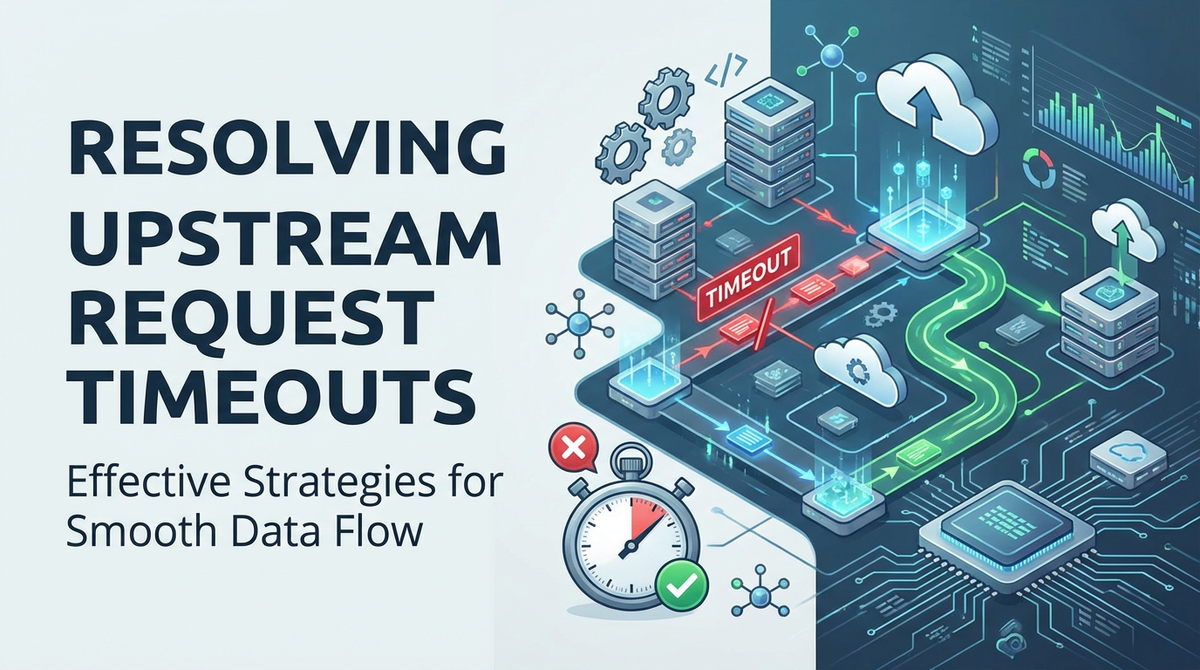


In the intricate tapestry of modern software systems, Application Programming Interfaces (APIs) serve as the fundamental threads that connect disparate services, applications, and data sources. They are the conduits through which information flows, enabling everything from mobile app functionality to complex microservices architectures. However, the seemingly simple act of an API request traversing a network and interacting with a remote service is fraught with potential pitfalls, chief among them being the dreaded upstream request timeout. This issue, often manifesting as a frustrating delay or an outright failure, can severely degrade user experience, cripple system reliability, and inflict significant operational costs on businesses.
An upstream request timeout signifies that a client, or an intermediary service like an API gateway, has waited for an expected response from a backend service for a predefined duration, and that duration has elapsed without the full response being received. It's a clear signal that something in the chain of communication or processing has faltered, preventing the timely delivery of data. Understanding the multifaceted nature of these timeouts—from their root causes to their far-reaching consequences—is the first crucial step toward effective resolution. This comprehensive guide will delve deep into the mechanics of upstream request timeouts, exploring their origins, diagnostic methodologies, and an extensive array of strategies for mitigation and prevention, with a particular focus on the pivotal role played by the API gateway in managing these critical interactions. By the end of this exploration, you will be equipped with a robust framework to diagnose, troubleshoot, and proactively safeguard your systems against the pervasive challenge of upstream request timeouts, ensuring the seamless operation of your digital infrastructure.
Understanding Upstream Request Timeouts
To effectively combat upstream request timeouts, it's essential to first grasp what they are, where they occur, and why they manifest. A timeout, at its core, is a pre-defined maximum duration set for an operation to complete. If the operation does not conclude within this timeframe, it is forcibly terminated, and an error is returned. In the context of an API request, this operation involves a series of complex steps, each of which can potentially introduce delays that lead to a timeout.
The Anatomy of an API Request and Potential Timeout Points
Consider the typical journey of an API request:
- Client Initiation: A user interaction or an automated process triggers a request from a client application (e.g., a web browser, a mobile app, another microservice).
- API Gateway Interception: The request often first reaches an API gateway, which acts as a single entry point for all client requests. The gateway handles routing, authentication, rate limiting, and potentially other cross-cutting concerns before forwarding the request.
- Upstream Service Processing: The API gateway then dispatches the request to the appropriate backend or "upstream" service. This service processes the request, which might involve complex business logic, database queries, interactions with other internal services, or even calls to external third-party APIs.
- Response Generation: Once the upstream service completes its processing, it generates a response.
- Response Back Through Gateway: The response travels back through the API gateway (which might add headers, transform data, or log the transaction).
- Client Reception: Finally, the client receives the response.
A timeout can occur at virtually any point in this chain if a subsequent step takes too long.
- Client-Side Timeout: The client application itself might have a timeout configured for how long it will wait for a response from the API gateway. If the gateway or upstream service is slow, the client could time out first.
- API Gateway Timeout: The API gateway has its own timeout settings for how long it will wait for a response from the upstream service. This is the most common manifestation of an "upstream request timeout" from the perspective of the client receiving a 504 Gateway Timeout error.
- Upstream Service Internal Timeouts: Even within the upstream service, individual operations (e.g., a database query, a call to another microservice) might have their own internal timeouts. If one of these internal operations times out, the upstream service might still take a long time to handle the error and generate a final response, potentially leading to the API gateway timing out.
Common Causes of Upstream Request Timeouts
The reasons behind an upstream service failing to respond within the allotted time are diverse and can stem from various layers of the system architecture:
- Network Latency and Congestion:
- High Latency: The physical distance between the API gateway and the upstream service, or between the upstream service and its own dependencies (like a database), can introduce delays.
- Network Congestion: Overloaded network infrastructure, misconfigured routers, or faulty network hardware can lead to packet loss and retransmissions, significantly slowing down communication.
- Firewall Issues: Incorrect firewall rules can block or delay communication, preventing connections from being established or data from flowing freely.
- Overloaded Upstream Services:
- Resource Exhaustion: The upstream service might be struggling due to insufficient CPU, memory, disk I/O, or network bandwidth to handle the current load. This leads to requests queuing up and taking longer to process.
- Thread/Process Pool Exhaustion: Many application servers use thread pools to handle incoming requests. If all threads are busy with long-running tasks, new requests will wait indefinitely until a thread becomes available, leading to timeouts.
- Database Bottlenecks: Slow or unoptimized database queries, deadlocks, lack of proper indexing, or an overloaded database server can be a primary source of delays for services that rely heavily on data persistence.
- Application Code Inefficiencies:
- Inefficient Algorithms: The business logic within the upstream service might be computationally expensive, leading to long processing times for certain requests.
- External API Dependencies: If the upstream service calls other internal or external APIs, and those dependencies are slow or unavailable, it will inevitably delay the response of the upstream service.
- Blocking Operations: Using blocking I/O operations (e.g., waiting for a file to be read or a network call to complete) without proper asynchronous handling can halt processing for extended periods.
- Misconfiguration:
- Incorrect Timeout Settings: The most direct cause might be an API gateway or even client-side timeout that is set too aggressively (too short) for the actual processing time required by the upstream service.
- Load Balancer Misconfiguration: An incorrectly configured load balancer might route traffic to unhealthy or overloaded instances, exacerbating the problem.
- DNS Resolution Issues: Problems with DNS servers can delay the initial connection establishment to upstream services.
- Long-Running Processes and Deadlocks:
- Some requests inherently require a longer time to process, such as complex data aggregations, report generation, or asynchronous job triggering. If these are handled synchronously, they are prone to timeouts.
- Deadlocks: In concurrent systems, deadlocks can occur when two or more processes are waiting indefinitely for each other to release a resource, grinding processing to a halt.
Types of Timeouts: A Deeper Dive
While "timeout" is often used broadly, it's crucial to distinguish between specific types to pinpoint the issue more accurately:
- Connection Timeout: This occurs when a client (or API gateway) attempts to establish a connection with an upstream server, but the server does not respond with a connection acknowledgment within the specified time. This often indicates network issues, a server that is down, or a server that is heavily overloaded and cannot accept new connections.
- Read/Response Timeout: Once a connection is established, this timeout occurs if the server does not send any data back for a certain period, or if the entire response is not received within the expected timeframe after the initial connection and request have been sent. This typically points to the upstream service taking too long to process the request and generate a response.
- Write Timeout: Less common in simple GET requests but relevant for requests sending large payloads (e.g., file uploads), this timeout occurs if the client (or API gateway) cannot send the entire request body to the upstream service within the specified time. This might indicate network bottlenecks on the sending side or an upstream service that is slow to receive data.
By understanding these nuances, we can move from merely observing a timeout to intelligently diagnosing its root cause, paving the way for targeted and effective solutions. The journey to resolving these issues begins with a clear conceptual foundation of what constitutes a timeout and the various points within your architecture where it can manifest.
The Role of the API Gateway in Managing Timeouts
The API gateway is not merely a traffic cop directing requests; it's a critical control plane in modern microservices architectures, acting as the first line of defense and the primary point of observation for all incoming API traffic. Its strategic position at the edge of your network makes it indispensable for managing, securing, and optimizing interactions with upstream services, including the crucial task of handling and preventing timeouts.
What is an API Gateway?
An API gateway is a management tool that sits in front of backend services. It acts as a single entry point, or "front door," for external clients to access various services within a distributed system. Beyond simple routing, a robust gateway provides a suite of functionalities:
- Request Routing: Directing incoming requests to the appropriate upstream service based on predefined rules.
- Authentication and Authorization: Verifying client identity and permissions before forwarding requests.
- Rate Limiting: Protecting backend services from being overwhelmed by controlling the number of requests a client can make within a certain period.
- Load Balancing: Distributing incoming request traffic across multiple instances of backend services to ensure high availability and responsiveness.
- Caching: Storing responses for frequently requested data to reduce the load on backend services and improve response times.
- Request/Response Transformation: Modifying headers, payloads, or query parameters as requests and responses pass through.
- Logging and Monitoring: Providing a central point to log all API calls and monitor their performance, errors, and latency.
- Circuit Breaking: Preventing cascading failures by quickly failing requests to services that are exhibiting problems.
API Gateways as Central to Timeout Management
Given its role, an API gateway is inherently central to how timeouts are experienced and managed in your system.
- Timeout Configuration Point: The gateway is typically where the primary upstream request timeout is configured. This setting dictates how long the gateway will wait for a response from the backend service before returning a 504 Gateway Timeout error to the client. This is a critical configuration that needs to be carefully balanced. If it's too short, legitimate long-running requests will fail. If it's too long, clients will endure excessive wait times, impacting user experience.
- Load Balancing and Health Checks: A well-configured API gateway uses load balancing to distribute requests across multiple instances of an upstream service. Crucially, it also performs health checks on these instances. If an instance is unresponsive or unhealthy, the gateway can temporarily remove it from the rotation, preventing requests from being sent to a service that is likely to time out. This proactive measure significantly reduces the occurrence of timeouts.
- Circuit Breaker Implementation: Advanced API gateways incorporate circuit breaker patterns. When an upstream service starts to fail (e.g., returning errors or timing out frequently), the circuit breaker "opens," preventing the gateway from sending further requests to that service for a specified period. This allows the failing service time to recover and prevents the gateway itself from getting bogged down waiting for unresponsive services, thereby protecting the entire system from cascading failures.
- Monitoring and Alerting: As a central traffic hub, the API gateway is an ideal location for comprehensive logging and monitoring. It can track latency for each request, error rates (including 504s), and the health of upstream services. This data is invaluable for quickly identifying when and where timeouts are occurring, triggering alerts, and initiating diagnostic processes.
- Rate Limiting: By preventing individual clients or groups of clients from overwhelming backend services with too many requests, rate limiting at the gateway level can proactively prevent upstream services from becoming overloaded and thus reduce the likelihood of timeouts due to resource exhaustion.
APIPark: An Open Source Solution for API Management and Gateway Needs
In the ecosystem of API gateways, solutions like APIPark offer powerful capabilities for managing and optimizing API interactions, directly impacting how timeouts are handled. APIPark is an open-source AI gateway and API management platform designed to help developers and enterprises manage, integrate, and deploy AI and REST services with ease. Its comprehensive features are particularly relevant to addressing timeout challenges:
- End-to-End API Lifecycle Management: APIPark assists with managing the entire lifecycle of APIs, including design, publication, invocation, and decommission. This governance helps regulate API management processes, including traffic forwarding and load balancing of published APIs, which are crucial for preventing timeouts.
- Performance Rivaling Nginx: With impressive performance benchmarks (over 20,000 TPS on modest hardware), APIPark is built to handle large-scale traffic efficiently. A high-performance gateway like APIPark is less likely to become a bottleneck itself, ensuring that any perceived timeouts are genuinely from the upstream service and not the gateway struggling to route traffic. Its cluster deployment support further enhances its resilience.
- Detailed API Call Logging and Powerful Data Analysis: APIPark provides comprehensive logging, recording every detail of each API call. This feature is invaluable for tracing and troubleshooting issues, including timeouts. Furthermore, its powerful data analysis capabilities analyze historical call data to display long-term trends and performance changes. This proactive data intelligence helps businesses with preventive maintenance, identifying potential performance degradation before it escalates into full-blown timeouts. By integrating various AI models and standardizing their invocation, APIPark also helps streamline complex AI workloads, where individual model inference times could otherwise contribute to upstream delays if not properly managed.
By leveraging a robust API gateway like APIPark, organizations can establish a resilient foundation for their API infrastructure, centralizing control over timeouts, ensuring efficient traffic management, and gaining critical visibility into system performance. The gateway's ability to intelligently route, monitor, and protect upstream services is paramount in mitigating the prevalence and impact of upstream request timeouts, ensuring a more stable and responsive system overall.
Diagnosing Upstream Request Timeout Issues
Effective diagnosis is the bedrock of resolving upstream request timeouts. Without accurately pinpointing the source of the delay, any attempted solutions will be shots in the dark, potentially wasting resources and prolonging downtime. A methodical approach, combining monitoring, logging, tracing, and network diagnostics, is essential.
Step 1: Monitoring and Alerting – The Early Warning System
Proactive monitoring is your first and most critical defense against timeouts. It allows you to detect performance degradation or outright failures before they severely impact users.
- Key Metrics to Track:
- Request Latency: Measure the time taken for requests to complete, broken down by individual services or endpoints. Pay close attention to p90, p95, and p99 latencies, as these reveal the experience of the slowest users, which are often the ones encountering timeouts.
- Error Rates (5xx): A sudden spike in 5xx errors, particularly 504 Gateway Timeout (from the API gateway) or 503 Service Unavailable (from the upstream service itself), is a strong indicator of problems.
- Resource Utilization (CPU, Memory, Disk I/O, Network I/O): Monitor the resource usage of your API gateway and all upstream services. High CPU or memory usage can indicate an overloaded service, while saturated network I/O might point to network bottlenecks.
- Queue Lengths: If your services use message queues or thread pools, monitor their lengths. Constantly growing queues suggest that your service cannot process requests as quickly as they are coming in.
- Database Connection Pools: Track the number of active and idle connections in your database connection pools. Exhaustion of these pools can lead to services waiting indefinitely for a database connection.
- Health Check Status: Monitor the health check endpoints of your upstream services. If these start failing, it's a clear sign of trouble.
- Tools for Monitoring:
- Prometheus & Grafana: A powerful open-source combination for time-series data collection and visualization. Prometheus scrapes metrics, and Grafana builds dashboards and alerts.
- ELK Stack (Elasticsearch, Logstash, Kibana): Excellent for centralized log management and analysis, but can also be used for metrics.
- Commercial APM Solutions (e.g., Datadog, New Relic, Dynatrace): These offer comprehensive observability features, including application performance monitoring, infrastructure monitoring, and distributed tracing, often with built-in AI-driven anomaly detection.
- APIPark's Data Analysis: As mentioned earlier, platforms like APIPark provide detailed API call logging and powerful data analysis capabilities, displaying long-term trends and performance changes. This native monitoring within the API gateway can be a primary source of truth for API performance and error rates.
- Setting Up Alerts: Configure alerts to trigger when key metrics exceed predefined thresholds (e.g., 504 error rate > 1%, p99 latency > 2 seconds). Alerts should be routed to the appropriate teams (DevOps, SRE, developers) via email, Slack, PagerDuty, etc., to ensure rapid response.
Step 2: Log Analysis – The Forensic Trail
Logs provide granular details about what happened during a request's lifecycle. They are indispensable for post-mortem analysis and identifying the exact point of failure.
- Where to Look for Logs:
- Client-Side Logs: If the client is timing out, its logs might indicate the exact API call that failed and the duration it waited.
- API Gateway Logs: These logs will show incoming requests, the upstream service they were routed to, the time taken for the gateway to receive a response, and any errors it encountered (e.g., 504 Gateway Timeout). The API gateway logs are often the first place to confirm that the gateway itself is reporting an upstream timeout.
- Upstream Service Logs: These are the most critical. They contain detailed information about what the service was doing internally, including execution times for specific operations, database queries, calls to other services, and any internal errors or warnings that occurred just before the timeout.
- Load Balancer Logs: Load balancer logs can indicate if requests are being properly distributed or if certain instances are unhealthy.
- Database Logs: If database operations are suspected, database logs can reveal slow queries, deadlocks, or connection issues.
- What to Look For:
- Error Codes: Specifically search for 504 (Gateway Timeout), 503 (Service Unavailable), or internal application error codes indicating a timeout.
- Latency Information: Many log systems record the duration of requests. Look for entries where the duration significantly exceeds normal thresholds or where an internal timeout threshold was hit.
- Specific Timeout Messages: Applications and frameworks often log explicit messages like "Request timed out," "Connection refused," or "Read timeout."
- Correlation IDs: Implement correlation IDs (also known as trace IDs) that are passed through every service in a request chain. This allows you to trace a single request across multiple log files and services, providing an end-to-end view of its journey and precisely identifying where the delay occurred.
- Resource-related Warnings: Look for warnings about connection pool exhaustion, memory limits, or thread starvation.
- Centralized Log Management: Using a centralized logging solution (like ELK Stack, Splunk, or cloud-native solutions) is crucial for aggregating logs from all services, enabling quick searching, filtering, and analysis.
Step 3: Tracing – Visualizing the Request Flow
Distributed tracing takes log analysis a step further by visualizing the entire path of a request through a distributed system, offering a timeline view of how much time each service (or "span") spent processing its part of the request.
- How it Works: When a request enters the system, a unique trace ID is generated. This ID is then propagated through all subsequent service calls. Each operation within a service (e.g., an HTTP call, a database query) becomes a "span" within that trace.
- Benefits:
- Pinpointing Bottlenecks: Instantly identify which specific service or internal operation is consuming the most time within a complex transaction, making it easier to pinpoint the exact source of a timeout.
- Understanding Dependencies: Visualize the call graph and dependencies between services, revealing cascading effects or unexpected service interactions.
- Identifying Latency Hotspots: Clearly see where latency is accumulating across the entire request path.
- Tools:
- Jaeger, Zipkin: Popular open-source distributed tracing systems.
- OpenTelemetry: A CNCF project that provides a standardized set of APIs, SDKs, and tools for generating and collecting telemetry data (metrics, logs, and traces).
- Commercial APM Solutions: Many APM tools integrate distributed tracing capabilities.
By examining traces, you can often quickly differentiate between a slow upstream service (where one span is unusually long), a network issue (where the time between spans is large), or an API gateway issue (where the initial span or the time it takes to forward the request is excessive).
Step 4: Network Diagnostics – Verifying Connectivity and Latency
Sometimes, the issue isn't with the services themselves but with the underlying network infrastructure.
- Ping and Traceroute/MTR:
ping: Checks basic connectivity and round-trip time between two hosts. High latency or packet loss from apingsuggests a network problem.traceroute(ortracerton Windows) /MTR(My Traceroute): Shows the path packets take to reach a destination and the latency at each hop.MTRprovides continuous updates and can reveal packet loss at specific points in the network path, helping to identify problematic routers or network segments.
- Checking Firewall Rules: Verify that firewalls (host-based, network ACLs, security groups) are not inadvertently blocking traffic between the API gateway and upstream services, or between upstream services and their dependencies (e.g., database).
- Load Balancer Health Checks: Ensure your load balancer is correctly configured to perform health checks and is only forwarding traffic to healthy instances of your upstream services. Check the load balancer's own logs for instances being marked unhealthy.
- DNS Resolution: Confirm that the API gateway and upstream services can correctly resolve hostnames to IP addresses. DNS issues can prevent initial connection attempts.
- Network Performance Monitoring: If available, check network performance monitoring tools for unusual traffic spikes, interface errors, or bandwidth saturation on the network segments connecting your services.
By systematically applying these diagnostic steps, you can gather the necessary evidence to accurately identify the root cause of upstream request timeouts, whether it resides in the client, the API gateway, the upstream service, or the underlying network infrastructure. This precise diagnosis is the foundation for implementing targeted and effective resolution strategies.
Strategies for Resolving Upstream Request Timeout Issues
Once the root cause of an upstream request timeout has been diagnosed, the next step is to implement effective resolution strategies. These strategies often involve a combination of architectural improvements, application code optimizations, and careful API gateway configuration. A multi-pronged approach is usually most effective, addressing various layers of the system.
A. Architectural & Infrastructure Improvements
Fundamental changes to how your infrastructure is set up can significantly enhance resilience and prevent timeouts.
- Scalability:
- Horizontal Scaling: This is the most common approach. Add more instances (servers, containers) of the upstream service. A load balancer can then distribute incoming requests across these new instances, preventing any single instance from becoming a bottleneck. This increases overall capacity and reduces the load on individual services, leading to faster processing.
- Vertical Scaling: Upgrade the existing instances with more powerful hardware (more CPU, RAM). While simpler to implement in some cases, it has limits and can be more expensive than horizontal scaling. It's often a temporary solution or reserved for specific bottleneck services.
- Auto-scaling Groups: Implement auto-scaling based on metrics like CPU utilization, request queue length, or request latency. This ensures that resources dynamically adjust to demand, preventing overload during peak traffic and reducing costs during low traffic.
- Load Balancing:
- Proper Configuration: Ensure your load balancer (whether hardware or software, e.g., Nginx, HAProxy, cloud load balancers) is configured with an effective algorithm (e.g., least connections, weighted round-robin) to distribute traffic evenly.
- Robust Health Checks: Configure granular health checks that accurately reflect the operational status of your upstream service instances. The load balancer should automatically remove unhealthy instances from rotation and reintegrate them once they recover, ensuring requests only go to capable servers. This prevents requests from being routed to services that are slow or unresponsive, which would inevitably lead to timeouts.
- Resource Provisioning:
- Adequate Resources: Ensure that all components—your API gateway, upstream services, databases, and message queues—are provisioned with sufficient CPU, memory, and disk I/O. Regularly review resource usage patterns and adjust allocations as needed. Over-provisioning slightly can be a good buffer against unexpected spikes.
- Database Performance Tuning: Databases are frequent culprits for slow upstream services.
- Indexing: Ensure all frequently queried columns are properly indexed.
- Query Optimization: Profile and optimize slow queries, avoiding N+1 queries, using efficient JOINs, and fetching only necessary data.
- Connection Pooling: Configure database connection pools correctly to manage connections efficiently, preventing the overhead of constantly opening and closing connections and avoiding connection exhaustion.
- Network Optimization:
- High-Speed Inter-Service Communication: Ensure the network connecting your API gateway to upstream services, and services to their databases or other internal dependencies, has sufficient bandwidth and low latency. This is especially critical in multi-cloud or hybrid-cloud deployments.
- Reduce Network Hops: Minimize the number of intermediate network devices (routers, switches, firewalls) that a request must traverse. Each hop adds latency.
- Content Delivery Networks (CDNs): For static assets or cached API responses, using a CDN can offload traffic from your origin servers and deliver content faster to clients, indirectly freeing up resources for dynamic API calls.
- Asynchronous Processing:
- Offload Long-Running Tasks: For requests that involve operations that naturally take a long time (e.g., generating reports, processing large files, sending emails), avoid handling them synchronously within the request-response cycle. Instead, offload these tasks to a message queue (e.g., Kafka, RabbitMQ, AWS SQS, Azure Service Bus). The upstream service can quickly acknowledge the request, enqueue the task, and return an immediate response (e.g., a 202 Accepted status with a link to check job status). A separate worker process can then pick up and execute the task.
- Webhooks or Polling: For clients needing the result of an asynchronous task, provide a mechanism for them to either poll a status API periodically or register a webhook endpoint where the system can notify them upon task completion.
B. Application Code & Service Optimization
Even with a robust infrastructure, inefficient application code within upstream services can lead to timeouts.
- Code Profiling and Optimization:
- Identify Bottlenecks: Use code profilers (e.g., Java Flight Recorder, Python cProfile, Go pprof, .NET profilers) to identify the exact methods, functions, or code blocks that are consuming the most CPU time or memory.
- Optimize Algorithms: Replace inefficient algorithms with more performant ones.
- Reduce Expensive Operations: Minimize redundant calculations, I/O operations, or repeated calls to external services.
- Batch Processing: For operations that require processing multiple items, consider batching them into a single request to a database or external API instead of making individual requests for each item.
- Efficient Data Retrieval and Caching:
- Minimize Data Transfer: Only retrieve and send the data that is absolutely necessary. Avoid "SELECT *" in database queries if only a few columns are needed.
- Pagination: Implement pagination for APIs that return large datasets to avoid loading and transmitting an excessive amount of data in a single request.
- Caching:
- Application-Level Caching: Cache frequently accessed data in memory within the upstream service itself.
- Distributed Caching (e.g., Redis, Memcached): For data shared across multiple service instances, use a distributed cache to reduce database load and accelerate data retrieval.
- CDN Caching: As mentioned, use CDNs for static content.
- API Gateway Caching: For responses that are static or change infrequently, configure the API gateway to cache them, further reducing the load on upstream services.
- Concurrency Control:
- Non-Blocking I/O: Where applicable (e.g., Node.js, asynchronous frameworks in Java/C#/Python), use non-blocking I/O operations to prevent threads from being idled while waiting for I/O to complete, allowing them to handle other requests.
- Thread Pool Management: Configure thread pools for web servers and application servers optimally. Too few threads can cause requests to queue; too many can lead to excessive context switching and resource contention.
- Deadlock Prevention: Design concurrent access to shared resources carefully to prevent deadlocks. Use proper locking mechanisms, avoid long-held locks, and ensure consistent lock ordering.
- Circuit Breakers & Retries:
- Circuit Breaker Pattern: Implement circuit breakers (e.g., Hystrix, Resilience4j libraries, or API gateway features) within your upstream services. If a dependency (like another internal service or an external API) starts to fail or time out repeatedly, the circuit breaker "opens," quickly failing subsequent requests to that dependency instead of waiting for a timeout. This prevents requests from piling up and allows the failing dependency to recover without being overwhelmed, thus preventing cascading failures and allowing the upstream service to return a quick error or fallback.
- Intelligent Retry Mechanisms: For transient errors (e.g., network glitches, temporary service unavailability), implement retry logic with exponential backoff and jitter. This means waiting progressively longer between retries and adding a small random delay to prevent a "thundering herd" problem where all failed requests retry simultaneously. Ensure retries are only for idempotent operations.
- Rate Limiting:
- Protect Upstream Services: While often handled by the API gateway, implementing rate limiting within upstream services themselves can add an extra layer of protection, preventing a single client or a sudden surge in traffic from overwhelming the service and causing timeouts.
- Connection Management:
- Persistent Connections (Keep-Alive): Utilize HTTP persistent connections (keep-alive) between the API gateway and upstream services, and between services and their dependencies (e.g., databases). This avoids the overhead of establishing a new TCP connection for every request.
- Proper Resource Closing: Ensure all resources (database connections, file handles, network sockets) are properly closed and released after use to prevent resource leaks that can lead to exhaustion over time.
- Timeouts within Upstream Services:
- Internal Timeouts: Crucially, set appropriate internal timeouts for all calls made by your upstream service to its dependencies (e.g., database clients, HTTP clients calling other microservices, external APIs). These internal timeouts should typically be shorter than the API gateway's timeout for that service. This allows the upstream service to detect and handle the dependency failure gracefully (e.g., returning a fallback or a specific error) before the API gateway times out and returns a generic 504.
C. API Gateway Configuration & Best Practices
The API gateway is not just a passive router; it actively participates in preventing and managing timeouts through its configuration.
- Strategic Timeout Settings:
- Balance: The most critical setting is the API gateway's upstream timeout. This needs to be carefully balanced. It should be long enough to accommodate the legitimate processing time of the slowest expected upstream request but short enough to prevent clients from waiting excessively.
- Types of Timeouts: Understand and configure different timeout types:
- Connection Timeout: How long the gateway waits to establish a connection to the upstream service. (Often short, e.g., 1-5 seconds).
- Read/Response Timeout: How long the gateway waits for the entire response from the upstream service after the connection is established and the request is sent. This is often the primary timeout for upstream request delays. (Can be longer, e.g., 30-120 seconds, depending on the API's expected workload).
- Write Timeout: How long the gateway waits to send the entire request body to the upstream service. (Usually short, unless dealing with large uploads).
- Consistency: Ensure that client-side timeouts are longer than API gateway timeouts, which in turn should be longer than upstream service internal timeouts for critical dependencies. This ensures that errors are propagated from the most specific point of failure back up the chain. For instance, if an internal database query timeout is 10 seconds, the upstream service's internal HTTP client timeout for that query should be 12 seconds, the API gateway's read timeout for that service should be 15 seconds, and the client's timeout should be 20 seconds. This allows the innermost service to fail first and provide a more specific error.
- Health Checks:
- Robust Configuration: Configure the API gateway to perform regular, intelligent health checks on all upstream service instances. These checks should ideally go beyond just a simple HTTP 200 OK and verify the actual functionality and responsiveness of the service (e.g., by hitting a /healthz endpoint that checks database connectivity or other critical dependencies).
- Aggressive Failure Detection: Configure the gateway to quickly mark unhealthy instances as unavailable and remove them from the load balancing pool.
- Graceful Recovery: Ensure that instances are smoothly reintegrated once they become healthy again.
- Load Balancing Policies at the Gateway:
- Intelligent Algorithms: Leverage the gateway's load balancing capabilities. Beyond simple round-robin, consider algorithms like "least connections" or "weighted round-robin" if some instances are more powerful or handle different workloads.
- Sticky Sessions: For stateful APIs (though generally discouraged in microservices), configure sticky sessions if necessary, but be aware of its impact on load distribution.
- Caching at the Gateway:
- If applicable, configure the API gateway to cache responses for GET requests that retrieve static or infrequently changing data. This dramatically reduces the number of requests that need to reach the upstream service, alleviating its load and freeing up resources for dynamic requests, thereby preventing timeouts.
- Retry Logic at the Gateway:
- Some API gateways can be configured to automatically retry failed requests to a different upstream instance if the initial attempt results in a transient error (e.g., a connection reset, a 503 Service Unavailable). This can mask temporary glitches and improve system resilience without requiring client-side retry logic. Ensure retries are only for idempotent methods (GET, PUT, DELETE).
- Error Handling & Fallbacks:
- Graceful Degradation: Configure the API gateway to provide fallback responses or default data if an upstream service is unavailable or times out. This can prevent a complete service outage for the user, offering a degraded but still functional experience.
- Custom Error Pages/Responses: Instead of generic 504 errors, configure the gateway to return informative, branded error pages or specific error payloads that can guide the client on how to proceed or what the problem might be.
- APIPark's Role in Gateway Configuration:
- A powerful API gateway like APIPark facilitates many of these configurations. Its "End-to-End API Lifecycle Management" helps in regulating API management processes, including traffic forwarding and load balancing. The "Performance Rivaling Nginx" characteristic ensures the gateway itself isn't a bottleneck, and its "Detailed API Call Logging" and "Powerful Data Analysis" are crucial for monitoring the effectiveness of these configurations and quickly diagnosing any issues. APIPark's ability to manage diverse APIs, including AI models, means that timeout settings can be tailored to the specific needs of each API, which is essential for complex distributed systems.
By systematically applying these architectural, application-level, and API gateway strategies, organizations can build highly resilient systems that are well-equipped to prevent, detect, and resolve upstream request timeout issues, ultimately leading to a more stable and performant API ecosystem.
APIPark is a high-performance AI gateway that allows you to securely access the most comprehensive LLM APIs globally on the APIPark platform, including OpenAI, Anthropic, Mistral, Llama2, Google Gemini, and more.Try APIPark now! 👇👇👇
Case Study: Resolving E-commerce Checkout API Timeouts
Let's walk through a hypothetical scenario to illustrate how these diagnostic steps and resolution strategies might be applied in a real-world context.
Scenario: An e-commerce platform is experiencing frequent 504 Gateway Timeout errors for its critical /checkout API during peak sales events and even sometimes during regular traffic. Customers are reporting failed purchases, abandoned carts, and significant frustration. The platform uses an API gateway (let's assume a generic one for this example, but it could easily be APIPark) that fronts several microservices, including a Payment Service, an Inventory Service, and an Order Service.
Initial Observations:
- Monitoring Alerts: During peak times, the monitoring system shows spikes in 504 errors specifically for the
/checkoutendpoint handled by the API gateway. - User Reports: Customers complain that the checkout process hangs and then eventually fails.
Diagnosis Steps:
- Monitoring Data Review:
- API Gateway Metrics: The API gateway metrics confirm high latency and increased 504 errors for the
/checkoutendpoint. - Upstream Service Metrics:
Payment Service: Shows occasional CPU spikes but generally normal.Inventory Service: Shows high CPU utilization (consistently 90-100%) and high memory usage during peak times. Its internal request queue is also backing up significantly.Order Service: Shows elevated database connection pool usage but otherwise normal CPU/memory.
- Database Metrics: The database server associated with the
Inventory Serviceshows an increase in active connections and a large number of slow queries related to inventory updates and checks.
- API Gateway Metrics: The API gateway metrics confirm high latency and increased 504 errors for the
- Log Analysis:
- API Gateway Logs: Confirm entries like "upstream timed out (110: Connection timed out) while reading response header from upstream" or "504 Gateway Timeout from upstream_inventory_service." This indicates the gateway is waiting for the
Inventory Service. - Inventory Service Logs: Reveal frequent "Database connection pool exhausted" errors, followed by "Failed to acquire database connection" messages. There are also entries showing that certain
update_inventoryandcheck_stockoperations are taking 15-20 seconds, significantly longer than the typical <1 second. - Payment & Order Service Logs: These services show either successful operations or, in cases of timeout, they show that their calls to the
Inventory Servicetimed out after waiting a predefined internal period.
- API Gateway Logs: Confirm entries like "upstream timed out (110: Connection timed out) while reading response header from upstream" or "504 Gateway Timeout from upstream_inventory_service." This indicates the gateway is waiting for the
- Tracing (if available):
- Distributed traces for failing
/checkoutrequests clearly show a significant portion of the total request time being spent within theInventory Service, specifically during its interaction with its database. The trace often ends abruptly as theInventory Servicefails to return a response within its own configured timeout for the database call, or within the API gateway's overall timeout.
- Distributed traces for failing
- Network Diagnostics:
- Ping and traceroute between the API gateway and the
Inventory Serviceinstances show normal latency and no packet loss. Network infrastructure appears healthy. - Load balancer logs for the
Inventory Serviceshow that some instances are occasionally being marked unhealthy due to slow responses, but overall, it's attempting to distribute load.
- Ping and traceroute between the API gateway and the
Diagnosis Conclusion: The primary bottleneck and root cause of the upstream request timeouts for the /checkout API is the Inventory Service. Specifically, it's struggling due to: * Database Connection Exhaustion: Not enough database connections to handle peak load. * Slow Database Queries: Inefficient update_inventory and check_stock queries are blocking threads. * Resource Contention: High CPU and memory usage indicate the service is struggling to keep up, exacerbated by inefficient database interactions.
Resolution Strategies Implemented:
- Application Code & Service Optimization (Inventory Service):
- Database Query Optimization:
- Added missing indexes to
product_idandstock_quantitycolumns in the inventory database table. - Rewrote the
check_stockquery to use a more efficientSELECT ... FOR UPDATE NOWAITto avoid locks during concurrent updates and ensure atomic operations.
- Added missing indexes to
- Caching: Implemented a short-lived cache (e.g., 5 seconds) for frequently requested product stock levels that don't change rapidly, reducing the number of direct database reads for
check_stockoperations. - Internal Timeouts: Ensured that the
Inventory Service's internal database client timeout was set (e.g., 5 seconds) so it fails fast and returns an error before the API gateway does, allowing for more specific error handling.
- Database Query Optimization:
- Architectural & Infrastructure Improvements (Inventory Service):
- Horizontal Scaling: Increased the number of
Inventory Serviceinstances and configured auto-scaling rules to add more instances based on CPU utilization and request queue length. - Database Connection Pooling: Increased the maximum number of connections in the
Inventory Service's database connection pool to better handle concurrent requests. - Database Vertical Scaling: Temporarily upgraded the database instance type to provide more CPU and memory, providing immediate relief while query optimizations were being deployed.
- Horizontal Scaling: Increased the number of
- API Gateway Configuration:
- Health Checks: Reviewed and refined the API gateway's health checks for the
Inventory Serviceto be more sensitive to slow responses, ensuring unhealthy instances are removed from rotation more quickly. - Strategic Timeout: The API gateway timeout for the
/checkoutAPI was adjusted from 10 seconds to 15 seconds after theInventory Serviceoptimizations were deployed and tested, to provide a small buffer but still ensure a reasonable user wait time. This adjustment was done cautiously, ensuring the upstream service could reliably respond within this new window. - Circuit Breaker: Enabled the circuit breaker pattern at the API gateway level for the
Inventory Service. If theInventory Serviceexperienced a high error rate or consecutive timeouts, the gateway would temporarily route requests to a fallback (e.g., return "Inventory temporarily unavailable, please try again") instead of waiting indefinitely, preventing cascading failures. - APIPark's specific features: If APIPark were in use, its "End-to-End API Lifecycle Management" would help streamline the deployment of these changes and its "Powerful Data Analysis" would provide continuous insights into the effectiveness of the solutions.
- Health Checks: Reviewed and refined the API gateway's health checks for the
Outcome:
After implementing these changes, monitoring showed a dramatic reduction in 504 Gateway Timeout errors for the /checkout API. The Inventory Service's CPU and memory usage became more stable, and database connection exhaustion ceased. Customer complaints about checkout failures significantly decreased, leading to improved conversion rates and customer satisfaction. The API gateway's logs and tracing data now confirmed that requests were completing much faster, well within the configured timeout limits.
This case study demonstrates the iterative nature of diagnosing and resolving timeouts, emphasizing the need for comprehensive monitoring, detailed analysis, and a combination of tactical and strategic interventions across infrastructure, application code, and API gateway configurations.
Table: Common Timeout Types and Their Causes/Solutions
To summarize and provide a quick reference, the following table outlines common timeout types, their typical causes, diagnostic approaches, and recommended resolution strategies. This holistic view helps in quickly categorizing an observed timeout and guiding the initial steps towards resolution.
| Timeout Type | Common Causes | Diagnostic Steps | Resolution Strategies |
|---|---|---|---|
| Connection Timeout | Network issues (firewall, routing), service down, overloaded server (can't accept new connections), DNS issues. | Ping/Traceroute to target service. Check service health status (e.g., Kubernetes probes, systemctl status). Review firewall rules, load balancer health checks. Check DNS resolution. |
Scale upstream services (horizontal/vertical). Optimize network (bandwidth, hops). Verify firewall/security group rules. Ensure services are running and accessible. Configure DNS correctly. |
| Read/Response Timeout | Slow database queries, long-running business logic, external API delays, resource exhaustion (CPU, memory, threads). | Application logs (slow query, long process messages). Distributed tracing (identify slow spans). Code profiling. Review service CPU/memory/thread metrics. Check dependent services' performance. | Code Optimization: Optimize algorithms, database queries, use caching (application, distributed). Architectural: Implement asynchronous processing for long tasks, use circuit breakers for dependencies. Scaling: Scale upstream services. |
| Backend/Upstream Timeout | A specific upstream service is overloaded, unresponsive, or experiencing internal deadlocks/resource contention. | API Gateway logs (often showing a 504 with upstream service details). Upstream service logs (errors, resource exhaustion, internal timeouts). Service metrics (CPU, memory, thread pools, queue length). | Scale upstream service. Optimize upstream code/dependencies. Implement circuit breakers and intelligent retries within upstream service for its dependencies. Fine-tune upstream service internal timeouts. |
| Gateway Timeout (504) | API gateway waits too long for upstream service; often a manifestation of a Backend/Upstream Timeout but the gateway configuration contributes. | API Gateway logs (specifically 504 errors). Upstream service logs (to find why it was slow). Monitoring (gateway latency, upstream service health). Network diagnostics between gateway and upstream. | Adjust API gateway upstream timeouts (carefully!). Optimize upstream service performance. Implement gateway-level health checks, load balancing, caching, and retry logic. Use circuit breakers at gateway. |
| Client-side Timeout | Client application timeout configured too aggressively. Client-side network issues. Long-running requests from server side. | Client application logs (explicit timeout messages). Browser developer tools (network tab to see request duration). Verify client-side network connectivity. | Increase client-side timeout settings. Educate users about expected wait times for certain operations. Optimize server-side performance (as above) to reduce overall response time. |
This table provides a concise summary, but it's important to remember that real-world problems can often involve a combination of these causes, requiring a layered approach to diagnosis and resolution.
Best Practices for Preventing Future Timeouts
Prevention is always better than cure. By adopting a proactive mindset and implementing robust engineering practices, you can significantly reduce the occurrence and impact of upstream request timeouts.
- Implement Robust Monitoring and Alerting Across All Layers:
- Comprehensive Coverage: Don't just monitor your primary services. Extend monitoring to your API gateway, databases, message queues, load balancers, and underlying infrastructure (VMs, containers).
- Meaningful Metrics: Focus on key performance indicators (KPIs) like latency (p99, p95), error rates, resource utilization, and queue lengths.
- Actionable Alerts: Configure alerts with appropriate thresholds and ensure they reach the right teams immediately. Avoid alert fatigue by fine-tuning thresholds.
- Visualization: Use dashboards (e.g., Grafana, Kibana) to provide real-time visibility into system health and performance trends, allowing for early detection of degradation.
- Leverage APIPark's Monitoring: Utilize built-in monitoring and analysis capabilities of a powerful API gateway like APIPark. Its detailed API call logging and data analysis features can provide critical insights into API performance and potential timeout trends, helping you identify issues before they become critical.
- Regularly Review API Performance Metrics:
- Proactive Analysis: Don't wait for alerts. Regularly review historical performance data to identify trends, seasonal peaks, and gradual performance degradation that might indicate an impending timeout problem.
- Capacity Planning: Use performance metrics to inform capacity planning, ensuring you have enough resources to handle anticipated future load.
- Conduct Load Testing and Stress Testing:
- Pre-emptive Discovery: Before deploying new features or anticipating peak traffic events, conduct rigorous load testing and stress testing. Simulate realistic traffic patterns to identify bottlenecks and potential timeout points under heavy load.
- Break Points: Determine the breaking point of your services and infrastructure to understand their limits and plan for scalability.
- Adopt a Microservices Architecture with Clear Boundaries and Communication Patterns:
- Service Isolation: Properly designed microservices architectures encapsulate functionality, making it easier to isolate performance issues to a specific service.
- Asynchronous Communication: Favor asynchronous communication patterns (e.g., message queues) between services for non-critical, long-running tasks to decouple services and prevent cascading failures.
- Well-Defined APIs: Ensure clear, concise, and efficient API contracts between services to minimize unnecessary data transfer and processing.
- Implement Resilient Design Patterns:
- Circuit Breakers: Implement circuit breakers (at the API gateway and within services) to prevent cascading failures to struggling dependencies.
- Retries with Exponential Backoff and Jitter: Use intelligent retry mechanisms for transient errors, but always ensure idempotency for retried operations.
- Bulkheads: Isolate components within a service or between services so that failure in one area doesn't exhaust resources needed by others. For example, use separate thread pools for calls to different downstream services.
- Timeouts Everywhere: Consistently apply appropriate timeouts at every level of your architecture: client-side, API gateway, internal service-to-service calls, database clients, and external API calls. Ensure these are layered correctly (inner timeouts shorter than outer ones).
- Maintain Up-to-Date Documentation for All APIs and Services:
- Clarity: Clear documentation helps developers understand expected behavior, performance characteristics, and potential limitations of APIs, reducing misconfigurations or misuse that could lead to timeouts.
- Runbooks: Maintain runbooks for common timeout scenarios, outlining diagnostic steps and immediate mitigation actions.
- Continuous Integration/Continuous Deployment (CI/CD) with Performance Testing Gates:
- Automated Testing: Integrate performance and load tests into your CI/CD pipeline. Catch performance regressions early, before they reach production.
- Automated Deployment: Automate deployment processes to reduce human error and ensure consistent, reliable infrastructure provisioning.
- Leverage Advanced API Management Platforms:
- Centralized Control: Utilize comprehensive API management platforms like APIPark to centralize the configuration of timeouts, rate limiting, load balancing, security, and monitoring across all your APIs.
- AI Gateway Capabilities: For AI-driven services, leverage APIPark's ability to integrate and standardize 100+ AI models, ensuring unified invocation and performance tracking, which helps in preventing timeouts caused by disparate or unmanaged AI dependencies. Its prompt encapsulation into REST API feature also ensures consistent and performant access to AI functions.
- Team Collaboration: APIPark's features for API service sharing within teams and independent permissions for each tenant promote organized and secure API consumption, preventing unauthorized access or misuse that could overload services.
By integrating these best practices into your development and operations workflows, you create a robust, resilient system capable of weathering unexpected loads and swiftly recovering from issues, significantly reducing the likelihood and impact of upstream request timeouts.
Conclusion
Upstream request timeouts are an inescapable reality in the complex world of distributed systems and API-driven architectures. They represent a significant challenge, capable of eroding user trust, disrupting business operations, and consuming valuable engineering resources. However, by embracing a systematic and comprehensive approach, these challenges can be effectively met and largely mitigated.
Our journey through this intricate topic has underscored the importance of a deep understanding of what constitutes a timeout, where it can occur within the API request lifecycle, and the diverse array of factors that contribute to its manifestation—from network bottlenecks and overloaded services to inefficient code and misconfigurations. We've seen how crucial a well-configured and high-performing API gateway, such as APIPark, is in managing and observing these critical interactions, acting as both a control point and a vital source of diagnostic data.
The diagnostic methodology emphasizes the power of proactive monitoring, the forensic detail provided by log analysis, the visual clarity of distributed tracing, and the foundational checks offered by network diagnostics. These tools, when wielded effectively, enable teams to pinpoint the exact source of delays with precision, moving beyond symptoms to unearthing root causes.
Furthermore, we've explored a multi-layered set of resolution strategies. These span fundamental architectural and infrastructure improvements like scaling, efficient load balancing, and asynchronous processing; detailed application code optimizations, including performance profiling, caching, and robust concurrency control; and the strategic configuration of the API gateway to apply intelligent timeout settings, health checks, and resilience patterns like circuit breakers and retries.
Ultimately, preventing future timeouts hinges on a culture of continuous improvement, supported by stringent best practices: pervasive monitoring and alerting, rigorous load testing, resilient system design, consistent application of timeouts across all layers, and the intelligent leverage of advanced API gateway and management platforms.
In an era where the responsiveness and reliability of APIs are paramount to digital success, mastering the art of resolving upstream request timeouts is not just a technical necessity but a strategic imperative. By applying the knowledge and strategies outlined in this guide, organizations can build more stable, efficient, and user-friendly systems, ensuring that their APIs remain the robust arteries of their digital future.
Frequently Asked Questions (FAQs)
1. What is the main difference between a "connection timeout" and a "read/response timeout" in the context of API calls?
A connection timeout occurs when the client (or API gateway) cannot establish a connection to the upstream service within a specified period. This usually indicates network issues, a firewall blocking access, or the upstream service being down or so heavily overloaded that it cannot accept new connections. A read/response timeout, on the other hand, happens after a connection has been successfully established and the request sent, but the client does not receive any data back, or the full response, within the configured timeframe. This typically points to the upstream service taking too long to process the request and generate its response.
2. Why is my API gateway reporting a 504 Gateway Timeout, but my upstream service logs don't show any errors?
This is a common scenario. A 504 error from the API gateway means the gateway waited for its configured timeout for a response from the upstream service, and that time elapsed. The upstream service's logs might not show an error because it might still be actively processing the request, just very slowly. It could be stuck on a long-running database query, waiting for another internal service, or simply under heavy load. The request might eventually complete on the upstream service, but too late for the API gateway. This highlights the need for distributed tracing and detailed internal logging within the upstream service to identify the exact slow operation.
3. How can APIPark help in resolving upstream request timeout issues?
APIPark can significantly assist in resolving timeout issues through several features. Its "End-to-End API Lifecycle Management" facilitates proper traffic forwarding and load balancing, preventing bottlenecks. Its "Performance Rivaling Nginx" capability ensures the gateway itself isn't a source of delay. Crucially, APIPark offers "Detailed API Call Logging" and "Powerful Data Analysis" to monitor API performance, identify latency spikes, and trace calls to pinpoint where timeouts are occurring. By managing and standardizing diverse APIs, including AI models, it helps in maintaining consistent performance and managing the complexities that can lead to timeouts.
4. Should I just increase my API gateway's timeout setting if I'm experiencing 504 errors?
Simply increasing the API gateway's timeout setting should generally be a last resort and done with extreme caution, not a primary solution. While it might temporarily alleviate 504 errors by giving the upstream service more time, it primarily masks the underlying performance problem. This can lead to clients waiting excessively long, degrading user experience. The best approach is to first diagnose why the upstream service is taking so long. Once optimizations are implemented and the upstream service's expected processing time is understood, you can then adjust the API gateway timeout to a reasonable value that accommodates the improved performance, ensuring it's slightly longer than the upstream service's internal timeouts.
5. What are circuit breakers, and how do they prevent timeouts?
A circuit breaker is a design pattern used to prevent cascading failures in distributed systems. When an upstream service (or any dependency) starts to fail repeatedly (e.g., returning errors or timing out), the circuit breaker "opens," quickly failing subsequent requests to that service without even attempting to connect. This prevents the failing service from being overwhelmed further, allows it time to recover, and prevents the client (or API gateway) from wasting resources waiting for an unresponsive service. By quickly failing, circuit breakers prevent long waits that would otherwise lead to timeouts for dependent services, helping to maintain overall system stability.
🚀You can securely and efficiently call the OpenAI API on APIPark in just two steps:
Step 1: Deploy the APIPark AI gateway in 5 minutes.
APIPark is developed based on Golang, offering strong product performance and low development and maintenance costs. You can deploy APIPark with a single command line.
curl -sSO https://download.apipark.com/install/quick-start.sh; bash quick-start.sh

In my experience, you can see the successful deployment interface within 5 to 10 minutes. Then, you can log in to APIPark using your account.

Step 2: Call the OpenAI API.