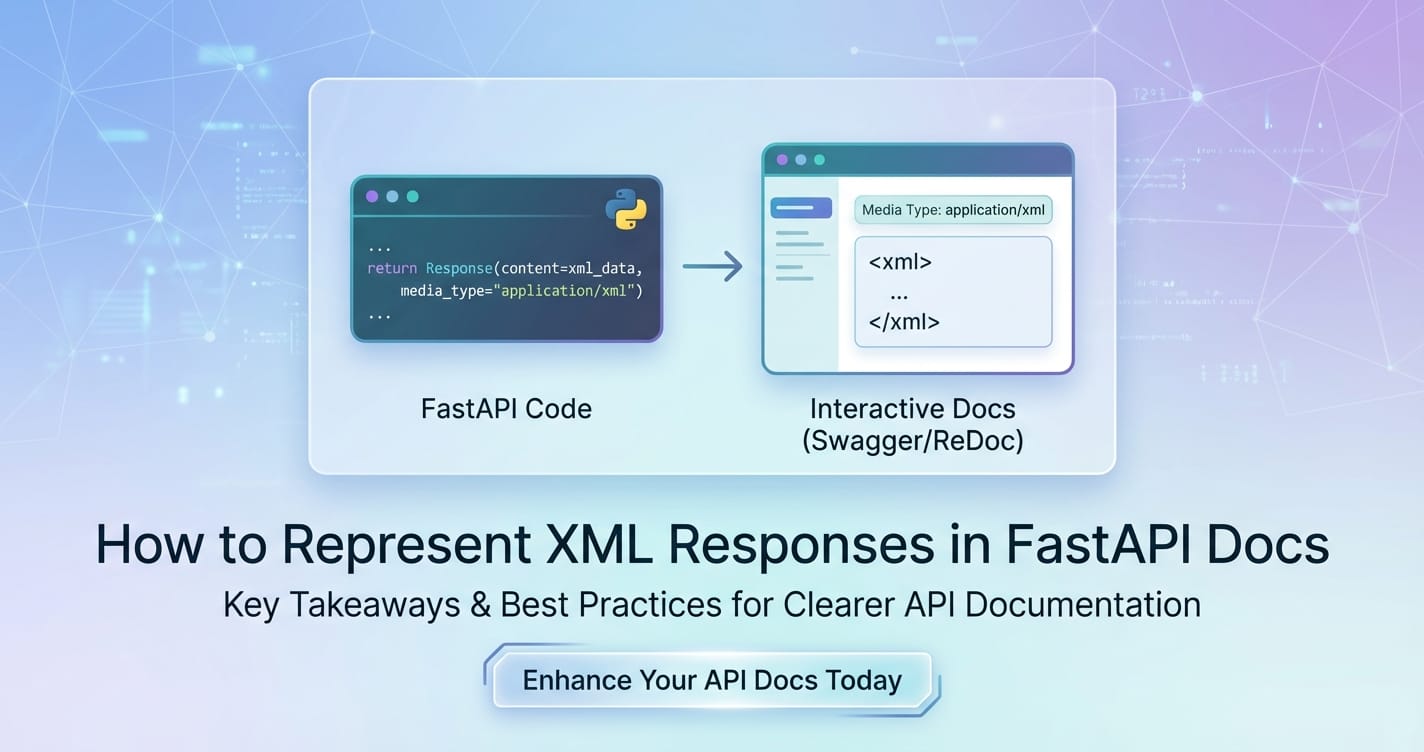
How to Represent XML Responses in FastAPI Docs


In the rapidly evolving landscape of web services, the ability to create robust, well-documented Application Programming Interfaces (APIs) is paramount. FastAPI has emerged as a leading Python framework for building APIs, lauded for its exceptional performance, developer-friendly syntax, and automatic generation of interactive API documentation based on the OpenAPI specification. This documentation, typically presented through Swagger UI and ReDoc, simplifies API consumption by providing clear, machine-readable specifications. However, while FastAPI excels in handling JSON (JavaScript Object Notation) – its native and default content type – the web ecosystem is not exclusively JSON-centric. Many legacy systems, industry-specific standards, and even certain modern applications still rely heavily on XML (eXtensible Markup Language) for data exchange.
The challenge then arises: how do developers effectively represent and document API responses that return XML, rather than the more common JSON, within FastAPI's automatically generated documentation? This is not merely an aesthetic concern; accurate and comprehensive documentation is a cornerstone of API usability. Without it, integrating with XML-based endpoints can become a tedious, error-prone guessing game for client developers. This article will delve deep into the intricacies of handling and, more importantly, documenting XML responses in FastAPI. We will explore various strategies, from basic direct response handling to advanced OpenAPI schema customizations, providing practical examples and best practices to ensure your FastAPI XML APIs are as well-described and approachable as their JSON counterparts. Understanding these techniques is crucial for any developer building APIs that need to communicate with a diverse range of clients, ensuring interoperability and reducing the friction often associated with integrating disparate systems.
The journey to mastering XML representation in FastAPI documentation requires a nuanced understanding of how FastAPI leverages Pydantic models and the underlying OpenAPI specification to construct its interactive docs. We'll start by revisiting the fundamentals of FastAPI's documentation mechanism, then systematically dissect the methods available to us for explicitly describing XML responses. From injecting example XML payloads directly into the documentation to more programmatic manipulation of the OpenAPI schema, each approach offers a different balance of effort and fidelity. Our goal is to empower you to choose the most appropriate method for your specific use case, ensuring that your FastAPI APIs, regardless of their data format, are always accompanied by crystal-clear, machine-readable documentation that fosters seamless integration and a positive developer experience. This extensive guide aims to demystify the process, turning what might seem like a niche problem into an accessible and solvable aspect of professional API development.
Understanding FastAPI's Documentation Paradigm and OpenAPI
FastAPI's immediate appeal to developers often stems from its elegant blend of modern Python features with a pragmatic approach to API development. Built on Starlette for the web parts and Pydantic for data validation and serialization, it offers a high-performance framework that significantly reduces the boilerplate traditionally associated with building robust APIs. A cornerstone of its design philosophy is the automatic generation of interactive API documentation. This isn't just a convenient byproduct; it's a fundamental feature that elevates FastAPI above many other frameworks in terms of developer experience.
At the heart of FastAPI's documentation capabilities lies the OpenAPI specification. Formerly known as Swagger, OpenAPI is a language-agnostic, human-readable, and machine-readable description format for RESTful APIs. It allows developers to describe the entire surface area of an API, including available endpoints, operations (GET, POST, PUT, DELETE, etc.), parameters, authentication methods, and, crucially for our discussion, response types and schemas. When you define an endpoint in FastAPI, specifying its input parameters using Pydantic models or type hints, and its return values using response_model, FastAPI intelligently translates this Python code into an OpenAPI schema. This schema is then exposed at the /openapi.json endpoint of your application.
The interactive documentation UIs, Swagger UI (at /docs) and ReDoc (at /redoc), consume this openapi.json file. They parse the machine-readable specification and render it into a visually appealing and interactive interface. This interface allows client developers to understand the API's capabilities, try out endpoints directly from the browser, and even generate client SDKs in various programming languages. The seamless transition from Python code to comprehensive documentation is one of FastAPI's most powerful features, enabling rapid development cycles without compromising on documentation quality.
However, this tight integration with Pydantic and its default lean towards JSON introduces a specific challenge when dealing with non-JSON response formats, particularly XML. Pydantic models are inherently designed to define JSON schemas. When you declare response_model=SomePydanticModel, FastAPI expects your endpoint to return data that can be serialized into JSON according conforming to SomePydanticModel. The OpenAPI schema generated for such an endpoint will typically specify application/json as the Content-Type for successful responses, providing a JSON Schema derived from your Pydantic model.
While the OpenAPI specification itself is flexible enough to describe various content types beyond JSON, including application/xml, FastAPI's primary abstraction layer (Pydantic) doesn't directly map to XML schemas in the same straightforward manner it does for JSON. This means that if your API needs to return XML, simply returning an XML string from your endpoint won't automatically result in well-structured XML documentation in Swagger UI or ReDoc. The documentation tools, by default, will either show a generic "string" response with application/json (if response_model is not explicitly set to None or a custom Response object) or a raw text/plain if you force a string response. This gap between FastAPI's JSON-centric defaults and the need for accurate XML documentation is what we aim to bridge.
Effectively documenting XML responses in FastAPI, therefore, requires us to either carefully guide FastAPI's OpenAPI generation process or, in more complex scenarios, directly intervene in the generated OpenAPI schema. This involves instructing the documentation to correctly specify application/xml as the media type and, ideally, provide a meaningful example of the XML structure to aid client developers. By understanding how FastAPI uses OpenAPI and where its default mechanisms fall short for XML, we can strategically apply methods to ensure our API documentation remains comprehensive and accurate, irrespective of the underlying data format. This foundational knowledge is essential before diving into the specific implementation strategies.
Basic XML Response Handling in FastAPI
Before we delve into advanced documentation techniques, it's crucial to understand how FastAPI handles XML responses at a fundamental level. Unlike JSON, where FastAPI automatically serializes Pydantic models, returning XML requires more explicit action from the developer. The simplest way to return an XML response from a FastAPI endpoint is to directly construct the XML string and wrap it in a fastapi.responses.Response object, specifying the correct media type.
Let's consider a basic example:
from fastapi import FastAPI
from fastapi.responses import Response

app = FastAPI()

@app.get("/items/xml")
async def get_items_xml():
    xml_content = """<?xml version="1.0" encoding="UTF-8"?>
<items>
    <item id="1">
        <name>Laptop</name>
        <price>1200.00</price>
    </item>
    <item id="2">
        <name>Mouse</name>
        <price>25.00</price>
    </item>
</items>"""
    return Response(content=xml_content, media_type="application/xml")
In this code snippet, the /items/xml endpoint returns a hardcoded XML string. The key here is Response(content=xml_content, media_type="application/xml"). By explicitly setting media_type to "application/xml", we instruct FastAPI (and the underlying Starlette framework) to set the Content-Type header of the HTTP response correctly. When a client makes a request to this endpoint, they will receive the XML content along with the Content-Type: application/xml header, indicating that the response body is indeed XML.
While this approach successfully delivers XML to the client, it presents a significant challenge for the auto-generated documentation. If you run this application and navigate to /docs, you will observe that the documentation for the /items/xml endpoint is rather generic. Typically, it will show a response with a status code of 200 (OK), and for the response body, it might indicate text/plain or a generic string type, often failing to specify application/xml as the Content-Type in the documentation itself, let alone provide a structured example of the XML. The Swagger UI might display the raw XML string if example is provided within the responses parameter, but without proper schema definition, its interpretation remains limited.
This "documentation gap" arises because FastAPI's automatic OpenAPI schema generation primarily relies on Pydantic models for structured data. When you return a Response object directly, FastAPI doesn't have an explicit Pydantic model to infer the structure of the content argument. It sees it as an opaque string, and therefore defaults to a less specific documentation entry. This is a critical point of friction for developers aiming for comprehensive and accurate API documentation.
One might attempt to use response_model with a Pydantic model to describe the XML, but this approach is fundamentally flawed for direct XML output. Pydantic models describe JSON schemas. If you define response_model=SomePydanticModel, FastAPI will try to serialize your endpoint's return value into JSON according to that model. If you're returning an XML string, this will either fail or result in unexpected behavior, as FastAPI will attempt to interpret your XML string as a JSON-serializable object, which it is not. The response_model parameter dictates the expected JSON structure of the response, not merely its documentation.
Therefore, the direct Response object is effective for sending XML, but insufficient for documenting it richly in FastAPI's interactive docs. To bridge this gap, we need to explicitly instruct FastAPI's OpenAPI generator about the nature of our XML responses. This involves moving beyond the default Pydantic-driven schema inference and directly manipulating or augmenting the OpenAPI specification for specific endpoints. The next sections will explore how we can achieve this, ensuring that our XML responses are not just delivered correctly but are also perfectly articulated in the API documentation, providing clarity and confidence to client developers. This initial understanding of the limitations is crucial, as it sets the stage for why more advanced strategies are necessary to achieve fully descriptive XML documentation within the FastAPI ecosystem.
APIPark is a high-performance AI gateway that allows you to securely access the most comprehensive LLM APIs globally on the APIPark platform, including OpenAI, Anthropic, Mistral, Llama2, Google Gemini, and more.Try APIPark now! 👇👇👇
Advanced Strategies: Customizing OpenAPI for XML
To adequately represent XML responses in FastAPI's documentation, we must go beyond the basic Response object and engage more directly with the OpenAPI specification. FastAPI provides mechanisms to customize the generated OpenAPI schema, allowing us to explicitly define the content types and structures for responses, including XML. This section will detail the most effective strategies, complete with code examples and explanations.
Method 1: Using the responses Parameter in the Path Operation Decorator
The most straightforward and recommended way to document XML responses in FastAPI is by using the responses parameter available in FastAPI's path operation decorators (e.g., @app.get, @app.post). This parameter allows you to provide a dictionary that maps HTTP status codes to a description of their respective responses. Within this description, you can specify different media_types and provide examples or schemas.
Let's revisit our XML item example and enhance its documentation using the responses parameter:
from fastapi import FastAPI, status
from fastapi.responses import Response

app = FastAPI()

# Sample XML content
xml_item_content = """<?xml version="1.0" encoding="UTF-8"?>
<items>
    <item id="1">
        <name>Laptop</name>
        <price currency="USD">1200.00</price>
        <description>High-performance laptop for professional use.</description>
    </item>
    <item id="2">
        <name>Mouse</name>
        <price currency="USD">25.00</price>
        <description>Ergonomic wireless mouse.</description>
    </item>
    <item id="3">
        <name>Keyboard</name>
        <price currency="USD">75.00</price>
        <description>Mechanical keyboard with RGB lighting.</description>
    </item>
</items>"""

# XML content for an error response
xml_error_content = """<?xml version="1.0" encoding="UTF-8"?>
<error>
    <code>400</code>
    <message>Invalid item ID format. Please provide a numeric ID.</message>
    <timestamp>2023-10-27T10:30:00Z</timestamp>
</error>"""

@app.get(
    "/items/xml",
    summary="Retrieve all items in XML format",
    description="This endpoint fetches a comprehensive list of all available items, formatted as an XML document. Useful for legacy systems or applications requiring structured XML data.",
    responses={
        status.HTTP_200_OK: {
            "description": "Successful response returning a list of items in XML.",
            "content": {
                "application/xml": {
                    "example": xml_item_content,
                    "schema": {
                        "type": "string",
                        "format": "xml", # A hint for tools, not strictly validated by OpenAPI spec as a first-class 'format'
                        "description": "An XML document containing a list of item details."
                    }
                }
            }
        },
        status.HTTP_400_BAD_REQUEST: {
            "description": "Error: Invalid request parameters in XML format.",
            "content": {
                "application/xml": {
                    "example": xml_error_content,
                    "schema": {
                        "type": "string",
                        "format": "xml",
                        "description": "An XML document detailing the error."
                    }
                }
            }
        }
    }
)
async def get_items_xml_documented():
    """
    Returns a complete list of items in XML format.
    """
    # In a real application, you would fetch this from a database
    # and serialize it into XML dynamically.
    return Response(content=xml_item_content, media_type="application/xml")
Explanation of the responses parameter:
status.HTTP_200_OK: This key indicates the HTTP status code for which we are providing documentation. You can define documentation for multiple status codes (e.g.,400,401,500).description: A human-readable description of this particular response. This will appear prominently in Swagger UI and ReDoc.content: This is a dictionary where keys are media types (e.g.,"application/xml","application/json","text/plain") and values are objects describing the content for that media type."application/xml": We explicitly specifyapplication/xmlas the media type. This is crucial for documentation tools to correctly display the content type.example: This field provides a literal example of the response body. This is immensely helpful for client developers, as they can immediately see the expected structure and data without making an actual request. For XML, you should provide a well-formed XML string.schema: WhileOpenAPIprimarily uses JSON Schema, you can still provide a basic schema description for non-JSON content. For XML,{"type": "string"}is often sufficient, indicating that the content is a string. Theformat: "xml"is a common extension or hint that some tools might interpret, although it's not a first-classformatin the core JSON Schema specification. It primarily signals to documentation tools that the string should be treated as XML. You can also add adescriptionwithin theschemaobject for further clarity.
Advantages of this method:
- Clarity and Explicitness: Directly specifies the XML content type and provides a tangible example, making the documentation highly informative.
- Simplicity: It's integrated directly into the path operation decorator, keeping the definition close to the implementation.
- Supports Multiple Response Types: Easily define different XML responses for different HTTP status codes (e.g., success vs. error).
Disadvantage:
- Manual XML Examples: You need to manually provide the example XML string. If your XML structure is complex and changes frequently, maintaining these examples can become cumbersome. However, for documentation purposes, even a representative example is better than none.
This method is generally the most recommended approach for documenting XML responses in FastAPI because it's declarative, readable, and directly leverages FastAPI's existing OpenAPI extension points without requiring deep programmatic manipulation of the OpenAPI schema itself.
Method 2: Leveraging response_model with a Custom media_type (Limited Application)
This method is less direct for returning XML but can be used in scenarios where you internally work with a Pydantic model, and then convert it to XML, while still wanting to leverage response_model for some structural definition, and then override the media_type for documentation. It's generally more complex and often unnecessary if you are purely returning an opaque XML string. It's primarily useful if you have a Pydantic model that represents the structure of your data, and you want to document that structure in the OpenAPI schema, but the actual wire format is XML.
In FastAPI, the response_model parameter in the path operation decorator is primarily designed to define the expected JSON structure of the response. FastAPI uses this Pydantic model to serialize the return value of your endpoint into JSON and to generate the JSON Schema for the application/json content type in the OpenAPI documentation.
However, FastAPI also allows you to specify a response_model_media_type parameter, which can influence the Content-Type header and the documented media type, especially when paired with a custom Response class or when you explicitly return an XML string. This interaction can be subtle and sometimes misleading if not used carefully.
Consider this example where we define a Pydantic model that conceptually matches the structure we want to represent in XML, even if the actual output is XML.
from fastapi import FastAPI, status
from fastapi.responses import Response
from pydantic import BaseModel, Field
import xml.etree.ElementTree as ET

app = FastAPI()

class Item(BaseModel):
    id: int = Field(..., example=1)
    name: str = Field(..., example="Laptop")
    price: float = Field(..., example=1200.00)
    description: str = Field(None, example="High-performance laptop.")

class ItemsList(BaseModel):
    items: list[Item]

# Function to convert Pydantic model to XML string
def convert_items_to_xml(items_list: ItemsList) -> str:
    root = ET.Element("items")
    for item_data in items_list.items:
        item_elem = ET.SubElement(root, "item", id=str(item_data.id))
        ET.SubElement(item_elem, "name").text = item_data.name
        ET.SubElement(item_elem, "price").text = str(item_data.price)
        if item_data.description:
            ET.SubElement(item_elem, "description").text = item_data.description
    return ET.tostring(root, encoding="utf-8", xml_declaration=True).decode("utf-8")

# Sample data for conversion
sample_items_data = ItemsList(items=[
    Item(id=1, name="Laptop", price=1200.00, description="High-performance laptop."),
    Item(id=2, name="Mouse", price=25.00, description="Ergonomic wireless mouse."),
])

@app.get(
    "/items/xml/model",
    summary="Retrieve items using a Pydantic model, returning XML",
    description="This endpoint constructs item data from a Pydantic model internally and returns it as an XML document. The Pydantic model helps define the *conceptual* structure for documentation, even if the final output is XML.",
    response_model=ItemsList, # This tells FastAPI about the structure, primarily for JSON
    response_model_media_type="application/xml", # This tells FastAPI to document the media type as XML
    responses={
        status.HTTP_200_OK: {
            "description": "Successful retrieval of items in XML format.",
            "content": {
                "application/xml": {
                    "example": convert_items_to_xml(sample_items_data), # Provide a real XML example
                    "schema": {
                        "type": "string",
                        "format": "xml",
                        "description": "An XML document mirroring the structure of the ItemsList Pydantic model."
                    }
                }
            }
        }
    }
)
async def get_items_xml_from_model():
    """
    Fetches items and returns them as an XML document.
    """
    # In a real scenario, you'd fetch data, create ItemsList, then convert
    return Response(content=convert_items_to_xml(sample_items_data), media_type="application/xml")
Explanation:
- Pydantic Models (
Item,ItemsList): We define Pydantic models to describe the logical structure of our data. convert_items_to_xml: A utility function that takes anItemsListPydantic object and serializes it into an XML string. This is where the transformation happens.response_model=ItemsList: We tell FastAPI that conceptually, the response structure corresponds toItemsList. FastAPI will generate a JSON Schema for this model.response_model_media_type="application/xml": This is the key parameter here. It instructs FastAPI to mark the primary response content type in the OpenAPI documentation asapplication/xml.responsesparameter: Crucially, we still use theresponsesparameter to provide an explicit XML example. Whileresponse_model_media_typechanges the primary documented type, it doesn't automatically generate an XML schema or example based on the Pydantic model. This is where the manual example inresponsesis still invaluable.
How this affects documentation:
In the Swagger UI, you might see application/xml listed as the response media type. The schema section might still primarily show a JSON Schema representation (derived from response_model) if the tool attempts to infer a schema based on response_model. However, the explicit example provided in the responses parameter under application/xml will be rendered, giving a concrete instance of the XML output. The response_model_media_type helps to correctly label the content type in the general response section, but the responses parameter is what truly provides the detailed XML sample.
Considerations for this method:
- Complexity: This approach is more involved than simply using the
responsesparameter directly. You need to manage both Pydantic models and an XML serialization logic. - Potential Confusion: The documentation might show a JSON Schema (from
response_model) alongside anapplication/xmlexample. This could be confusing if not clearly explained. - Best Use Case: This method is best suited when you already have Pydantic models representing your data, and you specifically need to output XML, but still want to leverage the Pydantic model for some internal validation or a fallback JSON representation. For pure XML APIs, Method 1 is often simpler and clearer.
For the purpose of robust and explicit XML documentation, combining response_model_media_type with a detailed responses dictionary for the XML example is often the most comprehensive strategy when you also want to hint at the underlying data structure via Pydantic. However, if your API is strictly XML-focused and doesn't involve an intermediate Pydantic representation, the first method provides a more direct path to clear documentation.
Method 3: Extending FastAPI's OpenAPI Schema Generation (Advanced)
This method involves directly modifying the OpenAPI schema object that FastAPI generates. This is the most powerful and flexible approach but also the most complex, requiring a deep understanding of the OpenAPI specification structure. It's generally reserved for highly custom scenarios or when the declarative options are insufficient.
FastAPI exposes its generated OpenAPI schema via app.openapi_schema. This schema is a Python dictionary that strictly adheres to the OpenAPI specification. You can access it, modify it, and then cache the modified version. This approach allows you to inject any valid OpenAPI structure, including sophisticated XML schema definitions.
Let's illustrate how to programmatically add an xml object to an OpenAPI schema, describing an XML structure more precisely than just type: string. The xml object in OpenAPI can specify name, namespace, prefix, attribute, and wrapped properties, which are powerful for describing how JSON properties map to XML elements/attributes.
First, we need a basic FastAPI application.
from fastapi import FastAPI, status
from fastapi.responses import Response
from fastapi.openapi.utils import get_openapi
from pydantic import BaseModel, Field
import xml.etree.ElementTree as ET
import json # For pretty printing the OpenAPI schema

app = FastAPI()

# Sample XML content
xml_detailed_item_content = """<?xml version="1.0" encoding="UTF-8"?>
<Product xmlns="http://example.com/products">
    <ID>PROD-001</ID>
    <Name>Wireless Earbuds</Name>
    <Price currency="EUR">99.99</Price>
    <Features>
        <Feature>Bluetooth 5.0</Feature>
        <Feature>Noise Cancelling</Feature>
        <Feature>10-hour battery</Feature>
    </Features>
</Product>"""

@app.get(
    "/products/xml",
    summary="Get a detailed product in XML format",
    description="Retrieves specific product details, including features, in a structured XML format with a custom namespace.",
    responses={
        status.HTTP_200_OK: {
            "description": "Detailed product information in XML.",
            "content": {
                "application/xml": {
                    "example": xml_detailed_item_content,
                    "schema": {
                        "type": "string", # Placeholder, we'll enhance this programmatically
                        "format": "xml",
                        "description": "Detailed product XML document."
                    }
                }
            }
        }
    }
)
async def get_product_xml():
    """
    Returns a single detailed product as an XML document.
    """
    return Response(content=xml_detailed_item_content, media_type="application/xml")

# Store a reference to the original openapi function
# This is a common pattern to ensure the schema is generated only once
# and can be modified.
def custom_openapi():
    if app.openapi_schema:
        return app.openapi_schema

    # Generate the default OpenAPI schema first
    openapi_schema = get_openapi(
        title="XML FastAPI API",
        version="1.0.0",
        description="API demonstrating XML response documentation in FastAPI.",
        routes=app.routes,
    )

    # Find the specific path operation to modify
    path = "/products/xml"
    method = "get" # HTTP method

    if path in openapi_schema["paths"] and method in openapi_schema["paths"][path]:
        response_200 = openapi_schema["paths"][path][method]["responses"]["200"]
        if "content" in response_200 and "application/xml" in response_200["content"]:
            # Get a reference to the existing schema
            xml_content_schema = response_200["content"]["application/xml"]["schema"]

            # Enhance the schema with OpenAPI's XML object properties
            # This describes how the XML structure should be interpreted
            xml_content_schema.update({
                "type": "object", # Or string, if you prefer, but object allows XML properties
                "xml": {
                    "name": "Product",
                    "namespace": "http://example.com/products"
                },
                "properties": {
                    "ID": {"type": "string", "description": "Unique product identifier"},
                    "Name": {"type": "string", "description": "Product name"},
                    "Price": {
                        "type": "number",
                        "format": "float",
                        "xml": {"attribute": True, "name": "currency"}, # Price element has a currency attribute
                        "description": "Product price"
                    },
                    "Features": {
                        "type": "array",
                        "items": {"type": "string"},
                        "xml": {"name": "Feature", "wrapped": True}, # Features is a wrapper for multiple Feature elements
                        "description": "List of product features"
                    }
                },
                "required": ["ID", "Name", "Price", "Features"]
            })
            # Ensure the example is still present
            response_200["content"]["application/xml"]["example"] = xml_detailed_item_content

    app.openapi_schema = openapi_schema
    return app.openapi_schema

# Override the default openapi function
app.openapi = custom_openapi
Explanation:
custom_openapi()function: This function is designed to generate the OpenAPI schema. It first checks if the schema has already been generated and cached (app.openapi_schema). If not, it callsfastapi.openapi.utils.get_openapito generate the default schema.- Locating the target: We then navigate the
openapi_schemadictionary to find the specific path (/products/xml) and HTTP method (get) whose response we want to modify. - Modifying the
application/xmlschema: Inside thecontentforapplication/xml, we access theschemaobject.- We change
typefrom"string"to"object"to allow for a more structured description. - The crucial part is the
xmlobject:"name": "Product": Specifies the root element name in the XML."namespace": "http://example.com/products": Declares the XML namespace.
"properties": Defines the child elements and attributes. For example,Pricenow includes anxmlobject with"attribute": Trueand"name": "currency", indicating that "currency" is an XML attribute of thePriceelement.Featuresuses"wrapped": Truewith"name": "Feature"to indicate that it's an array of<Feature>elements wrapped by a<Features>parent.
- We change
app.openapi = custom_openapi: This line tells FastAPI to use our custom function to generate the OpenAPI schema instead of its default one.
Advantages of this method:
- Ultimate Control: Provides granular control over every aspect of the OpenAPI schema, allowing for the most precise and detailed XML schema definitions possible within the OpenAPI spec.
- Highly Descriptive: Can accurately describe complex XML structures, including namespaces, attributes, and wrapper elements.
- Dynamic Generation: If your XML schemas are derived from other sources (e.g., XSD files), you could potentially parse those files and programmatically generate this OpenAPI
xmlobject structure.
Disadvantages:
- Complexity: Requires a deep understanding of the OpenAPI specification's
schemaobject, especially thexmlproperty. - Maintenance Overhead: Manual modification of the schema can be brittle. If FastAPI's internal schema generation changes significantly, your custom logic might break.
- Debugging: Debugging schema generation issues can be challenging.
This method is powerful for describing the exact XML structure in OpenAPI but should be used judiciously. For most common scenarios, Method 1 (using the responses parameter with an example) provides a good balance of clarity and simplicity. Method 3 is for when you need to formally describe the XML structure within the OpenAPI schema itself, beyond just providing an example, perhaps because your documentation tooling can leverage this deeper XML metadata.
Table: Comparison of XML Documentation Methods in FastAPI
To help you decide which method is best for your specific needs, here's a comparison table summarizing the pros and cons of each approach:
| Feature/Method | Method 1: responses parameter with example |
Method 2: response_model + response_model_media_type + responses |
Method 3: Extending app.openapi_schema Programmatically |
|---|---|---|---|
| Ease of Implementation | Easy | Medium | Hard |
| Documentation Detail | Provides clear XML example | Hints at structure via Pydantic, provides XML example | Highly detailed XML schema, examples, namespaces, attributes |
| Code Location | Integrated in decorator | Integrated in decorator | Separate custom_openapi function |
| Maintenance | Relatively Low (example needs updating) | Medium (Pydantic model & example) | High (direct schema manipulation) |
| OpenAPI Spec. Reliance | Basic content and example |
Basic content and example, response_model for JSON Schema |
Deep understanding of xml object and schema properties |
| Best For | Most common XML responses, quick documentation | When Pydantic model conceptually represents XML data, more structure hint | Complex XML schemas, specific tooling requirements |
| Risk of Error | Low | Medium (potential for inconsistent docs) | High (direct manipulation is error-prone) |
| Readability | High | Moderate | Low (complex schema details) |
Choosing the right method depends on the complexity of your XML responses, the specific requirements of your documentation, and your team's comfort level with OpenAPI schema manipulation. For the vast majority of use cases, Method 1 offers the best balance of simplicity, clarity, and effectiveness.
Practical Examples and Best Practices
Having explored the theoretical underpinnings and various strategies for documenting XML responses in FastAPI, let's consolidate our understanding with practical examples and best practices. Building robust APIs involves more than just writing functional code; it requires careful consideration of how clients will interact with and understand your service. This section will focus on putting the best documentation techniques into practice, handling common scenarios, and ensuring the quality and maintainability of your XML-producing FastAPI APIs.
Real-world Scenario: Product Catalog API with XML Output
Imagine a scenario where you're building a Product Catalog API. While modern clients might prefer JSON, your API needs to support legacy systems or specific B2B integrations that mandate XML for product data exchange. This is a classic use case for returning XML.
Let's develop a FastAPI endpoint that returns a list of products in XML, employing the most effective documentation strategy (Method 1: responses parameter). We will also consider how to handle different HTTP status codes with appropriate XML responses.
from fastapi import FastAPI, Response, status, Query, HTTPException
import xml.etree.ElementTree as ET
from typing import Optional

app = FastAPI()

# --- Utility for XML generation ---
def generate_product_xml(products: list[dict]) -> str:
    """Generates an XML string from a list of product dictionaries."""
    root = ET.Element("Products")
    for product_data in products:
        product_elem = ET.SubElement(root, "Product", id=str(product_data.get("id")))
        ET.SubElement(product_elem, "Name").text = product_data.get("name")
        ET.SubElement(product_elem, "Category").text = product_data.get("category")
        ET.SubElement(product_elem, "Price", currency=product_data.get("currency", "USD")).text = str(product_data.get("price"))
        ET.SubElement(product_elem, "Availability").text = product_data.get("availability")
    return ET.tostring(root, encoding="utf-8", xml_declaration=True).decode("utf-8")

def generate_error_xml(code: int, message: str) -> str:
    """Generates a standard XML error response."""
    root = ET.Element("Error")
    ET.SubElement(root, "Code").text = str(code)
    ET.SubElement(root, "Message").text = message
    ET.SubElement(root, "Timestamp").text = "2023-10-27T14:30:00Z" # In a real app, use datetime.now()
    return ET.tostring(root, encoding="utf-8", xml_declaration=True).decode("utf-8")

# --- Sample Product Data ---
sample_products_data = [
    {"id": 101, "name": "Smart Watch", "category": "Electronics", "price": 199.99, "currency": "USD", "availability": "In Stock"},
    {"id": 102, "name": "Yoga Mat", "category": "Fitness", "price": 29.99, "currency": "USD", "availability": "Low Stock"},
    {"id": 103, "name": "Coffee Maker", "category": "Home Appliances", "price": 79.50, "currency": "EUR", "availability": "Out of Stock"},
    {"id": 104, "name": "Wireless Headphones", "category": "Electronics", "price": 149.00, "currency": "USD", "availability": "In Stock"},
]

# --- Example XML Payloads for Documentation ---
example_all_products_xml = generate_product_xml(sample_products_data)

example_single_product_xml = generate_product_xml([sample_products_data[0]])

example_product_not_found_xml = generate_error_xml(
    code=status.HTTP_404_NOT_FOUND,
    message="Product with ID 999 not found."
)

example_invalid_category_xml = generate_error_xml(
    code=status.HTTP_400_BAD_REQUEST,
    message="Invalid category specified. Please choose from 'Electronics', 'Fitness', 'Home Appliances'."
)


# --- FastAPI Endpoint Definition ---
@app.get(
    "/products",
    summary="Get all products or filter by category in XML",
    description="Fetches a list of all available products. Optionally, filter products by specifying a category. "
                "Responses are provided in structured XML format, suitable for integration with systems that prefer or require XML data exchange.",
    responses={
        status.HTTP_200_OK: {
            "description": "A successful response returning a list of products in XML.",
            "content": {
                "application/xml": {
                    "example": example_all_products_xml,
                    "schema": {
                        "type": "string",
                        "format": "xml",
                        "description": "An XML document containing a list of products."
                    }
                }
            }
        },
        status.HTTP_400_BAD_REQUEST: {
            "description": "Bad Request: Invalid category or other query parameter.",
            "content": {
                "application/xml": {
                    "example": example_invalid_category_xml,
                    "schema": {
                        "type": "string",
                        "format": "xml",
                        "description": "XML document detailing the bad request error."
                    }
                }
            }
        }
    }
)
async def get_products(
    category: Optional[str] = Query(
        None,
        description="Filter products by category. Valid options: 'Electronics', 'Fitness', 'Home Appliances'."
    )
):
    valid_categories = {"Electronics", "Fitness", "Home Appliances"}
    if category and category not in valid_categories:
        # Raise HTTP exception which FastAPI catches and converts
        # However, for XML errors, we override this with our custom XML response
        # This part requires manual handling for the actual response returned
        return Response(
            content=generate_error_xml(status.HTTP_400_BAD_REQUEST, f"Invalid category: '{category}'. Valid categories are: {', '.join(valid_categories)}."),
            media_type="application/xml",
            status_code=status.HTTP_400_BAD_REQUEST
        )

    filtered_products = [
        p for p in sample_products_data if not category or p["category"] == category
    ]
    return Response(content=generate_product_xml(filtered_products), media_type="application/xml")

@app.get(
    "/products/{product_id}",
    summary="Get a single product by ID in XML",
    description="Retrieves detailed information for a specific product using its unique ID, returned in XML format.",
    responses={
        status.HTTP_200_OK: {
            "description": "Successful retrieval of product details in XML.",
            "content": {
                "application/xml": {
                    "example": example_single_product_xml,
                    "schema": {
                        "type": "string",
                        "format": "xml",
                        "description": "An XML document containing details of a single product."
                    }
                }
            }
        },
        status.HTTP_404_NOT_FOUND: {
            "description": "Product not found.",
            "content": {
                "application/xml": {
                    "example": example_product_not_found_xml,
                    "schema": {
                        "type": "string",
                        "format": "xml",
                        "description": "XML document detailing the product not found error."
                    }
                }
            }
        }
    }
)
async def get_product_by_id(product_id: int):
    """
    Returns a single product's details in XML format.
    """
    product = next((p for p in sample_products_data if p["id"] == product_id), None)
    if not product:
        return Response(
            content=generate_error_xml(status.HTTP_404_NOT_FOUND, f"Product with ID {product_id} not found."),
            media_type="application/xml",
            status_code=status.HTTP_404_NOT_FOUND
        )
    return Response(content=generate_product_xml([product]), media_type="application/xml")
Key Takeaways from the Example:
- Dedicated XML Generation Functions: Using functions like
generate_product_xmlandgenerate_error_xmlcentralizes XML serialization logic, making your code cleaner and easier to maintain. This also ensures consistency in the XML structure. Libraries likexml.etree.ElementTree(built-in) orlxml(more powerful, external) are excellent choices for programmatic XML creation. - Pre-defined XML Examples: Generating the
exampleXML payloads once and storing them as variables (e.g.,example_all_products_xml) prevents repetition and keeps the decorator cleaner. This ensures the documentation example is accurate and immediately available. - Comprehensive
responsesDictionary:- For
200 OKresponses, clearly specifyapplication/xmland provide a realistic example. - For error conditions (e.g.,
400 Bad Request,404 Not Found), define specific XML error structures and provide examples. This is critical for clients to handle API errors gracefully. - The
schemawithtype: "string"andformat: "xml"provides a hint to documentation tools about the content type.
- For
- Handling HTTP Exceptions with Custom XML: Notice how we don't use FastAPI's
HTTPExceptiondirectly for XML error responses if we want to return a custom XML body. Instead, we manually construct anResponseobject with the desired XML content,media_type, andstatus_code. This ensures the client receives the expected XML error format. If you were to raiseHTTPException, FastAPI would default to a JSON error response unless you implement a custom exception handler that specifically returns XML.
Best Practices for XML Responses in FastAPI
- Explicit
media_type: Always setmedia_type="application/xml"in yourResponseobjects when returning XML. This is fundamental for correct HTTP header negotiation. - Robust XML Generation: Use a dedicated XML library (like
xml.etree.ElementTreeorlxml) for programmatic XML construction. Avoid manual string concatenation for complex XML, as it's prone to errors (e.g., invalid characters, incorrect nesting). - Validation (External): While FastAPI's Pydantic handles JSON schema validation, XML often relies on DTD (Document Type Definition) or XSD (XML Schema Definition) for validation. If your API consumes or produces XML that must conform to a specific schema, consider implementing XSD validation within your application logic. This is an external concern to FastAPI's Pydantic, but crucial for robust XML APIs. You can use libraries like
lxmlfor XSD validation. - Content Negotiation (Optional but Powerful): For APIs that support both JSON and XML, consider implementing content negotiation. Clients can specify their preferred
Content-Typein theAcceptheader (e.g.,Accept: application/xmlorAccept: application/json). Your FastAPI endpoint can then inspect this header and return the appropriate format.python from fastapi import Request # ... inside your endpoint ... if "application/xml" in request.headers.get("Accept", ""): return Response(content=generate_product_xml(products), media_type="application/xml") else: # Default to JSON return products # FastAPI will serialize this to JSONThis approach, while adding complexity, makes your API more flexible. - Consistency in Error Handling: Just as with successful responses, ensure your error responses are consistently formatted in XML. Providing clear error codes and messages within a defined XML structure greatly aids client debugging. Document these XML error responses in your
responsesdictionary. - Maintainable Examples: Ensure the XML examples provided in your
responsesdictionary are accurate, up-to-date, and representative of the actual XML returned by your API. Stale or incorrect examples are more detrimental than no examples at all. - Consider an API Gateway for Unified Management: As your
apiportfolio grows, managing diverse response formats like XML alongside JSON, or integrating with various backend services (including AI models), can become increasingly complex. This is where an API Gateway and management platform truly shines. Platforms like ApiPark offer a comprehensive solution for managing the entireapilifecycle. It allows for the quick integration of diverse services, unifiesapiformats, and provides end-to-end management for design, publication, invocation, and decommission. By using an API gateway, you can centralize traffic forwarding, load balancing, and versioning, abstracting away some of the complexities of individualapiimplementations, including how different content types are served and documented across a broaderapilandscape. For organizations looking to streamline theirapioperations and ensure consistency across a large number ofapis, APIPark provides a powerful, open-source platform that simplifies these challenges, regardless of whether yourapis return JSON, XML, or integrate with advanced AI models. It helps in maintaining a coherentapiecosystem, enhancing security and efficiency.
By following these best practices, you can ensure that your FastAPI APIs returning XML are not only functional but also exceptionally well-documented, promoting ease of integration and a superior developer experience. The journey towards a truly interoperable API ecosystem involves embracing diverse data formats and meticulously documenting them.
Conclusion
In the intricate world of API development, the clarity and completeness of documentation are as crucial as the functionality of the API itself. While FastAPI offers unparalleled ease in generating interactive documentation for JSON-based services, the demand for XML responses, driven by legacy systems, industry standards, or specific integration requirements, remains a persistent reality. This comprehensive guide has dissected the challenge of representing XML responses within FastAPI's OpenAPI-powered documentation, offering a spectrum of strategies to address this critical need.
We began by establishing FastAPI's foundational reliance on Pydantic and the OpenAPI specification for its automatic documentation. This understanding revealed why direct XML outputs, without explicit documentation directives, often lead to opaque and unhelpful entries in Swagger UI or ReDoc. The core of our exploration then focused on the practical methods available:
- The
responsesParameter: This emerged as the most practical and recommended approach. By leveraging theresponsesdictionary within path operation decorators, developers can explicitly defineapplication/xmlas a content type, provide richdescriptions, and, most importantly, supply concreteexampleXML payloads. This method offers a strong balance of expressiveness and ease of implementation, making the documentation immediately informative for client developers. response_modelwithresponse_model_media_type: While more intricate, this method can be useful when an internal Pydantic model conceptually aligns with the XML structure. It allows for hinting at the underlying data schema while explicitly designating the response asapplication/xml, though it still heavily benefits from a complementaryresponsesparameter to provide a clear XML example.- Programmatic OpenAPI Schema Extension: For the most demanding scenarios requiring granular control over the OpenAPI specification, including defining XML namespaces, attributes, and element wrapping, direct manipulation of
app.openapi_schemaoffers ultimate flexibility. However, its complexity and maintenance overhead make it a tool for advanced use cases where precise XML schema declaration within OpenAPI is paramount.
Through practical examples, we demonstrated how to implement these strategies, ensuring that error responses in XML are as clearly documented as successful ones. Best practices, such as using dedicated XML serialization libraries, explicitly setting media_type, and maintaining accurate XML examples, were emphasized to foster robust and maintainable APIs. Furthermore, we highlighted the strategic advantage of API management platforms like ApiPark. Such platforms extend the value of well-documented individual APIs by providing a unified gateway, simplifying the management of diverse services (including those returning XML), standardizing API formats, and offering comprehensive lifecycle governance across an entire API ecosystem. For organizations scaling their API operations, especially those integrating various services and content types, APIPark offers a powerful, open-source solution to streamline complexity and enhance security.
Ultimately, the goal is to create apis that are not only high-performing but also a pleasure to integrate with. By mastering the techniques outlined in this guide, you can ensure that your FastAPI APIs, irrespective of whether they serve JSON or XML, are always accompanied by clear, precise, and user-friendly documentation. This commitment to thorough documentation is a hallmark of professional API development, fostering seamless interoperability and driving successful integrations in an ever-connected digital world. The flexibility of FastAPI, combined with a deep understanding of OpenAPI's capabilities, empowers developers to build truly comprehensive and accessible apis for any client or system requirement.
Frequently Asked Questions (FAQs)
Q1: Why would I need to return XML from FastAPI if JSON is the default and generally preferred? A1: While JSON is prevalent in modern web development, XML remains crucial for several reasons. Many legacy systems, particularly in enterprise environments (e.g., SOAP services, older REST APIs), still mandate XML for data exchange. Specific industry standards (like in healthcare, finance, or government) often define their data formats using XML schemas (XSDs). Integrating with such systems or complying with these standards necessitates your API to produce XML. Moreover, some clients might have existing XML parsing infrastructure, making XML a more straightforward integration path for them.
Q2: What is the simplest and most recommended way to document an XML response in FastAPI? A2: The simplest and most recommended method is to use the responses parameter in your FastAPI path operation decorator (e.g., @app.get). Within this parameter, you define the HTTP status code (e.g., status.HTTP_200_OK), then specify "content": {"application/xml": {"example": "your_xml_string", "schema": {"type": "string", "format": "xml"}}}. This explicitly tells FastAPI's OpenAPI generator to list application/xml as a possible response content type and provides a concrete XML example for client developers to reference in the interactive documentation (Swagger UI/ReDoc).
Q3: Can I use Pydantic models to define XML structures for FastAPI's OpenAPI documentation? A3: Pydantic models are primarily designed to define JSON schemas and are the backbone for FastAPI's default JSON documentation. While you can define a Pydantic model that conceptually represents the data you'd put into XML, FastAPI won't automatically translate this Pydantic model into an XML schema description for OpenAPI documentation. If you use response_model with response_model_media_type="application/xml", FastAPI might label the response as XML, but the schema shown would still be the JSON Schema derived from your Pydantic model. To provide actual XML structure examples, you still need to use the responses parameter with an example XML string. For formal XML schema definitions in OpenAPI, direct programmatic modification of the OpenAPI schema might be necessary, which is significantly more complex.
Q4: How do I ensure my XML response is valid according to a specific XML Schema Definition (XSD)? A4: FastAPI's native Pydantic validation is for JSON schemas. To validate XML responses against an XSD, you'll need to implement this externally within your application logic. After generating your XML string (e.g., using xml.etree.ElementTree or lxml), you can use a library like lxml to parse the XML and validate it against a loaded XSD file. This validation should occur before the XML is returned in the Response object. This ensures that your API consistently produces XML that adheres to the required structural and data type constraints defined in your XSD.
Q5: Does FastAPI natively support XML serialization/deserialization for request bodies or responses? A5: No, FastAPI does not natively support XML serialization or deserialization in the same automatic way it handles JSON via Pydantic. For XML responses, you must manually construct the XML string (e.g., using xml.etree.ElementTree or lxml) and wrap it in a fastapi.responses.Response object with media_type="application/xml". For XML request bodies, you would need to read the raw request body, parse it using an XML library, and then manually validate or convert it into Python objects. If your API needs extensive XML handling, you might consider custom middleware or dependencies to automate this process.
🚀You can securely and efficiently call the OpenAI API on APIPark in just two steps:
Step 1: Deploy the APIPark AI gateway in 5 minutes.
APIPark is developed based on Golang, offering strong product performance and low development and maintenance costs. You can deploy APIPark with a single command line.
curl -sSO https://download.apipark.com/install/quick-start.sh; bash quick-start.sh

In my experience, you can see the successful deployment interface within 5 to 10 minutes. Then, you can log in to APIPark using your account.

Step 2: Call the OpenAI API.