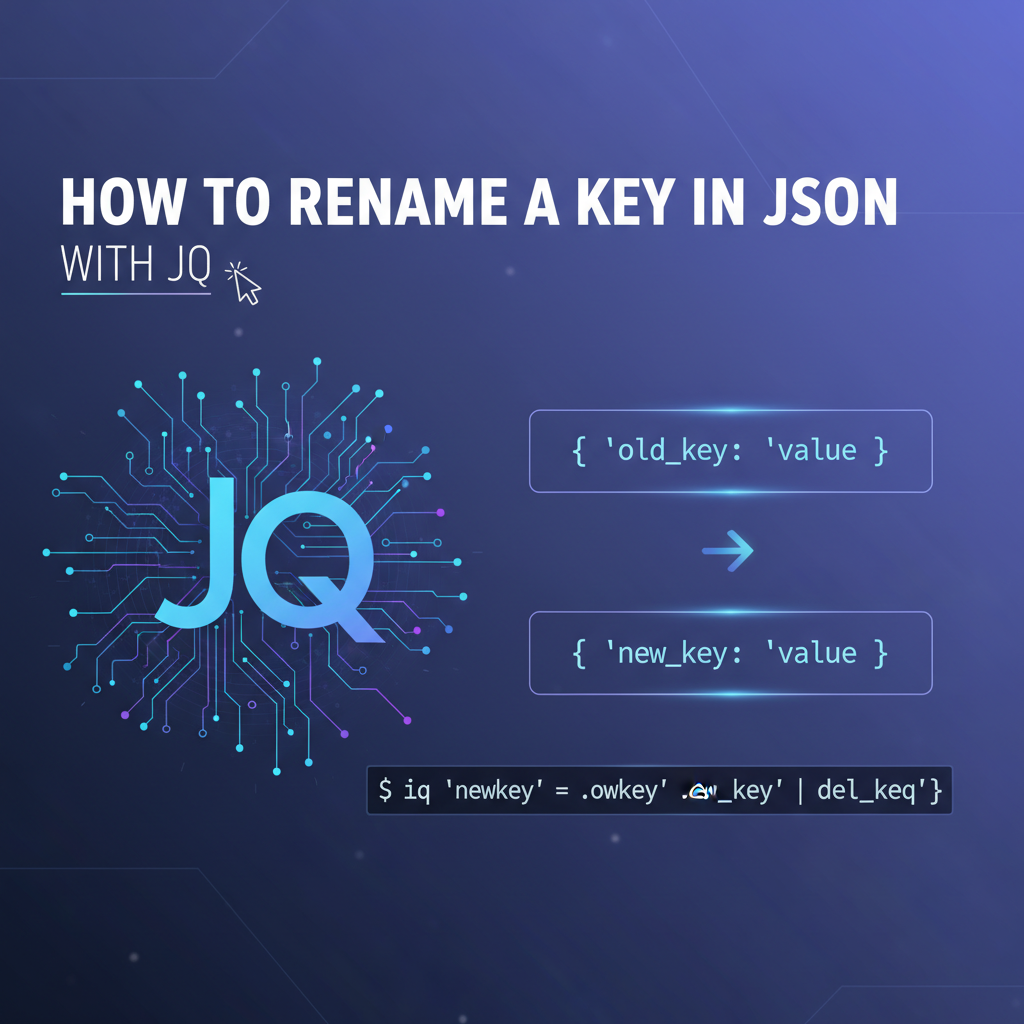
How to Rename a Key in JSON with jq


APIPark is a high-performance AI gateway that allows you to securely access the most comprehensive LLM APIs globally on the APIPark platform, including OpenAI, Anthropic, Mistral, Llama2, Google Gemini, and more.Try APIPark now! 👇👇👇
Navigating the Labyrinth of JSON: Mastering Key Renaming with jq
In the sprawling digital landscape of modern computing, data is the lifeblood that courses through applications, services, and entire infrastructures. At the heart of this data exchange, especially within web services and microservice architectures, lies JSON (JavaScript Object Notation). Its lightweight, human-readable format has cemented its position as the de facto standard for data interchange, far surpassing XML in many contemporary use cases. From configuration files to API responses, and from database documents to inter-process communication, JSON’s ubiquitous presence is undeniable.
However, the journey of data through various systems is rarely a straight path. Data often originates from diverse sources, each with its own conventions, schema preferences, and naming methodologies. Consequently, developers frequently encounter scenarios where the keys within a JSON object do not perfectly align with the requirements of the consuming application, a target API, or an internal data model. This mismatch necessitates a transformation – a crucial step in data normalization and integration. While programming languages offer libraries to parse and manipulate JSON, performing these transformations rapidly and efficiently, especially on the command line or within shell scripts, demands a specialized and powerful tool. This is precisely where jq enters the scene.
jq is often described as a "lightweight and flexible command-line JSON processor." It is, in essence, sed for JSON data. With jq, you can slice, filter, map, and transform structured data with surprising ease and sophistication. Its concise syntax allows for complex operations to be expressed in a single line, making it an indispensable utility for developers, system administrators, and anyone who regularly interacts with JSON data. This article will embark on a comprehensive exploration of one of jq's most fundamental and frequently needed capabilities: renaming keys within JSON objects. We will delve deep into various techniques, from straightforward renamings to intricate conditional and nested transformations, providing rich, practical examples and detailed explanations that illuminate jq's prowess. As we explore these low-level data manipulations, we'll also touch upon how such transformations fit into the broader context of api management and sophisticated data orchestration through an open platform, where tools like jq lay the groundwork for more complex gateway operations.
The Imperative of Renaming: Why Data Homogenization Matters
Before diving into the mechanics of jq, it's vital to understand why renaming keys is such a pervasive requirement. The reasons are manifold and deeply rooted in the principles of robust software engineering and efficient data management.
- Data Normalization and Schema Consistency:
- Imagine consuming data from half a dozen different
apis, each providing information about a "user." One might useuserId, anotherid, a thirdcustomerIdentifier, and yet anotheruser_id. For your application to process this consistently, it needs a unified schema. Renaming these disparate keys to a single, canonical form (e.g., alwaysuserId) is a crucial normalization step. This ensures that your internal data structures and business logic don't need to account for every possible variation, simplifying code and reducing cognitive load. This consistency is particularly critical when designing anopen platformwhere diverse data sources are expected to integrate seamlessly.
- Imagine consuming data from half a dozen different
- API Versioning and Evolution:
- As APIs evolve, their underlying data structures may change. A new version of an
apimight introduce a better key name, or consolidate several fields into one. When migrating from an older API version to a newer one, or adapting existing consumers to a modified schema, renaming keys allows for backward compatibility shims or smooth transitions without forcing a complete rewrite of upstream or downstream systems. Anapi gatewayoften plays a pivotal role in these transitions, applying transformations on the fly.
- As APIs evolve, their underlying data structures may change. A new version of an
- Third-Party Integration and External System Compatibility:
- When integrating with third-party services, their JSON schemas are often fixed. Your internal system might have a preferred naming convention (e.g.,
camelCase), while an external service might demandsnake_caseorPascalCase. Renaming keys becomes essential to bridge this compatibility gap, ensuring that data sent to or received from external systems adheres to their specific requirements without altering your internal data models. This is a common challenge that anopen platformaims to simplify.
- When integrating with third-party services, their JSON schemas are often fixed. Your internal system might have a preferred naming convention (e.g.,
- Readability and Maintainability:
- Sometimes, key names in incoming JSON might be obscure, overly abbreviated, or simply poorly chosen from a semantic perspective. Renaming them to more descriptive and domain-appropriate terms can significantly improve the readability and maintainability of the code that processes this JSON, making it easier for developers to understand the data's purpose at a glance.
- Security and Data Masking (Minimal Transformation):
- While not its primary role,
jqcan be used for light data masking. If a key contains sensitive information that should not be exposed to certain downstream systems,jqcan be used todelete it. Conversely, if a key's name itself reveals too much about internal architecture, it could be renamed to a more generic term. More sophisticated masking, however, would involve changing the values, which is also withinjq's capabilities.
- While not its primary role,
The ability to precisely and efficiently rename keys is thus a cornerstone of robust data integration and management in any environment heavily reliant on JSON. With jq, this power is literally at your fingertips.
A Primer on jq: Your JSON Swiss Army Knife
Before we delve into the intricate dance of key renaming, a brief refresher on jq's fundamentals is in order. If you're new to jq, understanding its core principles will make the subsequent examples far more intuitive.
Installation
jq is available for virtually all operating systems. * Linux (Debian/Ubuntu): sudo apt-get install jq * Linux (Fedora/RHEL): sudo dnf install jq * macOS: brew install jq * Windows: Download the executable from the official jq website or use choco install jq.
Basic Syntax and Concepts
jq takes a filter as an argument and applies it to a JSON input. * Identity Filter (.): The simplest filter, . returns the entire input JSON. bash echo '{"name": "Alice", "age": 30}' | jq '.' # Output: # { # "name": "Alice", # "age": 30 # } * Key Access (.key_name): To access a specific key's value. bash echo '{"name": "Alice", "age": 30}' | jq '.name' # Output: # "Alice" * Pipes (|): Filters can be chained using pipes, where the output of one filter becomes the input of the next. bash echo '{"user": {"name": "Bob"}}' | jq '.user | .name' # Output: # "Bob" * Object Construction ({}): You can construct new JSON objects. bash echo '{"firstName": "John", "lastName": "Doe"}' | jq '{fullName: (.firstName + " " + .lastName)}' # Output: # { # "fullName": "John Doe" # } * Array Construction ([]): Similarly, new arrays can be constructed. bash echo '[1, 2, 3]' | jq '[.[] * 2]' # Output: # [ # 2, # 4, # 6 # ] * Iterators (.[]): To iterate over elements of an array or values of an object. bash echo '[{"id": 1}, {"id": 2}]' | jq '.[].id' # Output: # 1 # 2 (Note: .[] typically outputs multiple JSON values, one per line. If you want them in an array, wrap the whole expression in []).
With these basics under our belt, we are well-equipped to tackle the more advanced topic of key renaming.
The Art of Transformation: Renaming Keys with jq
Renaming keys in jq isn't a single, straightforward command but rather a composition of its powerful filters and functions. The specific approach depends on the complexity of the transformation: whether it's a single top-level key, multiple keys, nested keys, or conditional renames.
1. The Direct (and Sometimes Clumsy) Approach: del and Reassignment
For a single, top-level key rename, one common pattern involves deleting the old key and then creating a new key with the desired name, assigning it the value of the old key.
Scenario: You have a JSON object with a key named old_key_name, and you want to rename it to new_key_name.
Input JSON:
{
  "productCode": "P-123",
  "name": "Widget A",
  "price": 29.99
}
Desired Output: Rename productCode to itemCode.
{
  "itemCode": "P-123",
  "name": "Widget A",
  "price": 29.99
}
jq Command:
echo '{ "productCode": "P-123", "name": "Widget A", "price": 29.99 }' | \
jq 'del(.productCode) | .itemCode = .productCode'
Explanation: 1. del(.productCode): This filter first deletes the key productCode from the input object. The del function is very useful for removing unwanted fields. 2. |: The pipe operator passes the result of the del operation (the object without productCode) to the next filter. 3. .itemCode = .productCode: This is where the magic happens. We're creating a new key itemCode and assigning it the value that was originally associated with productCode. Wait, productCode was just deleted, how does this work? jq expressions are evaluated against the original input context when possible for value retrieval. In this specific construct, when .itemCode = .productCode is evaluated, .productCode refers to the value from the original input object before del acted upon it. This is a crucial jq nuance: assignment targets (left side of =) are modified on the current object, while value retrievals (right side) can often look back at the state before modifications within the same pipe segment if the original key existed. This effectively renames the key by moving its value.
This approach is straightforward for a single key but can become cumbersome for multiple renames or nested keys, as it requires explicit del and assignment for each.
2. The Elegant and Versatile Approach: with_entries
For more complex and flexible key renaming, especially when dealing with multiple keys or dynamic renaming logic, jq's with_entries function is incredibly powerful. This function allows you to transform an object by converting it into an array of {"key": ..., "value": ...} objects, performing operations on this array, and then converting it back into an object.
Input JSON:
{
  "old_key_1": "value1",
  "old_key_2": "value2",
  "other_key": "value3"
}
Desired Output: Rename old_key_1 to new_key_1 and old_key_2 to new_key_2.
{
  "new_key_1": "value1",
  "new_key_2": "value2",
  "other_key": "value3"
}
jq Command (using if-then-else for conditional renaming):
echo '{ "old_key_1": "value1", "old_key_2": "value2", "other_key": "value3" }' | \
jq 'with_entries(
  if .key == "old_key_1" then .key = "new_key_1"
  elif .key == "old_key_2" then .key = "new_key_2"
  else .
  end
)'
Explanation: 1. with_entries(...): This function takes a filter as an argument. For each key-value pair in the input object, it creates an object of the form {"key": "original_key_name", "value": "original_value"} and applies the provided filter to it. After the filter processes all these intermediate objects, with_entries collects them and reconstructs a new JSON object. 2. if .key == "old_key_1" then .key = "new_key_1": Inside the with_entries filter, . refers to one of these intermediate {"key": ..., "value": ...} objects. We check if its key field matches "old_key_1". If it does, we update that intermediate object's key field to "new_key_1". The value field remains untouched. 3. elif .key == "old_key_2" then .key = "new_key_2": Similarly, for old_key_2. 4. else . end: For any other key that doesn't match our conditions, we simply return the intermediate object as is (.), ensuring that its key and value are preserved.
This with_entries approach is exceptionally powerful for several reasons: * Centralized Logic: All renaming logic is contained within a single with_entries block. * Readability: The if-then-else structure makes the renaming rules explicit and easy to understand. * Flexibility: It can handle any number of renames, and the conditions can be arbitrarily complex (e.g., checking key patterns with test, or even inspecting value if needed for key renaming logic). * Immutability (Conceptual): It builds a new object rather than modifying the original in place, which is often a cleaner functional programming paradigm.
3. Renaming Nested Keys
Renaming keys that are not at the top level of the JSON structure requires a slightly different approach, as with_entries primarily operates on the keys of the current object it's processing.
Scenario: You have a nested JSON object, and you need to rename a key within an inner object.
Input JSON:
{
  "user": {
    "firstName": "Jane",
    "lastName": "Doe",
    "contactInfo": {
      "email": "jane.doe@example.com",
      "mobile": "123-456-7890"
    }
  },
  "metadata": {
    "creationDate": "2023-10-27"
  }
}
Desired Output: Rename firstName to givenName and mobile to phoneNumber.
{
  "user": {
    "givenName": "Jane",
    "lastName": "Doe",
    "contactInfo": {
      "email": "jane.doe@example.com",
      "phoneNumber": "123-456-7890"
    }
  },
  "metadata": {
    "creationDate": "2023-10-27"
  }
}
jq Command (using direct path and with_entries on specific paths):
echo '{ "user": { "firstName": "Jane", "lastName": "Doe", "contactInfo": { "email": "jane.doe@example.com", "mobile": "123-456-7890" } }, "metadata": { "creationDate": "2023-10-27" } }' | \
jq '.user |= (
  del(.firstName) | .givenName = .firstName
) | .user.contactInfo |= (
  del(.mobile) | .phoneNumber = .mobile
)'
Explanation: 1. .user |= (...): The |= operator is jq's "update assignment" operator. It takes the value of .user, pipes it into the filter on the right, and then assigns the result of that filter back to .user. This allows us to apply a transformation only to a specific sub-path of the JSON. 2. del(.firstName) | .givenName = .firstName: Inside the first |= block, this applies the del and reassignment technique specifically to the user object, renaming firstName to givenName. 3. .user.contactInfo |= (...): Similarly, this targets the contactInfo object nested within user, allowing us to rename mobile to phoneNumber using the same del and reassignment pattern.
This technique is effective for known, static paths. What if the keys to be renamed are deeply nested and their paths are not always fixed, or you want to apply a renaming logic universally?
4. The walk Function: Universal Transformation for Deep Structures
jq's walk function is a powerful recursive filter that applies a given filter to every JSON object and array in the input, descending into all nested structures. This is invaluable for applying a uniform transformation, like renaming a key, wherever it appears in the JSON hierarchy.
The walk function itself is not built-in by default in older jq versions but can be defined (it often is in jq documentation as a standard library function). For modern jq versions, it's generally available. If not, you can usually copy its definition from the jq manual. For simplicity, we assume it's available.
walk Definition (if needed for older jq versions):
# Apply a filter to all scalar values and recurse into objects and arrays.
# .[expr] means it applies to all elements if it's an array,
# or all values if it's an object.
def walk(f):
  . as $in
  | if type == "object" then
      reduce keys_unsorted[] as $key ( {}; .[$key] = ($in[$key] | walk(f)) ) | f
    elif type == "array" then
      map(walk(f)) | f
    else
      f
    end;
For most recent jq versions, you can directly use walk.
Scenario: You want to rename a key named id to identifier wherever it appears in the JSON, regardless of its nesting level.
Input JSON:
{
  "project": {
    "id": "proj-abc",
    "name": "Alpha Project",
    "tasks": [
      {
        "id": "task-001",
        "description": "Initial setup"
      },
      {
        "id": "task-002",
        "details": {
          "owner_id": "user-x",
          "status": "pending"
        }
      }
    ]
  },
  "report_id": "rep-xyz"
}
Desired Output: Rename all id keys to identifier. Note: owner_id should remain owner_id as it's not exactly id.
{
  "project": {
    "identifier": "proj-abc",
    "name": "Alpha Project",
    "tasks": [
      {
        "identifier": "task-001",
        "description": "Initial setup"
      },
      {
        "identifier": "task-002",
        "details": {
          "owner_id": "user-x",
          "status": "pending"
        }
      }
    ]
  },
  "report_id": "rep-xyz"
}
jq Command:
echo '{ "project": { "id": "proj-abc", "name": "Alpha Project", "tasks": [ { "id": "task-001", "description": "Initial setup" }, { "id": "task-002", "details": { "owner_id": "user-x", "status": "pending" } } ] }, "report_id": "rep-xyz" }' | \
jq 'walk(if type == "object" then
  with_entries(if .key == "id" then .key = "identifier" else . end)
else . end)'
Explanation: 1. walk(...): This filter applies its inner logic recursively. 2. if type == "object" then ... else . end: Inside walk, . refers to the current value being processed (which could be an object, array, or scalar). We only want to apply key renaming to objects, so we check if type == "object". If it's not an object (e.g., an array or a string), we simply return it as is (.). 3. with_entries(if .key == "id" then .key = "identifier" else . end): If the current value is an object, we apply the with_entries pattern we learned earlier. This specifically checks if a key within this current object is id and renames it to identifier.
The walk function combined with with_entries provides an extremely powerful pattern for schema transformations that need to be applied uniformly across deep, complex JSON structures. This is particularly useful in an open platform context where data schemas might be semi-structured or evolve rapidly, and consistent field naming is desired.
5. Renaming Keys in an Array of Objects
Often, JSON data comes as an array of objects, where each object represents a record, and you need to transform keys within each record.
Scenario: You have an array of product objects, and each object has a sku key that you want to rename to productSku.
Input JSON:
[
  {
    "sku": "SKU-001",
    "name": "Product A",
    "price": 100
  },
  {
    "sku": "SKU-002",
    "name": "Product B",
    "price": 150
  }
]
Desired Output: Rename sku to productSku in each object.
[
  {
    "productSku": "SKU-001",
    "name": "Product A",
    "price": 100
  },
  {
    "productSku": "SKU-002",
    "name": "Product B",
    "price": 150
  }
]
jq Command:
echo '[ { "sku": "SKU-001", "name": "Product A", "price": 100 }, { "sku": "SKU-002", "name": "Product B", "price": 150 } ]' | \
jq 'map(
  with_entries(if .key == "sku" then .key = "productSku" else . end)
)'
Explanation: 1. map(...): This function iterates over each element of an array and applies the given filter to it, returning a new array with the transformed elements. 2. with_entries(if .key == "sku" then .key = "productSku" else . end): For each object in the array, we apply the with_entries pattern to rename sku to productSku.
This combination of map and with_entries is the canonical way to apply object-level transformations to elements within an array.
6. Renaming Multiple Keys Simultaneously (Consolidated with_entries)
As shown in section 2, the with_entries filter with if-elif-else can handle multiple key renames within a single object. Here's a more consolidated example:
Input JSON:
{
  "user_id": 123,
  "user_name": "Alice",
  "email_address": "alice@example.com",
  "created_at": "2023-01-01T12:00:00Z"
}
Desired Output: Rename user_id to id, user_name to name, and email_address to email.
{
  "id": 123,
  "name": "Alice",
  "email": "alice@example.com",
  "created_at": "2023-01-01T12:00:00Z"
}
jq Command:
echo '{ "user_id": 123, "user_name": "Alice", "email_address": "alice@example.com", "created_at": "2023-01-01T12:00:00Z" }' | \
jq 'with_entries(
  .key |= (
    if . == "user_id" then "id"
    elif . == "user_name" then "name"
    elif . == "email_address" then "email"
    else .
    end
  )
)'
Explanation: 1. with_entries(...): As before, this transforms each key-value pair into {"key": ..., "value": ...}. 2. .key |= (...): This is another use of the update assignment operator, but applied specifically to the .key field of the intermediate object. The filter (...) will modify the key name. 3. if . == "user_id" then "id" ... else . end: Inside this, . now refers to the value of the .key field (i.e., the original key name string). We use if-elif-else to match the original key name and return the desired new key name string. If no match, the key name remains unchanged.
This approach is highly readable and scalable for multiple, specific key renames within a single object.
Practical Considerations and Advanced Techniques
Beyond the core renaming patterns, several practical considerations and advanced techniques can further enhance your jq mastery.
Using Variables for Dynamic Renaming
Sometimes, the new key name might not be hardcoded but derived from another part of the JSON or passed as an argument. jq supports variables using the $ prefix.
Scenario: You want to rename a key based on a value found elsewhere in the JSON. This is less common for renaming but useful if the target key needs to be dynamic.
Input JSON:
{
  "config": {
    "targetKeyName": "productIdentifier"
  },
  "data": {
    "legacy_sku": "SKU-XYZ-789"
  }
}
Desired Output: Rename legacy_sku to the value of config.targetKeyName.
{
  "config": {
    "targetKeyName": "productIdentifier"
  },
  "data": {
    "productIdentifier": "SKU-XYZ-789"
  }
}
jq Command:
echo '{ "config": { "targetKeyName": "productIdentifier" }, "data": { "legacy_sku": "SKU-XYZ-789" } }' | \
jq '. as $root | .data |= (del(.legacy_sku) | .[$root.config.targetKeyName] = .legacy_sku)'
Explanation: 1. . as $root: This saves the entire input JSON object into a variable named $root. This allows us to refer back to the root object even when we're deep within a sub-filter. 2. .data |= (...): We apply an update assignment to the data object. 3. del(.legacy_sku) | .[$root.config.targetKeyName] = .legacy_sku: Inside the data transformation, we delete legacy_sku. Then, crucially, we use .[$root.config.targetKeyName] to dynamically create a new key. The [] syntax around a string or variable containing a string allows for dynamic key access and creation. Here, it will evaluate $root.config.targetKeyName (which is "productIdentifier") and use that as the new key name.
This technique, while more complex, demonstrates jq's flexibility in handling dynamic schema requirements.
Handling Missing Keys Gracefully
What if the old_key_name you're trying to rename might not always be present in the input JSON? jq generally handles this gracefully: * del(.nonExistentKey): If a key doesn't exist, del simply does nothing and returns the object unchanged. No error. * .newKey = .nonExistentKey: If .nonExistentKey doesn't exist, its value is null, so newKey would be assigned null. * with_entries will only process existing key-value pairs, so if .key == "nonExistentKey" will simply never be true for missing keys.
This robust error handling makes jq scripts quite resilient to minor variations in input schema.
Performance Considerations for Large JSON Files
For extremely large JSON files (hundreds of MBs or GBs), jq generally performs very well as it is written in C. However, some operations are more memory-intensive than others: * walk on very deep structures: While powerful, walk performs a full recursive traversal and might consume more memory than a targeted update. * with_entries on very wide objects: If an object has tens of thousands of keys, with_entries temporarily converts it into an array of objects, which can be memory-intensive. * from_entries: Similarly, converting back from [{"key":..., "value":...}] to an object using from_entries can be resource-intensive for objects with many keys.
For extreme performance needs, especially when dealing with streaming JSON (NDJSON), jq can process line by line. If your JSON is a single massive document, ensure your system has enough RAM. For most common use cases, jq's performance is rarely a bottleneck.
When jq Is Not Enough: The Role of API Gateways and Open Platforms
While jq is an undisputed champion for command-line JSON manipulation, its scope is inherently limited to single-document transformations. It operates in an isolated, stateless manner. In the context of large-scale distributed systems, microservices, and complex api ecosystems, the challenges extend far beyond merely renaming a few keys in a static JSON file. This is where dedicated infrastructure solutions, particularly api gateways and comprehensive open platforms for API management, become indispensable.
Consider a scenario where: * You need to apply transformations not just to JSON keys, but also to HTTP headers, query parameters, or entire request bodies, often conditionally based on factors like user authentication, request path, or backend service health. * These transformations must occur in real-time, at high throughput, across potentially hundreds or thousands of api calls per second. * You require robust authentication, authorization, rate limiting, caching, and logging for all api traffic. * You're integrating with a multitude of AI models, each with its own preferred api invocation format, and you need a unified interface to abstract away these differences. * Teams across an organization need to discover, consume, and manage their apis efficiently, often with fine-grained access controls and detailed analytics.
In such complex environments, jq might still be used by individual developers for debugging or preparing data, but the heavy lifting of real-time, governed api data transformation is handled by an api gateway. These platforms provide a centralized point of entry for all api requests, enabling a wide array of cross-cutting concerns to be managed systematically.
For organizations grappling with the complexities of managing diverse apis, especially in the rapidly evolving AI landscape, an open platform solution like APIPark offers a compelling answer. APIPark is an open-source AI gateway and API developer portal designed to simplify the management, integration, and deployment of both AI and traditional REST services. While jq empowers individual developers to surgically alter JSON structures, APIPark operates at a much higher level of abstraction, providing a unified gateway for over 100+ AI models, standardizing api invocation formats, and encapsulating complex prompts into simple REST apis. It manages the entire api lifecycle, from design to decommissioning, ensures performance rivaling industry giants, and offers powerful data analytics. The kind of JSON key renaming we've discussed with jq might occur within a transformation policy configured on APIPark itself, or as a preparatory step for data being fed into or consumed from services managed by such a robust open platform. The synergy lies in jq handling the granular, scriptable transformations, while an APIPark provides the architectural backbone for integrating, transforming, and governing apis at scale.
Comprehensive Example: Transforming Real-World API Data
Let's consolidate many of these techniques into a single, more elaborate example that simulates a common real-world scenario: cleaning and standardizing data received from a hypothetical external api.
Scenario: You receive product data from a vendor api that uses inconsistent naming conventions. You need to standardize these for your internal inventory system.
Input JSON (from vendor api):
{
  "products_list": [
    {
      "product_id": "P001",
      "prod_name": "Laptop Pro X",
      "current_price": {
        "amount": 1200.00,
        "currency_code": "USD"
      },
      "specifications": [
        {"key": "CPU", "value": "Intel i7"},
        {"key": "RAM_SIZE", "value": "16GB"}
      ],
      "active": true
    },
    {
      "product_id": "P002",
      "prod_name": "Gaming Mouse v2",
      "current_price": {
        "amount": 75.50,
        "currency_code": "EUR"
      },
      "specifications": [
        {"key": "DPI", "value": "16000"},
        {"key": "WEIGHT_GRAMS", "value": "120g"}
      ],
      "status": "available",
      "active": true
    },
    {
      "product_id": "P003",
      "product_title": "USB-C Hub",
      "price_info": {
        "value": 35.00,
        "currency": "GBP"
      },
      "specs": [
        {"type": "ports", "detail": "4x USB-A"}
      ],
      "active": false
    }
  ],
  "retrieval_timestamp": "2023-10-27T10:30:00Z"
}
Desired Output: 1. Rename products_list to products. 2. Within each product object: * Rename product_id to id. * Rename prod_name or product_title to name. * Rename current_price or price_info to priceDetails. * Inside priceDetails, rename amount or value to amount, and currency_code or currency to currency. * Rename specifications or specs to features. * Inside features (which is an array of objects): * If the inner object has key and value, rename key to name and value to detail. * If the inner object has type and detail, preserve detail but rename type to name. * Remove status key if present. * Add a source key with value "vendor_api". 3. Rename retrieval_timestamp to last_updated.
jq Command:
jq '
  .products = (.products_list | map(
    .id = (.product_id // .id) |
    .name = (.prod_name // .product_title // .name) |
    .priceDetails = (
      (.current_price // .price_info) |
      {
        amount: (.amount // .value // null),
        currency: (.currency_code // .currency // null)
      }
    ) |
    .features = (
      (.specifications // .specs) | map(
        with_entries(
          if .key == "key" then .key = "name"
          elif .key == "value" then .key = "detail"
          elif .key == "type" then .key = "name"
          else .
          end
        )
      )
    ) |
    del(.product_id, .prod_name, .product_title, .current_price, .price_info, .specifications, .specs, .status) |
    .source = "vendor_api"
  )) |
  del(.products_list) |
  .last_updated = .retrieval_timestamp |
  del(.retrieval_timestamp)
' <<EOF
{
  "products_list": [
    {
      "product_id": "P001",
      "prod_name": "Laptop Pro X",
      "current_price": {
        "amount": 1200.00,
        "currency_code": "USD"
      },
      "specifications": [
        {"key": "CPU", "value": "Intel i7"},
        {"key": "RAM_SIZE", "value": "16GB"}
      ],
      "active": true
    },
    {
      "product_id": "P002",
      "prod_name": "Gaming Mouse v2",
      "current_price": {
        "amount": 75.50,
        "currency_code": "EUR"
      },
      "specifications": [
        {"key": "DPI", "value": "16000"},
        {"key": "WEIGHT_GRAMS", "value": "120g"}
      ],
      "status": "available",
      "active": true
    },
    {
      "product_id": "P003",
      "product_title": "USB-C Hub",
      "price_info": {
        "value": 35.00,
        "currency": "GBP"
      },
      "specs": [
        {"type": "ports", "detail": "4x USB-A"}
      ],
      "active": false
    }
  ],
  "retrieval_timestamp": "2023-10-27T10:30:00Z"
}
EOF
Output JSON:
{
  "retrieval_timestamp": "2023-10-27T10:30:00Z",
  "products": [
    {
      "active": true,
      "id": "P001",
      "name": "Laptop Pro X",
      "priceDetails": {
        "amount": 1200,
        "currency": "USD"
      },
      "features": [
        {
          "name": "CPU",
          "detail": "Intel i7"
        },
        {
          "name": "RAM_SIZE",
          "detail": "16GB"
        }
      ],
      "source": "vendor_api"
    },
    {
      "active": true,
      "id": "P002",
      "name": "Gaming Mouse v2",
      "priceDetails": {
        "amount": 75.5,
        "currency": "EUR"
      },
      "features": [
        {
          "name": "DPI",
          "detail": "16000"
        },
        {
          "name": "WEIGHT_GRAMS",
          "detail": "120g"
        }
      ],
      "source": "vendor_api"
    },
    {
      "active": false,
      "id": "P003",
      "name": "USB-C Hub",
      "priceDetails": {
        "amount": 35,
        "currency": "GBP"
      },
      "features": [
        {
          "name": "ports",
          "detail": "4x USB-A"
        }
      ],
      "source": "vendor_api"
    }
  ],
  "last_updated": "2023-10-27T10:30:00Z"
}
Detailed Explanation of the jq Command:
.products = (...): We create a new top-level keyproducts. Its value is derived from theproducts_listarray by applying a series of transformations.(.products_list | map(...)): We selectproducts_list, thenmapits elements (each product object) through the inner filter.- Inside
map(for each product object):.id = (.product_id // .id): This isjq's "alternative operator" (//). It assignsproduct_idtoidifproduct_idexists and is notnullorfalse; otherwise, it assigns the current value ofid(ornullifiddoesn't exist either). This gracefully handles cases whereidmight already be present or need to be defaulted..name = (.prod_name // .product_title // .name): Similar toid, but prioritizesprod_name, thenproduct_title, falling back tonameornull..priceDetails = (...): Creates thepriceDetailsobject.(.current_price // .price_info): Selects eithercurrent_priceorprice_info.{ amount: (.amount // .value // null), currency: (.currency_code // .currency // null) }: Constructs the new object, again using//to pick the correct sub-keys (amountorvalueforamount,currency_codeorcurrencyforcurrency).
.features = (...): Creates thefeaturesarray.(.specifications // .specs): Selects eitherspecificationsorspecsarray.| map(...): Applies a transformation to each feature object within that array.- Inside
featuresmap(for each feature object):with_entries(...): Converts the feature object (e.g.,{"key": "CPU", "value": "Intel i7"}) into{"key": "key", "value": "CPU"}and{"key": "value", "value": "Intel i7"}.if .key == "key" then .key = "name" ... else . end: This renames thekeyfield tonameand thevaluefield todetail(and also handlestypetoname).
del(.product_id, .prod_name, .product_title, .current_price, .price_info, .specifications, .specs, .status): After creating the new, standardized fields, we delete all the old, non-standardized fields to clean up the object. This is a crucial step to avoid duplicate or legacy keys..source = "vendor_api": Adds a new field to each product, indicating its origin.
del(.products_list): After processing all products, we delete the originalproducts_listarray from the root object..last_updated = .retrieval_timestamp | del(.retrieval_timestamp): Finally, we rename the top-levelretrieval_timestamptolast_updatedusing thedeland reassignment pattern.
This extensive example demonstrates the power of jq to handle complex, multi-level JSON transformations, including conditional renaming, array mapping, object reconstruction, and cleanup operations, all within a single, coherent jq script. This is the kind of granular transformation that often precedes or follows data movement through an api gateway or within an open platform handling diverse data sources.
Conclusion: jq as the Lingua Franca of JSON Transformation
The journey through the capabilities of jq for renaming keys illuminates its status as an indispensable tool in the modern developer's toolkit. From simple top-level renames to sophisticated conditional and deep-recursive transformations, jq provides an elegant, concise, and incredibly powerful language for manipulating JSON data on the command line. Its filters, functions, and compositional nature allow for the expression of complex data logic with remarkable brevity, enabling developers and system administrators to quickly adapt, normalize, and transform JSON data to meet diverse requirements.
In a world increasingly driven by interconnected apis and microservices, where JSON is the universal dialect, the ability to efficiently standardize data structures is not merely a convenience but a necessity. jq empowers individuals to perform these critical tasks with precision. However, as the scale and complexity of data integration grow, moving beyond ad-hoc scripts to managed api ecosystems, the need for robust api gateway solutions becomes paramount. Platforms like APIPark demonstrate how an open platform approach can centralize api management, streamline AI integration, and orchestrate complex data flows, often building upon the foundational JSON transformation principles that jq so expertly embodies. Whether you're debugging a single api response or architecting a global gateway, mastering jq is a fundamental step toward achieving seamless and efficient data interoperability.
Frequently Asked Questions (FAQ)
- What is the fastest way to rename a single top-level key in
jq? The fastest and most direct way is often usingdeland then reassignment:jq 'del(.old_key) | .new_key = .old_key'. This efficiently removes the old key and creates the new one with the original value. - How can I rename multiple keys in a JSON object simultaneously using
jq? The most robust and readable method for renaming multiple keys in a single object is to usewith_entries. You can chainif-elif-elseconditions within thewith_entriesfilter to specify which old keys map to which new keys. For example:jq 'with_entries(if .key == "old1" then .key = "new1" elif .key == "old2" then .key = "new2" else . end)'. - Is it possible to rename a key that is deeply nested within a complex JSON structure? Yes, for specific, known paths, you can use
jq '.path.to.object |= (del(.old_key) | .new_key = .old_key)'. If you need to rename a key universally, wherever it appears in the JSON (regardless of nesting),jq 'walk(if type == "object" then with_entries(if .key == "old_key" then .key = "new_key" else . end) else . end)'is the most powerful technique, often leveraging thewalkfunction. - What should I do if the key I want to rename might not always be present in the input JSON?
jqhandles missing keys gracefully. If you try todel(.missing_key),jqwill simply return the object unchanged without an error. If you assign.new_key = .missing_key,new_keywill be assignednull. Thewith_entriesapproach also naturally ignores keys that don't exist. This built-in robustness means you typically don't need explicit error handling for missing keys. - How does
jqfit into a larger API management strategy, such as with an API gateway like APIPark?jqis an excellent tool for granular, command-line JSON transformations, perfect for scripting, debugging, or one-off data preparation tasks. In a larger API management strategy, an API gateway (like APIPark) extends these capabilities to a system-wide level. Whilejqcan process individual JSON documents, an API gateway handles real-time transformations, routing, authentication, and governance for potentially millions of API requests and responses, often abstracting away the underlying JSON complexities.jqcan be used to define or test transformation logic that might then be implemented within the gateway's policy engine, or to pre-process data before it hits the gateway or after it leaves.
🚀You can securely and efficiently call the OpenAI API on APIPark in just two steps:
Step 1: Deploy the APIPark AI gateway in 5 minutes.
APIPark is developed based on Golang, offering strong product performance and low development and maintenance costs. You can deploy APIPark with a single command line.
curl -sSO https://download.apipark.com/install/quick-start.sh; bash quick-start.sh

In my experience, you can see the successful deployment interface within 5 to 10 minutes. Then, you can log in to APIPark using your account.

Step 2: Call the OpenAI API.