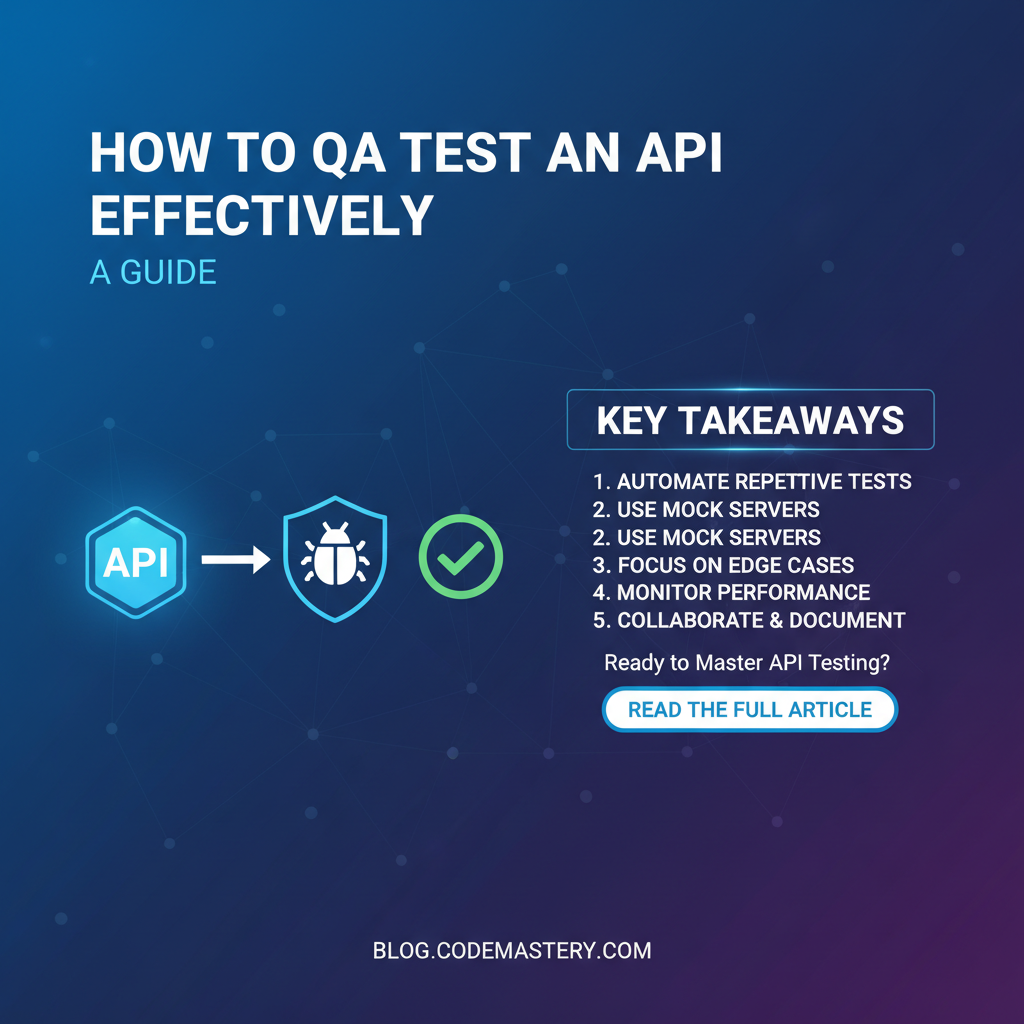
How to QA Test an API Effectively: A Guide



In the intricate tapestry of modern software development, Application Programming Interfaces (APIs) serve as the indispensable threads that weave together disparate systems, services, and applications. From mobile apps communicating with cloud servers to microservices exchanging data within complex enterprise architectures, APIs are the silent workhorses enabling seamless digital experiences. However, the true power of an api lies not just in its existence, but in its reliability, performance, and security. Without rigorous Quality Assurance (QA) testing, even the most elegantly designed api can become a liability, leading to system failures, data breaches, and ultimately, a compromised user experience.
This comprehensive guide delves deep into the multifaceted world of api QA testing, offering a structured approach to ensure your APIs are robust, efficient, and secure. We will explore the fundamental principles, essential methodologies, cutting-edge tools, and best practices that empower QA professionals to test APIs effectively, transforming potential vulnerabilities into pillars of stability. Whether you are a seasoned QA engineer, a developer venturing into api testing, or a project manager seeking to understand the intricacies of api quality, this guide will equip you with the knowledge to build and maintain high-quality api ecosystems.
Why API Testing is Crucial: Beyond the User Interface
The common perception of software testing often gravitates towards the Graphical User Interface (GUI) – clicking buttons, filling forms, and validating visual outputs. While GUI testing is undoubtedly vital for user experience, it only scratches the surface of an application's underlying health. APIs, in contrast, form the foundational layer upon which the GUI often rests. They are the invisible engines driving the application's logic, data exchange, and functionality. Consequently, testing an api effectively is not merely an option but a critical imperative for several compelling reasons:
Firstly, Early Bug Detection and Shift-Left Testing. APIs represent a much lower level of abstraction than the UI. Bugs discovered at the api level are typically easier and less expensive to fix than those that surface later during GUI testing or, worse, after deployment in production. By adopting a "shift-left" testing approach, QA teams can identify and rectify defects much earlier in the Software Development Lifecycle (SDLC), significantly reducing the cost and effort of remediation. An issue caught in an api endpoint often prevents multiple downstream problems from occurring across various UI components or integrated systems.
Secondly, Ensuring Performance and Reliability. An api that functions correctly under minimal load might crumble under stress. Performance testing at the api level allows teams to validate response times, throughput, and resource utilization under various load conditions, ensuring the api can handle expected (and even peak) traffic volumes. Reliability testing further guarantees that the api consistently delivers its intended functionality over extended periods, handling errors gracefully and recovering from failures without user intervention. Without this, even a functionally perfect api can lead to frustrated users and business losses due to slow responses or outages.
Thirdly, Fortifying Security Posture. APIs are prime targets for cyberattacks. Vulnerabilities such as broken authentication, insecure direct object references, excessive data exposure, or injection flaws can be exploited to gain unauthorized access, manipulate data, or bring down services. api security testing specifically targets these weak points, ensuring that authentication mechanisms are robust, authorization rules are strictly enforced, data is protected during transmission and at rest, and common attack vectors are mitigated. Relying solely on UI security checks leaves critical backend vulnerabilities exposed, making comprehensive api security testing non-negotiable in today's threat landscape.
Fourthly, Cost Reduction in the Long Run. Investing in thorough api testing might seem like an upfront cost, but it yields substantial savings over time. Fewer production bugs mean less emergency patching, reduced support tickets, and improved developer productivity. Furthermore, a well-tested api is more stable, leading to fewer system downtimes and a better reputation for the software product or service. The cost of fixing a bug post-release can be exponentially higher than fixing it during the development or testing phases, making robust api QA a sound economic decision.
Finally, Facilitating System Integration and User Experience. In an increasingly interconnected world, APIs are the glue that binds different services. Effective api testing ensures that an api integrates seamlessly with other systems, exchanging data correctly and predictably. This directly impacts the end-user experience, as any glitches in api communication can manifest as broken features, incorrect data displays, or frustrating errors in the user interface. A robust api foundation translates directly into a smooth, reliable, and positive experience for the end-user, fostering trust and loyalty.
Understanding API Fundamentals for QA Testers
Before diving into the mechanics of testing, a QA professional must grasp the foundational concepts of an api. An api (Application Programming Interface) is essentially a set of definitions and protocols that allows different software applications to communicate with each other. It defines how software components should interact. While there are various api styles, certain concepts are universal or widely applicable, particularly in the context of web APIs, which are the most common focus of QA testing today.
What is an API? A Deep Dive
The term api is broad, encompassing various architectural styles and communication protocols. For web api testing, the most prevalent styles are:
- REST (Representational State Transfer): The most popular
apiarchitectural style, RESTful APIs use standard HTTP methods to perform operations on resources. Resources are identified by URLs (Uniform Resource Locators), and their state can be represented in formats like JSON or XML. REST is stateless, meaning each request from a client to the server contains all the information needed to understand the request. - SOAP (Simple Object Access Protocol): An older, more structured, and typically heavier protocol that relies on XML for message formatting and often uses HTTP or SMTP for message negotiation. SOAP APIs are known for their strong typing, formal contracts (WSDL - Web Services Description Language), and built-in error handling, making them popular in enterprise environments requiring high security and transactionality.
- GraphQL: A query language for APIs and a runtime for fulfilling those queries with your existing data. GraphQL allows clients to request exactly the data they need, no more, no less, solving the over-fetching and under-fetching problems common with REST. It uses a single endpoint and relies on a schema to define available data.
For QA testers, understanding the specific style of the api being tested is paramount, as it dictates the testing approach, tools, and expected behaviors.
HTTP Methods: The Verbs of an API
Web APIs primarily use HTTP methods (also known as verbs) to indicate the desired action to be performed on a resource. These methods are fundamental to RESTful api design and testing:
- GET: Retrieves data from the server. It should be idempotent (multiple identical requests have the same effect as a single one) and safe (it doesn't change the server's state).
- Example:
GET /users/123retrieves information about user with ID 123.
- Example:
- POST: Submits new data to the server, often creating a new resource. It is neither idempotent nor safe.
- Example:
POST /userswith a request body containing new user data.
- Example:
- PUT: Updates an existing resource or creates a new one if it doesn't exist, replacing the entire resource with the data provided. It is idempotent.
- Example:
PUT /users/123with a request body containing updated user data for user 123.
- Example:
- PATCH: Partially updates an existing resource. It is neither idempotent nor safe.
- Example:
PATCH /users/123with a request body containing only the fields to be updated for user 123.
- Example:
- DELETE: Removes a specified resource from the server. It is idempotent.
- Example:
DELETE /users/123removes user with ID 123.
- Example:
Testers must verify that each api endpoint correctly implements its specified HTTP method, adhering to idempotency and safety principles where applicable.
Status Codes: API's Way of Communicating Success or Failure
HTTP status codes are three-digit numbers returned by the server in response to an api request, indicating the status of the request. Understanding these codes is crucial for validating api behavior:
- 2xx Success:
200 OK: The request was successful.201 Created: A new resource was successfully created (typically after a POST request).204 No Content: The request was successful, but there's no content to send back (e.g., a successful DELETE).
- 3xx Redirection:
301 Moved Permanently: The resource has been permanently moved to a new URL.304 Not Modified: The resource has not been modified since the last request.
- 4xx Client Error: Indicates an error on the client's part.
400 Bad Request: The server cannot process the request due to invalid syntax.401 Unauthorized: The client is not authenticated.403 Forbidden: The client is authenticated but does not have permission to access the resource.404 Not Found: The requested resource could not be found.405 Method Not Allowed: The HTTP method used is not supported for the requested resource.429 Too Many Requests: The client has sent too many requests in a given amount of time (rate limiting).
- 5xx Server Error: Indicates an error on the server's part.
500 Internal Server Error: A generic error indicating an unexpected condition on the server.502 Bad Gateway: The server, while acting as a gateway or proxy, received an invalid response from an upstream server.503 Service Unavailable: The server is currently unable to handle the request due to temporary overloading or maintenance.
QA testers must verify that the api returns the correct status codes for both successful and erroneous scenarios, including edge cases and invalid inputs.
Headers, Query Parameters, and Request Body: The Anatomy of a Request
An api request is more than just a URL and a method. It comprises several components that carry vital information:
- Headers: Key-value pairs that provide metadata about the request or response. Common headers include:
Content-Type: Specifies the media type of the request or response body (e.g.,application/json).Authorization: Carries authentication credentials (e.g., Bearer tokens, API keys).Accept: Specifies the media types that are acceptable for the response.User-Agent: Identifies the client making the request.
- Query Parameters: Appended to the URL after a
?, used to filter, paginate, or sort data when retrieving resources. They are key-value pairs separated by&.- Example:
GET /products?category=electronics&limit=10
- Example:
- Request Body: The actual data payload sent with POST, PUT, or PATCH requests. Typically formatted in JSON or XML.
- Example:
{ "name": "New Product", "price": 99.99 }
- Example:
Testers need to validate that the api correctly processes and responds to various combinations of headers, query parameters, and request body structures, including missing, invalid, or malformed data.
Authentication and Authorization: Securing API Access
Security is paramount for APIs. Testers must thoroughly understand and validate the api's authentication and authorization mechanisms:
- Authentication: Verifies the identity of the client (who you are). Common methods include:
- API Keys: Simple tokens sent in headers or query parameters.
- Basic Auth: Username and password encoded in base64.
- OAuth 2.0: A standard for delegated authorization, allowing third-party applications to access resources on behalf of a user without exposing user credentials. Involves access tokens, refresh tokens, and various grant types.
- JWT (JSON Web Tokens): A compact, URL-safe means of representing claims to be transferred between two parties. Often used with OAuth for stateless authentication.
- Authorization: Determines what an authenticated client is allowed to do (what you can access). This involves role-based access control (RBAC), attribute-based access control (ABAC), or granular permissions.
QA tests should cover successful authentication, failed authentication attempts, attempts to access unauthorized resources, token expiration, and proper handling of credentials.
Data Formats: The Language of Exchange
APIs exchange data in various formats, with JSON (JavaScript Object Notation) and XML (Extensible Markup Language) being the most common. Testers must ensure the api correctly parses incoming data in expected formats and returns responses in the specified format, adhering to schema definitions. Validation includes checking data types, mandatory fields, correct array structures, and handling of malformed payloads.
The API Testing Lifecycle: A Structured Approach
Effective api QA testing is not a one-off activity but an integral, continuous process throughout the entire api lifecycle. It follows a structured approach encompassing planning, design, execution, reporting, and maintenance.
1. Planning & Design
This initial phase sets the foundation for successful api testing.
- Understanding Requirements and Specifications: Before any testing begins, QA teams must thoroughly understand the
api's functional and non-functional requirements. This includes business logic, data contracts, expected behaviors, performance targets, and security policies. Clear communication with developers and product owners is crucial here. - Importance of
OpenAPI(Swagger) Specifications: Modernapidevelopment heavily relies onOpenAPIspecifications (formerly Swagger). AnOpenAPIdocument provides a machine-readable interface description of theapi, detailing its endpoints, HTTP methods, parameters, request/response structures, authentication schemes, and data models. For QA, this specification is a goldmine. It serves as the single source of truth for theapi's contract, enabling testers to:- Understand the
apiwithout needing access to the source code. - Generate test data and test cases automatically or semi-automatically.
- Perform contract testing to ensure the
apiadheres to its defined contract. - Detect discrepancies between implementation and documentation early.
- Understand the
- Defining Test Scope and Objectives: Based on the requirements and
OpenAPIspecification, define what needs to be tested, to what depth, and what the expected outcomes are. Prioritize areas of high risk or critical functionality. Objectives might include validating data integrity, achieving specific performance metrics, or identifying security vulnerabilities.
2. Test Case Creation
Once the planning is complete, the focus shifts to designing detailed test cases.
- Types of Tests: Determine the appropriate types of tests to conduct (functional, performance, security, reliability, etc.) based on the
api's criticality and requirements. - Positive vs. Negative Testing:
- Positive Testing: Verifies that the
apibehaves as expected with valid inputs and optimal conditions (e.g., successful data retrieval, resource creation). - Negative Testing: Validates how the
apihandles invalid, unexpected, or malicious inputs and conditions (e.g., invalid authentication credentials, malformed request bodies, missing mandatory fields, excessive requests). This is crucial for robustness and security.
- Positive Testing: Verifies that the
- Edge Cases and Boundary Conditions: Design tests for extreme values, limits, and boundaries of input parameters (e.g., minimum/maximum allowed values, empty strings, large datasets, zero).
- Data-Driven Testing: Utilize various sets of input data to test the
api's behavior under different scenarios. This can involve reading data from external sources like CSV files or databases.
3. Test Execution
This phase involves running the designed test cases, either manually or, more commonly, through automation.
- Manual vs. Automated Testing:
- Manual Testing: Useful for initial exploration, ad-hoc testing, and verifying complex workflows that are difficult to automate. Tools like Postman or Insomnia are excellent for manual
apiexploration. - Automated Testing: Essential for efficiency, repeatability, and regression testing. Automation frameworks allow tests to be executed quickly and consistently, often integrated into CI/CD pipelines. This is where the majority of
apitesting effort should lie.
- Manual Testing: Useful for initial exploration, ad-hoc testing, and verifying complex workflows that are difficult to automate. Tools like Postman or Insomnia are excellent for manual
- Tools for API Testing: Select appropriate tools based on the
apistyle, team's technical stack, and testing requirements. (Detailed discussion on tools follows in a later section). - Integration with CI/CD: Integrate automated
apitests into the Continuous Integration/Continuous Delivery pipeline. This ensures that every code change triggers automaticapitests, providing immediate feedback on regressions or new issues. This "continuous testing" approach is a cornerstone of modern DevOps.
4. Reporting & Analysis
After test execution, it's crucial to analyze the results and report findings.
- Logging and Metrics: Capture detailed logs of
apirequests and responses, including timings, status codes, and error messages. Collect performance metrics like response times, throughput, and error rates. - Defect Reporting: Document any identified bugs or deviations from expected behavior in a bug tracking system. Provide clear steps to reproduce, expected results, actual results, and relevant request/response payloads.
- Performance Analysis: Analyze performance test results against established benchmarks and service level agreements (SLAs). Identify bottlenecks, scalability issues, or performance regressions.
- Test Reports: Generate comprehensive test reports summarizing test coverage, pass/fail rates, critical defects found, and overall
apiquality assessment. These reports inform stakeholders and guide development efforts.
5. Maintenance
The api landscape is dynamic, and test suites must evolve with it.
- Keeping Tests Up-to-Date: As the
apievolves (new endpoints, modified contracts, updated business logic), test cases must be updated to reflect these changes. This requires a robust version control strategy for test code. - Regression Testing: Regularly execute the entire suite of automated
apitests to ensure that new code deployments or changes do not introduce regressions into existing functionality. This is a continuous process. - Refactoring Test Code: Just like application code, test code needs to be refactored to maintain readability, efficiency, and extensibility. Poorly maintained test suites become brittle and a burden.
Types of API Tests: A Comprehensive Exploration
Effective api testing demands a multi-faceted approach, encompassing various testing types to uncover different classes of defects. Each type of test targets specific aspects of the api's behavior, ensuring a holistic quality assessment.
1. Functional Testing
Functional testing is the cornerstone of api QA, verifying that each api endpoint behaves according to its specifications and business requirements.
- Verifying Endpoints Return Expected Data: This involves sending requests with valid inputs and asserting that the
apireturns the correct data structures, data types, and values in the response body. This includes checking for correct filtering, sorting, and pagination. - Input Validation: Thoroughly test how the
apihandles various inputs:- Valid Data: Ensure the
apiprocesses correctly formed and legitimate data as expected. - Invalid Data: Send data that violates schema definitions (e.g., incorrect data types, out-of-range values, invalid formats) and verify the
apireturns appropriate error codes (e.g., 400 Bad Request) and descriptive error messages. - Missing Data: Test scenarios where mandatory fields are omitted from the request body or parameters, expecting appropriate error responses.
- Valid Data: Ensure the
- Error Handling: Verify that the
apigracefully handles errors, returning meaningful HTTP status codes (e.g., 4xx for client errors, 5xx for server errors) and clear, actionable error messages. This includes testing various error conditions like resource not found, unauthorized access, and internal server issues. - CRUD Operations (Create, Read, Update, Delete): For RESTful APIs, validate the full lifecycle of resources:
- Create (POST): Successfully create a new resource and verify its existence.
- Read (GET): Retrieve an existing resource, a list of resources, or filter resources.
- Update (PUT/PATCH): Modify an existing resource and verify the changes.
- Delete (DELETE): Remove a resource and verify its removal.
- Business Logic Verification: Ensure that the
apicorrectly implements the underlying business rules and logic. For example, if anapiprocesses an order, verify that pricing calculations are correct, inventory is updated, and appropriate notifications are triggered.
2. Performance Testing
Performance testing evaluates an api's responsiveness, stability, and scalability under various load conditions. It's critical for ensuring that the api can handle real-world traffic.
- Load Testing: Simulates the expected number of concurrent users or requests that the
apiis designed to handle. The goal is to verify that theapiperforms acceptably under normal operating conditions. Metrics include average response time, throughput (requests per second), and error rate. - Stress Testing: Pushes the
apibeyond its normal operating capacity to identify its breaking point, observe how it behaves under extreme load, and determine its maximum capacity. This helps uncover bottlenecks and resource leaks. - Scalability Testing: Determines the
api's ability to scale up or down to handle increasing or decreasing loads. It involves gradually increasing the load while monitoring performance to see how the system behaves and where bottlenecks occur. - Latency and Throughput Measurement: Key metrics to track. Latency (response time) is the delay between a request and its response. Throughput is the number of requests the
apican handle per unit of time. Testers aim to optimize these metrics. - Tools: Popular tools for
apiperformance testing include Apache JMeter, LoadRunner, k6, and Locust. These tools allow testers to simulate high volumes of concurrent users and requests, collect performance data, and generate detailed reports.
3. Security Testing
API security testing is paramount, as APIs are often the primary entry points for applications and data. It focuses on identifying vulnerabilities that attackers could exploit.
- Authentication Bypass: Test for weaknesses in authentication mechanisms, such as weak credentials, predictable tokens, or vulnerabilities that allow unauthorized access without proper authentication.
- Authorization Flaws (BOLA - Broken Object Level Authorization): Verify that users can only access resources and perform actions for which they have explicit permission. For example, ensure a user cannot access another user's data by simply changing an ID in the URL.
- Injection Flaws (SQL, NoSQL, Command): Test for vulnerabilities where malicious data injected into input fields can lead to unauthorized access or data manipulation. This includes SQL injection, cross-site scripting (XSS) if the
apireturns HTML, and command injection. - Rate Limiting Bypass: Check if the
api's rate limiting mechanisms can be circumvented, potentially leading to denial-of-service attacks or brute-force attempts. - Sensitive Data Exposure: Ensure that sensitive information (e.g., personal identifiable information, financial data, authentication tokens) is not exposed unintentionally in
apiresponses, URLs, or logs. Data should be encrypted in transit and at rest. - OWASP API Security Top 10: This list (e.g., Broken User Authentication, Injection, Excessive Data Exposure) provides a valuable framework for prioritizing and structuring
apisecurity tests. - Tools: While general penetration testing tools like OWASP ZAP and Burp Suite are valuable,
api-specific security features in tools like Postman or specializedapisecurity testing platforms can also be used.
4. Reliability Testing
Reliability testing focuses on ensuring the api's consistent performance and ability to recover from errors over time.
- Ensuring Consistent Performance: Verify that the
apimaintains stable performance characteristics (e.g., response times, error rates) over extended periods of operation. - Testing Retry Mechanisms: If the
apior its clients implement retry logic, test that these mechanisms correctly handle transient failures (e.g., network glitches, temporary service unavailability) and succeed upon retry. - Circuit Breakers: If the
apiintegrates with microservices that use circuit breaker patterns, test that these circuit breakers correctly open when a downstream service fails and close when it recovers, preventing cascading failures.
5. Integration Testing
Integration testing verifies the interactions and data exchange between multiple APIs or microservices that collectively form a larger system.
- Verifying Interactions: Test end-to-end scenarios that involve calling multiple
apiendpoints in a specific sequence, ensuring that data flows correctly between them and that the overall workflow achieves its intended business outcome. - Dependent Services: When one
apidepends on another (e.g., an orderapicalls an inventoryapi), ensure that the integration points are robust and error-handling is adequate when dependent services are slow or unavailable.
6. Regression Testing
Regression testing is the continuous re-execution of previously passed tests to ensure that new code changes, bug fixes, or feature additions do not inadvertently break existing functionality.
- Ensuring New Changes Don't Break Existing Functionality: This is especially crucial for APIs, where a small change in one endpoint's contract or logic can have widespread implications for its consumers.
- Automating this is Key: Manual regression testing is time-consuming and prone to human error. A robust suite of automated
apitests integrated into the CI/CD pipeline is essential for efficient and reliable regression testing.
7. Contract Testing
Contract testing ensures that an api (the "producer") adheres to a defined contract that its consumers expect, and that the consumers correctly use that contract. This is particularly valuable in microservices architectures.
- Ensuring Producer and Consumer APIs Adhere to a Shared Contract: Using tools like Pact, contract tests define the expectations of a consumer (e.g., expected response structure, status codes) and verify that the producer
apimeets these expectations. - Often Defined by
OpenAPI: TheOpenAPIspecification often serves as the basis for this contract, providing a formal, machine-readable definition of theapi. - Benefits: Prevents breaking changes in a producer
apifrom impacting consumers and facilitates independent development and deployment of interdependent services.
By combining these diverse testing types, QA teams can build a comprehensive quality net around their APIs, ensuring their functional correctness, performance, security, and reliability.
Tools and Technologies for API Testing
The right set of tools can dramatically enhance the efficiency and effectiveness of api QA testing. From simple command-line utilities to sophisticated automation frameworks, understanding the landscape of api testing tools is crucial for any QA professional.
1. API Clients/Explorers: For Manual & Ad-hoc Testing
These tools provide user-friendly interfaces for sending api requests and inspecting responses, ideal for initial exploration, debugging, and manual test case verification.
- Postman: Arguably the most popular
apiclient, Postman offers a rich GUI for building, sending, and savingapirequests.- Detailed Features for QA:
- Collections: Organize related
apirequests into logical groups. This is invaluable for structuring test suites. - Environments: Manage different configurations (e.g., base URLs, authentication tokens) for various testing environments (dev, staging, production), making it easy to switch between them without modifying requests.
- Pre-request Scripts: JavaScript code executed before a request is sent, useful for generating dynamic data, setting headers, or managing authentication tokens (e.g., refreshing OAuth tokens).
- Test Assertions (Post-request Scripts): JavaScript code executed after a response is received, allowing testers to write assertions against the response body, status code, headers, and performance metrics. These scripts can check if a status code is 200, if a specific field exists, or if a value matches an expected pattern.
- Runner: Execute entire collections or folders of requests, often with data-driven capabilities from CSV or JSON files.
- Mock Servers: Create mock
apiresponses to enable testing of frontend applications or other services without waiting for the actual backendapito be fully developed.
- Collections: Organize related
- Helps in Early-Stage Manual Testing: Postman's ease of use makes it perfect for developers and QAs to quickly test
apiendpoints during development, debug issues, and verify basic functionality before automating.
- Detailed Features for QA:
- Insomnia: A strong alternative to Postman, offering a sleek interface, excellent Git integration for collaboration, and similar features for request building, environment management, and testing.
- cURL: A powerful command-line tool for making HTTP requests. While it lacks a GUI,
cURLis highly versatile for scripting, automation, and quick ad-hoc testing directly from the terminal. It's often used in scripts for CI/CD integration.
2. Automation Frameworks: For Robust, Scalable Testing
For continuous and comprehensive api testing, automation is non-negotiable. These frameworks allow QAs and developers to write programmatic tests that are repeatable, scalable, and integrate well into CI/CD pipelines.
- RestAssured (Java): A widely used Java library for testing RESTful APIs. It provides a fluent, user-friendly DSL (Domain Specific Language) that simplifies
apirequest creation, response validation, and data extraction. Testers can write highly readable and maintainable tests using familiar Java constructs and integrate with JUnit or TestNG. - Supertest (Node.js): Built on top of Express.js, Supertest is a popular and lightweight library for testing Node.js HTTP servers. It allows for fluent API request building and assertion chaining, making it easy to write integration and end-to-end tests for Node.js backends.
- Requests (Python): While primarily a library for making HTTP requests, Python's
requestslibrary combined with assertion frameworks likepytestorunittestforms a powerful and flexibleapitesting framework. Python's readability and extensive ecosystem make it a strong choice for many teams. - Karate DSL: A unique open-source tool that combines
apitest automation, mocks, and performance testing into a single framework. It uses a simple, Gherkin-like (BDD style) syntax that is easy for non-programmers to understand, making it accessible for business analysts and less technical QAs, while still offering powerful scripting capabilities. - Benefits of Automation:
- Speed: Tests execute much faster than manual efforts.
- Consistency: Eliminates human error and ensures tests are run identically every time.
- Reusability: Test scripts can be reused across different environments and projects.
- Regression Detection: Crucial for catching regressions quickly in a rapidly evolving codebase.
3. Performance Testing Tools: For Load and Stress Analysis
These specialized tools simulate heavy user traffic to assess an api's behavior under various load conditions.
- Apache JMeter: An open-source, Java-based tool widely used for performance testing (load, stress, scalability) of APIs, web applications, and various services. It offers a powerful GUI for test plan creation, extensive reporting features, and can be extended with plugins.
- k6: A modern, open-source load testing tool that uses JavaScript for scripting. It's designed for developer-centric performance testing, offering excellent integration with CI/CD and strong command-line capabilities. k6 is known for its efficiency and clear result visualization.
- LoadRunner (Micro Focus): A comprehensive enterprise-grade performance testing suite that supports a wide range of protocols and
apitypes. While powerful, it is typically a commercial product with a steeper learning curve.
4. Security Testing Tools: For Vulnerability Detection
Dedicated tools help uncover security flaws in APIs.
- OWASP ZAP (Zed Attack Proxy): A free, open-source web application security scanner maintained by OWASP. It can be used for both automated and manual security testing of APIs, identifying vulnerabilities like injection flaws, broken authentication, and security misconfigurations.
- Burp Suite (PortSwigger): A leading platform for web security testing, available in both free (Community) and commercial (Professional) editions. It offers a comprehensive suite of tools for manual and automated penetration testing, including proxy, scanner, intruder, and repeater, all highly effective for
apisecurity analysis. - Postman Security Testing: While not a dedicated security scanner, Postman's scripting capabilities can be leveraged to implement basic security checks, such as validating authentication tokens, checking for excessive data exposure, or testing rate limiting.
5. Mocking Tools: For Dependency Management
Mocking tools are essential for isolating the api under test from its dependencies, enabling parallel development and testing of failure scenarios.
- WireMock: A popular Java library for stubbing and mocking web services. It creates a lightweight HTTP server that can return specific responses for predefined requests, allowing testers to simulate various
apibehaviors, including errors and delays, without relying on actual backend services. - MockServer: An open-source mock server that supports
HTTP,HTTPS,JSONschema validation, and can be used to mock any system you integrate with. It's often used to mock dependencies in integration tests. - Importance for Testing: Mocking is crucial for:
- Isolating Dependencies: Test an
apiin isolation, regardless of the availability or readiness of its dependent services. - Testing Failure Scenarios: Simulate error responses, network latencies, or specific data conditions from downstream services that might be difficult to reproduce in a live environment.
- Parallel Development: Frontend and backend teams can work concurrently without waiting for each other's components to be fully implemented.
- Isolating Dependencies: Test an
6. CI/CD Integration: For Continuous Testing
Integrating api tests into the Continuous Integration/Continuous Delivery (CI/CD) pipeline is fundamental for continuous testing and rapid feedback.
- Jenkins, GitLab CI, GitHub Actions, Azure DevOps: These platforms serve as orchestrators for automating the build, test, and deployment processes.
- How Automated
apiTests Fit: Automatedapitest suites (written using frameworks like RestAssured, Supertest, or Postman collections run via Newman) can be configured to execute automatically with every code commit or pull request. - Benefits:
- Immediate Feedback: Developers receive instant notifications if their changes break any
apifunctionality. - Faster Releases: Confidently release new code knowing that
apiquality is continuously validated. - Improved Collaboration: Fosters a culture of quality where testing is a shared responsibility.
- Regression Prevention: Catches regressions before they impact later stages of the SDLC or production.
- Immediate Feedback: Developers receive instant notifications if their changes break any
By strategically combining these tools, QA teams can build a robust, automated, and continuous api testing framework that ensures high-quality api delivery.
Leveraging OpenAPI Specifications for Better QA
The OpenAPI Specification (OAS), often still referred to by its predecessor name, Swagger, has become an industry standard for defining and documenting RESTful APIs. It provides a language-agnostic, human-readable, and machine-readable interface description for REST APIs. For QA professionals, leveraging OpenAPI specifications is not just a good practice; it's a transformative approach that streamlines and enhances api testing at every stage.
What is OpenAPI (formerly Swagger)?
An OpenAPI specification is a YAML or JSON file that describes a RESTful api in detail. It outlines:
- Endpoints: The URLs and paths available.
- HTTP Methods: Which methods (GET, POST, PUT, DELETE) are supported for each endpoint.
- Parameters: Input parameters for requests (query, header, path, body), including their types, formats, and whether they are required.
- Request Bodies: The structure and schema of data sent in request bodies.
- Responses: The expected response codes (e.g., 200 OK, 404 Not Found) and the schema of their response bodies.
- Authentication Schemes: How the
apiis secured (e.g., API Key, OAuth2, Bearer Token). - Schemas: Reusable data models used across requests and responses.
This comprehensive description serves as a contract between the api producer and its consumers.
Benefits for QA:
- Clear, Machine-Readable Contracts: The primary benefit of
OpenAPIfor QA is that it provides an unambiguous, formal contract for theapi. Testers no longer need to rely solely on human-written documentation, which can be outdated or ambiguous. TheOpenAPIfile becomes the single source of truth, clarifying expected inputs, outputs, and error conditions. This reduces misinterpretations and allows testers to quickly understand theapi's functionality. - Facilitates Test Generation:
- Schema Validation: Tools can parse the
OpenAPIdefinition and automatically generate test data based on the defined schemas. For instance, if anOpenAPIschema specifies auser_idas an integer andemailas a string with an email format, test data can be generated to cover valid and invalid inputs conforming to these rules. - Endpoint Coverage: The specification clearly lists all available endpoints and methods, ensuring that QA teams can systematically cover every part of the
apiin their test plans, minimizing overlooked areas. - Test Case Scaffolding: Some tools can even generate initial test case scaffolding or test scripts directly from the
OpenAPIdefinition, accelerating test development.
- Schema Validation: Tools can parse the
- Enables Contract Testing: As discussed earlier, contract testing verifies that both the
apiprovider and consumer adhere to a shared contract.OpenAPIis the perfect foundation for this. Tools like Pact or even custom scripts can validate that the actualapiresponses conform to theOpenAPI's defined response schemas and thatapirequests sent by consumers are valid according to theOpenAPIrequest schemas. This prevents unexpected breaking changes and improves the reliability of integrations. - Improves Collaboration Between Developers and QAs:
OpenAPIacts as a common language. Developers use it to design and implement theapi, while QAs use it to understand and test it. This shared understanding reduces communication overhead, helps align expectations, and fosters a "design-first"apidevelopment approach where the contract is agreed upon before extensive coding begins. Any changes to theapicontract are immediately visible and actionable. - Tools That Consume
OpenAPIfor Testing: A growing ecosystem of tools leveragesOpenAPIspecifications to enhance testing:- Code Generation: Many
apiclient libraries and test frameworks can generate code stubs or classes directly from anOpenAPIdefinition, making it easier to interact with theapiprogrammatically in tests. - Mock Server Generation: Tools can automatically generate mock servers based on the
OpenAPIspecification, providing realistic mock responses without manual configuration. This is invaluable for parallel development and testing client applications. - Test Case Generation: Specialized
apitesting platforms and libraries can consumeOpenAPIfiles to automatically generate a suite of basic functional tests, validating endpoint availability, status codes, and schema compliance. - Documentation Tools: Tools like Swagger UI render
OpenAPIdefinitions into interactiveapidocumentation, allowing QAs (and anyone) to explore and manually testapiendpoints directly from the browser.
- Code Generation: Many
By integrating OpenAPI specifications into the QA workflow, teams can achieve higher test coverage, catch bugs earlier, improve communication, and ultimately deliver more reliable and well-documented APIs. It represents a paradigm shift from ad-hoc testing to a more structured, contract-driven approach.
APIPark is a high-performance AI gateway that allows you to securely access the most comprehensive LLM APIs globally on the APIPark platform, including OpenAI, Anthropic, Mistral, Llama2, Google Gemini, and more.Try APIPark now! 👇👇👇
The Role of an API Gateway in QA Testing
An api gateway serves as a critical entry point for all incoming api requests, acting as a single, centralized reverse proxy that sits in front of a collection of backend services. While its primary role is to manage, route, and secure APIs for production, its presence significantly impacts how QA professionals approach api testing. Understanding the api gateway's functionalities and testing considerations is crucial for comprehensive quality assurance.
What is an API Gateway?
An api gateway is essentially a single point of entry for multiple APIs. It handles a wide range of concerns that are often cross-cutting for many backend services, offloading these responsibilities from individual microservices or api endpoints. Key functions of an api gateway include:
- Request Routing: Directing incoming requests to the appropriate backend service.
- Load Balancing: Distributing incoming traffic across multiple instances of backend services to prevent overload.
- Authentication and Authorization: Enforcing security policies, authenticating clients, and authorizing their access to specific APIs.
- Rate Limiting and Throttling: Controlling the number of requests a client can make within a specific timeframe to prevent abuse or denial-of-service attacks.
- Request/Response Transformation: Modifying requests before sending them to backend services or altering responses before sending them back to clients (e.g., aggregating data from multiple services, simplifying complex responses).
- Monitoring and Logging: Collecting metrics and logs for
apiusage, performance, and errors. - Caching: Storing frequently accessed
apiresponses to reduce load on backend services and improve response times. - Versioning: Managing different versions of APIs.
How it Impacts QA:
The api gateway introduces an additional layer of complexity and functionality that QA teams must consider during testing. Testing through the api gateway is often synonymous with end-to-end api testing from a client's perspective.
- Security Policies: The
api gatewayis typically responsible for enforcing authentication and authorization. QA must test these gateway-level security configurations:- Verify that only authenticated users can access protected APIs.
- Test various authentication methods supported by the gateway (e.g., API keys, OAuth tokens).
- Ensure that authorization rules are correctly applied, preventing unauthorized access to specific resources or actions.
- Test token expiration and refresh mechanisms handled by the gateway.
- Rate Limiting and Throttling: It's critical to test the
api gateway's rate limiting policies. QA teams should perform stress and load tests to ensure the gateway correctly enforces rate limits, returns appropriate429 Too Many Requestsstatus codes when limits are exceeded, and handles bursts of traffic without crashing. Testers should also attempt to bypass rate limits to uncover potential vulnerabilities. - Request/Response Transformation: If the
api gatewayperforms data transformations (e.g., aggregating multiple backend responses, filtering fields, converting data formats), QA must verify that these transformations are applied correctly and produce the expected output. This involves comparing theapi gateway's response with the expected aggregated or transformed data. - Monitoring and Logging: While not directly a test of functionality, QA can leverage the
api gateway's monitoring and logging capabilities to gain insights intoapiperformance and behavior during tests. Verifying that the gateway accurately logsapicalls, errors, and performance metrics is also a valid test scenario. This data is invaluable for debugging and performance analysis. - Versioning: If the
api gatewaymanages multipleapiversions, QA needs to test that requests for specific versions are correctly routed to the corresponding backend services and that older versions are properly deprecated or retired. - Load Balancing and High Availability: For gateways deployed in high-availability clusters, QA should conduct tests to ensure requests are effectively distributed across backend instances and that the gateway itself remains resilient to failures (e.g., individual gateway node failures).
- QA Considerations: Testing the Gateway's Configuration, Not Just the Backend Services: A common pitfall is to only test the backend services and assume the
api gatewayconfiguration is flawless. Instead, QA must explicitly design test cases to validate theapi gateway's specific behaviors, configurations, and policies. This means testing the full stack from the client's perspective, through the gateway, to the backend service. Mocking can be used to isolate gateway testing from backend service availability if needed.
For comprehensive api lifecycle management, including robust api gateway functionalities, platforms like APIPark provide essential features that greatly assist in maintaining high-quality api ecosystems. APIPark, as an Open Source AI Gateway & API Management Platform, offers capabilities such as unified API formats for AI invocation, end-to-end api lifecycle management, detailed api call logging, and powerful data analysis. These features directly contribute to better api governance, security, and performance, all of which are critical aspects that QA teams must consider. The platform's ability to manage traffic forwarding, load balancing, and versioning of published APIs directly impacts the testability and reliability of your API landscape, streamlining much of the overhead that QA teams often face when dealing with complex distributed systems. With its focus on performance and comprehensive logging, APIPark can provide valuable insights for QA professionals, helping to quickly trace and troubleshoot issues and ensure system stability.
By acknowledging the api gateway as an active component in the api ecosystem and designing tests specifically for its capabilities, QA teams can provide a more thorough and reliable assessment of the overall api solution.
Best Practices for Effective API QA Testing
To achieve truly effective api QA testing, it's essential to adopt a set of best practices that optimize efficiency, coverage, and collaboration. These practices elevate api testing from a mere checklist activity to a strategic component of quality assurance.
- Shift-Left Approach: Test Early, Test Often:
- Integrate Testing from Inception: Begin
apitesting as soon as theapidesign is complete and before or during initial development, rather than waiting for the entireapito be built. - Developer-Centric Testing: Empower developers to write unit and integration tests for their APIs, and ensure they use
apitesting tools for local debugging. This catches many issues at the source. - Continuous Integration: Make
apitests an integral part of the CI pipeline, running them automatically with every code commit. This provides rapid feedback and prevents small issues from growing into larger problems.
- Integrate Testing from Inception: Begin
- Comprehensive Test Coverage: Don't Just Test Happy Paths:
- Positive and Negative Scenarios: Design tests that cover both successful operations (happy paths) and error conditions, invalid inputs, and edge cases.
- Boundary Value Analysis: Test minimum, maximum, and boundary values for all input parameters.
- Equivalence Partitioning: Divide input data into equivalent classes and pick one representative value from each class to test, ensuring thoroughness without redundancy.
- Stateful Testing: For APIs that maintain state, test the
api's behavior through a sequence of operations that change its state (e.g., create an item, update it, then delete it). - Resource Permissions: Test access for different user roles and permissions.
- Data-Driven Testing: Use Varied Data Sets:
- Avoid Hardcoding: Parameterize test data instead of hardcoding values directly in test scripts.
- External Data Sources: Utilize external data sources (CSV, JSON, databases) to feed diverse inputs into your tests. This helps cover a wider range of scenarios and makes tests more reusable.
- Realistic Data: Use data that closely resembles production data (while anonymizing sensitive information) to ensure the
apibehaves correctly with real-world complexities.
- Environments Management: Dedicated Testing Environments:
- Isolate Environments: Maintain separate, stable testing environments (development, QA, staging) that closely mirror production.
- Consistent Data: Ensure test environments have consistent and reset-able test data. Avoid testing on environments shared with active development or inconsistent data states.
- Configuration Management: Manage environment-specific configurations (e.g.,
apikeys, database connections) effectively, often using environment variables or configuration files.
- Version Control for Tests: Treat Tests as Code:
- Store in VCS: Store all
apitest code, scripts, and configurations in a version control system (Git is standard). - Code Review: Implement code review for test scripts to ensure quality, maintainability, and adherence to best practices.
- Branching Strategy: Follow a branching strategy similar to application code development for managing test code changes.
- Store in VCS: Store all
- Continuous Testing: Integrate into CI/CD:
- Automate Execution: Automatically trigger
apitest suites upon every code commit or pull request. - Fast Feedback Loop: Provide immediate feedback to developers on the impact of their changes.
- Build Gates: Configure CI/CD pipelines to fail builds if critical
apitests fail, preventing defective code from progressing further.
- Automate Execution: Automatically trigger
- Collaboration: Developers, QAs, Product Owners:
- Shared Responsibility: Foster a culture where quality is a shared responsibility across the entire team.
- Early Engagement: QAs should be involved from the
apidesign phase, reviewingOpenAPIspecifications and providing input on testability. - Clear Communication: Maintain open channels of communication regarding
apichanges, bug reports, and test results. - Pair Testing: Encourage developers and QAs to pair on writing and executing
apitests.
- Clear Documentation: For APIs and Test Cases:
- Up-to-Date
OpenAPI: Ensure theOpenAPIspecification is always current and accurately reflects theapi's behavior. - Test Case Documentation: Document test cases, their purpose, preconditions, steps, and expected outcomes, especially for complex scenarios.
- Error Codes and Messages: Ensure clear documentation for all
apierror codes and their corresponding messages.
- Up-to-Date
- Performance Baselines: Establish and Monitor:
- Define SLAs: Establish Service Level Agreements (SLAs) for
apiresponse times, throughput, and error rates. - Baseline Measurements: Periodically run performance tests to establish baseline performance metrics.
- Trend Analysis: Monitor performance metrics over time and identify any regressions or deviations from the baseline.
- Define SLAs: Establish Service Level Agreements (SLAs) for
- Security by Design: Consider Security from the Start:
- Threat Modeling: Conduct threat modeling during the
apidesign phase to identify potential security vulnerabilities. - Security Requirements: Incorporate security requirements into the
apidesign and test plans from the outset. - Regular Security Audits: Conduct regular
apisecurity audits and penetration tests.
- Threat Modeling: Conduct threat modeling during the
By diligently adhering to these best practices, teams can build a robust api testing strategy that not only uncovers defects but also contributes significantly to the overall quality, reliability, and security of their software products.
Challenges in API Testing and How to Overcome Them
While the benefits of api testing are undeniable, QA professionals often face several challenges that can complicate the process. Recognizing these hurdles and implementing effective strategies to overcome them is key to successful api QA.
1. Complexity of Dependencies
Challenge: Modern applications often rely on a web of interconnected services. An api might depend on other internal APIs, third-party services, databases, message queues, or external systems. Testing an api in isolation or simulating complex interactions with its dependencies can be difficult and resource-intensive.
Overcoming Strategy: * Mocking and Stubbing: Utilize mocking tools (e.g., WireMock, MockServer) to simulate the behavior of dependent services. This allows testers to: * Isolate the api under test, ensuring tests are deterministic and independent. * Test various scenarios, including error responses, network latencies, or specific data conditions from dependencies, even if the actual services are unavailable or unstable. * Enable parallel development between teams, where dependent services might not be fully implemented yet. * Virtualization: For more complex scenarios, service virtualization tools can create virtualized versions of entire environments, offering greater control over dependencies.
2. Dynamic Data and State Management
Challenge: APIs often deal with dynamic data (e.g., timestamps, unique IDs, changing prices, session tokens) and can be stateful, meaning the outcome of a request depends on previous requests. Managing this dynamic data and maintaining the correct state across a sequence of api calls can be complex for automated tests.
Overcoming Strategy: * Parameterization: Avoid hardcoding dynamic values. Instead, parameterize test data using variables and configuration files. * Dynamic Data Generation: Implement logic within test scripts to generate dynamic data (e.g., random strings, unique IDs, current timestamps) or extract values from previous api responses for use in subsequent requests. * Contextual Data Management: Use test frameworks that support chaining requests and storing contextual data. For example, Postman environments and pre-request/test scripts are excellent for capturing and reusing values like auth_token or resource_id across multiple tests. * Test Data Setup/Teardown: Implement robust test data setup and teardown routines to ensure a clean and consistent state before each test run, especially for stateful APIs (e.g., create a user, perform actions, then delete the user).
3. Authentication and Authorization Handling
Challenge: APIs are secured, requiring authentication (who you are) and authorization (what you can do). Managing various authentication types (API keys, OAuth, JWT), ensuring tokens are valid and refreshed, and testing complex authorization rules can be intricate.
Overcoming Strategy: * Centralized Credential Management: Store api credentials and tokens securely, preferably in environment variables or secure vaults, rather than hardcoding them in test scripts. * Automated Token Refresh: Implement logic in test scripts or pre-request scripts to automatically obtain new authentication tokens or refresh expired ones, ensuring tests can run without manual intervention. * Role-Based Testing: Design specific test suites for different user roles or permission levels to thoroughly validate authorization rules. Attempt to access unauthorized resources and verify that the api correctly denies access (e.g., returns 403 Forbidden). * Token Scopes: For OAuth, test that the api correctly enforces access based on the scopes granted to the token.
4. Asynchronous Operations
Challenge: Many modern APIs, especially those built on event-driven architectures, involve asynchronous operations (e.g., processing a request and then sending a response later via a callback or webhook). Testing these non-blocking interactions can be challenging.
Overcoming Strategy: * Polling: After initiating an asynchronous operation, poll a status api endpoint at regular intervals until the desired state change or completion is observed. * Webhooks/Callbacks: If the api supports webhooks, set up a local HTTP server (a "webhook listener") within your test environment to receive and process callback notifications from the api under test. * Message Queues: For APIs interacting with message queues, test tools might need to integrate with these queues to verify that messages are correctly published or consumed.
5. Version Management
Challenge: APIs evolve, leading to new versions. Ensuring that existing consumers are not broken by new versions, or that older versions are properly maintained/deprecated, is a common challenge.
Overcoming Strategy: * Versioned Test Suites: Maintain separate test suites for each api version. When a new version is released, the corresponding test suite is updated and run. * Backward Compatibility Tests: For new api versions, specifically test backward compatibility to ensure that older clients can still interact with the api without issues, if that's the design intention. * OpenAPI and Contract Testing: Leverage OpenAPI specifications and contract testing to clearly define the contract for each api version and ensure adherence, helping to identify breaking changes early. * API Gateway Management: Utilize api gateway features for version routing and deprecation management, and include testing of these gateway configurations.
By proactively addressing these challenges with thoughtful strategies and appropriate tools, QA teams can navigate the complexities of api testing and contribute significantly to the delivery of high-quality, reliable, and scalable api solutions.
Example Test Scenarios for a User Management API
To illustrate the practical application of API QA testing concepts, let's consider a hypothetical User Management API. This API allows for the creation, retrieval, updating, and deletion of user accounts. The table below outlines various test scenarios, covering functional, negative, and security aspects.
Hypothetical User Management API Endpoints:
POST /users- Create a new userGET /users/{id}- Retrieve a user by IDGET /users- Retrieve all users (with pagination/filters)PUT /users/{id}- Update an existing userDELETE /users/{id}- Delete a userPOST /auth/login- Authenticate a user
| Test Case ID | Test Type | Endpoint | Method | Request Details | Expected Result (Status Code & Response Body/Behavior) |
|---|---|---|---|---|---|
| Functional (Positive) | |||||
| FUNC-001 | User Creation | /users |
POST | {"username": "johndoe", "email": "john.doe@example.com", "password": "SecurePassword123"} |
201 Created, Response body contains newly created user object with an ID. |
| FUNC-002 | User Retrieval | /users/{id} |
GET | Use ID from FUNC-001. | 200 OK, Response body contains johndoe's details. |
| FUNC-003 | User Update | /users/{id} |
PUT | Use ID from FUNC-001. Request: {"username": "johndoe", "email": "john.d@example.com", "password": "NewSecurePassword123"} |
200 OK, Response body contains updated user details. FUNC-002 with same ID should now return updated email. |
| FUNC-004 | User List | /users |
GET | ?page=1&limit=10 |
200 OK, Response body is an array of user objects, max 10, including johndoe. |
| FUNC-005 | User Deletion | /users/{id} |
DELETE | Use ID from FUNC-001. | 204 No Content. Subsequent GET /users/{id} for this ID should return 404 Not Found. |
| FUNC-006 | User Login | /auth/login |
POST | {"username": "validuser", "password": "validpassword"} |
200 OK, Response body contains a valid authentication token. |
| Negative Testing | |||||
| NEG-001 | Invalid Email | /users |
POST | {"username": "testuser", "email": "invalid-email", "password": "password"} |
400 Bad Request, Error message indicates invalid email format. |
| NEG-002 | Missing Required | /users |
POST | {"username": "testuser", "password": "password"} (missing email) |
400 Bad Request, Error message indicates missing email field. |
| NEG-003 | User Not Found | /users/99999 |
GET | Attempt to retrieve non-existent user. | 404 Not Found, Error message indicates user not found. |
| NEG-004 | Invalid Method | /users |
PUT | Attempt to use PUT on a collection endpoint without an ID. | 405 Method Not Allowed. |
| NEG-005 | Weak Password | /users |
POST | {"username": "weakpw", "email": "weak@example.com", "password": "123"} (assuming a password policy) |
400 Bad Request, Error message indicates password does not meet complexity requirements. |
| NEG-006 | Duplicate User | /users |
POST | Attempt to create a user with an existing username or email. | 409 Conflict or 400 Bad Request, Error message indicates duplicate resource. |
| NEG-007 | Invalid Login | /auth/login |
POST | {"username": "nonexistent", "password": "any"} or {"username": "valid", "password": "wrong"} |
401 Unauthorized or 400 Bad Request, Error message indicates invalid credentials. |
| Security Testing | |||||
| SEC-001 | Unauthorized Access | /users |
GET | Attempt to retrieve user list without authentication token. | 401 Unauthorized, Error message indicates authentication required. |
| SEC-002 | Authorization Bypass | /users/{id} |
GET | Authenticate as User A, then attempt to retrieve User B's details by changing id in URL (assuming non-admin user cannot view other users). |
403 Forbidden or 401 Unauthorized, Error message indicates insufficient permissions. |
| SEC-003 | SQL Injection | /auth/login |
POST | {"username": "' OR '1'='1", "password": "any"} |
401 Unauthorized or specific 400 Bad Request if sanitization works, NOT 200 OK or server error. |
| SEC-004 | Rate Limiting | /auth/login |
POST | Send multiple login requests (e.g., 100 in 10 seconds) from the same IP. | 429 Too Many Requests after a certain threshold. |
| SEC-005 | Data Exposure | /users/{id} |
GET | Retrieve user details for id. |
200 OK, Response body DOES NOT contain sensitive fields like password hash or private tokens. |
This table provides a snapshot of the types of scenarios QA testers should consider. For a real-world api, the number of test cases would be significantly larger, covering more granular business logic, combinations of parameters, and performance targets. Each test case would typically include detailed setup steps (e.g., creating prerequisite data), explicit assertions for response content, and cleanup procedures.
The Future of API Testing
The landscape of api development and consumption is continuously evolving, driven by new architectural patterns, emerging technologies, and ever-increasing demands for speed and reliability. Consequently, the future of api testing is also poised for significant transformation, embracing intelligent automation, advanced observability, and even greater developer involvement.
One prominent trend is the integration of AI and Machine Learning (ML) into test generation and defect prediction. AI-powered tools are emerging that can analyze api specifications (like OpenAPI), existing test cases, and api usage patterns to automatically generate new, intelligent test cases. These tools can identify complex edge cases, suggest optimal test data, and even predict potential areas of failure based on historical data or code changes. ML algorithms can also be used to prioritize tests, focusing on areas with higher risk or recent modifications, thereby optimizing test execution time and resource allocation. This intelligent automation moves beyond mere script execution to proactive test design and smart defect identification.
Another key area of growth is enhanced observability and intelligent monitoring. As APIs become more distributed and complex in microservices architectures, simply checking if an api returns a 200 OK status code is no longer sufficient. Future api testing will heavily rely on deep observability – tracing requests across multiple services, monitoring performance at granular levels, and analyzing logs with AI to detect anomalies and identify root causes of issues in real-time. Tools that provide comprehensive api analytics, performance trend analysis, and predictive maintenance capabilities will become indispensable for QA teams. This shift means moving from "did it work?" to "how well did it work, why did it fail, and how can we prevent it from failing again?".
Furthermore, there will be a continuous shift further left with developer-centric testing. The lines between development and QA are blurring, and developers are increasingly responsible for ensuring the quality of their APIs from the outset. This means more emphasis on unit, integration, and contract testing performed by developers themselves, often directly within their IDEs or development workflows. api testing frameworks will become even more developer-friendly, offering seamless integration with popular programming languages and development tools. The role of specialized QA teams will evolve towards building robust testing frameworks, defining comprehensive testing strategies, implementing advanced performance and security tests, and providing expertise in complex test automation.
Finally, test automation at scale will become the norm. Organizations will move towards fully automated api testing that can run thousands of tests in minutes across various environments, ensuring rapid feedback in CI/CD pipelines. This will involve sophisticated test orchestration, scalable test infrastructure (often cloud-based), and robust reporting mechanisms to manage the sheer volume of test results. The goal is to achieve near-continuous validation of api quality, enabling faster release cycles with higher confidence.
The future of api testing is characterized by intelligence, automation, deep insights, and a collaborative approach, ensuring that APIs continue to serve as reliable, high-performing, and secure foundations for the digital world.
Conclusion
The journey through the intricacies of api QA testing reveals a discipline that is as critical as it is complex. In an era where APIs are the lifeblood of interconnected applications, their quality, performance, and security are non-negotiable foundations for digital success. From understanding the fundamental HTTP methods and status codes to meticulously designing test cases for functional correctness, performance bottlenecks, and security vulnerabilities, effective api testing demands a comprehensive and systematic approach.
We've explored the entire api testing lifecycle, emphasizing the strategic importance of planning with OpenAPI specifications, automating test execution, and integrating tests seamlessly into CI/CD pipelines. The diverse landscape of api testing tools, from versatile clients like Postman to powerful automation frameworks like RestAssured, empowers QA professionals to tackle every aspect of api quality. Crucially, the role of an api gateway, acting as the front door to your api ecosystem, necessitates specific testing to validate its configurations, security policies, and performance characteristics. Platforms offering robust api gateway and management features, such as APIPark, exemplify the comprehensive solutions available to govern and secure APIs throughout their lifecycle, providing valuable insights for QA efforts.
Overcoming challenges like managing complex dependencies, dynamic data, and asynchronous operations requires strategic thinking and the adoption of best practices such as shift-left testing, comprehensive test coverage, and continuous collaboration. By embracing these principles, organizations can transform their api testing from a mere bottleneck into a powerful accelerator for delivering high-quality software.
The future of api testing is bright with the promise of AI-driven automation, advanced observability, and an even deeper integration into the development process. As APIs continue to evolve, so too must our testing methodologies, ensuring that these vital digital connectors remain robust, reliable, and resilient. Investing in a robust api QA strategy is not just about finding bugs; it's about building trust, enhancing user experience, and safeguarding the integrity of your entire digital infrastructure.
Frequently Asked Questions (FAQs)
1. What is the main difference between UI testing and API testing? UI (User Interface) testing focuses on validating the graphical user interface of an application – how users interact with the visual elements like buttons, forms, and menus. It tests the end-to-end user experience. API testing, on the other hand, focuses on the communication layer of an application, testing the business logic, data persistence, and security of the api endpoints directly, without relying on the UI. API testing typically identifies bugs earlier in the development cycle and is faster and more stable to automate than UI tests.
2. Why is OpenAPI (Swagger) important for api QA testing? OpenAPI (formerly Swagger) provides a machine-readable specification of an api's contract, detailing its endpoints, methods, parameters, request/response structures, and authentication. For QA, this is crucial because it acts as the single source of truth, enabling clear understanding of api behavior, facilitating automated test case generation (e.g., for schema validation), and forming the foundation for contract testing. It greatly improves collaboration and reduces ambiguity between developers and testers.
3. What are the key types of tests performed during api QA testing? Key types of api tests include: * Functional Testing: Verifies that the api performs its intended operations correctly with various inputs. * Performance Testing: Assesses the api's speed, scalability, and stability under different load conditions. * Security Testing: Identifies vulnerabilities in the api's authentication, authorization, and data handling. * Reliability Testing: Ensures the api consistently delivers its intended functionality over time and recovers from failures. * Integration Testing: Validates interactions between multiple APIs or microservices. * Regression Testing: Ensures new changes do not break existing functionality. * Contract Testing: Verifies that an api adheres to a defined contract with its consumers.
4. How does an api gateway impact api testing? An api gateway acts as a central entry point for all api requests, handling concerns like authentication, authorization, rate limiting, routing, and traffic management. For QA, this means that testing must include validating the api gateway's configurations and policies, not just the backend services. Testers need to verify that the gateway correctly enforces security rules, applies rate limits, performs transformations, and routes requests as expected, as these functions directly impact the api's quality and behavior from a client's perspective.
5. What are some common challenges in api testing and how can they be addressed? Common challenges include: * Complex Dependencies: Addressed by using mocking and stubbing to isolate the api under test from its external services. * Dynamic Data and State Management: Handled by parameterizing tests, generating dynamic data within scripts, and implementing proper test data setup/teardown. * Authentication/Authorization: Managed by automating token refresh, centralizing credential management, and designing specific tests for different permission levels. * Asynchronous Operations: Overcome by implementing polling mechanisms or setting up webhook listeners within test environments. * Version Management: Addressed by maintaining versioned test suites and leveraging OpenAPI for clear contract definitions.
🚀You can securely and efficiently call the OpenAI API on APIPark in just two steps:
Step 1: Deploy the APIPark AI gateway in 5 minutes.
APIPark is developed based on Golang, offering strong product performance and low development and maintenance costs. You can deploy APIPark with a single command line.
curl -sSO https://download.apipark.com/install/quick-start.sh; bash quick-start.sh

In my experience, you can see the successful deployment interface within 5 to 10 minutes. Then, you can log in to APIPark using your account.

Step 2: Call the OpenAI API.