How to Parse JSON from OpenAPI Requests


In the intricate world of modern software development, Application Programming Interfaces (APIs) serve as the fundamental connective tissue, enabling disparate systems to communicate, share data, and orchestrate complex operations. At the heart of this communication often lies JavaScript Object Notation (JSON), a lightweight, human-readable data interchange format that has become the de facto standard for web APIs. When these APIs are meticulously defined using the OpenAPI Specification, they offer a clear contract, guiding developers on how to interact with them. However, merely receiving a JSON response from an API call is only half the battle; the true utility emerges when this raw string of data is transformed into structured, usable information within an application.
This comprehensive guide delves deep into the critical process of parsing JSON data obtained from OpenAPI requests. We will explore the theoretical underpinnings of both OpenAPI and JSON, trace the journey of an api request from its definition to the reception of its payload, unpack the inherent challenges of JSON parsing, and meticulously detail practical parsing techniques across various programming languages. Furthermore, we will examine advanced considerations such as schema validation, error handling, and the pivotal role of api gateway solutions in streamlining this process, ultimately equipping you with the knowledge and tools to robustly and efficiently handle JSON data in your applications.
1. The Interlocking Foundations: OpenAPI and JSON
Before we embark on the journey of parsing, it's imperative to establish a firm understanding of the two foundational technologies at play: OpenAPI and JSON. Their widespread adoption is not coincidental; they solve distinct yet complementary problems in the API landscape.
1.1 Understanding the OpenAPI Specification
The OpenAPI Specification (OAS), formerly known as Swagger Specification, is a language-agnostic, human-readable interface description language for RESTful APIs. It allows both humans and computers to discover and understand the capabilities of a service without access to source code, documentation, or network traffic inspection. Think of it as a meticulously detailed blueprint or a comprehensive contract for an api.
An OpenAPI document defines: * Available endpoints and operations: Such as /users or /products/{id} and the HTTP methods they support (GET, POST, PUT, DELETE). * Operation parameters: Inputs that can be passed to an operation, including query parameters, header parameters, path parameters, and request body parameters, along with their data types and formats. * Authentication methods: How clients authenticate with the API (e.g., API keys, OAuth2, Bearer tokens). * Contact information, license, terms of use, and other metadata: Providing crucial context about the API. * Request and response bodies: Crucially, it defines the expected structure and data types of the data that an API accepts as input and returns as output, often using JSON Schema.
The profound value of OpenAPI lies in its ability to standardize API descriptions. This standardization fosters: * Improved Documentation: Automatically generated, interactive documentation (like Swagger UI) that is always synchronized with the API's actual implementation. * Enhanced Discoverability: Making it easier for developers to find and understand available API functionalities. * Client Code Generation: Tools can automatically generate client SDKs in various programming languages directly from the OpenAPI definition, significantly reducing development time and potential integration errors. * Server Stubs Generation: Enabling developers to quickly create server-side implementations that adhere to the defined contract. * Automated Testing: Facilitating the generation of test cases against the API to ensure compliance with the specification. * API Governance: Providing a shared source of truth for API design and behavior, crucial for large organizations managing numerous services.
In essence, OpenAPI provides the necessary context and contract for interactions, making the api predictable and consumable. When an API is defined by OpenAPI, clients know precisely what to send and, critically, what to expect back, especially regarding the structure of the JSON payload.
1.2 Understanding JavaScript Object Notation (JSON)
JSON, or JavaScript Object Notation, is a lightweight data-interchange format. It is completely language independent but uses conventions that are familiar to programmers of the C-family of languages, including C, C++, C#, Java, JavaScript, Perl, Python, and many others. This makes JSON an ideal data-interchange language for a vast array of systems.
JSON is built on two primary structures: 1. A collection of name/value pairs: In various languages, this is realized as an object, record, struct, dictionary, hash table, keyed list, or associative array. In JSON, these are objects, enclosed in curly braces {}. Each pair consists of a field name (a string) followed by a colon, then the value. Multiple pairs are separated by commas. Example: {"name": "Alice", "age": 30} 2. An ordered list of values: In most languages, this is realized as an array, vector, list, or sequence. In JSON, these are arrays, enclosed in square brackets []. Values are separated by commas. Example: [1, 2, 3, "four"]
Values in JSON can be one of the following data types: * String: A sequence of zero or more Unicode characters, enclosed in double quotes. * Number: An integer or a floating-point number. * Boolean: true or false. * Null: An empty value, represented by null. * Object: A collection of name/value pairs. * Array: An ordered list of values.
The pervasive adoption of JSON is due to several key advantages: * Readability: Its syntax is clear and intuitive, making it easy for humans to read and write. * Simplicity: The structure is straightforward, avoiding complex constructs. * Efficiency: Relatively compact, leading to faster data transmission over networks compared to more verbose formats like XML. * Native Support: Many programming languages have built-in functions or readily available libraries for parsing and generating JSON.
In the context of OpenAPI, JSON is the workhorse for data exchange. An API defined by OpenAPI will meticulously specify the JSON schema for both request bodies (data sent to the API) and response bodies (data received from the API). This means that when you make an OpenAPI-defined request, you will almost certainly be dealing with JSON data in the response.
2. The Journey of an OpenAPI Request: From Definition to Data Reception
To truly appreciate the necessity and nuances of JSON parsing, it's helpful to visualize the entire lifecycle of an api request that adheres to an OpenAPI definition. This journey encompasses design, execution, and finally, the crucial step of receiving and interpreting the response.
2.1 Designing an API with OpenAPI: Setting the Contract
The journey begins long before a request is ever made, during the API design phase. Developers and architects use the OpenAPI Specification to draft a detailed contract for their api. This contract isn't just documentation; it's a living, machine-readable definition that dictates how the API behaves.
Consider a simple user management api. Its OpenAPI definition might include: * Paths: /users, /users/{id} * Operations: * GET /users: To retrieve a list of all users. * POST /users: To create a new user. * GET /users/{id}: To retrieve a specific user by ID. * PUT /users/{id}: To update an existing user. * DELETE /users/{id}: To remove a user. * Schemas: For a User object, it would define properties like id (integer), name (string), email (string), isActive (boolean), etc., along with their data types and constraints. * Request Bodies: For POST /users, the OpenAPI spec would define that the request body expects a JSON object conforming to the User schema, likely without the id as it would be generated by the server. * Response Bodies: For GET /users/{id}, the spec would define that a successful response (HTTP 200 OK) returns a JSON object conforming to the User schema. For GET /users, it would return an array of User objects. It would also specify error responses (e.g., 404 Not Found returning an error message JSON).
This detailed contract ensures that anyone consuming the api understands exactly what data structures to send and what to expect in return. It significantly reduces ambiguity and the need for constant back-and-forth communication between API providers and consumers.
2.2 Making an API Request: The Client-Side Execution
Once the api contract is established, client applications can begin to interact with it. Making an api request typically involves: 1. Choosing an HTTP Method: Based on the OpenAPI definition (e.g., GET for retrieval, POST for creation). 2. Constructing the URL: Including path parameters as specified (e.g., /users/123). 3. Adding Query Parameters: If required (e.g., /users?status=active). 4. Setting Headers: Essential headers like Content-Type: application/json (if sending a JSON body) and Accept: application/json (to indicate preference for JSON responses). Authentication headers (e.g., Authorization: Bearer <token>) are also crucial if the api requires authentication, as defined in the OpenAPI spec. 5. Preparing the Request Body (if applicable): For methods like POST or PUT, a request body, typically a JSON payload, is sent. This JSON payload must adhere to the schema defined in the OpenAPI specification for that particular operation.
For instance, to create a new user via POST /users, a client would construct an HTTP POST request with a JSON body like:
{
  "name": "Jane Doe",
  "email": "jane.doe@example.com",
  "isActive": true
}
This JSON string is then transmitted over the network to the api endpoint.
2.3 Receiving the API Response: The Raw Data Stream
Upon receiving the client's request, the server processes it, interacts with its internal logic and databases, and then formulates a response. This response is then sent back to the client.
A typical HTTP response from an api contains: * Status Code: An integer indicating the outcome of the request (e.g., 200 OK, 201 Created, 400 Bad Request, 404 Not Found, 500 Internal Server Error). The OpenAPI definition specifies expected status codes for each operation. * Response Headers: Metadata about the response, such as Content-Type (which, for most RESTful APIs, will be application/json), Content-Length, Date, etc. * Response Body: This is the core data payload. For OpenAPI-defined RESTful APIs, this body is overwhelmingly in JSON format.
When a client receives this response, the response body arrives as a raw string of characters. For example, a GET /users/123 request might return a response body resembling:
{
  "id": 123,
  "name": "Jane Doe",
  "email": "jane.doe@example.com",
  "isActive": true,
  "createdAt": "2023-10-26T10:00:00Z"
}
This raw string is the data that needs to be parsed. While it's human-readable, a computer program cannot directly interact with it in this string format. It needs to be converted into native data structures (objects, arrays, strings, numbers, booleans) that the programming language can manipulate effectively. This transition from a raw string to structured data is precisely what JSON parsing accomplishes.
3. Why Parse JSON? The Necessity and Challenges
The raw JSON string received from an api response is, fundamentally, just text. While humans can easily glance at it and discern its structure and meaning, programming languages require a more structured representation to work with the data programmatically. This is where JSON parsing becomes not just useful, but absolutely essential.
3.1 Converting Raw String to Structured Data
The primary reason to parse JSON is to transform the flat string representation into native data structures that the programming language can directly manipulate. * In JavaScript, this means converting it into JavaScript objects and arrays. * In Python, it becomes dictionaries and lists. * In Java, it can be mapped to custom Plain Old Java Objects (POJOs) or generic maps and lists. * In C#, it becomes .NET objects. * In Go, it maps to structs and slices.
Without parsing, you would be forced to use string manipulation techniques (like regular expressions or substring searches) to extract values, which is extremely cumbersome, error-prone, and inefficient for even moderately complex JSON. Parsing automates this conversion, providing a high-level, programmatic way to access and modify the data.
For example, if you receive the string {"name": "Alice", "age": 30}: * After parsing, in Python, you can access data["name"] to get "Alice" and data["age"] to get 30. * In JavaScript, you can access data.name and data.age. This structured access is intuitive, type-safe (in strongly typed languages), and allows for straightforward application logic.
3.2 Dealing with Complex JSON Structures
JSON, while simple in its basic building blocks, can quickly become complex with nested objects and arrays. Consider an api response that returns a list of users, each with their address and a list of roles:
[
  {
    "id": 101,
    "name": "John Doe",
    "email": "john.doe@example.com",
    "address": {
      "street": "123 Main St",
      "city": "Anytown",
      "zip": "12345"
    },
    "roles": ["admin", "editor"]
  },
  {
    "id": 102,
    "name": "Jane Smith",
    "email": "jane.smith@example.com",
    "address": {
      "street": "456 Oak Ave",
      "city": "Otherville",
      "zip": "67890"
    },
    "roles": ["viewer"]
  }
]
Manually navigating this structure using string manipulation would be a monumental task, prone to errors if the format subtly changes. JSON parsers automatically build a hierarchical representation, allowing you to easily traverse users[0].address.city or iterate through users[1].roles. The parser handles the intricate details of identifying objects, arrays, keys, and values, presenting them in an accessible form.
3.3 Error Handling: Malformed JSON, Missing Fields, Type Mismatches
One of the significant challenges in dealing with external data is its potential unreliability. API responses might not always be perfect, or network issues could corrupt the data. * Malformed JSON: If the received string is not valid JSON (e.g., missing quotes, misplaced commas, unclosed brackets), a robust parser will throw an error, preventing your application from attempting to process garbage data. This is crucial for application stability. * Missing Fields: An api response might omit an optional field, or due to a bug, a required field might be missing. Parsers, especially those that map JSON to strongly typed objects, can help identify these discrepancies. While basic parsers might just return null or undefined for missing fields, more advanced parsers or validation layers can explicitly flag these as errors based on an expected schema. * Type Mismatches: If an api suddenly returns a number where a string was expected, this could lead to runtime errors in your application. Object-mapping parsers, when configured with expected data types, can convert types or throw exceptions if an unexpected type is encountered, allowing for proactive error handling.
The OpenAPI specification is invaluable here because it explicitly defines the expected structure and types. When an api responds with JSON that deviates from this contract, it's often an indication of a problem, either with the server's implementation or the client's understanding. Robust parsing, often coupled with schema validation, helps catch these issues early.
3.4 Performance Considerations
While parsing small JSON payloads is almost instantaneous, processing very large JSON responses (e.g., several megabytes or gigabytes) can become a performance bottleneck. * Memory Usage: Many parsers load the entire JSON string into memory and then construct an in-memory representation of the data structure. For extremely large files, this can lead to high memory consumption, potentially causing out-of-memory errors. * CPU Cycles: The act of tokenizing the string, identifying JSON elements, and building the internal data structure consumes CPU time.
Advanced parsing techniques, such as streaming parsers, can mitigate these issues by processing the JSON data chunk by chunk without loading the entire document into memory. This is particularly relevant for high-throughput api gateway scenarios or data processing pipelines where efficiency is paramount. While most general-purpose api consumers won't encounter multi-gigabyte JSON payloads frequently, it's a critical consideration for specialized applications.
In summary, JSON parsing is not a mere convenience; it's a fundamental operation that transforms raw network data into actionable information, enabling applications to interact effectively with the vast ecosystem of OpenAPI-defined APIs. Understanding its necessity and the potential challenges involved is the first step toward building robust and resilient client applications.
APIPark is a high-performance AI gateway that allows you to securely access the most comprehensive LLM APIs globally on the APIPark platform, including OpenAI, Anthropic, Mistral, Llama2, Google Gemini, and more.Try APIPark now! 👇👇👇
4. Core JSON Parsing Techniques Across Different Languages/Environments
JSON parsing, at its core, is a process of deserialization – converting a stream of bytes or a string into an object graph or native data structures. Virtually every modern programming language provides built-in support or readily available libraries for this crucial task. Let's explore the common approaches in several popular languages.
4.1 General Concepts: Deserialization and Object Mapping
Before diving into language specifics, it's helpful to understand two key concepts: * Deserialization: This is the general term for converting data from a serialized format (like JSON string, XML, binary) into an in-memory object or data structure. JSON parsers are deserializers specifically for JSON. * Object Mapping (or Data Binding): This is a more advanced form of deserialization where the JSON data is not just converted into generic data structures (like maps/dictionaries or lists) but directly mapped into strongly typed, custom classes or structs defined by the developer. This offers compile-time type safety, better code readability, and often simpler access to nested data. For example, a JSON object {"name": "Alice", "age": 30} can be mapped directly to a User class with name (string) and age (integer) properties. This is particularly powerful when working with OpenAPI definitions, as you can create classes that mirror the OpenAPI schemas.
Now, let's look at implementation details across languages.
4.2 JavaScript (Browser/Node.js)
JavaScript has native, built-in support for JSON, making it incredibly straightforward to parse.
JSON.parse(): The most common method. It takes a JSON string as input and returns a JavaScript object or array. If the string is not valid JSON, it throws aSyntaxError.- Accessing Properties: Once parsed, you can access object properties using dot notation (
obj.property) or bracket notation (obj['property']). Array elements are accessed via their index (arr[0]).
Example:
const jsonString = `{
  "id": 123,
  "name": "Alice",
  "email": "alice@example.com",
  "isActive": true,
  "roles": ["admin", "user"],
  "address": {
    "street": "100 Main St",
    "city": "Springfield"
  }
}`;

try {
  const userData = JSON.parse(jsonString);

  console.log("User ID:", userData.id); // Output: User ID: 123
  console.log("User Name:", userData.name); // Output: User Name: Alice
  console.log("First Role:", userData.roles[0]); // Output: First Role: admin
  console.log("User City:", userData.address.city); // Output: User City: Springfield

  // Modifying data
  userData.isActive = false;
  console.log("Is User Active now?", userData.isActive); // Output: Is User Active now? false

  // Converting back to JSON string (serialization)
  const updatedJsonString = JSON.stringify(userData, null, 2);
  console.log("Updated JSON:\n", updatedJsonString);

} catch (error) {
  console.error("Failed to parse JSON:", error.message);
}
Key Points for JavaScript: * JSON.parse() is synchronous and blocks the event loop for very large strings. * Error handling with try...catch is essential for robustness. * There's no direct "object mapping" in the same sense as strongly typed languages, but the parsed object acts similarly to a dynamically typed object. TypeScript can provide static type checking on top of this.
4.3 Python
Python's standard library includes the json module, which provides excellent support for working with JSON.
json.loads(): (Load String) Parses a JSON string and returns a Python dictionary or list.json.load(): (Load File) Reads a JSON document from a file-like object and returns a Python dictionary or list.- Accessing Properties: Dictionaries are accessed using key-based indexing (
data['key']), and lists are accessed using index-based indexing (list[0]).
Example:
import json

json_string = """
{
  "id": 124,
  "name": "Bob",
  "email": "bob@example.com",
  "isActive": false,
  "roles": ["developer"],
  "address": {
    "street": "200 Elm St",
    "city": "Metropolis"
  }
}
"""

try:
    user_data = json.loads(json_string)

    print("User ID:", user_data['id']) # Output: User ID: 124
    print("User Name:", user_data['name']) # Output: User Name: Bob
    print("First Role:", user_data['roles'][0]) # Output: First Role: developer
    print("User City:", user_data['address']['city']) # Output: User City: Metropolis

    # Modifying data
    user_data['isActive'] = True
    print("Is User Active now?", user_data['isActive']) # Output: Is User Active now? True

    # Converting back to JSON string (serialization)
    updated_json_string = json.dumps(user_data, indent=2)
    print("Updated JSON:\n", updated_json_string)

except json.JSONDecodeError as e:
    print(f"Failed to parse JSON: {e}")
except KeyError as e:
    print(f"Missing expected key: {e}")
Key Points for Python: * json.loads() is robust and handles various JSON standard deviations gracefully. * Python's dynamic typing means you often need to check for key existence (e.g., if 'key' in data:) or use dict.get('key', default_value) to prevent KeyError exceptions when dealing with optional fields, as per the OpenAPI definition. * Python also has excellent third-party libraries like Pydantic which can provide strong type hints and validation, essentially offering a form of object mapping and schema validation directly mirroring OpenAPI definitions.
4.4 Java
Java, being a strongly typed language, relies on third-party libraries for efficient and robust JSON parsing, often leveraging object mapping. The two most popular libraries are Jackson and Gson.
4.4.1 Jackson
Jackson is a high-performance JSON processor for Java. It's very versatile and widely used.
Setup (Maven):
<dependency>
    <groupId>com.fasterxml.jackson.core</groupId>
    <artifactId>jackson-databind</artifactId>
    <version>2.15.2</version>
</dependency>
Object Mapping Example:
First, define a POJO (Plain Old Java Object) that matches your JSON structure. This is where the OpenAPI schema becomes incredibly useful for defining these classes.
// User.java
import com.fasterxml.jackson.annotation.JsonProperty;
import java.util.List;

public class User {
    private int id;
    private String name;
    private String email;
    @JsonProperty("isActive") // Map JSON field "isActive" to Java field isActive
    private boolean active;
    private List<String> roles;
    private Address address; // Nested object

    // Getters and Setters (omitted for brevity)
    public int getId() { return id; }
    public void setId(int id) { this.id = id; }
    public String getName() { return name; }
    public void setName(String name) { this.name = name; }
    public String getEmail() { return email; }
    public void setEmail(String email) { this.email = email; }
    public boolean isActive() { return active; }
    public void setActive(boolean active) { this.active = active; }
    public List<String> getRoles() { return roles; }
    public void setRoles(List<String> roles) { this.roles = roles; }
    public Address getAddress() { return address; }
    public void setAddress(Address address) { this.address = address; }

    @Override
    public String toString() {
        return "User{" +
               "id=" + id +
               ", name='" + name + '\'' +
               ", email='" + email + '\'' +
               ", active=" + active +
               ", roles=" + roles +
               ", address=" + address +
               '}';
    }
}

// Address.java (nested object)
public class Address {
    private String street;
    private String city;

    // Getters and Setters
    public String getStreet() { return street; }
    public void setStreet(String street) { this.street = street; }
    public String getCity() { return city; }
    public void setCity(String city) { this.city = city; }

    @Override
    public String toString() {
        return "Address{" +
               "street='" + street + '\'' +
               ", city='" + city + '\'' +
               '}';
    }
}
Now, the parsing logic:
import com.fasterxml.jackson.databind.ObjectMapper;
import com.fasterxml.jackson.databind.SerializationFeature;
import java.io.IOException;

public class JsonParsingJavaJackson {
    public static void main(String[] args) {
        String jsonString = "{\n" +
                "  \"id\": 125,\n" +
                "  \"name\": \"Charlie\",\n" +
                "  \"email\": \"charlie@example.com\",\n" +
                "  \"isActive\": true,\n" +
                "  \"roles\": [\"tester\", \"user\"],\n" +
                "  \"address\": {\n" +
                "    \"street\": \"300 Pine Ln\",\n" +
                "    \"city\": \"Gotham\"\n" +
                "  }\n" +
                "}";

        ObjectMapper objectMapper = new ObjectMapper();
        // Optional: Configure for pretty printing when serializing
        objectMapper.enable(SerializationFeature.INDENT_OUTPUT);

        try {
            // Deserialization: JSON string to Java object
            User userData = objectMapper.readValue(jsonString, User.class);

            System.out.println("User ID: " + userData.getId()); // Output: User ID: 125
            System.out.println("User Name: " + userData.getName()); // Output: User Name: Charlie
            System.out.println("First Role: " + userData.getRoles().get(0)); // Output: First Role: tester
            System.out.println("User City: " + userData.getAddress().getCity()); // Output: User City: Gotham
            System.out.println("Is User Active? " + userData.isActive()); // Output: Is User Active? true

            // Modifying data
            userData.setActive(false);
            System.out.println("Is User Active now? " + userData.isActive()); // Output: Is User Active now? false

            // Serialization: Java object back to JSON string
            String updatedJsonString = objectMapper.writeValueAsString(userData);
            System.out.println("Updated JSON:\n" + updatedJsonString);

        } catch (IOException e) {
            System.err.println("Failed to parse JSON: " + e.getMessage());
            e.printStackTrace();
        }
    }
}
4.4.2 Gson
Gson is another powerful and widely used JSON library from Google.
Setup (Maven):
<dependency>
    <groupId>com.google.code.gson</groupId>
    <artifactId>gson</artifactId>
    <version>2.10.1</version>
</dependency>
Example (using the same User and Address POJOs):
import com.google.gson.Gson;
import com.google.gson.GsonBuilder;
import com.google.gson.JsonSyntaxException;

public class JsonParsingJavaGson {
    public static void main(String[] args) {
        String jsonString = "{\n" +
                "  \"id\": 126,\n" +
                "  \"name\": \"David\",\n" +
                "  \"email\": \"david@example.com\",\n" +
                "  \"isActive\": true,\n" +
                "  \"roles\": [\"devops\"],\n" +
                "  \"address\": {\n" +
                "    \"street\": \"400 Cedar Dr\",\n" +
                "    \"city\": \"Star City\"\n" +
                "  }\n" +
                "}";

        Gson gson = new GsonBuilder().setPrettyPrinting().create(); // With pretty printing for output

        try {
            // Deserialization: JSON string to Java object
            User userData = gson.fromJson(jsonString, User.class);

            System.out.println("User ID: " + userData.getId());
            System.out.println("User Name: " + userData.getName());
            System.out.println("First Role: " + userData.getRoles().get(0));
            System.out.println("User City: " + userData.getAddress().getCity());
            System.out.println("Is User Active? " + userData.isActive());

            // Modifying data
            userData.setActive(false);

            // Serialization: Java object back to JSON string
            String updatedJsonString = gson.toJson(userData);
            System.out.println("Updated JSON:\n" + updatedJsonString);

        } catch (JsonSyntaxException e) {
            System.err.println("Failed to parse JSON: " + e.getMessage());
            e.printStackTrace();
        }
    }
}
Key Points for Java: * Object mapping is the preferred approach for strongly typed languages like Java, as it provides compile-time type safety and reduces boilerplate. * Libraries like Jackson and Gson are highly optimized and mature. * OpenAPI code generators can automatically create these POJOs from your OpenAPI specification, eliminating manual coding and ensuring perfect alignment between your client models and the api contract. * Error handling typically involves catching IOException (Jackson) or JsonSyntaxException (Gson).
4.5 C
C# offers built-in JSON parsing with System.Text.Json (since .NET Core 3.1) and a widely popular third-party library, Newtonsoft.Json (also known as Json.NET).
4.5.1 System.Text.Json
This is Microsoft's modern, high-performance, and memory-efficient JSON library.
Example:
Define your C# classes mirroring the JSON structure:
// User.cs
using System.Collections.Generic;
using System.Text.Json.Serialization;

public class User
{
    public int Id { get; set; }
    public string Name { get; set; }
    public string Email { get; set; }
    [JsonPropertyName("isActive")] // Maps JSON "isActive" to C# property IsActive
    public bool IsActive { get; set; }
    public List<string> Roles { get; set; }
    public Address Address { get; set; } // Nested object
}

// Address.cs
public class Address
{
    public string Street { get; set; }
    public string City { get; set; }
}
Parsing logic:
using System;
using System.Collections.Generic;
using System.Text.Json;

public class JsonParsingCSharpSystemTextJson
{
    public static void Main(string[] args)
    {
        string jsonString = @"{
          ""id"": 127,
          ""name"": ""Eve"",
          ""email"": ""eve@example.com"",
          ""isActive"": false,
          ""roles"": [""qa""],
          ""address"": {
            ""street"": ""500 Bay Dr"",
            ""city"": ""Atlantis""
          }
        }";

        try
        {
            // Deserialization: JSON string to C# object
            User userData = JsonSerializer.Deserialize<User>(jsonString);

            Console.WriteLine($"User ID: {userData.Id}"); // Output: User ID: 127
            Console.WriteLine($"User Name: {userData.Name}"); // Output: User Name: Eve
            Console.WriteLine($"First Role: {userData.Roles[0]}"); // Output: First Role: qa
            Console.WriteLine($"User City: {userData.Address.City}"); // Output: User City: Atlantis
            Console.WriteLine($"Is User Active? {userData.IsActive}"); // Output: Is User Active? False

            // Modifying data
            userData.IsActive = true;

            // Serialization: C# object back to JSON string
            JsonSerializerOptions options = new JsonSerializerOptions { WriteIndented = true };
            string updatedJsonString = JsonSerializer.Serialize(userData, options);
            Console.WriteLine("Updated JSON:\n" + updatedJsonString);

        }
        catch (JsonException e)
        {
            Console.WriteLine($"Failed to parse JSON: {e.Message}");
        }
    }
}
4.5.2 Newtonsoft.Json (Json.NET)
Json.NET is incredibly popular and feature-rich, often preferred for its flexibility and extensive options.
Setup (NuGet Package): Install-Package Newtonsoft.Json
Example (using the same C# classes, potentially with [JsonProperty("isActive")] from Newtonsoft.Json if you prefer that over System.Text.Json.Serialization):
using System;
using System.Collections.Generic;
using Newtonsoft.Json; // Import for Newtonsoft.Json

public class JsonParsingCSharpNewtonsoftJson
{
    public static void Main(string[] args)
    {
        string jsonString = @"{
          ""id"": 128,
          ""name"": ""Frank"",
          ""email"": ""frank@example.com"",
          ""isActive"": true,
          ""roles"": [""manager""],
          ""address"": {
            ""street"": ""600 Lake Rd"",
            ""city"": ""New Vegas""
          }
        }";

        try
        {
            // Deserialization: JSON string to C# object
            User userData = JsonConvert.DeserializeObject<User>(jsonString);

            Console.WriteLine($"User ID: {userData.Id}");
            Console.WriteLine($"User Name: {userData.Name}");
            Console.WriteLine($"First Role: {userData.Roles[0]}");
            Console.WriteLine($"User City: {userData.Address.City}");
            Console.WriteLine($"Is User Active? {userData.IsActive}");

            // Modifying data
            userData.IsActive = false;

            // Serialization: C# object back to JSON string
            string updatedJsonString = JsonConvert.SerializeObject(userData, Formatting.Indented);
            Console.WriteLine("Updated JSON:\n" + updatedJsonString);

        }
        catch (JsonException e)
        {
            Console.WriteLine($"Failed to parse JSON: {e.Message}");
        }
    }
}
Key Points for C#: * Both System.Text.Json and Newtonsoft.Json provide excellent object mapping capabilities. System.Text.Json is generally faster and more memory-efficient, making it the preferred choice for new .NET applications, especially performance-critical ones. * Similar to Java, code generators can produce C# classes from OpenAPI definitions, ensuring type safety and reducing manual work. * Exception handling is crucial for malformed JSON or unexpected structures.
4.6 Go
Go's standard library encoding/json package provides robust JSON marshaling (serialization) and unmarshaling (deserialization) capabilities. Go uses structs for object mapping.
Example:
Define Go structs with JSON tags for field mapping:
package main

import (
    "encoding/json"
    "fmt"
    "log"
)

// User struct defined according to JSON structure
type User struct {
    ID       int      `json:"id"`
    Name     string   `json:"name"`
    Email    string   `json:"email"`
    IsActive bool     `json:"isActive"` // Use `json:"isActive"` for field mapping
    Roles    []string `json:"roles"`
    Address  Address  `json:"address"` // Nested struct
}

// Address struct
type Address struct {
    Street string `json:"street"`
    City   string `json:"city"`
}

func main() {
    jsonString := []byte(`{
        "id": 129,
        "name": "Grace",
        "email": "grace@example.com",
        "isActive": true,
        "roles": ["developer", "architect"],
        "address": {
            "street": "700 Hill Rd",
            "city": "Cyberton"
        }
    }`)

    var userData User
    err := json.Unmarshal(jsonString, &userData) // Unmarshal JSON to Go struct
    if err != nil {
        log.Fatalf("Failed to parse JSON: %v", err)
    }

    fmt.Printf("User ID: %d\n", userData.ID)               // Output: User ID: 129
    fmt.Printf("User Name: %s\n", userData.Name)           // Output: User Name: Grace
    fmt.Printf("First Role: %s\n", userData.Roles[0])      // Output: First Role: developer
    fmt.Printf("User City: %s\n", userData.Address.City)   // Output: User City: Cyberton
    fmt.Printf("Is User Active? %t\n", userData.IsActive) // Output: Is User Active? true

    // Modifying data
    userData.IsActive = false

    // Marshal Go struct back to JSON string
    updatedJson, err := json.MarshalIndent(userData, "", "  ") // Use MarshalIndent for pretty printing
    if err != nil {
        log.Fatalf("Failed to marshal JSON: %v", err)
    }
    fmt.Println("Updated JSON:\n", string(updatedJson))
}
Key Points for Go: * Go uses json:"field_name" tags on struct fields to map them to corresponding JSON keys, including handling cases where JSON key names differ from Go's idiomatic camelCase field names. * json.Unmarshal is the primary function for deserialization. It requires a pointer to the struct to populate. * Error handling is done by checking the error return value. * Go's strong typing provides compile-time guarantees, and like other compiled languages, OpenAPI tooling can generate Go structs directly from schemas.
4.7 Summary of Parsing Techniques (Table)
To provide a quick comparison, here's a table summarizing the primary JSON parsing methods in the discussed languages:
| Language | Primary Deserialization Method | Object Mapping Support | Key Error Handling | Notes |
|---|---|---|---|---|
| JavaScript | JSON.parse(jsonString) |
Native JavaScript objects/arrays. Dynamically typed. (TypeScript adds static typing via interfaces/types). | try...catch for SyntaxError |
Built-in, fast for browser/Node.js. No direct compile-time type checking without TypeScript. |
| Python | json.loads(jsonString) |
Python dictionaries/lists. Dynamically typed. (Libraries like Pydantic offer structured validation/mapping). | try...except json.JSONDecodeError for parsing errors, KeyError for missing keys. |
Part of standard library. Flexible but requires explicit checks for optional fields or dict.get(). Pydantic is highly recommended for robust applications consuming OpenAPI. |
| Java | objectMapper.readValue(jsonString, Class) (Jackson) gson.fromJson(jsonString, Class) (Gson) |
Strong object mapping to POJOs using annotations (@JsonProperty) or reflection. Compile-time type safety. |
try...catch IOException (Jackson) JsonSyntaxException (Gson) |
Requires third-party libraries (Jackson, Gson are dominant). Best practice to define POJOs mirroring OpenAPI schemas, often generated automatically. Offers high performance and type safety. |
| C# | JsonSerializer.Deserialize<T>(jsonString) (System.Text.Json) JsonConvert.DeserializeObject<T>(jsonString) (Newtonsoft.Json) |
Strong object mapping to C# classes/records using attributes ([JsonPropertyName], [JsonProperty]). Compile-time type safety. |
try...catch JsonException |
System.Text.Json is modern and efficient. Newtonsoft.Json is very mature and feature-rich. OpenAPI generators can create C# classes. |
| Go | json.Unmarshal([]byte(jsonString), &struct) |
Strong object mapping to Go structs using json:"tag" annotations. Compile-time type safety. |
Error return value if err != nil |
Standard library support. Requires defining structs matching JSON, using tags for field mapping. Error handling is explicit. |
Each language offers robust mechanisms, but the approach often varies based on the language's typing philosophy. Regardless of the language, the goal remains the same: transforming a raw JSON string into a usable, structured data representation that adheres to the contract specified by OpenAPI.
5. Practical Scenarios and Advanced Parsing Considerations with OpenAPI
Parsing JSON isn't always a straightforward operation. Real-world scenarios introduce complexities that demand more sophisticated strategies. The OpenAPI specification, by providing a detailed contract, plays a crucial role in guiding these advanced considerations, especially when combined with powerful tools and infrastructure like an api gateway.
5.1 Schema Validation: The Cornerstone of Robust Parsing
The most significant advantage of an OpenAPI definition in the context of JSON parsing is its embedded JSON Schema. JSON Schema is a powerful tool for describing the structure, data types, and constraints of JSON data. * Guiding Parsing: The schema explicitly tells you what fields to expect, their data types (string, number, boolean, array, object, null), whether they are required or optional, and even advanced validations like string formats (e.g., date-time, email), number ranges, and array item uniqueness. * Pre-emptive Validation: Before even attempting to parse a JSON string into strongly-typed objects, you can validate it against the OpenAPI schema. If the JSON doesn't conform, you can reject it immediately, providing a clear error message back to the source, and avoiding potential runtime errors or unexpected behavior in your application. This is particularly vital for API requests where you're consuming data from external or untrusted sources. * Automated Code Generation: Many OpenAPI tools (e.g., OpenAPI Generator, Swagger Codegen) can automatically generate client-side code (including data models/classes/structs) directly from the OpenAPI specification. These generated models inherently reflect the schema, complete with appropriate data types and often annotations/attributes for object mappers. This eliminates manual coding, reduces errors, and ensures that your parsing logic is perfectly aligned with the api contract.
Example of Validation Logic: While full JSON Schema validation is often done with dedicated libraries (e.g., ajv in JavaScript, jsonschema in Python, everit-json-schema in Java), many object mappers also offer some level of validation when deserializing. If a required field is missing or a type mismatch occurs, the deserialization process will typically throw an exception, which can be caught and handled.
For instance, if your OpenAPI schema specifies {"type": "string", "format": "email"} for an email field, a client generator might create a string field in your class. A subsequent validation step could use a regex to ensure it matches the email format, or a specialized library could perform this check automatically.
5.2 Handling Optional Fields and Nulls
OpenAPI schemas often define fields as optional or explicitly allow them to be null. Robust parsing logic must account for these possibilities: * Optional Fields: If an OpenAPI schema marks a field as nullable: true or simply does not list it in the required array, your parsing logic should not break if that field is absent. * In dynamic languages (Python, JavaScript), you can check for key existence (if 'key' in dict) or use safe access methods (dict.get('key', default_value)). * In strongly typed languages (Java, C#, Go), the corresponding object property/field will typically be initialized to its default value (e.g., null for objects/strings, 0 for numbers, false for booleans), or you might use Optional<T> (Java) or nullable types (string? in C#) to explicitly model optionality. * Null Values: JSON explicitly supports null. Your data models should be able to represent null correctly. For instance, in Java, an int field cannot be null, so if an integer field might be null in JSON, your POJO should use Integer (the wrapper class) instead.
Proper handling of optional fields and nulls prevents NullPointerExceptions, KeyErrors, or other runtime crashes when api responses vary subtly.
5.3 Error Handling and Graceful Degradation
Despite best efforts, parsing can fail. Network issues, server bugs, or unexpected data formats can lead to malformed JSON or data that doesn't conform to the expected schema. * Catching Parsing Exceptions: As demonstrated in the language examples, always wrap your parsing calls in try...catch (or check error return values in Go). This prevents your application from crashing. * Detailed Error Messages: When an error occurs, log the original JSON string (or a truncated version if it's very large) and the specific error message provided by the parser. This is invaluable for debugging. * Graceful Degradation: Instead of crashing, your application should degrade gracefully. This might involve: * Displaying a user-friendly error message. * Retrying the api request. * Using fallback data or default values for missing fields. * Notifying a monitoring system. * Skipping invalid records in an array while processing valid ones.
5.4 Large JSON Payloads: Streaming Parsers vs. In-Memory
For extremely large JSON payloads (e.g., hundreds of MBs to GBs), loading the entire document into memory before parsing can consume excessive resources, leading to performance issues or OutOfMemoryError exceptions. * In-Memory Parsers (DOM-like): The techniques discussed so far are generally in-memory, building a complete object graph of the JSON data. This is efficient for most typical api responses. * Streaming Parsers (SAX-like): For very large payloads, streaming parsers are essential. They process the JSON document token by token (e.g., START_OBJECT, FIELD_NAME, VALUE_STRING, END_ARRAY), allowing you to extract data as it's encountered without holding the entire structure in memory. You essentially "listen" for specific events or tokens. * Libraries: Jackson has a streaming API (JsonParser), Gson has JsonReader, System.Text.Json has Utf8JsonReader and JsonDocument (which is a hybrid approach). Go's encoding/json can also be used in a streaming fashion with a json.Decoder. * Use Case: Ideal for bulk data transfers where you only need to process specific parts of the JSON or pipe it directly into another system (e.g., a database) without fully materializing the entire object graph.
Choosing between in-memory and streaming parsers depends heavily on the expected size of your api responses and your application's memory constraints.
5.5 Security Considerations
JSON parsing can introduce security vulnerabilities if not handled carefully: * Denial of Service (DoS): Malformed or extremely deeply nested JSON can potentially cause parsers to consume excessive CPU or memory, leading to a DoS attack. Robust parsers are designed to handle this, but it's a consideration. * Injection Attacks: While parsing itself is less susceptible to direct injection than data creation, if parsed data is immediately used in other contexts (e.g., building SQL queries, shell commands, HTML), it must be properly sanitized and validated to prevent SQL injection, command injection, or XSS attacks. The OpenAPI schema can help by validating data types and formats.
5.6 The Role of an API Gateway in Parsing and Validation
An api gateway is a critical component in many modern microservices architectures. It acts as a single entry point for all clients, routing requests to appropriate backend services. More than just a router, an api gateway can handle many cross-cutting concerns, including: * Authentication and Authorization: Verifying client identity and permissions. * Rate Limiting and Throttling: Controlling the number of requests clients can make. * Traffic Management: Load balancing, routing, caching. * Request/Response Transformation: Modifying payloads before forwarding to backends or sending back to clients. * Centralized Logging and Monitoring: Collecting metrics and logs for all API traffic.
Crucially, an api gateway can play a significant role in JSON parsing and validation: * Schema Enforcement: An api gateway can be configured with your OpenAPI specification to validate incoming JSON request bodies against the defined schemas before they even reach your backend services. This offloads validation logic from individual microservices, ensures consistency, and protects your backends from malformed or invalid data. If an incoming request's JSON body doesn't conform, the api gateway can immediately reject it with an appropriate error. * Automated Parsing and Transformation: Some api gateway solutions can parse incoming JSON, extract specific fields, and transform them into a different format (e.g., XML, different JSON structure) before forwarding to a backend, or vice versa for responses. This can simplify backend service logic. * Unified Error Handling: By centralizing validation and potentially initial parsing, the api gateway can provide consistent error responses (e.g., "400 Bad Request - Invalid JSON format") across all APIs, improving the developer experience for API consumers.
Consider a powerful api gateway like APIPark. As an open-source AI gateway and API management platform, APIPark offers end-to-end API lifecycle management, including robust features for traffic forwarding, load balancing, and API governance. For developers consuming APIs, platforms like APIPark ensure that the APIs they interact with are well-defined and validated at the gateway level. This means that by the time a JSON response reaches your client application, it's more likely to conform to the OpenAPI contract, simplifying your client-side parsing efforts and reducing the likelihood of encountering malformed data. By standardizing the request and response formats and enforcing schema validation upfront, APIPark helps create a more predictable and reliable API ecosystem, making your job of parsing JSON payloads significantly easier and more consistent. It offloads a crucial layer of concern, allowing client-side developers to focus on application logic rather than defensive parsing against unpredictable data.
This strategic placement of validation and parsing logic within an api gateway like APIPark streamlines API interactions, enhances security, and improves the overall resilience of the system by ensuring that only valid and well-formed requests reach the backend services and that responses adhere to their defined contracts.
6. Tools and Best Practices
Effective JSON parsing in the context of OpenAPI-defined APIs extends beyond just knowing how to use JSON.parse() or objectMapper.readValue(). It encompasses a holistic approach involving robust tooling and adherence to best practices to ensure reliability, maintainability, and efficiency.
6.1 OpenAPI Code Generators
As repeatedly highlighted, OpenAPI code generators are arguably the most impactful tools for streamlining JSON parsing. Projects like OpenAPI Generator or Swagger Codegen can consume your OpenAPI definition (in YAML or JSON format) and automatically generate: * Client SDKs: Complete libraries in various languages (Java, Python, C#, Go, TypeScript, etc.) that abstract away HTTP requests and JSON serialization/deserialization. * Data Models: Strongly typed classes, structs, or interfaces that perfectly match the schemas defined in your OpenAPI specification. These models come pre-configured with the necessary annotations (e.g., @JsonProperty in Java, [JsonPropertyName] in C#, json:"tag" in Go) for your chosen JSON parsing library. * API Client Interfaces: Methods for calling each api endpoint, with parameters and return types directly corresponding to the OpenAPI definition.
Benefits: * Reduced Boilerplate: Eliminates the tedious and error-prone manual creation of data models and HTTP client code. * Type Safety: Ensures that your application's data structures precisely match the api's contract, catching potential type mismatches at compile time (in strongly typed languages). * Consistency: Guarantees that all client applications generated from the same OpenAPI spec interpret the api's data consistently. * Rapid Development: Speeds up integration by providing ready-to-use client libraries. * Evolution Management: When the API definition changes, regenerating the client code helps identify breaking changes and update your application quickly.
For any non-trivial application consuming an OpenAPI-defined api, leveraging a code generator is a fundamental best practice.
6.2 JSON Schema Validators
While object mappers can catch basic parsing errors, dedicated JSON Schema validators offer a deeper level of validation against the full spectrum of JSON Schema features (e.g., regex patterns, minimum/maximum values, enum checks, conditional schemas). * Libraries: ajv (JavaScript), jsonschema (Python), everit-json-schema (Java), Manatee.Json (C#). * Integration: You can integrate these validators into your parsing pipeline, either client-side or, more effectively, at an api gateway level (as discussed with APIPark), to ensure data integrity.
6.3 Linting Tools for OpenAPI and JSON
Linting tools analyze your OpenAPI definition and JSON documents for stylistic issues, common errors, and adherence to best practices. * Spectral: A popular linter for OpenAPI, AsyncAPI, and JSON Schema documents. It can enforce custom style guides and detect common mistakes in your api definitions. * JSON Lint/Prettiers: Tools that validate the syntax of your JSON documents and format them for readability.
Using these tools during the API design phase (for OpenAPI) and during development (for example JSON payloads) helps maintain high quality and catch errors before they become runtime issues.
6.4 Comprehensive Testing of Parsing Logic
Never assume your parsing logic is infallible. Thorough testing is paramount. * Unit Tests: Test your data models and parsing functions with various valid and invalid JSON payloads: * Valid JSON: Ensure correct deserialization of typical responses. * JSON with all optional fields present. * JSON with all optional fields omitted. * JSON with null values for nullable fields. * JSON with deeply nested structures. * Malformed JSON: Verify that your error handling gracefully catches syntax errors. * JSON with unexpected data types: Test how your parser handles a string where a number is expected. * JSON with extra, unexpected fields: Ensure these are ignored or handled without error. * Integration Tests: Make actual calls to the api (or a mock API) and verify that the received JSON responses are correctly parsed and mapped to your application's data structures. * Contract Testing: Use tools like Pact or Spring Cloud Contract to ensure that your client's expectations (based on its parsing logic) align with the api provider's actual responses, driven by the OpenAPI contract.
6.5 Adopting Consistent Data Models and Naming Conventions
- Mirror OpenAPI: Always strive to have your internal data models precisely mirror the schemas defined in your OpenAPI specification. This consistency simplifies reasoning, reduces mapping errors, and makes it easier to use code generators.
- Standardize Naming: Follow consistent naming conventions (e.g.,
camelCasefor JSON keys,PascalCasefor C# properties,snake_casefor Python attributes, etc.) and use JSON field name annotations/tags where necessary to bridge the gap between language conventions and JSON standards.
6.6 Logging and Monitoring Parsing Outcomes
Implement comprehensive logging around your JSON parsing routines: * Success Metrics: Log the success rate of parsing. * Error Details: When parsing fails, log the specific error message, a truncated version of the problematic JSON payload, and relevant contextual information (e.g., API endpoint, client ID). * Performance Metrics: For high-volume APIs, monitor parsing performance (latency, memory usage) to identify potential bottlenecks.
Effective logging and monitoring provide crucial visibility into the health and reliability of your api integrations and parsing logic, enabling proactive problem resolution.
By combining the structural guidance of OpenAPI, the capabilities of powerful JSON parsing libraries, and the strategic deployment of api gateway solutions like APIPark, developers can build robust, resilient, and highly efficient applications that seamlessly consume and process data from the modern API ecosystem. The investment in these tools and best practices pays dividends in reduced debugging time, improved application stability, and a more predictable development workflow.
Conclusion
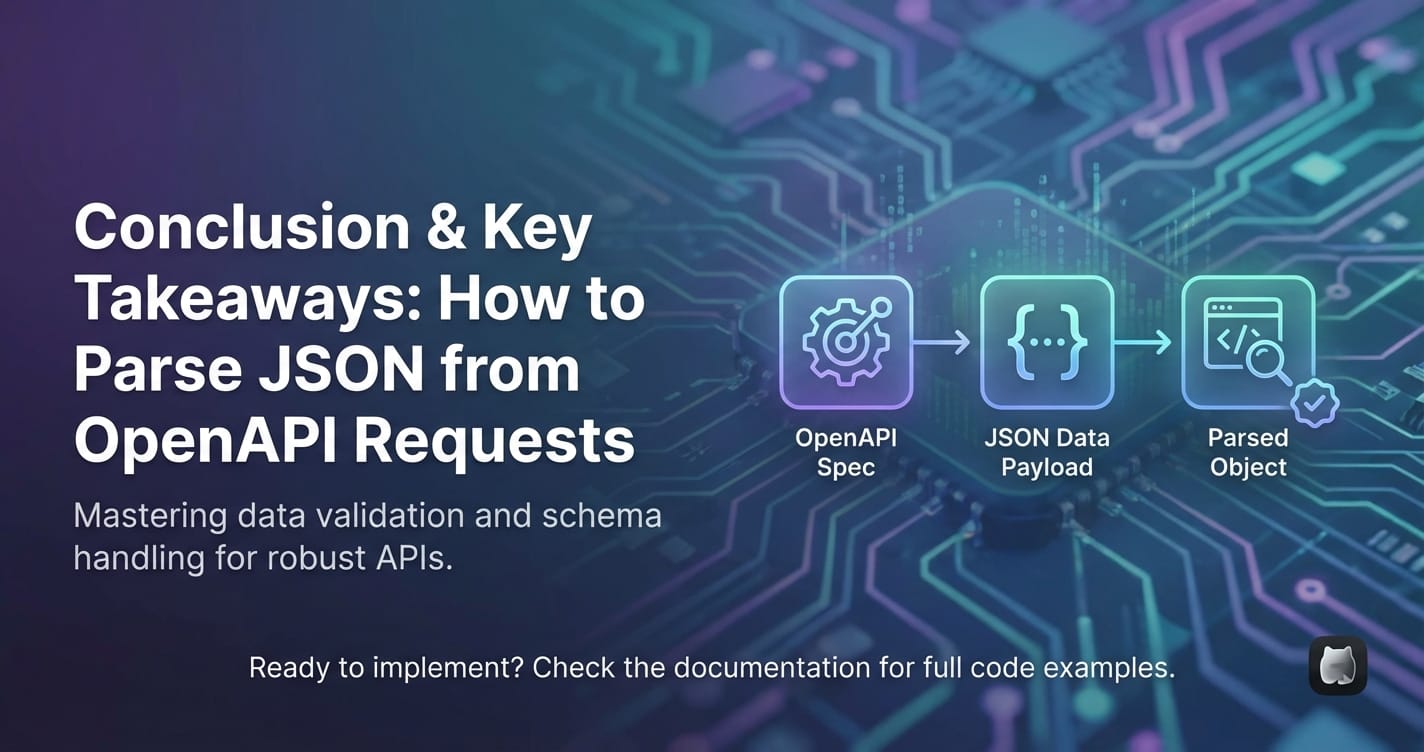
The ability to effectively parse JSON data from OpenAPI requests is not merely a technical skill; it is a fundamental pillar of modern software development, enabling applications to interact seamlessly with the vast ecosystem of web APIs. We have embarked on a comprehensive journey, dissecting the roles of OpenAPI in defining the API contract and JSON in facilitating data exchange. From understanding the journey of an api request to receiving its raw JSON payload, to delving into the myriad challenges associated with parsing—such as dealing with complex structures, handling errors, and managing performance—we've explored the critical importance of transforming inert strings into actionable, structured data.
We meticulously examined core parsing techniques across leading programming languages including JavaScript, Python, Java, C#, and Go, highlighting their unique approaches to deserialization and object mapping. Crucially, we underscored the profound synergy between OpenAPI's declarative schemas and the practical act of parsing. The OpenAPI specification serves as an invaluable guide, not only for manual parsing but more powerfully for driving automated code generation and robust schema validation, ensuring type safety and consistency across the entire development lifecycle.
Furthermore, we explored advanced considerations, from gracefully handling optional fields and nulls to employing streaming parsers for large datasets. A pivotal insight was the role of an api gateway in offloading and centralizing parsing and validation concerns. Solutions like APIPark exemplify how a robust api gateway can enforce API contracts, validate incoming requests against OpenAPI schemas, and perform crucial transformations, thereby ensuring that client applications receive well-formed, predictable JSON. This upstream validation significantly simplifies client-side parsing, allowing developers to focus on core business logic rather than defensive data handling.
Finally, we outlined essential tools and best practices, emphasizing the transformative power of OpenAPI code generators, the necessity of thorough testing, and the adoption of consistent data models and robust error logging. By embracing these principles, developers can transcend basic parsing and build highly resilient, performant, and maintainable applications that confidently navigate the dynamic landscape of OpenAPI-defined APIs. In an increasingly interconnected world, mastering JSON parsing from OpenAPI requests is not just about writing code; it's about building bridges that enable data to flow freely and reliably, empowering innovation and unlocking new possibilities.
Frequently Asked Questions (FAQs)
1. What is the main benefit of using OpenAPI in conjunction with JSON parsing? The main benefit is the explicit contract provided by the OpenAPI Specification. It defines the exact structure, data types, and constraints of the JSON data exchanged with an API. This contract enables automated client code generation, robust schema validation (often at an API gateway like APIPark), and helps developers build accurate parsing logic, reducing errors, ensuring type safety, and streamlining integration efforts.
2. Why can't I just use string manipulation to extract data from JSON responses? While technically possible for very simple cases, using string manipulation (like regular expressions or substring searches) to extract data from JSON responses is highly inefficient, error-prone, and unsustainable for any real-world API. JSON's hierarchical structure (nested objects and arrays) makes manual string manipulation extremely complex to navigate. Dedicated JSON parsers transform the raw JSON string into native, structured data types (e.g., objects, dictionaries, arrays) that can be easily accessed and manipulated programmatically, handling all the intricacies of JSON syntax, including escaped characters and varying data types.
3. What are the common issues faced when parsing JSON from OpenAPI requests? Common issues include: * Malformed JSON: The received string is not valid JSON due to syntax errors. * Missing or Unexpected Fields: The JSON response doesn't contain expected fields or contains additional, unhandled fields. * Type Mismatches: A field's data type in the JSON response differs from what the application expects (e.g., receiving a string instead of a number). * Null Values: Handling fields that are explicitly null or optionally absent. * Complex Nested Structures: Navigating deeply nested JSON objects and arrays. * Performance: Parsing very large JSON payloads can consume significant memory and CPU. Robust parsing, schema validation, and defensive coding practices are essential to mitigate these issues.
4. How does an API Gateway like APIPark help with JSON parsing? An API gateway like APIPark significantly aids JSON parsing by centralizing and offloading crucial tasks. It can be configured to: * Validate JSON Requests: Enforce the API's OpenAPI schema by validating incoming JSON request bodies before they reach backend services, ensuring only well-formed data proceeds. * Transform Payloads: Modify JSON structures in requests or responses as needed. * Standardize Responses: Ensure consistent error handling and response formats across APIs. By doing so, the API gateway makes the JSON responses received by client applications more predictable and compliant with the OpenAPI contract, simplifying the client-side parsing logic and reducing the need for extensive error handling within the application itself.
5. Should I manually write data models (classes/structs) for JSON parsing, or use code generation tools? For OpenAPI-defined APIs, it is highly recommended to use OpenAPI code generation tools (e.g., OpenAPI Generator, Swagger Codegen). These tools automatically create strongly typed data models (classes, structs, interfaces) in your chosen programming language directly from the OpenAPI specification. This ensures that your application's data structures precisely match the API's contract, eliminates manual boilerplate code, reduces the risk of human error, and facilitates easier updates when the API definition changes. Manual writing should generally be reserved for simpler, ad-hoc integrations or when a specific code generator is not available for a niche language or framework.
🚀You can securely and efficiently call the OpenAI API on APIPark in just two steps:
Step 1: Deploy the APIPark AI gateway in 5 minutes.
APIPark is developed based on Golang, offering strong product performance and low development and maintenance costs. You can deploy APIPark with a single command line.
curl -sSO https://download.apipark.com/install/quick-start.sh; bash quick-start.sh

In my experience, you can see the successful deployment interface within 5 to 10 minutes. Then, you can log in to APIPark using your account.

Step 2: Call the OpenAI API.