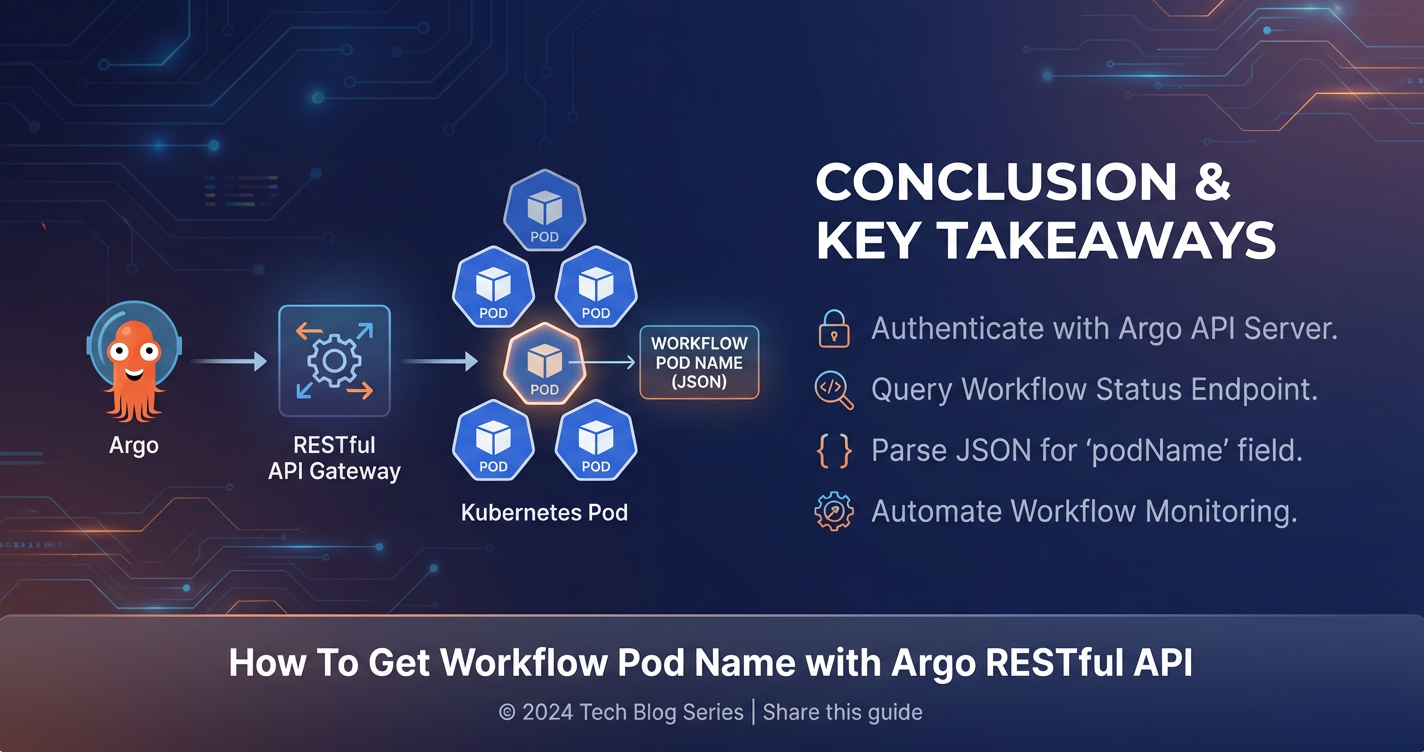
How To Get Workflow Pod Name with Argo RESTful API


In the intricate world of modern cloud-native development, where applications are increasingly decomposed into microservices and operations are automated through elaborate pipelines, the ability to orchestrate complex tasks is paramount. Argo Workflows stands as a formidable solution in this landscape, providing a powerful, Kubernetes-native engine for defining and executing multi-step workflows. Whether you're managing CI/CD pipelines, processing vast datasets, training machine learning models, or orchestrating batch jobs, Argo Workflows offers the declarative control and scalability that enterprises demand. However, merely defining and running these workflows is often just the beginning. The real power comes from the ability to interact with, monitor, and extract critical information from these running processes programmatically. This comprehensive guide delves into one such crucial task: reliably obtaining the names of individual pods spawned by an Argo Workflow, utilizing its robust RESTful API.
Understanding the exact pod names associated with specific steps within a workflow is indispensable for a myriad of operational and developmental needs. Developers might need to kubectl exec into a particular pod to debug an issue, stream its logs for real-time monitoring, or dynamically scale resources based on its state. Automated systems might rely on these pod names to link specific computational tasks to resource utilization metrics or to integrate with external monitoring and logging platforms. While the kubectl argo CLI offers a convenient interface for human interaction, the programmatic gateway to this wealth of information lies squarely with Argo's RESTful API. This API empowers developers and system integrators to build sophisticated automation, custom dashboards, and seamless integrations that transcend the capabilities of mere command-line scripting, opening up a universe of possibilities for advanced workflow management.
This article will embark on a detailed exploration, guiding you through the intricate process of interacting with the Argo Workflows API. We will begin by establishing a foundational understanding of Argo Workflows and the principles of RESTful API design. Following this, we will meticulously cover the prerequisites for API access, including the critical aspects of authentication and security within a Kubernetes environment. The core of our discussion will then focus on how to traverse the API's structure to locate a specific workflow and, most importantly, how to parse its detailed status to extract the names of its constituent pods. We will provide practical examples using curl for basic API calls and Python for more sophisticated parsing, ensuring that you gain a deep, actionable understanding of the subject. By the end of this journey, you will possess the knowledge and tools to programmatically glean the pod names from any Argo Workflow, a skill that significantly enhances your ability to manage and automate your cloud-native operations.
The Foundation: Understanding Argo Workflows and Their Kubernetes Substructure
Before we dive into the specifics of API interaction, it's essential to solidify our understanding of what Argo Workflows are and how they operate within a Kubernetes cluster. This foundational knowledge will illuminate why we need to interact with the API in the first place and what kind of information we can expect to retrieve.
What Are Argo Workflows? A Kubernetes-Native Orchestrator
Argo Workflows is an open-source container-native workflow engine for orchestrating parallel jobs on Kubernetes. It is designed from the ground up to be declarative, meaning you define your workflow in a YAML file, and Argo Workflows ensures that the desired state is reached. Unlike traditional workflow engines that might run on a single server, Argo Workflows leverages Kubernetes' inherent scalability and resource management capabilities.
At its core, an Argo Workflow is a sequence of steps, where each step runs as a Kubernetes pod. These steps can be organized into Directed Acyclic Graphs (DAGs) for complex parallel and sequential execution, or as simple linear sequences. This makes Argo Workflows incredibly versatile for tasks such as:
- CI/CD Pipelines: Building, testing, and deploying applications.
- Data Processing: ETL jobs, data transformation, and analysis.
- Machine Learning: Model training, hyperparameter tuning, and inference pipelines.
- Batch Jobs: Any scheduled or event-driven tasks that require robust execution and failure recovery.
The Anatomy of an Argo Workflow and Its Pods
When you submit an Argo Workflow definition (a Workflow Kubernetes resource) to your cluster, the Argo controller takes over. It interprets the YAML definition and begins to create and manage the necessary Kubernetes resources to execute your steps. Crucially, each step or task within your workflow typically translates into one or more Kubernetes pods.
Consider a simple workflow with two sequential steps: "fetch-data" and "process-data." 1. Workflow Creation: You submit my-workflow.yaml. 2. Controller Action: The Argo controller sees my-workflow and begins its execution. 3. Pod Creation for fetch-data: The controller first creates a Kubernetes pod for the fetch-data step. This pod will run a specified container image (e.g., busybox) with a specific command (e.g., wget http://data-source). 4. Pod Completion: Once the fetch-data pod completes successfully, the controller detects this. 5. Pod Creation for process-data: The controller then creates a new Kubernetes pod for the process-data step, which might mount the data fetched by the previous step as an artifact. 6. Workflow Completion: When the process-data pod also completes, the entire workflow is marked as Succeeded.
Each of these individual pods has a unique name generated by Kubernetes, typically in the format <workflow-name>-<step-name>-<random-suffix>. For instance, my-workflow-fetch-data-12345 or my-workflow-process-data-abcde. It is these dynamically generated pod names that we aim to extract using the Argo RESTful API. The workflow definition itself doesn't explicitly state the future pod names; it merely defines the steps that will become pods. The API allows us to query the runtime state of the workflow to discover these actual pod names once they are created.
The Gateway: Understanding Argo's RESTful API
With a clear grasp of Argo Workflows, let's pivot our attention to the primary mechanism for programmatic interaction: the RESTful API. Understanding the principles behind REST and how Argo implements them is crucial for effective API utilization.
What is a RESTful API? A Quick Refresher
REST (Representational State Transfer) is an architectural style for designing networked applications. RESTful APIs use standard HTTP methods (GET, POST, PUT, DELETE) to interact with resources, which are typically identified by unique URLs. Key characteristics include:
- Client-Server Architecture: Separation of concerns between the client (who makes requests) and the server (who holds the data).
- Statelessness: Each request from client to server must contain all the information necessary to understand the request. The server should not store any client context between requests.
- Cacheability: Responses can be explicitly or implicitly defined as cacheable to improve client-side performance.
- Layered System: A client cannot ordinarily tell whether it is connected directly to the end server, or to an intermediary along the way.
- Uniform Interface: Simplifies and decouples the architecture, allowing independent evolution of parts.
For Argo Workflows, this means you interact with specific "resources" like workflows, workflowtemplates, or pods through predefined URL paths, using HTTP methods to perform actions like fetching information (GET), submitting new workflows (POST), or deleting them (DELETE). The responses are typically delivered in a structured format, most commonly JSON, which makes them easy for programs to parse and process.
Why Use Argo's RESTful API Over kubectl argo?
While kubectl argo is an excellent tool for manual interaction and scripting, the RESTful API offers distinct advantages for advanced automation and integration:
- Programmatic Control: The API provides a direct, language-agnostic interface for applications to interact with Argo Workflows. This is essential for building custom controllers, operators, or integration layers that need to monitor, trigger, or manage workflows without invoking shell commands.
- Integration with External Systems: You can integrate Argo Workflows into larger enterprise systems, monitoring dashboards, or CI/CD platforms that might not reside within your Kubernetes cluster or have direct
kubectlaccess. An API call can be made from virtually any programming language or environment capable of sending HTTP requests. - Fine-Grained Access Control: While
kubectlrelies on Kubernetes RBAC, using the API allows for tailored service accounts with very specific permissions, which can be more securely managed for automated systems compared to potentially broadkubectlcontexts. - Reduced Overhead: For continuous monitoring or frequent data retrieval, making direct HTTP requests can sometimes be more efficient than spawning new
kubectlprocesses repeatedly. - Building Custom UIs/Dashboards: If you need to present workflow information in a custom web API or application, the RESTful API is the natural choice for fetching the underlying data.
Argo API Endpoints and Structure
The Argo Workflows API typically exposes its endpoints under a base path, often structured like /api/v1/. The versioning (v1) indicates that the API contract might evolve over time. Resources are usually nested under these paths. For example:
GET /api/v1/workflows/{namespace}: Lists all workflows in a given namespace.GET /api/v1/workflows/{namespace}/{name}: Retrieves a specific workflow by its name within a namespace.
The responses from these endpoints are JSON objects that mirror the structure of the Kubernetes Workflow resource, providing comprehensive details about its metadata, specifications, and most importantly, its current status. It is within this status field that we will find the crucial information about the running pods.
Setting the Stage: Prerequisites for Argo API Interaction
Before we can send our first API request, we need to ensure our environment is properly configured. This involves having a running Argo Workflows instance, access to the cluster, and the necessary tools for authentication and making HTTP requests.
1. Kubernetes Cluster with Argo Workflows Installed
This is the fundamental requirement. You need a Kubernetes cluster (e.g., Minikube, kind, GKE, EKS, AKS) with Argo Workflows installed and running. If you haven't installed it, refer to the official Argo Workflows documentation for installation instructions. Typically, this involves applying some YAML manifests:
kubectl create namespace argo
kubectl apply -n argo -f https://raw.githubusercontent.com/argoproj/argo-workflows/stable/manifests/install.yaml
Verify the installation by checking if the Argo controller pod is running in the argo namespace:
kubectl get pods -n argo
2. kubectl Access and Configuration
You'll need kubectl configured to connect to your Kubernetes cluster. This is essential for creating service accounts, extracting tokens, and potentially port-forwarding the Argo server. Ensure your kubeconfig file is correctly set up and you can interact with your cluster.
3. Basic Understanding of Kubernetes RBAC
Interacting with the Argo API directly requires proper authentication and authorization. In Kubernetes, this is managed through Role-Based Access Control (RBAC). You'll need to create a ServiceAccount, a Role (or ClusterRole), and a RoleBinding (or ClusterRoleBinding) to grant the necessary permissions to your programmatic client. This will ensure that your API requests are authorized to access workflow resources.
4. Tools for Making HTTP Requests
You'll need a way to send HTTP requests and process JSON responses. * curl: A command-line tool for transferring data with URLs. Excellent for testing and quick requests. * Python requests library: A popular and user-friendly HTTP client library for Python, ideal for scripting more complex interactions. * Postman/Insomnia: GUI tools that simplify making and inspecting API requests, useful for initial exploration.
5. Service Account Creation and Token Extraction (Detailed)
This is a crucial step for secure API access. We will create a dedicated service account with minimal permissions (least privilege principle) to interact with Argo Workflows.
Step 5.1: Define a Service Account Create a serviceaccount.yaml file:
# serviceaccount.yaml
apiVersion: v1
kind: ServiceAccount
metadata:
  name: argo-api-reader
  namespace: argo # Or the namespace where your workflows are, often 'default' or a dedicated namespace
Apply it:
kubectl apply -f serviceaccount.yaml
Step 5.2: Define a Role with Permissions We need to grant permissions to list and get workflows and pods. We'll create a Role for a specific namespace. If your workflows are across multiple namespaces, consider a ClusterRole. For this example, we assume workflows are in the argo namespace alongside the Argo server.
Create a role.yaml file:
# role.yaml
apiVersion: rbac.authorization.k8s.io/v1
kind: Role
metadata:
  name: argo-workflow-reader
  namespace: argo # Must match the namespace of the service account and where workflows are
rules:
- apiGroups: ["argoproj.io"] # API group for Argo Workflows
  resources: ["workflows"]
  verbs: ["get", "list"]
- apiGroups: [""] # Core Kubernetes API group for pods
  resources: ["pods"]
  verbs: ["get", "list"]
Apply it:
kubectl apply -f role.yaml
Step 5.3: Bind the Role to the Service Account Create a rolebinding.yaml file to link the service account to the role:
# rolebinding.yaml
apiVersion: rbac.authorization.k8s.io/v1
kind: RoleBinding
metadata:
  name: argo-workflow-reader-binding
  namespace: argo
subjects:
- kind: ServiceAccount
  name: argo-api-reader
  namespace: argo
roleRef:
  kind: Role
  name: argo-workflow-reader
  apiGroup: rbac.authorization.k8s.io
Apply it:
kubectl apply -f rolebinding.yaml
Step 5.4: Extract the Service Account Token After the service account is created, Kubernetes automatically creates a secret containing a token for it. We need to find this secret and extract the token.
First, find the secret associated with our argo-api-reader service account:
kubectl get serviceaccount argo-api-reader -n argo -o yaml
Look for a secrets entry, typically named argo-api-reader-token-.... For example, argo-api-reader-token-abcde.
Then, describe that secret to get the token:
kubectl get secret argo-api-reader-token-abcde -n argo -o jsonpath='{.data.token}' | base64 -d
(Replace argo-api-reader-token-abcde with the actual secret name you found.)
Copy this base64 decoded token. This will be your BEARER_TOKEN for API authentication.
6. Port Forwarding for Local Access
The Argo Workflows UI and API server typically run as a service inside your Kubernetes cluster. To access it from your local machine, you can use kubectl port-forward.
First, find the name of the Argo server pod:
kubectl get pods -n argo -l app=argo-server
Then, forward a local port (e.g., 8080) to the Argo server's port (typically 2746):
kubectl port-forward -n argo service/argo-server 8080:2746
Keep this command running in a separate terminal. Now, your Argo API server will be accessible locally at http://localhost:8080.
Constructing the Base API URL
With port forwarding active, your base API URL will be http://localhost:8080/api/v1/. For endpoints, you'll append the resource path, for instance, http://localhost:8080/api/v1/workflows/argo.
Accessing Argo API: Authenticating Your Requests
Every request to the Argo API must be authenticated to ensure only authorized users or systems can retrieve sensitive workflow information. We'll use the bearer token extracted earlier.
Authentication with curl
When using curl, you'll include an Authorization header with your bearer token.
BEARER_TOKEN="YOUR_EXTRACTED_TOKEN_HERE"
ARGO_SERVER="http://localhost:8080"
NAMESPACE="argo" # Or your target namespace

# Example: List all workflows in the 'argo' namespace
curl -H "Authorization: Bearer $BEARER_TOKEN" \
     "$ARGO_SERVER/api/v1/workflows/$NAMESPACE"
Authentication with Python requests
In Python, the requests library makes adding headers straightforward.
import requests
import json

BEARER_TOKEN = "YOUR_EXTRACTED_TOKEN_HERE"
ARGO_SERVER = "http://localhost:8080"
NAMESPACE = "argo" # Or your target namespace

headers = {
    "Authorization": f"Bearer {BEARER_TOKEN}",
    "Content-Type": "application/json"
}

# Example: List all workflows
try:
    response = requests.get(f"{ARGO_SERVER}/api/v1/workflows/{NAMESPACE}", headers=headers, verify=False) # verify=False for local development if using self-signed certs
    response.raise_for_status() # Raise an HTTPError for bad responses (4xx or 5xx)
    workflows = response.json()
    print(json.dumps(workflows, indent=2))
except requests.exceptions.RequestException as e:
    print(f"Error accessing Argo API: {e}")
Now that our setup and authentication are complete, we are ready to dive into extracting the pod names.
The Core Task: Getting Workflow Pod Names via API
The essence of retrieving pod names from an Argo Workflow through the API lies in understanding the structure of the Workflow object's status field. This field provides a real-time snapshot of the workflow's execution, including detailed information about each node (step) that has been or is being executed.
Understanding the Workflow status Field
When you fetch a Workflow object via the API, its JSON representation includes a top-level status key. Within this status object, the most critical part for our purpose is the nodes field.
The status.nodes field is a dictionary (or map) where keys are unique identifiers for each node (step) in the workflow, and values are objects containing detailed information about that node. Each node object can represent various things: the workflow itself, a DAG task, a step, or crucially, an actual Kubernetes pod.
Here are the key fields within a node object that are relevant for identifying pods:
id: A unique identifier for the node within the workflow.name: The human-readable name of the node, often corresponding to the step name in the workflow definition. For pod nodes, this name typically matches the Kubernetes pod name.displayName: An optional, more user-friendly name for the node.type: The type of node. For our purpose, we are interested in nodes withtype: "Pod". Other types includeWorkflow,DAG,Steps,Suspend,Task, etc.phase: The current state of the node (e.g.,Pending,Running,Succeeded,Failed,Error).message: A detailed message about the node's state, especially useful for debugging failures.podName: (Highly useful) This field directly provides the Kubernetes pod name for nodes of type "Pod". If it's present, it simplifies extraction significantly. If not, thenamefield often serves the same purpose for pod nodes.
Step-by-Step Workflow and JSON Parsing Example
Let's illustrate with a practical example.
Example Argo Workflow YAML:
First, let's define a simple Argo Workflow that creates two pods sequentially. Save this as my-simple-workflow.yaml:
apiVersion: argoproj.io/v1alpha1
kind: Workflow
metadata:
  generateName: my-simple-workflow-
  namespace: argo
spec:
  entrypoint: main
  templates:
  - name: main
    steps:
    - - name: first-step
        template: hello-world
    - - name: second-step
        template: hello-world

  - name: hello-world
    container:
      image: alpine/git
      command: [sh, -cx]
      args: ["echo Hello from step: {{workflow.name}} and {{self.name}}"]
Submit this workflow to your cluster:
kubectl apply -f my-simple-workflow.yaml
Wait a few seconds for it to start running. You can get its name:
kubectl get wf -n argo
# Example output: my-simple-workflow-abcdx
Let's assume the generated name is my-simple-workflow-abcdx.
Fetching the Workflow JSON via API:
Now, let's use curl to fetch the full JSON of this running workflow. Remember to replace YOUR_EXTRACTED_TOKEN_HERE and my-simple-workflow-abcdx with your actual token and workflow name.
BEARER_TOKEN="YOUR_EXTRACTED_TOKEN_HERE"
ARGO_SERVER="http://localhost:8080"
NAMESPACE="argo"
WORKFLOW_NAME="my-simple-workflow-abcdx" # Replace with your workflow's actual generated name

curl -H "Authorization: Bearer $BEARER_TOKEN" \
     "$ARGO_SERVER/api/v1/workflows/$NAMESPACE/$WORKFLOW_NAME" | python -m json.tool
The output will be a large JSON object. Focus on the status field. It will look something like this (abbreviated for brevity, focusing on status.nodes):
{
  "metadata": {
    "name": "my-simple-workflow-abcdx",
    "namespace": "argo",
    // ... other metadata
  },
  "spec": { /* ... */ },
  "status": {
    "phase": "Succeeded", # Or "Running", "Pending"
    "nodes": {
      "my-simple-workflow-abcdx": { # The workflow node itself
        "id": "my-simple-workflow-abcdx",
        "name": "my-simple-workflow-abcdx",
        "displayName": "my-simple-workflow-abcdx",
        "type": "Workflow",
        "phase": "Succeeded",
        // ... other fields
      },
      "my-simple-workflow-abcdx-12345": { # Node for 'first-step'
        "id": "my-simple-workflow-abcdx-12345",
        "name": "my-simple-workflow-abcdx-12345",
        "displayName": "first-step",
        "type": "Pod",
        "phase": "Succeeded",
        "podName": "my-simple-workflow-abcdx-12345", # Direct pod name!
        // ... other fields
      },
      "my-simple-workflow-abcdx-67890": { # Node for 'second-step'
        "id": "my-simple-workflow-abcdx-67890",
        "name": "my-simple-workflow-abcdx-67890",
        "displayName": "second-step",
        "type": "Pod",
        "phase": "Succeeded",
        "podName": "my-simple-workflow-abcdx-67890", # Direct pod name!
        // ... other fields
      },
      // ... potentially other nodes (e.g., init containers, sidecars, etc.)
    },
    // ... other status fields
  }
}
Python Script to Extract Pod Names:
Now, let's write a Python script to parse this JSON response and extract the pod names.
import requests
import json
import os

# --- Configuration ---
# Replace with your actual bearer token (obtained from kubectl get secret... | base64 -d)
BEARER_TOKEN = os.getenv("ARGO_BEARER_TOKEN", "YOUR_EXTRACTED_TOKEN_HERE")
ARGO_SERVER = os.getenv("ARGO_SERVER_URL", "http://localhost:8080")
NAMESPACE = os.getenv("ARGO_NAMESPACE", "argo") # Or the namespace where your workflows run
WORKFLOW_NAME = os.getenv("ARGO_WORKFLOW_NAME", "my-simple-workflow-abcdx") # Replace with your workflow's actual generated name

def get_workflow_details(workflow_name: str, namespace: str) -> dict:
    """
    Fetches the detailed JSON representation of an Argo Workflow.
    """
    headers = {
        "Authorization": f"Bearer {BEARER_TOKEN}",
        "Content-Type": "application/json"
    }
    url = f"{ARGO_SERVER}/api/v1/workflows/{namespace}/{workflow_name}"

    print(f"Attempting to fetch workflow from: {url}")

    try:
        response = requests.get(url, headers=headers, verify=False) # verify=False for local dev
        response.raise_for_status() # Raise HTTPError for bad responses (4xx or 5xx)
        return response.json()
    except requests.exceptions.HTTPError as http_err:
        print(f"HTTP error occurred: {http_err} - {response.text}")
        raise
    except requests.exceptions.ConnectionError as conn_err:
        print(f"Connection error occurred: {conn_err}. Is port-forwarding active and ARGO_SERVER correct?")
        raise
    except requests.exceptions.Timeout as timeout_err:
        print(f"Timeout error occurred: {timeout_err}")
        raise
    except requests.exceptions.RequestException as req_err:
        print(f"An unexpected request error occurred: {req_err}")
        raise

def extract_pod_names_from_workflow(workflow_json: dict) -> list[str]:
    """
    Parses the workflow JSON and extracts the names of pods associated with workflow steps.
    """
    pod_names = []

    if not workflow_json or "status" not in workflow_json or "nodes" not in workflow_json["status"]:
        print("Workflow JSON is missing 'status' or 'nodes' field. Cannot extract pod names.")
        return pod_names

    nodes = workflow_json["status"]["nodes"]

    # Iterate through all nodes in the workflow's status
    for node_id, node_data in nodes.items():
        # We are specifically looking for nodes that represent actual Kubernetes pods
        # and are not the main workflow node itself or a DAG/Steps node.
        if node_data.get("type") == "Pod":
            # Argo often provides a direct 'podName' field for Pod-type nodes, which is ideal.
            # If not available, the 'name' field of the node usually corresponds to the pod name.
            # It's good practice to check for 'podName' first as it's more explicit.
            current_pod_name = node_data.get("podName")
            if not current_pod_name:
                current_pod_name = node_data.get("name") # Fallback to node name

            if current_pod_name:
                pod_names.append(current_pod_name)
            else:
                print(f"Warning: Pod node {node_id} found but could not determine pod name (missing 'podName' and 'name').")
        # Optional: You might want to log other node types for debugging
        # else:
        #     print(f"Skipping non-pod node: {node_data.get('type')} - {node_data.get('name')}")

    return sorted(list(set(pod_names))) # Use set to handle potential duplicates, then sort

if __name__ == "__main__":
    if BEARER_TOKEN == "YOUR_EXTRACTED_TOKEN_HERE":
        print("WARNING: Please set the ARGO_BEARER_TOKEN environment variable or replace the placeholder in the script.")
        print("         Also ensure ARGO_SERVER_URL and ARGO_WORKFLOW_NAME are correctly set.")
        exit(1)

    print(f"Attempting to find pod names for workflow '{WORKFLOW_NAME}' in namespace '{NAMESPACE}'.")
    try:
        workflow_data = get_workflow_details(WORKFLOW_NAME, NAMESPACE)

        # Uncomment to see the full JSON response if needed for debugging
        # print("\n--- Full Workflow JSON Response ---")
        # print(json.dumps(workflow_data, indent=2))
        # print("-----------------------------------\n")

        extracted_pod_names = extract_pod_names_from_workflow(workflow_data)

        if extracted_pod_names:
            print(f"\nSuccessfully extracted {len(extracted_pod_names)} pod names for workflow '{WORKFLOW_NAME}':")
            for name in extracted_pod_names:
                print(f"- {name}")
        else:
            print(f"\nNo pod names found for workflow '{WORKFLOW_NAME}'.")
            print("This could mean the workflow has not yet started, has no pod steps, or the parsing logic needs adjustment.")

    except Exception as e:
        print(f"\nAn error occurred during execution: {e}")
To run this script: 1. Save it as get_argo_pods.py. 2. Set the ARGO_BEARER_TOKEN, ARGO_SERVER_URL, ARGO_NAMESPACE, and ARGO_WORKFLOW_NAME environment variables, or directly update the placeholders in the script. 3. Ensure your kubectl port-forward command is running. 4. Execute: python get_argo_pods.py
This script first fetches the workflow's complete status via the API. It then iterates through the status.nodes dictionary. For each node, it checks if node_data.get("type") == "Pod". If it is, it retrieves the podName field (or falls back to name) and adds it to a list. This provides a robust way to identify and collect all pod names associated with the workflow's execution.
APIPark is a high-performance AI gateway that allows you to securely access the most comprehensive LLM APIs globally on the APIPark platform, including OpenAI, Anthropic, Mistral, Llama2, Google Gemini, and more.Try APIPark now! 👇👇👇
Handling Complex Scenarios and Advanced Considerations
The basic extraction method works well for straightforward workflows. However, real-world Argo Workflows can be quite complex. Let's explore how to adapt our understanding and parsing for these advanced scenarios.
DAG Workflows and Their Node Structure
Directed Acyclic Graph (DAG) workflows are common for expressing complex dependencies where multiple steps can run in parallel and then converge. In a DAG, the status.nodes will contain nodes of type DAG. These DAG nodes will, in turn, have children or templateName fields that point to their constituent tasks, which eventually resolve to Pod type nodes.
The parsing logic from extract_pod_names_from_workflow is generally robust enough because it iterates through all nodes in status.nodes regardless of their parent-child relationships. As long as a node ultimately represents a Pod, it will be identified. The key is that status.nodes provides a flat list of all active or completed execution nodes.
Steps Workflows and Parallelism
Steps workflows define a linear sequence of tasks. Parallelism can be introduced by defining multiple steps within a single execution block (e.g., in a steps template, multiple arrays of steps can run in parallel). Each parallel step will still result in its own distinct Pod node within status.nodes, and our current parsing logic will correctly identify them.
For example, if you have a steps template like:
  - name: my-parallel-steps
    steps:
    - - name: parallel-task-a
        template: some-template
    - - name: parallel-task-b
        template: some-template
Both parallel-task-a and parallel-task-b will appear as distinct Pod nodes in status.nodes once they start executing.
Workflows with Retries and Error Handling
Argo Workflows supports retries for steps and error handling strategies. If a pod fails and is retried, you might see multiple nodes corresponding to the same logical step in status.nodes, often with different ids (due to different execution attempts) but potentially similar displayNames or names. The phase of these nodes would be Failed for earlier attempts and Succeeded (or Running) for the latest successful attempt.
Our current script collects all Pod nodes. If you only want the latest pod for a given step, or only succeeded pods, you would need to add additional filtering logic:
# Inside extract_pod_names_from_workflow
# ...
if node_data.get("type") == "Pod":
    # Example: Only consider pods that have succeeded
    if node_data.get("phase") == "Succeeded":
        current_pod_name = node_data.get("podName") or node_data.get("name")
        if current_pod_name:
            pod_names.append(current_pod_name)
To handle retries for a specific logical step, you would likely group nodes by their displayName (which often maps to the original step name) and then select the one with the latest startTime and a Succeeded phase. This requires more complex parsing logic than a simple list collection.
Error Handling and Edge Cases
- Workflow Not Found: The
requests.getcall will raise anHTTPErrorwith a 404 status. Your script should gracefully handle this, informing the user that the workflow does not exist or has been deleted. - Permissions Issues: A 403 Forbidden error indicates that the service account token lacks the necessary RBAC permissions. Double-check your
RoleandRoleBindingdefinitions. - Workflow Not Started/Pods Not Yet Created: If you query a workflow immediately after submission, its
status.nodesmight be empty or only contain theWorkflowtype node. Pods are only created as steps execute. Your script correctly handles an emptynodeslist by returning an emptypod_nameslist, indicating no pods are currently identifiable. podNameField Missing: WhilepodNameis usually present forPodtype nodes, relying onnameas a fallback is a good defensive programming practice, as thenameof a pod node often directly corresponds to the Kubernetes pod name.
Filtering and Searching (Client-Side)
The Argo API itself offers limited server-side filtering capabilities for the status.nodes field directly. Most filtering logic, such as finding pods for a specific step name or only pods in a certain phase, will need to be implemented client-side in your parsing script. This involves iterating through the nodes dictionary and applying your desired conditions.
Integrating with Other Systems: The Role of an API Management Platform
The ability to programmatically access Argo Workflow pod names is a powerful capability, forming a building block for more sophisticated automation. Often, this API interaction is not an isolated task but part of a larger ecosystem of services that need to communicate and exchange data. For organizations managing a multitude of internal and external APIs, including programmatic access to systems like Argo Workflows, the complexities of authentication, rate limiting, and overall API lifecycle management can quickly become challenging.
This is where platforms like APIPark come into play. APIPark, an open-source AI gateway and API management platform, provides a unified solution to manage, integrate, and deploy various REST and AI services. It can standardize API invocation formats, offer end-to-end API lifecycle management, and even integrate hundreds of AI models, simplifying the governance of all your APIs, including those used to interact with Argo. Imagine routing all your internal API calls, including those to Argo's API server, through a single gateway. This allows for centralized logging, monitoring, and applying consistent security policies, significantly enhancing the operational robustness and scalability of your integrated systems. The capabilities offered by an API gateway and management platform like APIPark ensure that programmatic interactions with services like Argo Workflows are not only efficient but also secure and well-governed within the broader enterprise API landscape.
Best Practices for Using Argo RESTful API
To ensure robustness, security, and efficiency when interacting with the Argo Workflows API, adhere to these best practices:
- Least Privilege for Service Accounts: Always grant only the minimum necessary permissions to your service accounts. For simply reading workflow status,
getandlistpermissions onworkflowsandpodsare usually sufficient. Avoid grantingcreate,update, ordeletepermissions unless absolutely required. - Secure Token Handling: Treat your bearer tokens as sensitive credentials. Avoid hardcoding them directly into scripts. Use environment variables, Kubernetes secrets, or secure configuration management systems to inject them at runtime.
- Error Handling and Retries: Implement robust error handling in your API clients. Network issues, temporary server unavailability, or rate limiting can cause requests to fail. Implement retry mechanisms with exponential backoff to handle transient errors gracefully.
- Rate Limiting: Be mindful of the load you place on the Argo API server. Avoid polling too frequently. If you are building a system that requires real-time updates, consider alternative methods like watching Kubernetes events (if feasible for your use case) rather than constant API calls.
- Connection Pooling: For Python applications using
requests, utilizerequests.Session()for connection pooling and better performance, especially when making multiple API calls. - Use Official Client Libraries (If Available): While this guide focuses on raw RESTful API calls, Argo Workflows also provides official client libraries for languages like Go and Python. These libraries abstract away the low-level HTTP calls, handle authentication, and provide convenient object models, making development faster and less error-prone. For production systems, consider leveraging these if they meet your requirements.
- Logging and Monitoring: Log your API requests and responses, especially errors. Monitor the performance and availability of your API client and the Argo API server itself. Tools like Prometheus and Grafana can be integrated to provide insights into Argo Workflows and their API usage.
- Namespace Awareness: Always specify the correct namespace for your workflow queries. Kubernetes is heavily namespace-oriented, and forgetting this can lead to "workflow not found" errors or incorrect data.
- Idempotency for Write Operations: While our focus here is on GET requests (which are inherently idempotent), remember that for any POST, PUT, or DELETE operations, your client should be designed to be idempotent where possible, meaning repeated identical requests have the same effect as a single request.
Troubleshooting Common API Issues
Even with careful planning, you might encounter issues when interacting with the Argo API. Here's a quick troubleshooting guide:
curl: (7) Failed to connect to localhost port 8080: Connection refused:- Cause:
kubectl port-forwardis not running, or it stopped unexpectedly. - Solution: Ensure
kubectl port-forward -n argo service/argo-server 8080:2746is active in a separate terminal.
- Cause:
{"code":401,"message":"Token is not provided or is invalid"}or401 Unauthorized:- Cause: The
Authorizationheader is missing, the bearer token is incorrect, or it has expired. - Solution: Double-check your
BEARER_TOKEN. Re-extract it from the secret if unsure. Ensure theAuthorization: Bearer <token>format is correct.
- Cause: The
{"code":403,"message":"Permission denied"}or403 Forbidden:- Cause: The service account used by the token does not have the necessary RBAC permissions (
getandlistforworkflowsandpodsin the target namespace). - Solution: Review your
RoleandRoleBindingYAML definitions. EnsureapiGroups,resources, andverbsare correctly specified for the Argo Workflows (argoproj.io) and core Kubernetes (empty string"") API groups.
- Cause: The service account used by the token does not have the necessary RBAC permissions (
{"code":404,"message":"workflow 'my-workflow-name' not found"}or404 Not Found:- Cause: The workflow name or namespace in your API request URL is incorrect, or the workflow has been deleted.
- Solution: Verify the exact workflow name using
kubectl get wf -n <namespace>. Confirm the namespace in your URL.
- JSON Parsing Errors in Script:
- Cause: The API response is not valid JSON, or your parsing logic expects a field that is missing or has a different structure than what's provided.
- Solution: Print the raw
response.textfrom your API call to inspect the actual JSON structure. Usepython -m json.tooloncurloutput to pretty-print and validate JSON. Adjust your Python dictionary access (workflow_json["status"]["nodes"]) and.get()calls accordingly, using.get()with default values for optional fields.
- General
requests.exceptions.RequestExceptionin Python:- Cause: A variety of network issues (DNS resolution, firewalls, server not reachable, timeouts).
- Solution: Check network connectivity. Ensure your
ARGO_SERVERURL is correct. Temporarily disableverify=Falsefor SSL certificate validation if you are using self-signed certificates in a development environment, but be aware of security implications in production.
By methodically checking these points, you can often diagnose and resolve API interaction issues effectively.
Comparison: kubectl argo vs. Argo RESTful API for Pod Names
Let's briefly summarize the differences and when to choose each method for obtaining workflow pod names.
| Feature / Aspect | kubectl argo get workflow <wf-name> -o yaml/json |
Argo RESTful API (Direct HTTP Calls) |
|---|---|---|
| Interface | Command Line Interface (CLI) | HTTP/REST (Programmatic, Language Agnostic) |
| Authentication | Uses kubeconfig context and client-go libraries, Kubernetes RBAC |
Requires explicit bearer token in Authorization header, Kubernetes RBAC |
| Ease of Use (Manual) | High, quick for human operators | Lower, requires constructing URLs, headers, and parsing JSON |
| Ease of Use (Scripting) | Moderate for simple scripts (shell scripting) | Moderate to high (e.g., Python requests library) |
| Integration | Primarily for shell scripts, local developer tools | Ideal for integration with external applications, custom dashboards, microservices |
| Programmatic Control | Indirect (spawning sub-processes) | Direct (HTTP client libraries) |
| Overhead | Spawns kubectl process, potentially higher per call |
Lower for direct HTTP requests, can use connection pooling |
| Security Model | Relies on user's kubeconfig context, often broader permissions |
Can use dedicated ServiceAccounts with fine-grained, least-privilege RBAC |
| Response Format | YAML or JSON, consistent with Kubernetes resources | JSON, consistent with Kubernetes resources |
| Primary Use Case | Interactive querying, quick automation, debugging locally | Building robust integrations, custom automation platforms, enterprise solutions |
Both methods ultimately retrieve the same underlying Workflow resource from Kubernetes. The choice between them hinges on your specific use case, desired level of programmatic control, and the environment in which your solution will operate. For deep integration and building resilient, scalable systems, the direct RESTful API approach is almost always preferred.
Conclusion
The journey through retrieving workflow pod names using the Argo Workflows RESTful API reveals a powerful avenue for enhanced automation and deeper integration within your cloud-native ecosystem. We began by establishing a solid understanding of Argo Workflows themselves, recognizing their pivotal role in orchestrating complex tasks on Kubernetes. This foundational insight clarified why programmatic access to their runtime state, particularly the dynamically generated pod names, is so critical for debugging, monitoring, and further automation.
We then demystified the principles of RESTful APIs, highlighting their advantages over command-line interfaces for robust, programmatic interaction. The preparation phase was meticulously covered, guiding you through the essential prerequisites: a running Argo Workflows instance, kubectl access, and crucially, the secure setup of Kubernetes RBAC through service accounts, roles, and role bindings to authenticate your API requests. We walked through the detailed process of extracting a bearer token and setting up port forwarding, laying the groundwork for secure local API access.
The core of our exploration demonstrated how to precisely target and query a specific workflow via its API endpoint. We dove deep into the status field of the workflow's JSON representation, identifying the nodes dictionary as the treasure trove of execution information. With a practical example, we showed how to iterate through these nodes, specifically identifying those of type: "Pod" and extracting their names using the podName or name fields. Our Python script provided a tangible blueprint for robust parsing, ensuring you can adapt this logic to various workflow complexities, including DAGs, steps, and retries.
Moreover, we touched upon the broader context of API management, noting how platforms like APIPark can streamline the governance and integration of numerous APIs, including those interacting with Argo Workflows, thereby enhancing efficiency, security, and scalability. We concluded with a comprehensive set of best practices and troubleshooting tips, empowering you to build resilient and secure API clients while navigating common pitfalls.
By mastering the Argo Workflows RESTful API for extracting pod names, you unlock a significant capability. This skill is not merely about pulling a string of characters; it's about gaining real-time operational intelligence, enabling dynamic interactions with your workflows, and building intelligent automation that propels your cloud-native operations to new heights. The ability to precisely identify and manage the transient pods that power your workflows is a testament to the declarative power of Kubernetes and the extensibility offered by well-designed APIs, paving the way for more sophisticated and self-healing systems.
Frequently Asked Questions (FAQs)
1. What is the primary advantage of using Argo's RESTful API over kubectl argo for getting pod names?
The primary advantage of using Argo's RESTful API is programmatic control and integration with external systems. While kubectl argo is excellent for manual operations and simple scripts, the API provides a direct, language-agnostic HTTP interface. This allows applications, custom dashboards, or complex automation platforms to interact with Argo Workflows without shelling out to kubectl commands, offering better performance, fine-grained security through dedicated service accounts, and seamless integration into larger software architectures.
2. How do I authenticate my requests to the Argo RESTful API?
Authentication to the Argo RESTful API typically uses Kubernetes service account tokens. You need to: 1. Create a Kubernetes ServiceAccount. 2. Define a Role (or ClusterRole) with appropriate get and list permissions for workflows and pods in the relevant apiGroups (argoproj.io and "" for core Kubernetes). 3. Create a RoleBinding (or ClusterRoleBinding) to link the service account to the role. 4. Extract the bearer token from the secret automatically generated for the service account (using kubectl get secret <secret-name> -o jsonpath='{.data.token}' | base64 -d). This token is then included in the Authorization header of your HTTP requests as Authorization: Bearer <your-token>.
3. What part of the Workflow object's JSON response contains the pod names?
The pod names are located within the status.nodes field of the Workflow object's JSON response. This nodes field is a dictionary where each key is a unique node ID, and the value is an object containing details about that node. To find pod names, you iterate through these nodes, look for nodes where the type field is "Pod", and then extract the podName field (or name field if podName is not explicitly present).
4. Can I get pod names for specific steps within a DAG workflow using the API?
Yes, the extract_pod_names_from_workflow logic discussed in the article works for DAG workflows as well. The status.nodes field provides a flat list of all execution nodes, regardless of their position within a DAG structure. Each step that runs as a pod will have a corresponding node of type: "Pod" in this list. You can further filter or group these pod names based on their displayName (which often corresponds to the original step name) if you need to associate them with specific logical steps within the DAG.
5. What should I do if my API request returns a 403 Forbidden error?
A 403 Forbidden error indicates that the service account token used in your API request lacks the necessary permissions to access the requested resource. To troubleshoot: 1. Verify RBAC: Double-check your Role (or ClusterRole) and RoleBinding (or ClusterRoleBinding) definitions. 2. Required Permissions: Ensure the Role grants get and list verbs for workflows (in argoproj.io API group) and pods (in the core Kubernetes API group, indicated by apiGroups: [""]). 3. Namespace Match: Confirm that the ServiceAccount, Role, and RoleBinding are all defined in the same namespace where your workflows are located, or use ClusterRole and ClusterRoleBinding if accessing workflows across multiple namespaces. 4. Token Refresh: If you've updated RBAC, it's a good practice to re-extract the service account token, as sometimes Kubernetes might take a moment to propagate permission changes, or the old token might be cached.
🚀You can securely and efficiently call the OpenAI API on APIPark in just two steps:
Step 1: Deploy the APIPark AI gateway in 5 minutes.
APIPark is developed based on Golang, offering strong product performance and low development and maintenance costs. You can deploy APIPark with a single command line.
curl -sSO https://download.apipark.com/install/quick-start.sh; bash quick-start.sh

In my experience, you can see the successful deployment interface within 5 to 10 minutes. Then, you can log in to APIPark using your account.

Step 2: Call the OpenAI API.