How to Convert Payload to GraphQL Query: Step-by-Step Guide
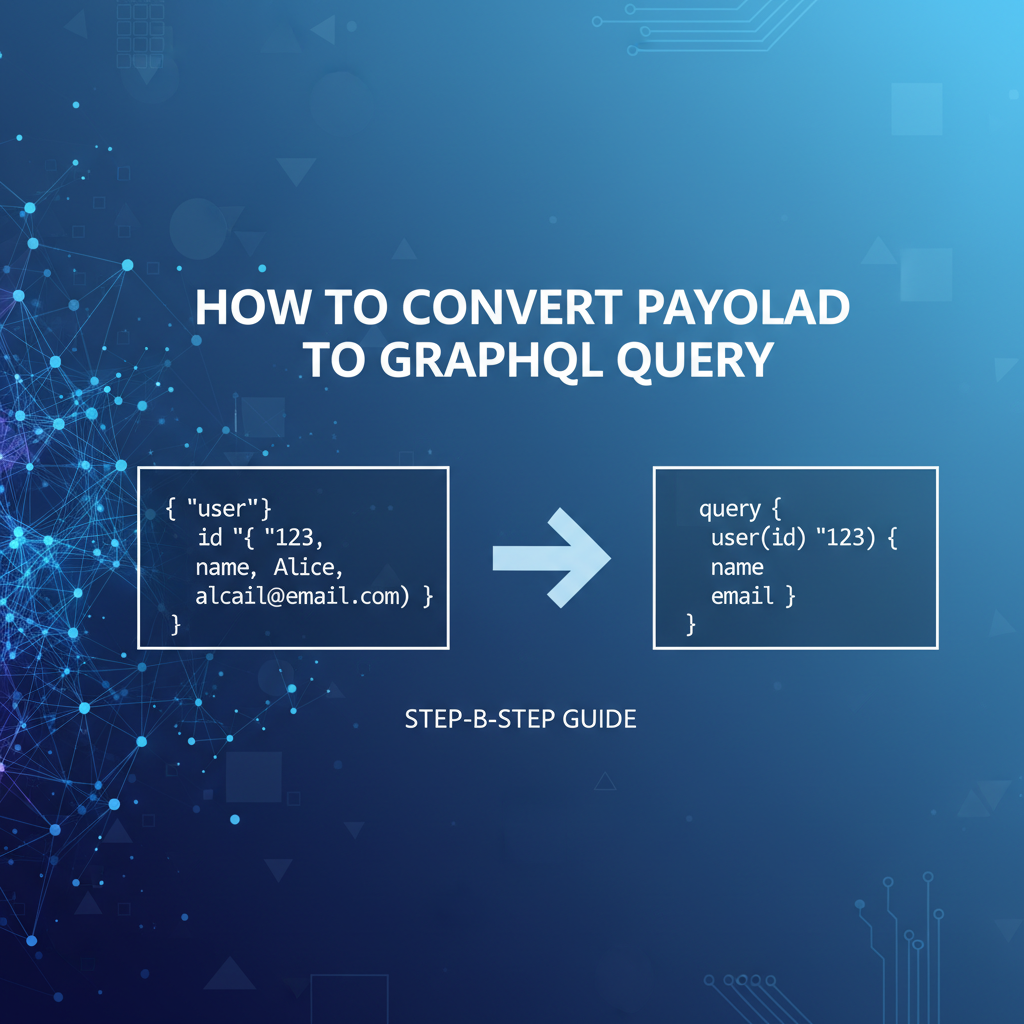


In the fast-evolving landscape of modern web development, the way applications interact with data sources and services is paramount to their success. APIs (Application Programming Interfaces) have long been the backbone of this interaction, enabling systems to communicate and exchange information in structured ways. From the early days of SOAP to the widespread adoption of REST, and now with the increasing popularity of GraphQL, developers are constantly seeking more efficient, flexible, and powerful methods for data retrieval and manipulation. This comprehensive guide delves into the intricate process of converting existing data payloads into GraphQL queries, offering a step-by-step methodology that empowers developers to harness the full potential of GraphQL for precise and efficient data interaction.
The challenge often arises when migrating legacy systems, integrating diverse services, or simply aiming to optimize data fetching from existing data structures that were not originally designed with GraphQL in mind. Understanding how to transform a familiar JSON or XML payload structure into a concise, type-safe GraphQL query or mutation is a crucial skill. This article will equip you with the knowledge and practical steps needed to make this transition, discussing everything from payload analysis to schema design, query construction, and the broader ecosystem involving tools like api gateways and OpenAPI specifications. Our goal is to demystify this conversion process, enabling you to leverage GraphQL's capabilities for building more robust, performant, and maintainable applications.
I. Introduction: Navigating the Evolving API Landscape
The digital world is built on connections, and at the heart of these connections lie Application Programming Interfaces, or APIs. These meticulously designed interfaces allow disparate software systems to communicate, share data, and invoke functionalities with each other, forming the intricate web of services that power everything from social media platforms to complex enterprise applications. For decades, developers have relied on various architectural styles and protocols to define these communication contracts, constantly seeking greater efficiency, flexibility, and maintainability.
A. The Ubiquity of APIs and Data Exchange
From the moment you open a mobile app, refresh a webpage, or interact with a smart device, you are almost certainly engaging with one or more APIs. APIs facilitate data exchange, enabling applications to fetch product catalogs, update user profiles, process payments, or integrate with third-party services like weather data providers or mapping services. The sheer volume and diversity of data exchanged through APIs have grown exponentially, leading to a constant demand for more sophisticated and optimized ways to manage this flow. Initially, protocols like SOAP dominated the enterprise world, offering strong typing and robust contracts, albeit often at the cost of verbosity and complexity.
Then came REST (Representational State Transfer), an architectural style that revolutionized web service design with its simplicity, statelessness, and reliance on standard HTTP methods. RESTful apis quickly became the de facto standard, enabling developers to build highly scalable and easily consumable web services. Their intuitive mapping to HTTP verbs (GET, POST, PUT, DELETE) and resource-oriented approach made them incredibly popular, especially with the rise of single-page applications and mobile development. However, as applications grew more complex and data requirements became more nuanced, REST began to show certain limitations, particularly concerning data fetching efficiency and the inherent rigidity of its endpoint structures.
B. The Rise of GraphQL: A New Paradigm for Data Fetching
Enter GraphQL, a query language for your api and a server-side runtime for executing queries by using a type system you define for your data. Developed by Facebook in 2012 and open-sourced in 2015, GraphQL emerged as a powerful alternative to REST, specifically designed to address some of its inherent challenges. At its core, GraphQL empowers clients to request precisely the data they need, nothing more and nothing less. This eliminates the problems of "over-fetching" (receiving more data than required) and "under-fetching" (needing to make multiple requests to get all necessary data) that often plague RESTful apis.
The paradigm shift with GraphQL lies in its client-driven approach. Instead of a server defining fixed endpoints, GraphQL provides a single endpoint through which clients send queries that describe their data requirements. The server, equipped with a comprehensive schema that defines all possible data and operations, then resolves these queries, returning a predictable JSON response tailored exactly to the client's request. This level of control offers unprecedented flexibility, allowing front-end developers to iterate faster, adapt to changing UI requirements without backend modifications, and significantly optimize network usage, especially crucial for mobile applications.
C. Why Convert Payloads to GraphQL Queries? (Context and Motivation)
Given the distinct advantages of GraphQL, many organizations and developers are looking to adopt it, either by building new services from scratch or by migrating existing ones. The necessity to convert payloads into GraphQL queries typically arises in several key scenarios:
- Migrating from RESTful
apis to GraphQL: When an existing application built on REST needs to leverage GraphQL for improved data fetching efficiency, the data structures returned by the REST endpoints (often in JSON format) must be translated into equivalent GraphQL queries or mutations. This allows for a smoother transition, where the existing payload acts as a blueprint for the desired GraphQL operation. - Integrating Legacy Systems with Modern Frontends: Older systems might expose data in various formats (JSON, XML, even custom text formats). Modern frontends, often designed to consume GraphQL, need a way to interact with this data through a unified GraphQL interface. The payload from the legacy system serves as the source material for crafting the appropriate GraphQL request.
- Optimizing Data Fetching in Hybrid Environments: In architectures where some services are RESTful and others are GraphQL-based, a common data payload might need to be converted to a GraphQL query to interact with a GraphQL service, or vice versa. This ensures consistent data handling across the entire ecosystem.
- Developing GraphQL Schema from Existing Data: Before even writing a GraphQL query, you need a schema. Analyzing existing payloads is often the most practical way to define this schema, identifying the types, fields, and relationships that accurately represent your data.
- Automating Query Generation: In scenarios involving data orchestration layers or code generation tools, understanding the mapping from a generic data structure (payload) to a specific GraphQL query is fundamental for automating the creation of these queries based on dynamic input.
The core motivation behind this conversion is to unlock the benefits of GraphQL—precise data fetching, reduced round trips, strong typing, and superior developer experience—for data that may originate from diverse or non-GraphQL sources. It’s about bridging the gap between existing data representations and the GraphQL paradigm.
D. Article Overview: What You'll Learn
This guide is structured to provide a clear, step-by-step path from understanding your data payload to constructing sophisticated GraphQL queries. We will cover:
- Deconstructing the Payload: A detailed examination of common payload formats like JSON and XML, and how to identify key data elements.
- The GraphQL Advantage: A deep dive into GraphQL's core principles, schema definition, and its operational model (queries, mutations).
- Step-by-Step Conversion Guide: Practical instructions on analyzing payloads, designing GraphQL schemas, mapping fields, and constructing both simple and complex GraphQL queries and mutations, complete with examples.
- Advanced Conversion Scenarios: Addressing complex data structures and relationships.
- The Broader Ecosystem: Exploring the role of
api gateways, including a natural mention of APIPark, and howOpenAPIspecifications interact with GraphQL. - Best Practices and Common Pitfalls: Ensuring you build robust, efficient, and secure GraphQL interactions.
By the end of this article, you will possess a profound understanding of how to effectively convert any given payload into a highly optimized GraphQL query, empowering you to build more efficient and flexible applications in today's data-driven world.
II. Deconstructing the Payload: Understanding Your Data Source
Before one can even contemplate constructing a GraphQL query, a fundamental understanding of the source data, typically presented as a "payload," is absolutely essential. A payload is, in essence, the data that is being transported, be it from a server to a client, between microservices, or within an application's internal processes. It represents the information you currently have and wish to interact with using GraphQL. The accuracy and detail of your GraphQL query will directly depend on how thoroughly you analyze and comprehend the structure and content of this initial payload.
A. What Exactly is a Payload? (Definition and Context)
In the context of network communication and api interactions, a "payload" refers to the actual data carried by a transmission. It's the useful information itself, as opposed to the metadata or overhead information required to transmit it (like headers, addresses, or error-checking codes). When you send a request to a REST api to create a new user, the JSON object containing the user's name, email, and password is the request payload. Conversely, when that api responds with the newly created user's ID and details, that JSON object is the response payload.
For our purposes, we are primarily interested in existing data payloads that we wish to translate into GraphQL operations. This could be a JSON response from a legacy REST api, an XML document from an older system, or even structured data from a database export. The key characteristic is that it's a discrete unit of data, structured in a particular format, that you want to either retrieve (via a GraphQL query) or modify (via a GraphQL mutation). The process of conversion hinges on accurately interpreting this payload's structure, identifying its constituent parts, and understanding the relationships between those parts. Without this foundational analysis, any attempt to build a GraphQL query will be speculative and prone to error.
B. Common Payload Formats and Their Characteristics
While data can be transmitted in countless formats, a few have become dominant in api communication due to their readability, efficiency, and widespread tooling support. Understanding these formats is the first step in deconstructing your payload.
1. JSON (JavaScript Object Notation): The Dominant Format
JSON is, by far, the most prevalent payload format in modern web APIs, including GraphQL itself. Its widespread adoption stems from several key advantages:
- Readability: JSON uses a human-readable text format to store and transmit data objects consisting of attribute-value pairs and array data types. Its syntax is derived from JavaScript object literal notation, making it intuitive for developers.
- Simplicity: It's lightweight and uses a minimal set of data types: strings, numbers, booleans, null, objects (unordered sets of key/value pairs), and arrays (ordered lists of values).
- Widespread Support: Virtually all programming languages have robust libraries for parsing and generating JSON, making integration seamless across diverse technology stacks.
- Self-Describing: While not strictly schema-driven by default, the hierarchical nature of JSON objects often makes their structure self-evident.
A typical JSON payload might look like this:
{
  "id": "prod_123",
  "name": "Luxury Smartwatch",
  ""description"": "A state-of-the-art smartwatch with advanced health tracking features.",
  "price": 299.99,
  "currency": "USD",
  "inStock": true,
  "categories": [
    {
      "id": "cat_456",
      "name": "Wearables"
    },
    {
      "id": "cat_789",
      "name": "Electronics"
    }
  ],
  "manufacturer": {
    "id": "man_101",
    "name": "Tech Innovators Inc.",
    "country": "USA"
  },
  "reviewsCount": 150
}
When analyzing JSON, pay close attention to: * Key-value pairs: These directly map to fields in GraphQL. * Nested objects: Indicate complex types or relationships in GraphQL. * Arrays: Could be arrays of scalar types or arrays of objects, which will translate to GraphQL list types. * Data types: string, number, boolean directly map to GraphQL's String, Int/Float, Boolean scalar types.
2. XML (Extensible Markup Language): Historical Context and Niche Uses
Before JSON gained prominence, XML was the dominant data interchange format, particularly in enterprise apis and SOAP web services. While less common in new web APIs, it still exists in many legacy systems and specific domains (e.g., publishing, healthcare).
- Verbosity: XML is more verbose than JSON due to its tag-based syntax.
- Schema Support: XML has strong, built-in schema definition languages (like DTDs and XML Schema Definition - XSD), which provide strict validation and type definitions.
- Hierarchy: It naturally represents hierarchical data through nested elements.
An equivalent XML payload might look like this:
<Product>
  <id>prod_123</id>
  <name>Luxury Smartwatch</name>
  <description>A state-of-the-art smartwatch with advanced health tracking features.</description>
  <price currency="USD">299.99</price>
  <inStock>true</inStock>
  <categories>
    <Category id="cat_456">
      <name>Wearables</name>
    </Category>
    <Category id="cat_789">
      <name>Electronics</name>
    </Category>
  </categories>
  <manufacturer id="man_101">
    <name>Tech Innovators Inc.</name>
    <country>USA</country>
  </manufacturer>
  <reviewsCount>150</reviewsCount>
</Product>
Converting XML requires mapping elements and attributes to GraphQL fields. Elements with nested content become object types, while attributes or leaf elements map to scalar fields. Handling lists and relationships follows a similar logic to JSON, but with an awareness of how XML represents collections and parent-child relationships. While this article will primarily focus on JSON due to its dominance in GraphQL contexts, the principles of analysis are transferable.
3. URL-Encoded and Form Data: Simpler Structures for Specific Interactions
Less complex but still relevant are URL-encoded data (used in query strings, e.g., ?name=value&another=value) and application/x-www-form-urlencoded or multipart/form-data (used in HTML forms or api requests for simple key-value pairs or file uploads). These formats are typically flatter, consisting of simple key-value pairs.
Example URL-encoded data: productId=123&quantity=5&color=red
When encountering these, the primary task is to identify each key as a potential GraphQL field or argument and its corresponding value as the data. These are often precursors to simple GraphQL mutations or arguments in queries.
C. Key Elements to Identify in Any Payload
Regardless of the format, a systematic approach to payload analysis involves identifying several key structural and semantic elements:
1. Data Types (Strings, Numbers, Booleans, Arrays, Objects)
This is the most fundamental step. For each piece of data, determine its basic type: * String: Textual data (e.g., "Luxury Smartwatch", "USD"). * Number: Integer or floating-point numerical data (e.g., 299.99, 150). * Boolean: True/false values (e.g., true). * Null: Absence of a value. * Object: A collection of key-value pairs, representing a complex entity (e.g., manufacturer, category). * Array: An ordered list of values, which can be scalar types or objects (e.g., categories).
These basic types will directly inform the choice of GraphQL scalar types (String, Int, Float, Boolean, ID) and complex types.
2. Nested Structures and Relationships
Often, a payload isn't flat; it contains objects within objects, indicating a hierarchical structure or a relationship between different entities. * In our JSON example, manufacturer is an object nested within Product. This indicates that a Product has one Manufacturer. * categories is an array of objects, indicating that a Product can belong to multiple Categories.
Identifying these nested structures is crucial for defining GraphQL object types and understanding how they relate to each other. Each nested object typically corresponds to a distinct GraphQL type, and the field that contains it represents the relationship.
3. Identifying Root Objects and Collections
Every payload will have a root element or object. In our JSON example, the entire document is a single object representing a Product. Sometimes, a payload might be an array of root objects (e.g., [ { "id": "prod_1", ... }, { "id": "prod_2", ... } ]), representing a collection of items.
- Root Objects: These often translate to the primary GraphQL types you'll query (e.g.,
Product,User,Order). - Collections (Arrays of Objects): These suggest a GraphQL field that returns a list of a specific type (e.g.,
products: [Product!],categories: [Category!]).
By systematically performing this analysis, you create a mental (or written) model of your data that directly prefigures your GraphQL schema. This model will serve as the unwavering foundation for every subsequent step in the conversion process, ensuring that your GraphQL queries accurately reflect the source data's structure and intent.
III. The GraphQL Advantage: A Paradigm Shift in API Interaction
Having thoroughly understood the nature of data payloads, it's time to delve into the realm of GraphQL. To effectively convert an existing payload into a GraphQL query, one must first grasp the fundamental philosophy, architecture, and operational model that define GraphQL. It's not merely a query language; it's an entirely different way of thinking about and interacting with an api.
A. Core Principles of GraphQL: A Query Language for Your API
GraphQL stands apart from traditional api architectures like REST primarily due to its client-driven approach and strong type system. It operates on a few core principles that drive its efficiency and flexibility:
- Ask for What You Need, Get Exactly That: This is the cornerstone of GraphQL. Clients specify precisely the fields they require in a nested structure, and the server responds with only that data, eliminating over-fetching. For example, if you need just the name and price of a product, you don't receive its description, reviews, or manufacturer details.
- Hierarchical: GraphQL queries mirror the shape of the data they return. If your data has nested objects (e.g., a
Productwith anAuthor), your query for a product will also include a nested selection for the author's fields. This intuitive mapping simplifies data understanding and consumption. - Strongly Typed: Every GraphQL
apiis defined by a schema, a contract that specifies all the types, fields, and relationships available. This strong typing ensures that clients know exactly what to expect from theapiand provides validation at query time, leading to fewer runtime errors and better developer tools. - Single Endpoint: Unlike REST, which typically exposes multiple endpoints for different resources, a GraphQL
apiusually exposes a single HTTP endpoint (e.g.,/graphql). All data fetching and manipulation requests go through this one endpoint, with the specific operation determined by the query sent in the request body.
These principles combine to create an api that is highly adaptable to client needs, self-documenting through its schema, and incredibly efficient in terms of data transfer.
B. GraphQL Schema: The Contract and Blueprint
The heart of any GraphQL service is its schema. The schema is a strongly typed contract that defines all the data that clients can query or modify. It dictates the available types, their fields, the relationships between them, and the operations that can be performed. Think of it as the blueprint for your entire API, providing a clear, unambiguous definition of your data graph.
1. Types (Object Types, Scalar Types, Input Types, Enums)
GraphQL schemas are composed of various types:
- Object Types: These are the most fundamental building blocks. They represent a kind of object you can fetch from your service, and they have a name and a set of fields. Each field in an object type has a name and a specific type. For instance, a
Productobject type might haveid: ID!,name: String!,price: Float!, andmanufacturer: Manufacturer. The!denotes a non-nullable field. - Scalar Types: These are the leaves of the GraphQL tree; they represent primitive data (e.g.,
String,Int,Float,Boolean,ID).IDis a special scalar type often used to represent unique identifiers. GraphQL also allows for custom scalar types (e.g.,Date,JSON) for more complex data serialization. - Input Types: These are special object types used as arguments for mutations. Unlike regular object types, all their fields must be scalar or other input types, and they cannot have arguments themselves. They allow you to pass complex objects as a single argument to a mutation, improving readability. For example,
CreateProductInput. - Enum Types: Enumeration types are a special kind of scalar that is restricted to a particular set of allowed values. They allow you to model discrete sets of options, like
OrderStatus(e.g.,PENDING,SHIPPED,DELIVERED).
2. Fields and Arguments
- Fields: Every type defines a set of fields. When you query a type, you select specific fields. Each field has a name and returns a value of a certain type (scalar, object, or list).
- Arguments: Fields can optionally take arguments, allowing clients to specify parameters for data fetching or modification. For example, a
product(id: ID!)field might take anidargument to retrieve a specific product. Arguments are always scalar types or input types.
3. Relationships and Connections
GraphQL excels at representing relationships between different pieces of data. If a Product has a Manufacturer, the Product type would have a manufacturer field that returns a Manufacturer object type. Similarly, if a Product has many Reviews, it would have a reviews field that returns a list of Review object types, typically denoted as [Review!]. These relationships allow clients to fetch deeply nested, related data in a single request.
C. GraphQL Operations: Queries, Mutations, and Subscriptions
GraphQL supports three types of operations:
1. Queries: Fetching Data Precisely
Queries are used to fetch data from the server. They are analogous to GET requests in REST. A client constructs a query specifying exactly which objects and fields it needs, and the GraphQL server responds with a JSON object mirroring the shape of the query.
Example Query:
query GetProductDetails {
  product(id: "prod_123") {
    name
    price
    manufacturer {
      name
      country
    }
    categories {
      name
    }
  }
}
This query would retrieve the name, price, manufacturer's name and country, and category names for a specific product, without fetching any unnecessary data like the product's description or review count.
2. Mutations: Modifying Data Predictively
Mutations are used to send data to the server to create, update, or delete resources. They are analogous to POST, PUT, and DELETE requests in REST. Mutations are always executed serially by the GraphQL server to prevent race conditions. After performing the data modification, mutations typically return the newly modified or created data, allowing clients to instantly update their UI.
Example Mutation:
mutation CreateNewProduct($input: CreateProductInput!) {
  createProduct(input: $input) {
    id
    name
    price
  }
}
Here, $input would be a variable containing the product details, and the mutation would return the id, name, and price of the newly created product.
3. Subscriptions: Real-time Data Streams
Subscriptions are a third type of GraphQL operation that allows clients to receive real-time updates from the server. Once a client subscribes to a specific event, the server pushes data to the client whenever that event occurs, typically over a WebSocket connection. This is ideal for features like live chat, notifications, or real-time data dashboards.
Example Subscription:
subscription OnNewProductReview {
  newProductReview {
    productId
    rating
    comment
  }
}
This subscription would notify the client every time a new product review is posted.
D. Why GraphQL Over Traditional REST? (Flexibility, Efficiency, Developer Experience)
The GraphQL paradigm offers several compelling advantages over traditional RESTful apis, especially as applications scale and become more complex:
1. Avoiding Under-fetching and Over-fetching
- Over-fetching: With REST, an endpoint might return a large JSON object containing many fields, even if the client only needs a few. This wastes bandwidth and processing power.
- Under-fetching: Conversely, if a client needs data from multiple related resources, it often has to make several separate REST requests (e.g., fetch a
product, then fetch itsmanufacturer, then itscategories). This leads to the "N+1 problem" and increases latency. GraphQL solves both by allowing the client to specify an exact data shape, retrieving everything in a single, efficient request.
2. Versioning Simplified
REST APIs often resort to URL versioning (e.g., /v1/products, /v2/products) or header versioning, which can become unwieldy. With GraphQL, changes can often be handled gracefully within the existing schema by adding new fields, deprecating old ones (using the @deprecated directive), or introducing new types, without forcing clients to upgrade to an entirely new API version immediately. Clients simply stop requesting deprecated fields.
3. Strong Typing and Self-Documentation
The GraphQL schema acts as a single source of truth for your api. Its strong type system ensures data consistency and provides excellent introspection capabilities. Tools like GraphiQL or GraphQL Playground can automatically generate documentation, allowing developers to explore the api and construct queries interactively without needing external documentation. This significantly improves the developer experience and reduces the learning curve for new team members.
In summary, GraphQL offers a powerful, flexible, and efficient alternative to traditional api designs, particularly beneficial for complex applications with evolving data requirements. Understanding these core tenets is the bedrock upon which successful payload-to-GraphQL conversion rests.
IV. Step-by-Step Conversion Guide: From Payload to GraphQL Query
Now that we have a solid understanding of both data payloads and the GraphQL paradigm, we can embark on the practical journey of converting one into the other. This section will guide you through a systematic, step-by-step process, illustrating each phase with clear explanations and practical examples. Our goal is to transform an existing data structure into a precise GraphQL query or mutation, ready for execution.
Let's assume we have a JSON payload representing a customer order, which we want to either query existing data in this format or send this data as part of a mutation.
Example JSON Payload (representing an Order):
{
  "orderId": "ORD_001",
  "customerId": "CUST_ABC",
  "orderDate": "2023-10-26T14:30:00Z",
  "totalAmount": 125.75,
  "currency": "USD",
  "status": "PENDING",
  "shippingAddress": {
    "street": "123 Main St",
    "city": "Anytown",
    "state": "CA",
    "zipCode": "90210",
    "country": "USA"
  },
  "items": [
    {
      "itemId": "ITEM_A",
      "productId": "PROD_X",
      "name": "Wireless Headphones",
      "quantity": 1,
      "unitPrice": 89.99
    },
    {
      "itemId": "ITEM_B",
      "productId": "PROD_Y",
      "name": "Phone Case",
      "quantity": 2,
      "unitPrice": 17.88
    }
  ],
  "isPaid": false,
  "paymentMethod": "Credit Card"
}
A. Step 1: Analyze Your Existing Payload Structure (The Foundation)
The first and most critical step is a thorough analysis of your source payload. This involves systematically breaking down the payload into its constituent parts, identifying data types, spotting relationships, and understanding the overall hierarchy. This forms the conceptual model that will directly inform your GraphQL schema design.
1. Identifying Core Entities and Attributes
Scan the payload for distinct logical entities. In our example, orderId, customerId, orderDate, totalAmount, currency, status, isPaid, and paymentMethod all belong to the primary entity: an Order. shippingAddress and items are also distinct entities but are nested within the Order.
Attributes: * orderId: String * customerId: String * orderDate: String (looks like an ISO date-time string) * totalAmount: Number (float) * currency: String * status: String (looks like an enum, e.g., PENDING, SHIPPED, DELIVERED) * isPaid: Boolean * paymentMethod: String
2. Mapping Primitive Data Types
Match each attribute to a suitable GraphQL scalar type.
| Payload Key | Payload Type | Suggested GraphQL Scalar Type | Notes |
|---|---|---|---|
orderId |
String | ID! |
Unique identifier, often mapped to ID in GraphQL |
customerId |
String | ID! |
Unique identifier for a customer |
orderDate |
String | String! / Date! |
Could be a String or a custom Date scalar |
totalAmount |
Number | Float! |
Floating-point number for monetary value |
currency |
String | String! |
E.g., USD, EUR |
status |
String | OrderStatus! (Enum) |
Limited set of values, ideal for an Enum |
isPaid |
Boolean | Boolean! |
Simple true/false |
paymentMethod |
String | String |
Can be nullable depending on business logic |
3. Uncovering Nested Relationships and Array Structures
This is where the structure truly becomes apparent.
shippingAddress: This is an object nested directly underOrder. It suggests a relationship where anOrderhas oneShippingAddress.- Its fields (
street,city,state,zipCode,country) are all strings, which would map toString!.
- Its fields (
items: This is an array of objects, nested underOrder. This indicates anOrderhas manyOrderItems.- Each object within the
itemsarray (itemId,productId,name,quantity,unitPrice) represents anOrderItem. itemId: String (likelyID!)productId: String (likelyID!)name: String (String!)quantity: Number (integer, likelyInt!)unitPrice: Number (float, likelyFloat!)
- Each object within the
4. Practical Example: A Simple JSON Payload Analysis (Summary of findings)
From our analysis, we've identified three primary entities (which will become Object Types): Order, ShippingAddress, and OrderItem. We also found a potential Enum type for OrderStatus. The relationships are: Order has one ShippingAddress, and Order has many OrderItems. All fields within these entities have identified scalar types.
This detailed breakdown is crucial. It’s the raw material for constructing our GraphQL schema, which is the next logical step.
B. Step 2: Designing Your GraphQL Schema (The Blueprint Creation)
With a clear understanding of your payload's structure, the next logical step is to translate that understanding into a formal GraphQL schema. This schema acts as the contract for your GraphQL API, defining all available types, fields, and operations.
1. Translating Payload Entities to GraphQL Object Types
Based on our analysis in Step 1, we identified Order, ShippingAddress, and OrderItem as distinct entities. These will become our primary GraphQL Object Types.
type Order {
  # Fields will go here
}

type ShippingAddress {
  # Fields will go here
}

type OrderItem {
  # Fields will go here
}
2. Defining Fields and Their Scalar Types
Now, populate each object type with the fields identified in the payload, assigning them appropriate GraphQL scalar types (ID, String, Int, Float, Boolean). We'll assume non-nullable (!) for fields that are always present.
type Order {
  orderId: ID!
  customerId: ID!
  orderDate: String! # Could be a custom Scalar for Date, but String for simplicity here
  totalAmount: Float!
  currency: String!
  status: OrderStatus! # Will define OrderStatus as an Enum
  isPaid: Boolean!
  paymentMethod: String
  # ... relationships will be added next
}

type ShippingAddress {
  street: String!
  city: String!
  state: String!
  zipCode: String!
  country: String!
}

type OrderItem {
  itemId: ID!
  productId: ID!
  name: String!
  quantity: Int!
  unitPrice: Float!
}
3. Representing Nested Objects as Custom Types
The shippingAddress in our payload is a nested object. In GraphQL, this means the Order type will have a field named shippingAddress that returns a ShippingAddress object type.
type Order {
  orderId: ID!
  customerId: ID!
  orderDate: String!
  totalAmount: Float!
  currency: String!
  status: OrderStatus!
  isPaid: Boolean!
  paymentMethod: String
  shippingAddress: ShippingAddress! # Nested object represented as a type
}
4. Handling Arrays of Objects and Primitive Types
The items in our payload is an array of objects. In GraphQL, this is represented as a list type, denoted by square brackets []. Since each item is an OrderItem, the type will be [OrderItem!]!, meaning it's a non-nullable list of non-nullable OrderItem objects.
type Order {
  orderId: ID!
  customerId: ID!
  orderDate: String!
  totalAmount: Float!
  currency: String!
  status: OrderStatus!
  isPaid: Boolean!
  paymentMethod: String
  shippingAddress: ShippingAddress!
  items: [OrderItem!]! # Array of objects represented as a list of OrderItem types
}
5. Establishing Relationships Between Types (e.g., one-to-many)
The relationships are now implicitly defined by the nested types and list types. Order has a shippingAddress field of type ShippingAddress, establishing a one-to-one relationship. Order has an items field of type [OrderItem!], establishing a one-to-many relationship with OrderItem.
6. Introducing Input Types for Mutations (When Applicable)
If we were to create a new order using a mutation, we'd need an Input Type to encapsulate all the data to be sent. An input type mirrors an object type but is designed for arguments.
input CreateOrderInput {
  customerId: ID!
  orderDate: String!
  totalAmount: Float!
  currency: String!
  status: OrderStatus!
  isPaid: Boolean!
  paymentMethod: String
  shippingAddress: ShippingAddressInput! # Input type for nested address
  items: [OrderItemInput!]! # Input type for list of items
}

input ShippingAddressInput {
  street: String!
  city: String!
  state: String!
  zipCode: String!
  country: String!
}

input OrderItemInput {
  productId: ID!
  name: String!
  quantity: Int!
  unitPrice: Float!
}
Notice itemId and orderId are omitted from input types as they are typically generated by the backend.
7. Example Schema Creation based on previous Payload (Putting it all together)
Finally, we define the OrderStatus enum and the root Query and Mutation types that will expose our Order data. For simplicity, we'll imagine a Query field to fetch an order by ID and a Mutation field to create one.
# Scalar types (built-in)
# ID, String, Int, Float, Boolean

enum OrderStatus {
  PENDING
  SHIPPED
  DELIVERED
  CANCELLED
}

type ShippingAddress {
  street: String!
  city: String!
  state: String!
  zipCode: String!
  country: String!
}

type OrderItem {
  itemId: ID!
  productId: ID!
  name: String!
  quantity: Int!
  unitPrice: Float!
}

type Order {
  orderId: ID!
  customerId: ID!
  orderDate: String!
  totalAmount: Float!
  currency: String!
  status: OrderStatus!
  isPaid: Boolean!
  paymentMethod: String
  shippingAddress: ShippingAddress!
  items: [OrderItem!]!
}

# Input Types for Mutations
input ShippingAddressInput {
  street: String!
  city: String!
  state: String!
  zipCode: String!
  country: String!
}

input OrderItemInput {
  productId: ID!
  name: String!
  quantity: Int!
  unitPrice: Float!
}

input CreateOrderInput {
  customerId: ID!
  orderDate: String!
  totalAmount: Float!
  currency: String!
  status: OrderStatus!
  isPaid: Boolean!
  paymentMethod: String
  shippingAddress: ShippingAddressInput!
  items: [OrderItemInput!]!
}

# Root Query Type
type Query {
  order(id: ID!): Order
  orders(status: OrderStatus, customerId: ID): [Order!]!
}

# Root Mutation Type
type Mutation {
  createOrder(input: CreateOrderInput!): Order!
  updateOrderStatus(orderId: ID!, newStatus: OrderStatus!): Order!
}

# The Schema definition ties it all together
schema {
  query: Query
  mutation: Mutation
}
This comprehensive schema now accurately represents the structure of our initial JSON payload and defines how we can interact with it using GraphQL. This schema is the critical bridge between your raw data and your GraphQL operations.
C. Step 3: Mapping Payload Fields to GraphQL Fields and Arguments
With the GraphQL schema in hand, the next step is to directly map the fields from your original payload to the corresponding fields defined in your schema. This involves selecting which fields you need and deciding whether any payload values should become GraphQL arguments.
1. Direct Field-to-Field Mapping
For most fields, the mapping is straightforward. Each key in your payload (e.g., orderId, name, street) directly corresponds to a field in one of your GraphQL types (Order, OrderItem, ShippingAddress). When constructing a query, you simply select these fields.
Example: If you want to query an Order and get its basic details, you select fields like orderId, totalAmount, status, etc., exactly as they appear in your schema.
2. Using Arguments for Filtering, Pagination, or Specific Data Retrieval
Some payload values might not be data you fetch directly, but rather parameters you use to request data. These become GraphQL arguments.
- From payload to query argument: If you want to fetch a specific
Orderusing itsorderId(which was a field in the original payload),orderIdnow becomes an argument for theorderquery field.- Original payload had
"orderId": "ORD_001". - GraphQL query will use
order(id: "ORD_001").
- Original payload had
- Filtering: The
ordersquery might take astatusargument to retrieve orders with a specific status (PENDING,SHIPPED). - Pagination: Arguments like
first: Intandafter: IDare common for pagination.
The key is to differentiate between data you want back (fields) and data you provide to specify what you want (arguments).
3. Renaming Fields for Clarity and GraphQL Best Practices
While direct mapping is common, you might choose to rename fields in your GraphQL schema for better clarity, consistency, or to align with GraphQL naming conventions (e.g., camelCase for fields). If you do this, remember the original payload key maps to the new GraphQL field name.
- Example: If your payload had
order_id, you'd likely map it toorderIdin your GraphQL schema and queries.
4. Dealing with Missing or Optional Fields
Payloads can sometimes have optional fields or fields that are null. Your GraphQL schema should reflect this by making fields nullable (omitting the !). When constructing a query, if a field is optional in the source, you can still request it, and the GraphQL server will return null if the data isn't present for a particular record. This robustness is a key advantage of GraphQL's type system.
D. Step 4: Constructing the GraphQL Operation – Queries and Mutations
This is the core execution step where you write the actual GraphQL code. Based on whether you want to retrieve data (query) or modify it (mutation), the structure will differ.
Constructing a GraphQL Query (Fetching Data):
A GraphQL query is a request to read data. Its structure closely mirrors the shape of the data you wish to receive.
- Basic Query Construction: Selecting Root Fields and Sub-fields. To fetch a single order by its ID and retrieve some top-level fields:
graphql query GetSimpleOrder { order(id: "ORD_001") { # Root query field "order" with "id" argument orderId totalAmount status isPaid } }Explanation: We're asking for theorderwithid "ORD_001", and within that order, we want itsorderId,totalAmount,status, andisPaidfields. - Queries with Arguments: Passing parameters for filtering or specificity. To retrieve all orders for a specific customer, optionally filtering by status:
graphql query GetCustomerOrders($customerId: ID!, $status: OrderStatus) { orders(customerId: $customerId, status: $status) { orderId orderDate totalAmount status } }Explanation: Here,customerIdis a mandatory argument andstatusis optional. We are using variables ($customerId,$status) for best practice, which will be discussed further. - Nested Queries: Fetching related data in a single request. To fetch an order along with its
shippingAddressanditems:graphql query GetDetailedOrder { order(id: "ORD_001") { orderId orderDate totalAmount shippingAddress { # Nested query for ShippingAddress street city zipCode } items { # Nested query for list of OrderItems name quantity unitPrice } } }Explanation: This query precisely selects the order details, and then drills down to get specific fields from its relatedshippingAddressobject and a list ofitems. This avoids multiple API calls. - Aliases and Fragments: Enhancing query readability and reusability.
- Aliases: Allow you to rename the result fields in your response to avoid naming conflicts or for clearer client-side handling.
graphql query GetMultipleOrders { pendingOrder: orders(status: PENDING) { # Alias "pendingOrder" orderId totalAmount } shippedOrder: orders(status: SHIPPED) { # Alias "shippedOrder" orderId totalAmount } } - Fragments: Allow you to define reusable sets of fields. This is incredibly powerful for reducing redundancy in complex queries. ```graphql fragment OrderDetails on Order { # Define a fragment on the Order type orderId orderDate totalAmount status }query GetOrderWithFragments { order(id: "ORD_001") { ...OrderDetails # Use the fragment here shippingAddress { city } } }
`` *Explanation:*...OrderDetailsexpands to include all fields defined in theOrderDetails` fragment.
- Aliases: Allow you to rename the result fields in your response to avoid naming conflicts or for clearer client-side handling.
- Handling Edge Cases: Nullable Fields, Empty Arrays. If a field in your schema is nullable (e.g.,
paymentMethod: String), the query remains the same. If the data is absent for a particular record, the server will returnnullfor that field. If a list field likeitemsis empty, the server will return an empty array[].
Constructing a GraphQL Mutation (Modifying Data):
Mutations are used to create, update, or delete data. They typically take an input argument (of an Input Type) and return the modified or created object.
- Understanding Mutation Structure: Operation Name, Input Variables, Return Payload. A mutation needs an operation name (e.g.,
CreateNewOrder), accepts variables for the data to be changed, and specifies what data to return upon successful completion. - Defining Input Types: Packaging Payload Data for Mutations. As seen in Step 2.B.6, we defined
CreateOrderInput,ShippingAddressInput, andOrderItemInputto match our payload structure. These input types ensure strong typing for the data being sent to the server. - Creating a Mutation Operation: Sending Data to the Server.
- Example 5: Creating a New Resource To create a new order based on our original payload data:
graphql mutation CreateOrderFromPayload($input: CreateOrderInput!) { createOrder(input: $input) { orderId status totalAmount shippingAddress { city country } } }Variables (accompanying the request):json { "input": { "customerId": "CUST_NEW", "orderDate": "2023-10-27T10:00:00Z", "totalAmount": 75.50, "currency": "EUR", "status": "PENDING", "isPaid": false, "paymentMethod": "PayPal", "shippingAddress": { "street": "456 Oak Ave", "city": "Anotherville", "state": "TX", "zipCode": "75001", "country": "Germany" }, "items": [ { "productId": "PROD_Z", "name": "Bluetooth Speaker", "quantity": 1, "unitPrice": 75.50 } ] } }Explanation: The$inputvariable contains the entire data structure for creating an order, mirroring the original payload. The mutation then returns selected fields of the newly created order.
- Example 5: Creating a New Resource To create a new order based on our original payload data:
- Updating and Deleting Resources: Adapting the Mutation Pattern.
- Example 6: Updating an Existing Resource To update the status of an existing order:
graphql mutation UpdateOrderStatus($orderId: ID!, $newStatus: OrderStatus!) { updateOrderStatus(orderId: $orderId, newStatus: $newStatus) { orderId status orderDate } }Variables:json { "orderId": "ORD_001", "newStatus": "SHIPPED" }Explanation: TheupdateOrderStatusmutation takes theorderIdand thenewStatusas arguments and returns the updated order's details.
- Example 6: Updating an Existing Resource To update the status of an existing order:
- Returning Relevant Data from Mutations: What to expect back. A crucial aspect of mutations is that they return a payload. It's best practice to return enough data for the client to update its local cache or UI without needing another query. For a
createOrdermutation, returning theidand relevant initial fields is common. For anupdateOrdermutation, returning the updated fields helps confirm the change.
E. Step 5: Leveraging GraphQL Variables for Dynamic Payloads
While you can hardcode values directly into your queries and mutations, using variables is almost always the preferred and more professional approach. This practice offers significant benefits:
- The Importance of Variables: Security, Caching, Readability.
- Security: Prevents "query injection" attacks, similar to SQL injection. By separating the query string from the dynamic data, the server can safely parse the query structure before evaluating the variable values.
- Caching: GraphQL clients can more effectively cache queries when the query string itself is static, and only the variables change. This means the client can recognize the same query even if its parameters are different.
- Readability: Keeps your query definitions clean and readable by abstracting away the specific data values. The query defines what data to get or send, while variables define which specific data.
- Reusability: The same query can be reused for different input data simply by providing different variable sets.
- Defining Variables in Your Query/Mutation. Variables are defined in the operation signature using
$followed by the variable name and its type (e.g.,($id: ID!)). The types of variables must match or be compatible with the types of the arguments they are passed to.graphql query GetOrderById($orderId: ID!) { # $orderId is defined here order(id: $orderId) { # $orderId is used here as an argument orderId totalAmount status } } - Sending Variables as a Separate JSON Object. When making an HTTP POST request to a GraphQL endpoint, variables are sent as a separate JSON object in the request body, alongside the
querystring and optionally anoperationName.The HTTP POST request body would look like this:json { "operationName": "GetOrderById", "query": "query GetOrderById($orderId: ID!) { order(id: $orderId) { orderId totalAmount status } }", "variables": { "orderId": "ORD_001" } } - Example: Re-writing Previous Queries/Mutations with Variables. We've already demonstrated this in the mutation examples (
CreateOrderFromPayload,UpdateOrderStatus) and theGetCustomerOrdersquery. This pattern should be applied universally for any dynamic data in your GraphQL operations. It ensures robustness, security, and maintainability.
F. Step 6: Executing Your GraphQL Request (Client-Side Considerations)
Once you've meticulously crafted your GraphQL query or mutation, the final step is to execute it against a GraphQL server. This typically involves making an HTTP POST request.
1. HTTP Methods for GraphQL (POST is Standard)
While GraphQL queries can technically be sent via GET requests (by encoding the query in the URL query string), the overwhelming majority of GraphQL interactions, both queries and mutations, are performed using HTTP POST requests. This is because: * POST requests can carry a request body, which is ideal for sending complex query strings and variable JSON objects without hitting URL length limits. * POST requests are semantically appropriate for mutations, as they represent data modification. * It simplifies server-side caching logic, as POST requests are typically not cached by default by browsers or intermediate proxies.
2. Request Body Structure (Query String, Variables, Operation Name)
The body of your HTTP POST request for a GraphQL operation typically contains a JSON object with up to three top-level keys:
query(required): The GraphQL query or mutation string itself.variables(optional): A JSON object containing the values for any variables defined in yourquery.operationName(optional): If yourquerystring contains multiple named operations (e.g.,query GetOrderA { ... } query GetOrderB { ... }),operationNamespecifies which one to execute. It's also good practice to include it even for single-operation requests for clarity in logs and tooling.
Example HTTP POST body (for GetOrderById with variables):
{
  "operationName": "GetOrderById",
  "query": "query GetOrderById($orderId: ID!) { order(id: $orderId) { orderId totalAmount status } }",
  "variables": {
    "orderId": "ORD_001"
  }
}
3. Essential HTTP Headers (Content-Type, Authorization)
Content-Type: application/json: This header is essential to inform the server that the request body is a JSON object.Authorization(optional, but common): If your GraphQLapirequires authentication, you'll typically include anAuthorizationheader with a bearer token (e.g.,Bearer YOUR_TOKEN) or other credentials.
4. Tools and Clients for Execution (GraphiQL, Postman, Libraries)
Numerous tools and client libraries simplify GraphQL request execution:
- GraphiQL/GraphQL Playground: These are interactive, in-browser IDEs for GraphQL. They provide syntax highlighting, auto-completion (based on your schema), documentation, and an easy way to construct and test queries/mutations with variables. They are invaluable during development and for learning the API.
- Postman/Insomnia: These popular
apidevelopment environments offer dedicated GraphQL request modes, making it simple to construct HTTP POST requests with query strings and variables. - Client Libraries (e.g., Apollo Client, Relay, Urql): For actual applications, you'll use a GraphQL client library specific to your frontend framework (React, Vue, Angular) or backend language (Node.js, Python, Java). These libraries handle the HTTP request boilerplate, manage caching, and integrate seamlessly with your application's state management. They abstract away the raw HTTP requests, allowing you to focus on writing GraphQL queries.
By following these structured steps, you can confidently convert any well-defined payload into a precise, efficient, and executable GraphQL query or mutation, fully leveraging the power of GraphQL for your data interactions.
APIPark is a high-performance AI gateway that allows you to securely access the most comprehensive LLM APIs globally on the APIPark platform, including OpenAI, Anthropic, Mistral, Llama2, Google Gemini, and more.Try APIPark now! 👇👇👇
V. Advanced Conversion Scenarios and Considerations
While the basic steps cover a significant portion of payload-to-GraphQL conversion, real-world data often presents more complex structures. Understanding how to handle these advanced scenarios ensures your GraphQL schema and queries remain robust and accurate.
A. Handling Polymorphic Data and Interfaces
Sometimes, a field in your payload might return different types of objects based on certain conditions. For instance, a notification field might return either a TextNotification or an ImageNotification. In GraphQL, this is handled using Interfaces and Union Types.
- Interfaces: Define a set of fields that multiple object types must implement. If
TextNotificationandImageNotificationboth have anidandmessagefield, you could define anINotificationinterface:```graphql interface INotification { id: ID! message: String! }type TextNotification implements INotification { id: ID! message: String! readAt: String }type ImageNotification implements INotification { id: ID! message: String! imageUrl: String! altText: String }type Query { notifications: [INotification!]! }When querying, you use inline fragments to specify which fields to fetch for each concrete type:graphql query GetNotifications { notifications { id message ... on TextNotification { readAt } ... on ImageNotification { imageUrl altText } } }`` * **Union Types:** Similar to interfaces, but types in a union do not share any common fields. They are simply a collection of possible object types. For example, aSearchResultcould be aProductor aCustomer`:```graphql union SearchResult = Product | Customertype Query { search(query: String!): [SearchResult!]! }Querying a union type also requires inline fragments for each possible type:graphql query PerformSearch { search(query: "smartwatch") { __typename # Crucial for determining the actual type ... on Product { name price } ... on Customer { firstName email } } } ``` When your payload contains items that could be of various distinct types, these GraphQL constructs provide the necessary flexibility.
B. Custom Scalar Types for Complex Data (e.g., Date, JSON)
GraphQL's built-in scalars (String, Int, Float, Boolean, ID) are often insufficient for representing all data types from a payload. For instance, dates are often strings in JSON, but semantically, they are dates. You might also encounter fields that contain arbitrary JSON objects.
Date/DateTime: Instead of using String for dates, it's common to define a custom Date or DateTime scalar:```graphql scalar Date
... then use it in your types:
type Order { orderDate: Date! # ... } `` The GraphQL server (backend resolver) is responsible for serializing and deserializing this custom scalar between its internal representation and the JSON string format. This provides stronger type safety at the schema level. * **JSON/JSONObject:** For fields that hold arbitrary JSON data whose structure is not known or too dynamic to define in the schema (e.g., ametadatafield), aJSONorJSONObject` custom scalar can be used:```graphql scalar JSON
...
type Product { id: ID! name: String! metadata: JSON } ``` Again, the server's resolver handles the parsing and stringifying of the JSON object.
Using custom scalars improves the semantic accuracy of your schema, making it more robust and self-documenting for clients.
C. Pagination Strategies (Cursor-based vs. Offset-based)
When converting payloads that represent large lists or collections, you'll often need to implement pagination. GraphQL offers powerful ways to do this:
- Offset-based Pagination (Simpler): Similar to traditional
OFFSET/LIMITin SQL, this usesoffsetandlimit(orfirst/skip) arguments.graphql type Query { orders(offset: Int = 0, limit: Int = 10): [Order!]! }Drawbacks: Can lead to duplicate items or skipped items if the underlying data changes between requests. * Cursor-based Pagination (Recommended for Reliability): This uses a "cursor" (an opaque string representing a point in the dataset) to fetch the next set of results, often defined by the Relay Cursor Connections Specification.```graphql type OrderConnection { edges: [OrderEdge!]! pageInfo: PageInfo! }type OrderEdge { node: Order! cursor: String! }type PageInfo { hasNextPage: Boolean! hasPreviousPage: Boolean! startCursor: String endCursor: String }type Query { orders(first: Int, after: String, last: Int, before: String): OrderConnection! }`` This more complex structure provides much more reliable pagination, especially for rapidly changing datasets. When converting a payload that represents a paginated list, you'll need to define theseConnection,Edge, andPageInfo` types and adjust your queries accordingly.
D. Authentication and Authorization in GraphQL
Converting a payload to a GraphQL query is only one part of the api interaction. Ensuring secure access to that data is equally vital.
- Authentication: Verifying the identity of the user or client. In GraphQL, this typically happens before query execution. Clients send tokens (e.g., JWTs) in HTTP headers (e.g.,
Authorization: Bearer YOUR_TOKEN), and the GraphQL server uses anapi gatewayor middleware to validate these tokens before allowing the request to proceed to the GraphQL engine. - Authorization: Determining if an authenticated user has permission to access specific data or perform specific operations. This is handled at the resolver level within the GraphQL server. For example, a resolver for
order(id: ID!)would check if the authenticatedcustomerIdmatches thecustomerIdassociated with the requestedorderId. This fine-grained control is powerful.
When designing your schema, consider how authorization rules will apply to each field and type. Some fields might only be accessible to administrators, while others are public. The GraphQL schema defines the what, and the backend resolvers enforce the who and how.
By addressing these advanced considerations, you can ensure your payload-to-GraphQL conversion produces an API that is not only functional but also robust, flexible, and secure for a wide range of real-world applications.
VI. The Broader Ecosystem: API Gateways and OpenAPI in a GraphQL World
The journey from a raw payload to a polished GraphQL query doesn't happen in isolation. It's often part of a larger api ecosystem, where tools like api gateways and specifications like OpenAPI play crucial roles in managing, securing, and documenting apis, whether they are RESTful, GraphQL, or a hybrid of both. Understanding how these components interact with GraphQL is vital for building scalable and maintainable api infrastructures.
A. The Enduring Role of API Gateways
An api gateway acts as a single entry point for all client requests, routing them to the appropriate backend services. It's a fundamental component in microservices architectures, providing a layer of abstraction, security, and performance optimization between clients and the apis they consume. In a world increasingly adopting GraphQL, the role of the api gateway remains as critical as ever, evolving to support new paradigms.
1. Centralized Traffic Management, Security, and Analytics
api gateways offer a suite of essential features: * Traffic Management: They handle load balancing, request routing, rate limiting, and circuit breaking, ensuring apis remain responsive and available even under heavy load. * Security: Authentication and authorization are often offloaded to the gateway, providing a centralized point for enforcing security policies, managing API keys, and handling token validation (e.g., JWT). This shields backend services from direct exposure. * Analytics and Monitoring: Gateways can log every api call, providing valuable insights into api usage, performance metrics, and potential error patterns, which is critical for operational intelligence. * Protocol Translation: They can translate requests between different protocols, for instance, converting a REST request into a gRPC call for a backend service.
2. Bridging REST and GraphQL Services
In many organizations, a full migration to GraphQL is a gradual process. Hybrid environments, where some services remain RESTful while others adopt GraphQL, are common. An api gateway is instrumental in managing such complexity: * Unified Access: A gateway can expose both REST and GraphQL apis through a single, consistent endpoint or a set of endpoints, simplifying client-side integration. * Query-to-REST Mapping: Some advanced gateways can even transform incoming GraphQL queries into a series of calls to underlying REST endpoints, providing a GraphQL facade over existing REST apis without requiring backend changes. This is a powerful migration strategy, allowing clients to benefit from GraphQL's client-driven query model while the backend gradually transitions. * Schema Stitching/Federation: While often handled by dedicated GraphQL servers, an api gateway can complement these by routing requests to the appropriate GraphQL subgraph in a federated architecture.
3. Introducing APIPark: An Open Source AI Gateway & API Management Platform
In this context of managing diverse and evolving API landscapes, platforms like APIPark shine. ApiPark is an all-in-one AI gateway and API developer portal, open-sourced under the Apache 2.0 license. It's specifically designed to help developers and enterprises manage, integrate, and deploy AI and REST services with ease, making it highly relevant for environments that might be considering GraphQL or already operating in a hybrid fashion.
APIPark offers a compelling solution for organizations grappling with API complexity, especially those looking to incorporate AI capabilities seamlessly. * Seamless Integration: APIPark facilitates the integration of diverse APIs, including over 100 AI models, within a unified management system. This is crucial when your application needs to fetch data from traditional services and then process it using an AI model. * Unified API Format: It standardizes request data formats across all AI models, ensuring that changes in AI models or prompts do not affect the application, thereby simplifying api usage and maintenance costs. This kind of standardization can be invaluable when converting payloads or managing calls to various services. * End-to-End API Lifecycle Management: APIPark assists with managing the entire lifecycle of APIs, from design and publication to invocation and decommission. This includes regulating management processes, managing traffic forwarding, load balancing, and versioning of published APIs—all core api gateway functionalities directly applicable to both REST and GraphQL apis. * High Performance and Scalability: With performance rivaling Nginx, APIPark can achieve over 20,000 TPS on modest hardware and supports cluster deployment, handling large-scale traffic efficiently. This performance is critical for any api serving high-demand applications, including those leveraging GraphQL for complex data fetches. * Detailed Analytics and Logging: APIPark provides comprehensive logging for every api call and powerful data analysis tools, offering deep insights into performance and usage patterns. These features are indispensable for troubleshooting, optimizing, and ensuring the stability of your GraphQL apis.
By providing a robust, high-performance, and feature-rich api gateway and management platform, APIPark significantly simplifies the operational complexities of running a modern api ecosystem, allowing developers to focus on building features rather than wrestling with infrastructure. It’s an excellent example of how a modern api gateway can unify and manage a diverse set of services, including those that might leverage GraphQL.
B. OpenAPI and GraphQL: Complementary or Conflicting?
OpenAPI Specification (formerly Swagger) is a widely adopted, language-agnostic standard for describing RESTful apis. It defines the api's endpoints, operations, parameters, authentication methods, and contact information. Given GraphQL's schema-driven nature, how do OpenAPI and GraphQL coexist? Are they rivals or allies?
1. Using OpenAPI for Existing REST APIs
OpenAPI remains the gold standard for documenting and interacting with RESTful apis. If you have existing REST services that produce the payloads you're now converting to GraphQL queries, their OpenAPI definitions are invaluable. They precisely describe: * Endpoint paths and HTTP methods: Where to send requests. * Request parameters: Which query parameters, path parameters, or request body fields are expected. * Response structures: The exact shape of the JSON payloads returned, including data types and optionality.
This information from OpenAPI directly feeds into your GraphQL payload analysis (Step 1) and schema design (Step 2), providing a formal description of the data you're working with.
2. Tools for Generating GraphQL Schemas from OpenAPI (and vice-versa)
The community has developed tools to bridge these two specifications: * OpenAPI to GraphQL: Tools exist that can read an OpenAPI definition and automatically generate a GraphQL schema and resolvers that act as a GraphQL facade over the existing REST API. This is a powerful way to incrementally adopt GraphQL without rewriting your entire backend. Clients can query the GraphQL facade, and the underlying system translates those GraphQL queries into REST calls based on the OpenAPI spec. * GraphQL to OpenAPI: Conversely, some tools can generate OpenAPI specifications from a GraphQL schema. This is useful for exposing a GraphQL api to clients or api gateways that are primarily designed to consume OpenAPI definitions.
These tools highlight that OpenAPI and GraphQL are not necessarily conflicting but can be complementary, serving different purposes or facilitating transitions between architectural styles.
3. Managing a Hybrid Environment with both Specifications
In many enterprises, both OpenAPI (for REST) and GraphQL schemas will coexist. The api gateway acts as the orchestrator, routing requests appropriately. * Clients might use OpenAPI documentation for older REST endpoints and GraphQL introspection for newer GraphQL services. * Internal services might be documented with OpenAPI for microservice-to-microservice communication, while external clients interact via a GraphQL layer that potentially aggregates data from these OpenAPI-defined services.
The key is to use the right tool for the right job: OpenAPI for describing resource-oriented RESTful apis, and GraphQL for client-driven, graph-oriented data fetching. An api gateway like APIPark can abstract away these distinctions, providing a unified management and access layer.
C. Best Practices for Hybrid API Architectures
For organizations managing both REST and GraphQL APIs: 1. Centralized API Management: Use an api gateway (e.g., APIPark) to manage all your apis, regardless of their underlying technology. This ensures consistent security, monitoring, and traffic control. 2. Clear Documentation: Maintain separate, but discoverable, documentation for your REST (OpenAPI) and GraphQL (introspection, GraphiQL) services. 3. Strategic Migration: Don't attempt a "big bang" migration. Gradually introduce GraphQL, perhaps by building a GraphQL facade over existing REST APIs, and then selectively migrating backend services over time. 4. Team Communication: Ensure developers understand when to use REST and when to use GraphQL, and the benefits and limitations of each. 5. Performance Monitoring: Continuously monitor the performance of both types of apis through your api gateway to identify bottlenecks and optimize where necessary.
By thoughtfully integrating api gateways and leveraging OpenAPI alongside GraphQL, organizations can build robust, adaptable, and high-performing api ecosystems that meet diverse client needs while maintaining operational efficiency.
VII. Best Practices and Common Pitfalls
Converting payloads to GraphQL queries is a powerful skill, but like any sophisticated development task, it comes with best practices that enhance maintainability, performance, and security, as well as common pitfalls to avoid. Adhering to these guidelines will ensure your GraphQL implementation is robust and efficient.
A. Schema Design Best Practices (Modularity, Naming Conventions, Deprecation)
A well-designed GraphQL schema is the foundation of a successful GraphQL API.
- Modularity and Granularity: Break down your schema into small, focused types. Avoid monolithic types that encompass too much data. Each type should represent a single, cohesive entity (e.g.,
Product,Customer,Address). This makes the schema easier to understand, maintain, and scale. For large applications, consider schema federation or stitching to combine multiple sub-schemas. - Consistent Naming Conventions:
- Types: Use PascalCase (e.g.,
Order,ShippingAddress). - Fields: Use camelCase (e.g.,
totalAmount,shippingAddress). - Enums: Use SCREAMING_SNAKE_CASE (e.g.,
PENDING,SHIPPED). - Input Types: Suffix with
Input(e.g.,CreateOrderInput). - Arguments: Use camelCase. Consistency significantly improves readability and developer experience, especially when using auto-completion in tools like GraphiQL.
- Types: Use PascalCase (e.g.,
- Clear Descriptions: Use the
"""Docblock"""syntax to provide clear, concise descriptions for types, fields, arguments, and enum values. This vastly improves the auto-generated documentation and helps consumers understand your API without external guides. - Deprecation Strategy: APIs evolve. When a field or enum value is no longer recommended, use the
@deprecated(reason: "Use newField instead.")directive. This signals to clients that the field will eventually be removed, allowing them to update their queries proactively without breaking changes. - Use
IDfor Unique Identifiers: Always use theIDscalar type for fields that represent unique identifiers. This provides semantic meaning and indicates to clients that these fields are typically opaque string representations. - Non-Nullability Wisely: Mark fields as non-nullable (
!) only if they are guaranteed to always have a value. Over-using non-nullability can lead to unexpected errors if data is occasionally missing. When a non-nullable field resolves tonull, the entire parent object (or query) can be nullified, potentially leading to cascading failures.
B. Error Handling in GraphQL: Structured Responses
Unlike REST, which often uses HTTP status codes for errors, GraphQL typically returns a 200 OK status for all responses, even if there are errors within the query execution. Errors are included in a top-level errors array in the JSON response, alongside the data field (which might be partially null).
{
  "data": {
    "order": null
  },
  "errors": [
    {
      "message": "Order with ID 'NON_EXISTENT' not found.",
      "locations": [{ "line": 2, "column": 3 }],
      "path": ["order"],
      "extensions": {
        "code": "NOT_FOUND",
        "timestamp": "2023-10-27T15:00:00Z"
      }
    }
  ]
}
- Standardize Error Structure: Ensure your server consistently returns errors with
message,locations, andpath. - Use
extensionsfor Custom Data: Theextensionsfield is crucial for providing custom error codes, timestamps, or other context that helps clients handle specific error types programmatically. - Client-Side Handling: Clients must always check the
errorsarray in the response, even ifdatais present. They should be prepared to handlenullvalues for fields that encountered errors.
C. Performance Optimization (N+1 Problem, Data Loaders, Caching)
GraphQL's flexible querying can sometimes lead to performance issues if not implemented carefully, especially the dreaded N+1 problem.
- The N+1 Problem: This occurs when a GraphQL resolver for a list of items (e.g.,
orders) then makes a separate database query for each item's related data (e.g.,shippingAddress). If you fetch 100 orders, and each order'sshippingAddresstriggers a new query, you end up with 1 (for orders) + 100 (for addresses) = 101 database queries. - Data Loaders (Batching and Caching): The primary solution to the N+1 problem is using data loaders (or similar batching mechanisms). A data loader collects all individual requests for a particular type of data (e.g., all
shippingAddressIDs requested within a single GraphQL query execution) and batches them into a single database query. It also includes a per-request caching mechanism. This reduces 101 queries to just 2 (1 for orders, 1 for all shipping addresses). - Caching Strategies:
- Server-Side Caching: Implement caching layers (e.g., Redis, Memcached) for frequently accessed data at the database or resolver level.
- Client-Side Caching: GraphQL client libraries like Apollo Client provide robust normalized caching, automatically storing and updating data based on its ID. This means if an
Orderis fetched in one query, subsequent queries requesting the sameOrder(or parts of it) can often be resolved from the cache without a network request.
- Query Depth Limiting/Cost Analysis: To prevent malicious or overly complex queries from overwhelming your backend, implement query depth limiting (rejecting queries that are too nested) or query cost analysis (assigning a "cost" to each field and rejecting queries exceeding a total cost threshold).
D. Security Considerations (Depth Limiting, Rate Limiting, Input Validation)
Security is paramount for any api. GraphQL introduces unique considerations.
- Input Validation: Always validate all input, especially mutation arguments, on the server-side, even if your schema defines types. Don't trust client-side validation.
- Authentication and Authorization: As discussed in Section V, implement robust authentication at the
api gatewayor middleware level, and fine-grained authorization checks within your resolvers. - Rate Limiting: Protect your
apifrom abuse by implementing rate limiting (e.g., allowing only X requests per minute per IP address or user). Anapi gatewaylike APIPark is excellent for enforcing such policies centrally. - Query Depth and Complexity Limiting: Protect against denial-of-service (DoS) attacks where malicious clients send deeply nested or highly complex queries designed to exhaust server resources. Implement maximum query depth and/or complexity analysis to reject such queries.
- Sensitive Data Exposure: Be extremely careful about which fields you expose in your schema. Ensure sensitive data (e.g., internal database IDs, passwords, API keys) is never directly exposed unless absolutely necessary and securely handled.
- Error Message Obfuscation: Avoid verbose error messages that might reveal internal implementation details or sensitive information to clients. Generalize error messages for public consumption.
E. Documentation and Self-Discoverability
One of GraphQL's greatest strengths is its inherent self-documentation.
- Leverage Introspection: GraphQL's introspection system allows clients to query the schema itself to discover types, fields, and operations. Ensure your introspection is enabled in development but consider its implications for production environments if you have private schema elements.
- Use GraphiQL/GraphQL Playground: Provide access to these interactive IDEs for developers. They are excellent for exploring the API, testing queries, and understanding the schema through auto-generated documentation.
- Descriptive Comments: As mentioned, use
"""triple quotes"""for descriptions in your schema definition language (SDL). These comments automatically appear in introspection results and GraphiQL documentation. - Maintain Schema Versioning (Conceptual): While GraphQL itself simplifies versioning, conceptually track changes to your schema. Use deprecation directives for backward compatibility. For significant, breaking changes, communicate clearly with clients.
By diligently applying these best practices and being mindful of potential pitfalls, you can build GraphQL APIs that are not only powerful and flexible but also performant, secure, and a joy for developers to work with. The effort invested in a well-designed and maintained GraphQL ecosystem pays dividends in the long run, ensuring scalable and resilient data interactions.
VIII. Conclusion: Mastering Your Data Interaction with GraphQL
The journey from understanding a raw data payload to constructing a precise, efficient GraphQL query is a fundamental skill in modern API development. As applications demand ever greater flexibility and efficiency in data interaction, GraphQL stands out as a powerful paradigm, enabling clients to dictate their data needs with unprecedented granularity. This guide has meticulously walked through the intricate steps of this conversion process, providing a robust framework for transforming existing data structures into the eloquent language of GraphQL.
A. Recap of Key Steps and Benefits
We began by dissecting the very essence of a payload, emphasizing the importance of detailed analysis to identify core entities, their data types, and the crucial nested relationships that define the data's true structure. This foundational understanding served as the bedrock for designing a comprehensive GraphQL schema, where payload elements transformed into strongly typed object types, fields, and arguments.
The core of our conversion involved a step-by-step approach to constructing GraphQL operations: 1. Analyze Payload: Decompose your data (e.g., JSON, XML) into its fundamental components. 2. Design Schema: Translate these components into GraphQL types, fields, and relationships, defining the API's contract. 3. Map Fields: Directly link payload data to specific GraphQL fields and arguments. 4. Construct Operations: Build precise GraphQL queries (for fetching) and mutations (for modifying) data, leveraging nested selections, arguments, aliases, and fragments. 5. Utilize Variables: Adopt GraphQL variables for dynamic data, enhancing security, caching, and readability. 6. Execute Requests: Understand the standard HTTP POST method and the structure for sending GraphQL queries and variables.
The benefits of this transition are profound: elimination of over-fetching and under-fetching, leading to optimized network usage and faster application performance; simplified API evolution through graceful deprecation rather than hard versioning; and a superior developer experience thanks to strong typing, self-documentation, and powerful tooling.
B. The Future of API Interaction
The API landscape continues its dynamic evolution. While REST remains prevalent and indispensable for many use cases, GraphQL's client-centric approach is increasingly favored for complex frontends, mobile applications, and federated API architectures. The ability to abstract away backend complexity and allow clients to shape their own data queries will continue to drive its adoption. Furthermore, the convergence of AI capabilities with API management, as exemplified by platforms like APIPark, highlights a future where APIs are not just data conduits but intelligent, adaptable interfaces capable of sophisticated orchestration and semantic understanding. The skills in GraphQL will become ever more valuable as developers navigate these intelligent, data-rich ecosystems.
C. Empowering Developers with Precise Data Control
Ultimately, mastering the conversion of payloads to GraphQL queries is about empowering developers. It grants them precise control over data, allowing them to build applications that are more efficient, more flexible, and more resilient to change. By understanding not just how to write a GraphQL query but why it's structured that way, informed by the underlying data payload and schema, developers can unlock new levels of productivity and create richer, more responsive user experiences.
The power to ask for exactly what you need, and get precisely that, is a significant leap forward in API interaction. Embrace this power, apply the steps and best practices outlined in this guide, and confidently build the next generation of data-driven applications.
IX. Frequently Asked Questions (FAQs)
1. What is the primary difference between a payload and a GraphQL query? A payload is the actual data being transferred (e.g., a JSON object received from a REST API or sent to a server). A GraphQL query, on the other hand, is a structured request written in the GraphQL query language that describes what data you want from a GraphQL server. The conversion process is about translating the implicit structure of a payload into an explicit GraphQL query or mutation based on a defined GraphQL schema.
2. Why should I convert existing payloads to GraphQL queries if my current REST API works fine? Converting to GraphQL offers several advantages: * Efficiency: GraphQL eliminates over-fetching (getting unnecessary data) and under-fetching (making multiple requests for related data) by allowing clients to specify exact data needs in a single request. * Flexibility: Frontends can adapt to changing UI requirements without backend modifications. * Developer Experience: Strong typing, self-documentation, and powerful tooling (like GraphiQL) improve API discoverability and reduce development time. * Evolvability: GraphQL simplifies API versioning and allows for smoother API evolution.
3. What role does an api gateway play in managing a hybrid environment with both REST and GraphQL APIs? An api gateway (such as APIPark) acts as a unified entry point, centralizing traffic management, security (authentication, authorization, rate limiting), and monitoring for all APIs. In a hybrid environment, it can route requests to appropriate REST or GraphQL services, or even provide a GraphQL "facade" over existing REST APIs by translating GraphQL queries into REST calls. This simplifies client integration and provides consistent governance across diverse API landscapes.
4. Can an OpenAPI specification be used to generate a GraphQL schema, and vice versa? Yes, there are community-driven tools that facilitate conversion in both directions. Tools can parse an OpenAPI definition (which describes REST APIs) and generate a corresponding GraphQL schema, allowing you to expose your existing REST services through a GraphQL interface. Conversely, some tools can generate OpenAPI definitions from a GraphQL schema, which can be useful for integrating with systems primarily designed to consume OpenAPI specifications. This highlights that OpenAPI and GraphQL can be complementary rather than conflicting.
5. How do I handle complex data types like dates or arbitrary JSON objects when converting to GraphQL? For complex data types not directly covered by GraphQL's built-in scalars (String, Int, Float, Boolean, ID), you can define Custom Scalar Types. For example, you can define a Date scalar type for date-time strings or a JSON scalar type for fields containing arbitrary JSON objects. The GraphQL server's resolvers will then be responsible for serializing these custom scalar types to and from their native representations. This approach provides stronger type checking at the schema level while allowing flexibility for diverse data.
🚀You can securely and efficiently call the OpenAI API on APIPark in just two steps:
Step 1: Deploy the APIPark AI gateway in 5 minutes.
APIPark is developed based on Golang, offering strong product performance and low development and maintenance costs. You can deploy APIPark with a single command line.
curl -sSO https://download.apipark.com/install/quick-start.sh; bash quick-start.sh

In my experience, you can see the successful deployment interface within 5 to 10 minutes. Then, you can log in to APIPark using your account.

Step 2: Call the OpenAI API.