How to Configure Ingress Controller Upper Limit Request Size
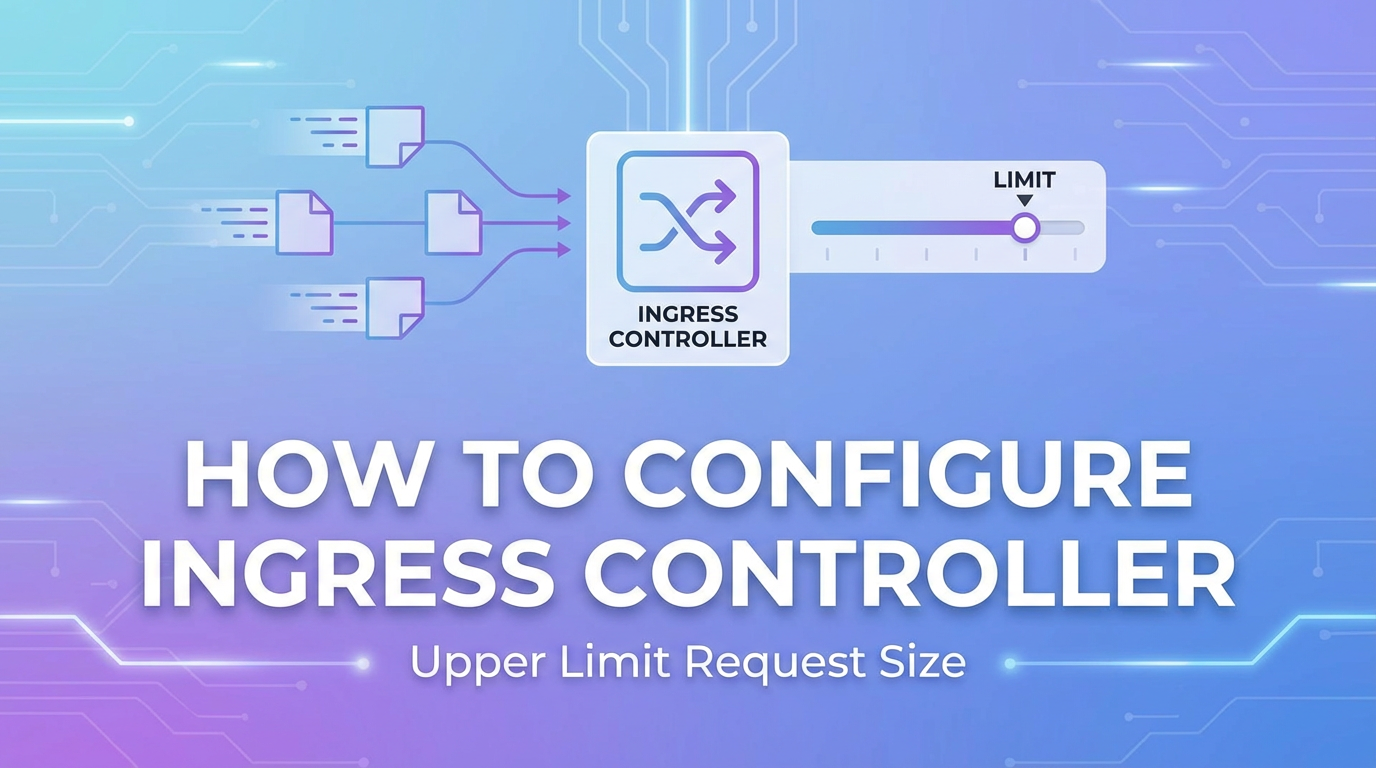


In the intricate landscape of modern web applications and microservices architectures, managing the flow of data is paramount. As organizations increasingly adopt Kubernetes for orchestrating their containerized workloads, the role of an Ingress Controller becomes undeniably central. It acts as the primary external entry point, a sophisticated traffic gateway that directs incoming requests to the appropriate services within the cluster. Among the myriad configuration options an Ingress Controller offers, one often overlooked yet critically important setting is the upper limit for request size. This seemingly simple parameter holds profound implications for application security, performance, and overall system stability, particularly for api endpoints that handle diverse data payloads.
The ability to precisely control the maximum allowed size of an incoming request body is not merely a technical detail; it is a fundamental aspect of robust api governance and operational resilience. Without proper configuration, an Ingress Controller can inadvertently become a vulnerability vector, susceptible to denial-of-service (DoS) attacks, buffer overflows, or simply inefficient resource utilization. Conversely, an overly restrictive limit can hinder legitimate api functionalities, leading to frustrated users and broken workflows. This comprehensive guide will delve deep into the mechanisms, best practices, and practical configurations for setting request size limits across various popular Ingress Controllers, ensuring that your Kubernetes clusters are both secure and performant. We will explore the "why" behind these limits, the specific methods for implementing them, and the broader impact they have on the entire api gateway and backend service ecosystem.
Understanding Ingress Controllers and Their Role in the Kubernetes Ecosystem
Before diving into the specifics of request size configuration, it's essential to solidify our understanding of what an Ingress Controller is and where it fits within the Kubernetes architecture. Kubernetes, at its core, is a platform for automating the deployment, scaling, and management of containerized applications. While it excels at managing internal service communication and orchestration, it doesn't inherently expose services directly to the outside world in a production-ready manner for HTTP/HTTPS traffic. This is where Ingress comes into play.
An Ingress in Kubernetes is an api object that manages external access to the services in a cluster, typically HTTP. Ingress provides load balancing, SSL termination, and name-based virtual hosting. However, an Ingress resource itself doesn't do anything; it's merely a declaration of rules. To make these rules operational, a running component known as an Ingress Controller is required.
An Ingress Controller is a specialized proxy that watches the Kubernetes api server for Ingress resources. When it detects an Ingress resource, it configures itself (or the underlying proxy it manages) according to the rules defined in that resource. Essentially, it acts as a smart reverse proxy or an application layer gateway for all incoming HTTP/HTTPS traffic destined for your cluster's services. This critical component sits at the edge of your cluster, routing requests from external clients to the correct internal services based on hostname, path, and other criteria specified in your Ingress definitions.
There are numerous implementations of Ingress Controllers, each leveraging different underlying proxy technologies and offering unique features and configuration paradigms. Some of the most widely adopted Ingress Controllers include:
- Nginx Ingress Controller: Perhaps the most popular, it uses Nginx as its underlying reverse proxy. It's known for its high performance, rich feature set, and extensive configuration options, often exposed via Kubernetes annotations.
- HAProxy Ingress Controller: Leveraging HAProxy, another robust and high-performance load balancer, this controller offers similar capabilities with a different configuration approach.
- Traefik Ingress Controller: A modern HTTP reverse proxy and load balancer that makes deploying microservices easy. It integrates natively with Kubernetes and supports dynamic configuration.
- Envoy-based Ingress Controllers (e.g., Contour, Istio Gateway): Envoy Proxy is a high-performance open-source edge and service proxy designed for cloud-native applications. Controllers like Contour (for general Ingress) and Istio
Gateway(for service mesh ingress) utilize Envoy's power. - AWS Load Balancer Controller (formerly AWS ALB Ingress Controller): Specifically designed for AWS environments, this controller provisions AWS Application Load Balancers (ALB) or Network Load Balancers (NLB) based on Ingress and Service resources.
Each of these controllers, while serving the same fundamental purpose of routing external traffic, has its own unique way of handling configurations, including how they impose limits on incoming requests. Understanding which Ingress Controller you are using is the first step toward effectively managing request size limits. The Ingress Controller effectively forms the first line of defense and the primary traffic manager for your apis, making its configuration critical to the overall health and security of your applications.
The Importance of Limiting Request Size
Setting an upper limit on the size of incoming requests is far more than a mere administrative detail; it is a critical security measure, a performance optimization technique, and a fundamental aspect of resource management within any production-grade Kubernetes environment. Neglecting this configuration can lead to a cascade of problems, ranging from denial of service to inefficient resource allocation.
Security Implications: Shielding Your APIs from Malicious Payloads
One of the primary motivations for implementing request size limits is security. In the absence of such limits, malicious actors can exploit vulnerabilities or simply overwhelm your infrastructure with excessively large payloads, leading to various attack vectors:
- Denial-of-Service (DoS) and Distributed DoS (DDoS) Attacks: An attacker can send a continuous stream of very large requests to your
apiendpoints. Each request, even if ultimately rejected by a backend service, consumes valuable resources (CPU, memory, network bandwidth) at the Ingress Controller level and potentially cascades down to your backend services. If the Ingress Controller allows arbitrarily large requests, it can exhaust its own memory or CPU trying to buffer or process these requests, effectively shutting down legitimate traffic. - Resource Exhaustion: Even if not a full DoS, large requests can consume disproportionate amounts of memory and CPU. For example, processing a multi-gigabyte JSON payload requires significant memory to parse and process. If an
apiendpoint is not designed to handle such large inputs, or if it's called repeatedly with large inputs, it can lead to memory exhaustion, process crashes, or excessive garbage collection cycles, degrading performance for all users. - Buffer Overflows: While less common in modern, memory-safe languages, large payloads could theoretically exploit vulnerabilities in parsing libraries or the underlying proxy software (if not robustly designed), leading to buffer overflows. By limiting the request size, you reduce the surface area for such highly technical attacks.
- Slow Loris-like Attacks (Indirect): While not a direct Slow Loris attack (which focuses on slow header sending), an attacker could send a legitimate-sized request but intentionally send the body data very slowly. If the Ingress Controller holds open connections and buffers these large, slow requests for too long, it can tie up connection slots and memory, impacting availability. A maximum request size, combined with connection timeouts, helps mitigate this.
- Exfiltration of Data (via overly permissive file uploads): Although not directly prevented by request size limits, if your
apis allow file uploads, an extremely large file limit could be misused to store large amounts of illicit data on your servers if not combined with other security measures like content type validation and access control. While the limit itself doesn't stop this, it sets a reasonable boundary for expected legitimate usage.
By establishing clear maximums, the Ingress Controller can swiftly reject oversized requests at the very edge of your cluster, often with a simple HTTP 413 "Request Entity Too Large" status code, without expending significant resources on processing them further. This acts as a crucial pre-filter, protecting your downstream apis and services from unnecessary strain.
Performance Optimization: Maintaining Snappy API Responses
Beyond security, request size limits are vital for maintaining optimal performance across your api infrastructure. Large requests, even legitimate ones, introduce performance overheads:
- Network Bandwidth Consumption: Extremely large requests consume more network bandwidth between the client, the Ingress Controller, and the backend service. This can saturate network links, especially if multiple such requests occur concurrently, leading to higher latency for all other requests.
- Increased Latency: Processing larger amounts of data inherently takes more time. This applies to the Ingress Controller buffering the entire request, passing it to the backend service, and the backend service itself parsing and processing the data. Setting a sensible limit ensures that the system is not bogged down by individual behemoth requests, maintaining predictable latency for the majority of
apicalls. - Resource Contention: As mentioned, parsing and processing large requests consume CPU and memory. If one service is hit with many large requests, it can starve other services or the Ingress Controller itself of necessary resources, leading to cascading performance degradation across the entire cluster.
- Backend Service Stability: Many backend services, especially those written in resource-sensitive languages or frameworks, may not be optimized for handling extremely large request bodies. An unexpected large payload could cause a service to crash, hang, or become unresponsive, requiring restarts and impacting application availability. The Ingress Controller acts as a protective layer, preventing such malformed or oversized requests from ever reaching the backend application logic.
Properly configured limits ensure that the system can handle the expected load efficiently, allocating resources appropriately and preventing any single request or type of request from monopolizing system capacity.
Resource Management: Efficient Allocation and Cost Control
Kubernetes environments are designed for efficiency and dynamic resource allocation. Request size limits contribute significantly to this goal:
- Predictable Resource Usage: With limits in place, you can better predict the maximum memory and CPU required by your Ingress Controller pods and backend services. This predictability allows for more accurate resource requests and limits in your Kubernetes deployments, preventing over-provisioning (and thus wasted costs) or under-provisioning (and thus performance issues).
- Cost Efficiency: In cloud environments, resource consumption directly translates to costs. By preventing resource exhaustion due to oversized requests, you ensure that your compute, memory, and network resources are used efficiently for legitimate traffic, avoiding unnecessary scaling events or high resource bills.
- Preventing Cascading Failures: An overloaded Ingress Controller or a struggling backend service due to large requests can trigger a chain reaction. Kubernetes might try to scale up services or restart pods, leading to instability and further resource consumption. Request size limits serve as a preventive measure, stopping problems at the entry point.
In essence, setting an upper limit on request size is a proactive measure that strengthens the security posture of your apis, enhances the performance of your applications, and ensures the efficient and stable operation of your Kubernetes infrastructure. It’s a foundational element in building a resilient api gateway strategy.
Common Scenarios Requiring Request Size Configuration
Understanding the theoretical importance of request size limits is one thing; recognizing the practical scenarios where they become crucial is another. While nearly every api benefits from having a sensible limit, certain use cases and types of interactions specifically highlight this necessity.
File Uploads: Managing Large Media and Document Transfers
Perhaps the most obvious and frequent scenario necessitating request size configuration is when your apis are designed to handle file uploads. This could involve a wide range of applications:
- Image and Video Sharing Platforms: Users uploading high-resolution photos, short video clips, or even full-length films.
- Document Management Systems: Uploading large PDF documents, CAD files, spreadsheets, or archives.
- Content Management Systems (CMS): Adding media assets, large articles with embedded content, or theme files.
- Data Ingestion
APIs: Businesses uploading large datasets in CSV, JSON, or other formats for processing.
In these contexts, file sizes can vary wildly, from a few kilobytes for a small avatar image to hundreds of megabytes or even gigabytes for high-definition video or large data archives. Without a clear upper limit configured at the Ingress Controller, several issues can arise:
- Unbounded Resource Consumption: A user (malicious or accidental) could attempt to upload an impossibly large file (e.g., several terabytes). The Ingress Controller would begin buffering this data, consuming vast amounts of memory and network bandwidth. This could quickly exhaust the controller's resources, making it unresponsive for all other traffic.
- Backend Service Overload: Even if the Ingress Controller has sufficient resources to buffer a large file, the downstream service responsible for processing the upload might not. A service expecting to handle typical document sizes might crash or time out when faced with a multi-gigabyte video file, especially if it tries to load the entire file into memory before processing.
- Security Vulnerabilities in Upload Forms: While client-side validation can prevent some oversized uploads, it's easily bypassed. Server-side validation, starting at the
gateway(Ingress Controller), is essential. An attacker might try to upload executables or other malicious content disguised as large files to attempt to trigger obscure vulnerabilities. - Inconsistent User Experience: Without limits, users might experience very long upload times for excessively large files, potentially leading to timeouts and a poor user experience. Setting an explicit limit helps manage expectations and guides users to upload files within reasonable bounds.
For file upload apis, the request size limit should be carefully chosen based on the maximum expected legitimate file size, taking into account typical usage patterns and backend service capabilities. It often makes sense to set this limit slightly above the largest practical file size your application is designed to handle, providing a safety margin while preventing abuse.
Large API Payloads: Complex Data Submissions and Batch Processing
Beyond file uploads, many apis handle data in the form of JSON, XML, or other structured formats within the request body. While individual fields might be small, the aggregated size of these payloads can become significant, especially in scenarios involving:
- Batch Operations: An
apithat allows submitting a list of items for creation, update, or deletion in a single request. For example, aPOST /products/batchendpoint that accepts an array of 10,000 product objects. - Complex Data Structures:
apis dealing with intricate hierarchical data, such as configuration files, detailed reports, or machine learning model definitions, which can result in very large JSON or XML documents. - Data Synchronization: Endpoints used for synchronizing large states or datasets between systems, where a single request might encapsulate a substantial portion of data.
- GraphQL Queries/Mutations: While typically efficient, complex GraphQL queries or mutations with deeply nested structures and large input variables can still result in substantial request bodies.
The challenges posed by large api payloads are similar to file uploads but often more subtle:
- Parsing Overhead: Backend services need to parse these large structured payloads. Parsing a multi-megabyte JSON document is CPU-intensive and memory-hungry. If the Ingress Controller doesn't filter these, the backend service might struggle.
- Serialization/Deserialization Issues: Some
apiframeworks or libraries might have performance bottlenecks or even hard limits when deserializing extremely large data structures, leading to timeouts or crashes. - Database Transaction Size: If a large
apipayload translates into a single, massive database transaction, it can lock tables, consume excessive database memory, and generally degrade database performance. - Network Congestion and Latency: Just like with file uploads, large
apipayloads consume network resources and contribute to higher latencies between various components of your infrastructure.
By configuring a request size limit at the Ingress Controller, you establish a contract with your api consumers: "We can process payloads up to X size efficiently." Any request exceeding this limit is rejected early, protecting your backend services from unexpected and potentially harmful data volumes. This is a vital part of defining the operational boundaries for your apis and ensuring they remain responsive and reliable.
Configuring Request Size Limits in Popular Ingress Controllers
The method for configuring the request size limit depends heavily on the specific Ingress Controller you are using. While the underlying proxy technologies (Nginx, HAProxy, Envoy, Traefik, ALB) have their own directives for this, Ingress Controllers typically expose these via Kubernetes-native mechanisms like annotations or ConfigMaps.
Nginx Ingress Controller
The Nginx Ingress Controller is one of the most widely adopted, leveraging Nginx's powerful capabilities. In Nginx, the directive responsible for limiting the size of the request body is client_max_body_size. The Nginx Ingress Controller exposes this functionality primarily through an annotation on the Ingress resource, or globally via a ConfigMap.
Per-Ingress Resource Configuration (Annotations)
For individual Ingress resources, you can set the nginx.ingress.kubernetes.io/proxy-body-size annotation. The value for this annotation should be an Nginx-compatible size unit, such as m for megabytes, g for gigabytes, or k for kilobytes.
Example Ingress Manifest:
apiVersion: networking.k8s.io/v1
kind: Ingress
metadata:
  name: my-api-ingress
  annotations:
    nginx.ingress.kubernetes.io/proxy-body-size: "50m" # Set max request body size to 50MB
    # Other Nginx annotations can go here
spec:
  ingressClassName: nginx # Ensure you specify your IngressClass
  rules:
  - host: api.example.com
    http:
      paths:
      - path: /upload
        pathType: Prefix
        backend:
          service:
            name: upload-service
            port:
              number: 80
      - path: /data
        pathType: Prefix
        backend:
          service:
            name: data-api-service
            port:
              number: 80
In this example, any request to api.example.com will have its body size limited to 50MB by the Nginx Ingress Controller. If a client sends a request with a body larger than 50MB, the Ingress Controller will respond with an HTTP 413 "Request Entity Too Large" status code, preventing the request from ever reaching the upload-service or data-api-service. It's important to note that this annotation applies to all paths defined within that specific Ingress resource. If you need different limits for different paths, you might consider splitting them into separate Ingress resources or using a more advanced api gateway solution like APIPark which can provide granular control over api policies. APIPark, as an open-source AI gateway and API management platform, excels at offering end-to-end api lifecycle management, including fine-grained traffic control and policies that can complement your Ingress configurations.
Global Configuration (ConfigMap)
If you need to set a default request body size limit for all Ingress resources managed by a specific Nginx Ingress Controller instance, you can configure it via the Ingress Controller's ConfigMap. This is useful for establishing a baseline security posture across all your apis.
Example ConfigMap:
apiVersion: v1
kind: ConfigMap
metadata:
  name: nginx-configuration
  namespace: ingress-nginx # Or wherever your Nginx Ingress Controller is deployed
data:
  client-max-body-size: "20m" # Default max request body size to 20MB for all Ingresses
This ConfigMap, named nginx-configuration (or whatever your Ingress Controller is configured to use), sets a global default of 20MB. Any Ingress resource that does not specify the nginx.ingress.kubernetes.io/proxy-body-size annotation will inherit this global limit. If an Ingress does specify the annotation, its specific setting will override the global default. This hierarchical approach provides flexibility, allowing you to establish a sensible default while permitting exceptions for apis that genuinely require larger payloads (e.g., specific file upload services).
Important Considerations for Nginx:
- Error Handling: When a request exceeds the
client_max_body_size, Nginx returns a 413 error. Ensure your client applications handle this error gracefully. - Nginx Worker Processes: The
client_max_body_sizedirective affects how much memory Nginx worker processes might use to buffer large requests. Setting an excessively high limit, especially forapis expecting small payloads, can expose your Ingress Controller to resource exhaustion. - Relationship with
proxy-read-timeoutandproxy-send-timeout: For very large files, also consider the proxy timeouts. If an upload takes too long, it might time out before theclient_max_body_sizeis even reached.
HAProxy Ingress Controller
The HAProxy Ingress Controller leverages HAProxy's robust capabilities. HAProxy, like Nginx, has mechanisms to limit the size of HTTP request bodies. Specifically, the option httplb or option http-request directives, combined with reqlen and maxreqbodysize, are used. The HAProxy Ingress Controller exposes these through annotations and ConfigMap as well.
Per-Ingress Resource Configuration (Annotations)
The primary annotation for controlling request body size in the HAProxy Ingress Controller is haproxy.router.kubernetes.io/max-request-body-size. The value should be an integer followed by a unit (e.g., 100m for 100 megabytes).
Example Ingress Manifest:
apiVersion: networking.k8s.io/v1
kind: Ingress
metadata:
  name: my-haproxy-api-ingress
  annotations:
    haproxy.router.kubernetes.io/max-request-body-size: "100m" # Max request body size 100MB
spec:
  ingressClassName: haproxy # Ensure you specify your IngressClass
  rules:
  - host: ha.example.com
    http:
      paths:
      - path: /upload
        pathType: Prefix
        backend:
          service:
            name: ha-upload-service
            port:
              number: 80
      - path: /data
        pathType: Prefix
        backend:
          service:
            name: ha-data-api-service
            port:
              number: 80
Similar to Nginx, this annotation applies to all paths within the my-haproxy-api-ingress resource. Any request exceeding 100MB to ha.example.com will be rejected by HAProxy at the gateway layer.
Global Configuration (ConfigMap)
For a cluster-wide default, you can use a ConfigMap. The key in the ConfigMap for this setting is typically max-request-body-size.
Example ConfigMap:
apiVersion: v1
kind: ConfigMap
metadata:
  name: haproxy-configuration
  namespace: haproxy-ingress # Or wherever your HAProxy Ingress Controller is deployed
data:
  max-request-body-size: "30m" # Default max request body size to 30MB
This ConfigMap sets a default of 30MB for all Ingress resources managed by this HAProxy Ingress Controller instance. An annotation on an individual Ingress will override this global default.
Important Considerations for HAProxy:
- HAProxy Directives: Under the hood, this annotation translates to HAProxy directives like
http-request deny if { req_len gt <size> }oroption http-proxywhich configures HAProxy to buffer request bodies. - Performance Impact: HAProxy is known for its efficiency. However, buffering very large requests still consumes memory. Careful selection of
max-request-body-sizeprevents excessive memory use in the HAProxy pods.
Traefik Ingress Controller
Traefik is a modern HTTP reverse proxy and load balancer designed for microservices. It automatically discovers services and dynamically configures itself. Traefik handles request body size limits through its middleware concept, which can be applied to IngressRoutes (Traefik's custom resource for routing).
Per-Route Configuration (Middleware)
Traefik uses a Middleware custom resource definition (CRD) to apply various transformations and rules to requests. To limit request body size, you define a StripPrefix or Headers (or other) middleware and add a Buffering configuration, although the most straightforward approach often involves specific maxRequestBodyBytes or similar in the route itself or a TraefikService if you're using more advanced features. For simplicity, let's focus on buffering.maxRequestBodyBytes.
First, define a Middleware resource:
apiVersion: traefik.containo.us/v1alpha1
kind: Middleware
metadata:
  name: limit-body-size
  namespace: default
spec:
  buffering:
    maxRequestBodyBytes: 20000000 # 20MB
    # If you want to buffer responses too, you can set maxResponseBodyBytes
Then, reference this middleware in your IngressRoute or Ingress (if using the ingress.kubernetes.io/router.entrypoints annotation). Note that IngressRoute is Traefik's preferred way to define routing.
Example IngressRoute Manifest using Middleware:
apiVersion: traefik.containo.us/v1alpha1
kind: IngressRoute
metadata:
  name: my-traefik-api-route
  namespace: default
spec:
  entryPoints:
    - web
    - websecure
  routes:
    - match: Host(`traefik.example.com`) && PathPrefix(`/upload`)
      kind: Rule
      services:
        - name: traefik-upload-service
          port: 80
      middlewares:
        - name: limit-body-size # Reference the Middleware created above
    - match: Host(`traefik.example.com`) && PathPrefix(`/data`)
      kind: Rule
      services:
        - name: traefik-data-api-service
          port: 80
In this setup, only requests to /upload on traefik.example.com will be subject to the limit-body-size middleware's 20MB limit. This granular control is a powerful feature of Traefik, allowing you to apply different limits to different apis or even different paths within the same api.
Important Considerations for Traefik:
- Middleware Chaining: Traefik's middleware concept is highly flexible. You can chain multiple middlewares to apply various transformations and checks.
maxRequestBodyBytes: This directive tells Traefik to buffer the request body up to the specified size. If the request body exceeds this, Traefik will return a 413 error.- Dynamic Configuration: Traefik is known for its dynamic configuration capabilities. Changes to IngressRoutes or Middlewares are applied almost instantly without restarting the proxy.
Envoy-based Ingress Controllers (e.g., Contour, Istio Gateway)
Envoy Proxy is a sophisticated L7 proxy often used as a gateway and service mesh component. Controllers like Contour (which provides an Ingress Controller using Envoy) and Istio Gateway (part of the Istio service mesh) leverage Envoy. Envoy itself has a max_request_bytes setting within its HTTP connection manager configuration. The challenge is exposing this Envoy-specific setting through Kubernetes-native CRDs.
Contour (HTTPProxy CRD)
Contour uses its own HTTPProxy CRD for defining routing rules, offering more advanced features than standard Kubernetes Ingress. You can configure the maxRequestBodyBytes per route.
Example HTTPProxy Manifest:
apiVersion: projectcontour.io/v1
kind: HTTPProxy
metadata:
  name: my-contour-api-proxy
  namespace: default
spec:
  virtualhost:
    fqdn: contour.example.com
  routes:
    - conditions:
      - prefix: /upload
      services:
        - name: contour-upload-service
          port: 80
      timeoutPolicy:
        response: 10s
        # Configure max request body size for this specific route
      # Contour typically uses a global configuration via Contour's config file
      # or a specific plugin/filter for body size limits.
      # For direct per-route control, it might require custom Envoy filters
      # or advanced configuration, which is less direct than annotations.
      # Often, this is configured globally in Contour's bootstrap config.
Note on Contour and maxRequestBodyBytes: Direct maxRequestBodyBytes per route in HTTPProxy is not a standard, simple annotation like Nginx. Contour configures Envoy based on its HTTPProxy resources. The max_request_bytes setting for Envoy is typically configured at the HttpConnectionManager level in Envoy's bootstrap configuration, which means it's often a global setting for all virtual hosts served by that Envoy instance.
To achieve per-route limits with Contour, you might need to:
- Global Limit in Contour's Config: The simplest is to configure a global
max_request_bytesin the Contour deployment's configuration file (e.g., as part of theenvoy.http.connection_manageroptions). This sets a hard limit for all traffic through that Contour instance. - Envoy
ExtensionService(Advanced): For highly granular control, you could define anExtensionServicein Contour that points to a custom filter or another proxy that enforces specific body size limits, but this adds significant complexity. - Future CRD Enhancements: As CRDs evolve, direct annotations or fields for
maxRequestBodyBytesmight become available inHTTPProxy. Always check the latest Contour documentation.
Given the complexity, for Contour and other Envoy-based solutions, often a sensible global limit is set at the HttpConnectionManager level, and applications are expected to conform or use specialized services for very large uploads.
Istio Gateway (VirtualService)
Istio uses Gateway resources to configure load balancers for inbound and outbound traffic at the edge of the mesh, and VirtualService resources to define routing rules. Similar to Contour, the underlying proxy is Envoy.
Istio's Gateway and VirtualService CRDs don't have a direct, simple field or annotation for maxRequestBodyBytes that maps to Envoy's max_request_bytes in the VirtualService itself. This is typically configured at the gateway proxy level.
To configure max_request_bytes in an Istio Gateway:
- Istio
ProxyConfig: You can modify theProxyConfigfor youringressgatewaydeployment. This is a global setting for theingressgateway. - EnvoyFilter (Advanced): For more fine-grained control, you can use an
EnvoyFilterCRD. This allows you to inject custom Envoy configuration directly into theingressgatewayproxy. This is powerful but also complex and should be used with caution as it directly manipulates Envoy's configuration.
Example EnvoyFilter for Global max_request_bytes:
apiVersion: networking.istio.io/v1alpha3
kind: EnvoyFilter
metadata:
  name: ingressgateway-max-body-size
  namespace: istio-system # Or wherever your Istio ingressgateway is deployed
spec:
  workloadSelector:
    labels:
      istio: ingressgateway
  configPatches:
    - applyTo: HTTP_FILTER
      match:
        context: GATEWAY
        listener:
          filterChain:
            filter:
              name: "envoy.filters.network.http_connection_manager"
              subFilter:
                name: "envoy.filters.http.router"
      patch:
        operation: INSERT_BEFORE
        value:
          name: "envoy.filters.http.buffer" # Use a buffer filter
          typed_config:
            "@type": "type.googleapis.com/envoy.extensions.filters.http.buffer.v3.Buffer"
            max_request_bytes: 52428800 # 50MB in bytes (50 * 1024 * 1024)
            # You might need to adjust other settings for buffer
This EnvoyFilter injects an HTTP buffer filter before the router filter in the ingressgateway's HTTP connection manager, setting a global max_request_bytes limit of 50MB. This is a more advanced configuration, highlighting that for Envoy-based proxies, granular control over such fundamental HTTP settings often requires deeper dives into Envoy's configuration model.
AWS ALB Ingress Controller (now AWS Load Balancer Controller)
The AWS Load Balancer Controller provisions and manages AWS Application Load Balancers (ALBs) for Kubernetes Ingresses. ALBs themselves have a fixed request size limit: 10MB for the request header and body combined. This limit is hard-coded by AWS and cannot be directly changed via annotations or configuration parameters of the AWS ALB Ingress Controller.
This means that if your apis expect to receive request bodies larger than 10MB, an AWS ALB is fundamentally not suitable for that gateway role without an additional layer. The ALB will reject any request exceeding this 10MB limit with an HTTP 413 "Request Entity Too Large" error before it even reaches your Ingress Controller (if you're using one behind the ALB) or your services.
How to Handle max-request-body-size with AWS ALBs:
- Design within Limits: For applications deployed on AWS with ALBs, the most straightforward approach is to design your
apis to handle payloads under 10MB. For file uploads, this typically means implementing chunked uploads (where the client sends the file in smaller, 10MB or less, segments) or using AWS S3 direct uploads with pre-signed URLs, bypassing theapi gatewayfor the large file transfer itself. - Alternative
Gateway(e.g., Nginx, HAProxy with NLB): If you absolutely need to handle larger requests through agatewayin AWS, you would typically deploy an Nginx or HAProxy Ingress Controller behind an AWS Network Load Balancer (NLB). The NLB operates at Layer 4 and doesn't impose HTTP body size limits. Then, you would configure the Nginx or HAProxy Ingress Controller for your desiredmax-request-body-sizeusing their respective annotations as described above. This adds a layer of complexity but provides the flexibility required for larger payloads.
Annotations related to ALB (for general configuration, not body size):
While the ALB controller doesn't offer direct body size control, it does offer other annotations for ALB behavior, such as:
apiVersion: networking.k8s.io/v1
kind: Ingress
metadata:
  name: my-alb-ingress
  annotations:
    kubernetes.io/ingress.class: alb
    alb.ingress.kubernetes.io/scheme: internet-facing
    alb.ingress.kubernetes.io/target-type: ip
    # No annotation for request body size due to ALB's inherent 10MB limit
spec:
  rules:
  - host: alb.example.com
    http:
      paths:
      - path: /
        pathType: Prefix
        backend:
          service:
            name: my-service
            port:
              number: 80
This limitation of ALBs is a crucial factor to consider when choosing your gateway strategy, especially if your apis are expected to handle substantial data transfers.
Summary of Request Size Limit Configurations
To provide a quick reference, here's a table summarizing the configuration methods for common Ingress Controllers:
| Ingress Controller | Configuration Method | Default Limit (if any) | Notes |
|---|---|---|---|
| Nginx Ingress Controller | Per-Ingress: nginx.ingress.kubernetes.io/proxy-body-size annotation Global: client-max-body-size in ConfigMap |
1MB | Very flexible. Annotation overrides global ConfigMap. Value in Nginx size units (k, m, g). |
| HAProxy Ingress Controller | Per-Ingress: haproxy.router.kubernetes.io/max-request-body-size annotation Global: max-request-body-size in ConfigMap |
1MB | Annotation overrides global ConfigMap. Value in size units (k, m, g). |
| Traefik Ingress Controller | Per-Route: Middleware CRD with buffering.maxRequestBodyBytes Global: Traefik's static configuration or default middleware |
Unlimited (by default) | Highly granular control via middlewares. maxRequestBodyBytes takes value in bytes. |
| Contour (Envoy-based) | Global: max_request_bytes in Contour's Envoy bootstrap config Per-Route: Requires advanced EnvoyFilter or ExtensionService for complex scenarios |
1MB | Direct per-route annotation is not standard. Global configuration via Contour's config is typical. EnvoyFilter for advanced, granular control. |
| Istio Gateway (Envoy-based) | Global: Modify ProxyConfig for ingressgateway Per-Route: Advanced EnvoyFilter CRD |
1MB | Similar to Contour, often a global setting or requires complex EnvoyFilter for fine-grained control. |
| AWS Load Balancer Controller | Fixed 10MB limit by AWS ALB. No direct configuration via annotations. | 10MB | This is a hard limit of the underlying AWS ALB. For larger requests, use an NLB in front of an Nginx/HAProxy Ingress Controller or bypass the ALB with direct S3 uploads for large files. |
This table highlights the diverse approaches taken by different Ingress Controllers and underscores the importance of consulting the specific documentation for your chosen controller. While the goal is the same (limiting request body size), the implementation details vary significantly.
APIPark is a high-performance AI gateway that allows you to securely access the most comprehensive LLM APIs globally on the APIPark platform, including OpenAI, Anthropic, Mistral, Llama2, Google Gemini, and more.Try APIPark now! 👇👇👇
Choosing the Right Limit: A Strategic Decision
Selecting the appropriate request size limit is a balancing act between security, performance, and functionality. An overly restrictive limit will break legitimate application workflows, while an excessively high limit exposes your infrastructure to unnecessary risks and resource strain. This decision should be informed by a thorough understanding of your application's requirements and operational context.
Factors to Consider:
- Typical
APIPayload Sizes: Analyze the average and maximum expected payload sizes for yourapiendpoints. This involves looking at the data structures yourapis consume. For instance, a user profile updateapimight expect a few kilobytes, while a batch order processingapicould legitimately handle several megabytes. Tools forapimonitoring and traffic analysis can provide valuable insights here. - Expected File Uploads: If your
apisupports file uploads, identify the maximum size of files that users are genuinely expected to upload. Consider different media types (images, videos, documents) and their typical sizes. For example, a document management system might need to support 100MB PDFs, while a social media platform might only need 10MB for user-uploaded images. - Backend Service Capabilities: Understand the limitations of your backend services. Can they efficiently parse and process a 50MB JSON payload? Do your services load entire files into memory, or do they stream them? If a service is designed to stream large files to storage, a higher Ingress limit might be acceptable. If it tries to load everything into memory, a much lower limit is prudent. Excessive memory consumption by a backend service can lead to pod restarts (OOMKilled) in Kubernetes.
- Network Capacity and Latency Targets: While modern data centers have high bandwidth, pushing extremely large requests frequently can still impact overall network performance and increase latency for other
apicalls. Consider your network throughput and desired latency for yourapis. - Security Posture: What is your organization's risk tolerance? A more conservative approach leans towards lower limits, especially for public-facing
apis, to minimize the attack surface. For internalapis with authenticated users, higher limits might be acceptable if justified by business needs. API GatewayBest Practices: Manyapi gatewaysolutions, including APIPark, offer their own mechanisms for rate limiting, throttling, and request size management. It's crucial to ensure that the Ingress Controller's limit is harmonized with, or slightly above, the limits enforced by yourapi gatewayor backend services. APIPark, for example, provides robust capabilities for end-to-end API lifecycle management, including traffic forwarding and policy enforcement, which can add a layer of sophisticated control over and above what a basic Ingress Controller offers.
Balancing Security and Usability:
The sweet spot lies in setting a limit that is comfortably above what legitimate requests require, but low enough to swiftly reject malicious or erroneous oversized payloads.
- Start Conservatively: If unsure, start with a more conservative (lower) limit. It's generally safer to reject a few legitimate but oversized requests initially and then incrementally increase the limit as needed, based on feedback and monitoring.
- Segment
APIs: If someapis require very large requests (e.g., dedicated file uploadapis) while most others deal with small data, consider creating separate Ingress resources or even separate Ingress Controllers for these distinct use cases. This allows for tailored limits without affecting the baseline security of your generalapis. - Clear Error Messaging: Ensure that when an Ingress Controller rejects a request with a 413 error, your client applications provide clear, user-friendly feedback. For instance, "File too large. Maximum allowed size is 50MB."
Monitoring and Iteration:
Request size limits are not a set-it-and-forget-it configuration. They require continuous monitoring and potential iteration:
- Monitor Ingress Controller Logs: Keep an eye on your Ingress Controller logs for 413 "Request Entity Too Large" errors. Frequent legitimate 413 errors indicate that your limit might be too restrictive for current usage patterns.
- Monitor Backend Service Health: Observe the CPU, memory, and network utilization of your backend services. If, despite Ingress limits, services are struggling with large payloads, it might indicate that the limit is still too high, or that the service itself needs optimization for handling data.
- Client-Side Analytics: Collect feedback from your client applications. Are users consistently hitting size limits for uploads? This data can inform adjustments.
- Regular Review: Periodically review your
apilandscape and usage patterns. As your application evolves, so too might the legitimate size requirements for yourapirequests.
By thoughtfully considering these factors and adopting an iterative approach, you can configure request size limits that optimize for both the security and performance of your Kubernetes-hosted apis, ensuring a stable and efficient gateway for all your applications.
Impact on API Gateway and Backend Services
Configuring request size limits at the Ingress Controller level is an essential first step, but it's crucial to understand how these limits interact with other layers in your api architecture, particularly dedicated api gateway solutions and your backend services. A multi-layered approach to request size management is often the most robust.
The Ingress Controller as the First Line of Defense
The Ingress Controller serves as the initial gateway for all external HTTP/HTTPS traffic entering your Kubernetes cluster. By setting request size limits here, you establish the very first line of defense. Any oversized request is rejected at the earliest possible point, before it consumes significant resources from downstream components. This prevents:
- Unnecessary Network Traffic: Large payloads are dropped before being forwarded deeper into the cluster.
API GatewayResource Consumption: Your dedicatedapi gatewaydoesn't have to spend CPU cycles or memory buffering and processing a request that will ultimately be rejected.- Backend Service Burden: The backend application services are entirely shielded from requests that violate the basic size policy.
This makes the Ingress Controller's limit a fundamental, cluster-wide baseline for api request sizes.
Interaction with Dedicated API Gateway Solutions
Many organizations employ a dedicated api gateway solution, such as Kong, Apigee, Tyk, or open-source platforms like APIPark, behind the Ingress Controller. These api gateways offer advanced features like authentication, authorization, rate limiting, caching, transformation, and comprehensive api lifecycle management. These specialized api gateways often have their own configuration options for request body size limits, which can be more granular than what an Ingress Controller provides.
APIPark - Open Source AI Gateway & API Management Platform
For example, APIPark offers an all-in-one AI gateway and API developer portal. It's designed to help developers and enterprises manage, integrate, and deploy AI and REST services with ease. APIPark provides end-to-end api lifecycle management, allowing for granular control over various api policies, including traffic forwarding, load balancing, and versioning. This level of detail means that while your Ingress Controller provides a broad gateway entry point and initial filtering, APIPark can apply more specific policies per api or even per route, based on different business requirements or security profiles. For instance, one api handling user avatars might have a 5MB limit, while another handling machine learning model updates could allow 100MB, all managed and enforced by APIPark's sophisticated gateway capabilities.
Hierarchical Limits:
The interaction typically follows a hierarchical model:
- Ingress Controller Limit (Outer
Gateway): This is the outermost limit. It should be set to the largest possible size anyapiwithin that cluster/Ingress Controller instance could legitimately need. It acts as a safety net for all traffic. - Dedicated
API GatewayLimit (InnerGateway): If you use a dedicatedapi gateway, it typically sits behind the Ingress Controller (though sometimes it can be the Ingress Controller, e.g., an Ingress for a Konggateway). Thisapi gatewaycan then apply more refined limits perapi. This limit should be less than or equal to the Ingress Controller's limit. If theapi gatewaylimit is higher than the Ingress Controller's, the Ingress Controller's limit will always prevail for external traffic. - Backend Service Limit (Application Layer): Finally, your backend application itself might have internal limits or processing constraints. The
api gatewayand Ingress Controller limits should always be less than or equal to what the backend service can safely handle.
Ensuring Consistency Across the API Stack:
It is paramount to maintain consistency across these layers. Inconsistent limits can lead to unexpected behavior:
- Ingress Limit >
API GatewayLimit: Requests within the Ingress limit but exceeding theapi gatewaylimit will reach theapi gateway, only to be rejected there. This means theapi gatewayunnecessarily consumed resources. API GatewayLimit > Backend Limit: Requests within theapi gatewaylimit but exceeding the backend service's capacity will reach the backend, potentially causing it to crash or perform poorly.
The ideal scenario is to set the Ingress Controller limit as a broad maximum. Then, use your dedicated api gateway (like APIPark) to apply more granular, api-specific limits that are always less than or equal to the Ingress Controller's limit, and also less than or equal to the backend service's capacity. This layered approach provides maximum flexibility, robust security, and efficient resource utilization.
Ensuring Backend Service Resilience
Even with robust Ingress Controller and api gateway limits, it's vital to ensure your backend services are resilient to potential large payloads that somehow slip through or are within acceptable limits but still taxing.
- Stream Processing vs. In-Memory Buffering: For services handling potentially large data (even within limits), prefer stream processing over loading the entire payload into memory. This significantly reduces memory footprint and improves performance.
- Robust Error Handling: Backend services should be prepared to gracefully handle
apirequests that are still large, even if within configured limits. This includes robust parsing, validation, and error reporting. - Dedicated Upload Services: For extremely large file uploads that exceed even generous
gatewaylimits, consider creating dedicated file upload services that bypass the standardapi gatewaypath entirely. These services might use specialized protocols (e.g., FTP, SFTP), direct cloud storage uploads (e.g., AWS S3 pre-signed URLs), or chunked upload mechanisms. - Monitoring: Continuously monitor the resource utilization (CPU, memory) of your backend service pods. Spikes in resource usage correlating with large request processing can indicate bottlenecks, even if requests are within allowed size.
By treating the request size limit as a multi-layered concern, from the edge Ingress Controller to the dedicated api gateway to the backend application, you build a resilient, efficient, and secure api infrastructure capable of handling diverse traffic patterns.
Troubleshooting Common Issues
Despite careful configuration, you might encounter issues related to request size limits. Understanding how to troubleshoot these problems effectively is key to maintaining a stable api environment. The most common symptom of an oversized request is an HTTP 413 "Request Entity Too Large" status code.
413 Request Entity Too Large Errors
When a client receives an HTTP 413 status code, it means the server (or an intermediary proxy like your Ingress Controller) is refusing to process the request because the request body is larger than the server is willing or able to process.
Troubleshooting Steps for 413 Errors:
- Identify the Source of the 413:
- Client-side: Is the 413 being generated by a client-side library or framework before the request is even sent? Some clients might have their own default limits.
- Ingress Controller: This is the most common place for an external
apito encounter a 413. Check the Ingress Controller logs first. - Dedicated
API Gateway: If you have anapi gateway(like APIPark) behind your Ingress Controller, it might also impose a limit. - Backend Service/Application Server: Less common for a full 413 (they often just crash or timeout), but some application servers (e.g., Tomcat, Node.js servers with specific middleware) can generate this.
- Cloud Load Balancer: As discussed with AWS ALB, cloud-managed load balancers often have hard limits.
- Check Ingress Controller Configuration:
- Nginx Ingress Controller:
- Examine the
nginx.ingress.kubernetes.io/proxy-body-sizeannotation on the specific Ingress resource. - Check the ConfigMap (
nginx-configurationiningress-nginxnamespace usually) for the globalclient-max-body-sizesetting. - Ensure the Ingress Class is correctly specified and the controller is managing the Ingress.
- Examine the
- HAProxy Ingress Controller:
- Look for
haproxy.router.kubernetes.io/max-request-body-sizeannotation on the Ingress. - Inspect the ConfigMap for
max-request-body-size.
- Look for
- Traefik Ingress Controller:
- Review
Middlewaredefinitions forbuffering.maxRequestBodyBytesand ensure the Middleware is correctly linked to theIngressRoute.
- Review
- Envoy-based (Contour/Istio):
- If using global settings, verify the configuration for the Envoy proxy itself (Contour config or Istio
ProxyConfig/EnvoyFilter). - Confirm that the
EnvoyFilteror other advanced configurations are applied correctly to the targetgatewayworkload.
- If using global settings, verify the configuration for the Envoy proxy itself (Contour config or Istio
- AWS ALB: Remember the 10MB hard limit. If your requests are consistently above this and you're using ALB, you need to reconsider your
gatewayarchitecture or upload strategy (e.g., S3 direct uploads).
- Nginx Ingress Controller:
- Examine Ingress Controller Logs:
- Use
kubectl logs -f <ingress-controller-pod-name> -n <ingress-controller-namespace>. - Filter for the client IP address, request path, or the 413 status code. The logs often provide specific messages indicating the limit that was exceeded. For Nginx, you might see messages like "client intended to send too large body."
- Use
- Validate Client Request Size:
- Confirm the actual size of the request body being sent by the client. Use tools like
curl -v --data-binary @large_file.json <your-api-endpoint>or network developer tools in browsers to inspect the request size. This helps determine if the client is indeed sending an oversized payload or if there's a misconfiguration.
- Confirm the actual size of the request body being sent by the client. Use tools like
- Check Upstream
API Gateway/ Backend Logs:- If the Ingress Controller isn't showing a 413, the request might be passing through to a downstream
api gatewayor the backend service. Check their logs for 413s or other errors related to request parsing or memory issues.
- If the Ingress Controller isn't showing a 413, the request might be passing through to a downstream
- Increase Limit (Temporarily for Testing):
- As a diagnostic step, temporarily increase the request body size limit in your Ingress Controller (and any
api gatewayif applicable) to a very high value. If the 413 disappears, you've confirmed the issue is with the size limit. Then, you can fine-tune it.
- As a diagnostic step, temporarily increase the request body size limit in your Ingress Controller (and any
Other Issues and Considerations
- Timeouts vs. 413: Sometimes, very large requests can also lead to timeouts (HTTP 504
GatewayTimeout or 502 Bad Gateway) if the Ingress Controller or backend service takes too long to process the request before hitting the size limit. Ensure yourproxy-read-timeoutandproxy-send-timeoutsettings are appropriate for large requests if you intend to allow them. - Memory Exhaustion: If your Ingress Controller pods (or backend service pods) are experiencing frequent restarts with an
OOMKilledstatus, it could be that they are trying to buffer or process excessively large requests, even if they aren't explicitly configured for a 413. This points to a need for either lower limits or more resources for the pods. - Distributed Systems Complexity: In a complex microservices architecture, a request might pass through multiple proxies/gateways. Each layer could impose its own limits. Systematically checking each layer from the client to the ultimate backend is crucial.
- Webhook Issues: For Kubernetes webhooks (MutatingWebhookConfiguration, ValidatingWebhookConfiguration), large requests can sometimes be problematic. While not directly handled by the Ingress Controller, this illustrates the general need for awareness of payload sizes throughout the system.
By systematically approaching troubleshooting with an understanding of how each layer of your api infrastructure handles request size, you can quickly diagnose and resolve issues, ensuring smooth operation of your applications.
Advanced Considerations for Request Size Management
While the basic configuration of request size limits is fundamental, highly dynamic or complex environments often require more advanced strategies to optimize security, performance, and flexibility.
Per-Route Limits vs. Global Limits
As seen in the configuration sections, most Ingress Controllers offer both global (via ConfigMap) and per-Ingress/per-route (via annotations or specific CRD fields) limits.
- Global Limits: Ideal for establishing a baseline security posture across the entire cluster. It ensures that no
apiendpoint, by default, can be exploited with an arbitrarily large payload. This is good for general-purposeapis and internal services. - Per-Route Limits: Essential when you have diverse
apis with vastly different payload requirements. For instance, a dedicated file uploadapimight need a 100MB limit, while a simple data retrievalapimight only need 1MB. Applying a 100MB global limit just for oneapiwould expose all otherapis to unnecessarily large (and potentially malicious) requests. Per-route limits allow for fine-grained control, optimizing resource use and security for each specificapi.
Strategy: A balanced approach typically involves setting a sensible, conservative global limit, and then selectively applying higher (or lower, if needed) per-route limits for specific apis that have justified requirements. This minimizes the attack surface while maintaining application functionality.
Dynamic Configuration and Automation
In highly dynamic environments, manual configuration of limits through YAML files can become cumbersome. While most Ingress Controllers support dynamic updates (changes to Ingress/ConfigMap/CRDs are picked up automatically), the process of defining these limits could be automated.
- GitOps: Store your Ingress and
api gatewayconfigurations in a Git repository. Tools like Argo CD or Flux CD can then automatically apply these configurations to your cluster, ensuring consistency and version control. API GatewayManagement Platforms: Solutions likeAPIParkoffer powerfulapimanagement capabilities. Whenapis are defined and managed within such a platform, request size limits and other policies can often be configured through a user interface orapiitself. This means that as you define newapis or update existing ones, the associated policies, including size limits, can be automatically propagated to the underlyinggatewayinfrastructure (e.g., the Ingress Controller that routes to APIPark, or APIPark itself enforcing limits). This greatly streamlines operations and reduces manual errors.APIParkis explicitly designed for this kind of unified management, allowing you to encapsulate prompts into REST APIs and manage their full lifecycle.
Integration with Web Application Firewalls (WAFs)
For enhanced security, Ingress Controllers and api gateways are often integrated with Web Application Firewalls (WAFs). A WAF provides an additional layer of security by filtering, monitoring, and blocking HTTP traffic to and from a web application, often protecting against specific web attacks like SQL injection, cross-site scripting (XSS), and more.
- Layered Defense: Request size limits at the Ingress Controller/
api gatewaylevel are a basic, coarse-grained filter. A WAF can then perform much deeper inspection of the request body (if it passes the size limit) for malicious content or patterns. - Complementary Roles: While the Ingress Controller might reject a 500MB request, a WAF would inspect a 10MB request for specific
apiabuse patterns. They work in tandem, with the Ingress Controller providing early rejection for obvious oversized threats, and the WAF offering detailed scrutiny for more sophisticated attacks. - Order of Operations: Ensure the request size limit is applied before the WAF performs its potentially resource-intensive inspection. This way, the WAF doesn't waste resources analyzing an already oversized, illegitimate request.
Observability and Alerting
Finally, robust observability and alerting are critical for effective request size management.
- Metrics: Instrument your Ingress Controllers and
api gateways to expose metrics related to rejected requests (e.g., count of 413 errors). Prometheus and Grafana are excellent tools for collecting and visualizing these metrics. Monitoring the number of 413 errors over time helps you understand if your limits are appropriate or if legitimate traffic is being unduly impacted. - Logs: As discussed, detailed logging of Ingress Controller activity, especially 413 errors, is crucial for troubleshooting. Centralize these logs using a logging stack (e.g., EFK: Elasticsearch, Fluentd, Kibana; or Loki/Promtail/Grafana).
- Alerting: Set up alerts (e.g., via Alertmanager) to notify your operations team if the rate of 413 errors exceeds a certain threshold. This can indicate a misconfiguration, a new application requirement, or even a targeted attack. Also, alert on sudden spikes in Ingress Controller CPU/memory utilization, which could be a precursor to performance degradation due to unhandled large requests.
By incorporating these advanced considerations, you can move beyond basic request size configuration to build a highly resilient, observable, and adaptable api infrastructure that can effectively manage traffic, enhance security, and scale efficiently with your application's evolving needs.
Conclusion
The journey through configuring Ingress Controller upper limit request sizes reveals a critical aspect of managing modern containerized applications and apis within Kubernetes. Far from being a trivial setting, this parameter underpins the security, performance, and resource efficiency of your entire application stack. By acting as the primary gateway to your cluster, the Ingress Controller's ability to swiftly reject oversized or malicious requests is an indispensable first line of defense.
We've explored the profound "why" behind these limits: from safeguarding against denial-of-service attacks and resource exhaustion to optimizing network bandwidth and ensuring the stability of your backend services. We delved into practical scenarios, highlighting the importance of tailored limits for file uploads and complex api payloads that can significantly impact operational stability. Furthermore, we provided detailed, actionable guidance on configuring these limits across the most popular Ingress Controllers—Nginx, HAProxy, Traefik, Envoy-based solutions like Contour and Istio Gateway, and even the nuanced case of the AWS Load Balancer Controller with its inherent 10MB restriction. The comparative table served as a quick reference, underscoring the diverse yet similar approaches these technologies employ.
Crucially, the article emphasized that setting the right limit is not a one-time task but a strategic decision requiring careful consideration of typical api payload sizes, backend service capabilities, and overall security posture. This decision demands an iterative approach, supported by robust monitoring and a willingness to adjust as your application's needs evolve. We also highlighted the layered nature of request size management, stressing the importance of harmonizing limits across the Ingress Controller, dedicated api gateway solutions (such as APIPark, which offers advanced api lifecycle and traffic management features), and the backend services themselves. This multi-layered defense ensures comprehensive protection and efficient resource utilization throughout your api architecture.
Finally, we equipped you with troubleshooting strategies for common issues like the ubiquitous 413 "Request Entity Too Large" error and delved into advanced considerations such as per-route granularity, dynamic configuration, integration with Web Application Firewalls, and the indispensable role of observability and alerting.
In an era where apis form the backbone of digital interaction, mastering the intricacies of traffic management at the gateway is no longer optional. By meticulously configuring your Ingress Controller's request size limits, you are not just ticking a technical box; you are actively building a more resilient, secure, and performant foundation for your Kubernetes applications, paving the way for scalable and reliable service delivery. Embrace these principles, and your api infrastructure will be well-prepared to handle the dynamic demands of the modern web.
Frequently Asked Questions (FAQs)
1. What is an HTTP 413 "Request Entity Too Large" error, and how does it relate to Ingress Controllers?
An HTTP 413 "Request Entity Too Large" error indicates that the server (or an intermediary proxy like an Ingress Controller) refuses to process a request because the request body's size exceeds the server's configured limit. In the context of Kubernetes, the Ingress Controller, acting as the primary gateway, is typically the component that enforces this limit. When it receives a request with a body larger than its max-request-body-size setting (e.g., nginx.ingress.kubernetes.io/proxy-body-size), it immediately rejects the request with a 413 status code, preventing the oversized payload from consuming resources further down the api pipeline.
2. Why is it important to configure request size limits on an Ingress Controller?
Configuring request size limits is crucial for several reasons: * Security: It protects against Denial-of-Service (DoS) attacks where attackers try to flood your apis with excessively large payloads to exhaust resources (CPU, memory, network bandwidth). * Performance: It prevents single, overly large requests from degrading the performance of your Ingress Controller and backend services, maintaining low latency for legitimate traffic. * Resource Management: It ensures efficient allocation of cluster resources, preventing memory exhaustion or unexpected scaling due to unexpected large inputs. It's a key part of your api gateway strategy.
3. How do I set a request size limit for the Nginx Ingress Controller?
For the Nginx Ingress Controller, you can set the request body size limit using annotations on your Ingress resource or globally via a ConfigMap. * Per-Ingress: Add the annotation nginx.ingress.kubernetes.io/proxy-body-size: "50m" to your Ingress metadata, where "50m" represents 50 megabytes. * Global: Edit the nginx-configuration ConfigMap in your Ingress Controller's namespace and add client-max-body-size: "20m". Per-Ingress annotations will override the global setting.
4. What is the request size limit for an AWS Application Load Balancer (ALB) acting as an Ingress Controller?
AWS Application Load Balancers (ALBs) have a hard-coded request size limit of 10MB for the combined request header and body. This limit cannot be changed or overridden by annotations from the AWS Load Balancer Controller. If your apis require handling requests larger than 10MB, you would need an alternative gateway strategy, such as deploying an Nginx or HAProxy Ingress Controller behind an AWS Network Load Balancer (NLB), or implementing chunked uploads/direct cloud storage uploads to bypass the ALB for large files.
5. How do Ingress Controller limits interact with a dedicated API Gateway like APIPark?
Ingress Controller limits act as the outermost, first line of defense, setting a broad maximum for all traffic entering your Kubernetes cluster. A dedicated api gateway like APIPark, which might sit behind the Ingress Controller, offers more granular api-specific policy enforcement. APIPark, being an open-source AI gateway and API management platform, allows you to configure specific request size limits for individual apis or routes. The Ingress Controller's limit should always be equal to or greater than the highest limit configured on your api gateway for any specific api. This creates a layered security and performance strategy, where the Ingress provides a broad safety net, and the api gateway offers fine-tuned control.
🚀You can securely and efficiently call the OpenAI API on APIPark in just two steps:
Step 1: Deploy the APIPark AI gateway in 5 minutes.
APIPark is developed based on Golang, offering strong product performance and low development and maintenance costs. You can deploy APIPark with a single command line.
curl -sSO https://download.apipark.com/install/quick-start.sh; bash quick-start.sh

In my experience, you can see the successful deployment interface within 5 to 10 minutes. Then, you can log in to APIPark using your account.

Step 2: Call the OpenAI API.