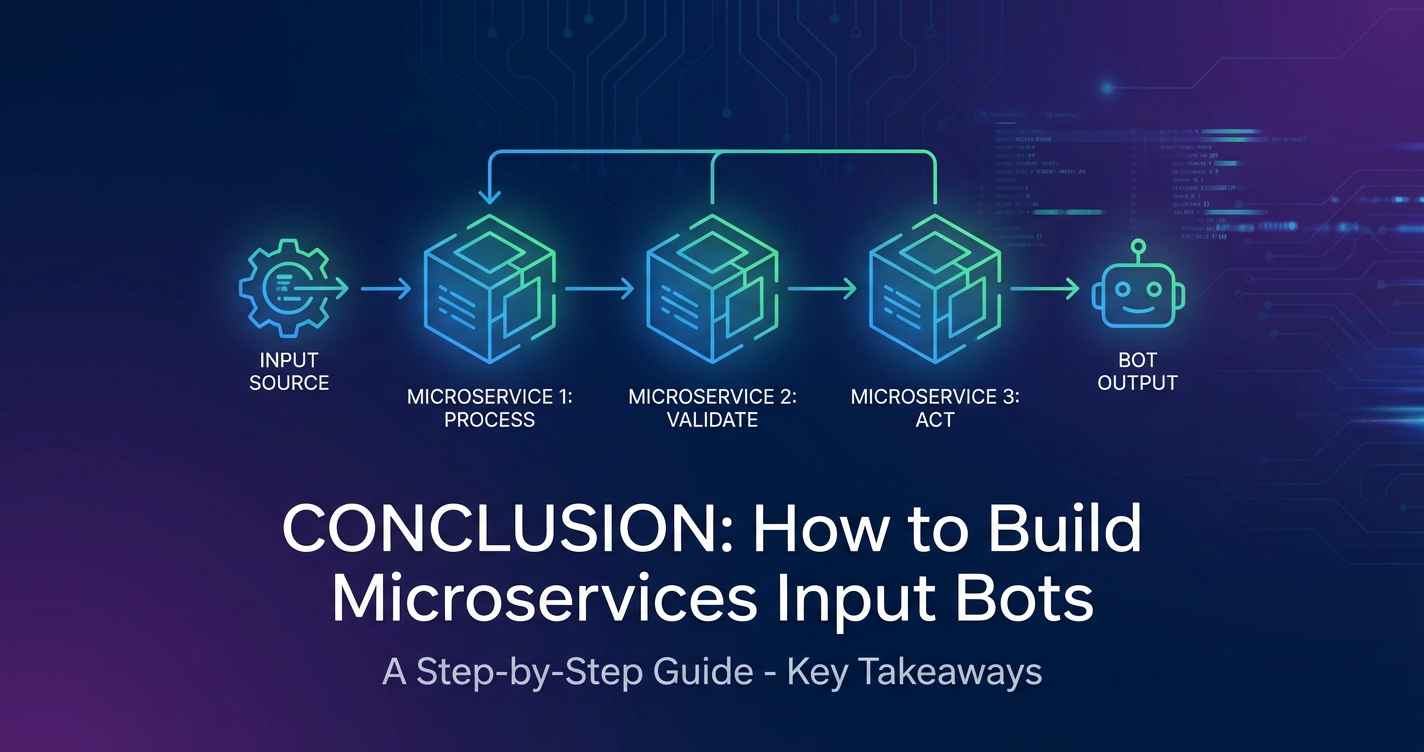
How to Build Microservices Input Bots: A Step-by-Step Guide


In an increasingly interconnected and automated world, the demand for sophisticated, responsive, and intelligent systems has never been higher. Businesses and individuals alike are constantly seeking more intuitive ways to interact with technology, manage information, and automate mundane tasks. This drive has led to the proliferation of conversational interfaces and input bots – software agents designed to understand and respond to user queries, collect data, or execute commands through natural language or structured inputs. These bots are not just customer service tools; they are powerful engines for data capture, process automation, and personalized user experiences across a myriad of domains, from healthcare and finance to retail and internal operations. They streamline workflows, reduce human error, and provide round-the-clock availability, fundamentally changing how we engage with digital ecosystems.
However, building such intelligent agents, especially those intended to scale, adapt, and integrate seamlessly into complex enterprise environments, presents significant architectural challenges. Traditional monolithic application designs often struggle with the agility, resilience, and independent scalability required by modern bot applications that interface with numerous external systems and leverage diverse AI capabilities. This is precisely where the microservices architecture emerges as a transformative paradigm. By decomposing a complex bot into a collection of small, independently deployable, and loosely coupled services, developers can achieve unparalleled flexibility, maintainability, and operational efficiency. Each service can be developed, deployed, and scaled independently, using the most appropriate technology stack for its specific function, without impacting other parts of the system. This modular approach not only accelerates development cycles but also significantly enhances the system's ability to evolve and adapt to new requirements and technological advancements, a critical factor for the longevity and success of any sophisticated input bot.
This comprehensive guide will embark on a detailed journey to explore the intricacies of building microservices-based input bots. We will delve into the fundamental concepts of microservices architecture, illuminate the core components that constitute an intelligent bot, and provide a practical, step-by-step methodology for designing and implementing such a system. From understanding service decomposition and inter-service communication to deploying and managing these distributed systems, we will cover the essential knowledge and best practices necessary to construct robust, scalable, and highly performant input bots. A particular emphasis will be placed on the pivotal role of an API Gateway in managing inter-service communication, securing access, and providing a unified entry point, especially when integrating with a multitude of APIs and leveraging advanced AI models. By the end of this guide, you will possess a profound understanding of how to architect, develop, and deploy a state-of-the-art microservices input bot, ready to tackle the demands of the modern digital landscape.
Understanding Microservices Architecture for Bots
The journey into building sophisticated input bots inevitably leads us to the realm of microservices architecture. This architectural style, fundamentally different from the traditional monolithic approach, has become the de facto standard for building scalable, resilient, and agile applications in today's cloud-native landscape. To effectively construct an input bot that can meet the evolving demands of users and integrate with diverse systems, a deep understanding of what microservices entail and why they are particularly suited for bot development is crucial.
What are Microservices?
At its core, a microservice architecture structures an application as a collection of small, autonomous services, each responsible for a specific business capability. Unlike a monolith, where all functionalities are tightly coupled within a single deployable unit, microservices are loosely coupled, independently deployable, and can be developed by small, focused teams. Imagine a large, complex application like an e-commerce platform. In a monolithic design, everything from user authentication to product catalog, order processing, and payment gateways would reside in one codebase. In a microservices approach, these functionalities would be broken down into separate services: an Authentication Service, a Product Catalog Service, an Order Service, a Payment Service, and so on.
The defining characteristics of microservices extend beyond mere size. Each service typically owns its data store, enabling independent evolution of data schemas and technologies. They communicate with each other through well-defined APIs, often using lightweight protocols like REST over HTTP or gRPC. This autonomy allows teams to choose the best technology stack (programming language, framework, database) for each service, fostering innovation and optimizing performance for specific tasks. For instance, a real-time data processing service might be written in Go for its concurrency prowess, while a complex machine learning service might leverage Python and its rich ecosystem of AI libraries. The loose coupling ensures that a failure in one service does not necessarily bring down the entire application, contributing significantly to system resilience. Moreover, independent deployment means that updates or bug fixes to a single service can be rolled out without redeploying the entire application, drastically reducing release cycles and minimizing risks.
However, this architectural style is not without its challenges. The distributed nature of microservices introduces complexities such as distributed data management, inter-service communication overhead, network latency, and the increased operational burden of managing numerous independent services. Debugging issues across multiple services requires sophisticated logging and monitoring tools. Ensuring data consistency across different service-owned databases can also be a complex endeavor, often requiring eventual consistency models and sophisticated saga patterns.
Why Microservices for Input Bots?
The unique characteristics of input bots make them an exceptionally good fit for a microservices architecture. Bots, by their nature, are often complex systems that must perform diverse functions: understanding natural language, managing conversation state, interacting with multiple external systems (CRMs, ERPs, knowledge bases), processing data, and delivering responses through various channels. Each of these functions represents a distinct capability that can be encapsulated within a separate microservice.
Consider an input bot designed for customer support. It needs to: 1. Receive input: from various channels like a website chat, WhatsApp, or Slack. 2. Understand intent and entities: What does the user want? (e.g., "Check order status for order 123"). 3. Manage dialogue: Keep track of the conversation flow, ask clarifying questions. 4. Integrate with backend systems: Query an Order Management Service or CRM. 5. Generate a response: Formulate a human-like reply.
In a microservices setup, each of these capabilities can be a dedicated service: * Channel Adapter Services: Handle communication with specific messaging platforms (e.g., Slack Adapter Service, WhatsApp Adapter Service), normalizing incoming messages and formatting outgoing ones. * Natural Language Understanding (NLU) Service: Focuses solely on interpreting user input to identify intents and extract relevant entities. This service might leverage various machine learning models or even multiple external AI providers. * Dialog Management Service: Orchestrates the conversation flow, maintaining context, and deciding the next action based on user input and NLU output. * Integration Services: Act as proxies to backend systems, abstracting away their complexities (e.g., Order API Service, Customer Profile Service). * Response Generation Service: Formulates the final text or rich media response to the user.
This decomposition offers several compelling advantages for bot development: * Scalability: If the NLU Service becomes a bottleneck during peak hours, it can be scaled independently without affecting other parts of the bot. Similarly, if a new channel like Telegram is introduced, only a new Telegram Adapter Service needs to be deployed. * Resilience: A bug in the Order API Service will not necessarily crash the entire bot. The Dialog Management Service can be designed with fallback mechanisms to handle failures gracefully, perhaps informing the user that the order system is temporarily unavailable. * Technology Diversity: Different services can utilize the best-suited technologies. For instance, the NLU Service might use Python with TensorFlow, while a Channel Adapter Service might be built with Node.js for its excellent asynchronous I/O capabilities. * Independent Deployment: New NLU models can be deployed, or an Integration Service updated, without requiring a complete redeployment of the entire bot application, leading to faster iterations and continuous improvement. * Team Autonomy: Different teams can work concurrently on different services, accelerating development and fostering specialized expertise. One team can focus on improving NLU accuracy, while another integrates a new customer database.
Example Scenarios for Microservices Bots: * Customer Support Bots: Handling FAQs, routing complex queries to human agents, providing personalized assistance by integrating with CRM. * Data Collection Bots: Gathering survey responses, onboarding new users, collecting feedback, where different stages of data collection might involve different validation and storage services. * Internal Tools/Ops Bots: Automating IT tasks, querying monitoring systems, managing infrastructure, where each automated task can be a dedicated microservice.
In essence, microservices provide the architectural flexibility and robustness required to build sophisticated, adaptable, and high-performance input bots that can grow and evolve with the needs of the business and its users.
Core Components of an Input Bot
To construct a functional and intelligent input bot, regardless of the underlying architecture, several core components are essential. When adopting a microservices approach, each of these components is typically encapsulated within its own service or a set of related services, communicating through well-defined APIs. Understanding these building blocks is fundamental to designing an effective bot system.
Input Channels and Adapters
The very first interaction point for any input bot is its ability to receive messages from users. These messages can originate from a multitude of platforms, each with its unique protocols, APIs, and data formats. This diversity necessitates the creation of Input Channels and Adapters, often implemented as dedicated microservices, to provide a standardized interface for the rest of the bot system.
- Diverse Channels: Users might interact with a bot through various mediums:
- Web Chat Interfaces: Typically use WebSockets or simple HTTP POST requests (webhooks) for real-time communication.
- Messaging Platforms: Popular services like Slack, Microsoft Teams, Telegram, WhatsApp, Facebook Messenger, WeChat, or even SMS. Each platform offers its own SDKs or
APIs for bot integration. For example, Slack uses events sent via webhooks or WebSockets, while WhatsApp BusinessAPIrequires sending and receiving messages through their platform. - Voice
APIs: For voice-enabled bots, input might come from speech-to-text engines, translating spoken language into text. - Custom Applications: Mobile apps or internal tools might integrate directly with the bot's core
API.
- The Role of Adapters: An adapter service is responsible for:
- Receiving incoming messages: Listening for webhooks, managing WebSocket connections, or polling platform
APIs. - Parsing platform-specific data: Extracting the actual message content, sender ID, timestamp, and any attached media from the platform's proprietary JSON or XML format.
- Normalizing the input: Converting the platform-specific data into a standardized format that the bot's core logic can understand. This standardization is crucial for maintaining a clean separation between the channel-specific integration and the bot's functional logic. A normalized message might include fields like
sender_id,text_content,timestamp,channel_type(e.g., 'slack', 'whatsapp'), andmessage_type(e.g., 'text', 'image'). - Sending outgoing messages: Taking standardized responses from the bot's core and formatting them back into the specific platform's expected structure for delivery. This includes handling rich media, buttons, carousels, and other UI elements supported by the platform.
- Receiving incoming messages: Listening for webhooks, managing WebSocket connections, or polling platform
By isolating channel-specific logic into Channel Adapter Services, the main bot logic remains clean and platform-agnostic. This modularity allows for easy addition of new channels without modifying the core system, enhancing scalability and maintainability.
Natural Language Understanding (NLU) / Natural Language Processing (NLP)
At the heart of any intelligent input bot lies its ability to comprehend human language. This is where Natural Language Understanding (NLU) and Natural Language Processing (NLP) services come into play. These services transform unstructured, natural language text into structured, actionable data that the bot's logic can process.
- Intent Recognition: The primary goal of NLU is to identify the user's intent – what the user wants to achieve. For example, in the phrase "I want to book a flight from London to New York tomorrow," the intent is
BookFlight. The NLU service analyzes the entire utterance to classify its purpose. - Entity Extraction: Alongside intent, NLU extracts entities – specific pieces of information relevant to the intent. In the example above,
LondonandNew Yorkaredestinationentities, andtomorrowis adateentity. Entities provide the necessary parameters for fulfilling an intent. - Techniques and Tools:
- Rule-based Systems: Historically used, these systems rely on predefined patterns and keywords. While robust for simple, constrained domains, they struggle with variability and ambiguity in natural language.
- Machine Learning (ML)-based Systems: The dominant approach today, leveraging statistical models and deep learning. These systems are trained on large datasets of user utterances annotated with intents and entities.
- Open-source Libraries/Frameworks: Tools like Rasa NLU, NLTK, SpaCy provide robust capabilities for building custom NLU models. Rasa, for instance, offers a comprehensive framework for both NLU and dialogue management.
- Cloud-based Services: Major cloud providers offer powerful NLU/NLP
APIs as a service, such as Google's Dialogflow, Microsoft Azure LUIS, Amazon Lex, and IBM Watson Assistant. These services handle model training, deployment, and scaling, simplifying the development process. - Transformer Models: State-of-the-art models like BERT, GPT, and their variants have revolutionized NLU by understanding context and nuances of language more effectively, significantly improving accuracy.
- Microservices Approach: In a microservices architecture, the NLU/NLP component is typically a dedicated
NLU Service. This service exposes a simpleAPI(e.g.,/parse) that takes a user utterance as input and returns a structured JSON object containing the detected intent, confidence score, and extracted entities.- This encapsulation allows for easy swapping or upgrading of NLU engines without affecting other bot components. For instance, you could start with a simple open-source NLU and later switch to a more powerful cloud
AI Gatewayservice if performance demands it. - Crucially, when integrating with multiple sophisticated AI models or cloud AI services, an
AI Gatewaybecomes an indispensable tool. A product like APIPark serves as anAI GatewayandAPI Gateway, unifying the invocation format for diverse AI models. This means yourNLU Servicecan call a single, standardized endpoint provided by APIPark, which then intelligently routes and transforms the request to the appropriate underlying AI model (e.g., a specific LLM for summarization, another for sentiment analysis). This capability simplifies integration, ensures consistent authentication, and helps in cost tracking across various AI providers, abstracting away the complexities of dealing with multiple vendor-specificAPIs. Furthermore, APIPark's feature ofprompt encapsulation into REST APIcan turn complex AI prompts into simple, callable RESTAPIs, making it incredibly easy for your bot'sNLU Serviceto leverage advanced AI functionalities without deep AI expertise.
- This encapsulation allows for easy swapping or upgrading of NLU engines without affecting other bot components. For instance, you could start with a simple open-source NLU and later switch to a more powerful cloud
Dialog Management / Business Logic
Once the NLU service has deciphered the user's intent and extracted relevant information, the Dialog Management / Business Logic service takes over. This is the brain of the bot, responsible for orchestrating the conversation flow, making decisions, and invoking other necessary microservices to fulfill the user's request.
- Conversation Flow Management: This service maintains the state of the conversation. It remembers what has been said, what information has been collected, and what information is still needed to complete a task. It dictates the bot's next utterance or action based on the current state and the user's input.
- State Machines: A common approach, where the conversation progresses through defined states (e.g.,
awaiting_destination,awaiting_date,confirming_booking). - Decision Trees: For simpler flows, a tree structure can guide the conversation.
- Context Management: Understanding that "yes" or "no" refers to the immediately preceding question, or that "next Tuesday" relates to a previously mentioned event.
- State Machines: A common approach, where the conversation progresses through defined states (e.g.,
- Orchestration of Microservices: The dialog management service acts as an orchestrator, calling upon other microservices to perform specific tasks. If the user's intent is
BookFlight, this service will:- Check if all necessary entities (origin, destination, date) have been collected.
- If not, prompt the user for missing information.
- Once collected, invoke the
Flight Booking Integration Service(another microservice) via itsAPI. - Receive the booking confirmation or error from the
Flight Booking Service. - Formulate an appropriate response using the
Response Generation Service.
- Handling Edge Cases: This service is crucial for gracefully handling unexpected inputs, clarifying ambiguities, or offering alternative options when a request cannot be fulfilled. It might initiate a "human handover" to a live agent service if the conversation becomes too complex.
- Microservices Approach: As a dedicated
Dialog ServiceorOrchestration Service, it exposes anAPIthat receives the structured NLU output, processes it, updates the conversation state, and returns the next bot utterance or action. Its isolation ensures that changes to conversation flows or business rules can be implemented without affecting the underlying NLU models or integration logic. This service heavily relies onAPIs for internal communication with other microservices and externalAPIs for integrations.
Data Persistence
Bots, especially those designed for continuous interaction or data collection, require mechanisms to store information. Data Persistence services are responsible for storing and retrieving various types of data, ensuring that the bot remembers past interactions, user profiles, and collected information.
- Session Data (Short-term Memory):
- This includes the current conversation state, collected entities within a single interaction, and temporary context variables.
- Often stored in fast, in-memory data stores like Redis or Memcached, or in document databases like MongoDB for its flexibility in schema.
- Session data is typically short-lived and might expire after a certain period of inactivity.
- User Profiles and Preferences (Long-term Memory):
- Information about individual users, such as their name, contact details, past interactions, preferences, and permissions.
- Essential for personalizing interactions and remembering users across different sessions.
- Typically stored in relational databases (PostgreSQL, MySQL) for structured data and strong consistency, or NoSQL databases (Cassandra, DynamoDB) for high scalability and availability.
- Collected Data:
- Data gathered by the bot for specific purposes, such as survey responses, order details, feedback, or any structured information the bot is designed to capture.
- Storage choice depends on the nature and volume of data, often leveraging relational databases for transactional integrity or data lakes/warehouses for analytical purposes.
- Microservices Approach: A dedicated
Data Storage Serviceor a set of services (e.g.,Session Service,UserProfile Service) would exposeAPIs for storing, retrieving, and updating data. Each service would ideally own its specific data store, aligning with the microservices principle of "database per service." This allows each storage service to optimize its database choice for its particular data access patterns and consistency requirements. For instance, aUserProfile Servicemight use a SQL database for strong consistency, while aSession Servicemight use Redis for low-latency access.
Integration Services
Real-world bots rarely operate in isolation. Their utility often stems from their ability to interact with and pull information from, or push data to, external systems. Integration Services are microservices specifically designed to handle these interactions with third-party APIs, enterprise systems, or other internal applications.
- Connecting to External Systems: This includes:
- CRM (Customer Relationship Management): Fetching customer details, logging interactions, creating support tickets.
- ERP (Enterprise Resource Planning): Checking inventory, retrieving order status, initiating purchase requests.
- Payment Gateways: Processing transactions.
- Knowledge Bases: Searching for answers to user questions.
- Third-party
APIs: Weather forecasts, stock prices, news feeds, mapping services.
- Abstracting Complexity: Integration services encapsulate the logic for interacting with a specific external system's
API. This includes handlingAPIkeys, authentication tokens, request/response format transformations, error handling, and rate limiting specific to that externalAPI. - Microservices Approach: Each external system or type of integration can be a separate
Integration Service(e.g.,CRM Integration Service,Payment Gateway Service,Weather API Service). These services expose a clean, standardizedAPIto the bot'sDialog Management Service, abstracting away the intricacies of the external system. For example, theCRM Integration Servicemight expose a simpleGET /customer/{id}APIcall, which internally translates to a complex OAuth-authenticated, paginated call to a SalesforceAPI. - The Role of an
API Gateway: When a bot integrates with numerous externalAPIs, managing these connections can become cumbersome. AnAPI Gatewaysits in front of these integration services (and other microservices), acting as a single entry point for allAPIrequests. It can enforce security policies (authentication, authorization), apply rate limiting to prevent abuse, cache responses to improve performance, transform request/response formats, and provide centralized logging and monitoring. This not only simplifies client code (theDialog Servicecalls theAPI Gatewayinstead of direct services) but also enhances security and manageability. For instance, APIPark as anAPI Gatewaycan manage the entire lifecycle of these integrationAPIs, regulating traffic forwarding, load balancing, and versioning, ensuring secure and efficient communication between your bot and all its external dependencies. It can also manageAPIresource access requiring approval, adding an extra layer of security.
By modularizing these core components into microservices, developers gain the agility, resilience, and scalability needed to build truly powerful and adaptable input bots capable of sophisticated interactions and deep integrations.
Designing Your Microservices Input Bot Architecture
The success of a microservices input bot hinges not just on the individual components but on a meticulously planned architecture that accounts for scalability, resilience, security, and maintainability. This design phase is critical for laying a solid foundation that can support the bot's evolution and growing demands.
Defining Scope and Requirements
Before writing a single line of code, it's paramount to clearly define the bot's purpose, its target users, and the problems it aims to solve. This initial step dictates the entire architectural design.
- Problem Statement: What specific issues will the bot address? Is it for customer support, internal task automation, data collection, or a specialized domain? A clear problem statement helps in focusing the bot's capabilities.
- Target Users: Who will be using the bot? Understanding their technical proficiency, language preferences, and typical interaction patterns will inform the choice of input channels and the bot's conversational style. For example, a bot for internal IT support might use technical jargon, while a public-facing customer service bot needs highly accessible language.
- Core Intents and Entities: Based on the problem statement, brainstorm and list the primary intentions users will have (e.g.,
CheckOrderStatus,ResetPassword,ScheduleMeeting). For each intent, identify the essential pieces of information (entities) required to fulfill it (e.g.,order_id,employee_id,meeting_date,attendees). - Conversation Flows: Map out the ideal conversational paths for each intent. What questions does the bot need to ask? What information needs to be collected? How should the bot respond to different user inputs? Use flowcharts or dialogue scripts to visualize these interactions.
- Non-functional Requirements:
- Scalability: How many concurrent users or messages per second should the bot handle at peak? This impacts infrastructure choices and service design.
- Performance: What are the acceptable response times for the bot? Fast responses are crucial for a good user experience.
- Reliability/Availability: How critical is the bot's uptime? What level of redundancy and fault tolerance is required? (e.g., 99.9% uptime).
- Security: What kind of data will the bot handle? What are the compliance requirements (e.g., GDPR, HIPAA)? How will user data and system
APIs be protected? - Maintainability: How easy should it be to update the bot, add new features, or fix bugs? Microservices inherently improve maintainability, but good design practices are still key.
Thoroughly defining these requirements ensures that the subsequent architectural decisions align with the business goals and user expectations.
Service Decomposition
The art of microservices lies in correctly decomposing a complex application into manageable, independent services. This is perhaps the most critical design decision, as it impacts the entire system's flexibility, scalability, and maintainability.
- Identifying Bounded Contexts: A common approach is to use Domain-Driven Design (DDD) principles, identifying "bounded contexts" – a conceptual boundary within which a particular model (e.g.,
Order,Customer,Product) is defined and consistent. Each bounded context can form the basis of a microservice. - Examples of Bot Service Decomposition:
Channel Adapter Services:SlackService,WhatsAppService,WebChatService. Each handles a specific communication platform.NLU Service: Responsible for intent recognition and entity extraction. Might be further decomposed intoIntentClassifierServiceandEntityExtractorServiceif the complexity warrants it.Dialog Management Service: The orchestrator, managing conversation flow and state.User Profile Service: Manages user-specific data and preferences.Session Service: Stores temporary conversation context.Integration Services:CRMIntegrationService,OrderAPIIntegrationService,PaymentService. Each abstracts an externalAPIor system.Analytics Service: Collects and processes bot interaction data for insights.Notification Service: Handles proactive messages or alerts.
- Principles of Decomposition:
- Single Responsibility Principle (SRP): Each service should have one clear, well-defined responsibility.
- High Cohesion, Low Coupling: Services should have tightly related internal functionalities (high cohesion) but minimal dependencies on other services (low coupling).
- Size: Services should be small enough to be easily understood by a single developer or a small team. There's no magic number, but if a service takes weeks to understand, it might be too large.
- Independent Deployability: Crucial for continuous delivery. Each service should be deployable without affecting others.
- Data Ownership: Each service should ideally own its data store, encapsulating its data schema and access logic. This prevents shared database bottlenecks and allows for independent data evolution.
Avoid decomposing too finely in the beginning ("micro-microservices") as this can introduce unnecessary overhead. Start with coarser-grained services and refine them as understanding of the domain and interactions deepens.
Inter-Service Communication
In a microservices architecture, services rarely operate in isolation; they constantly need to communicate to fulfill user requests. Choosing the right communication patterns is vital for performance, scalability, and resilience.
- Synchronous Communication:
- REST
APIs (HTTP/JSON): The most common choice due to its simplicity, widespread tooling, and human readability. Services expose RESTful endpoints, and clients (other services) make HTTP requests (GET, POST, PUT, DELETE) to interact with them. Ideal for request-response scenarios where an immediate answer is needed (e.g.,Dialog ServicecallingNLU Service). - gRPC: A high-performance, open-source RPC framework. It uses Protocol Buffers for defining service contracts and serialization, resulting in smaller payloads and faster communication, especially in polyglot environments. It's often preferred for internal service-to-service communication where performance is critical.
- Pros: Simple to implement for direct interactions, immediate feedback.
- Cons: Introduces tight coupling (service A waits for service B), can create cascading failures if a downstream service is slow or unavailable, susceptible to network latency.
- REST
- Asynchronous Communication (Message Queues/Event Streams):
- Message Queues (e.g., RabbitMQ, SQS, Azure Service Bus): Services communicate by sending messages to a queue, and other services consume messages from that queue. The sender doesn't wait for a response. Ideal for long-running tasks, decoupling services, and absorbing traffic spikes. For example,
Channel Adapter Servicemight publish anincoming_messageevent, and theNLU Servicesubscribes to it. - Event Streams (e.g., Apache Kafka, AWS Kinesis): A more persistent and ordered form of message queue, often used for event-driven architectures where events are stored in a log and can be replayed. Useful for auditing, data replication, and building complex event-driven workflows. For instance, an
Order Servicemight publish anorder_placedevent, and aNotification ServiceandAnalytics Servicecan both subscribe to it. - Pros: Loose coupling, increased resilience (messages are retried), scalability (queues can handle bursts), allows for eventual consistency.
- Cons: Increased complexity, debugging can be harder (no direct call stack), requires careful handling of message ordering and idempotency.
- Message Queues (e.g., RabbitMQ, SQS, Azure Service Bus): Services communicate by sending messages to a queue, and other services consume messages from that queue. The sender doesn't wait for a response. Ideal for long-running tasks, decoupling services, and absorbing traffic spikes. For example,
The choice between synchronous and asynchronous depends on the specific interaction's requirements for immediacy, coupling, and fault tolerance. Often, a hybrid approach is adopted, using synchronous communication for immediate responses and asynchronous for background tasks or event propagation.
API Gateway as a Central Hub
In a microservices architecture, especially for an input bot that might interact with many internal services and external APIs, an API Gateway is not just beneficial; it's often an essential component. It acts as a single, centralized entry point for all client requests, abstracting the internal complexities of the microservices ecosystem.
- Definition: An
API Gatewayis a server that sits between client applications (like your bot's frontend, external integration services, or even internal microservices that act as clients) and the backend microservices. It intercepts all incoming requests and routes them to the appropriate backend service. - Key Benefits:
- Request Routing: Directs incoming requests to the correct microservice based on the URL path, headers, or other criteria. This allows clients to interact with a single endpoint, simplifying client-side logic.
- Load Balancing: Distributes incoming traffic across multiple instances of a microservice, ensuring optimal performance and availability.
- Authentication and Authorization: Centralizes security policies. The
API Gatewaycan authenticate client requests and authorize them against specificAPIs or resources before forwarding them to backend services, protecting the internal microservices from direct exposure. - Rate Limiting: Prevents abuse and ensures fair usage by limiting the number of requests a client can make within a specified time frame.
- Request/Response Transformation: Can modify requests before sending them to services (e.g., adding headers) or modify responses before sending them back to clients (e.g., filtering data).
- Caching: Stores responses to frequently accessed data, reducing the load on backend services and improving response times.
- Monitoring and Logging: Centralizes the collection of access logs and metrics, providing a holistic view of
APIusage and performance.
- How an
API GatewayProtects and Simplifies:- It acts as a firewall, shielding backend services from direct public exposure.
- It decouples clients from the internal microservice topology. If a service's internal
APIchanges, only theAPI Gatewayneeds to be updated, not every client. - It aggregates multiple requests into a single client call, reducing network round trips for clients that need data from several services.
- Introducing APIPark: An Open Source AI Gateway & API Management Platform When considering an
API Gatewayfor a microservices input bot, especially one that leverages advanced AI capabilities, a solution like APIPark stands out. APIPark is an open-sourceAI GatewayandAPI Management Platformthat excels in managing both traditional RESTAPIs and the unique complexities of AI model integrations.- Unified AI Invocation: APIPark offers a significant advantage by providing a unified
APIformat forAI invocation. This means your bot'sNLU Serviceor other AI-reliant components don't need to know the specificAPIs or authentication methods for each underlying AI model (e.g., different LLMs from OpenAI, Google, or your own custom models). APIPark acts as a proxy, standardizing requests and routing them appropriately, drastically simplifying AI integration and reducing maintenance costs. - Prompt Encapsulation: Its feature to
prompt encapsulation into REST APIallows developers to quickly combine AI models with custom prompts to create new, specializedAPIs. For example, you could define anAPIthat takes raw text and returns a sentiment score, or another for language translation, all powered by different AI models but exposed as simple REST endpoints by APIPark. This is invaluable for bot developers who need to leverage AI without becoming AI model experts. - End-to-End
API Lifecycle Management: Beyond AI, APIPark providesend-to-end API lifecycle management, assisting with API design, publication, invocation, and decommissioning for all your microservices and external integrations. It helps regulateAPImanagement processes, manages traffic forwarding, load balancing, and versioning, ensuring robust governance. - Team Collaboration and Multitenancy: Features like
API service sharing within teamsfacilitate collaboration by centralizing the display of allAPIservices. Furthermore,independent API and access permissions for each tenantallows for creating multiple teams or client instances, each with independent applications, data, and security policies, while sharing the underlying infrastructure, ideal for multi-client bot deployments. - Performance and Observability: APIPark boasts
performance rivaling Nginx(over 20,000 TPS with modest resources) and offersdetailed API call loggingandpowerful data analysisto monitor traffic, troubleshoot issues, and observe long-term trends, crucial for maintaining a high-performing and reliable bot. APIPark can be quickly deployed in just 5 minutes, making it an accessible and powerful choice for managing your bot'sAPIlandscape.
- Unified AI Invocation: APIPark offers a significant advantage by providing a unified
Data Management in a Distributed System
Managing data across multiple, independently owned data stores is one of the most challenging aspects of microservices architecture. Unlike a monolith with a single database, microservices typically adhere to the "database per service" principle.
- Data Ownership: Each microservice is the sole owner of its data. It's responsible for its data's persistence, schema, and consistency. Other services should only access this data through the owner service's
API, never directly. This ensures loose coupling and allows services to evolve their data models independently. - Eventual Consistency: Achieving strong transactional consistency across multiple service-owned databases is extremely complex and often leads to distributed transaction failures or performance bottlenecks. Instead, microservices often embrace "eventual consistency." This means that after a change is made in one service, other services that need to reflect this change will eventually become consistent, but not necessarily immediately. This is typically achieved using asynchronous messaging (events). For example, if a
User Profile Serviceupdates a user's address, it publishes aUserAddressUpdatedevent. Other services, like anOrder Service, can subscribe to this event and update their local copies of the address information. - Sagas: For business processes that span multiple services and require sequential actions with compensating transactions (to rollback if a step fails), Saga patterns are used. A saga is a sequence of local transactions, where each transaction updates data within a single service and publishes an event that triggers the next step in the saga. If any step fails, compensating transactions are executed to undo the preceding steps. This is complex and requires careful design.
- Database Choices: Services can choose the best database for their specific needs:
- Relational Databases (PostgreSQL, MySQL): For services requiring strong consistency, complex queries, and ACID properties (e.g.,
Order Service,User Profile Service). - NoSQL Databases (MongoDB, Cassandra, DynamoDB): For high scalability, flexible schemas, and high availability (e.g.,
Session Service,Analytics Service). - Key-Value Stores (Redis): For caching and very fast access to session data.
- Relational Databases (PostgreSQL, MySQL): For services requiring strong consistency, complex queries, and ACID properties (e.g.,
Careful consideration of data ownership, consistency models, and database choices is paramount to building a robust microservices bot.
Security Considerations
Security in a distributed microservices environment is multi-faceted and requires a layered approach. Each service, and the interactions between them, must be secured.
- Authentication and Authorization:
- Clients to
API Gateway: Clients (e.g., the web chat frontend, or an externalAPIintegrating with your bot) need to authenticate with theAPI Gateway. This often involves standard protocols like OAuth 2.0 or JWT (JSON Web Tokens). TheAPI Gatewayverifies credentials and issues tokens. API Gatewayto Services: TheAPI Gatewaycan pass validated tokens or propagate user identity to backend services. Services then use this information for fine-grained authorization (e.g., "Can this user access this specific resource?").- Service-to-Service: Internal microservices should also authenticate each other using mutual TLS (mTLS),
APIkeys, or short-lived tokens, preventing unauthorized internal access.
- Clients to
- Data Encryption:
- Data in Transit: All communication between services and between clients and the
API Gatewayshould be encrypted using TLS/SSL (HTTPS). - Data at Rest: Sensitive data stored in databases should be encrypted at rest.
- Data in Transit: All communication between services and between clients and the
- Input Validation: Bots receive diverse inputs. Robust input validation at the
Channel Adapter ServiceandNLU Servicelevels is crucial to prevent injection attacks (SQL, XSS), buffer overflows, or malicious data entry. - Least Privilege: Each service and user account should only have the minimum necessary permissions to perform its function.
- Logging and Monitoring: Comprehensive logging (what happened, by whom, when) and monitoring (failed requests, unauthorized access attempts) are essential for detecting and responding to security incidents.
API Gatewayfor Security Enforcement: TheAPI Gatewayplays a central role in security. It can:- Enforce authentication and authorization policies at the edge.
- Perform
APIkey validation. - Implement rate limiting to prevent DDoS attacks.
- Filter malicious requests.
- APIPark’s feature for
API resource access requires approvalis particularly relevant here. It ensures that callers must subscribe to anAPIand await administrator approval before they can invoke it, preventing unauthorizedAPIcalls and potential data breaches, offering an additional layer of security for critical bot integrations.
By carefully designing each of these aspects, the microservices input bot can be built on a secure, resilient, and scalable foundation, ready to deliver intelligent and reliable interactions.
APIPark is a high-performance AI gateway that allows you to securely access the most comprehensive LLM APIs globally on the APIPark platform, including OpenAI, Anthropic, Mistral, Llama2, Google Gemini, and more.Try APIPark now! 👇👇👇
Step-by-Step Implementation Guide
With a solid architectural design in place, the next phase is implementation. This section will guide you through the practical steps of bringing your microservices input bot to life, focusing on common technologies and best practices.
Step 1: Set Up Your Project Structure and Development Environment
A well-organized project and a standardized development environment are foundational for efficient microservices development.
- Choose Your Technology Stack:
- Programming Language: Python (for NLU/AI, data processing), Node.js (for high-concurrency I/O like channel adapters), Java/Go (for robust backend services) are popular choices. You can mix and match languages across services.
- Frameworks:
- Python: Flask, FastAPI (lightweight
APIs), Django (full-stack). - Node.js: Express.js (minimalist), NestJS (opinionated, modular).
- Java: Spring Boot (enterprise-grade, comprehensive).
- Go: Gin, Echo (fast, performant).
- Python: Flask, FastAPI (lightweight
- Containerization: Docker is indispensable. Each microservice should be containerized, encapsulating its code, runtime, system tools, libraries, and dependencies. This ensures consistency across development, testing, and production environments and simplifies deployment.
- Project Structure:
- A monorepo (all services in one Git repository) or polyrepo (each service in its own repository) strategy can be used. For starting, a monorepo might be simpler, but polyrepo offers better independence for larger teams.
- Create a dedicated directory for each microservice (e.g.,
services/nlu-service,services/dialog-service). - Each service directory should contain its code,
Dockerfile,requirements.txt/package.json/pom.xml, and any service-specific configuration files.
- Version Control: Git is non-negotiable. Use branches for features, pull requests for code reviews, and tags for releases.
- Local Development Setup:
- Docker Compose: Use
docker-compose.ymlto define and run multi-container Docker applications locally. This allows you to spin up all your microservices, databases, and potentially a localAPI Gatewaywith a single command. - IDE: A powerful IDE (e.g., VS Code, IntelliJ IDEA, PyCharm) with relevant language extensions and Docker integration will boost productivity.
APITesting Tools: Postman, Insomnia, or curl for testingAPIendpoints.
- Docker Compose: Use
Step 2: Develop Channel Adapters
Start by building a basic Channel Adapter Service for your primary input channel. Let's assume a simple web chat interface using webhooks.
- Incoming Message Handling:
- Create a new microservice (e.g.,
WebChatAdapterService) using your chosen language/framework. - Implement an HTTP POST endpoint (e.g.,
/webhook) that listens for incoming messages from your web chat frontend. - Parse the incoming JSON payload to extract the raw user message and sender ID.
- Standardize the Message: Transform the raw input into a generic message object.
json { "sender_id": "user123", "text": "Hello, bot!", "channel": "webchat", "timestamp": "ISO_8601_STRING" } - Forward to NLU Service: Send this standardized message to your
NLU Service(which will be developed in Step 3). This typically involves making an HTTP POST request to theNLU Service'sAPIendpoint.
- Create a new microservice (e.g.,
- Outgoing Message Handling:
- Implement an endpoint (e.g.,
/send_message) where other bot services (like theDialog Management Service) can send standardized responses. - Transform the standardized response back into the format expected by your web chat frontend.
- Send the formatted response back to the web chat frontend (e.g., via HTTP POST or WebSocket).
- Implement an endpoint (e.g.,
Example (Simplified Python Flask WebChatAdapterService):
# webchat_adapter_service.py
from flask import Flask, request, jsonify
import requests

app = Flask(__name__)
NLU_SERVICE_URL = "http://nlu-service:5001/parse" # Placeholder URL

@app.route('/webhook', methods=['POST'])
def receive_message():
    data = request.json
    user_message = data.get('message')
    sender_id = data.get('sender_id')

    if not user_message or not sender_id:
        return jsonify({"error": "Invalid input"}), 400

    standardized_message = {
        "sender_id": sender_id,
        "text": user_message,
        "channel": "webchat",
        "timestamp": "..." # Add actual timestamp
    }

    try:
        # Forward to NLU Service
        response = requests.post(NLU_SERVICE_URL, json=standardized_message)
        response.raise_for_status()
        nlu_result = response.json()
        print(f"NLU Result: {nlu_result}")
        # In a real scenario, this would then go to Dialog Management
        # For simplicity, we'll just echo a confirmation for now
        return jsonify({"status": "Message processed", "nlu_response": nlu_result}), 200
    except requests.exceptions.RequestException as e:
        print(f"Error communicating with NLU service: {e}")
        return jsonify({"error": "Failed to process message"}), 500

@app.route('/send_message', methods=['POST'])
def send_message_to_channel():
    data = request.json
    sender_id = data.get('sender_id')
    bot_response = data.get('response')
    # Here you'd format for webchat and send back to frontend
    print(f"Sending to {sender_id} via webchat: {bot_response}")
    return jsonify({"status": "Message sent to channel"}), 200

if __name__ == '__main__':
    app.run(host='0.0.0.0', port=5000)
Step 3: Implement NLU Service
This service will take the standardized message from the Channel Adapter and perform intent recognition and entity extraction.
- Choose NLU Engine: Decide whether to use an open-source library (Rasa NLU, SpaCy) or a cloud-based
API(Dialogflow, LUIS, AWS Lex). - Build the NLU Endpoint:
- Create a microservice (e.g.,
NLUService). - Implement an HTTP POST endpoint (e.g.,
/parse) that accepts the standardized message from theChannel Adapter. - Process the
textfield of the message using your chosen NLU engine. - Return a structured JSON object containing the
intent(with confidence score) and extractedentities.json { "sender_id": "user123", "intent": {"name": "CheckOrderStatus", "confidence": 0.95}, "entities": [ {"entity": "order_id", "value": "12345", "start": 20, "end": 25} ] }
- Create a microservice (e.g.,
- Training Data: If using an open-source NLU, you'll need to prepare training data (examples of user utterances mapped to intents and entities).
- Integration with an
AI Gateway: If you plan to use multiple AI models or cloud AI services for NLU, this is where anAI Gatewaylike APIPark becomes incredibly valuable. Instead of yourNLU Servicedirectly calling Dialogflow, then LUIS, then an OpenAI model with differentAPIs and authentication, it can make a single, unified call to APIPark. APIPark would handle the complex routing andAPItransformations to your chosen AI providers, ensuring consistent authentication and centralizing control. This simplifies theNLU Service's code and makes it easier to switch or add AI models later. APIPark'sunified API format for AI invocationis a key enabler here.
Example (Simplified Python Flask NLUService with a dummy NLU):
# nlu_service.py
from flask import Flask, request, jsonify

app = Flask(__name__)

# Dummy NLU logic for demonstration
def perform_nlu(text):
    if "order status" in text.lower() and "order" in text.lower():
        order_id = "".join(filter(str.isdigit, text))
        return {
            "intent": {"name": "CheckOrderStatus", "confidence": 0.9},
            "entities": [{"entity": "order_id", "value": order_id if order_id else "unknown"}]
        }
    elif "hello" in text.lower() or "hi" in text.lower():
        return {"intent": {"name": "Greet", "confidence": 0.99}, "entities": []}
    else:
        return {"intent": {"name": "Fallback", "confidence": 0.2}, "entities": []}

@app.route('/parse', methods=['POST'])
def parse_message():
    data = request.json
    sender_id = data.get('sender_id')
    user_text = data.get('text')

    if not user_text:
        return jsonify({"error": "No text provided"}), 400

    nlu_result = perform_nlu(user_text)
    nlu_result["sender_id"] = sender_id
    return jsonify(nlu_result), 200

if __name__ == '__main__':
    app.run(host='0.0.0.0', port=5001)
Step 4: Build Dialog Management Service
This is the central orchestrator, making decisions based on NLU output and managing conversation flow.
- State Management: Implement a mechanism to store and retrieve conversation state for each user. This will typically interact with a
Session Service(developed in Step 5).- State could be a simple JSON object:
{"current_intent": "CheckOrderStatus", "slots": {"order_id": null}, "last_question": "What is your order ID?"}.
- State could be a simple JSON object:
- Dialogue Logic:
- Create a microservice (e.g.,
DialogService). - Implement an HTTP POST endpoint (e.g.,
/process_dialog) that receives the NLU output (intent and entities). - Retrieve the current conversation state for the
sender_id. - Based on the
current_intent,entities, andcurrent_state, determine the next action:- Ask for missing information (e.g., "What is your order ID?").
- Invoke an
Integration Service(e.g.,OrderAPIIntegrationService) to fulfill the request. - Provide a direct answer.
- Transition to a new intent.
- Update the conversation state and persist it via the
Session Service. - Formulate a response and send it back to the
Channel Adapter Service(using its/send_messageendpoint).
- Create a microservice (e.g.,
Example (Simplified Python Flask DialogService):
# dialog_service.py
from flask import Flask, request, jsonify
import requests

app = Flask(__name__)
SESSION_SERVICE_URL = "http://session-service:5002"
CHANNEL_ADAPTER_URL = "http://webchat-adapter-service:5000/send_message"
ORDER_API_URL = "http://order-api-integration-service:5003/order" # Placeholder

@app.route('/process_dialog', methods=['POST'])
def process_dialog():
    nlu_data = request.json
    sender_id = nlu_data.get('sender_id')
    intent = nlu_data.get('intent', {}).get('name')
    entities = {e['entity']: e['value'] for e in nlu_data.get('entities', [])}

    # 1. Retrieve current session state
    session_response = requests.get(f"{SESSION_SERVICE_URL}/session/{sender_id}")
    session_data = session_response.json() if session_response.status_code == 200 else {"current_intent": None, "slots": {}}

    current_intent = session_data.get('current_intent')
    slots = session_data.get('slots')

    bot_response = ""
    next_intent = intent # Default to new intent if no ongoing context

    if intent == "Greet":
        bot_response = "Hello! How can I help you today?"
        next_intent = None # Reset context
        slots = {}
    elif intent == "CheckOrderStatus" or current_intent == "CheckOrderStatus":
        next_intent = "CheckOrderStatus"
        slots.update(entities) # Update slots with new entities

        order_id = slots.get('order_id')
        if order_id and order_id != "unknown":
            # Call Order API Integration Service
            try:
                order_status_response = requests.get(f"{ORDER_API_URL}/{order_id}")
                order_status_response.raise_for_status()
                order_details = order_status_response.json()
                bot_response = f"Order {order_id} status: {order_details.get('status', 'Unknown')}."
            except requests.exceptions.RequestException:
                bot_response = "Sorry, I couldn't retrieve your order details at the moment."
            next_intent = None # Task completed
            slots = {} # Clear slots
        else:
            bot_response = "What is your order ID?"
    else:
        bot_response = "I'm not sure how to help with that. Can you rephrase?"
        next_intent = None # Reset context
        slots = {}

    # 2. Update and persist session state
    session_data['current_intent'] = next_intent
    session_data['slots'] = slots
    requests.post(f"{SESSION_SERVICE_URL}/session/{sender_id}", json=session_data)

    # 3. Send response back to channel adapter
    try:
        requests.post(CHANNEL_ADAPTER_URL, json={"sender_id": sender_id, "response": bot_response})
    except requests.exceptions.RequestException as e:
        print(f"Error sending response to channel: {e}")

    return jsonify({"status": "Dialog processed", "bot_response": bot_response}), 200

if __name__ == '__main__':
    app.run(host='0.0.0.0', port=5004)
Step 5: Create Data Persistence Service (Session Service)
This service will manage the temporary conversation state for each user.
- Choose Database: Redis (for in-memory, fast access) or a lightweight NoSQL database like MongoDB.
APIEndpoints:- Create a microservice (e.g.,
SessionService). GET /session/{sender_id}: Retrieves the current session data for a user.POST /session/{sender_id}: Updates or creates session data.DELETE /session/{sender_id}: Clears session data (e.g., after a conversation timeout).
- Create a microservice (e.g.,
Example (Simplified Python Flask SessionService with a dictionary as in-memory store):
# session_service.py
from flask import Flask, request, jsonify

app = Flask(__name__)
sessions = {} # In-memory store for demonstration, replace with Redis/DB

@app.route('/session/<string:sender_id>', methods=['GET'])
def get_session(sender_id):
    session_data = sessions.get(sender_id, {"current_intent": None, "slots": {}})
    return jsonify(session_data), 200

@app.route('/session/<string:sender_id>', methods=['POST'])
def update_session(sender_id):
    data = request.json
    sessions[sender_id] = data
    return jsonify({"status": "Session updated"}), 200

@app.route('/session/<string:sender_id>', methods=['DELETE'])
def delete_session(sender_id):
    if sender_id in sessions:
        del sessions[sender_id]
        return jsonify({"status": "Session deleted"}), 200
    return jsonify({"error": "Session not found"}), 404

if __name__ == '__main__':
    app.run(host='0.0.0.0', port=5002)
Step 6: Integrate with External APIs (if needed)
For complex bots, integrating with external systems is crucial. This is where Integration Services come in.
- Identify External
APIs: CRM, ERP, payment gateways, weather services, etc. - Create Dedicated Integration Services: For each major external system, create a microservice (e.g.,
OrderAPIIntegrationService,CRMIntegrationService).- These services encapsulate all the logic for interacting with the external
API: authentication, request/response mapping, error handling, rate limit management. - They expose a clean
APIto yourDialog Service(e.g.,GET /order/{id},POST /customer).
- These services encapsulate all the logic for interacting with the external
- Leverage the
API Gateway: If you have many suchIntegration Services, or if they themselves need to exposeAPIs to other internal services or external partners, theAPI Gateway(like APIPark) is vital. It can:- Apply common security policies across all integration
APIs. - Perform rate limiting to protect external systems from being overwhelmed.
- Cache responses to reduce calls to slow external
APIs. - Centralize monitoring for all external
APIcalls. - APIPark’s
prompt encapsulation into REST APIcan be particularly useful here. If an external system requires complex AI interactions (e.g., summarizing support tickets before creating them in a CRM), APIPark can provide a simple RESTAPIthat abstracts these AI calls, making theIntegration Servicecleaner.
- Apply common security policies across all integration
Example (Simplified Python Flask OrderAPIIntegrationService with a dummy external API):
# order_api_integration_service.py
from flask import Flask, request, jsonify

app = Flask(__name__)

# Dummy external order data
orders_db = {
    "12345": {"status": "Shipped", "item": "Laptop"},
    "67890": {"status": "Processing", "item": "Monitor"}
}

@app.route('/order/<string:order_id>', methods=['GET'])
def get_order_status(order_id):
    order_info = orders_db.get(order_id)
    if order_info:
        return jsonify(order_info), 200
    return jsonify({"error": "Order not found"}), 404

if __name__ == '__main__':
    app.run(host='0.0.0.0', port=5003)
Step 7: Deploying Microservices
Once individual services are developed and tested, the next step is deployment. This is where container orchestration and cloud platforms shine.
- Container Orchestration:
- Kubernetes: The industry standard for orchestrating containerized applications. It automates deployment, scaling, and management of microservices. It handles service discovery, load balancing, self-healing, and rolling updates.
- Docker Swarm: A simpler, native Docker orchestration tool, suitable for smaller deployments or teams already heavily invested in Docker.
- Cloud Platforms:
- AWS (Amazon Web Services): ECS (Elastic Container Service) or EKS (Elastic Kubernetes Service) for container orchestration, EC2 for VMs, RDS for managed databases, SQS for message queues.
- Azure (Microsoft Azure): AKS (Azure Kubernetes Service), Azure Container Instances, Azure SQL Database, Azure Service Bus.
- GCP (Google Cloud Platform): GKE (Google Kubernetes Engine), Cloud Run (serverless containers), Cloud SQL, Pub/Sub.
- Continuous Integration/Continuous Deployment (CI/CD):
- Automate the build, test, and deployment process for each microservice.
- Tools like Jenkins, GitLab CI/CD, GitHub Actions, CircleCI.
- When a code change is pushed, the CI/CD pipeline should automatically build a Docker image for the affected service, run tests, and if successful, deploy the new version to your staging or production environment.
- Deploying the
API Gateway: YourAPI Gateway(e.g., Nginx, Kong, or APIPark) should be deployed as the frontend layer, routing traffic to your backend microservices.- APIPark Deployment: As mentioned, APIPark can be quickly deployed with a single command line:
bash curl -sSO https://download.apipark.com/install/quick-start.sh; bash quick-start.shThis command simplifies setting up your centralAI GatewayandAPI Gatewayfor managing all your bot'sAPIs and AI integrations. You would then configure APIPark to route requests to yourNLU Service,Dialog Service, and other internal services.
- APIPark Deployment: As mentioned, APIPark can be quickly deployed with a single command line:
By following these steps, you can systematically build and deploy a robust microservices input bot, ensuring each component is well-defined, independently manageable, and integrated seamlessly into a larger, scalable system.
Advanced Topics and Best Practices
Building a foundational microservices input bot is a significant achievement, but the journey doesn't end there. To ensure the bot is resilient, performs optimally, and is easy to manage in the long run, several advanced topics and best practices must be considered. These elements move beyond basic functionality to address the complexities of operating distributed systems at scale.
Observability
In a monolithic application, debugging might involve examining a single log file or stack trace. In a microservices environment, where requests traverse multiple services, tracing the flow of information and identifying issues becomes significantly more challenging. Observability is the ability to understand the internal state of a system by examining its external outputs, primarily through logging, monitoring, and tracing.
- Logging:
- Centralized Logging: Crucial for microservices. Instead of scattered log files on individual service instances, all logs from all services should be aggregated into a central logging system. Tools like the ELK stack (Elasticsearch, Logstash, Kibana), Splunk, Grafana Loki, or cloud-native solutions like AWS CloudWatch Logs, Azure Monitor Logs, and Google Cloud Logging provide this capability.
- Structured Logging: Log messages should be in a structured format (e.g., JSON) to enable easy parsing and querying. Include contextual information like
service_name,request_id,user_id,timestamp, andlog_level. - Correlation IDs: Pass a unique
correlation_id(orrequest_id) across all services involved in a single user request. This allows you to track an entire transaction flow through the logs, even as it hops between services.
- Monitoring:
- Metrics Collection: Gather performance metrics from each service. Key metrics include CPU usage, memory consumption, network I/O, request rates (requests per second), error rates, and latency (response times).
- Tools: Prometheus (for time-series data collection and alerting) paired with Grafana (for visualization) is a popular open-source stack. Cloud providers offer their own comprehensive monitoring services (e.g., AWS CloudWatch, Azure Monitor, Google Cloud Monitoring).
- Alerting: Set up alerts for critical thresholds (e.g., high error rate, low disk space, increased latency) to proactively identify and address issues.
- Tracing:
- Distributed Tracing: Visualizes the path of a single request as it propagates through various microservices. This helps in identifying performance bottlenecks and pinpointing where errors occurred in a complex service interaction.
- Tools: Jaeger and Zipkin are open-source distributed tracing systems. Cloud providers also offer tracing capabilities (e.g., AWS X-Ray, Google Cloud Trace). Instrumentation of your services with compatible libraries is required.
- APIPark for Observability: APIPark significantly contributes to observability, especially for
APIinteractions within your bot. Itsdetailed API call loggingrecords every nuance of eachAPIcall, providing a rich dataset for troubleshooting and auditing. Furthermore, APIPark'spowerful data analysiscapabilities can process this historical call data to display long-term trends, performance changes, and usage patterns. This helps businesses perform preventive maintenance, identify potential issues before they escalate, and gain insights into bot interaction performance andAPIhealth.
Scalability and Performance
A microservices architecture inherently offers better scalability than a monolith, but it still requires careful design and operational strategies.
- Horizontal Scaling: The primary method for scaling microservices. Add more instances (replicas) of a service to handle increased load. Container orchestrators like Kubernetes automate this based on CPU, memory, or custom metrics.
- Stateless Services: Design services to be as stateless as possible. This makes horizontal scaling much easier as any instance can handle any request without relying on local state. If state is necessary (e.g., session data), externalize it to a dedicated data store like Redis (as a
Session Service). - Caching Strategies:
- Client-side caching: Cache
APIresponses on the client (e.g., within theDialog Servicefor frequently accessed static data from anIntegration Service). - Service-side caching: Use in-memory caches or distributed caches (like Redis) within services for frequently accessed data that doesn't change often.
API GatewayCaching: TheAPI Gatewaycan cache responses forAPIs that provide data which is stable for a period, reducing the load on backend services.
- Client-side caching: Cache
- Load Testing: Regularly conduct load tests to simulate high traffic conditions and identify bottlenecks. Use tools like JMeter, Locust, or K6.
- Database Scaling: Scale databases independently of services. Strategies include read replicas, sharding, or choosing highly scalable NoSQL databases.
- APIPark Performance: It's worth noting that APIPark is designed for high performance, boasting
performance rivaling Nginx. With just an 8-core CPU and 8GB of memory, it can achieve over 20,000 TPS (Transactions Per Second), and supports cluster deployment to handle even larger-scale traffic. This robust performance ensures that yourAPI Gatewaylayer won't become a bottleneck for your high-traffic bot.
Resilience and Fault Tolerance
Distributed systems are inherently prone to failures (network issues, service crashes, slow responses). Designing for resilience ensures the bot continues to function, even when parts of it fail.
- Circuit Breakers: Prevent a service from repeatedly trying to access a failing downstream service. If a service calls another service that is consistently failing or timing out, the circuit breaker "trips," causing subsequent calls to fail fast (without waiting for a timeout) and returning a fallback response. After a period, it "half-opens" to test if the downstream service has recovered. Hystrix (Java) or Polly (.NET) are examples.
- Retries: Implement intelligent retry mechanisms for transient network failures or temporary service unavailability. Use exponential backoff to avoid overwhelming the failing service.
- Timeouts: Configure sensible timeouts for all
APIcalls between services to prevent long-running requests from hogging resources. - Bulkheads: Isolate groups of resources (e.g., thread pools, connection pools) to prevent one failing part of the system from consuming all resources and bringing down the entire system.
- Idempotency: Design
APIs so that making the same request multiple times has the same effect as making it once. This is crucial for retries and asynchronous messaging, preventing duplicate actions (e.g., double-charging a customer). - Graceful Degradation/Fallbacks: When a critical service is unavailable, the bot should still attempt to provide a meaningful response or functionality, even if it's degraded. For example, if the
OrderAPIIntegrationServiceis down, the bot might respond, "Sorry, I can't check order status right now, please try again later," instead of crashing.
Version Management
As microservices evolve, API contracts will change. Managing these changes smoothly is essential to avoid breaking existing clients or other services.
APIVersioning: Implement a versioning strategy for yourAPIs.- URL Versioning:
api/v1/orders. Simple but can make URLs longer. - Header Versioning:
Accept: application/vnd.mycompany.v1+json. Cleaner URLs, but harder to test. - Media Type Versioning: (Similar to header versioning, but using
Content-Type). - Always support older versions for a reasonable deprecation period to allow clients to migrate.
- URL Versioning:
- Backward Compatibility: Strive for backward compatibility whenever possible. Only add new fields to
APIresponses, don't remove or rename existing ones. - Canary Deployments / Blue/Green Deployments: These deployment strategies minimize risk when rolling out new versions.
- Canary: A new version is deployed to a small subset of users first. If it's stable, it's gradually rolled out to more users.
- Blue/Green: Two identical production environments ("blue" and "green") are maintained. New versions are deployed to the inactive environment (e.g., "green"). Once tested, traffic is switched from "blue" to "green." This provides an instant rollback capability.
Team Collaboration and Governance
In a microservices world, many teams might be working on different services. Clear communication and established standards are vital.
APIDocumentation: Comprehensive, up-to-dateAPIdocumentation is critical. Use standards like OpenAPI (Swagger) to describe yourAPIs, which can then be used to generate documentation, client SDKs, and even tests.- Standardized
APIContracts: Define clearAPIdesign guidelines and enforce them across teams to ensure consistency in naming, data types, and error handling. - Shared Libraries: For common functionalities like logging,
APIclient wrappers, or utility functions, create shared libraries (while being mindful of the dependency hell it can create). - APIPark for Governance and Collaboration: APIPark provides robust features for
APIgovernance and team collaboration. Itsend-to-end API lifecycle managementhelps standardize processes from design to decommissioning. The platform's ability to centrally display allAPIservices throughAPI service sharing within teamsmakes it incredibly easy for different departments and teams to discover, understand, and reuse existingAPIs, reducing duplication of effort and fostering a culture ofAPI-first development. This is especially useful for complex bot ecosystems where various integration services and AI models are exposed asAPIs.
Handling Multitenancy
If your bot needs to serve multiple distinct clients or organizations, each with its own configurations, data, and perhaps even slight variations in behavior, multitenancy design is important.
- Tenant Isolation: Ensure that one tenant's data or operations cannot inadvertently affect another tenant's.
- Tenant ID Propagation: Pass a
tenant_id(ororganization_id) in all requests, from theChannel Adapterdown to all microservices and data stores. Each service must then filter its operations based on thistenant_id. - Database Strategies:
- Separate Database per Tenant: Highest isolation, but highest operational cost.
- Separate Schema per Tenant: Good isolation, lower cost.
- Shared Database, Tenant ID Column: Most cost-effective, but requires careful querying and security measures to prevent data leakage.
- Configuration Management: Allow each tenant to have independent configurations for their bot, such as NLU model versions, specific integration credentials, or conversational parameters.
- APIPark and Multitenancy: APIPark directly addresses multitenancy with its
independent API and access permissions for each tenantfeature. It allows for the creation of multiple teams (tenants), each with independent applications, data, user configurations, and security policies. Simultaneously, these tenants can share underlying applications and infrastructure, which significantly improves resource utilization and reduces operational costs. This makes APIPark an ideal platform for building and managing bot solutions that cater to a diverse clientele or internal departments.
By incorporating these advanced topics and best practices into your microservices input bot design and operation, you can build a system that is not only powerful and intelligent but also highly available, performant, secure, and maintainable in the long term, adapting gracefully to evolving requirements and technological landscapes.
Conclusion
The journey through the intricacies of building microservices input bots reveals a powerful and modern approach to developing intelligent, scalable, and resilient conversational systems. We have explored how the decomposition of a monolithic bot application into small, autonomous, and loosely coupled microservices addresses the inherent complexities of diverse input channels, sophisticated natural language understanding, dynamic dialogue management, and seamless integration with a multitude of internal and external systems. This architectural paradigm empowers development teams with unprecedented agility, allowing for independent deployment, technology stack freedom, and enhanced fault isolation – qualities that are paramount for the continuous evolution and operational robustness of any sophisticated bot solution.
At every stage of this architectural discussion, from designing inter-service communication to enforcing security and ensuring scalability, the role of an API Gateway has emerged as a critical central component. It serves as the intelligent traffic cop, the security enforcer, and the performance accelerator, abstracting the underlying microservice topology from clients and providing a unified API entry point. When extending this architecture to leverage the burgeoning power of artificial intelligence, an AI Gateway becomes equally indispensable. It streamlines the integration of diverse AI models, standardizes invocation formats, and simplifies the often-complex management of AI APIs.
In this context, solutions like APIPark stand out as exemplary tools, serving as both an open-source AI Gateway and API Management Platform. Its capabilities, ranging from providing a unified API format for AI invocation and prompt encapsulation into REST API, to offering end-to-end API lifecycle management, API service sharing within teams, and robust multitenancy support with independent API and access permissions for each tenant, directly address many of the advanced challenges faced when building modern input bots. Coupled with its impressive performance rivaling Nginx and comprehensive observability features like detailed API call logging and powerful data analysis, APIPark empowers developers and enterprises to build, deploy, and manage their bot's API landscape with unparalleled efficiency and security.
The future of input bots is undoubtedly one of increased intelligence, deeper personalization, and broader integration across enterprise ecosystems. As AI models become more sophisticated and user expectations for seamless interaction continue to rise, the microservices architecture, underpinned by a robust API Gateway and AI Gateway, will remain the architectural bedrock for these transformative applications. By embracing these principles and leveraging powerful tools, developers are well-equipped to build the next generation of intelligent input bots that not only automate tasks but also genuinely enhance human-computer interaction, driving efficiency and innovation across all sectors.
Frequently Asked Questions (FAQ)
1. What is a Microservices Input Bot and why should I build one using this architecture?
A Microservices Input Bot is a conversational agent built using a microservices architecture, meaning its functionalities (like understanding language, managing dialogue, and integrating with other systems) are broken down into small, independent, and loosely coupled services. You should choose this architecture for its inherent advantages: enhanced scalability (individual components can scale independently), improved resilience (failure in one service doesn't bring down the whole bot), independent deployment (faster updates), technology diversity (use the best tool for each job), and better maintainability for complex bots that require deep integrations and constant evolution.
2. What is the role of an API Gateway in a Microservices Input Bot architecture?
An API Gateway acts as the single entry point for all client requests to your bot's microservices. It's crucial for managing and securing the distributed system. Its roles include routing incoming requests to the correct service, load balancing, centralizing authentication and authorization, applying rate limiting, transforming request/response formats, and providing unified logging and monitoring. It effectively abstracts the internal complexity of your microservices from the external world, making your bot more secure, scalable, and easier to manage.
3. How does an AI Gateway differ from a regular API Gateway, and why is it important for bots leveraging AI?
While a regular API Gateway manages general API traffic, an AI Gateway is specifically designed to handle the unique requirements of integrating and managing Artificial Intelligence (AI) models. It simplifies access to diverse AI models (like different LLMs, NLU engines, or specialized AI services) by providing a unified API format for AI invocation. This means your bot's components don't need to learn different APIs and authentication methods for each AI provider. It also supports features like prompt encapsulation into REST API, allowing complex AI prompts to be exposed as simple REST endpoints. This is vital for bots that rely heavily on various AI capabilities, as it significantly reduces integration complexity, ensures consistent authentication, and helps in cost tracking across multiple AI services.
4. What are the key components I need to consider when designing my Microservices Input Bot?
The core components typically include: * Input Channels and Adapters: To receive and normalize messages from various platforms (web chat, Slack, WhatsApp). * Natural Language Understanding (NLU) / Natural Language Processing (NLP) Service: To interpret user intent and extract entities from natural language. * Dialog Management / Business Logic Service: The "brain" that orchestrates conversation flow, maintains context, and decides the bot's next action. * Data Persistence Services: To store session data (short-term memory) and user profiles/collected data (long-term memory). * Integration Services: To connect with external systems like CRMs, ERPs, or third-party APIs. Additionally, you'll need an API Gateway (potentially an AI Gateway like APIPark if using AI heavily) to manage inter-service communication and external integrations.
5. What are some best practices for ensuring scalability and resilience in a microservices input bot?
To ensure your bot is highly scalable and resilient, consider these best practices: * Horizontal Scaling: Design services to be stateless and easily scale horizontally by adding more instances. * Observability: Implement centralized logging, comprehensive monitoring, and distributed tracing to quickly identify and resolve issues. * Caching: Utilize caching at the API Gateway, service, and database levels to reduce load and improve response times. * Resilience Patterns: Incorporate circuit breakers, retries with exponential backoff, timeouts, and bulkheads to handle failures gracefully. * API Versioning: Plan for API versioning to manage changes without breaking existing integrations. * Automation: Leverage CI/CD pipelines for automated testing and deployment, and container orchestration tools like Kubernetes for efficient resource management and self-healing capabilities. Using a high-performance API Gateway like APIPark can also contribute significantly to overall system performance and stability.
🚀You can securely and efficiently call the OpenAI API on APIPark in just two steps:
Step 1: Deploy the APIPark AI gateway in 5 minutes.
APIPark is developed based on Golang, offering strong product performance and low development and maintenance costs. You can deploy APIPark with a single command line.
curl -sSO https://download.apipark.com/install/quick-start.sh; bash quick-start.sh

In my experience, you can see the successful deployment interface within 5 to 10 minutes. Then, you can log in to APIPark using your account.

Step 2: Call the OpenAI API.