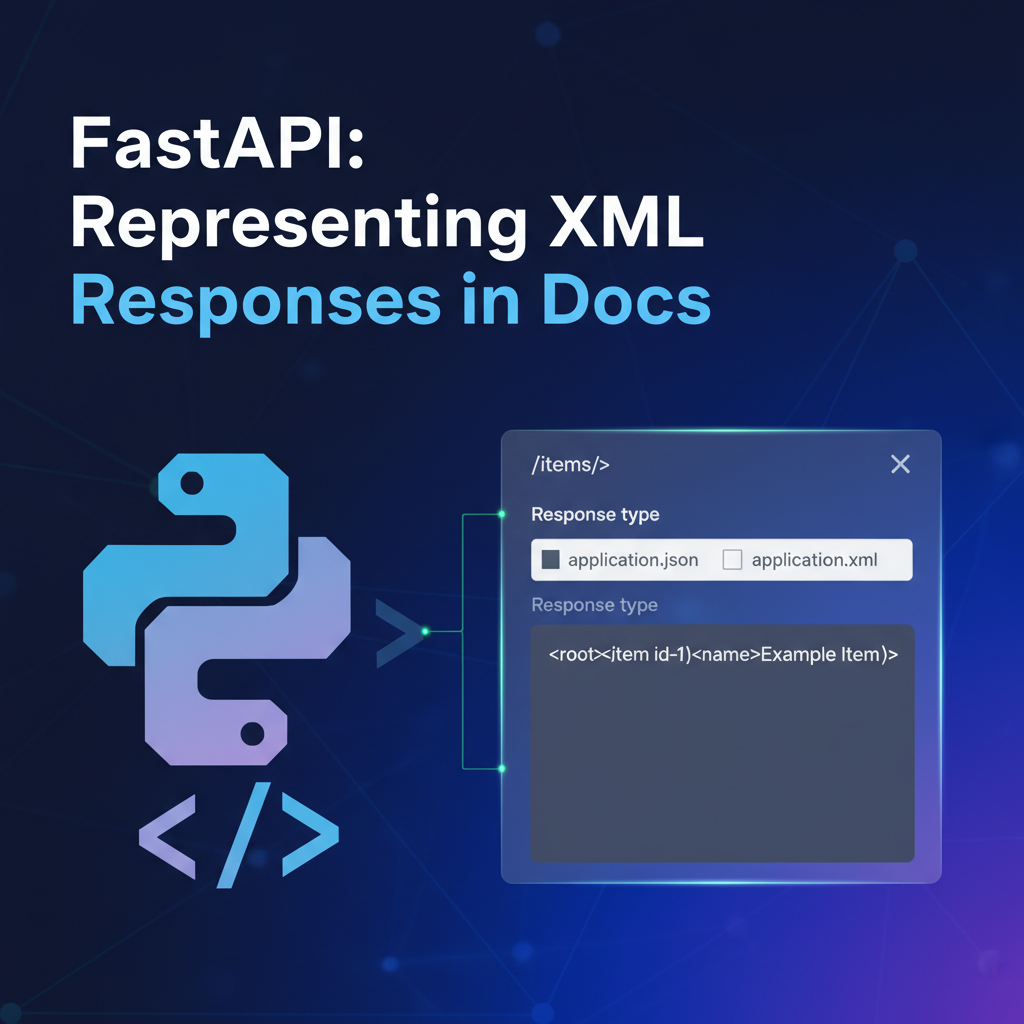
FastAPI: How to Represent XML Responses in Docs


In the dynamic world of Application Programming Interfaces (APIs), speed, efficiency, and clarity are paramount. FastAPI, a modern, fast (high-performance), web framework for building APIs with Python 3.7+ based on standard Python type hints, has rapidly gained traction for its developer-friendliness and automatic interactive API documentation powered by OpenAPI. While JSON has become the de facto standard for data exchange in RESTful APIs, there are still many scenarios where Extensible Markup Language (XML) remains a critical requirement. Integrating with legacy systems, adhering to industry-specific standards (like certain financial protocols or healthcare data exchange formats), or accommodating client preferences often necessitates the ability to produce XML responses.
However, FastAPI, like many contemporary frameworks, is inherently JSON-first. Its brilliant automatic documentation features, driven by OpenAPI, excel at representing JSON schemas. This presents a unique challenge: how do we effectively document API endpoints that return XML, ensuring that consumers of our API can clearly understand the structure and content they can expect, even when the underlying documentation tooling is predominantly JSON-centric? This article will delve deep into the nuances of handling and, more critically, documenting XML responses within FastAPI, exploring various strategies, best practices, and the broader context of API management, including the role of sophisticated API gateways in bridging format differences.
Part 1: The Context of Modern APIs and FastAPI
Introduction to FastAPI's Philosophy and Strengths
FastAPI burst onto the scene offering a compelling blend of raw performance, intuitive development experience, and robust data validation, all underpinned by standard Python type hints. Its foundation on ASGI (Asynchronous Server Gateway Interface) allows it to handle concurrent requests efficiently, making it a stellar choice for high-performance api development. Developers love FastAPI for several key reasons:
Firstly, its blazing speed, often comparable to Node.js and Go, is a significant draw for applications requiring low-latency responses. Secondly, the framework's reliance on Pydantic for data validation and serialization/deserialization dramatically reduces boilerplate code while simultaneously enhancing code readability and maintainability through type hints. This static type checking not only helps catch errors early in the development cycle but also provides an almost self-documenting aspect to the code itself.
Thirdly, and most relevant to our discussion, FastAPI automatically generates interactive OpenAPI documentation (Swagger UI and ReDoc) directly from your code. This feature is a game-changer for api discoverability and usability. By simply defining your data models with Pydantic and your endpoint logic with type hints, FastAPI intelligently translates these into a comprehensive OpenAPI specification. This specification then powers interactive web interfaces where developers can explore endpoints, understand request parameters, and visualize response models, often even making test calls directly from the browser. This automatic documentation drastically reduces the effort traditionally required to keep api documentation up-to-date and accurate, fostering a more efficient development ecosystem.
The Ubiquity of JSON in Modern API Development
In the current landscape of api development, JSON (JavaScript Object Notation) reigns supreme as the primary data interchange format for most RESTful services. Its human-readable syntax, lightweight nature, and direct compatibility with JavaScript (and easy parsing in virtually all other programming languages) have made it the format of choice for web, mobile, and even many backend-to-backend communications. JSON's simplicity contrasts sharply with XML's verbosity, often resulting in smaller payloads and faster parsing times, both critical factors in high-performance distributed systems.
Furthermore, the OpenAPI specification, which FastAPI leverages so effectively, is fundamentally designed around JSON Schema for describing data structures. This means that when you define a Pydantic model in FastAPI, it's effortlessly converted into a JSON Schema representation in your OpenAPI documentation. This seamless integration makes documenting JSON-based apis a trivial task within FastAPI, reinforcing its JSON-first philosophy and making it an incredibly powerful tool for building modern, JSON-centric services. The ecosystem of tools surrounding OpenAPI (code generators, validators, mock servers) is also heavily optimized for JSON Schema, further solidifying JSON's position as the default.
The Enduring Relevance of XML: Why It Still Matters
Despite JSON's dominance, proclaiming XML entirely obsolete would be a grave mistake. XML continues to play a vital role in several specific domains and legacy systems, making the ability to produce and consume XML responses a necessary skill for many api developers. Understanding these scenarios is crucial for appreciating why we need to master XML handling in FastAPI:
- Legacy System Integration: Perhaps the most common reason for XML's persistence is the vast number of existing systems, particularly in large enterprises, that communicate exclusively via XML. These systems might predate the JSON era or were built using technologies (like SOAP web services) that heavily relied on XML. When building new services with FastAPI that need to interact with these older systems, generating XML responses for them is often non-negotiable. Re-architecting legacy systems solely to adopt JSON is often cost-prohibitive and impractical.
- Industry Standards and Protocols: Certain industries have established standards and protocols that mandate the use of XML. For example, in finance, protocols like FIXML (Financial Information eXchange Markup Language) or SWIFT messages often use XML. In healthcare, standards like HL7 CDA (Clinical Document Architecture) are XML-based. Government agencies and specific B2B integrations may also have regulations or agreements that specify XML as the required data format. Adherence to these standards is critical for compliance and interoperability within these sectors.
- Data Validation with XSD: XML Schema Definition (XSD) provides a powerful and expressive way to define the structure, content, and semantics of XML documents. XSDs offer a robust mechanism for data validation that is often more comprehensive than what can be achieved with simple JSON Schema, particularly for complex, hierarchical data structures with strict ordering or intricate data types. For applications where strict data integrity and schema validation are paramount (e.g., electronic data interchange), XML with accompanying XSDs offers a proven and widely adopted solution.
- Client Requirements: Occasionally, a specific client or partner might explicitly request XML responses, either due to their internal systems, their preferred tooling, or historical reasons. While less common in greenfield projects today, accommodating such requirements is part of providing a flexible and client-focused
api.
For these reasons, a capable api framework like FastAPI must provide mechanisms to produce XML responses, and equally important, to document them effectively so that api consumers can seamlessly integrate.
FastAPI's Default Response Handling Mechanism
FastAPI's design prioritizes a smooth developer experience, and its response handling is a prime example. By default, if you return a Pydantic model, a dictionary, or a list from your path operation function, FastAPI automatically serializes it into a JSON string and sets the Content-Type header to application/json. This behavior is driven by the JSONResponse class, which is the default response_class for all path operations unless explicitly overridden.
Consider a simple FastAPI endpoint:
from fastapi import FastAPI
from pydantic import BaseModel

app = FastAPI()

class Item(BaseModel):
    name: str
    price: float
    is_offer: bool = None

@app.get("/items/{item_id}", response_model=Item)
async def read_item(item_id: int):
    return {"name": "Foo", "price": 12.3, "item_id": item_id}
In this example, returning the dictionary {"name": "Foo", "price": 12.3, "item_id": item_id} will result in a JSON response like {"name": "Foo", "price": 12.3, "item_id": 1}. The response_model=Item parameter further guides FastAPI to validate the outgoing data against the Item Pydantic model and to include this model's JSON Schema in the OpenAPI documentation, making the expected JSON structure immediately clear to api consumers.
However, FastAPI is not limited to JSON. It provides several built-in Response classes for different media types:
JSONResponse: The default, forapplication/json.PlainTextResponse: For plain text,text/plain.HTMLResponse: For HTML content,text/html.StreamingResponse: For streaming data, allowing you to send large files or real-time data efficiently.FileResponse: For serving files, automatically determining the media type.
When you need to send a response that doesn't fit the default JSONResponse, you can explicitly return one of these Response classes. For example, to return plain text:
from fastapi import FastAPI
from fastapi.responses import PlainTextResponse

app = FastAPI()

@app.get("/message", response_class=PlainTextResponse)
async def get_message():
    return "Hello, World!"
This flexibility is crucial, as it provides the foundation upon which we can build custom XML responses. The key challenge, then, shifts from merely producing XML to documenting its structure within FastAPI's OpenAPI generation mechanism, which is primarily geared towards JSON Schema.
Part 2: Implementing XML Responses in FastAPI
Foundational Approaches: Basic String Responses
The simplest, albeit least elegant, way to return an XML response in FastAPI is to treat it as a raw string and specify the Content-Type header. This approach involves manually constructing the XML string (or using an XML generation library) and then wrapping it in a Response object with the correct media type.
from fastapi import FastAPI, Response
from xml.etree import ElementTree as ET

app = FastAPI()

@app.get("/items/{item_id}/xml_string", tags=["XML Responses"])
async def get_item_xml_string(item_id: int):
    # Manually construct an XML string
    xml_content = f"<root><item id=\"{item_id}\"><name>FastAPI XML Demo</name><price>99.99</price></item></root>"
    return Response(content=xml_content, media_type="application/xml")
In this example, we explicitly create an xml_content string and return it wrapped in FastAPI's base Response class, setting media_type="application/xml". This ensures the browser or api client receives the correct header, allowing it to correctly interpret the payload as XML.
Limitations of Basic String Responses:
While this method works, it has several drawbacks:
- No Automatic Validation: FastAPI won't validate the structure of your XML string against any schema, increasing the risk of malformed XML.
- Tedious Manual Creation: Manually concatenating XML strings, especially for complex structures, is error-prone and quickly becomes unwieldy.
- Poor Readability: Embedding large XML strings directly in code significantly hampers readability and maintainability.
- No Automatic Documentation: The
OpenAPIdocumentation will simply show the response as astringtype, offering no insight into the actual XML structure, which is the core problem we aim to solve. This method completely bypasses FastAPI's powerfulresponse_modelfeature.
For these reasons, while useful for quick tests or very simple, static XML fragments, this approach is generally not recommended for robust api development.
Crafting Custom XMLResponse Classes for Clarity and Control
A more structured and maintainable approach is to create a custom XMLResponse class that inherits from FastAPI's base Response class. This allows you to encapsulate the media_type setting and potentially add other XML-specific logic, leading to cleaner path operation definitions.
from fastapi import FastAPI, Response
from starlette.responses import JSONResponse # Import JSONResponse for default if needed
from xml.etree import ElementTree as ET

app = FastAPI()

# Define a custom XMLResponse class
class XMLResponse(Response):
    media_type = "application/xml"

@app.get("/items/{item_id}/xml_custom_class", tags=["XML Responses"])
async def get_item_xml_custom_class(item_id: int):
    # Generate XML using ElementTree
    root = ET.Element("root")
    item_elem = ET.SubElement(root, "item", id=str(item_id))
    name_elem = ET.SubElement(item_elem, "name")
    name_elem.text = "Custom XML Response"
    price_elem = ET.SubElement(item_elem, "price")
    price_elem.text = "123.45"

    xml_content = ET.tostring(root, encoding="utf-8", xml_declaration=True).decode("utf-8")
    return XMLResponse(content=xml_content)
Benefits of a Custom XMLResponse Class:
- Improved Readability: Path operations become cleaner, as you simply return
XMLResponse(content=...). - Centralized Media Type: The
media_typeis defined once in the class, reducing repetition and ensuring consistency across all XML endpoints. - Potential for Extension: You could extend this class with additional XML-specific features, like automatic XSD validation on content, although this would require more advanced implementation.
This approach is a significant step up from raw string responses in terms of code organization. However, it still doesn't inherently solve the documentation problem, as the content parameter is still just a string from OpenAPI's perspective. We still need to manually describe the XML structure for the documentation tools.
Generating XML Programmatically: Tools and Techniques
Manually creating XML strings or even using basic string formatting is prone to errors. For any non-trivial XML structure, leveraging dedicated Python libraries for XML generation and parsing is essential. These libraries handle escaping, proper structure, and namespaces, significantly simplifying development.
- Installation:
pip install lxml - Installation:
pip install dicttoxml
dicttoxml (External Dependency): For scenarios where you have Python dictionaries or Pydantic models (which behave like dictionaries) and need a straightforward way to convert them to XML without manually building elements, dicttoxml can be very convenient. It's a simple utility that automates the conversion process.```python from dicttoxml import dicttoxmldef generate_xml_from_dict(data: dict) -> str: # dicttoxml by default adds a root element 'root' # item_func can customize tag names, default is "item" xml_bytes = dicttoxml(data, custom_root='ProductCatalog', attr_type=False) return xml_bytes.decode('utf-8')
Usage in FastAPI
@app.get("/items/{item_id}/xml_dicttoxml", tags=["XML Responses"]) async def get_item_xml_dicttoxml(item_id: int): data = { "product_id": item_id, "product_name": "DictToXML Widget", "details": { "description": "A widget converted from a dictionary.", "features": ["lightweight", "durable", "portable"] }, "price": 19.99, "available": True } xml_content = generate_xml_from_dict(data) return XMLResponse(content=xml_content) ```dicttoxml is excellent for rapid prototyping or when your Python data structures closely mirror the desired XML output without too many custom requirements (like specific attribute naming or complex namespaces).
lxml (External Dependency): lxml is a highly performant and feature-rich library for processing XML and HTML in Python. It's a binding for the C libraries libxml2 and libxslt, offering significantly better performance and more advanced capabilities compared to ElementTree.```python from lxml import etree as ET # Alias etree for consistencydef generate_complex_item_xml_lxml(item_id: int, name: str, description: str, price: float, currency: str) -> str: root = ET.Element("Order") header = ET.SubElement(root, "Header") ET.SubElement(header, "OrderID").text = str(item_id)
item = ET.SubElement(root, "Item")
ET.SubElement(item, "ProductName").text = name
ET.SubElement(item, "Description").text = description
price_elem = ET.SubElement(item, "Price")
price_elem.set("currency", currency)
price_elem.text = str(price)

# Add some namespace (optional, but lxml handles it well)
ns_root = ET.Element("{http://example.com/ns}Root")
ET.SubElement(ns_root, "{http://example.com/ns}Child").text = "Namespaced Value"
root.append(ns_root)

# Using a more readable pretty_print for output
return ET.tostring(root, encoding="utf-8", xml_declaration=True, pretty_print=True).decode("utf-8")
Usage in FastAPI
@app.get("/items/{item_id}/xml_lxml", tags=["XML Responses"]) async def get_item_xml_lxml(item_id: int): xml_content = generate_complex_item_xml_lxml( item_id, "LXML Advanced Product", "A product generated with lxml's power.", 500.75, "USD" ) return XMLResponse(content=xml_content) ```When to choose lxml: * Performance-critical applications with large XML documents. * Need for XPath or XSLT transformations. * Complex XML structures, namespaces, or schema validation (parsing incoming XML). * Robust error handling during parsing.
xml.etree.ElementTree (Standard Library): ElementTree is Python's built-in XML processing module. It provides a simple yet powerful way to create, parse, and modify XML documents. It's lightweight and doesn't require any external dependencies, making it suitable for many applications.```python
Example using ElementTree (as seen above)
from xml.etree import ElementTree as ETdef generate_simple_item_xml(item_id: int, name: str, price: float) -> str: root = ET.Element("data") item_elem = ET.SubElement(root, "product", id=str(item_id)) ET.SubElement(item_elem, "name").text = name ET.SubElement(item_elem, "price").text = str(price) return ET.tostring(root, encoding="utf-8", xml_declaration=True).decode("utf-8")
Usage in FastAPI
@app.get("/items/{item_id}/xml_etree", tags=["XML Responses"]) async def get_item_xml_etree(item_id: int): xml_content = generate_simple_item_xml(item_id, "ElementTree Product", 200.50) return XMLResponse(content=xml_content) ```ElementTree is generally sufficient for generating XML that isn't excessively complex or doesn't require advanced features like XPath, XSLT, or detailed schema validation during generation.
Practical Examples: Building an XML Response Endpoint
Let's consolidate the knowledge of custom XMLResponse and XML generation libraries into a more comprehensive FastAPI example. This will demonstrate how to define an endpoint that returns XML and how the code looks on the server side.
from fastapi import FastAPI, Response
from typing import Optional, List, Dict
from pydantic import BaseModel
from xml.etree import ElementTree as ET
from dicttoxml import dicttoxml # For one of the examples

app = FastAPI(
    title="FastAPI XML Response Demo",
    description="A demonstration of generating and documenting XML responses in FastAPI.",
    version="1.0.0",
)

# --- Custom XMLResponse Class ---
class XMLResponse(Response):
    media_type = "application/xml"

# --- Utility Functions for XML Generation ---

def generate_product_xml_etree(
    product_id: int, name: str, description: Optional[str], price: float, currency: str, tags: List[str]
) -> str:
    """Generates an XML string for a product using xml.etree.ElementTree."""
    root = ET.Element("ProductDetails", id=str(product_id))
    ET.SubElement(root, "Name").text = name
    if description:
        ET.SubElement(root, "Description").text = description

    price_elem = ET.SubElement(root, "Price")
    price_elem.set("currency", currency)
    price_elem.text = f"{price:.2f}"

    if tags:
        tags_elem = ET.SubElement(root, "Tags")
        for tag in tags:
            ET.SubElement(tags_elem, "Tag").text = tag

    # Add a processing instruction for styling (example)
    # pi = ET.ProcessingInstruction("xml-stylesheet", 'type="text/xsl" href="product.xsl"')
    # root.insert(0, pi)

    return ET.tostring(root, encoding="utf-8", xml_declaration=True).decode("utf-8")

def generate_error_xml(code: int, message: str) -> str:
    """Generates a simple error XML response."""
    root = ET.Element("Error")
    ET.SubElement(root, "Code").text = str(code)
    ET.SubElement(root, "Message").text = message
    return ET.tostring(root, encoding="utf-8", xml_declaration=True).decode("utf-8")


# --- FastAPI Endpoints Returning XML ---

@app.get(
    "/products/{product_id}/xml",
    response_class=XMLResponse,
    summary="Retrieve product details as XML",
    tags=["Product API (XML)"],
    description="Fetches comprehensive details for a product, returning the data in XML format.",
)
async def get_product_as_xml(product_id: int):
    """
    Retrieves detailed information about a product, structured as an XML document.
    This endpoint demonstrates the use of `xml.etree.ElementTree` for XML generation.
    """
    if product_id == 404:
        return XMLResponse(content=generate_error_xml(404, "Product not found."), status_code=404)
    elif product_id < 0:
        return XMLResponse(content=generate_error_xml(400, "Invalid product ID."), status_code=400)

    # Example product data
    product_data = {
        "id": product_id,
        "name": f"Advanced Gadget {product_id}",
        "description": "A high-tech gadget designed for modern lifestyles.",
        "price": 299.99,
        "currency": "EUR",
        "tags": ["electronics", "smart", "innovation"]
    }

    xml_content = generate_product_xml_etree(
        product_data["id"],
        product_data["name"],
        product_data["description"],
        product_data["price"],
        product_data["currency"],
        product_data["tags"]
    )
    return XMLResponse(content=xml_content)


@app.post(
    "/orders/xml",
    response_class=XMLResponse,
    summary="Submit a new order and receive confirmation as XML",
    tags=["Order API (XML)"],
    description="Accepts an order request (JSON input for simplicity) and responds with an XML order confirmation.",
)
async def create_order_xml(order_details: Dict): # Assuming JSON input for request_body for simplicity of demo
    """
    Creates a new order based on the provided details. The confirmation,
    including an order ID and status, will be returned as an XML document.
    """
    # In a real application, you'd process the order_details (likely a Pydantic model)
    # and store it in a database, then generate a unique order_id.
    order_id = 1000 + len(app.routes) # Dummy ID generation
    status = "Pending"

    response_dict = {
        "OrderConfirmation": {
            "OrderID": order_id,
            "Status": status,
            "Message": "Your order has been received and is being processed."
        }
    }
    xml_content = dicttoxml(response_dict, custom_root='OrderResponse', attr_type=False, wrap=False).decode('utf-8')
    return XMLResponse(content=xml_content, status_code=201)

# You can also use response_model for JSON content alongside XML responses for different codes
# Example with content negotiation:
@app.get(
    "/products/{product_id}/negotiated",
    summary="Retrieve product details with content negotiation",
    tags=["Product API (Content Negotiation)"],
    description="Endpoint demonstrates content negotiation for JSON or XML output based on Accept header.",
    responses={
        200: {
            "description": "Product details successfully retrieved.",
            "content": {
                "application/json": {
                    "schema": {"$ref": "#/components/schemas/ProductItem"},
                    "example": {"id": 1, "name": "JSON Gadget", "price": 19.99}
                },
                "application/xml": {
                    "schema": {"type": "string", "format": "xml"},
                    "example": "<ProductItem><id>1</id><name>XML Gadget</name><price>19.99</price></ProductItem>"
                },
            },
        },
        404: {
            "description": "Product not found.",
            "content": {
                "application/json": {
                    "schema": {"$ref": "#/components/schemas/ErrorResponse"},
                    "example": {"code": 404, "message": "Product not found."}
                },
                "application/xml": {
                    "schema": {"type": "string", "format": "xml"},
                    "example": "<Error><Code>404</Code><Message>Product not found.</Message></Error>"
                },
            },
        },
    }
)
async def get_product_negotiated(product_id: int, request: Request):
    accept_header = request.headers.get("accept", "application/json")

    product_data = {
        "id": product_id,
        "name": f"Negotiated Gadget {product_id}",
        "description": "A gadget demonstrating content negotiation.",
        "price": 19.99,
        "currency": "USD",
        "tags": ["demo", "negotiation"]
    }

    if "application/xml" in accept_header:
        xml_content = generate_product_xml_etree(
            product_data["id"],
            product_data["name"],
            product_data["description"],
            product_data["price"],
            product_data["currency"],
            product_data["tags"]
        )
        return XMLResponse(content=xml_content)
    else: # Default to JSON or if application/json is preferred
        return JSONResponse(content={
            "id": product_data["id"],
            "name": product_data["name"],
            "price": product_data["price"],
            "currency": product_data["currency"],
            "tags": product_data["tags"]
        })

# Dummy Pydantic models for OpenAPI schema references if needed for JSON responses
class ProductItem(BaseModel):
    id: int
    name: str
    price: float

class ErrorResponse(BaseModel):
    code: int
    message: str
This section lays the groundwork for creating XML responses. The next, and most crucial, part of our discussion will focus on how to make these XML responses understandable and discoverable within FastAPI's OpenAPI documentation.
Part 3: Documenting XML Responses with FastAPI and OpenAPI
The Challenge of Representing XML in JSON-Centric OpenAPI
The OpenAPI specification, the backbone of FastAPI's automatic documentation, is fundamentally designed around describing apis using JSON Schema. When you define a Pydantic model for a request or response, FastAPI seamlessly converts it into a corresponding JSON Schema object in the generated OpenAPI specification. This allows tools like Swagger UI and ReDoc to render interactive documentation, showing data types, required fields, and examples in a structured, easily consumable JSON format.
However, XML, with its distinct structural characteristics (e.g., attributes, mixed content, processing instructions, DTDs/XSDs), doesn't map perfectly onto JSON Schema. JSON Schema describes JSON objects and arrays, which are value-based and typically lack the concept of attributes distinct from elements, or robust mechanisms for ordering child elements beyond arrays. While you can represent some XML structures as JSON (e.g., using conventions like json-xml where attributes are prefixed or nested under special keys), OpenAPI's core schema object isn't natively equipped to define complex XML structures in the same expressive way it defines JSON.
Therefore, the primary challenge is to bridge this gap: how do we convey the expected XML structure to an api consumer through the OpenAPI documentation when the native schema definition tools are less adept at describing XML? The solution lies in leveraging the more generic features of OpenAPI for media type documentation, particularly the content and example fields within response definitions.
Leveraging FastAPI's responses Parameter for Detailed Documentation
FastAPI provides the responses parameter in its path operation decorators (e.g., @app.get, @app.post). This powerful parameter allows you to define custom responses for specific HTTP status codes, including detailed descriptions, headers, and importantly, content examples for different media types. This is where we gain fine-grained control over how our XML responses are documented.
The responses parameter accepts a dictionary where keys are HTTP status codes (as integers or strings) and values are dictionaries describing the response. Inside these response descriptions, you'll find the content field, which is another dictionary mapping media types (like application/xml) to their respective schemas and examples.
Let's revisit our product api and enhance its documentation for the XML response:
from fastapi import FastAPI, Response, status
from typing import Optional, List
from xml.etree import ElementTree as ET

app = FastAPI(
    title="FastAPI XML Documentation Example",
    description="Demonstrating advanced XML response documentation with OpenAPI.",
    version="1.0.0",
)

class XMLResponse(Response):
    media_type = "application/xml"

# (Previous XML generation utility functions like generate_product_xml_etree and generate_error_xml go here)

@app.get(
    "/products/{product_id}/xml-documented",
    response_class=XMLResponse,
    summary="Retrieve product details as XML (fully documented)",
    tags=["Product API (XML Documented)"],
    description="Fetches comprehensive details for a product, returning the data in XML format. "
                "This endpoint explicitly documents the XML structure in OpenAPI.",
    responses={
        status.HTTP_200_OK: {
            "description": "Product details successfully retrieved in XML format.",
            "content": {
                "application/xml": {
                    "schema": {
                        "type": "string",
                        "format": "xml",
                        "description": "An XML representation of the product details.",
                        "example": """<?xml version="1.0" encoding="utf-8"?>
<ProductDetails id="123">
  <Name>XML Documented Gadget</Name>
  <Description>A fantastic gadget with full XML documentation.</Description>
  <Price currency="USD">499.99</Price>
  <Tags>
    <Tag>electronics</Tag>
    <Tag>documented</Tag>
  </Tags>
</ProductDetails>"""
                    }
                }
            },
        },
        status.HTTP_404_NOT_FOUND: {
            "description": "Product not found.",
            "content": {
                "application/xml": {
                    "schema": {
                        "type": "string",
                        "format": "xml",
                        "example": """<?xml version="1.0" encoding="utf-8"?>
<Error>
  <Code>404</Code>
  <Message>Product with ID 404 not found.</Message>
</Error>"""
                    }
                }
            },
        },
        status.HTTP_400_BAD_REQUEST: {
            "description": "Invalid product ID provided.",
            "content": {
                "application/xml": {
                    "schema": {
                        "type": "string",
                        "format": "xml",
                        "example": """<?xml version="1.0" encoding="utf-8"?>
<Error>
  <Code>400</Code>
  <Message>Product ID must be a positive integer.</Message>
</Error>"""
                    }
                }
            },
        },
    },
)
async def get_product_as_xml_documented(product_id: int):
    # (Implementation logic to generate XML based on product_id, similar to previous example)
    if product_id == 404:
        return XMLResponse(content=generate_error_xml(404, f"Product with ID {product_id} not found."), status_code=status.HTTP_404_NOT_FOUND)
    elif product_id < 0:
        return XMLResponse(content=generate_error_xml(400, "Product ID must be a positive integer."), status_code=status.HTTP_400_BAD_REQUEST)

    # Simulate product data retrieval
    product_data = {
        "id": product_id,
        "name": f"XML Documented Gadget {product_id}",
        "description": "A fantastic gadget with full XML documentation.",
        "price": 499.99,
        "currency": "USD",
        "tags": ["electronics", "documented"]
    }

    xml_content = generate_product_xml_etree(
        product_data["id"],
        product_data["name"],
        product_data["description"],
        product_data["price"],
        product_data["currency"],
        product_data["tags"]
    )
    return XMLResponse(content=xml_content, status_code=status.HTTP_200_OK)
In this enhanced example, we've used the responses parameter to define explicit documentation for 200 OK, 404 Not Found, and 400 Bad Request responses. For each status code, we specify the content for application/xml.
Strategic Use of content, media_type, and example in OpenAPI
Within the responses dictionary, the content field is critical. It acts as a map where keys are media types (e.g., application/json, application/xml, text/plain) and values are objects describing the payload for that media type.
For XML responses, we'll use "application/xml" as the key. The value for this key is another dictionary, and this is where we define the schema and example for our XML.
schemaField for XML: As discussed,OpenAPI'sschemais primarily JSON Schema based. While we can't fully describe a complex XML structure with attributes and specific element ordering directly usingOpenAPI'sschemaobject in the same way we would for JSON, we can still provide a basic hint:"type": "string": This tellsOpenAPIthat the response content is a string. This is technically true for XML responses."format": "xml": This is a custom format hint. While not a standardOpenAPIformat, tools like Swagger UI often recognize"format": "xml"and might render the string example with XML syntax highlighting, providing a better visual experience."description": A simple human-readable description explaining what the XML represents.
exampleField: This is the most powerful tool for documenting XML responses. Theexamplefield allows you to embed a full, literal example of the XML payload directly into theOpenAPIspecification. When Swagger UI or ReDoc renders this, it will display the provided XML string, givingapiconsumers an accurate and concrete representation of what they can expect. It's crucial to make this example as accurate and comprehensive as possible, demonstrating all expected elements, attributes, and typical data structures.It's often beneficial to pretty-print your XML example (add indentation and newlines) to improve readability in the documentation.
Deep Dive into OpenAPI's schema Field for XML (Limitations and Best Practices)
While the example field is the primary method for conveying XML structure, it's worth understanding the subtle ways OpenAPI can describe XML, and its inherent limitations.
OpenAPI (specifically version 3.x) does have an xml object that can be applied within a schema's properties or items definitions. This xml object allows you to specify XML-specific properties like name (for overriding default element names), namespace, prefix, attribute (to indicate if a property should be an attribute), and wrapped (for array wrapping). However, this xml object is primarily designed to instruct how a JSON Schema defined object should be serialized into XML. It assumes you're starting with a JSON-like schema and converting it to XML, rather than describing a native XML structure.
Table: Comparison of XML Documentation Strategies in OpenAPI
| Strategy | OpenAPI Schema Definition |
Pros | Cons | Ideal Use Case |
|---|---|---|---|---|
response_model=str |
type: string |
Simplest to implement. | No structural info, just "string". Poor documentation. | Quick tests, non-critical APIs, or very simple text responses. |
content: application/xml, schema: {type: string, format: xml} |
type: string, format: xml |
Explicitly declares media type. format: xml hints to tools. |
Still lacks structural schema definition. | Basic declaration, combined with example. |
content: application/xml, schema: {..., example: "..."} |
type: string, format: xml, example: "..." |
Best general approach. Provides concrete XML example. | Example can become outdated; still not a machine-readable schema. | Most common and effective way to document XML. |
content: application/xml, schema: {..., xml: {attribute: true}} |
type: object, with xml object on properties |
Can define how a JSON property maps to XML attributes. | Requires defining a JSON Schema that represents the XML, which is complex and often lossy. Not intuitive for XML-first. | When converting a JSON-native schema to XML output. |
externalDocs (referencing XSD) |
externalDocs: {url: "..."} |
Points to authoritative XML Schema (XSD). | Not directly within the OpenAPI spec; requires external lookup. |
When XSD is the canonical definition and strict validation is needed. |
Best Practices for schema and example:
- Always use
type: stringandformat: xmlfor theschemaobject underapplication/xml. This is the clearest hint toOpenAPIconsumers that the content is indeed XML. - Provide a detailed and accurate
example. This is your primary mechanism for showing the XML structure.- Include all expected elements and attributes.
- Show representative data.
- Use correct XML syntax, including the XML declaration
<?xml version="1.0" encoding="utf-8"?>. - Pretty-print the XML within the example string for readability in Swagger UI. Python's triple quotes (
"""...""") are excellent for this.
- Keep examples up-to-date. If your XML structure changes, remember to update the example in the
responsesparameter to avoid misleading documentation.
Advanced Documentation: Referencing External XML Schemas (XSD)
For apis dealing with highly complex or strictly regulated XML structures, simply providing an example might not be sufficient. In such cases, the canonical definition of your XML is often an XML Schema Definition (XSD) file. OpenAPI provides a mechanism to link to external documentation, which can be used to point consumers to your XSD.
While OpenAPI itself doesn't directly import or validate against an XSD, it can serve as a pointer. You can add an externalDocs field at the schema level or even the top-level OpenAPI object.
# Extending the previous example
@app.get(
    "/products/{product_id}/xml-xsd-reference",
    response_class=XMLResponse,
    summary="Retrieve product details as XML (with XSD reference)",
    tags=["Product API (XML Documented)"],
    responses={
        status.HTTP_200_OK: {
            "description": "Product details retrieved. See external XSD for full schema.",
            "content": {
                "application/xml": {
                    "schema": {
                        "type": "string",
                        "format": "xml",
                        "description": "An XML representation of the product details, validated by an external XSD.",
                        "example": """<?xml version="1.0" encoding="utf-8"?>
<ProductDetails id="123" xmlns:xsi="http://www.w3.org/2001/XMLSchema-instance" xsi:noNamespaceSchemaLocation="product_schema.xsd">
  <Name>XSD Referenced Gadget</Name>
  <Price currency="USD">75.00</Price>
</ProductDetails>""",
                        "externalDocs": {
                            "description": "Full XML Schema Definition for ProductDetails",
                            "url": "https://example.com/schemas/product_schema.xsd" # Link to your hosted XSD
                        }
                    }
                }
            },
        },
    }
)
async def get_product_xml_xsd_reference(product_id: int):
    # ... (XML generation logic, similar to before)
    # Ensure generated XML might reference the XSD using xsi:noNamespaceSchemaLocation if applicable
    product_data = {
        "id": product_id,
        "name": f"XSD Referenced Gadget {product_id}",
        "price": 75.00,
        "currency": "USD",
        "description": None, # For simpler example to fit XSD
        "tags": []
    }
    xml_content = generate_product_xml_etree(
        product_data["id"],
        product_data["name"],
        product_data["description"],
        product_data["price"],
        product_data["currency"],
        product_data["tags"]
    )
    # Potentially add schema reference into the generated XML if needed for validation by receiver
    xml_content_with_xsd_ref = xml_content.replace(
        "<ProductDetails",
        '<ProductDetails xmlns:xsi="http://www.w3.org/2001/XMLSchema-instance" xsi:noNamespaceSchemaLocation="product_schema.xsd"'
    )
    return XMLResponse(content=xml_content_with_xsd_ref)
By adding externalDocs, you provide api consumers with the authoritative source for your XML structure, enabling them to generate client code, validate responses, or simply gain a deeper understanding of the data contract. This approach is complementary to providing an example and is highly recommended for apis where strict XML adherence is crucial.
APIPark is a high-performance AI gateway that allows you to securely access the most comprehensive LLM APIs globally on the APIPark platform, including OpenAI, Anthropic, Mistral, Llama2, Google Gemini, and more.Try APIPark now! 👇👇👇
Part 4: Best Practices and Advanced Considerations for XML APIs
Ensuring Consistency and Validity with XML Schema Definitions (XSD)
For apis that rely heavily on XML, especially in B2B or regulated environments, consistency and validity are paramount. This is where XML Schema Definitions (XSDs) come into their own. An XSD acts as a formal contract, defining the structure, data types, and constraints for your XML documents.
Benefits of using XSDs:
- Strong Validation: XSDs allow for much more precise validation than can typically be achieved with just a
response_modelor basic JSON Schema. You can define element order, occurrence constraints (minOccurs, maxOccurs), complex data types, enumerations, patterns, and more. - Code Generation: Many tools can generate client-side code (e.g., in Java, C#, or even Python) directly from XSDs, simplifying client integration.
- Interoperability: XSDs facilitate interoperability by providing a common, machine-readable definition that all parties can use to ensure they are exchanging valid data.
- Documentation: An XSD is, in itself, a form of technical documentation, complementing the
OpenAPIspecification's human-readable examples.
Integrating XSDs with FastAPI (indirectly):
While FastAPI doesn't natively validate outgoing XML against an XSD, you can integrate this validation into your workflow:
- Referencing in
OpenAPI: As discussed in the previous section, explicitly referencing your XSD in theOpenAPIdocumentation (externalDocs) is crucial for consumers.
Post-generation Validation: After generating an XML response string (using ElementTree, lxml, etc.), you can programmatically validate it against an XSD using libraries like lxml. This ensures that your FastAPI application is always producing valid XML according to your defined schema before sending it out.```python from lxml import etreedef validate_xml_against_xsd(xml_content: str, xsd_path: str): try: xmlschema_doc = etree.parse(xsd_path) xmlschema = etree.XMLSchema(xmlschema_doc)
    xml_doc = etree.fromstring(xml_content.encode('utf-8'))
    xmlschema.assertValid(xml_doc)
    print("XML is valid against XSD.")
    return True
except etree.XMLSyntaxError as e:
    print(f"XML is not well-formed: {e}")
    return False
except etree.DocumentInvalid as e:
    print(f"XML is invalid against XSD: {e}")
    return False
```
Content Negotiation: Offering Multiple Formats to Clients
Modern apis often need to be flexible. While XML might be required for certain legacy clients, newer clients might prefer JSON. Content negotiation allows clients to specify their preferred response format using the Accept HTTP header. FastAPI can be configured to respond with different media types based on this header.
To implement content negotiation:
- Inspect the
AcceptHeader: Access theAcceptheader from theRequestobject. - Conditional Response: Use
if/elsestatements to returnJSONResponse,XMLResponse, or otherResponsetypes based on the header's content.
from fastapi import FastAPI, Request, status
from fastapi.responses import JSONResponse
from xml.etree import ElementTree as ET
from typing import List, Optional

app = FastAPI()

class XMLResponse(Response):
    media_type = "application/xml"

def generate_product_xml_etree(
    product_id: int, name: str, description: Optional[str], price: float, currency: str, tags: List[str]
) -> str:
    # ... (XML generation function from previous example)
    root = ET.Element("ProductDetails", id=str(product_id))
    ET.SubElement(root, "Name").text = name
    if description:
        ET.SubElement(root, "Description").text = description

    price_elem = ET.SubElement(root, "Price")
    price_elem.set("currency", currency)
    price_elem.text = f"{price:.2f}"

    if tags:
        tags_elem = ET.SubElement(root, "Tags")
        for tag in tags:
            ET.SubElement(tags_elem, "Tag").text = tag
    return ET.tostring(root, encoding="utf-8", xml_declaration=True).decode("utf-8")

@app.get(
    "/products/{product_id}",
    summary="Retrieve product details with content negotiation (JSON or XML)",
    tags=["Content Negotiation"],
    description="Endpoint that supports both JSON and XML responses based on the client's Accept header.",
    responses={
        status.HTTP_200_OK: {
            "description": "Product details successfully retrieved.",
            "content": {
                "application/json": {
                    "example": {"id": 1, "name": "JSON Product", "price": 19.99, "currency": "USD"}
                },
                "application/xml": {
                    "example": """<?xml version="1.0" encoding="utf-8"?>
<ProductDetails id="1">
  <Name>XML Product</Name>
  <Price currency="USD">19.99</Price>
</ProductDetails>"""
                },
            },
        },
        status.HTTP_406_NOT_ACCEPTABLE: { # Not Acceptable for unsupported media types
            "description": "The requested media type is not supported.",
            "content": {
                "text/plain": {
                    "example": "Media type 'text/html' not supported. Please use 'application/json' or 'application/xml'."
                }
            }
        }
    },
)
async def get_product_negotiated(product_id: int, request: Request):
    product_data = {
        "id": product_id,
        "name": f"Dynamic Gadget {product_id}",
        "description": "A gadget demonstrating content negotiation capabilities.",
        "price": 99.99,
        "currency": "USD",
        "tags": ["dynamic", "negotiation"]
    }

    accept_header = request.headers.get("accept", "")

    if "application/xml" in accept_header:
        xml_content = generate_product_xml_etree(
            product_data["id"],
            product_data["name"],
            product_data["description"],
            product_data["price"],
            product_data["currency"],
            product_data["tags"]
        )
        return XMLResponse(content=xml_content)
    elif "application/json" in accept_header or not accept_header: # Default to JSON if no specific accept or JSON preferred
        return JSONResponse(content={
            "id": product_data["id"],
            "name": product_data["name"],
            "description": product_data["description"],
            "price": product_data["price"],
            "currency": product_data["currency"],
            "tags": product_data["tags"]
        })
    else:
        # If client requests an unsupported media type
        return Response(
            content=f"Media type '{accept_header}' not supported. Please use 'application/json' or 'application/xml'.",
            media_type="text/plain",
            status_code=status.HTTP_406_NOT_ACCEPTABLE # 406 Not Acceptable
        )
This robust approach empowers your api to serve a wider range of clients without duplicating business logic, and crucially, the OpenAPI documentation makes this flexibility clear to consumers.
Robust Error Handling and Response Validation for XML
Just as with JSON, proper error handling and validation are critical for XML apis. When an error occurs (e.g., invalid input, resource not found), the api should return a consistent and informative XML error response.
- Consistent Error XML Structure: Define a standard XML structure for error messages (e.g.,
<Error><Code>...</Code><Message>...</Message><Details>...</Details></Error>). This helpsapiconsumers parse and handle errors predictably. - HTTP Status Codes: Always pair error XML with appropriate HTTP status codes (e.g.,
400 Bad Request,404 Not Found,500 Internal Server Error). - Documentation: Document your error XML responses in
OpenAPIusing theresponsesparameter andexamplefield, just like regular XML responses.
For validation of incoming XML, lxml is the go-to library. You can implement middleware or a dependency that parses incoming XML, validates it against an XSD (if available), and then converts it to a Python dictionary for easier processing by your FastAPI path operations. If validation fails, an appropriate XML error response can be returned.
Security Imperatives: Guarding Against XML Vulnerabilities
XML processing, like any data parsing, carries security risks. When your FastAPI application accepts or generates XML, you must be aware of potential vulnerabilities:
- Access local or remote files (e.g.,
/etc/passwd). - Perform port scanning.
- Execute denial-of-service (DoS) attacks.
- Exfiltrate data.
- XML Bomb (Billion Laughs Attack): A type of DoS attack where a small XML document expands exponentially when parsed, consuming vast amounts of memory and CPU, leading to system crash.Mitigation: Limit the maximum size of XML documents that can be processed and configure your parser to restrict entity expansion depth and total memory usage.
lxmloffers features for this (e.g.,max_element_tree_depth,max_data).
XML External Entity (XXE) Injection: This is one of the most common XML vulnerabilities. XXE attacks occur when an XML parser processes an XML document that contains references to external entities. An attacker can use this to:Mitigation: The most effective way to prevent XXE is to disable DTD (Document Type Definition) processing and the loading of external entities in your XML parser. lxml and ElementTree have features to help with this.```python from lxml import etree
Safe parsing configuration for lxml
parser = etree.XMLParser( load_dtd=False, no_network=True, resolve_entities=False, # Potentially limit entity expansion if necessary, though disabling is safer # huge_tree=True # Only if you actually need to parse very large XML, otherwise keep false for memory reasons )try: # Use the safe parser when parsing untrusted XML root = etree.fromstring(xml_content.encode('utf-8'), parser) except etree.XMLSyntaxError: # Handle parsing errors pass ```For xml.etree.ElementTree, recent Python versions (3.8+) have improved default security, but for older versions or explicit control, ensure ET.parse(source, parser=ET.XMLParser(resolve_entities=False)) or similar is used.
Always assume incoming XML from clients is untrusted and configure your parsers defensively.
Performance: XML vs. JSON in Real-World Scenarios
While JSON often has a performance edge due to its simpler structure and typically smaller payload sizes, the performance difference isn't always a deal-breaker.
- Parsing/Serialization Overhead: XML typically involves more complex parsing and serialization logic than JSON, especially with features like namespaces, DTDs, and XSD validation. This can lead to higher CPU and memory consumption.
- Payload Size: XML's verbosity (due to closing tags and often more verbose element names) generally results in larger payload sizes compared to JSON for the same data. Larger payloads mean more network bandwidth consumption and potentially slower transfer times.
- Library Efficiency: The choice of XML library significantly impacts performance.
lxml(being C-backed) is considerably faster and more memory-efficient thanxml.etree.ElementTreefor large or complex XML documents.
In scenarios where XML is unavoidable, optimizing your XML generation and parsing logic, choosing efficient libraries like lxml, and considering caching strategies become even more important. For high-volume apis, this performance difference can accumulate, leading to increased infrastructure costs and slower response times. However, for many internal or lower-volume apis, the functional requirement for XML often outweighs marginal performance differences.
Part 5: The Broader API Ecosystem and Gateway Solutions
The Evolving Landscape of API Management
The landscape of apis has undergone a profound transformation over the past two decades. From the early days of SOAP and WSDL, dominated by XML, to the rise of REST and the ubiquitous adoption of JSON, apis have become the fundamental building blocks of modern software. They power everything from mobile apps and web frontends to microservices architectures and AI-driven applications. This explosion in api usage has necessitated sophisticated management strategies.
API management encompasses the entire lifecycle of an api, from design and development to deployment, security, monitoring, and versioning. Effective api management ensures that apis are discoverable, reliable, secure, and performant, serving the needs of both api providers and consumers. Key aspects include access control, rate limiting, analytics, developer portals, and, increasingly, seamless integration with artificial intelligence models. As api ecosystems grow in complexity, the role of specialized tools and platforms becomes indispensable.
The Pivotal Role of API Gateways in Modern Architectures
At the heart of many modern api architectures lies the API Gateway. An API Gateway acts as a single entry point for all client requests, sitting between the client applications and the backend api services. It essentially serves as a reverse proxy that can handle a multitude of cross-cutting concerns, offloading responsibilities from individual microservices.
Key functions of an API Gateway include:
- Traffic Management: Routing requests to the appropriate backend service, load balancing, and traffic throttling.
- Security: Authentication, authorization, rate limiting, and protection against common
apithreats. - Monitoring and Analytics: Centralized logging, metrics collection, and
apiusage analysis. - Request/Response Transformation: Modifying incoming requests or outgoing responses, such as converting data formats.
- Protocol Translation: Bridging different communication protocols (e.g., HTTP/1.1 to HTTP/2, REST to gRPC).
- API Composition: Aggregating multiple backend service calls into a single
apiresponse. - Developer Portal: Providing a centralized place for
apiconsumers to discover, learn about, and subscribe toapis.
By centralizing these functions, an API Gateway simplifies backend service development, improves api consistency, enhances security, and provides a clear separation of concerns. This is particularly relevant when dealing with varying data format requirements, such as JSON and XML.
Transformation Capabilities of Gateways: Bridging Format Gaps
One of the most powerful features of an API Gateway, especially pertinent to our discussion on XML responses, is its ability to perform request and response transformations. In scenarios where a backend service primarily produces JSON (like a modern FastAPI application) but a legacy client requires XML, an API Gateway can act as the intermediary.
Instead of forcing the backend FastAPI application to generate XML (which adds complexity to the backend code and documentation), the api can be designed to always produce its native JSON. The API Gateway then intercepts the JSON response, transforms it into the required XML format, and sends it to the client. This dramatically simplifies the backend developer's task, allowing them to focus on business logic in their preferred data format (JSON) while the gateway handles the format translation for specific consumers. The gateway can also perform the reverse: converting incoming XML requests into JSON before forwarding them to the backend.
This transformation capability is invaluable for:
- Legacy Integration: Seamlessly integrating new, JSON-based services with existing XML-dependent systems.
- Multifaceted Clients: Serving diverse clients (some JSON-native, some XML-native) from a single backend.
- Simplified Backend: Keeping backend services lean and focused on a single data format.
- Evolutionary Architecture: Allowing gradual migration from XML-centric to JSON-centric
apis without breaking existing consumers.
Introducing APIPark: An Advanced OpenAPI and AI Gateway for Seamless API Management
In the realm of api gateways and comprehensive api management, solutions like APIPark stand out as powerful tools designed to address the complex needs of modern api ecosystems. APIPark is an open-source AI gateway and api developer portal built under the Apache 2.0 license, offering a robust platform for managing, integrating, and deploying both AI and REST services.
While our discussion has focused on traditional REST apis with XML and JSON, the principles of api management, discoverability, and format flexibility extend naturally to the burgeoning field of AI apis. APIPark excels here by providing quick integration for over 100+ AI models, offering a unified management system for authentication and cost tracking. More importantly, it standardizes the request data format across all AI models, simplifying AI usage and maintenance. This standardization echoes the desire to manage diverse apis (whether traditional REST or AI-powered) through a unified interface.
For a FastAPI developer, leveraging a platform like APIPark can significantly enhance the operational aspects of their apis. Here's how it ties into our discussion:
- API Lifecycle Management:
APIParkassists with the entire lifecycle ofapis, from design and publication to invocation and decommissioning. This means your FastAPIapis, once developed, can be efficiently managed throughAPIParkfor traffic forwarding, load balancing, and versioning. Forapis that might need format transformations (e.g., XML for specific clients),APIPark's powerfulgatewaycapabilities can be instrumental in implementing those transformations at the edge, abstracting that complexity away from your FastAPI service. - Unified API Format (for AI, but concept applies): While specifically for AI models,
APIPark's feature of standardizing invocation formats highlights the broader value of agatewayin unifying how disparateapis are accessed. If you have FastAPIapis, some returning JSON and others XML, an intelligentgatewaycan help normalize how clients perceive and interact with these, or provide the necessary transformations. - Performance and Scalability:
APIParkboasts performance rivaling Nginx, capable of over 20,000 TPS with modest resources, and supports cluster deployment for large-scale traffic. This means that if your FastAPIapis, particularly those generating XML (which can be more CPU-intensive to serialize), need to scale,APIParkcan provide the robust traffic management and load balancing necessary. - Detailed API Call Logging and Data Analysis:
APIParkoffers comprehensive logging for everyapicall and powerful data analysis features. This is critical for monitoring the health and usage patterns of your FastAPIapis, including those serving XML, helping with troubleshooting and proactive maintenance.
In essence, while FastAPI is excellent for building the core logic of your apis, an advanced API Gateway like APIPark provides the surrounding infrastructure for robust management, security, and scalability, making your apis more resilient and easier to consume, regardless of the specific data format (JSON or XML) they primarily produce. It ensures that the effort you put into documenting your XML responses in OpenAPI is fully leveraged within a professional api management ecosystem.
The Synergy Between FastAPI and API Gateways
The combination of FastAPI's rapid development, performance, and automatic OpenAPI documentation with a robust API Gateway creates a highly efficient and scalable api ecosystem.
- FastAPI's Role: Focus on implementing the core business logic, data validation (with Pydantic), and generating the necessary responses (JSON or XML). The
OpenAPIspecification automatically generated by FastAPI forms the basis forapidiscoverability. API Gateway's Role: Handle cross-cutting concerns like security, rate limiting, monitoring, and importantly, format transformations. Thegatewaycan expose a unified externalapiinterface while interacting with diverse backend services (some FastAPI, some other technologies) that might speak different data formats.
This synergy allows developers to leverage the strengths of each component, building high-quality apis with FastAPI and deploying them within a secure, manageable, and performant infrastructure provided by an API Gateway.
Part 6: Concluding Thoughts and Future Directions
Recap of XML in FastAPI Documentation
Throughout this comprehensive exploration, we've navigated the complexities of integrating and, crucially, documenting XML responses within the FastAPI framework. While FastAPI is undeniably JSON-first and leverages OpenAPI's JSON Schema capabilities with remarkable elegance, the enduring relevance of XML in various industry sectors and for legacy system integration necessitates robust solutions for handling it.
We've established that the most effective way to document XML responses in FastAPI's OpenAPI specification is not by attempting to force a detailed XML schema definition into OpenAPI's JSON Schema-centric schema object, but rather by strategically leveraging the responses parameter. Within this parameter, defining the content for application/xml and, most importantly, providing a clear, comprehensive, and well-formatted example XML payload, offers api consumers the explicit guidance they need. Complementing this with type: string and format: xml hints, and optionally linking to external XML Schema Definitions (XSDs) via externalDocs, completes a robust documentation strategy.
We also delved into the practicalities of generating XML in Python using libraries like xml.etree.ElementTree, lxml, and dicttoxml, emphasizing the importance of choosing the right tool for the job based on complexity and performance requirements. The discussion also covered critical best practices such as content negotiation, robust error handling with consistent XML structures, and paramount security considerations like guarding against XXE vulnerabilities.
The Continuous Evolution of OpenAPI and API Standards
The OpenAPI specification itself is a living standard, continuously evolving to meet the demands of an ever-changing api landscape. While OpenAPI 3.x has significantly improved its ability to describe various media types, including some basic XML attributes, the fundamental bias towards JSON Schema remains. Future iterations of OpenAPI might introduce more direct and expressive ways to define XML schemas, perhaps through dedicated XML schema extensions or tighter integration with XSDs, which would further streamline the documentation process for XML-heavy apis.
Beyond OpenAPI, the broader api standards continue to mature. Concepts like GraphQL offer alternative approaches to data fetching, while event-driven apis (documented by AsyncAPI) address real-time communication needs. The underlying goal across all these evolutions is to make apis more discoverable, easier to consume, and more resilient. Regardless of the specific standard or data format, clear and accurate documentation will always remain a cornerstone of successful api development.
Final Recommendations for Developers
For developers building apis with FastAPI that need to serve XML:
- Prioritize JSON if possible: If you have the flexibility, default to JSON for new
apis due to its widespread tooling support, smaller payloads, and natural fit with FastAPI andOpenAPI. - Use custom
XMLResponseclass: For XML responses, always define and use a customXMLResponseclass for code clarity and maintainability. - Choose the right XML library: Leverage
xml.etree.ElementTreefor simpler cases andlxmlfor performance, complex structures, or advanced XML processing needs.dicttoxmlis excellent for quick dictionary-to-XML conversions. - Document meticulously with
responsesandexample: This is the most critical step for clearOpenAPIdocumentation of XML. Provide accurate, pretty-printed XML examples for every relevant status code. - Reference XSDs: For strict XML contracts, point to your external XSDs using
externalDocsin yourOpenAPIspecification. - Implement content negotiation: Offer both JSON and XML where feasible, allowing clients to choose their preferred format.
- Ensure security: Always disable DTD processing and external entity resolution in your XML parsers to prevent XXE attacks.
- Consider an
API Gateway: For complex deployments, especially those integrating legacy systems or requiring format transformations, anAPI Gatewaylike APIPark can significantly simplifyapimanagement, enhance security, and improve scalability, allowing your FastAPI application to focus solely on its core logic.
By thoughtfully implementing these strategies, you can build FastAPI apis that are not only performant and reliable in delivering XML but also exceptionally well-documented, bridging the gap between modern framework capabilities and the practical requirements of a diverse api ecosystem. This approach ensures that your apis remain flexible, maintainable, and consumable by all clients, regardless of their data format preferences.
Frequently Asked Questions (FAQ)
- Q: Why would I use XML responses in FastAPI when JSON is the default and generally preferred? A: While JSON is the default and preferred format for most modern REST APIs due to its simplicity and lightweight nature, XML remains crucial for several reasons. These include integration with legacy systems that exclusively communicate via XML (e.g., SOAP services), adherence to specific industry standards and protocols (like in finance or healthcare), and robust data validation offered by XML Schema Definitions (XSDs). Sometimes, specific client requirements also necessitate XML responses.
- Q: How does FastAPI's automatic OpenAPI documentation handle XML responses, given its JSON-centric nature? A: FastAPI's automatic
OpenAPIdocumentation (Swagger UI, ReDoc) is primarily designed for JSON Schema. To effectively document XML responses, you must explicitly use theresponsesparameter in your path operation decorator. Within this parameter, you define thecontentforapplication/xmland, most importantly, provide a detailed and accurate XMLexamplestring. WhileOpenAPIitself doesn't offer a rich schema definition for arbitrary XML, theexamplefield is highly effective for conveying the expected XML structure toapiconsumers. - Q: What Python libraries are recommended for generating XML responses in FastAPI? A: For generating XML in Python, several libraries can be used:
xml.etree.ElementTree: Python's built-in module, suitable for simpler XML structures without external dependencies.lxml: A highly performant and feature-rich external library (requirespip install lxml), ideal for complex XML, large documents, or when XPath/XSLT capabilities are needed.dicttoxml: A convenient external library (requirespip install dicttoxml) for converting Python dictionaries directly into XML, useful for rapid prototyping or when your Python data structures closely map to the desired XML.
- Q: How can an
API Gatewaylike APIPark help with XML responses in a FastAPI application? A: AnAPI Gatewaycan significantly simplify the management of XML responses, especially when dealing with diverse client needs. If your FastAPI application primarily produces JSON, anAPI Gatewaycan perform real-time response transformation, converting the JSON output into XML before sending it to a legacy client that requires XML. This offloads the XML generation complexity from your FastAPI backend. Additionally,API Gateways like APIPark provide crucial features forapilifecycle management, traffic forwarding, load balancing, security, and detailedapicall logging, enhancing the overall resilience and discoverability of all yourapis, including those serving XML. - Q: What are the key security considerations when working with XML in FastAPI? A: The primary security concern when processing XML, especially from untrusted sources (like client requests), is XML External Entity (XXE) injection. This vulnerability allows attackers to access local files, perform network scanning, or conduct denial-of-service (DoS) attacks. To mitigate XXE, it is crucial to disable DTD (Document Type Definition) processing and the loading of external entities in your XML parser configurations. Additionally, be mindful of XML Bombs (Billion Laughs Attacks), which can lead to DoS by causing exponential memory/CPU consumption; enforce limits on XML document size and entity expansion to prevent this.
🚀You can securely and efficiently call the OpenAI API on APIPark in just two steps:
Step 1: Deploy the APIPark AI gateway in 5 minutes.
APIPark is developed based on Golang, offering strong product performance and low development and maintenance costs. You can deploy APIPark with a single command line.
curl -sSO https://download.apipark.com/install/quick-start.sh; bash quick-start.sh

In my experience, you can see the successful deployment interface within 5 to 10 minutes. Then, you can log in to APIPark using your account.

Step 2: Call the OpenAI API.