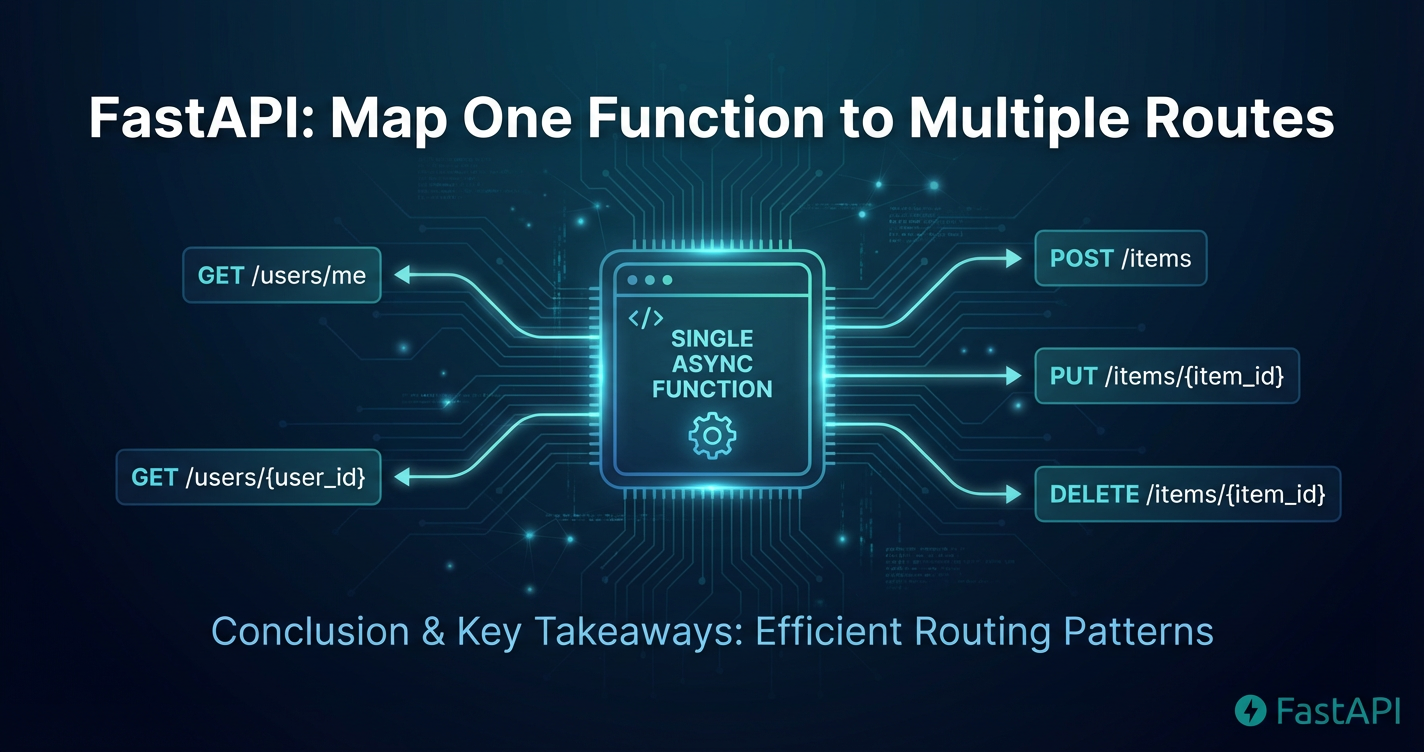
FastAPI: How to Map One Function to Multiple Routes



Navigating the landscape of modern web development, particularly in the realm of creating robust and scalable Application Programming Interfaces (APIs), often brings developers face-to-face with the challenge of balancing code efficiency with API flexibility. FastAPI, a high-performance, easy-to-learn, fast-to-code, ready-for-production web framework for building APIs with Python 3.7+ based on standard Python type hints, has rapidly emerged as a frontrunner in this space. Its inherent speed, asynchronous capabilities, and automatic data validation make it an incredibly powerful tool for crafting complex API backends. However, as applications grow, so does the complexity of their routing logic. A common, yet crucial, requirement that arises in this journey is the need to map a single underlying function or business logic to multiple distinct API routes. This isn't merely about code neatness; it's about adhering to the DRY (Don't Repeat Yourself) principle, enhancing maintainability, ensuring consistency across various API endpoints, and effectively managing API evolution without duplicating core logic.
Consider a scenario where you have a specific operation, such as fetching user details, which might need to be accessible via /users/{user_id} for general access, but also perhaps via /v1/users/{user_id} to denote a specific API version, or even /my-profile for a logged-in user to fetch their own details without specifying an ID. While the paths are different, the core logic of retrieving user information remains largely the same. Without a strategic approach, a developer might be tempted to write separate, almost identical functions for each route, leading to redundant code, increased surface area for bugs, and a nightmare for future maintenance. FastAPI, with its elegant design principles, offers several powerful and flexible mechanisms to address this exact challenge, allowing developers to consolidate their business logic while exposing it through diverse API interfaces. This article delves deep into these techniques, exploring decorator stacking, the utility of APIRouter, and programmatic route registration, offering a comprehensive guide for developers looking to master the art of flexible routing in FastAPI, all within the broader context of effective api development and management.
Understanding FastAPI's Routing Mechanism: The Foundation of Flexible APIs
Before diving into the specifics of mapping multiple routes to a single function, it's imperative to solidify our understanding of how FastAPI's routing mechanism operates at its core. FastAPI leverages Python decorators, a syntactic sugar that allows modifying functions or methods, to declare path operations. These decorators, such as @app.get(), @app.post(), @app.put(), @app.delete(), and @app.patch(), are the primary means by which you inform FastAPI that a particular Python function should be executed when an HTTP request matching a specified path and method arrives. Each decorator typically takes a path string as its first argument, which defines the URL endpoint that will trigger the associated function.
At its simplest, a FastAPI application defines a direct one-to-one mapping: one route decorator pointing to one function. For instance, an api endpoint for fetching a simple "hello world" message would look something like this:
from fastapi import FastAPI

app = FastAPI()

@app.get("/")
async def read_root():
    """
    Retrieves a simple greeting message from the API root.
    """
    return {"message": "Hello World"}
Here, any GET request to the root path (/) will invoke the read_root function. This straightforward approach is excellent for small applications or individual, distinct endpoints. However, the real power and flexibility of FastAPI begin to shine when applications grow in complexity and scope. In a typical api ecosystem, it's not uncommon to encounter situations where similar or identical logic needs to be exposed under different paths. This could be due to several reasons:
- API Versioning: Developers often introduce version numbers in paths (e.g.,
/v1/items,/v2/items) to manage changes without breaking existing client integrations. While the data model or specific business logic might evolve significantly between versions, there might be scenarios where an older version's endpoint can still rely on a subset of the newer version's logic, or a specific piece of common functionality remains consistent across versions. - Aliases or Semantic URLs: Sometimes, different aliases or more semantically descriptive URLs are desired for the same resource or operation. For example, fetching an article might be available at
/articles/{article_id}and also at/posts/{post_id}ifarticlesandpostsare interchangeable terms within the system. - Backward Compatibility: When refactoring or renaming endpoints, maintaining backward compatibility is paramount to avoid disrupting existing clients. Exposing the new path alongside the old one, both handled by the same underlying logic, ensures a smooth transition.
- Varying Request Methods with Shared Logic: Less common but equally valid, there might be cases where a
GETrequest to one path and aPOSTrequest to another path ultimately trigger a similar internal process or data retrieval, albeit with different input mechanisms.
FastAPI's remarkable attribute is its ability to automatically generate OpenAPI documentation (formerly known as Swagger UI) from your route declarations and type hints. This OpenAPI specification is a language-agnostic, human-readable, and machine-readable interface description language for REST APIs. When you define routes with FastAPI, it meticulously parses these definitions to construct a comprehensive OpenAPI document, which then powers interactive documentation UIs like /docs and /redoc. This auto-generation extends seamlessly to scenarios where multiple routes point to a single function, ensuring that all exposed paths are correctly documented, including their parameters, expected responses, and any associated metadata. This feature significantly reduces the overhead of manual api documentation, fostering consistency and accelerating development cycles, making FastAPI an ideal choice for projects prioritizing clear api contracts and discoverability. The subsequent sections will build upon this foundational understanding, demonstrating how to leverage FastAPI's capabilities to efficiently map one function to multiple routes while preserving the integrity of its auto-generated OpenAPI specifications.
Method 1: Decorator Stacking - The Simplest Path to Route Reuse
The most straightforward and often the first method developers encounter for mapping a single function to multiple routes in FastAPI is decorator stacking. This technique involves applying multiple path operation decorators directly above a single asynchronous or synchronous Python function. Each decorator specifies a distinct URL path and HTTP method, effectively telling FastAPI that any request matching any of these declarations should be handled by the decorated function. This approach is highly intuitive, aligns perfectly with Python's decorator syntax, and makes your code remarkably concise when dealing with closely related paths.
Let's illustrate this with a practical example. Imagine you have a system that manages items, and you want to allow clients to retrieve an item either by its generic ID or by a more specific product ID, both mapping to the same underlying logic for fetching and returning item details.
from fastapi import FastAPI, HTTPException

app = FastAPI()

# A simulated database for demonstration purposes
fake_items_db = {
    "foo": {"name": "Foo Item", "price": 50.2},
    "bar": {"name": "Bar Item", "price": 62.0},
    "baz": {"name": "Baz Item", "price": 50.2, "description": "A very long description for a baz item"},
}

@app.get("/items/{item_id}")
@app.get("/products/{product_id}")
@app.get("/v1/items/{item_id}") # Adding a versioned route as an alias
async def read_item_or_product(
    item_id: str = None,  # Optional for the /products/{product_id} case
    product_id: str = None # Optional for the /items/{item_id} case
):
    """
    Retrieves details for an item or product using either an item_id or product_id.
    This function demonstrates handling multiple path parameters from different routes.
    FastAPI intelligently routes the request and populates the available parameter.
    """

    # Determine which ID was provided by the route
    identifier = item_id if item_id else product_id

    if identifier is None:
        raise HTTPException(status_code=400, detail="Missing item_id or product_id")

    if identifier not in fake_items_db:
        raise HTTPException(status_code=404, detail="Item or Product not found")

    item = fake_items_db[identifier]
    return {"id": identifier, **item}

# Example of a different shared function for different base paths
@app.get("/status")
@app.get("/healthcheck")
async def get_system_status():
    """
    Provides the current operational status of the API.
    Can be accessed via /status or /healthcheck.
    """
    return {"status": "operational", "version": "1.0.0", "uptime_seconds": 12345}
In this example, the read_item_or_product function is associated with three distinct GET endpoints: /items/{item_id}, /products/{product_id}, and /v1/items/{item_id}. When a request hits any of these paths, FastAPI will invoke read_item_or_product. A critical point to understand here is how path parameters are handled. If a path parameter name (item_id, product_id) appears in multiple routes for the same function, FastAPI will map the relevant segment of the URL to the corresponding parameter in the function signature. The developer must then handle the potential presence or absence of these parameters within the function, as shown by making them optional (item_id: str = None). This requires a careful check to determine which parameter was actually provided by the incoming request. For paths with identical parameter names, FastAPI will simply pass the value.
Detailed Breakdown of Processing:
When FastAPI receives a request, it iterates through its registered routes in the order they were defined (or included). For each route, it checks if the incoming URL path and HTTP method match. 1. Path Matching: FastAPI employs a sophisticated routing engine that can match literal paths, path parameters (like {item_id}), and even regular expressions if specified. 2. Parameter Extraction: Once a path matches, FastAPI extracts any path parameters from the URL segment and attempts to cast them to the types specified in the function signature. This is where FastAPI's type hint integration truly shines, providing automatic validation and conversion. 3. Function Execution: If a match is found and parameters are valid, the decorated function is executed with the extracted and converted parameters.
Use Cases for Decorator Stacking:
- Aliases and Vanity URLs: Offering alternative, perhaps shorter or more memorable, paths to the same resource. For instance,
/profileand/users/mecould both map to a function that retrieves the current user's profile. - Minor API Refactoring: If an endpoint's path needs to change slightly, but existing clients are still using the old path, stacking decorators allows you to support both concurrently during a transition period.
- Backward Compatibility: Similar to refactoring, maintaining older versions of a path while introducing a new, preferred path without duplicating the underlying logic.
- Simple Versioning: For very simple versioning needs, where the core logic between
/v1/resourceand/v2/resourceis identical or very similar, stacking can be a quick solution, thoughAPIRouter(discussed next) is often preferred for more complex versioning.
Pros and Cons:
Pros: * Simplicity and Readability: For a small number of routes, this method is very easy to understand and implement. The routes are declared directly above the function they serve. * Conciseness: Avoids repeating the function definition, adhering to the DRY principle for shared logic. * Automatic OpenAPI Documentation: FastAPI automatically generates accurate OpenAPI documentation for all stacked routes, listing each path and its associated details.
Cons: * Parameter Management Complexity: As seen in the read_item_or_product example, if the path parameters differ significantly across the stacked routes (e.g., item_id vs. product_id), the function signature and internal logic might become cluttered with checks for which parameter was actually provided. This can reduce readability and introduce potential edge cases. * Limited Flexibility for Diverse Logic: While the core logic is shared, if different routes require even slightly different pre-processing or post-processing unique to that specific path, decorator stacking might become cumbersome. You'd end up with if/else statements inside the function, potentially making it less modular. * Scalability Concerns: For a very large number of routes, or routes with fundamentally different parameter structures, stacking many decorators on a single function can make the code hard to read and manage. It might indicate that the "shared" logic isn't as universal as initially thought.
In summary, decorator stacking is an excellent solution for scenarios where multiple routes point to essentially the same logic, especially when path parameters are identical or easily reconcilable within a single function. It's the go-to method for straightforward aliases, minor path adjustments, and ensuring basic backward compatibility. However, for more complex api structures, different versioning strategies, or when routing needs to be more modular, alternative approaches become more appealing.
Method 2: Utilizing APIRouter for Modular Routing and Shared Logic
As FastAPI applications grow in size and complexity, organizing routes effectively becomes paramount. A single FastAPI instance quickly becomes unwieldy when hundreds of endpoints are defined directly on app. This is where APIRouter steps in, offering a powerful mechanism for modularizing your api routes, grouping related endpoints, and applying common configurations like prefixes, tags, dependencies, and response models. Beyond organization, APIRouter also provides an elegant way to apply the concept of mapping one function to multiple routes, either by extending the decorator stacking method or by leveraging its capabilities for shared prefix logic.
Introduction to APIRouter
APIRouter is a mini-FastAPI application that can be "mounted" onto a main FastAPI application. Think of it as creating sub-APIs, each responsible for a specific domain or set of resources (e.g., users, items, authentication). This modularity significantly enhances code organization, maintainability, and reusability, especially in larger projects or microservice architectures.
Here's how you typically set up an APIRouter:
from fastapi import APIRouter

# Create an APIRouter instance
users_router = APIRouter(
    prefix="/users",  # All routes defined in this router will be prefixed with /users
    tags=["users"],   # Groups these routes together in the OpenAPI docs
    responses={404: {"description": "User not found"}}, # Common response for this router
)

# Routes for users_router
@users_router.get("/")
async def read_users():
    return [{"username": "Rick"}, {"username": "Morty"}]

@users_router.get("/{user_id}")
async def read_user(user_id: int):
    return {"user_id": user_id, "username": "someuser"}

# Later, in your main FastAPI app:
# from fastapi import FastAPI
# app = FastAPI()
# app.include_router(users_router)
Applying Decorator Stacking within APIRouter
The decorator stacking method, discussed in the previous section, works seamlessly with APIRouter. This means you can define multiple routes that point to a single function within a router, inheriting the router's prefix, tags, and other configurations. This combines the benefits of code reuse with the advantages of modular organization.
Let's revisit our item retrieval example, but this time, structured within an APIRouter for better organization:
from fastapi import APIRouter, HTTPException

items_router = APIRouter(
    prefix="/items",
    tags=["items"],
    responses={404: {"description": "Item not found"}},
)

fake_items_db = {
    "foo": {"name": "Foo Item", "price": 50.2},
    "bar": {"name": "Bar Item", "price": 62.0},
    "baz": {"name": "Baz Item", "price": 50.2, "description": "A very long description for a baz item"},
}

@items_router.get("/{item_id}")
@items_router.get("/alias/{item_id}") # An alias path
@items_router.get("/product-code/{product_id}") # Another alias with a different parameter name
async def get_item_details(item_id: str = None, product_id: str = None):
    """
    Retrieves details for an item, accessible via item_id or a product_id alias.
    All these routes are under the /items prefix.
    """
    identifier = item_id if item_id else product_id

    if identifier is None:
        raise HTTPException(status_code=400, detail="Missing item_id or product_id")

    if identifier not in fake_items_db:
        raise HTTPException(status_code=404, detail="Item or Product not found")

    item = fake_items_db[identifier]
    return {"id": identifier, **item}

# In your main.py file:
# from fastapi import FastAPI
# from .routers.items import items_router # Assuming the router is in routers/items.py

# app = FastAPI()
# app.include_router(items_router)

# When included, the routes will effectively be:
# GET /items/{item_id}
# GET /items/alias/{item_id}
# GET /items/product-code/{product_id}
This pattern significantly cleans up your main application file and groups all item-related logic, including its various access paths, within a single, coherent module. The APIRouter handles the prefixing, so you only define the relative paths within the router itself. This makes the code within items_router.py much easier to reason about and manage.
Advanced APIRouter Usage for Scaling API Ecosystems
APIRouter goes beyond just basic grouping. It provides advanced features crucial for scaling api development:
- Dependencies: You can apply common dependencies to an entire router, ensuring that all endpoints within that router (and their stacked routes) benefit from shared authorization, authentication, or data loading logic.
- Tags: Tags are excellent for organizing
OpenAPIdocumentation. All routes within a router can automatically inherit a set of tags, making the/docsUI much more navigable for complexapis. - Response Models: Define a common
response_modelorresponsesdictionary for all endpoints in a router. This ensures consistency inapiresponses and documentation. - Prefixes with Path Parameters: Routers can even have path parameters in their prefixes, enabling dynamic sub-routes based on context, such as
/organizations/{org_id}/users.
This level of modularity is especially beneficial when dealing with complex api ecosystems, where different services or modules might expose varying versions of apis, or where an api gateway is used to orchestrate requests across multiple backend services. An api gateway acts as a single entry point for all clients, routing requests to the appropriate microservices, enforcing security policies, and handling cross-cutting concerns. When your FastAPI application is designed with modular APIRouters, it becomes much easier for an api gateway to understand and manage these routes, as each APIRouter can represent a logical segment of your overall api surface. For instance, an api gateway could be configured to route /v1/users/* to a specific version of your user service, which internally uses an APIRouter to handle /v1/users/{user_id} and /v1/users/profile with shared functions.
Moreover, the explicit tagging and prefixing capabilities of APIRouter contribute directly to the quality of the automatically generated OpenAPI documentation. This robust, standardized documentation is invaluable for client developers consuming your apis and for tools like api gateways that rely on OpenAPI specifications for configuration and validation. It ensures that regardless of how many aliases or versions you expose for a function, the OpenAPI contract remains clear and accurate for each distinct path.
In essence, APIRouter elevates the developer's ability to structure complex FastAPI applications, making it not just possible but elegant to map one function to multiple routes, all while maintaining high standards of code organization, documentation, and scalability suitable for any modern api development paradigm. It sets the stage for even more advanced routing patterns when dynamic or configuration-driven approaches are required.
APIPark is a high-performance AI gateway that allows you to securely access the most comprehensive LLM APIs globally on the APIPark platform, including OpenAI, Anthropic, Mistral, Llama2, Google Gemini, and more.Try APIPark now! 👇👇👇
Method 3: Programmatic Route Registration - Advanced Flexibility for Dynamic Scenarios
While decorator stacking offers a convenient, declarative way to map functions to multiple routes, and APIRouter provides excellent modularity, there are scenarios where more dynamic or programmatic control over route registration is necessary. These situations often arise in highly configurable applications, plugin-based architectures, or when routes need to be generated based on external data sources or runtime conditions. For such advanced use cases, FastAPI provides the app.add_api_route() (or router.add_api_route() for APIRouter instances) method, which allows you to register routes programmatically, offering the highest degree of flexibility.
When Direct Decorators Aren't Enough
Consider a situation where you need to expose a set of api endpoints that perform very similar operations but on different entities, and these entities are defined externally (e.g., in a database, a configuration file, or dynamically discovered at startup). Using decorators for each one would lead to massive code duplication and make your application inflexible to changes in these external definitions. Similarly, if you're building a generic data management api where specific CRUD operations (Create, Read, Update, Delete) are applicable to various "resource types" defined at runtime, programmatic registration becomes indispensable.
Using app.add_api_route() or router.add_api_route()
The add_api_route() method allows you to explicitly define a route by passing the path, the endpoint function, the HTTP methods, and other route configurations as arguments. This is a lower-level interface compared to decorators but grants precise control.
The method signature typically looks like this:
app.add_api_route(
    path: str,
    endpoint: Callable[..., Any],
    methods: Optional[List[str]] = None,
    response_model: Any = None,
    status_code: Optional[int] = None,
    tags: Optional[List[str]] = None,
    dependencies: Optional[Sequence[Depends]] = None,
    summary: Optional[str] = None,
    description: Optional[str] = None,
    response_description: str = "Successful Response",
    deprecated: Optional[bool] = None,
    name: Optional[str] = None,
    operation_id: Optional[str] = None,
    response_model_include: Optional[Union[SetIntStr, SetStr, DictIntStrAny, DictStrAny]] = None,
    response_model_exclude: Optional[Union[SetIntStr, SetStr, DictIntStrAny, DictStrAny]] = None,
    response_model_by_alias: bool = True,
    response_model_exclude_unset: bool = False,
    response_model_exclude_defaults: bool = False,
    response_model_exclude_none: bool = False,
    include_in_schema: bool = True,
    response_class: Type[Response] = Default(JSONResponse),
    **kwargs
)
The key arguments for our purpose are path, endpoint, and methods. endpoint is the Python function (or async def function) that will handle the request. methods is a list of HTTP methods (e.g., ["GET", "POST"]) that this route should respond to.
Let's look at an example where we want to process a value, but expose this processing through different, dynamically defined api paths:
from fastapi import FastAPI
from typing import Dict, Any

app = FastAPI()

def process_data(value: str) -> Dict[str, Any]:
    """
    A shared function that processes a string value.
    """
    # Simulate some processing logic
    processed_value = value.upper().replace("-", "_")
    return {"original_value": value, "processed_value": processed_value, "source": "dynamic_route"}

# Dynamically register multiple routes to the same function
# Example 1: A simple GET route
app.add_api_route(
    "/process/alpha/{value}",
    endpoint=process_data,
    methods=["GET"],
    tags=["dynamic-processing"],
    summary="Process data via Alpha path"
)

# Example 2: Another GET route with a different path structure
app.add_api_route(
    "/handle/beta/{value}",
    endpoint=process_data,
    methods=["GET"],
    tags=["dynamic-processing"],
    summary="Handle data via Beta path"
)

# Example 3: A POST route for the same logic, potentially expecting body data
# (For this, `process_data` would need to accept a Pydantic model for body data)
# For demonstration, let's assume 'value' comes from a path parameter for now.
# In a real POST scenario, `value` might come from request body.
app.add_api_route(
    "/submit/gamma/{value}",
    endpoint=process_data,
    methods=["POST"],
    tags=["dynamic-processing"],
    summary="Submit data via Gamma path"
)

# Another example: A set of routes for different report types
report_types = ["daily", "weekly", "monthly", "yearly"]

def generate_report(report_type: str) -> Dict[str, Any]:
    """
    Generates a generic report based on the specified type.
    """
    return {"report_type": report_type, "status": "generated", "data_source": "programmatic"}

for r_type in report_types:
    app.add_api_route(
        f"/reports/{r_type}",
        endpoint=lambda: generate_report(r_type), # Use a lambda to capture r_type
        methods=["GET"],
        tags=["reports"],
        summary=f"Get {r_type.capitalize()} Report"
    )
    # You could also add a parameterized route for more specific report IDs
    app.add_api_route(
        f"/reports/{r_type}/{{report_id}}",
        endpoint=lambda report_id: {**generate_report(r_type), "report_id": report_id},
        methods=["GET"],
        tags=["reports"],
        summary=f"Get specific {r_type.capitalize()} Report by ID"
    )
In the process_data example, we registered three distinct api routes (/process/alpha/{value}, /handle/beta/{value}, /submit/gamma/{value}) to the same process_data function. This demonstrates how to expose the same core logic under different paths and even different HTTP methods, all configured programmatically.
The generate_report example takes this a step further by using a loop to dynamically create routes based on a list of report_types. Notice the use of lambda functions. When dynamically generating routes in a loop, it's crucial to correctly capture the loop variable's value for each iteration. A lambda function captures the r_type at the time of its definition, ensuring each generated route refers to the correct report type.
Use Cases for Programmatic Route Registration:
- Microservice Architectures and Pluggable Modules: In a microservices environment, or an application designed for extensibility, new functionalities (and their corresponding routes) might be discovered and registered at runtime.
add_api_route()allows for this dynamic addition. - Configuration-Driven Routing: When
apiroutes are defined in external configuration files (e.g., YAML, JSON) or a database, an application can read these configurations at startup and programmatically register the routes. This decouples the route definition from the code, making the system more flexible. - Generic CRUD Operations: For a CMS or data platform, you might have generic handlers for
GET,POST,PUT,DELETEoperations that can operate on various "resources." You could then programmatically register these generic handlers for/api/{resource_type}/{id}for eachresource_typedefined in your system. API GatewayIntegration for Complex Routing Rules: While an externalapi gateway(like APIPark) handles routing requests to backend services, internally within a FastAPI service, you might need to reflect some of theapi gateway's routing logic or dynamic path generation. For instance, if theapi gatewayis configured to forward requests for/customer_data/{id}to a genericdata_handlerfunction, and also/user_info/{id}to the samedata_handlerfunction, programmatic routing within FastAPI can mirror this by registering both paths to thedata_handler.
Power and Flexibility vs. Verbosity
The power of add_api_route() lies in its unparalleled flexibility. It allows for highly dynamic and configurable api designs, which are essential for advanced architectures. You can control every aspect of the route: its path, methods, tags, dependencies, response models, and even its appearance in the OpenAPI schema. This level of control is particularly valuable when you need to automate route generation or when routes are not known at design time.
However, this flexibility comes with increased verbosity. Each route requires an explicit call to add_api_route(), potentially leading to more lines of code compared to the concise decorator stacking. The OpenAPI documentation generation remains robust with programmatic routes, as FastAPI meticulously processes these calls to construct the schema. This ensures that even dynamically added routes are fully documented, which is a critical aspect of managing any modern api.
For microservice architectures and environments where api gateway solutions are integral, understanding programmatic route registration in FastAPI complements the broader strategy of api management. An api gateway is crucial for externalizing, securing, and managing diverse apis, and its effectiveness is amplified when backend services like FastAPI applications offer structured and flexible routing internally. This ensures that the entire api lifecycle, from internal implementation to external exposure, is cohesive and manageable.
Comparison and Best Practices for Flexible Routing
Having explored three distinct methods for mapping one function to multiple routes in FastAPI – decorator stacking, APIRouter with stacking, and programmatic route registration – it's crucial to understand when to apply each technique. Each method offers a different balance of simplicity, flexibility, and architectural fit.
Method Comparison Table
Let's summarize the characteristics of each approach:
| Feature/Method | Decorator Stacking | APIRouter with Stacking |
Programmatic add_api_route() |
|---|---|---|---|
| Simplicity | High (direct, concise) | Medium (requires router setup) | Low-Medium (explicit calls) |
| Flexibility | Low (static, fixed paths) | Medium (modular, common configs) | High (dynamic, runtime generation) |
| Code Organization | Low (can clutter app.py) |
High (modular files) | Medium (can be in loops/configs) |
| Maintainability | Medium (easy for few routes, harder for many) | High (clear separation of concerns) | Medium (requires careful structure) |
| Use Cases | Simple aliases, backward compatibility, minor path changes | Larger applications, domain-specific apis, basic versioning, shared dependencies |
Dynamic routes, configuration-driven apis, plugin architectures, complex api gateway integration |
OpenAPI Docs |
Excellent (auto-generated for all paths) | Excellent (auto-generated with tags, prefixes) | Excellent (auto-generated for all paths, custom metadata) |
| Learning Curve | Low | Medium | High |
General Best Practices for Designing Routes
Regardless of the method chosen, adherence to general best practices ensures your api remains robust, intuitive, and scalable:
- Embrace RESTful Principles: Design your
apis to be resource-oriented. Use nouns for paths (e.g.,/items,/users) and HTTP methods (GET, POST, PUT, DELETE) to signify actions on those resources. This makes yourapipredictable and easy to understand. - Clear Naming Conventions: Consistent and descriptive naming for paths, path parameters, query parameters, and models is vital. Avoid ambiguity. For example,
/users/{user_id}is clearer than/items/{id}ifidcould refer to different things. - Version Control (e.g.,
/v1/,/v2/): For evolvingapis, versioning is crucial. Placing version numbers in the URL path (e.g.,/v1/users) is a common and effective strategy.APIRouters are excellent for managing differentapiversions, allowing you to include specific routers for/v1and/v2endpoints, each potentially using shared or distinct underlying logic. - Leverage FastAPI's
OpenAPIStrengths: Always ensure your path parameters, query parameters, request bodies, and response models are correctly typed using Pydantic models and Python type hints. This ensures FastAPI generates comprehensive and accurateOpenAPIdocumentation, which is invaluable for both internal development and externalapiconsumers. A well-documentedapisignificantly reduces integration time and errors. - Modularize with
APIRouter: Even if your application starts small, planning for modularity withAPIRouters from the outset will save significant refactoring effort later. Group related endpoints into their own routers, applying common prefixes, tags, and dependencies. - Handle Overlapping Paths Carefully: When using multiple routes or combining
APIRouters, be mindful of potential path overlaps. FastAPI resolves routes in the order they are defined. More specific paths should generally be defined before more general ones to ensure the correct handler is invoked.
The Role of an API Gateway in a Modern API Ecosystem
While FastAPI excels at building and internally routing apis, a robust api gateway is indispensable for managing these apis in a production environment, especially as your api landscape grows. An api gateway sits at the edge of your network, acting as a single entry point for all api requests, abstracting the complexity of your backend services from your clients.
An api gateway provides critical functionalities that complement FastAPI's internal routing flexibility:
- Traffic Management: Load balancing, routing requests to appropriate backend services (which could be different FastAPI applications or different versions of the same app), and traffic shaping.
- Security: Authentication, authorization, rate limiting, and threat protection, offloading these concerns from individual backend services.
- Monitoring and Analytics: Centralized logging, metrics collection, and
apiusage analytics, giving you insights into yourapis' performance and consumption. OpenAPIManagement: Often,api gateways can consumeOpenAPIspecifications from backend services to automatically configure routing, validation, and documentation for external consumers.
This is where a product like APIPark comes into play. APIPark is an open-source AI Gateway & API Management Platform that offers comprehensive solutions for managing, integrating, and deploying AI and REST services. It is designed to handle the API lifecycle, security, performance, and monitoring at scale. While FastAPI helps you elegantly map one function to multiple routes within your service, an api gateway like APIPark extends this concept to the external facing aspects of your API. It ensures that regardless of how many internal routes you have for a function, the external exposure is well-governed. APIPark can unify diverse API formats, encapsulate prompts into REST APIs for AI models, and provide detailed call logging and powerful data analysis, making it an excellent complement to FastAPI applications, especially when dealing with complex routing requirements, versioning, or integrating with various AI models. The combination of FastAPI's internal routing flexibility and an api gateway like APIPark creates a powerful, scalable, and secure api infrastructure capable of meeting the demands of modern applications.
Advanced Considerations and Potential Pitfalls
As you master the art of flexible routing in FastAPI, particularly when mapping one function to multiple routes, several advanced considerations and potential pitfalls warrant attention. Understanding these nuances will help you design more robust, maintainable, and predictable apis.
Path Parameter Naming Consistency
One of the subtle complexities when mapping multiple routes to a single function, especially with decorator stacking or programmatic registration, arises from differing path parameter names. As demonstrated, if your routes are /items/{item_id} and /products/{product_id}, the function must be able to accept both item_id and product_id as parameters. While FastAPI's intelligent parameter injection handles this by attempting to match URL segments to function arguments, you are responsible for handling the logic within the function to determine which parameter was actually provided.
Pitfall: Forgetting to make parameters optional or failing to check which parameter is None can lead to runtime errors or unexpected behavior.
# Problematic: If /products/{product_id} is hit, item_id will be None
# and the function might crash trying to use it.
@app.get("/items/{item_id}")
@app.get("/products/{product_id}")
async def get_something(item_id: str, product_id: str):
    # This will fail if only one is provided
    pass

# Corrected: Make parameters optional and handle logic inside
@app.get("/items/{item_id}")
@app.get("/products/{product_id}")
async def get_something_corrected(item_id: str = None, product_id: str = None):
    if item_id:
        # Use item_id
        pass
    elif product_id:
        # Use product_id
        pass
    else:
        # Handle error or default
        pass
For clarity and robustness, strive for consistent parameter names across routes if the underlying entity is truly the same. If the entities are distinct, consider whether a single function is indeed the best abstraction, or if separate functions might be clearer.
Order of Decorators for Overlapping Paths
FastAPI's routing mechanism processes routes in the order they are defined. This becomes critical when you have overlapping paths. If a more general path is defined before a more specific one that it could also match, the general path's handler might be invoked unexpectedly.
Pitfall:
@app.get("/users/{user_id}/profile") # More specific
async def get_user_profile(user_id: int):
    return {"user_id": user_id, "detail": "profile"}

@app.get("/users/{user_id}") # More general
async def get_user_details(user_id: int):
    return {"user_id": user_id, "detail": "full details"}
In this order, a request to /users/123/profile would correctly be handled by get_user_profile. However, if the order were reversed, /users/123/profile would first match /users/{user_id}, and get_user_details would be invoked with user_id=123. The /profile part of the path would be ignored, and get_user_profile would never be reached.
Best Practice: Always define more specific paths before more general ones. This applies whether you're using decorator stacking, APIRouters (where the order of app.include_router also matters), or programmatic registration.
Dependencies and Shared Logic
When using shared functions for multiple routes, the dependencies declared for that function will apply to all routes that map to it. This is generally desired, as it reinforces the shared nature of the logic. However, if a dependency is only relevant for some of the routes, you might need to adjust your approach.
Considerations: * If a dependency is optional for some paths, make it optional in the function signature using Depends(optional_dependency). * For more complex scenarios where dependencies differ significantly per path, you might need to reconsider whether a single shared function is truly appropriate, or if separate functions with specialized dependencies (even if they call a common internal utility) would be clearer. * APIRouters can define dependencies that apply to all their routes, which is powerful for applying security or common processing to a group of endpoints.
Error Handling
Consistent error handling is vital across all your api endpoints. When sharing logic across multiple routes, ensure that any HTTPExceptions or other error responses are handled uniformly. FastAPI's exception handling mechanisms, including custom exception handlers, work across all registered routes, regardless of how they were defined.
Best Practice: Centralize error handling logic as much as possible, leveraging FastAPI's app.exception_handler or RequestValidationException for Pydantic validation errors. This ensures a consistent api experience even when different routes hit the same backend logic.
Impact on OpenAPI Documentation
FastAPI's automatic OpenAPI documentation generation is one of its most celebrated features. When you map one function to multiple routes, FastAPI will generate a separate entry in the OpenAPI schema for each distinct route (path and HTTP method combination). This is exactly what you want: the documentation should accurately reflect all available api endpoints.
Considerations: * Ensure that the summary and description for your shared function are generic enough to apply to all its mapped routes, or provide route-specific summary/description if using add_api_route(). * If path parameters differ (e.g., item_id vs. product_id), the OpenAPI documentation will correctly list the specific parameter for each route. Verify that the descriptions for these parameters clarify their purpose. * Using tags (especially with APIRouter) helps organize the documentation when a single function is exposed via multiple logical groupings of paths.
By paying close attention to these advanced considerations, developers can harness FastAPI's flexible routing capabilities to build sophisticated, maintainable, and well-documented apis that adapt to evolving requirements without sacrificing code quality or predictability.
Conclusion: Crafting Flexible and Maintainable APIs with FastAPI
The journey through FastAPI's flexible routing mechanisms reveals a framework designed with developer productivity and application scalability at its heart. The ability to map a single function to multiple routes is not merely a convenience; it's a fundamental pattern for adhering to the DRY principle, fostering code reuse, and simplifying the maintenance of complex api ecosystems. We've explored three primary methods, each with its unique strengths and ideal use cases:
- Decorator Stacking offers the most direct and concise approach for simple aliases, minor path adjustments, and ensuring backward compatibility, especially when path parameters are consistent or easily reconcilable. It's the go-to for quick wins and immediate code consolidation.
APIRouterwith Stacking elevates this concept by introducing modularity, making it an indispensable tool for larger applications, microservices, and for managing differentapiversions. It allows for grouping related endpoints, applying common configurations, and significantly improves code organization and maintainability, all while supporting multiple routes per function within a well-defined domain.- Programmatic Route Registration via
app.add_api_route()provides the ultimate flexibility for dynamic scenarios, such as configuration-drivenapis, plugin architectures, or when routes need to be generated at runtime. While more verbose, it offers precise control over every aspect of route definition, catering to the most advanced and adaptableapidesigns.
The strength of FastAPI lies not just in these individual features but in how seamlessly they integrate with its core design principles: asynchronous readiness, robust type hinting, and automatic OpenAPI documentation generation. Regardless of the method you choose for flexible routing, FastAPI ensures that your api contract remains clear, consistent, and discoverable through its interactive documentation, which is a significant boon for both developers and consumers of your apis.
As your applications scale and your api landscape becomes more intricate, the importance of these routing strategies becomes increasingly apparent. Moreover, the internal routing flexibility of your FastAPI services is wonderfully complemented by external api gateway solutions. Products like APIPark exemplify how an open-source AI Gateway & API Management Platform can effectively manage the lifecycle of your deployed APIs, providing essential services such as security, performance optimization, and comprehensive monitoring across your entire api portfolio. This combination of powerful internal framework features and robust external api gateway management creates a resilient, high-performing, and easily evolvable api infrastructure.
In conclusion, FastAPI empowers developers to build apis that are not only performant and type-safe but also incredibly adaptable to changing requirements. By understanding and strategically applying the techniques for mapping one function to multiple routes, you can craft elegant, maintainable, and highly efficient apis that stand the test of time, driving innovation and collaboration within the dynamic world of modern software development.
Frequently Asked Questions (FAQs)
1. Why would I want to map one function to multiple routes in FastAPI? You would want to do this to avoid code duplication (DRY principle), enhance maintainability, and support api evolution. Common reasons include creating aliases for endpoints (e.g., /users/me and /profile), maintaining backward compatibility during api changes (e.g., old and new paths for the same resource), or offering different versions of an endpoint that share core logic (e.g., /v1/items and /v2/items if logic is identical).
2. What are the main ways to map one function to multiple routes in FastAPI? There are three primary methods: a. Decorator Stacking: Applying multiple @app.get(), @app.post(), etc., decorators directly above a single function. b. APIRouter with Stacking: Using APIRouter to group related routes and applying decorator stacking within the router for modularity. c. Programmatic Route Registration: Using app.add_api_route() or router.add_api_route() to register routes dynamically, often based on configuration or runtime logic.
3. How does FastAPI handle path parameters when a single function is mapped to routes with different parameter names (e.g., /items/{item_id} and /products/{product_id})? FastAPI will attempt to inject the value from the URL segment into the corresponding function parameter. If a path parameter from a specific route doesn't have a matching argument in the function signature, it's ignored. If multiple routes provide different path parameter names for the same logical parameter, you must define all potential parameter names in your function signature and make them optional (e.g., item_id: str = None, product_id: str = None). Inside the function, you'll then need to check which parameter received a value (e.g., if item_id: ... else if product_id: ...).
4. Does mapping one function to multiple routes affect OpenAPI documentation (Swagger UI/Redoc)? No, it does not negatively affect it. FastAPI's automatic OpenAPI documentation generation is robust. It will correctly generate a separate entry in the OpenAPI specification for each distinct route (path and HTTP method combination) that points to your shared function. This ensures that all exposed endpoints are properly documented with their respective paths, parameters, and descriptions.
5. When should I use an api gateway like APIPark in conjunction with FastAPI's routing capabilities? An api gateway like APIPark is crucial for managing your FastAPI applications in a production environment, especially as your api landscape grows or when you operate a microservice architecture. While FastAPI handles internal routing within a service, an api gateway provides critical external functionalities: traffic management (load balancing, routing to different services/versions), enhanced security (authentication, authorization, rate limiting), monitoring, analytics, and centralized api lifecycle management. It acts as a single, secure entry point for all client requests, abstracting backend complexity and complementing FastAPI's internal routing flexibility.
🚀You can securely and efficiently call the OpenAI API on APIPark in just two steps:
Step 1: Deploy the APIPark AI gateway in 5 minutes.
APIPark is developed based on Golang, offering strong product performance and low development and maintenance costs. You can deploy APIPark with a single command line.
curl -sSO https://download.apipark.com/install/quick-start.sh; bash quick-start.sh

In my experience, you can see the successful deployment interface within 5 to 10 minutes. Then, you can log in to APIPark using your account.

Step 2: Call the OpenAI API.