Easily Use JQ to Rename a Key


The realm of data processing is a vast and intricate landscape, often demanding precision and adaptability, particularly when dealing with structured data formats like JSON. In this digital age, where information flows ceaselessly between systems, the ability to manipulate and transform data efficiently is not merely a convenience but a fundamental necessity. Among the plethora of tools available for this purpose, jq stands out as an exceptionally powerful, yet often underutilized, command-line JSON processor. It is a tool that allows developers, data engineers, and system administrators to slice, filter, map, and transform structured data with remarkable elegance and speed. One of the most common, yet surprisingly nuanced, transformations required in data workflows is the renaming of keys within a JSON object. This seemingly simple task can become complex when dealing with deeply nested structures, conditional logic, or multiple keys needing transformation.
This comprehensive guide delves into the art and science of using jq to rename keys, exploring its core functionalities, advanced techniques, and practical applications in real-world scenarios. We will unpack the jq language's powerful capabilities, illustrating how to tackle various renaming challenges, from straightforward top-level key changes to intricate transformations within complex, nested JSON documents. The ability to precisely control the structure and naming conventions of your data is paramount, especially when preparing data for consumption by various services, including those managed by an api gateway or feeding into sophisticated AI models via an LLM Gateway. Understanding jq in this context not only streamlines data pipelines but also enhances the robustness and interoperability of your systems.
The Indispensable Role of JSON and the Need for Transformation
JSON (JavaScript Object Notation) has become the de facto standard for data interchange on the web, primarily due to its human-readable format and its language-agnostic nature. Its hierarchical structure perfectly mirrors complex real-world entities, making it ideal for everything from configuration files to API responses. However, the diverse origins of JSON data – whether from legacy systems, third-party APIs, or internal microservices – inevitably lead to inconsistencies in key naming conventions.
Consider a scenario where different services might represent a user's identifier as user_id, userID, id, or personId. While each key serves the same logical purpose, their syntactic differences can cause significant friction in downstream applications that expect a uniform schema. An application designed to process userID will fail if it receives user_id, leading to parsing errors, broken integrations, and ultimately, system instability. This is where the power of data transformation truly shines. Renaming keys is not just about aesthetics; it's about ensuring data integrity, promoting interoperability, and reducing the cognitive load on developers by standardizing data formats. It's a critical step in data normalization, ensuring that information from disparate sources can be seamlessly integrated and processed.
Introducing jq: The Swiss Army Knife for JSON
Before we dive into the specifics of renaming, a brief introduction to jq is in order. jq is a lightweight and flexible command-line JSON processor. It allows you to parse, filter, and transform JSON data with a syntax that might initially seem cryptic but quickly reveals its elegance and power upon closer inspection. Think of jq as sed or awk for JSON data, but specifically designed to understand and manipulate its hierarchical structure.
The basic invocation of jq involves piping JSON data into it and providing a filter expression:
echo '{"name": "Alice", "age": 30}' | jq '.'
The . filter simply outputs the entire input, demonstrating jq's ability to pretty-print JSON. As we progress, these filters will become significantly more complex, allowing for highly specific data manipulations. jq's strength lies in its ability to compose these filters, building sophisticated transformations from simple building blocks. This composability is what makes it so versatile for tasks ranging from extracting specific values to reshaping entire data structures.
The Foundational Tools for Renaming Keys: with_entries and map_entries
At the heart of jq's key renaming capabilities lie two incredibly powerful filters: with_entries and map_entries. These filters provide a structured way to iterate over the key-value pairs of an object, allowing you to transform each pair independently before reconstituting the object. Understanding their mechanics is crucial for mastering key renaming.
with_entries: A Streamlined Approach to Object Transformation
The with_entries filter works by first converting an object into an array of {"key": ..., "value": ...} objects. It then applies a sub-filter to each of these {"key": ..., "value": ...} objects, and finally converts the resulting array of objects back into a single object. This "object-to-array-to-object" transformation pipeline is what makes with_entries so versatile for modifying keys and values.
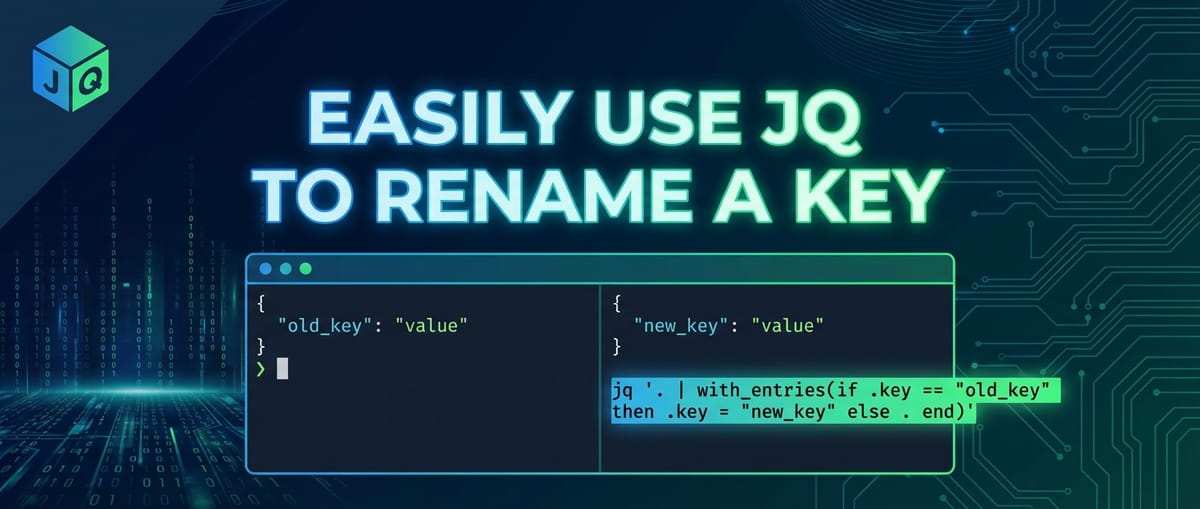
Let's illustrate with a simple example. Suppose we have an object and want to rename old_key to new_key.
Input JSON:
{
  "name": "Alice",
  "old_key": "some value",
  "age": 30
}
jq Command for a single key rename using with_entries:
jq 'with_entries(if .key == "old_key" then .key = "new_key" else . end)'
Explanation:
with_entries(...): This initiates the transformation. The object{"name": "Alice", "old_key": "some value", "age": 30}is internally converted into:json [ {"key": "name", "value": "Alice"}, {"key": "old_key", "value": "some value"}, {"key": "age", "value": 30} ]if .key == "old_key" then .key = "new_key" else . end: This is the sub-filter applied to each element in the array..refers to the current{"key": ..., "value": ...}object.if .key == "old_key": Checks if thekeyfield of the current object is "old_key".then .key = "new_key": If true, it modifies thekeyfield of that specific{"key": ..., "value": ...}object to "new_key". Thevaluefield remains untouched.else . end: If the key is not "old_key", the object remains unchanged (.means "the current input").
- After applying the sub-filter, the modified array is then converted back into an object.
Output JSON:
{
  "name": "Alice",
  "new_key": "some value",
  "age": 30
}
This method is elegant because it focuses on the {"key": ..., "value": ...} structure, allowing for conditional logic directly on the key name. It's particularly useful when you need to rename a specific key or a small set of keys based on exact matches. The with_entries filter encapsulates the complexities of iterating and rebuilding the object, presenting a cleaner interface for key-value pair transformations.
map_entries: When You Need More Control Over Reconstruction
While with_entries is excellent for direct modifications, map_entries offers a slightly different paradigm, giving you full control over how each {"key": ..., "value": ...} object is transformed and how it's re-constructed before becoming part of the final object. Instead of modifying the key or value fields in place, map_entries expects its sub-filter to return a new {"key": ..., "value": ...} object for each entry.
In practice, for simple key renaming, with_entries is often more concise. However, map_entries shines when you need to perform more intricate manipulations that might involve: * Completely changing both the key and the value based on complex logic. * Generating a new key based on a computation involving the original key and value. * Filtering out entries entirely (though del is often better for that).
Let's adapt the previous example using map_entries.
jq Command for a single key rename using map_entries:
jq 'map_entries(if .key == "old_key" then {"key": "new_key", "value": .value} else . end)'
Explanation:
map_entries(...): Similar towith_entries, it internally converts the object to an array of{"key": ..., "value": ...}objects.if .key == "old_key" then {"key": "new_key", "value": .value} else . end: This sub-filter is applied to each entry.- If the
keyis "old_key", it constructs and returns a brand new object:{"key": "new_key", "value": .value}. Notice how we explicitly define both thekeyandvaluefor the new entry. We take thevaluefrom the original entry (.value). - Otherwise, it returns the original entry
.unchanged.
- If the
- The array of these newly constructed or unchanged entries is then converted back to an object.
The output will be identical to the with_entries example. While map_entries might seem more verbose for simple renames, its power lies in its explicit reconstruction phase, offering maximum flexibility. For the purpose of renaming, with_entries often provides a more direct and readable solution, especially for conditional renaming of existing keys.
Specific Renaming Scenarios and jq Patterns
Now that we understand the core mechanisms, let's explore various common and complex key renaming scenarios.
1. Renaming a Top-Level Key
This is the most straightforward scenario, as demonstrated above.
Input:
{
  "product_code": "P12345",
  "description": "Premium Widget",
  "price_usd": 19.99
}
Rename product_code to itemCode:
jq 'with_entries(if .key == "product_code" then .key = "itemCode" else . end)'
Output:
{
  "itemCode": "P12345",
  "description": "Premium Widget",
  "price_usd": 19.99
}
2. Renaming Multiple Top-Level Keys
You can extend the if/then/else structure or use | (pipe) to chain conditions for multiple key renames within with_entries.
Input:
{
  "first_name": "John",
  "last_name": "Doe",
  "email_address": "john.doe@example.com",
  "phone": "123-456-7890"
}
Rename first_name to firstName and last_name to lastName:
jq 'with_entries(
  if .key == "first_name" then .key = "firstName"
  elif .key == "last_name" then .key = "lastName"
  else .
  end
)'
Alternatively, for a more concise mapping, especially with many renames, you can use a dictionary lookup approach. This involves creating a map of old keys to new keys and using _ as a placeholder for keys not in the map.
jq '
  {
    "first_name": "firstName",
    "last_name": "lastName"
  } as $renameMap |
  with_entries(
    if $renameMap[.key] then .key = $renameMap[.key] else . end
  )
'
Output:
{
  "firstName": "John",
  "lastName": "Doe",
  "email_address": "john.doe@example.com",
  "phone": "123-456-7890"
}
This dictionary lookup strategy is highly scalable and readable when you have a predefined set of key renames. It reduces the verbosity of nested if/elif statements and makes the renaming logic easier to manage, especially in larger JSON transformation scripts.
3. Renaming Keys in Nested Objects
Renaming keys within nested structures requires navigating the JSON path to reach the target object before applying with_entries.
Input:
{
  "user": {
    "personal_info": {
      "first_name": "Jane",
      "last_name": "Smith"
    },
    "contact_info": {
      "email_address": "jane.smith@example.com"
    }
  },
  "status": "active"
}
Rename first_name to firstName and last_name to lastName within user.personal_info:
jq '.user.personal_info |= with_entries(
  if .key == "first_name" then .key = "firstName"
  elif .key == "last_name" then .key = "lastName"
  else .
  end
)'
Explanation:
.user.personal_info |= ...: The|=operator is used for "in-place" updates. It takes the output of the right-hand side filter and assigns it back to theuser.personal_infopath. This is crucial for modifying specific parts of a larger JSON document without affecting other parts.- The rest of the
with_entrieslogic is applied only to the object at.user.personal_info.
Output:
{
  "user": {
    "personal_info": {
      "firstName": "Jane",
      "lastName": "Smith"
    },
    "contact_info": {
      "email_address": "jane.smith@example.com"
    }
  },
  "status": "active"
}
This pattern of path |= filter is extremely powerful for targeted transformations within complex JSON structures. It allows for modular and precise modifications, ensuring that only the intended sections of the document are altered.
4. Renaming Keys Within an Array of Objects
When you have an array where each element is an object, and you need to rename keys within each of those objects, you can iterate over the array using [] and apply the renaming logic to each element.
Input:
[
  {
    "user_id": 1,
    "user_name": "alpha",
    "created_at": "2023-01-01"
  },
  {
    "user_id": 2,
    "user_name": "beta",
    "created_at": "2023-01-02"
  }
]
Rename user_id to id and user_name to name for each object in the array:
jq 'map(with_entries(
  if .key == "user_id" then .key = "id"
  elif .key == "user_name" then .key = "name"
  else .
  end
))'
Explanation:
map(...): This filter iterates over each element of an array and applies the sub-filter to it. The results of the sub-filter are collected into a new array.with_entries(...): This is applied to each individual object within the array, performing the renaming as before.
Output:
[
  {
    "id": 1,
    "name": "alpha",
    "created_at": "2023-01-01"
  },
  {
    "id": 2,
    "name": "beta",
    "created_at": "2023-01-02"
  }
]
This is a very common pattern in data processing, especially when consuming lists of records from APIs or databases and needing to standardize their schema.
5. Conditional Renaming: Based on Key Existence or Value
Sometimes, you might only want to rename a key if it exists, or if its associated value meets certain criteria. jq's if/then/else and select filters are perfect for this.
Input:
[
  {"id": 1, "name": "Product A", "status_code": 1},
  {"id": 2, "name": "Product B"},
  {"id": 3, "name": "Product C", "status_code": 0}
]
Rename status_code to isActive only if its value is 1, and set isActive to true/false accordingly. If status_code does not exist, do nothing.
jq 'map(
  with_entries(
    if .key == "status_code" then
      .key = "isActive" | .value = (.value == 1)
    else .
    end
  )
)'
Explanation:
.key = "isActive" | .value = (.value == 1): Ifstatus_codeis found, its key is renamed toisActive. Crucially, its value is transformed from an integer (0or1) to a boolean (falseortrue) by comparing it with1. This demonstrates how you can transform both key and value simultaneously within thewith_entriescontext.
Output:
[
  {"id": 1, "name": "Product A", "isActive": true},
  {"id": 2, "name": "Product B"},
  {"id": 3, "name": "Product C", "isActive": false}
]
This powerful technique ensures data consistency and relevance, allowing you to adapt data to specific logical requirements.
6. Renaming Keys with Special Characters or Spaces
JSON keys can technically contain almost any character, including spaces or special symbols, though it's generally discouraged due to parsing difficulties in some languages. If you encounter such keys, you must quote them in jq.
Input:
{
  "order id": "ORD-001",
  "item-name": "Widget Deluxe",
  "customer.name": "Acme Corp"
}
Rename "order id" to orderId and "item-name" to itemName:
jq 'with_entries(
  if .key == "order id" then .key = "orderId"
  elif .key == "item-name" then .key = "itemName"
  else .
  end
)'
Output:
{
  "orderId": "ORD-001",
  "itemName": "Widget Deluxe",
  "customer.name": "Acme Corp"
}
The key here is consistently quoting the problematic key names in your jq filter to ensure jq correctly identifies them.
7. Recursive Key Renaming (Deep Transformation)
For very complex, deeply nested JSON structures where the same key might appear at multiple arbitrary depths and needs renaming, jq offers recursive descent (..). While with_entries operates on a single object, you can combine .. with select to target all objects within a document and then apply the renaming.
Input:
{
  "metadata": {
    "record_id": "meta-123",
    "details": {
      "record_id": "detail-456",
      "tags": ["critical", "sensitive"]
    }
  },
  "data": {
    "item": {
      "record_id": "item-789",
      "value": 100
    }
  },
  "record_id": "top-000"
}
Rename all occurrences of record_id to entityId:
jq '
  (.. | select(type=="object")) |=
  with_entries(
    if .key == "record_id" then .key = "entityId" else . end
  )
'
Explanation:
(.. | select(type=="object")): This part first selects all.(the current input), then uses..to recursively descend into all elements.select(type=="object")filters this stream to include only elements that are objects. Each of these objects will then be piped into the|=operator.|= ...: Thewith_entriesrenaming logic is then applied to each object found by the recursive descent, effectively renaming the key wherever it appears within any object.
Output:
{
  "metadata": {
    "entityId": "meta-123",
    "details": {
      "entityId": "detail-456",
      "tags": ["critical", "sensitive"]
    }
  },
  "data": {
    "item": {
      "entityId": "item-789",
      "value": 100
    }
  },
  "entityId": "top-000"
}
This technique is incredibly powerful for normalizing schemas across an entire document, regardless of depth. However, caution is advised: ensure the key name you are recursively changing is unique in its intent to avoid unintended consequences.
APIPark is a high-performance AI gateway that allows you to securely access the most comprehensive LLM APIs globally on the APIPark platform, including OpenAI, Anthropic, Mistral, Llama2, Google Gemini, and more.Try APIPark now! 👇👇👇
Advanced Techniques and Best Practices
Idempotency and Safeguards
When performing transformations, especially in automated pipelines, ensuring idempotency (running the operation multiple times yields the same result as running it once) is important. For key renaming, with_entries naturally handles this for conditional renames. If a key is already renamed, the if .key == "old_key" condition will simply not match, and else . will ensure no further changes.
Consider edge cases: * Key not present: Our with_entries examples gracefully handle this because if .key == "some_key" will simply not be true, and the else . clause will preserve the object. * Duplicate keys: JSON standards forbid duplicate keys within a single object. If jq encounters malformed JSON with duplicate keys, its behavior is typically to keep the last occurrence.
Performance Considerations for Large JSON Files
For extremely large JSON files (gigabytes), jq processes data in a streaming fashion where possible, but complex filters involving full object reconstruction (with_entries, map_entries) might load parts of the JSON into memory. * Efficient filtering: Try to narrow down the scope of transformation as much as possible using path filters (.path.to.object |= ...) before applying with_entries to minimize the data processed by the complex filter. * Stream processing alternatives: For transformations that don't require full object context, tools like jsawk or custom awk scripts might offer better streaming performance, but they lack jq's JSON-awareness. For key renaming, jq is generally the best balance of power and performance.
Integration with Shell Scripts and Variables
jq is often used within shell scripts. You can pass shell variables to jq filters using the --arg or --argfile options.
OLD_KEY="first_name"
NEW_KEY="firstName"
echo '{"first_name": "Alice"}' | jq --arg old "$OLD_KEY" --arg new "$NEW_KEY" '
  with_entries(if .key == $old then .key = $new else . end)
'
This makes jq scripts more dynamic and reusable, allowing you to parameterize your renaming operations without hardcoding values directly into the jq filter.
Schema Evolution and API Interoperability
In dynamic microservices architectures, api gateway solutions are crucial for managing the flow of data between services and external consumers. Data often needs to be adapted to different versions of an API, or integrated with an LLM Gateway that expects specific key names for prompt variables. jq plays a vital role here: * Version migration: As an API evolves, key names might change. jq can be used as a lightweight transformation layer before data enters the api gateway or after it exits. * Standardization for LLM Gateway: AI models, especially large language models, often require input JSON with specific key names for prompt variables (e.g., user_input, context_data). If source data uses different names (e.g., query, background), jq can quickly rename these keys to match the LLM Gateway's expected input schema, ensuring smooth interaction with AI services. This minimizes code changes in applications by centralizing the transformation logic.
Once your JSON data has been meticulously prepared using jq, ensuring all keys are correctly named and structured, the next crucial step often involves managing its exposure and consumption. Platforms like APIPark, an open-source AI gateway and API management platform, become indispensable here. They provide the infrastructure to expose your refined data via robust APIs, offering features like unified API formats, prompt encapsulation for AI models, and end-to-end API lifecycle management, ensuring the transformed data is delivered securely and efficiently to its consumers. APIPark's ability to quickly integrate 100+ AI models and standardize AI invocation formats means that jq's role in preprocessing data upstream becomes even more valuable, contributing to a seamless and efficient data pipeline from raw input to AI-driven insights, all managed by a robust api gateway. This synergy between jq for data transformation and platforms like APIPark for API governance creates a powerful ecosystem for modern data-intensive applications.
Comparison with Other Tools
While jq is excellent for JSON, other tools exist for data transformation.
sedandawk: These are general-purpose text processing tools. While they can perform pattern-based replacements, they are not JSON-aware. Usingsedorawkto rename keys in JSON is extremely fragile, as they would operate purely on string matching, potentially altering values or misinterpreting structural elements. For example,sed 's/"old_key"/"new_key"/'might accidentally rename a value that happens to contain "old_key".- Python/JavaScript/Node.js scripts: These languages have excellent JSON parsing libraries and can certainly rename keys. For complex transformations or when integrating with other systems, a script might be necessary. However, for quick, one-off, or command-line operations,
jqis significantly faster to write, debug, and execute than firing up a full interpreter. It's purpose-built for the task. yq: A tool similar tojqbut designed to work with YAML, JSON, and XML. It usesjq's syntax for JSON, making it a powerful alternative if your data sources include YAML or XML alongside JSON.
jq strikes an excellent balance, offering the expressiveness of a scripting language for JSON transformations without the overhead of a full programming environment.
Summary of jq Renaming Patterns
Here's a table summarizing the common jq patterns for renaming keys:
| Scenario | jq Pattern |
Description |
|---|---|---|
| Single Top-Level Key | jq 'with_entries(if .key == "old_key" then .key = "new_key" else . end)' |
Renames old_key to new_key at the top level. |
| Multiple Top-Level Keys | jq 'with_entries(if .key == "k1" then .key = "nk1" elif .key == "k2" then .key = "nk2" else . end)' OR jq '{"k1":"nk1", "k2":"nk2"} as $map | with_entries(if $map[.key] then .key = $map[.key] else . end)' |
Renames multiple specific keys. The map-based approach is cleaner for many renames. |
| Nested Key | jq '.path.to.object |= with_entries(if .key == "old_key" then .key = "new_key" else . end)' |
Targets a specific nested object and renames a key within it using the |= update assignment operator. |
| Array of Objects | jq 'map(with_entries(if .key == "old_key" then .key = "new_key" else . end))' |
Iterates over an array (map) and applies key renaming to each object element. |
| Conditional Renaming | jq 'with_entries(if .key == "status" then .key = "isActive" | .value = (.value == "active") else . end)' |
Renames a key and transforms its value based on a condition, ensuring the key exists. |
| Recursive Renaming | jq '(.. | select(type=="object")) |= with_entries(if .key == "old_key" then .key = "new_key" else . end)' |
Renames old_key wherever it appears in any object throughout the entire JSON document, regardless of nesting depth. Use with caution. |
| Using Shell Variables | jq --arg old "old_key" --arg new "new_key" 'with_entries(if .key == $old then .key = $new else . end)' |
Passes shell variables as arguments to the jq filter, making the renaming logic dynamic and reusable. |
| Delete Key After Rename* | jq 'with_entries(if .key == "old_key" then {"key": "new_key", "value": .value} else . end)' | del(.old_key)' (Example, usually combined with a new name. Use map_entries more directly for this) |
If a key is renamed by creating a new one, and the old one remains, del() can be used to remove it. More often, the map_entries approach naturally handles this by returning only the desired new key-value pair. |
Note: For "Delete Key After Rename", typically you don't delete an already renamed key. Instead, if you want to rename a key and ensure the old name doesn't persist (e.g., if you're creating a new key based on an old one, then removing the old one), map_entries gives more control. A more idiomatic jq approach would be to construct the desired object directly or use del for targeted removal if a key needs to be completely removed rather than just renamed.
Conclusion
Mastering jq for key renaming is an essential skill in today's data-driven world. From simplifying data for human consumption to enforcing strict schema compliance for machine processing, jq provides an unparalleled command-line solution. We've explored the fundamental with_entries and map_entries filters, diving deep into how they allow us to manipulate the key-value pairs of JSON objects. We then expanded this knowledge to tackle a wide array of scenarios, including renaming single or multiple top-level keys, handling nested structures, processing arrays of objects, and implementing conditional and recursive transformations.
The ability to accurately and efficiently rename keys is not merely a technical exercise; it's a critical component of robust data engineering. It facilitates seamless integration between disparate systems, ensures compatibility with evolving API specifications, and prepares data for specialized processing, such as feeding inputs into an LLM Gateway for artificial intelligence applications. By standardizing data formats, jq reduces friction in development workflows, minimizes errors, and ultimately contributes to more resilient and maintainable software systems. Whether you're a developer preparing data for an api gateway, a data scientist normalizing datasets, or a system administrator scripting routine transformations, jq remains an indispensable tool that empowers you to take full control of your JSON data with precision and elegance.
Frequently Asked Questions (FAQ)
1. What is the primary difference between with_entries and map_entries for renaming keys?
The primary difference lies in how they expect their sub-filter to operate and return values. * with_entries: Expects the sub-filter to modify the key or value fields of the {"key": ..., "value": ...} objects in-place. It's generally more concise for direct modifications of existing key-value pairs. * map_entries: Expects the sub-filter to return a brand new {"key": ..., "value": ...} object for each entry. This gives you more explicit control over the reconstruction of each key-value pair, allowing for more complex transformations where you might want to derive new keys or values, or even completely restructure an entry. For simple renames, with_entries is often preferred due to its brevity.
2. How can I rename a key only if it exists in the JSON object?
The if .key == "old_key" then .key = "new_key" else . end pattern used within with_entries naturally handles this. If "old_key" does not exist, the condition if .key == "old_key" will never be true for any entry, and thus the else . clause will ensure that other entries remain unchanged and no error is thrown. jq is quite resilient to missing keys in conditions.
3. Is jq suitable for very large JSON files (e.g., gigabytes)? What are the performance considerations?
jq can handle large JSON files, but its performance depends heavily on the complexity of the filter. For simple filtering and extraction, jq is highly efficient and can process data in a streaming fashion. However, complex transformations like with_entries or map_entries often require jq to load significant portions, if not the entire object, into memory to perform the transformation before re-emitting it. If you're dealing with truly massive files that exceed available RAM and your transformations require full object context, you might need to explore alternative streaming JSON parsers in programming languages or distributed data processing frameworks. For typical large files (hundreds of megabytes), jq is usually performant enough.
4. Can jq rename keys in an arbitrary, unknown nesting depth?
Yes, jq can rename keys at arbitrary depths using the recursive descent operator .. combined with select(type=="object"). The pattern (.. | select(type=="object")) |= with_entries(...) will find all objects within the entire JSON document, regardless of their nesting level, and apply the renaming logic to each of them. However, exercise caution with this method to ensure you are not inadvertently renaming keys that share a name but have different semantic meanings in different contexts.
5. How does jq fit into a larger API or AI data pipeline, especially with tools like API gateways?
jq is an invaluable preprocessing or post-processing tool in an API or AI data pipeline. * Data Normalization: Before data is sent to an api gateway or an LLM Gateway, it often comes from various sources with inconsistent key naming. jq can quickly normalize these keys to a standard schema expected by the gateway or the AI model, ensuring consistent input formats. * API Versioning: If an API consumer expects an older or newer key naming convention than what the backend provides, jq can act as a lightweight transformation layer. * AI Prompt Engineering: For LLM Gateway systems, jq can ensure that the variables embedded in AI prompts have precisely the correct key names that the language model expects, preventing parsing errors and improving AI response reliability. * Integration with API Management Platforms: Tools like APIPark (an open-source AI gateway and API management platform) manage the lifecycle, security, and routing of APIs. jq can prepare data before it enters APIPark for exposure or after it's retrieved from an API managed by APIPark, ensuring data conformance for internal systems or external consumers. This synergy optimizes the entire data flow from transformation to secure delivery.
🚀You can securely and efficiently call the OpenAI API on APIPark in just two steps:
Step 1: Deploy the APIPark AI gateway in 5 minutes.
APIPark is developed based on Golang, offering strong product performance and low development and maintenance costs. You can deploy APIPark with a single command line.
curl -sSO https://download.apipark.com/install/quick-start.sh; bash quick-start.sh

In my experience, you can see the successful deployment interface within 5 to 10 minutes. Then, you can log in to APIPark using your account.

Step 2: Call the OpenAI API.