DNS Response Codes: What They Mean & How to Troubleshoot
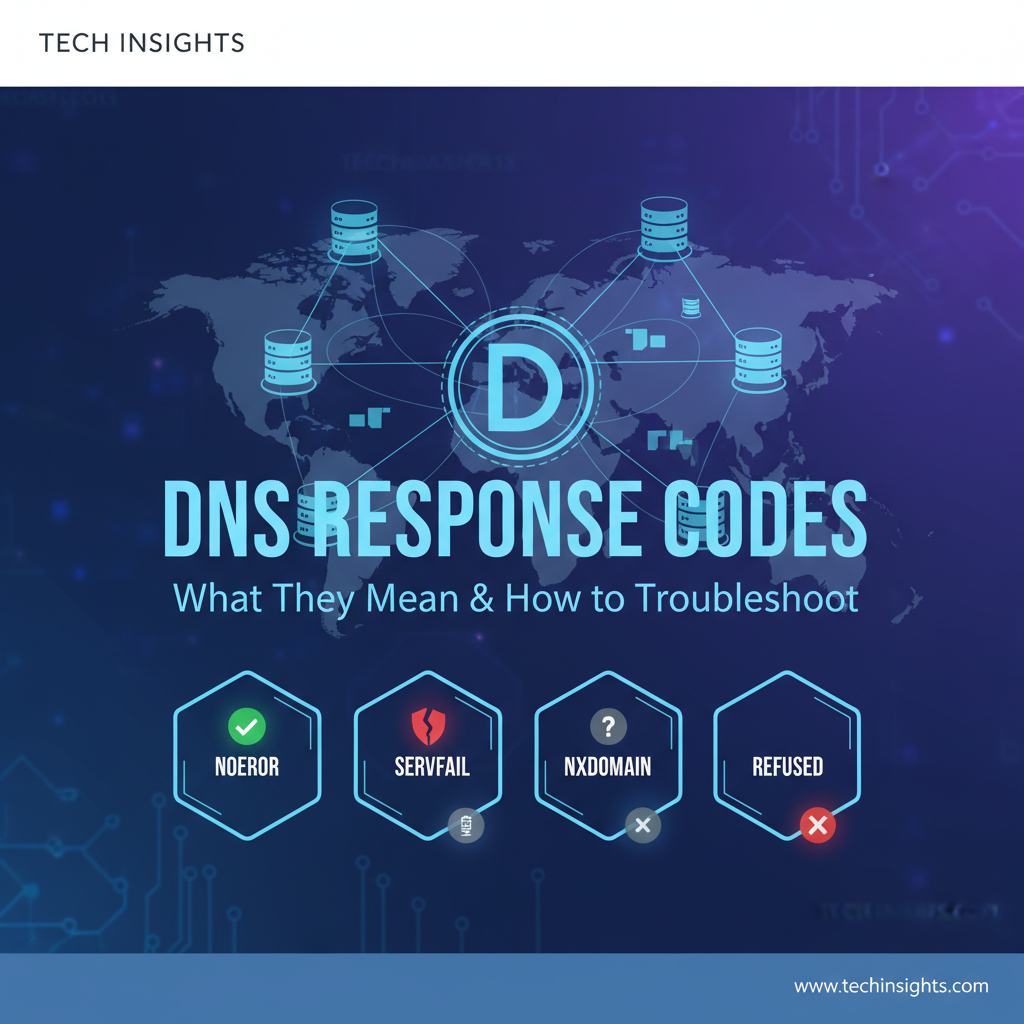


The internet, in its vast and intricate complexity, often presents itself as a seamless digital landscape where information flows freely and effortlessly. Yet, beneath this veneer of simplicity lies a sophisticated tapestry of protocols, servers, and interconnected systems working in concert to deliver content and services. At the very bedrock of this digital infrastructure is the Domain Name System (DNS), the internet's universal phonebook. It’s the invisible yet indispensable service that translates human-readable domain names, like www.example.com, into machine-readable IP addresses, such as 192.0.2.1, enabling browsers and applications to locate the correct servers on the network. Without DNS, navigating the internet would be a painstaking exercise in memorizing numeric sequences, rendering much of the web impractical for everyday use.
While DNS typically operates in the background, out of sight and out of mind, its critical role becomes glaringly apparent the moment something goes awry. When a website fails to load, an application struggles to connect, or an email cannot be sent, the root cause often traces back to a DNS issue. This is where DNS response codes become invaluable. These seemingly cryptic numbers are the diagnostic messages embedded within DNS replies, providing crucial insights into the outcome of a DNS query. They are the internet's way of telling us whether a domain was found successfully, if the query itself was malformed, or if the server encountered an internal error. Understanding these codes is not merely an academic exercise; it is an essential skill for system administrators, network engineers, developers, and anyone involved in maintaining the health and accessibility of online resources. They serve as the first line of defense in identifying, diagnosing, and ultimately resolving connectivity problems, ensuring that the digital pathways remain open and functional.
This comprehensive guide will delve deep into the world of DNS response codes. We will explore the fundamental anatomy of a DNS query and response, dissecting the various components that contribute to its structure. Our primary focus will then shift to an in-depth analysis of the most common, and some less common, DNS response codes (RCODEs), explaining their meanings, common causes, and detailed troubleshooting methodologies. By the end of this journey, you will be equipped with the knowledge and tools necessary to effectively interpret these vital messages and navigate the often-perplexing landscape of DNS troubleshooting, transforming perplexing connection failures into solvable technical challenges.
The Anatomy of a DNS Query and Response: A Foundation for Understanding
Before we can truly appreciate the nuances of DNS response codes, it is imperative to first grasp the underlying mechanics of how a DNS query travels through the internet and how a response is formulated. This foundational understanding provides the context necessary to interpret why a particular response code might appear, shedding light on the journey from a simple domain name request to a resolved IP address.
The entire process begins with a user attempting to access a resource, perhaps by typing a URL into a web browser, or an application attempting to connect to a backend service. This initial action triggers a DNS query from the client's operating system, specifically from a component known as the stub resolver. The stub resolver is a minimalist client that doesn't perform the entire resolution process itself; instead, it forwards the query to a designated recursive DNS resolver. This recursive resolver is typically provided by the user's Internet Service Provider (ISP), an internal corporate DNS server, or a public service like Google DNS or Cloudflare DNS.
Upon receiving the query, the recursive resolver embarks on an iterative journey to find the authoritative answer. If it doesn't have the answer cached from a previous query, it starts at the top of the DNS hierarchy:
- Root Servers: The recursive resolver first queries one of the 13 globally distributed root name servers. These servers do not hold specific domain information but know which servers are responsible for the Top-Level Domains (TLDs) like
.com,.org,.net, or country-code TLDs like.uk,.de. The root server responds, directing the recursive resolver to the appropriate TLD server. - TLD Servers: Next, the recursive resolver contacts the relevant TLD server. For
www.example.com, it would query the.comTLD server. The TLD server, in turn, doesn't know the IP address forwww.example.com, but it knows which servers are authoritative for theexample.comdomain. It then directs the recursive resolver to the authoritative name servers forexample.com. - Authoritative Servers: Finally, the recursive resolver queries one of the authoritative name servers for
example.com. These servers hold the actual DNS records (like A records for IP addresses, MX records for mail servers, CNAME records for aliases) for that specific domain. This is where the definitive answer resides. The authoritative server provides the IP address forwww.example.com.
Once the recursive resolver receives the authoritative answer, it caches this information for a period specified by the record's Time-To-Live (TTL) value. This caching mechanism is crucial for performance, reducing the load on authoritative servers and speeding up subsequent queries for the same domain. The recursive resolver then sends the IP address back to the client's stub resolver, which in turn provides it to the requesting application or browser. Only then can the client establish a direct connection to the web server using the resolved IP address.
Structure of a DNS Message
Every communication within this DNS ecosystem, whether a query or a response, adheres to a standardized message format. Understanding this structure is paramount because the DNS response code (RCODE) is a small but critical field within it. A DNS message is broadly divided into several sections:
- Header Section: This is the most crucial part for our discussion on RCODEs. It's a fixed-size 12-byte section containing several flags and counters. Key fields within the header include:
- ID (Identification): A 16-bit number assigned by the querier to match queries with responses.
- Flags: A 16-bit field containing various flags that dictate the behavior and nature of the message. These flags include:
- QR (Query/Response): 0 for query, 1 for response.
- Opcode: Indicates the type of query (standard, inverse, status, update).
- AA (Authoritative Answer): Set to 1 if the responding server is authoritative for the domain.
- TC (Truncation): Set to 1 if the response was truncated due to length limits.
- RD (Recursion Desired): Set by the client to request recursive query processing.
- RA (Recursion Available): Set by the server to indicate it supports recursion.
- Z (Reserved): Always 0.
- AD (Authentic Data): Set to 1 if all data in the answer and authority sections was verified by DNSSEC.
- CD (Checking Disabled): Set by client to request that DNSSEC validation be disabled.
- RCODE (Response Code): This is our focus! A 4-bit field indicating the outcome of the query.
- QDCOUNT (Question Count): Number of entries in the Question section.
- ANCOUNT (Answer Count): Number of resource records in the Answer section.
- NSCOUNT (Authority Count): Number of resource records in the Authority section.
- ARCOUNT (Additional Count): Number of resource records in the Additional section.
- Question Section: Contains the query itself, specifying the domain name being queried, the type of record requested (e.g., A, AAAA, MX), and the class (usually IN for Internet).
- Answer Section: If the query is successful, this section contains the resource records (RRs) that directly answer the question, such as the IP address for a domain name.
- Authority Section: Contains RRs that point to the authoritative name servers for the queried domain or its parent zone. This is often used for delegation information.
- Additional Section: Contains RRs that are not strictly required for the answer but might be helpful, such as the IP addresses of the authoritative name servers listed in the Authority section (glue records).
By understanding this intricate dance of resolvers and servers, and the structured format of their communication, we lay the groundwork for interpreting the crucial RCODE field. It is this small field that succinctly summarizes the outcome of the entire, often complex, DNS resolution process, guiding us toward effective troubleshooting when things inevitably deviate from the expected NOERROR success.
Understanding DNS Response Codes (RCODEs): The Language of DNS Outcomes
Within the intricate header of every DNS response lies a small, yet profoundly significant, piece of information: the Response Code, or RCODE. This 4-bit field is a crucial diagnostic indicator, providing immediate insight into the status and outcome of a DNS query. It acts as a succinct summary of the entire resolution process, telling the querying client whether its request was successful, encountered an error on the server side, was malformed, or was refused for policy reasons. Without the RCODE, troubleshooting DNS issues would be akin to navigating a maze blindfolded, relying solely on timeout errors or general connectivity failures without specific guidance.
The RCODE field is located in the second byte of the flags section within the DNS message header, specifically occupying the last four bits. Its position is fixed and standardized, ensuring that all DNS clients and servers interpret these codes consistently. While there are a total of 16 possible values for a 4-bit field (0-15), not all of them are currently assigned or commonly encountered in everyday operations. Some are reserved for future use, and others are specific to advanced scenarios like dynamic updates or DNSSEC (DNS Security Extensions).
The primary purpose of RCODEs is to facilitate automated and manual troubleshooting. When a client receives a DNS response, it checks the RCODE to determine the next course of action. For instance, a NOERROR RCODE means the client can proceed with connecting to the resolved IP address. An NXDOMAIN RCODE instructs the client that the domain doesn't exist, preventing further connection attempts to a non-existent host. A SERVFAIL RCODE indicates an issue with the DNS server itself, prompting the client or administrator to investigate server health or try an alternative resolver.
RCODEs can be broadly categorized to provide a clearer framework for understanding:
- Success Codes: Indicate that the query was processed without any errors, and the server was able to provide an answer or indicate that the requested name exists (or doesn't exist) according to its authoritative data.
- Client Error Codes: Signify issues related to the query itself, such as a malformed request, or an issue on the client's side in forming the query.
- Server Error Codes: Point to problems experienced by the DNS server during processing, indicating an inability to fulfill the request due to internal issues, misconfiguration, or upstream failures.
- Policy-Related Codes: Indicate that the server refused to answer the query based on its configured policies, such as access control restrictions or rate limiting.
- DNSSEC-Specific Codes: Relate to failures or status indications during DNS Security Extensions validation.
- Update-Specific Codes: Pertain to issues encountered during dynamic DNS update requests, which are less common in general client queries.
By systematically examining each of these categories and the specific RCODEs within them, we gain the ability to quickly narrow down the potential causes of a DNS-related problem, transforming a vague "website not working" into a precise "DNS server reported a SERVFAIL due to an issue resolving upstream." This precision is the cornerstone of effective network diagnostics and problem resolution in any complex computing environment, from a small home network to enterprise-grade infrastructure.
Detailed Breakdown of Common DNS Response Codes
This section will meticulously dissect the most frequently encountered DNS response codes, along with several less common but equally important ones. For each RCODE, we will explore its precise meaning, the scenarios in which it typically appears, common underlying causes, and a comprehensive set of troubleshooting steps, including practical command-line examples.
0. NOERROR (Success)
Meaning: The query was successfully processed, and no errors occurred. This is the desired and most common RCODE. It indicates that the DNS server found an answer to your query, whether it's an A record (IP address), MX record (mail server), CNAME (alias), or any other requested record type, and returned it in the answer section of the DNS response. If you query for a record type that doesn't exist for a domain, but the domain itself exists, you might still get NOERROR with an empty answer section.
When it Occurs: * You query for an existing domain name and an existing record type (e.g., www.example.com A record), and the server successfully returns the corresponding IP address. * You query for a domain that exists, but for a record type that it doesn't have (e.g., querying for an AAAA record for a site that only has A records). In this case, the response will still be NOERROR, but the answer section will be empty, indicating that no records of that type were found.
Causes (if unexpected behavior despite NOERROR): While NOERROR typically signifies success, there are scenarios where a NOERROR response might not lead to the desired outcome: * Incorrect IP Address Returned: The DNS record might point to the wrong IP address (e.g., an old server, a misconfigured load balancer). This is a data issue, not a DNS protocol error. * Outdated Cache: Your local resolver or an intermediate recursive resolver might have a stale record cached with an incorrect IP address, even if the authoritative server has been updated. * Network Connectivity Issues (beyond DNS): The IP address is correct, but the target server is down, a firewall is blocking traffic, or there's a routing problem between your client and the server. DNS resolved successfully, but the network path failed. * Application-Level Problems: The resolved IP is correct, and the server is reachable, but the application on the server is not running or is misconfigured.
Troubleshooting: 1. Verify the Returned IP Address: Use dig or nslookup to explicitly check the IP address returned. bash dig www.example.com A Examine the ANSWER SECTION to ensure the IP address is what you expect. If it's incorrect, the issue lies with the authoritative DNS records for example.com. 2. Bypass Local Cache: If you suspect local caching, try querying a public DNS resolver directly. bash dig @8.8.8.8 www.example.com A Compare the results. If 8.8.8.8 returns a different (and correct) IP, your local resolver or ISP's resolver might have an outdated cache. Flush your local DNS cache (e.g., ipconfig /flushdns on Windows, sudo killall -HUP mDNSResponder on macOS). 3. Check Authoritative Servers: Trace the DNS path to ensure the authoritative servers are providing the correct data. bash dig +trace www.example.com This command shows the entire delegation chain, from root to TLD to authoritative servers, and their responses. This helps identify if an incorrect record exists at the source. 4. Ping and Traceroute: If the IP is correct, test network connectivity to the resolved IP address. bash ping <resolved_ip_address> traceroute <resolved_ip_address> # or tracert on Windows ping checks basic reachability, while traceroute maps the network path, helping identify where connectivity might be breaking down (e.g., firewall, router issue). 5. Check Server Status and Configuration: If you control the target server, verify it's running and accessible on the correct port, and that any firewalls or security groups are configured to allow incoming connections.
1. FORMERR (Format Error)
Meaning: The DNS server could not interpret the query due to a format error. This means the query message itself was malformed, syntactically incorrect, or contained unsupported fields or options. The server understands it's a DNS message, but it cannot parse the request properly.
When it Occurs: * A client sends a DNS query that doesn't conform to the DNS message format specifications (RFCs). * The query contains an unsupported Opcode or an invalid combination of flags. * Network corruption alters the query packet during transmission, rendering it unparseable by the server.
Causes: * Buggy DNS Client Software: A non-standard or improperly implemented DNS client on the querying machine. * Network Corruption: Data corruption during transmission, though less common with modern network hardware, can lead to garbled packets. * Attack Attempts: Malicious actors might send malformed queries in an attempt to exploit vulnerabilities in DNS servers, which can result in FORMERR responses. * Non-Standard DNS Requests: An attempt to send a query type or option that the specific DNS server doesn't understand or support.
Troubleshooting: 1. Test with Standard Tools: Use reliable, standard DNS client tools like dig from a different machine or operating system. bash dig example.com A If dig works, the issue is likely with the original client's DNS implementation. 2. Inspect Query with Packet Analyzer: If you have access to the client or the network, use a tool like Wireshark or tcpdump to capture the outgoing DNS query packet and inspect its raw format. Look for anomalies in the header flags, counts, or the structure of the question section. bash sudo tcpdump -i <interface> port 53 -vvv This will show the raw DNS packets and their parsed contents, helping to pinpoint where the format deviates from standard. 3. Check DNS Client Configuration: Ensure the client's operating system or application is using a standard, up-to-date DNS resolver library. If an application is using a custom DNS library, check its documentation or update it. 4. Network Hardware Check: While rare, intermittent FORMERR could point to faulty network hardware introducing corruption. Test connectivity and DNS resolution from multiple points on the network. 5. DNS Server Logs: Check the logs of the recursive or authoritative DNS server that returned the FORMERR. It might log specific details about why the query was considered malformed.
2. SERVFAIL (Server Failure)
Meaning: The DNS server encountered an internal error and could not process the query successfully. This is a generic server-side error, indicating that the server itself failed to fulfill a legitimate request, not that the domain doesn't exist or the query was malformed.
When it Occurs: * The recursive DNS resolver you're using cannot reach the authoritative server for the queried domain. * The authoritative server itself is experiencing internal issues (e.g., crashing, out of memory, misconfiguration). * The authoritative server received a query for a zone it's not truly authoritative for, and it couldn't forward or resolve it. * DNSSEC validation failure at the recursive resolver can sometimes lead to SERVFAIL if the resolver cannot confirm the authenticity of the records.
Causes: * DNS Server Misconfiguration: Incorrect zone files, incorrect delegation settings, or an improperly configured recursive resolver. * Resource Exhaustion: The DNS server might be overloaded, running out of memory, CPU, or network capacity, preventing it from responding to queries. * Upstream DNS Server Issues: If a recursive resolver receives SERVFAIL from an authoritative server it's querying, it will likely propagate this SERVFAIL back to the client. This means the problem could be further up the DNS hierarchy. * Network Connectivity to Upstream Servers: The DNS server might have lost connectivity to root, TLD, or authoritative servers. * Firewall/Security Blocking: A firewall might be blocking the DNS server's outgoing queries to upstream servers. * DNSSEC Validation Failures: If DNSSEC is enabled and a server cannot validate a signature, it might return SERVFAIL rather than potentially serving bad data.
Troubleshooting: 1. Try Different Resolvers: The simplest first step is to try querying a different recursive resolver (e.g., Google's 8.8.8.8, Cloudflare's 1.1.1.1). bash dig @8.8.8.8 example.com A If it works with another resolver, the issue is with your primary DNS server. 2. Check DNS Server Logs: If you manage the recursive or authoritative DNS server returning SERVFAIL, check its logs immediately. Error messages here are crucial for pinpointing the exact cause (e.g., "zone not found," "network unreachable," "out of memory"). 3. Test Connectivity to Authoritative Servers: Use dig +trace to identify the authoritative servers for the domain, then ping and traceroute them from your DNS server to check reachability. bash dig +trace example.com # Once authoritative servers are identified, e.g., ns1.example.com ping ns1.example.com traceroute ns1.example.com 4. Check DNS Server Resources: On your DNS server, monitor CPU, memory, and disk I/O. High utilization can indicate an overload causing SERVFAIL. 5. Validate Zone Files (Authoritative Servers): If the SERVFAIL originates from your authoritative server, use named-checkzone (for BIND) or similar tools to validate your zone files for syntax errors. 6. Review DNSSEC Configuration: If DNSSEC is in use, ensure keys are valid, time synchronization is correct, and all records are signed properly. An incorrect DNSSEC setup can easily lead to SERVFAIL. 7. Consider an API Gateway's Reliance: In complex architectures, services behind an api gateway or an AI gateway (like APIPark) often rely on internal DNS for service discovery. A SERVFAIL at the internal DNS level could prevent the api gateway from locating and routing requests to backend microservices or AI models. APIPark's robust logging features and detailed API call analytics would show failures in API invocation, which could then be traced back to DNS SERVFAIL errors affecting the gateway's ability to resolve service endpoints. This correlation highlights the critical dependency of API management on underlying DNS health.
3. NXDOMAIN (Non-Existent Domain)
Meaning: The queried domain name does not exist. The DNS server authoritatively states that the requested domain name, or any subdomain thereof, does not exist within its managed zone or in the entire DNS hierarchy.
When it Occurs: * You type a misspelled domain name into your browser (e.g., gooogle.com instead of google.com). * A domain name has expired and is no longer registered. * A domain name was never registered in the first place. * A subdomain you are trying to reach (e.g., dev.example.com) does not exist under the example.com domain. * A DNS search suffix is incorrectly applied, leading to a query for a non-existent domain.
Causes: * Typographical Error: The most common cause. * Domain Not Registered: The domain simply doesn't exist in the global DNS registry. * Expired Domain: The domain's registration has lapsed. * Incorrect Subdomain: The specific subdomain being queried has not been created or configured in the authoritative DNS zone. * DNS Search Path Issues: On some operating systems, a search suffix is appended to single-label hostnames. If the resulting FQDN doesn't exist, you'll get NXDOMAIN.
Troubleshooting: 1. Check Spelling: Double-check the domain name for any typos. This might seem obvious, but it's often the simplest and quickest fix. 2. Verify Domain Registration: Use a WHOIS lookup tool to check if the domain is registered, who owns it, and its expiry date. If it's expired or available, that's your answer. 3. Check Subdomain Configuration: If it's a subdomain, log into your domain's DNS management interface (e.g., at your registrar or DNS host) and ensure the specific subdomain (e.g., dev.example.com) has an A, CNAME, or other relevant record configured. 4. Query Authoritative Servers Directly: Use dig to bypass recursive resolvers and query the authoritative servers for the domain directly to confirm their response. bash dig +trace example.com # Identify authoritative servers, e.g., ns1.example.com dig @ns1.example.com www.example.com A If the authoritative server also returns NXDOMAIN, then the domain or subdomain genuinely doesn't exist in its records. 5. Check DNS Search Suffixes (Local Configuration): On Windows, check your network adapter's TCP/IP settings for "DNS suffix for this connection" or "Append these DNS suffixes (in order)." On Linux/macOS, check /etc/resolv.conf for search directives. Incorrect suffixes can lead to unintended NXDOMAIN for internal hostnames. 6. Consider DNS Wildcard Records: Sometimes, NXDOMAIN is unexpected if a wildcard record (*.example.com) should catch the query. Verify the wildcard record's configuration.
4. NOTIMP (Not Implemented)
Meaning: The DNS server does not support the requested query type or operation. The server understands the general format of the query but indicates that it simply doesn't have the functionality to respond to that specific type of request.
When it Occurs: * A client queries for an unusual or very new DNS record type (e.g., a highly specific DNSSEC record, or a record type still in draft status) that the server hasn't been updated to recognize. * A client sends a query with an Opcode other than a standard query (0) that the server does not support (e.g., a dynamic update Opcode to a server not configured for updates). * An older, legacy DNS server might not support certain modern features or record types.
Causes: * Outdated DNS Server Software: The DNS server's software is old and lacks support for newer RFCs or experimental features. * Limited Server Capabilities: The DNS server is intentionally configured to only support a minimal set of query types or operations for security or performance reasons. * Specialized Query: You are trying to use a specialized query (e.g., an AXFR zone transfer request, or a dynamic update) against a server that is not configured or designed to handle it.
Troubleshooting: 1. Verify Query Type: Ensure the query type you're sending is standard and widely supported. bash dig example.com TXT # Try a common record type If common types work, the issue is indeed with the specific, uncommon type. 2. Check DNS Server Version/Capabilities: If you manage the server, verify its version and configuration. Consult its documentation to see if it explicitly supports the Opcode or record type in question. Consider upgrading the DNS server software to a more recent version. 3. Use a Different DNS Server: If your current DNS server is older or specialized, try querying a modern, full-featured public DNS resolver (e.g., Google DNS, Cloudflare DNS) to see if they support the query type. bash dig @8.8.8.8 example.com <unsupported_record_type> If public resolvers handle it, your server is the limitation. 4. Review Opcode Usage: If the NOTIMP is for a non-standard Opcode (e.g., an inverse query or dynamic update), ensure the client application is configured to use the correct Opcode for its intended purpose and that the target server is indeed set up to respond to that Opcode.
5. REFUSED (Query Refused)
Meaning: The DNS server explicitly refused to answer the query, usually due to policy reasons. Unlike SERVFAIL, which implies an internal server problem, REFUSED means the server deliberately chose not to respond to this specific client or this specific query.
When it Occurs: * Your IP address is on a blacklist or is not whitelisted by the DNS server's access control lists (ACLs). * The server is configured to refuse recursive queries from unauthorized clients. * Rate limiting is in effect, and your client has sent too many queries in a short period. * The query is for a zone transfer (AXFR/IXFR), and the client is not authorized to request it. * The query comes from a non-local IP address to a DNS server only configured to answer local requests.
Causes: * Access Control Lists (ACLs): The most common reason. The DNS server has configured rules (e.g., allow-query, allow-recursion in BIND) that explicitly deny your client's IP address or network range. * Unauthorized Recursion: A common security practice is to only allow recursive queries from internal networks or trusted clients to prevent DNS amplification attacks. If you're an external client attempting recursion, you'll be refused. * Rate Limiting: To prevent abuse or DoS attacks, DNS servers often implement rate limiting, temporarily refusing queries from IPs exceeding a certain query threshold. * Firewall on DNS Server: A host-based firewall on the DNS server might be blocking traffic from your client's IP address, even before the DNS software can process it, though this might manifest as a timeout rather than REFUSED in some cases. * Blacklisting/Reputation Systems: Your IP might be considered "bad" by a reputation system integrated with the DNS server.
Troubleshooting: 1. Check Your Client IP: Determine the public IP address of your querying client. bash curl ifconfig.me Then, if you manage the DNS server, check its ACLs (named.conf for BIND, or firewall rules) to see if this IP is explicitly blocked or not allowed. 2. Test with Authorized Client: If possible, try the same query from a client you know is authorized to query the DNS server (e.g., from an internal network if the server restricts external recursion). 3. Review Server Configuration: If you control the DNS server, examine its configuration file (e.g., named.conf for BIND) for allow-query, allow-recursion, allow-transfer directives, and any other access control settings. Ensure your client's IP or network is included in the allowed lists for the type of query you're making. 4. Check for Rate Limiting: If queries are refused intermittently or after a burst of requests, investigate if the DNS server has rate limiting configured (e.g., response-rate-limit in BIND). Wait a few minutes and try again. 5. Examine Firewall Rules: Check any host-based firewalls (e.g., iptables, firewalld on Linux) or network firewalls between the client and the DNS server to ensure they are not blocking UDP/TCP port 53 traffic from your client's IP. 6. Consult DNS Server Logs: The DNS server logs are likely to contain explicit messages detailing why a query was refused, often including the client IP address.
6. YXDOMAIN (Name Exists When It Should Not)
Meaning: This RCODE is primarily used in dynamic DNS update requests. It indicates that a name (domain or subdomain) that was specified in a prerequisite section of an update message already exists, but it was expected not to exist. Essentially, a condition for the update failed because a name was present when the update requested its absence.
When it Occurs: * When attempting a dynamic DNS update (e.g., using nsupdate) where a prerequisite in the update message states that a domain/subdomain should not exist, but it actually does.
Causes: * Incorrect Update Prerequisite: The update request was formulated with an incorrect assumption about the current state of the DNS zone. * Concurrent Updates: Another update might have created the name just before your update was processed. * Manual Changes: A name was manually created or existed before the dynamic update was attempted.
Troubleshooting: 1. Review Dynamic Update Request: Carefully examine the dynamic update message (the nsupdate script or application logic) to ensure the prerequisites accurately reflect the desired state before the update. 2. Check Current Zone State: Query the authoritative DNS server for the name in question to see if it truly exists. bash dig @<auth_server> example.com A This helps verify the discrepancy between the update's expectation and the actual zone data. 3. Synchronize Update Logic: Ensure that the client performing the dynamic update has up-to-date knowledge of the DNS zone's current state before attempting modifications.
7. YXRRSET (RR Set Exists When It Should Not)
Meaning: Similar to YXDOMAIN, this RCODE is used in dynamic DNS update requests. It signifies that a resource record set (RRSET) specified in a prerequisite section of an update message already exists, but it was expected not to exist. This means a set of records for a specific name and type was present when the update requested its absence.
When it Occurs: * When attempting a dynamic DNS update where a prerequisite in the update message states that an RRSET (e.g., an A record for www.example.com) should not exist, but it actually does.
Causes: * Incorrect Update Prerequisite: The update request was formulated with an incorrect assumption about the current state of the DNS zone's records. * Stale Client Information: The client performing the update has stale information about the zone.
Troubleshooting: 1. Review Dynamic Update Request: Scrutinize the update message's prerequisites, specifically those referring to RRSETs, to ensure they accurately reflect the desired "non-existent" state. 2. Query Specific RRSET: Query the authoritative server for the exact RRSET (name and type) that caused the error to confirm its existence. bash dig @<auth_server> example.com A This verifies if the RRSET is indeed present. 3. Check for Other Records of the Same Name: Ensure no other records of the same name and type conflict.
8. NXRRSET (RR Set Does Not Exist When It Should)
Meaning: Also specific to dynamic DNS update requests. This RCODE indicates that a resource record set (RRSET) specified in a prerequisite section of an update message does not exist, but it was expected to exist. The condition for the update failed because a particular set of records was absent when the update required its presence.
When it Occurs: * When attempting a dynamic DNS update where a prerequisite in the update message states that an RRSET should exist, but it is actually absent from the zone.
Causes: * Incorrect Update Prerequisite: The update request was formulated with an incorrect assumption about the current state of the DNS zone. The client expected a record to be there, but it wasn't. * Previous Deletion: The RRSET might have been deleted by a prior update or manual intervention.
Troubleshooting: 1. Review Dynamic Update Request: Verify the update message's prerequisites, particularly those asserting the existence of RRSETs, to ensure they align with the current state of the zone or the intended pre-update state. 2. Query for Missing RRSET: Query the authoritative server for the exact RRSET (name and type) that was expected to exist to confirm its absence. bash dig @<auth_server> example.com MX This confirms the RRSET is not present.
9. NOTAUTH (Not Authoritative)
Meaning: The server that received the query is not authoritative for the queried zone. This RCODE is typically returned in specific scenarios, primarily during update requests or when a server acting as a secondary for a zone doesn't have the zone data loaded. It's less common for standard recursive queries.
When it Occurs: * An update request is sent to a DNS server that is not the primary authoritative server for the zone, nor a properly configured secondary that can forward updates. * A server is configured as a secondary for a zone but has failed to transfer the zone data from the primary and thus doesn't consider itself authoritative. * A misconfigured client or server attempts to send a query directly to a server that has no knowledge or authority over the requested domain.
Causes: * Incorrect Target Server for Updates: Dynamic update requests must be sent to the primary authoritative server or a server explicitly configured to handle updates for that zone. * Zone Transfer Failure: A secondary server might have issues contacting its primary to perform a zone transfer (AXFR/IXFR), leading it to consider itself "not authoritative" for the zone. * Misconfigured DNS Delegation: Although this typically results in recursive resolvers seeking the correct authoritative server, direct queries to a non-authoritative server for a specific zone can trigger this.
Troubleshooting: 1. Verify Authoritative Server: For dynamic updates, ensure you are sending the update request to the correct primary authoritative server for the zone. 2. Check Zone Configuration: If you manage the server, ensure it is correctly configured as either a primary or a secondary for the zone in question. For secondary servers, verify that zone transfers are succeeding. 3. Inspect Zone Delegation: For standard queries that somehow result in NOTAUTH (rare), use dig +trace to confirm the correct authoritative servers for the domain and ensure the server you're querying is indeed one of them.
10. NOTZONE (Not in Zone)
Meaning: This RCODE is specific to dynamic DNS update requests. It indicates that a name (domain/subdomain) included in a prerequisite or update section of a dynamic update message is not within the zone for which the update is intended.
When it Occurs: * When attempting a dynamic DNS update, and one of the names referenced in the update (e.g., test.otherdomain.com) does not fall under the primary domain of the zone being updated (e.g., example.com).
Causes: * Scoped Update Error: The update request contains a name that is outside the boundaries of the zone that the update is being applied to. * Typographical Error: A typo in the zone name or the record name within the update message.
Troubleshooting: 1. Review Dynamic Update Request: Check all domain names referenced within the dynamic update message to ensure they are properly scoped within the zone being updated. 2. Verify Zone Boundaries: Confirm the exact name of the zone being updated and ensure all names in the update request are subdomains of that zone.
DNSSEC-Specific RCODEs (RCODEs 16-23 are extended)
DNSSEC (DNS Security Extensions) introduces additional mechanisms for validating DNS responses, ensuring their authenticity and integrity. Failures in this validation process are indicated by specific RCODEs (or more commonly, by extended RCODEs in the EDNS0 OPT pseudo-RR, which is beyond the scope of this primary RCODE discussion but important for context). Historically, RCODEs like BADSIG and BADKEY were used, but they have been superseded by extended RCODEs and flags for more precise error reporting. However, some basic DNSSEC validation failures can still manifest as SERVFAIL or in older implementations, the following:
16. DSIG (Bad Digital Signature / BADSIG - Historical)
Meaning: Indicates a failure in validating the digital signature of a DNSSEC-signed record. This means the signature provided with the record does not match the computed hash of the data, implying data tampering or an issue with the signing key. While BADSIG was an older RCODE (16), modern DNSSEC validation failures often manifest as SERVFAIL with an accompanying EDNS0 OPT record that specifies the actual DNSSEC-BADALG or DNSSEC-BADTIME status.
When it Occurs: * A DNSSEC-validating resolver attempts to verify a digitally signed record but finds that the signature is invalid.
Causes: * Incorrectly Signed Zone: The zone records were signed with the wrong key, or the signing process was flawed. * Compromised Key: The private key used for signing has been exposed or altered. * Clock Skew: A significant time difference between the signing server and the validating resolver can cause signature validation to fail due to time-based cryptographic protections. * Key Rollover Issues: Problems during the transition from an old signing key to a new one.
Troubleshooting: 1. Check Authoritative Server DNSSEC Configuration: If you control the authoritative server, verify your DNSSEC signing process, key management, and zone integrity. Use tools like dnssec-analyzer.verisignlabs.com or dnsviz.net to check your domain's DNSSEC chain. 2. Verify Time Synchronization: Ensure all DNS servers involved (authoritative and recursive) have their system clocks synchronized using NTP (Network Time Protocol) to prevent BADTIME issues which can manifest as DSIG (or SERVFAIL). 3. Review Key Rollover Procedures: If a key rollover recently occurred, ensure it was executed correctly and all old RRSIGs (Resource Record Signatures) have expired and been replaced.
17. NSEC (Bad Key / BADKEY - Historical)
Meaning: Indicates that the cryptographic key used for DNSSEC validation is invalid or unrecognized. Similar to DSIG, BADKEY was an older RCODE, and modern implementations typically use extended RCODEs or SERVFAIL with specific EDNS0 flags.
When it Occurs: * A DNSSEC-validating resolver encounters a DNSKEY record that is malformed, unrecognized, or corrupted.
Causes: * Corrupted DNSKEY: The public key published in the zone's DNSKEY record is corrupted or incorrectly formatted. * Unsupported Algorithm: The key uses a cryptographic algorithm that the validating resolver does not support.
Troubleshooting: 1. Inspect DNSKEY Records: If you manage the authoritative zone, verify the DNSKEY records for your zone using dig and ensure they are correctly published and valid. 2. Check Resolver Capabilities: Ensure the DNSSEC-validating resolver supports the cryptographic algorithms used for your zone's keys.
18. BADTIME (Bad Time)
Meaning: This RCODE, often an EDNS0 extended RCODE rather than a primary RCODE, explicitly indicates that the signature timestamp on a DNSSEC record is invalid. This typically means the signature's validity period (start and end times) does not encompass the current time according to the validating resolver's clock.
When it Occurs: * A DNSSEC-validating resolver finds that a signed record's signature has expired or is not yet valid, due to clock skew or actual expiration.
Causes: * Clock Skew: A significant time difference between the authoritative server (which signed the record) and the validating recursive resolver. * Expired Signatures: The RRSIG records themselves have genuinely expired and have not been re-signed in time. * Incorrect Validity Period: The validity period configured for the signatures is too short or incorrectly set.
Troubleshooting: 1. Synchronize Server Clocks: Ensure that all DNS servers in your chain (authoritative and recursive) are accurately time-synchronized using NTP. Clock skew is a frequent cause of BADTIME. 2. Review Signature Expiry: On the authoritative server, verify the validity periods of your RRSIG records. Ensure that records are re-signed well before their expiry dates to prevent lapses in validity.
Summary Table of Common DNS Response Codes
To provide a quick reference, here's a table summarizing the most common DNS RCODEs, their meanings, and initial troubleshooting actions.
| RCODE | Name | Meaning | Common Causes | Initial Troubleshooting Steps |
|---|---|---|---|---|
| 0 | NOERROR | Query completed successfully. | Misconfigured IP, stale cache, network issues (not DNS). | Verify returned IP, flush local cache, try dig @8.8.8.8, ping / traceroute IP. |
| 1 | FORMERR | DNS server could not interpret the query due to a format error. | Buggy client, network corruption, malformed query. | Use standard tools (dig), inspect raw query (Wireshark), check client software/libraries. |
| 2 | SERVFAIL | DNS server encountered an internal error and could not process the query. | Server misconfiguration, overload, upstream failure, DNSSEC issues. | Try other resolvers (@8.8.8.8), check DNS server logs, test connectivity to authoritative servers, monitor server resources, validate zone files. |
| 3 | NXDOMAIN | The queried domain name does not exist. | Typo, unregistered domain, expired domain, non-existent subdomain. | Double-check spelling, WHOIS lookup, verify subdomain configuration, query authoritative servers directly. |
| 4 | NOTIMP | The DNS server does not support the requested query type or operation. | Outdated server, unsupported record type/opcode, specialized query. | Verify query type is standard, check DNS server version/capabilities, try a different, modern DNS server. |
| 5 | REFUSED | The DNS server explicitly refused to answer the query (policy). | ACLs, unauthorized recursion, rate limiting, firewall. | Check client IP, review DNS server ACLs (allow-query/recursion), examine server rate limits, check firewalls. |
| 6 | YXDOMAIN | Name exists when it should not (Dynamic Updates). | Incorrect update prerequisite. | Review dynamic update request, check current zone state to confirm name existence. |
| 7 | YXRRSET | RR Set exists when it should not (Dynamic Updates). | Incorrect update prerequisite. | Review dynamic update request, query for specific RRSET to confirm existence. |
| 8 | NXRRSET | RR Set does not exist when it should (Dynamic Updates). | Incorrect update prerequisite. | Review dynamic update request, query for specific RRSET to confirm absence. |
| 9 | NOTAUTH | Server not authoritative for the zone (Dynamic Updates). | Wrong update target server, zone transfer failure. | Verify primary authoritative server for updates, check zone configuration and transfer status. |
| 10 | NOTZONE | Name is not in the zone (Dynamic Updates). | Name outside zone boundaries in update. | Review dynamic update request, verify all names are within the target zone. |
| 16-18 | DNSSEC-RCODEs | Bad Digital Signature / Bad Key / Bad Time (often SERVFAIL with EDNS0). |
Incorrect signing, compromised key, clock skew, expired signatures. | Check authoritative server DNSSEC config (online tools), ensure NTP synchronization on all servers, review key rollovers and signature expiry. |
APIPark is a high-performance AI gateway that allows you to securely access the most comprehensive LLM APIs globally on the APIPark platform, including OpenAI, Anthropic, Mistral, Llama2, Google Gemini, and more.Try APIPark now! 👇👇👇
Troubleshooting Methodologies & Tools: Navigating the DNS Maze
Effective DNS troubleshooting is not just about knowing what each RCODE means; it's about adopting a systematic approach and mastering the use of the right tools to gather information and isolate the problem. The core principle is always to simplify the environment, eliminate variables, and work methodically from the client outwards to the authoritative source.
General Approach: Isolate, Test, Verify
- Isolate the Problem: Determine if the issue is client-specific, network-wide, or affecting specific domains.
- Client-specific? Can other devices on the same network resolve the domain? Can this client resolve other domains?
- Network-wide? Are multiple users/applications on the same network experiencing the same DNS issue?
- Specific domain? Is only
example.comfailing, or are all domains having problems? - Specific record type? Is only
MXfailing, butArecords work?
- Test Directly: Bypass intermediate resolvers and test directly against known good public resolvers or the authoritative servers.
- Verify Configuration: Double-check client and server DNS settings, firewall rules, and network connectivity.
- Check Logs: Always consult DNS server logs, firewall logs, and application logs for specific error messages.
Command-Line Tools: Your First Line of Defense
These are indispensable for real-time DNS diagnostics:
dig(Domain Information Groper)- Purpose: The most powerful and flexible DNS lookup utility, providing detailed information about DNS queries and responses. Essential for seeing RCODEs and other flags.
- Basic Usage:
dig example.com A(Queries for A records for example.com using your default resolver). - Specifying a Resolver:
dig @8.8.8.8 example.com A(Queries Google DNS directly). This is crucial for bypassing your local or ISP's resolver to see if they are the problem. - Tracing the Path:
dig +trace example.com(Shows the delegation path from root to authoritative server, revealing which server is returning what, and where an RCODE might originate). - All Records:
dig example.com ANY(Queries for all record types – useful for seeing a complete picture of a domain's DNS). - Short Output:
dig +short example.com(Returns only the answer data, good for quick checks). - Example for
SERVFAIL: Ifdig example.com AreturnsSERVFAIL, trydig @8.8.8.8 example.com A. If8.8.8.8works, your local resolver is the issue. If8.8.8.8also returnsSERVFAIL, the problem is likely with the authoritative server forexample.comor higher up the chain. Then usedig +trace example.comto pinpoint the server returningSERVFAIL. - Example for
REFUSED: Ifdig example.com @your_internal_dns_serverreturnsREFUSED, trydig @your_internal_dns_server localhost. Iflocalhostworks, your internal server is refusing external queries or your specific IP. Check its ACLs.
nslookup(Name Server Lookup)- Purpose: A simpler, interactive tool, widely available on Windows and Linux/macOS. Less detailed than
digbut sufficient for basic lookups. - Basic Usage:
nslookup example.com - Specifying Server:
nslookup example.com 8.8.8.8 - Setting Query Type:
set type=mxthenexample.com(for MX records). - Note:
nslookup's output can sometimes be misleading or less direct about RCODEs thandig. Usedigfor deeper diagnostics.
- Purpose: A simpler, interactive tool, widely available on Windows and Linux/macOS. Less detailed than
host- Purpose: Another simple DNS lookup utility, often faster for quick checks than
dig. - Basic Usage:
host example.com(Returns A, AAAA, MX records). - Specifying Server:
host example.com 8.8.8.8 - Specific Record Type:
host -t MX example.com
- Purpose: Another simple DNS lookup utility, often faster for quick checks than
pingandtraceroute(tracerton Windows)- Purpose: After successfully resolving an IP address, these tools verify network connectivity to that IP. A successful DNS lookup (NOERROR) doesn't guarantee the target server is reachable.
ping <IP_address>: Checks basic reachability and latency. If it fails, the issue is network connectivity, not DNS resolution.traceroute <IP_address>: Maps the network path to the target, helping identify routers or firewalls blocking traffic along the way.
Network Packet Analyzers: Deep Dive into Raw Traffic
For complex or intermittent issues, especially FORMERR or REFUSED, observing the raw DNS packets can be invaluable.
- Wireshark /
tcpdump- Purpose: Capture and analyze network traffic, including DNS queries and responses, at the packet level. This allows you to see the exact structure of DNS messages, including all header flags and the RCODE.
- Usage (
tcpdump):sudo tcpdump -i <interface> port 53 -vvv-i <interface>: Specify your network interface (e.g.,eth0,en0).port 53: Filter for DNS traffic (UDP/TCP).-vvv: Verbose output to parse DNS message details.
- Insight: You can visually confirm if a query is malformed (for
FORMERR) or if a server is indeed sending aREFUSEDcode. This is also excellent for verifying that your client is sending queries to the intended DNS server.
Public DNS Services: A Benchmark
Using public DNS resolvers (like 8.8.8.8 for Google DNS, 1.1.1.1 for Cloudflare) is a critical troubleshooting step. If your internal or ISP's DNS fails but a public resolver works, the problem is localized to your specific DNS configuration or provider.
Recursive and Authoritative Server Logs: The Server's Diary
If you administer a DNS server, its logs are a treasure trove of information. Most DNS software (BIND, PowerDNS, dnsmasq, etc.) records query attempts, errors, and significant events.
- BIND (Linux): Logs are often in
/var/log/syslog,/var/log/messages, or a dedicated BIND log file (specified innamed.conf). Increase logging verbosity (logging { ... };) for more detail during troubleshooting. Look for messages related to zone transfers, recursion failures, resource limits, or DNSSEC validation. - Windows DNS Server: Event Viewer (DNS Server logs) provides detailed insights into operations, errors, and warnings. Filter for DNS-related events.
Impact of Caching: Friend or Foe?
DNS caching exists at multiple levels: * Browser Cache: Browsers cache DNS lookups. Clear your browser's cache if you suspect it's holding onto old data. * Operating System Cache: Your OS maintains a local DNS cache. * Windows: ipconfig /flushdns * macOS: sudo killall -HUP mDNSResponder * Linux (if systemd-resolved or dnsmasq is running): sudo systemd-resolve --flush-caches or sudo /etc/init.d/dnsmasq restart. * Recursive Resolver Cache: The recursive DNS server you use also caches records based on their TTL. If an authoritative record was updated, but the TTL on the old record was long, it might take time for recursive resolvers globally to pick up the change. This is why querying authoritative servers directly (via dig @auth_server) is important.
Firewall & Security Group Implications: The Unseen Blocker
Firewalls (both host-based and network-based) and security groups (in cloud environments) can inadvertently block DNS traffic. * Symptoms: Timeouts, or REFUSED if the firewall explicitly rejects the packet. * Troubleshooting: * Ensure UDP port 53 and TCP port 53 (for zone transfers or very large responses) are open bidirectionally between your client and DNS server, and between your DNS server and upstream authoritative servers. * Check iptables rules on Linux, Windows Defender Firewall, or cloud security group policies. A misconfigured rule can make it seem like a DNS issue when it's purely a network access problem.
By systematically applying these methodologies and leveraging the appropriate tools, you can effectively diagnose and resolve a wide spectrum of DNS-related problems, transforming the opaque world of network failures into a clear path for remediation.
Advanced Scenarios and Best Practices
While understanding individual RCODEs and basic troubleshooting tools forms the bedrock of DNS diagnostics, modern network architectures introduce additional layers of complexity. From sophisticated security mechanisms like DNSSEC to the dynamic demands of cloud-native applications, DNS plays an increasingly critical, and sometimes hidden, role. Navigating these advanced scenarios requires a deeper appreciation of DNS's interplay with other technologies and adherence to best practices for resilience and performance.
DNSSEC: A Double-Edged Sword for Security and Troubleshooting
DNS Security Extensions (DNSSEC) adds cryptographic validation to DNS, protecting against DNS spoofing and cache poisoning attacks. While vital for security, DNSSEC introduces new failure modes. * Validation Failures: If a DNSSEC-validating resolver cannot cryptographically verify a record's authenticity, it must not return the (potentially spoofed) data. Instead, it typically returns a SERVFAIL RCODE. This means a perfectly legitimate domain can appear down due to a DNSSEC misconfiguration on the authoritative server (e.g., expired keys, incorrect signing, clock skew) or the validating resolver. * Troubleshooting DNSSEC SERVFAIL: When encountering SERVFAIL, especially for a domain expected to be working, always consider DNSSEC. * Check Domain Status: Use online DNSSEC diagnostic tools (e.g., DNSSEC Analyzer or DNSVIZ) to check the domain's entire DNSSEC chain from root to authoritative server. These tools can pinpoint issues like missing DS records, expired signatures, or mismatches. * Verify Clock Synchronization: Ensure all DNS servers (authoritative and recursive) involved in the resolution path are synchronized via NTP. Clock skew is a common culprit for BADTIME and resulting SERVFAILs. * Monitor Key Rollovers: For authoritative server administrators, managing DNSSEC key rollovers is critical. Failing to properly roll over keys can lead to SERVFAIL for extended periods.
DNS over HTTPS (DoH) / DNS over TLS (DoT): Evolving Privacy and Challenges
DoH and DoT encrypt DNS queries, enhancing user privacy by preventing eavesdropping and manipulation of DNS traffic. However, they also shift the traditional DNS troubleshooting paradigm. * RCODE Visibility: While the client still receives RCODEs, the encrypted nature means traditional network sniffing tools like Wireshark on intermediate network segments cannot easily inspect DNS traffic. Troubleshooting must often occur at the client or the DoH/DoT resolver endpoint. * Troubleshooting: * Client-Side Configuration: Verify that the DoH/DoT client (browser, OS, specific application) is correctly configured to use its chosen DoH/DoT provider. * Fallback Mechanisms: Most DoH/DoT clients have fallback mechanisms to traditional UDP/TCP DNS if the encrypted connection fails. Observe if these fallbacks are occurring and if they introduce new issues. * Firewall Implications: Ensure firewalls allow HTTPS (port 443) or TLS (port 853) traffic to the DoH/DoT resolver.
Geo-DNS and Load Balancing: Adding Layers of Complexity
Many large websites and services use Geo-DNS to direct users to the nearest server or DNS-based load balancing to distribute traffic among multiple servers. * Troubleshooting Impact: A single domain name can resolve to different IP addresses depending on the user's geographic location or the current load on servers. This can make troubleshooting NOERROR issues challenging. * Location-Specific Testing: Use dig from different geographic locations (e.g., via VPNs or cloud instances in different regions) to see what IP is returned. * Server Health Checks: If a Geo-DNS system uses health checks, a server might be temporarily removed from rotation. Verify the health of backend servers.
Monitoring DNS Health: Proactive Problem Detection
Reactive troubleshooting after a SERVFAIL or NXDOMAIN is necessary, but proactive monitoring is superior. * External Monitors: Use third-party DNS monitoring services to continuously check resolution from various global locations. These services can alert you to SERVFAIL, NXDOMAIN, or slow resolution times. * Internal Monitors: Monitor your internal recursive and authoritative DNS servers for resource utilization (CPU, memory, disk I/O), query rates, and log errors. Tools like Prometheus, Grafana, Zabbix, or Nagios can integrate with DNS server metrics. * Synthetic Transactions: Periodically perform dig queries for critical domains against your own DNS infrastructure and public resolvers, comparing results and response times.
Redundancy and High Availability: Building Resilient DNS Infrastructure
To mitigate single points of failure, DNS infrastructure should be designed with redundancy. * Multiple Authoritative Servers: Always use at least two authoritative servers for your zones, ideally hosted in geographically separate data centers and on different network providers. * Multiple Recursive Resolvers: Configure client machines and internal networks to use multiple recursive resolvers. If one fails or returns SERVFAIL, the client can try the next. * Anycast DNS: For high-volume services, Anycast DNS routes queries to the closest available DNS server instance, improving performance and resilience against DDoS attacks.
The Role of DNS in Modern Infrastructure: Connecting APIs and Gateways
In today's interconnected digital landscape, DNS underpins virtually every interaction, especially within distributed systems, microservices architectures, and api ecosystems. Services don't directly communicate via hardcoded IP addresses; they discover each other through names, which are then resolved by DNS.
An api gateway is a critical component in such an environment. It acts as a single entry point for api requests, routing them to appropriate backend services, applying policies, and handling authentication. For this routing to occur, the api gateway must be able to resolve the names of its backend services. If an internal DNS server responsible for service discovery fails, or returns SERVFAIL or NXDOMAIN for a backend service, the api gateway will be unable to route requests, leading to application downtime and user-facing errors.
Consider platforms like APIPark, an open-source AI gateway and API management platform. APIPark is designed to simplify the integration and deployment of both AI models and REST services. When APIPark manages the invocation of 100+ AI models or encapsulates prompts into new REST apis, it fundamentally relies on robust DNS resolution to find the actual network endpoints of these models or services. A SERVFAIL received by APIPark when trying to resolve an AI model's endpoint would directly prevent that model from being invoked, rendering the related api unusable. Similarly, an NXDOMAIN for an internal microservice that APIPark needs to communicate with would halt its operations.
APIPark's capabilities like "Detailed API Call Logging" and "Powerful Data Analysis" become incredibly valuable in these scenarios. While APIPark doesn't directly troubleshoot DNS itself, its comprehensive logs would record the failure of an API invocation, indicating that a backend service could not be reached. An administrator, seeing these application-level failures in APIPark's dashboards, could then infer an underlying network or DNS issue. By correlating API invocation failures with potential DNS problems, operations teams can quickly pivot to DNS troubleshooting using the tools and methodologies discussed earlier. This highlights how even sophisticated AI gateway platforms, which abstract away much of the underlying infrastructure, are still deeply reliant on the foundational health of DNS for their core functionality. The ability to monitor API performance and trace failures back to their root cause, including DNS resolution issues, is a testament to the value of integrated management and logging solutions like APIPark.
Case Studies/Example Scenarios
1. Website Inaccessible Due to NXDOMAIN
Scenario: A user tries to access mycompanywebsite.com but gets a "Server not found" error. Troubleshooting: * dig mycompanywebsite.com: Returns NXDOMAIN. * WHOIS lookup: Reveals the domain registration expired last week. * Resolution: Renew the domain registration.
2. Internal Service Failing with SERVFAIL
Scenario: An application hosted on a Kubernetes cluster is trying to communicate with an internal database service (db-service.internal.mycompany.local). The application logs show connection errors. Troubleshooting: * dig db-service.internal.mycompany.local from application host: Returns SERVFAIL. * dig @internal-dns-server db-service.internal.mycompany.local: Also SERVFAIL. * Check internal-dns-server logs: Reveal "zone internal.mycompany.local not loaded due to syntax error in db.internal.mycompany.local zone file." * Resolution: Correct the syntax error in the zone file on the internal DNS server, reload the zone.
3. Unexpected REFUSED from an Internal DNS Server
Scenario: A new developer joins the team and cannot access internal development tools via hostname. Their machine gets "DNS lookup failed." Troubleshooting: * dig devtool.internal.com @internal-dns-server from new developer's machine: Returns REFUSED. * dig devtool.internal.com @internal-dns-server from an existing developer's machine: Returns NOERROR with the correct IP. * Check internal-dns-server configuration: Review allow-recursion and allow-query directives. Discover that the internal DNS server only allows queries from specific IP ranges. The new developer's IP is outside this range because they are on a guest VPN. * Resolution: Add the new developer's VPN IP range to the allow-query list on the internal DNS server.
These real-world examples illustrate how understanding RCODEs and applying systematic troubleshooting can quickly pinpoint the root cause of seemingly complex connectivity issues.
Conclusion
The Domain Name System is the unsung hero of the internet, tirelessly translating the human-friendly language of domain names into the numeric addresses that machines understand. Its ubiquitous presence means that any disruption, no matter how minor, can cascade into significant accessibility issues, impacting everything from casual web browsing to critical enterprise applications. At the heart of diagnosing these disruptions lie DNS response codes (RCODEs) – the concise, yet highly informative, messages embedded within every DNS reply.
From the ubiquitous NOERROR that signifies a successful lookup to the explicit NXDOMAIN declaring a name's non-existence, and the more enigmatic SERVFAIL hinting at server-side distress, each RCODE tells a specific story about the outcome of a DNS query. Understanding these codes is not merely a technical detail; it is a fundamental skill that empowers administrators, developers, and even advanced users to move beyond vague "connection failed" messages and pinpoint the exact nature of a problem.
Effective DNS troubleshooting is a systematic process, combining theoretical knowledge of RCODEs with practical application of powerful command-line tools like dig, nslookup, and host. It involves methodically isolating the problem, testing against various resolvers, inspecting raw network traffic with tools like Wireshark, and diligently reviewing server logs. Moreover, in the context of modern, complex infrastructures, awareness of advanced scenarios like DNSSEC validation failures, encrypted DNS protocols (DoH/DoT), and the dynamic nature of Geo-DNS becomes crucial.
Platforms like APIPark, serving as an AI gateway and API management platform, inherently depend on the robustness of DNS. While APIPark focuses on unifying api invocation and AI model integration, its ability to route requests to backend services and AI models is directly tied to the accurate and timely resolution of their network names. When an API invocation fails within APIPark, its detailed logging and analytics features can provide the initial indicators, prompting an administrator to investigate underlying DNS health using the very RCODEs and troubleshooting techniques discussed in this guide. The smooth operation of sophisticated api gateway solutions, therefore, is inextricably linked to the reliable functioning of the foundational DNS infrastructure.
In an ever-evolving digital landscape, where services are increasingly distributed and interconnected, the future of DNS will likely involve continued advancements in security (DNSSEC), privacy (DoH/DoT), and integration with dynamic cloud environments. As these technologies mature, so too must our understanding and mastery of DNS diagnostics. By embracing a systematic approach and staying abreast of new developments, we can ensure that the internet's phonebook remains accurate, secure, and resilient, serving as the steadfast backbone for the next generation of digital innovation.
Frequently Asked Questions (FAQs)
1. What is the most common DNS response code, and what does it mean? The most common DNS response code is NOERROR (RCODE 0). It signifies that the DNS query was processed successfully, and the server was able to provide an answer or indicate that the requested name exists (or doesn't exist for the specific record type) according to its authoritative data. This is the desired outcome for a successful DNS lookup.
2. Why might I get a SERVFAIL (RCODE 2) even if the domain exists? SERVFAIL indicates a server-side internal error, meaning the DNS server itself failed to fulfill a legitimate request. This can happen even for existing domains if the server is misconfigured, overloaded, loses connectivity to upstream authoritative servers, or encounters a DNSSEC validation failure. It implies an issue with the server's ability to resolve, not necessarily that the domain doesn't exist.
3. What's the difference between NXDOMAIN (RCODE 3) and REFUSED (RCODE 5)? NXDOMAIN means "Non-Existent Domain" – the DNS server authoritatively states that the domain name simply does not exist in the DNS hierarchy. REFUSED, on the other hand, means the DNS server explicitly chose not to answer the query, usually due to a policy reason (e.g., access control, rate limiting, unauthorized recursion). REFUSED implies the server could potentially answer but opted not to, while NXDOMAIN means there's genuinely no record for that name.
4. How can api gateway platforms like APIPark be affected by DNS response codes? APIPark, as an AI gateway and API management platform, relies heavily on DNS for service discovery. When it needs to route an api request to a backend microservice or invoke an AI model, it performs a DNS lookup to resolve the service's hostname to an IP address. If the underlying DNS infrastructure returns a SERVFAIL or NXDOMAIN for these critical backend services, APIPark will be unable to locate and connect to them, leading to API invocation failures and application downtime. APIPark's logging features can help identify these failures, pointing administrators towards a root cause in DNS.
5. What tools should I use to troubleshoot DNS response codes? The primary command-line tool for detailed DNS troubleshooting is dig. It provides comprehensive information about DNS queries and responses, including the exact RCODE. For quick checks, host or nslookup can be used. If you need to inspect raw network packets, Wireshark or tcpdump are invaluable. Additionally, checking your DNS server's logs and using public DNS resolvers (like 8.8.8.8) to compare results are essential steps in a systematic troubleshooting process.
🚀You can securely and efficiently call the OpenAI API on APIPark in just two steps:
Step 1: Deploy the APIPark AI gateway in 5 minutes.
APIPark is developed based on Golang, offering strong product performance and low development and maintenance costs. You can deploy APIPark with a single command line.
curl -sSO https://download.apipark.com/install/quick-start.sh; bash quick-start.sh

In my experience, you can see the successful deployment interface within 5 to 10 minutes. Then, you can log in to APIPark using your account.

Step 2: Call the OpenAI API.