DNS Response Codes Explained: Your Essential Troubleshooting Guide


The intricate web of the internet, with its vast array of websites, applications, and services, relies heavily on a foundational, yet often invisible, component: the Domain Name System, or DNS. Without DNS, navigating the digital landscape would be akin to trying to find a specific house in a sprawling city without street names or numbers, armed only with a vague description. It's the internet's phonebook, translating human-readable domain names like example.com into machine-readable IP addresses like 192.0.2.1. When you type a website address into your browser, DNS is the unsung hero working behind the scenes to get you there.
However, like any complex system, DNS can encounter issues. These issues can manifest in various ways, from a website failing to load to an application being unable to connect to a crucial service. When these problems arise, understanding the language of DNS becomes paramount. This language is often spoken through DNS response codes – subtle numerical indicators embedded within a DNS server's reply that reveal the outcome of a query. These codes are not just arbitrary numbers; they are precise diagnostic signals, each carrying a specific message about why a DNS query succeeded, failed, or encountered an unexpected condition. Mastering the interpretation of these codes is an invaluable skill for network administrators, developers, and even technologically curious individuals looking to demystify internet connectivity issues.
This comprehensive guide aims to peel back the layers of complexity surrounding DNS response codes. We will embark on a journey from the fundamental principles of how DNS operates to a deep dive into each significant response code, explaining its meaning, common causes, and, most importantly, actionable troubleshooting steps. By the end of this article, you will be equipped with the knowledge and practical techniques to confidently diagnose and resolve a wide array of DNS-related problems, transforming frustrating connection errors into solvable puzzles. We will explore how command-line tools can expose these codes, how network packet analysis can provide deeper insights, and how a systematic approach to troubleshooting, guided by these codes, can significantly reduce downtime and improve your understanding of the internet's bedrock.
The Fundamentals of DNS: The Internet's Essential Directory Service
At its core, the Domain Name System (DNS) is a hierarchical, decentralized naming system for computers, services, or any resource connected to the Internet or a private network. It serves as the translator between the human-friendly domain names we type into our browsers and the numerical IP addresses that computers use to locate each other. Imagine trying to remember the IP address for every website you visit – it would be an impossible task for the average user, and even for computers, a system for reliable and efficient lookup is essential. DNS provides exactly that.
The journey of a DNS query begins subtly, often without the user's conscious awareness. When you type www.google.com into your web browser and hit enter, your computer doesn't immediately know where Google's servers are located. Instead, it sends a request to a designated DNS resolver, which is typically configured by your Internet Service Provider (ISP), your local network router, or sometimes a public DNS service like Google's 8.8.8.8 or Cloudflare's 1.1.1.1. This resolver acts as the first point of contact, a local caching server designed to quickly answer queries for frequently accessed domains.
If the resolver has the answer cached from a previous query, it returns the IP address immediately, a process that takes mere milliseconds. However, if the information is not in its cache, the resolver initiates a complex, multi-step process known as a recursive query. This process involves contacting a series of other DNS servers, each responsible for different parts of the domain name hierarchy.
First, the resolver contacts a DNS root server. There are 13 logical root servers globally, replicated across hundreds of physical locations to ensure redundancy and performance. The root server doesn't know Google's IP address directly, but it knows which servers are responsible for top-level domains (TLDs) like .com, .org, or .net. In the case of www.google.com, the root server points the resolver to the .com TLD name servers.
Next, the resolver queries one of the .com TLD name servers. These servers, in turn, don't have the final IP address either, but they know which authoritative name servers are responsible for the specific domain google.com. They direct the resolver to Google's authoritative name servers.
Finally, the resolver queries one of Google's authoritative name servers. These are the servers that hold the definitive records for google.com and all its subdomains, including www.google.com. This server provides the actual IP address (or addresses) associated with www.google.com.
Once the resolver obtains this IP address, it caches the information for a specified period (Time-to-Live, or TTL) and then returns the IP address to your computer. Your computer can then use this IP address to establish a direct connection with Google's servers, allowing your browser to load the website. This entire process, from typing the domain name to receiving the IP address, typically happens within hundreds of milliseconds, highlighting the remarkable efficiency and scalability of the DNS architecture.
The reliability and efficiency of DNS are paramount for the functioning of the modern internet. Any slowdown or failure in the DNS resolution process can lead to significant disruptions. For network professionals, developers, and anyone involved in maintaining digital services, a deep understanding of DNS is not merely an academic exercise; it is a critical skill. It allows for effective diagnosis of connectivity problems, optimization of network performance, and the robust deployment of applications. When things go wrong, the subtle cues embedded within DNS responses, particularly the response codes, become invaluable breadcrumbs leading to the root cause of the issue. These codes are a standardized way for DNS servers to communicate the outcome of a query, offering immediate insights into whether a domain exists, if the server is healthy, or if there's a problem with the query itself.
Anatomy of a DNS Query and Response: Decoding the Message
To fully appreciate the significance of DNS response codes, it's essential to understand the structure of a DNS communication, specifically how a query is formulated and what components make up a typical response. This knowledge forms the bedrock for effective troubleshooting, allowing you to not just see an error code, but to understand its context within the DNS packet itself.
When a client device (your computer, smartphone, or a server) needs to resolve a domain name, it initiates a DNS query. This query is essentially a request packaged into a specific format, sent over UDP (User Datagram Protocol) on port 53, or less commonly, TCP (Transmission Control Protocol) on port 53, especially for zone transfers or queries exceeding UDP packet limits.
The core components of a DNS query packet include:
- Header Section: This is the metadata for the query. It contains fields like:
- ID: A 16-bit identifier assigned by the client, used to match queries with their corresponding responses.
- Flags: A set of bits indicating various parameters, such as whether the message is a query or a response, whether recursion is desired, and crucially, the RCODE (Response Code) if it's a response.
- QDCOUNT: The number of entries in the question section.
- ANCOUNT: The number of resource records in the answer section.
- NSCOUNT: The number of resource records in the authority section.
- ARCOUNT: The number of resource records in the additional section.
- Question Section: This is where the client specifies what it wants to know. It contains:
- QNAME: The domain name being queried (e.g.,
www.example.com). This is typically represented in a compressed, label-based format. - QTYPE: The type of record being requested (e.g., A record for IPv4 address, AAAA for IPv6, MX for mail exchange, NS for name server).
- QCLASS: The class of the query, almost always
INfor Internet.
- QNAME: The domain name being queried (e.g.,
Upon receiving a query, a DNS server processes it and generates a response. This response also adheres to a structured format, mirroring the query but with additional information in the answer, authority, and additional sections.
The DNS response packet typically comprises:
- Header Section: Identical in structure to the query header, but with the "QR" (Query/Response) flag set to indicate it's a response. Most importantly for our discussion, the RCODE field within this header is populated with the outcome of the query.
- Question Section: A copy of the original query's question section, allowing the client to match the response to its original request.
- Answer Section: If the query was successful and the requested information was found, this section contains the Resource Records (RRs) that directly answer the query. For example, if an A record for
www.example.comwas requested, this section would contain the A record with its corresponding IP address, TTL, and other details. - Authority Section: This section provides information about the authoritative name servers for the domain in question. Even if the answer section is empty (e.g., for an NXDOMAIN response), the authority section often contains NS records pointing to the servers that would be authoritative for the domain's parent zone, or the queried domain itself. This helps resolvers continue their iterative process or inform the client about where to find the authoritative source.
- Additional Section: This section contains supplementary RRs that might be helpful to the client but are not directly requested. A common use case is providing the IP addresses for the name servers listed in the authority section (known as "glue records"), saving the client from having to perform separate lookups for those name servers. EDNS (Extension Mechanisms for DNS) options are also found here.
The RCODE, or Response Code, is a 4-bit field located in the DNS header. It is the most immediate and critical indicator of the status of a DNS query. While there are other flags and sections to examine for a complete picture, the RCODE provides the summary judgment: "Success," "Domain Not Found," "Server Error," or "Permission Denied," among others. Understanding the context of the RCODE within the full DNS packet allows for more precise troubleshooting. For instance, an NXDOMAIN (domain not found) with an empty authority section might suggest the domain truly doesn't exist, while an NXDOMAIN with an authority section pointing to a valid parent zone's NS records confirms the non-existence within that zone. Without a grasp of this packet anatomy, troubleshooting would be a much more arduous and less informed process.
Deciphering DNS Response Codes (RCODEs): A Comprehensive Guide
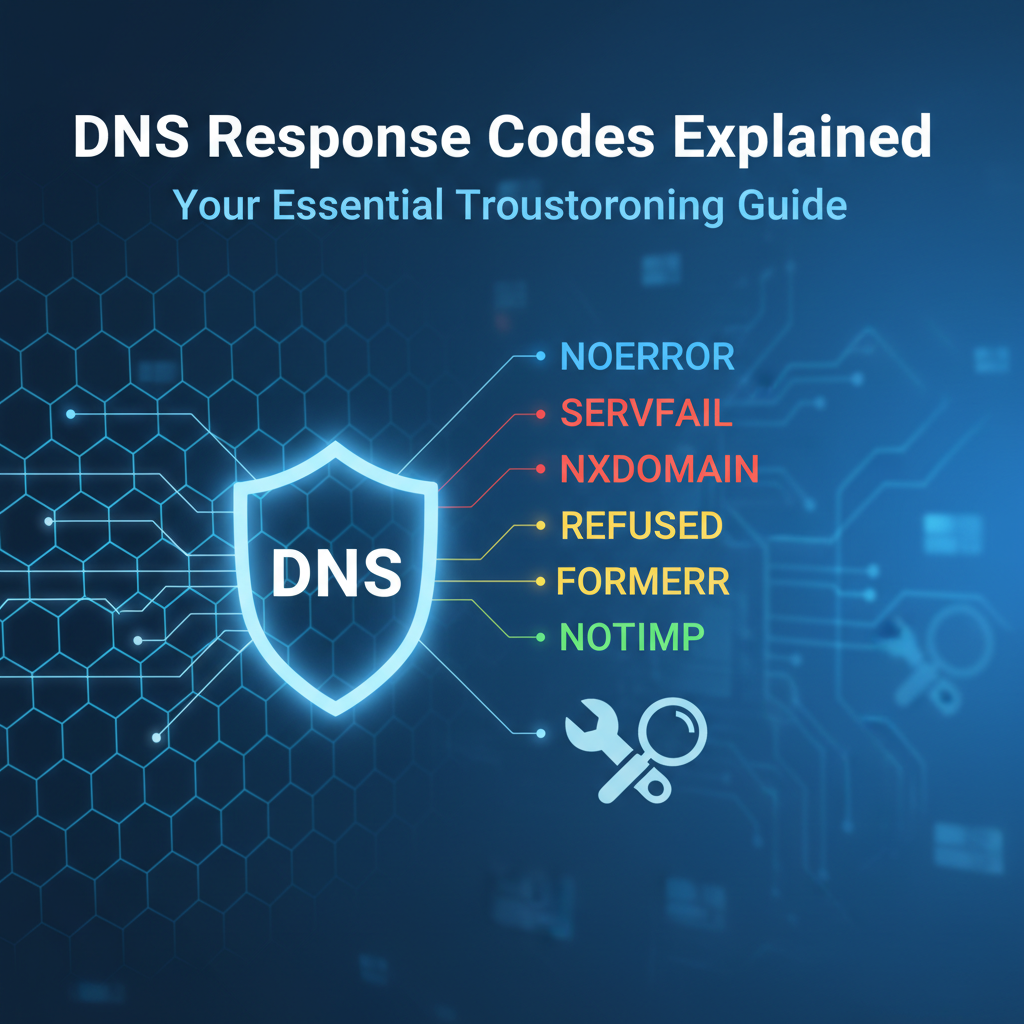
The RCODE field in a DNS response header is a crucial diagnostic tool. It’s a 4-bit unsigned integer that provides a succinct summary of the query’s outcome. While there are numerous potential RCODEs, a handful account for the vast majority of real-world scenarios. Understanding these primary codes, their meanings, typical causes, and corresponding troubleshooting steps is fundamental to effective DNS management.
RCODE 0: NOERROR (No Error)
Meaning: This is the ideal response. It signifies that the DNS query was successful, and the DNS server found the requested information. The ANCOUNT (Answer Count) field in the header will typically be greater than zero, indicating that resource records (RRs) are present in the answer section.
What to Expect: A NOERROR response for an A record query, for instance, would contain one or more A records in the answer section, providing the IPv4 address(es) associated with the queried domain name. Similarly, an MX query would yield MX records, an NS query would yield NS records, and so on. The response will also include the Time-to-Live (TTL) for each record, indicating how long the resolver should cache the information.
When You See This, But Issues Persist: A NOERROR from your DNS resolver means DNS resolution itself is working correctly. If you're still experiencing connectivity problems (e.g., a website isn't loading, an application can't connect), the issue lies beyond DNS. This is a critical distinction, as it directs your troubleshooting efforts away from DNS and towards other layers of the network stack or application itself.
Common Scenarios:
- Network Connectivity: The client might have a network issue (e.g., firewall blocking outbound connections, incorrect gateway, physical cable problem) even if the DNS query successfully resolved an IP address.
- Application-Level Issues: The web server might be down, the application on the server might have crashed, or there might be an incorrect port being used.
- Firewall on the Destination Server: The server hosting the website or service might have a firewall blocking your client's IP address or the specific port being used.
- Proxy Configuration: If the client uses a proxy server, the proxy might be misconfigured or experiencing issues.
- SSL/TLS Handshake Failures: If you're connecting to an HTTPS site, the certificate might be invalid, expired, or there could be a cipher suite mismatch.
- Content Delivery Network (CDN) Issues: While DNS might return a CDN IP, the CDN itself might be having issues serving content for that specific domain.
Troubleshooting Steps (when NOERROR is returned but connectivity fails):
- Verify IP Address: Confirm the IP address returned by DNS is indeed the correct one for the service you're trying to reach.
- Ping/Traceroute: Use
pingto check basic connectivity to the resolved IP address. Ifpingfails, usetraceroute(ortracerton Windows) to identify where the connection breaks on the network path. - Check Ports: Use
telnetornc(netcat) to check if the target port on the resolved IP address is open and listening (e.g.,telnet <IP_Address> 80ortelnet <IP_Address> 443). - Review Client/Server Logs: Check application logs on both the client and server sides for any error messages that might indicate the problem.
- Firewall Examination: Inspect local firewalls on the client, network firewalls, and server-side firewalls for any blocking rules.
- Browser Developer Tools: If it's a web application, use browser developer tools (F12) to inspect network requests, console errors, and security warnings.
RCODE 1: FORMERR (Format Error)
Meaning: The DNS server receiving the query was unable to interpret it due to a format error. This means the query packet itself was malformed, corrupted, or contained fields that didn't conform to DNS protocol specifications. The server understands it's a DNS packet but can't make sense of its contents.
Common Causes:
- Malformed Packets: The most direct cause. This can happen due to bugs in the client-side DNS resolver software, custom scripts generating invalid DNS requests, or network corruption during transmission.
- Non-Standard DNS Clients: Some older or custom DNS clients might generate queries that slightly deviate from RFC standards, causing modern, stricter DNS servers to reject them.
- DNS Server Software Bugs: While rare in well-maintained production DNS servers, a bug in the server software itself could lead it to misinterpret valid queries as malformed.
- Firewall/Proxy Interference: Sometimes, a misconfigured firewall or proxy appliance might inspect and inadvertently modify DNS packets, corrupting them before they reach the server.
- EDNS (Extension Mechanisms for DNS) Issues: If the client sends an EDNS-enabled query with a malformed OPT record (part of EDNS), a
FORMERRcan be returned. This is often an indicator of EDNS incompatibility or a bug.
Troubleshooting Steps:
- Check Client Software:
- Update: Ensure your client's operating system and any custom DNS tools are fully updated.
- Standard Tools: If using a custom application, test with standard tools like
digornslookupfrom the same machine. If standard tools work, the issue is likely with your custom client. - Configuration: Review the client's DNS resolver configuration for any unusual settings.
- Packet Capture (Wireshark): This is invaluable.
- Capture DNS traffic between the client and the server.
- Inspect the malformed query packet in detail to identify which field is incorrect or corrupted. Wireshark often highlights malformed packets or fields.
- Test Different Resolvers: Try querying a different DNS server (e.g., Google DNS 8.8.8.8, Cloudflare 1.1.1.1). If they return
NOERROR, the issue might be specific to the original DNS server's interpretation or strictness. - Review DNS Server Logs: If you manage the DNS server, check its logs for any specific error messages related to
FORMERRresponses. Some servers log details about malformed queries. - Disable EDNS (Temporarily): If EDNS is suspected, try disabling it on the client (if possible) or using a tool like
digwith+noednsto see if the query then succeeds. This helps isolate if EDNS is the culprit.
RCODE 2: SERVFAIL (Server Failure)
Meaning: The DNS server encountered an internal error while trying to process the query. Unlike FORMERR, the server understood the query but was unable to complete the lookup for reasons within its own operation. This is a generic server-side error.
Common Causes:
- Server Overload/Resource Exhaustion: The DNS server might be under heavy load, running out of CPU, memory, or disk I/O, preventing it from functioning correctly.
- Misconfiguration: Incorrect zone file syntax, missing records, or improper server settings can lead to
SERVFAIL. A common example is a zone file pointing to a non-existent glue record. - Corrupted Zone Files/Cache: If a zone file becomes corrupted, or the server's cache gets poisoned with bad data, it might return
SERVFAILfor queries within that zone or related to the corrupted cache entries. - Hardware Failure: Underlying hardware issues (e.g., disk errors, failing network card) can cause the DNS server process to fail.
- Upstream Issues (Recursive Resolvers): If the queried DNS server is a recursive resolver, it might have received a
SERVFAILfrom an authoritative server further up the resolution chain and is simply relaying that failure back to the client. This means the problem isn't with your resolver, but with one it relies on. - DNSSEC Validation Failure: If DNSSEC is enabled on the resolver and it receives a response that fails DNSSEC validation (e.g., incorrect signature, missing keys), it may return
SERVFAILto indicate that it cannot securely validate the response. - Non-existent Parent Zone: If a resolver tries to contact an authoritative server for a domain, but the parent zone's servers fail to return NS records, it can result in a
SERVFAIL.
Troubleshooting Steps:
- Check DNS Server Status (if you control it):
- Logs: Review the DNS server's log files immediately. They are the primary source of information for
SERVFAILerrors, often containing specific messages about what went wrong (e.g., "zone file error," "out of memory," "failed to contact upstream"). - Resource Utilization: Monitor CPU, memory, disk I/O, and network usage on the DNS server. Look for spikes or sustained high usage.
- Configuration Files: Double-check the server's configuration files (e.g.,
named.conffor BIND, zone files) for syntax errors, missing entries, or logical flaws. Tools likenamed-checkconfandnamed-checkzonecan help. - Restart Service: A simple restart of the DNS service (e.g.,
systemctl restart namedorRestart-Service dnscache) can sometimes clear transient issues or corrupted cache.
- Logs: Review the DNS server's log files immediately. They are the primary source of information for
- Test Upstream Resolvers (for recursive servers):
- If your DNS server is a recursive resolver, test the upstream authoritative servers it relies on using
dig(e.g.,dig @<authoritative_server_IP> <domain>). If they returnSERVFAIL, the problem is further up the chain. - Consider changing or adding alternative upstream forwarders if the current ones are unreliable.
- If your DNS server is a recursive resolver, test the upstream authoritative servers it relies on using
- DNSSEC Validation (if applicable):
- If DNSSEC is enabled and suspected, check DNSSEC validation status. Tools like
dig +dnsseccan show details. - Temporarily disable DNSSEC validation on the resolver (if possible and safe to do so for testing) to see if queries then succeed. This helps confirm if DNSSEC is the cause.
- If DNSSEC is enabled and suspected, check DNSSEC validation status. Tools like
- Network Connectivity to Upstream: Ensure the DNS server can reach its configured forwarders or the root/TLD servers. Check firewall rules.
- Check for Zone Transfer Issues: If it's a secondary DNS server, ensure it can successfully perform zone transfers from its primary. Failed transfers can lead to out-of-date or corrupted zone data.
RCODE 3: NXDOMAIN (Non-Existent Domain)
Meaning: "Non-Existent Domain." This is a clear message from an authoritative DNS server (or a recursive resolver relaying an authoritative response) stating that the queried domain name does not exist within its zone of authority or the entire DNS hierarchy.
Common Causes:
- Typo in the Domain Name: The most frequent cause. A simple spelling mistake in
www.exampl.cominstead ofwww.example.comwill almost always result inNXDOMAIN. - Domain Not Registered: The domain name has never been registered, or its registration has expired and it's no longer active.
- Incorrect Subdomain: Querying for a subdomain that has not been created or configured (e.g.,
nonexistent.example.comwhen onlywww.example.comexists). - Incorrect DNS Propagation/Updates: Recent changes to DNS records or domain registration might not have fully propagated across the internet. While rare, this can temporarily lead to
NXDOMAINfrom some resolvers. - Misconfigured Zone File: The authoritative DNS server's zone file might be missing the entry for the queried domain or subdomain.
- Search Domains/Suffixes: If a client's operating system is configured with search domains (e.g.,
internal.local), it might append these suffixes to single-label queries, leading toNXDOMAINfor names that don't exist with those suffixes.
Troubleshooting Steps:
- Double-Check Domain Spelling: This is always the first step. Carefully re-type the domain name.
- Verify Domain Registration:
- Use a
whoislookup tool (e.g.,whois example.com) to check if the domain is registered, its registration status (active, expired, pending delete), and its authoritative name servers. - If it's a subdomain, verify that the parent domain is registered and that the subdomain is correctly configured within its zone file.
- Use a
- Query Authoritative Servers Directly:
- Use
digto query the domain's authoritative name servers (found viawhoisor by querying your resolver withdig +trace). This bypasses your local resolver and directly asks the source for the domain. If they returnNXDOMAIN, the domain genuinely doesn't exist or isn't configured correctly. - Example:
dig @ns1.example.com www.example.com
- Use
- Check Zone Files (if you manage the domain):
- Access the DNS management interface for your domain registrar or DNS hosting provider.
- Verify that the A, CNAME, or other relevant records for the queried domain/subdomain are correctly entered and saved.
- Ensure the TTL is not excessively long, which could delay propagation of recent changes.
- Consider DNS Caching: If you recently created the domain or record, it might take some time for DNS caches (both local and ISP resolvers) to clear and pick up the new information. You can often clear your local DNS cache (
ipconfig /flushdnson Windows,sudo killall -HUP mDNSResponderon macOS). - Review Search Suffixes: On client machines, check
/etc/resolv.confon Linux/macOS or network adapter settings on Windows forsearchdomains that might be inadvertently modifying queries.
RCODE 4: NOTIMP (Not Implemented)
Meaning: The DNS server received a query that it does not support. This typically refers to a specific query type (QTYPE) or an operational code (OpCode) that the server's software version or configuration does not recognize or implement.
Common Causes:
- Unsupported Query Type: A client might be requesting an obscure or experimental DNS record type that the server does not support (e.g., some niche resource record types defined in less common RFCs).
- Outdated DNS Server Software: Older DNS server versions might not support newer query types or features (e.g., certain EDNS options, specific DNSSEC record types that were introduced later).
- Non-Standard OpCodes: The OpCode field in the DNS header specifies the type of query (e.g., standard query, inverse query, status). If a client sends a query with an unsupported OpCode,
NOTIMPcan be returned.
Troubleshooting Steps:
- Identify the Query Type/OpCode:
- Use
digwith the+qrflag to see the exact query being sent, including the QTYPE and OpCode (usually0for standard queries). - If using a custom client, review its code to identify how it constructs DNS queries.
- Use
- Check DNS Server Documentation: Consult the documentation for the specific DNS server software (BIND, PowerDNS, Windows DNS, etc.) to see which query types and OpCodes it supports.
- Update DNS Server Software: If the server is running an older version, upgrading it to the latest stable release might resolve the issue by adding support for newer features.
- Review Client Requirements: If you are the client developer, re-evaluate if the specific query type is truly necessary. Can an alternative, more widely supported query type be used?
- Packet Capture: Use Wireshark to capture the query and verify its format, specifically the QTYPE and OpCode fields.
RCODE 5: REFUSED (Query Refused)
Meaning: The DNS server deliberately refused to answer the query for policy reasons. The server understood the query and was capable of answering it, but it chose not to. This is a clear indication of an access control or security policy.
Common Causes:
- Access Control Lists (ACLs): The most common reason. The DNS server has been configured with an ACL that denies queries from the client's IP address or network. This is often used to restrict recursive queries to trusted clients or to prevent open resolvers.
- Firewall Rules: A firewall (either on the DNS server host or an intermediary network firewall) might be blocking incoming DNS requests from the client's IP address. This is distinct from an ACL within the DNS server software.
- Rate Limiting: The DNS server might have rate limiting configured, and the client has exceeded its allowed query rate, leading to temporary refusal.
- Server Not Authoritative: The client might be attempting a recursive query on a server that is only configured for authoritative responses and not for recursion for the client's IP. Or, the client might be trying to query a zone for which the server is not authoritative and is configured to refuse such queries.
- DNSSEC Validation Failure (Policy): In some cases, if a resolver has strict DNSSEC validation enabled and a response fails validation, it might respond with
REFUSEDrather thanSERVFAIL, depending on its specific configuration. - Zone Transfer Restrictions: If the query is a zone transfer request (AXFR/IXFR), the server might refuse it if the client's IP is not in the allowed list for zone transfers.
Troubleshooting Steps:
- Check Client IP Address: Ensure your client's IP address is allowed to query the DNS server, especially for recursive lookups.
- Verify DNS Server Configuration (if you manage it):
- ACLs: Examine the DNS server's configuration for
allow-query,allow-recursion,allow-transferdirectives (in BIND) or equivalent settings in other DNS software. Ensure the client's IP or network is included if it should be. - Recursion Settings: Confirm if the server is intended to be a recursive resolver for the client. If it's an authoritative-only server, it will generally refuse recursive queries.
- ACLs: Examine the DNS server's configuration for
- Examine Firewalls:
- Server Host Firewall: Check the firewall settings on the DNS server itself (e.g.,
iptables,firewalldon Linux, Windows Defender Firewall) to ensure port 53 (UDP/TCP) is open to the client's IP. - Network Firewalls: Investigate any intermediate network firewalls between the client and the DNS server that might be blocking DNS traffic.
- Server Host Firewall: Check the firewall settings on the DNS server itself (e.g.,
- Test with
dig: Usedigwith the+norecurseflag to perform an iterative query against the DNS server. If this succeeds while a recursive query fails, it strongly suggests a recursion policy issue. - Check Server Logs: The DNS server logs will often explicitly state why a query was refused, mentioning the client IP and the violated policy.
- Rate Limiting: If
REFUSEDis intermittent, inquire about any rate limiting policies on the DNS server or upstream providers.
Other Less Common RCODEs (But Still Important to Know):
While the above RCODEs cover the vast majority of troubleshooting scenarios, several others appear less frequently but are equally significant when they do.
RCODE 6: YXDOMAIN (Name Exists When It Should Not)
Meaning: This RCODE is primarily seen in dynamic update requests, not standard queries. It indicates that a name that was supposed to be deleted or should not exist, unexpectedly already exists.
Common Causes: Misconfigurations in dynamic update policies or zone inconsistencies.
Troubleshooting Steps: Review dynamic update configurations and ensure zone data integrity.
RCODE 7: YXRRSET (RR Set Exists When It Should Not)
Meaning: Similar to YXDOMAIN, this is related to dynamic updates. It means a resource record set (a group of records for a given name and type) that was expected not to exist, actually exists.
Common Causes: Misconfigured dynamic update policies leading to conflicts.
Troubleshooting Steps: Scrutinize dynamic update rules and zone status.
RCODE 8: NXRRSET (RR Set Does Not Exist When It Should)
Meaning: Again, for dynamic updates. It signifies that a resource record set that was expected to exist (for a prerequisite check), does not.
Common Causes: Issues with dynamic update prerequisites or zone data.
Troubleshooting Steps: Check dynamic update logic and zone consistency.
RCODE 9: NOTAUTH (Not Authoritative / Not Zone in Cache)
Meaning: The server is not authoritative for the zone in the query. While a recursive resolver might return NOERROR even if it's not authoritative (because it successfully resolved the name from authoritative sources), an authoritative-only server receiving a query for a zone it doesn't host might return NOTAUTH. In older RFCs, it could also imply the zone was not in the server's cache.
Common Causes: Querying a non-authoritative server directly for a specific zone, or misconfigured NS records for a child zone.
Troubleshooting Steps: Ensure you are querying the correct authoritative server for the domain, or a recursive resolver that can handle the lookup.
RCODE 10: NOTZONE (Not Zone)
Meaning: Also primarily related to dynamic updates or specific zone transfer operations. It indicates that the name specified in the query is not within the zone for which the server is authoritative.
Common Causes: Attempting a dynamic update or certain zone operations on a name that falls outside the defined zone boundaries.
Troubleshooting Steps: Verify zone definitions and the scope of dynamic update requests.
RCODEs 16-255 (Extended RCODEs / Opcodes for TSIG/EDNS):
Modern DNS implementations, particularly with the advent of Extension Mechanisms for DNS (EDNS) and Transaction Signatures (TSIG) for security, have introduced additional RCODEs and ways to interpret existing ones. The BADVERS RCODE (often RCODE 16 when using EDNS) indicates an unsupported EDNS version.
- RCODE 16 (BADVERS / BADOPT):
- Meaning: The EDNS version specified in the query's OPT pseudo-record is not supported by the server, or the OPT record itself is malformed.
- Common Causes: Incompatibility between client and server EDNS implementations, particularly with older software or specific EDNS options. Firewalls or network devices modifying EDNS packets can also cause this.
- Troubleshooting: Update DNS software, check for firewall interference, or try disabling EDNS on the client (
dig +noedns).
- RCODE 16-23 (TSIG Errors): These RCODEs (specifically defined for TSIG, a mechanism for authenticating DNS messages) indicate issues with transaction signatures:
- BADSIG (RCODE 16 for TSIG): Signature verification failed. (Note: RCODE 16 is overloaded, meaning it has different meanings depending on context, i.e., EDNS or TSIG).
- BADKEY (RCODE 17): The key used for TSIG is not recognized by the server.
- BADTIME (RCODE 18): The signature's timestamp is outside the acceptable range (client and server time synchronization is critical here).
Troubleshooting TSIG Errors: Verify TSIG key names, ensure correct key shared secrets, and most critically, synchronize time (e.g., using NTP) between the client and server.
Understanding these detailed RCODEs provides a sophisticated toolkit for diagnosing even the most elusive DNS issues. Each code is a breadcrumb, guiding you closer to the root cause, whether it's a simple typo, a server misconfiguration, or a complex security policy.
APIPark is a high-performance AI gateway that allows you to securely access the most comprehensive LLM APIs globally on the APIPark platform, including OpenAI, Anthropic, Mistral, Llama2, Google Gemini, and more.Try APIPark now! 👇👇👇
Practical Troubleshooting Techniques Using DNS Response Codes
Understanding the meaning of each DNS response code is the first step; the second is knowing how to practically uncover them and use them to guide your troubleshooting. This involves using specific command-line tools, performing network packet analysis, and delving into server-side logs.
Command-Line Tools: Your First Line of Defense
For most DNS troubleshooting, command-line tools are indispensable. They provide quick, direct insights into how DNS resolution is occurring and, critically, reveal the RCODE.
1. dig (Domain Information Groper)
dig is the most powerful and flexible tool for querying DNS name servers. It's available on Linux, macOS, and through WSL or third-party ports on Windows. dig's output is verbose but extremely informative, displaying all sections of the DNS response, including the RCODE.
Basic Usage: dig example.com
Interpreting dig Output (Focus on RCODE):
; <<>> DiG 9.16.1-Ubuntu <<>> example.com
;; global options: +cmd
;; Got answer:
;; ->>HEADER<<- opcode: QUERY, status: NOERROR, id: 62459
;; flags: qr rd ra; QUERY: 1, ANSWER: 1, AUTHORITY: 0, ADDITIONAL: 1

;; OPT PSEUDOSECTION:
; EDNS: version: 0, flags:; udp: 1232
;; QUESTION SECTION:
;example.com.                   IN      A

;; ANSWER SECTION:
example.com.            86399   IN      A       93.184.216.34

;; Query time: 2 msec
;; SERVER: 127.0.0.53#53(127.0.0.53)
;; WHEN: Mon Apr 08 10:30:00 UTC 2024
;; MSG SIZE  rcvd: 55
In the output above, immediately after ->>HEADER<<- opcode: QUERY, **status: NOERROR**, you find the RCODE (labeled as "status").
Examples for Different RCODEs:
- NOERROR: As shown above. You'd see the
ANSWER SECTIONpopulated. - NXDOMAIN:
; <<>> DiG 9.16.1-Ubuntu <<>> non-existent-domain-xyz.com ;; global options: +cmd ;; Got answer: ;; ->>HEADER<<- opcode: QUERY, status: NXDOMAIN, id: 59715 ;; flags: qr rd ra; QUERY: 1, ANSWER: 0, AUTHORITY: 1, ADDITIONAL: 1 ...Here,status: NXDOMAINclearly indicates the domain doesn't exist. NoticeANSWER: 0. - SERVFAIL: If you query a misconfigured or overloaded DNS server for a domain, you might get:
; <<>> DiG 9.16.1-Ubuntu <<>> example.com @<misconfigured_server_IP> ;; global options: +cmd ;; Got answer: ;; ->>HEADER<<- opcode: QUERY, status: SERVFAIL, id: 34567 ;; flags: qr rd ra; QUERY: 1, ANSWER: 0, AUTHORITY: 0, ADDITIONAL: 0 ...Thestatus: SERVFAILmeans the server itself had an issue. - REFUSED: If your IP is blocked by the DNS server:
; <<>> DiG 9.16.1-Ubuntu <<>> example.com @<refusing_server_IP> ;; global options: +cmd ;; Got answer: ;; ->>HEADER<<- opcode: QUERY, status: REFUSED, id: 12345 ;; flags: qr rd; QUERY: 1, ANSWER: 0, AUTHORITY: 0, ADDITIONAL: 0 ...status: REFUSEDindicates a policy-based denial.
Useful dig Options:
+short: Returns only the answer, useful for scripting.@<server_IP>: Query a specific DNS server. E.g.,dig @8.8.8.8 example.com+trace: Shows the full resolution path from the root servers down, invaluable for diagnosing delegation issues.+norecurse: Performs an iterative query, useful for testing authoritative servers directly.+noedns: Disables EDNS, useful for troubleshootingFORMERRorBADVERS.
2. nslookup (Name Server Lookup)
nslookup is older than dig and generally less preferred for detailed troubleshooting, but it's universally available on Windows, Linux, and macOS. Its interactive mode can be useful for repetitive queries.
Basic Usage: nslookup example.com
Interpreting nslookup Output: The RCODE isn't explicitly labeled as "status: RCODE" like in dig. Instead, nslookup provides a more human-readable message.
- NOERROR: It will simply return the IP address(es) for the domain. ``` Server: 127.0.0.53 Address: 127.0.0.53#53Non-authoritative answer: Name: example.com Address: 93.184.216.34
* **NXDOMAIN:**Server: 127.0.0.53 Address: 127.0.0.53#53** Non-existent domain.* **SERVFAIL:**Server: 127.0.0.53 Address: 127.0.0.53#53** server can't find example.com: ** SERVFAIL* **REFUSED:**Server: 127.0.0.53 Address: 127.0.0.53#53** server can't find example.com: ** REFUSED ```
3. host
host is a simpler utility for performing basic DNS lookups. It's concise and quick.
Basic Usage: host example.com
Interpreting host Output: Like nslookup, host provides human-readable messages for errors rather than explicit RCODEs.
- NOERROR:
example.com has address 93.184.216.34 - NXDOMAIN:
Host non-existent-domain-xyz.com not found: 3(NXDOMAIN)Here, it explicitly shows3(NXDOMAIN), which is very helpful. - SERVFAIL:
Host example.com not found: 2(SERVFAIL) - REFUSED:
Host example.com not found: 5(REFUSED)
Network Packet Analysis (Wireshark)
For deeper, more granular troubleshooting, especially with FORMERR, BADVERS, or subtle issues, a network packet analyzer like Wireshark is invaluable. It allows you to inspect the raw DNS packets, byte by byte.
How to Capture DNS Traffic:
- Install Wireshark: Download and install Wireshark on the client machine experiencing issues.
- Start Capture: Select the network interface your client is using to connect to the internet. Start a capture.
- Filter for DNS: Apply a display filter like
udp port 53ortcp port 53to show only DNS traffic. You can also filter for a specific host:dns and host 8.8.8.8. - Reproduce Issue: Attempt the DNS query that is causing problems.
- Stop Capture and Analyze: Stop the capture and examine the captured packets.
Identifying RCODEs in Wireshark:
- In the packet list pane, locate a DNS response packet.
- In the packet details pane, expand the "Domain Name System (response)" section.
- Look for the "Flags" sub-section. Within Flags, you will find the "Response code" field. Wireshark will decode this value and display its meaning (e.g., "No error (0)", "Non-Existent Domain (3)").
- Wireshark is particularly useful for
FORMERRbecause it will often flag malformed packets or fields, highlighting where the query deviates from standard protocol. You can inspect the "Question" or "Additional records" (especially OPT records for EDNS) sections for anomalies.
Server-Side Logs
If you manage the DNS server that's returning an error, its logs are your most crucial resource. They provide the server's own perspective on why a query failed.
Where to Find DNS Server Logs:
- BIND (Linux/Unix):
- Logs are typically directed to
syslogand can be found in/var/log/syslog,/var/log/messages, or/var/log/daemon.log. - Specific BIND logs might be configured in
named.confor a dedicated logging configuration file. Look forlogging { channel ...; };directives.
- Logs are typically directed to
- PowerDNS (Linux/Unix):
- Logs usually go to
syslog(/var/log/syslogorjournalctl -u pdns). - PowerDNS also has its own logging options in its configuration file (
pdns.conf).
- Logs usually go to
- Windows DNS Server:
- DNS server logs are found in the Event Viewer, under "Applications and Services Logs" -> "DNS Server".
- You can also enable debug logging from the DNS console for more detailed (but resource-intensive) logs.
What to Look For in Logs:
- Error Messages: Specific phrases like "zone transfer failed," "out of memory," "malformed packet from client," "query refused (ACL)," "DNSSEC validation failed."
- Client IP Addresses: Often, the logs will show the source IP of the client that made the query, helping you trace who is experiencing the issue.
- Timestamp: Correlate log entries with the exact time the
SERVFAILorREFUSEDerror was observed by the client. - Zone File Issues: For
SERVFAILandNXDOMAIN(if you are authoritative), logs might indicate issues parsing zone files or issues with specific records. - Recursion/Forwarding Problems: If your server is a recursive resolver, logs might show failures when trying to contact upstream forwarders or authoritative servers.
Common Scenarios and Workflow: Putting It All Together
Let's walk through typical troubleshooting scenarios using RCODEs:
- Scenario: "Website not loading, browser says DNS_PROBE_FINISHED_NXDOMAIN"
- Initial Action: Open your terminal/command prompt.
- Tool:
dig problematic-website.com - RCODE Observed:
status: NXDOMAIN - Diagnosis: The domain name either doesn't exist, is misspelled, or isn't registered.
- Troubleshooting Workflow:
- Step 1: Double-check the spelling of
problematic-website.com. A common typo? - Step 2: If spelling is correct, use
whois problematic-website.com. Is the domain registered? Is it expired? - Step 3: If it's a new domain or recent change, has it propagated? (Less likely for a direct
NXDOMAINbut worth considering). - Step 4 (if you manage the domain): Log into your DNS provider and verify that
problematic-website.com(or the specific subdomain likewww) has an A or CNAME record configured correctly in its zone file.
- Step 1: Double-check the spelling of
- Scenario: "Intermittent connection failures to a specific internal service, sometimes works, sometimes doesn't."
- Initial Action: From the client,
dig internal-service.local @your_internal_DNS_server(replace with actual values). - RCODE Observed: Sometimes
NOERROR, sometimesstatus: SERVFAIL. - Diagnosis: The internal DNS server is struggling to answer queries for this service, suggesting an internal problem with the DNS server itself or its upstream.
- Troubleshooting Workflow:
- Step 1 (DNS Server Admin): Log onto
your_internal_DNS_server. Check its system logs (e.g.,journalctl -f -u namedfor BIND). Look for errors related to resources (memory, CPU), zone file issues, or failures to contact its own upstream DNS servers. - Step 2: Monitor resource utilization on the DNS server. Is it peaking when
SERVFAILoccurs? - Step 3: Perform
digqueries from the DNS server itself to its configured forwarders or authoritative servers forinternal-service.local. Does it getSERVFAILfrom them? - Step 4: Check the zone file for
internal-service.localon the internal DNS server for syntax errors or corrupted entries usingnamed-checkzone(for BIND). - Step 5: Consider if DNSSEC validation is enabled and failing intermittently due to time sync issues or problematic upstream DNSSEC records.
- Step 1 (DNS Server Admin): Log onto
- Initial Action: From the client,
- Scenario: "Cannot resolve internal domain from a new subnet, external domains work fine."
- Initial Action: From a client in the new subnet,
dig internal-domain.local @your_internal_DNS_server - RCODE Observed:
status: REFUSED - Diagnosis: The internal DNS server is actively refusing queries from the client's IP address, likely due to an Access Control List (ACL) or firewall rule.
- Troubleshooting Workflow:
- Step 1: Verify the client's IP address.
- Step 2 (DNS Server Admin): Log onto
your_internal_DNS_server. Check its BINDnamed.confor equivalent configuration. Look forallow-queryorallow-recursiondirectives. Does the new subnet's IP range need to be added? - Step 3: Check the host firewall on
your_internal_DNS_server(e.g.,iptables -L,firewall-cmd --list-all, Windows Defender Firewall). Is there a rule blocking inbound UDP/TCP 53 from the new subnet? - Step 4: Check any network firewalls or security groups (e.g., AWS Security Groups, Azure Network Security Groups) between the new subnet and the DNS server. Ensure DNS traffic on port 53 is allowed.
- Initial Action: From a client in the new subnet,
By systematically applying these techniques and understanding what each RCODE signals, you can dramatically improve your efficiency in diagnosing and resolving DNS-related network issues, moving from guesswork to informed problem-solving.
Advanced DNS Concepts and RCODE Interactions
As DNS plays an increasingly vital role in modern internet infrastructure, several advanced concepts interact with and influence the occurrence of DNS response codes. Understanding these interactions is crucial for diagnosing complex or subtle issues that go beyond basic record lookups.
DNSSEC: Security and Validation Failures
DNSSEC (DNS Security Extensions) adds a layer of cryptographic security to DNS. It provides origin authentication of DNS data and data integrity verification, ensuring that the DNS records you receive haven't been tampered with and originate from the legitimate source.
How DNSSEC Affects RCODEs: When a recursive DNS resolver has DNSSEC validation enabled, it will cryptographically verify the signatures on DNS responses. If this validation fails for any reason, the resolver's policy dictates the RCODE it returns to the client.
- SERVFAIL due to DNSSEC: This is the most common RCODE when DNSSEC validation fails. The resolver essentially says, "I received a response, but I cannot trust its authenticity, so I cannot provide a valid answer." This can happen if:
- The DNS records or signatures are genuinely corrupted.
- The authoritative server's DNSSEC keys are misconfigured or expired.
- There's a "break in the chain of trust" (e.g., the parent zone's DS record doesn't match the child's key).
- Time synchronization issues between the authoritative server and the validating resolver prevent correct signature validation (TSIG
BADTIMEfor local issues, but for DNSSEC, it's about validating the signature's validity period).
- REFUSED due to DNSSEC (less common): Some resolvers might be configured to return
REFUSEDfor DNSSEC validation failures, indicating a policy-based refusal to provide untrustworthy data. This is less standard but possible.
Troubleshooting DNSSEC-related SERVFAILs: 1. Check DNSSEC Status with dig: Use dig example.com +dnssec and dig example.com +multi +sigchase (if available) to see DNSSEC-related records (RRSIG, NSEC, DS, DNSKEY) and validation status. Look for ad (authenticated data) flag in the header. If it's missing or an error is reported, DNSSEC is likely failing. 2. DNSSEC Debugging Tools: Websites like DNSViz or Verisign DNSSEC Analyzer can visualize the DNSSEC chain of trust and highlight any issues. 3. Check Authoritative Server: If you control the authoritative server, ensure DNSSEC is correctly configured, keys are properly rolled over, and DS records are correctly published in the parent zone. 4. Temporarily Disable Validation: If you suspect DNSSEC, and it's safe to do so for testing in a controlled environment, temporarily disable DNSSEC validation on your recursive resolver. If queries then succeed, DNSSEC is the culprit.
EDNS0: Extension Mechanisms for DNS and Packet Size
EDNS0 (Extension Mechanisms for DNS, version 0) is a specification that extends the size of DNS messages and adds additional flags and options. Before EDNS0, DNS packets were limited to 512 bytes, which became problematic with larger records (like DNSSEC signatures) or more complex queries.
How EDNS0 Affects RCODEs: EDNS0 uses a pseudo-record called OPT (Option) in the "additional" section of a DNS message. This OPT record specifies parameters like the UDP payload size.
- FORMERR or BADVERS (RCODE 1 or 16): If a DNS server receives an EDNS-enabled query with a malformed
OPTrecord, or if it doesn't support the EDNS version specified in theOPTrecord, it might return aFORMERRorBADVERS. This usually indicates an incompatibility or bug in the client or server's EDNS implementation. - Packet Fragmentation: While not directly an RCODE, issues with large EDNS packets (exceeding path MTU) can lead to fragmentation. If these fragmented packets are lost or blocked by firewalls, it can result in query timeouts, or the server might eventually send a
SERVFAILif it can't assemble the full request, orNOERRORif the client retries over TCP.
Troubleshooting EDNS0 Issues: 1. Use dig +noedns: This forces dig to send a non-EDNS query. If this succeeds where an EDNS query fails, it points to an EDNS compatibility issue. 2. Check Firewalls: Ensure firewalls are not silently dropping fragmented UDP packets or large DNS packets. 3. Packet Capture: Wireshark can show if OPT records are malformed or if packets are being fragmented and reassembled incorrectly.
Anycast DNS: Geolocation and Server Selection
Anycast is a network addressing and routing technique where multiple servers share the same IP address. When a client sends a request to that IP, network routing directs the request to the "nearest" or best-performing server instance. Many large DNS providers (e.g., Google DNS, Cloudflare DNS, root servers) use Anycast for performance and resilience.
How Anycast Affects RCODEs: While Anycast itself doesn't directly cause RCODEs, it can complicate troubleshooting if different Anycast instances of the same server have different states or configurations.
- Inconsistent RCODEs: A client might intermittently receive a
SERVFAILfrom one Anycast instance while another instance of the same server (to which other clients might be routed) is functioning perfectly. This indicates an issue with a specific Anycast node rather than the entire service. - Geographical Specificity: An issue might only be present on an Anycast node serving a particular geographic region, leading to localized RCODE errors.
Troubleshooting Anycast Issues: 1. Specify Target Server: If you suspect Anycast, try querying specific unicast IP addresses for individual server instances, if available (though often not public). 2. Test from Different Locations: Query the Anycast IP from multiple geographical locations to see if the RCODE is consistent globally or localized. Tools like RIPE Atlas can be useful. 3. Check Provider Status Pages: Large Anycast DNS providers usually have status pages that report issues with specific POPs (Points of Presence) or regions.
Conditional Forwarding and Stub Zones: Configuration Errors
In enterprise networks, conditional forwarding and stub zones are used to direct specific DNS queries to particular authoritative servers, often for internal domains, without going through the full internet DNS hierarchy.
- Conditional Forwarding: A DNS server forwards queries for specific domain names to designated DNS servers instead of performing a recursive lookup itself.
- Stub Zone: A copy of a zone that contains only the NS (Name Server) and SOA (Start of Authority) records for that zone, allowing the server to know which authoritative servers to query directly for that zone.
How Misconfigurations Affect RCODEs:
- SERVFAIL or NXDOMAIN from Misconfigured Forwarders: If a conditional forwarder is configured to send queries for
internal.localto a server that is down, unreachable, or itself misconfigured, the local DNS server might returnSERVFAIL. If the forwarder points to a server that doesn't actually hostinternal.local, it might returnNXDOMAINto the client. - REFUSED from ACLs on Forwarders: The target DNS server for conditional forwarding might refuse queries from the forwarding server due to ACLs.
- Stale Stub Zones: If a stub zone's NS records become outdated (e.g., authoritative servers change), the local server might query non-existent or incorrect servers, leading to
SERVFAILorNXDOMAIN.
Troubleshooting: 1. Verify Forwarder Reachability: Ensure the DNS server configured as a conditional forwarder target is reachable and listening on port 53 from the forwarding server. 2. Check Forwarder Configuration: Log into the target forwarder and verify it is correctly configured to respond to queries for the specified domain. 3. Review Stub Zone Consistency: For stub zones, ensure the NS and SOA records are up-to-date and reflect the current authoritative servers for the target zone. 4. Test Direct: Use dig @<forwarder_IP> <domain> from the forwarding server to test if the forwarder itself can resolve the domain.
These advanced concepts demonstrate that DNS troubleshooting can extend beyond simple record lookups. By understanding how DNSSEC, EDNS0, Anycast, and internal forwarding mechanisms influence RCODEs, you can tackle more intricate network challenges with greater precision and efficacy.
Maintaining a Healthy DNS Infrastructure
A robust and reliable DNS infrastructure is the cornerstone of any internet-dependent operation. Proactive maintenance, diligent monitoring, and adherence to best practices are far more effective than reactive troubleshooting in the wake of an outage.
Regular Monitoring of DNS Server Health and Performance
Consistent monitoring is crucial for detecting problems before they escalate into outages. This involves tracking various metrics and states:
- Availability: Regularly ping and query your DNS servers (using standard and custom queries) to ensure they are responding. Many monitoring systems can alert if a server becomes unreachable or starts returning unexpected RCODEs like
SERVFAILorREFUSED. - Latency: Monitor the response time of your DNS queries. High latency can indicate server overload, network congestion, or issues with upstream resolvers.
- Query Rate: Track the number of queries per second. Sudden spikes might indicate a DDoS attack or a misbehaving client, while sustained high rates might necessitate capacity planning.
- Resource Utilization: Keep an eye on CPU, memory, disk I/O, and network bandwidth on your DNS server hosts. Excessive resource usage often precedes
SERVFAILerrors. - Cache Hit Rate: For recursive resolvers, a good cache hit rate indicates efficiency. A low hit rate might mean the cache isn't being used effectively or records have very short TTLs.
- DNSSEC Validation Status: Monitor the success rate of DNSSEC validation. Failures indicate potential security risks or misconfigurations.
Tools range from simple cron jobs with dig and ping to sophisticated network monitoring systems (e.g., Prometheus with Grafana, Zabbix, Nagios) that can collect, visualize, and alert on these metrics.
Keeping DNS Server Software Updated
DNS software, like any other critical system component, benefits from regular updates. Vendors frequently release new versions that include:
- Security Patches: Address newly discovered vulnerabilities that could lead to DNS cache poisoning, DDoS amplification, or unauthorized zone transfers. Failing to patch can expose your infrastructure to significant risks.
- Bug Fixes: Resolve issues that could cause server crashes, incorrect responses, or performance degradation. Many
SERVFAILorFORMERRissues can be traced back to known bugs in older software versions. - Performance Improvements: Optimize query processing, caching, and resource utilization, leading to faster and more efficient DNS resolution.
- New Feature Support: Add support for new RFCs, like newer EDNS options, DNS record types, or enhanced DNSSEC features.
Establish a regular patching schedule, test updates in a staging environment if possible, and always review release notes for any breaking changes or specific update instructions.
Implementing Robust Security Practices
Beyond simply updating software, proactive security measures are essential for DNS:
- DNSSEC Deployment: Implement and maintain DNSSEC on your authoritative domains and ensure your recursive resolvers perform validation. This protects against DNS spoofing and cache poisoning.
- Access Control Lists (ACLs): Restrict recursive queries to only trusted internal clients or networks. Never run an open recursive resolver that anyone on the internet can query, as this makes your server a prime target for DDoS amplification attacks.
- Firewall Rules: Configure host-based and network firewalls to only allow necessary DNS traffic (UDP/TCP port 53) from expected sources. Restrict outbound DNS queries from internal hosts to only designated DNS servers.
- Rate Limiting: Implement Response Rate Limiting (RRL) or similar mechanisms on authoritative servers to mitigate DDoS attacks and prevent your server from being used for amplification.
- Zone Transfer Restrictions: Limit zone transfers (AXFR/IXFR) to only authorized secondary DNS servers by IP address.
- Secure Management Interfaces: Ensure any web-based or remote management interfaces for your DNS servers are protected with strong authentication, encryption (HTTPS), and restricted network access.
- Time Synchronization: Maintain accurate time synchronization across all your DNS servers and clients (using NTP). This is critical for DNSSEC validation and TSIG authentication.
Ensuring Redundancy and Geographic Distribution
A single point of failure in DNS can bring down an entire service.
- Redundant Servers: Always run at least two (preferably more) authoritative name servers for your domains, and ensure they are physically separated and connect to different network providers. This way, if one server fails, others can take over.
- Multiple Recursive Resolvers: Configure client systems (and your internal forwarders) to use multiple recursive resolvers. If your primary ISP resolver fails, a secondary or tertiary can take over.
- Geographic Diversity: Distribute your authoritative DNS servers geographically. This improves resilience against regional outages and can significantly reduce latency for users worldwide.
- Anycast Deployment: For large-scale public DNS services, consider Anycast to provide a single IP address that routes to the nearest healthy server instance, offering superior performance and fault tolerance.
Importance of Accurate Zone File Management
The authoritative zone files are the source of truth for your domains. Errors here will directly lead to NXDOMAIN, SERVFAIL, or incorrect service routing.
- Version Control: Treat zone files like code. Store them in a version control system (e.g., Git) to track changes, revert to previous versions, and manage multiple administrators' contributions.
- Syntax Validation: Use tools like
named-checkzone(for BIND) or online syntax checkers to validate zone files before deploying them. - TTL Management: Set appropriate Time-to-Live (TTL) values. Short TTLs (e.g., 5 minutes) allow for quick updates but increase query load. Long TTLs (e.g., 24 hours) reduce load but delay propagation of changes.
- SOA Record Maintenance: Ensure your SOA (Start of Authority) record is always accurate, especially the serial number (which must increment with every change), refresh, retry, expire, and minimum TTL values.
Integrating with API Management for Modern Architectures
While DNS ensures that myapi.example.com resolves to an IP address, the real complexity often lies in managing the underlying API services themselves. In today's landscape of microservices, cloud-native applications, and the burgeoning field of AI, simply resolving an endpoint isn't enough. Modern architectures demand sophisticated API management to handle authentication, traffic routing, rate limiting, versioning, and to seamlessly integrate diverse services, including advanced AI models. This is where platforms like APIPark become indispensable.
APIPark serves as an all-in-one open-source AI gateway and API management platform. It helps streamline the management, integration, and deployment of both AI and traditional REST services, providing a robust and intelligent layer above the foundational network infrastructure that DNS enables. For instance, once DNS has successfully resolved the IP for your API gateway, APIPark takes over, managing requests to potentially hundreds of integrated AI models with a unified API format, encapsulating prompts into REST APIs, and handling end-to-end API lifecycle management. It provides the crucial management layer that complements DNS, ensuring that not only can clients find your services, but they can also access and utilize them securely and efficiently. By centralizing API governance, APIPark enhances the efficiency, security, and data optimization for developers, operations personnel, and business managers, taking the capabilities enabled by healthy DNS to the next level of application delivery.
Conclusion
The Domain Name System, though often operating silently in the background, is the indispensable backbone of the internet. Its efficiency and reliability are paramount for everything from casual web browsing to complex enterprise operations and the delivery of cutting-edge AI services. When things go awry in this intricate system, the seemingly cryptic DNS response codes emerge as vital diagnostic clues, speaking a clear language about the health and status of your network's foundational directory.
Throughout this guide, we've journeyed from the fundamental architecture of DNS to the granular details of its communication, focusing intensely on the meaning and implications of each significant RCODE. From the reassuring NOERROR that points to issues beyond DNS, to the explicit NXDOMAIN for non-existent domains, the troubleshooting-directing SERVFAIL for server-side woes, and the policy-driven REFUSED, each code provides an immediate, actionable insight. We've also touched upon less common but equally important codes like FORMERR and those related to advanced features like DNSSEC and EDNS, illustrating the depth of information available within these small numerical indicators.
Equipped with command-line tools like dig, nslookup, and host, along with the forensic power of network packet analyzers like Wireshark and the indispensable insights from server-side logs, you now possess a comprehensive toolkit. You can systematically approach DNS problems, translating abstract error messages into concrete causes and solutions. The ability to identify an RCODE, understand its context, and follow a structured troubleshooting workflow transforms the daunting task of network diagnostics into a manageable, logical process.
Furthermore, we underscored the critical importance of maintaining a healthy DNS infrastructure through proactive monitoring, regular software updates, robust security practices, and strategic redundancy. These measures, combined with meticulous zone file management, safeguard your digital assets and ensure uninterrupted service delivery. In a world increasingly reliant on interconnected services and the rapid evolution of technologies like AI, tools that streamline the management and integration of these services, such as APIPark, become essential partners, building upon the solid foundation provided by a well-understood and maintained DNS system.
Ultimately, mastering DNS response codes is not just about fixing problems; it's about gaining a deeper understanding of how the internet works. It empowers you to diagnose issues with confidence, optimize performance, and contribute to the stability of the digital ecosystem. As you continue your journey in network management and development, let these codes be your reliable compass, guiding you through the complexities of DNS with clarity and precision.
Frequently Asked Questions (FAQ)
1. What is a DNS Response Code (RCODE), and why is it important?
A DNS Response Code (RCODE) is a 4-bit field in the header of a DNS response packet that indicates the outcome of a DNS query. It's crucial because it provides immediate, standardized feedback on whether a query was successful, failed, or encountered specific policy or format issues. Understanding RCODEs is essential for quickly diagnosing and troubleshooting DNS-related connectivity problems, as they pinpoint the nature of the error (e.g., domain doesn't exist, server error, access denied).
2. What's the difference between NXDOMAIN and SERVFAIL?
NXDOMAIN (RCODE 3 - Non-Existent Domain) means the DNS server definitively states that the requested domain name does not exist within its authoritative zone or the entire DNS hierarchy. It's an explicit "no such address" message. Common causes include typos or unregistered domains. SERVFAIL (RCODE 2 - Server Failure) means the DNS server itself encountered an internal error while trying to process the query. It understood the request but couldn't complete the lookup due to issues like server overload, misconfiguration, or an inability to reach upstream authoritative servers. It implies a problem with the server's operation rather than the non-existence of the domain.
3. How can I check the DNS Response Code for a domain?
The most effective command-line tool for checking DNS Response Codes is dig (Domain Information Groper), available on Linux, macOS, and via WSL on Windows. To use it, simply type dig example.com (replacing example.com with your desired domain). The RCODE will be displayed in the ;; ->>HEADER<<- section, typically labeled as status: (e.g., status: NOERROR, status: NXDOMAIN). host and nslookup can also provide similar information in their error messages.
4. Why would a DNS server return REFUSED (RCODE 5)?
A REFUSED (RCODE 5) response indicates that the DNS server intentionally declined to answer the query for policy reasons. This is commonly due to: 1. Access Control Lists (ACLs): The server is configured to deny queries from your client's IP address or network. 2. Firewall Rules: An active firewall on the DNS server or in the network path is blocking your query. 3. Rate Limiting: Your client exceeded the server's allowed query rate. 4. Recursion Policy: The server might be configured to only provide authoritative answers and refuses to perform recursive lookups for your client. Troubleshooting involves checking server configuration (ACLs, recursion settings) and network/host firewall rules.
5. My website isn't loading, but dig returns NOERROR. What's wrong?
If dig returns NOERROR and provides a correct IP address, it means DNS resolution is working perfectly. The problem lies elsewhere in the network stack or application. Common issues in this scenario include: 1. Network Connectivity: Your client has a general network issue (e.g., local firewall, bad gateway, ISP problem). 2. Destination Server Down/Unavailable: The web server itself might be offline, crashed, or otherwise unresponsive. 3. Firewall on Destination Server: The server hosting the website might have a firewall blocking your client's access on the required port (e.g., 80 for HTTP, 443 for HTTPS). 4. Application-Level Errors: The web application is running but encountering an internal error, not a network error. 5. Incorrect Port: The service might be listening on a different port than your client is trying to connect to. In these cases, you would troubleshoot beyond DNS, using tools like ping, traceroute, telnet/nc to check port accessibility, and reviewing server-side application logs.
🚀You can securely and efficiently call the OpenAI API on APIPark in just two steps:
Step 1: Deploy the APIPark AI gateway in 5 minutes.
APIPark is developed based on Golang, offering strong product performance and low development and maintenance costs. You can deploy APIPark with a single command line.
curl -sSO https://download.apipark.com/install/quick-start.sh; bash quick-start.sh

In my experience, you can see the successful deployment interface within 5 to 10 minutes. Then, you can log in to APIPark using your account.

Step 2: Call the OpenAI API.