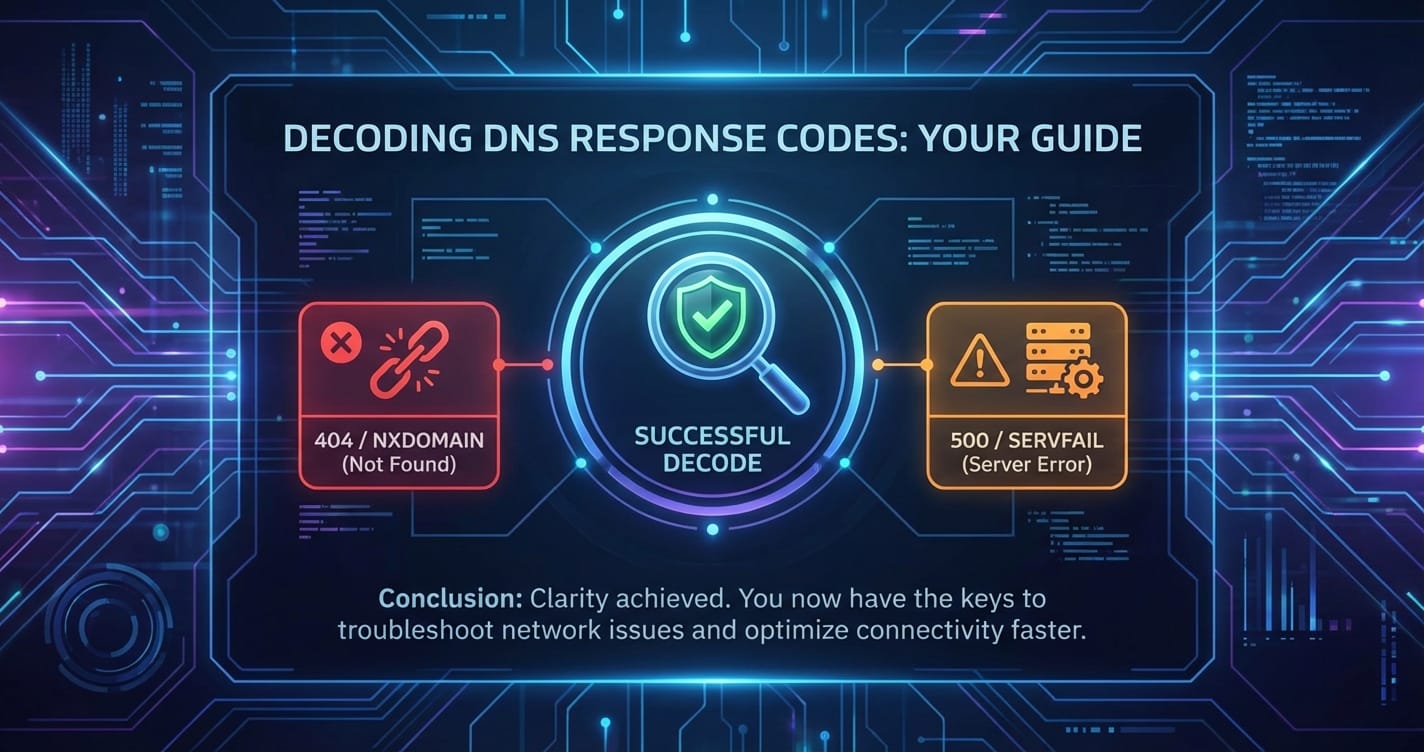
Decoding DNS Response Codes: Your Guide


The internet, in its vast and intricate glory, operates on a multitude of interconnected systems, many of which work silently in the background, making our digital lives seamlessly navigable. Among these unsung heroes, the Domain Name System (DNS) stands paramount. Often dubbed the "phonebook of the internet," DNS is the critical infrastructure that translates human-readable domain names, like "google.com" or "apipark.com," into machine-readable IP addresses, such as "172.217.160.142." Without DNS, navigating the web would revert to the cumbersome task of memorizing numerical sequences for every service we wish to access.
Yet, like any complex system, DNS is not infallible. Queries can fail, servers can be misconfigured, and network paths can be disrupted. When these events occur, the DNS system communicates the nature of the problem through various "response codes." These codes, often overlooked by the average user, are invaluable diagnostic tools for network administrators, developers, and anyone seeking to understand or troubleshoot connectivity issues. Decoding these DNS response codes is akin to understanding the diagnostic messages of a sophisticated engine – they tell you exactly what's going right, or, more importantly, what's going wrong. This comprehensive guide aims to demystify these crucial codes, transforming them from obscure technical jargon into actionable insights, empowering you to navigate and troubleshoot the DNS landscape with confidence. By the end of this journey, you will possess a deeper appreciation for the foundational role of DNS and the granular detail its response codes provide, enabling more robust and reliable internet operations.
The Foundations of DNS: How the Internet Finds Its Way
To truly grasp the significance of DNS response codes, one must first understand the fundamental architecture and operational mechanics of the Domain Name System itself. It’s a system born out of necessity, evolving from simple local files to a globally distributed, hierarchical, and resilient network that underpins virtually every internet interaction.
What is the Domain Name System?
At its core, the Domain Name System is a decentralized naming system for computers, services, or any resource connected to the internet or a private network. It serves a singular, yet profoundly important, purpose: to translate easily remembered domain names into the numerical IP addresses required for locating and identifying computer services and devices within the underlying network protocols. Imagine trying to call friends and family if you only knew their house numbers but not their names. The DNS acts as that universal directory, bridging the human preference for memorable names with the machine's requirement for precise numerical addresses. This translation process is fundamental, influencing everything from loading a webpage to sending an email or connecting to a remote API.
Human-Readable Names vs. Machine-Readable IPs
The internet's architecture relies on IP addresses (Internet Protocol addresses) to direct traffic. These are unique numerical labels assigned to each device participating in a computer network. While efficient for machines, sequences like 203.0.113.45 or 2001:0db8:85a3:0000:0000:8a2e:0370:7334 are neither memorable nor convenient for humans. Domain names, on the other hand, such as example.com or mycompany.org, are intuitive, easy to recall, and often reflect brand identities or service functions. DNS acts as the essential intermediary, performing the lookup that allows us to type a simple name into a browser and have our requests routed to the correct server, which might be hosting a website, an application, or a robust API gateway facilitating complex service interactions.
The Distributed Database Concept
Crucially, the DNS is not a single, monolithic database. Instead, it's a globally distributed, hierarchical database system. This decentralized nature is vital for its scalability, resilience, and performance. Instead of one central server holding all internet domain name information (which would be a single point of failure and a massive bottleneck), the data is spread across millions of DNS servers worldwide. Each server is responsible for a specific portion of the DNS namespace, known as a "zone." This distribution ensures that no single entity holds all the keys to the internet's naming system, making it incredibly robust against failures and attacks. When a query is made, various DNS servers collaborate in a sequence to resolve the name, passing the request down the hierarchy until the authoritative server for the domain in question is reached. This collaborative lookup process is a testament to the internet's design for resilience and widespread access.
A Brief History of DNS: From HOSTS.TXT to Global Infrastructure
The concept of mapping human-friendly names to numerical addresses predates the modern internet. In the early days of ARPANET (the precursor to the internet), a single file named HOSTS.TXT, maintained by the Stanford Research Institute (SRI) Network Information Center, manually listed all hosts and their corresponding IP addresses. As the number of hosts grew rapidly, this centralized, manual system became unwieldy and unsustainable. The file was difficult to manage, prone to errors, and updates were cumbersome, requiring every connected computer to frequently download the latest version.
The inherent limitations of HOSTS.TXT led to the invention of the Domain Name System in 1983 by Paul Mockapetris. His design laid the groundwork for a scalable, distributed, and dynamic naming system that could accommodate the burgeoning growth of network resources. This shift from a flat file system to a hierarchical, distributed database was revolutionary. It moved DNS from a static, local resource to a dynamic, global service, enabling the internet as we know it today. The original RFCs (Request for Comments) 882 and 883 defined the initial specifications for DNS, establishing the hierarchical structure, the concept of zones, and the various record types that still form the backbone of the system. This historical context highlights DNS not just as a technical solution, but as a critical evolutionary leap that allowed the internet to scale beyond academic curiosities into the global phenomenon it is today.
Core Components of the DNS Infrastructure
The global DNS system operates through a collaborative effort of several distinct components, each playing a crucial role in the name resolution process. Understanding these components is key to comprehending how a domain name is translated into an IP address, and subsequently, how DNS response codes are generated and interpreted.
1. DNS Resolvers (Clients and Recursive Resolvers)
At the very beginning of any DNS query is the client-side DNS resolver, often built into your operating system or web browser. When you type apipark.com into your browser, your computer first consults its local DNS cache. If the information isn't there, it forwards the query to a "recursive DNS resolver" (also known as a recursive name server or simply a resolver). This resolver is typically provided by your Internet Service Provider (ISP), or you might use public resolvers like Google DNS (8.8.8.8) or Cloudflare DNS (1.1.1.1).
The recursive resolver's job is to act on behalf of the client. It takes the query and performs all the necessary lookups across the DNS hierarchy, caching responses along the way to speed up future queries for the same domain. It's the orchestrator of the DNS lookup process, iteratively querying other DNS servers until it finds the authoritative answer, which it then returns to the client. This caching mechanism is a critical optimization, significantly reducing the load on higher-level DNS servers and improving overall internet browsing speed.
2. Root Name Servers: The Apex of the Hierarchy
At the absolute top of the DNS hierarchy sit the "root name servers." There are 13 logical root servers globally, designated A through M, though each logical server is actually a network of many physical servers distributed worldwide (thanks to Anycast routing). These servers don't know the IP addresses for every domain on the internet, but they do know where to find the servers responsible for Top-Level Domains (TLDs) like .com, .org, .net, .io, and country-code TLDs like .us, .uk, .de.
When a recursive resolver receives a query (e.g., for www.example.com) that it doesn't have cached, its first step is always to query a root server. The root server will respond not with the IP address of www.example.com, but with a referral to the appropriate TLD server for .com. This redirection is the starting point for every full DNS resolution process that doesn't hit a cache. The root servers are incredibly resilient and critical, as their failure would effectively cripple the entire global DNS lookup system, making the internet largely inaccessible.
3. Top-Level Domain (TLD) Name Servers
Following the referral from a root server, the recursive resolver then queries a TLD name server. These servers manage all the domain names under a specific TLD. For example, there are TLD servers specifically for .com, others for .org, and so on.
The TLD server for .com doesn't know the specific IP address for www.example.com, but it knows which authoritative name servers are responsible for the example.com domain. It will respond to the recursive resolver with a referral to the authoritative name servers for example.com. This step effectively narrows down the search space, guiding the resolver closer to the final answer. TLDs are managed by organizations like Verisign (for .com and .net) and various national registry operators, playing a vital role in maintaining the integrity and structure of the DNS namespace.
4. Authoritative Name Servers: The Keepers of Records
Finally, armed with the information from the TLD server, the recursive resolver queries the "authoritative name server" for the specific domain (example.com in our ongoing example). These are the servers that hold the definitive DNS records (like A records, MX records, CNAME records, etc.) for a particular domain or zone. They are the ultimate source of truth for a domain's DNS information.
When the recursive resolver queries the authoritative name server for example.com asking for the IP address of www.example.com, the authoritative server will provide the direct answer (the IP address). This answer is then passed back through the recursive resolver to the client that initiated the original query. The authoritative name servers are typically managed by the domain owner or their hosting provider/registrar. They are the servers you configure when you want to point your domain to a specific web host or email service. The reliability and configuration of these servers are paramount, as any errors here will directly impact the availability of services under that domain.
The DNS Resolution Process: A Journey from Name to IP
The journey from typing a domain name into a browser to reaching the correct server is a fascinating, multi-step process involving the collaboration of the DNS components described above. This process can occur in two primary modes: recursive and iterative queries.
1. Recursive Queries Explained
A recursive query is initiated by a client (or its local resolver) to a recursive DNS resolver. The client requests a full answer: "Tell me the IP address for www.example.com." The recursive resolver is then obligated to either provide the full answer from its cache or perform all necessary steps to obtain it. It acts on the client's behalf, making subsequent queries down the DNS hierarchy. Once it has the authoritative answer, it returns it to the client. This type of query is what most end-user devices perform when they need to resolve a domain name.
2. Iterative Queries Explained
Iterative queries are what the recursive resolver itself performs when it doesn't have a cached answer. In an iterative query, the DNS server responds with the best answer it currently has. If it doesn't have the full answer, it refers the querying server to another DNS server that is closer to the authoritative source. For example, a root server responds to a recursive resolver with "I don't know the IP for www.example.com, but the .com TLD servers might. Here are their addresses." The recursive resolver then takes this referral and makes a new iterative query to the .com TLD server. This process continues until an authoritative name server provides the final answer. The recursive resolver then caches this answer and returns it to the original client.
3. Caching and Its Impact
Caching is a cornerstone of DNS performance and efficiency. Every DNS server, from your local machine to recursive resolvers and even authoritative servers, maintains a cache of recently resolved domain names and their corresponding IP addresses. When a query comes in, the server first checks its cache. If the answer is found and is still "fresh" (i.e., its Time-To-Live, or TTL, has not expired), the server can immediately respond from its cache, bypassing the entire iterative query process. This significantly speeds up resolution times and reduces the load on upstream DNS servers.
However, caching also has a downside. If a domain's IP address changes, it takes time for the old cached entries to expire and for the new information to propagate through the DNS system. This delay, known as "DNS propagation time," can lead to temporary inconsistencies where different users might resolve a domain to different IP addresses, depending on when their local resolvers' caches expire. Managing TTL values correctly is therefore a critical aspect of DNS administration, balancing performance gains with the need for timely updates.
Deconstructing DNS Records: The Building Blocks of Resolution
At the heart of any DNS server, especially authoritative ones, are DNS records. These are small data files that reside on DNS servers and contain critical information about a domain, specifying how requests for that domain should be handled. Each record type serves a distinct purpose, guiding traffic for websites, email, specific services, and more. Understanding these records is fundamental to comprehending how the DNS system operates and how various configurations can influence DNS responses.
Essential Record Types and Their Functions
The DNS standard defines numerous record types, but a handful are universally common and form the backbone of most domain configurations.
1. A Record (Host Address)
The "A" in A record stands for "Address." This is arguably the most common and fundamental DNS record type. An A record maps a domain name (or a subdomain) directly to an IPv4 address. For example, an A record for example.com might point to 93.184.216.34. When you type example.com into your browser, the DNS resolver eventually finds this A record to get the IP address, allowing your browser to connect to the correct server hosting the website. Without A records, websites would be unreachable by their domain names.
2. AAAA Record (IPv6 Host Address)
The AAAA record (often pronounced "quad-A") is the IPv6 equivalent of the A record. As the internet transitions to IPv6 to accommodate the ever-growing number of connected devices, AAAA records are becoming increasingly important. An AAAA record maps a domain name to an IPv6 address, such as 2001:0db8:85a3:0000:0000:8a2e:0370:7334. Many modern websites and services are configured with both A and AAAA records, allowing clients to connect using either IPv4 or IPv6, depending on their network capabilities.
3. CNAME Record (Canonical Name)
A CNAME record, or Canonical Name record, maps one domain name to another domain name, rather than directly to an IP address. It's often used to alias a subdomain to a primary domain or to point multiple subdomains to the same service. For instance, www.example.com might have a CNAME record pointing to example.com. When a DNS resolver queries for www.example.com, it first gets the CNAME, then it performs another lookup for example.com to get its A or AAAA record. CNAMEs are convenient for managing services where multiple names point to the same underlying resource, especially when the IP address of that resource might change frequently (e.g., for CDNs or cloud services). It's a way to abstract the actual location from the user-facing name.
4. MX Record (Mail Exchange)
MX records are specifically designed to direct email traffic for a domain. An MX record specifies the mail servers that are responsible for accepting email messages on behalf of a recipient's domain, along with a preference value (lower numbers indicate higher preference). For example, example.com might have MX records pointing to mail.example.com with a preference of 10, and backup-mail.example.com with a preference of 20. When an email is sent to user@example.com, the sender's mail server queries for the MX records of example.com to determine where to deliver the message. Incorrect MX records are a common cause of email delivery failures.
5. NS Record (Name Server)
NS records, or Name Server records, specify the authoritative name servers for a domain. These records tell the DNS hierarchy which servers are responsible for holding the definitive DNS records for a particular zone. Every domain must have at least two NS records, pointing to distinct name servers, which ensures redundancy and reliability. For example.com, the NS records would list the addresses of the servers that contain all the A, AAAA, MX, and other records for example.com and its subdomains. These are the records that TLD servers refer recursive resolvers to, as discussed earlier.
6. PTR Record (Pointer - Reverse DNS)
PTR records perform the inverse function of A/AAAA records: they map an IP address back to a domain name. This is known as "reverse DNS lookup." While a forward DNS lookup (domain to IP) is what most users perform, reverse DNS is crucial for various services, especially mail servers, for spam prevention. Many email systems perform a PTR lookup on the IP address of an incoming mail server to verify that the IP matches the domain name it claims to be sending from. It's also used in logging and network troubleshooting. PTR records are managed by the owner of the IP address block, typically an ISP or a hosting provider, rather than the domain owner.
7. SRV Record (Service Record)
SRV records, or Service records, are used to specify the location (hostname and port number) of servers for specific services. They are particularly useful in environments where multiple services might run on different ports or hosts under the same domain. Common uses include identifying servers for SIP (Session Initiation Protocol) for VoIP, XMPP (Extensible Messaging and Presence Protocol) for instant messaging, and various cloud services. An SRV record typically includes a service, protocol, name, TTL, class, priority, weight, port, and target. For example, an SRV record might specify _sip._tcp.example.com to locate the SIP server for the example.com domain on a specific port.
8. TXT Record (Text - SPF, DKIM, DMARC, Verification)
TXT records are generic text records that can hold arbitrary human-readable text or machine-readable data. While they can store any textual information, their most common modern uses are for verification purposes and email authentication protocols. * SPF (Sender Policy Framework): SPF records are TXT records that specify which mail servers are authorized to send email on behalf of a domain, helping to prevent email spoofing. * DKIM (DomainKeys Identified Mail): DKIM records contain cryptographic keys used by mail servers to digitally sign outgoing emails, allowing recipient servers to verify the authenticity of the sender and the integrity of the message. * DMARC (Domain-based Message Authentication, Reporting, and Conformance): DMARC records build upon SPF and DKIM, telling recipient mail servers how to handle emails that fail SPF or DKIM checks (e.g., quarantine, reject). * Domain Verification: Many services (e.g., Google Workspace, Microsoft 365, various SSL certificate providers) require placing a specific TXT record in your DNS to prove ownership of a domain.
9. SOA Record (Start of Authority)
Every DNS zone must contain a Start of Authority (SOA) record. This record defines the most important administrative information about a DNS zone, including the primary name server for the zone, the email address of the domain administrator, the serial number of the zone file (which increments with every change, indicating to secondary name servers that a refresh is needed), and various timers that specify how long secondary servers should wait before trying to refresh or retry zone transfers. The SOA record is critical for zone transfers and ensuring consistency across multiple authoritative DNS servers.
10. DNSSEC Related Records (DS, RRSIG, NSEC, NSEC3, DNSKEY)
For enhanced security, DNSSEC (DNS Security Extensions) introduces several new record types that provide authentication and data integrity for DNS responses. * DNSKEY: Contains the public key used to verify digital signatures. * RRSIG (Resource Record Signature): A digital signature for a DNS record set, verifying its authenticity. * NSEC (Next Secure Record) / NSEC3: Used to cryptographically prove the non-existence of a domain or record, preventing "enumeration" attacks. * DS (Delegation Signer): Used to create a chain of trust between parent and child zones, linking a child zone's DNSKEY to its parent zone.
These records are essential for securing the DNS lookup process against various forms of attack, ensuring that the information received from DNS queries is both authentic and untampered.
Understanding TTL (Time-To-Live) and Its Implications
Every DNS record is associated with a Time-To-Live (TTL) value, typically measured in seconds. The TTL dictates how long a DNS resolver or cache should store a particular record before it needs to query the authoritative name server again to refresh the information.
- High TTL values (e.g., 24 hours or more) mean that resolvers will cache the record for a longer period. This reduces the number of queries to authoritative servers, improving performance and reducing server load. However, it also means that if you change an IP address or any other DNS record, it will take a longer time (up to the TTL duration) for these changes to propagate globally, as caches must expire before the new information is fetched.
- Low TTL values (e.g., 300 seconds or 5 minutes) allow for faster propagation of DNS changes. This is beneficial for services that might need to switch IP addresses frequently (e.g., for failover or load balancing). The downside is that it increases the query load on authoritative servers and can marginally increase resolution times as caches expire more frequently.
Properly setting TTL values is a balancing act between performance, server load, and the need for rapid updates. For critical services or domains that require frequent changes, lower TTLs are preferred, while static, rarely changing records can benefit from higher TTLs. Misconfigured TTLs can lead to persistent caching issues, where users might be directed to outdated or incorrect resources, even after DNS records have been officially updated at the authoritative source.
Decoding DNS Response Codes: A Comprehensive Guide
Having established a solid understanding of how DNS functions and the various types of records it manages, we can now delve into the core subject of this guide: DNS response codes. These codes are numerical values embedded within DNS response messages, providing crucial information about the outcome of a DNS query. They are the diagnostic language of the DNS system, indicating success, various types of errors, or specific conditions encountered during the resolution process. Mastering their interpretation is essential for effective network troubleshooting and ensuring reliable online services.
The Structure of a DNS Response Message
Before dissecting the individual RCODEs, it's helpful to understand where they fit within a DNS message. A DNS message, whether a query or a response, adheres to a specific format defined by RFCs. It consists of several sections, but the most relevant for response codes is the header.
1. Header Flags: QR, OPCODE, AA, TC, RD, RA, Z, AD, CD
The DNS message header contains a 16-bit field that includes various flags, each carrying specific meaning: * QR (Query/Response): A single bit. 0 for a query, 1 for a response. * OPCODE (Operation Code): A 4-bit field specifying the type of query. 0 for a standard query (QUERY), 1 for an inverse query (IQUERY), 2 for a server status request (STATUS), and others for EDNS0. * AA (Authoritative Answer): A single bit. Set to 1 if the responding server is authoritative for the domain in the answer section. * TC (TrunCation): A single bit. Set to 1 if the message was truncated because it exceeded the maximum allowed size (e.g., 512 bytes for UDP without EDNS0). * RD (Recursion Desired): A single bit. Set to 1 in a query if the client wants the DNS server to perform a recursive lookup. * RA (Recursion Available): A single bit. Set to 1 in a response if the server supports recursive queries. * Z (Reserved): A single bit, always 0. * AD (Authentic Data): A single bit, part of DNSSEC. Indicates that all data in the answer and authority sections has been authenticated by the server. * CD (Checking Disabled): A single bit, part of DNSSEC. In a query, it requests the server not to perform DNSSEC validation. In a response, it indicates that the server did not perform validation.
These flags provide context, but our focus remains on the RCODE.
2. RCODE Field: The Heart of the Response
The RCODE (Response Code) is a 4-bit field within the DNS header, located at the very end. This field communicates the status of the query to the requester. While originally a 4-bit field (allowing values 0-15), the introduction of EDNS (Extension Mechanisms for DNS) extended this to 12 bits, enabling a much broader range of response codes. However, the most common and critical codes fall within the original 0-5 range. Understanding these codes is crucial for diagnosing a wide array of DNS-related issues, from simple misspellings to complex server failures and security policy enforcements.
Standard DNS Response Codes (RCODE 0-5)
These are the most frequently encountered response codes, covering the vast majority of DNS interactions. Each signifies a distinct outcome, ranging from perfect success to various error conditions.
1. RCODE 0: NoError (Success)
- Meaning and Implications: This is the ideal response code. RCODE 0, or
NoError, signifies that the DNS query was successful, and the authoritative name server was able to provide the requested information in the answer section of the response. For instance, if you query forexample.comand receive an A record with its IP address, the RCODE will be 0. It means the query was syntactically correct, the server processed it, and the data was found and returned. - When you see NoError: What it signifies: Receiving a
NoErrortypically means that the DNS system is functioning as expected for that particular query. The requested domain exists, and its records are properly configured and accessible. For a web browser, this translates to successfully resolving a domain name to an IP address, allowing the browser to initiate a connection to the web server. For an application attempting to reach an API gateway,NoErrormeans the gateway's hostname was correctly translated to an IP, facilitating the next step of the connection. - Perfect operation vs. subtle issues: While
NoErrorgenerally indicates success, it's important to remember that it only reflects the DNS lookup itself. It doesn't guarantee that the service at the resolved IP address is operational or that the returned record is the one you intended. For example, if a domain's A record points to an incorrect server IP (due to a previous misconfiguration that was not yet updated), the DNS query will still returnNoError, but your application might still fail to connect to the actual service. Similarly, if a domain has been hijacked and points to a malicious IP, the DNS query will still returnNoErrorwith the malicious IP. Therefore, whileNoErroris a good sign, it's not a silver bullet for overall service availability and correctness; further application-layer checks are often necessary.
2. RCODE 1: FormErr (Format Error)
- What constitutes a Format Error:
FormErr, or RCODE 1, indicates that the DNS server was unable to interpret the query due to a format error. This means the query message itself was malformed, syntactically incorrect, or did not conform to the expected DNS message format defined in the RFCs. The server couldn't understand what was being asked of it, even before attempting to look up any records. - Common Causes: Malformed queries, non-compliant resolvers:
- Corrupted Query Packet: Data corruption during transmission could lead to a malformed packet reaching the DNS server.
- Non-Compliant DNS Client/Resolver: A client or recursive resolver that generates DNS queries that do not adhere to standard specifications is a common culprit. This might happen with custom DNS software, very old client implementations, or poorly configured network devices.
- Protocol Mismatches: Although less common with standard clients, attempts to send non-standard DNS queries or using unexpected header flags can trigger a
FormErr. - Buffer Overflows/Truncation Issues: In some rare cases, issues with buffer handling during packet construction or reception could lead to a perceived format error.
- Troubleshooting FormErr: Packet analysis, client configuration:
- Packet Capture and Analysis: The most effective way to troubleshoot
FormErris to use a packet analyzer (like Wireshark or tcpdump) to capture the DNS query packet itself. Inspecting the raw packet will reveal any malformations in its structure, header flags, or data sections. - Test with Standard Clients: Try performing the same DNS query using well-known, standard DNS tools (e.g.,
digon Linux/macOS,nslookupon Windows) from the problematic client's network. If these tools work, the issue likely lies with the specific application or custom resolver initiating the faulty query. - Check DNS Client/Application Configuration: Review the settings of the application or DNS client generating the query. Ensure it's using standard DNS practices and hasn't been configured with unusual or deprecated options. Update to the latest versions of DNS client software if possible.
- Network Layer Inspection: While less common, network devices (firewalls, proxies) can sometimes interfere with packet integrity. Verify that no intermediate device is corrupting DNS traffic.
- Packet Capture and Analysis: The most effective way to troubleshoot
3. RCODE 2: ServFail (Server Failure)
- The Ambiguity of ServFail: Not a client error:
ServFail, or RCODE 2, is one of the more frustrating response codes because it's inherently ambiguous. UnlikeFormErr(which blames the query) orNXDomain(which blames the name),ServFailsignifies that the DNS server itself encountered an internal error while trying to process a valid query. The query was understood, but the server couldn't fulfill its request due to some operational problem on its end. It implies a problem with the server or its ability to reach necessary upstream resources, not with the client's request. - Common Causes: Server overload, misconfiguration, upstream failures, unresolvable authoritative records:
- Server Overload/Resource Exhaustion: The DNS server might be experiencing high load, running out of memory, CPU cycles, or open file descriptors, preventing it from processing the query successfully.
- Internal Software Errors: Bugs or crashes within the DNS server software (e.g., BIND, PowerDNS, Unbound) can lead to
ServFailresponses. - Misconfiguration: Errors in the DNS server's zone files, incorrect delegation, or other configuration issues can cause it to fail when attempting to resolve queries it's authoritative for or when acting as a recursive resolver.
- Upstream DNS Server Failure: If the queried DNS server needs to perform an iterative query to an upstream server (e.g., a TLD server or an authoritative server) and that upstream server is unreachable or itself returns a
ServFail, the original server might propagate aServFailback to the client. This is a common scenario in recursive resolvers. - DNSSEC Validation Failures: If DNSSEC is enabled and a server cannot validate a signature for a secure zone, it might return
ServFailto prevent providing unverified or potentially spoofed data. - Disk I/O Errors: Problems with the storage where zone files or cache data are kept can lead to server failures.
- Troubleshooting ServFail: Checking server logs, upstream dependencies:
- Check DNS Server Logs: This is the absolute first step. DNS servers typically log detailed error messages when they encounter a
ServFailcondition. These logs (e.g.,/var/log/syslog,/var/log/messageson Linux, Event Viewer on Windows) will often pinpoint the exact internal problem. - Verify DNS Server Health: Check the resource utilization (CPU, memory, disk I/O) of the DNS server. Ensure its services are running and listening on the correct ports.
- Inspect Configuration Files: Carefully review the DNS server's configuration (e.g.,
named.conffor BIND) and zone files for syntax errors, incorrect entries, or missing delegations. Usenamed-checkconfandnamed-checkzonefor BIND. - Test Upstream Connectivity: If the server is a recursive resolver, test its ability to reach root and TLD servers using tools like
dig @a.root-servers.netordig @ns1.dns.nic.com. If it's an authoritative server, verify that its NS records point to valid, reachable servers and that those servers are correctly configured. - Disable DNSSEC (Temporarily/Carefully): If DNSSEC is suspected, temporarily disabling validation on the client or resolver (if possible and safe to do so) can help rule it out as the cause. However, this should be done with caution as it reduces security.
- Perform Recursive Lookups from the Server Itself: Use
digornslookupdirectly on the DNS server to try and resolve the problematic domain. This can reveal if the server itself is having issues or if the problem is specific to how it's being queried by the client.
- Check DNS Server Logs: This is the absolute first step. DNS servers typically log detailed error messages when they encounter a
4. RCODE 3: NXDomain (Non-Existent Domain)
- Meaning: The requested domain name does not exist:
NXDomain, or RCODE 3, is a definitive and unambiguous response. It means the domain name referenced in the query does not exist within the DNS zone or cannot be found anywhere in the DNS hierarchy. The server successfully processed the query but determined that the requested domain name (or subdomain) has no corresponding records. This is a legitimate "negative" answer. - Common Causes: Typographical errors, expired domains, non-existent subdomains, intentional blocking:
- Typographical Errors: This is by far the most common cause. A simple typo in the domain name (e.g.,
googl.cominstead ofgoogle.com) will result in anNXDomain. - Expired or Unregistered Domains: If a domain's registration has expired, or if it was never registered in the first place, DNS queries for it will return
NXDomain. - Non-Existent Subdomains: Querying for a subdomain that has not been configured (e.g.,
nonexistent.example.comwhereexample.comexists butnonexistentdoes not have an A/AAAA record or CNAME) will also result inNXDomain. - Intentional Blocking/Filtering: Some DNS servers or network appliances are configured to block access to certain domains for security or policy reasons (e.g., malware sites, ad-blocking). They might respond with an
NXDomaininstead of an actual IP address to prevent access. This is sometimes called a "sinkhole." - DNS Propagation Delays: Shortly after registering a new domain or creating a new subdomain, it takes time for the records to propagate through the global DNS system. During this period, some resolvers might still return
NXDomainuntil their caches update.
- Typographical Errors: This is by far the most common cause. A simple typo in the domain name (e.g.,
- Troubleshooting NXDomain: Verifying domain spelling, checking registration, DNS propagation:
- Double-Check Spelling: The most basic but crucial step. Ensure the domain name is spelled correctly.
- Verify Domain Registration: Use a
whoislookup tool to confirm that the domain is registered and that its registration is current. Check the authoritative name servers listed in thewhoisrecord. - Check Authoritative Zone File: If you manage the domain, log in to your DNS provider's control panel and verify that the A, AAAA, CNAME, or other relevant records for the specific domain/subdomain are correctly configured and saved.
- Check DNS Propagation: Use online DNS lookup tools (like DNS Checker) to see if the domain is resolving correctly from different geographic locations. This helps determine if the issue is local to your resolver or a global propagation delay.
- Query Authoritative Servers Directly: Use
dig @<authoritative_ns> <domain_name>to query the domain's authoritative name server directly. If even the authoritative server returnsNXDomain, the record is definitely missing or incorrect at the source. - Inspect Local Resolver/Client Cache: If a domain was working previously and suddenly returns
NXDomain, it's possible your local resolver or client device has a stale cache entry. Clearing the DNS cache (e.g.,ipconfig /flushdnson Windows,sudo killall -HUP mDNSResponderon macOS) can sometimes resolve this.
5. RCODE 4: NotImp (Not Implemented)
- Meaning: The server does not support the requested query type:
NotImp, or RCODE 4, indicates that the DNS server received a query that it understood, but it does not support the specific type of query operation requested. This is different fromFormErr(where the query is malformed) orServFail(where the server failed to process a supported query). Here, the server explicitly acknowledges it cannot perform the requested operation. - Common Causes: Old DNS servers, specialized query types:
- Unsupported OPCODE: The most common cause is a query with an OPCODE other than the standard
QUERY(0) orIQUERY(1) that the server does not implement. For example, older DNS servers might not implement specific EDNS options or experimental query types. - Unsupported Features: The server might not support certain features, such as dynamic updates (
UPDATEopcode, RCODE 5, but conceptually similar to NotImp if the server never supports updates) or very specialized record types. - Non-Standard Queries: If a client or application sends a highly unusual or proprietary DNS query type, a standard DNS server is likely to respond with
NotImp.
- Unsupported OPCODE: The most common cause is a query with an OPCODE other than the standard
- Troubleshooting NotImp: Updating DNS servers, verifying query compatibility:
- Identify the Query Type: Determine what specific type of query caused the
NotImpresponse. Use packet analysis to identify the OPCODE and any EDNS options. - Check Server Capabilities: Consult the documentation for the DNS server software in use. Verify if it's supposed to support the specific query type or feature. Older versions of DNS software may lack support for newer RFCs or experimental features.
- Update DNS Server Software: If an older DNS server is in use, upgrading it to a more recent version often resolves
NotImpissues, as newer versions typically include broader support for DNS standards and extensions. - Client Configuration Review: If the client is sending a non-standard query, examine the client application's configuration. It might be possible to configure it to use standard
QUERYoperations or disable features that rely on unsupported OPCODEs.
- Identify the Query Type: Determine what specific type of query caused the
6. RCODE 5: Refused (Query Refused)
- Meaning: The server refuses to perform the operation:
Refused, or RCODE 5, means that the DNS server explicitly denied the request. This is not a failure to understand the query (likeFormErr) or an internal server problem (likeServFail), but rather a deliberate policy decision by the server to not answer the query. It's often a security or operational measure. - Common Causes: Access control lists (ACLs), rate limiting, policy-based rejections, security mechanisms:
- Access Control Lists (ACLs): The DNS server might be configured with an ACL that denies queries from your IP address, network range, or even specific query types (e.g., recursion for non-local clients). Many public DNS resolvers only provide recursion for specific clients or networks.
- Rate Limiting: To prevent abuse or DDoS attacks, DNS servers often implement rate limiting. If your client sends too many queries within a short period, subsequent queries might be temporarily
Refused. - Security Policies: The server might be configured to refuse queries for certain "bad" domains (e.g., known malware sites, phishing domains) or to block specific types of queries (e.g., zone transfer requests from unauthorized IPs).
- Recursive Query Policy: A common scenario for
Refusedis when a client requests a recursive lookup from an authoritative-only DNS server, or from a recursive server that is configured to only allow recursion for its own network. - Firewall Rules: Network firewalls or security groups might be blocking the DNS server from responding to queries from certain sources, leading to a perceived
Refusederror from the client's perspective (though technically the server might not even receive the query or the client might not receive the refusal).
- Troubleshooting Refused: Checking server configurations, firewall rules, client IP whitelisting:
- Check DNS Server Configuration (ACLs/Permissions): For a DNS server you control, examine its configuration files for any
allow-query,allow-recursion,aclorviewstatements that might be restricting access to your client's IP. Ensure your IP or network is explicitly permitted if it should be. - Verify Recursive Query Settings: If you are querying a recursive resolver, ensure it is configured to allow recursion for your client. If it's an authoritative-only server, it's expected to refuse recursive queries.
- Review Firewall and Security Group Rules: Check any intermediate firewalls, security groups (e.g., AWS Security Groups, Azure Network Security Groups), or network access control lists that might be preventing your client's DNS queries from reaching the server or the server's responses from reaching your client.
- Check Rate Limiting Status: If rate limiting is suspected, wait for a period and try again. For services you manage, review the rate limiting configuration of your DNS server.
- Test with a Different Client/Network: Try performing the same query from a different computer or network (e.g., using a VPN or mobile hotspot). If it works, the issue is likely related to your local network's or client's access to the DNS server.
- Consult DNS Service Provider Documentation: If using a managed DNS service, consult their documentation for any access policies, rate limits, or explicit refusal behaviors.
- Check DNS Server Configuration (ACLs/Permissions): For a DNS server you control, examine its configuration files for any
Extended DNS Response Codes (RCODE 6-15 and EDNS RCODEs)
While RCODEs 0-5 are the most common, the original 4-bit RCODE field was later extended, first by assigning specific meanings to RCODEs 6-15, and then more significantly with EDNS (Extension Mechanisms for DNS).
1. RCODE 6: YXDomain (Name Exists when it should not)
This RCODE is primarily used in dynamic update requests (DDNS) where an update specifies that a name should not exist, but it does. It indicates a conflict.
2. RCODE 7: YXRRSet (RR Set Exists when it should not)
Similar to YXDomain, this is also used in dynamic update requests when an update specifies that a resource record set (RRSet) should not exist, but it does. Another conflict indicator.
3. RCODE 8: NXRRSet (RR Set that should exist does not)
Used in dynamic update requests, this indicates that an update specified that an RRSet should exist, but it does not.
4. RCODE 9: NotAuth (Server Not Authoritative for Zone)
This RCODE indicates that the DNS server that received a query for a particular zone is not authoritative for that zone. It typically happens in zone transfer requests (AXFR/IXFR) where the requesting server is asking a non-authoritative server for zone data.
5. RCODE 10: NotZone (Name not in zone)
Used in dynamic update requests, this means that a name specified in the update request is not within the zone specified in the query section.
Understanding EDNS (Extension Mechanisms for DNS) and its RCODEs (BADVERS, BADSIG, BADKEY, BADTIME)
The original DNS message format had limitations, particularly a maximum UDP packet size of 512 bytes, which became restrictive with the introduction of new features like DNSSEC. EDNS (Extension Mechanisms for DNS), specified in RFC 6891, extended the DNS message header to allow for larger packet sizes and the inclusion of additional flags and options without altering the fundamental DNS protocol.
With EDNS, the RCODE field effectively becomes a 12-bit field (the original 4 bits combined with an additional 8 bits from the EDNS OPT pseudo-record). This expanded RCODE space allows for more specific error messages related to EDNS and DNSSEC.
- BADVERS (RCODE 16 / Extended RCODE 1): Indicates that the DNS server received an EDNS message with a version number that it does not support. This typically means the client or recursive resolver is using a newer (or older, unsupported) EDNS version than the server.
- BADKEY (Extended RCODE 17): Part of DNSSEC, this indicates that the TKEY (Transaction Key) signature was invalid. Used for authenticated dynamic updates.
- BADTIME (Extended RCODE 18): Also part of DNSSEC and TKEY. Indicates that the signature's validity period (start and end times) is outside the server's current time. This suggests a clock synchronization issue or an expired key.
- BADSIG (Extended RCODE 16, or sometimes other values based on context): This is a more generic DNSSEC error indicating that a digital signature (RRSIG) failed validation. It suggests that the DNSSEC chain of trust for a particular record set is broken, or the data has been tampered with, or the key is incorrect.
These extended RCODEs are crucial when dealing with modern DNS deployments that leverage features like DNSSEC for security and larger packet sizes for efficiency. They provide specific insights into problems related to these advanced mechanisms, guiding troubleshooting efforts towards cryptographic errors, version mismatches, or time synchronization issues within the DNSSEC validation process.
Troubleshooting DNS Issues: A Practical Approach
Understanding DNS response codes is the first step; the next is knowing how to translate that knowledge into practical troubleshooting steps. When a website is unreachable, an API call fails to resolve its endpoint, or email stops flowing, DNS is often the culprit. A systematic approach, armed with the knowledge of RCODEs, can significantly reduce diagnostic time.
Tools for DNS Diagnostics (dig, nslookup, host, Wireshark)
Several powerful command-line utilities and network analysis tools are indispensable for diagnosing DNS problems:
dig(Domain Information Groper): This is arguably the most versatile and preferred tool for DNS queries, especially for administrators. Available on Linux and macOS (and via utilities like BIND for Windows),digprovides detailed information about DNS lookups, including the exact query sent, the authoritative answer, NS records, and importantly, the RCODE. Its output is structured and comprehensive, showing the full DNS response message. You can specify different query types (A, MX, NS, SOA), specific name servers to query, and even enable debugging flags.- Example:
dig example.com A(Query A record for example.com) - Example:
dig @8.8.8.8 apipark.com MX(Query MX record for apipark.com using Google's DNS)
- Example:
nslookup(Name Server Lookup): Available on all major operating systems,nslookupis a simpler, interactive tool for querying DNS. Whiledigis generally preferred for its detail,nslookupis quick for basic lookups and often comes pre-installed on Windows. It can query for different record types and specify a particular DNS server.- Example:
nslookup example.com - Example:
nslookup -type=mx apipark.com 1.1.1.1
- Example:
host: Another simple command-line utility (common on Linux/macOS) for performing DNS lookups. It provides a concise output, often preferred for quick checks. It can also perform reverse DNS lookups.- Example:
host example.com - Example:
host 93.184.216.34(Reverse DNS)
- Example:
- Wireshark / tcpdump: These are powerful packet capture and analysis tools.
Wiresharkprovides a graphical interface, whiletcpdumpis command-line based. They allow you to capture raw network traffic, including DNS queries and responses, at the packet level. This is invaluable for diagnosingFormErr(to see malformed packets),Refused(to see if the query even reached the server), and for understanding the exact sequence of DNS interactions, including all header flags and the RCODE. When dealing with complex network gateway setups, observing packet flow can reveal where DNS requests are being dropped or altered.- Example (tcpdump):
sudo tcpdump -i eth0 port 53(Capture DNS traffic on interface eth0)
- Example (tcpdump):
Step-by-Step Debugging Strategies for Each RCODE
Using the tools above, here's how to approach troubleshooting based on the RCODE received:
1. When "NoError" isn't a success: Cache poisoning, incorrect records
If you receive a NoError but your service isn't working as expected, the issue isn't with the DNS resolution process itself, but with the resolved value. * Verify the Returned IP/Record: Use dig to confirm that the IP address or other record type returned is the one you expect. Is it pointing to the correct server? * Clear DNS Caches: Your local machine, your recursive resolver (e.g., your router or ISP DNS), or even intermediary devices might have stale cache entries. Flush your local DNS cache, restart your router, or try a public DNS resolver (like 8.8.8.8 or 1.1.1.1) to bypass your ISP's cache. * Check DNSSEC Validation: If DNSSEC is enabled, a NoError with a AD flag (Authentic Data) means the response was cryptographically verified. If AD is missing or the client's resolver shows SERVFAIL when a remote one shows NoError, there might be a DNSSEC validation problem specific to your resolver chain. * Look for DNS Hijacking/Cache Poisoning: If the resolved IP is consistently incorrect and malicious, and it's not a local cache issue, investigate potential DNS hijacking at your ISP level or a cache poisoning attack on your local resolver. Using a trusted public resolver is a good first test.
2. Deeper dives into ServFail root causes
ServFail is frustrating due to its generic nature. * Start with Server Logs: Always check the logs of the DNS server that returned ServFail. This is the most direct path to understanding its internal error. Look for errors related to zone files, memory, CPU, or upstream queries. * Query Upstream: If the server is a recursive resolver, test its ability to reach its configured forwarders or the root servers. dig @<server_ip> example.com from the server itself. Then try dig @a.root-servers.net example.com. * Test Authoritative Status: If querying an authoritative server for a zone, verify that it actually is authoritative for that zone and that the zone file is valid. Use named-checkzone (for BIND). * Resource Check: Monitor the DNS server's CPU, memory, and network I/O. A server under heavy load or misconfigured to accept too many connections can return ServFail. * DNSSEC Broken Chain: If the domain is DNSSEC-signed and the validation fails, a ServFail can be returned. Check DNSSEC status with dig +dnssec example.com and review the chain of trust.
3. Beyond simple typos for NXDomain
While typos are common, NXDomain can hide other issues. * Verify Domain Registration & Status: Use whois to ensure the domain is actually registered and not expired or held. * Check Authoritative Records: Query the authoritative name servers directly (found via whois or dig ns example.com) to confirm that the record exists at the source. dig @<authoritative_ns> example.com. * Subdomain Verification: If a subdomain is NXDomain, ensure it's correctly defined in the zone file or via a CNAME. A common mistake is defining a CNAME to an NXDomain target, which will propagate NXDomain. * Wildcard DNS: Some domains use wildcard records (*.example.com). If a specific subdomain returns NXDomain but you expect a wildcard match, check the wildcard configuration. * Policy-Based NXDomain: In corporate environments or with some public DNS resolvers, NXDomain can be a deliberate response to block access to certain categories of sites. Verify if any local DNS filtering is in place.
4. Addressing Refused: A security and policy perspective
Refused explicitly means rejection. * Source IP Check: Your client's IP address might be blacklisted or not whitelisted. This is very common for public DNS resolvers that only serve certain networks or for private DNS servers with strict ACLs. * Firewall/ACLs: On the DNS server side, check its allow-query, allow-recursion, and acl directives. Ensure the querying IP is permitted. Look at host-based firewalls (e.g., ufw, iptables on Linux, Windows Firewall) and network firewalls. * Rate Limiting: If you're sending a large volume of queries, you might be hitting rate limits. Try again after a short delay. * Query Type Restriction: Some servers might refuse specific query types (e.g., AXFR zone transfers) from unauthorized sources. * Recursive vs. Authoritative Context: Ensure you're not requesting recursion from a server that's configured to be authoritative-only for your query.
Common Pitfalls and Best Practices in DNS Management
- TTL Mismanagement: Setting TTLs too high can cause frustratingly slow propagation of changes, while setting them too low can unnecessary increase load on authoritative servers. Balance responsiveness with performance.
- Single Point of Failure: Relying on a single authoritative DNS server or a single recursive resolver is a recipe for disaster. Always use multiple, geographically diverse DNS servers for redundancy. This is especially true for enterprise API gateway infrastructures, where high availability is paramount.
- Outdated DNS Records: Forgetting to update records after server migrations or IP changes. Regularly audit your DNS records, especially A and AAAA records, to ensure they point to the correct resources.
- Lack of Monitoring: Not actively monitoring DNS server health or query performance. Implement monitoring tools that alert you to
ServFailorRefusedspikes, or slow resolution times. - No Reverse DNS (PTR) Records: Neglecting PTR records can cause issues with email delivery (spam filtering) and some logging systems. Ensure your IP space has correctly configured PTR records.
- DNSSEC Misconfiguration: While DNSSEC enhances security, misconfiguring it (e.g., incorrect DS records, expired keys) can lead to widespread
ServFailfor your domain. Test thoroughly. - Ignoring Caching: Failing to understand how caching impacts propagation and troubleshooting. Always consider client, ISP, and public resolver caches when diagnosing.
By systematically applying these tools and strategies, and adhering to best practices, you can effectively decode DNS response codes and proactively manage your DNS infrastructure, ensuring the reliable operation of your websites, applications, and API services.
APIPark is a high-performance AI gateway that allows you to securely access the most comprehensive LLM APIs globally on the APIPark platform, including OpenAI, Anthropic, Mistral, Llama2, Google Gemini, and more.Try APIPark now! 👇👇👇
The Interplay of DNS with Modern Infrastructure and Keywords
DNS is not an isolated component; it is deeply interwoven into the fabric of modern internet infrastructure. From cloud-native applications to complex API gateway deployments and even specialized protocols like the Model Context Protocol, DNS provides the fundamental service discovery and routing mechanism. Understanding this interplay is crucial, especially as we integrate the previously provided keywords into the discussion.
A. DNS and API Gateways: The First Hop in Service Discovery
Modern application architectures, particularly microservices, rely heavily on APIs for inter-service communication and exposing functionalities to external clients. An API gateway acts as a single entry point for all API calls, routing requests to appropriate backend services, handling authentication, rate limiting, and other cross-cutting concerns. Before any request can even reach an API gateway, however, DNS plays its pivotal role.
- How DNS facilitates microservices communication: In a microservices environment, services often communicate with each other using logical names (e.g.,
user-service.internal) rather than hardcoded IP addresses. DNS (or often, a service mesh's internal service discovery system, which may leverage or mimic DNS) translates these names into the correct IP addresses, enabling dynamic scaling and resilient inter-service communication. If auser-servicescales horizontally, its IP addresses might change, but its DNS record (or service discovery entry) can be updated to reflect the new instances, allowing other services or an API gateway to continue finding it without disruption. - Impact on API accessibility and performance: The performance and reliability of DNS directly impact API accessibility. A slow DNS resolution means a delay before the client can even initiate a connection to the API gateway.
NXDomainorServFailresponses for the API gateway's hostname would render all underlying APIs unreachable. Robust DNS infrastructure, including low-latency DNS resolvers and correctly configured records with appropriate TTLs, is vital for ensuring high-performance API access. DNS also plays a role in geographic routing (GeoDNS) for distributed API gateway deployments, directing clients to the nearest gateway instance. - DNS as a load-balancing mechanism for APIs: DNS can be used as a basic form of load balancing, known as DNS Round Robin. By configuring multiple A records for a single domain name, each pointing to a different API gateway instance, DNS resolvers will cyclically return different IP addresses. While simplistic and lacking health checks, it's a common initial strategy. More advanced load balancing for APIs typically happens at the gateway layer or via dedicated load balancers, but DNS still directs traffic to those entry points.
- Mention APIPark here: Platforms like APIPark exemplify how robust network foundations, including efficient DNS resolution, are critical to managing and routing diverse API traffic effectively. As an all-in-one AI gateway and API developer portal, APIPark enables quick integration of 100+ AI models and provides end-to-end API lifecycle management. When a client makes a call to an API managed by APIPark, the initial step involves DNS resolving APIPark's domain name to its IP address. Any
NXDomainorServFailat this initial DNS lookup stage would prevent access to the powerful features APIPark offers, such as prompt encapsulation into REST APIs, unified API formats, and intelligent routing. Its powerful API governance solution enhances efficiency and security precisely because it assumes a functioning and performant underlying DNS infrastructure, allowing it to focus on advanced API management functionalities like detailed call logging and data analysis, which thrive on reliable connectivity.
B. DNS and Network Gateways: The Foundation of Connectivity
Beyond API gateways, DNS is fundamental to virtually all types of network gateways, which serve as entry and exit points for network traffic.
- Residential and enterprise gateways reliance on DNS: Your home router acts as a residential gateway, and it typically uses DNS to resolve domain names for all devices on your local network. It usually forwards DNS queries to your ISP's recursive resolvers. Enterprise gateways (routers, firewalls, proxies) also heavily rely on DNS for routing decisions, access control, and logging. If a gateway's DNS configuration is incorrect, or if the DNS servers it relies on return
ServFailorRefused, internet access for the entire network can be disrupted. - DNS and Firewall/Proxy Gateways: Firewalls and proxy gateways often use DNS to enforce security policies. They might resolve domain names to IP addresses to filter traffic, block access to malicious sites, or route requests through specific proxy servers. A
RefusedorNXDomainresponse might be intentionally generated by a security gateway to deny access to blacklisted domains, highlighting how DNS response codes can be leveraged for network security. The reliable operation of these gateways depends entirely on the accuracy and availability of DNS.
C. DNS in a Cloud-Native World: Dynamic Updates and Service Meshes
Cloud computing and containerization have brought new dimensions to DNS usage. * Dynamic DNS (DDNS): In cloud environments where IP addresses of instances can change frequently (e.g., auto-scaling groups, container orchestrators), DDNS allows hosts to automatically update their own DNS records when their IP addresses change. This ensures that services remain discoverable without manual intervention. * Service Meshes: Technologies like Istio or Linkerd (service meshes) often incorporate their own robust service discovery mechanisms. While these might abstract away direct DNS lookups for inter-service communication within the mesh, they still often rely on the underlying DNS for external service resolution or to initially resolve the IP addresses of the mesh's control plane components or ingress gateways.
D. DNS and the Future of Protocols: Supporting Specialized Contexts
The internet is a layered architecture, with foundational protocols like DNS underpinning everything from web browsing to highly specialized communication mechanisms. Even for emerging and advanced protocols, DNS remains a fundamental enabler.
- How foundational protocols underpin advanced systems: Every communication, regardless of its abstraction level, eventually translates down to IP addresses and physical network paths. DNS provides the crucial initial mapping from a symbolic name to a network address. This principle holds true even for highly sophisticated systems that operate at much higher conceptual levels.
- Bridging to "Model Context Protocol": While a "Model Context Protocol" (MCP) deals with highly specialized data and operational contexts within AI/LLM frameworks, perhaps managing the state, history, or specific interaction parameters for large language models, it nonetheless relies on the underlying network fabric. An MCP would orchestrate interactions between various components: the client application, the LLM inference engine, data stores for context, specialized caching services, or even other AI gateways. Each of these components, if accessed by name, needs to be resolved to an IP address. DNS ensures that the infrastructure components supporting such advanced protocols – whether they are distributed compute clusters running LLMs, specialized databases for contextual information, or the API endpoints exposing the Model Context Protocol itself – can locate each other reliably and efficiently. The efficiency and reliability of DNS are paramount even for protocols operating at a very high level of abstraction. A
ServFailwhen attempting to resolve the hostname of an LLM inference server, or anNXDomainfor a context data store, would directly halt the operations of any Model Context Protocol that depends on these named resources, guaranteeing that the complex interactions required by an MCP can be initiated and sustained without fundamental network communication failures. Thus, while seemingly distant in function, the health of the DNS system is a silent guarantor of the operational integrity of even the most cutting-edge, context-aware AI protocols.
Advanced DNS Concepts and Security
As the internet grows in complexity and becomes an ever more critical part of global infrastructure, the demands on DNS have expanded beyond simple name-to-IP resolution. Security, privacy, and advanced traffic management have become paramount, leading to the development and adoption of sophisticated DNS concepts.
A. DNSSEC: Securing the DNS
The original DNS protocol was designed without security as a primary consideration, making it vulnerable to various attacks, most notably cache poisoning. DNSSEC (DNS Security Extensions) was developed to address these vulnerabilities by adding authentication and data integrity to DNS responses.
DNSSEC works by digitally signing DNS records. Each DNS zone has a pair of cryptographic keys: a private key, which signs the zone's data, and a public key, which is published in the DNS. When a DNSSEC-aware resolver queries for a record in a signed zone, it receives not only the record but also a digital signature (RRSIG). The resolver then uses the zone's public key (retrieved through a secure chain of trust from the root) to verify this signature. If the signature is valid, the resolver can trust that the data is authentic and has not been tampered with in transit. If validation fails (e.g., due to a BADSIG extended RCODE), the resolver will typically return a ServFail to the client, preventing it from receiving potentially spoofed data. DNSSEC creates a "chain of trust" from the root servers down to individual domains, ensuring that the entire path of a DNS lookup can be cryptographically verified. Its adoption is critical for protecting against various forms of DNS manipulation that could redirect users to malicious websites or compromise API traffic.
B. DNS over HTTPS (DoH) and DNS over TLS (DoT): Enhancing Privacy
Traditional DNS queries are typically sent unencrypted over UDP or TCP port 53. This makes them vulnerable to eavesdropping and manipulation, allowing third parties (like ISPs or network administrators) to see which websites users are visiting, and potentially to block or alter DNS responses. To address these privacy and security concerns, new protocols have emerged:
- DNS over TLS (DoT): DoT encrypts DNS queries and responses using TLS (Transport Layer Security), the same encryption protocol used for HTTPS. Queries are sent over TCP port 853. DoT primarily aims to prevent eavesdropping and tampering of DNS traffic between a client and a DoT-enabled recursive resolver.
- DNS over HTTPS (DoH): DoH encapsulates DNS queries and responses within standard HTTPS traffic, typically over TCP port 443. By blending DNS traffic with regular web traffic, DoH makes it harder for network observers to distinguish and block DNS queries, further enhancing privacy and making it more resilient to censorship. DoH is gaining popularity in web browsers as a way to bypass local network DNS settings and ensure privacy.
Both DoT and DoH represent significant advancements in DNS privacy and security, moving away from plain-text DNS and helping to secure the "last mile" of DNS resolution. They mitigate risks associated with passive monitoring and active manipulation of DNS traffic, making the entire internet experience more secure and private, which is crucial for sensitive API communications and any interaction across an API gateway.
C. Dynamic DNS (DDNS)
As mentioned earlier, Dynamic DNS (DDNS) allows a client to automatically update its DNS records with its current IP address. This is particularly useful for: * Residential users with dynamic IPs: ISPs often assign dynamic IP addresses to home users. DDNS enables them to run services (like a home web server or VPN) that can always be accessed via a consistent domain name, even if their home IP changes. * Cloud environments: In cloud setups, virtual machines or containers might frequently acquire new IP addresses. DDNS can ensure that these ephemeral resources are always discoverable by their hostnames, supporting agile and scalable architectures. * IoT devices: Devices in the Internet of Things (IoT) often have dynamic IPs and benefit from DDNS to remain accessible remotely.
DDNS systems typically involve a client-side agent that detects IP changes and sends authenticated update requests to a DDNS service, which then updates the A/AAAA records in the DNS zone. This automation is key to maintaining connectivity in dynamic network environments.
D. GeoDNS and Traffic Management
GeoDNS, or geographic DNS, is an advanced technique that leverages the client's geographic location to direct DNS queries to different IP addresses. Instead of simply returning a single IP address, a GeoDNS service determines the client's approximate location (based on its recursive resolver's IP address) and returns the IP address of the server that is geographically closest or performs best for that region.
This capability is invaluable for: * Content Delivery Networks (CDNs): CDNs use GeoDNS to direct users to the nearest CDN edge server, significantly reducing latency and improving content loading speeds. * Global Load Balancing: For applications with distributed servers or API gateways worldwide, GeoDNS can distribute traffic intelligently, ensuring users connect to the optimal data center. * Disaster Recovery: In case of a regional outage, GeoDNS can be configured to redirect traffic away from affected data centers to healthy ones.
GeoDNS transforms DNS from a static directory into a dynamic traffic management system, optimizing user experience and enhancing the resilience of global internet services.
E. DNS Cache Poisoning and Mitigation
DNS cache poisoning is a serious security attack where an attacker injects forged or incorrect DNS records into a DNS resolver's cache. If successful, this can lead to users being redirected to malicious websites (e.g., phishing sites) when they try to access legitimate domains, or to incorrect API endpoints, potentially allowing for man-in-the-middle attacks.
Mitigation strategies include: * DNSSEC: As discussed, DNSSEC provides cryptographic validation, making it extremely difficult for attackers to inject forged records into a DNSSEC-validating resolver's cache. * Randomized Query IDs and Source Ports: Modern DNS resolvers use random transaction IDs and source UDP ports for outgoing queries, making it harder for attackers to guess the correct parameters needed to forge a response. * Rate Limiting: Implementing rate limiting on DNS servers can help mitigate brute-force cache poisoning attempts. * Secure Resolver Configuration: Configuring DNS resolvers to only accept responses from authoritative servers for specific zones and to ignore responses that arrive outside the expected query-response window. * Regular Software Updates: Keeping DNS server software (e.g., BIND, Unbound) updated is crucial, as patches often address newly discovered vulnerabilities that could be exploited for cache poisoning.
The ongoing evolution of DNS, driven by the need for greater security, privacy, and scalability, underscores its foundational and continuously adapting role in the digital world. These advanced concepts are not merely optional extras but essential components for building a robust, secure, and high-performing internet infrastructure.
Conclusion: Mastering DNS for a Resilient Digital Future
The Domain Name System, often operating in the invisible layers of our digital interactions, is unquestionably one of the most critical infrastructures underpinning the modern internet. It is the silent cartographer that guides every packet, every connection, and every digital exchange from a human-readable name to a machine-navigable address. From the simplest website visit to the most complex interactions with an API gateway managing a fleet of microservices, DNS is the indispensable first step.
This guide has embarked on a comprehensive journey to demystify DNS, starting with its foundational components and the intricate resolution process. We delved deep into the various types of DNS records that serve as its building blocks, each playing a specialized role in directing internet traffic. Crucially, we focused on "Decoding DNS Response Codes," transforming these seemingly cryptic numerical messages into powerful diagnostic insights. We explored the common RCODEs, from the NoError that signifies success to the FormErr, ServFail, NXDomain, NotImp, and Refused codes that articulate specific failure modes. Beyond these, we touched upon extended RCODEs introduced by EDNS and DNSSEC, which cater to the growing demands of secure and robust DNS operations.
Understanding these response codes is not merely an academic exercise; it is an essential skill for anyone involved in managing, developing, or even simply using internet resources. For network administrators, they are the primary indicators of system health and misconfiguration. For developers integrating with APIs or deploying cloud-native applications, they are the first line of defense in diagnosing connectivity issues that could halt an application's functionality. For instance, an NXDomain for an API endpoint signifies a lookup failure, while a ServFail points to a problem with the DNS server itself. Without this understanding, troubleshooting becomes a game of guesswork, rather than a methodical process.
The intricate interplay of DNS with modern infrastructure, including the foundational role it plays for an API gateway like APIPark—which facilitates the seamless integration and management of 100+ AI models, offering features like prompt encapsulation into REST APIs and unified API invocation formats—highlights its pervasive importance. Even specialized concepts like a "Model Context Protocol," which operates at the cutting edge of AI, still rely on DNS to locate its distributed components and ensure reliable communication. The health and integrity of DNS directly contribute to the efficiency, security, and scalability of such advanced systems.
Finally, we explored the continuous evolution of DNS through advanced concepts like DNSSEC, DoH, DoT, DDNS, and GeoDNS, and discussed the critical measures for mitigating threats like DNS cache poisoning. These innovations underscore the ongoing commitment to making DNS more secure, private, and adaptable to the ever-changing demands of the digital landscape.
In conclusion, mastering DNS is not about memorizing commands or definitions; it's about developing an intuitive understanding of how the internet fundamentally works and equipping oneself with the tools to diagnose and resolve its most common underlying issues. By proactively managing DNS, understanding its response codes, and embracing its advanced features, we can all contribute to a more resilient, secure, and efficient digital future. The internet, in all its complexity, begins and thrives with the humble yet mighty Domain Name System.
Appendix: Table of Common DNS RCODEs
| RCODE Value | Mnemonic | Meaning | Common Causes |
|---|---|---|---|
| 0 | NoError | DNS Query completed successfully. | Domain exists, records configured correctly, server is operational. |
| 1 | FormErr | DNS server could not interpret the query due to a format error. | Malformed query packet, non-compliant DNS client, data corruption. |
| 2 | ServFail | DNS server encountered an internal error while processing a valid query. | Server overload, misconfiguration, upstream DNS failure, DNSSEC validation issues. |
| 3 | NXDomain | The requested domain name does not exist. | Typographical error, unregistered/expired domain, non-existent subdomain, intentional blocking. |
| 4 | NotImp | The DNS server does not support the requested query type or operation. | Old DNS server, unsupported OPCODE (e.g., non-standard query type). |
| 5 | Refused | The DNS server refused to perform the requested operation. | Access control lists (ACLs), rate limiting, security policy, recursion not allowed for client. |
| 6 | YXDomain | Name exists when it should not. (DDNS) | Conflict in dynamic update: name specified for deletion exists. |
| 7 | YXRRSet | RR Set exists when it should not. (DDNS) | Conflict in dynamic update: RRSet specified for deletion exists. |
| 8 | NXRRSet | RR Set that should exist does not. (DDNS) | Conflict in dynamic update: RRSet specified for existence does not. |
| 9 | NotAuth | Server is not authoritative for the zone. (Zone Transfer) | Attempted zone transfer from a non-authoritative server. |
| 10 | NotZone | Name is not in the zone. (DDNS) | Dynamic update query for a name outside the specified zone. |
| 16 (EDNS 1) | BADVERS | EDNS version not supported. | Client/server using unsupported EDNS version. |
| 17 (EDNS 2) | BADKEY | TKEY signature failure. (DNSSEC) | Invalid cryptographic key used for authenticated dynamic updates. |
| 18 (EDNS 3) | BADTIME | Signature validity period out of range. (DNSSEC) | Clock synchronization issues or expired DNSSEC keys. |
FAQ Section
1. What is the fundamental role of DNS, and why are response codes important? The Domain Name System (DNS) acts as the internet's phonebook, translating human-readable domain names (like google.com or apipark.com) into machine-readable IP addresses (like 172.217.160.142). This translation is crucial for devices to locate and communicate with each other. DNS response codes are vital because they communicate the outcome of a DNS query, indicating whether it was successful, or if an error occurred, and if so, what type of error. These codes are indispensable for diagnosing network connectivity issues, troubleshooting website or API accessibility problems, and ensuring the health of internet services.
2. I'm getting an NXDomain response for my website. What does that mean, and how should I troubleshoot it? An NXDomain (RCODE 3) response unequivocally means "Non-Existent Domain." The DNS server explicitly found no records for the domain name you queried. The most common causes are simple typographical errors in the domain name, an expired or unregistered domain, or a non-existent subdomain. To troubleshoot, first, double-check the spelling of the domain. Then, use a whois lookup tool to confirm the domain is registered and active. If you own the domain, log into your DNS provider and verify that the necessary DNS records (A, AAAA, CNAME, etc.) are correctly configured for that specific domain or subdomain. Lastly, check for DNS propagation delays using online tools; new records can take some time to update globally.
3. What's the difference between a ServFail and a Refused DNS response? A ServFail (RCODE 2) indicates an internal error on the DNS server while processing a valid query. The server understood the request but couldn't fulfill it due to reasons like overload, misconfiguration, or an inability to reach upstream DNS servers. It's a problem with the server itself. A Refused (RCODE 5), on the other hand, means the DNS server deliberately denied the request. The server understood the query but, based on its security policies, access control lists (ACLs), or rate limiting, chose not to provide an answer. This is a policy-based rejection, not an internal failure.
4. How does DNS relate to API Gateway services, and why is it important for them? DNS is fundamental to API Gateway services like APIPark. Before any client application can connect to an API Gateway to access its features (like integrating AI models or managing API lifecycles), DNS must translate the gateway's hostname (e.g., apipark.com) into an IP address. If this DNS resolution fails (e.g., an NXDomain or ServFail for the gateway's hostname), the client cannot even initiate a connection, making all underlying APIs inaccessible. Efficient and reliable DNS resolution is critical for the performance, availability, and security of all API services, ensuring that requests are quickly and correctly routed to the API Gateway for processing.
5. What is DNSSEC, and why is it important for DNS security? DNSSEC (DNS Security Extensions) is a suite of specifications that adds cryptographic authentication and data integrity to the DNS protocol. Its primary purpose is to protect against DNS cache poisoning and other forms of DNS manipulation. DNSSEC works by digitally signing DNS records, allowing DNSSEC-aware resolvers to cryptographically verify the authenticity of a DNS response and ensure it hasn't been tampered with. This creates a secure "chain of trust" from the internet's root servers down to individual domain names. By adopting DNSSEC, organizations can significantly reduce the risk of users being redirected to malicious websites or compromised API endpoints due to forged DNS data.
🚀You can securely and efficiently call the OpenAI API on APIPark in just two steps:
Step 1: Deploy the APIPark AI gateway in 5 minutes.
APIPark is developed based on Golang, offering strong product performance and low development and maintenance costs. You can deploy APIPark with a single command line.
curl -sSO https://download.apipark.com/install/quick-start.sh; bash quick-start.sh

In my experience, you can see the successful deployment interface within 5 to 10 minutes. Then, you can log in to APIPark using your account.

Step 2: Call the OpenAI API.