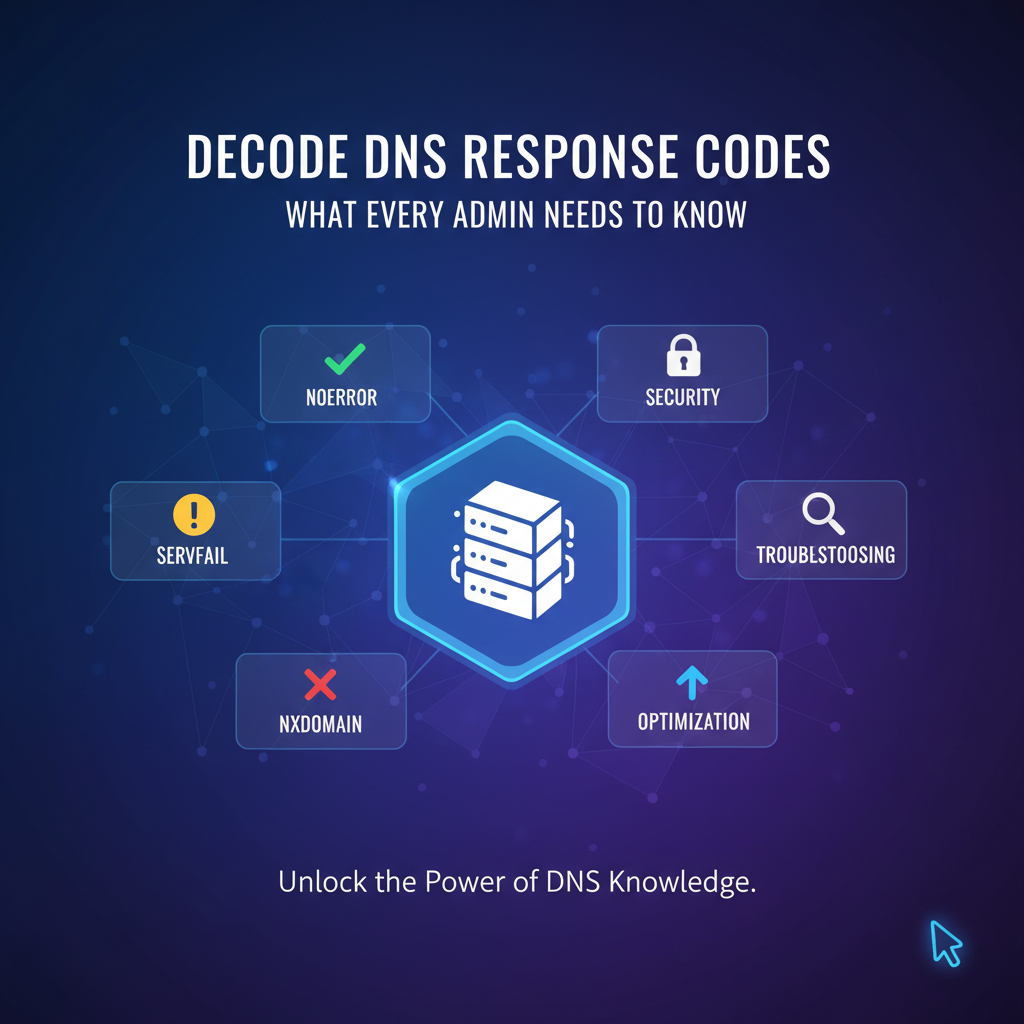
Decode DNS Response Codes: What Every Admin Needs to Know


In the intricate labyrinth of the internet, where billions of devices communicate seamlessly across continents, an unseen yet utterly fundamental system operates tirelessly to guide every digital interaction: the Domain Name System (DNS). Often dubbed the "phonebook of the internet," DNS translates human-readable domain names, such as example.com, into machine-readable IP addresses, like 192.0.2.1. Without DNS, navigating the web would revert to the arcane practice of memorizing numerical addresses, rendering the modern internet virtually unusable. For every system administrator, network engineer, or even a seasoned developer, a profound understanding of DNS is not merely advantageous; it is an absolute necessity. It is the bedrock upon which all other internet services, applications, and communications are built.
Yet, like any complex system, DNS is not infallible. Queries can fail, servers can encounter issues, and configurations can go awry. When such disruptions occur, the internet's seamless facade can quickly crumble, leading to inaccessible websites, failed api calls, and ultimately, frustrated users. This is precisely where DNS response codes emerge as indispensable diagnostic tools. These unassuming numerical identifiers, embedded within every DNS response, serve as critical indicators, signaling the outcome of a DNS query. They are the cryptic messages from the DNS server, whispering secrets about the health and status of the domain resolution process. Deciphering these codes is akin to understanding the heartbeat of your network infrastructure. It empowers administrators to move beyond mere guesswork, enabling them to pinpoint the precise nature of a problem, diagnose its root cause efficiently, and implement targeted solutions. From minor misconfigurations to severe network outages, the ability to accurately interpret DNS response codes transforms a seemingly insurmountable technical challenge into a solvable puzzle, safeguarding system uptime, ensuring service availability, and upholding the integrity of the digital ecosystem. This comprehensive guide aims to demystify these crucial codes, equipping every admin with the knowledge to diagnose, troubleshoot, and proactively manage their DNS environment, transforming potential crises into opportunities for enhanced stability and performance.
The Foundational Role of DNS in the Digital Ecosystem
To truly appreciate the significance of DNS response codes, one must first grasp the pervasive and foundational role that DNS plays in virtually every digital interaction. DNS is far more than a simple lookup service; it is a globally distributed, hierarchical database system that forms the very backbone of the internet. When you type a domain name into your browser, send an email, initiate an api call, or even update an application, the first silent, crucial step is almost always a DNS query. This initial step is often so swift and seamless that its complexity and importance are easily overlooked.
At its core, DNS functions as a vast, interconnected network of specialized servers. These servers are organized in a tree-like hierarchy, starting with the root servers at the apex, followed by Top-Level Domain (TLD) servers (like .com, .org, .net), and then authoritative name servers responsible for specific domains (e.g., example.com). This decentralized architecture ensures robustness and scalability, as no single point of failure can bring down the entire system. When your device needs to resolve a domain name, it typically sends a query to a local DNS resolver (often provided by your ISP or configured manually). This resolver then embarks on a journey, potentially querying multiple servers up and down the DNS hierarchy, to find the authoritative source for the requested domain and retrieve its corresponding IP address. This entire process, involving multiple lookups and referrals, usually completes within milliseconds, a testament to the efficiency of the DNS protocol.
Consider any application or service that needs to communicate over a network. Whether it's a web browser requesting a webpage, a mobile app fetching data from a backend server, or a microservice attempting to connect to another service within a distributed architecture, they all start by trying to resolve the hostname of the target service. This is where DNS becomes the invisible gateway to all digital resources. Before any actual data packets related to the application's payload can be sent, before any connection can be established with a server, the IP address must be known. If DNS resolution fails, the application simply cannot locate its destination. The user will experience a "server not found" error, an api call will timeout, or a service will fail to integrate, all stemming from an inability to translate a friendly name into a network address.
This dependency is particularly critical in modern, cloud-native environments and for services that heavily rely on api interactions. Imagine an AI service that needs to fetch data from various external sources, or an internal system that communicates with numerous microservices via api endpoints. Each of these interactions requires a successful DNS lookup. If the DNS infrastructure is slow, unreliable, or misconfigured, it can introduce significant latency, intermittent failures, or even complete outages across an entire ecosystem of services. For instance, an api gateway, which acts as a single entry point for managing and routing requests to various backend services, is utterly dependent on DNS to locate those backend services. If the DNS gateway (in a conceptual sense, the resolver that allows access to the IP) fails, the api gateway becomes an empty shell, unable to route traffic to its intended destinations. The robust functioning of this fundamental naming service is therefore paramount, dictating the performance, reliability, and security of almost every conceivable online activity, from the simplest web browsing to the most complex, globally distributed AI inferencing pipelines. Understanding how to interpret DNS responses is not just about fixing errors; it's about maintaining the very fabric of internet connectivity.
Anatomy of a DNS Response: Dissecting the Messages
To effectively interpret DNS response codes, it's essential to understand the structure of a DNS message itself. Every DNS communication, whether a query or a response, adheres to a standardized format, meticulously defined by RFCs. This format ensures that DNS clients and servers, regardless of their implementation, can consistently understand and process the information exchanged. A DNS message is conceptually divided into several key sections, each serving a distinct purpose: the Header, Question, Answer, Authority, and Additional sections. While each section contributes to the overall communication, our primary focus for understanding response codes lies within the Header section.
Let's break down these sections briefly before diving into the header's specifics:
- Header Section: This is the most crucial part for our discussion on response codes. It contains fixed-size fields that carry vital metadata about the DNS message itself, including flags, counts for subsequent sections, and, most importantly, the Response Code (RCODE).
- Question Section: This section contains the query itself. It specifies the domain name being looked up (QNAME) and the type of record being requested (QTYPE), such as A record for IPv4 address, AAAA for IPv6, MX for mail exchange, NS for name server, etc.
- Answer Section: If the query is successful, this section contains the resource records (RRs) that directly answer the question posed in the Question Section. For example, if you queried for
example.com's A record, this section would containexample.com A 192.0.2.1. - Authority Section: This section lists authoritative name servers for the domain or a zone higher up in the hierarchy. It provides referrals or indicates the authoritative source for the data.
- Additional Section: This section contains supplementary RRs that might be helpful to the client but are not strictly necessary to answer the query. For instance, if an MX record is returned in the Answer section, the Additional section might include the A records for the mail servers listed in the MX record, optimizing subsequent lookups.
Now, let's zoom in on the Header Section, as it is the birthplace of our response codes. The header is a fixed 12-byte field containing several critical sub-fields, represented by flags and numerical values. These fields dictate how the message should be interpreted and provide crucial context about the DNS transaction.
- ID (Identification): A 16-bit identifier assigned by the client to a query. This ID is copied into the corresponding response by the server, allowing the client to match responses to its original queries.
- QR (Query/Response): A single bit flag.
0indicates a query,1indicates a response. - OPCODE: A 4-bit field specifying the type of query. Standard query is
0(QUERY), but others exist like1(IQUERY for inverse query, now deprecated) or2(STATUS for server status request). - AA (Authoritative Answer): A single bit flag. If
1, it indicates that the answering name server is authoritative for the domain name in the Answer section. If0, it's a non-authoritative (cached or recursive) answer. - TC (Truncated): A single bit flag. If
1, it means the response was too large to fit in a single UDP packet (or specified buffer size for TCP) and was truncated. The client should retry using TCP. - RD (Recursion Desired): A single bit flag. Set by the client to indicate that it wants the server to perform a recursive query (i.e., resolve the entire name for it).
- RA (Recursion Available): A single bit flag. Set by the server in its response if it supports recursive queries.
- Z: A 3-bit reserved field, historically used for various purposes but now largely set to zero.
- AD (Authentic Data): A single bit flag, part of DNSSEC. If
1, it indicates that all data in the Answer and Authority sections has been verified by the server as authentic according to DNSSEC validation rules. - CD (Checking Disabled): A single bit flag, part of DNSSEC. If
1, it indicates that the client wishes to disable DNSSEC validation checks by the server for this query. - RCODE (Response Code): This is the 4-bit field we are most interested in. It provides the crucial status of the query. A value of
0indicatesNOERROR, while other values signal various types of success or failure. This field directly informs the administrator about what went right or, more often, what went wrong.
Understanding these flags, particularly QR, OPCODE, AA, RD, RA, and especially RCODE, provides a rich context for any DNS transaction. When a DNS query fails or behaves unexpectedly, examining the RCODE is the first and most critical step. It instantly tells you whether the server understood your request, whether it found an answer, or if it encountered a problem in processing the query. The following sections will delve into the specific meanings of these RCODE values, transforming them from obscure numbers into powerful diagnostic insights for any network administrator.
Decoding the Standard DNS Response Codes (RCODEs): The Core Indicators
The RCODE field in the DNS header is a 4-bit integer, meaning it can represent values from 0 to 15. The Internet Assigned Numbers Authority (IANA) is responsible for maintaining the registry of these codes, ensuring a standardized interpretation across the globe. While several codes are defined, a handful are encountered far more frequently in day-to-day operations and troubleshooting. Understanding these core RCODEs is paramount for any administrator seeking to diagnose network issues efficiently. Each code tells a unique story about the outcome of a DNS query, guiding the administrator towards the root cause of a problem.
Let's systematically break down the most common and important standard DNS RCODEs (0-10), explaining their meaning, common causes, and initial troubleshooting strategies.
0: NOERROR (Success)
This is the most desirable and frequently encountered RCODE. A NOERROR response signifies that the DNS server successfully processed the query and found an answer. The response packet will typically contain the requested resource records (RRs) in the Answer section.
- Meaning: The query completed successfully. The domain name was resolved, and the requested data (e.g., IP address, mail server) is provided.
- What to Expect: A
NOERRORresponse should be followed by the relevant DNS records in the answer section. For an A record query forexample.com, you'd expect to seeexample.com A 192.0.2.1(or similar) in the output ofdigornslookup. - Troubleshooting (when NOERROR is misleading): While generally good news, a
NOERRORdoesn't always mean the application is working. If a website is down butdigshowsNOERRORwith the correct IP, the problem lies elsewhere (web server, firewall, application logic), not with DNS resolution itself. Another subtle issue could be aNOERRORresponse with an incorrect IP address (e.g., pointing to an old server or a parking page), indicating a stale or misconfigured DNS record, even though the DNS server itself processed the query without error. In such cases, the DNS server is truthfully reporting what it has, but what it has is wrong. Admins should verify the IP address against expectations.
1: FORMERR (Format Error)
A FORMERR indicates that the DNS server was unable to interpret the query sent by the client. This is a clear signal that something is fundamentally wrong with the query itself.
- Meaning: The DNS server received a query that was malformed or improperly formatted according to DNS protocol specifications. It couldn't parse the request.
- Common Causes:
- Corrupted Query Packet: Network corruption can occasionally lead to a
FORMERR, though this is rare. - Non-Compliant Client Software: The most common cause is a faulty or non-standard DNS client implementation. If the client is sending queries that don't adhere to RFC standards, the server will reject them. This could be custom scripts, older software, or niche DNS tools.
- Protocol Mismatch: While less common now, historically, clients might send queries using an unsupported or deprecated
OPCODE.
- Corrupted Query Packet: Network corruption can occasionally lead to a
- Troubleshooting Steps:
- Check Client Software: Ensure the client making the query is using standard, up-to-date DNS resolution libraries or tools (
dig,nslookupare usually reliable). - Packet Capture: Use
tcpdumpor Wireshark to capture the DNS query packet. Examine the packet structure to identify any deviations from the standard DNS message format. This often reveals the exact malformation. - Test with Standard Tools: Attempt the same query using a known-good tool like
digfrom a different machine. Ifdigworks, the problem is definitively with the original client.
- Check Client Software: Ensure the client making the query is using standard, up-to-date DNS resolution libraries or tools (
2: SERVFAIL (Server Failure)
SERVFAIL is one of the more frustrating RCODEs for administrators because it indicates a problem on the server side that prevented it from answering the query, but without specifying the exact nature of that problem. It’s a generic "something went wrong on my end" message.
- Meaning: The DNS server itself experienced an internal error and was unable to fulfill the request. This means it couldn't provide an authoritative answer, nor could it forward the request successfully if it's a recursive resolver.
- Common Causes:
- Upstream Server Issues: A common scenario is when your recursive resolver tries to query an authoritative server upstream, and that authoritative server responds with
SERVFAIL, or simply fails to respond. Your resolver then passes on theSERVFAILto you. - Local Server Misconfiguration: The DNS server itself might be misconfigured, for example, incorrect zone files, bad forwarders, or issues with its root hints.
- Resource Exhaustion: The DNS server might be under heavy load, out of memory, or experiencing CPU contention, leading to an inability to process queries.
- DNSSEC Validation Failures: If your recursive resolver is performing DNSSEC validation and encounters a broken signature chain or an invalid record, it will often return
SERVFAILrather than an unvalidated (and potentially spoofed) answer. This is a security feature. - Network Problems to Upstream: The server might be unable to reach its configured upstream DNS servers due to network connectivity issues or firewalls.
- Upstream Server Issues: A common scenario is when your recursive resolver tries to query an authoritative server upstream, and that authoritative server responds with
- Troubleshooting Steps:
- Check Server Logs: This is the absolute first step. DNS server logs (e.g., BIND's
syslog,unboundlogs) will often contain detailed error messages explaining why it failed. - Test Upstream Resolvers: If you're querying a recursive resolver, try querying its configured upstream servers directly. If they return
SERVFAILor no response, the problem is further upstream. - Verify DNSSEC: If DNSSEC is enabled, temporarily disable it on a test resolver or specifically query without DNSSEC validation to see if the
SERVFAILdisappears. If it does, investigate DNSSEC configuration or the domain's DNSSEC records. - Check Server Resources: Monitor CPU, memory, and network usage on the DNS server.
- Zone File Integrity: If the server is authoritative, check its zone files for syntax errors or missing records. Use
named-checkzone(for BIND) or similar tools.
- Check Server Logs: This is the absolute first step. DNS server logs (e.g., BIND's
3: NXDOMAIN (Non-Existent Domain)
This is one of the most common and clear RCODEs encountered, second only to NOERROR. It directly tells you that the queried domain name simply does not exist.
- Meaning: The domain name specified in the query does not exist in the DNS. The authoritative name server for the zone containing the name explicitly states that the name does not exist.
- Common Causes:
- Typographical Errors: The most frequent cause is a simple typo in the domain name (e.g.,
gooogle.cominstead ofgoogle.com). - Expired or Unregistered Domain: The domain name might have expired, or it was never registered in the first place.
- Incorrect Subdomain: Attempting to resolve a non-existent subdomain (e.g.,
nonexistent.example.comwhen onlywww.example.comexists). - Recent Domain Deletion/Migration: If a domain was recently deleted or moved, DNS caches might still hold the old information, but authoritative servers will report
NXDOMAIN.
- Typographical Errors: The most frequent cause is a simple typo in the domain name (e.g.,
- Troubleshooting Steps:
- Double-Check Spelling: Verify the domain name for typos.
- Confirm Registration: Use a WHOIS lookup tool to confirm the domain is registered and active.
- Check Authoritative Servers: Query the authoritative name servers directly (bypassing your recursive resolver) to confirm they also return
NXDOMAIN. This helps differentiate between an actual non-existent domain and a caching issue on your resolver. - Verify Subdomain Existence: If it's a subdomain, ensure it's correctly configured in the parent domain's zone file.
4: NOTIMP (Not Implemented)
NOTIMP is a relatively rare RCODE in modern DNS environments. It signifies that the DNS server received a query type or OPCODE that it does not support.
- Meaning: The DNS server does not support the particular query type (QTYPE) or operation code (OPCODE) specified in the query.
- Common Causes:
- Obsolete Query Types: The client might be attempting to use an outdated or deprecated query type.
- Unusual OPCODES: Attempting to use a non-standard or experimental
OPCODEthat the server doesn't recognize or isn't configured to handle. - Feature Limitation: The DNS server software might simply not implement a specific, less common DNS feature or query type.
- Troubleshooting Steps:
- Identify QTYPE/OPCODE: Determine what specific query type or
OPCODEthe client is sending. Usedigwith the+qrflag to see the question section in detail. - Consult Server Documentation: Check the documentation for the DNS server software (e.g., BIND, PowerDNS, Unbound) to see if it supports the particular
QTYPEorOPCODEin question. - Update Client Software: Ensure the client making the query is using up-to-date DNS libraries or tools.
- Identify QTYPE/OPCODE: Determine what specific query type or
5: REFUSED (Query Refused)
A REFUSED response indicates that the DNS server explicitly declined to answer the query, even though it understood the request and could potentially have answered it. This is usually a security or policy-related decision.
- Meaning: The DNS server, for policy reasons, chose not to process or respond to the query. It's an explicit rejection.
- Common Causes:
- Access Control Lists (ACLs): The server has an
ACLconfigured that denies queries from the client's IP address or network. This is a common security measure. - Rate Limiting: The server might be implementing rate limiting to prevent abuse or
DDoSattacks, and the client has exceeded its allowed query rate. - Blacklisting: The client's IP address might be on a blacklist configured on the DNS server.
- Recursion Policy: The server might be configured to only offer recursion to specific clients or networks, and the querying client is not among them. Public DNS servers, for example, often refuse recursive queries from unauthorized sources.
- Zone Transfer Restrictions: If the query is for a zone transfer (AXFR/IXFR), the server might be configured to only allow transfers to specific secondary DNS servers.
- Access Control Lists (ACLs): The server has an
- Troubleshooting Steps:
- Check Server ACLs/Firewalls: Review the DNS server's configuration for
ACLs,allow-querydirectives, or firewall rules that might be blocking the client's IP. - Verify Recursion Settings: If the client expects a recursive answer, ensure the DNS server is configured to provide recursion for that client.
- Inspect Rate Limiting: Check if rate limiting is active on the server and if the client is hitting those limits.
- Test from Different IPs: Try querying from a different source IP address to see if the issue is client-specific.
- Authentication Issues: For
DDNSupdates or zone transfers, ensure proper authentication mechanisms are in place.
- Check Server ACLs/Firewalls: Review the DNS server's configuration for
6-10: Rarely Encountered RCODEs
RCODEs 6 through 10 are much less common in routine DNS administration and troubleshooting. They are typically associated with dynamic updates (DDNS), zone transfers, or specific, often deprecated, DNS features.
- 6: YXDOMAIN (Name Exists When It Should Not): Usually seen with
DDNSupdates. An update request tries to create a name that already exists, but shouldn't, based on specificDDNSprerequisites. - 7: YXRRSET (RR Set Exists When It Should Not): Also related to
DDNS. An update tries to add a resource record set that already exists, but shouldn't, according to prerequisites. - 8: NXRRSET (RR Set Does Not Exist When It Should): Again,
DDNSrelated. An update tries to delete a resource record set that doesn't exist, but should, according to prerequisites. - 9: NOTAUTH (Not Authoritative): Historically used to indicate that the server is not authoritative for the zone. More modern implementations often return
REFUSEDorSERVFAILin similar scenarios. - 10: NOTZONE (Not Zone): An old
DDNSerror, indicating that a name specified in a prerequisite or update section is not within the zone specified in the Zone section.
For most administrators, understanding NOERROR, FORMERR, SERVFAIL, NXDOMAIN, and REFUSED will cover 99% of their DNS troubleshooting needs. The other RCODEs are specific to niche scenarios and often point to issues in advanced DNS configurations like DDNS or highly specific server policies.
To provide a quick reference, here's a table summarizing these core RCODEs:
| RCODE | Name | Description | Common Causes | Initial Troubleshooting Steps |
|---|---|---|---|---|
| 0 | NOERROR | The query completed successfully. | Normal operation. | Verify expected RRs. If application fails, look elsewhere (application, network, server content). Check for incorrect but valid IPs. |
| 1 | FORMERR | The name server was unable to interpret the query. | Malformed query packet, non-compliant client software, unsupported OPCODE. | Check client software/tools. Use packet capture (Wireshark) to examine query. Test with dig or nslookup. |
| 2 | SERVFAIL | The name server was unable to process this query due to an internal problem. | Upstream server failure, local misconfiguration, resource exhaustion, DNSSEC validation failure. | Check DNS server logs. Test upstream resolvers. Temporarily disable DNSSEC (for testing). Monitor server resources. Verify zone file integrity. |
| 3 | NXDOMAIN | The domain name referenced in the query does not exist. | Typographical error, expired/unregistered domain, incorrect subdomain. | Double-check spelling. WHOIS lookup. Query authoritative servers directly. Verify subdomain configuration. |
| 4 | NOTIMP | The name server does not support the requested kind of query. | Obsolete query types, unusual/experimental OPCODES, server feature limitations. | Identify QTYPE/OPCODE. Consult server documentation. Update client software. |
| 5 | REFUSED | The name server refuses to perform the specified operation for policy reasons. | ACLs, rate limiting, blacklisting, recursion policy, zone transfer restrictions. | Review server ACLs, allow-query directives, firewall rules. Verify recursion settings. Check rate limiting configuration. Test from different source IPs. |
| 6 | YXDOMAIN | Name exists when it should not (typically DDNS). |
DDNS update conflict (attempting to create an existing name). |
Examine DDNS update requests and zone prerequisites. |
| 7 | YXRRSET | RR set exists when it should not (typically DDNS). |
DDNS update conflict (attempting to add an existing RR set). |
Examine DDNS update requests and zone prerequisites. |
| 8 | NXRRSET | RR set that does not exist when it should (typically DDNS). |
DDNS update conflict (attempting to delete a non-existent RR set). |
Examine DDNS update requests and zone prerequisites. |
| 9 | NOTAUTH | Server not authoritative for the zone. | Historically used; less common now. | Check server configuration and authority for the queried zone. |
| 10 | NOTZONE | Name not in zone (typically DDNS). |
DDNS update refers to a name outside the specified zone. |
Examine DDNS update request and zone definition. |
APIPark is a high-performance AI gateway that allows you to securely access the most comprehensive LLM APIs globally on the APIPark platform, including OpenAI, Anthropic, Mistral, Llama2, Google Gemini, and more.Try APIPark now! 👇👇👇
Understanding Extended DNS Error Codes (EDEs): Granular Insights
While the standard DNS RCODEs provide a foundational understanding of query outcomes, they often lack the granularity needed for precise diagnosis in complex environments. For instance, a SERVFAIL tells you something went wrong on the server, but not why. Was it a DNSSEC issue, a network problem to an upstream server, or simply a memory leak? To address this limitation, the Internet Engineering Task Force (IETF) introduced Extended DNS Error (EDE) codes, formally defined in RFC 8914. EDEs are designed to provide more specific and actionable information about DNS failures, offering a deeper insight into the root cause than the generic RCODEs alone.
EDEs are not a replacement for RCODEs but rather an augmentation. They are carried within an OPT (Option) pseudo-record, which is a mechanism within the DNS protocol for extending its capabilities without breaking backward compatibility. Specifically, EDEs are found within the EDNS(0) (Extension Mechanisms for DNS 0) OPT record. When a DNS server encounters an error and wishes to provide more detail, it can include an OPT record in its response, containing an EDE code and an optional human-readable text string. This additional context is incredibly valuable for automated systems and for administrators trying to quickly pinpoint elusive issues.
The EDE framework defines a registry of codes, each corresponding to a specific type of error condition. Some examples of common and illustrative EDEs include:
- 1 (Other): A generic catch-all for errors not covered by more specific EDE codes. Useful when the server knows there's an issue but lacks a precise classification.
- 2 (Unsupported DNSKEY Algorithm): Indicates that the DNSSEC algorithm used for a
DNSKEYrecord is not supported by the validating resolver. This directly points to a DNSSEC configuration problem. - 3 (Unsupported DS Algorithm): Similar to
EDE 2, but for theDS(Delegation Signer) record. - 4 (No Valid DS): The resolver expected a
DSrecord for a secured zone but found none that could be validated. - 5 (No Valid
DNSKEY): The resolver foundDNSKEYrecords but couldn't establish a secure chain of trust (e.g., mismatched keys, expired keys). - 6 (Signature Expired): A
RRSIG(Resource Record Signature) has expired. - 7 (Signature Invalid): The digital signature on a resource record set is invalid. This is a critical security alert, indicating potential data tampering or a severe misconfiguration.
- 8 (Server Failure): This EDE can accompany a
SERVFAILRCODE to indicate a specific internal server issue, such as out of memory or an I/O error, providing more clarity thanSERVFAILalone. - 9 (Blocked): The query was blocked by a policy, such as
ACLs, firewalls, or blacklists. This EDE explicitly clarifies the reason for aREFUSEDRCODE. - 10 (Censored): A server might return this if it's intentionally not providing an answer due to censorship or legal restrictions, perhaps with an accompanying text string.
- 11 (No Reachable Authority): The recursive resolver couldn't reach any authoritative name servers for the queried domain, often due to network issues or misconfiguration.
- 12 (Network Error): A general network-related error preventing query resolution.
- 13 (Inappropriate for Class): A query for a class (e.g.,
CHfor Chaosnet) that the server doesn't support or is deemed inappropriate. - 14 (Bad HTTP/TLS Transport): Relevant for DNS-over-HTTPS (DoH) or DNS-over-TLS (DoT) where the underlying transport layer experienced an issue.
- 15 (No Data): This EDE can accompany a
NOERRORRCODE in situations where the domain exists, but no records of the requested type are found (e.g., asking for anAAAArecord for a domain that only has anArecord). This is distinct fromNXDOMAIN. - 16 (DNSSEC Bogus): Indicates a critical DNSSEC validation failure where a response should have been secure but was found to be invalid or tampered with.
The practical value of EDEs becomes apparent in automated troubleshooting and monitoring. Instead of simply seeing a SERVFAIL and needing to manually dig through logs, an automated system can parse the EDE 9 (Blocked) and immediately understand that an ACL is at fault, or 7 (Signature Invalid) to pinpoint a DNSSEC issue. This significantly reduces the mean time to resolution (MTTR) for DNS-related problems.
This is where the concepts of api, gateway, and even a hypothetical Model Context Protocol can naturally interweave with advanced DNS management. Imagine an observability platform that monitors DNS resolution across an entire enterprise infrastructure. When a DNS query fails, instead of just logging a generic SERVFAIL, this platform, potentially via an api, receives the granular EDE information. An intelligent gateway system, acting as an intermediary for various diagnostic apis, could ingest this data. For instance, a monitoring api might report an EDE 11 (No Reachable Authority) to a central incident management system. This system, possibly leveraging a conceptual "DNS Intelligence Model Context Protocol," could then use this contextual information to correlate the DNS failure with broader network health checks. This Model Context Protocol might define a structured way for different components to communicate not just raw error codes, but also the surrounding context – such as the specific recursive resolver that failed, the domain in question, the time of failure, and the client IP. This rich contextual data would allow automated remediation tools, themselves exposed as apis through a gateway, to make more informed decisions, perhaps automatically escalating the issue to network operations, or even attempting to switch to an alternative upstream DNS resolver if the failure is transient.
In this advanced ecosystem, an open-source AI gateway and API management platform like APIPark could play a pivotal role. When APIPark manages the integration of various AI models or REST services, each API call it handles implicitly relies on robust DNS resolution. If an upstream AI model's hostname (e.g., llm-provider.example.com) cannot be resolved, APIPark's api invocation will fail. If the underlying DNS infrastructure returns an EDE, APIPark's detailed API call logging could potentially capture this extended error information. This detailed logging, coupled with APIPark's powerful data analysis capabilities, could help administrators understand not just that an api call failed, but why it failed at the DNS resolution stage, perhaps due to a DNSSEC Bogus (EDE 16) error reported by an internal validating resolver. This allows APIPark to provide a holistic view of api performance and availability, identifying whether the bottleneck or failure point lies within the api itself, the gateway, or the foundational DNS resolution it relies upon. The move towards EDEs is a testament to the increasing complexity of DNS and the need for more sophisticated diagnostic tools, enabling administrators to solve problems faster and maintain higher levels of service availability.
Real-World Scenarios and Troubleshooting with DNS Codes
Understanding DNS response codes moves from theoretical knowledge to practical application when faced with real-world network and application failures. For every system administrator, the ability to quickly translate an error message into a diagnostic pathway is invaluable. DNS resolution is the first domino in almost any network connection, and its failure can cascade, bringing down entire services. Let's explore several common scenarios and how interpreting DNS codes can guide effective troubleshooting.
Scenario 1: Website Unavailable or Service Unreachable
This is perhaps the most frequent issue. A user reports that my-website.com is unreachable, or an application logs an error trying to connect to a backend service like my-api.internal.com.
Common DNS Codes Involved: NXDOMAIN, SERVFAIL, REFUSED.
- Diagnosis with
NXDOMAIN: If yourdigornslookupcommand returnsNXDOMAIN, it means the domain name simply does not exist according to the authoritative DNS servers.- Troubleshooting Steps:
- Check for Typos: The simplest solution is often the right one. Verify the spelling of the domain name.
- Verify Domain Registration: Use a WHOIS lookup to confirm the domain is active and not expired.
- Query Authoritative Servers: Use
dig @ns1.my-website.com my-website.com(replacingns1.my-website.comwith the actual authoritative name server) to confirm if the authoritative server itself reportsNXDOMAIN. If it does, the domain genuinely isn't configured there. If it returnsNOERROR, your local resolver might have a caching issue or misconfiguration. - Inspect Zone Files: If you manage the authoritative server, inspect the zone file for the domain for missing or incorrect entries.
- Troubleshooting Steps:
- Diagnosis with
SERVFAIL: IfdigreturnsSERVFAIL, it indicates an internal problem with the DNS server you queried, or an issue with its ability to reach upstream servers.- Troubleshooting Steps:
- Check Local Resolver Logs: Examine the logs of your recursive DNS server (e.g., BIND, Unbound) for detailed error messages. Look for indications of resource exhaustion, network connectivity issues to upstream, or DNSSEC validation failures.
- Test Upstream Resolvers: If your local resolver forwards to external DNS servers (e.g., Google DNS, Cloudflare DNS), try querying them directly (
dig @8.8.8.8 my-website.com). If they also returnSERVFAIL, the issue might be with the domain's authoritative servers. - Inspect Authoritative Servers (if applicable): If you manage the authoritative servers for
my-website.com, check their health, resource usage, and zone file integrity. - DNSSEC Issues: If DNSSEC is enabled, try a query with
+cd(Checking Disabled) to see if it resolves. If so, a DNSSEC validation problem is likely.
- Troubleshooting Steps:
- Diagnosis with
REFUSED: AREFUSEDresponse means the DNS server actively denied your query based on its policies.- Troubleshooting Steps:
- Check
ACLsandallow-query: Review the DNS server's configuration to ensure your client's IP address or network is permitted to query it. - Recursion Policy: If you're querying a public DNS server, it might not offer recursion to arbitrary clients, or your internal resolver might only allow recursion for internal networks.
- Rate Limiting: Check if the DNS server has rate limiting in place and if your client's query rate is exceeding it.
- Check
- Troubleshooting Steps:
Scenario 2: Slow Website or Application Performance
Sometimes, the service is reachable (NOERROR), but performance is noticeably degraded. DNS can play a subtle, yet significant, role here.
Common DNS Codes Involved: NOERROR (but with high latency).
- Diagnosis: If
digreturnsNOERRORbut shows high query times (e.g.,Query time: 500 msinstead of30 ms), then DNS resolution itself is a bottleneck.- Troubleshooting Steps:
- Test Different Resolvers: Query several different recursive resolvers (your local one, public ones like 1.1.1.1, 8.8.8.8) to compare their response times. This helps identify if the latency is specific to your resolver or a broader network issue.
- Check Resolver Cache: Ensure your recursive resolver has sufficient cache size and is properly configured to cache popular entries. Frequent cache misses can lead to higher average query times.
- Monitor Resolver Resources: High CPU, memory, or I/O on your DNS server can degrade its performance.
- Upstream Latency: If your resolver relies on upstream servers, check the latency to those servers.
TTLValues: For your own domains, reviewTTL(Time To Live) values. While not a direct error, very shortTTLs can increase the load on authoritative servers and recursive resolvers, as records expire quickly, leading to more frequent lookups. Very longTTLs can cause issues during migrations, but that's a different problem.
- Troubleshooting Steps:
Scenario 3: Security Incidents and DDoS Mitigation
DNS can be both a target and a tool in security incidents. REFUSED is often a direct result of security policies.
Common DNS Codes Involved: REFUSED (sometimes SERVFAIL due to extreme load).
- Diagnosis with
REFUSED(Policy): An unexpectedREFUSEDresponse for a legitimate query could indicate an overly aggressiveACLor a misconfigured firewall rule.- Troubleshooting Steps:
- Review
ACLs: Immediately check the DNS server's access control lists to ensure legitimate clients are not accidentally blocked. - Firewall Rules: Verify network firewall rules between the client and the DNS server.
- Review
- Troubleshooting Steps:
- Diagnosis with
REFUSED/SERVFAIL(DDoS): During a Distributed Denial of Service (DDoS) attack targeting your DNS servers, you might seeREFUSED(due to rate limiting kicking in) orSERVFAIL(if the server is completely overwhelmed).- Troubleshooting Steps:
- Monitor Traffic: Use network monitoring tools to check for unusually high query volumes directed at your DNS servers.
- Implement
DDoSProtection: DeployDDoSmitigation services (like those offered by cloud DNS providers) or configureDNS firewallrules that drop queries from known malicious IPs. - Rate Limiting Configuration: Ensure your DNS server's rate limiting is appropriately configured to absorb spikes without denying legitimate traffic too broadly.
- Troubleshooting Steps:
Scenario 4: DNS and API Gateway Interactions
Modern applications, especially those built with microservices or consuming external services, heavily rely on apis. An api gateway is a critical component for managing these interactions. A failure in DNS resolution directly impacts the ability of an api gateway to function.
When an application or service attempts to invoke an api exposed through an api gateway, the very first step the underlying network stack takes is to resolve the api endpoint's hostname. For instance, if an application wants to connect to my-api-gateway.example.com, a DNS lookup for this hostname occurs before any HTTP request headers are even formed. If this DNS lookup fails, the api call never even reaches the gateway.
This is where a platform like APIPark becomes highly relevant. As an open-source AI gateway and API management platform, APIPark is designed to streamline the integration and deployment of AI and REST services. However, even the most sophisticated api gateway is profoundly reliant on a robust and correctly configured DNS infrastructure.
Consider these interaction points:
- Client to
APIParkGateway: When an external client (e.g., a mobile app, another microservice) tries to reach anapimanaged byAPIPark, it first resolvesAPIPark's public hostname. If this lookup returnsNXDOMAIN(client typo, expired domain) orSERVFAIL(APIPark's authoritative DNS server is down), the client will never connect toAPIPark.APIPark's robust performance, rivaling Nginx, and its capability to handle over 20,000 TPS, can only be fully leveraged if clients can actually find it. APIParkto Upstream Services/AI Models:APIPark's core functionality involves routing requests to various upstream AI models or REST services. This requiresAPIParkitself to perform DNS lookups for these upstream endpoints (e.g.,openai-api.com,my-internal-llm.corp). IfAPIPark's internal DNS resolvers returnSERVFAILwhen trying to find anLLM gateway, orNXDOMAINfor anAI Model Context Protocolendpoint, thenAPIParkcannot fulfill theapirequest.APIPark's Internal Components:APIParkmight have internal components that communicate via hostnames. DNS resolution is vital for these internal communications to function correctly.
APIPark's Detailed API Call Logging and Powerful Data Analysis features are critical here. If an api call fails, APIPark can log the failure. If it includes the underlying network stack's error messages, an administrator can quickly discern if the problem originated from a DNS resolution failure (e.g., a timeout waiting for a DNS response, or an explicit DNS error code). While APIPark itself is an api gateway and not a DNS server, its effective operation is completely dependent on DNS. A failure upstream in DNS could lead to APIPark reporting an "upstream service unavailable" error, and further investigation would trace it back to a SERVFAIL or NXDOMAIN from the network's configured DNS resolver.
Furthermore, in the context of advanced AI services managed by APIPark, the concept of a Model Context Protocol becomes intriguing. If APIPark is managing access to various AI models, and one model becomes unreachable due to a DNS error (e.g., SERVFAIL due to a DNSSEC issue on its authoritative server, perhaps with an EDE 16 (DNSSEC Bogus)), an intelligent APIPark system could potentially utilize a "DNS-aware Model Context Protocol." This hypothetical protocol would allow APIPark to not only report the failure but also to convey the context of that failure (e.g., "AI model X unreachable, DNS SERVFAIL with EDE 16 on resolver Y") to downstream applications or a system orchestrating model deployments. This richer context, delivered perhaps as a structured JSON object via an api, would enable more intelligent fallback strategies or faster remediation, moving beyond generic error messages to precise diagnostic insights. APIPark's ability to unify api formats and manage the entire api lifecycle inherently includes managing these dependencies.
Scenario 5: Migrations and TTL Management
During server migrations or IP address changes, managing DNS TTLs (Time To Live) is crucial to minimize downtime. Incorrect TTLs or DNS cache issues can lead to clients resolving old IP addresses.
Common DNS Codes Involved: NOERROR (but pointing to old/wrong IP), eventual NXDOMAIN if records are removed prematurely.
- Diagnosis: Clients are reporting connecting to the old server IP, even after DNS records have been updated, or intermittently seeing
NXDOMAINafter records were supposed to be live.- Troubleshooting Steps:
- Reduce
TTLBefore Change: Days before a migration, reduce theTTLof the records to be changed to a very low value (e.g., 300 seconds or 5 minutes). This ensures caches clear quickly. - Verify New Records: After the change, use
dig @authoritative_server my-domain.comto confirm the authoritative server is serving the new IP. - Clear Local Caches: Instruct users or services to clear their local DNS caches (e.g.,
ipconfig /flushdnson Windows,sudo killall -HUP mDNSResponderon macOS). - Monitor Propagation: Use online DNS propagation checkers to see how quickly the changes are reflected globally.
- Staggered Rollout: For critical
apiservices managed by agatewaylikeAPIPark, consider a canary deployment or a staggered DNS update, allowing a portion of traffic to hit the new endpoint while monitoring for issues before a full cutover.
- Reduce
- Troubleshooting Steps:
In all these scenarios, the DNS response code is the first crucial piece of information. It acts as a compass, guiding the administrator through the complex landscape of network diagnostics, allowing for rapid and accurate problem identification and resolution. Without this fundamental understanding, troubleshooting DNS-related issues would be a lengthy, frustrating, and often futile exercise in trial and error.
Best Practices for DNS Management
Effective DNS management goes beyond merely reacting to errors; it involves proactive measures to ensure reliability, security, and performance. For any administrator, implementing a set of best practices for their DNS infrastructure is fundamental to maintaining a stable and responsive digital environment. These practices help prevent common issues indicated by various DNS response codes and prepare for the unexpected.
- Implement Redundant DNS Resolvers:
- Why: A single point of failure in your DNS resolution path can bring down all services. If your primary recursive resolver goes offline, all queries will fail.
- How: Configure multiple independent DNS resolvers (at least two, preferably more) for your clients and servers. These should ideally be geographically diverse or hosted on different physical infrastructure. For internal networks, deploy multiple internal recursive resolvers, ensuring they are peered correctly and can fail over seamlessly. For external services, leverage managed DNS providers with built-in redundancy and global anycast networks.
- Optimize
TTL(Time To Live) Values Judiciously:- Why:
TTLdictates how long DNS records are cached by resolvers. IncorrectTTLs can lead to stale records (too long) or excessive query load (too short). - How:
- Stable Records: For highly stable records (like NS records, or A records for unchanging services), use longer
TTLs (e.g., 24 hours). This reduces query load on authoritative servers and improves resolution speed for clients. - Volatile Records: For records that might change frequently (e.g., during migrations, load balancer IPs), use shorter
TTLs (e.g., 5-10 minutes). Crucially, before a planned change, reduce theTTLto a very low value (e.g., 300 seconds) several hours or days in advance. This ensures caches clear quickly when the change is made. - Balance: Find a balance between reducing load and ensuring rapid updates. Avoid extremely short
TTLs (under 60 seconds) for stable records, as this can place unnecessary strain on DNS infrastructure.
- Stable Records: For highly stable records (like NS records, or A records for unchanging services), use longer
- Why:
- Monitor DNS Server Health and Performance:
- Why: Proactive monitoring can detect issues like high latency,
SERVFAILrates, or resource exhaustion before they impact users. - How: Implement monitoring tools that track:
- Query Rates: Volume of queries to detect
DDoSor misbehaving clients. - Response Times: Latency of DNS responses.
- RCODE Distribution: Monitor the proportion of
NOERRORvs.NXDOMAIN,SERVFAIL,REFUSED. A sudden spike in error codes is a strong indicator of a problem. - Server Resources: CPU, memory, disk I/O of your DNS servers.
- Log Files: Centralize and analyze DNS server logs for errors, warnings, and unusual activity. This is particularly important for diagnosing
SERVFAILandFORMERR.
- Query Rates: Volume of queries to detect
- Why: Proactive monitoring can detect issues like high latency,
- Implement DNSSEC (DNS Security Extensions):
- Why: DNSSEC provides cryptographic authentication of DNS data, protecting against cache poisoning and other forms of DNS spoofing. This helps prevent attackers from redirecting users to malicious sites or disrupting
apicommunication. It can prevent scenarios where a seeminglyNOERRORresponse actually delivers a malicious IP. - How: Enable
DNSSECon your authoritative DNS servers and ensure your recursive resolvers are configured to performDNSSECvalidation. While complex to deploy initially,DNSSECis a vital security layer for critical domains. Be aware that misconfigurations can lead toSERVFAILresponses with specific EDEs likeSignature InvalidorNo Valid DNSKEY.
- Why: DNSSEC provides cryptographic authentication of DNS data, protecting against cache poisoning and other forms of DNS spoofing. This helps prevent attackers from redirecting users to malicious sites or disrupting
- Regularly Audit DNS Records and Configurations:
- Why: Stale, incorrect, or unauthorized DNS records can lead to
NXDOMAIN,REFUSED, or redirect traffic to unintended destinations, posing both availability and security risks. - How:
- Automated Scans: Use tools to periodically scan your DNS zones for inconsistencies, deprecated record types, or records pointing to non-existent IPs.
- Policy Enforcement: Establish clear policies for creating, modifying, and deleting DNS records.
- Access Control: Limit who can make changes to DNS records, especially on authoritative servers. Utilize granular permissions for managing DNS through
apis if available, perhaps leveraging anapi gatewaylikeAPIParkto secure and audit these managementapicalls. - Documentation: Maintain up-to-date documentation of your DNS architecture and critical records.
- Why: Stale, incorrect, or unauthorized DNS records can lead to
- Secure Your DNS Servers:
- Why: DNS servers are frequent targets for attacks. Compromised DNS servers can be used to redirect traffic, launch
DDoSattacks, or serve malicious content. - How:
- Firewall Rules: Restrict access to DNS servers to only necessary ports and source IPs.
- Patch Management: Keep DNS server software (BIND, PowerDNS, Unbound, etc.) up-to-date with the latest security patches.
- Rate Limiting (RRL/RRLS): Implement Response Rate Limiting (RRL) or Response Rate Limiting for Stub Resolvers (RRLS) to protect against
DDoSamplification attacks. This can result inREFUSEDresponses for excessive queries, protecting the server. - Disable Unnecessary Features: Turn off any unused DNS features or services to reduce the attack surface.
- Why: DNS servers are frequent targets for attacks. Compromised DNS servers can be used to redirect traffic, launch
- Leverage Advanced Features (e.g., EDEs for Automation):
- Why: Extended DNS Errors (EDEs) provide granular detail that can be used to automate troubleshooting and incident response.
- How: Integrate your monitoring and alerting systems to parse and act upon EDEs. For instance, an EDE indicating a
DNSSEC Bogusstatus could automatically trigger an alert to the security team, while an EDE indicatingNo Reachable Authoritycould notify network operations. This can be facilitated by exposing diagnostic data via anapithat is managed and secured by anapi gatewaylikeAPIPark, allowing other systems to programmatically query and react to DNS health.
By diligently applying these best practices, administrators can build a resilient, secure, and high-performing DNS infrastructure. This proactive approach not only minimizes downtime and improves user experience but also empowers the operations team to swiftly diagnose and resolve issues, transforming the often-invisible world of DNS into a well-understood and manageable domain.
Conclusion
The Domain Name System stands as an unsung hero of the digital age, an intricate yet robust mechanism that silently underpins virtually every interaction we have with the internet. From the simplest web surf to the most complex api orchestration in a global microservices architecture, DNS is the foundational layer that translates human-friendly names into machine-digestible IP addresses. Its ubiquitous presence makes it indispensable, and its often-invisible operation means its health and integrity are frequently taken for granted—until something goes wrong.
For every system administrator, network engineer, or even a software developer working with distributed systems, understanding DNS response codes is not just a valuable skill; it is a fundamental requirement for effective troubleshooting and system maintenance. These seemingly cryptic numerical identifiers, nestled within every DNS response, are the explicit messages from the DNS server, offering direct insights into the success or failure of a query. Whether it's a reassuring NOERROR, a frustrating SERVFAIL, an unambiguous NXDOMAIN, or a policy-driven REFUSED, each code tells a precise story. Deciphering these narratives empowers administrators to quickly pinpoint the nature of a problem, differentiate between client-side misconfigurations, server-side failures, or even security-related blocks. This diagnostic prowess transforms the daunting task of network troubleshooting into a logical, systematic process, dramatically reducing downtime and restoring service efficiency.
The introduction of Extended DNS Error (EDE) codes further refines this diagnostic capability, providing a granular layer of detail that goes beyond the generic RCODEs. EDEs enable more sophisticated monitoring and automation, allowing systems to understand not just that an error occurred, but the specific context of that error—be it a DNSSEC Signature Invalid, a No Reachable Authority, or a Blocked query. This level of detail is crucial in complex environments where automated remediation and intelligent incident response are becoming necessities. In such environments, the interplay between DNS, apis, and gateway platforms becomes even more apparent, where an api gateway like APIPark might manage hundreds of api endpoints, each implicitly relying on faultless DNS resolution. APIPark's detailed logging and analysis capabilities can help correlate application-level api failures with underlying DNS issues, ensuring comprehensive observability across the entire stack, from the foundational network layer up to the application's Model Context Protocol interactions.
Ultimately, mastering DNS response codes is about more than just fixing immediate problems. It's about gaining a deeper understanding of network behavior, implementing proactive best practices, enhancing security postures with measures like DNSSEC, and ensuring the continuous availability of critical services. It's about transforming reactive firefighting into informed, strategic management of one of the internet's most critical components. In an increasingly interconnected and complex digital world, the administrator who can effectively decode the whispers of DNS is an invaluable asset, ensuring that the invisible backbone of the internet remains strong, stable, and responsive for all.
Frequently Asked Questions (FAQs)
1. What is the most common DNS response code, and what does it mean? The most common DNS response code is 0: NOERROR. This code signifies that the DNS query was processed successfully by the server, and it found and returned the requested information (e.g., an IP address for a domain name). While it typically means success, administrators should still verify that the returned information (e.g., the IP address) is the correct and expected one, as a NOERROR response could technically return a stale or incorrect record if the authoritative server itself is misconfigured.
2. I'm getting an NXDOMAIN error. What does that typically indicate, and how do I troubleshoot it? NXDOMAIN (RCODE 3) means "Non-Existent Domain," indicating that the domain name you queried simply does not exist. The authoritative DNS server for that zone explicitly stated that it could not find the name. Common causes include typographical errors in the domain name, an expired or unregistered domain, or querying for a subdomain that has not been configured. To troubleshoot, first, double-check the spelling of the domain. Then, perform a WHOIS lookup to confirm the domain is registered and active. You can also use dig @authoritative_server domain.com to query the domain's authoritative name server directly and confirm if they also report NXDOMAIN, helping rule out local caching issues on your recursive resolver.
3. What does SERVFAIL (RCODE 2) imply, and why is it often challenging to diagnose? SERVFAIL means "Server Failure," indicating that the DNS server you queried encountered an internal error and could not complete the request. It's challenging to diagnose because it's a generic error; it doesn't specify why the server failed. Reasons can range from the DNS server being unable to reach upstream authoritative servers, local server misconfiguration, resource exhaustion (e.g., out of memory, high CPU), or most commonly in modern DNS, a failure in DNSSEC validation. The best first step for troubleshooting SERVFAIL is to check the DNS server's logs for more specific error messages, test upstream resolvers, and temporarily disable DNSSEC validation (for testing purposes) to see if the issue resolves.
4. How can REFUSED (RCODE 5) be used for security, and what does it mean if I unexpectedly encounter it? REFUSED means the DNS server explicitly denied the query, typically for policy or security reasons. For security, DNS administrators configure ACLs (Access Control Lists) on their servers to REFUSE queries from unauthorized IP addresses or networks, protecting against abuse and ensuring that recursive queries are only served to legitimate clients. Unexpected REFUSED responses for legitimate queries usually mean your client's IP address or network is blocked by an ACL, a firewall rule, or the server's recursion policy (e.g., it only allows recursion for specific internal networks). Troubleshooting involves checking the DNS server's ACLs, firewall configurations, and ensuring your client is permitted to query that server or receive recursive answers from it.
5. What are Extended DNS Error (EDE) codes, and how do they help beyond basic RCODEs? Extended DNS Error (EDE) codes (RFC 8914) are a set of more granular, specific error indicators that supplement the basic RCODEs. While an RCODE like SERVFAIL tells you that a server failed, an EDE provides the reason (e.g., DNSSEC Signature Invalid, No Reachable Authority, Blocked). EDEs are carried in an OPT pseudo-record within the DNS response. They help by providing much richer diagnostic context, enabling faster and more precise troubleshooting, and facilitating automated incident response. For instance, an EDE explicitly stating "Signature Invalid" immediately points to a DNSSEC issue, saving administrators time that would otherwise be spent sifting through logs to find the root cause of a generic SERVFAIL.
🚀You can securely and efficiently call the OpenAI API on APIPark in just two steps:
Step 1: Deploy the APIPark AI gateway in 5 minutes.
APIPark is developed based on Golang, offering strong product performance and low development and maintenance costs. You can deploy APIPark with a single command line.
curl -sSO https://download.apipark.com/install/quick-start.sh; bash quick-start.sh

In my experience, you can see the successful deployment interface within 5 to 10 minutes. Then, you can log in to APIPark using your account.

Step 2: Call the OpenAI API.