curl Ignore SSL: Bypass Certificate Verification


In the vast and interconnected digital landscape that defines our modern world, secure communication stands as a foundational pillar. At the heart of this security for web-based interactions lies HTTPS, a protocol that leverages SSL/TLS (Secure Sockets Layer/Transport Layer Security) to encrypt data in transit, authenticate servers, and ensure data integrity. When interacting with web services, curl, the ubiquitous command-line tool, inherently respects this paradigm, diligently verifying the SSL certificate presented by the server. This default behavior is a critical security safeguard, preventing potential man-in-the-middle attacks and ensuring that communication occurs with the intended, legitimate server. However, there are specific, often unavoidable, scenarios where this stringent verification becomes an impediment rather than an aid. Developers, system administrators, and testers frequently encounter situations—such as interacting with internal services using self-signed certificates, engaging with legacy systems, or performing diagnostic troubleshooting—where bypassing SSL verification with curl becomes a necessary, albeit temporary, measure.
This comprehensive guide delves deeply into the curl --insecure (or -k) option, meticulously exploring its functionality, practical applications, and, crucially, the profound security implications it carries. We will dissect the underlying mechanisms of SSL/TLS, illuminate the circumstances that necessitate bypassing verification, and provide a detailed exposition of the associated risks. Furthermore, this article will equip you with robust best practices, viable alternatives, and advanced curl techniques to navigate these complex scenarios responsibly. Understanding when and how to responsibly manage SSL certificate verification, particularly when interacting with API endpoints, is paramount for maintaining both operational efficiency and robust security postures. The interplay between curl, secure communication, and the underlying API infrastructure, often managed by an API gateway, forms a critical nexus for anyone involved in modern software development and system administration.
The Indispensable Role of SSL/TLS and Certificates in Secure Communication
Before venturing into the intricacies of bypassing SSL verification, it is imperative to possess a clear and thorough understanding of what SSL/TLS entails and why certificate verification is a cornerstone of internet security. SSL (the predecessor) and its more robust successor, TLS, are cryptographic protocols designed to provide communication security over a computer network. When you browse a website using HTTPS or interact with an API over HTTPS, TLS is actively working in the background to secure your connection.
At its core, TLS performs three primary functions: 1. Encryption: It encrypts the data exchanged between a client (like your browser or curl) and a server, making it unreadable to anyone who might intercept the communication. This protects sensitive information, such as login credentials, personal data, and financial transactions, from eavesdropping. 2. Authentication: It authenticates the server to the client, ensuring that you are indeed communicating with the legitimate server you intended to reach, and not an imposter. This is achieved through digital certificates. 3. Integrity: It ensures that the data exchanged has not been tampered with or altered during transmission. Any modification to the data would be detected, leading to a termination of the connection.
How Digital Certificates Work: A Chain of Trust
Digital certificates are central to the authentication aspect of TLS. An SSL/TLS certificate is a small data file that digitally binds a cryptographic key to an organization's details. When installed on a web server, it activates the padlock icon and the "https" protocol in browsers, securing connections from the web server to the browser. The process relies on a "chain of trust" managed by Certificate Authorities (CAs).
Here's a simplified breakdown: * Server Identity: When a server wants to establish a secure connection, it presents its SSL/TLS certificate to the client. This certificate contains the server's public key, its hostname, the organization it belongs to, and other identifying information. * Certificate Authority (CA): The certificate is issued and cryptographically signed by a trusted Certificate Authority. CAs are entities like DigiCert, Let's Encrypt, GlobalSign, etc., whose root certificates are pre-installed and trusted by default in operating systems, browsers, and curl's underlying SSL libraries. * Verification Process: When curl connects to an HTTPS endpoint, it receives the server's certificate. It then performs a series of checks: 1. Signature Verification: curl verifies the digital signature on the certificate using the public key of the issuing CA. This ensures the certificate hasn't been tampered with and was indeed issued by a recognized CA. 2. Chain of Trust: It traces the certificate back through a chain of intermediate certificates to a root CA certificate that it explicitly trusts. If any link in this chain is broken or untrustworthy, verification fails. 3. Hostname Match: curl checks if the hostname in the certificate (specifically, the Common Name or Subject Alternative Names) matches the hostname it is trying to connect to. This prevents an attacker from presenting a valid certificate for evil.com when you are trying to connect to good.com. 4. Expiration Date: It checks if the certificate is still valid and has not expired or been revoked.
If any of these checks fail, curl, by default, will refuse to establish the connection, signaling an error such as "SSL certificate problem: self signed certificate" or "SSL certificate problem: unable to get local issuer certificate". This stringent default behavior is a critical defense mechanism against various forms of cyber-attacks, ensuring the authenticity and integrity of the communication channel.
When you're interacting with an API, especially one that handles sensitive data, these security checks are paramount. A robust API gateway infrastructure, for example, will typically enforce strict SSL/TLS policies to protect the API endpoints it manages, ensuring that all client-server communication adheres to these security standards.
The curl --insecure (or -k) Option: When Trust is Overridden
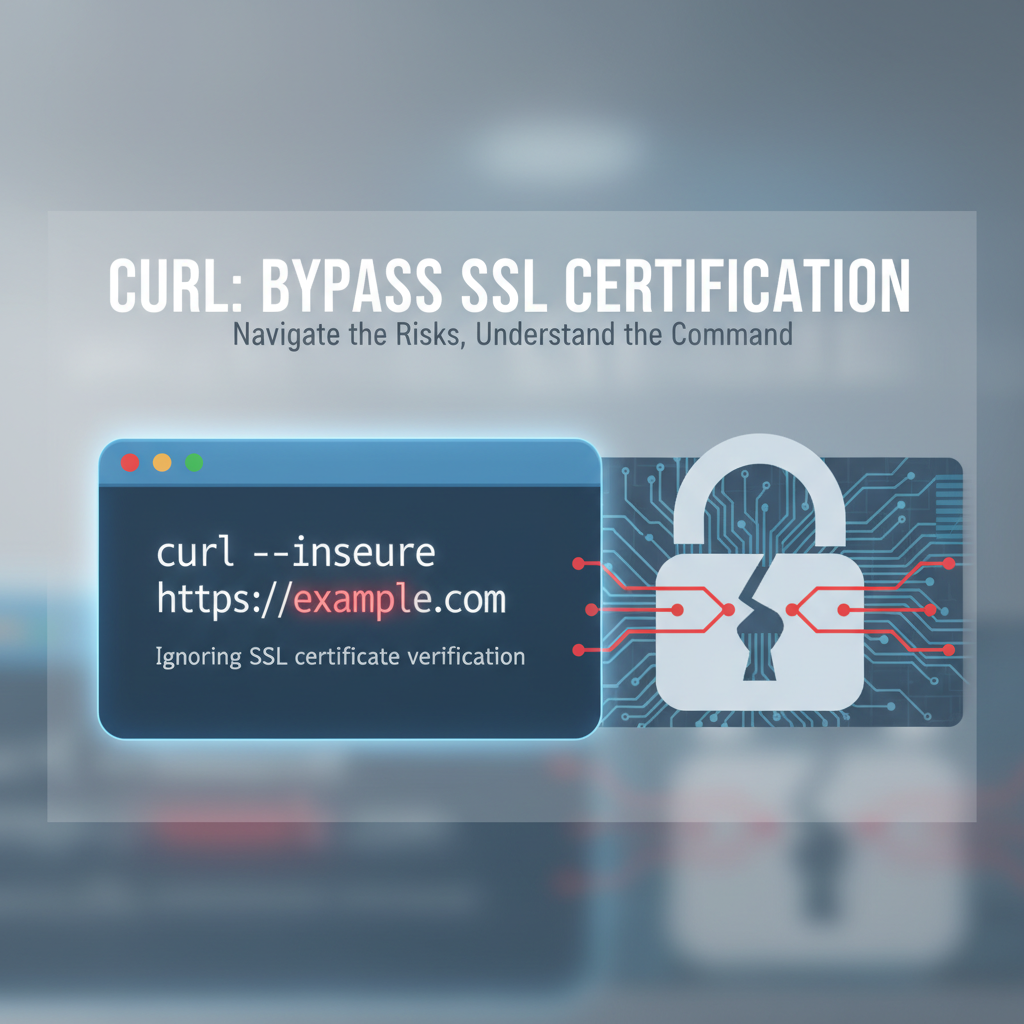
The curl --insecure option, often abbreviated as -k, instructs curl to proceed with the connection despite encountering problems with the server's SSL/TLS certificate. Essentially, it tells curl to "ignore SSL certificate verification," bypassing the crucial checks that confirm the server's identity and the integrity of its certificate chain. While this option provides immediate relief in specific problematic scenarios, it simultaneously introduces significant security vulnerabilities, transforming a secure connection into an inherently insecure one.
Syntax and Basic Usage
The usage of the --insecure option is straightforward. You simply append it to your curl command:
curl --insecure https://example.com/api/data
# Or using the shorthand:
curl -k https://example.com/api/data
When this command is executed, curl will attempt to establish a connection to https://example.com/api/data even if the server presents a self-signed certificate, an expired certificate, a certificate issued by an untrusted CA, or a certificate with a hostname mismatch. It effectively tells curl to trust whatever certificate the server offers, regardless of its validity.
Common Scenarios Necessitating curl --insecure
While generally discouraged for production environments, there are legitimate, albeit limited, use cases where temporarily disabling SSL verification with curl -k becomes a practical necessity. These scenarios typically revolve around development, testing, and specific operational contexts where the inherent risks are understood and deemed acceptable for the given situation, often due to controlled environments or immediate diagnostic needs.
1. Development and Testing Environments
This is arguably the most common and justifiable scenario for using --insecure. * Self-Signed Certificates: During local development or within internal staging environments, developers frequently deploy servers with self-signed SSL certificates. These certificates are generated internally and are not signed by a public Certificate Authority. Consequently, curl (and browsers) will not inherently trust them. Using curl -k allows developers to interact with these local APIs and web services without the overhead of obtaining and configuring valid, publicly trusted certificates for every development instance. For instance, when testing a new API endpoint on a locally running Flask or Node.js server that uses a self-signed certificate, curl -k is often the quickest way to send requests and inspect responses. This is especially true when working with a custom-built API gateway solution locally that might not have production-grade certificates configured. * Rapid Prototyping: When quickly prototyping an application or testing a third-party API that might be in a beta stage with provisional certificate setups, --insecure can save time by bypassing certificate issues that aren't critical to the immediate functional test. * CI/CD Pipelines: In some highly controlled Continuous Integration/Continuous Deployment pipelines, especially for internal tools or services, a temporary disregard for strict certificate validation might be configured, particularly if the network path is entirely isolated and secured by other means. However, this practice is generally frowned upon and should be thoroughly reviewed.
2. Internal Networks and Intranet Applications
Many large organizations maintain their own internal Public Key Infrastructure (PKI) and issue certificates from their own Root Certificate Authorities. * Custom Enterprise CAs: If a server within an enterprise intranet uses a certificate issued by the organization's internal CA, and that CA's root certificate is not present in the system's default trust store where curl operates, curl will flag it as untrusted. While the proper solution is to import the internal CA's root certificate into the system's trust store (or use curl --cacert), --insecure provides a quick workaround for ad-hoc requests. This is common when interacting with internal APIs, microservices, or even an internal API gateway that secures communication using corporate-issued certificates. * Air-Gapped or Isolated Systems: In highly isolated environments where systems are not connected to the public internet, and thus cannot reach public CAs for validation, self-signed or internally generated certificates are common. --insecure facilitates communication within these self-contained networks.
3. Legacy Systems and Hardware Devices
Older systems, embedded devices, or IoT components might pose unique challenges for SSL/TLS validation. * Outdated TLS Implementations: Some legacy hardware or software might only support older, deprecated TLS versions (e.g., TLS 1.0) or specific cipher suites that curl's default configuration, adhering to modern security standards, might reject. * Non-Upgradable Certificates: Certain devices might have hardcoded or non-upgradable certificates that have expired or are otherwise invalid according to current standards. In situations where upgrading the device or its firmware is not feasible, --insecure might be the only option to extract data or interact with its API if it exposes one.
4. Temporary Troubleshooting and Debugging
When diagnosing connection issues, especially those related to SSL/TLS, --insecure can be a valuable, albeit temporary, diagnostic tool. * Isolating Issues: If a secure connection is failing, using --insecure can help determine if the problem lies specifically with the SSL certificate (e.g., misconfiguration, expiry) or with other network-related issues (e.g., firewall blocking, routing problems). If the connection succeeds with -k, you know the certificate is the culprit. * Verbose Debugging: Combining --insecure with curl -v (verbose output) can provide extremely detailed information about the SSL handshake process, allowing administrators to pinpoint precisely where the certificate validation is failing. This can reveal issues like incorrect certificate chains, mismatched hostnames, or unsupported TLS versions.
It is crucial to reiterate that in nearly all these scenarios, --insecure should be considered a temporary bypass. For any long-term or production-critical integration, proper certificate management and configuration are the only secure and sustainable solutions. Leveraging a robust API gateway solution, for instance, can offload much of this certificate management burden, handling TLS termination and certificate renewals centrally, thus minimizing the need for clients to ever resort to --insecure.
The Profound Risks of curl --insecure: A Gateway to Vulnerabilities
While curl --insecure offers immediate convenience, its usage is fraught with significant security risks that can compromise data confidentiality, integrity, and server authenticity. Understanding these dangers is paramount, as thoughtless application of this option can open a gateway for malicious actors to exploit your communication channels.
1. Man-in-the-Middle (MITM) Attacks
The most critical and direct threat posed by --insecure is the susceptibility to Man-in-the-Middle (MITM) attacks. * How it Works: In a MITM attack, an attacker intercepts communication between a client and a server. By bypassing SSL verification, curl will happily connect to any server that presents any certificate, even if it's a self-signed certificate generated by an attacker. The attacker positions themselves between you and the legitimate server, intercepts your traffic, decrypts it (because curl -k doesn't care if the certificate is legitimate), reads or modifies it, re-encrypts it with their own certificate, and then forwards it to the actual server. Your curl command, having its guard down, will never know the difference. * Consequences: The attacker gains full access to all data transmitted, including sensitive information like API keys, authentication tokens, passwords, and proprietary business data. This data can be exfiltrated, altered, or used for impersonation. Imagine curl -k sending your authentication token to a compromised API gateway – the attacker now has your credentials.
2. Loss of Data Confidentiality and Integrity
By ignoring certificate validation, you nullify the core security guarantees that TLS provides. * Confidentiality Compromise: Even if the connection is encrypted, if curl connects to an imposter server, the encryption is with the attacker's key, not the legitimate server's. This means the attacker can decrypt the data, rendering confidentiality protections useless. Any sensitive API call, such as financial transactions or personal data uploads, becomes instantly vulnerable. * Integrity Violation: An attacker in a MITM position can not only read your data but also modify it before forwarding it to the legitimate server or back to you. This could lead to data corruption, unauthorized command execution (e.g., changing values in an API request), or malicious code injection. For instance, if you're curling an API to update a database record, an attacker could change the values in transit.
3. Compromised Server Authenticity
The primary goal of SSL certificate verification is to confirm the identity of the server you are connecting to. * Impersonation: Without verification, curl cannot distinguish between the real server and an attacker-controlled server. An attacker could set up a server that mimics a legitimate API endpoint, but is actually designed to harvest credentials or inject malware. Your curl command would blindly trust it. This is particularly dangerous when interacting with critical APIs, where the source of the data or service is paramount.
4. Compliance and Regulatory Concerns
For organizations operating under strict regulatory frameworks, the use of --insecure can lead to severe compliance breaches. * Regulatory Violations: Regulations such as HIPAA (for healthcare data), GDPR (for personal data in Europe), PCI DSS (for credit card information), and various industry-specific standards mandate the use of secure communication channels with proper authentication. Bypassing SSL verification inherently violates these mandates, potentially leading to hefty fines, legal repercussions, and severe reputational damage. * Auditing Challenges: Security audits often scrutinize how applications and systems handle secure communication. Widespread or undocumented use of --insecure would be a red flag, indicating poor security practices and a lack of adherence to established security policies.
5. False Sense of Security
Perhaps one of the most insidious risks is the false sense of security that might arise. Because the connection still shows "https://" in the URL, users might mistakenly believe the communication is secure, even though a critical layer of trust has been unilaterally disabled. This complacency can lead to overlooking more fundamental security vulnerabilities.
Mitigation Strategies and Best Practices
Given these severe risks, curl --insecure should be employed with extreme caution and only under very specific, controlled circumstances.
- Never in Production: As a golden rule, never use
curl --insecurefor any production system or for interacting withAPIs that handle sensitive data in live environments. ProductionAPI gatewaysystems and their clients must always enforce strict certificate validation. - Temporary and Targeted Use: Reserve
--insecurefor temporary debugging, development, or testing in isolated environments where the risks are understood and mitigated by other controls (e.g., a completely air-gapped network segment). - Understand the Root Cause: Instead of blindly using
--insecure, take the time to understand why the certificate validation is failing. Is it a self-signed certificate, an expired one, a hostname mismatch, or an untrusted CA? Diagnosing the root cause is the first step towards a proper, secure solution. - Use Alternatives (Discussed Next): Prioritize using
curl's other SSL options like--cacertor--capathto explicitly trust specific certificates or CA bundles, rather than disabling verification altogether. - Controlled Environments: When using
--insecure, ensure the network path betweencurland the target server is absolutely trusted and cannot be intercepted by an attacker. This might involve direct localhost connections or private, secured network segments.
Ignoring SSL certificate verification is a deliberate choice to bypass a fundamental security mechanism. It is a powerful tool for certain edge cases but one that must be wielded with profound understanding and responsibility, acknowledging the potentially catastrophic security consequences.
APIPark is a high-performance AI gateway that allows you to securely access the most comprehensive LLM APIs globally on the APIPark platform, including OpenAI, Anthropic, Mistral, Llama2, Google Gemini, and more.Try APIPark now! 👇👇👇
Alternatives to Bypassing SSL Verification: Secure and Sustainable Solutions
Given the inherent dangers of curl --insecure, it is imperative to explore and adopt secure, robust alternatives for situations where certificate validation initially appears problematic. These methods allow curl to establish trust without compromising the integrity and authenticity of your communication, particularly when interacting with critical APIs.
1. Proper Certificate Management: The Foundation of Trust
The most secure approach is always to ensure that the server presents a valid, trusted SSL/TLS certificate. This eliminates the need for any client-side workarounds. * Obtain Valid Certificates: For publicly accessible APIs or services, always use certificates issued by well-known, publicly trusted Certificate Authorities (CAs) such as Let's Encrypt, DigiCert, GlobalSign, etc. These CAs are trusted by default in virtually all operating systems and curl installations. * Renew Expired Certificates: Certificates have a finite lifespan. Ensure a robust process is in place to renew certificates before they expire. Expired certificates are a common reason for validation failures, and a simple renewal can resolve the issue without resorting to --insecure. * Correct Server Configuration: Misconfigurations on the server side (e.g., not serving the full certificate chain, incorrect hostname in the certificate) can lead to validation errors. Ensure that the web server or API gateway is correctly configured to present a valid certificate chain.
2. Specifying Custom Trust Stores with --cacert and --capath
When dealing with self-signed certificates or certificates issued by private/enterprise CAs, curl provides options to explicitly tell it which certificates or CA bundles to trust. This allows you to maintain security while accommodating non-publicly trusted certificates.
--capath <directory>: Specifying a Directory of CA Certificates For environments with multiple custom CA certificates, --capath allows you to specify a directory containing multiple PEM-encoded CA certificate files. Each file in this directory should be named using the hash value of the certificate subject, followed by .0. This is more common in large enterprise environments with their own PKI.Example: ```bash
Assuming '/etc/ssl/certs/custom-cas/' contains various custom CA certificate files
curl --capath /etc/ssl/certs/custom-cas/ https://internal.corp.net/data ```Important Note: When using --cacert or --capath, curl will only trust certificates signed by the CAs specified (or the certificate itself, if it's self-signed and directly provided via --cacert). This is significantly more secure than --insecure because curl is still performing all other validation checks, including hostname matching and expiry, relying only on a different set of trusted CAs.
--cacert <file>: Specifying a Single CA Certificate or Bundle This option allows you to tell curl to trust a specific PEM-encoded CA certificate file. This is ideal when you have a self-signed certificate from a known source, or an intermediate certificate from a private CA that curl wouldn't otherwise trust.Use Case: Connecting to an internal development API server that uses a self-signed certificate. You can extract that server's public certificate and tell curl to trust it.Example: ```bash
Assuming 'my-dev-ca.pem' is the certificate file for your internal CA or the self-signed server certificate
curl --cacert my-dev-ca.pem https://dev.internal-api.com/v1/status `` This command tellscurlto usemy-dev-ca.pemas an *additional* trusted CA store, alongside its default system store. If the server's certificate is signed bymy-dev-ca.pem, or ifmy-dev-ca.pem` is the self-signed certificate presented by the server, the connection will proceed securely.
3. Client Certificates for Mutual TLS Authentication (--cert, --key)
In highly secure environments, especially for sensitive API interactions or microservices communication, Mutual TLS (mTLS) authentication is employed. Beyond the server authenticating to the client, the client also authenticates to the server using its own client certificate. curl fully supports this.
--cert <file>: Client Certificate File Specifies the path to your client-side public certificate (e.g.,client.pem).--key <file>: Client Private Key File Specifies the path to your client-side private key (e.g.,client-key.pem).Example:bash curl --cert client.pem --key client-key.pem https://secure-api.example.com/sensitive-dataThis command instructscurlto presentclient.pem(and its correspondingclient-key.pem) to the server during the TLS handshake. The server will then verify this client certificate against its own trust store, granting access only if the client is authenticated. This adds another layer of security, ensuring that only authorized clients can access theAPI. This is a common pattern for securing communication between microservices, often facilitated by a centralAPI gatewaythat enforces mTLS policies.
4. Using Proxy Servers for SSL Interception and Inspection
For development, debugging, and security testing, intercepting proxies like Burp Suite, Fiddler, or Charles Proxy are invaluable. These tools act as a man-in-the-middle themselves (with your explicit consent and configuration), allowing you to inspect and modify HTTPS traffic.
- How it Works: You configure
curlto route its traffic through the proxy. The proxy presents its own self-signed certificate tocurl(which you would need to trust, or use--insecurefor that specific proxy connection, understanding the local risk). The proxy then establishes a new SSL connection to the actual target server.- Traffic Inspection: View the raw HTTP requests and responses, including encrypted content.
- Request Modification: Test how
APIs handle different inputs or manipulate responses for testing error conditions. - Debugging SSL Issues: See the exact TLS handshake details and certificate information exchanged.
Use Cases:Example: ```bash
Assuming a proxy running on localhost:8080
curl -x http://localhost:8080 https://api.example.com/data
If the proxy requires its own certificate to be bypassed (LESS SECURE, only for trusted local proxies)
curl -k -x http://localhost:8080 https://api.example.com/data `` While using-kwith a *local, trusted proxy* can be acceptable for debugging, the ideal setup is to install the proxy's root certificate into your system's trust store or use--cacertwithcurl` to trust the proxy's certificate explicitly.
5. Managing AI and Other APIs with APIPark
In the context of modern development, especially with the surge of AI models and complex API integrations, managing these connections securely and efficiently becomes paramount. This is where platforms like APIPark offer a robust solution, significantly reducing the need for ad-hoc curl --insecure commands by centralizing API management and security.
APIPark - Open Source AI Gateway & API Management Platform APIPark acts as an all-in-one AI gateway and API developer portal, open-sourced under the Apache 2.0 license. It's designed to help developers and enterprises manage, integrate, and deploy AI and REST services with ease. One of its core values is to provide end-to-end API lifecycle management, which inherently includes robust security features. By deploying an API gateway like APIPark, organizations can:
- Centralize SSL/TLS Termination: The
gatewayhandles all incoming secure connections, managing certificates, TLS versions, and cipher suites. This means client applications (likecurl) interact with thegatewayusing valid, trusted certificates, while thegatewaythen securely routes requests to backendAPIs. This eliminates the need for individual clients to manage complex certificate issues or bypass verification. - Enforce Security Policies: APIPark can enforce strict
APIsecurity policies, including authentication, authorization, rate limiting, and input validation, all at thegatewaylevel. This means even if a backend service has a temporary certificate issue, thegatewayacts as a protective shield, ensuring that only authenticated and authorized requests reach it. - Unified API Management: For organizations consuming multiple
APIs(especially 100+ AI models as APIPark offers), a unifiedAPI gatewaysimplifies the client's interaction. Instead ofcurling directly to various backend services with potentially inconsistent security setups, clientscurla single, well-securedgatewayendpoint. - Quick Deployment: As APIPark can be deployed quickly with a single command (
curl -sSO https://download.apipark.com/install/quick-start.sh; bash quick-start.sh), it provides a rapid way to establish a secure and managedAPIenvironment, reducing the temptation for developers to usecurl --insecureon unmanaged backendAPIs.
By leveraging a platform like APIPark, organizations can ensure that all API interactions, whether with AI models or traditional REST services, are handled securely and efficiently, abstracting away the complexities that often lead to the use of --insecure at the client level. It transforms ad-hoc API consumption into a governed, secure, and scalable process.
The choice of alternative depends on the specific scenario. For simple development, --cacert is often sufficient. For enterprise-wide solutions, internal PKI with --capath or a robust API gateway like APIPark is the way forward. In all cases, these alternatives provide a secure pathway forward without sacrificing the fundamental security provided by SSL/TLS verification.
Advanced curl Options for Granular SSL/TLS Control
Beyond simply enabling or disabling SSL verification, curl offers a rich suite of options that provide granular control over the SSL/TLS handshake process. These options are invaluable for debugging, compatibility testing, and fine-tuning security when interacting with diverse API environments.
1. Specifying TLS/SSL Protocol Versions
Modern security practices dictate the use of the latest TLS versions (currently TLS 1.3, with 1.2 still widely used). However, legacy systems might only support older versions. curl allows you to explicitly specify the maximum or minimum TLS/SSL version to use.
--sslv2/--sslv3: Forcescurlto use SSLv2 or SSLv3. These are severely outdated and insecure and should never be used unless absolutely necessary for specific legacy interactions in isolated environments.--tlsv1.0,--tlsv1.1,--tlsv1.2,--tlsv1.3: Forcescurlto use a specific TLS version. For example,--tlsv1.2ensurescurlwill only attempt to connect using TLS 1.2 or higher, or--tlsv1.3for the latest.--tls-max <version>/--tls-min <version>: (Introduced in recentcurlversions) These are more flexible, allowing you to specify a minimum and/or maximum acceptable TLS version. For example,--tls-min tlsv1.2ensures your connection is at least TLS 1.2.
Example:
# Connect using TLS 1.2 as the minimum version
curl --tls-min tlsv1.2 https://secure-api.example.com/data

# For a very old legacy system that only supports TLS 1.0 (highly discouraged for security)
curl --tlsv1.0 https://legacy-system.internal/endpoint
Using --tls-min tlsv1.2 is a common best practice to avoid falling back to older, less secure protocol versions, which can be a gateway to vulnerabilities.
2. Controlling Cipher Suites (--ciphers)
Cipher suites are sets of algorithms that dictate how the TLS handshake and data encryption will occur. They include algorithms for key exchange, authentication, encryption, and message authentication code (MAC). --ciphers allows you to specify a list of acceptable cipher suites, giving you fine-grained control over the cryptographic strength of your connection.
Example:
# Force a specific, strong cipher suite
curl --ciphers 'ECDHE-RSA-AES256-GCM-SHA384' https://api.example.com/secure
This is particularly useful when troubleshooting interoperability issues with specific servers or when enforcing strict security policies that demand particular cryptographic algorithms. However, misconfiguring this can lead to connection failures if the server doesn't support the specified suites.
3. Resolving Hostnames to Specific IP Addresses (--resolve)
Sometimes, you might want curl to connect to a specific IP address for a given hostname, bypassing DNS resolution or testing a server behind a load balancer without modifying your /etc/hosts file. --resolve comes in handy here, especially for testing multiple API gateway instances.
Example:
# Map api.example.com to a specific IP address for this curl command
curl --resolve api.example.com:443:192.168.1.100 https://api.example.com/status
This command tells curl that whenever it tries to connect to api.example.com on port 443, it should use 192.168.1.100 instead of whatever DNS resolves to. This is incredibly useful for testing failover scenarios, specific server instances, or development environments without global DNS changes.
4. Checking Certificate Status via OCSP (--cert-status)
Online Certificate Status Protocol (OCSP) is a method for determining the revocation status of X.509 digital certificates. --cert-status instructs curl to query the OCSP responder specified in the server's certificate to check if the certificate has been revoked.
Example:
curl --cert-status https://secure-site.example.com
This adds another layer of security, ensuring that even if a certificate hasn't expired, it hasn't been actively revoked by the issuing CA due to compromise or other reasons.
5. Bypassing Proxy for Specific Hosts (--noproxy)
If you typically use curl through a proxy (e.g., set via http_proxy/https_proxy environment variables), but need to bypass the proxy for specific internal hosts or private APIs, --noproxy is invaluable.
Example:
# Assuming an HTTPS_PROXY is set globally
HTTPS_PROXY=http://myproxy:8080 curl --noproxy internal.api.com https://internal.api.com/status
This command tells curl to ignore the proxy for requests directed to internal.api.com, connecting directly instead. This can be crucial for accessing internal APIs that are not reachable or intended to be routed through an external proxy.
6. Combining Options for Robust Testing and Debugging
The true power of curl lies in combining these options. For instance, to debug a problematic API endpoint that's behind a custom API gateway and presents an untrusted certificate, you might use:
curl -v --cacert /path/to/my/custom_ca.pem --tls-min tlsv1.2 https://my-internal-api-gateway.com/endpoint
This command: * -v: Provides verbose output for detailed debugging. * --cacert: Explicitly trusts a custom CA certificate. * --tls-min tlsv1.2: Ensures the connection uses a modern TLS version. * https://my-internal-api-gateway.com/endpoint: The target API.
This approach demonstrates how to achieve secure and effective communication without resorting to the insecure --insecure option. By leveraging these advanced curl features, developers and administrators can maintain high levels of security and control, even in complex API landscapes.
Comparative Overview: curl --insecure vs. Secure Alternatives
To summarize the various approaches discussed and underscore the importance of choosing secure alternatives over simply bypassing SSL verification, let's present a comparative table. This table highlights the use cases, security implications, and general recommendations for each curl SSL/TLS option.
curl Option/Approach |
Description | Primary Use Cases | Security Implications | Recommendation |
|---|---|---|---|---|
--insecure (or -k) |
Bypasses all SSL/TLS certificate verification. Connects regardless of certificate validity. | Temporary development, quick debugging of certificate issues (in isolated environments), interaction with truly problematic legacy systems where no other option exists. | Severely Insecure: Highly susceptible to MITM attacks, complete loss of server authenticity, data confidentiality, and integrity. Violates compliance mandates. | Avoid in production at all costs. Use only temporarily and in controlled, isolated environments. Understand the grave risks. |
Default (no option) |
Strict SSL/TLS certificate verification. Requires a publicly trusted, valid certificate with matching hostname. | Standard, secure interaction with public web services and APIs. |
Highly Secure: Ensures server authenticity, data confidentiality, and integrity. Protects against MITM attacks. | Always the preferred default for all production and sensitive interactions. |
--cacert <file> |
Specifies a custom CA certificate file (or self-signed server cert) to trust. | Interacting with internal APIs/services that use self-signed certificates or certificates from a private enterprise CA not in system trust store. |
Secure: Retains all other validation checks (hostname, expiry). Only trusts the specified certificate(s). Protects against MITM if the specified CA is legitimate. | Recommended for development/internal systems where public CAs are not used. A secure alternative to --insecure. |
--capath <directory> |
Specifies a directory containing multiple custom CA certificate files to trust. | Enterprise environments with multiple internal CAs for various APIs and services, where an API gateway or specific microservices use these custom CAs. |
Secure: Similar to --cacert, but scales for multiple custom CAs. |
Recommended for enterprise PKI setups. More scalable than --cacert for numerous internal services. |
--cert <file> --key <file> |
Provides a client-side certificate and private key for Mutual TLS (mTLS) authentication. | Highly secure API interactions where both client and server must authenticate each other. Common in microservices, B2B APIs, or secure API gateway configurations. |
Extremely Secure: Adds client authentication to the server authentication, significantly increasing trust and security against unauthorized access. | Highly recommended for sensitive APIs requiring mutual authentication. A robust security measure. |
--tls-min <version> |
Specifies the minimum acceptable TLS protocol version. | Enforcing modern TLS standards (e.g., TLS 1.2 or 1.3) to prevent fallback to older, vulnerable protocols, especially when interacting with an API gateway that supports multiple versions. |
Enhances Security: Mitigates risks associated with protocol downgrade attacks and vulnerabilities found in older TLS versions. | Good practice for all secure API interactions to ensure strong protocol usage. |
--resolve |
Maps a hostname to a specific IP address for the duration of the curl command. |
Testing specific backend servers behind a load balancer, bypassing DNS for debugging, or testing APIs on hosts not yet configured in DNS (e.g., API gateway instances). |
Neutral to Security (but requires trust): Does not affect SSL/TLS verification directly but relies on you trusting the specified IP address. | Useful for targeted testing and debugging without modifying system-wide DNS. Combine with other security options. |
| APIPark Integration | Centralized API gateway and management platform that handles SSL/TLS termination, routing, and security policies for various APIs (including AI models). |
Managing and securing a large number of APIs, especially AI services, in an enterprise environment. Centralizing security for backend services to abstract complexities from individual clients. Provides a secure gateway for API consumption. |
Highly Secure (when properly configured): Acts as a secure intermediary, offloading certificate management and security policy enforcement from individual clients, ensuring all client-facing interactions are secure. Reduces the need for client-side --insecure. |
Recommended for robust API governance, especially for complex AI and enterprise API landscapes. A long-term, scalable, and secure solution for API management. Visit ApiPark for more details. |
This table clearly illustrates that while --insecure offers a quick bypass, it comes at a significant cost to security. The myriad of other curl options and strategic platform solutions like APIPark provide far superior and more secure methods for managing SSL/TLS challenges in API communication.
Conclusion: Balancing Expediency with Security in curl Operations
In the intricate world of web development and system administration, curl remains an indispensable utility, a versatile Swiss Army knife for interacting with virtually any network resource, especially API endpoints. Its default behavior of strictly enforcing SSL/TLS certificate verification is not an inconvenience, but a fundamental security mechanism designed to protect the integrity and confidentiality of data, as well as to authenticate the identity of the servers we communicate with. The chain of trust, built upon Certificate Authorities and digital signatures, forms the bedrock of secure online interactions.
However, as we have explored, there are specific, controlled scenarios where this default strictness can impede progress. Development environments, internal testing networks, and interactions with legacy systems often present certificate challenges that, at first glance, tempt developers to reach for curl --insecure (or -k). This option, while providing immediate relief by bypassing all SSL verification, opens a perilous gateway to profound security vulnerabilities, most notably Man-in-the-Middle attacks. The risks of data interception, modification, and server impersonation are not theoretical; they are real and can have catastrophic consequences for data confidentiality, compliance, and organizational reputation.
The responsible approach is to view curl --insecure not as a solution, but as a diagnostic tool or a temporary measure to be used with extreme caution in strictly controlled, isolated environments. For any long-term or production-critical API interactions, a commitment to proper certificate management and the adoption of secure alternatives is paramount. This includes:
- Ensuring valid certificates from trusted CAs for all production
APIs and services. - Leveraging
curl's granular control options such as--cacertor--capathto explicitly trust specific internal or self-signed certificates, maintaining strong validation checks where only the trusted CA is customized. - Implementing Mutual TLS (mTLS) with
--certand--keyfor highly secure, bidirectional authentication in sensitiveAPIcommunications. - Utilizing
API gatewaysolutions like APIPark to centralizeAPIsecurity, certificate management, and traffic routing. Such platforms act as a robust intermediary, managing TLS termination and enforcing security policies across a multitude ofAPIs, especially complex AI models, thereby abstracting away security complexities from client applications and significantly reducing the need for client-side SSL bypasses. APIPark, as an Open Source AI gateway and API Management Platform, offers an elegant solution to manage, integrate, and deploy AI and REST services securely and efficiently, ensuring developers can focus on innovation rather than certificate headaches.
Ultimately, the mastery of curl extends beyond merely executing commands; it encompasses a deep understanding of the underlying security protocols and the implications of each option. By prioritizing security, adopting best practices, and leveraging advanced tools and platforms, developers and administrators can ensure that their API interactions are not only efficient but also resilient against the ever-evolving landscape of cyber threats. The path to secure API communication is not one of shortcuts, but of informed choices and diligent implementation.
Frequently Asked Questions (FAQs)
1. What is curl --insecure and why is it generally discouraged?
curl --insecure (or -k) is a curl option that instructs the command-line tool to bypass SSL/TLS certificate verification. This means curl will connect to an HTTPS server even if its certificate is self-signed, expired, from an untrusted Certificate Authority (CA), or has a hostname mismatch. It is generally discouraged because it completely disables a critical security safeguard, making the connection vulnerable to Man-in-the-Middle (MITM) attacks, data interception, and loss of server authenticity, compromising the confidentiality and integrity of your API communication.
2. When are there legitimate use cases for curl --insecure?
Legitimate use cases for curl --insecure are extremely limited and should always be temporary and in controlled environments. These include: * Development and Testing: Interacting with local development servers that use self-signed certificates for API endpoints. * Internal Networks: Connecting to internal services or an API gateway that uses certificates issued by a private enterprise CA not present in the system's default trust store. * Temporary Debugging: Diagnosing SSL/TLS connection issues to determine if the problem is specifically related to certificate validation or other network factors. In all these scenarios, the risks are understood, and the environment is typically isolated.
3. What are the main security risks of using curl -k?
The main security risks include: * Man-in-the-Middle (MITM) Attacks: An attacker can intercept, read, and modify data in transit without curl detecting the compromise. * Loss of Data Confidentiality: Sensitive information like API keys, passwords, and personal data can be exposed. * Loss of Data Integrity: Data can be tampered with or corrupted by an attacker. * Compromised Server Authenticity: curl cannot guarantee it is connecting to the legitimate server, allowing imposters to mimic services. * Compliance Violations: Using --insecure in production can violate industry regulations and data protection laws.
4. What are secure alternatives to curl --insecure for dealing with untrusted certificates?
Instead of --insecure, consider these secure alternatives: * --cacert <file>: Specify a custom CA certificate file (or the self-signed server certificate itself) to explicitly trust it. curl will still perform other validation checks. * --capath <directory>: Point curl to a directory containing multiple trusted custom CA certificates. * Proper Certificate Management: Ensure servers use valid, publicly trusted certificates, and keep them renewed. * Client Certificates (--cert, --key): Implement Mutual TLS (mTLS) for bidirectional authentication, where both client and server authenticate each other. * API Gateway Solutions: Platforms like APIPark centralize API management and security, handling SSL/TLS termination and certificate management at the gateway level, abstracting these complexities from individual clients.
5. How can an API gateway like APIPark help reduce the need for curl --insecure?
An API gateway like APIPark acts as a secure intermediary for all your API traffic. It can: * Centralize TLS Termination: The gateway handles all incoming secure connections, managing certificates and enforcing TLS policies. Clients (including curl) interact with the gateway using valid, trusted certificates, while the gateway manages secure communication to backend services. * Enforce Security Policies: It provides a single point to apply robust security policies like authentication, authorization, and rate limiting, ensuring a secure gateway even if backend services have varying security postures. * Simplify API Consumption: By providing a unified interface for numerous APIs (e.g., AI models), it ensures that all client interactions are with a known, secure endpoint, eliminating the need for curl --insecure to reach individual backend APIs with potentially problematic certificates. This structured approach significantly enhances overall API governance and security.
🚀You can securely and efficiently call the OpenAI API on APIPark in just two steps:
Step 1: Deploy the APIPark AI gateway in 5 minutes.
APIPark is developed based on Golang, offering strong product performance and low development and maintenance costs. You can deploy APIPark with a single command line.
curl -sSO https://download.apipark.com/install/quick-start.sh; bash quick-start.sh

In my experience, you can see the successful deployment interface within 5 to 10 minutes. Then, you can log in to APIPark using your account.

Step 2: Call the OpenAI API.