Common DNS Response Codes and What They Mean
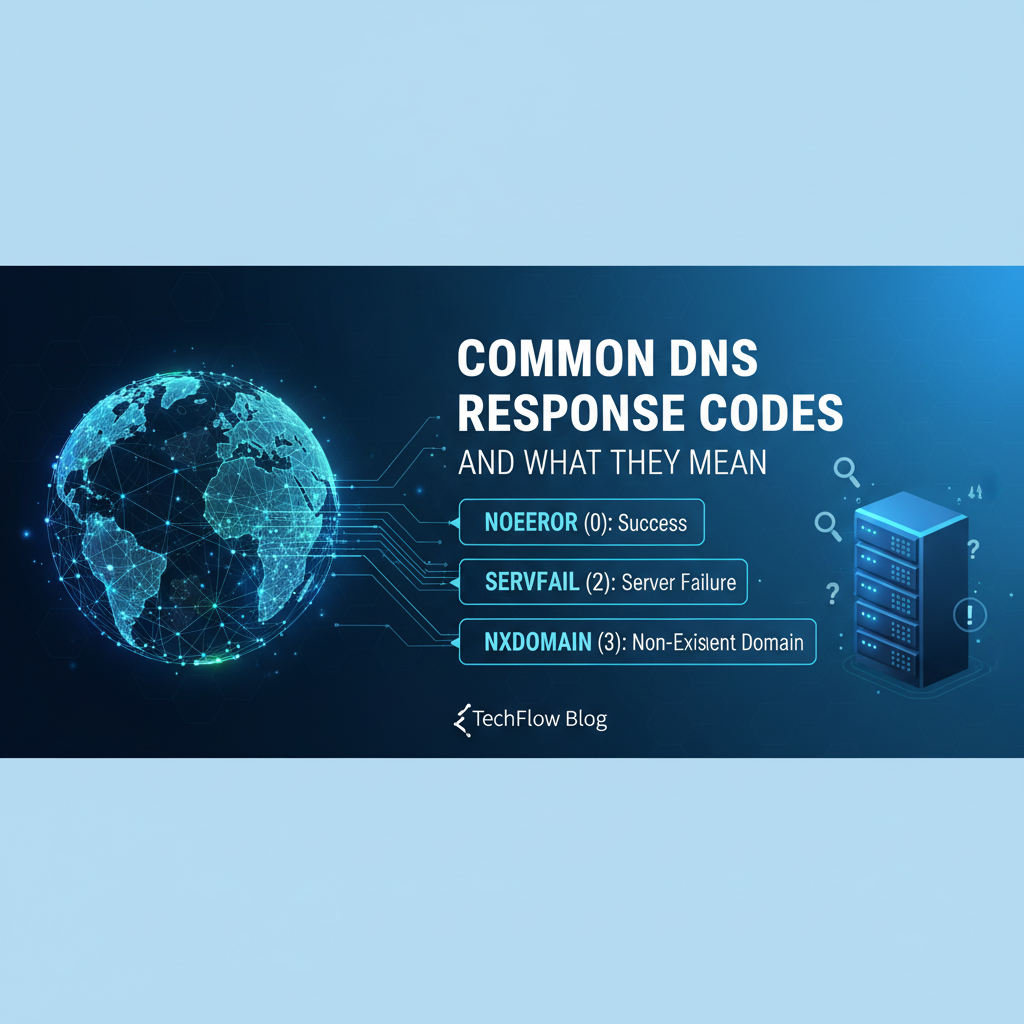


In the vast, interconnected tapestry of the internet, every click, every search, every API call relies on an invisible yet fundamental service: the Domain Name System (DNS). Often dubbed the "phonebook of the internet," DNS translates the human-readable domain names we type into our browsers (like example.com) into machine-readable IP addresses (like 192.0.2.1). Without DNS, navigating the web would be a labyrinthine task of memorizing numerical strings, rendering the digital landscape practically unusable for the average person. But like any complex system, DNS can encounter issues, and when it does, it communicates these problems, or successes, through a set of standardized messages known as DNS response codes, or RCODEs.
Understanding these response codes is akin to speaking the diagnostic language of the internet itself. For network administrators, developers, and anyone troubleshooting connectivity issues, RCODEs offer invaluable clues into the health and behavior of the DNS resolution process. They pinpoint whether a domain exists, if a server is struggling, or if a query was simply malformed. Ignoring these signals is like ignoring warning lights on a car's dashboard – eventually, you're bound to run into a more significant, and potentially disruptive, problem. This comprehensive guide will peel back the layers of DNS, exploring its core mechanisms, dissecting the most common response codes, and equipping you with the knowledge to interpret, diagnose, and often resolve the underlying issues they signify. From the mundane success of 'NoError' to the critical alarm of 'ServFail', we will explore the nuances of each code, providing detailed insights into their causes, implications, and effective troubleshooting strategies. The stability and accessibility of virtually all online services, including the sophisticated backend systems for APIs and AI models that platforms like APIPark manage, fundamentally depend on a robust and correctly functioning DNS infrastructure.
The Invisible Backbone: How DNS Orchestrates the Internet
Before diving into the specifics of response codes, it's crucial to grasp the fundamental architecture and operational flow of DNS. It’s a distributed hierarchical system, meaning no single server holds all the information. Instead, information is spread across millions of servers globally, working in concert to resolve domain names.
The Anatomy of a DNS Query
When you type a domain name into your browser, a sequence of events, often completed in milliseconds, begins:
- The Resolver's Role: Your computer, tablet, or smartphone typically uses a DNS client, or resolver, to initiate the process. This resolver usually queries a local DNS server, often provided by your Internet Service Provider (ISP), or a public DNS server like Google's 8.8.8.8.
- Recursive Query: Your local resolver sends a "recursive query" to its configured DNS server. This means it expects that server to either provide the answer directly or find the answer by querying other servers on your behalf.
- Iterative Queries: The recursive DNS server then begins a series of "iterative queries" to find the authoritative server for the domain in question:
- It first queries one of the Root Name Servers (there are 13 logical root servers, globally distributed). The root server doesn't know the IP address for
example.com, but it knows which servers are authoritative for top-level domains (TLDs) like.com,.org,.net, etc. It responds by directing the resolver to the appropriate TLD name server. - Next, the resolver queries the TLD Name Server (e.g., for
.com). The TLD server, similarly, doesn't know the specific IP forexample.com, but it knows which servers are authoritative for theexample.comdomain itself. It directs the resolver to the authoritative name servers forexample.com. - Finally, the resolver queries one of the Authoritative Name Servers for
example.com. This server does hold the actual DNS records forexample.com(like its A record mapping to an IP address). It provides the definitive answer.
- It first queries one of the Root Name Servers (there are 13 logical root servers, globally distributed). The root server doesn't know the IP address for
- Caching: Throughout this process, each DNS server, including your local resolver, caches the responses it receives for a specified period (Time-To-Live, or TTL). This caching mechanism drastically speeds up subsequent queries for the same domain, reducing the load on upstream servers and improving user experience.
- Return to Client: Once the recursive DNS server has the IP address, it sends it back to your computer's resolver, which then passes it to your browser. Your browser can now establish a connection to the correct server and load the website.
Key Components of the DNS Ecosystem
- DNS Resolvers (Clients): Software on your device that initiates DNS queries.
- Recursive DNS Servers: The servers that take recursive queries from clients and perform iterative queries to resolve them.
- Root Name Servers: The top of the DNS hierarchy, returning pointers to TLD servers.
- TLD Name Servers: Servers responsible for top-level domains like
.com,.org,.gov, etc. - Authoritative Name Servers: The servers that hold the definitive DNS records for a specific domain. These are the final arbiters of a domain's DNS information.
This elaborate dance of queries and responses, while complex under the hood, is what makes the internet navigable. And within each of these responses, particularly those from DNS servers, lies the response code—a crucial indicator of the query's outcome.
Decoding the DNS Message: Where RCODEs Reside
A standard DNS message, whether it's a query or a response, has a well-defined structure. This structure is typically composed of a header, followed by sections for questions, answers, authority, and additional records. The response code, or RCODE, is a critical part of the DNS header.
The DNS header is a 12-byte section at the beginning of every DNS message. It contains various flags and fields that control the query and response, including:
- ID (Identification): A 16-bit number assigned by the client to a query, which is then copied into the corresponding response. This helps clients match responses to their original queries.
- QR (Query/Response): A 1-bit field indicating whether the message is a query (0) or a response (1).
- Opcode: A 4-bit field specifying the type of query (e.g., standard query, inverse query, server status request).
- AA (Authoritative Answer): A 1-bit flag set to 1 if the responding name server is authoritative for the domain name in the answer section.
- TC (Truncated): A 1-bit flag set to 1 if the message was truncated due to length exceeding the transport protocol's limit (e.g., 512 bytes for UDP).
- RD (Recursion Desired): A 1-bit flag set by the client to request recursive query processing.
- RA (Recursion Available): A 1-bit flag set by the server to indicate whether it supports recursion.
- Z (Reserved): A 3-bit field reserved for future use, always zero.
- AD (Authentic Data): A 1-bit flag (part of DNSSEC) indicating that all data in the answer and authority sections has been validated by DNSSEC.
- CD (Checking Disabled): A 1-bit flag (part of DNSSEC) indicating that the resolver client wishes to disable DNSSEC validation checks.
- RCODE (Response Code): A 4-bit field providing the status of the query. This is the field we are most interested in.
The RCODE field, being 4 bits, can represent values from 0 to 15. Each value has a specific meaning, signaling everything from a successful resolution to various types of errors encountered by the DNS server. Understanding these codes empowers you to quickly grasp why a DNS query succeeded or, more importantly, why it failed, allowing for targeted troubleshooting.
A Deep Dive into Common DNS Response Codes
While there are 16 possible RCODEs, only a handful are encountered regularly in typical network operations and troubleshooting scenarios. These common codes offer crucial insights into the health of your DNS infrastructure and the wider internet.
RCODE 0: NoError (Success)
Meaning: The query was successful, and the server was able to find and return the requested data in the answer section. This is the expected and most desirable outcome for any DNS query.
Detailed Implications: When you receive a NoError response, it means that the DNS server, whether it's your local resolver or an authoritative server, successfully processed your request and found the corresponding record. The answer section of the DNS response will contain the relevant information, such as an IP address for an A record, a canonical name for a CNAME record, or mail exchange servers for an MX record. This response code signifies that the DNS system itself is working correctly at the point of inquiry. From an operational perspective, a consistent NoError across your domain’s DNS lookups indicates a healthy state of affairs. For services like an API gateway, such as APIPark, which needs to reliably resolve the IP addresses of various backend services, including AI models and REST APIs, NoError is fundamental. Any hiccup in this resolution process, even if ultimately leading to another RCODE, begins with the expectation of a NoError.
When NoError Might Still Indicate a Problem (Client-Side or Higher-Level): While NoError from the DNS server means the DNS protocol part of the query was successful, it doesn't always guarantee end-to-end connectivity or the exact result you might expect if other factors are at play:
- Stale Cache: Your local machine or an intermediate DNS resolver might have a stale entry in its cache. The server you query might return
NoErrorbecause it successfully looks up its cached (but potentially outdated) information. In such cases, clearing your local DNS cache or querying an authoritative server directly can reveal the true, current state. - CNAME Chains: A successful
NoErrormight return a CNAME (canonical name) record. This means the client then needs to perform another lookup for the canonical name. While the first lookup wasNoError, the entire resolution process isn't complete until the final A/AAAA record is found. A problem could arise in a subsequent CNAME resolution. - Incorrect Record Content: The DNS server might successfully return a record, but the IP address or other data within that record might be incorrect or outdated, pointing to a non-existent server or an old service. The DNS system itself functioned correctly by returning a record, but the content of that record is flawed. This often requires checking the zone file at the authoritative DNS server.
- DNSSEC Validation Issues: In some DNSSEC-enabled environments, a resolver might receive a
NoErrorfrom an authoritative server, but if the resolver then fails to validate the DNSSEC signature, it might internally discard the response and effectively act as if it didn't receive an answer or return aServFailto the client, even though the authoritative server itself indicatedNoError.
Troubleshooting: When investigating NoError, focus shifts from the DNS server's ability to process queries to the accuracy of the data it's providing or the client's interpretation of that data. Use dig with the +trace option to walk the entire resolution path and verify the records at each step. Check the TTL of records to understand caching behavior. If the IP address is incorrect, investigate the authoritative DNS provider's configuration.
RCODE 1: FormErr (Format Error)
Meaning: The name server was unable to interpret the query sent by the client because it was not formatted correctly. This indicates a problem with the structure of the DNS message itself, rather than an issue with the domain's existence or the server's internal state.
Detailed Implications: A FormErr response means the DNS server received a packet that it couldn't parse according to the DNS protocol specifications. It's like receiving a letter written in gibberish – you can't even begin to process its content. This is a low-level error that points directly to a malformed request. Such errors can prevent any form of resolution, effectively rendering the domain unreachable through that particular query. This can be particularly frustrating as it doesn't give much insight into why the format was incorrect, only that it was. The server simply gives up on processing it because it doesn't conform to the expected message structure. For mission-critical infrastructure, even occasional FormErr responses are alarming, as they suggest either a faulty client or a network issue corrupting packets.
Common Causes: * Malformed Packets: This is the most direct cause. The client's DNS query packet might contain incorrect header flags, an invalid length, or improperly structured sections (question, answer, etc.). * Non-Standard DNS Clients/Implementations: While rare with mainstream operating systems, custom or outdated DNS client software, or niche embedded devices, might generate non-compliant DNS queries. * Software Bugs: Bugs in DNS client libraries, operating system network stacks, or even DNS server software itself (if it's misinterpreting valid queries) can lead to FormErr. * Network Corruption: Data corruption during transmission over a faulty network link, or by an aggressive firewall/proxy attempting to inspect or modify DNS traffic, can alter the packet structure enough to cause a FormErr. * DNSSEC Issues (Less Common for FormErr, More for ServFail): While typically leading to ServFail or Refused, certain highly specific DNSSEC-related malformations in query options (like EDNS0 flags) could theoretically be interpreted as a FormErr by a server that's particularly strict or has a specific bug. * Denial-of-Service Attacks (Rarely for FormErr): An attacker might intentionally craft malformed DNS queries to try and crash or disrupt a DNS server, hoping to provoke FormErr responses or other instability.
Troubleshooting: Diagnosing FormErr requires a deeper dive into network traffic: 1. Packet Capture (Wireshark/tcpdump): This is the primary tool. Capture the DNS query and response between the client and server. Examine the raw packet bytes against RFC 1035 (DNS protocol specification) to identify exactly where the formatting error lies. Look for incorrect lengths, flag combinations, or malformed domain name representations. 2. Verify Client Configuration and Software: Ensure the client's operating system and DNS client libraries are up-to-date. Test with a standard client (e.g., dig or nslookup from a known-good system) to see if the issue is reproducible. If it only happens with a specific application, the bug is likely in that application. 3. Check DNS Server Logs: Some DNS servers log FormErr responses, sometimes with additional detail about the malformation, which can help pinpoint the specific faulty field. 4. Network Integrity Check: Rule out network-level corruption. Test network cables, switches, and routers between the client and the DNS server. Temporarily disable any aggressive firewalls or intrusion detection systems that might be modifying DNS packets. 5. Test with Different DNS Servers: Query other DNS servers (e.g., public DNS like 8.8.8.8) to see if the issue is specific to one server or a broader client-side problem.
FormErr is often a strong indicator of an anomaly, and persistent occurrences warrant immediate investigation to maintain reliable service, especially for critical infrastructure like API gateways which need to reliably resolve their backend services.
RCODE 2: ServFail (Server Failure)
Meaning: The name server was unable to process this query due to an internal problem. This indicates that the server itself encountered an error while trying to fulfill the request, rather than the domain not existing or the query being refused.
Detailed Implications: ServFail is a critical response code because it signals a fundamental issue with the DNS server's operational health. Unlike NXDomain (domain doesn't exist) or Refused (policy-based rejection), ServFail means the server tried to answer but failed internally. It's a broad category, encompassing a range of severe problems that can prevent any successful resolution for a queried domain, or even an entire zone. For users, a ServFail can manifest as a "website not found" error, even if the domain name is correct and registered. For applications and services, especially those relying on dynamically resolved endpoints, a ServFail can lead to application outages, failed API calls, and significant service disruption.
Consider an API Gateway like APIPark, which provides management for integrating 100+ AI models and REST services. If APIPark tries to resolve the IP address of a backend AI service or a microservice endpoint, and the DNS server returns ServFail, APIPark cannot establish a connection. This directly translates to failed API calls, unresponsive AI models, and ultimately, a breakdown in the services it manages. The reliability of API operations, regardless of how robust the API management platform itself is, is fundamentally tied to the underlying network infrastructure, with DNS being a critical component. A ServFail response can halt business operations as effectively as a server crash.
Common Causes: ServFail is often a symptom, not a specific diagnosis. Its causes can be diverse:
- Authoritative Server Issues: If the recursive resolver queries an authoritative server that is experiencing problems (e.g., overloaded, crashed, misconfigured, network unreachable), the recursive resolver will likely return
ServFailto its client because it couldn't get a definitive answer. - Recursive Resolver Overload/Resource Exhaustion: The DNS server itself might be overwhelmed with queries, running out of memory, CPU, or network capacity. This prevents it from processing new requests or managing its internal state properly.
- Corrupt Zone Files/Configuration Errors: For authoritative servers, a corrupted zone file (the file containing DNS records for a domain) or an incorrect server configuration can prevent it from serving records correctly. Syntax errors, missing critical records (like SOA or NS records), or malformed entries can all lead to internal failures.
- Network Connectivity Problems to Upstream Servers: The DNS server might have lost connectivity to its upstream authoritative servers, or even the root/TLD servers. If it can't perform its iterative queries, it can't resolve the domain and will return
ServFail. - DNSSEC Validation Failures: This is a significant source of
ServFailin modern DNS. If a recursive resolver is configured to perform DNSSEC validation, and it queries a domain that is DNSSEC-signed but has an invalid signature, a broken chain of trust, or missing DNSKEY/DS records, the resolver will returnServFailto the client. This is a deliberate security feature, indicating that the DNS response cannot be trusted. - Hardware Failure: Underlying hardware issues (e.g., disk errors, failing RAM) on the DNS server can lead to unpredictable internal errors and
ServFailresponses. - Software Bugs: Bugs within the DNS server software itself can trigger internal exceptions and failures.
- Security Attacks: A DNS server might be under a denial-of-service (DoS) attack, overwhelming it with traffic and causing it to fail.
Troubleshooting: Diagnosing ServFail requires a methodical approach, often involving access to the DNS server itself:
- Check DNS Server Logs: This is the first and most crucial step. DNS server logs (e.g., BIND's
syslog, PowerDNS's logs) often contain detailed error messages explaining why the server failed. Look for messages about zone loading errors, out-of-memory conditions, network issues, or DNSSEC validation failures. - Verify Server Health and Resources: Check the DNS server's CPU, memory, disk I/O, and network utilization. Is it under heavy load? Are there any alerts from monitoring systems?
- Test Upstream Connectivity: From the recursive DNS server, try to
digthe authoritative servers for the problematic domain. Are they reachable? Are they returning valid responses? Usedig +traceto follow the entire resolution chain. - Inspect Zone Files (for Authoritative Servers): If you control the authoritative server, carefully review the zone files for syntax errors or incorrect entries. Use
named-checkzone(for BIND) or equivalent tools. - Check DNSSEC Configuration: If DNSSEC is in use, verify the integrity of the DNSSEC chain of trust from the domain's registrar to the authoritative name server. Use tools like
dnssec-analyzer.comordnsviz.netto diagnose DNSSEC issues. Ensure trust anchors are correctly configured. - Restart DNS Service: As a temporary measure or after making configuration changes, restarting the DNS service can sometimes resolve transient issues.
- Network Firewall/ACLs: Ensure that firewalls or network access control lists (ACLs) are not inadvertently blocking DNS traffic to or from upstream servers.
- Test with Other Resolvers: Querying public DNS resolvers (e.g., 8.8.8.8, 1.1.1.1) for the problematic domain can help determine if the
ServFailis specific to your internal DNS server or if it's a broader issue affecting the authoritative servers.
ServFail is a call to action. It demands immediate attention to restore reliable DNS resolution and, by extension, the availability of all dependent services, from websites to critical API endpoints.
RCODE 3: NXDomain (Non-Existent Domain)
Meaning: The domain name referenced in the query does not exist. This is an authoritative negative answer, meaning the name server definitively states that the requested domain or subdomain cannot be found within its zone or delegated authority.
Detailed Implications: NXDomain is one of the most common DNS response codes, often encountered by everyday internet users. It means the DNS server, after thoroughly checking its records and potentially querying upstream authoritative servers, has determined that the queried domain name simply does not resolve to an IP address. For a website, this typically results in a "This site can't be reached" or "Server not found" message in the browser. For APIs, an NXDomain response means the API endpoint cannot be resolved, leading to connection failures and application errors.
While often indicating a genuine non-existent domain, NXDomain can also be a symptom of various misconfigurations or even malicious activity. It’s crucial to differentiate between an intentional NXDomain (e.g., for a typo) and an unintentional one (e.g., due to a recent change not propagating). The definitive nature of this response makes it valuable for diagnosing issues, as it tells you the problem isn't with the server's ability to process the query, but with the existence of the requested resource.
Common Causes: * Typo in Domain Name: The most frequent cause. Users or applications simply misspell the domain name. * Domain Not Registered: The domain name has never been registered or has expired and been released. The authoritative servers for its TLD would confirm its non-existence. * Incorrect Subdomain: The specific subdomain being queried (e.g., api.nonexistent.example.com) does not exist, even if the parent domain (example.com) does. * DNS Propagation Delays: After a domain is newly registered, its name servers are changed, or new records are added, it takes time for these changes to propagate across the global DNS system. During this period, some resolvers might still return NXDomain for the domain. * Misconfigured Zone Files: On the authoritative DNS server, a domain name might be unintentionally missing from the zone file, or configured incorrectly. * Client Resolver Search Path Issues: Some operating systems or network configurations automatically append search suffixes to domain names (e.g., localdomain). If a user queries myserver and the resolver tries myserver.localdomain which doesn't exist, it could return NXDomain. * DNS Blocklists/Sinkholing (Sometimes): While usually leading to Refused or a fabricated NXDomain (where a server pretends a domain doesn't exist to block it), some systems might intentionally return NXDomain for blacklisted domains. * Expired or Delinquent Domain Registration: If a domain's registration expires and is not renewed, it eventually enters a grace period and then often becomes fully deregistered, leading to NXDomain responses.
Troubleshooting: Diagnosing NXDomain primarily involves verifying the domain name's existence and its configuration:
- Check for Typos: Carefully re-enter the domain name. This simple step resolves a large percentage of
NXDomainerrors. whoisLookup: Use awhoislookup tool (e.g.,whois example.com) to verify if the domain is registered, who owns it, its registration status, and its current name servers. This helps confirm registration and identify potential expiration issues.digCommand: Usedigto query authoritative servers directly, bypassing local caches.dig example.com: Performs a standard lookup.dig @8.8.8.8 example.com: Queries a public DNS server.dig +trace example.com: Traces the full delegation path, showing which servers are being queried at each step, and helps identify if theNXDomainis coming from the TLD server or the domain's authoritative server. This is crucial for verifying delegation.dig NS example.com: Finds the authoritative name servers for a domain. Then,dig @ns1.example.com example.comto query an authoritative server directly.
- Verify DNS Records at Authoritative Server: If you control the domain, log into your DNS provider's control panel and verify that the necessary A, AAAA, CNAME, or other records are correctly configured and published for the domain or subdomain in question.
- DNS Propagation Checkers: Use online tools like
whatsmydns.netto see if DNS changes have propagated globally. If the domain is new or recently updated, wait for propagation to complete. - Check Client's DNS Suffixes: If the problem occurs for short, unqualified names (e.g.,
intranetserver), check the DNS suffixes configured on the client's network adapter or resolver settings. - DNS Zone Transfer Check (for authoritative server admins): Ensure that zone transfers are working correctly if you have secondary authoritative DNS servers.
NXDomain is a clear message. Once you verify the domain name's spelling, the focus shifts to confirming its registration and its DNS records at the authoritative source. For development environments, NXDomain is often seen when new services are being deployed or moved, and their DNS records have not yet been updated or propagated.
RCODE 4: NotImp (Not Implemented)
Meaning: The name server does not support the requested kind of query. This means the server understands the DNS protocol but does not have the functionality to handle the specific type of query that was sent.
Detailed Implications: NotImp is a relatively rare response code in modern DNS environments, as most contemporary DNS servers support the full range of standard query types (A, AAAA, CNAME, MX, NS, SOA, TXT, SRV, etc.). When encountered, it typically points to a very specific and often unusual request, or an outdated or custom DNS server. It signifies a server's inability to perform the requested operation, not an error in processing the request's format (that would be FormErr) or an internal failure (ServFail). The server correctly parses the query but recognizes it as a type it's not configured or designed to handle.
Common Causes: * Query for Obscure or Experimental Record Types: The most common cause is a client attempting to query for a very uncommon, experimental, or deprecated DNS record type that the specific DNS server has not implemented or has explicitly disabled. For instance, an older server might not support certain newer DNSSEC record types, or very specialized query types defined in less-widely adopted RFCs. * Unsupported Opcode: While Opcode 0 (standard query) is universally supported, a client might send a query with a non-standard or unsupported Opcode value in the DNS header. * Older DNS Server Software: Very old or minimalist DNS server implementations might lack support for certain standard features or record types that have become commonplace more recently. * Specific Features Disabled: A DNS server administrator might have explicitly compiled or configured the server to disable support for certain query types or extensions, perhaps for security reasons or to reduce complexity. * Inverse Queries (Rare): Historically, inverse queries (Opcode 1), where a client provides an IP address and asks for the associated domain name (like a reverse DNS lookup, but using a different opcode), were not always fully implemented or widely used. Most reverse lookups today use PTR records in in-addr.arpa or ip6.arpa zones, which are standard forward queries for those special domains.
Troubleshooting: Diagnosing NotImp is straightforward:
- Identify the Query Type: First, determine exactly what type of DNS query was sent. Use
digwith verbose output or a packet capture tool like Wireshark. For instance,dig -t SRV _sip._tcp.example.comqueries for an SRV record. - Verify DNS Server Capabilities: Check the documentation for the specific DNS server software (e.g., BIND, PowerDNS, Unbound) to confirm its supported query types and opcodes.
- Update Server Software: If an older server is returning
NotImpfor a standard record type, consider updating it to a more current version. - Change Client Behavior: If the client application is making unusual or non-standard DNS queries, investigate if it can be configured to use more common query types or if its DNS client library has a bug.
- Use an Alternative DNS Server: If you encounter
NotImpfrom a specific server, try querying a public DNS server (like 8.8.8.8) to see if it handles the query type successfully. This helps determine if the issue is with the server or the query itself.
NotImp is generally a clear message that the server simply doesn't "know how" to fulfill the specific request. It's less about a critical error and more about a mismatch between the client's expectation and the server's capabilities.
RCODE 5: Refused (Query Refused)
Meaning: The name server refused to perform the specified operation for policy reasons. This means the server explicitly denied the query, typically due to security, access control, or operational policies.
Detailed Implications: Refused is a significant response code because it implies an intentional rejection by the DNS server. Unlike ServFail (server couldn't answer) or NXDomain (domain doesn't exist), Refused means the server could have answered but chose not to. This is usually a security or policy-driven decision by the DNS server administrator. It signals that the query originated from an unauthorized source, was rate-limited, or was targeted at a blacklisted domain. For the querying client, a Refused response is a definitive "no," preventing any further DNS resolution. This can be particularly frustrating for users or applications if they are unaware of the underlying policy causing the refusal.
For enterprise environments, Refused plays a critical role in DNS security and management. DNS servers are often configured to refuse recursive queries from external IP addresses to prevent open resolvers, which can be abused in DDoS amplification attacks. Similarly, internal networks might use DNS servers that refuse queries for certain external domains (e.g., known malicious sites) or only allow specific internal clients to query specific zones. For an API management platform like APIPark, which might be running within a private network or accessing internal services, a Refused response could indicate misconfigured firewall rules or an oversight in access control lists preventing it from reaching its necessary DNS infrastructure. APIPark itself, with its features for independent API and access permissions for each tenant and requiring approval for API resource access, employs similar policy-driven mechanisms, underscoring the importance of correctly configured access controls at all layers of the network stack, including DNS.
Common Causes: * Access Control Lists (ACLs): The most common reason. DNS servers are often configured with ACLs (e.g., allow-query in BIND) that specify which IP addresses or networks are permitted to send queries. If a client's IP is not in the allowed list, the query is refused. * Rate Limiting: To prevent abuse or DDoS attacks, DNS servers might implement rate limiting. If a single client sends too many queries within a short period, subsequent queries might be refused. * Firewall Rules: A network firewall positioned in front of the DNS server might be blocking queries from certain source IPs or ports, leading to a Refused response from the DNS server (if the firewall allows the query through but the DNS server then rejects it) or simply a timeout (if the firewall drops the packet entirely). * Recursive Queries from Unauthorized Clients: Many DNS servers, particularly authoritative ones, are configured to only answer recursive queries from a predefined set of internal clients or to act purely as authoritative servers and not perform recursion for anyone. External recursive queries would be refused to prevent abuse. * DNS Blacklisting/Sinkholing: The DNS server might be intentionally refusing queries for domains listed on a local or external blocklist (e.g., a malware domain list) as part of a security measure. In such cases, the server actively rejects the query rather than returning NXDomain. * Server Not Authoritative for Zone (and recursion desired): If a client sends a recursive query for a domain to a server that is not authoritative for that domain and is not configured to perform recursion for that client, it might refuse the query.
Troubleshooting: Diagnosing Refused involves checking policies and access controls:
- Check Client IP Address: Confirm the IP address of the querying client. Is it expected to have access to this DNS server?
- Verify DNS Server ACLs/Configuration: If you administer the DNS server, review its configuration file (e.g.,
named.conffor BIND). Look forallow-query,allow-recursion,acldirectives, or similar settings that control who can query the server and for what types of queries. Ensure the client's IP or network is correctly listed. - Inspect Firewall Rules: Check any firewalls (host-based on the DNS server, or network firewalls) that might be filtering DNS traffic (UDP/TCP port 53). Ensure the client's IP is not blocked.
- Check Rate Limiting Configuration: If the server has rate limiting enabled, investigate the limits and if the client is exceeding them. Temporarily increase limits or whitelist the client for testing.
- Review DNS Server Logs: DNS server logs often record
Refusedqueries with details about the source IP and the reason for refusal, which can be invaluable for diagnosis. - Test with Different Clients/Locations: Try querying the DNS server from a different client machine or network segment that is known to have access. This helps isolate if the issue is client-specific or server-wide.
- Identify Open Resolver Status: If the server is refusing external recursive queries, confirm this is the intended behavior for security. Publicly accessible open resolvers are a major security risk.
Refused responses are a clear signal of an access control or policy enforcement. Resolving them involves aligning the client's access needs with the DNS server's configured security and operational policies.
Other Less Common, but Informative RCODEs
While NoError, FormErr, ServFail, NXDomain, and Refused cover the vast majority of daily DNS interactions and issues, other RCODEs exist that can occasionally surface, especially in specific or advanced configurations (like DNSSEC).
- RCODE 6: YXDomain (Name Exists when it Should Not): Primarily used in dynamic updates. It indicates an attempt to create a record that already exists, or to create a zone that already exists. This is not typically seen in standard queries.
- RCODE 7: YXRRSet (RR Set Exists when it Should Not): Also used in dynamic updates. It signifies an attempt to add a Resource Record Set (RRSet) that already exists when it should not.
- RCODE 8: NXRRSet (RR Set that Should Exist Does Not): Another dynamic update RCODE. It indicates an attempt to delete an RRSet that doesn't exist, or an attempt to update an RRSet that doesn't exist but is required.
- RCODE 9: NotAuth (Server Not Authoritative for Zone): This response code is returned when a non-recursive query for a zone is sent to a server that is not authoritative for that zone. It effectively means "I don't have this zone, and I'm not going to ask anyone else for you." This is distinct from
ServFail(internal error) orRefused(policy). - RCODE 10: NotZone (Not a Zone): Indicates that a name is not within the zone of the server receiving the query. Similar in context to
NotAuth, often seen in dynamic update requests where the name is not part of the zone being updated.
These RCODEs (6-10) are more specific to DNS dynamic updates (DDNS) or advanced zone management and are rarely observed during standard DNS lookups. For most diagnostic purposes, understanding RCODEs 0-5 provides a robust foundation.
APIPark is a high-performance AI gateway that allows you to securely access the most comprehensive LLM APIs globally on the APIPark platform, including OpenAI, Anthropic, Mistral, Llama2, Google Gemini, and more.Try APIPark now! 👇👇👇
Summary of Common DNS RCODEs
To consolidate the information discussed, the following table provides a quick reference for the most frequently encountered DNS response codes, their general meaning, typical causes, and a concise troubleshooting tip.
| RCODE | Name | Description | Common Causes | Troubleshooting Tip |
|---|---|---|---|---|
| 0 | NoError | Query successful, data returned. | Correct domain, correctly configured DNS. | Verify record content and client cache. |
| 1 | FormErr | Server unable to interpret the query format. | Malformed packets, client software bugs, network corruption. | Use packet capture (Wireshark) to inspect query. |
| 2 | ServFail | Server encountered an internal error. | Server overload, corrupt zone files, DNSSEC validation failure. | Check server logs, resources, and upstream connectivity. |
| 3 | NXDomain | Domain name does not exist. | Typo, unregistered domain, missing record, propagation delays. | Double-check spelling, whois, dig +trace. |
| 4 | NotImp | Server does not support the requested query type. | Obscure/experimental query type, outdated server software. | Identify query type, check server documentation. |
| 5 | Refused | Server refused query due to policy. | ACLs, rate limiting, firewalls, unauthorized recursion requests. | Check server config (ACLs), firewalls, client IP. |
Tools and Techniques for Diagnosing DNS Issues
Understanding RCODEs is one half of the equation; the other is knowing how to obtain them and use them effectively for diagnosis. A suite of command-line tools provides the necessary insight into DNS resolution.
dig (Domain Information Groper)
dig is the quintessential command-line tool for querying DNS name servers. It's flexible, powerful, and provides detailed information about DNS queries and responses, including the RCODE.
Key dig Usage for RCODEs:
- Basic Lookup:
dig example.com- The output will show the
status: NOERROR,status: NXDOMAIN, etc., in the header section.
- The output will show the
- Query Specific Server:
dig @8.8.8.8 example.com- This forces the query to a specific DNS server (Google Public DNS in this case), allowing you to bypass your local resolver and test external servers.
- Trace Delegation Path:
dig +trace example.com- This command shows the entire chain of delegation, from the root servers down to the authoritative server. It's invaluable for diagnosing
ServFailorNXDomainto see at which point the resolution fails or the negative answer is returned. You can see the RCODE at each step.
- This command shows the entire chain of delegation, from the root servers down to the authoritative server. It's invaluable for diagnosing
- Verbose Output:
dig +nocmd +noall +answer +comments example.com- Allows you to tailor the output to focus on specific sections, helping to quickly spot the RCODE.
- Query Specific Record Type:
dig -t MX example.com- Queries for MX records, useful for diagnosing email delivery issues.
nslookup (Name Server Lookup)
While dig is preferred by many professionals for its detailed output, nslookup is simpler and often pre-installed on many systems. It's good for quick lookups but can sometimes mask underlying issues or simplify output too much.
Key nslookup Usage:
- Basic Lookup:
nslookup example.com- It will show "Non-existent domain" for
NXDomainor report an error forServFail. It directly provides the IP address on success.
- It will show "Non-existent domain" for
- Query Specific Server:
nslookup example.com 8.8.8.8- Queries a specific server.
host
host is another simple utility for performing DNS lookups. It’s concise and often useful for scripting.
Key host Usage:
- Basic Lookup:
host example.com- Similar to
nslookupbut with even less verbose output.
- Similar to
Wireshark/tcpdump (Packet Analyzers)
For the deepest level of diagnosis, especially for FormErr or intermittent issues, packet analyzers like Wireshark (GUI) or tcpdump (command-line) are indispensable.
How they help:
- Raw Packet Inspection: They capture the actual DNS query and response packets on the wire. You can inspect the DNS header directly to see the RCODE field, as well as every other flag and field.
- Malformed Packet Detection: For
FormErr, Wireshark can highlight malformed sections of a packet, making it easier to pinpoint the exact formatting error. - Network Latency: Analyze the time difference between query and response to identify network latency or server slowness that might be contributing to
ServFailsymptoms. - Intermittent Issues: Capture traffic over a period to catch transient DNS failures that might be hard to reproduce manually.
DNS Server Logs
If you manage your own DNS servers (e.g., BIND, PowerDNS, Unbound), their logs are a goldmine for troubleshooting. They often contain detailed error messages, warnings about zone file issues, ServFail causes, and Refused reasons. Configure your DNS server for appropriate logging levels to capture relevant events.
Iterative Troubleshooting Approach
When faced with a DNS issue:
- Start Simple: Try
dig example.comfrom your client. Note the RCODE. - Bypass Local Cache: Clear your local DNS cache (
ipconfig /flushdnson Windows,sudo killall -HUP mDNSResponderon macOS). - Test External Resolvers: Use
dig @8.8.8.8 example.comto see if the problem is specific to your internal DNS server or a broader issue. - Trace the Path: Use
dig +trace example.comto identify exactly where in the delegation chain the issue arises. Is theNXDomaincoming from the TLD server, or your authoritative server? Is aServFailoccurring when querying an upstream server? - Go to the Source: If you control the domain, query your authoritative servers directly (e.g.,
dig @ns1.yourdomain.com example.com) to confirm they are serving the correct records. - Packet Capture (if necessary): For deep analysis, especially for
FormError complex network interactions. - Check Logs: If it's your server, check the DNS server logs thoroughly.
This systematic approach, guided by the RCODEs you observe, will significantly speed up the diagnostic process and help you pinpoint the root cause of DNS resolution problems.
The Broader Impact of DNS Health
The seemingly small, technical details of DNS response codes have far-reaching implications across the entire digital ecosystem. A healthy DNS infrastructure is not just a nicety; it is a critical foundation for almost every online activity.
Website Availability and User Experience
For the end-user, DNS is directly responsible for their ability to access websites. An NXDomain or ServFail means a website is unreachable, leading to frustration, lost productivity, and potential damage to a brand's reputation. Slow DNS resolution, even if eventually successful (NoError), can contribute to perceived website slowness, negatively impacting user experience and SEO rankings. Businesses invest heavily in content delivery networks (CDNs) and optimized web hosting, but all these efforts are undermined if DNS is flaky.
Email Deliverability
Email relies heavily on DNS for MX (Mail Exchange) records. If MX records are misconfigured or experiencing NXDomain or ServFail issues, emails won't be delivered. This can lead to critical communication failures, lost business opportunities, and a breakdown in internal and external collaboration. Spam protection mechanisms (like SPF, DKIM, DMARC) also rely on DNS TXT records, making DNS health paramount for legitimate email deliverability and preventing spoofing.
API Performance and Reliability
In the modern landscape of distributed systems, microservices, and cloud-native applications, APIs are the glue that holds everything together. An API Gateway, such as APIPark, acts as a central hub for managing, integrating, and deploying a vast array of AI models and REST services. These services, whether they are hosted internally, in the cloud, or are external third-party APIs, all have one thing in common: their endpoints are typically resolved via DNS.
Imagine APIPark needs to route an incoming request to an AI model for natural language processing. The AI model's backend service might be nlp-service.internal-api.com. If the DNS server responsible for internal-api.com returns a ServFail or NXDomain when APIPark queries for nlp-service.internal-api.com, the API call will fail. The AI model becomes unreachable, and the user-facing application built on top of APIPark's managed services will experience an outage or degraded performance. Even a Refused response due to an ACL issue could isolate an API service, making it inaccessible despite being operational.
The ability of APIPark to offer quick integration of 100+ AI models, ensure a unified API format, and provide end-to-end API lifecycle management is predicated on the assumption that the underlying network infrastructure, including DNS, is robust and reliable. NoError is the foundational expectation for API endpoint resolution. Any deviation from this, indicated by other RCODEs, directly impacts the continuity and efficiency of API operations, affecting everything from simple data retrieval to complex AI inference tasks and transactional processing. Therefore, monitoring DNS health is an integral part of ensuring high availability and performance for any platform, especially those that orchestrate critical backend services like APIPark.
Security Implications
DNS health is also a major security concern:
- DDoS Attacks: DNS servers are prime targets for DDoS attacks. If a DNS server is overwhelmed, it can return
ServFailor simply stop responding, rendering countless domains inaccessible. DNS amplification attacks exploit open recursive resolvers, using small queries to generate large responses that are directed at a victim. - Cache Poisoning: Malicious actors can attempt to poison DNS caches with false information, redirecting users to malicious websites or phishing sites.
- Misconfiguration Leading to Vulnerabilities: Improperly configured DNS records can expose internal network details, misroute traffic, or leave domains vulnerable to takeover.
- DNSSEC: DNSSEC is designed to secure DNS by cryptographically signing records, helping to prevent cache poisoning and data tampering. However, misconfigured DNSSEC can lead to
ServFailresponses, denying access to legitimate domains.
Role in Modern Distributed Systems
Modern architectures like microservices, serverless functions, and container orchestration (e.g., Kubernetes) rely heavily on dynamic DNS resolution. Service discovery often involves registering and looking up service endpoints via DNS. Any instability in DNS directly translates to instability in these complex, interconnected systems, causing services to fail to discover each other, leading to cascading outages. From load balancing to geographic routing, DNS is the traffic controller of the internet, making its health critical for the entire digital infrastructure.
Conclusion
The Domain Name System, with its intricate hierarchy and distributed nature, is a silent workhorse that underpins nearly every interaction we have with the internet. While its operation is often taken for granted, its subtle diagnostic language—the DNS response codes—provides critical insights into its health and performance. From the reassuring NoError that signals successful resolution to the alarming ServFail that indicates fundamental server issues, each RCODE tells a unique story about the query's journey.
For network professionals, developers, and system administrators, a deep understanding of these codes is not merely academic; it is an indispensable skill for maintaining uptime, ensuring security, and troubleshooting the myriad connectivity problems that can plague digital services. Whether you are diagnosing a website outage, an email delivery failure, or ensuring the seamless operation of critical API services managed by platforms like APIPark, the ability to interpret FormErr, NXDomain, and Refused quickly and accurately is paramount.
By leveraging powerful tools like dig and judiciously examining server logs, we can transform abstract RCODEs into actionable intelligence, allowing for targeted and efficient problem-solving. In an increasingly interconnected world, where the reliability and performance of services from e-commerce to AI inference depend on robust DNS, mastering this diagnostic language is not just an advantage—it's a necessity. Proactive monitoring, vigilant management, and a comprehensive understanding of DNS response codes will continue to be the bedrock upon which a stable and secure digital future is built.
Frequently Asked Questions (FAQs)
1. What is the most common DNS response code, and what does it mean?
The most common DNS response code is RCODE 0: NoError. This indicates that the DNS query was successful, and the DNS server found and returned the requested information (e.g., an IP address) in the response. It's the expected and desired outcome for a functioning DNS resolution.
2. How do I check a DNS response code for a domain?
You can check DNS response codes using command-line tools like dig. Open your terminal or command prompt and type dig example.com. The output will include a "status" line in the header section, which will display the RCODE (e.g., status: NOERROR, status: NXDOMAIN). For more detailed debugging, you can use dig @<DNS_SERVER_IP> example.com to query a specific DNS server, or dig +trace example.com to see the resolution path.
3. What does ServFail (RCODE 2) mean, and how do I fix it?
ServFail (RCODE 2) means the DNS name server encountered an internal problem and was unable to process the query. It's a broad error indicating a server-side issue. Common causes include server overload, corrupt zone files, network connectivity problems to upstream DNS servers, or DNSSEC validation failures. To fix it: 1. Check DNS Server Logs: Look for specific error messages. 2. Verify Server Resources: Ensure the server isn't overloaded (CPU, memory, disk I/O). 3. Test Upstream Connectivity: Confirm the server can reach its authoritative/root servers. 4. Inspect Zone Files: For authoritative servers, check for syntax errors or missing records. 5. DNSSEC Validation: If applicable, verify DNSSEC chain of trust and configuration.
4. Is NXDomain (RCODE 3) always a problem?
NXDomain (RCODE 3) means "Non-Existent Domain," indicating that the queried domain name does not exist. It's not always a "problem" in the sense of a server malfunction. It could legitimately mean: * You made a typo in the domain name. * The domain name is not registered or has expired. * A specific subdomain does not exist (e.g., api.nonexistent.example.com). However, it can be a problem if the domain should exist but is returning NXDomain due to misconfiguration, propagation delays after a change, or an unintended deletion of DNS records. Troubleshooting involves verifying the domain's spelling, whois lookup, and checking DNS records at the authoritative server using dig +trace.
5. Can DNS issues affect API calls?
Absolutely. DNS issues can critically affect API calls. Most API endpoints are domain names (e.g., api.example.com), which need to be resolved to IP addresses via DNS. If a DNS server returns ServFail, NXDomain, or Refused when an application or an API Gateway (like APIPark) tries to resolve an API endpoint, the API call will fail because the client cannot find the server's IP address. This leads to connection errors, failed transactions, and service outages for applications relying on those APIs. Reliable DNS resolution is fundamental for the seamless operation of any distributed system, including those managing and integrating various APIs and AI models.
🚀You can securely and efficiently call the OpenAI API on APIPark in just two steps:
Step 1: Deploy the APIPark AI gateway in 5 minutes.
APIPark is developed based on Golang, offering strong product performance and low development and maintenance costs. You can deploy APIPark with a single command line.
curl -sSO https://download.apipark.com/install/quick-start.sh; bash quick-start.sh

In my experience, you can see the successful deployment interface within 5 to 10 minutes. Then, you can log in to APIPark using your account.

Step 2: Call the OpenAI API.