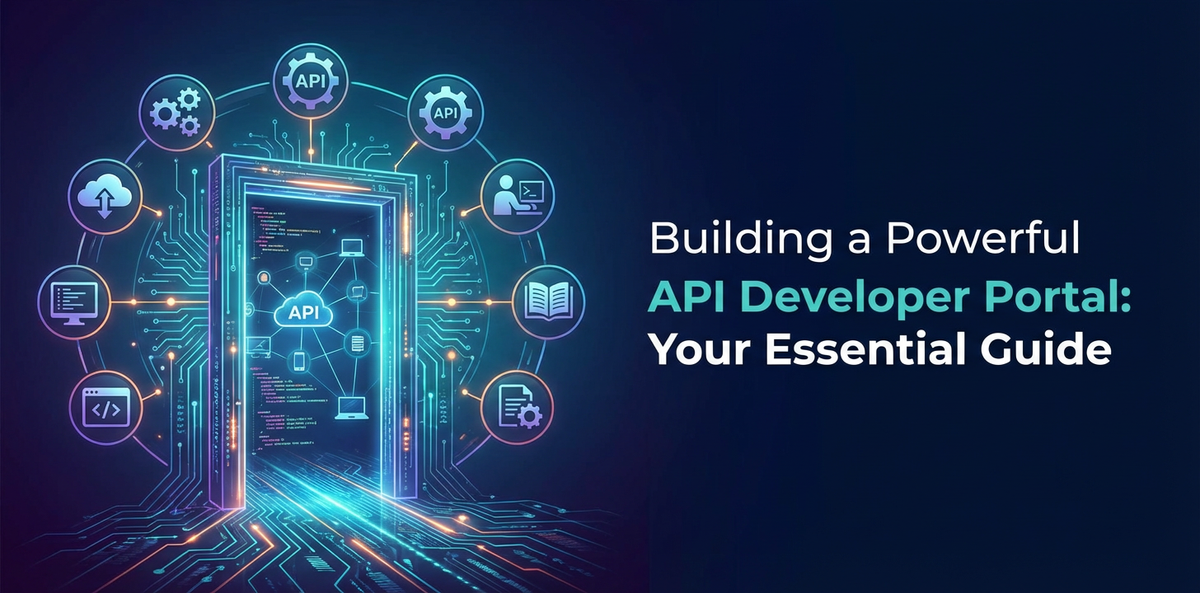
Building a Powerful API Developer Portal: Your Essential Guide


In the rapidly evolving digital landscape, Application Programming Interfaces (APIs) have emerged as the fundamental building blocks of modern software and business innovation. They power everything from mobile applications and cloud services to intricate enterprise integrations, acting as the connective tissue that allows disparate systems to communicate and collaborate seamlessly. As organizations increasingly embrace an API-first strategy, transforming their internal capabilities into external-facing services, the need for a robust and intuitive API Developer Portal becomes not just a convenience, but an absolute necessity.
An API Developer Portal serves as the central hub where developers—both internal and external—can discover, learn about, test, and integrate your APIs. It's the primary interface through which your organization exposes its digital assets, fostering an ecosystem of innovation, accelerating adoption, and ultimately driving business growth. Without a well-designed and comprehensive portal, even the most meticulously crafted APIs can remain undiscovered, underutilized, or frustrating to work with, stifling their potential impact.
This guide will embark on a comprehensive journey, dissecting the intricacies of building an exceptional API Developer Portal. We will delve into its core components, explore strategic planning considerations, emphasize the paramount importance of developer experience (DX), and provide practical insights into implementation, growth, and future trends. Our aim is to equip you with the knowledge and frameworks required to establish a thriving API Open Platform that not only showcases your digital products but also cultivates a vibrant community of developers eager to innovate with your services. Whether you're just beginning to explore the world of api management or looking to enhance an existing infrastructure, this guide will serve as your definitive resource for constructing a portal that truly empowers developers and propels your business forward.
Chapter 1: Understanding the Core Purpose of an API Developer Portal
Before we dive into the architectural specifics and implementation details, it's crucial to grasp the foundational role an API Developer Portal plays within an API strategy. It's far more than just a website hosting documentation; it's a strategic platform designed to bridge the gap between API providers and API consumers.
1.1 What is an API Developer Portal? A Holistic Definition
At its heart, an API Developer Portal is a web-based interface that acts as the single point of entry for all information and tools related to your organization's APIs. Think of it as a comprehensive storefront, a technical library, and a community forum rolled into one cohesive experience. Its primary goal is to empower developers to quickly understand, integrate, and leverage your APIs with minimal friction. This encompasses everything from detailed documentation and interactive testing environments to self-service registration, analytics, and community support. It’s the public face of your digital offerings, articulating their value proposition and guiding developers through their entire integration journey.
The portal typically aggregates several critical functionalities: * API Catalog: A searchable directory of all available APIs, often categorized and tagged for easy discovery. * Comprehensive Documentation: Detailed descriptions, parameters, authentication methods, examples, and error codes for each API endpoint. * Self-Service Tools: Mechanisms for developers to register applications, obtain API keys, manage subscriptions, and monitor their usage. * Interactive Consoles: Tools that allow developers to test API calls directly within the browser without writing any code. * SDKs and Code Samples: Pre-built libraries and example code in various programming languages to accelerate integration. * Support and Community Features: Forums, blogs, FAQs, and contact points for assistance and collaboration. * Analytics and Monitoring Dashboards: Insights into API usage, performance, and billing for both providers and consumers.
By centralizing these elements, an API Developer Portal transforms a potentially complex and fragmented integration process into an accessible and streamlined experience, effectively turning your "api" into a product that developers want to use.
1.2 Why an API Developer Portal is Essential: Unlocking Value for All Stakeholders
The necessity of an API Developer Portal stems from the multifaceted benefits it delivers to various stakeholders within the API ecosystem. Its value extends beyond mere technical convenience, impacting business agility, developer productivity, and market reach.
1.2.1 For API Providers (Your Organization)
- Accelerated API Adoption: A well-structured portal makes APIs easy to find, understand, and use, which is paramount for increasing adoption rates. The less friction developers encounter, the more likely they are to integrate your services into their applications. This directly translates to broader market penetration for your digital assets.
- Reduced Support Overhead: By providing clear documentation, self-service tools, and FAQs, the portal significantly reduces the volume of repetitive support queries. Developers can often find answers independently, freeing up your technical support teams to focus on more complex issues or strategic initiatives. This efficiency directly impacts operational costs.
- Enhanced Brand Reputation and Trust: A professional, user-friendly portal reflects positively on your organization's technical maturity and commitment to its developer community. It builds trust and establishes your brand as a reliable and innovative partner in the digital space. A poor or non-existent portal, conversely, can signal technical immaturity or a lack of commitment, deterring potential integrators.
- Faster Time-to-Market for New APIs: With established processes for documentation, publishing, and versioning through the portal, new APIs or updates can be rolled out more quickly and efficiently. This agility is crucial in dynamic markets where speed of innovation is a competitive differentiator.
- Improved API Governance and Control: The portal often integrates with API management platforms to enforce policies, manage access, track usage, and oversee the entire API lifecycle. This centralized control ensures security, compliance, and consistency across all your "api" offerings, vital for maintaining an API Open Platform.
- Monetization Opportunities: For organizations looking to monetize their APIs, the portal provides the necessary infrastructure for subscription management, tiered access, billing integration, and usage tracking, turning APIs into revenue-generating products.
1.2.2 For API Consumers (Developers)
- Ease of Discovery: Developers can quickly locate the specific APIs they need from a comprehensive catalog, often using search, filters, and categories. This eliminates the frustration of sifting through fragmented resources or relying on word-of-mouth.
- Rapid Onboarding and Integration: With clear documentation, quick-start guides, and code samples, developers can get started with an API much faster. Interactive testing tools allow them to experiment and validate their understanding without needing to set up complex local environments.
- Self-Sufficiency and Empowerment: The self-service capabilities empower developers to manage their API keys, register applications, and troubleshoot common issues independently. This fosters a sense of control and reduces reliance on external support.
- Access to Latest Information: A well-maintained portal ensures developers always have access to the most current documentation, API versions, and announcements, preventing integration issues arising from outdated information.
- Community and Collaboration: Forums and community features allow developers to share knowledge, ask questions, and collaborate with peers and API providers, fostering a richer ecosystem and accelerating problem-solving.
- Visibility into Usage and Performance: Dashboards providing insights into their own API consumption, error rates, and quota limits help developers manage their applications effectively and proactively address potential issues.
In essence, an API Developer Portal acts as the vital bridge, transforming raw API endpoints into accessible, consumable, and value-generating digital products. It's the cornerstone of any successful API Open Platform strategy, dictating the overall success and longevity of your API program.
Chapter 2: Key Components of an Effective API Developer Portal
A truly powerful API Developer Portal is a synergistic combination of several well-executed components, each designed to address specific needs of the developer journey. Neglecting any of these elements can create friction, reduce adoption, and diminish the overall value of your API offerings. Let's explore these critical components in detail.
2.1 Comprehensive and Interactive Documentation
Documentation is arguably the single most important element of an API Developer Portal. It's the primary resource developers turn to for understanding how your APIs work, how to use them, and what to expect. Poor documentation is a leading cause of developer frustration and integration failure.
2.1.1 Interactive API Reference (Swagger/OpenAPI)
Modern API documentation goes beyond static text. Interactive API reference documentation, often generated from OpenAPI (formerly Swagger) specifications, is crucial. This format allows developers to: * Visually inspect all endpoints, methods (GET, POST, PUT, DELETE), parameters (path, query, header, body), and response schemas. * Understand data types, required fields, and examples of request and response payloads. * Try out API calls directly from the browser with their own API keys, observing real-time responses. This "Try it out" feature is invaluable for rapid prototyping and debugging, significantly accelerating the learning curve. * Access clear error codes and their explanations, enabling faster troubleshooting. * View security schemes (e.g., OAuth 2.0, API Key) and how to implement them.
The underlying OpenAPI specification serves as a single source of truth for your APIs, ensuring consistency between documentation, client SDKs, and the API implementation itself. This machine-readable format also facilitates automation in various parts of the API lifecycle.
2.1.2 Practical Tutorials and Quick-Start Guides
While reference documentation is essential, it's often too granular for developers just starting out. Tutorials and quick-start guides provide a higher-level, goal-oriented approach. These should: * Focus on common use cases: Guide developers through a specific task or workflow, such as "Getting started with user authentication" or "Posting data to a specific resource." * Provide step-by-step instructions: Break down complex processes into manageable actions. * Include working code samples: Offer ready-to-use snippets in popular languages (Python, JavaScript, Java, cURL) that developers can copy, paste, and adapt. These samples should be relevant, correct, and easy to understand. * Highlight common pitfalls and best practices: Proactively address issues developers might encounter and offer advice for optimal usage. * Show architecture diagrams and flowcharts: Visual aids can greatly enhance understanding of complex interactions.
2.1.3 FAQs, Use Cases, and Error Codes
A robust documentation suite also includes: * Frequently Asked Questions (FAQs): Address common queries about pricing, rate limits, support, and general API behavior. This acts as a first line of defense against support tickets. * Detailed Use Cases: Illustrate how your APIs can be combined to solve real-world problems. This helps developers envision the possibilities and sparks ideas for new applications, showcasing the value of your api. * Comprehensive Error Code Reference: Beyond just listing error codes, provide detailed explanations for each, potential causes, and actionable steps developers can take to resolve them. Good error handling documentation saves immense debugging time.
2.2 API Catalog and Discovery Mechanisms
For a portal to be effective, developers must first be able to find the APIs they need. A well-organized API catalog is critical for discoverability, especially as the number of APIs grows within an API Open Platform.
2.2.1 Search, Filtering, and Categorization
- Powerful Search Functionality: A robust search bar that can sift through API names, descriptions, tags, and even documentation content is essential. Predictive search and fuzzy matching can further enhance the experience.
- Intuitive Filtering and Sorting: Allow developers to filter APIs by category (e.g., "Payments," "Identity," "Data Analytics"), tags (e.g., "REST," "GraphQL," "Beta"), status (e.g., "Production," "Deprecated"), or even business domain. Sorting options (e.g., by popularity, last updated) can also be helpful.
- Clear Categorization: Group related APIs logically. This hierarchical structure helps developers navigate a large portfolio without feeling overwhelmed.
2.2.2 Version Management
APIs evolve, and a critical aspect of API management is handling different versions. The portal should clearly: * Indicate the current version of an API and link to documentation for previous versions. * Communicate deprecation policies and timelines for older versions. * Provide migration guides when breaking changes are introduced between versions, helping developers transition smoothly. * Offer changelogs for each version, detailing new features, bug fixes, and breaking changes.
2.2.3 API Status and Availability
Transparency about API status is vital for developer trust. The portal should: * Display real-time status indicators for each API, showing if it's operational, degraded, or experiencing an outage. This often integrates with an external status page. * Provide information on planned maintenance windows and expected downtime. * Link to incident reports or historical uptime data.
2.3 Self-Service Management Capabilities
Empowering developers with self-service tools reduces administrative overhead for API providers and gives developers immediate control over their API consumption.
2.3.1 API Key Generation and Credential Management
Developers should be able to: * Generate API keys or OAuth 2.0 credentials (client ID, client secret) instantly after registering an application. * Revoke and regenerate keys as needed for security purposes. * Manage multiple applications and their associated credentials from a central dashboard. * View security best practices related to key management.
2.3.2 Application Registration and Management
A structured process for developers to register their applications is crucial for tracking usage and applying policies. This involves: * Providing application details (name, description, callback URLs for OAuth). * Associating applications with specific API subscriptions or plans. * Viewing a list of their registered applications and their status.
2.3.3 Subscription Management (Plans, Tiers)
For APIs with different access levels or monetization models, the portal must support: * Displaying various API plans (e.g., Free, Basic, Premium) with clear descriptions of their features, rate limits, and pricing. * Allowing developers to subscribe to or upgrade/downgrade between plans. * Providing visibility into their current subscription status and associated benefits. * Integrating with billing systems for paid APIs.
2.3.4 Rate Limiting Information
Developers need to understand the usage constraints to design resilient applications. The portal should clearly state: * Rate limits per API or plan (e.g., requests per second, requests per day). * Burst limits and how they are handled. * Details on HTTP headers that communicate current rate limit status (e.g., X-RateLimit-Limit, X-RateLimit-Remaining, X-RateLimit-Reset).
2.4 Testing and Sandboxing Environments
The ability to test APIs without impacting production systems or incurring real costs is invaluable for developers.
2.4.1 Interactive Console
As mentioned in documentation, an interactive console allows developers to make live api calls directly from the browser. This eliminates the need for developers to set up their own tools (like Postman or cURL) just to experiment. It's particularly useful for: * Quick validation of API behavior. * Experimenting with different parameters and payloads. * Troubleshooting minor issues by observing immediate responses.
2.4.2 Mock Servers and Sandbox Environments
For more extensive testing and development, dedicated sandbox environments or mock servers are essential. These provide: * Simulated API responses without hitting the actual backend services. This is great for front-end development where the backend might not be ready yet. * Test data that mimics production data but is safe to manipulate. * Reduced risk of unintended consequences on live systems during development. * Isolation for testing specific edge cases or failure scenarios.
2.4.3 API Testing Tools and SDKs
The portal can also provide access to or recommendations for external API testing tools and offer generated Software Development Kits (SDKs). SDKs abstract away the complexities of HTTP requests, authentication, and error handling, allowing developers to interact with the API using native language constructs, significantly simplifying integration.
2.5 Analytics and Monitoring Dashboards
Transparency and insights into API usage are beneficial for both API providers and consumers.
2.5.1 Usage Dashboards
Developers should have access to dashboards that show: * Their overall API call volume over time. * Breakdown by API endpoint. * Error rates and types of errors encountered. * Latency metrics. * Current quota consumption against their subscribed limits.
This data helps developers understand their application's performance, identify potential issues, and manage their consumption effectively.
2.5.2 Quota Management
The portal should clearly display current quota usage and, if applicable, provide options to: * Request quota increases. * Set up alerts for approaching quota limits. * View historical quota usage.
2.5.3 Billing and Monetization Tracking
For commercial APIs, a robust billing integration is paramount: * Displaying current charges or estimated costs based on usage. * Access to historical invoices. * Payment method management. * Clear pricing models and calculators.
2.6 Community and Support Mechanisms
An API is not just a technical artifact; it's a product that benefits from a thriving community. The portal serves as a focal point for this community.
2.6.1 Forums, Blogs, and Knowledge Bases
- Developer Forums: A dedicated forum or community space where developers can ask questions, share solutions, report bugs, and provide feedback to API providers. This fosters peer-to-peer support and builds a sense of community around your API Open Platform.
- Technical Blog: A blog where your team publishes updates, tutorials, use cases, best practices, and deep dives into new API features. This keeps the community engaged and informed.
- Knowledge Base: A searchable repository of articles, guides, and troubleshooting tips that go beyond the API reference documentation.
2.6.2 Support Tickets and Contact Forms
While self-service is encouraged, direct support channels are still necessary for complex issues or critical incidents. The portal should provide: * A clear path to submit support tickets, with options to categorize issues for faster routing. * Contact information for different types of inquiries (e.g., technical support, business development, sales). * SLA (Service Level Agreement) information for support responses.
2.6.3 Feedback Mechanisms
Actively soliciting and responding to feedback is crucial for continuous improvement. * In-app feedback widgets or forms within the documentation. * Surveys or polls to gauge developer satisfaction. * Feature request portals where developers can propose new functionalities.
2.7 Branding and Customization
Your API Developer Portal is an extension of your brand. It should reflect your organization's identity and provide a consistent user experience.
2.7.1 Consistent Brand Identity
- Use your company's logos, colors, and typography throughout the portal.
- Maintain a consistent tone of voice in all content.
- Ensure a professional and modern design that instills confidence.
2.7.2 Theming and Layout Flexibility
The ability to customize the portal's look and feel, even for a commercial off-the-shelf solution, is important. This ensures it aligns perfectly with your brand guidelines and provides a seamless transition from your main corporate website. A flexible layout can also allow you to highlight specific APIs or important announcements.
Chapter 3: Planning Your API Developer Portal Strategy
Building an API Developer Portal is a strategic undertaking that requires careful planning and alignment with your overarching business and API strategies. Simply launching a generic portal without clear objectives will likely yield suboptimal results. This chapter will guide you through the critical planning considerations.
3.1 Defining Your Audience: Who Are You Building For?
The success of your API Developer Portal hinges on deeply understanding its target audience. Different developer segments have distinct needs, technical proficiencies, and motivations.
- Internal Developers: These are your colleagues building applications within the same organization. They might need access to proprietary APIs, have existing knowledge of your systems, and prioritize efficiency, governance, and internal standards. Their portal might focus more on collaboration, internal tool integration, and enterprise-specific security models.
- External Developers/Third-Party Developers: These are independent developers, startups, or larger companies looking to integrate your public APIs into their products. Their needs revolve around clear onboarding, comprehensive documentation, strong community support, and robust security. They often discover your APIs through search engines or developer communities.
- Partner Developers: These are developers from strategic partners who might require specialized APIs, dedicated support, and custom integration flows. The portal for partners might feature private APIs, specific agreements, and advanced monitoring capabilities relevant to the partnership.
- Specific Developer Personas: Beyond these broad categories, consider specific personas within your target audience. Are they front-end developers, backend engineers, data scientists, mobile app developers, or even low-code/no-code users? Each persona will have different expectations for documentation formats, code samples, and tooling. For instance, data scientists might prefer Python notebooks and data exploration tools, while mobile developers might prioritize SDKs for iOS and Android.
Tailoring the content, navigation, and features of your portal to these specific audiences ensures maximum relevance and usability. A single portal can often cater to multiple audiences, but it requires thoughtful design to segment content and provide personalized experiences.
3.2 Setting Clear Objectives: What Do You Aim to Achieve?
Before embarking on development, establish quantifiable objectives for your API Developer Portal. These objectives should align with your business goals and API strategy.
- Increase API Adoption: Track metrics like the number of registered developers, active API keys, and API call volumes.
- Foster Innovation: Measure the number of new applications built, hackathon participation, or community contributions.
- Reduce Support Costs: Monitor the reduction in direct support tickets related to common API usage questions.
- Generate Revenue/Monetization: Track subscription sign-ups, revenue generated from paid APIs, and conversion rates between free and paid tiers.
- Improve Developer Experience (DX): Conduct developer surveys, track time-to-first-call, and monitor feedback scores.
- Expand Ecosystem: Measure the growth of your developer community, number of partners, and integration use cases.
Clear objectives provide a roadmap for development, enable focused resource allocation, and allow for the measurement of success post-launch. Without them, the portal risks becoming a feature dump without a clear purpose.
3.3 API Strategy Alignment: The Portal as an Extension of Your API Vision
The API Developer Portal is not an isolated project; it's a direct manifestation of your organization's broader API strategy. It should seamlessly integrate with and support your overall vision for how APIs contribute to your business.
- API-First Culture: If your organization embraces an API-first culture, the portal should reflect this by providing comprehensive lifecycle management, fostering reusability, and promoting internal as well as external API exposure.
- Open Platform Strategy: If your goal is to build an API Open Platform, the portal is its public face. It needs to be welcoming, transparent, and provide all necessary tools for external developers to innovate with your services. This includes clear terms of service, robust security, and scalable infrastructure.
- Productization of APIs: When viewing APIs as products, the portal becomes the primary marketing and distribution channel. It should highlight the value proposition of each API, offer clear pricing, and provide a seamless purchase/subscription experience.
- Governance and Lifecycle Management: The portal must integrate with your API governance framework, enforcing standards, versioning policies, and deprecation strategies. It should support the entire API lifecycle from design and publication to monitoring and retirement.
- Natural integration for APIPark: This is an opportune moment to consider how platforms like APIPark can significantly streamline these processes. APIPark, as an open-source AI gateway and API management platform, is designed to help enterprises manage, integrate, and deploy AI and REST services with ease. Its end-to-end API lifecycle management capabilities, encompassing design, publication, invocation, and decommission, make it a powerful tool for regulating API management processes, handling traffic forwarding, load balancing, and versioning. For organizations aiming to create a comprehensive API Open Platform, integrating a solution like APIPark can ensure that the underlying API infrastructure is robust, scalable, and secure, directly supporting the rich features offered by the developer portal. Furthermore, APIPark's ability to quickly integrate 100+ AI models and standardize AI invocation formats can be a unique differentiator for portals focusing on AI-driven services, allowing for rapid exposure of intelligent capabilities through the developer portal.
3.4 Technology Stack Considerations: Build vs. Buy vs. Hybrid
Deciding on the underlying technology for your API Developer Portal is a crucial architectural decision with long-term implications.
- Commercial API Management Platforms (Buy): Many API management vendors (e.g., Google Apigee, Mulesoft, Kong, AWS API Gateway) offer integrated developer portal capabilities.
- Pros: Out-of-the-box functionality, quick deployment, enterprise-grade features, professional support, often bundled with an API Gateway.
- Cons: Vendor lock-in, potentially high licensing costs, less customization flexibility, features might be overkill for simpler needs.
- Open Source Solutions (Build/Adapt): Options like WSO2 API Manager, Gravitee.io, or even custom builds using frameworks like React/Angular/Vue combined with static site generators for documentation.
- Pros: High customization flexibility, no licensing costs, community support, full control over the stack.
- Cons: Requires significant development resources, ongoing maintenance burden, need to integrate disparate tools, slower time-to-market. Solutions like APIPark, being open-source, offer a balanced approach by providing a robust foundation that can be customized.
- Hybrid Approaches: Leveraging a commercial API Gateway for core management but building a custom front-end portal, or using a static site generator for documentation and integrating it with a lightweight self-service backend.
- Pros: Combines benefits of both, tailored experience, flexibility.
- Cons: Increased complexity in integration and maintenance.
The choice depends on your budget, resources, desired level of customization, and time-to-market constraints. Consider scalability, security, and the ease of integrating with your existing API management infrastructure and identity providers.
3.5 Governance and Lifecycle Management: Sustaining Your Portal
A powerful portal isn't just built; it's maintained and evolved. Effective governance ensures its long-term viability and relevance.
- Content Management: Establish processes for creating, reviewing, approving, and publishing documentation. This includes defining content owners, update schedules, and quality standards. Tools for collaborative documentation (e.g., Git-based workflows, content management systems) can be invaluable.
- Version Control: Implement robust versioning for both your APIs and your documentation. Ensure that developers can easily access documentation for different API versions.
- API Deprecation Policy: Clearly define and communicate your policy for deprecating and retiring APIs. The portal should provide mechanisms to announce deprecations, offer migration guides, and manage the eventual removal of old APIs.
- Security Policies: Define and enforce security policies for API access, data handling, and user authentication on the portal. Regularly audit for vulnerabilities.
- Feedback Loop Integration: Establish formal processes for collecting developer feedback (from forums, surveys, support tickets) and integrating it into your API and portal development roadmap. This ensures continuous improvement and responsiveness to developer needs.
Strategic planning is the bedrock upon which a powerful API Developer Portal is built. By thoroughly understanding your audience, defining clear objectives, aligning with your API strategy, making informed technology choices, and establishing robust governance, you lay the groundwork for a successful and impactful API Open Platform.
Chapter 4: Designing for Developer Experience (DX)
Developer Experience (DX) is the cornerstone of a powerful API Developer Portal. Just as User Experience (UX) dictates the success of consumer applications, DX determines how easily and enjoyfully developers can discover, understand, and integrate your APIs. A superior DX fosters adoption, reduces support costs, and transforms developers into advocates for your platform.
4.1 User-Centric Design Principles for Developers
Designing for DX means putting the developer at the center of every decision. This involves applying principles akin to good UX design, but with a specific focus on technical users.
- Intuitive Navigation: The portal's structure should be logical and predictable. Developers should be able to quickly find what they need, whether it's an API's documentation, their API keys, or community forums. Use clear labels, consistent menus, and breadcrumbs to aid navigation. Avoid excessive nesting or jargon-filled categories.
- Clear Calls to Action (CTAs): Guide developers through key actions like "Get Started," "Generate API Key," "Explore APIs," or "View Documentation." These CTAs should be prominent, unambiguous, and strategically placed to encourage engagement.
- Consistency: Maintain a consistent design language, terminology, and interaction patterns across the entire portal. This reduces cognitive load and makes the portal feel familiar and reliable. Consistency also extends to how APIs are documented and presented, ensuring a uniform experience across your API Open Platform.
- Minimalist Design: Avoid clutter and unnecessary visual elements. Focus on presenting information clearly and concisely. Developers are typically looking for technical details, not marketing fluff. A clean interface allows them to concentrate on the task at hand.
- Responsiveness: Ensure the portal is fully responsive and accessible on various devices, including desktops, tablets, and even mobile phones. While most development happens on desktops, developers might check documentation or status on the go.
- Performance: A slow-loading portal or unresponsive interactive tools will quickly frustrate developers. Optimize images, scripts, and server responses to ensure a snappy experience.
4.2 Streamlining the Onboarding Process
The first impression is critical. A smooth and efficient onboarding process is paramount for encouraging developers to move beyond exploration to active integration.
- Quick and Easy Sign-up: Minimize the number of steps and required information for registration. Offer multiple sign-up options (e.g., email/password, social logins, enterprise SSO). Emphasize security without creating undue friction.
- Clear "Getting Started" Section: Provide a prominent section specifically designed for new users. This should include:
- A concise overview of what your APIs offer.
- A step-by-step guide to generating the first API key.
- A "hello world" example or a simple, runnable code snippet (e.g., cURL command) that demonstrates a successful first API call.
- Links to essential documentation and tutorials.
- Personalized Welcome: Once signed up, welcome developers with a personalized dashboard that highlights next steps, useful resources, and their current API usage.
- Interactive Walkthroughs/Tours: For complex portals, consider short interactive tours or tooltips that guide new users through key features and functionalities.
The goal is to enable developers to make their "first successful API call" as quickly as possible, as this immediate gratification is a powerful motivator for continued engagement.
4.3 Documentation Best Practices: Clarity, Conciseness, Examples
As highlighted earlier, documentation is the backbone of your portal. Designing it for optimal DX involves more than just having it; it's about making it supremely usable.
- Clarity and Precision: Use simple, unambiguous language. Avoid jargon where possible, or clearly define it. Explain concepts thoroughly but concisely. Every sentence should add value.
- Structured Content: Use headings, subheadings, bullet points, and numbered lists to break down information into digestible chunks. A consistent structure for each API endpoint (e.g., Request, Response, Parameters, Examples) makes it easy to compare and understand.
- Actionable Examples: Good documentation provides practical examples. For each endpoint:
- Request Examples: Show complete
cURLcommands, HTTP requests, and code snippets in popular languages (Python, Node.js, Java, PHP, Ruby, Go) demonstrating how to make a call. - Response Examples: Provide full JSON/XML responses for both success and various error scenarios.
- Use Cases/Snippets: Illustrate common workflows with integrated code examples.
- Request Examples: Show complete
- Searchability: Ensure all documentation content is indexed and easily searchable. Developers often go directly to the search bar when looking for specific information.
- Version Control for Docs: Link documentation directly to API versions. When an API is updated, ensure the corresponding documentation is also updated or a new version is published. Provide changelogs detailing what has changed between versions.
- Readability: Use appropriate font sizes, line spacing, and color contrasts. Highlight code blocks clearly and use syntax highlighting for improved readability. Markdown is often a preferred format for developers due to its simplicity and version control friendliness.
4.4 Effective Error Handling and Debugging Support
Encountering errors is an inevitable part of API integration. How your portal helps developers navigate these challenges significantly impacts DX.
- Clear Error Messages: Your APIs should return descriptive, human-readable error messages and HTTP status codes. The documentation should map these error codes to specific explanations and potential solutions. Generic error messages ("An error occurred") are highly unhelpful.
- Troubleshooting Guides: Provide dedicated sections or articles on common troubleshooting steps. This might include:
- Checking API key validity.
- Verifying request parameters and headers.
- Understanding rate limit errors.
- Debugging authentication issues.
- Explaining common network errors.
- Detailed Logging: Offer developers access to their API call logs within their dashboard. These logs should include request and response payloads, timestamps, IP addresses, and unique transaction IDs for easier debugging. This is where a feature like APIPark's detailed API call logging, which records every detail of each API call, becomes invaluable. It allows businesses and developers alike to quickly trace and troubleshoot issues, ensuring system stability and data security.
- Interactive Debugging Tools: Beyond simple 'try it out' consoles, consider advanced debugging tools that allow developers to step through API calls, inspect request/response headers, and visualize data flow.
Proactive support for debugging significantly reduces frustration and accelerates the integration cycle, turning potential roadblocks into learning opportunities.
4.5 Establishing Robust Feedback Loops
A powerful API Developer Portal is never truly "finished." It continuously evolves based on developer needs and feedback. Establishing clear feedback loops is essential for this iterative improvement.
- In-Portal Feedback Widgets: Implement simple feedback mechanisms (e.g., "Was this documentation helpful?") directly within content pages.
- Dedicated Feedback/Feature Request Forum: Provide a specific place where developers can submit ideas, suggest new features, or report bugs. Transparently show the status of these requests.
- Surveys and Polls: Periodically conduct surveys to gauge developer satisfaction, identify pain points, and gather insights into desired features.
- Community Manager Engagement: Have a dedicated community manager who actively participates in forums, responds to feedback, and acts as a liaison between the developer community and your product teams.
- Monitoring Analytics: Continuously analyze portal usage data (e.g., popular pages, search queries, bounce rates) to identify areas for improvement. Unanswered search queries, for instance, might highlight gaps in your documentation.
By actively listening to your developer community and demonstrating that their input is valued and acted upon, you build a strong relationship and foster a loyal user base for your API Open Platform. Ultimately, a superior DX is a competitive advantage that drives innovation and sustains the growth of your API ecosystem.
APIPark is a high-performance AI gateway that allows you to securely access the most comprehensive LLM APIs globally on the APIPark platform, including OpenAI, Anthropic, Mistral, Llama2, Google Gemini, and more.Try APIPark now! 👇👇👇
Chapter 5: Building and Implementing Your API Developer Portal
Once your strategy is laid out and the design principles are understood, the next critical phase is the actual construction and deployment of your API Developer Portal. This involves selecting the right platform, integrating with core infrastructure, ensuring security, and establishing a robust content management process.
5.1 Choosing the Right Platform and Approach
The decision between building a custom portal, adopting an open-source solution, or leveraging a commercial platform is central to your implementation strategy.
5.1.1 Open Source Solutions
Open-source API Developer Portal solutions offer flexibility and cost-effectiveness, though they often require more technical expertise for setup and maintenance. * Examples: Projects like APIPark (which offers an open-source AI gateway and API management platform, including developer portal features), WSO2 API Manager, Gravitee.io, or custom solutions built on popular web frameworks (e.g., Django, Ruby on Rails, Node.js with Express, or static site generators like Docusaurus, Next.js, or Hugo for documentation). * Pros: * Full control: You own the codebase and can customize every aspect to perfectly match your brand and specific needs. * Cost-effective: No licensing fees, though significant development and maintenance costs should be factored in. * Community support: Often vibrant communities contribute to development and troubleshooting. * Flexibility: Easily integrate with existing internal systems and tools. * Cons: * Resource intensive: Requires dedicated development, DevOps, and content management teams. * Longer time-to-market: Building from scratch takes time. * Maintenance burden: You are responsible for security patches, upgrades, and bug fixes. * Feature gaps: May require significant custom development to match the feature set of commercial platforms.
5.1.2 Commercial Platforms
Many API Management vendors offer comprehensive developer portal modules as part of their suite. These are often "out-of-the-box" solutions with varying degrees of customization. * Examples: Google Apigee, Mulesoft Anypoint Platform, Kong Gateway (with Kong Portal), Azure API Management, AWS API Gateway (with developer portal options), IBM API Connect. * Pros: * Rapid deployment: Often configurable with minimal coding, allowing for quick launch. * Feature-rich: Comes with a wide array of pre-built functionalities (documentation, self-service, analytics, security) tested and refined by experts. * Professional support: Vendor support teams can assist with implementation and troubleshooting. * Integrated ecosystem: Often tightly coupled with API gateways, analytics, and monetization tools from the same vendor. * Cons: * Vendor lock-in: Migrating to another platform can be challenging. * Higher costs: Licensing fees can be substantial, especially for enterprise-grade solutions. * Limited customization: While many offer theming and content management, deep customization might be restricted or require costly professional services. * Feature bloat: May include features you don't need, potentially complicating the user experience.
5.1.3 Hybrid Approaches
A common strategy is to combine aspects of both. For instance, you might use a commercial API Gateway for traffic management and security while building a custom front-end developer portal for ultimate flexibility in UI/UX and content presentation. Another approach involves using a static site generator for documentation (fast, secure, version-controlled) and integrating it with a lightweight backend for self-service functionalities (API key management, usage analytics). The choice should align with your budget, technical resources, desired control, and target audience needs.
5.2 Integration with API Gateway and Backend Systems
The API Developer Portal doesn't operate in a vacuum; it's deeply integrated with your core API infrastructure.
- API Gateway: This is perhaps the most critical integration. The API Gateway acts as the enforcement point for all API calls. The portal relies on it for:
- Authentication and Authorization: The gateway validates API keys and tokens generated via the portal.
- Rate Limiting and Throttling: Policies defined on the gateway are reflected in the portal's subscription plans.
- Traffic Management: Routing, load balancing, and caching are handled by the gateway.
- Monitoring and Analytics: The gateway provides raw data on API calls, which the portal then processes and displays to developers.
- APIPark's role: APIPark, as an AI gateway, sits at this critical juncture, managing not only traditional REST APIs but also enabling quick integration and unified invocation of over 100 AI models. Its high performance, rivaling Nginx with over 20,000 TPS on modest hardware, ensures that the backend infrastructure can robustly support even large-scale API traffic generated by developers interacting through the portal. Integrating a powerful gateway like APIPark provides the necessary backbone for a highly performant and feature-rich developer portal, especially for an API Open Platform that might include complex AI services.
- Identity and Access Management (IAM): The portal needs to integrate with your existing user directories (e.g., LDAP, Active Directory, OAuth providers) for user authentication and authorization. This ensures a consistent login experience and manages user roles and permissions within the portal.
- Content Management System (CMS): For managing non-technical content (blogs, tutorials, marketing pages), integrating with a CMS can streamline content creation and publishing workflows.
- Billing and Payment Systems: If your APIs are monetized, the portal must integrate with billing engines and payment gateways to handle subscriptions, usage-based billing, and invoice generation.
- Version Control Systems (VCS): For documentation managed as code (e.g., OpenAPI specs, Markdown files), integration with Git (GitHub, GitLab, Bitbucket) allows for collaborative authoring, versioning, and automated publishing pipelines.
5.3 Security Best Practices for Your Portal
Security is paramount for any internet-facing application, and an API Developer Portal is no exception. It handles sensitive information (API keys, user credentials) and acts as a gateway to your backend services.
- Secure Authentication and Authorization:
- Implement strong password policies and multi-factor authentication (MFA) for portal users.
- Use robust OAuth 2.0 or OpenID Connect for API authentication, providing clear guidance on implementation.
- Ensure proper authorization controls so users can only access their own API keys and usage data.
- Data Encryption: Encrypt all sensitive data at rest (e.g., API keys in the database) and in transit (using HTTPS/TLS 1.2+ for all communications).
- Input Validation: Thoroughly validate all user inputs to prevent common web vulnerabilities like SQL injection, cross-site scripting (XSS), and command injection.
- Rate Limiting and Throttling (for Portal APIs): Implement rate limits on portal APIs (e.g., login attempts, API key generation) to prevent abuse and brute-force attacks.
- Regular Security Audits and Penetration Testing: Proactively identify and address vulnerabilities through regular security assessments.
- Principle of Least Privilege: Grant portal users and underlying systems only the minimum necessary permissions to perform their functions.
- API Key Security: Educate developers on best practices for securing their API keys (e.g., never hardcode in client-side code, use environment variables, restrict IP addresses).
- APIPark's Subscription Approval: For enhanced security and control over API resource access, APIPark offers a subscription approval feature. This ensures that callers must subscribe to an API and await administrator approval before they can invoke it, preventing unauthorized API calls and potential data breaches. This feature provides an additional layer of governance, making it highly valuable for organizations operating a sophisticated API Open Platform.
5.4 Deployment and Infrastructure Considerations
A powerful API Developer Portal needs a robust, scalable, and reliable infrastructure to ensure continuous availability and performance.
- Scalability: Design your portal to scale horizontally to handle varying loads, especially during peak discovery periods or when new APIs are launched. Utilize cloud-native architectures, containerization (Docker, Kubernetes), and serverless functions where appropriate.
- High Availability and Disaster Recovery: Implement redundancy (e.g., multiple availability zones, load balancing) and robust backup/restore procedures to ensure the portal remains operational even during outages.
- Monitoring and Alerting: Set up comprehensive monitoring for infrastructure (CPU, memory, disk, network), application performance (latency, error rates), and security events. Implement alerts for critical issues to enable rapid response.
- CI/CD Pipelines: Automate the build, test, and deployment processes for both the portal code and documentation using Continuous Integration/Continuous Delivery (CI/CD) pipelines. This ensures faster, more reliable updates. APIPark can be deployed quickly with a single command, highlighting the importance of efficient deployment for API management infrastructure.
- Geographical Distribution: For a global audience, consider deploying your portal and its underlying API Gateway infrastructure in multiple geographical regions to reduce latency and improve performance for international developers.
5.5 Content Management Workflow
Maintaining accurate and up-to-date content is a continuous process. A well-defined content management workflow is essential.
- Content Owners: Assign clear ownership for different sections of the portal (e.g., API teams for reference docs, marketing for blog posts, support for FAQs).
- Review and Approval Processes: Establish a workflow for reviewing content changes, ensuring accuracy, consistency, and adherence to brand guidelines before publication.
- Version Control for Docs: Store documentation in a version control system (like Git) to track changes, facilitate collaboration, and enable rollbacks.
- Automated Publishing: Automate the publishing of documentation directly from your API specifications (e.g., OpenAPI spec) and markdown files to the portal. This reduces manual effort and ensures consistency.
- Regular Audits: Periodically audit the portal content to identify outdated information, broken links, or areas needing improvement. This ensures the portal remains a reliable source of truth.
By meticulously building and implementing your API Developer Portal with these considerations in mind, you establish a resilient, secure, and developer-friendly foundation for your API Open Platform. This careful execution translates directly into a more successful API program and a stronger relationship with your developer community.
Chapter 6: Marketing and Growing Your API Developer Portal
Building a powerful API Developer Portal is only half the battle; the other half is ensuring developers know it exists, can find it, and are motivated to use it. A strategic approach to marketing and growth is crucial for fostering a vibrant API Open Platform.
6.1 Crafting a Compelling Launch Strategy
The launch of your API Developer Portal, or significant updates to it, should be treated as a major product release. A well-orchestrated launch can generate initial buzz and attract your target audience.
- Internal Launch First: Before a public launch, engage internal teams. Solicit their feedback, train them on the portal, and encourage them to become early adopters. This helps iron out kinks and builds internal champions.
- Targeted Outreach: Identify key influencers, industry analysts, potential partners, and early adopter developers who might be interested in your APIs. Reach out to them personally or through targeted campaigns.
- Press Release and Media Kit: Prepare a compelling press release highlighting the value proposition of your API Open Platform and the benefits of your portal. Include a media kit with logos, screenshots, and key messaging.
- Blog Posts and Social Media Campaign: Announce the launch on your company blog, developer blog, and all relevant social media channels (Twitter, LinkedIn, developer communities like Reddit or Hacker News). Use engaging visuals and clear calls to action.
- Webinars and Demos: Host live webinars or provide on-demand video demos showcasing how to get started with your APIs and the portal's key features.
- Launch Event/Hackathon: Consider hosting a virtual or in-person launch event or a hackathon centered around your new APIs. This creates excitement and provides immediate opportunities for developers to interact with your platform.
6.2 Content Marketing for API Discovery and Engagement
Content is king, even in the technical world of APIs. High-quality content not only helps developers understand your APIs but also makes your portal discoverable and keeps developers engaged.
- Dedicated Developer Blog: This is distinct from a corporate blog. It should feature:
- Technical Tutorials: Step-by-step guides on specific API integrations, complex workflows, or advanced features.
- Use Cases and Success Stories: Showcase real-world examples of applications built using your APIs. Highlight the innovative solutions developed by your community.
- Best Practices and Architectural Patterns: Share insights on how to design resilient, scalable, and secure applications using your APIs.
- API Updates and Roadmap: Keep developers informed about new features, deprecations, and future plans. Transparency builds trust.
- Deep Dives: Technical articles exploring specific technologies, algorithms (especially relevant if offering AI-driven APIs), or architectural decisions behind your APIs.
- Video Content: Create video tutorials, API overviews, and walkthroughs. Videos can be highly effective for visual learners and can simplify complex concepts. Host them on platforms like YouTube and embed them within your documentation.
- SDKs and Code Samples: Actively maintain and update SDKs in popular programming languages. These are critical "content" that directly enables faster integration. Ensure they are well-documented and follow language-specific conventions.
- Newsletters: Build an email list of developers and send out regular newsletters with platform updates, new API releases, featured content, and community highlights.
- Guest Blogging/Partnerships: Collaborate with prominent developers or technical publications to write articles featuring your APIs. This expands your reach to new audiences.
6.3 Fostering Community Engagement
A thriving developer community is a significant asset for any API Open Platform. It drives organic growth, provides peer support, and generates invaluable feedback.
- Active Forums/Discussion Boards: As mentioned in Chapter 2, an active forum allows developers to help each other, share ideas, and engage directly with your team. Ensure moderation and prompt responses from your side.
- Developer Relations (DevRel) Team: Invest in a dedicated DevRel team whose role is to evangelize your APIs, engage with the community, create content, attend conferences, and act as the voice of the developer within your organization.
- Developer Events: Host or sponsor hackathons, workshops, and meetups. These events provide hands-on experience with your APIs, networking opportunities, and a platform for showcasing innovative projects.
- Social Media Presence: Maintain an active presence on developer-centric social media platforms (e.g., Twitter, GitHub, Discord). Respond to questions, share news, and engage in relevant discussions.
- Recognize and Reward Contributors: Highlight exemplary community members, showcase applications built by developers, and consider reward programs for active participation or valuable contributions.
- Open Source Contributions: If your API ecosystem includes open-source tools or SDKs, actively participate in and contribute to the open-source community. This aligns with the spirit of an API Open Platform.
6.4 SEO for Your API Developer Portal: Making APIs Discoverable
Just like any other web content, your API Developer Portal needs to be optimized for search engines so that developers can find it when searching for specific functionalities or solutions.
- Keyword Research: Identify the terms developers use to search for APIs like yours (e.g., "payment api," "AI translation api," "identity verification sdk"). Include these keywords naturally in your page titles, headings, descriptions, and content. The keywords
API Developer Portal,api, andAPI Open Platformshould be strategically used throughout. - Clear and Descriptive URLs: Use clean, readable URLs that include relevant keywords (e.g.,
yourdomain.com/docs/api-name/endpoint). - Rich Snippets and Structured Data: Implement schema.org markup (e.g.,
SoftwareApplication,APIReference) to provide search engines with structured data about your APIs, which can lead to rich snippets in search results. - Meta Descriptions and Titles: Craft compelling meta titles and descriptions for each page of your portal that accurately summarize the content and include target keywords to improve click-through rates.
- High-Quality Content: Google prioritizes high-quality, authoritative content. Ensure your documentation, tutorials, and blog posts are accurate, comprehensive, and valuable.
- Internal Linking: Use logical internal links between your documentation, blog posts, and API catalog to help search engines understand the structure of your site and pass link equity.
- External Backlinks: Encourage reputable developer blogs, industry publications, and partners to link to your portal. High-quality backlinks signal authority to search engines.
- Site Performance: Fast-loading pages are crucial for both user experience and SEO. Optimize your portal's performance (as discussed in Chapter 5).
- XML Sitemaps and Robots.txt: Ensure your portal has an up-to-date XML sitemap to help search engines discover all your content, and use
robots.txtto control what search engines crawl.
6.5 Continuous Improvement Through Metrics and Feedback
Growth is an ongoing process driven by data and continuous iteration.
- Key Performance Indicators (KPIs): Track metrics beyond adoption rates:
- Time to First Call: How long does it take a new developer to make a successful API call? (Aim to reduce this).
- API Usage Patterns: Which APIs are most popular? Which endpoints are frequently used?
- Error Rates: Identify APIs with high error rates that might indicate documentation gaps or API issues.
- Documentation Engagement: Page views, time on page, search queries within the documentation.
- Conversion Rates: From visitor to registered developer, from free tier to paid tier.
- Retention Rates: How many developers continue to use your APIs over time?
- Support Ticket Volume: Track trends to identify common pain points.
- A/B Testing: Experiment with different layouts, CTAs, and content presentations on your portal to optimize for better DX and conversion rates.
- User Testing: Periodically conduct usability testing with actual target developers to identify areas of confusion or friction that quantitative data might miss.
- Feedback Integration: Regularly review feedback from forums, surveys, and support channels, and use it to inform your portal's roadmap and content strategy. Show developers that their input leads to tangible improvements.
By actively marketing your API Developer Portal, engaging with your community, optimizing for search, and continuously iterating based on data and feedback, you transform it into a vibrant, self-sustaining ecosystem that attracts and retains developers, ultimately fueling the growth of your API Open Platform.
Chapter 7: Advanced Features and Future Trends
As the API landscape continues to evolve, so too must the capabilities of an API Developer Portal. Incorporating advanced features and anticipating future trends can ensure your portal remains cutting-edge, provides exceptional value, and sustains its competitive edge.
7.1 AI/ML Integration for Enhanced Developer Experience
The convergence of AI and APIs presents exciting opportunities to make developer portals more intelligent and personalized.
- Smart Documentation Search: Move beyond keyword-based search to natural language processing (NLP) powered search. Developers could ask questions like "How do I authenticate with OAuth 2.0 for the payment API?" and get precise answers or relevant documentation snippets.
- Personalized API Recommendations: Based on a developer's past usage, industry, or registered applications, the portal could recommend other relevant APIs or integration patterns. This is akin to e-commerce recommendation engines but applied to technical assets.
- AI-Powered Chatbots for Support: Implement chatbots that can answer common questions, guide developers to relevant documentation, or even assist with basic troubleshooting. This can significantly offload human support teams for routine inquiries, while providing instant responses.
- Automated Code Generation Suggestions: Leveraging AI to suggest code snippets or even generate entire function bodies based on developer input or desired outcomes can dramatically speed up integration.
- Anomaly Detection in Usage Analytics: AI can analyze API usage patterns to detect unusual activity (e.g., sudden spikes in error rates, unexpected drops in usage) and proactively alert both API providers and consumers to potential issues. This aligns with APIPark's powerful data analysis capabilities, which analyze historical call data to display long-term trends and performance changes, helping businesses with preventive maintenance before issues occur.
7.2 Low-Code/No-Code Tools and Visual Builders
The rise of low-code/no-code platforms is democratizing software development, enabling non-technical users and citizen developers to build applications. API Developer Portals can cater to this trend.
- Visual API Builders: Tools that allow users to visually drag and drop API endpoints, map data, and build simple integrations without writing code. This lowers the barrier to entry for consuming your APIs.
- Pre-built Connectors: Offer one-click connectors for popular low-code platforms (e.g., Zapier, Make, Microsoft Power Automate) that allow users to integrate your APIs into their workflows seamlessly.
- Template Applications: Provide ready-to-use application templates that leverage your APIs, allowing users to quickly deploy and customize functional applications with minimal effort.
- Simplified Data Mapping: Visual interfaces for mapping data fields between your API responses and other applications can simplify complex integrations.
By embracing low-code/no-code, an API Open Platform can broaden its appeal beyond traditional software developers, tapping into a new market of innovators.
7.3 Support for Event-Driven APIs and Asynchronous Communication
While RESTful APIs have dominated, event-driven architectures (EDA) are gaining prominence for real-time data flows and reactive systems. A modern API Developer Portal should adapt.
- Webhook Management: Provide clear documentation and self-service tools for subscribing to webhooks, managing notification endpoints, and viewing event logs.
- Streaming API Documentation: For WebSocket, Server-Sent Events (SSE), or Kafka-based APIs, the portal needs specialized documentation explaining event formats, topics, and subscription mechanisms. AsyncAPI specification is the equivalent of OpenAPI for asynchronous services.
- Event Catalog: Just as there's an API catalog, an "event catalog" listing available events, their schemas, and producers/consumers can be invaluable for EDA.
- Monitoring Event Streams: Offer dashboards to monitor event delivery, message queues, and potential event loss for developers consuming your event-driven APIs.
7.4 Sophisticated Monetization Strategies
For organizations commercializing their APIs, the portal is the primary sales channel. Advanced monetization features can optimize revenue and flexibility.
- Tiered Access with Granular Control: Beyond basic free/paid tiers, offer highly granular control over features, rate limits, and data access based on subscription levels.
- Usage-Based Billing: Implement complex usage-based pricing models (e.g., per call, per data unit, per feature) with transparent pricing calculators and real-time usage tracking.
- Freemium Models: Provide a generous free tier to encourage adoption, with clear pathways and incentives to upgrade to paid plans.
- Hybrid Models: Combine subscription fees with usage-based charges for certain premium features.
- Custom Enterprise Agreements: Facilitate the process for larger clients to negotiate custom contracts and access specialized APIs or higher limits.
- Promotional Offers and Discounts: Allow for the creation and management of promotional codes, referral programs, and limited-time discounts to attract new developers.
7.5 Emerging API Styles and Protocol Support
The API landscape is not static. A future-proof portal should be able to accommodate new API styles.
- GraphQL Support: As GraphQL gains traction for its flexibility and efficiency, the portal should offer clear documentation for GraphQL schemas, queries, mutations, and subscriptions. An interactive GraphQL playground (like GraphiQL) is a must-have.
- gRPC Documentation: For high-performance, polyglot microservices, gRPC documentation and code generation tools should be available.
- Beyond HTTP: While most portals focus on HTTP-based APIs, keep an eye on protocols that might emerge or gain specialized use cases.
Table Example: Key Considerations for API Developer Portal Platform Selection
| Feature/Aspect | Custom-Built (Open Source / Frameworks) | Commercial Platform (e.g., Apigee, Mulesoft) | Hybrid Approach (e.g., Custom UI + Commercial Gateway) |
|---|---|---|---|
| Initial Cost | Low (No licensing fees) | High (Licensing + potential setup fees) | Moderate (Some licensing + dev costs) |
| Total Cost of Ownership | Moderate-High (Dev, maintenance, ops) | Moderate (Licensing + some ops, less dev) | Moderate-High (Complex integration & maintenance) |
| Time to Market | Long (Requires significant development) | Short (Out-of-the-box features) | Medium (Custom UI takes time, gateway is faster) |
| Customization & Flexibility | Highest (Full control over code and design) | Low-Medium (Limited to vendor's framework/APIs) | High (Full UI control, backend features from vendor) |
| Feature Set | Basic (Requires custom development for advanced) | Comprehensive (All-in-one suite) | Flexible (Mix and match best features) |
| Integration | Requires custom integration with all systems | Often tightly integrated within vendor's ecosystem | Requires careful integration planning |
| Scalability | Depends on architecture and expertise | Enterprise-grade, managed by vendor | Can be highly scalable with good design |
| Maintenance Burden | High (All updates, security, bug fixes) | Low-Medium (Vendor handles core platform) | Medium (Manage custom UI, integrate with vendor updates) |
| Vendor Lock-in | None (You own the code) | High (Dependent on vendor's roadmap) | Medium (Dependent on gateway vendor) |
| Target Audience | Unique needs, highly specific branding, large dev teams | Broad enterprise needs, standard workflows | Best of both worlds, tailored DX with robust backend |
| Example (API Gateway) | Nginx, Kong (Community), APIPark | Apigee, Mulesoft Gateway, AWS API Gateway | Custom UI on top of Apigee/Kong/APIPark gateway |
Conclusion: Empowering Innovation Through Your API Developer Portal
In the interconnected digital economy, APIs are no longer merely technical constructs; they are products, pathways to partnerships, and engines of innovation. The API Developer Portal is the critical conduit through which these digital assets are discovered, understood, and leveraged by a global community of developers. It is the public face of your API Open Platform, directly influencing adoption rates, fostering developer loyalty, and ultimately shaping the success of your API program.
Building a powerful API Developer Portal is an iterative journey that demands strategic foresight, meticulous design, robust implementation, and continuous engagement. It requires a deep understanding of your target audience, a clear articulation of business objectives, and an unwavering commitment to delivering an exceptional developer experience (DX). From crafting comprehensive, interactive documentation and providing intuitive self-service tools to fostering a vibrant community and ensuring ironclad security, every component plays a vital role in creating a frictionless and empowering environment.
As we've explored, the decision to choose between a custom-built, open-source solution like APIPark, or a commercial platform has significant implications for development velocity, flexibility, and long-term maintenance. Regardless of the chosen path, the underlying principle remains constant: the portal must serve as a dependable, insightful, and inspiring hub. By effectively marketing your portal, actively engaging with your developer community, leveraging advanced features like AI integration, and continuously refining based on data and feedback, you transform it from a mere repository of technical information into a dynamic ecosystem where innovation thrives.
In an era defined by speed and collaboration, a well-executed API Developer Portal is not just a technological artifact; it is a strategic imperative. It empowers developers, accelerates business growth, and cements your organization's position as a leader in the digital landscape. Invest wisely, iterate constantly, and watch as your API Developer Portal unlocks unprecedented value and innovation for your enterprise and beyond.
Frequently Asked Questions (FAQs)
Q1: What is the primary purpose of an API Developer Portal? A1: The primary purpose of an API Developer Portal is to serve as a centralized hub where developers can discover, learn about, test, and integrate an organization's APIs. It provides comprehensive documentation, self-service tools for API key management, interactive testing environments, community support, and analytics dashboards, all designed to make the API consumption process as smooth and efficient as possible. Ultimately, it aims to accelerate API adoption, foster innovation, and reduce support overhead for API providers.
Q2: What are the key components of an effective API Developer Portal? A2: An effective API Developer Portal typically includes several core components: comprehensive and interactive documentation (often generated from OpenAPI specifications), a searchable API catalog for easy discovery, self-service capabilities for application and API key management, testing and sandboxing environments, analytics dashboards for usage monitoring, and community features like forums and blogs. Strong branding, security, and integration with an API Gateway are also crucial.
Q3: How does an API Developer Portal contribute to an "API Open Platform" strategy? A3: An API Developer Portal is the public face and operational cornerstone of an "API Open Platform" strategy. It provides the necessary infrastructure and tools to expose an organization's digital assets (APIs) to a wider developer community, encouraging external innovation and collaboration. By making APIs easily discoverable, well-documented, and simple to integrate, the portal facilitates the growth of an ecosystem around your services, turning your internal capabilities into a platform for others to build upon.
Q4: Should we build a custom API Developer Portal or use a commercial solution? A4: The decision to build a custom portal, use an open-source solution, or opt for a commercial platform depends on several factors: your budget, available development resources, desired level of customization, and time-to-market. Custom-built portals (often using open-source frameworks or static site generators, potentially with backend solutions like APIPark) offer maximum flexibility but demand significant development and maintenance. Commercial platforms provide out-of-the-box features and professional support but come with licensing costs and potential vendor lock-in. A hybrid approach often balances these trade-offs, combining a custom front-end with a robust commercial or open-source API management backend.
Q5: How can APIPark enhance an API Developer Portal, especially for AI services? A5: APIPark can significantly enhance an API Developer Portal, particularly for organizations integrating AI services. As an open-source AI gateway and API management platform, APIPark provides end-to-end API lifecycle management, ensuring APIs are well-governed from design to decommission. Its unique ability to quickly integrate over 100 AI models and standardize their invocation via a unified API format simplifies the exposure of complex AI functionalities through the portal. Furthermore, APIPark's high performance, detailed API call logging, powerful data analysis, and advanced security features like subscription approval ensure that the underlying infrastructure supporting the developer portal is robust, scalable, and secure, providing a seamless and secure experience for developers consuming both REST and AI-powered APIs.
🚀You can securely and efficiently call the OpenAI API on APIPark in just two steps:
Step 1: Deploy the APIPark AI gateway in 5 minutes.
APIPark is developed based on Golang, offering strong product performance and low development and maintenance costs. You can deploy APIPark with a single command line.
curl -sSO https://download.apipark.com/install/quick-start.sh; bash quick-start.sh

In my experience, you can see the successful deployment interface within 5 to 10 minutes. Then, you can log in to APIPark using your account.

Step 2: Call the OpenAI API.