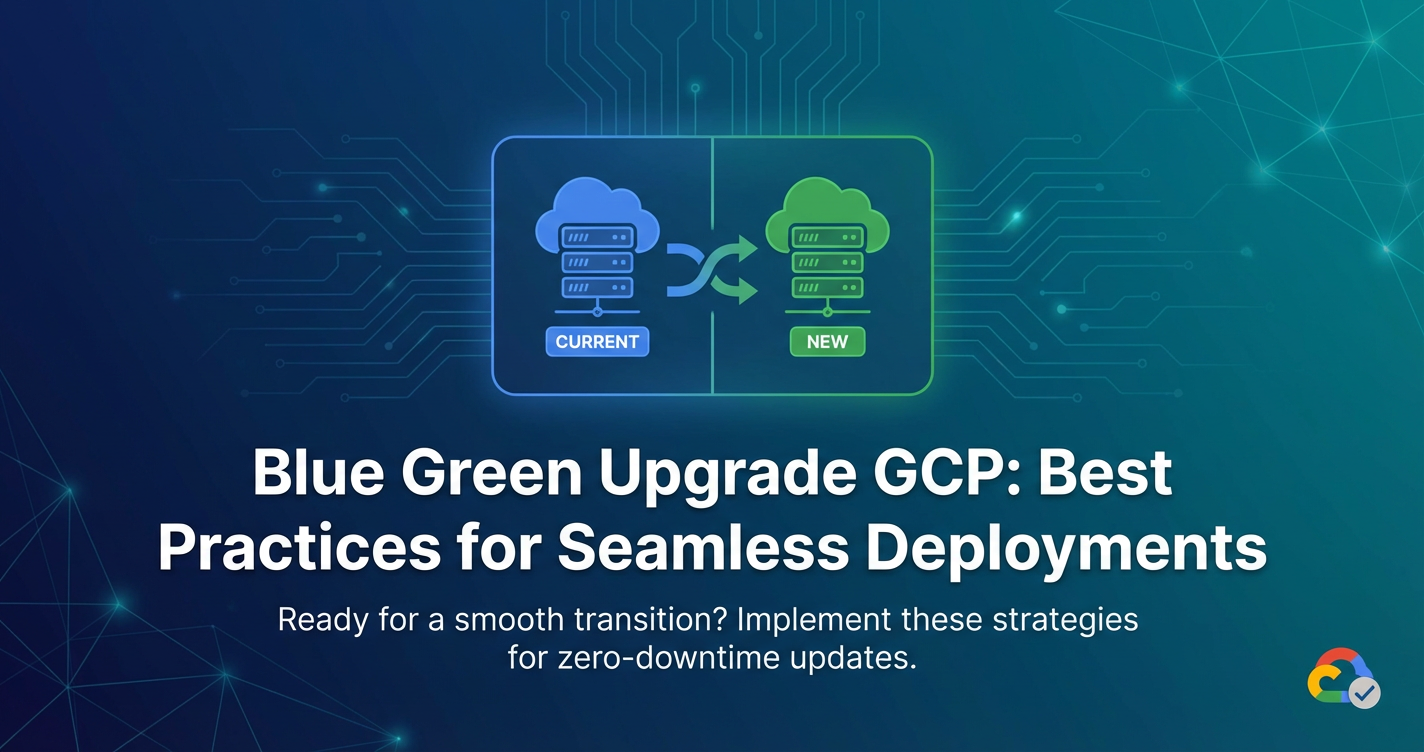
Blue Green Upgrade GCP: Best Practices for Seamless Deployments


In the relentless march of digital transformation, the modern enterprise faces an enduring challenge: how to continuously evolve its software applications without inflicting disruptive downtime or compromising the user experience. The expectation of 'always-on' services has become the baseline, making traditional deployment methodologies, often fraught with risk and extended maintenance windows, increasingly untenable. Organizations leveraging cloud platforms like Google Cloud Platform (GCP) are particularly well-positioned to embrace advanced deployment strategies that mitigate these risks, ensuring both agility and resilience. Among these strategies, the Blue-Green deployment model stands out as a robust and highly effective approach, offering a pathway to zero-downtime upgrades and instantaneous rollbacks.
This comprehensive guide delves deep into the nuances of implementing Blue-Green deployments on Google Cloud Platform. We will meticulously unpack the methodology, illuminate its profound advantages, navigate the potential pitfalls, and, crucially, distill a set of best practices for its seamless execution using the rich array of GCP services. Our aim is to equip cloud architects, DevOps engineers, site reliability engineers, and developers with the knowledge and actionable insights necessary to achieve truly uninterrupted application upgrades, fostering a culture of high availability and operational excellence within their GCP environments. By mastering Blue-Green deployments, teams can confidently deliver new features, security patches, and performance enhancements, all while maintaining the unwavering trust of their end-users.
Understanding the Core Principles of Blue-Green Deployments
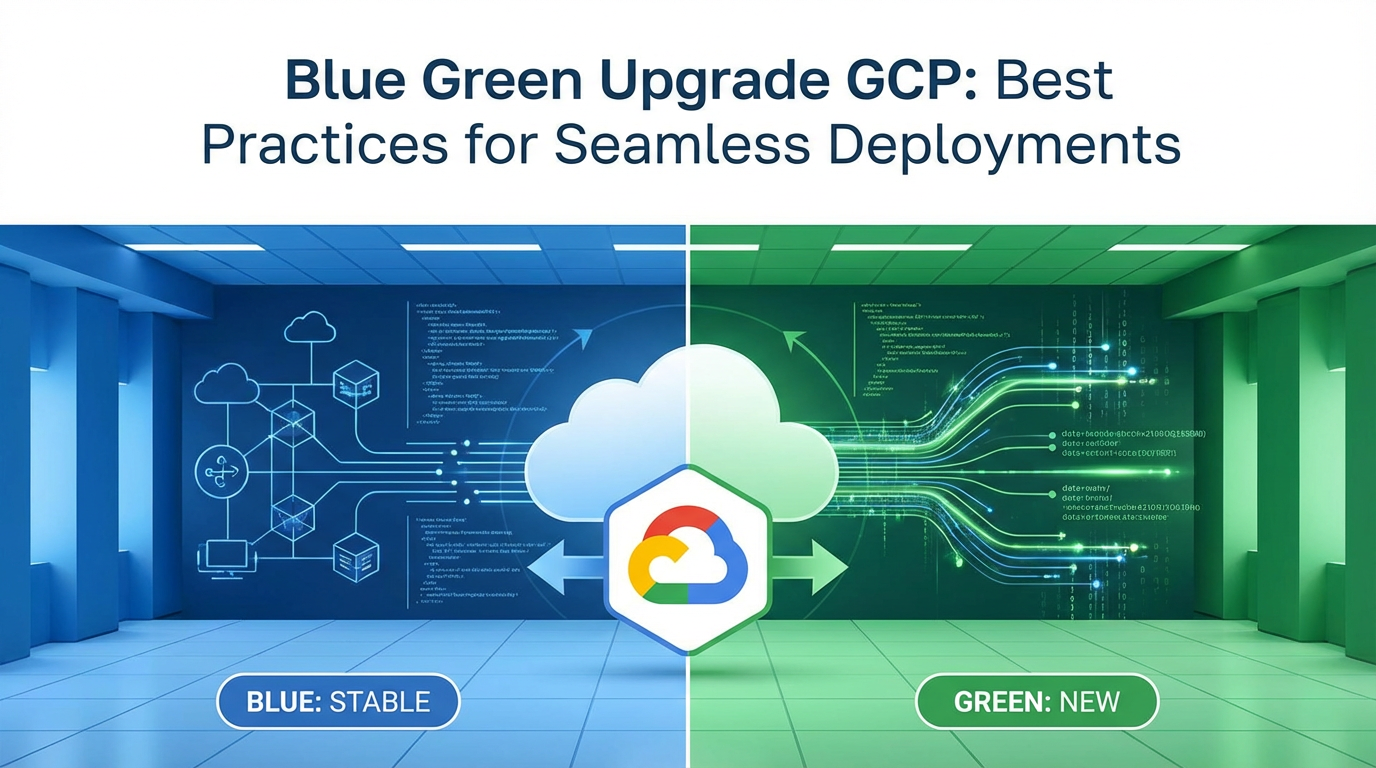
At its heart, a Blue-Green deployment is a strategy designed to reduce downtime and risk by running two identical, production-ready environments, dubbed "Blue" and "Green." One environment, typically "Blue," is currently live, serving all production traffic. The "Green" environment, meanwhile, remains idle or is used for staging and testing. When a new version of the application needs to be deployed, it is first deployed to the "Green" environment. This new "Green" environment is thoroughly tested in isolation, using production-like data and configurations, without affecting the live "Blue" environment. Once the "Green" environment is verified to be stable and fully functional, the pivotal moment arrives: traffic is seamlessly switched from "Blue" to "Green."
The genius of this approach lies in its simplicity and inherent safety net. Because the new version is fully operational and validated before it receives any production traffic, the risk of introducing defects into the live system is drastically reduced. Furthermore, should any unforeseen issues arise immediately after the cutover to "Green," an instantaneous rollback is possible by simply switching the traffic back to the original "Blue" environment, which remains untouched and fully functional. This capability for rapid reversion is a cornerstone of the Blue-Green strategy, providing an unparalleled level of confidence and control over the deployment process. It effectively transforms a high-stakes, irreversible operation into a low-risk, reversible maneuver, fundamentally changing how organizations approach software updates and infrastructure changes.
Advantages Over Traditional Deployment Models
The benefits of adopting a Blue-Green deployment strategy are manifold and extend across various dimensions of software delivery and operations:
- Zero Downtime: This is arguably the most significant advantage. Since the new application version is deployed and tested in a separate environment, there is no need to take the existing production system offline. The transition from Blue to Green is merely a switch in traffic routing, which can be accomplished in milliseconds, resulting in an uninterrupted user experience. This stands in stark contrast to "big bang" deployments or even rolling updates that might temporarily impact a subset of users or require short maintenance windows.
- Instant Rollback: The ability to revert to the previous stable version almost instantaneously is a critical safety feature. If issues are detected post-cutover, traffic can be redirected back to the original "Blue" environment with minimal disruption. This significantly reduces the mean time to recovery (MTTR) and minimizes the blast radius of any faulty deployments, preserving reputation and business continuity. Traditional rollbacks often involve lengthy redeployment processes or complex database restorations, which are time-consuming and prone to errors.
- Reduced Risk: By isolating the new deployment in a dedicated "Green" environment, teams can perform extensive testing, including performance, security, and user acceptance testing, in a production-mirroring setting. This comprehensive pre-release validation drastically lowers the likelihood of critical bugs reaching production. The Blue environment serves as a stable fallback, further de-risking the entire process.
- Simplified Testing: Testing the new version in a "Green" environment that is a near-perfect replica of production provides a high degree of confidence. Testers can use real-world data (or anonymized copies) and simulate actual user loads without impacting live users. This allows for more realistic and thorough quality assurance before the final switch.
- Consistent Environments: Blue-Green deployments inherently promote infrastructure-as-code (IaC) and immutable infrastructure principles. Both Blue and Green environments are provisioned using identical templates and configurations, minimizing configuration drift and ensuring consistency. This practice reduces "works on my machine" issues and enhances the reliability of deployments across environments.
Distinguishing from Other Strategies
While Blue-Green is a powerful strategy, it's essential to understand how it compares to other common deployment patterns:
- Rolling Deployments: In a rolling deployment, instances of the application are updated one by one, or in small batches. New versions are gradually introduced while old versions are phased out. While this offers some level of continuity, it means that, for a period, both old and new versions are running concurrently, which can introduce compatibility issues, especially with database schemas. It also doesn't offer an instant rollback to a completely untainted previous environment like Blue-Green does; a rollback involves rolling forward to the previous version across all instances.
- Canary Deployments: Canary deployments are a risk-reduction strategy where a new version is rolled out to a very small subset of users (the "canary" group) before a full rollout. This allows teams to monitor the canary group for issues and gather real-world feedback. If all goes well, the new version is gradually rolled out to more users. While similar to Blue-Green in its risk-averse nature, Canary deployments focus on incremental traffic shifting, whereas Blue-Green typically involves a complete switch once the new environment is fully validated. Blue-Green can sometimes incorporate a "canary phase" for internal or limited external testing within the Green environment before the full cutover.
- Big Bang Deployments: This traditional approach involves taking the entire application offline, deploying the new version, and then bringing it back online. This inevitably leads to significant downtime and carries a high risk, as any issues found post-deployment affect all users simultaneously. Blue-Green deployments were specifically designed to overcome the severe limitations and risks associated with big bang releases.
Prerequisites for Successful Blue-Green
For Blue-Green deployments to be truly effective, several foundational elements must be in place:
- Stateless Applications: Ideally, applications should be designed to be stateless, meaning that user session data or temporary information is not stored directly on the application servers. This allows for easier scaling, termination, and replacement of instances without losing user context. If state must be maintained, it should be externalized to shared, highly available services like managed databases (Cloud SQL, Cloud Spanner), caching layers (Memorystore), or external session stores.
- Robust Monitoring and Alerting: Comprehensive observability is non-negotiable. Teams must have sophisticated monitoring (e.g., Cloud Monitoring, custom metrics) in place to track application performance, error rates, and user experience in both Blue and Green environments. Real-time alerts are crucial for detecting issues quickly during the testing phase in Green and immediately after the cutover.
- Automation: Manual Blue-Green deployments are error-prone, slow, and negate many of the benefits. Extensive automation through CI/CD pipelines is paramount, covering environment provisioning, application deployment, testing, traffic shifting, and rollback procedures. Tools like Cloud Build, Cloud Deploy, and Terraform become indispensable.
- Database Schema Evolution: Managing database schema changes is often the most challenging aspect of Blue-Green deployments. Schemas must be designed to be backward and, ideally, forward-compatible to allow both old (Blue) and new (Green) application versions to coexist or transition smoothly. Strategies like additive-only schema changes, versioning, and careful migration planning are essential. Data replication and robust backup/restore procedures are also critical.
- Cost Management: Running two identical production-scale environments, even if one is temporarily idle, incurs additional cloud costs. Strategies for optimizing resource usage, rapidly decommissioning the old environment, or leveraging auto-scaling features efficiently are important considerations.
By laying this groundwork, organizations can fully capitalize on the power of Blue-Green deployments, transforming what was once a source of anxiety into a routine, low-risk operation that accelerates delivery and enhances service reliability.
Google Cloud Platform Services: Enabling Blue-Green Architectures
Google Cloud Platform provides a rich, integrated ecosystem of services perfectly suited for implementing sophisticated Blue-Green deployment strategies. Its global network infrastructure, managed compute services, and advanced networking capabilities simplify the creation, management, and traffic routing between parallel environments. Understanding how to leverage these services effectively is key to building a robust and automated Blue-Green pipeline.
Compute Services for Environment Management
The choice of compute service often dictates the specific implementation details of your Blue-Green strategy. GCP offers flexibility across various paradigms:
- Compute Engine (VMs & Managed Instance Groups - MIGs): For applications running on traditional virtual machines, Compute Engine provides the underlying infrastructure. To facilitate Blue-Green, you would typically use two separate Managed Instance Groups (MIGs), one for Blue and one for Green. Each MIG would be configured with the appropriate VM image, machine types, and auto-scaling policies. The new application version is deployed onto a new VM image and used to create the Green MIG. Once tested, the load balancer would be reconfigured to point to the Green MIG. This approach is powerful but requires careful management of VM images and instance templates.
- Google Kubernetes Engine (GKE): GKE, GCP's managed Kubernetes service, is an exceptionally strong candidate for Blue-Green deployments due to Kubernetes' native constructs.
- Deployments: Kubernetes
Deploymentobjects manage the lifecycle of replica sets and pods. While a single Deployment can perform rolling updates, for true Blue-Green, you would typically manage two separateDeploymentobjects (e.g.,app-blue-deploymentandapp-green-deployment), each pointing to a different image version. - Services: A Kubernetes
Serviceprovides a stable IP address and DNS name for a set of pods. For Blue-Green, theServicewould initially point to the Blue deployment's pods. After the Green deployment is verified, theService's selector would be updated to point to the Green deployment's pods. This is the simplest form of traffic shifting within GKE. - Ingress & Istio: For more advanced traffic management, especially external traffic, GKE integrates with
Ingresscontrollers (like the GCE Ingress controller, which leverages GCP's external HTTP(S) Load Balancer). For highly granular control, Istio (a service mesh) on GKE is an ideal solution. Istio'sVirtualServiceandDestinationRuleobjects allow for sophisticated traffic splitting, routing, and even mirroring. This enables not just Blue-Green, but also Canary releases and even more complex A/B testing scenarios by manipulating traffic weights and conditions, making the cutover incredibly precise and controlled.
- Deployments: Kubernetes
- Cloud Run / App Engine Flexible Environment: For serverless containers or Platform-as-a-Service (PaaS) applications, these services offer simplified Blue-Green capabilities.
- Cloud Run: Cloud Run services support revisions. You deploy a new revision (Green) and initially direct 0% of traffic to it. After testing, you can update the traffic distribution to 100% for the Green revision, effectively performing a Blue-Green cutover. The old revision (Blue) is retained for instant rollback. This is one of the most straightforward ways to implement Blue-Green on GCP.
- App Engine Flexible Environment: Similar to Cloud Run, App Engine Flex allows you to deploy new versions and then split traffic between them. You can direct a percentage of traffic to the new version (Green) and then switch 100% of traffic when confident.
- Cloud Functions: While not a typical "Blue-Green" target for long-running applications, Cloud Functions offer versioning and aliasing. You can deploy a new version of a function, test it using a specific alias, and then update the production alias to point to the new version, mimicking a Blue-Green switch at the function level.
Networking and Load Balancing for Traffic Shifting
The cornerstone of any Blue-Green deployment is the ability to reliably and rapidly shift traffic between the old and new environments. GCP's networking services are expertly designed for this purpose:
- Global External HTTP(S) Load Balancer: This is the primary mechanism for routing external HTTP(S) traffic to your Blue or Green environments. It operates at Layer 7 and uses URL maps to direct requests to different backend services or backend buckets. For Blue-Green, you would configure two backend services, one pointing to your Blue environment (e.g., a GKE Service, a MIG, or Cloud Run service) and another to your Green environment. The traffic switch involves updating the URL map to direct all traffic to the Green backend service. This provides low-latency, global traffic management and supports SSL termination.
- Internal HTTP(S) Load Balancer / Network Load Balancers: For internal microservices or non-HTTP(S) traffic, these load balancers can be used. The principle remains the same: configure two backend services/pools and update the load balancer configuration to point to the desired environment.
- Cloud DNS: While less common for rapidly shifting application traffic (due to DNS propagation delays), Cloud DNS can be used for Blue-Green at a broader infrastructure level, such as switching between entirely different sets of load balancers or even regions. However, for application-level Blue-Green, where millisecond switches are desired, load balancers are generally preferred.
- VPC Peering / Shared VPC: When deploying Blue-Green environments across different VPCs or leveraging Shared VPC, these networking features ensure seamless and secure communication between environments and shared services (like databases, internal APIs).
Data Management and Persistent Storage Considerations
Database and persistent storage management is often the most complex aspect of Blue-Green deployments because stateful components cannot be simply "switched."
- Cloud SQL, Cloud Spanner, Firestore:
- Schema Changes: The primary challenge. Database schema changes must be backward-compatible with the old application version (Blue) and forward-compatible with the new application version (Green). This often means additive-only changes (adding columns, tables) in the first phase, and then removing old structures in a subsequent, separate deployment after the Blue environment is fully decommissioned.
- Data Migration: Complex data migrations require careful planning and often involve dual-writing, data transformation services, or highly robust migration scripts that can run concurrently with both application versions.
- Replication: For highly available databases, Cloud SQL read replicas or Spanner's distributed nature can support keeping a replica for the Green environment, allowing it to perform read-only operations during its testing phase without impacting the Blue's primary database.
- New Database Instances: In some scenarios, especially for major schema overhauls, the Green environment might temporarily or permanently connect to a new database instance, requiring data synchronization or a complete data migration.
- Cloud Storage: For object storage, versioning can be enabled on buckets to retain previous versions of objects, providing a rollback mechanism at the data level if application changes corrupt objects. Consistent access patterns across Blue and Green environments are also important.
CI/CD and Automation Tools
Automation is the linchpin of successful Blue-Green deployments. GCP offers a suite of services to build robust CI/CD pipelines:
- Cloud Build: A serverless CI/CD platform that executes your build, test, and deploy steps. Cloud Build can be orchestrated to build container images, run tests, deploy to the Green environment, trigger further validation, and then, upon approval, execute the traffic switch.
- Cloud Deploy: GCP's native multi-target, continuous delivery service designed for managing releases across different environments. Cloud Deploy is an excellent fit for Blue-Green as it allows you to define a progression of targets (e.g., "dev", "staging", "blue-production", "green-production") and automate promotion between them, including traffic splitting and pre/post-deployment hooks for validation. It simplifies the orchestration of complex deployment patterns like Blue-Green across GKE, Cloud Run, and App Engine.
- Terraform / Cloud Deployment Manager: For Infrastructure as Code (IaC), Terraform (an open-source tool) and Cloud Deployment Manager (GCP's native IaC service) are indispensable. They allow you to define and provision your Blue and Green environments (VMs, MIGs, Load Balancers, GKE clusters, network rules) in a declarative manner. This ensures that both environments are truly identical and reproducible, a critical prerequisite for Blue-Green. Terraform modules can encapsulate entire Blue-Green patterns, making them reusable and consistent.
By strategically combining these GCP services, organizations can construct highly reliable, automated, and cost-effective Blue-Green deployment pipelines, transforming the way they deliver software updates and innovations to their users. The platform's inherent scalability and global reach further amplify the benefits, ensuring that seamless deployments are not just a possibility, but a consistent reality.
Implementing Blue-Green on GCP: A Step-by-Step Guide
Implementing a Blue-Green deployment strategy on Google Cloud Platform requires meticulous planning, robust automation, and a clear understanding of the lifecycle stages. This step-by-step guide outlines the typical phases involved, from environment preparation to final cleanup, emphasizing key considerations at each juncture.
Phase 1: Environment Preparation
The foundation of a successful Blue-Green deployment lies in creating two near-identical, production-scale environments.
- Design and Blueprinting: Before touching any code or infrastructure, thoroughly design your Blue-Green architecture. This includes defining:
- Compute resources: GKE cluster sizes, node pools, machine types, or Compute Engine instance templates.
- Networking: VPCs, subnets, firewall rules, internal and external load balancers.
- Databases: Cloud SQL instances, Cloud Spanner configurations, Firestore databases, including replication and backup strategies.
- Storage: Cloud Storage buckets, persistent disks.
- Monitoring & Logging: Cloud Monitoring dashboards, custom metrics, Cloud Logging sinks.
- IAM policies: Service accounts, roles, and permissions for both environments.
- Application configurations: Environment variables, secrets (managed by Secret Manager).
- Naming conventions: Clear distinctions between Blue and Green resources (e.g.,
app-prod-blue,app-prod-green).
- Infrastructure as Code (IaC): This is paramount. Use Terraform or Cloud Deployment Manager to define both your Blue and Green environments declaratively.
- Create reusable modules or templates that define a "production environment unit." This allows you to instantiate
environment-blueandenvironment-greenwith minimal configuration differences, ensuring they are truly identical. - Version control your IaC definitions (e.g., in a Git repository). This provides an auditable history of your infrastructure and enables quick recreation of environments.
- Automate the provisioning of these environments using Cloud Build or a similar CI/CD tool.
- Create reusable modules or templates that define a "production environment unit." This allows you to instantiate
- Configuration Management: Ensure that application configurations are externalized and managed consistently across both environments. This often involves using environment variables, injecting secrets from Secret Manager, or pulling configurations from a central source like Config Management for GKE. Avoid hardcoding environment-specific values within your application code.
- Baseline Deployment: Ensure your "Blue" environment is fully stable and running the current production version of your application. This serves as the known good state to which you can always revert.
Phase 2: Deploying the New Version (Green)
Once the Green environment's infrastructure is provisioned, the next step is to deploy the new application version to it.
- Automated Build Process: Your CI/CD pipeline (e.g., Cloud Build) should automatically build the new application version, typically resulting in a new container image (for GKE/Cloud Run) or a new VM image (for Compute Engine). This build artifact should be tagged with a unique version identifier.
- Deployment to Green: Deploy this new build artifact exclusively to the "Green" environment.
- GKE: Update your
app-green-deploymentobject to reference the new container image. - Cloud Run: Deploy a new service revision, initially configured to receive 0% of traffic.
- Compute Engine: Create a new Managed Instance Group (MIG) based on a new instance template that uses the new VM image.
- Crucially, at this stage, the Green environment is completely isolated from production traffic. It's connected to its own (or a replicated/shared, backward-compatible) data source.
- GKE: Update your
- Database Schema Updates (if applicable): If your new application version requires database schema changes, these should be applied to the Green environment's database (or a staging replica) during this phase. As discussed, these changes must be backward-compatible with the Blue environment's application version. If the changes are breaking, more sophisticated strategies like dual-writing or a two-phase deployment might be necessary. It's often safer to separate schema migrations from application deployments, performing additive-only schema changes first, letting them bake, and then deploying the application that uses the new schema.
Phase 3: Comprehensive Testing
This is a critical phase where the newly deployed Green environment is rigorously validated before receiving any live traffic.
- Internal Access and Initial Verification:
- Provide internal teams (QA, developers) with direct access to the Green environment, typically through a separate internal load balancer, a specific ingress URL, or by routing internal VPN traffic to it.
- Perform basic smoke tests and health checks to ensure the application starts correctly and essential services are reachable.
- Verify connectivity to databases, caches, and other dependencies.
- Automated Test Suite Execution:
- Run your full suite of automated tests against the Green environment: unit tests, integration tests, end-to-end tests, API tests.
- Performance Testing: Simulate expected production load using tools like Locust or JMeter (or GCP's native Load Testing solutions) to ensure the Green environment can handle the traffic and meets performance SLAs. This helps identify bottlenecks or regressions before they impact users.
- Security Testing: Conduct vulnerability scans and penetration tests against the Green environment to identify any new security exposures introduced by the new code or configuration.
- User Acceptance Testing (UAT): Involve key business users or a dedicated UAT team to thoroughly test the new features and existing functionality in the Green environment. This ensures that the application meets business requirements and user expectations.
- Observability Validation:
- Verify that Cloud Monitoring is correctly collecting metrics from the Green environment (CPU utilization, memory usage, request rates, error rates, latency).
- Ensure Cloud Logging is capturing application logs effectively.
- Validate that any custom dashboards reflect the Green environment's health.
- Review Cloud Trace data if using distributed tracing, ensuring spans are correctly generated.
- Set up specific alerts for the Green environment's metrics to catch issues during testing.
- Optional: Canary-like Pre-Cutover Testing: While Blue-Green typically involves a full switch, some organizations might choose to perform a very small, internal "canary" release within the Green environment (e.g., routing a small percentage of internal user traffic to it via a proxy or service mesh) to gain even more confidence before the public cutover. This is a hybrid approach, distinct from a full Canary deployment.
Phase 4: Traffic Cutover (The Switch)
This is the pivotal moment – redirecting all production traffic from the Blue to the Green environment.
- Pre-Cutover Checklist: Before initiating the switch, perform a final readiness check:
- All tests in Green passed.
- Monitoring and logging are fully operational on Green.
- Rollback plan is clearly understood and ready.
- Communication plan for stakeholders is prepared.
- Ensure any open connections on the Blue environment are gracefully drained or that the application can handle abrupt disconnection (e.g., for short-lived requests).
- Initiate Traffic Switch: The method depends on your load balancer:
- Global External HTTP(S) Load Balancer: Update the URL map configuration to point 100% of traffic to the Green backend service. This can be done via
gcloudcommands, Terraform, or Cloud Deploy. - GKE with Istio: Update the
VirtualServiceto change the weight distribution from 100% Blue / 0% Green to 0% Blue / 100% Green. - Cloud Run / App Engine Flex: Adjust the traffic splitting configuration to 100% for the new revision/version.
- Global External HTTP(S) Load Balancer: Update the URL map configuration to point 100% of traffic to the Green backend service. This can be done via
- Intense Monitoring: Immediately after the cutover, closely monitor the Green environment using your Cloud Monitoring dashboards. Watch for:
- Error Rates: Any spikes in 5xx errors or application-specific errors.
- Latency: Increases in request processing time.
- Resource Utilization: Unexpected CPU, memory, or network spikes.
- Application Logs: Look for new error patterns or warnings in Cloud Logging.
- User Feedback: Be ready to respond to any immediate user reports of issues.
- It's crucial to have clear thresholds and automated alerts configured to notify your team instantly if any critical metrics cross acceptable boundaries.
Phase 5: Post-Cutover & Clean-up
The deployment isn't truly complete until the old environment is safely handled.
- Grace Period (Keep Blue Warm): Do not immediately decommission the Blue environment. Keep it running and accessible for a defined "grace period" (e.g., hours, days, or even a week, depending on your risk tolerance). This allows for an instant rollback if a latent defect is discovered that wasn't caught during testing. Continue monitoring Green during this period.
- Decommissioning Blue: Once the Green environment has proven stable and reliable for the duration of the grace period, and you are confident that no rollback is necessary, the Blue environment can be safely decommissioned.
- GKE: Delete the
app-blue-deploymentand associated resources. - Compute Engine: Delete the old MIG and instance templates.
- IaC: Update your Terraform or Cloud Deployment Manager state to reflect the removal of the old Blue resources.
- This step helps in cost optimization by not running redundant infrastructure indefinitely.
- Important for databases: If database schema changes were made, and they are now confirmed stable with the new application, this is when you might safely drop old columns or tables that were maintained for backward compatibility.
- GKE: Delete the
- Documentation: Update internal documentation, runbooks, and architectural diagrams to reflect the new production environment.
Phase 6: Rollback Strategy
The capability for an instant rollback is a primary advantage of Blue-Green. This phase outlines how to execute it if needed.
- Triggering a Rollback: If critical issues are detected in the Green environment after cutover (during Phase 4 or 5), the rollback procedure must be initiated immediately.
- Load Balancer Reconfiguration: The rollback involves simply reversing the traffic switch. Update the Global External HTTP(S) Load Balancer's URL map (or Istio's VirtualService, or Cloud Run/App Engine traffic splitting) to direct 100% of traffic back to the original Blue environment's backend.
- This should be an automated, one-click operation within your CI/CD pipeline or deployment tool.
- Analysis and Post-Mortem: After a rollback, it's crucial to:
- Analyze the root cause of the issues that necessitated the rollback.
- Gather all relevant logs and metrics from the failed Green deployment.
- Conduct a post-mortem to identify weaknesses in testing, monitoring, or the deployment process.
- Plan corrective actions before attempting another deployment.
- Immutable Infrastructure Principle: The success of rollback relies heavily on the immutability of both Blue and Green environments. The Blue environment should remain untouched and exactly as it was before the deployment, ensuring a reliable revert point. Do not modify the Blue environment once Green deployment has started.
By following these structured phases with a strong emphasis on automation, testing, and meticulous monitoring, organizations can leverage Blue-Green deployments on GCP to achieve continuous, risk-free application updates, elevating their operational efficiency and user satisfaction.
APIPark is a high-performance AI gateway that allows you to securely access the most comprehensive LLM APIs globally on the APIPark platform, including OpenAI, Anthropic, Mistral, Llama2, Google Gemini, and more.Try APIPark now! 👇👇👇
Best Practices for Blue-Green Deployments on GCP
Achieving true seamlessness with Blue-Green deployments on Google Cloud Platform goes beyond merely understanding the mechanics; it requires embracing a set of best practices that optimize for automation, reliability, and cost-effectiveness. These practices are honed from countless real-world implementations and represent the cornerstone of a mature DevOps culture.
1. Automate Everything Relentlessly
Manual steps are the enemy of consistency and speed in Blue-Green deployments. Automation is not merely a convenience; it's a foundational requirement.
- CI/CD Pipeline Integration: Build a comprehensive CI/CD pipeline (e.g., using Cloud Build, Cloud Deploy, or Jenkins on GKE) that orchestrates the entire Blue-Green lifecycle:
- Code commit triggers a build.
- Automated tests (unit, integration, E2E) run.
- Container images are built and pushed to Container Registry.
- Green environment infrastructure is provisioned (if not persistent).
- Application is deployed to Green.
- Post-deployment smoke tests and full regression tests run on Green.
- Traffic switch mechanism is triggered (possibly with manual approval gate).
- Rollback mechanism is a single-click action.
- Cleanup of the old Blue environment is automated.
- Infrastructure as Code (IaC) for All Environments: Beyond just the Blue and Green environments, ensure all lower environments (dev, staging, QA) are also defined using IaC (Terraform, Cloud Deployment Manager). This consistency reduces "it worked in staging" problems and ensures that the Green environment genuinely mirrors production.
2. Design for Statelessness
Applications that are stateless are significantly easier to manage in a Blue-Green context.
- Externalize State: Store session data, user preferences, and other mutable state in external, highly available, and scalable services like Cloud Memorystore (Redis/Memcached), Firestore, or Cloud SQL.
- Immutable Infrastructure: Build container images or VM images that are immutable. Any configuration changes should result in a new image, rather than modifying a running instance. This simplifies deployments and ensures consistency.
3. Master Database Schema Management
Database changes are often the biggest hurdle in Blue-Green deployments. A robust strategy is essential.
- Backward and Forward Compatibility: Design schema changes to be compatible with both the old (Blue) and new (Green) application versions. This often means:
- Additive-only changes: Add new columns, tables, or indices without removing or altering existing ones.
- Phased Rollouts: First, deploy a database migration that adds new schema elements. Then, deploy the new application version (Green) that can use both old and new schema. Finally, after the old Blue environment is fully retired, perform a cleanup migration to remove deprecated schema elements.
- Data Migration Strategies: For complex data transformations, consider:
- Dual Writing: Both old and new application versions write to both old and new data structures during a transition period.
- Data Synchronization: Tools or custom scripts to sync data between different schema versions.
- Database Version Control: Treat your database schema like application code. Store schema migration scripts in version control and integrate them into your CI/CD pipeline. Use tools like Flyway or Liquibase for managed migrations.
- Replication and Snapshots: Leverage Cloud SQL's read replicas or database snapshots for testing the Green environment without impacting the production database, and as part of a robust rollback strategy.
4. Implement Robust Monitoring, Alerting, and Logging
Comprehensive observability is non-negotiable for identifying issues pre-cutover and reacting swiftly post-cutover.
- Cloud Monitoring: Set up detailed dashboards in Cloud Monitoring to visualize key metrics from both Blue and Green environments side-by-side. Track:
- Application error rates (e.g., HTTP 5xx).
- Latency and response times.
- Resource utilization (CPU, memory, disk I/O, network throughput).
- Request throughput.
- Database connection pools and query performance.
- Proactive Alerting: Configure critical alerts with appropriate thresholds in Cloud Monitoring for both environments. These alerts should notify relevant teams (Slack, PagerDuty, email) if performance degrades or errors spike in the Green environment during testing or immediately after cutover.
- Cloud Logging: Ensure all application logs are centralized in Cloud Logging. Use structured logging to make logs easily parsable and searchable. Establish log-based metrics and alerts for specific error patterns.
- Cloud Trace / OpenTelemetry: Implement distributed tracing to gain end-to-end visibility into request flows across microservices. This is invaluable for pinpointing performance bottlenecks or errors within a complex distributed system.
- Synthetic Monitoring: Deploy synthetic transactions or user journeys that continuously test the Green environment (even before cutover) to ensure functionality and performance.
5. Define and Practice Rollback Procedures
A Blue-Green deployment is only as effective as its rollback mechanism.
- Automated Rollback: The rollback process should be fully automated and triggerable with a single command or click. This usually involves reversing the load balancer configuration to point back to the Blue environment.
- Rollback Drills: Regularly practice rollback procedures in non-production environments to ensure the process is well-understood and functions as expected.
- Clear Rollback Criteria: Define explicit metrics or conditions that, if met, automatically trigger a rollback. This reduces human error and hesitation in crisis situations.
6. Consider Cost Optimization
Running two full production environments, even temporarily, can incur significant costs.
- Ephemeral Green Environments: If your application can be deployed quickly, consider only provisioning the Green environment's compute resources (e.g., GKE nodes, Compute Engine VMs) just before deployment and tearing them down quickly after the grace period. This reduces the time you're paying for duplicate resources.
- Right-Sizing: Ensure both Blue and Green environments are appropriately sized. Don't over-provision resources beyond what's truly needed.
- Resource Management: Tag all resources with environment labels (e.g.,
env:blue,env:green) for easier cost tracking and management within GCP Billing.
7. Strategic API Management for Enhanced Stability and Control
While Blue-Green deployments primarily focus on the underlying infrastructure and application versions, the way applications expose and consume services through APIs is deeply intertwined with overall system stability and successful upgrades. In a microservices architecture, especially one leveraging AI capabilities, a robust API management strategy becomes a critical best practice that complements Blue-Green principles.
An effective API gateway acts as the front door for your applications, providing a single entry point for all incoming traffic. This is crucial for managing, securing, and routing requests to the appropriate backend services, whether they reside in your Blue or Green environment. Beyond simple routing, a sophisticated api gateway can handle authentication, authorization, rate limiting, caching, and transformation, offloading these concerns from your microservices and contributing to a more resilient system. In the context of Blue-Green, an API Gateway can be instrumental in abstracting the underlying environment, allowing for smoother traffic shifts.
For organizations dealing with complex API landscapes, particularly those integrating Artificial Intelligence models, an open-source AI gateway and API management platform can provide invaluable capabilities. This is where a product like APIPark naturally fits into the discussion of best practices for robust systems.
APIPark is an open-source AI gateway and API management platform that helps developers and enterprises manage, integrate, and deploy AI and REST services with ease. Its unified API format for AI invocation means that changes in underlying AI models or prompts don't necessitate changes in the consuming applications or microservices. This standardization simplifies maintenance and reduces the "blast radius" of changes, making it an excellent companion to the stability offered by Blue-Green deployments. Furthermore, APIPark's end-to-end API lifecycle management, including traffic forwarding, load balancing, and versioning, provides another layer of control and resilience. Its performance, rivaling that of Nginx, ensures that your api layer can handle large-scale traffic, and its detailed API call logging and powerful data analysis features complement your Blue-Green monitoring efforts, offering deep insights into api performance and potential issues post-deployment.
The sophisticated nature of modern applications, particularly those integrating multiple AI models, might necessitate advanced protocols for inter-model communication and context management. For instance, a Model Context Protocol (MCP) could be used to standardize how different AI services interact, exchange state, or manage conversational context within a larger AI application. While the MCP itself is an application-level concern, the reliability of its underlying api calls and the stability of the gateway managing these interactions are directly dependent on robust deployment strategies like Blue-Green. Ensuring the infrastructure supporting such complex AI workflows is updated seamlessly minimizes the risk of disrupting critical MCP-driven processes, thereby contributing to the overall stability and performance of AI-centric systems. Thus, a well-managed api ecosystem, facilitated by platforms like APIPark, underpins the success of Blue-Green for even the most advanced and api-intensive applications.
8. Prioritize Security
Security must be an integral part of your Blue-Green strategy.
- IAM Policies: Implement the principle of least privilege. Ensure service accounts and user accounts have only the necessary permissions for their roles.
- Network Security: Define strict firewall rules, VPC Service Controls, and Private Service Connect to isolate environments and prevent unauthorized access.
- Security Scanning: Integrate security scanning tools (e.g., Container Analysis, Cloud Security Command Center) into your CI/CD pipeline to scan container images and deployed code for vulnerabilities before they reach production.
9. Plan for Capacity and Scalability
Ensure your Green environment is not only identical but also capable of handling peak production load.
- Auto-scaling: Configure Managed Instance Groups (MIGs) or GKE node pools with appropriate auto-scaling policies to handle traffic surges.
- Load Testing: Conduct realistic load tests on the Green environment during the testing phase to validate its scalability and performance under stress.
By diligently adhering to these best practices, organizations can elevate their Blue-Green deployments on GCP from a merely functional process to a highly optimized, secure, and genuinely seamless method for continuous software delivery. This systematic approach not only reduces deployment risks but also significantly enhances the overall reliability and agility of your cloud-native applications.
Challenges and Mitigation Strategies in Blue-Green Deployments
Despite its numerous advantages, implementing Blue-Green deployments is not without its complexities. Organizations must be aware of potential challenges and proactively plan mitigation strategies to ensure a smooth and successful transition. Understanding these hurdles is crucial for designing a robust and resilient deployment pipeline on GCP.
1. Database Schema Changes: The Toughest Nut to Crack
Challenge: This is consistently cited as the most difficult aspect of Blue-Green. If a new application version requires significant or breaking database schema changes, simply switching traffic might lead to errors in either the old (Blue) application trying to access a changed schema, or the new (Green) application failing on an old schema. Irreversible schema changes make instant rollbacks extremely complicated, potentially requiring data restoration.
Mitigation Strategies:
- Backward/Forward Compatibility: Design schema changes to be compatible with both the old and new application versions. This often means additive-only changes (adding columns, tables, indices) in an initial deployment phase.
- Two-Phase Database Migrations:
- Phase 1 (Backward Compatible): Deploy a database migration script that makes only additive changes (e.g., adding a new column) required by the new application. The old application continues to work as it ignores the new column.
- Phase 2 (Application Deployment and Cutover): Deploy the new application version to Green, which can now read from both old and new columns. Traffic is switched to Green. The Green application might start writing to the new column while still reading from the old one during a transition period.
- Phase 3 (Cleanup/Removal): After the Blue environment is confirmed decommissioned and all applications are running the new version, a final migration can remove deprecated columns or tables that were only there for backward compatibility.
- Dual Writing / Data Transformation: For highly complex or breaking data model changes, the new application (Green) might temporarily dual-write data to both the old and new schema. Alternatively, a data transformation layer or service can be introduced to convert data between formats.
- External Database Proxies: Utilize database proxies (e.g., Cloud SQL Proxy) or custom-built services that can intelligently route queries or perform schema transformations on the fly, abstracting schema differences from the application.
- Schema Versioning Tools: Use tools like Flyway or Liquibase to manage database migrations systematically, ensuring repeatable and controlled schema evolution.
2. Managing Stateful Applications and Persistent Data
Challenge: Blue-Green works best with stateless applications. If your application components inherently store state on the local file system or rely on specific instance identities, duplicating and synchronizing this state between Blue and Green environments can be extremely difficult.
Mitigation Strategies:
- Re-architect for Statelessness: This is the ideal long-term solution. Design applications to push all state to external, shared, and highly available services like:
- Managed Databases: Cloud SQL, Cloud Spanner, Firestore.
- Caching Layers: Cloud Memorystore (Redis, Memcached).
- Object Storage: Cloud Storage for large files, with versioning enabled.
- Message Queues: Cloud Pub/Sub for asynchronous processing.
- Stateful Sets (GKE): For Kubernetes, StatefulSets can manage stateful applications, but Blue-Green deployments for StatefulSets require careful planning. You might need to consider strategies like migrating PersistentVolumeClaims (PVCs) or having separate PVCs for Blue and Green that are attached to the correct instances during cutover, which adds complexity.
- Data Synchronization: If state must reside on instances, implement robust, automated data synchronization mechanisms between Blue and Green, which can be prone to consistency issues and race conditions during cutover.
3. Cost of Duplication
Challenge: Running two full-scale production environments simultaneously, even for a short period, effectively doubles your infrastructure costs during the deployment window. For very large or resource-intensive applications, this can be a significant financial burden.
Mitigation Strategies:
- Ephemeral Green Environments: Instead of having a persistent Green environment, provision the Green infrastructure just-in-time for the deployment. Once the cutover is complete and the grace period passed, tear down the Green environment (or repurpose it as the new Blue environment for the next deployment).
- Smart Sizing: Accurately size your environments based on expected load, rather than over-provisioning. Leverage auto-scaling on GKE node pools or Compute Engine MIGs to scale down during idle times if applicable.
- Leverage Serverless: Services like Cloud Run and App Engine Flexible handle Blue-Green traffic splitting natively and often have more granular billing, reducing the overhead of running two full environments.
- Resource Tagging: Use GCP resource labels to track costs associated with Blue and Green environments, providing visibility into where your money is being spent.
- Reserved Instances/Commitment Discounts: If your base compute load is consistent, commitment discounts can significantly reduce the cost per resource, making the temporary duplication less impactful.
4. Complexity and Orchestration Overhead
Challenge: Implementing Blue-Green deployments, especially in complex microservice architectures, can introduce significant operational complexity. It requires robust automation and careful orchestration across multiple services and environments.
Mitigation Strategies:
- Comprehensive CI/CD Pipelines: Invest heavily in automating every step of the Blue-Green process using tools like Cloud Build, Cloud Deploy, or a custom orchestration engine. The more automated, the less complex it feels operationally.
- Infrastructure as Code (IaC): Use Terraform or Cloud Deployment Manager to define environments declaratively. This reduces manual errors and ensures reproducibility.
- Modular Design: Break down your application into smaller, independently deployable microservices. This allows for Blue-Green deployments on a per-service basis, reducing the scope and complexity of each individual deployment.
- Service Mesh (Istio): For GKE, a service mesh like Istio simplifies traffic management, allowing for sophisticated routing rules (including Blue-Green and Canary) with declarative configurations.
- Clear Runbooks and Documentation: Even with automation, maintain clear, up-to-date runbooks detailing the entire Blue-Green process, including manual intervention points (e.g., approvals) and rollback procedures.
5. Graceful Connection Draining and Session Management
Challenge: When switching traffic from Blue to Green, simply cutting off traffic to Blue might abruptly terminate active user sessions or long-running tasks, leading to a poor user experience or data loss.
Mitigation Strategies:
- Load Balancer Connection Draining: Configure your HTTP(S) Load Balancer backend services with connection draining. This tells the load balancer to stop sending new requests to the "draining" (Blue) instances but allow existing requests to complete gracefully within a specified timeout.
- Application-Level Graceful Shutdown: Design your applications to handle
SIGTERMsignals (or equivalent) gracefully. Upon receiving a shutdown signal, the application should stop accepting new requests, complete any in-progress requests, and then exit. - Externalized Session State: As mentioned under statelessness, externalizing session data to a shared cache (e.g., Cloud Memorystore) ensures that user sessions are not lost when Blue instances are terminated.
- Short-lived Requests: Optimize your application for short, idempotent requests that can be retried without side effects.
6. Ensuring Environment Parity
Challenge: Over time, "configuration drift" can occur, where the Blue and Green environments gradually become subtly different due to manual changes, missed updates, or different deployment histories. This undermines the core premise of Blue-Green, where Green should be an exact replica of production.
Mitigation Strategies:
- Immutable Infrastructure: Always build new VM images or container images for each deployment. Do not patch or modify running instances.
- IaC for Everything: Manage all infrastructure components (VMs, networks, firewall rules, IAM policies, databases, storage) through Infrastructure as Code.
- Automated Audits: Implement automated tools that periodically compare the configurations of your Blue and Green environments (and even against your IaC definitions) to detect and report any discrepancies.
- GitOps: For Kubernetes environments, adopt a GitOps approach where the desired state of your cluster is declared in Git, and an automated process reconciles the actual state with the declared state.
By meticulously planning for these challenges and implementing the suggested mitigation strategies, organizations can transform potential roadblocks into stepping stones toward truly seamless and low-risk application deployments on Google Cloud Platform. The investment in robust architecture, automation, and operational discipline ultimately pays dividends in improved reliability, faster release cycles, and enhanced developer confidence.
Conclusion: Embracing Seamlessness with Blue-Green on GCP
The journey to continuous delivery and unparalleled application reliability often leads through the adoption of advanced deployment strategies, and among these, Blue-Green deployments on Google Cloud Platform stand out as a gold standard. We have delved into the fundamental principles that define this methodology, understanding its profound ability to deliver zero-downtime upgrades, instant rollbacks, and significantly reduced deployment risks. The architecture ensures that new software versions are rigorously tested in a production-identical environment before ever reaching live users, a critical safety net in today's demanding digital landscape.
Google Cloud Platform's comprehensive suite of services – from the versatile compute options like GKE, Cloud Run, and Compute Engine, to the sophisticated traffic management capabilities of its global load balancers and service meshes, and the robust automation provided by Cloud Build and Cloud Deploy – provides an ideal foundation for implementing Blue-Green with precision and scale. By leveraging Infrastructure as Code, designing for statelessness, and establishing meticulous monitoring with Cloud Monitoring and Logging, organizations can architect a resilient deployment pipeline that minimizes human error and maximizes operational efficiency.
However, true mastery of Blue-Green deployments also involves recognizing and proactively addressing its inherent complexities. The challenges of database schema evolution, the management of stateful components, the temporary increase in infrastructure costs, and the sheer orchestration overhead demand careful planning and robust mitigation strategies. By embracing practices like phased database migrations, re-architecting applications for statelessness, and optimizing resource utilization, these challenges can be transformed into opportunities for architectural refinement and operational excellence.
Furthermore, in an increasingly interconnected and AI-driven world, the broader ecosystem of API management plays an indispensable role. A robust API gateway, such as the open-source APIPark, becomes integral for managing, securing, and routing traffic, especially for microservices that might communicate using sophisticated protocols like MCP for AI models. By standardizing API invocation, providing end-to-end lifecycle management, and offering detailed logging, platforms like APIPark complement the stability provided by Blue-Green infrastructure deployments, ensuring that both the underlying system and its exposed services remain resilient and performant during upgrades.
In essence, Blue-Green deployments on GCP are more than just a technical process; they represent a philosophy of confidence, control, and continuous improvement. By prioritizing automation, rigorous testing, and clear rollback plans, organizations can confidently accelerate their release cycles, deliver new features and critical updates with minimal disruption, and uphold the highest standards of availability and user experience. For any mission-critical application, especially those operating at scale on Google Cloud, embracing these best practices for Blue-Green upgrades is not merely an option, but an imperative for sustained success and innovation.
Frequently Asked Questions (FAQs)
Q1: What is the primary benefit of a Blue-Green deployment on GCP?
The primary benefit is achieving near-zero downtime application upgrades. By running two identical environments (Blue for current production, Green for the new version) and simply switching traffic between them, users experience no interruption. This also allows for an instant rollback to the stable Blue environment if any issues arise with the new Green deployment, significantly reducing risk and improving mean time to recovery.
Q2: What are the biggest challenges when implementing Blue-Green deployments on Google Cloud Platform?
The biggest challenges typically involve database schema changes, managing stateful applications, and the temporary cost increase of running two full production environments. Database schema changes require careful planning to ensure backward and forward compatibility, often necessitating multi-phase migrations. Stateful applications need to be re-architected for externalized state, or specialized strategies must be employed. Cost can be mitigated by ephemeral Green environments and smart resource sizing.
Q3: Which GCP services are most crucial for a successful Blue-Green deployment?
Several GCP services are key: * Compute: Google Kubernetes Engine (GKE), Cloud Run, or Compute Engine with Managed Instance Groups (MIGs) for hosting your application instances. * Networking: Global External HTTP(S) Load Balancer (for traffic shifting) and potentially Istio on GKE (for advanced traffic management). * Automation: Cloud Build and Cloud Deploy for CI/CD pipelines and orchestrating the deployment process. * Infrastructure as Code: Terraform or Cloud Deployment Manager for provisioning identical Blue and Green environments. * Observability: Cloud Monitoring and Cloud Logging for monitoring the health and performance of both environments.
Q4: How does API management, like using APIPark, fit into Blue-Green deployments?
While Blue-Green focuses on infrastructure and application versions, robust API management complements it by ensuring the stability and resilience of how applications expose and consume services. An API gateway, such as APIPark, acts as a critical layer for traffic routing, security, and consistent API invocation. During a Blue-Green switch, the API gateway ensures that incoming requests are seamlessly directed to the newly active Green environment. Furthermore, APIPark's features like unified API formats and end-to-end API lifecycle management help maintain application stability during upgrades, especially for complex systems involving AI models and specialized protocols, by abstracting underlying changes from API consumers.
Q5: What is the recommended strategy for database schema changes in a Blue-Green deployment?
The most common and safest strategy is a multi-phase approach focused on backward and forward compatibility. First, make only additive-only schema changes (e.g., adding a new column) that are compatible with the old application (Blue). Then, deploy the new application (Green), which can work with both the old and new schema. After the Green environment is stable and fully operational, and the old Blue environment is decommissioned, you can perform a cleanup migration to remove any deprecated schema elements. This minimizes risk and allows for instant rollbacks without complex database restoration.
🚀You can securely and efficiently call the OpenAI API on APIPark in just two steps:
Step 1: Deploy the APIPark AI gateway in 5 minutes.
APIPark is developed based on Golang, offering strong product performance and low development and maintenance costs. You can deploy APIPark with a single command line.
curl -sSO https://download.apipark.com/install/quick-start.sh; bash quick-start.sh

In my experience, you can see the successful deployment interface within 5 to 10 minutes. Then, you can log in to APIPark using your account.

Step 2: Call the OpenAI API.